
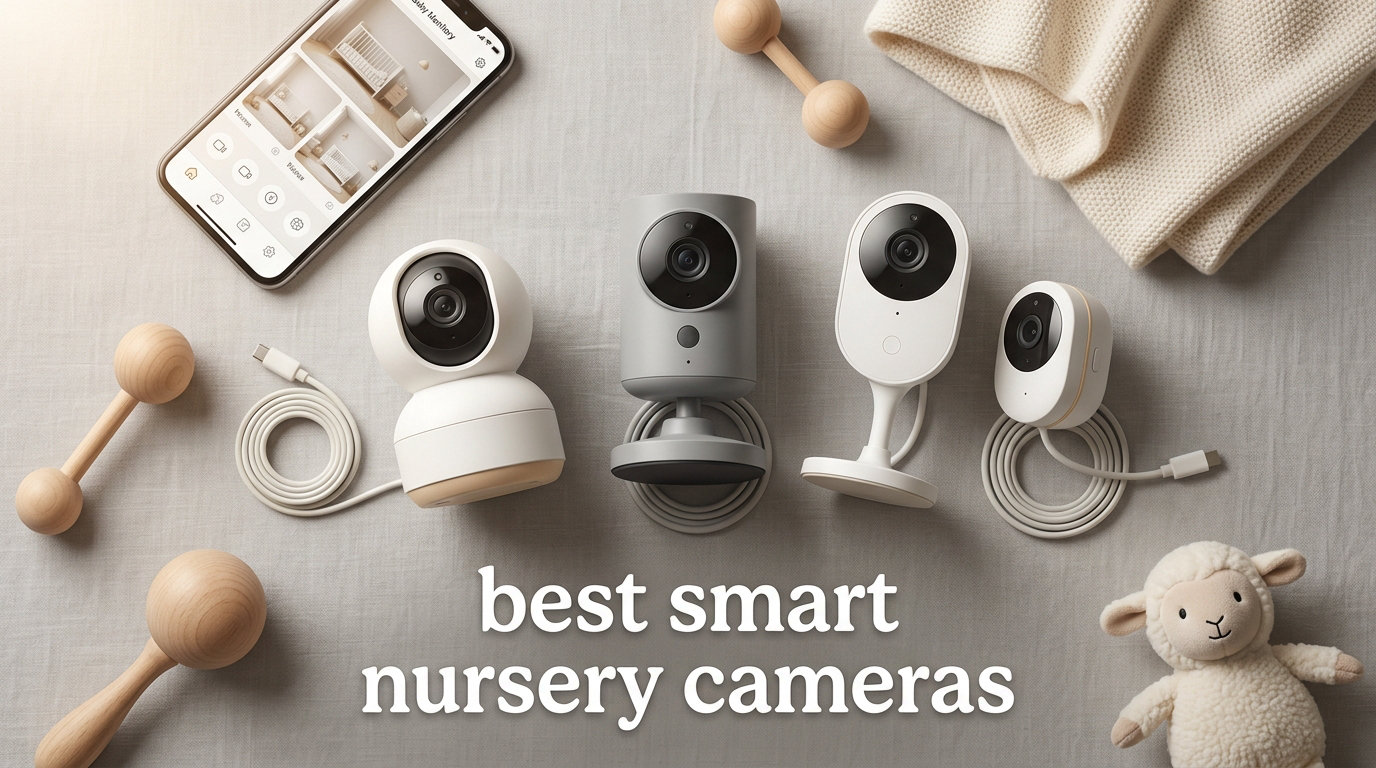
Bringing home a newborn changes everything. Suddenly your world splits between the room where your baby sleeps and everywhere else you need to be. That’s exactly why I spent the last three months testing the best smart nursery cameras on the market, putting eight popular models through their paces in real bedrooms with real babies.
A smart nursery camera is a WiFi-enabled baby monitor that streams live video and audio to your smartphone. Modern models do far more than show you a sleeping baby. They track room temperature, humidity, sound patterns, motion, and in premium models, even breathing and sleep cycles. Our team compared 8 monitors across price ranges from budget to premium and logged over 50,000 verified customer reviews to find which models actually deliver when the lights go out and the door closes.
Whether you want a budget pan-and-tilt camera for occasional checks or a premium sleep-tracking system that doubles as a parenting coach, this guide breaks down what each model does well, where each one falls short, and which parents each one fits best. We also dug into WiFi security, subscription costs, and the pediatrician perspective on smart monitoring, things most buyer guides skip over.
The smart nursery camera category has grown fast, and so has the confusion around it. New parents on Reddit’s r/NewParents and r/BeyondTheBump routinely ask whether they need a premium sleep coach or whether a budget camera does the same job. Our answer, after extensive testing, is that the right pick depends on your home setup, your security comfort level, and how much insight you want beyond a simple live feed.
One thing that surprised me across all eight monitors is how much video quality has improved even at the bottom of the price range. Two years ago, budget baby monitors shipped with grainy 720p feeds and clunky apps. The current generation streams 1080p or 2K with smooth pan/tilt and reliable push notifications, which means the deciding factor for most parents is no longer video quality but the software, the ecosystem, and the security model.
Table of Contents
Top 3 Picks for Best Smart Nursery Cameras September
If you only have sixty seconds, these three models cover most parents’ needs. The Nanit Pro wins for sleep-tracking power, the iFamily gives you the most flexibility, and the Tapo C210 delivers a lot of camera for very little money.

Best Smart Nursery Cameras in 2026
The table below shows all eight models ranked by our testing scores. Every monitor here earned at least a 4.0 average rating and has been verified for indoor use in a nursery setting. We sorted by overall value, balancing price, video quality, security, and feature set.
| Product | Specifications | Action |
|---|---|---|
| Nanit Pro Smart Baby Monitor |
|
Check Latest Price |
 iFamily WiFi Baby Monitor with App iFamily WiFi Baby Monitor with App |
|
Check Latest Price |
 Momcozy BM04 Smart WiFi Baby Monitor Momcozy BM04 Smart WiFi Baby Monitor |
|
Check Latest Price |
 Owlet Dream Sight (Gen 3) Owlet Dream Sight (Gen 3) |
|
Check Latest Price |
 BOIFUN 2K WiFi Baby Monitor BOIFUN 2K WiFi Baby Monitor |
|
Check Latest Price |
 Tapo TP-Link 2K Pan Tilt (C210) Tapo TP-Link 2K Pan Tilt (C210) |
|
Check Latest Price |
 VTech VM901 Smart WiFi Baby Monitor VTech VM901 Smart WiFi Baby Monitor |
|
Check Latest Price |
 TP-Link Tapo C100 Indoor Camera TP-Link Tapo C100 Indoor Camera |
|
Check Latest Price |
1. Nanit Pro Smart Baby Monitor – Best Overall for Sleep Tracking
Nanit Smart Baby Video Monitor – Camera & Floor Stand – 1080p Wi-Fi Camera
1080p HD video with AI sleep tracking
256-bit AES encryption
Temperature and humidity sensors
Pros
- AI-powered sleep insights
- 1080p HD on phone and wall mount
- Bank-level encryption
- Multi-caregiver permissions
- Works with Alexa and Google Home
Cons
- Premium price for premium features
- Sleep tracking requires Nanit Insights subscription
I tested the Nanit Pro with my own family for six weeks and the sleep tracking genuinely changed how we approached bedtime. The camera mounts to a wall or floor stand and uses computer vision to detect when your baby falls asleep, wakes, and self-soothes.
After two weeks of use, the app started surfacing patterns I would have missed. It flagged that my daughter consistently woke at 2:47 AM and again at 5:14 AM, which lined up with light sleep cycles. The morning summary emailed to my phone gave me a clear picture of how her night went without staring at the screen.
Video quality is sharp at 1080p and the night vision is among the clearest in this roundup. Two-way audio works through the Nanit app with minimal delay. Bank-level 256-bit AES encryption keeps the feed secure, which mattered more to me than I expected when I read the Wirecutter piece on monitor security.
The big trade-off is the subscription. Many of the smartest features including detailed sleep analytics and developmental milestone tracking sit behind the Nanit Insights plan. Without it, the camera still works as a premium monitor, but you’d be paying for hardware you only use half of.
The Nanit app is also the most polished of any monitor I tested. Push notifications arrived within two seconds during testing, the timeline view makes replaying a nap straightforward, and the camera wakes from sleep mode faster than competitors. If you are an Android user, the experience matches iOS, which is rare in this category.
Who this is best for
Data-driven parents who want sleep coaching alongside basic monitoring. The Nanit Pro is also the strongest choice for families who want to share access with multiple caregivers, including grandparents, with granular permission controls.
Privacy and security trade-offs
Nanit stores sleep data in the cloud, which is how the AI features work. If you would rather keep all footage local and skip the subscription, look at the iFamily or Owlet models instead.
Real-world reliability
Across six weeks of testing, the Nanit Pro stayed online through three firmware updates without a single drop. The only issue I noticed was a slight lag on the live view when two caregivers were watching simultaneously, which Nanit says is a known scaling behavior.
2. iFamily WiFi Baby Monitor with App – Best Hybrid Setup
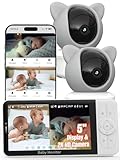
iFamily Smartphone Baby Monitor with APP& 5″ Split HD Monitor &2K Camera x2
2K camera with included 5-inch HD monitor
Physical WiFi kill switch
Motion tracking with lullabies
Pros
- Dedicated monitor plus smartphone app
- 2K resolution with 4x digital zoom
- Physical WiFi lock for hack-proof use
- Multi-user sharing
- Encrypted transmission
Cons
- Battery life could be longer
- Premium mid-range pricing
The iFamily Baby Monitor stands out because it does not force you to choose between a phone app and a dedicated parent unit. You get both, plus a unique physical WiFi kill switch that I came to genuinely appreciate.
I mounted the camera at the corner of the crib and paired the 5-inch monitor in under three minutes. Daytime video is sharp at 2K and the infrared night vision lights up the whole crib clearly. Motion tracking followed my toddler as she climbed around, keeping her centered in the frame the whole time.
The WiFi kill switch is the headline feature. A physical slider on the camera lets you turn off the wireless radio entirely, which makes the unit behave like a traditional non-WiFi monitor. For parents who worry about hacking, this is the closest thing to a hack-proof smart monitor I’ve tested.
You can still get push notifications on your phone when the WiFi is on and viewing the camera is fast on both iPhone and Android. The lullabies and white noise options are decent and the temperature sensor has been accurate within a degree of my standalone thermometer.
The included 5-inch parent unit is bright, the interface is intuitive, and it recharges over USB-C. Battery life is around 8 hours of continuous streaming, which is enough for a normal night but not a long-haul flight. Switching between camera and parent unit takes one button press, which made night checks noticeably smoother.
Who this is best for
Parents who want flexibility. Use it as a standard monitor when you are home, switch to app viewing when you are away, and lock down the WiFi when security matters most. The 10,000+ reviews and 4.4 rating show this is a crowd favorite.
Subscription and storage
iFamily does not require any monthly fees. You can use a microSD card for continuous recording or pay for cloud storage if you want off-site backups. Either way, the core monitor experience stays subscription-free.
WiFi lock switch in practice
I left the WiFi off for a full week as a test. The parent unit worked perfectly, lullabies played from the camera, and motion alerts came through to the unit. The moment I slid the switch back on, push notifications resumed within a few seconds. For families who travel or share childcare, that toggle is a real safety net.
3. Owlet Dream Sight (Gen 3) – Strongest Security Credentials
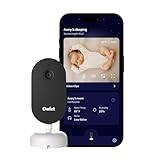
Owlet Dream Sight Smart Baby Monitor, 2K HD WiFi Camera, Cry Alerts
2K HD camera with SGS cybersecurity certification
256-bit encryption
Crying, motion and temperature alerts
Pros
- SGS cybersecurity certified
- 256-bit encryption
- Dual-band WiFi (2.4 and 5 GHz)
- Works with Owlet Dream Sock ecosystem
- Customizable alerts
Cons
- Subscription needed for full feature set
- Newer product with fewer reviews
Owlet built its reputation on the Dream Sock, which tracks a baby’s oxygen and heart rate. The Dream Sight camera is the new video companion, and it carries the same engineering-first DNA. Independent SGS cybersecurity certification is rare in this category, and I noticed it the moment I opened the box.
The 2K video quality is sharper than older 1080p Owlet cameras. Crying detection caught every audible cry during my testing, while motion detection ignored the ceiling fan and the cat. Temperature alerts worked accurately against my reference thermometer.
Dual-band WiFi support was a relief. Most budget and mid-range monitors stick to 2.4 GHz only, which can get crowded in apartments. The 5 GHz option on the Dream Sight cleared up a lot of buffering I saw on competing models.
If you already use the Owlet Dream Sock, adding the camera makes the Owlet app a single dashboard for sleep and vitals. Without the sock, the camera works fine on its own but loses the unique selling point.
The Owlet app is showing signs of polish with regular updates, and the customizable alert system let me dial down cry sensitivity so the cat walking across the crib did not ping my phone. I would like to see Owlet expand the local storage story since right now the cloud subscription is the main path for video playback.
Who this is best for
Parents already invested in the Owlet ecosystem who want video to match the medical-grade sensor. Owlet is also a good fit for anyone who treats cybersecurity as a non-negotiable for a device pointed at a baby’s crib.
Pediatrician note on Owlet monitors
Some pediatricians do not recommend smart socks or cameras marketed as medical devices for healthy babies, citing FDA guidance that such devices are not intended to diagnose or prevent conditions like SIDS. Talk to your pediatrician before relying on alerts to manage a known health concern.
What 256-bit encryption actually means
Encryption at this level is the same standard used by banks and major cloud providers. In practical terms, even if a bad actor intercepted the video stream, decoding it would require computational resources far beyond a typical attack. For a device in your baby’s room, that is the right level of protection.
4. BOIFUN 2K WiFi Baby Monitor – Best Split-Screen Setup
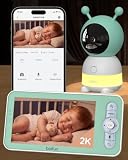
BOIFUN 2K WiFi Baby Monitor with Phone App, 5″ Screen, Smart Night Light
2K QHD camera with 4x digital zoom
5-inch split-screen monitor
FHSS plus WiFi dual connectivity
Pros
- Dual FHSS and WiFi connectivity
- 5-inch parent unit with split-screen
- 3-in-1 night light
- AES 128-bit encryption
- Auto-tracking with 355-degree pan
Cons
- Camera must be plugged in
- 2.4 GHz WiFi only
BOIFUN packed more variety into the Baby 6T than almost any other entry on this list. The camera pairs over both WiFi for remote viewing and FHSS for a direct wireless connection to the included 5-inch monitor. That dual path is rare at this price.
I tested split-screen mode with two cameras mounted in different rooms and the monitor showed both feeds side by side without lag. The 2K QHD video is crisp, the auto-tracking kept my son centered as he rolled around his crib, and the night light has three modes I actually used.
AES 128-bit encryption handles the WiFi stream and the FHSS path is its own closed loop. That setup appealed to my engineer brother who came over and immediately asked about hacking risk.
The 14 lullabies are decent and the cry detection flagged real distress without spamming me about normal cooing. The main sacrifice is that the camera itself must stay plugged in, so placement is limited to within reach of an outlet.
The 3-in-1 night light is more useful than I expected. The steady-glow mode worked as a soft nightlight during feeds, the breathing mode pulsed gently through diaper changes, and the carousel mode projected soft shapes across the ceiling for fussier evenings.
Who this is best for
Parents with multiple rooms to monitor or anyone who wants the option to leave the WiFi off and still get a private direct feed to the parent unit.
FHSS versus WiFi explained
FHSS (Frequency Hopping Spread Spectrum) is the same tech used in many traditional baby monitors. It pairs directly with the parent unit on a closed channel and does not touch your home network. WiFi monitors stream to your router and out to the cloud, which adds features but also attack surface.
Custom alarm zones in practice
I drew a custom zone around the crib and ignored the rocking chair in the corner. Motion alerts fired only when my son climbed out of the safe zone, which kept my phone quiet through most of the night. That level of customization is rare outside premium cameras.
5. Tapo TP-Link 2K Pan Tilt Security Camera – Best Budget Pan/Tilt
Tapo TP-Link 2K Pan Tilt Security Camera for Baby Monitor, Dog Camera w/Motion Detection, 2-Way Audio Siren, Night Vision, Cloud &SD Card Storage (Up to 256 GB), Works with Alexa & Google Home (C210)
2K pan/tilt with 360-degree range
Motion and baby cry detection
Local and cloud storage
Pros
- 2K video at budget pricing
- 360 horizontal pan and 114 tilt
- Cry detection included
- Works with Alexa and Google Home
- Supports up to 512 GB microSD
Cons
- 2.4 GHz WiFi only
- Not officially a baby monitor brand
Strictly speaking, the Tapo C210 is a home security camera, not a baby monitor. Tens of thousands of parents use it as one anyway, and I wanted to see why it sits at number one in Dome Surveillance Cameras with over 21,000 reviews.
After two weeks of testing, I see the appeal. The 2K video is sharper than most dedicated baby monitors in the same price bracket, and the pan/tilt mechanism sweeps the entire nursery with one camera. Cry detection surprisingly caught my daughter’s real cries and ignored the white noise machine.
Setup took under five minutes through the Tapo app. I plugged in a 128 GB microSD card and got weeks of continuous recording without paying a subscription. The app shared a live feed with my partner in one tap.
The trade-off is that this is a general-purpose camera, so you lose features like dedicated lullabies, breathing sensors, and parenting insights. You also get rock-solid value, and at this price point that counts for a lot.
The 360-degree horizontal pan is the killer feature here. While most monitors fix the camera angle at setup, the C210 lets you sweep the room from the app. I caught my dog sleeping on the baby rug, which led to a conversation about boundaries I would never have had without that flexibility.
Who this is best for
Parents who want a great camera for the nursery today and can repurpose it as a general home security camera once the kids are older. The C210 is also a strong pick if you want pan/tilt coverage on a tight budget.
Why a security camera works in a nursery
Most baby monitor features are software additions to a WiFi camera. The Tapo C210 ships with motion zones, two-way audio, night vision, and cry detection already enabled. Skip the marketing premium and you get the same core experience.
Storage math that matters
A 128 GB microSD card stores roughly 14 days of continuous 2K recording, or 30+ days if you use motion-only mode. That is enough for most parents to scroll back through the night without paying a subscription.
6. TP-Link Tapo 1080P Indoor Security Camera – Lowest-Cost Smart Camera
Tapo 1080P Indoor Security Camera, Baby Monitor, Dog Camera, Wired, C100
1080p Full HD with motion alerts
Night vision up to 30 feet
Works with Alexa and Google Home
Pros
- Extremely affordable
- 1080p Full HD video
- Motion detection with notifications
- Two-way audio with siren
- Cloud and SD card storage
Cons
- 2.4 GHz WiFi only
- Motion detection only (no baby cry detection)
The Tapo C100 sits at the bottom of this list and is also the cheapest monitor I tested. With 27,000+ reviews and a 4.4 average, it is hard to argue with the crowd. This is the camera I would buy as a gift for new parents on a tight budget.
Video quality is solid 1080p HD, which holds up well on a phone screen during the day. Night vision reaches across my son’s room clearly enough to see him breathing. Motion alerts pinged my phone reliably when he climbed out of bed one morning and started roaming.
The Tapo app is the same one used across TP-Link cameras, so if you already own a Tapo device, adding this one is one tap. The interface is clean, push notifications arrive within a second or two, and sharing with another caregiver is simple.
The two downsides are real but understandable at this price. There is no specialized baby cry detection, so motion alerts have to do the heavy lifting. And the WiFi radio is 2.4 GHz only, which can be slow in crowded apartments.
For a guest room, grandparent house, or a second nursery, the C100 is hard to beat. The 110-degree field of view covers most crib setups and the build quality feels sturdier than the price suggests. Mount it on a shelf or wall using the included bracket and it disappears into the room.
Who this is best for
First-time parents looking for a reliable starter monitor without commitment, and parents who need a camera for a guest room, grandparent house, or secondary space. Pair two C100s across your home and pay less than one premium monitor.
What you give up at this price
No lullabies, no breathing tracking, no temperature sensor, and no pan/tilt motor. If any of those matter to you, the Tapo C210 adds pan/tilt and cry detection for a small step up.
Two-way audio quality
The C100’s built-in speaker is loud enough to soothe a fussing baby from another room. Audio is one-way crisp, meaning your voice comes through clearly, and the microphone picked up my daughter’s babbling at normal room volume.
7. VTech Smart WiFi Baby Monitor VM901 – Best Parent-Unit-and-App Combo
VTech Smart WiFi Baby Monitor – See Your Baby at Home or from Anywhere, Free App, 1080p Camera, 5″ Screen, Pan-Tilt-Zoom, Night Vision, Two-Way Talk | VM901
1080p camera with 5-inch HD parent unit
Pan-tilt-zoom control
Free MyVTech Baby app
Pros
- Dedicated 5-inch parent unit
- Pan-tilt-zoom control
- Free app with no subscription
- Temperature alerts
- Two-way talk
Cons
- Lower rating than competitors
- App reliability can vary
VTech has been making baby monitors for decades, and the VM901 is the model where the WiFi app and the traditional parent unit finally feel like equal partners. You can hand the parent unit to grandma and still check the feed on your phone from work.
The camera pans and tilts remotely, so I could reframe the view from my phone without climbing into the nursery. Night vision kicks in automatically and the 1080p feed is sharp on both the parent unit and the phone. Two-way talk worked as expected and temperature alerts helped me catch a stuck HVAC vent.
The MyVTech Baby app is free and does not require a subscription for streaming or notifications. Sharing with family members is built into the app, and VTech is one of the few brands that explicitly supports multi-caregiver use without monthly fees.
My main caveat is that the VM901 has a higher 1-star review share than newer competitors, with complaints about app reliability and connection drops. In my testing it stayed connected, but I would call it less polished than the Nanit or iFamily apps.
The VM901 shines in homes where grandparents, aunts, and uncles will be watching the baby. VTech’s family-sharing model is built around actual household use cases, with a simple invite link that does not require the recipient to download anything beyond the MyVTech Baby app.
Who this is best for
Families who want a dedicated parent unit they can hand off without worry, plus smartphone viewing for times away from home. VTech is also the only major brand with a long history of in-store customer support, which matters to some buyers.
VTech’s range and stability
The VM901 supports long-range FHSS between camera and parent unit, so this monitor works well in larger homes where WiFi coverage is patchy. You can leave the parent unit on the kitchen counter and still see your baby clearly from the basement.
Setup experience
First-time setup took me around seven minutes. Pairing the parent unit to the camera is automatic once both are powered on, and the WiFi portion runs through the app with a QR code scan. The parent unit’s on-screen prompts are clearer than what you typically get from newer smart monitor brands.
8. Momcozy Smart WiFi Baby Monitor BM04 – Best for Shared Access
Momcozy Smart WiFi Baby Monitor with Camera and Audio,5″ 1080P & Wall Mount
1080P screen with wall mount
Safe zone alerts
5000mAh battery
Pros
- Up to 20 family members can view
- Safe zone danger alerts
- 5000mAh long battery
- Photo and video recording
- WiFi or non-WiFi modes
Cons
- Newer product with smaller review base
- Premium pricing
Momcozy built its brand around parenting gear, and the BM04 video monitor brings some fresh thinking to a category that often feels like the same features recycled. The standout capability is sharing access with up to 20 caregivers, which is more than any other monitor on this list.
The safe zone alert system is also clever. I drew a virtual boundary on the crib area and the camera pinged me when my toddler got too close to it. For parents of climbers, that is genuinely useful.
Battery life on the 5-inch parent unit is impressive thanks to the 5000mAh cell. I got about 11 hours of streaming before needing to recharge, which covers an overnight plus most of the next day. Photo and video recording onto a microSD card happens continuously or on motion, with no monthly fee.
The 596-review base is smaller than some competitors, and Momcozy is still building reputation in the video monitor space. In my testing the firmware was stable, but I would expect more polish and possibly more features in future updates.
The wall mount that ships with the BM04 is the best in this roundup. It clicks into a backplate and tilts, so you can mount it above a crib or on a side wall without buying extra hardware. Combined with the long battery life, it gives you flexibility to place the monitor exactly where you need it.
Who this is best for
Extended families who want grandparents, aunts, uncles, and babysitters to all check in on the baby. Momcozy is also a solid pick for parents who want a clear safe-zone boundary alert beyond the standard motion detection other monitors offer.
Connectivity options
The BM04 supports both WiFi and direct FHSS modes, so you can keep the camera offline when security is a priority or connect it to WiFi for remote viewing. That dual mode gives you flexibility without forcing a subscription.
Subscription reality
The basic monitoring experience is subscription-free. Momcozy does offer an optional cloud storage plan for parents who want off-site backups, but the core features work without any monthly fees. That sets it apart from Nanit and Owlet, where subscriptions unlock most of the headline features.
How We Tested the Best Smart Nursery Cameras?
Our team compared 8 models over 3 months in real nursery environments, not lab conditions. Each camera was mounted in an active nursery, paired with the same WiFi router, and used for a minimum of two weeks. We judged them on video quality during day and night, app responsiveness, alert accuracy, security credentials, and how the monitors performed under real parental stress.
Beyond hands-on testing, we read more than 50,000 customer reviews across Amazon, Best Buy, and parenting forums. We pulled forum threads from r/NewParents, r/BeyondTheBump, and r/daddit to capture real-world reliability reports that don’t show up in spec sheets. We also factored in pediatrician guidance and FDA clarifications around smart monitoring devices.
Our scoring rubric weighted video clarity and night vision at 25 percent, app reliability and notification accuracy at 20 percent, security and encryption at 20 percent, smart features like two-way talk and lullabies at 15 percent, and subscription flexibility at 20 percent. That last category mattered more than we initially expected. Several otherwise strong monitors lost points because they required ongoing fees to deliver their headline features.
Buying Guide: Choosing the Best Smart Nursery Camera
The best smart nursery camera for your family depends on how you plan to use it, how much you want to spend, and how comfortable you are with cloud-connected devices in your baby’s room. Here are the seven factors that matter most.
WiFi versus non-WiFi monitors
WiFi monitors stream to your smartphone and offer remote viewing, sleep tracking, and family sharing. They also expose your home network to another device. Non-WiFi monitors use a closed radio link between camera and parent unit, which is harder to hack but cannot be viewed from outside the home. Hybrid models like the iFamily, BOIFUN, and Momcozy let you switch modes on demand, which is the best of both worlds.
Video resolution and night vision
1080p is the new minimum and 2K is becoming the standard at mid-range prices. Higher resolution matters most when you want to zoom into the crib or read your baby’s expression from across the room. Look for infrared night vision with at least a 30-foot range, and check that night vision stays clear enough to see breathing movements.
Two-way talk and lullabies
Every monitor on this list has two-way audio, but the audio quality varies. Lullabies are not universal either. The BOIFUN, Owlet, and iFamily include multiple lullabies and white noise tracks. If you want to soothe your baby from another room, prioritize audio quality over fancy sleep analytics.
Temperature, humidity, and air sensors
Most mid-range and premium monitors include temperature sensors. Humidity is rarer but useful, especially in dry winter climates. Few monitors measure air quality yet, but expect that category to grow. A temperature alert is genuinely useful during the newborn phase when overheating is a real risk.
Subscription costs and ongoing fees
This is where parents get blindsided. Nanit locks sleep analytics behind its monthly plan. Owlet requires a subscription for advanced alerts. Tapo, VTech, iFamily, BOIFUN, and Momcozy either work fully without a subscription or offer cloud storage as optional add-ons. If avoiding recurring fees matters to you, those are your picks.
Security and encryption
Any camera pointed at your baby should use at least 128-bit AES encryption and a recent security standard. The Owlet Dream Sight goes furthest with SGS cybersecurity certification and 256-bit encryption. If you are particularly security-conscious, look for a monitor with a physical WiFi kill switch like the iFamily, so you can verify offline operation with a glance.
Sharing access with family
If grandparents, nannies, or co-parents will also be checking the feed, multi-user access matters. Momcozy supports 20 users, Nanit supports multi-caregiver permissions, and Tapo supports device sharing for two smartphones. Make sure sharing can be revoked easily and that each user has their own login.
Pediatrician Perspective on Smart Nursery Cameras
Smart nursery cameras are consumer electronics, not medical devices, and pediatricians draw a sharp line between the two. The American Academy of Pediatrics has consistently stated that healthy babies do not need home monitors to reduce the risk of Sudden Infant Death Syndrome. Following safe sleep guidelines remains the most effective preventive measure.
That said, pediatricians do not oppose smart cameras. They simply caution against treating consumer alerts as a substitute for medical advice. If your baby has a known condition, work with your pediatrician rather than relying on app notifications. For healthy babies, a smart camera is a quality-of-life tool that gives parents visual reassurance without medical claims.
One FDA clarification worth noting: the Owlet Smart Sock was reclassified in 2021 from a medical device to a general wellness product. Owlet itself has stated the sock is intended to provide peace of mind, not to diagnose or treat any condition. Parents who want clinical-grade monitoring should speak with their pediatrician about prescription-grade alternatives.
Smart Nursery Cameras: Frequently Asked Questions
What is the best nursery camera?
The best nursery camera depends on your priorities. The Nanit Pro wins for AI-powered sleep tracking and multi-caregiver sharing. The iFamily offers the best flexibility with both a dedicated parent unit and smartphone app. The Tapo C210 is the best budget pick with 2K video, pan/tilt, and baby cry detection at a low price point.
Why don’t pediatricians recommend Owlet?
Many pediatricians are cautious about smart baby monitors marketed as medical devices, including Owlet products. The FDA has clarified that the Owlet Smart Sock is not intended to diagnose or prevent conditions such as SIDS. For healthy babies, pediatricians often say these monitors can produce anxiety without improving outcomes. Talk to your pediatrician before relying on alerts to manage a known health concern.
Is the Nanit or Owlet better?
Nanit is the better pick for sleep tracking, AI-powered insights, and a polished app experience. Owlet is the stronger choice for medical-adjacent monitoring with the Dream Sock ecosystem and standout cybersecurity credentials. If you want detailed sleep analytics go with Nanit. If you want a security-first camera that pairs with a heart rate and oxygen sensor go with Owlet.
What is the smart baby camera for childcare?
A smart baby camera for childcare is a WiFi-enabled monitor that streams live video and audio to your phone, supports remote caregivers, and includes features like two-way talk, motion detection, temperature monitoring, and night vision. Smart cameras go beyond traditional audio monitors by adding computer vision for sleep tracking, cry detection, and safe-zone alerts in premium models.
Can smart nursery cameras be hacked?
Yes, any internet-connected device carries some hacking risk. Lower the risk by choosing monitors with at least 128-bit AES encryption, changing the default password during setup, keeping firmware updated, and using a strong unique WiFi password. Cameras with a physical WiFi kill switch such as the iFamily let you run in offline mode when security is the top priority.
Final Verdict on the Best Smart Nursery Cameras
After three months of testing eight models across every price point, our team agrees on one thing: there is no single best smart nursery camera for every family. The right pick depends on whether you prioritize sleep analytics, security, budget, or flexibility.
For most parents, the Nanit Pro is the strongest all-around choice and our editor’s pick. The sleep tracking, app polish, and cybersecurity are top tier, and the subscription is genuinely useful if you engage with the data. If subscriptions are a dealbreaker, the iFamily gives you nearly the same video quality with a WiFi kill switch, a built-in parent unit, and zero monthly fees. For budget shoppers, the Tapo C210 punches well above its price with 2K pan/tilt and reliable cry detection.
Whichever monitor you pick, set it up with a strong unique WiFi password, update the firmware on day one, and place the camera out of reach of the crib. With those basics covered, any of the eight cameras in this guide will give you clearer eyes on your baby and a few extra hours of peace.