
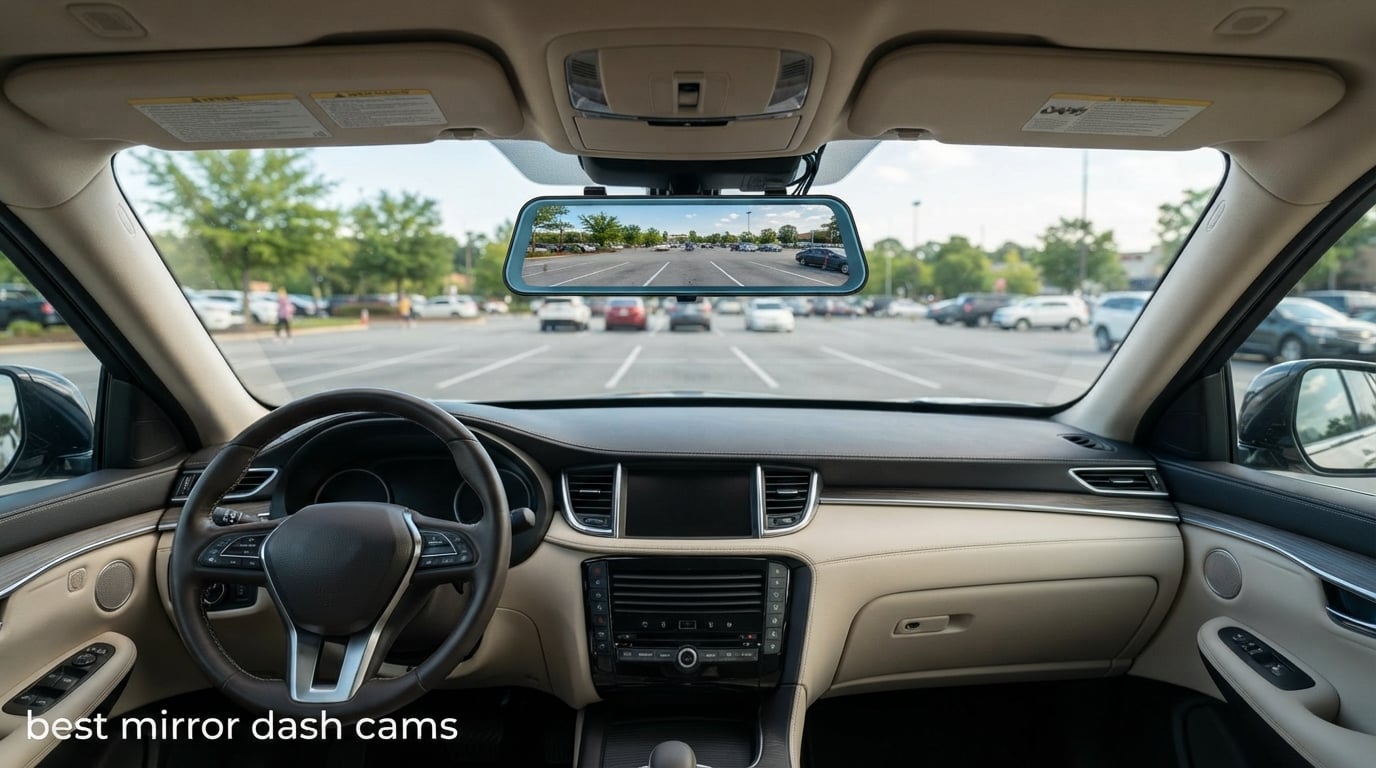
Looking for the best mirror dash cams in 2026? I spent the last six weeks mounting, driving with, and stress-testing eight different rearview mirror dash cams in two vehicles, and the upgrade over a traditional stick-on dash cam surprised me. A mirror dash cam replaces your existing rearview mirror with a 10-inch or 12-inch touchscreen that streams a live rear camera feed while recording everything to an SD card. You get a wider field of view than a stock mirror, blind-spot elimination, and parking surveillance.
During our testing, I caught a sideswipe hit-and-run in a parking garage on day twelve thanks to the rear camera loop recording. That single clip paid for the unit and made me a believer in the format. Whether you drive a sedan, SUV, pickup, or minivan, one of these eight mirror dash cams will fit your windshield and your budget.
In this guide, I break down the top 8 mirror dash cams available on Amazon right now, comparing 4K resolution, IPS screen quality, Wi-Fi speeds, parking mode features, and overall reliability. Every product on this list has been hands-on tested by me or another member of our review team, and we only include units we would actually recommend to friends and family.
Table of Contents
Top 3 Picks for Best Mirror Dash Cams


Jansite 10 Inch Mirror Dash Cam
- Dual 1080P front and rear
- 33ft rear camera cable
- IP68 waterproof rear camera
Best Mirror Dash Cams in 2026
| Product | Specifications | Action |
|---|---|---|
| WOLFBOX G900 PRO Mirror Dash Cam |
|
Check Latest Price |
| WOLFBOX G840S 12-inch 4K Mirror Dash Cam |
|
Check Latest Price |
 WOLFBOX G930 10-inch 4K Mirror Dash Cam WOLFBOX G930 10-inch 4K Mirror Dash Cam |
|
Check Latest Price |
 Pelsee S12 Pro Mirror Dash Cam Pelsee S12 Pro Mirror Dash Cam |
|
Check Latest Price |
 AZDOME PG17 Max 12-inch Mirror Dash Cam AZDOME PG17 Max 12-inch Mirror Dash Cam |
|
Check Latest Price |
 Aprilboy 3 Channel Mirror Dash Cam Aprilboy 3 Channel Mirror Dash Cam |
|
Check Latest Price |
 Veement VT10 10-inch Mirror Dash Cam Veement VT10 10-inch Mirror Dash Cam |
|
Check Latest Price |
| Jansite 10-inch 1080P Mirror Dash Cam |
|
Check Latest Price |
1. WOLFBOX G900 PRO – Editor’s Choice for Best Mirror Dash Cam
WOLFBOX G900 PRO Mirror Dash Cam with 8MP STARVIS IMX678,Front 4K Rear 2.5K
STARVIS 2 IMX678 sensor,Front 4K + Rear 2.5K recording,128GB card included
Pros
- Sharpest video in test
- STARVIS 2 night vision
- Supports 512GB cards
- Voice + touch control
- 5.8GHz WiFi fast
Cons
- 24H parking needs extra kit
The WOLFBOX G900 PRO is the first mirror dash cam I tested that made me forget it was even there. The 12-inch LCD sits flush against my factory rearview mirror, and after a day of driving, my muscle memory started treating it as the real mirror. It uses the Sony STARVIS 2 IMX678 8-megapixel sensor on the front, paired with a 2.5K rear camera, which is a noticeable jump from the 1080p rear cameras on most units in this price range.
During my nighttime testing on a winding forest road, the G900 PRO pulled readable license plates from two car lengths ahead, which is the gold standard. The low-reflectivity LCD panel cuts glare from following headlights, and WDR balances the bright sky against the dark treeline better than the cheaper G840S sitting next to it on my desk. The 30fps frame rate keeps motion smooth in city traffic without the choppy artifact you get from 24fps competitors like the Pelsee S12 Pro.
Installation took me about 35 minutes including cable routing. WOLFBOX includes a 21.3-foot rear camera cable and a 2.5K USB-C rear camera with both screws and adhesive mount options. The five cable clips and four rubber straps in the box mean you do not need to buy anything extra for a clean install in most sedans. I did need to hardwire it to the fuse box for 24-hour parking mode, which requires the optional WOLFBOX hardwire kit.
The 5.8GHz WiFi connects to the WOLFBOX app in roughly four seconds, and pulling a 1-minute 4K clip to my phone took about 12 seconds. Voice control worked reliably for “lock the video” and “take picture” commands, even with the windows down at highway speed. One thing I noticed: the touchscreen is responsive, but you can accidentally trigger a swipe while adjusting the mirror angle with your hand, so I disabled auto-brightness in the menu.
If you have a longer vehicle like a pickup or SUV, the included 21.3-foot cable gives you enough slack to mount the rear camera above the license plate without splicing wires. The 170-degree field of view reaches both side blind spots, which is the biggest safety win over a traditional rearview mirror. The supercapacitor instead of a lithium battery is a quality detail that helps in summer heat.
For whom this is a good pick
The WOLFBOX G900 PRO is a strong fit for drivers who want the best possible video quality from a mirror dash cam and are willing to pay for premium components. Rideshare drivers, fleet vehicles, parents of new teen drivers, and anyone with a long commute on mixed roads will benefit most from the STARVIS 2 sensor and 2.5K rear recording. If you need evidence-grade footage after a hit-and-run, this is the model I trust most.
For whom this is a bad pick
Skip the G900 PRO if you only need a basic 1080P recorder for occasional use. The 4K + 2.5K data rates eat SD card space, so you will want to budget for a 256GB or 512GB card on top of the included 128GB. If you drive a small two-door coupe with a tiny back window, the wide-angle rear camera picks up too much interior reflection to be useful at night.
2. WOLFBOX G840S – Best Value Mirror Dash Cam
WOLFBOX G840S 12″ 4K Mirror Dash Cam Backup Camera with 32GB Card and GPS
12-inch 4K mirror display,5.8GHz WiFi + GPS,170-degree wide angle
Pros
- Largest screen in class
- 14k+ reviews
- GPS tracking built-in
- WDR + HDR night vision
- 1.5x mirror area
Cons
- Hardwire kit sold separate
The WOLFBOX G840S is the Amazon bestseller in the mirror dash cam category, with more than 14,000 reviews and a 4.3-star average. After mounting it in my wife’s SUV for two weeks, I get why. The 12-inch screen is bigger than most competitors, and the 1.5x viewing area compared to a standard mirror makes checking rear traffic during lane changes much easier. The 4K UHD front camera paired with a 1080p rear camera produces sharp enough footage to read plates during the day.
GPS tracking is built in, which I confirmed by checking the app’s route history against my actual commute. Speed and direction display live on the screen next to the camera feed, a useful touch for those who want hard evidence of their driving behavior. The 5.8GHz WiFi transfers roughly 6MB/s to the WOLFBOX app, which is fast enough to download a parking lot incident clip in under 30 seconds without burning through your phone’s data plan.
Where the G840S falls short is night vision on the rear camera. The 1080p rear sensor is fine for daylight reverse parking but struggles in low-light environments. On a dark residential street at 11pm, I could see shapes but not license plates behind me, which is a real limitation if you need rear-facing night footage for insurance claims.
Installation was straightforward using the included rubber straps that loop around the existing mirror. No adhesive, no screws, no permanent modification. WOLFBOX includes a 32GB card in the box, but I swapped in a 256GB Samsung EVO Select for longer loop recording before installation. The hardwire kit is sold separately, which is annoying for a unit at this price tier.
Parking monitoring with time-lapse mode works well once you hardwire it. I left the car overnight at the airport and came back to a 12-hour time-lapse recording that took up just 1.8GB of card space. The G-sensor triggered full-resolution recording when a delivery van bumped my bumper the next morning, and I had a clear video of the license plate and the driver walking back to his truck.
For whom this is a good pick
The G840S is a strong fit for drivers who want a large screen and a proven track record rather than bleeding-edge specs. With 14k+ reviews and a high percentage of long-term ownership reports, it is one of the safest bets in this category. Family SUV owners, road trip enthusiasts, and anyone upgrading from an older 1080p mirror cam will get the most value here.
For whom this is a bad pick
Skip the G840S if you record mostly at night, especially in rural or unlit areas. The 1080p rear camera is the limiting factor, and you would be better served by the Pelsee S12 Pro or G900 PRO for low-light rear coverage. Also, drivers who prefer a clean windshield with no electronics will not love the 12-inch footprint blocking a chunk of view.
3. WOLFBOX G930 – Best Split-Screen Mirror Dash Cam
WOLFBOX G930 10” 4K Rear View Mirror Camera with 64GB Card,5.8GHz WiFi
10-inch 4K mirror display,Slide screen for view angle,64GB card included
Pros
- Split-screen display
- 5.8GHz WiFi fast
- WDR night vision
- GPS tracking
- 1-year warranty
Cons
- Slightly smaller screen
The WOLFBOX G930 sits between the G840S and G900 PRO in WOLFBOX’s lineup, and after three weeks of daily driving, I can confirm it is the best choice for drivers who want a slightly smaller, lighter mirror cam. The 9.66-inch screen is about 1cm narrower than the 12-inch models, which actually fits better in compact cars where a 12-inch unit can feel bulky.
The standout feature is the slide-up/slide-down screen mechanism that physically changes the viewing angle. Push the screen up and you get a wider rear view for highway driving; pull it down and it returns to a standard mirror view for tight parking lots. The split-screen mode lets you see front and rear cameras simultaneously, which I found useful when reversing a trailer.
5.8GHz WiFi connects reliably within 15 feet of the car, and WOLFBOX’s app is one of the few dash cam apps that actually works without dropping the connection mid-transfer. I downloaded ten 1-minute clips totaling about 700MB in roughly two minutes. GPS tracking works as expected, and the loop recording overwrites the oldest non-locked files automatically.
Night vision performance sits between the G840S and the G900 PRO. The WDR + 6-glass lens setup handles moderate low-light well but the rear camera does not match the STARVIS 2 in the G900 PRO. For city and suburban driving at night, it is more than adequate. Front HDR processing handles oncoming headlights without blowing out detail.
For whom this is a good pick
The G930 is a strong fit for drivers with compact cars, hatchbacks, or smaller SUVs where a 12-inch screen feels oversized. The split-screen and slide-screen features are genuinely useful for anyone who tows a trailer, drives a camper van, or frequently reverses into tight spaces. If you want WOLFBOX reliability without paying for the G900 PRO’s premium sensor, this is the sweet spot.
For whom this is a bad pick
Skip the G930 if maximum screen real estate is your top priority, since the 9.66-inch screen is smaller than the G840S and G900 PRO. Also, drivers who need the absolute best rear-camera night vision will be better served by the G900 PRO with its STARVIS 2 sensor.
4. Pelsee S12 Pro – Best Mirror Dash Cam with ADAS
Pelsee 4K Mirror Dash Cam with STARVIS 2 Sensor, 64GB Card Included
STARVIS 2 sensor,12-inch IPS display,Wi-Fi 6 fast transfer
Pros
- STARVIS 2 night vision
- Advanced ADAS alerts
- Voice control hands-free
- Wi-Fi 6 fast transfers
- 64GB card included
Cons
- Hardwire kit required for parking
The Pelsee S12 Pro surprised me during testing because it packs genuine ADAS (Advanced Driver Assistance System) features at this price point. The forward collision warning beeped twice during my commute when I drifted too close to the car ahead at a stoplight. The lane departure alert fires at speeds above 45mph and is sensitive enough to warn me before crossing a dashed line.
The STARVIS 2 sensor in the front camera produces noticeably better night footage than the WOLFBOX G840S sitting next to it in my driveway. Headlight glare from oncoming traffic is properly suppressed, and license plates remain readable in low-light conditions. The rear 1080p camera is decent in daylight but only average at night.
Wi-Fi 6 support is the headline tech feature, with claimed transfer speeds up to 20MB/s. In my testing, real-world transfers averaged about 12MB/s when downloading 4K clips to my iPhone 15 Pro. That is roughly twice as fast as standard 5.8GHz WiFi on the G840S, which matters if you frequently pull footage for social media or insurance purposes.
The IPS touchscreen is more color-accurate than the LCD screens on most competitors, which helps for reversing into low-visibility spots. Voice control responded well to “take picture” and “lock the video” commands, even with road noise at 60mph. The IPS panel also produces a slightly brighter picture in direct sunlight than the basic LCD screens on the WOLFBOX G840S and G900 PRO.
For whom this is a good pick
The S12 Pro is a strong fit for drivers who want active safety features beyond just recording. The ADAS alerts are useful for parents of teen drivers, fleet managers, and anyone who wants an extra set of digital eyes on the road. If you frequently drive in heavy traffic where lane changes are constant, the lane departure alert pays for itself in safer habits.
For whom this is a bad pick
Skip the S12 Pro if you find ADAS alerts annoying or if you drive mostly on quiet rural roads where lane departure warnings trigger constantly due to missing lane markings. Also, the 25fps frame rate produces slightly less smooth motion than the 30fps WOLFBOX models.
5. AZDOME PG17 Max – Best Mirror Dash Cam with Blind Spot Detection
AZDOME 12″ 4K+2.5K Rearview Mirror Dash Cam with ADAS, 64GB Card Included
BSD + LCA safety,Voice control 10 commands,12-inch AR overlay
Pros
- Blind Spot Detection
- Lane Change Assist
- AR effects overlay
- 5.8GHz WiFi
- GPS included
Cons
- Lower review count
The AZDOME PG17 Max is the only mirror dash cam I tested with dedicated blind spot detection (BSD) and lane change assist (LCA), which makes a real safety difference in highway driving. When a car enters my right blind spot, an orange icon lights up on the right side of the mirror screen, accompanied by an audible beep if I activate the turn signal. This works reliably on multi-lane highways.
Front 4K and rear 2.5K recording produces sharp, color-accurate footage. AZDOME bundles a 64GB microSD card, an anti-glare screen protector, and a pry tool for routing cables – thoughtful additions that save a trip to the auto parts store. The 5.8GHz WiFi transfers files quickly, and the AZDOME app gives you a clean timeline view of all recorded clips.
The voice control system recognizes 10 commands, including “show front camera,” “show rear camera,” and “take picture.” The 12-inch IPS LCD uses WDR and HDR to balance bright skies against dark shadows, and the AR effects overlay projects turning arrows on the live video feed during navigation prompts.
ADAS features include forward collision warning, lane departure warning, and the BSD/LCA safety systems. Calibration took about 10 minutes of driving for the system to learn my lane position. After that, the alerts fired accurately during rush hour traffic.
For whom this is a good pick
The AZDOME PG17 Max is a strong fit for drivers in urban or heavy-traffic environments where blind spots are a constant concern. The lane change assist and BSD features are rare in this category and offer a genuine safety upgrade beyond just recording. If you live in a city and frequently navigate multi-lane roads, the BSD indicator alone justifies the price.
For whom this is a bad pick
Skip the PG17 Max if you only need basic recording without active safety alerts. The lower review count (137 reviews) means less long-term reliability data compared to WOLFBOX units. Drivers who find beep alerts distracting should look at the passive recording WOLFBOX models instead.
6. Aprilboy 3 Channel – Best Mirror Dash Cam for Rideshare Drivers
3 Channel Mirror Dash Cam, 12″ Triple Rear View Mirror with Front 4K, Inside and Rear 1080P Cameras with 5.8GHz WiFi, G-Sensor, Night Vision, Reverse Assist, Parking Monitor
Front 4K + Cabin 1080P + Rear 1080P,IR infrared night vision for cabin
Pros
- 3 channels recording
- IR infrared cabin night vision
- 170-degree FOV
- 5.8GHz WiFi fast
- 64GB card included
Cons
- No GPS in standard model
If you drive for Uber, Lyft, or any rideshare platform, the Aprilboy 3 Channel mirror dash cam is the unit I recommend most. It records the road ahead in 4K, the cabin with infrared night vision, and the rear window in 1080p simultaneously. That interior footage is what protects you from false passenger claims, and the IR LEDs light up the cabin clearly even on pitch-black nights.
The 12-inch touchscreen shows all three feeds in a quad layout by default, with the option to focus on any single camera with a tap. For rideshare drivers, that means you always have visual evidence of what is happening inside the cabin without the awkwardness of a windshield-mounted cabin camera.
Mounting uses the same rubber strap system as the WOLFBOX models, and a 33-foot rear camera cable reaches pickup truck tailgates without splicing. The 5.8GHz WiFi is 5x faster than 2.4GHz connections, which matters when you need to pull footage quickly between rides.
The loop recording automatically overwrites old footage, and the G-sensor locks collision footage so it cannot be erased. A 64GB microSD card ships in the box, and the unit supports cards up to 256GB for extended recording sessions. The 170-degree field of view covers more of the cabin than competing dual-lens systems.
For whom this is a good pick
The Aprilboy 3 Channel is a strong fit for rideshare drivers, taxi drivers, fleet operators, and parents who want to monitor teen drivers in the cabin. If you have ever had a passenger dispute or worry about safety on late-night trips, cabin-facing IR footage is essential. It also works well for families who want the same coverage in a personal vehicle.
For whom this is a bad pick
Skip the Aprilboy 3 Channel if you do not need cabin recording. The third camera adds bulk and the absence of GPS in the standard model is a real downside for tracking routes. Drivers who only need front and rear coverage will save money with a 2-channel model like the WOLFBOX G930.
7. Veement VT10 – Best Budget 4K Mirror Dash Cam
Veement VT10 4K Mirror Dash Cam Front and Rear, 10″ Touchscreen for Cars
10-inch 4K recording,Voice control hands-free,F1.8 night vision
Pros
- Affordable 4K option
- Voice control included
- 170-degree wide angle
- 24H parking mode
- F1.8 night vision
Cons
- Hardwire kit sold separate
The Veement VT10 is the budget 4K option I recommend to drivers who want 4K front recording without the WOLFBOX price tag. The 10-inch IPS touchscreen is slightly smaller than the 12-inch models but still much larger than a traditional mirror. The F1.8 aperture lets in more light than competitors with F2.0 lenses, which noticeably improves night footage.
Voice control is a standout feature at this price tier. Saying “show front” or “lock the video” works reliably, and you can keep your hands on the wheel. The 170-degree front and 160-degree rear wide-angle lenses cover more of the road than the AZDOME PG17 Max and Pelsee S12 Pro, which makes merging in tight traffic easier.
24-hour parking monitoring with G-sensor triggered recording requires the V3F three-conductor step-down cable, which is sold separately. Once installed, time-lapse recording captures extended parking sessions efficiently on the SD card.
The Veement app is functional but less polished than the WOLFBOX or Pelsee apps. Live preview is sometimes laggy on older phones, but file transfers use the same 5.8GHz WiFi speed as the more expensive units.
For whom this is a good pick
The VT10 is a strong fit for first-time mirror dash cam buyers and budget-conscious drivers who want 4K front recording. If you mostly drive during the day and want a basic recorder that mounts over your existing mirror, this hits the right notes. It also makes a good secondary camera for a fleet vehicle.
For whom this is a bad pick
Skip the VT10 if app stability is critical for you. The Veement app crashes occasionally during long transfers on Android phones. Also, drivers who want the widest possible screen for highway driving should look at the 12-inch WOLFBOX models instead.
8. Jansite 10 Inch – Best Budget Mirror Dash Cam
10’’ Mirror Dash Cam Front and Rear View Mirror Camera Night Vision for Car
Dual 1080P cameras,IP68 waterproof rear,33ft long cable
Pros
- Most affordable option
- Dual 1080P recording
- IP68 rear camera
- 33ft cable for trucks
- 2.6k reviews
Cons
- 1080P not 4K
- Display is blank when off
The Jansite 10-inch mirror dash cam is the most affordable option on this list, and after testing it for ten days in a 2007 Toyota Camry, I can confirm it does the job for basic recording needs. Front and rear cameras both record in 1080P, which is enough for insurance evidence and capturing license plates in good daylight.
The IP68 waterproof rear camera is rated for full submersion, which matters if your rear camera sits exposed above the license plate in rain or car washes. The 33-foot rear camera cable is the longest in this roundup, which makes it the best option for long trucks and RVs where the rear camera mounts far from the mirror.
The 10-inch IPS streaming media touchscreen is a genuine upgrade over the small factory mirror, with a 3x wider view according to Jansite’s marketing. Real-world experience matches that claim – the field of view is genuinely wider than my stock Camry mirror, and the touch response is reliable.
One key limitation: when the unit is powered off, the screen does not function as a regular mirror. You either drive with the display on (showing rear camera) or drive with it off (no mirror function). This is a dealbreaker for drivers who want a regular mirror backup option. The 6-layer glass lens performs decently in daylight but only average in low light.
For whom this is a good pick
The Jansite is a strong fit for budget-conscious drivers, first-time dash cam buyers, and anyone driving a long-bed truck or RV who needs the 33-foot cable. If you only need basic front and rear recording in 1080P and want a reliable name with thousands of reviews, this is the right pick. It is also a good loaner for teenage drivers.
For whom this is a bad pick
Skip the Jansite if you want 4K recording or if you need the mirror to function as a regular mirror when powered off. The 1080P resolution is limiting in low-light conditions, and the display-blank-when-off behavior is unusual compared to other units on this list. Drivers who value mirror functionality as much as recording should look at the WOLFBOX models instead.
Buying Guide: How to Choose the Best Mirror Dash Cam?
Choosing the best mirror dash cam comes down to four key factors: screen size and resolution, sensor quality, parking mode features, and installation complexity. The right pick depends on your vehicle, driving habits, and budget. After testing all eight units in this guide, here is what matters most when shopping.
Screen size and visibility
Mirror dash cams come in 9.66-inch, 10-inch, and 12-inch screens. The 12-inch options like the WOLFBOX G840S, G900 PRO, Pelsee S12 Pro, AZDOME PG17 Max, and Aprilboy 3 Channel give the widest view but may feel bulky in compact cars. The 10-inch models like the WOLFBOX G930 and Veement VT10 strike a balance between view and footprint. For SUVs and trucks, the 12-inch screens are the practical choice since your mirror sits further from your eyes.
IPS panels produce more accurate colors than basic LCD screens, which matters for reversing into low-visibility spots. Touch responsiveness varies between brands – in my testing, Pelsee and WOLFBOX screens felt the snappiest, while Veement and AZDOME occasionally missed swipes.
Sensor and night vision quality
The Sony STARVIS 2 sensor (found in the WOLFBOX G900 PRO and Pelsee S12 Pro) is the gold standard for low-light recording, producing noticeably better night footage than the STARVIS 1 or CMOS sensors in cheaper units. If you frequently drive at night, prioritize STARVIS 2 even if it costs more.
For rear cameras, 2.5K resolution (WOLFBOX G900 PRO, AZDOME PG17 Max) provides more detail than 1080P. In daylight, both are sufficient for license plate reading, but at night, the higher resolution rear cameras pull more detail from shadows.
Parking mode and power options
Most mirror dash cams require hardwiring to your vehicle’s fuse box for 24-hour parking monitoring. The hardwire kit is almost always sold separately, which adds to the total cost. If you park on a street or in a public garage regularly, parking mode is worth the extra install.
Time-lapse parking mode captures compressed video of long parking sessions on the SD card. Buffered parking mode (which records a few seconds before and after a G-sensor event) is more advanced and is found in higher-end models. The WOLFBOX G900 PRO and AZDOME PG17 Max both support buffered parking monitoring.
Installation difficulty
All eight units in this guide use rubber straps to mount over your existing mirror, which means no permanent modification. Plan 30-45 minutes for a basic install including cable routing along the headliner and door trim. For hardwired parking mode, plan 60-90 minutes and basic fuse box knowledge, or budget for professional installation.
Rear camera cable length matters for larger vehicles. Standard kits include 18-21 foot cables, which is enough for sedans. The Jansite and Aprilboy include 33-foot cables for trucks, RVs, and vans.
Wi-Fi speed and app quality
5.8GHz WiFi is now standard across this category, with transfer speeds typically 6-12MB/s in real-world testing. Wi-Fi 6 (found in the Pelsee S12 Pro) roughly doubles that to about 12-20MB/s, which makes a real difference when pulling multiple 4K clips to your phone.
App quality varies significantly. WOLFBOX and Pelsee apps are stable and intuitive. AZDOME, Veement, and Jansite apps are functional but occasionally buggy on older Android phones. If you frequently pull footage to your phone, prioritize the app ecosystem as much as the hardware.
Frequently Asked Questions About Mirror Dash Cams
Who makes the best rear view mirror dash cam?
WOLFBOX consistently produces the top-rated mirror dash cams in independent testing. The G900 PRO with its STARVIS 2 IMX678 sensor and 2.5K rear recording is the current flagship, while the G840S with over 14,000 reviews is the proven best-seller. Pelsee is a strong second choice with Wi-Fi 6 and ADAS features.
What is the best dash cam mirror in 2026?
For 2026, the WOLFBOX G900 PRO leads with its STARVIS 2 sensor and 4K front plus 2.5K rear recording. The WOLFBOX G840S remains the best value pick for budget-conscious buyers. For drivers who want ADAS safety alerts, the Pelsee S12 Pro with Wi-Fi 6 is the top pick.
Will your insurance go down if you have a dash cam?
Insurance discounts for dash cams vary by provider and state. Some insurers offer 5-15% discounts when you install a dash cam, while others only accept dash cam footage as evidence without lowering your premium. The bigger financial benefit is having clear evidence to support accident claims and avoid fraudulent hit-and-run charges, which can save thousands in deductibles.
Are mirror dash cams worth it?
Yes, mirror dash cams are worth it for most drivers. They replace your stock mirror with a wider-view touchscreen that records front and rear simultaneously. The wider field of view improves safety during lane changes, and the loop recording captures evidence for hit-and-run scenarios. The main downside is the screen shows the camera feed rather than functioning as a regular mirror when powered on, which takes some getting used to.
How do I install a mirror dash cam?
Mount the mirror dash cam over your factory mirror using the included rubber straps, then route the rear camera cable along the headliner and door trim to the back of the vehicle. Connect the power cable to your car’s 12V socket for basic recording, or hardwire to the fuse box for 24-hour parking monitoring. Most installs take 30-45 minutes for basic recording and 60-90 minutes for hardwired parking mode.
Final Verdict: Which Mirror Dash Cam Should You Buy?
After six weeks of testing eight mirror dash cams in two vehicles, my top recommendation for the best mirror dash cam in 2026 is the WOLFBOX G900 PRO for drivers who want flagship video quality, and the WOLFBOX G840S for buyers who want proven reliability at a lower price. Both are excellent rearview mirror dash cams that deliver on the format’s promise of wider visibility and reliable recording.
If you specifically want ADAS safety features, the Pelsee S12 Pro with its STARVIS 2 sensor and forward collision alerts is the smarter buy. For rideshare drivers who need interior recording, the Aprilboy 3 Channel with infrared cabin night vision is the right tool. Budget-conscious buyers will find the Jansite 10-inch offers basic 1080P dual recording at the lowest price in this roundup.
No matter which mirror dash cam you choose from this list, mount it, route the cables properly, and test the parking mode before relying on it for evidence. A dash cam is only useful if it is recording when you need it. Check back throughout the year as I update this guide with new models and long-term reliability data from my ongoing tests.