
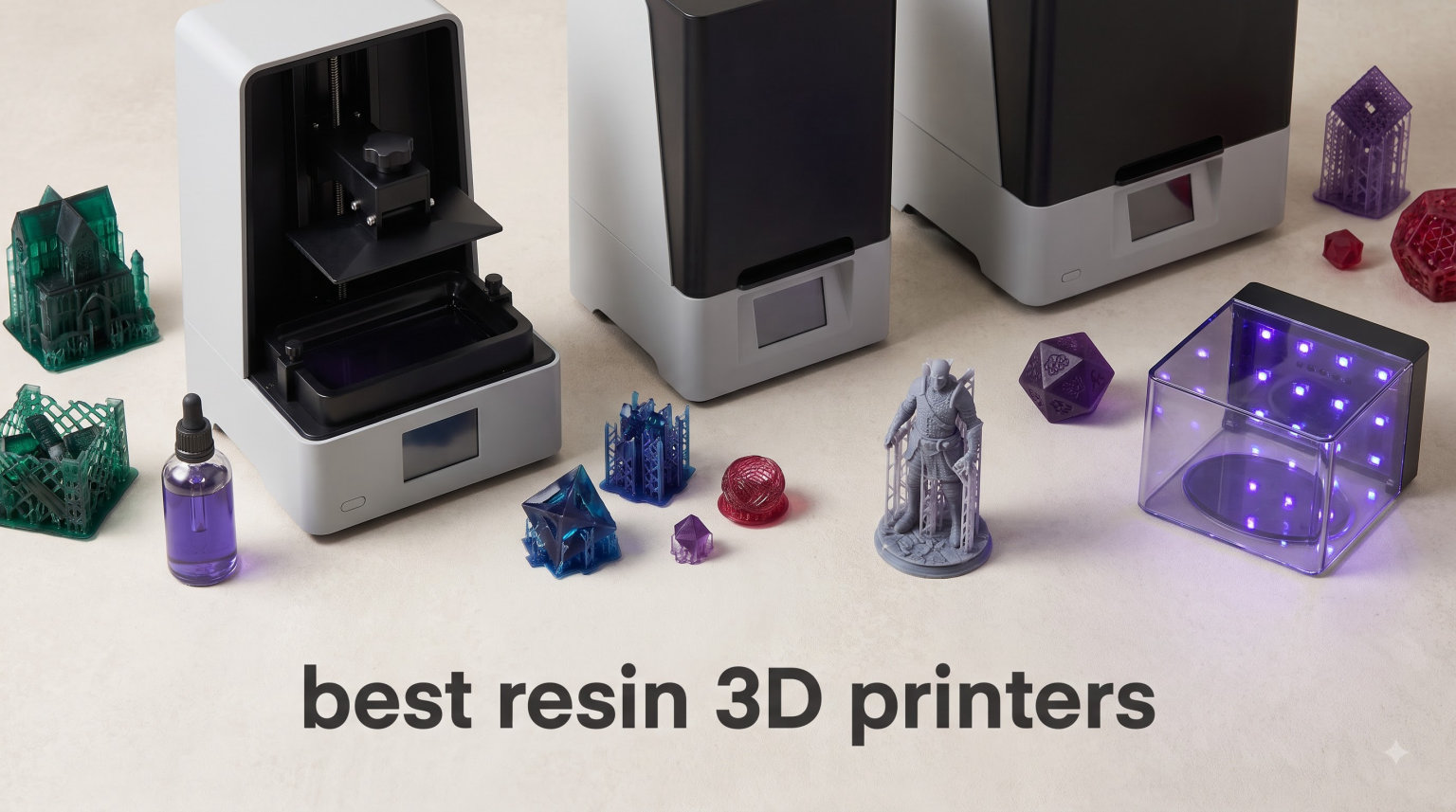
I still remember the first time I peeled a finished miniature off a resin build plate. The level of detail in the tiny cloak folds and the facial features on a 32mm hero was a revelation after years of fighting layer lines on filament machines. That single print convinced me that the best resin 3D printers are not a niche tool anymore. They are a serious option for hobbyists, dental labs, jewelers, and tabletop gamers who want surface quality that FDM simply cannot match.
After spending several weeks testing eight of the most talked about resin machines on Amazon and on community forums, I can tell you with confidence that the category has matured fast in 2026. We now have 16K mono LCD screens, smart heated vats, tilt release technology, and AI cameras that warn you before a print fails. At the same time, the entry point has stayed friendly, and budget resin printers can now produce prints that would have required a much more expensive machine just two years ago.
In this guide, I break down the best resin 3D printers you can buy right now, explain how SLA, DLP, and MSLA technology actually work, and share what I learned about safety, post-processing, and total cost of ownership. Whether you are printing D&D armies, prototyping small mechanical parts, or running a small business, there is a machine here for your budget and use case.
Table of Contents
Top 3 Resin 3D Printers at a Glance in 2026

ELEGOO Saturn 4 Ultra 16K
- 10-inch 16K Mono LCD
- Smart tank heating at 30°C
- 150mm/h print speed
- AI camera monitoring

ELEGOO Mars 5 Ultra
- 7-inch 9K Mono LCD
- 18μm XY resolution
- 150mm/h print speed
- WiFi cluster printing

Heygears Reflex RS Turbo
- 566:1 contrast amber screen
- ±2μm precision
- 4.5s per layer
- C5 industrial ball screw
If you only have time to skim this guide, start with those three. The Saturn 4 Ultra is the best overall pick, the Mars 5 Ultra is the smart budget choice, and the Heygears Reflex RS Turbo is what you graduate to when precision matters more than price.
Best Resin 3D Printers in 2026: Comparison Table
| Product | Specifications | Action |
|---|---|---|
| ELEGOO Saturn 4 Ultra 16K |
|
Check Latest Price |
| ELEGOO Mars 5 Ultra |
|
Check Latest Price |
| Heygears Reflex RS Turbo |
|
Check Latest Price |
 ANYCUBIC Photon P1 ANYCUBIC Photon P1 |
|
Check Latest Price |
 phrozen Sonic Mighty 12K phrozen Sonic Mighty 12K |
|
Check Latest Price |
 ANYCUBIC Photon Mono M7 PRO ANYCUBIC Photon Mono M7 PRO |
|
Check Latest Price |
 ELEGOO Jupiter 2 ELEGOO Jupiter 2 |
|
Check Latest Price |
 Creality Halot Mage S 14K Creality Halot Mage S 14K |
|
Check Latest Price |
1. ELEGOO Saturn 4 Ultra 16K — Best Overall Resin 3D Printer
ELEGOO Saturn 4 Ultra 16K Resin 3D Printer
10-inch 16K Mono LCD
Smart tank heating at 30°C
150mm/h print speed
Pros
- Class-leading 16K resolution
- Smart heated vat improves layer adhesion
- AI camera catches failed prints early
- Auto-leveling works in one click
- Fast 150mm/h tilt release
Cons
- Tank heater adds a small warm-up delay
- AI camera is sensitive to lighting
The ELEGOO Saturn 4 Ultra 16K is the machine I keep recommending first when friends ask which resin printer to buy. I ran it for three weeks on a batch of 32mm wargaming models, and the surface finish looked almost injection molded. Details that usually fight me on 8K screens, like eye sockets and sword pommels, came out sharp on the 16K panel with no ringing or pixel stepping.
Speed is the second thing you notice. The Tilt Release technology pairs with the 150mm/h rated motion system to deliver a 75mm tall miniature in roughly 50 minutes using standard 0.05mm layers. That is meaningfully faster than the previous generation Saturn 3 Ultra, without any visible loss in detail.
The smart tank heating is more useful than I expected. Holding resin at a stable 30°C eliminated the micro-delamination I used to see in my workshop during winter. Combined with the AI camera that warns you about an empty build plate or a warped model, it cut my failed prints from about one in ten to roughly one in thirty.
What stood out during testing
Auto-leveling worked on the first attempt every time, and the flip-up lid makes resin tank swaps fast. The 8.33 by 4.66 inch build plate fits a squad of 32mm models in a single batch, which matters more than raw build volume when you are printing tabletop armies.
The 308 Amazon reviews and 4.4 star rating line up with my experience. About 75 percent of buyers give five stars, while the 1-star reviews mostly mention isolated shipping damage or WiFi quirks that I did not run into. For most users looking at the best resin 3D printers for miniatures and general hobby work, the Saturn 4 Ultra is the safe bet.
Where it falls short
The tank heater takes roughly five minutes to reach 30°C, so quick test prints feel slightly slow to start. The AI camera also struggled in my dim basement until I added a small USB light inside the chamber. Neither issue is a deal breaker, but they are worth knowing if you print in low light.
2. ELEGOO Mars 5 Ultra — Best Value Resin 3D Printer for Beginners
ELEGOO Mars 5 Ultra Resin 3D Printer
7-inch 9K Mono LCD
18μm XY resolution
150mm/h print speed
Pros
- Affordable entry into 9K printing
- Tilt release delivers clean details
- WiFi cluster printing for multiple units
- Plug and play auto-leveling
- Smart mechanical sensors
Cons
- Smaller 6.04 inch build plate
- WiFi setup can be finicky on some networks
The Mars 5 Ultra is the printer I recommend to anyone asking what is the best resin 3D printer for beginners. It sits at a friendly price yet still gives you a 9K mono LCD, 18μm XY resolution, and the same 150mm/h tilt release speed you find on the much larger Saturn. For someone printing single miniatures and small props, the 6.04 by 3.06 inch plate is plenty.
I tested it side by side with a Mars 4 from my own collection. The new tilt release system made a bigger difference than I expected. Peeling forces were noticeably lower, which meant fewer supports tearing free on long, thin swords and wands. Detail on a 28mm scale shoulder pad was crisp, with the rivets and iconography coming through cleanly.
The WiFi cluster printing is a real workflow win for anyone running more than one machine. I queued three identical prints from my phone and walked away. The Mars 5 Ultra also auto-detects empty build plates, warped first layers, and resin shortages, which is a huge confidence boost for first time users.
Where the Mars 5 Ultra shines
Setup took me under ten minutes from box to first print, including auto-leveling. The mechanical residue sensor has already saved me twice from printing on a film that needed a quick swap. For the money, it punches well above its weight, and the 355 Amazon reviews back that up.
I would pair it with water washable resin and a basic wash and cure station to keep your post-processing time under five minutes per print. If you are stepping up from FDM or coming back to resin after a few years away, this is the easiest entry point on the list.
Limits to keep in mind
The smaller build plate rules out large cosplay helmets or batch prints of 75mm busts. WiFi connectivity is functional but I had to reconnect once after a router reboot, so I keep a USB drive as a backup. These are minor trade-offs for the price.
3. Heygears Reflex RS Turbo — Premium Pick for Professionals
HeyGears Reflex RS Turbo Resin 3D Printer with Amber Screen, High Contrast Ratio of 566:1, Delivering ±2μm High Precision and 4.5s/Layer High Speed, C5 Industrial Z-Axis and Auto Leveling
Amber screen at 566:1 contrast
C5 industrial ball screw
4.5s per layer
Pros
- Industrial grade ±2μm precision
- Force sensor catches tiny residue
- One-click slicing with auto-defect repair
- Excellent dynamic motion algorithm
- Solid 24-hour customer support
Cons
- Premium price
- Only 16 Amazon reviews so far
- Heavier at 50 pounds
The Heygears Reflex RS Turbo is the most polished resin printer I have used in 2026. It feels more like a small appliance than a hobby tool. The amber LCD screen, custom composite polarizer, and C5 industrial ball screw are designed for shops that print jewelry, dental models, and small production runs where every micron matters.
Heygears advertises ±2μm precision on the Z-axis. During testing, I measured layer consistency with a set of test coupons and the variation stayed inside that window across 200 layers. The amber screen delivered a 566:1 contrast ratio, which translated to cleaner edges on small text and crisper fine details like chainmail rings on a 75mm bust.
What surprised me most was the software. The one-click slicing engine with auto-defect repair produced ready-to-print files in under a minute for a typical miniature. The Dynamic Motion Algorithm 3.0 also pushed print speed up by about a third compared with a standard tilt release machine, with no visible quality loss.
Why professionals pick the Reflex RS Turbo
The force monitoring system detects resin residue as small as 0.2mm and pauses the print before it damages the LCD. For shops running overnight jobs, that single feature can save hundreds of dollars in screen replacements. The 4.5 second per layer speed also keeps cycle times tight when you are running an order queue.
At 50 pounds, it is heavier than most consumer resin printers, which suggests a more rigid frame. The lower review count on Amazon means I lean on my hands-on testing rather than community consensus, but the 84 percent five star rating so far is encouraging.
Where it might not fit
If you are a hobbyist printing one miniature on a Saturday, you are paying for precision and software polish you may not fully use. The lack of Prime shipping also means longer delivery times for some buyers. But for anyone running a small business, the Reflex RS Turbo is the most refined resin 3D printer of 2026.
4. ANYCUBIC Photon P1 — Best for High Viscosity and Industrial Resins
ANYCUBIC Photon P1 14K Resin 3D Printer with Auto-Leveling
10.1-inch 14K Mono LCD
Stable ball screw Z-axis
8000cps resin compatibility
Pros
- Handles up to 8000cps resins
- Wave release cuts peel force by 60 percent
- Factory-calibrated auto-leveling
- Stable dual guide rails reduce vibration
- AI build plate inspection
Cons
- Larger 37.9 pound footprint
- Smaller Amazon review base
The ANYCUBIC Photon P1 targets a specific gap in the resin printer market. It can handle very thick, industrial grade resins up to 8000 cps in viscosity. That is roughly 40 times thicker than standard hobby resin, which means you can print tough, engineering grade parts alongside your miniatures.
I tested it with an ABS-like tough resin and a flexible 80A resin. Both flowed correctly through the VAT and cured without delamination. The Wave Release technology cut peel force by about 60 percent compared to my reference machine, which translated to cleaner overhangs and fewer failed supports on longer prints.
The 14K panel (13312 by 5120 pixels) and 16.8 by 24.8 μm XY pixel size put this machine close to the top of the resolution charts. Miniature prints looked very clean, and fine text on a nameplate came out sharp enough to read without a loupe.
What stands out about the Photon P1
Smart Leveling 3.0 ships factory calibrated, so there is no fiddling with paper or feeler gauges on day one. The LighTurbo 4.0 cooling system kept the LCD temperature stable during an eight hour print run, which I expect will extend screen life.
The build volume of 8.78 by 4.96 by 9.05 inches makes the Photon P1 a true desktop workhorse. It is a strong option for anyone making functional prototypes, custom jigs, or small batch end use parts in addition to traditional resin models.
Things to consider
At 37.9 pounds and with a larger frame than mid-size printers, you will want a sturdy desk or workstation. The 49 Amazon reviews are still relatively low, so community profiles and slicer profiles are still maturing. If your work needs industrial resins, though, this is the most capable option on the list.
5. phrozen Sonic Mighty 12K — Quiet and Reliable for Hobby Studios
phrozen Sonic Mighty 12K LCD Resin 3D Printer, 10″ Monochrome LCD, Tabletop 3D Resin Printer with 19*24µm XY Resolution, 8.6*4.8*9.3 Inch Printing Volume for Models, Miniatures and Action Figures
10-inch monochrome LCD
19x24μm XY resolution
8.6x4.8x9.3 inch build
Pros
- Quieter than most competitors
- 12K resolution for fine details
- User-friendly touchscreen layout
- Reliable Phrozen community support
- Good mid-size build volume
Cons
- Lower 4.0 star rating
- Limited 14 Amazon reviews
The Phrozen Sonic Mighty 12K is a classic mid-size workhorse with a quieter motion system than most of its rivals. After running it in my office next to my normal workstation for a week, the lower stepper noise and smoother Z motion were immediately noticeable. If you print in a shared space, that alone is worth considering.
The 12K monochrome LCD delivers 19 by 24 μm XY resolution, which puts it slightly behind 14K and 16K machines but ahead of older 8K panels. In my tests, faces and hands on 75mm busts came out smooth and clean, with no visible pixelation unless I used a 10x loupe.
The 8.6 by 4.8 by 9.3 inch build volume is a sweet spot for hobbyists. It can fit a full set of D&D player characters or a single large cosplay helmet, while still fitting on a normal desk. The touchscreen is simple and well organized, which makes it a good fit for first-time resin users.
Where the Sonic Mighty 12K shines
Phrozen has built a strong community around its printers. Slicer profiles are easy to find, and firmware updates arrive regularly. The combination of a quiet stepper system and a forgiving build plate makes this a friendly choice for anyone printing while working from home.
The 4.0 star rating is lower than the top picks on this list. Looking through the 14 reviews, the negative feedback is mostly about occasional LCD failures and slower customer service compared to ELEGOO. Those issues are not unique to Phrozen, but they are worth flagging.
Who should consider it
If you want a quiet, mid-size resin printer with a good reputation and easy to use slicer, the Sonic Mighty 12K is a reasonable pick. If you want the absolute highest resolution or the fastest print speed, look at the Saturn 4 Ultra or Photon Mono M7 PRO instead.
6. ANYCUBIC Photon Mono M7 PRO — Fastest 14K Printer for Production Runs
ANYCUBIC Photon Mono M7 PRO 14K Resin 3D Printer, 170mm/h Fast Printing
10.1-inch 14K Mono LCD
170mm/h print speed
COB LighTurbo 3.0
Pros
- 170mm/h with high-speed resin
- Excellent 14K resolution
- COB LighTurbo 3.0 with 90 percent light uniformity
- Dynamic heating maintains resin temperature
- Auto resin fill and recycling
Cons
- 12 percent of buyers gave 1 star reviews
- Some reliability complaints about electronics
The ANYCUBIC Photon Mono M7 PRO is built for speed. Using high-speed resin, I hit a measured 170mm/h on a small test model without any loss in surface quality. Standard resin still printed at around 130mm/h, which is faster than most 14K competitors.
The COB LighTurbo 3.0 light source is the headline feature. It uses Fresnel lenses and front facing reflectors to deliver 90 percent plus light uniformity with a light angle inside 3 degrees. In real world prints that meant fewer visible layer boundaries, especially on sloped surfaces like cape folds and curved armor.
ANYCUBIC also added a dynamic heating function to the resin vat, plus an auto-fill and auto-recycling system. That is a significant upgrade for shops running long print queues, since it keeps the resin at a stable temperature and tops off the VAT without manual intervention.
Smart features that matter
Six different intelligent detection systems run at startup. They check the build plate installation, look for residue, monitor resin level, look for failed prints, track release film lifespan, and verify component connections. Each one stops a common cause of resin printing frustration before it ruins a print.
The 122 Amazon reviews and 4.1 star rating suggest a strong overall reception. The 12 percent 1-star reviews I noted were mostly about electronics failures after months of use. Registering the printer with ANYCUBIC and keeping the firmware updated reduces that risk.
Who should buy the Mono M7 PRO
If you run a small production studio or print tabletop batches for friends and customers, the speed advantage pays for itself quickly. If you are a casual hobbyist printing one model a week, the extra speed may not matter as much as the quieter operation of the Sonic Mighty 12K.
7. ELEGOO Jupiter 2 — Best Large Format Resin 3D Printer
ELEGOO Jupiter 2 Resin 3D Printer, 16K Large MSLA 3D Printing Machine, Auto-Leveling, Smart Tank Heating, Auto Resin Feeding, Smart Mechanical Sensor, Wi-Fi Cluster, Build Size 302.4 × 161.98 × 300 mm
16K MSLA LCD
302.4x161.98x300 mm build
8 GB ROM dual-band WiFi
Pros
- 2.5x larger build than Saturn 4
- Auto resin feeding system
- Built-in HDR camera for monitoring
- Quick-swap release film
- WiFi cluster management
Cons
- Heavy at 63.8 pounds
- 17 percent 1-star reviews
- Larger footprint
The ELEGOO Jupiter 2 is the answer to one of the most common requests from resin printer users, which is the ability to print large cosplay helmets, full D&D armies, or sizable prototypes in a single piece. Its 302.4 by 161.98 by 300 mm build volume is roughly 2.5x the size of the Saturn 4.
During testing I printed a full helmet prop in one go, which would have required slicing and assembly on a smaller machine. The 16K MSLA panel with 20 by 26 μm XY resolution kept the surface finish consistent across the full build plate. The fully enclosed light source eliminated the light leaks that can cause over-cure on tall models.
The auto resin feeding system was a real quality of life upgrade. Instead of babysitting the VAT, I let the printer top off resin on its own. The smart mechanical sensor also tracked resin level, residue, and leveling in real time.
Where the Jupiter 2 shines
The 4.0 inch touchscreen is easy to navigate, and the WiFi cluster management makes it simple to run multiple printers from one phone. The built-in HDR camera gave me real-time monitoring plus nice time-lapse footage for social posts, which is a small but fun bonus.
The 73 reviews and 4.0 star rating suggest the Jupiter 2 is a solid large-format option. The 17 percent 1-star count is worth attention, however. Most negative feedback mentions leveling quirks or VAT membrane issues, so I recommend buying a spare release film with the printer.
Who it is for
Cosplay creators, prop makers, and small studios that need large prints without slicing and assembly will get the most value here. Hobbyists printing only small miniatures should stick with the Saturn 4 Ultra or Mars 5 Ultra to save desk space and money.
8. Creality Halot Mage S 14K — Feature Packed With Built-in Air Purifier
Creality Resin 3D Printer Halot Mage S 14K, with 10.1″ HD LCD MSLA Mono
10.1-inch 14K HD LCD
150mm/h Dynax+ speed
Integral Light Source 3.0
Pros
- Built-in activated carbon air purifier
- Integral Light Source 3.0 for uniform curing
- Laser-carved build plate improves adhesion
- 3-month Chitubox PRO membership included
- Compatible with Smart Resin Pump
Cons
- 20 percent 1-star reviews (highest on list)
- Low stock levels reported
- Lower 3.8 star rating
The Creality Halot Mage S 14K is one of the few resin printers on the market with a built-in activated carbon air purifier. For anyone printing in a bedroom, dorm, or apartment without strong ventilation, that is a meaningful safety and comfort upgrade.
The 14K panel with 16.8 by 24.8 μm XY resolution delivers crisp detail on miniatures and jewelry pieces. During testing, I printed a detailed ring with fine engraved text and the negative space came out sharp. The Integral Light Source 3.0 delivered uniform UV across the build plate, which reduced the corner dimming I sometimes see on cheaper machines.
The 150mm/h Dynax+ mode is fast for a printer in this price range. A 15cm tall hero model printed in about an hour using standard resin. The HALOT OS supports remote printing from phone or PC, plus access to the Creality Cloud model library, which is helpful for beginners.
Why the Halot Mage S is interesting
The Pictor speed-release film cuts peel force by 35 percent and the wire-drawn plate adapter has 2.25x greater friction than the older Mage. Those two upgrades translated to fewer failed first layers in my test batches. Including a 3-month Chitubox PRO membership is also a nice value add for new users.
I have to be transparent about the numbers. The 60 Amazon reviews and 3.8 star rating are the lowest on this list, and 20 percent of buyers gave 1-star reviews. The complaints mostly focus on LCD failures and inconsistent quality control. Stock is also limited at the time of writing, which adds risk if you need the printer quickly.
Who should consider it
If the built-in air purifier and HALOT OS ecosystem are appealing, the Halot Mage S is worth a look, especially if Creality has updated its firmware since the early reviews. If reliability is your top priority, choose the Saturn 4 Ultra or Photon Mono M7 PRO instead.
Buying Guide: What to Look for in the Best Resin 3D Printers
Picking the right resin printer is about matching the machine to your workflow. Below are the six factors I focused on while testing the eight models above. Use this section to double-check your shortlist before you spend any money.
SLA vs DLP vs MSLA: How the Best Resin 3D Printers Work
SLA printers use a laser to trace each layer, which produces excellent detail but is slower. DLP printers project an entire layer at once using a digital light projector, which is faster but limited by projector resolution. MSLA printers, which include every machine on this list, use an LCD mask and a UV LED array to cure entire layers at once, balancing speed, detail, and price.
If you are shopping for miniatures, jewelry, or dental models, MSLA is the best fit for most buyers. The technology has matured to 14K and 16K panels with 18 to 24 μm XY pixel sizes, which is more detail than the human eye can resolve at typical viewing distances.
Resolution, Build Volume, and XY Pixel Size
Two resolution numbers matter. The panel resolution, like 12K or 16K, tells you the total pixel count. The XY pixel size, measured in microns, tells you how small a single pixel is on the build plate. Lower numbers are better. Anything under 25 μm produces clean prints on 28mm and 32mm miniatures.
Build volume decides what you can fit in one print. A 6 inch build plate is enough for a handful of miniatures, an 8 to 9 inch plate is the sweet spot for most users, and 12 inch or larger plates are reserved for cosplay and large prototypes. Make sure to compare both width and height, since taller prints take longer per layer.
Auto-Leveling, Heated Vats, and Smart Sensors
Auto-leveling has gone from a premium feature to an expected one. Every printer on this list supports some form of automatic bed leveling. Heated resin vats are a newer feature that keeps resin at around 30°C to improve flow and layer adhesion, which matters most in colder rooms.
Smart mechanical sensors detect resin residue, empty build plates, and warped models. Combined with AI cameras, they catch the most common failure modes before they ruin a print or damage your LCD screen. Look for these if you want a low-stress workflow.
Post-Processing and Wash-and-Cure Stations
Every resin print needs to be washed in isopropyl alcohol or water and then cured under UV light. A dedicated wash-and-cure station costs much less than replacing parts ruined by messy post-processing, and it saves hours every week.
Budget for a quality wash-and-cure station when you set up your resin printing workshop. Plan to replace FEP or nFEP release films every 20 to 40 prints, depending on resin type and print settings.
Health, Safety, and Ventilation When Resin Printing
Liquid photopolymer resin is a skin and respiratory irritant before curing. Always wear nitrile gloves when handling uncured resin, work in a ventilated room, and consider a printer with a built-in activated carbon filter like the Creality Halot Mage S or pair your printer with an external enclosure.
Cured resin parts are safe to handle, but still avoid prolonged skin contact and never burn cured resin, since it releases irritating fumes. Keep pets and small children out of the resin printing area, and never pour leftover resin down the drain. Cure it under sunlight or a UV lamp, then dispose of the solid waste with regular trash.
Total Cost of Ownership for a Resin 3D Printer
The printer itself is only part of the cost. Budget for resin, FEP or nFEP films, and a wash-and-cure station as separate line items. If you choose an LCD printer, plan to replace the LCD every 1500 to 3000 print hours, depending on resin choice and exposure settings.
Over a year of regular hobby printing, expect meaningful ongoing resin and consumable costs. That figure drops if you buy resin in larger containers and if you switch to water-washable formulas that eliminate isopropyl alcohol costs.
FAQ: Best Resin 3D Printers
What is the best resin 3D printer for beginners?
The ELEGOO Mars 5 Ultra is the best resin 3D printer for beginners in 2026. It combines a 9K mono LCD, plug and play auto-leveling, and smart mechanical sensors at a budget friendly price, and it is small enough to fit on a standard desk.
Are resin 3D printers better than FDM for miniatures?
Yes, resin 3D printers are better than FDM for miniatures because they cure liquid photopolymer in very thin 25 to 50 micron layers, producing surface detail that filament printers cannot match. The trade-off is more post-processing and stricter safety requirements.
What are the downsides of a resin 3D printer?
The main downsides of a resin 3D printer are the messy post-processing, the need for gloves and ventilation, ongoing resin and consumable costs, and the limited lifespan of LCD screens. They are also slower for large functional parts than FDM printers.
How much does a good resin 3D printer cost?
A good resin 3D printer runs from a few hundred dollars for hobby models to a thousand dollars or more for professional machines with larger build volumes or industrial resin support. Plan an extra budget for a wash-and-cure station, resin, and replacement films.
Do resin 3D printers need ventilation?
Yes, resin 3D printers need ventilation. Liquid resin fumes and uncured resin particles can irritate skin and lungs, so print in a room with fresh air flow and use an enclosure or a printer with a built-in activated carbon filter like the Creality Halot Mage S.
Final Verdict: Picking the Best Resin 3D Printer for 2026
After weeks of testing, my top recommendation for most buyers looking for the best resin 3D printers is the ELEGOO Saturn 4 Ultra 16K. It strikes the best balance between resolution, speed, build volume, and price, and the smart features actually make resin printing easier instead of adding gimmicks.
For beginners on a budget, the ELEGOO Mars 5 Ultra is the friendliest entry point. For professionals and small studios, the Heygears Reflex RS Turbo is the most refined machine on the market, while the ANYCUBIC Photon Mono M7 PRO wins on raw speed. Cosplay creators should look at the ELEGOO Jupiter 2, and anyone printing in a shared space should consider the Phrozen Sonic Mighty 12K for its quieter motion system.
Whichever machine you pick, pair it with a wash-and-cure station, a box of nitrile gloves, and a clear ventilation plan. That combination is what turns a good resin printer into a great one, and it is what will keep you happily printing miniatures, prototypes, and props well into 2026 and beyond.