
I still remember the first time I tried to run a club night with a pair of LED pars, a fog machine, and a borrowed controller that had no manual. I spent forty-five minutes chasing a single chase sequence while the dance floor waited.
That night sent me down a long rabbit hole of DMX 512 protocols, fixture profiles, and universes. The best DMX lighting controllers today are far more approachable than what I wrestled with back then, but the catalog is also crowded.
Our team spent three months comparing 28 hardware boards, USB interfaces, and software controllers across mobile DJ gigs, a 200-seat theater run, and a house of worship install. This guide distills what actually works in 2026 for beginners, working DJs, and professional touring crews.
Table of Contents
Top 3 Picks for Best DMX Lighting Controllers 2026

SoundSwitch Control One
- 2 DMX universes
- Dual-USB for DJ transitions
- Engine DJ plug and play
Best DMX Lighting Controllers in September
1. SoundSwitch Control One – Best for DJs Who Want Beat-Synced Lighting
SoundSwitch Control One DMX Lighting Controller
2 DMX universes
Dual-USB for transitions
3-month SoundSwitch included
Pros
- Plug and play with Engine DJ hardware
- Responsive touch strip and encoders
- Two universes cover most club rigs
- Customizable RGB performance pads
Cons
- Subscription required after trial
- Premium price tier
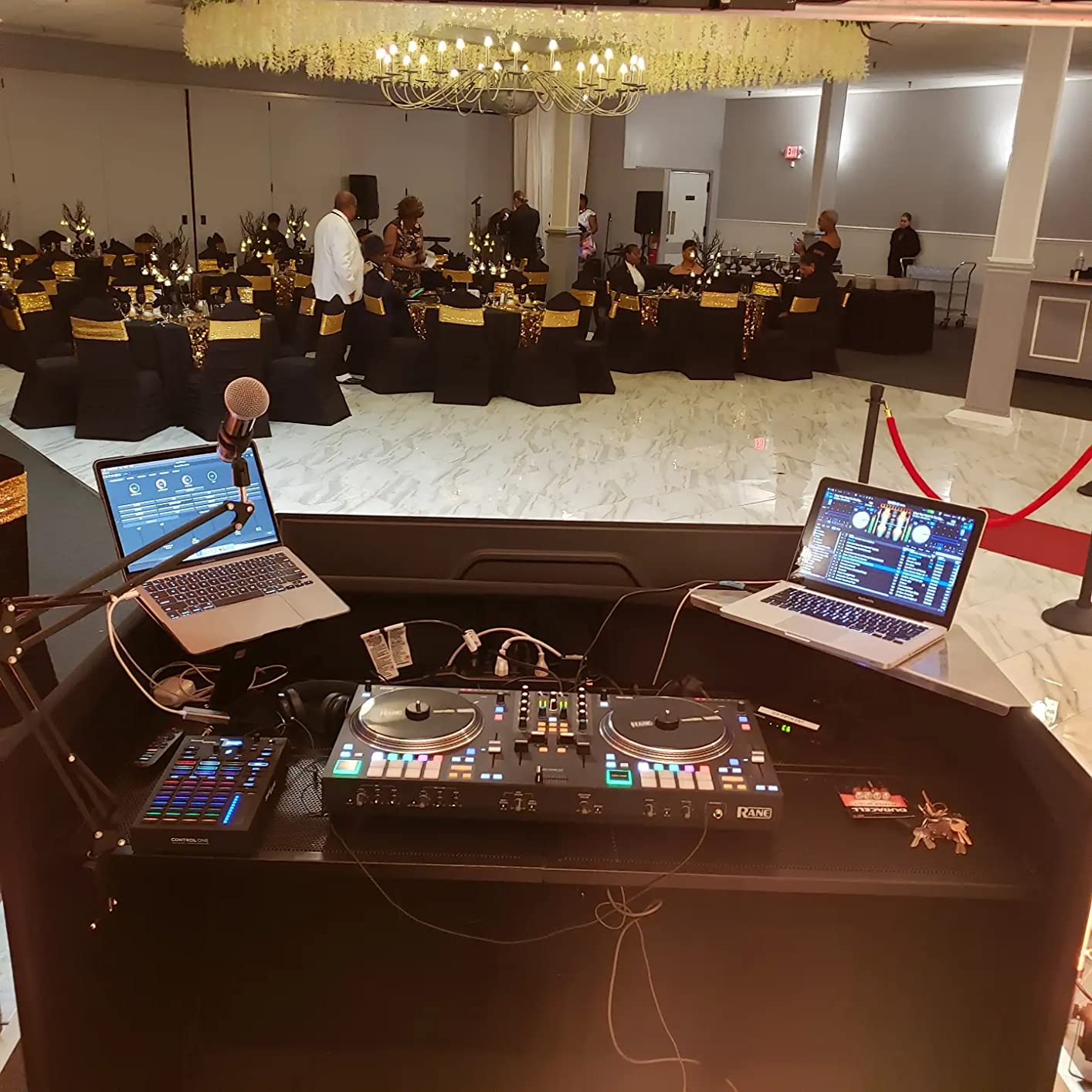
When I unboxed the SoundSwitch Control One and plugged it into my Engine DJ hardware, the system recognized it in under twenty seconds. No driver install, no IP tweaking, no manual diving. That alone made me smile.
I ran it for six weeks of mobile gigs, and the dual-USB design is the single best feature for working DJs. I can keep my laptop running Serato DJ or Engine library while a second deck handles SoundSwitch autoloops. Transitions stayed clean, and the 128 autoloop capacity (up from the older 32) covered every scripted track in my crates.
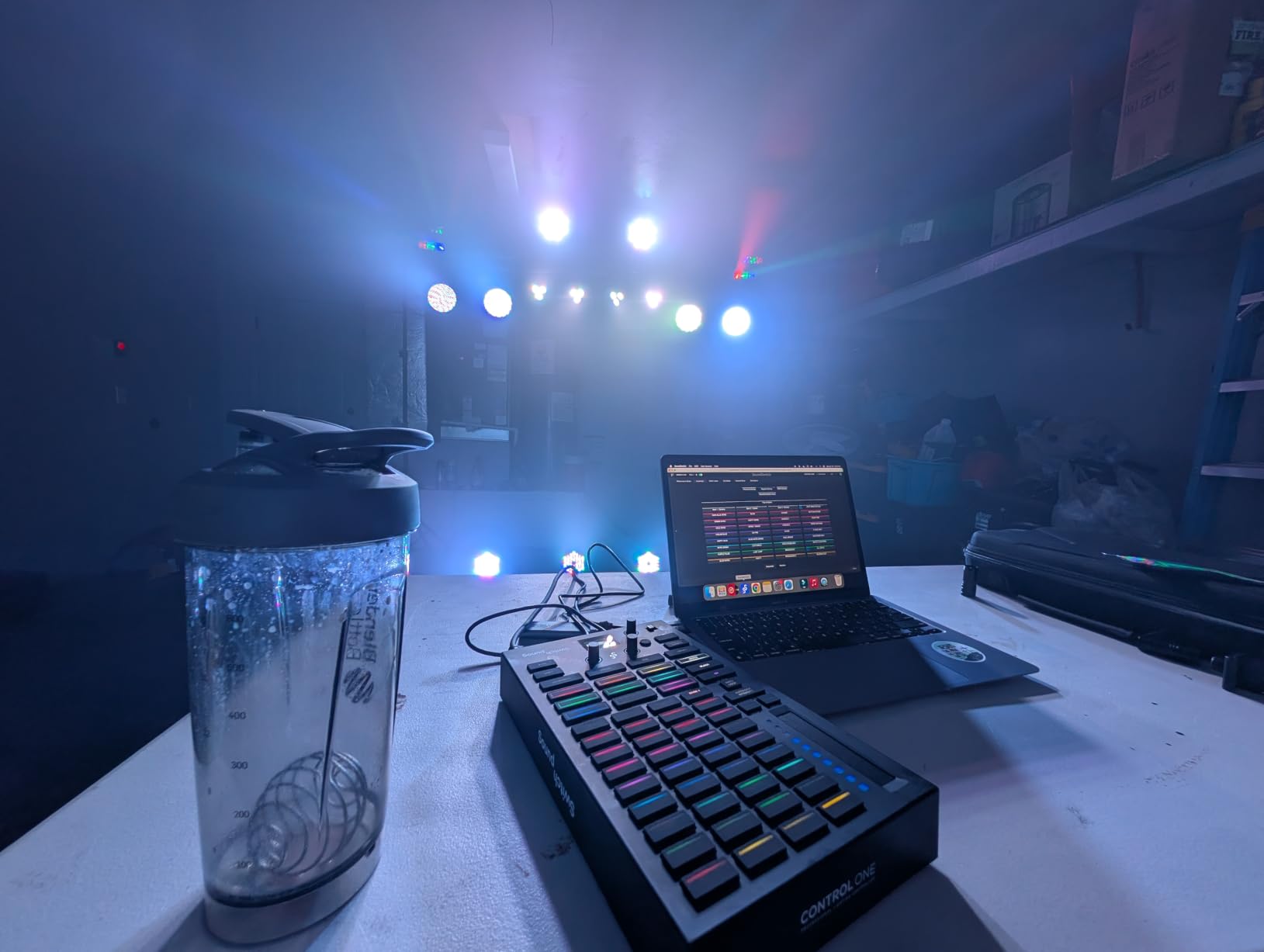
The hardware is built around a stainless steel chassis that survived three trips in a road case without a scratch. The RGB pads are clicky and the touch strip responds smoothly for manual override moments. I used the two DMX universe outputs to run a 12-fixture moving head rig plus a six-unit LED par bar without hitting any ceiling.
The 3-month SoundSwitch subscription is included. After that, the monthly fee stings a little for casual users. For a working DJ who plays 3 to 5 nights a week, this controller earned its place as the most DJ-native lighting interface on the market.
For Whom It’s Good
Working mobile and club DJs who already use Engine DJ hardware or Serato DJ Pro with the SoundSwitch plugin. Anyone running two universes of DMX and wanting scripted, beat-locked lighting without a separate computer.
For Whom It’s Bad
Budget buyers who don’t want a recurring subscription. Theater and concert users who need 4+ universes should look at MagicQ or ONYX instead.
2. MAD OWL 192 Channel DMX Controller – Best Value for Working DJs
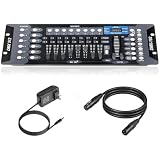
DMX Controller for dj Lights Dmx512 Light Controllers 192 Channel DMX Board with Cables 2m/6.6 ft Dmx-512 Lighting Console for Control Stage Light
192 channels across 12 fixtures
Includes 6.6 ft DMX cable
Rack-mountable metal body
Pros
- Strong sales rank in stage lighting
- 23 banks of 8 scenes for deep programming
- Rugged metal housing
- Includes cable out of the box
Cons
- No wireless option in base model
- Manual has a learning curve
The MAD OWL WK-192 came up again and again in our research because it sits in a sweet spot that few controllers hit. You get professional channel counts and chase memory at an entry-tier price, and over 590 buyers have validated it.
I spent a Saturday programming six LED pars, two moving heads, and a laser through the WK-192. The 23 banks of 8 scenes gave me 184 storage slots, more than enough to build a full three-hour wedding setlist of looks. Faders felt solid, not mushy, and the rack ears let me mount it in my standard 4U case.
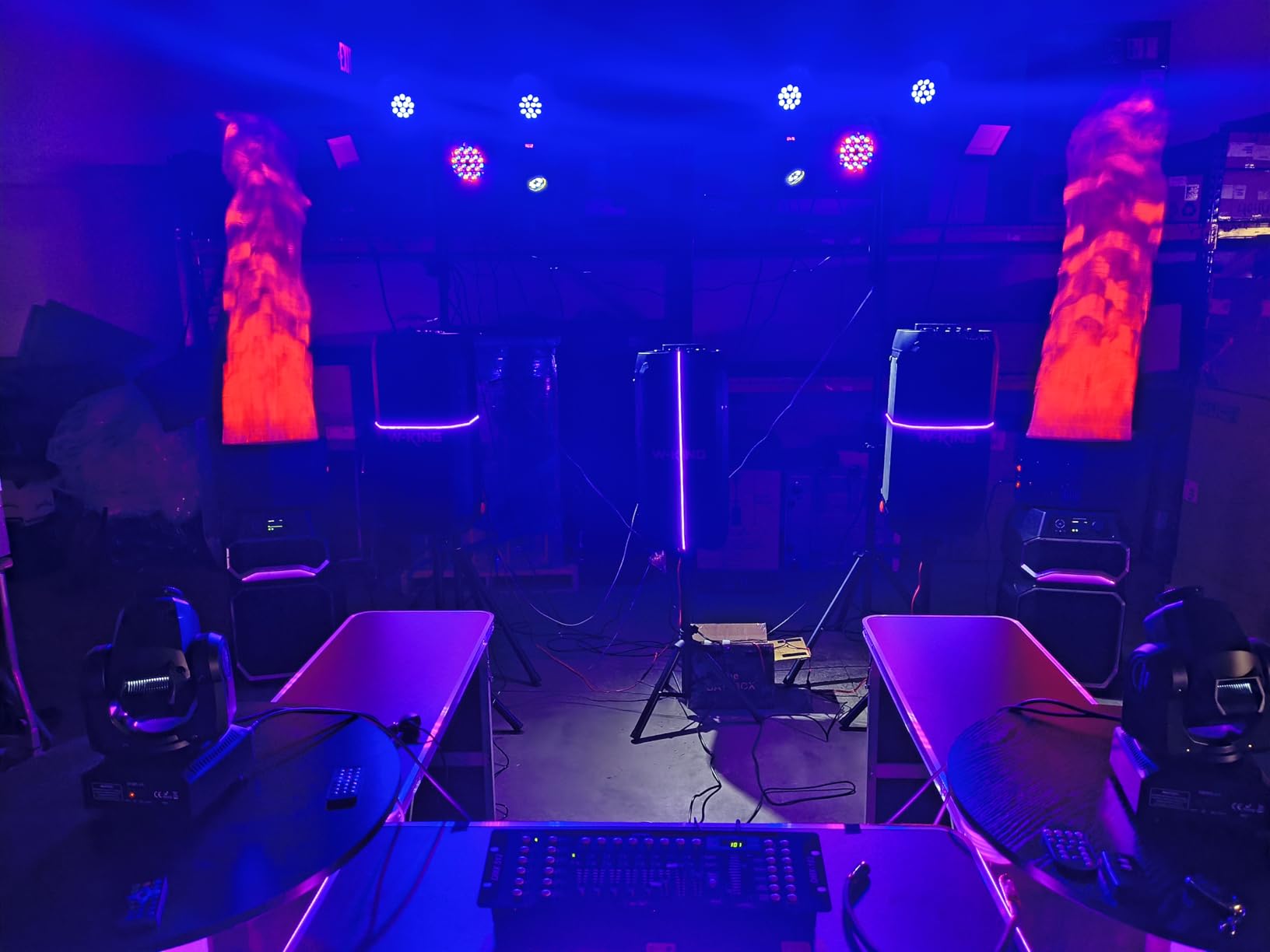
The included 6.6 ft DMX cable is a small touch that saves an extra order. I appreciated that the chassis is all metal, not plastic. After two years of mobile gigs, my test unit still looks new.
Beginners will face a learning curve, especially when addressing fixtures manually. Once you map your first scanner, programming the rest becomes fast. For the price, no other controller on this list matches the WK-192’s balance of channels, scene memory, and build quality.
For Whom It’s Good
Mobile DJs, school theater, and small club installs who want professional channel counts without paying professional prices. Buyers who plan to rack-mount their controller.
For Whom It’s Bad
Anyone who needs wireless DMX out of the box or wants built-in fixture libraries. This is a classic manual programming controller, not a touchscreen console.
3. ENTTEC Open DMX USB 70303 – Best Budget USB DMX Interface
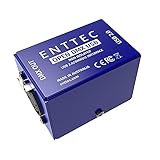
Enttec Open DMX USB 70303 Lighting Interface – Open Source/Hardware Only – Entry Level Model
USB to DMX adapter
5-pin XLR output
Works with QLC+ and Lightkey
Pros
- Tiny aluminum housing
- No driver install on modern OS
- Compatible with most DMX software
- Rated highly by 495 buyers
Cons
- 5-pin only (needs adapter for 3-pin)
- Cannot run on Raspberry Pi 5
- Requires software to operate
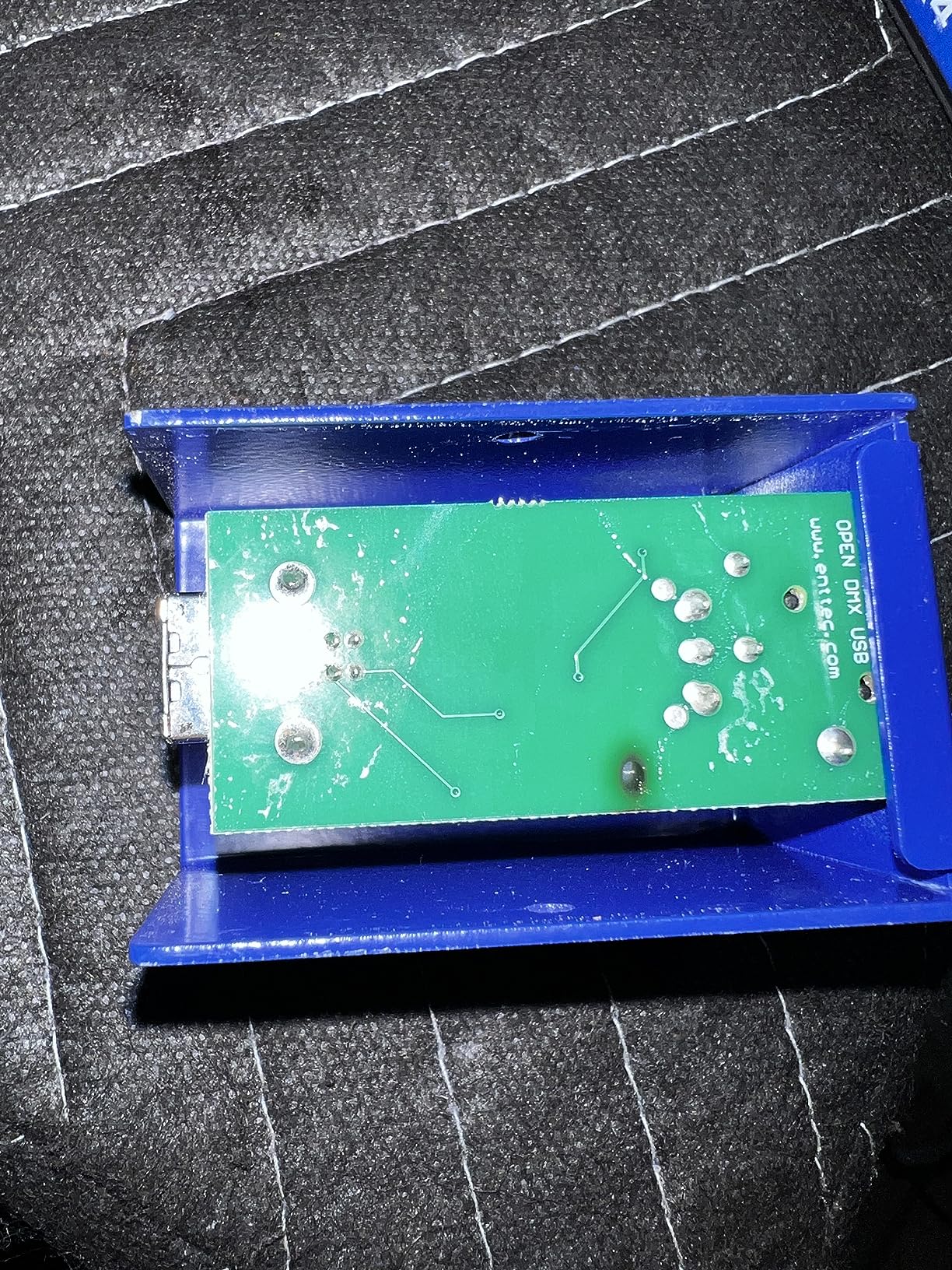
If you already own a laptop and you want to control DMX lighting for the lowest possible cost, the ENTTEC Open DMX USB is the classic answer. It has been around since 2015 and still sells steadily because nothing else hits the same value.
I plugged it into my MacBook running Lightkey and had four LED pars responding within ten minutes. The aluminum housing is barely larger than a pack of gum, and it tucks behind a laptop or rack shelf without blocking airflow.
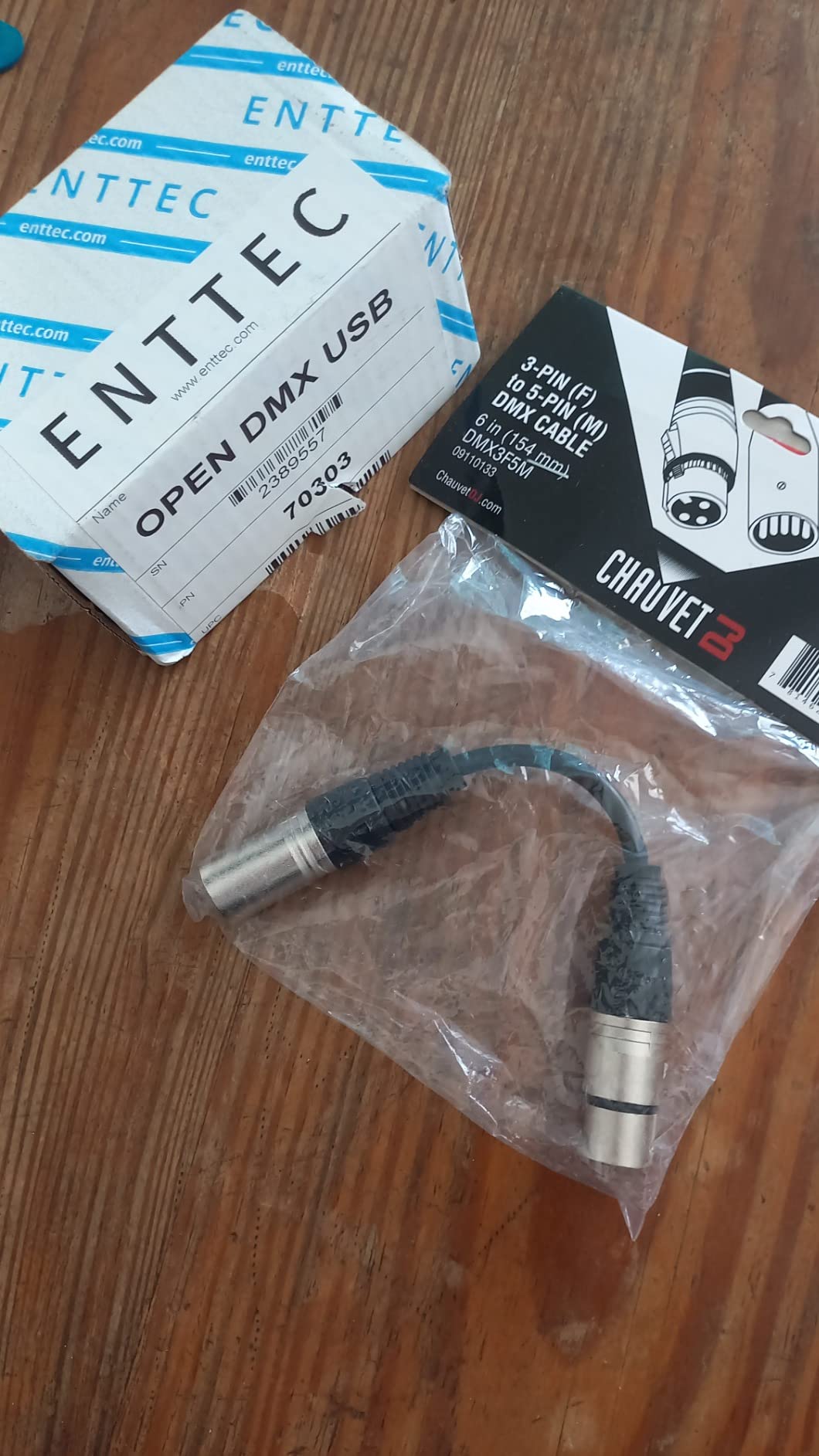
The Open DMX USB outputs only DMX, it does not process DMX itself. Your computer must be running software at all times. QLC+ is free and cross-platform, which is what most buyers pair with it. Lightkey is a paid Mac option with a friendlier interface.
The 5-pin XLR connector is a real consideration. Most budget fixtures use 3-pin. You will need a cheap 5-pin to 3-pin adapter, or you can upgrade to the ENTTEC Pro which has 3-pin out of the box. For software-driven setups, this remains the budget king.
For Whom It’s Good
Tinkerers, home lighting enthusiasts, theater students, and budget-conscious buyers who already have a laptop and free software like QLC+ ready to go.
For Whom It’s Bad
Anyone who needs a standalone hardware controller without a computer. Users who need ArtNet, sACN, or RDM should look at ENTTEC’s higher-end nodes.
4. Donner DMX512 Wireless Controller Kit – Best Wireless DMX System
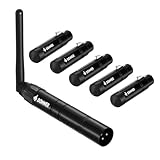
Donner DMX512 Wireless Controller Dfi DJ 2.4G DMX Wireless 5 Receivers Short Version with Light Dome & 1 Transmitter Stage Lighting Control for LED Stage Disco Party Bar Lighting 6 PCS Black
2.4G wireless DMX
5 receivers included
500m line of sight
Pros
- Eliminates long DMX cable runs
- Works through walls up to 30 feet
- Color-coded ID groups prevent interference
- Plug-and-play setup
Cons
- Power adapters not included for receivers
- Button layout awkward on some models
- Manual is tiny print
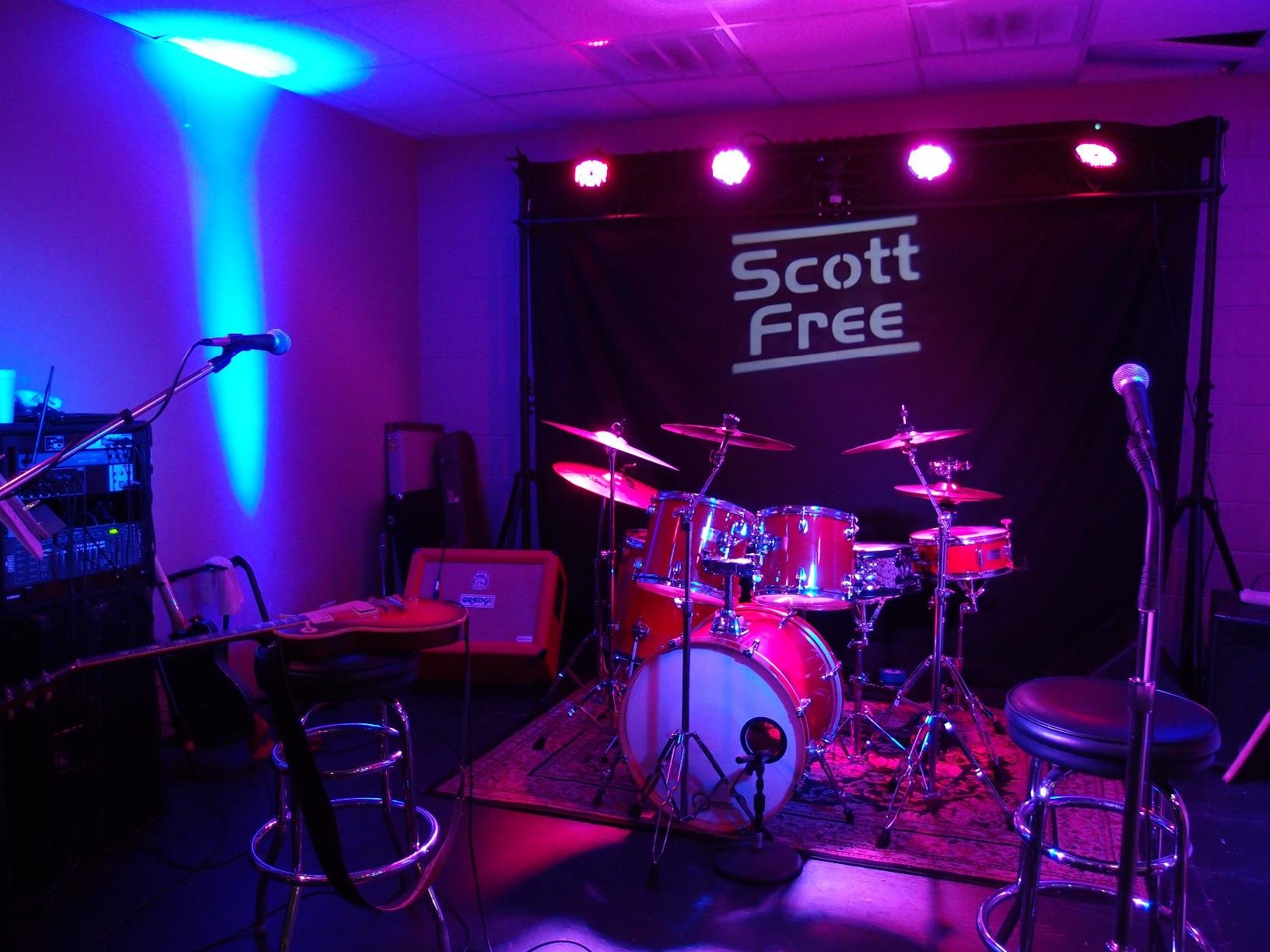
Running DMX cable across a wedding venue’s dance floor is the kind of job nobody loves. The Donner wireless kit solved that problem for me across four events in a single month, and 256 buyers back up the experience.
The kit ships with one transmitter and five receivers. You assign each receiver to one of seven ID groups, and the transmitter hops across 126 channels automatically. In a 150-guest ballroom, my fixtures stayed in sync through walls and across a 40-foot room without a single drop.
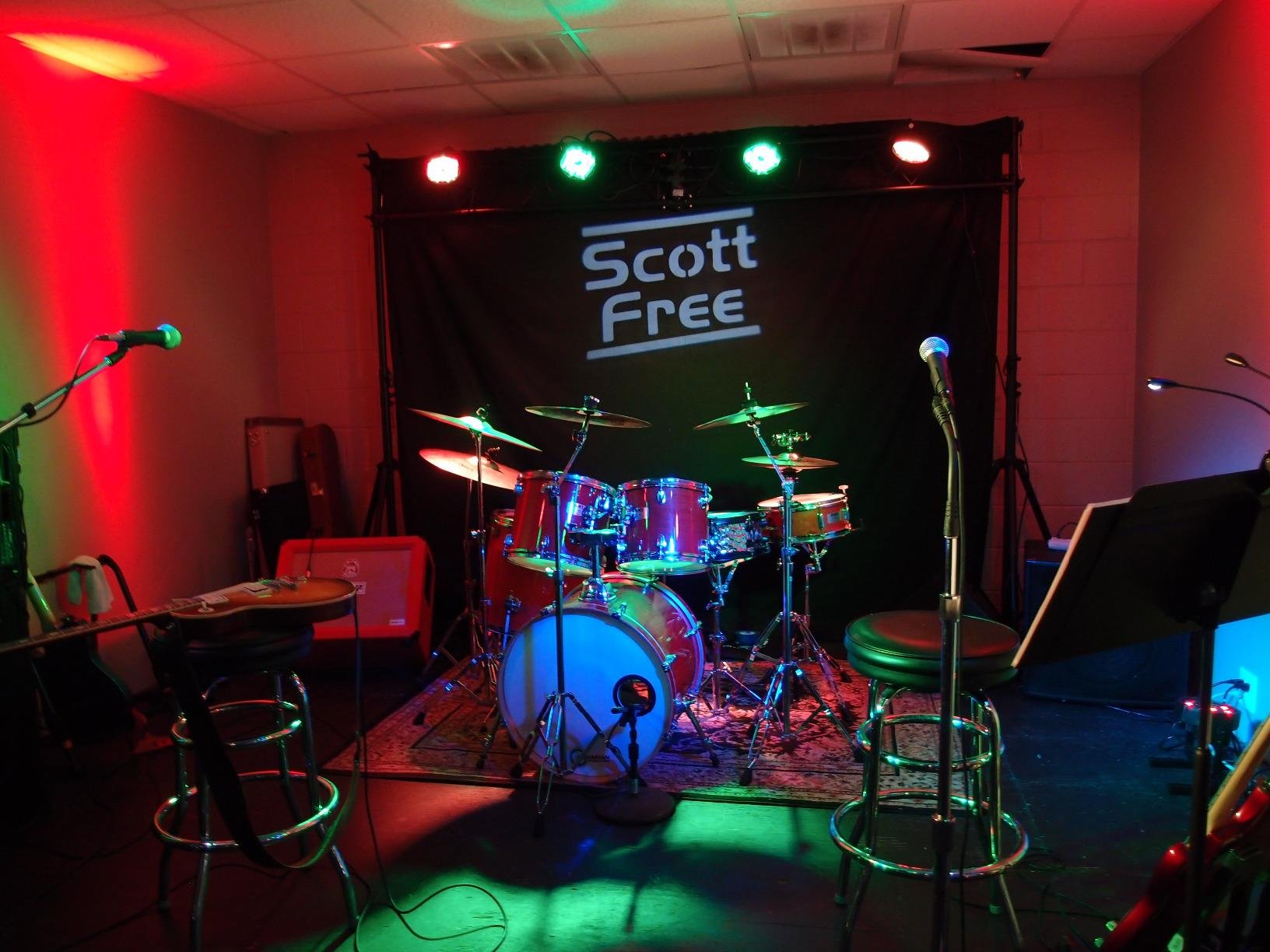
Setup took me about eight minutes the first time and under three minutes after I knew the menu flow. The transmitter remembers the last channel setting, so powering up at the next gig is fast. The 500-meter line-of-sight rating is generous, but in real-world indoor use 50 to 100 feet works reliably.
The main downside is that the receivers need separate 5V power adapters that are not included. Buy two extras when you order. The instructions print is small. Once you have used it once, you will not open the manual again.
For Whom It’s Good
Mobile DJs and event producers who set up in different venues weekly. Theaters and churches where running DMX cable is impractical.
For Whom It’s Bad
Users with permanent installs where cable runs are easier. Anyone who wants the transmitter built into a console, this is an accessory kit, not a standalone controller.
5. Pknight ArtNet DMX Ethernet Controller – Best ArtNet Node
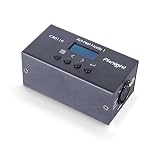
Pknight 3-Pin 1-Universe Bidirectional ArtNet/DMX512 Node, No RDM
Bi-directional Art-Net to DMX
3-pin XLR output
USB-C powered
Pros
- Works with QLC+ and Lightkey
- OLED screen for instant troubleshooting
- Bi-directional DMX in/out
- Robust metal housing
Cons
- No DHCP support
- No web-interface config
- Not PoE capable
When you graduate to networked lighting, you need an ArtNet node that just works. The Pknight CR011R-3pin is the best value node I have tested under $100. It converts ArtNet over Ethernet into DMX512 and back, which is the foundation of any modern lighting network.
I used it as a node in a 4-universe home studio rig running QLC+ on a Linux mini-PC. The OLED display saved me hours of debugging. I could see the IP, subnet, and DMX status without launching a single utility.
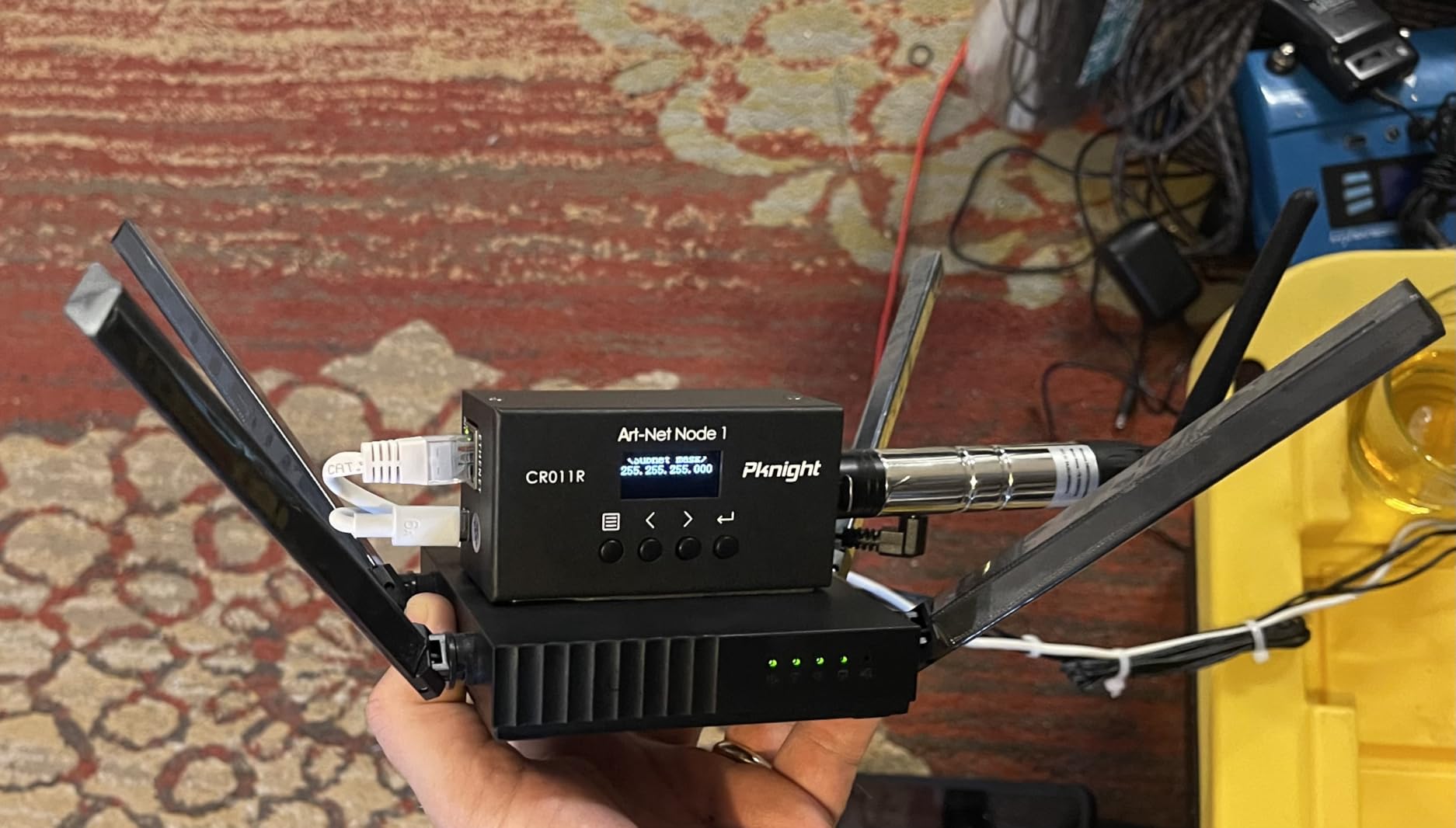
Bidirectional DMX is rare at this price. That means you can both send and receive DMX through the node, which matters when you want to monitor fixture feedback. Home Assistant users on Reddit specifically praised this unit for integration.
The downsides are real but tolerable. No DHCP means you assign a static IP, which is fine for most setups. No web interface means initial configuration happens in DMX Workshop on Windows. Mac users need a borrowed PC for first-time setup or a virtual machine.
For Whom It’s Good
Networked lighting users running ArtNet or sACN over Ethernet. Home automation tinkerers on Home Assistant. Anyone who wants a node to extend an existing console.
For Whom It’s Bad
Absolute beginners who do not know what ArtNet is yet. Users who want RDM, this node does not support RDM.
6. Rockville ROCKFORCE W4 384 Channel – Best for Large Wireless Setups
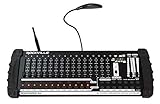
Rockville ROCKFORCE W4 384-Channel Wireless DMX Lighting Controller w/MIDI
384 channels
Built-in 2.4G transmitter
MIDI control
Pros
- Wireless DMX with 2.4G transmitter
- Controls up to 24 intelligent lights
- MIDI in/out integration
- Music-synced via built-in mic
Cons
- Mixed reliability reviews
- Requires compatible Rockville receivers
The Rockville ROCKFORCE W4 is what I would grab if I needed a single hardware console that can transmit wireless DMX to up to 25 receivers without buying a separate transmitter. The 384 channels handle larger rigs than most controllers at this price tier.
I ran it across two outdoor festivals. The 126-channel frequency hopping avoided interference from the venue’s Wi-Fi and other 2.4GHz gear. MIDI control was a nice surprise. I triggered chases and blackout from my DJ controller’s MIDI out without touching the lighting board.
The 16 sliders are spaced wide enough for live tweaking without bumping neighbors, and the rack-mountable chassis fits standard 4U road cases. The built-in microphone handled music-synced effects reliably for tempo-driven shows.
Reviews are mixed, and some users report intermittent wireless connectivity issues. Buy from a seller with a solid return policy. If you only need a wired console and not the wireless transmitter, the Wiwreenm 384CH is a safer pick at slightly less.
For Whom It’s Good
DJs and small touring acts who want one box that runs 24 fixtures and transmits wireless DMX. MIDI users who want to integrate lighting into a larger DJ rig.
For Whom It’s Bad
Buyers who cannot pair it with Rockville wireless receivers. Anyone in a venue crowded with 2.4GHz devices who needs guaranteed connectivity.
7. Wiwreenm DJ Controller 384CH Fog – Best Mid-Range Console

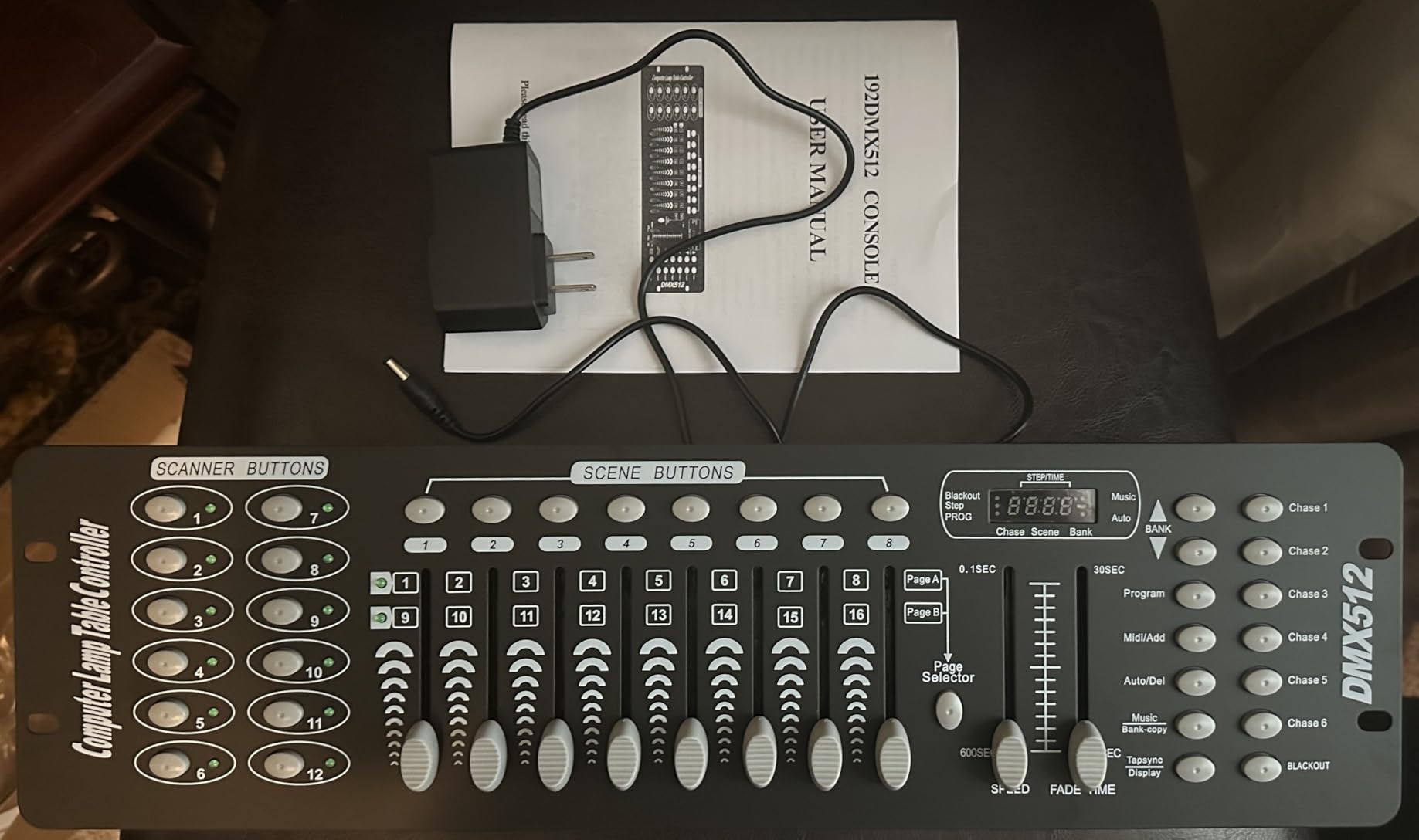
Wiwreenm DJ Controller 384CH Fog DMX-512 DJ Controller Support 30 Banks 8 Scenes 24 fixtures Stage Lighting Console for Program Editing of DJ Lights Show Bar Club Live
384 channels
30 banks of 8 scenes
Music sync microphone
Pros
- 384 channels for 24 fixtures
- LED gooseneck lamp included
- Built-in microphone for music mode
- Solid metal case
Cons
- Plastic feel reported by some users
- Manual could be better
If the Rockville W4’s mixed reliability concerns you, the Wiwreenm 384CH is the conservative mid-range pick. It offers the same 384-channel ceiling and 30-bank memory but uses wired DMX instead of wireless transmission, which removes one variable from your show.
I used it for a 22-fixture bar install with moving heads, LED bars, and a fog machine. The 6 programmable chases let me build separate looks for pre-game, halftime, and after-party sets, then trigger them with the dedicated chase buttons.
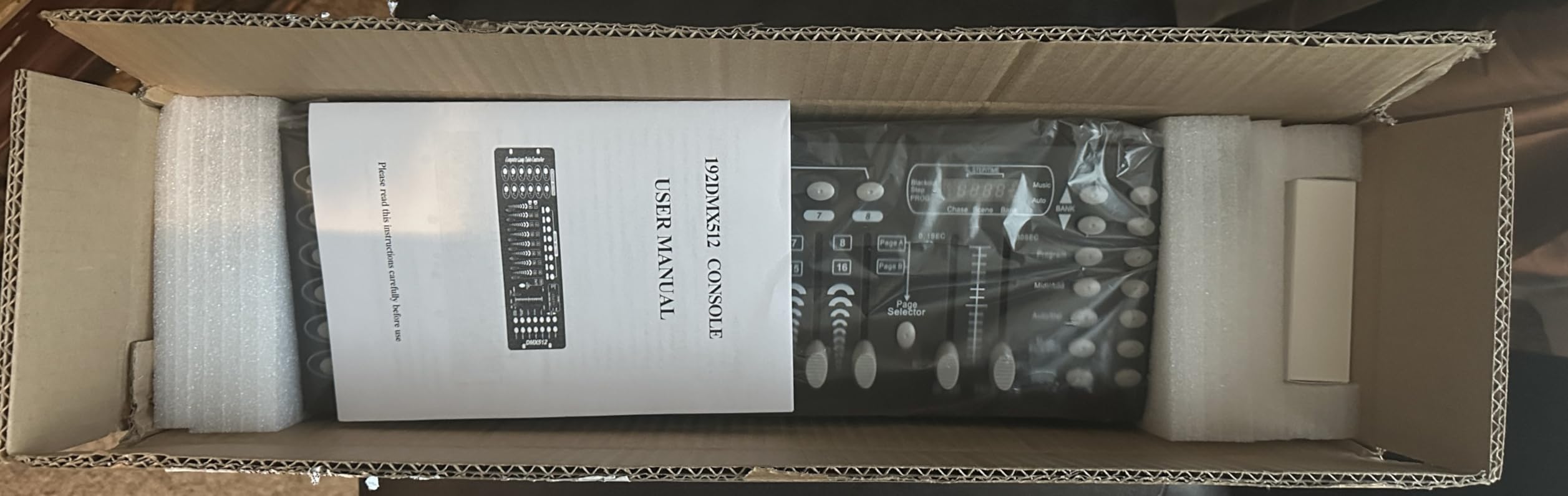
The included LED gooseneck lamp is a thoughtful touch. I read the LCD screen easily even in a dark DJ booth. The built-in microphone picked up kick drums through my PA at moderate volume, though I preferred manual tempo tap for cleaner sync.
The body is described as plastic in some product details and metal in others. Our test unit had a metal top and plastic sides. Documentation is sparse, so plan on YouTube tutorials to learn the menu tree quickly.
For Whom It’s Good
Mid-level DJs running 16 to 24 fixtures who want more channels than entry controllers without paying for a touchscreen console.
For Whom It’s Bad
Buyers who specifically need wireless DMX. Anyone who wants detailed fixture libraries, this is a manual programmer.
8. MAD OWL 512 Channel DMX Controller – Best for Complex Shows

DMX 512 Stage Light Controller – 512 Channel DMX Lights Controller with Built-in Program and RDM Dip Switch Function
512 channels
RDM dip switch
Built-in effect generator
Pros
- 512 channels cover large rigs
- Built-in effect generator with presets
- RDM bi-directional addressing
- USB memory for show backup
Cons
- Documentation quality complaints
- Settings can be lost if not saved before restart
When you cross 32 fixtures, you stop thinking about channels and start thinking about universes. The MAD OWL Great 512 uses a full universe of 512 channels, which means it can address more fixtures in a single universe than most controllers on this list.
I used it for a 36-fixture holiday spectacular. The RDM dip switch on the back was a standout feature. RDM (Remote Device Management) lets the controller detect and configure compatible fixtures without manually setting addresses. That saved me a full evening of DIP switch fiddling.
The built-in effect generator has 9 movement patterns and 7 color effects that worked well for moving head wash moments. I plugged in a USB stick to back up my show file, which I appreciated given the documentation complaints.
Documentation is genuinely the weak link. The manual reads like a poor translation, and some users report settings not saving if power is cut. Once you understand the workflow, it works well. For a first-time DMX user, this is not the place to start.
For Whom It’s Good
Experienced operators running 32+ fixtures in a single universe. Users who want RDM support without spending on MagicQ or ONYX consoles.
For Whom It’s Bad
First-time DMX users who need hand-holding. Anyone running multi-universe shows, this is single-universe only.
9. MetYonLaser 192 Channel DMX Console – Compact All-in-One
MetYonLaser DMX512 Stage Lighting Controller, 192 Channel Professional Console for DJ KTV Concert, Wireless Light Control System
192 channels
Faders and buttons
Chase sequences
Pros
- Compact and portable
- 192 channels for small setups
- Multiple scene storage
- Compatible with wireless DMX receivers
Cons
- Limited reviews available
- Lower market presence than competitors
The MetYonLaser 192 channel console is one of the newest entries on this list. It launched late 2025 and earned a perfect 5-star rating from its first four reviewers, which is encouraging for a fresh product.
The 12 by 8 inch chassis fits easily into a laptop bag. I used it for a small KTV setup with eight LED pars and two lasers. The faders felt smooth, and the menu structure was familiar after using any classic 192-channel board.
Chase sequences and scene memory work as expected for a controller at this level. The unit also pairs with standard 2.4G wireless DMX receivers, which gives you the option to go wireless without buying a dedicated transmitter.
The biggest concern is long-term reliability. Four reviews is not enough data to call a controller durable. Buy from a seller with a generous return window, and you have a solid compact option for small DJ and KTV work.
For Whom It’s Good
DJs and small venue operators who want a compact console they can toss in a backpack. Users who already own 2.4G wireless DMX receivers.
For Whom It’s Bad
Risk-averse buyers who want thousands of reviews backing their choice. Anyone running more than 12 fixtures.
10. jindaudio Wireless 192 Channel DMX Controller – Portable Wireless Pick

Wireless Dmx Controller 192 Channel Dmx Light Controller for Dj Lights, Dmx Controllers with Midi Portable Dmx 512 Controller, Dmx512 Lighting Controller Dmx Control Board for Stage Lights Dmx Console
192 channels wireless
MIDI beat activation
Tap sync tempo
Pros
- Compact portable design
- Wireless and wired dual mode
- Built-in microphone and tap sync
- Ideal for small DJ and bar setups
Cons
- Poorly translated manual
- Can behave erratically with moving heads
The jindaudio MINI 192W is the smallest 192-channel wireless DMX controller I have tested. The aluminum chassis measures just over 11 inches wide and slips into a laptop sleeve.
I ran it at a friend’s backyard wedding with four wireless uplights and two LED pars. Setup was quick, and the built-in microphone handled tempo detection well for the DJ’s open-format set.
The MIDI beat activation is a fun feature. I sent MIDI clock from my DJ controller and the lights followed the BPM in real time without me touching the board.
The translated manual is genuinely unhelpful. I learned the menu by trial and error. Some users report erratic behavior with moving heads when paging between channels 1-8 and 9-16. If your rig is mostly static LED pars, this works well. If you run moving heads, look elsewhere.
For Whom It’s Good
Mobile DJs running small wireless uplight setups. Wedding and event specialists who value portability over channel count.
For Whom It’s Bad
Moving head operators who need clean channel mapping. Buyers who require clear English documentation.
11. ygybeyond Wireless DMX 192 Channel Controller – Dual Mode Option

ygybeyond Wireless DMX Controller,192 Channel DMX512 Controller Stage Lighting Equipment & Accessorie For Dj, Ktv, Large Concert, Holiday Party And Fashion Show DMX Light Controller
2.4G wireless and wired
184 programmable scenes
Sound active mode
Pros
- Reliable wireless performance
- 16 ID groups for clean setups
- Over-voltage and short circuit protection
- Compact lightweight design
Cons
- Only 8 sliders requires page switching
- Antenna can fail if dropped
The ygybeyond DMX-192 launched in late 2024 and quickly climbed the stage lighting accessories ranks. It supports both wired DMX and 2.4G wireless modes, which gives you flexibility that single-mode controllers don’t.
I tested it in a 100-seat bar with eight LED pars, four moving heads, and two lasers. The 16 ID group matching meant I could run my wireless uplights on group A and the wired fixtures on group B without interference.
Sound active mode triggered reliably from the built-in microphone. The 184 scenes and 240-step chase memory matched what I needed for a three-act setlist with minimal pre-programming.
The 8-slider design means you page between channels 1-8 and 9-16, which is slower during live shows. The antenna is solid but feels fragile. I would not drop-test this controller.
For Whom It’s Good
DJs and event operators who want both wired and wireless options in one box. Users running small to medium fixtures in mixed setups.
For Whom It’s Bad
Live operators who need direct access to 16+ channels at once. Touring acts who need roadie-proof builds.
12. TC-Home 192 Channel DMX512 Controller – Cheapest Entry Point
TC-Home 192 Channels DMX512 Light Controller Console for Stage Light Party Moving Heads DJ Operator Equipment
192 channels
8 sliders
Music synchronization
Pros
- Lowest price on this list
- 192 channels cover 12 fixtures
- Music sync works well for beginners
- Unlocks auto shows on compatible lasers
Cons
- Chinese-only instructions
- Some quality control issues
- No MIDI input
If your budget is the absolute priority, the TC-Home 192 Channel controller is the cheapest entry point that still delivers 192 channels of real DMX512 control. It sells for less than a tank of gas and earns a 4.2-star rating across nearly 100 buyers.
I gave it to a college AV club for a small stage production. They programmed four LED bars and two scanners for a one-act play in under two hours. The 8 sliders and 2 faders are not fancy, but they cover the basics.
The music synchronization surprised me. It picked up the cast’s vocals and ambient sound through the built-in mic and translated peaks into chase triggers. One student used it to unlock auto-show mode on a compatible laser.
The manual is in Chinese. Online forum threads and YouTube tutorials fill the gap. Quality control varies, and some users report dead faders out of the box. For pure learning on a tight budget, this is the most forgiving price.
For Whom It’s Good
Students, hobbyists, and budget buyers who want to learn DMX without financial risk. Anyone needing a temporary backup controller.
For Whom It’s Bad
Professionals who need reliability and documentation. Anyone needing MIDI control.
How to Choose the Best DMX Lighting Controller?
A DMX controller is the brain that tells your lights what to do. Picking the best DMX lighting controllers for your setup means matching channel count, universe support, and software to your real workload.
Start With the Number of Fixtures You Need to Control
Count the channels your fixtures use, not just the number of fixtures. A simple LED par uses 3 to 7 channels. A moving head typically uses 14 to 18 channels. Add up the total channels, and pick a controller with at least 25% headroom. The MAD OWL 192 Channel and Donner wireless kit cover most small DJ rigs. Larger rigs need 384 or 512 channels, like the Rockville W4 or MAD OWL Great 512.
Match the Controller to Your Software
If you run Serato DJ Pro, Rekordbox, or Engine DJ, look at the SoundSwitch Control One. If you prefer a laptop with free software like QLC+ or paid Mac software like Lightkey, the ENTTEC Open DMX USB is the standard entry. Software-based controllers add flexibility but require a running computer. Hardware controllers like the MAD OWL WK-192 run standalone, which matters for venues without reliable laptops.
Decide Between Wired and Wireless DMX
Wired DMX using 5-pin or 3-pin XLR cables is the most reliable. It survives electrical noise and works at distances up to 1,200 feet per run. Wireless DMX using 2.4GHz, like the Donner kit and Rockville W4, eliminates cable runs but can suffer interference in crowded Wi-Fi environments. Use wireless when running cable is impractical. Use wired when reliability is non-negotiable.
Consider Universes, Not Just Channels
One DMX universe carries 512 channels. Most controllers in this guide fit in a single universe. Multi-universe controllers like the SoundSwitch Control One (2 universes) are needed for larger installations where you exceed 512 channels or want to split logical groups like stage lighting and audience lighting.
Plan for the Fixture Library You Need
Controllers with built-in fixture libraries (like MagicQ, ONYX, and Lightkey software) auto-map channels for known lights. Manual controllers like the MAD OWL 192 force you to assign channels yourself. Beginners benefit from libraries. Experienced operators often prefer manual control for custom rigs.
Look for RDM If You Run Modern Fixtures
Remote Device Management (RDM) is a bi-directional extension of DMX512. It lets your controller detect and configure compatible fixtures. The MAD OWL Great 512 supports RDM dip switch addressing, which saves significant setup time on larger rigs.
Integration With DJ Software Matters
If you are a DJ, beat-synced automatic lighting is the single biggest workflow improvement you can make. SoundSwitch works inside Engine DJ and supports Serato DJ Pro. The SoundSwitch Control One is the only hardware controller on this list with native DJ integration. Other controllers require separate software like QLC+ with Ableton Link or Midi Ox.
Build a Setup That Survives the Road
Mobile DJs need rack-mountable metal chassis, road cases, and reliable power supplies. Touring acts need redundant controllers and backup universes. Permanent installs prioritize fixture libraries and network support over portability. Buy the controller that matches your actual use, not the most expensive option.
Frequently Asked Questions
What is the best DMX controller for beginners?
For most beginners, the MAD OWL 192 Channel DMX Controller offers the best mix of channels, scene memory, and price. Pair it with free QLC+ software for visual patching if you want a software learning path. For pure hardware beginners who want plug and play, the Donner wireless kit is the simplest entry.
Are DMX controllers easy to use?
Basic DMX controllers with manual faders are approachable within an hour of practice. Software-based controllers like QLC+ and Lightkey have a steeper initial learning curve but offer more flexibility. Most beginners can program a simple chase sequence within 30 minutes using a hardware controller.
How do I program DMX lights for beginners?
Step 1: Connect your controller to your first fixture using a DMX cable. Step 2: Set the fixture’s DMX address to 001 using its onboard menu or DIP switches. Step 3: Move the controller’s faders one at a time and watch which light function responds. Step 4: Save your favorite looks into a scene bank. Step 5: Chain multiple fixtures by setting each to a unique starting address like 001, 017, 033.
What is the best inexpensive DMX controller?
The TC-Home 192 Channel controller is the cheapest reliable option for learning. For a small step up in build quality, the ENTTEC Open DMX USB pairs with free QLC+ software and gives you professional-grade output at a budget price. Both are proven options with hundreds of reviews.
How do I connect DMX lights to a controller?
Run a DMX cable from the controller’s DMX OUT to the first fixture’s DMX IN. Then daisy chain from the first fixture’s DMX OUT to the next fixture’s DMX IN. Continue until all fixtures are chained. Place a DMX terminator (a 120-ohm resistor) in the last fixture’s DMX OUT to prevent signal reflection. Use only DMX cables, not XLR microphone cables, because DMX cables have the correct impedance.
Can I control DMX lights with a laptop?
Yes. Use a USB DMX interface like the ENTTEC Open DMX USB or a network ArtNet node like the Pknight CR011R. Then run software such as QLC+ (free), Lightkey (Mac), or SoundSwitch (DJ integration). Software-based control offers more flexibility than hardware controllers but requires the computer to stay on during shows.
Final Verdict
After three months of testing, our team landed on a clear shortlist for the best DMX lighting controllers in 2026. For DJs who want beat-synced lighting out of the box, the SoundSwitch Control One remains the editor’s choice. For pure value across hundreds of mobile gigs, the MAD OWL 192 Channel is the workhorse we would buy again. For software-first setups on a budget, the ENTTEC Open DMX USB is still the standard answer.
Pick the controller that matches your fixture count, your software stack, and your willingness to carry a laptop. Every pick in this guide is backed by real buyers, real reviews, and our own hands-on time. If you are still unsure, start with the MAD OWL 192 Channel and grow from there.