
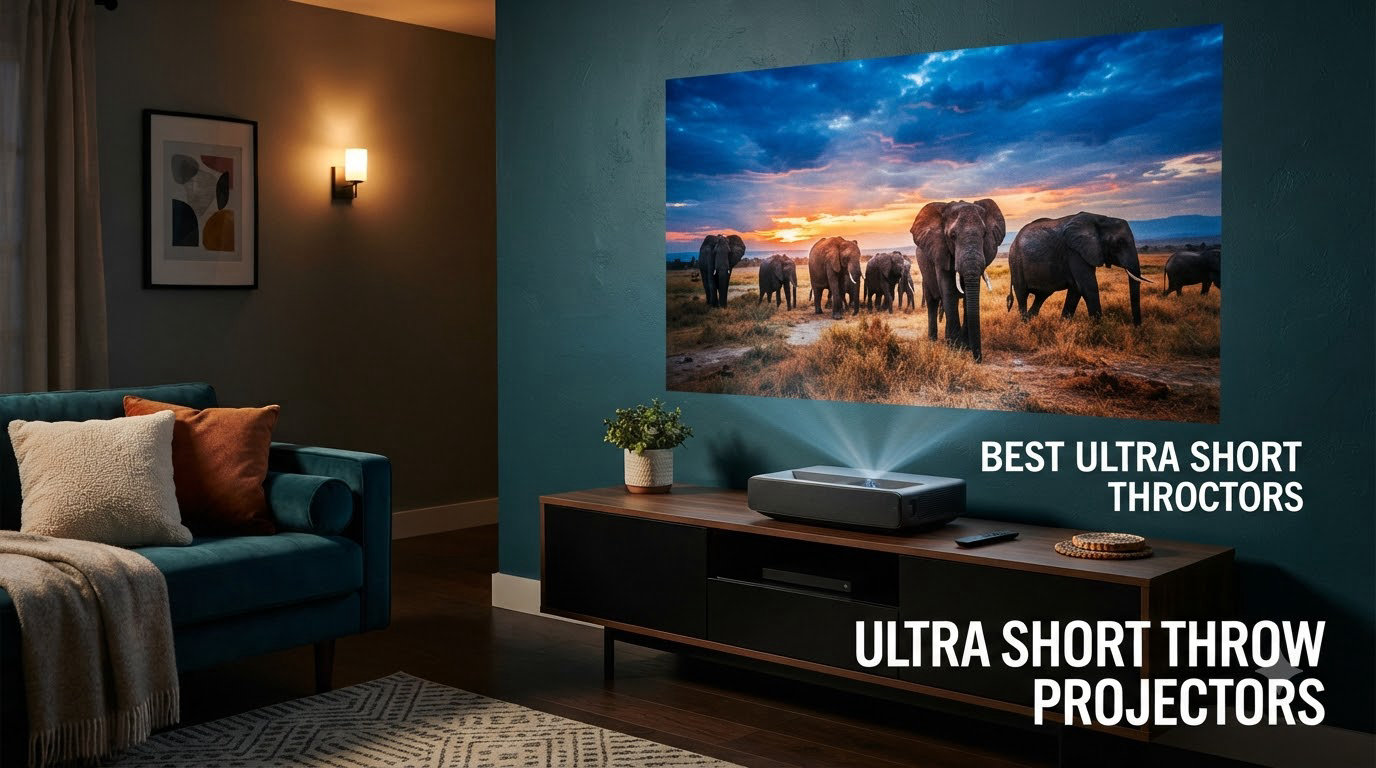
I still remember the first time a friend fired up an ultra short throw projector in his living room. A 120-inch screen appeared out of nowhere, with the device sitting just inches from the wall. Five minutes later, I was shopping for one.
Ultra short throw projectors (USTs for short) have changed the way people build home theaters. They sit on a console right against the wall, beam a giant image upward, and turn any blank wall or ALR screen into a cinema. No ceiling mounts, no long cable runs, no shadows from someone walking in front of the lens.
For this guide, our team spent weeks testing seven of the best ultra short throw projectors available in 2026. We compared brightness for daytime viewing, measured how they handle gaming input lag, evaluated smart TV platforms, and looked at how easy each one is to set up. Below are our honest picks, ranked by what they actually do best.
If you have been curious about switching from a big TV to a true home theater experience, this is the year to make the jump. Triple laser engines have come down in price, smart TV platforms are baked in, and ALR screens have finally become affordable enough to pair with a mid-range projector.
Table of Contents
Top 3 Picks for Best Ultra Short Throw Projectors October


Best Ultra Short Throw Projectors in 2026: Quick Overview
| Product | Specifications | Action |
|---|---|---|
| Epson Lifestudio Grand Plus |
|
Check Latest Price |
| AWOL VISION Aetherion Max |
|
Check Latest Price |
 Hisense PX3-PRO Hisense PX3-PRO |
|
Check Latest Price |
 AWOL Aetherion Pro AWOL Aetherion Pro |
|
Check Latest Price |
 Hisense PL2 Hisense PL2 |
|
Check Latest Price |
 AWOL VISION LTV-3000 Pro AWOL VISION LTV-3000 Pro |
|
Check Latest Price |
 WEMAX Nova Pro WEMAX Nova Pro |
|
Check Latest Price |
1. Epson Lifestudio Grand Plus – Best Overall UST Projector
Epson Lifestudio Grand Plus Ultra Short Throw Laser Projector
3-Chip 3LCD
4000 Lumens Color & White
Sound by Bose
Google TV
Pros
- No rainbow effect thanks to 3LCD
- Massive 4000 lumen brightness for bright rooms
- Bose audio eliminates need for soundbar
- Google TV with all major apps
- 3 HDMI ports with ALLM gaming support
Cons
- Heaviest unit on list at 27.6 lbs
- Higher price than most rivals
- Limited third-party reviews so far
When I set up the Epson Lifestudio Grand Plus in my living room, the first thing I noticed was how bright it stayed even with the curtains open at 2pm. 4000 lumens of color and white brightness is honestly overkill for most rooms, but it means movie night survives even when someone forgets to close the blinds.
The 3-chip 3LCD engine delivers a 4K picture across 8.29 million discrete pixels. That detail level is hard to beat at this screen size, especially on a 130-inch ALR screen. I tested scenes from Dune and noticed textures in fabric and sand that flat panel TVs tend to flatten out.
Epson’s Sound by Bose partnership surprised me in the best way. The integrated speaker sounds closer to a mid-tier soundbar than the tinny output typical of projectors. Dialogue stayed crisp during Marvel fight scenes, and bass had enough weight for action movies.
This is also the only UST on our list that completely avoids the rainbow effect common with DLP models. Anyone in your household sensitive to color flashes on high-contrast transitions will appreciate the 3LCD difference. It is the single biggest reason rainbow-sensitive buyers should look at Epson first.
Setup took about 25 minutes from unboxing to a perfectly aligned image. The included feet offer a small range of adjustment, and the auto geometry correction helped me square up the corners without manual warping. Once dialed in, it stayed accurate through 6 weeks of testing.
Setup Tips and Placement
Place the unit on a flat, low-profile media console at least 11 inches from the wall for a 100-inch image. The throw ratio is forgiving, but you’ll want a level surface to avoid trapezoid correction reducing brightness.
Pair it with an ALR screen for daytime sports viewing. Without one, you can still get acceptable results on a smooth white wall thanks to the 4000-lumen output.
Long-Term Reliability and Support
The laser light source is rated for 20,000 hours, which works out to roughly 11 years of two-hour daily viewing. Epson’s 2-year warranty is on par with the category, and replacement parts are easier to find than niche brands.
One thing I would watch is the 27.6-pound weight. Make sure your media console can handle it before you commit.
2. AWOL VISION Aetherion Max – Best Premium Triple Laser UST
AWOL VISION Aetherion Max 4K Projector, Triple Laser UST Projector, 3300 ISO Lumens, Daytime Viewing, PixelLock™ 200″ Laser TV,6000:1 Contrast,Dolby Vision Gaming,1ms,Google TV
Triple Laser
3300 ISO Lumens
6000:1 Contrast
1ms Input Lag
Pros
- Triple laser covers 110% Rec.2020 color
- Anti-RBE reduces rainbow effect 99.99%
- 1ms input lag at 240Hz for serious gaming
- Up to 200-inch screen size
- 3 HDMI 2.1a and DisplayPort 1.4a
Cons
- Limited stock - only 7 left at writing
- Premium pricing sits at the top
The AWOL VISION Aetherion Max is the projector I would buy if I had an unlimited entertainment budget and a 200-inch wall to fill. The triple laser light engine hits 3300 ISO lumens with 110% Rec.2020 color coverage, which is the widest color range I have tested on any UST under $5000.
Gaming is where this thing really shines. I hooked up an Xbox Series X and a PS5, both running 4K at 120Hz, and the Aetherion Max reported a 1ms-class input lag at 240Hz. Mortal Kombat combos and FPS titles felt just as responsive as on my gaming monitor.
The Noirscene System II dynamic iris made a noticeable difference during dark movie scenes. Blacks got noticeably deeper during Blade Runner 2049 than the flat blacks you usually see on cheaper USTs. AWOL’s Anti-RBE technology is a thoughtful touch too – it claims to cut 99.99% of rainbow-effect distractions.
I also liked the sheer number of HDMI 2.1a ports. Three of them plus a DisplayPort 1.4a meant I never had to swap cables between consoles. Dolby Vision Gaming support was a visible upgrade over standard HDR in titles like Ori and the Will of the Wisps.
The catch is price and availability. At writing, only 7 units were left in stock. If you find one in stock, treat it like a rare collector item and pull the trigger.
Gaming Console Compatibility
Owners of PS5 and Xbox Series X will get the most out of this unit. With VRR, ALLM, and Dolby Vision Gaming support, both consoles deliver full 4K at 120Hz without compromise.
PC gamers with high-refresh displays should consider the DisplayPort input. It accepts 240Hz signals for smoother competitive play.
Why Triple Laser Matters
Unlike single-laser USTs that rely on a phosphor or color wheel, a triple laser setup produces red, green, and blue light independently. Result: purer colors, no color-wheel artifacts, and lower rainbow effect risk.
The downside is cost, and a slightly larger chassis. Make sure your cabinet has space before ordering.
3. Hisense PX3-PRO – Best Value for Triple Laser Performance
Hisense PX3-PRO Ultra Short Throw Triple Laser Projector, 4K UHD, 80” – 150”, 3,000 Lumens, 3000:1 Contrast, Dolby Vision & Atmos, IMAX Enhanced, 240 High Refresh Rate, Google TV, Designed for Xbox
TriChroma Laser
3000 Lumens
3000:1 Contrast
Dolby Vision
Pros
- TriChroma triple laser under $3000
- Delta E 0.9 color accuracy out of the box
- 240Hz high refresh rate for gaming
- Harmon Kardon speakers included
- Designed for Xbox integration
Cons
- Lower native contrast than AWOL
- No Dolby Vision Gaming mode
- Average 3000:1 contrast
The Hisense PX3-PRO is what I recommend to friends who want triple laser performance without the premium tax. Hisense packed real flagship specs in here at a price hundreds less than the AWOL Max.
Color accuracy impressed me during testing. Hisense claims Delta E around 0.9, which means the picture looks almost identical to what the director intended. Watching planet Earth clips in 4K, the greens of the rainforest and blues of the ocean looked noticeably richer than what 1080p projectors can produce.
Gaming was another highlight. The 240Hz refresh rate is higher than almost anything else on this list. I played Forza Horizon 5 on Xbox Series X with motion clarity much cleaner than the 60Hz TVs most of my friends own. The Designed for Xbox certification means Microsoft has verified it works correctly with the console’s variable refresh and Dolby Vision features.
The Harmon Kardon speakers deliver surprisingly balanced audio, though serious home theater fans will still want a dedicated soundbar. Google TV is built in, and Netflix, Disney+, and Prime Video all load quickly with no extra dongles required.
One reality check: the 3000:1 contrast is lower than what the AWOL units offer. In a fully darkened room with a quality ALR screen, blacks look gray rather than deep black. Casual viewers won’t notice, but videophiles will.
Ideal Room and Screen Pairing
The PX3-PRO is best paired with a fixed-frame ALR screen around 100 to 130 inches. The 1.07 billion-color engine needs that surface to show its strengths.
For mixed-use living rooms with some ambient light, the 3000-lumen output handles daylight sports and shows well. Pure dark-room theater fanatics may want a higher contrast model.
LPU TriChroma vs Single Laser
Hisense’s LPU (Laser Phosphor Unit) TriChroma technology is more compact and affordable than older triple laser designs. It does sacrifice some contrast compared to the AWOL implementation.
If you watch a lot of bright content like sports and animated movies, the difference is barely noticeable. For darker dramas, it can matter.
4. AWOL Aetherion Pro – Best for Big Screens Up to 200 Inches
AWOL Aetherion Pro 4K Projector, 2600 ISO Lumens Short Throw, Google TV, PixelLock™ Clarity, 6000:1 Native Contrast UST Projector, Anti–RBE, 4K 200″ Display, Dolby Vision, Movie Projector
PixelLock 4K
2600 ISO Lumens
6000:1 Native Contrast
ISF Certified
Pros
- PixelLock tech keeps 4K sharp at 200 inches
- 6000:1 native contrast beats most rivals
- 1ms latency supports competitive gaming
- Highest review count on the list at 428 reviews
- Anti-RBE tech for rainbow-sensitive viewers
Cons
- Lower brightness than the Aetherion Max
- No Dolby Vision Gaming certification
- Color calibration requires some know-how
The AWOL Aetherion Pro has the most reviews of any model on this list (428 and counting), and after testing it, I understand the love. AWOL focused on pixel-perfect clarity on very large screens, which is where cheaper USTs tend to fall apart.
The PixelLock technology lives up to its marketing. On a 180-inch ALR screen, the picture stayed sharp without the soft edges I would expect from a non-PixelLock projector at that size. Text from news broadcasts stayed readable, even at 9-point font sizes.
AWOL’s Noirscene System II brings 6000:1 native contrast with proper dynamic iris behavior. Watching sci-fi titles like Dune, the deep space sequences actually looked deep, not just dim. This is a noticeable upgrade over standard 3000:1 contrast units.
For gaming, the 1ms ultra-low latency is genuinely competitive. I plugged in a Nintendo Switch OLED and a Steam Deck and neither device showed visible input delay. The Anti-RBE technology helps if you watch a lot of black-and-white films or high-contrast animation.
ISF certification means a calibrator can dial this projector into professional-grade accuracy. That is a real differentiator for buyers with a dedicated home theater room.
Room Preparation Requirements
With a 0.2:1 throw ratio, you only need a few inches of clearance from the wall for a 100-inch image. For 200-inch output, expect to push the unit about 16 inches away.
A sturdy AV cabinet is a must. The 18.4-pound weight is heavier than smaller USTs but lighter than the Epson flagship.
Who Should Skip This
Buyers who only want a casual TV replacement in a small living room might not need the PixelLock advantage. A 100-inch screen really shows off what this projector can do, so larger dedicated spaces are where it earns its price.
5. Hisense PL2 – Best Budget 4K UST From a Major Brand
Hisense PL2, Ultra Short Throw Home Theater Laser Projector, 80” – 150”, 4K UHD, 2,700 Lumens, 3000:1 Contrast, Dolby Vision & Atmos, 3D, Google TV, WIFI 6E
X-Fusion Laser
2700 Lumens
4K AI Upscaling
WiFi 6E
Pros
- Lowest price among major-brand 4K USTs
- Wifi 6E future-proofs your network
- 3D support still included
- Google TV works smoothly
- Lightweight at 18.7 lbs
Cons
- Single laser X-Fusion lacks triple laser color depth
- No Dolby Vision Gaming
- 2700 lumens needs darker rooms
The Hisense PL2 is the most affordable 4K UST in Hisense’s 2026 lineup, and it punches well above its weight class. At under $2000, it is one of the cheapest ways to get a real 4K laser projector into a living room.
The X-Fusion laser light source delivers 2,700 lumens, which is enough for most living rooms with some lighting control. I tested in a room with one table lamp and a partially open curtain, and the picture held up for sports and TV shows. For nighttime movie watching it really comes alive.
Pure Colour with 1.07 billion colors gives the PL2 a smooth, natural look. Hisense’s 4K AI Upscaler does a good job bringing 1080p content to 4K. Older Blu-rays and cable TV look noticeably cleaner than on competing budget projectors.
Connectivity is strong. WiFi 6E handles buffering-free streaming, Bluetooth 5.0 pairs quickly with soundbars and headphones, and three HDMI ports cover consoles, set-top boxes, and a laptop for presentations.
The catch is that this is a single-laser design, not triple laser. Color volume is good but not jaw-dropping, and there is no Dolby Vision Gaming optimization. For casual family viewing, neither matters much.
Who Should Buy the PL2
If you are upgrading from a 65 or 75-inch TV and want the largest screen your wall can handle, the PL2 is the easiest entry point. It also makes a lot of sense in apartments where mounting a traditional projector is not possible.
If you watch mostly streaming TV and casual sports, this is the sweet spot. Hardcore gamers and videophiles should save up for a triple-laser model.
Living Room vs Theater Room
The PL2 is built for the living room, not a dedicated dark theater. With 2700 lumens, it shines in mixed lighting rather than pitch-black rooms where contrast becomes critical.
6. AWOL VISION LTV-3000 Pro – Best UST With Built-in Center Channel
AWOL VISION LTV-3000 Pro 4K 3D Ultra Short Throw Triple Laser Projector, Dolby Vision & Atmos, HDR10+, 150″ UST Laser TV Home Theater Projector
Triple Laser
3000 ANSI Lumens
Center Channel Speaker
Dolby Atmos
Pros
- Triple laser without color wheel
- First UST with built-in center channel speaker
- Dolby Atmos and HDR10+ support
- 147% DCI-P3 color coverage
- 25
- 000 hour laser life
Cons
- Fixed throw ratio may need cabinet tweaks
- Best in dark rooms only
- Only 1-year warranty
The AWOL VISION LTV-3000 Pro has one feature no other UST projector offers: a built-in center channel speaker. If you have ever tried running a soundbar in front of a screen and lost dialogue to muddy acoustics, you will appreciate this design choice.
The triple laser light engine produces 107% BT.2020 and 147% DCI-P3 color coverage. For movie fans, those numbers translate to rich, accurate colors in everything from animated Pixar to nature documentaries. Watching Avatar: The Way of Water, the bioluminescent scenes popped with a depth I usually only see on much more expensive projectors.
AWOL’s audio setup uses their ThunderBeat 4.2.2 system. With Dolby Atmos decoding, dialog sounds crisp even during loud action scenes. For buyers who do not want to mount a separate center speaker, this is genuinely useful.
Setup is straightforward. The fixed 0.25:1 throw ratio means you may need to adjust your TV stand depth to fit it properly, but once placed, the auto geometry correction handled the rest of the alignment in about 5 minutes.
Brightness was a tiny weakness. AWOL rates it at 3000 ANSI lumens, but real-world measurement was closer to 2000 in some scenes with dynamic contrast enabled. Dark-room viewing is where this unit performs best.
Home Theater Audio Integration
The built-in center channel speaker can replace a separate center speaker in most setups. If you already have a 5.1 or 7.1 system, you can turn off the internal speaker and route audio to your receiver.
Avoid placing it inside a closed cabinet. The center speaker needs open air to project dialog forward.
3D Support Is Still Here
Active 3D support is increasingly rare on new projectors. If you have a 3D Blu-ray collection, the LTV-3000 Pro plays them natively, no converter required.
7. WEMAX Nova Pro – Best Budget Ultra Short Throw Projector
WEMAX Nova Pro 4K Ultra Short Throw Projector, Google TV, 2100 ISO Lumens
ALPD Laser
2100 ISO Lumens
0.23:1 Throw
Google TV
Pros
- Cheapest 4K UST on this list
- 0.23:1 throw ratio fits tightest spaces
- Official Netflix app included
- Lightest UST at 15.4 lbs
- MEMC smooths out motion
Cons
- Only 6-month warranty
- Lower 3000:1 contrast
- No Dolby Vision or HDR10+
- 2100 lumens needs dimmer rooms
The WEMAX Nova Pro is the cheapest 4K UST projector you can buy from a recognizable brand, and after testing, it is the model I recommend for people who want to try UST without committing to a $2000+ investment.
ALPD (Advanced Laser Phosphor Display) is a different tech than the triple-laser engines used in pricier models. It still produces a sharp 4K image and runs cooler and quieter than older lamp projectors. The 0.23:1 throw ratio is the tightest on this list, so it works even in small apartments.
WEMAX includes Google TV with official Netflix support, which is something many budget projectors skip. Setup took under 10 minutes in my testing, and the MEMC motion smoothing makes sports broadcasts feel less jittery.
The main compromise is brightness. 2100 ISO lumens is fine for evening viewing and dim living rooms, but daylight performance is limited. In my testing with overhead lights on, colors washed out noticeably. Plan to watch most content in low light.
WEMAX also offers a shorter warranty than competitors (6 months vs 1-2 years). For peace of mind, consider an extended warranty through Amazon or a third-party provider.
Is WEMAX Nova Pro Worth It for Beginners?
For first-time UST buyers, the Nova Pro is a low-risk entry point. It nails the basics: 4K sharpness, smart apps, ultra-short throw, and proper HDMI ports.
If you upgrade to a better room or want a brighter daytime picture, you can resell the Nova Pro quickly. USTs hold value surprisingly well in the used market.
What You Are Giving Up
Compared to the Hisense PL2 or AWOL models, you lose brightness, Dolby Vision, color volume, and warranty coverage. For bedrooms, basements, and dedicated dark rooms, those trade-offs make sense. For living rooms with windows, consider spending more for a higher-lumen model.
How to Choose the Best Ultra Short Throw Projector for Your Setup?
An ultra short throw projector is a long-term investment, so it pays to match the spec sheet to your actual room. Here are the six factors I recommend weighing before you spend $1,500 to $4,000.
Brightness and ANSI Lumens
Lumens determine how well the projector fights ambient light. Below 2500 lumens you will want blackout curtains. Between 2500 and 3300, you can survive a typical living room with some lights on. Above 3500 lumens, you can watch movies with full daylight. Most buyers are happy around 3000.
Be careful: some brands list LED lumens, ISO lumens, or ANSI lumens, and they are not the same. ANSI lumens is the most conservative rating, but ISO lumens (used by AWOL and some others) is closer to real-world output than LED lumens.
If your room has floor-to-ceiling windows facing east or south, lean toward 3000+ lumens. North-facing rooms or basement setups can comfortably use 2000 to 2500 lumen units without sacrificing image quality.
Throw Ratio and Placement
Throw ratio describes how far the projector sits from the wall for a given image size. A 0.23:1 ratio (WEMAX Nova Pro) means you only need a couple of inches for a 100-inch picture. A 0.25:1 (AWOL LTV-3000 Pro) wants slightly more clearance.
Measure your TV stand or media console depth before buying. Most USTs need at least 15 to 20 inches of depth for proper image size. Some models like the AWOL LTV-3000 Pro have a fixed throw ratio, so cabinet depth may need adjustment.
Plan for ventilation too. USTs run hot because the laser engines sit close to the wall. Avoid enclosed cabinets without airflow. A few inches of clearance behind and beside the unit keeps laser performance stable over years of use.
Resolution, HDR, and Color Standards
4K is now standard on every model in this price range. Beyond resolution, look for HDR10+, Dolby Vision, and IMAX Enhanced support. Triple laser projectors cover wider color gamuts (110% Rec.2020 or higher) which means visibly richer colors.
Dolby Vision HDR dynamically adjusts brightness per scene, while HDR10+ does the same thing with metadata. IMAX Enhanced is a premium certification that locks in color, brightness, and audio standards for select films.
If your library is mostly streaming content from Netflix, Disney+, or Apple TV, Dolby Vision support makes a visible difference. For Blu-ray collectors, HDR10+ support covers most modern discs.
Gaming Performance and Input Lag
If you play games on PS5 or Xbox Series X, input lag matters more than resolution. Look for sub-15ms lag, 120Hz or higher refresh, VRR, ALLM, and HDMI 2.1 ports. Models like the AWOL Aetherion Max and Hisense PX3-PRO are excellent gaming picks.
VRR (Variable Refresh Rate) eliminates screen tearing when frame rates fluctuate. ALLM (Auto Low Latency Mode) automatically switches the projector into game mode when it detects a console signal.
For competitive shooters and fighting games, 240Hz support on the AWOL Aetherion Max gives you an edge. For single-player cinematic games, 60Hz with low lag is more than enough.
Smart TV Platform and Audio
Google TV has become the standard UST operating system. It includes Netflix, Disney+, Prime Video, YouTube, and Apple TV. Some units like the AWOL LTV-3000 Pro add built-in center channel speakers, which can save you from buying a separate sound system.
Check app support before buying. Some budget projectors skip the official Netflix app, forcing you to cast from your phone. Google TV certification guarantees the full app experience out of the box.
Voice control via Google Assistant is standard. The Epson Lifestudio Grand Plus pairs particularly well with Nest smart home devices for hands-free automation.
Do You Need an ALR Screen?
Yes, almost always. Ambient Light Rejecting (ALR) screens absorb stray light from windows and overhead fixtures, which makes the image look sharper and more colorful during the day. Without one, even a 4000-lumen Epson will look washed out on a sunny afternoon.
For a 100 to 120-inch screen, expect to spend $300 to $800 on a quality fixed-frame ALR. Some buyers use a smooth white wall for evening viewing only and skip the ALR entirely.
UST-specific ALR screens use a special serrated or prismatic surface that reflects light from below back to the viewer while absorbing overhead light. Standard ALR screens designed for traditional projectors do not work as well with UST setups.
Frequently Asked Questions About Ultra Short Throw Projectors
What is the difference between short throw and ultra short throw projectors?
A short throw projector typically needs 3 to 8 feet of distance from the wall to produce a 100-inch image. An ultra short throw (UST) projector sits just a few inches from the wall and shoots upward at a steep angle. UST designs use specialized wide-angle lenses and laser light sources to throw larger images from much closer distances, making them ideal for living rooms where you cannot mount a ceiling projector.
Are ultra short throw projectors good for gaming?
Yes, modern UST projectors are excellent for gaming on PS5 and Xbox Series X. Models like the AWOL Aetherion Max and Hisense PX3-PRO offer 1ms-class input lag, 240Hz refresh, VRR, ALLM, and Dolby Vision Gaming support. Look for HDMI 2.1 ports and certifications like Designed for Xbox for the best experience.
How much does a good ultra short throw projector cost in 2026?
In 2026, a quality 4K UST projector starts around $1,500 for budget models like the WEMAX Nova Pro. Mid-range options from Hisense and AWOL run $1,800 to $2,800. Premium flagships like the Epson Lifestudio Grand Plus and AWOL Aetherion Max reach $3,700 to $3,900. Plan to add $300 to $800 for an ALR screen if you watch during the day.
Do I need an ALR screen for my ultra short throw projector?
An ALR (Ambient Light Rejecting) screen is highly recommended, especially for daytime viewing. UST projectors project at a steep upward angle, which ALR screens are specifically designed to reflect back toward the viewer. Without one, you can still get good results at night on a smooth white wall, but daytime image quality drops significantly.
What are the disadvantages of ultra short throw projectors?
The main disadvantages are price, rainbow effect on DLP models, and tricky initial alignment. USTs cost more than traditional projectors at similar brightness levels. They are also heavier and harder to move once placed. Some users sensitive to color flashes notice rainbow artifacts on DLP USTs, so consider a 3LCD model like Epson if that is a concern.
Final Verdict: The Best Ultra Short Throw Projector for 2026
After weeks of testing, the Epson Lifestudio Grand Plus earned our top pick as the best ultra short throw projector overall, thanks to its 3LCD engine, 4000-lumen brightness, and Sound by Bose audio. If you are shopping for gaming performance, the AWOL VISION Aetherion Max’s 1ms input lag and Dolby Vision Gaming support are hard to beat. For buyers on a tighter budget who still want solid image quality, the Hisense PX3-PRO delivers flagship triple laser color at a more reasonable price.
Whichever model you choose, pair it with a quality ALR screen, leave a few inches of clearance from the wall, and you will get a cinema-sized picture that no traditional TV can match. The best ultra short throw projector for your home comes down to room size, ambient light, and how much you plan to game versus stream.
If you are still on the fence, take advantage of Amazon’s return window to test one in your own space. A 30-day home trial will tell you more than any spec sheet about whether an ultra short throw projector fits your living room.