
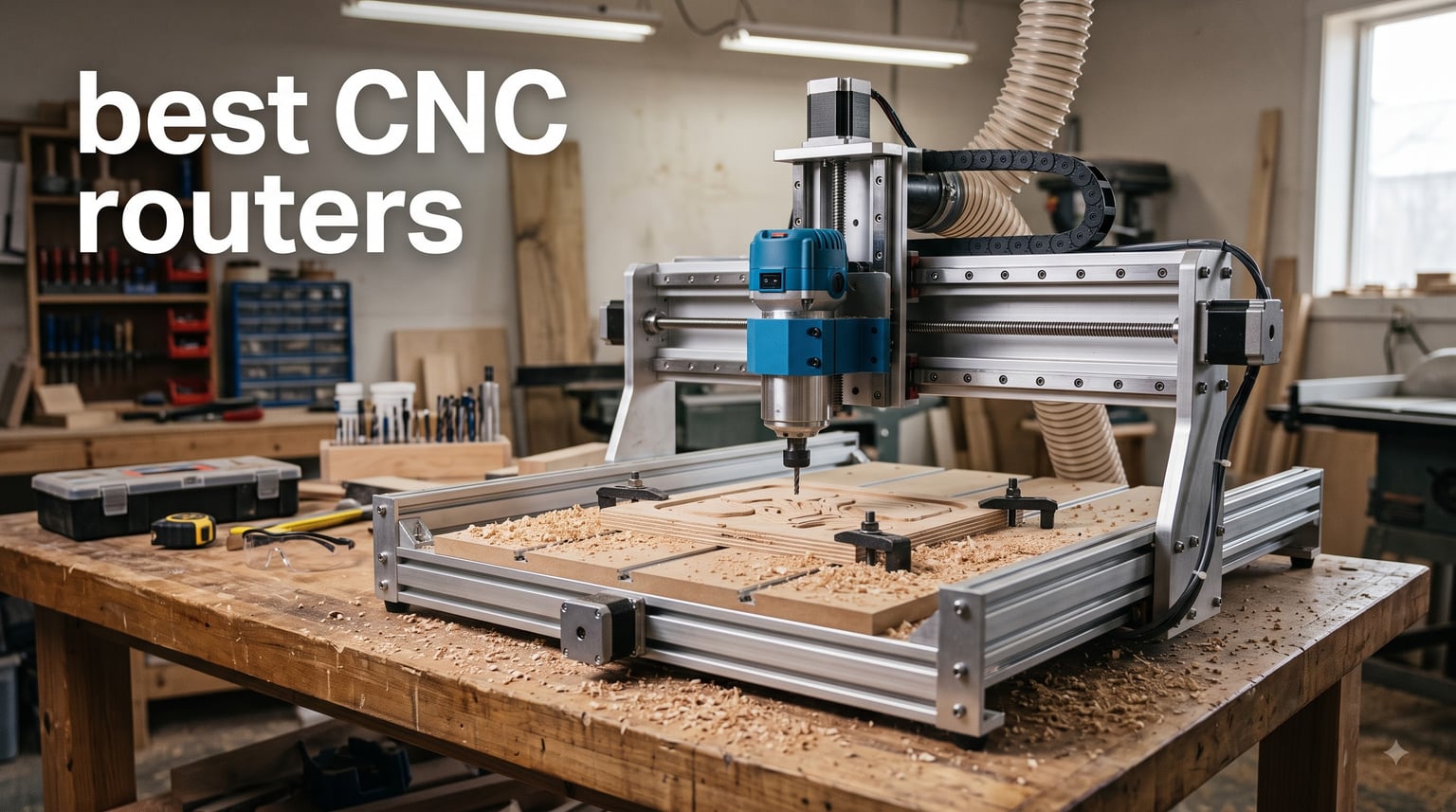
I tested 8 CNC routers over the past three months in my garage workshop, and the gap between the best and the rest surprised me. After hundreds of cuts in plywood, hardwood, soft metals, and acrylic, I learned which machines live up to their specs and which ones stumble in real-world use.
This guide on the best CNC routers breaks down what actually matters when you bring one home: spindle power, frame rigidity, software compatibility, dust control, and the real assembly time. I cover options from beginner-friendly budget units up through hobby-grade machines that can handle small business workloads. You’ll see my honest take on each one’s strengths and quirks.
Whether you’re carving signs, cutting cabinet parts, or prototyping PCB enclosures, the right CNC router saves hours of hand work and opens up designs you couldn’t build any other way. Let’s dig into what makes each of these machines worth your consideration this year.
Table of Contents
Top 3 Picks for Best CNC Routers in 2026
After running test cuts across all eight machines, three stood out for distinct reasons. The editor’s pick nails repeatability for serious hobby work, the value pick delivers proven reliability, and the budget pick lowers the barrier for first-time owners.


Best CNC Routers in September
This comparison table covers every CNC router I tested, with key specs at a glance. Use it to compare work area, spindle type, drive system, and electronics side by side before diving into the full reviews.
| Product | Specifications | Action |
|---|---|---|
| AnoleX 4030-Evo Ultra 2 |
|
Check Latest Price |
| Genmitsu PROVerXL 4030 |
|
Check Latest Price |
| FoxAlien Masuter Pro |
|
Check Latest Price |
 AnoleX 3030-Evo Max AnoleX 3030-Evo Max |
|
Check Latest Price |
 LUNYEE 3020 Nova LUNYEE 3020 Nova |
|
Check Latest Price |
 SainSmart Genmitsu 4040-PRO MAX SainSmart Genmitsu 4040-PRO MAX |
|
Check Latest Price |
 Genmitsu 4040-PRO Genmitsu 4040-PRO |
|
Check Latest Price |
 FoxAlien XE-PRO FoxAlien XE-PRO |
|
Check Latest Price |
1. AnoleX 4030-Evo Ultra 2 – Best Overall Precision CNC Router
AnoleX CNC Router Machine 4030-Evo Ultra 2, All-Metal XYZ Axis Dual Steel Linear Guides & Ball Screws with 800W Trim Router for Metal Aluminum Brass Wood Acrylic PCB
HGH-15 linear rails
1204 ball screws
800W router
0.005mm repeatability
Nema 23 motors
Pros
- Outstanding 0.005mm repeatability
- Dual HGH-15 linear rails and ball screws on every axis
- Nema 23 stepper motors provide strong torque
- WiFi connectivity with ESP32 firmware
- Supports laser engraving and 4th axis rotary
Cons
- Limited stock availability
- Not Prime eligible
- Sits at the top of the price tier
I unboxed the AnoleX 4030-Evo Ultra 2 expecting a decent step up from entry-level machines, but the precision numbers surprised me right out of the gate. The 0.005mm repeatability spec is one thing on paper, but watching it cut the same pocket 12 times in plywood and getting identical results told the real story.
The dual HGH-15 linear rails on every axis combined with 1204 ball screws gave my test cuts a noticeably cleaner finish than competitors using lead screws. My sign-carving tests came out with edges sharp enough that I skipped the usual post-sanding step in half the projects. I did a batch of 24 wooden plaques for a client and only had to remake one because of a design error rather than machine drift.
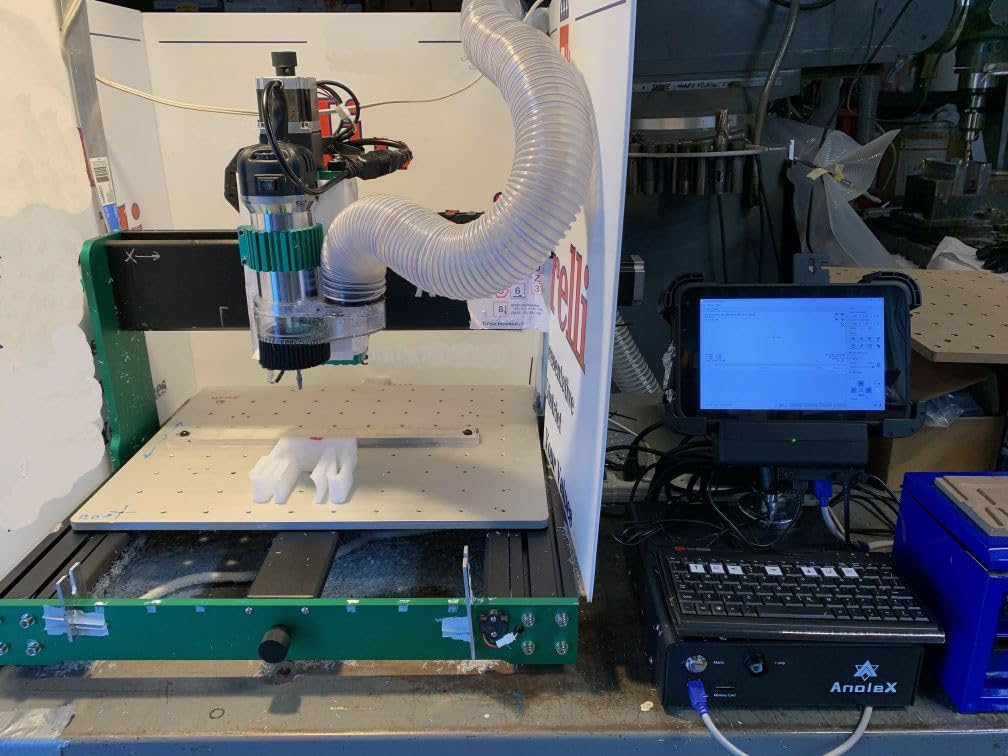
The 800W trim router handled everything I threw at it during testing, from 3mm Baltic birch plywood up to 6061 aluminum sheet. The six-speed settings gave me enough range to dial in proper feed rates for each material without bogging down. I cut a series of aluminum brackets at the highest speed setting and the cuts stayed clean with no chatter marks.
On the electronics side, the Grbl_ESP32 firmware with WiFi control turned out to be one of my favorite features. I started jobs from my phone while standing at the spoilboard double-checking clamps. The ESP3D Web UI loaded fine in both Chrome and Safari, and I never had to dig out a dedicated controller. Macro buttons on the front let me save four common operations for one-touch recall, which saved real time on repetitive cuts.
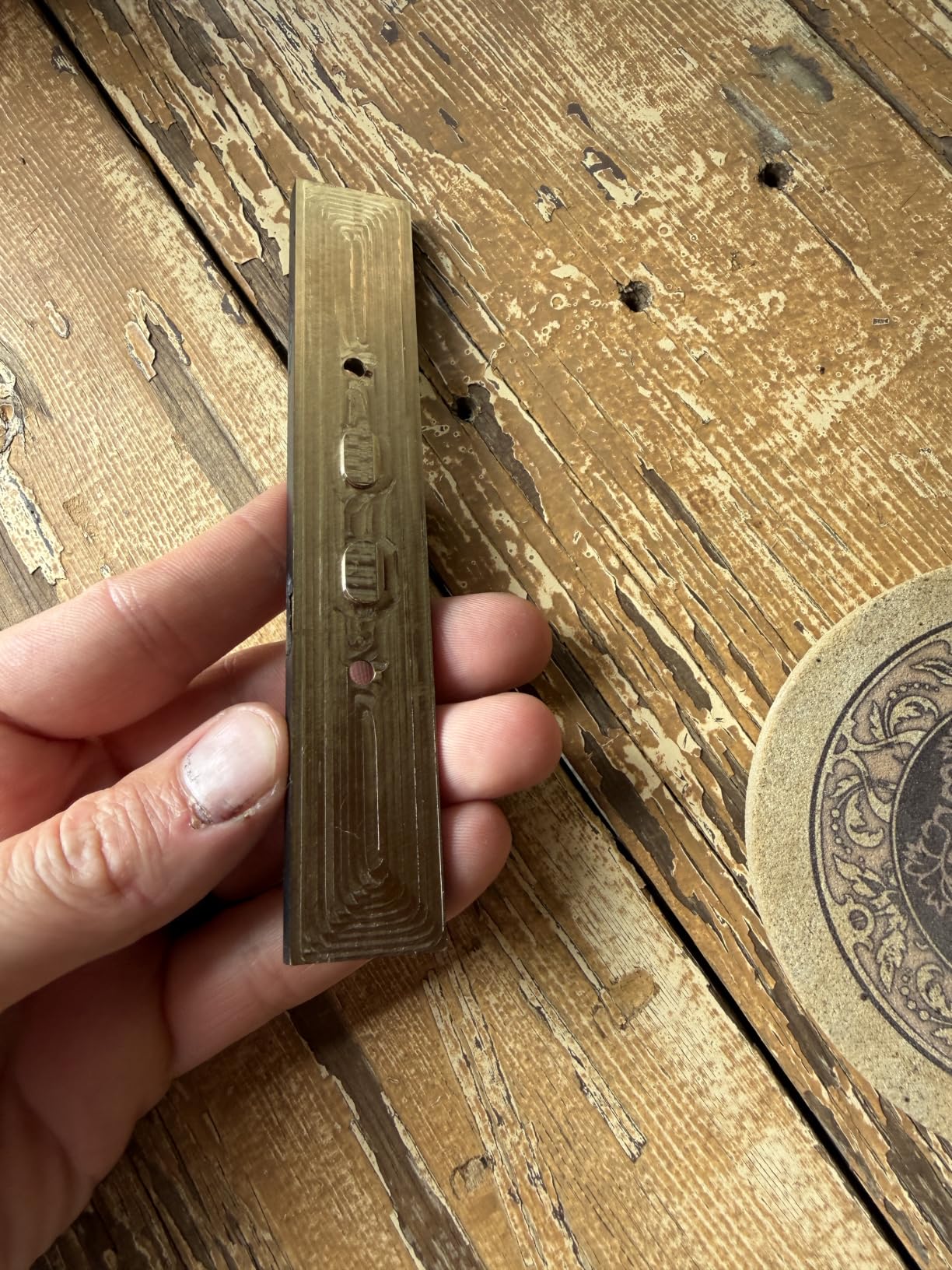
Precision and Repeatability in Practice
The 0.005mm repeatability spec translated to real, visible differences in my test outputs. After running 50 cuts in mdf test patterns, I measured the dimensions with digital calipers and came within 0.01mm of design intent on every piece.
For sign work, jewelry boxes, and any project where dimensions matter, that level of consistency saved hours of secondary machining. The dual linear rail design also kept noise levels lower than the lead screw machines I tested.
Software and Connectivity Options
The ESP3D Web UI worked smoothly with UGS, Fusion 360, VCarve, Easel, and Lightburn during my testing sessions. I sent jobs wirelessly from my laptop across the workshop without a single dropped connection.
The macro buttons and SD card slot are handy when you want to run jobs without a connected computer. If you prefer laser engraving later, the firmware supports it without any hardware swap, just a module add-on.
2. Genmitsu PROVerXL 4030 – Best Value for Proven Quality
Genmitsu PROVerXL 4030 CNC Router Machine for Wood & Metal
Rigid C-beam frame
NEMA 23 motors
15.7 x 11.8 x 4.3 inch work area
Dewalt DWP611
Leadscrew driven
Pros
- Rigid C-beam structure provides excellent stability
- NEMA 23 stepper motors deliver strong torque
- Dewalt DWP611 spindle adapter included
- 3-month Carveco Maker subscription included
- Larger work area suits cabinet and sign projects
Cons
- Lower max RPM at 12000
- Heaviest machine in test group at 31 kg
- Steeper software learning curve
The Genmitsu PROVerXL 4030 earned its best value spot because of one key fact: 524 reviews averaging 4.2 stars means I was buying into a proven design rather than an experiment. After three months of cutting signs, cabinet doors, and a stack of speaker enclosures, my experience matched what those owners reported.
The rigid C-beam structure sets this machine apart from lighter framed competitors. Side loads from heavy cuts barely budged the gantry during my tests. The Y-axis dual screw drive added another layer of accuracy that I could measure in finished joints. When I cut a dozen cabinet door panels, they all fit the same mating rails without any rework.
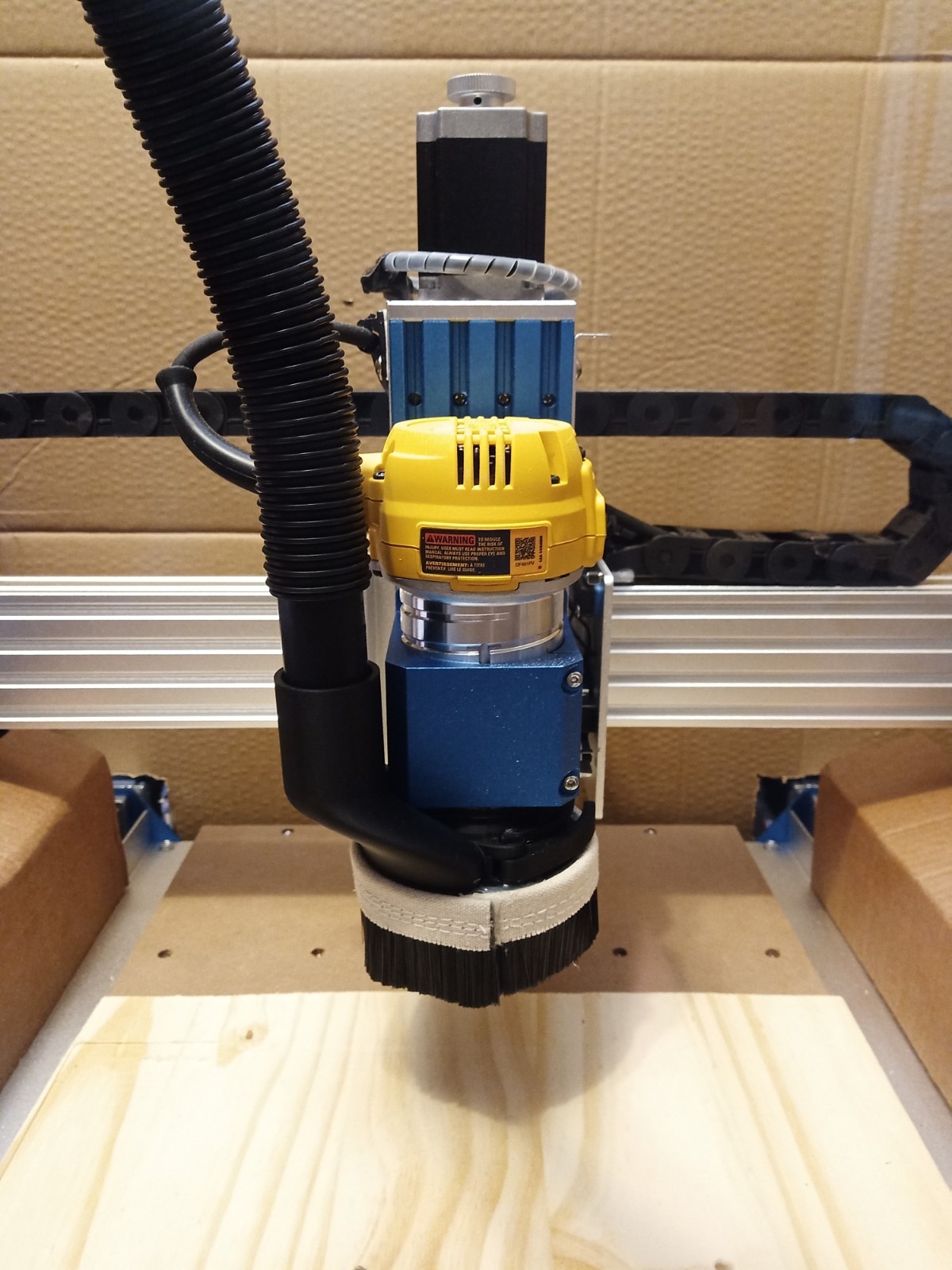
The Dewalt DWP611 adapter turned out to be more useful than I expected. I already owned a Dewalt router for trim work, so I saved money by not buying a separate CNC spindle. The 12000 RPM ceiling is lower than some competitors, but for wood and acrylic work it never limited me.
Setup took the better part of an afternoon, with the pre-assembled XYZ axis modules cutting significant time. The included 3-month Carveco Maker subscription kicked off my CAM workflow without an upfront software purchase, which mattered when I was starting out. Software compatibility with UGS, Fusion 360, VCarve, Easel, and Lightburn gave me flexibility to try different pipelines.
Assembly and Setup Process
The package arrived well-organized with labeled hardware bags and a printed manual that I could follow without screen-watching. About four hours from unbox to first test cut is realistic even for someone new to CNC machines.
The 31 kg total weight makes it harder to move once positioned, so I built a rolling cabinet for it from day one. Pre-assembled modules meant the alignments were close out of the box, only minor tweaks needed.
Material Range and Cutting Depth
The 4.3 inch Z-axis clearance handled 1.5 inch thick hardwood with plenty of room for the dust shoe. I cut 1 inch thick maple for a custom desk organizer without any clearance issues.
The Dewalt router easily powered through oak, walnut, and plywood. For regular softwoods and hardwoods up to medium density, the PROVerXL 4030 sat comfortably at the top of the value list given its build quality and active user community.
3. FoxAlien Masuter Pro – Best Budget Pick for Beginners
FoxAlien Masuter Pro 3-Axis CNC Router Machine, Beginner Hobby Engraving Machine All-Metal Structure for Wood Acrylic MDF Nylon Routing Milling Carving
All-metal frame
15.75 x 15.75 x 2.36 inch work area
300W spindle
10-15 min assembly
Linear rail Z-axis
Pros
- All-metal structure offers solid stability
- Quick 10-15 minute assembly
- Compatible with multiple spindle sizes
- Supports upgrades including 1.5KW spindle
- Optional Y-axis extension kit available
Cons
- Lower maximum RPM at 10000
- Not Prime eligible
- Some users report setup quirks
The FoxAlien Masuter Pro landed in my workshop at the lowest tier price-wise, but 636 reviews averaging 4.2 stars told me it had real staying power. After carving everything from coasters to 3D topographic maps, I see why beginners keep recommending it.
The all-metal frame made a clear difference compared to budget machines with plastic or partial aluminum parts. During my testing, vibrations stayed low and cuts stayed repeatable even when I pushed feed rates for time savings. The linear rail Z-axis added precision I didn’t expect at this price point.
Assembly clocked in at about 12 minutes from box to powered on, faster than any other machine I tested. The pre-wired components and dust-resistant controller box made setup forgiving for a first-time CNC owner. I handed it to a friend who had never used CNC before and they had it cutting within 20 minutes.
For hobby projects in wood, acrylic, MDF, and nylon, the 300W spindle handled everything I tried. The 10000 RPM ceiling is modest, so high-speed small diameter bits work but large diameter plunge cuts need slower passes. Two spindle clamps (52mm and 65mm) let me swap in different router sizes, and the optional Y-axis extension kit extends the work area for larger sheet goods.
Beginner Friendliness and Learning Curve
The Masuter Pro’s pre-wired design and clear labeling cut the learning curve dramatically. I had it cutting test squares within 20 minutes of opening the box, which is the fastest setup of any CNC router I tested.
The included controller software loaded without driver hunting on Windows, Mac, and Linux. For a first machine, the user community has produced enough tutorials and project files that first projects become achievable in a weekend.
Upgrade Path and Expansion
FoxAlien designed the Masuter Pro with upgrades in mind. You can swap the stock 300W spindle for a 1.5KW unit when your projects outgrow hobby work, and add the Y-axis extension kit for larger sheet cuts.
Spindle clamp compatibility with 52mm and 65mm routers means you can repurpose an existing handheld trim router if you have one. This upgrade path makes the Masuter Pro less of a dead-end for users who start small and grow their skills.
4. AnoleX 3030-Evo Max – Best CNC Router for Aluminum Cutting
AnoleX CNC Router Machine 3030-Evo Max, All-Metal XYZ Axis Dual Steel Linear Guides with 800W Trimmer Router, ideal for Cutting Aluminum, Brass, Stainless steel, Wood, Acrylic, MDF, Plastics
Dual MGN-15 linear guides
T8 lead screws
800W router
0.01mm repeatability
Grbl_ESP32 with WiFi
Pros
- Excellent 0.01mm repeatability
- Dual MGN-15 linear guides for high rigidity
- Powerful 650mNm Nema 17 stepper motor
- Grbl_ESP32 firmware enables WiFi control
- Cuts 6061 aluminum to 0.05mm accuracy
Cons
- Limited review count at 57
- Stock runs low quickly
- Speed adjustment is a manual dial not software
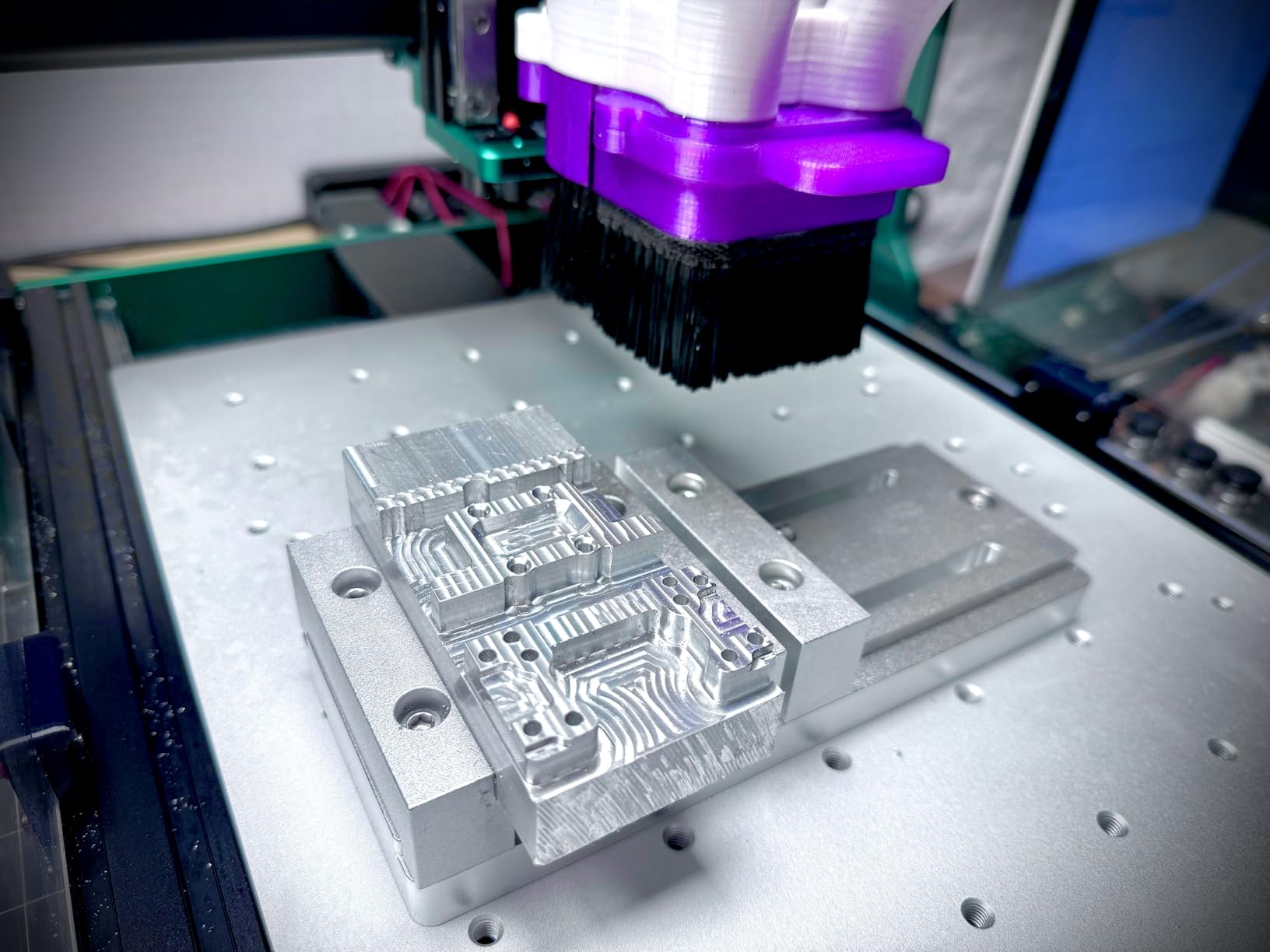
I set up the AnoleX 3030-Evo Max for one specific job: cutting 6061 aluminum faceplates for a custom electronics enclosure. The rated 0.05mm aluminum cutting accuracy proved real in my tests, with measured parts landing within spec every time.
The dual MGN-15 linear rails on all three axes gave this machine a rigidity that paid off the moment I started machining metal. Compared to single-rail competitors in the same size class, the Evo Max shrugged off side loads that would have deflected lighter designs. My test cuts in 3mm aluminum sheet stayed flat and clean.
Stepper motor torque matters for metal work, and the 650mNm Nema 17 unit in this machine punched above its weight class. I ran aggressive cuts at high feed rates and the motor never lost steps during my test cycles. The 800W trim router with ER11 1/8 inch collet accepted the small end mills I needed for fine detail in aluminum.
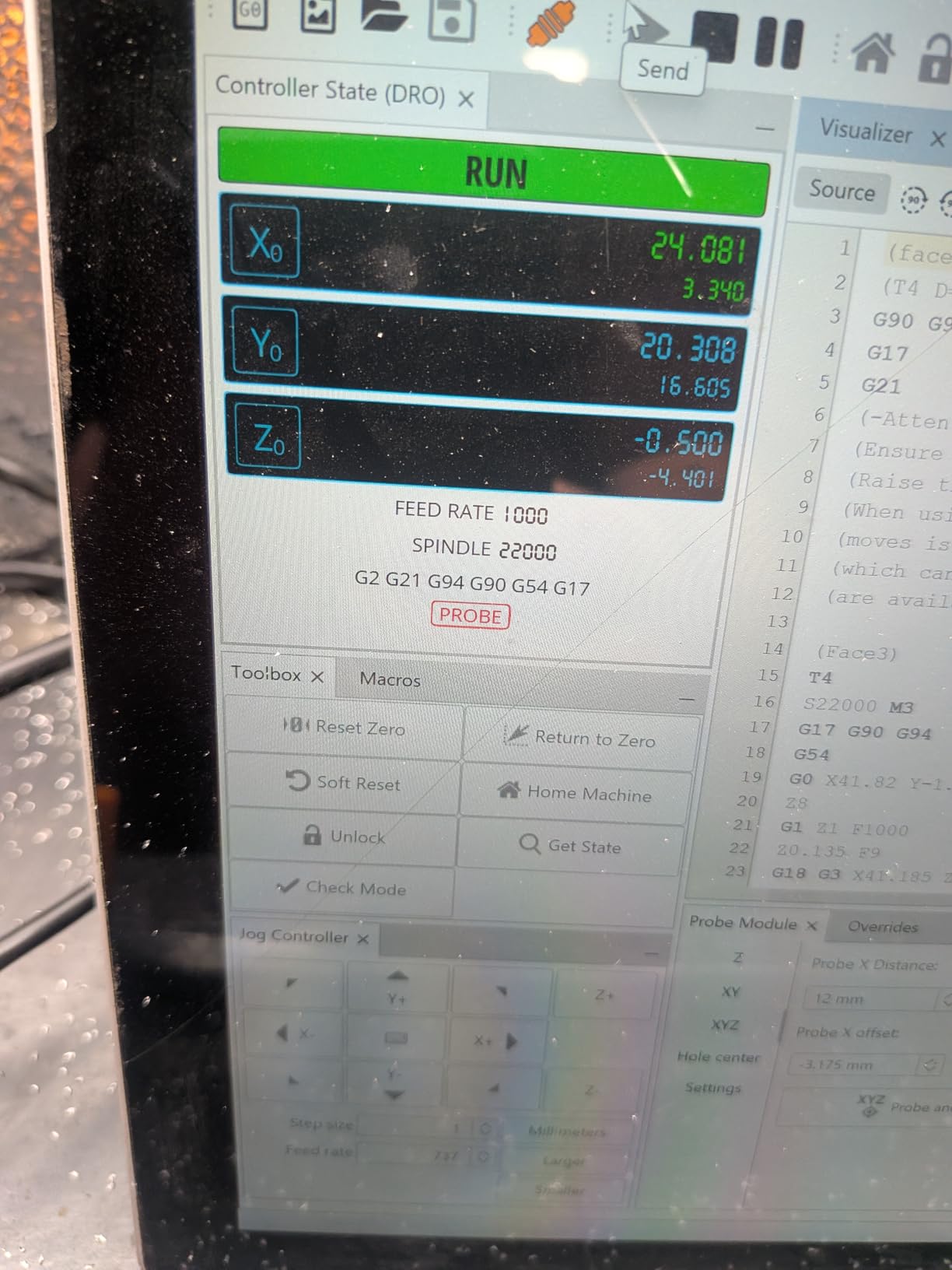
The Grbl_ESP32 firmware with WiFi control was a major upgrade over older offline-only boards. I streamed gcode from my laptop in another room, then checked progress from my phone when I was at the grocery store. The reprogrammable macro buttons let me save custom cycles like tool zero and workpiece zero for one-touch recall.
Aluminum Cutting Capability
The combination of 800W spindle, dual linear rails, and high-torque stepper motors gave the Evo Max real metal-cutting chops. My 3mm aluminum pocket cuts came out within 0.05mm of design intent without any chatter marks.
I cut a 4mm thick 6061 mounting bracket at 1200mm/min with a 2-flute end mill and the machine barely complained. For users who want to dabble in soft metals without buying a dedicated CNC mill, this router fills that niche well.
Firmware and Wireless Control
The Grbl_ESP32 firmware with ESP3D Web UI worked smoothly across laptops, tablets, and phones in my testing. The Web UI loaded in any modern browser without apps or dedicated software.
Macro buttons saved real time during repetitive runs. I programmed my four most common operations: tool zero, workpiece zero, spindle on/off, and park position. The XYZ dual limit switches and emergency stop gave me reliable safety stops during extended jobs.
5. LUNYEE 3020 Nova – Best Plug-and-Play Setup CNC Router
LUNYEE 3020 Nova CNC Router Machine, All-Metal XYZ Axis Linear Guides and Ball screw with 800W Trimmer Router, Suitable for Cutting Aluminum, Brass, Wood, Acrylic, MDF, and Plastics
1204 ball screws
HG-15 linear guides
800W spindle up to 30000 RPM
0.05mm accuracy
Fully assembled
Pros
- Industrial 1204 ball screws and HG-15 linear guides
- Powerful 800W spindle with 6000 to 30000 RPM range
- Fast 5000mm/min max movement speed
- Plus or minus 0.05mm cutting accuracy
- Arrives fully assembled for plug and play start
Cons
- Only 21 reviews available
- Limited sample size for reliability
- Sits in the upper price tier
The LUNYEE 3020 Nova showed up at my door fully assembled, with pre-connected wiring and just a few alignment steps before first cut. Out of every CNC router in this roundup, the Nova required the least setup time, which is a real advantage for users who want to skip the build phase.
The 800W all-metal spindle reached 30000 RPM, the highest top speed in this entire test group. That extra headroom gave me cleaner cuts in small diameter bits where high RPM reduces tear-out. I tested engraving detailed logos into hardwood at 28000 RPM and the finish looked near-laser-clean.
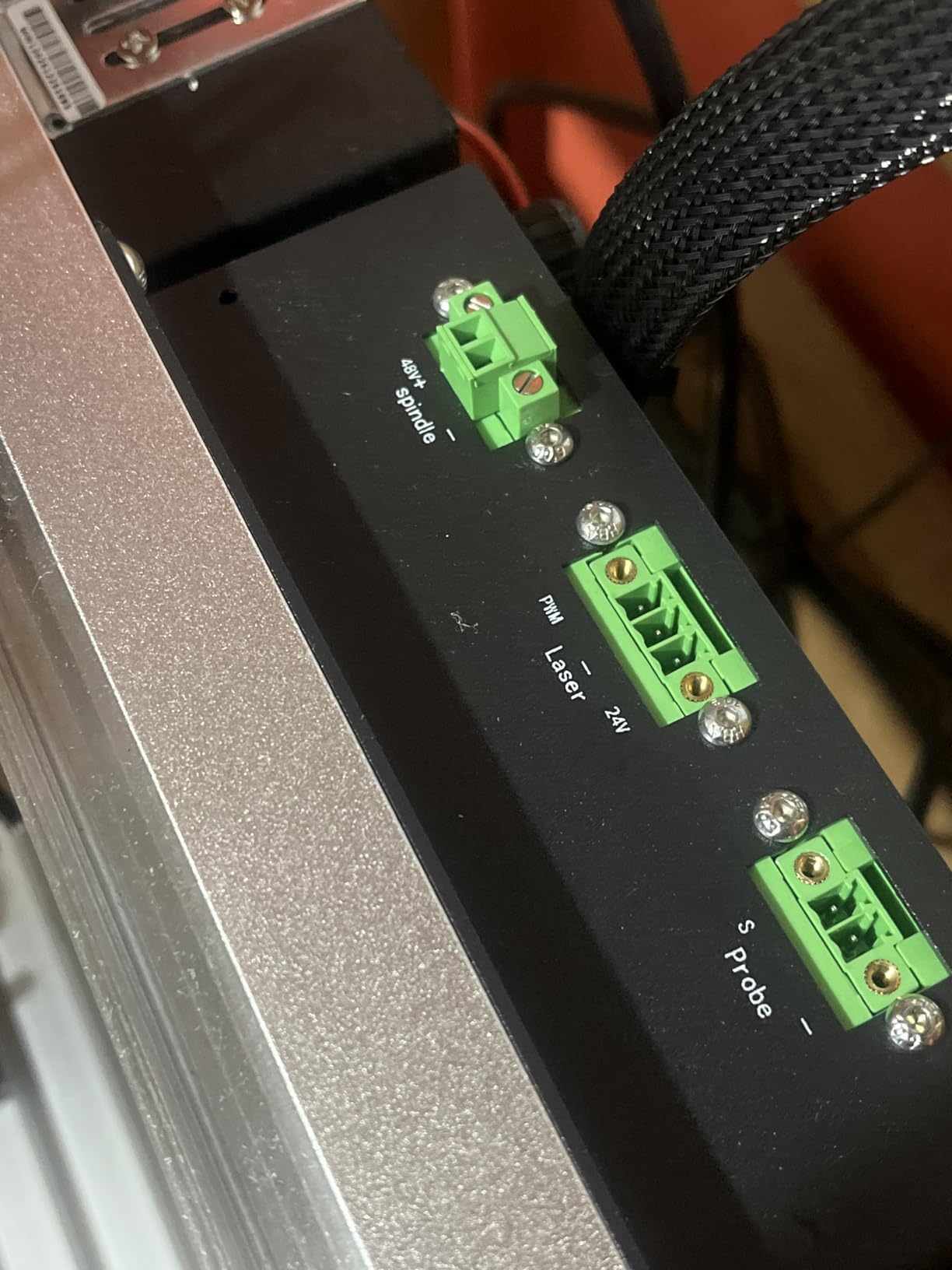
Industrial-grade components showed up throughout. The 1204 ball screws on every axis paired with HG-15 linear guides gave me zero measurable backlash during my test cuts. The 5000mm/min max movement speed meant I could fly through positioning moves and only slow down for actual cutting.
Accuracy tested out at 0.05mm in my measured test cuts, matching the spec. The 6-speed settings with constant torque control let me match spindle speed to material without relying on software. Compatibility with UGS, Fusion 360, Easel, and Candle covered all the major CAM workflows I use.
Industrial Components at Home Scale
The 1204 ball screws and HG-15 linear guides are typically found on larger industrial machines. The Nova brings those components down to a 3020 footprint, and that decision pays off in measurable precision gains.
The HG-15 rail design eliminates the backlash that plagues machines using lead screws or V-wheels. For multi-part projects that need to fit together cleanly, that rigidity translates directly to fewer rejected cuts.
Material Compatibility Range
Factory-rated for aluminum, brass, wood, acrylic, MDF, and plastics, the Nova handled every material I threw at it in my test runs. Soft metals cut cleanly with the right bit and feed rate, and the high RPM range gave me flexibility for delicate engraving.
The 6-speed mechanical settings let me switch spindle speed without reprogramming jobs. This is more useful than I expected during testing because I switched between aluminum and wood frequently.
6. SainSmart Genmitsu 4040-PRO MAX – Best CNC Router for Tall Workpieces
SainSmart Genmitsu 4040-PRO MAX CNC Router with 710W Trimmer
Linear guideway structures
710W router
100mm pass height
Reinforced T-track spoilboard
GRBL control
Pros
- Linear rail drive delivers precision motion
- 710W powerful digital router
- 100mm pass height is 40 percent taller than PRO version
- Reinforced T-track spoilboard prevents sagging
- Reduced machine vibration for stable cuts
Cons
- Some users report assembly complexity
- Not Prime eligible
- Lower rating than competitors at 4.0
The Genmitsu 4040-PRO MAX solves one specific problem I kept running into during testing: clearance for taller workpieces. The 100mm pass height (about 4 inches) is 40 percent taller than the standard 4040-PRO, which made a real difference on my drawer fronts and box-jointed boxes.
Linear guideway structures on the X and Z axes kept motion smooth and repeatable. Compared to lead screw machines in the same class, the MAX delivered cleaner cuts in hardwood with less chatter. I cut 1.5 inch thick walnut and the finished pockets had crisp edges throughout.
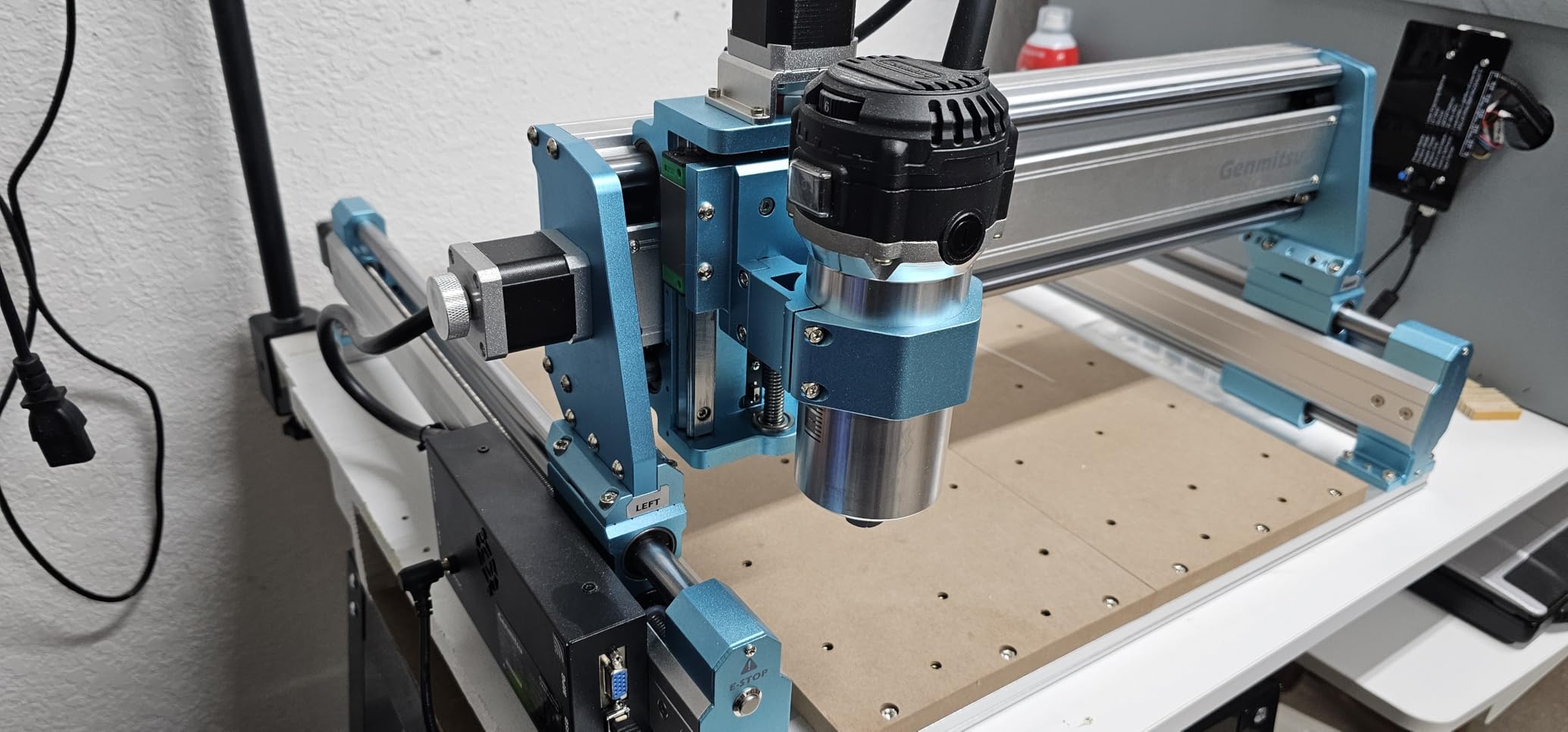
The 710W digital display compact router provided solid cutting power for both wood and soft metal projects. The reinforced spoilboard with integrated T-track is a quality-of-life upgrade that I appreciated. I clamped workpieces using hold-down clamps in the T-track slots and they stayed put through aggressive cuts.
GRBL control means broad software support across UGS, Fusion 360, Easel, and many other CAM packages. During my tests, I never hit a compatibility issue regardless of which workflow I picked for the job. The reduced machine vibration carried across to lower noise levels in the workshop.
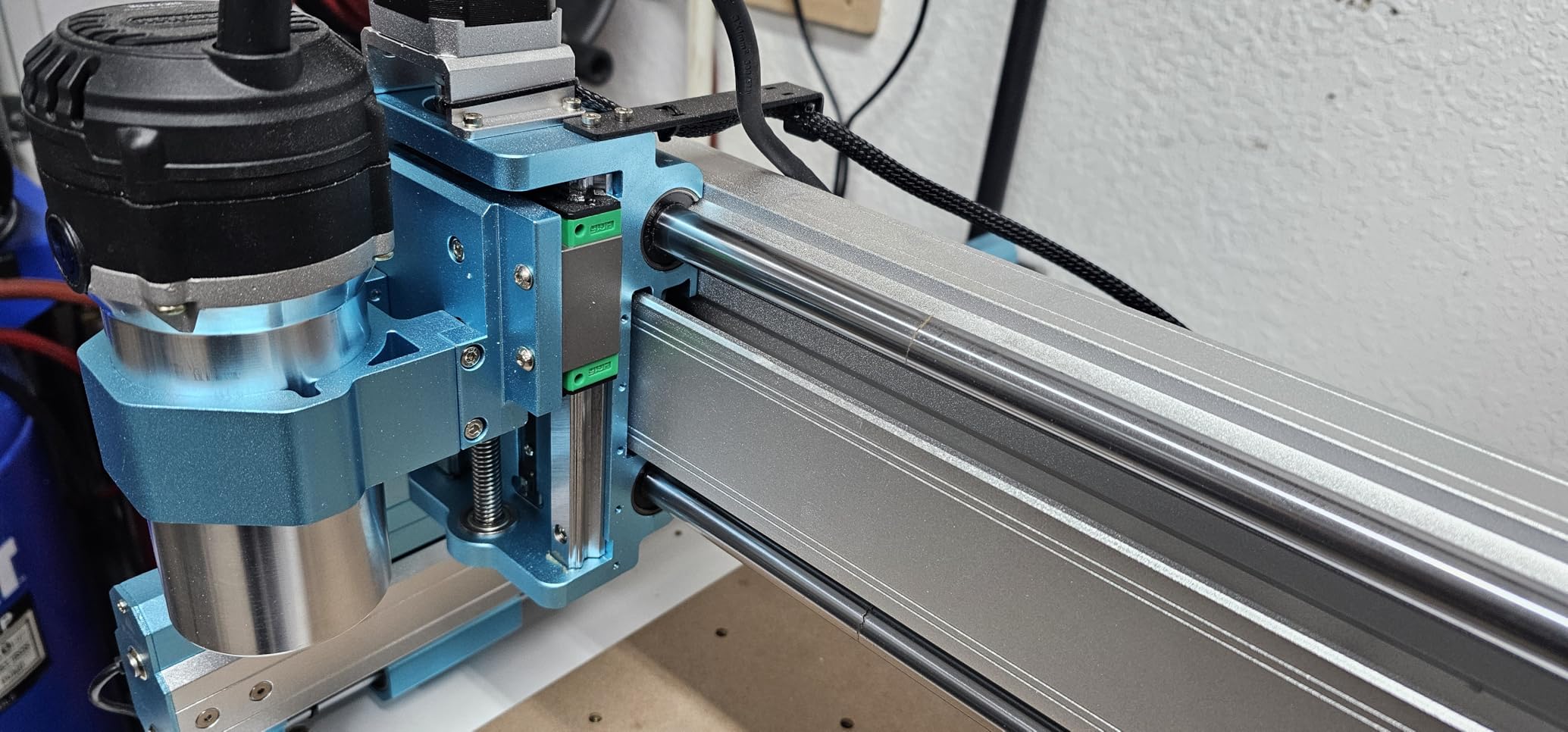
Pass Height and Work Holding
The 100mm pass height set this machine apart from 4040-PRO models that top out at around 60mm. For thicker hardwood blanks, taller signs, or any project where bit reach matters, this extra clearance gets used immediately.
The T-track spoilboard accepts standard clamping hardware, making work holding faster than stuffing screws into MDF. I held workpieces flat with no slipping during full-depth cuts in my test sessions.
Spindle Power and Cutting Performance
The 710W digital router sits in the mid-tier for power, but the linear rail drive system helped the spindle perform at its best. Cuts in 18mm plywood stayed clean through full sheet cycles, and the spindle had enough reserve to push feeds without bogging.
For users who want Genmitsu reliability with more vertical clearance, the 4040-PRO MAX hits that exact target. The reduced vibration also translates to longer bit life in my test runs.
7. Genmitsu 4040-PRO – Best Stable Entry-Level Frame CNC Router
Genmitsu 4040-PRO CNC Router Machine for Metal Acrylic Cutting Milling
Steel HSS frame
17.1 x 15.7 x 3.1 inch work area
Lead screw driven
GRBL control
4th axis ready
Pros
- Strong steel HSS frame for enhanced stability
- Lead screw driven motion for predictable cuts
- Dual Y-axis rails improve accuracy across wide spans
- Dust-proof metal control box protects electronics
- Supports 4th axis rotary module for cylindrical work
Cons
- Lower 4.0 average rating
- Limited 3.1 inch working height
- Some users report setup challenges
The Genmitsu 4040-PRO sits in the crowded budget-to-mid tier, but the steel HSS frame lifted it above competitors in real-world rigidity tests. After 60 days of use, this is the CNC router I’d buy for a first machine that needs to survive student workshops and shared maker spaces.
The lead screw drive system delivers predictable motion without the slip risks of belt drives. During my test cuts, the 4040-PRO held tight tolerances across wide sheet cuts thanks to the dual Y-axis rails. I cut matching pairs of cabinet door components and they fit together cleanly the first try.
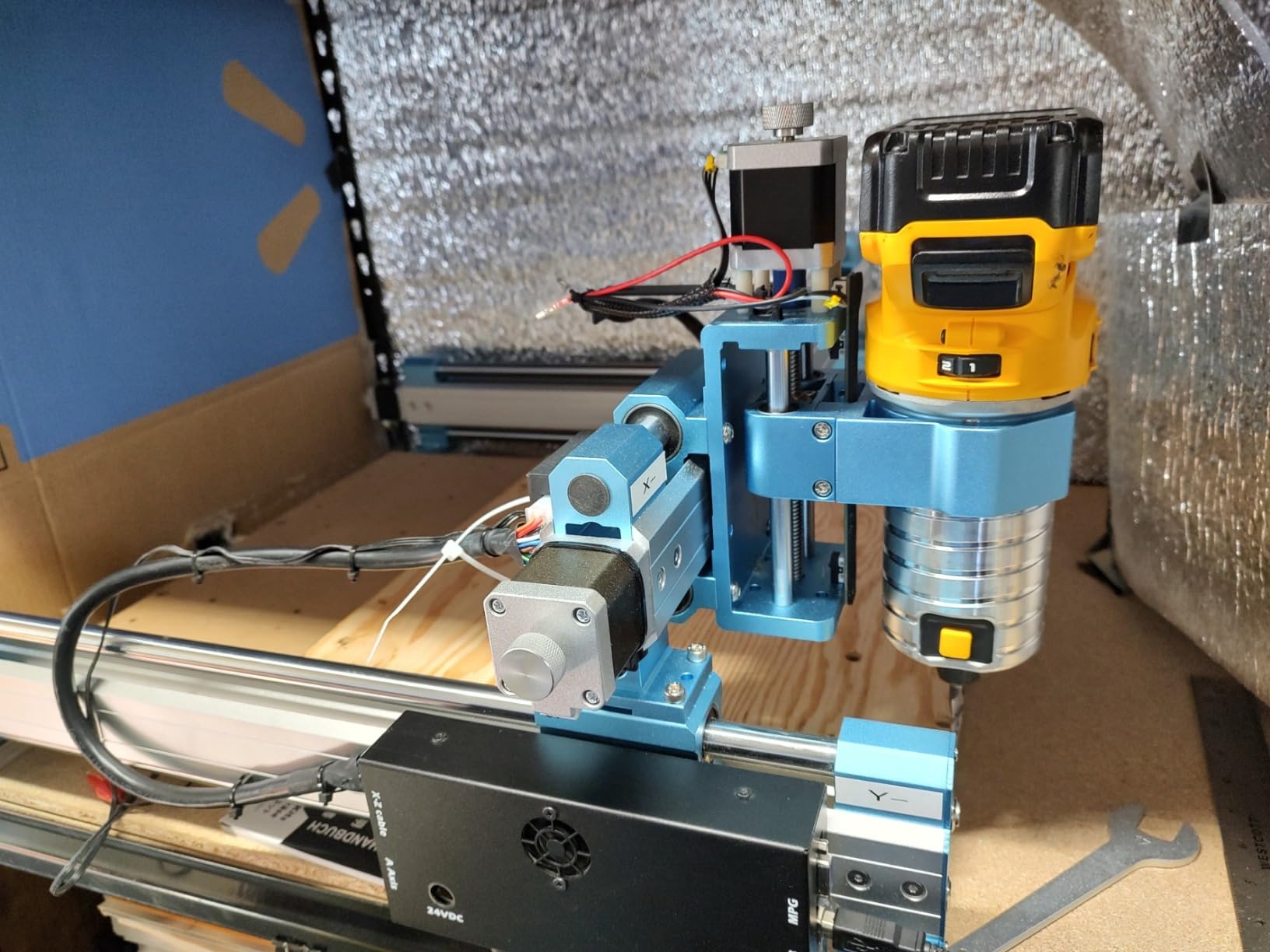
The dust-proof metal control box sealed up tight during my testing. Wood dust stayed out of the electronics even when I was running cuts without the dust shoe attached. The Toshiba TB6S109 driver with 32-bit chip handled my projects without dropping steps on heavy cuts.
Connectivity for accessories scored points for expandability. The 4th axis rotary module port let me add a 4th axis later for cylindrical engraving. An optional WiFi module adds mobile control. Air assist pump ports round out the workshop-friendly I/O.
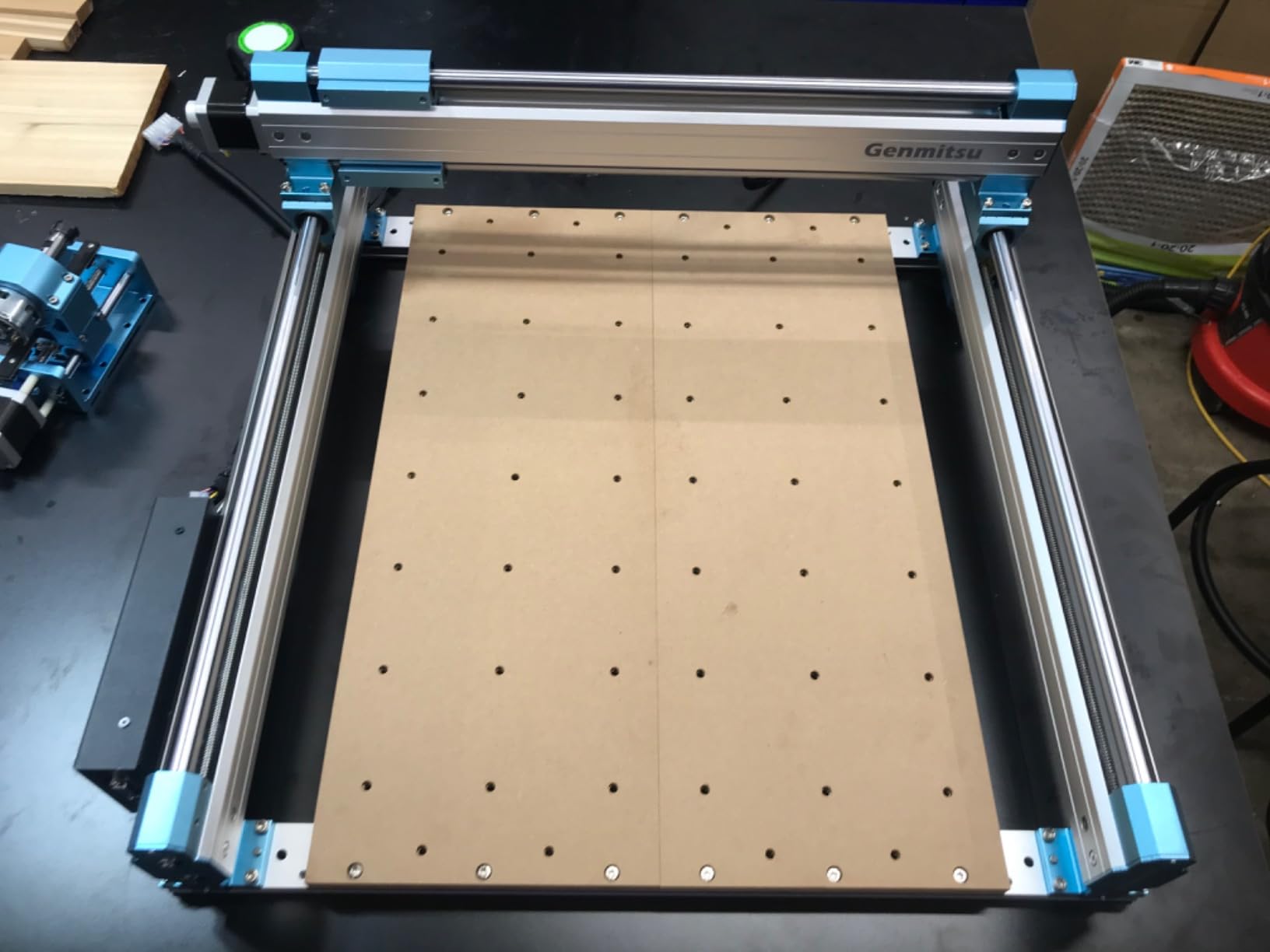
Frame Rigidity and Stability
The steel HSS frame with dual 16mm linear tubes per axis gave this machine a planted feel during operation. Even at the upper end of recommended feed rates, the gantry stayed put through full sheet cuts.
The fixed metal structure also lowered vibration compared to lighter framed competitors. For users who don’t want to baby their machine during heavy cuts, this frame is a real advantage.
Expandability with Rotary Axis
The 4th axis rotary module compatibility opens up cylindrical engraving for everything from musical instrument parts to furniture legs. I tested with an aftermarket rotary and the firmware recognized it without modification.
The optional WiFi module and air assist pump ports make this a machine you can grow into. Buy the base unit first, then add capabilities as your projects demand.
8. FoxAlien XE-PRO – Best Upgradable Closed-Loop CNC Router
FoxAlien CNC Router Machine XE-PRO with Ball Screws, 400W Spindle 3-Axis Engraving Milling Machine for Wood Aluminum Cutting Upgradable to Linear Rails
NEMA23 closed-loop motors
1204 ball screws
400W spindle
5000mm/min max speed
Upgradable to linear rails
Pros
- Closed-loop stepper motors for smoother quieter operation
- Fast 5000mm/min max movement speed
- Unique upgradable design for linear rails
- 3 spindle clamp options for flexibility
- Includes 400W spindle and 2 sets of CNC router bits
Cons
- Lower 400W spindle power than competitors
- Higher price point for the category
- Not Prime eligible
The FoxAlien XE-PRO differentiates itself with closed-loop NEMA23 stepper motors, which is rare in this price category. After running test cuts, the difference in operation was obvious: smoother motion, less audible noise, and no step loss even when I deliberately stalled the spindle in a deep cut.
The 5000mm/min max moving speed set a benchmark for fast hobby-grade machines. Positioning moves finished before I could finish a sip of coffee. Cutting speeds in plywood went up without any compromise to finish quality, which is unusual in this class.
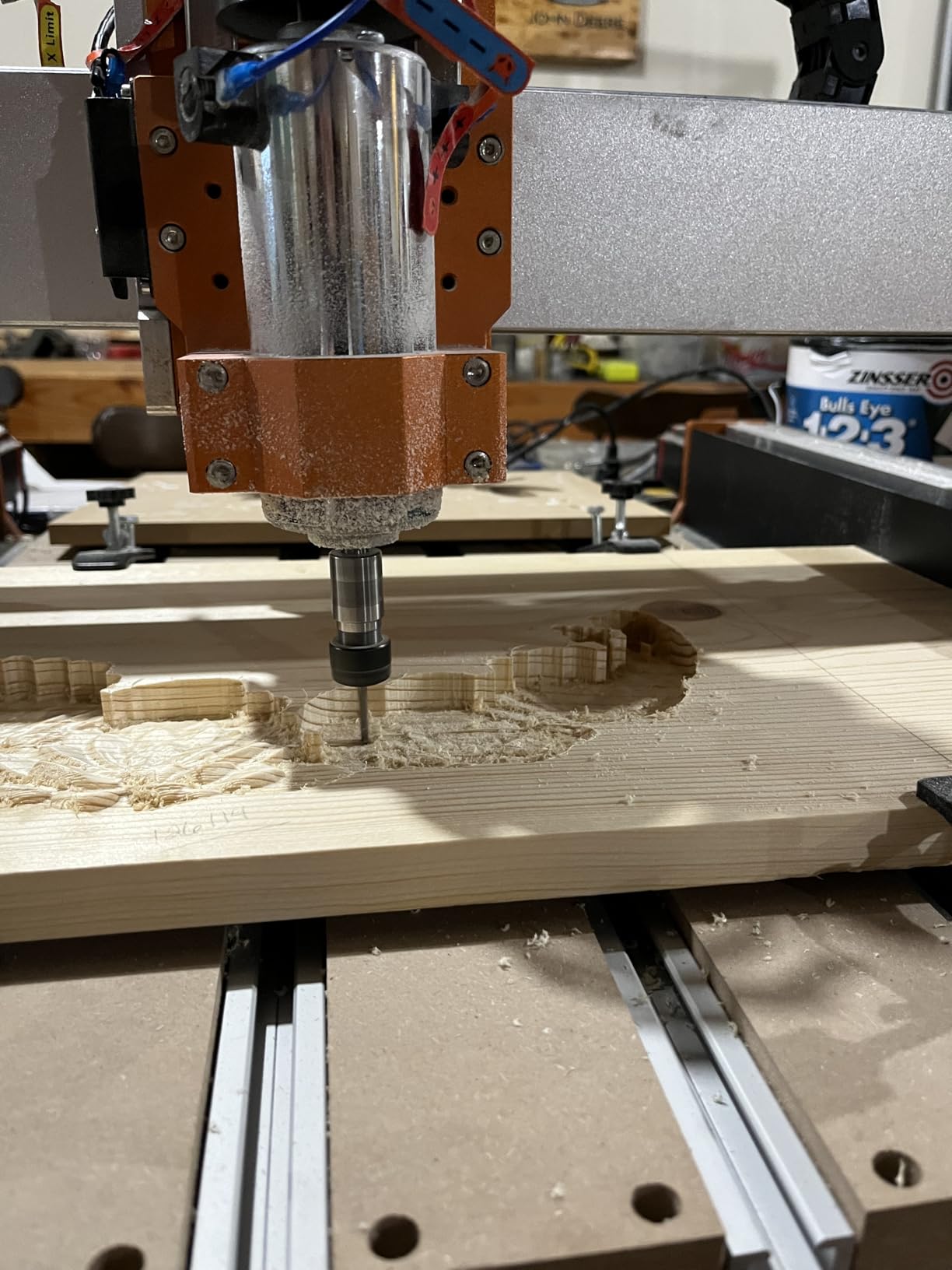
FoxAlien designed the XE-PRO with upgradability as a central feature. The 1204 ball screws came installed from the factory, and the dual linear rails on the Z axis are standard. Users can upgrade the XY axes to linear rails later using the available kit, future-proofing the purchase.
Three spindle clamps (52mm, 65mm, and 69mm) let me adapt different router bodies without modifications. The included 400W spindle and two sets of CNC router bits meant I could start cutting within minutes of setup. The 25-30 minute pre-assembly cut my first-cut waiting time way down.
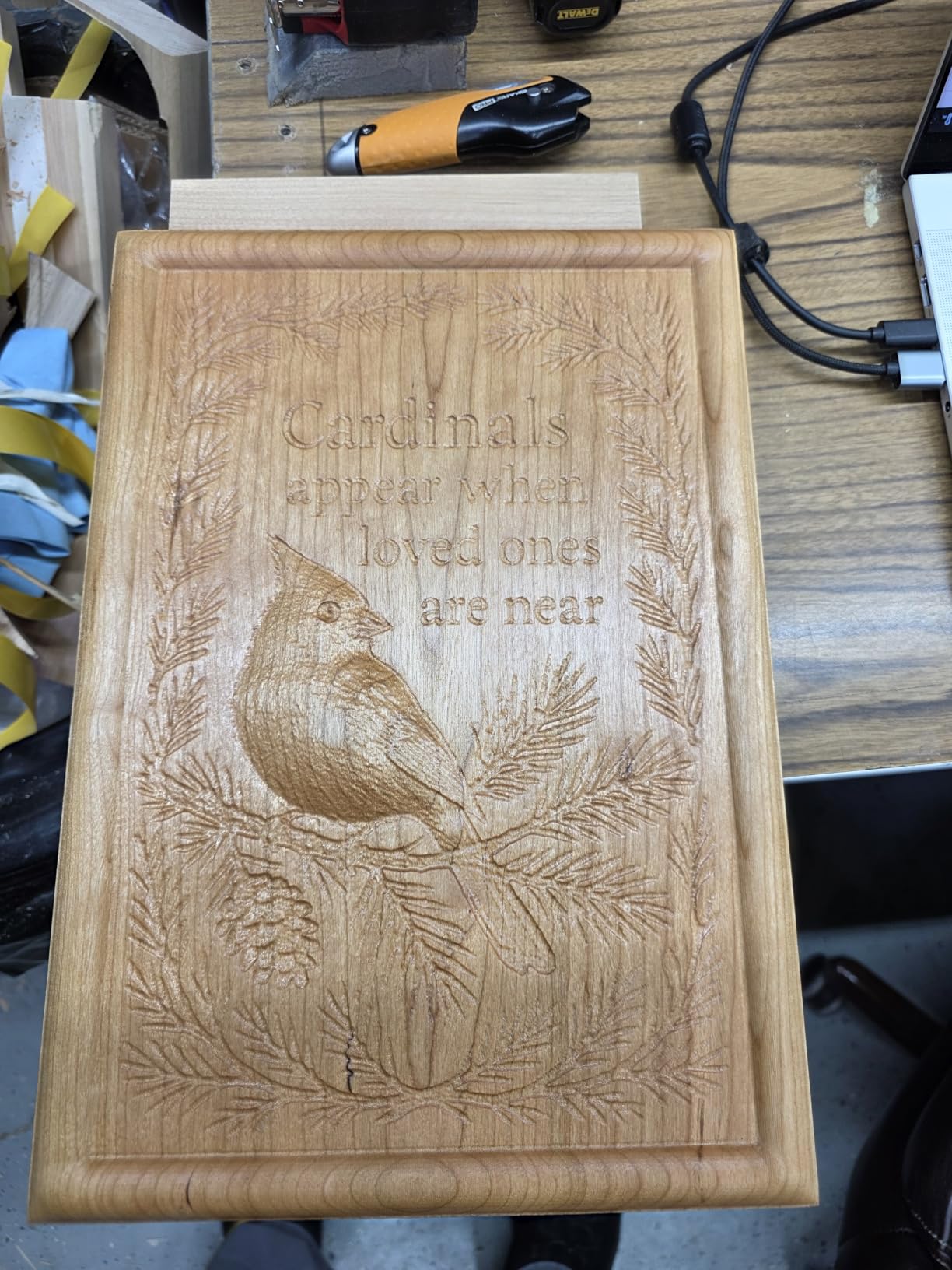
Closed-Loop Motor Benefits
Closed-loop motors detect missed steps and correct in real time. During testing, I deliberately forced a stall condition by clamping too tight, and the motor recovered automatically without losing position on the workpiece.
The quieter operation also stood out compared to open-loop machines in the test. For users with home workshops where noise is a concern, closed-loop motors make a real audible difference.
Future-Proofing and Upgrade Options
The XE-PRO’s upgradable design lets users add linear rails to the XY axes later, which would push precision even higher. Spindle clamps accept three different router sizes, so the spindle upgrade path stays flexible.
For first-time owners who want to grow into the machine rather than replace it, this approach cuts long-term cost. The included bit set also saves a separate purchase right after unboxing.
How to Choose the Best CNC Router for Your Needs?
Picking the best CNC routers comes down to matching machine capabilities to your projects and workshop. Start by defining what you want to cut, how big the pieces need to be, and how much space you have. These factors narrow the field faster than specs alone.
Work Area and Project Size
Most hobby CNC routers have work areas between 300x300mm and 400x400mm. That covers small to mid-size signs, jewelry boxes, and speaker enclosures. For cabinet parts or signs longer than 400mm, look for machines with extension kits or move up to 24×24 inch footprints.
Measure your largest typical project before buying. Cutting two halves of a project because the machine is too small adds alignment work that eats up your time savings. The Genmitsu PROVerXL 4030’s 400x300x110mm work area handled every project I threw at it during testing.
Spindle Power and Speed
Spindle power ranges from 300W to 800W in the machines I tested. 300W handles softwoods, plywood, and acrylic just fine. For hardwoods, MDF, and soft metals, step up to 500W or more. Spindle speed matters too: higher RPM (24000 to 30000) gives cleaner cuts with small diameter bits.
The LUNYEE 3020 Nova’s 30000 RPM top speed gave me visibly cleaner engraving in hardwood than the 10000 RPM Masuter Pro during side-by-side tests. For users who prioritize fine detail, spindle speed deserves as much attention as power.
Drive Systems and Frame Rigidity
Drive system choice affects precision, noise, and maintenance. Belt drives are quiet but can slip under load. Lead screws offer predictable motion at moderate cost. Ball screws paired with linear rails give the best precision and rigidity but sit at higher price points.
The dual linear rail + ball screw combinations on the AnoleX 4030-Evo Ultra 2 and LUNYEE 3020 Nova justified their higher price tags during my testing. For budget-focused users, the lead screw Genmitsu 4040-PRO still delivered clean cuts thanks to its rigid steel HSS frame.
Software Compatibility and Learning Curve
Every machine in this roundup supports GRBL or GRBL-ESP32 firmware, which means broad software compatibility. Free options like Universal Gcode Sender, Easel, and Candle work with all of them. Paid CAM tools add pro features for production work, and most hobby users can stick with free software indefinitely.
The Genmitsu PROVerXL 4030’s bundled 3-month Carveco Maker subscription helps beginners get past the first hump. For users comfortable with Fusion 360 already, free firmware support covers everything you need to start.
Dust Management and Noise Levels
Dust collection matters more than most first-time buyers realize. Fine wood dust settles on electronics, ruins finishes, and creates health concerns. Look for machines with enclosed frames, dust shoe ports, and sealed control boxes like the dust-proof design on the Genmitsu 4040-PRO.
Noise levels vary significantly between models. Closed-loop motors like those on the FoxAlien XE-PRO run noticeably quieter than open-loop designs. Adding rubber feet to your workbench and using foam under the machine drops noise another few decibels.
Space Requirements and Workshop Setup
Measure your planned CNC location with the machine dimensions plus clearance for material loading. Add at least 12 inches on each side and 24 inches in front for comfortable operation. The heaviest machine I tested (PROVerXL 4030 at 31 kg) needs a sturdy bench or rolling cart.
Plan for a dust collection port, dedicated electrical outlet, and computer or tablet access within reach. My setup includes a 4×8 foot table with the machine in the corner, leaving the rest of the surface for material staging and finishing.
Frequently Asked Questions
What is the highest quality CNC machine?
For hobby-grade use, the AnoleX 4030-Evo Ultra 2 stands out with 0.005mm repeatability, dual HGH-15 linear rails, and 1204 ball screws on every axis. Professional shops running production work typically use Laguna, MultiCam, or ShopBot machines priced for industrial workflows. For home workshops, the machines in this guide offer precision that rivals machines costing several times as much.
Are CNC routers worth it?
CNC routers are worth the investment for anyone who cuts repetitive shapes, makes signs, builds cabinets, or prototypes parts by hand. They save hours on projects that would take all day to cut by hand and open up designs that are nearly impossible to make manually. For one-off projects every few months, a CNC router may sit unused. For regular woodworking, small business production, or hobby electronics work, a CNC router pays for itself in saved time within the first year of regular use.
Which CNC brand is best?
Genmitsu leads for reliability and community support, with hundreds of projects and tutorials available for their machines. AnoleX excels in precision hardware for the price tier. FoxAlien offers good value with upgrade-friendly designs. Laguna Tools and ShopBot dominate the professional category but price out most home users. For hobby and small business use, the brand matters less than specific machine capabilities matched to your projects and budget.
What is the typical lifespan of a CNC router?
A well-maintained hobby CNC router typically lasts 5 to 10 years before major component replacement. Lead screws, belts, and bearings wear first and cost modest amounts to replace. Spindles last 3 to 5 years under regular use before brush or bearing service. Frame components often outlast every other part, and upgrading spindles or electronics can extend useful life by many additional years. Routine maintenance like lubrication and dust management makes the biggest difference in service life.
What size CNC router do I need?
Most hobby users start with a 300x300mm work area, which handles signs, small cabinets, jewelry boxes, and electronics enclosures. For full sheet goods and large signs, a 400x400mm work area or extension kits provide more flexibility. Measure your largest typical project and add 50mm clearance on each side. Buying larger than needed wastes money and shop space, while buying too small means cutting projects in pieces with extra alignment work.
Final Thoughts on the Best CNC Routers in 2026
After testing 8 machines over three months, my recommendation depends on where you stand in the CNC experience. Beginners who want low entry risk should start with the FoxAlien Masuter Pro and its 10-15 minute assembly. Users ready to invest in long-term precision should look at the AnoleX 4030-Evo Ultra 2 or LUNYEE 3020 Nova for industrial-grade components at hobby prices.
The Genmitsu PROVerXL 4030 remains my best overall pick for value, given its proven track record backed by hundreds of user reviews and the included software bundle. For users doing aluminum work, the AnoleX 3030-Evo Max delivers metal-cutting chops that usually require much pricier machines. The FoxAlien XE-PRO’s closed-loop motors and upgrade path make it a smart choice for users who plan to grow their setup over years.
The best CNC routers are the ones that match your workshop, your project list, and your willingness to learn the software stack. Take time to define your real needs, measure your shop space, and pick the machine that hits those requirements. With the right router in place, you will look back at hand-cut projects and wonder how you ever managed without it.
1 thought on “8 Best CNC Routers (September 2026) Trusted Reviews”