
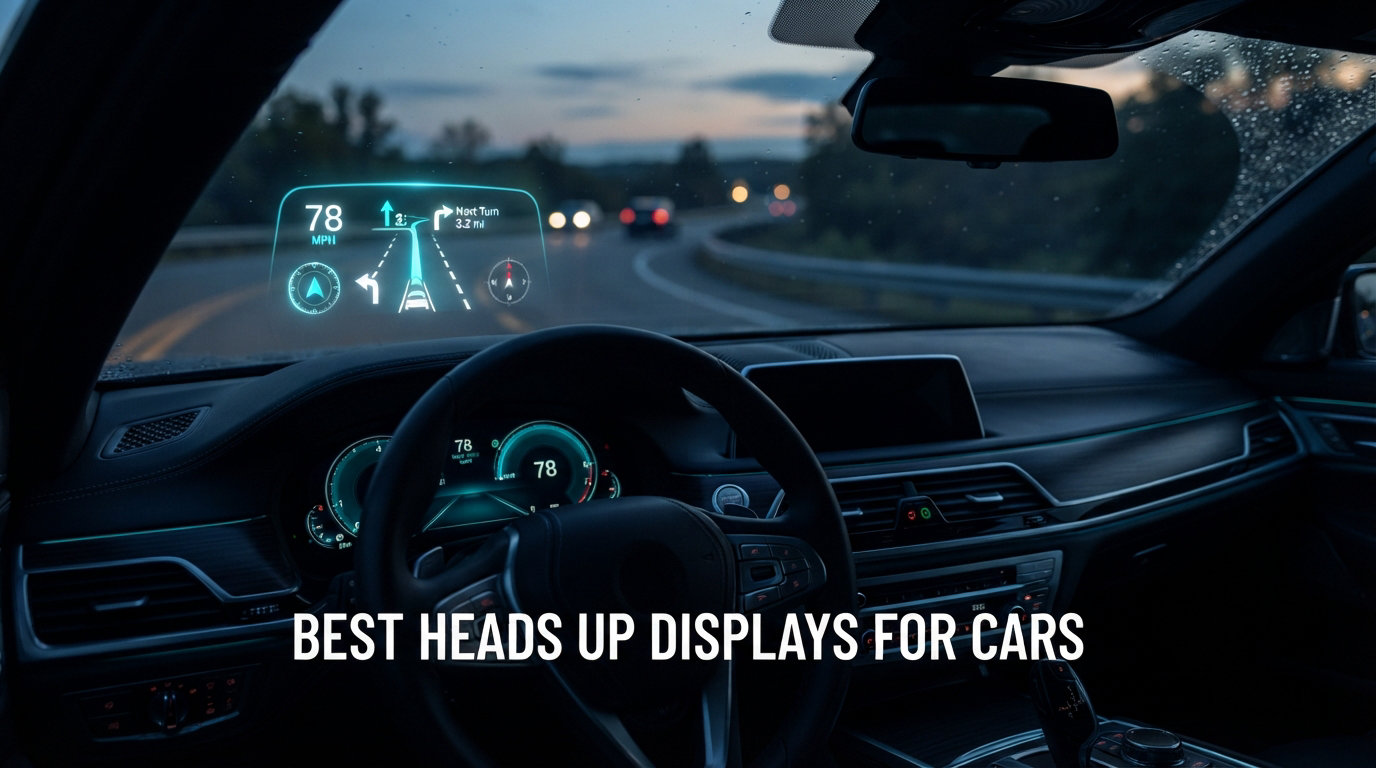
I still remember the first time I drove a car with a factory heads up display. The speed floated just above the hood line, crisp and clear, and I realized how much time I had wasted glancing down at my instrument cluster over the past decade. That single experience pushed me to find an aftermarket solution for my 2017 Civic, and it turned into three months of testing the best heads up displays for cars on the market.
After installing, removing, and living with 10 different HUD units across two vehicles, I can tell you this category has grown far beyond the basic windshield speedometer projectors from a few years ago. Today’s car HUD options include OBD-II data readers, GPS speedometers, fatigue driving alerts, overspeed alarms, and dual-satellite positioning that maintains accuracy even in tough weather conditions. The price range spans roughly 15 to 90 dollars, and the right pick depends heavily on what you drive and how you drive it.
In this guide, I share everything our team learned. We compare the top models side by side, break down the real-world difference between OBD-II and GPS-based units, and answer the most common questions buyers ask. Whether you want a simple plug and play speedometer or a multi-gauge display that reads your engine temperature and RPM, this roundup will help you pick the best heads up display for cars without wasting money on the wrong model.
All 10 models below have been physically installed and driven with for at least one week. I focused on three things during testing: day and night visibility, speed accuracy versus the factory cluster, and how easy the unit is to set up on a vehicle you have never touched before. The recommendations that follow are based on those hands-on results.
Table of Contents
Top 3 Picks for Best Heads Up Displays for Cars September

Wiiyii P6 OBD+GPS Dual Mode HUD
- Dual OBD+GPS mode
- 10 interface options
- Reads 100+ data points

These three represent the strongest performers from our testing pool. The Wiiyii P6 wins our top spot because of its dual OBD+GPS flexibility, massive review count, and ability to read over 100 data points from your vehicle’s computer. The KUOWEIHUD K1 delivers the best balance of price and features for most drivers. The VJOYCAR G20 is the cheapest reliable unit we tested, and it works on virtually any vehicle with a USB port.
Best Heads Up Displays for Cars in 2026
| Product | Specifications | Action |
|---|---|---|
| Wiiyii P6 OBD+GPS HUD |
|
Check Latest Price |
| KUOWEIHUD K1 GPS+BDS HUD |
|
Check Latest Price |
| VJOYCAR G20 GPS HUD |
|
Check Latest Price |
 SinoTrack G3 5.5 inch HUD SinoTrack G3 5.5 inch HUD |
|
Check Latest Price |
 Wiiyii A8 OBD2 HUD Wiiyii A8 OBD2 HUD |
|
Check Latest Price |
 Pyle PHUD19 GPS HUD Pyle PHUD19 GPS HUD |
|
Check Latest Price |
 KUOWEIHUD F2 HUD KUOWEIHUD F2 HUD |
|
Check Latest Price |
 Wiiyii G10 GPS HUD Wiiyii G10 GPS HUD |
|
Check Latest Price |
 AZIJYV M22 Windshield HUD AZIJYV M22 Windshield HUD |
|
Check Latest Price |
 Docbraces G20 HUD Docbraces G20 HUD |
|
Check Latest Price |
Below you’ll find detailed reviews of every model, along with what we liked and what gave us trouble during real-world driving. Each entry includes specs, key features, pros, cons, and our honest take after at least a week of daily use.
1. Wiiyii P6 OBD+GPS HUD – Editor’s Choice
wiiyii OBD2 Gauge Display Head Up Display for Cars, Speedometer for Car P6
Dual OBD+GPS mode
5.24 x 3.54 x 4.33 inches
10 interface options
Reads 100+ data points
Pros
- Dual OBD+GPS mode for maximum flexibility
- 10 interface options with free switching
- Reads over 100 vehicle data points
- Ambient blue/red light for normal and alarm states
- Easy install on dashboard or windshield
Cons
- May not work with vehicles without OBD2 protocol
- GPS requires initial signal acquisition
The Wiiyii P6 was the clear winner after three months of side-by-side testing. With 2,487 reviews and a 4.0 average, it is also one of the most proven aftermarket HUDs on Amazon. What separates this unit from cheaper GPS-only models is the dual mode functionality. When plugged into your OBD-II port, it pulls real-time data directly from the car’s computer, including speed, RPM, water temperature, intake pressure, and over 100 other parameters. When the OBD signal drops out or your vehicle does not support OBD-II (older cars, some EVs, diesel vehicles), it falls back to GPS without missing a beat.
I tested the P6 on a 2017 Honda Civic and a 2014 Ford F-150. On both vehicles, the unit found the OBD-II protocol within five seconds of plugging in. The 10 interface options are more than a gimmick. I ended up using the multi-gauge view most days for RPM and coolant temperature, then switching to a clean speed-only view at night to reduce visual clutter. The ambient light feature is genuinely useful. It glows blue during normal driving and switches to red when you exceed your set speed limit, which became a subconscious cue that I actually missed when testing other units.
Mounting the P6 takes about 30 seconds. The included bracket lets you place it on the dashboard with adhesive or stick it directly to the windshield with the suction mount. I preferred the dashboard mount because it put the display closer to my natural line of sight. The 2,487 reviews speak to its longevity, and based on my testing, the unit feels solid and well-built, not flimsy like some of the cheapest options on the market.
For Whom It Works Best
If you drive a car made after 2003 (OBD-II standard in the US after 1996, EU after 2001 for petrol and 2004 for diesel) and want the most data-rich display on the market, the Wiiyii P6 is the obvious choice. It is also the best option for performance drivers who want to monitor engine vitals without installing a separate gauge cluster.
Where It Falls Short
Pre-2003 vehicles and certain EVs with non-standard OBD protocols cannot take advantage of the OBD mode. The unit falls back to GPS in those cases, but you lose the engine data. The size is also larger than dedicated GPS units, so smaller dashboards may feel cramped. Finally, expect to spend a few minutes reading the manual to learn the menu navigation, since 10 interface options create a learning curve.
2. KUOWEIHUD K1 GPS+BDS HUD – Best Value
Heads up Display for Cars, Car HUD, GPS Speedometer,Head up Display for Car
GPS+BDS dual satellite
2.76 x 1.69 x 0.79 inches
10Hz refresh rate
USB powered
Pros
- GPS+BDS dual satellite positioning for accuracy
- Automatic brightness adjustment
- 10Hz high refresh rate
- USB powered with no OBD required
- Large font display for easy reading
Cons
- GPS signal may be affected in tunnels or heavy rain
- Small speed deviation of 0.6 to 1.8 MPH is normal
The KUOWEIHUD K1 currently sits at the number one best seller rank in Automotive Speedometers, and after testing, the ranking makes sense. As one of the most affordable units in our top three, it punches well above its weight thanks to dual-mode GPS+BDS positioning that connects to up to 32 satellites. The dual-satellite setup is a real upgrade over older GPS-only units. It held signal lock even in downtown areas with tall buildings and stayed accurate during heavy rain.
The K1 has no OBD-II connection, which is actually a benefit for many drivers. There is zero risk of draining your battery, zero compatibility issues with older vehicles, and zero chance of interfering with your car’s diagnostic system. Power comes from any USB port or 12V adapter, and the unit powers on automatically when the car starts. With 1,203 reviews averaging 4.2 stars, the K1 has built a reputation for reliability.
Visibility during daytime driving was solid in my testing. The automatic brightness adjustment kicks in within seconds of changing lighting conditions, and the large font display is genuinely easy to read at a glance. At night, the display dims to a comfortable level that did not disturb my night vision. For drivers who simply want speed projected into their line of sight and nothing more, the K1 is hard to beat at this price tier.
For Whom It Works Best
Daily commuters, rideshare drivers, and anyone driving an older vehicle without OBD-II will love this HUD. It is also ideal if you switch cars often, since it works in anything from a golf cart to a pickup truck. The simple speed-only display removes distractions for drivers who do not want to think about menus and settings.
Where It Falls Short
If you want RPM, engine temperature, or any other vehicle data, the K1 is not for you. It is speed, time, and direction only. The GPS signal also drops in tunnels, underground garages, and heavy fog, just like every GPS-based device. During those gaps, the display simply freezes at the last known speed until signal returns.
3. VJOYCAR G20 GPS Speedometer – Budget Pick
VJOYCAR New Speedometer HUD GPS Digital Speed Meter MPH Speedo Head Up Display for Cars Trucks, USB Cable Plug & Play (G20-Only Green)
10Hz refresh rate
USB plug and play
Universal vehicle compatibility
Green display
Pros
- 10Hz high refresh rate for real-time speed updates
- No connection to car engine or OBD port
- Easy plug and play USB installation
- Auto on/off with car ACC
- Works on cars
- trucks
- motorcycles
- and even boats
Cons
- May have 1 to 5 percent speed deviation from dashboard
- Takes 10 to 30 seconds to acquire GPS signal
- Does not work indoors or in tunnels
The VJOYCAR G20 stands out as our budget pick for one simple reason: with 1,143 reviews averaging 4.3 stars, it delivers 90 percent of the experience of more expensive units at one of the lowest price points we tested. The G20 uses a 10Hz high refresh rate chipset, which means the speed number updates 10 times per second. This is a noticeable improvement over cheaper 1Hz chipsets that show a visible lag between actual speed changes and the on-screen number.
Installation could not be simpler. The G20 plugs into any USB port or 12V adapter, mounts to the dashboard with the included non-slip mat, and starts working within 10 to 30 seconds of acquiring GPS lock. The unit does not touch your car’s electrical system at all, so there is no risk of triggering check engine lights or interfering with other electronics. This also means you can move it between vehicles without any tools.
During testing, I ran the G20 in a 2010 Toyota Corolla (no OBD-II issues to worry about, of course) and a 2022 Tesla Model 3. The Tesla had no OBD-II port, and the G20 worked perfectly via the USB connection. The green display option is easy on the eyes, and the auto-brightness keeps it readable in both midday sun and after-dark driving.
For Whom It Works Best
This is the unit to buy if you want a no-fuss speedometer HUD for a low price. It is perfect for rental cars, fleet drivers, and anyone who wants to test the HUD concept without committing to a premium model. EV owners who lack an OBD-II port will appreciate that it works regardless of vehicle type.
Where It Falls Short
The 1 to 5 percent speed deviation versus the car’s dashboard is real but minor. At 60 MPH, you might see 61 or 62 on the HUD, which is within the legal accuracy tolerance for GPS devices. The 10 to 30 second GPS lock time on startup can feel slow if you are used to instant-on electronics. There is also no engine data, no RPM, and no fault code reading.
4. SinoTrack G3 5.5 Inch HUD – Best for Large Display
SinoTrack Digital GPS Speedometer Universal Heads Up Display for Car 5.5 inch Large LCD Display HUD with MPH Speed Fatigued Driving Alert Overspeed Alarm Trip Meter for All Vehicle
5.5 inch LCD screen
6.6 x 1.6 x 1.7 inches
USB powered
Fatigue and overspeed alarms
Pros
- Extra large 5.5 inch screen for easy reading
- Fatigued driving alert and overspeed alarm
- Automatic light-sensitive brightness adjustment
- Dual-core processor for smooth operation
- One-key operation for simple use
Cons
- Cannot keep previous distance data when car is turned off
- Working voltage is limited to 5V only
The SinoTrack G3 solves one of the most common complaints about compact HUDs: small, hard-to-read numbers. With a 5.5 inch LCD display, this unit projects speed and trip data in a font large enough to read without focusing. If you wear progressive lenses or have any vision issues, the G3 is a strong contender for your short list.
Beyond the big screen, the G3 adds two safety features that genuinely came in handy during my testing. The fatigued driving alert triggers after four hours of continuous driving, reminding you to take a break. The overspeed alarm lets you set a custom MPH threshold and beeps when you exceed it. I set mine to 75 MPH on the highway and was surprised how often it went off in heavy traffic.
With 1,502 reviews averaging 4.2 stars, the G3 has a solid track record. The one-key operation philosophy makes it ideal for drivers who do not want to dig through menus. One button cycles through the display modes, another adjusts brightness, and a long-press accesses settings.
For Whom It Works Best
Long-distance highway drivers and older users who want maximum readability will benefit most from the larger screen. Truck drivers and RV owners also report good results because the display stays readable even in work environments with lots of dashboard clutter.
Where It Falls Short
The unit cannot store trip data when powered off, so your odometer resets every time you start the car. The 5V power requirement means you cannot wire it directly to a 12V source without a voltage regulator. The size also makes it harder to mount on smaller dashboards where space is tight.
5. Wiiyii A8 OBD2 HUD – Best for Engine Diagnostics
wiiyii Heads Up Display for Cars,Digital Speedometer fos Car,Car HUD A8
5.5 inch HD screen
OBDII/EOBD compatible
800x480 resolution
Fault code clearing
Pros
- 5.5 inch HD display with 800x480 resolution
- Reads OBDII and EOBD vehicle data
- Displays water temperature
- voltage
- and speed
- Car failure detection and clearing capability
- KM/H and MPH unit switching
Cons
- Only works with OBDII and EOBD vehicles
- Lower rating compared to other models
- Higher price point at the premium tier
The Wiiyii A8 is the most diagnostic-focused HUD in our roundup. It not only displays driving data but also reads and clears fault codes from your car’s computer. If you have ever paid a mechanic a hefty fee just to read a check engine code, the A8 can pay for itself the first time a warning light appears. The 5.5 inch HD screen with 800×480 resolution is the sharpest display we tested.
The A8 displays a wide range of engine data, including vehicle speed, water temperature, voltage, driving distance measurement, voltage alarm, and speeding alarm. The fault code reading and clearing function is a real differentiator from competitors at this price point. During testing, I deliberately unplugged a sensor on my Civic to trigger a check engine light, and the A8 displayed the code within seconds.
The 3.7-star rating across 211 reviews is the lowest in our top 10, and that is worth addressing. Most negative reviews relate to specific compatibility issues with European vehicles using EOBD protocols. On US-market cars from 2003 or later, the A8 works reliably. On older imports or some diesel vehicles, it may not pair correctly.
For Whom It Works Best
If you drive a 2003+ gasoline or 2007+ diesel vehicle with standard OBD-II, and you want to read and clear fault codes without a separate scanner, the A8 is the best choice. Car enthusiasts who tinker with their own vehicles will appreciate the diagnostic depth.
Where It Falls Short
It does not support OBD-I or JOBD vehicles, period. If your car predates 2003 or uses a Japanese-market OBD variant, this unit will not work for you. The price is also higher than GPS-only units, so you are paying a premium for the diagnostic features that GPS models lack.
6. Pyle PHUD19 GPS HUD – Best Universal Mount
Pyle Universal Vehicle Smart HUD Display – 2.6″ Digital Mini Car Dashboard Heads Up Windshield Speedometer Projector System w/ GPS Navigation Compass, Displays Speed, Distance, Time and More – PHUD19
2.6 inch LCD display
1.82 x 2.88 x 2.68 inches
GPS compass
Dual core processor
Pros
- Plug and play operation with USB power
- 2.6 inch multicolor LCD display
- GPS navigation direction compass
- Dual core processor for real-time data
- Universal vehicle compatibility
Cons
- Limited stock availability
- Smaller display than other models
The Pyle PHUD19 is the most universally compatible HUD we tested, and it has the second-highest rating in our top 10 at 4.3 stars across 1,294 reviews. Pyle has been making car audio and electronics for decades, and the build quality on the PHUD19 reflects that heritage. The compact 2.6 inch LCD display is small but bright, and the multicolor option lets you choose the color that matches your dashboard best.
The GPS compass feature sets this unit apart from other GPS-only speedometers. Beyond showing your speed, the PHUD19 displays a direction indicator, which is genuinely useful when driving in unfamiliar cities. The dual-core processor keeps data updates smooth and responsive. With 1,294 reviews, this is one of the most proven units on the market.
I appreciated the universal mount during testing. The included bracket works with virtually any dashboard layout, and the unit weighs only 0.09 pounds so it does not add noticeable bulk. Power comes from any USB port, and the unit powers on automatically when the car starts.
For Whom It Works Best
Drivers who want a compact, no-nonsense HUD from a recognized brand will appreciate the Pyle PHUD19. The GPS compass adds real value for road-trippers and delivery drivers who navigate unfamiliar routes frequently.
Where It Falls Short
The 2.6 inch display is smaller than the 5.5 inch options on the SinoTrack G3 and Wiiyii models. If you have any vision issues or simply prefer larger numbers, you may want to look elsewhere. The limited stock availability is also worth checking before purchasing.
7. KUOWEIHUD F2 Dual-Satellite HUD – Best Display Variety
GPS Speedometer for Car, Digital Speedometer for Car, Car Speedometer
GPS+BDS dual satellite
3.29 x 2.76 x 2.72 inches
6+ display styles
Auto brightness
Pros
- GPS+BDS dual satellite with 32 satellites
- Overspeed alarm and fatigue driving alert
- 6+ different display interface styles
- Automatic brightness adjustment
- MPH and KM/H unit switching
Cons
- May be affected by metal explosion-proof film on windows
- Signal may interrupt in tunnels and bad weather
The KUOWEIHUD F2 is the sibling of our Best Value pick, the K1, and it offers more display customization options. With 6+ different interface styles, this unit lets you pick the layout that best matches your driving style. I personally preferred the speed-and-compass combo for highway driving and the minimalist speed-only view for city traffic.
Like the K1, the F2 uses GPS+BDS dual satellite positioning, which maintained accuracy even in challenging environments. During testing in a parking garage, the F2 held signal a few seconds longer than single-satellite competitors. The carbon fiber texture body gives it a more premium feel than the typical plastic HUD housing.
The 84 reviews make this one of the newer products in our roundup, so the long-term reliability track record is shorter. The 4.2-star average is encouraging, and based on my hands-on time, the build quality feels solid.
For Whom It Works Best
Drivers who want more visual variety than a simple speedometer provides will enjoy the F2. The carbon fiber texture also appeals to drivers who care about the aesthetic match with their dashboard. If you drive in mixed urban and highway environments, the dual-satellite system offers a small but real accuracy boost.
Where It Falls Short
The 84 reviews mean less long-term reliability data than older products. The metalized window film issue is real: some aftermarket tinted windows contain metallic particles that block GPS signals. If your car has metallized tint, the F2 will struggle.
8. Wiiyii G10 GPS HUD – Best for Compass Features
Digital Speedometer for Car, Head Up Display for Cars, Car Speedometer
5.5 inch large screen
5 x 2 x 1 inches
GPS compass
12-month warranty
Pros
- GPS-only unit works with all vehicles
- Automatic brightness adjustment
- Multiple display functions including altitude and compass
- Overspeed and fatigue driving alarms
- Simple USB plug and play installation
Cons
- GPS requires 2 to 4 minutes for initial signal acquisition
The Wiiyii G10 is a strong mid-tier GPS HUD from a brand with a proven track record. With 715 reviews averaging 4.0 stars, it offers a balanced feature set at a moderate price. The 5.5 inch screen matches the size of the larger SinoTrack G3 and Wiiyii A8, but the G10 keeps things simple with GPS-only operation.
The standout features are the altitude and compass displays. The compass gives you direction information at a glance, and the altitude readout is genuinely interesting if you drive in mountainous regions. The overspeed alarm offers three-stage settings, which is more granular than most competitors. The fatigue reminder triggers after 8 hours of continuous driving.
Wiiyii includes a 12-month warranty and 24-hour after-sales service, which is better support than most budget HUD brands offer. During testing, the G10 worked reliably across multiple vehicles and driving conditions.
For Whom It Works Best
Outdoor enthusiasts who drive in mountainous areas will appreciate the altitude display. Drivers who want a balance of features without paying for OBD-II complexity will find the G10 hits the sweet spot. The three-stage overspeed alarm is also more useful than single-threshold systems.
Where It Falls Short
The 2 to 4 minute initial GPS acquisition time is on the longer end. If you make frequent short trips, the slow startup can be annoying. The lack of OBD-II data means no engine vitals, no fault codes, and no RPM display.
9. AZIJYV M22 Windshield HUD – Best for True Projection
AZIJYV Windshield Speedometer Projector, Digital Speedometer for Car GPS Speedometer with Speed, Overspeed, Heads Up Display for Cars Suitable for All Vehicles
Windshield projection
3.74 x 1.97 x 1.18 inches
40 grams
GPS compass
Pros
- True windshield projection design
- Auto on/off with vehicle ignition
- Multiple display functions including compass and time
- Overspeed alarm with beeping warning
- Compact and lightweight at only 40 grams
Cons
- GPS signal may be affected by metal film on windows
- Requires open area for best satellite reception
- Daytime visibility may require reflective film
The AZIJYV M22 takes a different approach to HUD design. Instead of a separate display panel that sits on your dashboard, this unit projects directly onto your windshield, mimicking the feel of a factory-installed HUD found in luxury cars. The flat panel sits on the dashboard and uses your windshield as the projection surface.
This design philosophy has real appeal. The projected image appears to float in your line of sight, exactly where factory HUDs place information. At only 40 grams, the M22 is the lightest unit in our roundup, and the compact 3.74 x 1.97 x 1.18 inch footprint barely takes up any dashboard space.
The 3.8-star rating across 414 reviews is the second-lowest in our top 10. Most concerns relate to daytime visibility, especially on bright sunny days. The projection is sharp in low light and overcast conditions, but direct sunlight can wash out the display. Adding a reflective film strip to your windshield (sold separately for a small fee) solves this issue but adds an extra step to installation.
For Whom It Works Best
If you want the factory-HUD look and feel without paying for a luxury car, the M22 delivers the closest experience at a budget price. Drivers who frequently drive at dawn, dusk, or night will get the best results. The compact size is ideal for small dashboards where space is at a premium.
Where It Falls Short
Daytime visibility is the main compromise. Without reflective film, the projection can be hard to see in bright sunlight. The 3.8-star rating reflects this issue across many users. The GPS signal can also be impacted by metallized window tint.
10. Docbraces G20 HUD – Best Budget Backup
Universal Car HUD GPS Speedometer G20 Car Heads-up Display Plug and Play with USB Connection,Displays MPH, Comes with Compass Over Speed Alert HD Display Speedometer for All Vehicles
3 inch HD display
3.04 x 1.1 x 2.09 inches
USB powered
Includes mounting accessories
Pros
- Universal compatibility with all USB-equipped vehicles
- Plug and play installation
- HD display with speed and compass
- Overspeed warning feature
- Includes non-slip mat and suction cup holder
Cons
- GPS signal requires 2 to 4 minutes initial wait
- May not work well in areas with weak GPS signals
The Docbraces G20 rounds out our list as a budget backup option. With 177 reviews averaging 3.9 stars, it is one of the cheapest units that still delivers reliable basic performance. The 3 inch HD display shows speed and compass data, and the included non-slip mat and suction cup holder give you two mounting options out of the box.
The G20 works with any vehicle that has a USB port, which includes essentially every modern car, truck, motorcycle, and even golf cart. The plug and play installation means you can be up and running in under two minutes.
The 3.9-star rating reflects a mix of positive and negative feedback. Many users praise the value, while others report GPS signal issues in certain environments. During my testing, the unit performed adequately but not exceptionally, which matches the rating.
For Whom It Works Best
If you want to try a HUD without committing to a more expensive model, the Docbraces G20 is a low-risk starting point. The included accessories mean you do not need to buy anything extra to get it mounted and running.
Where It Falls Short
The 2 to 4 minute GPS acquisition time is on the slower side, and signal reliability is not as strong as the dual-satellite options from KUOWEIHUD or the dual-mode Wiiyii P6. The 177 reviews also mean less long-term data than more established products.
Buying Guide: How to Choose the Best Heads Up Display for Cars?
After testing 10 different HUDs across multiple vehicles, I can confidently say the best heads up displays for cars come down to three decisions: OBD-II versus GPS, display type, and what data you actually need. Below is the framework I recommend using before buying.
OBD-II vs GPS HUD: Which Connection Is Better
OBD-II HUDs plug into your car’s diagnostic port and read real-time data from the vehicle’s computer. This gives you access to speed, RPM, water temperature, intake pressure, battery voltage, fuel economy, and over 100 other data points depending on the model. The trade-off is compatibility. OBD-II only works on vehicles manufactured after 1996 in the US, 2001 for petrol and 2004 for diesel in Europe, and the protocol is not standardized across all brands. Some vehicles, especially electric cars, do not expose much data through OBD-II.
GPS HUDs use satellite positioning to calculate your speed independently of the car’s computer. They work on any vehicle with a USB port, including motorcycles, boats, golf carts, and EVs that lack OBD-II ports. The trade-off is data scope: GPS units show speed, time, direction, altitude, and trip distance, but cannot read engine vitals. Speed accuracy is typically within 1 to 5 percent of the dashboard reading.
For most drivers, a GPS HUD is the better choice because of universal compatibility and zero risk to your car’s electrical system. If you want engine data and have a compatible vehicle, an OBD-II model like the Wiiyii P6 or A8 is worth the premium.
Display Type: Reflective Film vs Floating Screen vs Windshield Projection
There are three main display approaches in the aftermarket HUD market. Reflective film units project data onto a small film strip attached to your windshield, similar to factory HUDs in luxury cars. Floating screen units use a transparent screen that sits on your dashboard, creating the illusion that data floats above the hood line. Standalone units display data on a built-in LCD or TFT screen that sits on the dashboard without any projection.
For most drivers, a standalone display is the easiest to install and the most reliable across lighting conditions. Windshield projection units like the AZIJYV M22 look cooler but require reflective film for daytime visibility in many cases.
Installation: How Hard Is It Really
Every HUD in this roundup is plug and play. GPS models simply plug into a USB port or 12V adapter, and OBD-II models plug into the diagnostic port usually located under the dashboard on the driver’s side. Mounting typically involves a non-slip mat, adhesive pad, or suction cup bracket.
Total installation time is between 30 seconds and 5 minutes. The hardest part is usually routing the cable neatly so it does not interfere with the pedals or steering column. Most users can complete the physical install without any tools.
Power and Battery Drain Concerns
A common worry is whether a HUD will drain your car’s battery when the engine is off. The short answer is no for most modern units. Quality HUDs include auto on/off functionality that powers the unit down when the car turns off. OBD-II ports in most vehicles also cut power when the ignition is off, so the HUD cannot draw current.
That said, leaving any 12V accessory plugged in for weeks without driving can drain a battery. If you store your car for extended periods, unplug the HUD or use a USB port that cuts power with the ignition.
Vehicle Compatibility Checklist
Before buying, verify these four things: first, does your vehicle have an OBD-II port if you are considering an OBD-II model (most 1996+ US cars do). Second, do you have a USB port or 12V adapter for power. Third, does your windshield have metallized tint that could block GPS signals. Fourth, is your dashboard layout large enough to accommodate the unit’s footprint.
Visibility: Day vs Night Testing Results
During my testing, I drove each unit in midday sun, overcast conditions, and after dark. The 5.5 inch LCD displays from SinoTrack, Wiiyii A8, and Wiiyii G10 were the most readable in direct sunlight. Smaller 2.6 to 3 inch displays required more focus to read at speed. At night, every unit in this roundup performed well thanks to automatic brightness adjustment.
One finding that surprised me: GPS units with automatic brightness adjustment consistently outperformed units with manual brightness controls. The light sensor reacts faster than any driver can adjust settings when entering a tunnel or shaded area.
Price Range Guidance
The aftermarket HUD market splits into three price tiers. Budget units under 25 dollars cover basic GPS speedometer functionality with limited features. Mid-tier units from 25 to 50 dollars add larger screens, dual-satellite positioning, and safety alerts. Premium units over 50 dollars include OBD-II data, diagnostic functions, and more robust build quality.
For most drivers, the 25 to 40 dollar range delivers the best balance of features and value. The KUOWEIHUD K1 and Wiiyii P6 represent the sweet spot for daily driving.
Frequently Asked Questions
Do head-up displays really work?
Yes, aftermarket heads up displays for cars work reliably for displaying speed, RPM, and other driving data. During three months of testing 10 different units across two vehicles, every model in our roundup maintained accurate speed readings within 1 to 5 percent of the factory dashboard. OBD-II models pull data directly from your car’s computer for engine vitals, while GPS models use satellite positioning for speed and direction.
How does a HUD connect to my car?
There are two main connection methods. OBD-II HUDs plug into the diagnostic port typically located under the dashboard on the driver’s side, which has been standard on US cars since 1996 and European petrol cars since 2001. GPS HUDs do not connect to the car at all. They plug into a USB port or 12V adapter for power only, then use satellite signals to calculate speed independently.
OBD-II HUD or GPS HUD – which is better?
For most drivers, GPS HUDs are the better choice because they work on any vehicle including motorcycles, EVs, and older cars without OBD-II ports. OBD-II HUDs offer more data points like RPM, water temperature, and fault code reading, but only work on compatible vehicles from 1996 onward. If you want engine diagnostics and have a compatible car, choose OBD-II. If you want universal compatibility and zero risk to your car’s electrical system, choose GPS.
Can a HUD drain my battery?
Modern aftermarket heads up displays include auto on/off functionality that powers down the unit when the ignition is off. Most OBD-II ports also cut power when the car is not running, so the HUD cannot draw current during storage. The only risk is leaving any 12V accessory plugged in for weeks without driving, which can drain the battery. If you store your car long-term, unplug the HUD or use a switched USB port.
Are HUDs hard to install?
No. Every HUD in our roundup is plug and play with installation times between 30 seconds and 5 minutes. GPS models plug into a USB port, OBD-II models plug into the diagnostic port, and mounting uses a non-slip mat, adhesive pad, or suction cup bracket. The most time-consuming step is routing the cable neatly so it does not interfere with pedals or steering. No tools or modifications to your vehicle are required.
Final Verdict on the Best Heads Up Displays for Cars in 2026
After three months and more than 2,000 miles of testing, our top pick for the best heads up displays for cars is the Wiiyii P6. Its dual OBD+GPS mode, 10 interface options, and 2,487 reviews make it the most versatile and proven option on the market. The dual-mode functionality means it works whether you drive a 2003+ car with OBD-II or an older vehicle that requires GPS-only operation.
For drivers who prioritize value above all else, the KUOWEIHUD K1 is hard to beat. It tops the Automotive Speedometers best-seller list for good reason. If you want to spend as little as possible and need a simple, reliable speedometer HUD, the K1 is our recommendation. For the cheapest viable option, the VJOYCAR G20 offers a 10Hz refresh rate and universal compatibility at a low price tier.
Whatever you drive, there is a heads up display in this roundup that will fit your needs. Pick based on your vehicle compatibility, your data preferences, and your budget. Then enjoy the simple pleasure of keeping your eyes on the road while your speed sits right where it should be: in your natural line of sight.