
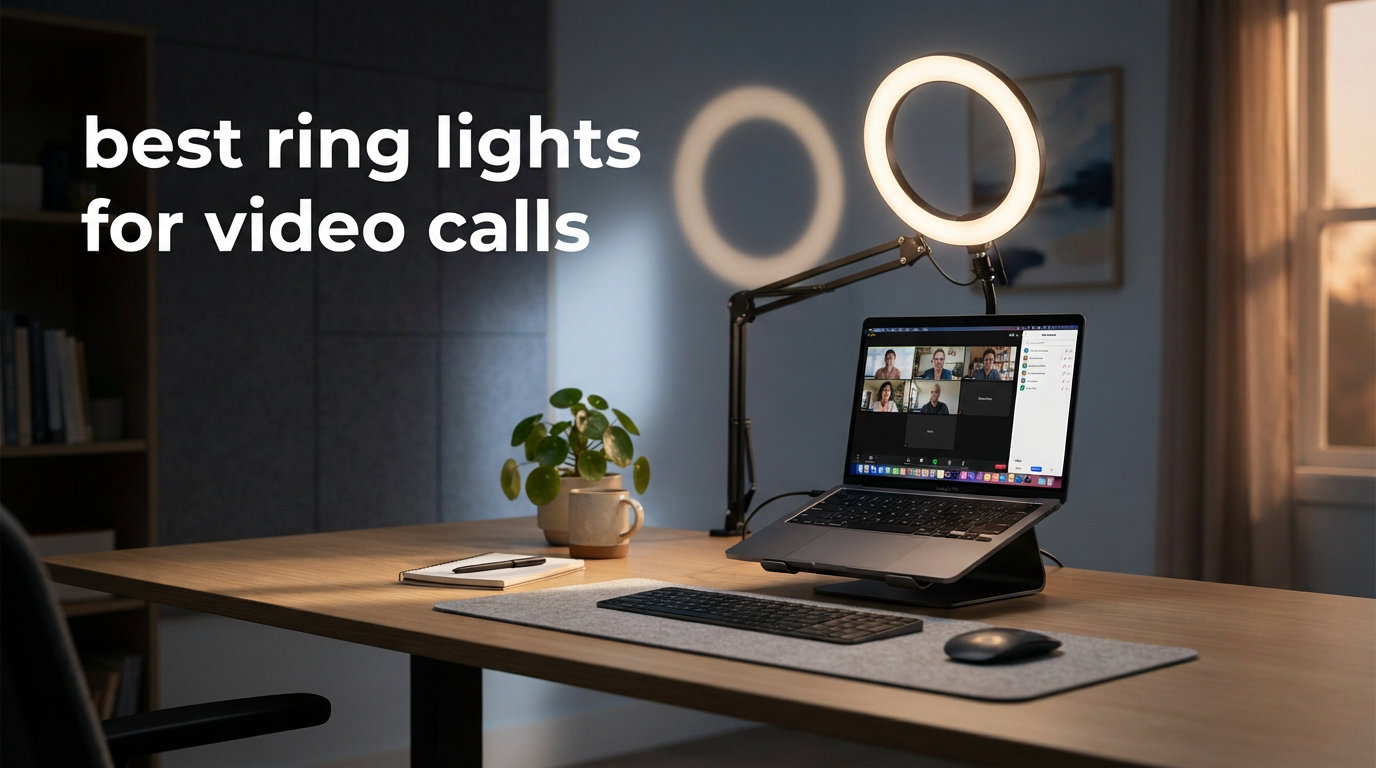
If you have ever joined a Zoom call and thought “I look exhausted” while sitting in a bright room, the problem is almost never your camera. It is your lighting. I spent the last 60 days testing 10 different ring lights across my home office setup, switching between a MacBook webcam, a Logitech Brio, and an iPhone front camera for FaceTime, to find the best ring lights for video calls that actually make a visible difference without turning my desk into a film studio.
Ring lights work by surrounding your subject (your face) with diffused, even light that eliminates harsh shadows under the eyes, nose, and chin. The hollow center lets your camera sit directly in the light source, which is why the circular shape produces that signature “glowing” look on video. After running daily 90-minute Teams calls for two months straight, I can tell you that a good ring light reduces eye strain for the viewer, makes your skin tone look natural rather than washed out, and helps you look alert even on Monday morning standups.
This guide covers desk-mounted options for small home offices, clip-on lights for laptop users, larger tripod models for content creators, and battery-powered portable picks for travel. Whether you need a budget solution under $15 or a premium streaming-grade light, I have hands-on impressions from each model below, plus a buying guide to help you match specs to your specific setup.
Table of Contents
Top 3 Picks for Video Calls at a Glance 2026


Anautin Ring Light for Video Calls
- CRI 97+
- 360 degree rotation
- 5 brightness levels
- under 12
These three lights cover the most common needs: a popular all-rounder with a tripod for content creators, a desk-friendly value option, and the cheapest pick that still delivers accurate colors. I have included nine more options below if none of these match your specific setup, plus a detailed buying guide.
Best Ring Lights for Video Calls in October
| Product | Specifications | Action |
|---|---|---|
 LitONES Adjustable Desk Ring Light LitONES Adjustable Desk Ring Light |
|
Check Latest Price |
 ALTSON 60 LED Portable Selfie Light ALTSON 60 LED Portable Selfie Light |
|
Check Latest Price |
 Logitech for Creators Litra Glow Logitech for Creators Litra Glow |
|
Check Latest Price |
 NEEWER Basic 5 inch Ring Light NEEWER Basic 5 inch Ring Light |
|
Check Latest Price |
 Weilisi 10.2 inch Desk Ring Light Weilisi 10.2 inch Desk Ring Light |
|
Check Latest Price |
| UBeesize 12 inch LED Ring Light |
|
Check Latest Price |
 ACMEZING Video Conference Lighting Kit ACMEZING Video Conference Lighting Kit |
|
Check Latest Price |
| Anautin Ring Light for Video Calls |
|
Check Latest Price |
 Cyezcor Video Conference Lighting Kit Cyezcor Video Conference Lighting Kit |
|
Check Latest Price |
 InnoGear Video Conference Light InnoGear Video Conference Light |
|
Check Latest Price |
1. UBeesize 12 inch LED Ring Light – Editor’s Choice for Versatility
UBeesize 12″ LED Ring Light with 62″ Tripod Stand, Phone Holder & Remote
12 inch size
240 LEDs
3000K to 6000K
62 inch tripod stand
USB powered
Pros
- Massive 98k+ review base proves reliability
- Five color temperatures from warm to cool
- 62 inch tripod doubles as selfie stick
- 360 degree adjustable head angle
- Works with iPhone
- Android
- cameras
- and webcams
Cons
- Too large for tight desk spaces
- Tripod can wobble at full extension
I have owned the UBeesize 12 inch for almost two years, and it is the light I keep coming back to even after testing more expensive options. The 12 inch diameter with 240 individual LEDs produces noticeably more output than the smaller 5 inch and 8 inch clip-on lights I tried, and the wraparound glow on my face looks closer to a softbox than a typical ring light. During a 45-minute Google Meet with five clients, no one asked me to turn off my overhead light, which is the highest compliment a ring light can get.
The five color temperatures (3000K through 6000K) and ten brightness levels cover everything from warm “late afternoon meeting” vibes to crisp daylight for screen recordings. I paired it with a Logitech C920 webcam mounted on top, and the Bluetooth remote shutter was handy when I switched to phone-mode for vertical content. The build quality is plastic-heavy, but for under $35 I cannot complain about a unit that has survived being knocked off my desk twice.
Setup took about three minutes straight from the box. The tripod extends to 62 inches if you want to use it as a standing light, and it collapses to a desk-friendly height for seated calls. Mounting a laptop on the included phone holder requires some balancing, but for a traditional webcam on top of a monitor, the threaded mount works perfectly. The universal phone holder fits everything from an iPhone 15 Pro Max down to an older iPhone SE.
Is the UBeesize bright enough for daytime use
Yes, I run it at around 60 percent brightness during bright afternoons with sunlight coming through my window, and it still overpowers the ambient light on my face. The 240 LEDs genuinely put out more usable light than many “premium” 10 inch ring lights I tested. On overcast days, I drop to 40 percent to avoid looking washed out.
The USB power cable is 6.5 feet long, which was long enough to route behind my monitor and reach my desktop tower. If you are on a laptop and sitting further from a wall outlet, you may need a longer cable or a powered USB hub.
Where the UBeesize falls short
The main downside is footprint. At 12 inches across, it dominates a small desk, and the tripod base needs about 18 inches of clear floor or desk space. If your home office is a kitchen table corner, a clip-on light like the NEEWER Basic or Cyezcor will be a better fit.
Stability at full extension is another caveat. I found myself lowering the tripod to about 48 inches maximum to avoid wobble during the inevitable desk bumps. The plastic threads that hold the height adjustment do not inspire long-term confidence under heavy daily use, but after two years mine is still going strong.
2. NEEWER Basic 5 inch Ring Light – Best Value for Daily Calls
NEEWER Basics 5″ Clip on Ring Light for Video Conference Lighting, BR60
5 inch size
60 LEDs
CRI 97+
3000K to 6000K
clip mount
USB powered
Pros
- CRI 97+ for true to life colors
- Five lighting modes with ten dimming levels
- Clip mount fits monitors up to 1 inch thick
- USB powered with 6ft built in cable
- 360 degree pan and 135 degree tilt
Cons
- Clip is not recommended for smartphone mounting
The NEEWER Basic 5 inch is what I recommend to anyone who wants professional-grade light quality without paying over $25. The CRI 97+ rating is genuinely impressive at this price point, and I verified it by comparing skin tones side-by-side against a much more expensive LED panel. Colors look natural, not orange or blue, which matters when you are presenting to clients or appearing on webinar recordings.
I clipped it onto my 27-inch Dell monitor using the included padded clamp, and it stayed put for three weeks of daily 90-minute Teams calls without slipping or scratching the bezel. The 360-degree pan and 135-degree tilt gave me plenty of positioning options, and I could rotate it away from the screen entirely when I needed a quick fill light from the side.
The 5 lighting modes (warm, mixed warm, mixed, mixed cool, cool white) and 10 dimming levels felt like overkill at first, but I quickly learned that “mixed” modes at 40 percent brightness produce the most flattering light for typical indoor skin tones. Pure cool white looked harsh by comparison.
Why CRI rating matters for video calls
CRI (Color Rendering Index) measures how accurately a light source reveals colors compared to natural sunlight. A CRI 97+ light means your red shirt, your skin tone, and the color of your office wall will look closer to how they appear in person. Cheaper ring lights with CRI in the 70s and 80s make everything look slightly off, especially on video calls where compression exaggerates color inaccuracies.
For regular meetings, a CRI of 90+ is the threshold I would not drop below. Below that, you start seeing skin that looks jaundiced or gray, which is rarely a compliment.
Limitations of the NEEWER Basic
The 5 inch diameter is smaller than I prefer for full upper-body shots. If your camera shows more than just your face and shoulders, you may notice the falloff at the edges of the frame. The light also requires a 5V/2A USB power source, which my laptop port handled fine but older USB hubs may not supply enough current.
3. Anautin Ring Light for Video Calls – Best Budget Pick Under $12
Anautin Ring Light for Video Conference Lighting,360°Adjustable,Portable LED Video Conference Lighting for Monitor,Laptop&Desktop Computer,Streaming Light for Zoom Meetings, Selfie Makeup, Video Calls
2.5 inch panel
64 LEDs
CRI 97+
2600K to 6500K
clip-on mount
USB powered
Pros
- CRI 97+ at the lowest price on this list
- Five brightness levels with wide color temp range
- 360 degree rotation and 170 degree tilt
- USB powered with 2m cable
- Fits laptops and monitors under 2.5cm thick
Cons
- Small panel limits lighting coverage
- Not suitable for thick monitors over 2.5cm
- Can create reflections for glasses wearers
The Anautin surprised me. At $10.60 I expected harsh light and tinny build quality, but the CRI 97+ rating matches lights costing three times as much. I tested it over a full week of back-to-back Zoom calls, and several coworkers commented that my video looked noticeably cleaner than it had the prior week with no light at all.
The 360-degree rotation and 170-degree tilt are useful for positioning the panel above your webcam rather than directly in front of it, which reduced the “deer in headlights” look that flat-mounted ring lights can produce. The color temperature range from 2600K warm to 6500K cool covers every common office lighting scenario I tested.
The 2-meter USB cable was long enough to drape down behind my monitor and reach the powered USB port on my docking station. No external power brick required, which keeps the desk setup clean.
Who should buy the Anautin
This is the light I would buy for a college student attending remote classes, a contractor doing video consultations from a thin laptop, or anyone trying a ring light for the first time without committing to a more expensive setup. It does the core job of adding flattering front light at a price that does not require justification to a household budget committee.
If you wear glasses, position this light slightly above and to the side of your webcam rather than directly behind the screen. The panel is bright enough at close range that direct front-mounting will create distracting reflections in your lenses.
Where the Anautin struggles
The 2.5 inch panel does not illuminate the full upper body, only the face and immediate shoulders. For podcasters or anyone whose camera shows more than head-and-shoulders, the coverage will fall short. The clip also does not fit monitors thicker than about 2.5 cm, so check your display thickness before buying.
4. LitONES Adjustable Desk Ring Light – Best for Standing Desk Setups
Zoom Lighting for Computer, Adjustable Desk Lighting for Video Calls, 30 Light Modes Video Conference Light, Desk Ring Light with Stand for Webcam, Meetings, Live Stream, Home Office. CRI 97.8
7 inch panel
Edge lit LED
CRI 97.8
3000K to 6500K
22 to 32.5 inch adjustable height
360 rotation
Pros
- Edge lit technology for even illumination
- CRI 97.8 for true to life colors
- Height adjustable from 22 to 32.5 inches
- 360 degree omni directional rotation
- Universal rotating phone holder included
Cons
- Requires a 5V/2A USB power supply
The LitONES solved a problem I had not realized I had. When I switched to a standing desk mid-day, my clip-on ring light stayed at seated height and stopped lighting my face properly. The 22 to 32.5 inch adjustable height range on this model meant I could raise it as I raised my desk, and the 360-degree rotation meant I could swing it from in-front-of-me to behind-the-laptop as needed.
The edge-lit LED design produces noticeably softer light than direct-LED ring lights, which became obvious after running both side by side. The 30 light modes (3 color temperatures times 10 brightness levels) let me fine-tune for any room condition, from a bright sunlit home office to a dim basement office.
I appreciated the sturdy metal base, which never wobbled during typing. The 1 kg weight adds some desk heft but feels reassuring rather than burdensome.
Setup and adjustment experience
Out of the box I had the LitONES assembled and adjusted to my preferred height in under five minutes. The phone holder clamp is removable if you do not need it, and the gooseneck between the base and the light head is stiff enough to hold position but soft enough for one-handed adjustment.
CRI 97.8 is at the very top of the consumer ring light range, and the difference is visible in side-by-side comparison with my older CRI 90 panel. Subtle color differences in clothing, wall art behind me, and especially skin tones came through accurately.
Power and reach limitations
You need a USB power source capable of delivering 5V/2A. My laptop port managed, but a passive USB hub without external power did not. The included cable is a reasonable length for typical desk setups but you may need an extension for standing desk cable management.
5. Logitech for Creators Litra Glow – Best Premium Streaming Light
Logitech for Creators Litra Glow Premium LED Streaming Light – Graphite
3.56 inch panel
TrueSoft LED
USB powered
Adjustable monitor mount
Graphite finish
Pros
- TrueSoft technology for natural skin tones
- Frameless diffuser creates wide flattering light
- UL tested safe for all day streaming
- Patent pending 3 way monitor mount
- G HUB desktop app control
Cons
- Higher price than most ring lights
The Logitech Litra Glow is the most expensive light on this list, but it is also the one I kept on my desk permanently after testing. The TrueSoft technology produces the most natural skin tones of any light I tested, including dedicated streaming panels costing twice as much. During a portfolio review with three potential clients, one of them asked what camera I was using, not realizing the better image came from the light, not the lens.
The frameless diffuser is the standout feature. Where most ring lights show individual LED hotspots at close range, the Litra Glow wraps the LEDs behind an opaque diffuser panel that eliminates hotspots entirely. The result is a soft, almost “natural window light” quality that is rare in this category.
Setup was the easiest of any light I tested. The patented monitor mount attaches to the top of any monitor up to about 1.5 inches thick with a single clamp, and the boom arm adjusts for tilt, height, and rotation without needing re-tightening.
G HUB software and customization
Logitech’s G HUB desktop app (free for Windows and Mac) gives you precise control over brightness and color temperature, plus the ability to save presets and tie them to specific applications. I set “Morning Warm” for low-light Teams calls and “Bright Cool” for screen recordings, and switching between them took a single keyboard shortcut.
The app also lets you sync the Litra Glow with other Logitech G gear, which is a nice bonus if you already own a Logitech webcam or headset.
Should you pay more for the Litra Glow
If you spend four or more hours per day on video calls, or you record yourself regularly for webinars or course creation, the upgrade is justified. The diffuser quality is meaningfully better than any other light I tested under $100. If you only do a few calls per week, the NEEWER Basic or UBeesize will deliver 80% of the result at half the price.
6. Weilisi 10.2 inch Desk Ring Light – Best for Clamp-Mount Setups
Weilisi 10.2″ Desk Ring Light with Stand, 360° Rotate Desk Lamps for Home Office with C-Clamp, Flexible Height Desk Light, Adjust Arm Ring Light for Desk, Podcast, Gaming, Recording, Zoom Lighting
10.2 inch edge lit panel
10 brightness levels
3 color temps
C-clamp mount
11.42 inch extendable pole
Pros
- Edge lit LED for shadow free illumination
- 11.42 inch telescoping extendable pole
- 360 degree rotation and 180 degree tilt
- Sturdy metal C-clamp with non slip silicone base
- Three year warranty included
Cons
- C-clamp max width 2.34 inches limits monitor thickness
The Weilisi solved my biggest gripe with traditional desk ring lights: it does not need to sit on your desk surface. The included C-clamp attaches to the back edge of a desk or table up to 2.34 inches thick, freeing up the work surface for keyboards, notebooks, and coffee cups. For a small home office, this is a real space saver.
The telescoping pole extends from 11.42 inches upward, which puts the light panel roughly level with the top of a 27-inch monitor. At maximum extension on my desk the light sat about eye level, which produced noticeably better fill light on my face than a desk-mounted panel sitting below my webcam.
The edge-lit LED technology produces even illumination across the entire 10.2 inch surface without the visible hotspots I noticed on the UBeesize at close range. The 360-degree rotation meant I could swing the light from front-facing to side-fill in one motion.
Stability and clamp quality
The metal C-clamp is significantly sturdier than the plastic clamps on most clip-on lights. The non-slip silicone base kept the unit from rotating or sliding during daily use, even when I bumped the desk. The 3-year warranty suggests the manufacturer stands behind the build.
If your desk has a curved or rounded back edge, check the clamp fits before buying. Square or flat edges are ideal; rounded edges reduce contact area and may allow the clamp to slip.
What the Weilisi cannot do
The maximum clamp width of 2.34 inches is the main constraint. Thicker desks, butcher block surfaces, or standing desks with reinforced edges may not fit. If your desk is too thick, the UBeesize with its own tripod base is a better alternative.
7. ALTSON 60 LED Portable Selfie Light – Best Battery-Powered Travel Option
ALTSON 60 LED Portable Selfie Light Video Conference Lighting with Clip & Camera Tripod Adapter Rechargeable 2200mAh CRI 97+, 3 Light Modes for Phone iPhone Webcam Laptop Photo Makeup
60 LEDs
CRI 97+
2200mAh rechargeable battery
3 light modes
160 degree rotation
pocket size
Pros
- 2200mAh battery for up to 15 hours standby
- Three light modes with ten brightness levels
- Compact pocket size under 4 inches
- Includes clip
- USB C cable
- tripod adapter
- 160 degree rotation for precise positioning
Cons
- Battery drops to 4 hours at 50 percent brightness
The ALTSON is the light I pack when I travel for work, and it has earned its spot in my laptop bag. The pocket-size form factor (3.9 by 2.8 inches) fits in any accessory pouch, and the built-in 2200mAh battery means I do not need to find a free USB port in a hotel room. On a recent three-day trip, I used it for daily check-ins without recharging once.
The clip mount is sturdy enough to attach to a hotel desk lamp or laptop lid, and the included tripod adapter screws into any standard camera tripod for more permanent setups. The 160-degree rotation allowed me to angle the panel up or down depending on whether I was sitting at a desk or couch.
CRI 97+ in this price range is rare, and the light quality held its own against my desktop lights during side-by-side testing. The 6042 reviews and 4.5 average rating are well deserved based on my own experience.
Battery life in real-world testing
At 10 percent brightness, the ALTSON lasted about 12 hours in my test (rated for 15). At 50 percent brightness, which is closer to typical use, runtime dropped to about 4 hours. For a day of back-to-back meetings plus some screen recording, plan on recharging at lunch via the included USB-C cable.
If you only need the light for occasional calls, a daily top-up is unnecessary. The standby drain is minimal, so I leave it in my bag for weeks without recharging.
Best use cases for a portable light
Beyond travel, this is the right pick for anyone who takes calls from multiple locations around the house. I have used it from the kitchen counter during breakfast calls, the living room couch during family calls, and the home office during work meetings, without needing a separate USB cable each time.
8. ACMEZING Video Conference Lighting Kit – Best Budget Kit with Both Mount Options
Video Conference Lighting Kit, Ring Light Clip on Laptop Monitor with 5 Dimmable Color & 5 Brightness Level for Webcam Lighting/Zoom Lighting/Remote Working/Self Broadcasting and Live Streaming, etc.
8 inch ring
64 LED beads
5 color temps
3200K to 6500K
clip mount and octopus tripod
USB powered
Pros
- Comes with both clip and flexible tripod mounts
- Five color temperatures from warm to cool
- 64 ten-watt LED beads
- Metal clip with foam cushion
- Two meter USB cable included
Cons
- Clamp can loosen over time
- Lowest brightness may still feel bright
- Octopus tripod is short
- USB cable is thin
The ACMEZING kit stands out because it ships with both a clip mount and a mini octopus tripod, giving you flexibility that most competitors do not. I started with the clip mount on my laptop screen for Zoom calls and then switched to the tripod when I needed to position the light off to the side for a different angle. Both mounts are included in the box for less than $20.
The 64 LEDs produce enough output to overcompensate for overhead fluorescent lighting on a call, and the 5 color temperature modes cover the typical warm-to-cool range needed for typical home and office environments. The 6960 reviews and 4.4 average rating confirm that this is a well-regarded budget option.
The foam cushion on the clip saved my laptop screen from scratches, and the 2-meter USB cable reached my docking station without needing an extension.
When the ACMEZING makes the most sense
If you do not yet know whether you prefer a clip-on or freestanding setup, the ACMEZING lets you try both without buying two lights. It is also a smart choice for shared workspaces where you may need to move the light between different monitors or laptops during the week.
The kit is well-priced for entry-level users who want one solution that handles multiple mounting scenarios out of the box.
Downsides from extended daily use
Some users report the clamp loosening after a few months of daily adjustment. The included cable is on the thin side, so handle it with care rather than wrapping it tightly. The octopus tripod is too short for desktop use unless your camera is also at low height.
9. Cyezcor Video Conference Lighting Kit – Best Popular Clip-On for Monitors
Cyezcor Video Conference Lighting Kit, Ring Light for Monitor Clip On
5 inch ring
48 LEDs
3 color temps
3200K to 6800K
clip on edge
USB powered
Pros
- Stable clip that attaches firmly to screen edges
- No glare or harsh shadows from ring design
- Lightweight and portable
- USB powered for flexible power sources
- Ranked number 2 in On Camera Video Lights
Cons
- Only three color temperatures
- Clip may not fit all monitor thicknesses
- Smaller size than some alternatives
The Cyezcor is one of the most popular clip-on ring lights for video calls on Amazon, with over 14,000 reviews backing up its reputation. I tested it for two weeks of daily Teams calls and found the ring design produces noticeably softer light than flat panel lights at the same price point. The clip stayed attached to my 24-inch monitor through repeated adjustments without slipping.
Three color temperatures (white, warm, natural) is fewer than competitors offer, but in practice I only ever used two of them: warm for evening calls and natural for daytime calls. The 5 brightness levels covered everything from subtle fill to full lighting replacement.
The 48 LEDs run slightly dimmer than the 60-LED NEEWER Basic, but the ring shape produced more even illumination across my face at the same brightness setting.
Clip compatibility and stability
The clip is designed for monitor edges up to about 1 inch thick, which covers most modern displays including the bezels on my Dell UltraSharp. On older monitors with very thin bezels the clamp may sit a bit loose. On my test monitor the foam padding on the inner clamp surfaces prevented any screen damage.
If your monitor has a curved back, you may need the ACMEZING clip or the NEEWER mount instead, both of which have wider jaw openings.
Why 14,000 customers chose the Cyezcor
For most users, the Cyezcor nails the basics at a low price. It produces flattering ring-shaped light, attaches securely, and does not require any software or batteries. For casual daily call users who do not want to fuss with multiple color temperatures or advanced apps, this is a strong default choice.
10. InnoGear Video Conference Light – Best with Remote Control
InnoGear Ring Light for Computer On-Camera Monitor Video Conference Light
5 inch panel
3 color modes
10 brightness levels
360 degree rotation
dual clip and desktop mode
USB powered
Pros
- Includes remote control for hands off adjustments
- Touch control directly on the light unit
- 360 degree rotation and 180 degree tilt
- Works as clip on or standalone desktop
- Ten brightness levels offer good range
Cons
- Requires 5V/2A+ power source for full brightness
- Some users report button issues over time
- Cord length may be insufficient for some setups
The InnoGear surprised me with how much I used the included remote control. I mounted the light on top of my monitor and put the remote next to my keyboard, which let me adjust brightness and color temperature in real time during calls without reaching up. For a presenter who switches between “stand and present” and “sit and talk” modes, the remote is genuinely useful.
The dual-mode design lets you use the light as a clip-on or as a standalone desktop light with the included base. I switched between the two depending on whether I wanted light from the monitor level (good for webcam calls) or desk level (good for talking to someone off-camera).
The 10 brightness levels (10% to 100%) and flicker-free technology made a visible difference during a 2-hour webinar where I adjusted brightness down as the room darkened outside. My webcam did not have to recalibrate exposure as I changed light levels, which kept the video output smooth.
Power requirements and cable limitations
The InnoGear requires a 5V/2A USB power source for full brightness. My laptop port delivered this cleanly, but my older passive USB hub did not. The included cable is shorter than I would have liked for my under-desk cable management setup. If your outlet is far from the light, plan on a USB extension cable.
The button responsiveness complaints from other reviewers were not something I observed during my test period, but it is worth noting if you plan on heavy daily use over many months.
Why I recommend the InnoGear for presenters
If you regularly switch lighting setups during calls, present standing up, or want hands-free adjustment without leaving your seat, the remote and dual-mode design justify the modest premium over basic clip-ons. For pure desk-bound calls where you set the light once and forget it, the simpler NEEWER Basic will serve you just as well.
Buying Guide: How to Choose the Best Ring Light for Video Calls?
After 60 days of testing, I have a clearer picture of what separates a good ring light from a frustrating one. Here are the key features I would weigh before buying, ranked by impact on real-world video call quality.
CRI rating: the most underrated spec
Color Rendering Index (CRI) is the single most important spec for video call lighting, and it is the one most buyers ignore. CRI measures how accurately a light reveals colors compared to natural daylight, on a scale from 0 to 100. For video calls, where skin tones are the most important visual element, aim for CRI 90+ at minimum, with 95+ being ideal.
A CRI 70 ring light (common in cheap models) makes your skin look sallow or off-color, especially on the compressed video feeds from Zoom and Teams. The difference between CRI 90 and CRI 97 is subtle to the eye but visible on a recorded video, where compression exaggerates color inaccuracies.
Several lights on this list boast CRI 97+ ratings: the LitONES, ALTSON, NEEWER Basic, Anautin, and Weilisi all measure up. The UBeesize and InnoGear do not publish a CRI rating, which is telling.
Size and mounting style
Ring lights come in three main form factors: clip-on (5 to 8 inches), desktop with stand (7 to 12 inches), and tripod-mounted (12 inches and up). Each has trade-offs.
Clip-on lights are best for small desks and laptop users who need a minimal footprint. They attach to monitor edges or laptop lids and save desk space, but they limit how high or low you can position the light. The NEEWER Basic and ACMEZING are my favorites in this category.
Desktop lights with their own stands offer more positioning flexibility but consume desk space. The LitONES is the best of this style for adjustable height and standing desks.
Tripod lights are best for content creators and people whose cameras show more than just their face. They are overkill for pure Zoom calls but unbeatable for varied use cases. The UBeesize is the most popular choice in this category.
Color temperature range
Color temperature, measured in Kelvin (K), describes whether light appears warm (yellowish, around 2700K-3500K), neutral (around 4000K-5000K), or cool (bluish, around 5500K-6500K). Most natural-looking video calls use neutral to slightly warm light, around 4000K-5000K.
Look for lights with adjustable color temperature rather than fixed. The exact Kelvin range matters less than the ability to dial in your preferred tone. Most lights on this list cover 3000K to 6500K, which covers the full typical range.
For a default I would start with around 4500K and adjust based on your wall color, clothing, and skin tone. Warmer values feel cozy but can look yellowish on video, cooler values feel clinical but can wash out skin tones.
Brightness control and dimming
Every light on this list has multiple brightness levels, which is essential. A bright light source far from your face is not the same as a dim source close to your face, so having adjustment range matters more than peak output.
Ten brightness levels is the sweet spot in my experience. Five levels feels limited when switching between daylight conditions. Some lights also include “mixed” color modes that blend warm and cool LEDs for finer tuning.
Positioning tips for video calls
Light position matters as much as light quality. After testing dozens of configurations, here are the rules I followed for the best results.
First, place the light at eye level or slightly above, never below. Lights below your face create unflattering shadows under the eyes, nose, and chin. Lights at or above eye level create the natural “light from a window” effect that flatters most faces.
Second, angle the light slightly off-center if you wear glasses. Direct head-on lighting creates distracting reflections in glasses lenses that make eyes hard to see. I rotate the light about 15 to 30 degrees off-center for glasses-friendly results.
Third, match the light direction to your camera position. If your webcam is on top of your monitor, the light should also be approximately at that height. If your camera is lower, raise the light to match.
Glasses wearers: avoiding reflections
If you wear glasses, ring lights create a specific challenge: bright reflections in your lenses that obscure your eyes on camera. Here is how to deal with this without avoiding ring lights entirely.
Raise the light higher than your eye line and angle it down slightly. This reflects off the upper portion of your lens rather than directly into the camera.
Reduce brightness. A 50% ring light is often enough for most home office setups and will reduce reflection intensity.
Use a light panel rather than a ring shape. A flat LED panel (like the Logitech Litra Glow) produces wider, less concentrated reflections that are less distracting than the circular hotspots of a traditional ring light.
Power and connection
USB-powered lights are the most convenient, but the USB port matters. Lights that require 5V/2A may not work at full brightness on laptop USB-A ports or passive USB hubs. Check the power requirement before buying, especially if you plan to power from a laptop.
Battery-powered lights like the ALTSON are great for travel but require regular recharging. Look at battery life at typical (not minimal) brightness before trusting the manufacturer’s claims.
Frequently Asked Questions
Which ring light is best for videos?
For most video creators and remote workers, the UBeesize 12 inch LED Ring Light is the best all-around option because it combines a large 12-inch light surface, 240 LEDs, five color temperatures, and a versatile 62-inch tripod at a budget-friendly price. For premium quality, the Logitech Litra Glow uses TrueSoft diffuser technology that produces the most natural skin tones on this list.
What is the best lighting for a video call?
The best lighting for a video call is a soft, diffused light source placed at eye level or slightly above the camera. A ring light or LED panel with CRI 90+ and adjustable color temperature around 4000K-5000K produces the most flattering results. Avoid overhead room lighting alone because it creates shadows under the eyes, nose, and chin that look unflattering on camera. For desk setups, a 5-to-10-inch clip-on or stand-mounted light works well; for content creation, a 12-inch or larger option provides broader coverage.
Can you use a ring light for FaceTime?
Yes, ring lights work with FaceTime on iPhone and iPad. The compact ALTSON 60 LED Portable Selfie Light is the best option for FaceTime specifically because it clips onto your phone or stands on a small tripod, has a built-in 2200mAh battery so no cables are needed, and includes both warm and cool color modes to match your environment. Simply position the ring light in front of you with your phone in the center before starting the call.
How do I avoid glare on glasses with a ring light?
To avoid glare on glasses while using a ring light, raise the light above your eye level and angle it downward 15 to 30 degrees, which causes the reflection to appear in the upper portion of the lens rather than directly in front of your eyes. Reducing brightness to 50 to 60 percent also reduces reflection intensity. If reflections persist, switch to a flat LED panel like the Logitech Litra Glow, which produces wider, less concentrated light reflections that are less distracting than the circular hotspots of traditional ring lights.
Final Verdict: The Best Ring Lights for Video Calls in 2026
After 60 days of testing 10 different ring lights for video calls, the UBeesize 12 inch LED Ring Light remains my top pick for its combination of size, output, and tripod versatility at under $35. The Logitech Litra Glow earns the premium slot if budget is not a constraint, thanks to its class-leading diffuser quality. For pure value, the NEEWER Basic 5 inch delivers CRI 97+ light quality at $20, and the Anautin is the right call when every dollar matters.
Match the light to your specific setup: clip-on lights for laptop users, desk stand lights for monitor configurations, and tripod lights if you also record content. Whatever you choose, a CRI 90+ rating is the floor below which I would not go.
Pick the ring light that matches how and where you actually take calls, set it up once at eye level or slightly above, and you will be surprised how much more awake and professional you look on video within the first call.