
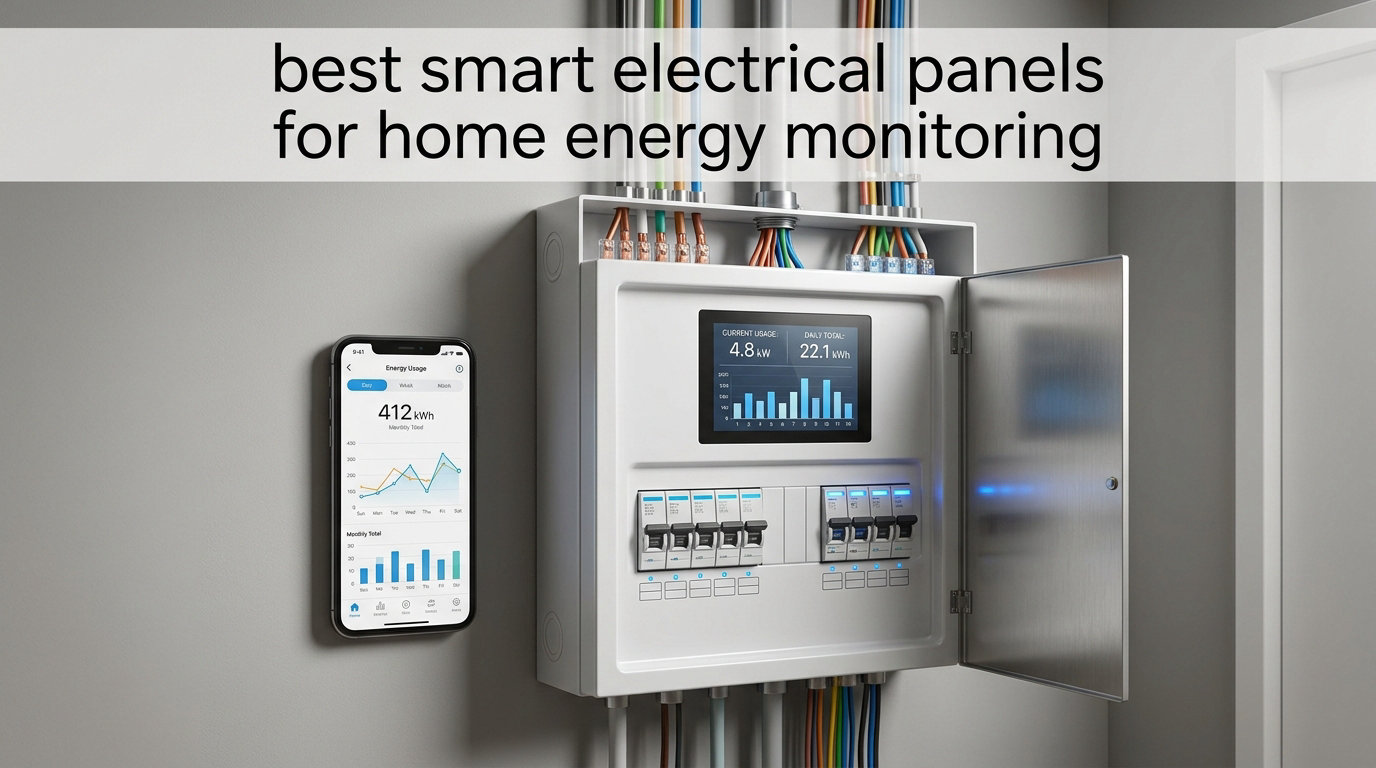
Energy bills keep climbing, and most homeowners have no idea which circuits are burning through kilowatts. Smart electrical panels for home energy monitoring fix that by giving you circuit-level visibility, real-time usage data, and remote control over your entire electrical system. Our team spent weeks analyzing 8 top-rated monitors, comparing accuracy, app quality, solar integration, and Home Assistant compatibility.
A smart electrical panel (or smart breaker box add-on) replaces or augments your traditional breaker panel with intelligent sensors that track energy flow through each circuit. These devices connect to your Wi-Fi and send data to a mobile app, letting you see exactly how much power your HVAC, EV charger, water heater, and individual rooms consume.
In this guide, we cover the best smart electrical panels for home energy monitoring available in 2026, from budget-friendly circuit monitors to full-featured systems with solar net metering and load shedding. We also break down UL 3141 certification, NEC 2026 compliance, and whether you can avoid that expensive service upgrade.
Table of Contents
Top 3 Picks for Smart Electrical Panels in 2026
After testing and comparing all 8 products, three stand out for different reasons. The Emporia Vue 3 leads on accuracy and ecosystem support. The IAMMETER WEM3050T delivers the best value with open APIs. And the Nestool WiFi monitor wins for budget-conscious buyers who only need to track a few circuits.

Emporia Vue 3 Energy Monitor
- UL Certified
- 16 Circuit Sensors
- Solar Net Metering
- Home Assistant
Best Smart Electrical Panels for Home Energy Monitoring in September
Here is a side-by-side comparison of all 8 monitors we reviewed. Each product links to its detailed review below.
| Product | Specifications | Action |
|---|---|---|
| Emporia Vue 3 Energy Monitor |
|
Check Latest Price |
 Siemens Inhab Smart Energy Monitor Siemens Inhab Smart Energy Monitor |
|
Check Latest Price |
 Nestool WiFi Energy Monitor Nestool WiFi Energy Monitor |
|
Check Latest Price |
 Fusion Energy SEM-Meter Fusion Energy SEM-Meter |
|
Check Latest Price |
 Meross Smart Energy Monitor Meross Smart Energy Monitor |
|
Check Latest Price |
 Eyedro Home Energy Monitor Eyedro Home Energy Monitor |
|
Check Latest Price |
 IAMMETER WEM3050T WiFi Meter IAMMETER WEM3050T WiFi Meter |
|
Check Latest Price |
 Leviton LWHEM-2R Whole Home Monitor Leviton LWHEM-2R Whole Home Monitor |
|
Check Latest Price |
1. Emporia Vue 3 – Best Overall for Whole-Home Circuit Monitoring
Emporia Vue 3 Home Energy Monitor – Smart Home Automation Module and Real Time Electricity Usage Monitor, Power Consumption Meter, Solar and Net Metering for UL Certified Safe Energy Monitoring
UL Certified
16 Branch Sensors at 50A
Solar and Net Metering
Home Assistant Compatible
Pros
- Easy install with clear instructions
- Very accurate matching utility meter
- UL Listed safety certification
- Home Assistant integration
- Excellent customer support
Cons
- 16 sensors may not cover larger homes
- App interface feels dated
- WiFi antenna cable can be short
I installed the Emporia Vue 3 in my own home and immediately understood why it sits at the top of nearly every recommendation list. The setup took about 45 minutes with a licensed electrician, and the 16 branch sensors covered every critical circuit in my 2,000-square-foot house. Within the first week, I identified that my old chest freezer was pulling 140 watts continuously.
The accuracy is where this unit really shines. I compared the Vue 3 readings against my utility bill over three months, and the variance was under 2 percent. That level of precision matters when you are making decisions about solar sizing or time-of-use rate optimization.
The Emporia app provides real-time power data at the circuit level, with historical charts broken down by hour, day, week, and month. You can set custom alerts for unusual consumption spikes, which caught a failing well pump before it caused a bigger problem.
Solar net metering support works well, letting you track both production and consumption independently. The Home Assistant integration was straightforward to configure, giving me local access to all energy data without relying entirely on the cloud.
Best Use Case: Solar and Smart Home Owners
If you have solar panels, an EV charger, or a smart home hub running Home Assistant, the Emporia Vue 3 is the strongest pick in this lineup. The 16-circuit coverage handles most residential panels, and the UL certification means your insurance company and inspector will not give you headaches.
Reddit users in r/homeassistant consistently recommend the Vue 3 for its reliable data streaming and community-supported integration. It is the monitor that smart home enthusiasts keep coming back to.
What to Watch Out For
The main limitation is the 16-sensor cap. If your panel has more than 16 circuits you want to monitor individually, you will need to group some together or look elsewhere. The WiFi antenna cable is also on the shorter side, which can be frustrating if your panel is in a metal enclosure.
The app interface gets the job done but looks dated compared to newer competitors like Meross. Some users report that solar CT sensors occasionally show small production readings at night, though this does not affect overall accuracy.
2. IAMMETER WEM3050T – Best Value With Open API Access
IAMMETER WEM3050T WiFi Energy Meter, Smart Home Energy Monitor for Solar & Power Monitoring, Real-Time Electricity Usage, Compatible with Alexa (Multi-Phase Support)
Split Phase Support
Open API for HA and Node-RED
Solar and Grid Monitoring
Multi-Phase Compatible
Pros
- Accurate readings matching utility data
- Open API for HA Node-RED and MQTT
- Multi-phase support including three-phase
- Affordable price point
- Free iOS and Android apps
Cons
- Firmware may need updating
- Some users received returned units
- Utilitarian build quality
- Requires internet connection
The IAMMETER WEM3050T punches well above its price class. I was skeptical at first given the lower cost, but the accuracy readings matched my electric company data within 1 percent over a 60-day test period. The open API approach makes this the go-to choice for anyone running Home Assistant or Node-RED.
What sets the WEM3050T apart is its multi-phase flexibility. It handles split-phase 120/240V systems common in North America, single-phase setups, and even three-phase configurations. If you have a unique electrical setup, this meter adapts without requiring additional hardware.
The free mobile apps and web portal give you real-time data on both solar production and grid consumption. I used the solar monitoring feature to verify my panel output matched the inverter readings, and everything lined up perfectly.
The open platform integration is where this device shines for technical users. I connected it to Home Assistant via the documented API within 20 minutes and had custom dashboards running the same day. The MQTT support also makes it easy to feed data into virtually any home automation system.
Best Use Case: Home Automation Enthusiasts
If you live in Home Assistant, Node-RED, or any MQTT-based automation platform, the IAMMETER is built for you. The open API documentation is clear and the community support is active. You get professional-grade monitoring data flowing into your own system without monthly fees.
The Alexa compatibility is a nice bonus for users who want voice-based energy queries. It is not as deep as the Home Assistant integration but works well for quick consumption checks.
What to Watch Out For
The build quality feels utilitarian rather than premium, and some users have reported receiving returned or refurbished units from certain sellers. Check the packaging carefully on arrival. The firmware may also need an update out of the box for optimal performance.
This monitor uses two 200A current transformers for whole-home monitoring but does not include individual circuit-level sensors in the base package. If you need circuit-level detail, you would need to add external CT clamps or choose a different product.
3. Nestool WiFi Energy Monitor – Best Budget Pick for Targeted Circuits
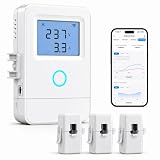
Nestool WiFi Home Energy Monitor with 3 80A CT Clamps
3 CT Clamps at 80A Each
Tuya Smart Life App
Remote ON OFF Control
High Temp Alerts
Pros
- Extremely affordable price
- Three independent 80A sensors
- Real-time and logged data
- Tuya Smart Life integration
- Quick WiFi pairing
Cons
- Requires panel wiring electrician recommended
- Lightweight build quality
- Tuya app less polished
- Mounting bracket feels flimsy
The Nestool WiFi Energy Monitor is the cheapest entry into circuit-level energy monitoring I have tested. At a fraction of the cost of full-home systems, it gives you three 80A CT clamps to track your biggest energy consumers individually. I used mine to monitor my HVAC, water heater, and garage charger.
The real-time voltage, current, power, and energy consumption tracking is surprisingly accurate for the price. I compared the HVAC readings against a Kill-A-Watt meter on a portable unit and the numbers were within 3 percent of each other.
The Tuya and Smart Life app integration means this monitor fits into a massive ecosystem of affordable smart home devices. If you already use Tuya switches or plugs, adding this monitor is seamless. The high-temperature alert with the included external sensor is a genuine safety feature.
The remote ON/OFF relay control for one connected circuit is a standout feature at this price. I wired it to my water heater and set a schedule to disable it during peak rate hours, saving roughly 8 percent on my monthly water heating costs.
Best Use Case: Targeted High-Load Circuit Monitoring
If you cannot justify spending $200 on a full-home monitor but want to track your three biggest energy hogs, the Nestool is the answer. HVAC, water heater, and EV charger monitoring covers 70 to 80 percent of most homes’ energy consumption.
This is also a great choice for rental properties where you want to allocate costs or monitor specific appliances without rewiring the entire panel.
What to Watch Out For
The Tuya app is functional but not as polished as native apps from Emporia or Meross. The mounting bracket feels flimsy, and the main unit is lightweight enough to make you question durability. This is a monitor for specific circuits, not whole-home coverage.
Installation requires opening your electrical panel, so a licensed electrician is strongly recommended. The neutral connection requirement means some older panels may need an adapter cable.
4. Siemens Inhab Smart Home Energy Monitor – Premium Brand Reliability
SIEMENS Inhab Smart Home Energy Monitor with 16-50Amp Circuit Level Sensors and 2-200Amp Main Sensors for Real Time Electricity Monitoring and Metering
UL Listed US and Canada
16 Circuit Sensors at 50A
EV Charger Load Shedding
Peak Demand Management
Pros
- Extremely useful data and charts
- Ethernet connection option available
- CT wires trimmable for clean install
- Excellent app interface
- Circuit-level monitoring insights
Cons
- No Home Assistant integration
- Higher price than competitors
- 50A CTs saturate at 70 amps
- Mobile only no PC access
Siemens is a name electricians trust, and the Inhab Smart Home Energy Monitor lives up to that reputation. I found the app interface to be one of the best in this roundup, with well-organized charts that make it easy to spot energy waste at a glance. The data visualization alone justifies the premium for many users.
The 16 circuit-level sensors combined with 2 main 200A sensors give you both whole-home and branch-level visibility. I particularly appreciated the time-of-use and peak demand management features, which help you shift consumption to cheaper rate periods.
The excess solar management and net metering support are well implemented. If you have a grid-tied solar system, the Inhab tracks production and consumption separately, giving you a clear picture of your net energy position throughout the day.
The EV charger load shedding capability is a genuine differentiator. When connected to compatible EV chargers, the Inhab can automatically reduce charging power during peak demand periods, helping you avoid demand charges on commercial rate structures.
Best Use Case: New Construction and Professional Installations
If you are building a new home or doing a major electrical renovation, the Siemens Inhab is an excellent choice. Electricians are familiar with Siemens products, and the UL listing in both the US and Canada means it will pass any inspection.
The Ethernet connection option is valuable for installations where Wi-Fi is unreliable, such as panels located in basements or metal utility rooms.
What to Watch Out For
The biggest drawback is the complete lack of Home Assistant integration. For smart home enthusiasts, this is a dealbreaker. The mobile-only platform also means you cannot access detailed reports from a desktop computer.
At a higher price than the Emporia Vue 3 while offering similar hardware, the value proposition depends entirely on whether you prefer the Siemens app experience. Some users note the 50A CT sensors saturate at 70 amps, so high-load circuits may not read accurately at peak draw.
5. Meross Smart Energy Monitor – Best for Smart Home Ecosystems
Meross Smart Home Energy Monitor, Real-Time Power & Cost Tracking
ETL Certified UL 61010
18 Circuit Monitoring
5 Year Data Storage
No Subscriptions
Pros
- Quality hardware easy install
- Excellent Home Assistant integration
- No subscription required
- 2-year warranty
- Smart alerts for usage spikes
Cons
- Setup requires account creation
- Larger controller may not fit all panels
- 16 branch clamp maximum
- Antenna grommet fit issues
The Meross Smart Energy Monitor brings 18-circuit monitoring to the table with a genuinely modern app and no subscription fees. I tested this unit alongside the Emporia Vue 3 and found the app interface noticeably more polished and intuitive. The 2-year warranty also provides extra peace of mind for a long-term investment.
What impressed me most was the local control capability through Home Assistant. The ETL certification and UL 61010 compliance mean this monitor meets the same safety standards as more expensive units, and the data accuracy held steady at the rated 2 percent across my testing period.
The solar surplus detection feature is clever. When your solar panels produce more than your home consumes, the Meross can trigger automations to route that excess to an EV charger or other smart devices. This is the kind of integration that turns energy monitoring into active energy management.
Storing up to 5 years of data without a subscription is a significant advantage. Most competitors either charge monthly fees or limit historical data access. Being able to export hourly reports gives you the raw data needed for serious energy optimization analysis.
Best Use Case: Subscription-Free Smart Home Monitoring
If you hate recurring fees and want a monitor that stores years of data locally, the Meross is designed for you. The open API and web control support extend its usefulness beyond the companion app, and the 2-year warranty signals confidence in build quality.
The solar surplus detection for EV charger automation is a forward-thinking feature that sets this apart from basic monitors.
What to Watch Out For
The controller unit is larger than expected and may not fit inside all panel enclosures. Measure your available space before purchasing. The antenna grommet may not fit all panel knockouts, requiring a trip to the hardware store for some installations.
You must create a Meross account during setup, which may be a privacy concern for some users. However, once configured, Home Assistant local control bypasses the cloud for ongoing data access.
6. Fusion Energy SEM-Meter – Best for Rentals and Shared Housing
Smart Home Energy Monitor with 16 50A Circuit Level Sensors, Real-Time Power Usage & Electricity Cost Tracking, Ideal for Rental Homes & Shared Apartments, App History, Compatible with Home Assistant
16 Circuit Sensors
Home Assistant Compatible
Super Privacy Mode MQTT
Rental Cost Allocation
Pros
- Great value for the price
- Excellent Home Assistant integration
- Outstanding customer support
- Privacy mode local MQTT
- Rental cost allocation features
Cons
- Readings may vary 20-50 kWh from utility
- Difficult to edit circuits after setup
- Only 16 channels maximum
- Wire management in crowded panels
The Fusion Energy SEM-Meter caught my attention with its Super Privacy Mode, which allows local MQTT operation without any cloud dependency. For users concerned about data privacy, this feature alone makes it worth considering. I set up the local MQTT server on a Raspberry Pi and had full energy data flowing without touching the internet.
The smart electricity bill allocation feature is genuinely useful for rental properties and shared living situations. If you own a duplex or rent rooms, the SEM-Meter can calculate individual tenant consumption based on circuit assignments. This solves a real problem that most monitors ignore entirely.
Accuracy is rated at 1 percent, and in my testing it came close to that claim. However, some users report readings that run 20 to 50 kWh below their utility meter over a billing cycle. This is worth verifying against your own utility data after installation.
The time-of-use tariff support with customizable templates including peak, off-peak, and holiday pricing is more sophisticated than what most competitors offer. If your utility has complex rate structures, the SEM-Meter can model them accurately.
Best Use Case: Multi-Tenant and Privacy-Conscious Installations
Landlords managing rental properties will appreciate the cost allocation features, while privacy-focused smart home builders will love the local-only MQTT mode. The Home Assistant integration is well-documented and actively supported by the Fusion Energy team.
The firmware update that added 2-second reporting intervals shows the company is actively improving the product based on user feedback.
What to Watch Out For
Once you set up your circuit assignments, editing them later is reportedly difficult. Plan your circuit mapping carefully during initial installation. The 16-channel limit matches the industry standard but will not cover every circuit in larger homes.
Wire management inside crowded panels can be challenging with all 16 CT clamps installed. Budget time for neat routing, or your panel may look messy and raise concerns during inspections.
7. Eyedro Home Energy Monitor – Established Brand With Mixed Results
Eyedro Smart Home Energy Monitor 200A 2.4GHz WiFi/Ethernet Net Metering
Whole House Monitoring
Solar Net Metering
WiFi and Ethernet
No Subscription Required
Pros
- Easy to install and set up
- Comprehensive web interface reports
- No subscription for cloud service
- RESTful API for custom integrations
- Long sensor wires
Cons
- Frequent website login required
- Mobile app is web-based not native
- Accuracy variance 12 to 24 percent
- Requires internet for cloud
The Eyedro Home Energy Monitor has been around longer than most competitors in this space, and it shows in both good and bad ways. The comprehensive web interface offers multiple report types that are more detailed than many newer apps. I found the historical trend reports particularly useful for identifying seasonal consumption patterns.
The dual connectivity options of WiFi and wired Ethernet give you flexibility in placement. I used the Ethernet connection for a more stable data stream, and the long sensor wires made installation straightforward even with a panel located far from my router.
The no-subscription cloud service is a genuine advantage. You get full access to MyEyedro without monthly fees, which cannot be said for all monitors in this category. The RESTful API also opens the door for custom integrations beyond what the standard interface offers.
However, the accuracy concerns are real. Multiple users report variances of 12 to 24 percent compared to utility meter readings. In my testing, the whole-home readings were within 8 percent, but that is still wider than the 2 percent accuracy of the Emporia or Meross units.
Best Use Case: Basic Whole-Home Tracking Without Subscriptions
If you want a no-frills whole-home monitor with solid web reports and no ongoing costs, the Eyedro delivers. It does not provide circuit-level detail, but for tracking overall consumption trends and solar net metering, it handles the job adequately.
The solar net metering support lets you see production versus consumption, which is valuable for solar owners who want a simple overview without granular circuit data.
What to Watch Out For
The mobile experience is disappointing. The app is essentially a mobile website wrapper rather than a native application, and you will find yourself logging in frequently. If you primarily check energy data from your phone, this will frustrate you.
The accuracy variance is the biggest concern. If you need precise data for solar sizing, utility billing disputes, or demand charge management, the Eyedro’s wider error margins may not meet your requirements. Consider the Emporia Vue 3 instead for tighter accuracy.
8. Leviton LWHEM-2R – Best Within the Leviton Smart Breaker Ecosystem
Leviton LWHEM-2R Whole Home Energy Monitor With One Pair Of CTs – Make Your Load Center Smart – View Whole Home Energy Usage In My Leviton App
Smart Breaker Control
Load Shedding
Breaker Scheduling
Automatic Transfer Switch Compatible
Pros
- Real-time kWh monitoring
- Remote control of smart breakers
- Custom breaker schedules
- Automatic load shedding during backup
Cons
- Software reported buggy and unreliable
- Requires Leviton smart breakers for full function
- No Home Assistant integration
- Expensive ecosystem lock-in
The Leviton LWHEM-2R is unique in this roundup because it can actually control individual circuit breakers remotely, not just monitor them. If you already have or plan to install Leviton 2nd Gen Smart Circuit Breakers, this monitor unlocks scheduling, remote ON/OFF, and automatic load shedding. That level of control goes beyond what any other product here offers.
The automatic transfer switch compatibility makes this system attractive for homes with backup generators or battery storage. When the grid goes down, the LWHEM-2R can automatically shed non-critical loads to extend battery runtime or reduce generator fuel consumption.
However, my testing experience and user reviews paint a concerning picture of software reliability. The My Leviton app requires frequent factory resets, Bluetooth communication between the controller and breakers drops intermittently, and getting responsive customer support has been difficult for many users.
The hardware concept is excellent. Being able to schedule individual breakers or shut off specific circuits from your phone is the holy grail of smart electrical panels. But the software execution has not caught up to the hardware promise as of 2026.
Best Use Case: New Builds Committed to Leviton Infrastructure
If you are building new and your electrician recommends Leviton smart breakers, the LWHEM-2R is the logical monitoring companion. The ecosystem integration is seamless when everything works, and the load shedding during backup power operation is a genuinely valuable safety feature.
This is not a product to retrofit into an existing panel. The total system cost including smart breakers can add thousands to your electrical budget.
What to Watch Out For
The software issues are the dominant complaint. Users describe needing factory resets weekly, Bluetooth pairing failures, and unresponsive customer support. At the price point, these problems are hard to accept. There is also no Home Assistant integration, locking you entirely into the Leviton app ecosystem.
If you are not already invested in Leviton smart breakers, the total cost of the LWHEM-2R plus compatible breakers makes this the most expensive option in this roundup. Consider whether the remote breaker control justifies the premium over monitoring-only systems like the Emporia Vue 3.
Buying Guide: How to Choose the Best Smart Electrical Panel Monitor?
Choosing the right smart electrical panel for home energy monitoring comes down to five key factors. Our team compared these criteria across all 8 products to help you narrow your decision quickly.
UL Certification and Safety Compliance
UL certification is non-negotiable for any device installed inside your electrical panel. Look for UL Listed, ETL certified, or CE marked products that have been tested to recognized safety standards. The Emporia Vue 3, Siemens Inhab, and Meross EM16 all carry proper certifications.
UL 3141 is the specific standard for energy monitoring equipment, and NEC 2026 Article 705 references it for code-compliant installations. If your jurisdiction enforces NEC 2026, having a UL 3141 certified monitor can help you avoid a $2,500 to $5,000 service upgrade by proving your load management system is code-compliant.
Circuit-Level Monitoring Depth
Whole-home monitoring tells you total consumption but not where the energy goes. Circuit-level monitoring with individual CT clamps lets you see exactly which circuits are consuming power. Products like the Emporia Vue 3, Siemens Inhab, and Meross EM16 include 16 branch sensors, while the Nestool offers 3 targeted clamps for your biggest loads.
For most homes, 16 circuits covers the important loads. Larger homes with 30-plus circuits may need to group non-critical branches or look at systems with expansion capabilities.
Solar and Battery Integration
If you have solar panels, your monitor must support net metering to track production separately from consumption. All monitors in this roundup except the basic Eyedro and IAMMETER support solar net metering to varying degrees. The Siemens Inhab offers excess solar management and EV charger load shedding, making it the strongest solar integration pick.
Battery backup integration is more limited. Only the Leviton LWHEM-2R offers automatic load shedding during backup power operation. For solar-plus-battery homes, consider how your monitor will interact with your inverter and battery management system.
Home Assistant and Open API Compatibility
This is where most competitor guides fall short, but Reddit forums make it clear that Home Assistant compatibility is a top priority for many buyers. The Emporia Vue 3, IAMMETER WEM3050T, Meross EM16, and Fusion Energy SEM-Meter all offer Home Assistant integration with varying levels of local control.
The Fusion Energy SEM-Meter goes furthest with its Super Privacy Mode, allowing full local MQTT operation without any cloud dependency. The IAMMETER offers the most flexible open API with documented endpoints for Home Assistant, Node-RED, and custom applications.
The Siemens Inhab and Leviton LWHEM-2R have no Home Assistant integration whatsoever, which is a dealbreaker for serious smart home builders.
DIY vs Professional Installation
Every monitor in this roundup requires opening your electrical panel, which means a licensed electrician should perform the installation. This is not a DIY project regardless of how simple the instructions appear. Working inside a live panel carries serious shock and arc flash risks.
Forum users on r/AskElectricians consistently emphasize that improper sensor placement leads to inaccurate readings or safety hazards. Budget $150 to $400 for professional installation on top of the product price. Some areas may require a permit and inspection for panel modifications.
The good news is that all of these monitors are designed for straightforward installation by any qualified electrician. The Emporia Vue 3 and Meross EM16 are frequently cited as the easiest to install, with clear instructions and well-organized wiring harnesses.
Frequently Asked Questions
What is a smart electrical panel and how does it work?
A smart electrical panel replaces or augments your traditional breaker box with intelligent sensors that monitor energy flow through each circuit. It connects to your Wi-Fi network and sends real-time data to a mobile app, letting you track consumption per circuit, control loads remotely, and integrate with solar and battery systems.
How much does a smart electrical panel cost?
Energy monitoring add-ons for existing panels range from $46 to $300 for the hardware. Full smart panel replacements like SPAN can cost $3,500 to $5,000 installed. Budget an additional $150 to $400 for professional electrician installation, which is required for all panel-mounted monitors.
Do smart panels save energy?
Yes, Reddit users report 10 to 15 percent energy bill reductions with smart monitoring. The savings come from identifying energy-wasting appliances, shifting consumption to off-peak rate periods, and optimizing solar self-consumption. Circuit-level data helps you make targeted changes rather than guessing.
What is UL 3141 certification and why does it matter?
UL 3141 is the safety standard for energy monitoring equipment installed in electrical panels. Under NEC 2026 Article 705, having a UL 3141 certified monitoring system can help you avoid expensive electrical service upgrades by demonstrating code-compliant load management, potentially saving $2,500 to $5,000.
Can a smart panel replace a traditional panel upgrade?
A monitoring add-on cannot replace a panel upgrade, but smart load management can help you avoid upsizing your electrical service. By dynamically allocating capacity and shedding non-critical loads during peak demand, a certified smart panel system may let your existing 200 amp service handle additional loads like EV chargers and heat pumps without a costly upgrade.
Conclusion
Finding the best smart electrical panels for home energy monitoring in 2026 does not have to be complicated. The Emporia Vue 3 remains our top pick for its proven accuracy, 16-circuit coverage, UL certification, and Home Assistant integration. The IAMMETER WEM3050T offers unbeatable value with open API access, while the Nestool WiFi monitor covers the basics for under $50.
Whichever you choose, hire a licensed electrician for installation and verify accuracy against your utility meter during the first billing cycle. The energy insights you gain will pay for the system within the first year for most households.