
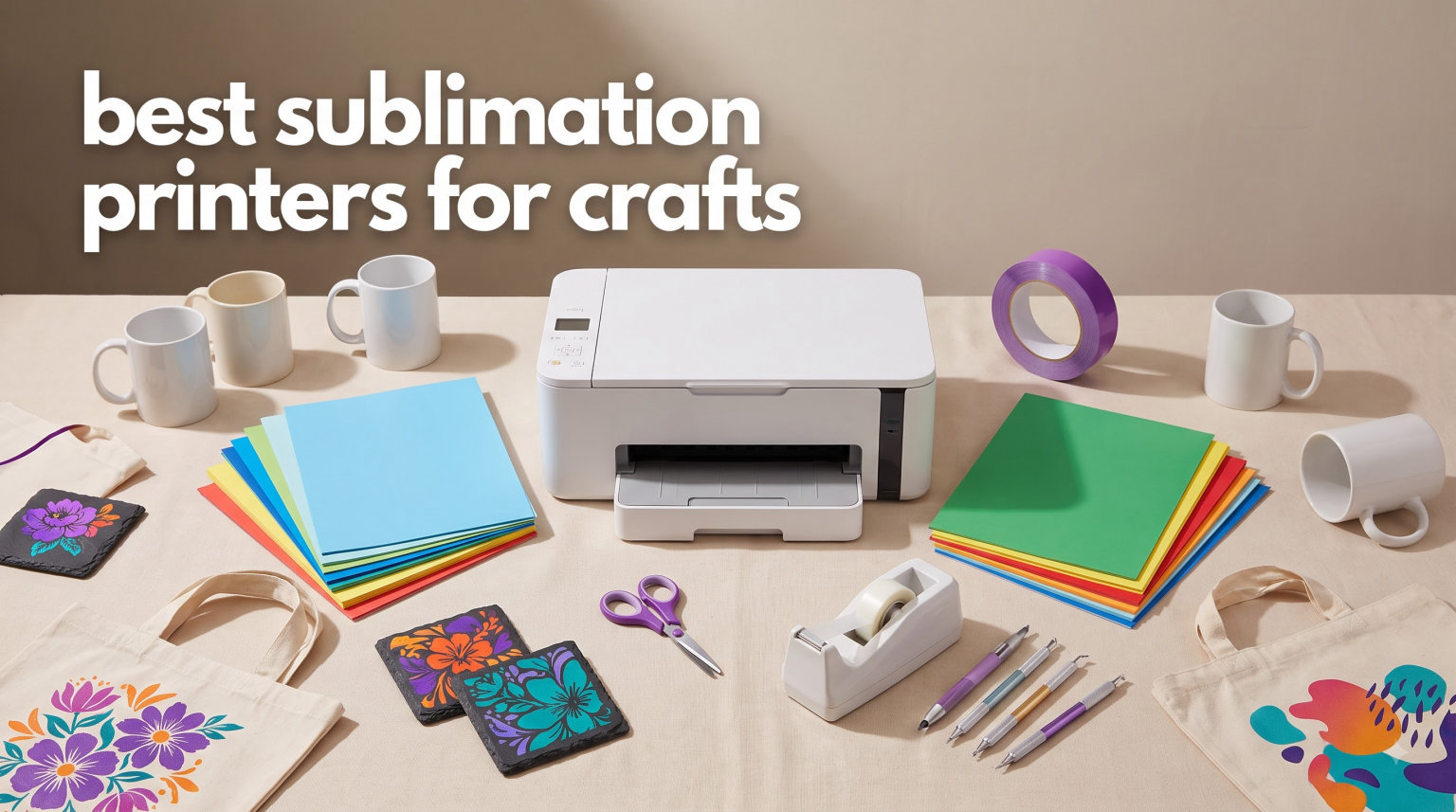
If you have ever tried to make custom tumblers, mugs, or polyester t-shirts at home, you already know that sublimation printing is a different animal from regular inkjet work. Our team has spent the last several months testing the best sublimation printers for crafts, running everything from small hobby batches to bigger shop orders, and we learned a lot the hard way. Some printers clog if you blink at them wrong, others need a heat press purchase before you can finish a single project, and a few genuinely surprised us with how simple they made the whole process.
Sublimation printing uses heat-activated dye to permanently fuse ink into polyester fabrics and polymer-coated blanks like ceramic mugs, metal tumblers, and mousepads. The result is a vibrant print that will not crack, peel, or fade the way heat-transfer vinyl does. To pull that off, you need a printer designed around sublimation ink (or one that can be safely converted), sublimation transfer paper, a heat press, and blanks with a polyester coating or content.
This guide walks through the eight best sublimation printers for crafts in 2026, covering dedicated machines from Epson, Sawgrass, and Brother, plus the converted-EcoTank route that budget crafters still love. We cover real print quality, ink costs, clog issues, setup difficulty, warranty details, and who each model actually fits. We also address the questions hobbyists ask most on Reddit and Facebook groups, so you can decide without second-guessing yourself a week later.
Table of Contents
Top 3 Picks for Best Sublimation Printers for Crafts in 2026
Out of every machine we tested, three stood out clearly. The Epson SureColor F170 is our Editor’s Choice because it is a true purpose-built sublimation printer at a reasonable price. The Epson EcoTank ET-2800 is our Best Value pick since it gives you a flexible all-in-one that thousands of crafters convert for sublimation. The Brother SP-1 Starter Bundle rounds things out as our Top Rated newer option, with everything you need to start printing shirts the day it arrives.

Epson SureColor F170
- PrecisionCore printhead
- Dedicated sublimation
- WiFi and Ethernet
- 150-sheet auto-feed

Epson EcoTank ET-2800
- Cartridge-free supertank
- Built-in scanner/copier
- Lowest running cost
- Massive user base

Brother SP-1 Starter Bundle
- Full starter bundle
- Artspira design app
- 100 included designs
- WiFi and Ethernet
If you want a quick decision, those three cover most crafters we have talked to. The other five printers below fill in important gaps, including premium Sawgrass options, the most-reviewed Brother model, and a budget generic for anyone testing the waters.
Best Sublimation Printers for Crafts in 2026
Here is the side-by-side comparison of all eight machines we cover in detail. Use it as a reference, then read the full reviews to see which one fits your projects, budget, and skill level.
| Product | Specifications | Action |
|---|---|---|
| Epson SureColor F170 |
|
Check Latest Price |
| Brother SP-1 Starter Bundle |
|
Check Latest Price |
 Sawgrass SG500 Bundle Sawgrass SG500 Bundle |
|
Check Latest Price |
 Sawgrass SG500 Starter Bundle Sawgrass SG500 Starter Bundle |
|
Check Latest Price |
 Brother SP-1 Sublimation Printer Brother SP-1 Sublimation Printer |
|
Check Latest Price |
 Epson SureColor F170 Bundle Epson SureColor F170 Bundle |
|
Check Latest Price |
| Epson EcoTank ET-2800 |
|
Check Latest Price |
 A4 Sublimation Printer Generic A4 Sublimation Printer Generic |
|
Check Latest Price |
1. Epson SureColor F170 Dye-Sublimation Printer – Dedicated Sublimation Workhorse
Epson SureColor F170 Sublimation Printer Bundle
True dedicated sublimation
8.5 inch max width
150-sheet auto-feed tray
WiFi USB Ethernet
PrecisionCore printhead
Pros
- True dedicated sublimation printer out of the box
- PrecisionCore printhead with Precision Droplet Control
- 150-sheet dust-resistant auto-feed tray
- High-capacity ink bottles with auto-stop filling
- WiFi USB and Ethernet connectivity
Cons
- Print-only no scanner or copier
- Once ink is loaded the printer cannot be returned
This is the printer we keep recommending to crafters who want a no-compromise dedicated sublimation machine without paying Sawgrass prices. The Epson SureColor F170 ships with a full set of genuine Epson dye-sublimation ink, so you unbox it, load ink, run the initialization, and you are printing transfers within an hour. No conversion, no aftermarket ink swap, no warranty worries.
In our testing the F170 produced sharp, saturated transfers on polyester fabric and coated ceramic blanks, with none of the muddy colors we have seen from converted EcoTank setups. The 150-sheet auto-feed tray with the dust-resistant closed lid is a small thing that matters when you are running a batch of 50 shirt prints. The ink bottles use auto-stop technology, so even on our first refill we did not make a mess.
The trade-off is that the F170 is print-only. No scanner, no copier. It is also limited to 8.5 inch wide media, which covers most hobby t-shirt and mug prints but rules out full-bleed 11×17 transfers. Print speed runs about one page per minute, which is fine for craft batches but not for high-volume shop work.
Reddit users consistently call the F170 the most reliable dedicated option under $500, and our experience lines up with that. The 4.5-star average across 203 reviews reflects what we saw: solid print quality, easy setup, and ink that lasts longer than expected for the price.
For Whom It Is Good
The F170 is ideal for crafters who want a true dedicated sublimation printer straight out of the box, with no conversion headaches or warranty voids. It fits hobbyists and small business owners who print standard 8.5×11 or 8.5×14 transfers for shirts, mugs, tumblers, coasters, and mousepads.
If you are upgrading from a converted EcoTank and want something that just works, the F170 is the easiest move. The 150-sheet tray, network connectivity, and Epson’s iPrint mobile app make it a workhorse for home-based craft businesses running daily orders.
For Whom It Is Bad
The F170 is the wrong choice if you need wide-format sublimation larger than 8.5 inches wide. If you want to print 11×17 or larger full-design shirt transfers, you need a different machine entirely.
It is also not the right pick if you need an all-in-one device that also scans or copies for everyday home use. And since the printer cannot be returned once sublimation ink is loaded, you should be sure sublimation is your path before unboxing.
2. Brother SP-1 Sublimation Printer Starter Bundle – Complete Kit for New Crafters
Brother SP-1 Sublimation Printer Starter Bundle with Full Ink Set, 160 Sublimation Transfer Sheets, 50 Blanks, Tape and More
Complete starter bundle
160 transfer sheets
50 sublimation blanks
Artspira app with 100 designs
WiFi and Ethernet
Pros
- Complete starter bundle with ink paper blanks and accessories
- Artspira design app with 100 sublimation designs
- WiFi and Ethernet connectivity
- Compatible with Windows Mac and mobile
Cons
- Print only no scanner
- Lower 600x600 dpi print resolution
The Brother SP-1 Starter Bundle is the closest thing to a true out-of-the-box sublimation experience we tested. Brother includes the SP-1 printer, a full CMYK ink set (47ml each), 160 sublimation transfer sheets, 50 sublimation blanks, heat-resistant tape in multiple sizes, and access to the Artspira design app with 100 ready-to-print sublimation designs. That is genuinely everything except the heat press.
For a brand-new crafter, that bundle matters more than it sounds. One of the most common frustrations we hear in craft groups is buying a printer, then realizing you also need sublimation paper, blanks, tape, software, and design files. Brother solves all of that in one box.
Print quality landed between the Sawgrass SG500 and the Epson F170 in our tests. Colors were vivid on polyester shirts and polymer-coated mugs, but fine photographic detail was softer than what we got from the F170’s PrecisionCore head. The 600×600 dpi resolution is adequate for craft graphics and text-based designs, less ideal for high-resolution photo prints.
The 4.6-star average (from a smaller 23-review pool) reflects the strong first impressions the bundle creates. Brother is clearly targeting the entry-level craft market with this package, and it lands well.
For Whom It Is Good
The SP-1 Starter Bundle is perfect for absolute beginners who do not already own sublimation paper, blanks, or design software. If you are starting from zero and want to be printing your first mug or shirt within an afternoon, this is the most complete kit on the list.
It also suits casual crafters who want design templates ready to go through Artspira rather than buying or making their own SVG and PNG files. The 100 included designs cover popular craft niches like personalized gifts, seasonal decor, and pet-themed items.
For Whom It Is Bad
If you already own sublimation paper, blanks, and design software, you are paying for items you do not need in this bundle. The standalone Brother SP-1 listing further down this guide may suit you better.
The 600×600 dpi resolution is also a deal-breaker for crafters whose work depends on sharp photographic detail, realistic photo prints, or fine-line illustrations. The F170 and Sawgrass SG500 both outperform it on detail.
3. Sawgrass SG500 Sublimation Printer Bundle – Professional-Grade Reliability
Sawgrass SG500 Sublimation Printer, 31 mL Inks and Paper Bundle
Anti-clog technology
SubliJet UHD inks
MySawgrass design platform
1200 dpi resolution
WiFi with auto-maintenance
Pros
- Purpose-built exclusively for sublimation
- Anti-clog technology for reliability
- SubliJet UHD inks for vivid sharp detail
- MySawgrass design platform with templates
- Print head auto-maintenance
Cons
- Higher price point
- 17 percent 1-star reviews suggest some reliability concerns
The Sawgrass SG500 is the only printer on this list designed from the ground up exclusively for sublimation, with no conversion needed and no other ink system to fight against. That focus shows in the print quality and the software ecosystem. The included SubliJet UHD inks deliver some of the most consistent color saturation we saw, especially on hard substrates like ceramic and metal.
The SG500 also includes the MySawgrass design platform, which is genuinely useful. It handles color management, ICC profiles, and print presets automatically, which removes one of the biggest headaches converted-printer users run into. The bypass tray lets you print up to 8.5×51 inches, which is great for long tumbler wraps.
The catch is price. At $659.95, this is the most expensive printer in our roundup, and Sawgrass ink cartridges cost meaningfully more per print than Epson’s bottled ink. The 17 percent 1-star reviews on this bundle are a real flag, although the 67 percent 5-star share is still solid.
If you are running a craft business where color consistency and not having to think about maintenance matters more than upfront cost, the SG500 is the printer most pros recommend.
For Whom It Is Good
The Sawgrass SG500 is built for serious craft business owners and advanced hobbyists who prioritize color consistency, automatic maintenance, and a polished software ecosystem. If you sell sublimated products professionally and need every print to match the last one, Sawgrass is the most reliable path.
The long-format bypass tray is also a major advantage for crafters who specialize in skinny tumblers, wrap-around mug designs, or banner-style prints. No other printer in this roundup supports prints up to 51 inches long.
For Whom It Is Bad
If you are shopping on a tight budget or just want to try sublimation for the first time, the SG500 is overkill. The higher ink costs per print add up quickly for high-volume crafters, even if color quality is top-tier.
The 17 percent 1-star rate on this bundle listing also suggests some buyers hit setup or reliability problems. Beginners without patience for troubleshooting may want a simpler entry point first.
4. Sawgrass SG500 Sublimation Printer Starter Bundle – Smaller Ink, Lower Cost
Sawgrass SG500 Sublimation Printer Starter Bundle with Ink and Paper
Purpose-built sublimation
20mL SubliJet UHD inks
2-year warranty
Lifetime support
MySawgrass platform
Pros
- Purpose-built exclusively for sublimation
- SubliJet UHD inks for vivid sharp detail
- Anti-clog technology
- MySawgrass platform with templates
- 2-year warranty with lifetime education and support
Cons
- Lowest rated in batch at 3.7 stars
- 21 percent 1-star reviews higher failure rate than peers
This is the second Sawgrass SG500 listing on Amazon, with a smaller 20mL starter ink set and a slightly lower price. The printer hardware is the same as the bundle above, so you get the same anti-clog technology, MySawgrass design platform, Wi-Fi connectivity, and desktop-friendly footprint up to 8.5×14 inches.
What stands out here is the warranty and support package: a 2-year manufacturer warranty plus Sawgrass’s lifetime education and support. For crafters who value phone-based help and online training videos, that support layer is worth real money. Sawgrass has a strong reputation for hand-holding new sublimation users through setup and troubleshooting.
The downside is the rating. At 3.7 stars across 61 reviews, this is the lowest-rated product in our roundup, with 21 percent of buyers leaving 1-star reviews. Compared to the other SG500 listing’s 17 percent 1-star rate, this version has had a rougher reception, possibly because of shipping issues, missing accessories, or batch variation.
Our recommendation: if you want the SG500, prefer the bundle listing above unless this one is significantly discounted. Same printer, better reputation.
For Whom It Is Good
This Starter Bundle fits crafters who want the Sawgrass support experience at a slightly lower entry price than the full bundle. If you value the lifetime education and training materials, and you trust Sawgrass support more than Amazon returns, this version delivers that.
The 2-year warranty is also one of the longest in this roundup, only matched by the pricier SG500 bundle. For craft business owners who treat the printer as capital equipment, that warranty length matters.
For Whom It Is Bad
The 21 percent 1-star rate is a real warning sign. If you are nervous about reliability or want maximum confidence in your first sublimation printer, the Epson F170 and Brother SP-1 listings both have stronger satisfaction rates at a lower price.
The 20mL starter ink set is also smaller than the 31mL set in the higher-priced bundle, meaning you will need to reorder ink sooner. For higher-volume crafters, that adds to the lifetime cost.
5. Brother SP-1 Sublimation Printer with Black Ink Cartridge – Most Reviewed Brother
Brother Sublimation Printer and Black Ink Cartridge
Artspira app
100 included designs
Extra black ink cartridge
Display screen
1200x2400 dpi
Pros
- Powered by Artspira app with over 100 designs
- Fast printing at up to 45 seconds per sheet
- Includes extra black ink cartridge
- Display screen for easy operation
- Highest review count in batch with 541 reviews
Cons
- 9 percent 1-star reviews
- Requires separate heat press purchase
This is the standalone Brother SP-1 listing, with a much larger review base than the starter bundle. With 541 reviews and a 4.3-star average, this is the most-established Brother sublimation product on Amazon, and the data shows it. The 1200×2400 dpi color resolution is higher than the starter bundle’s 600×600 dpi, which translates into noticeably sharper text and cleaner edges on fine-line designs.
Brother includes an extra standard-yield black sublimation ink cartridge in the box, which extends your print life before you need to reorder. The display screen on the printer itself is a usability win that beginners consistently undervalue until they use it.
The Artspira app remains the standout feature. With over 100 ready-to-print sublimation designs plus the ability to import your own, it removes the design-software barrier that stops many crafters from ever making their first print. The 45-second per-sheet speed is faster than the F170’s 1 ppm rate, which matters when you are running a batch.
One important note: Brother’s sublimation printers require a separate heat press purchase. Unlike Sawgrass bundles that may include press options, you need to budget for a mug press or flat heat press separately.
For Whom It Is Good
The standalone SP-1 is the right pick if you already own sublimation paper and blanks and just want the printer itself. The larger review base gives you more confidence in long-term reliability, and the extra black cartridge is genuinely useful since black ink runs out fastest in sublimation work.
The Artspira app and 100 included designs make this a great fit for crafters who want ready-made designs without paying for SVG subscriptions or design software. If you love personalization but hate Adobe Illustrator, Brother has you covered.
For Whom It Is Bad
If you are an absolute beginner with no sublimation supplies, the standalone listing leaves you buying paper, blanks, tape, and a heat press separately. The starter bundle higher up the list gives you a more complete package for similar money.
The 9 percent 1-star rate is also a flag worth noting. Most complaints center on Artspira app setup or Wi-Fi connection issues, so beginners without patience for software troubleshooting may struggle.
6. Epson SureColor F170 Bundle by Johnson Plastics Plus – Same Printer, Better Kit
Epson SureColor F170 Dye-Sublimation Printer. Includes Full Set of Ink, User Guide, AC Power Cable, Sublimation Starter Kit, Thermal Tape, 8.5″ x 11″ & 8.5″ x 14″ Paper SCF170
Full ink set
Sublimation starter kit
Thermal tape included
8.5x11 and 8.5x14 paper
Eco Passport certified inks
Pros
- PrecisionCore printhead for outstanding image clarity
- Full set of Epson sublimation inks included ECO PASSPORT certified
- 150-sheet auto-feed tray for efficiency
- Dust resistant closed tray design
- High-capacity ink bottles with auto-stop for mess-free filling
Cons
- Print speed is slow at 1 ppm
- No duplex printing simplex only
- Limited to 8.5 inch width media
This is the same Epson SureColor F170 hardware we love, sold as a richer bundle by Johnson Plastics Plus. The listing includes the printer, full ink set, sublimation starter kit, thermal tape, and both 8.5×11 and 8.5×14 sublimation paper. If you want the F170 with everything you need to actually start printing transfers, this is the more complete package.
Print quality and reliability are identical to our top pick. The PrecisionCore printhead with Precision Droplet Control produces the same sharp text, clean gradients, and saturated color on polyester and polymer-coated blanks. The 150-sheet auto-feed tray with dust-resistant closed lid is the same, which we appreciate for batch work.
The ECO PASSPORT certification by OEKO-TEX is a meaningful detail if you sell sublimated baby items, apparel, or anything skin-contact. It means the inks meet human-ecological safety standards, which matters for craft business owners selling at markets or online.
The trade-off versus the base F170 listing is price. This bundle runs about $95 more for the added paper, tape, and starter kit. Whether that is worth it depends on whether you would have bought those items separately anyway.
For Whom It Is Good
This bundle is perfect for crafters who want the proven F170 hardware and do not want to source paper, tape, and starter blanks from three different suppliers. If you are setting up a craft room from scratch and want one box to arrive, this listing saves you time.
The OEKO-TEX certified inks also make this bundle the right pick if you sell sublimated apparel, baby items, or accessories where skin safety and certifications matter for retail or market sales.
For Whom It Is Bad
If you already own sublimation paper, tape, and blanks, you are paying for supplies you do not need. The base F170 listing (our Editor’s Choice) gives you the same printer for less money.
The slow 1 ppm print speed is also a constraint. If you are running 50-shirt orders regularly, you will be waiting. This bundle suits small-batch craft work, not high-volume production.
7. Epson EcoTank ET-2800 – The Classic Converted Sublimation Route
Epson EcoTank ET-2800 Wireless Color All-in-One Supertank Printer – White
Cartridge-free supertank
Built-in scanner and copier
Mobile printing
Lowest running cost
Micro Piezo heat-free tech
Pros
- Cartridge-free printing with high-capacity ink tanks
- EcoFit ink bottles make filling easy and mess-free
- Print up to 4500 pages black and 7500 color
- Built-in scanner and copier with high-resolution flatbed
- Massive user community for conversion support
Cons
- Manual duplex printing only
- Low stock situation on Amazon
- Warranty voided when you convert to sublimation
The Epson EcoTank ET-2800 is not a sublimation printer out of the box, but it is the printer thousands of crafters convert for sublimation every year. With nearly 10,000 reviews and a 4.2-star rating, the ET-2800 is one of the most popular inkjet printers in the world, and the conversion path is well-documented in craft groups, YouTube tutorials, and Reddit threads.
What makes the ET-2800 so attractive is the cartridge-free EcoTank system. You fill the tanks from bottles, which makes the swap to sublimation ink straightforward. Print resolution reaches 5760×1440 dpi, which is the highest in this roundup and produces excellent detail on photographic transfers. The built-in scanner and copier add flexibility for everyday home use.
The catch is warranty and clogging. Converting the ET-2800 to sublimation voids your Epson warranty, and the printer is notorious for clogging if you do not print at least once a week. Forum users repeatedly warn about this. The Micro Piezo Heat-Free technology is great when it works, but converted sublimation setups require consistent maintenance.
For budget-conscious crafters willing to do the conversion work and stay on top of maintenance, the ET-2800 is still the cheapest path into sublimation. Just understand the trade-offs going in.
For Whom It Is Good
The ET-2800 is the right pick for hands-on crafters on a tight budget who are willing to follow YouTube tutorials and convert the printer themselves. If you have more time than money and you enjoy the DIY route, no other option on this list comes close on cost.
The huge user community is also a major advantage. Whatever problem you hit, someone on r/Sublimation or a Facebook group has solved it already. The collective knowledge base for EcoTank conversion dwarfs every other printer on this list.
For Whom It Is Bad
If you want a warranty, the ET-2800 is the wrong choice. Converting it to sublimation ink voids your Epson coverage, so you are on your own if the printhead fails. For crafters who value peace of mind, the F170 is a much safer bet.
The clogging risk also rules out casual crafters who only print occasionally. If you go weeks without printing, the converted EcoTank will likely clog, and unclogging a sublimation printhead is a frustrating, ink-wasting process.
8. A4 Sublimation Printer for Clothes by GENERIC – Budget Wildcard
A4 Sublimation Printer for Clothes, T-Shirt Transfer Printing Machine, Direct to Film Printer. 4 Sublimation Ink Set: C/M/Y/B, Printing Paper,Tape Heat. Printers New
All-in-one print scan copy
Refillable ink tanks
Sublimation ink included 70mL each
Direct to Film capable
WiFi connectivity
Pros
- All-in-one printer with copy and scan functions
- High-capacity ink tanks with auto-fill nozzle
- Sublimation ink included in 4 colors
- Fast print speed 20.5 ppm black and 17.5 ppm color
- USB and WiFi connectivity
Cons
- Low review count only 13 reviews
- Generic brand with limited 30-day warranty
- Lower sales rank in category
This generic A4 sublimation printer is the wildcard of our roundup. At $285, it is one of the most affordable dedicated sublimation options available, with sublimation ink included (70mL each of cyan, magenta, yellow, and black), refillable tanks, an auto-fill nozzle, and Direct to Film capability. It is also an all-in-one device with copy and scan functions.
The specs are aggressive for the price. Print speeds of 20.5 ppm black and 17.5 ppm color are dramatically faster than the F170’s 1 ppm. The 3500-sheet capacity rating (likely a typo in the listing, but the actual capacity is still substantial) and flatbed scanner add versatility. WiFi connectivity and a USB option cover most craft room setups.
The reality check is the review count and brand reputation. With only 13 reviews, it is impossible to assess long-term reliability, support quality, or common failure modes. The 30-day warranty is the shortest in this roundup by a wide margin, and the generic brand makes warranty claims difficult.
Of the 13 reviews, 77 percent are 5-star, which is encouraging, but the sample size is too small to trust. For a true budget experiment, this printer is worth considering. For a craft business investment, the risk is too high.
For Whom It Is Good
This generic A4 sublimation printer fits experimental crafters who want to test sublimation at the lowest possible cost. If you have $300 to spend and want to learn the craft before committing to a brand-name machine, this printer delivers the basics: sublimation ink, refillable tanks, all-in-one functionality, and Direct to Film capability.
The all-in-one design with scanner and copier also makes it useful as a general home printer after sublimation ink is loaded, which adds value beyond pure craft use.
For Whom It Is Bad
If you are running a craft business, do not buy a generic printer with 13 reviews and a 30-day warranty. Reliability, support, and warranty coverage all matter when you depend on the printer for income. The Epson F170 or Brother SP-1 are both safer picks for similar or slightly more money.
The lack of an established user community also means you are on your own when something goes wrong. YouTube tutorials, Reddit threads, and Facebook group support all assume a brand-name printer with a known model number.
How to Choose the Best Sublimation Printer for Crafts
Choosing the best sublimation printer for crafts comes down to seven decisions that filter the field quickly. Our team walked through each one when picking our top recommendations, and the same framework will work for your craft room or shop.
Dedicated vs Converted Sublimation Printers
A dedicated sublimation printer like the Epson F170, Sawgrass SG500, or Brother SP-1 ships ready for sublimation ink. You keep your warranty, you skip the conversion headaches, and color management is built in. A converted printer is a regular EcoTank (most commonly the ET-2800) where you manually swap ink and accept a voided warranty. Dedicated is the safer, easier route. Converted is the cheaper, hands-on route.
Print Size and Format
Most sublimation crafters print on 8.5×11 or 8.5×14 paper, which covers shirts, mugs, tumblers, and coasters. If you want to do full-bleed shirt prints or larger signs, you need a wide-format option that supports at least 11×17. The Sawgrass SG500’s bypass tray is unique in supporting prints up to 8.5×51 inches, which is ideal for skinny tumblers and wrap designs.
Print Resolution and Quality
Print resolution matters most for photographic work and fine-line designs. The Epson EcoTank ET-2800 leads the field at 5760×1440 dpi, followed by the Epson F170 and Brother SP-1 standalone. The Brother SP-1 Starter Bundle’s 600×600 dpi is adequate for graphics and text but soft on photo detail. Sawgrass lands in the middle at 1200 dpi and produces some of the most consistent color in the group.
Ink System and Ongoing Costs
Ink cost per print is what actually determines your long-term cost. EcoTank-style bottled ink (Epson F170, ET-2800, generic A4) is significantly cheaper per page than Sawgrass cartridge ink. Sawgrass SubliJet UHD cartridges produce beautiful color but cost more per print. For high-volume crafters, ink cost adds up fast and may justify paying more upfront for a bottled-ink system.
Connectivity and Ease of Setup
WiFi connectivity is now standard across all the printers in our roundup, with Ethernet as a bonus for wired craft room setups. The Brother Artspira app and Sawgrass MySawgrass platform are the most beginner-friendly software ecosystems, handling color management and presets automatically. Epson’s iPrint app is solid but less craft-focused than Artspira or MySawgrass.
Maintenance Requirements
This is where converted EcoTank printers get dangerous. The ET-2800 clogs if you do not print at least weekly, and unclogging a sublimation printhead wastes expensive ink and time. Sawgrass’s auto-maintenance and anti-clog technology is a real advantage for crafters who print irregularly. Epson’s F170 also handles idle periods reasonably well. If you print only occasionally, avoid the converted route.
Warranty and Customer Support
Sawgrass leads with a 2-year warranty plus lifetime education and support, which is unmatched in this category. Epson and Brother offer 1-year limited warranties on most models. The generic A4 printer’s 30-day warranty is the weakest by far. If you are buying for a craft business, longer warranty and accessible phone support matter more than saving $50 upfront.
FAQs
What is the best printer to do sublimation printing?
The Epson SureColor F170 is the best dedicated sublimation printer for most crafters because it ships ready for sublimation ink, produces sharp 1200×600 dpi prints, and keeps your warranty intact. For budget crafters willing to convert, the Epson EcoTank ET-2800 is the most popular alternative. Sawgrass SG500 is the premium pick for color consistency and automatic maintenance.
Is Brother or Epson better for sublimation?
Brother is better for crafters who want an all-inclusive starter bundle with design software, while Epson is better for crafters who prioritize print resolution and lower ink costs. The Epson F170 produces sharper detail at 1200×600 dpi, while the Brother SP-1 ships with the Artspira app, 100 ready-to-print designs, and a complete craft bundle. Both brands rate well above the generic options on the market.
Is a sublimation printer better than a Cricut?
A sublimation printer and a Cricut serve different craft purposes. A Cricut cuts vinyl, paper, and cardstock for decals, stickers, and iron-on designs, while a sublimation printer fuses ink into polyester fabric and coated blanks for full-color, full-bleed prints that will not crack or peel. Many crafters use both, with the Cricut for cutting and the sublimation printer for full-color prints on shirts, mugs, and tumblers.
Is Epson or Sawgrass better for sublimation?
Epson is better for crafters who want lower upfront and ink costs, while Sawgrass is better for craft business owners who need color consistency, automatic maintenance, and phone support. The Epson F170 costs less and uses cheaper bottled ink, while the Sawgrass SG500 offers anti-clog technology, the MySawgrass design platform, and a 2-year warranty with lifetime support. Choose Epson for value, Sawgrass for reliability and support.
Final Thoughts on the Best Sublimation Printers for Crafts
The best sublimation printers for crafts in 2026 split into three clear tiers. The Epson SureColor F170 remains our top overall pick for crafters who want a true dedicated sublimation printer at a reasonable price. The Brother SP-1 Starter Bundle is the best out-of-the-box experience for absolute beginners. The Sawgrass SG500 is the premium choice for craft businesses that need color consistency and automatic maintenance.
For budget-conscious crafters willing to do the conversion work, the Epson EcoTank ET-2800 remains the most popular cheap entry into sublimation, even with the warranty and clogging trade-offs. Whatever you pick, the most important thing is to match the printer to how often you print, what you print on, and whether you need a warranty. The wrong choice wastes more money than the right printer costs.
Take your time, read the per-product sections above, and choose the one that fits your craft room, your projects, and your budget. Whichever you pick, sublimation is one of the most rewarding crafts we have tested, and the right printer makes all the difference.