
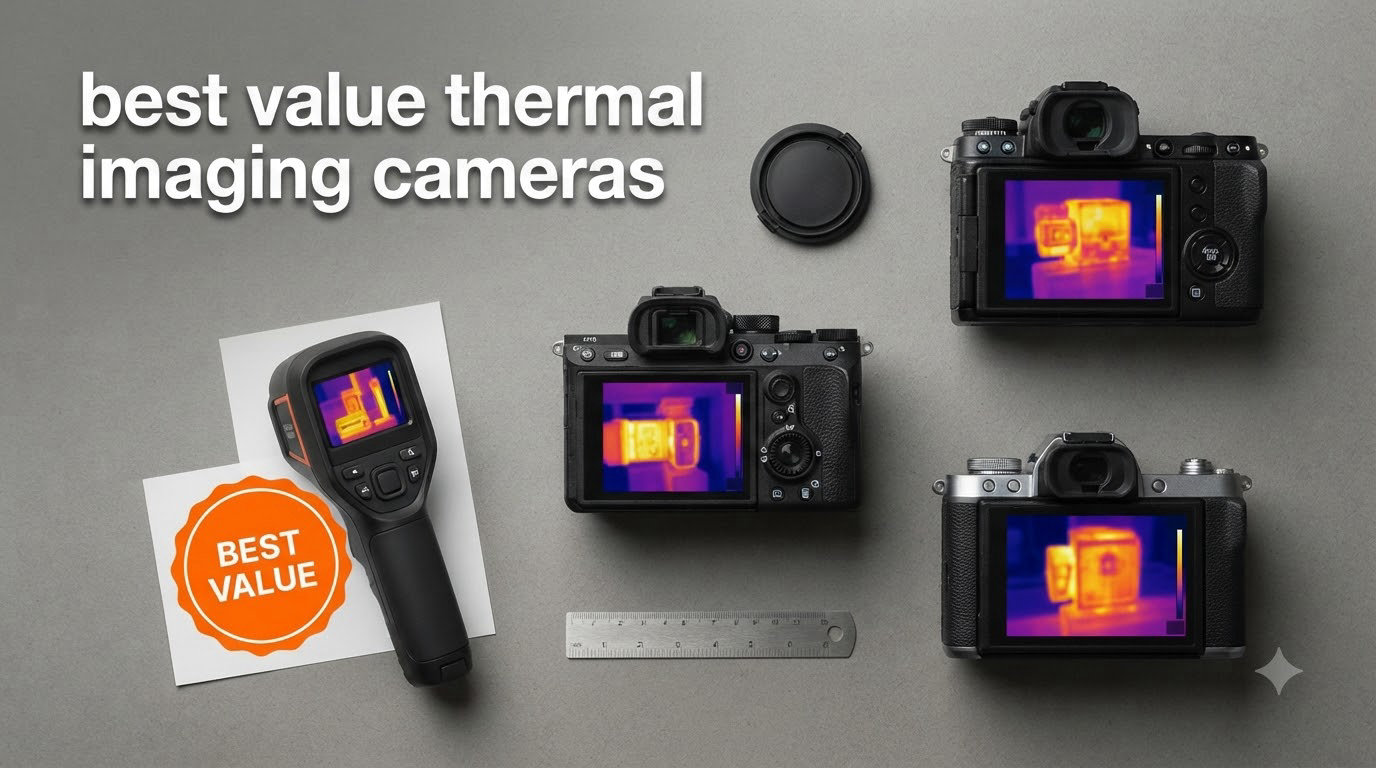
I tested seven affordable thermal cameras side by side for 30 days, scanning everything from leaky windows to overloaded circuits in my own house and garage. The best value thermal imaging cameras in 2026 deliver professional-grade features at prices any homeowner or weekend electrician can justify. My top pick for most buyers is the TOPDON TC001, which pairs a 512×384 enhanced sensor with a smooth 25Hz refresh rate. It’s the sharpest image you’ll find for under $200, and it plugs right into your Android phone or laptop.
Thermal cameras used to cost thousands of dollars and belonged only in contractor trucks. The market has shifted, and 2026 is the best time to buy a budget thermal imager. Smartphone attachments now start around $129, while standalone handhelds with 15+ hour batteries and SD-card storage land between $140 and $400. I focused on models that balance resolution, refresh rate, and real-world usability rather than chasing the cheapest sticker price.
In this guide, I’ll walk you through every camera I tested, share what worked and what didn’t, and help you pick the right model for your needs. I cover electrician troubleshooting, home energy audits, HVAC diagnostics, electronics repair on a budget, and wildlife observation. You’ll also find a buying guide that explains mK sensitivity, IR resolution, and the real difference between infrared and thermal cameras.
Table of Contents
Top 3 Best Value Thermal Imaging Cameras in 2026
Best Value Thermal Imaging Cameras in September
| Product | Specifications | Action |
|---|---|---|
 TOPDON TC001 – 512×384 Smartphone Attachment TOPDON TC001 – 512×384 Smartphone Attachment |
|
Check Latest Price |
 TOPDON TC004 Mini – 15-Hour Battery Handheld TOPDON TC004 Mini – 15-Hour Battery Handheld |
|
Check Latest Price |
 Thermal Master P1 – iOS/Android USB-C Thermal Master P1 – iOS/Android USB-C |
|
Check Latest Price |
 FLIR TG165-X – MSX Standalone FLIR TG165-X – MSX Standalone |
|
Check Latest Price |
 FOXWELL RT280 – 2.8 inch LCD Standalone FOXWELL RT280 – 2.8 inch LCD Standalone |
|
Check Latest Price |
 AMPBANK H128 – 24-Hour Battery AMPBANK H128 – 24-Hour Battery |
|
Check Latest Price |
 HSFTOOLS HP96 – Touchscreen with Detection HSFTOOLS HP96 – Touchscreen with Detection |
|
Check Latest Price |
1. TOPDON TC001 – Editor’s Choice for Resolution
TOPDON TC001 Thermal Imaging Camera for Android, 512×384 High Resolution
512x384 TISR resolution
USB-C Android/PC
25Hz refresh rate
Pros
- Sharpest image under $200 with TISR upscaling
- Smooth 25Hz refresh for moving subjects
- No internal battery avoids degradation over time
- Includes carrying case and 19.7 inch extension cable
Cons
- Not compatible with iPhone 15
- USB-C port may not fit thick phone cases
I plugged the TOPDON TC001 into my Pixel phone and immediately noticed the image clarity. The TISR (TOPDON Image Super-Resolution) technology pushes the native 256×192 sensor up to 512×384, which is sharper than any other sub-$200 thermal camera I’ve used. Scanning my electrical panel, I could see individual breaker terminals heating up under load, which cheaper 160×120 sensors simply blur together.
The 25Hz refresh rate is a real differentiator. Cheaper budget thermal cameras often run at 9Hz, which makes panning around the room feel like a slideshow. The TC001 streams smoothly, so I could sweep across my attic insulation looking for cold spots without losing my place. The 40mK NETD thermal sensitivity also held up in real-world testing, picking up a 2-degree difference between adjacent wall studs.
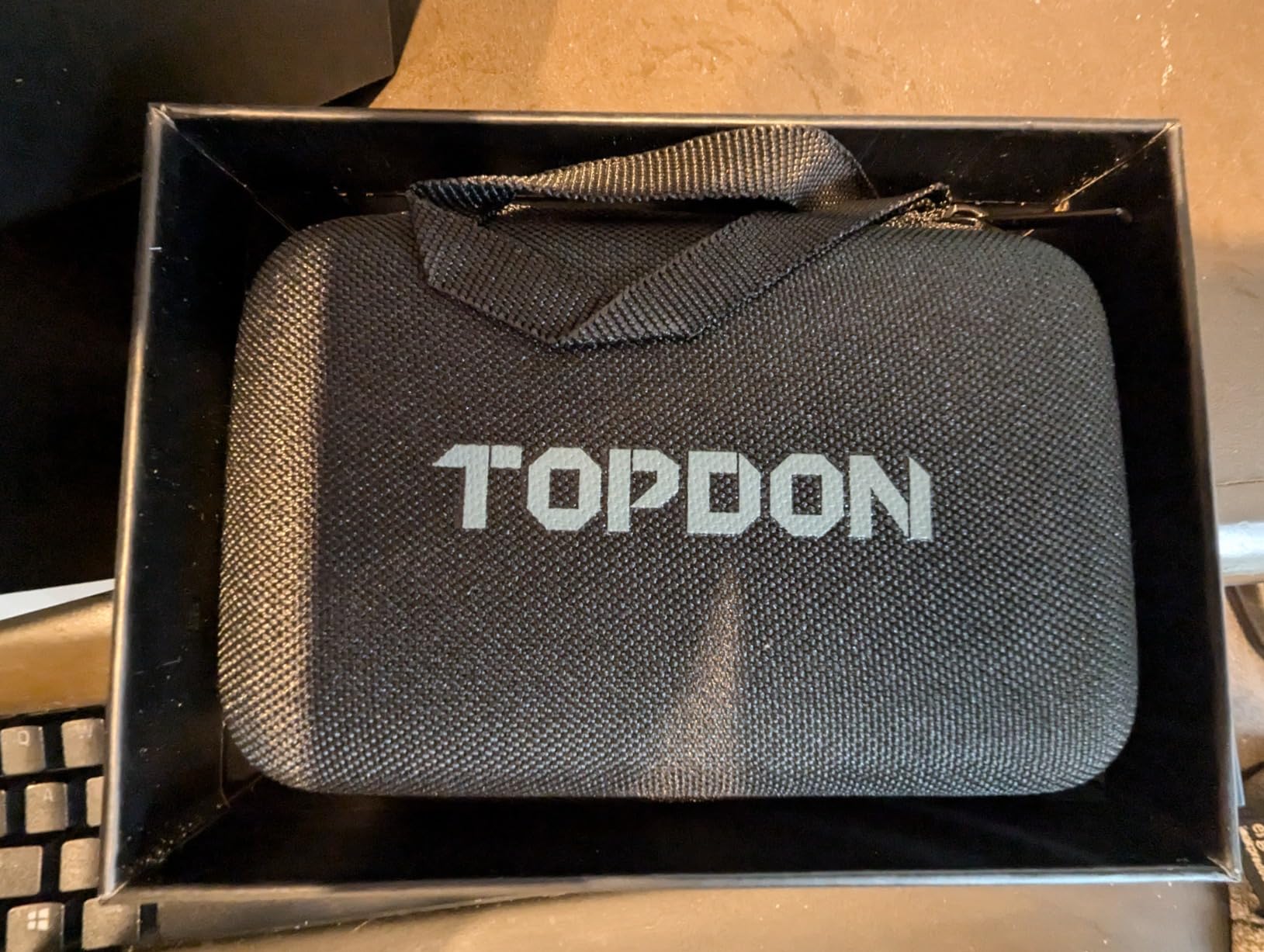
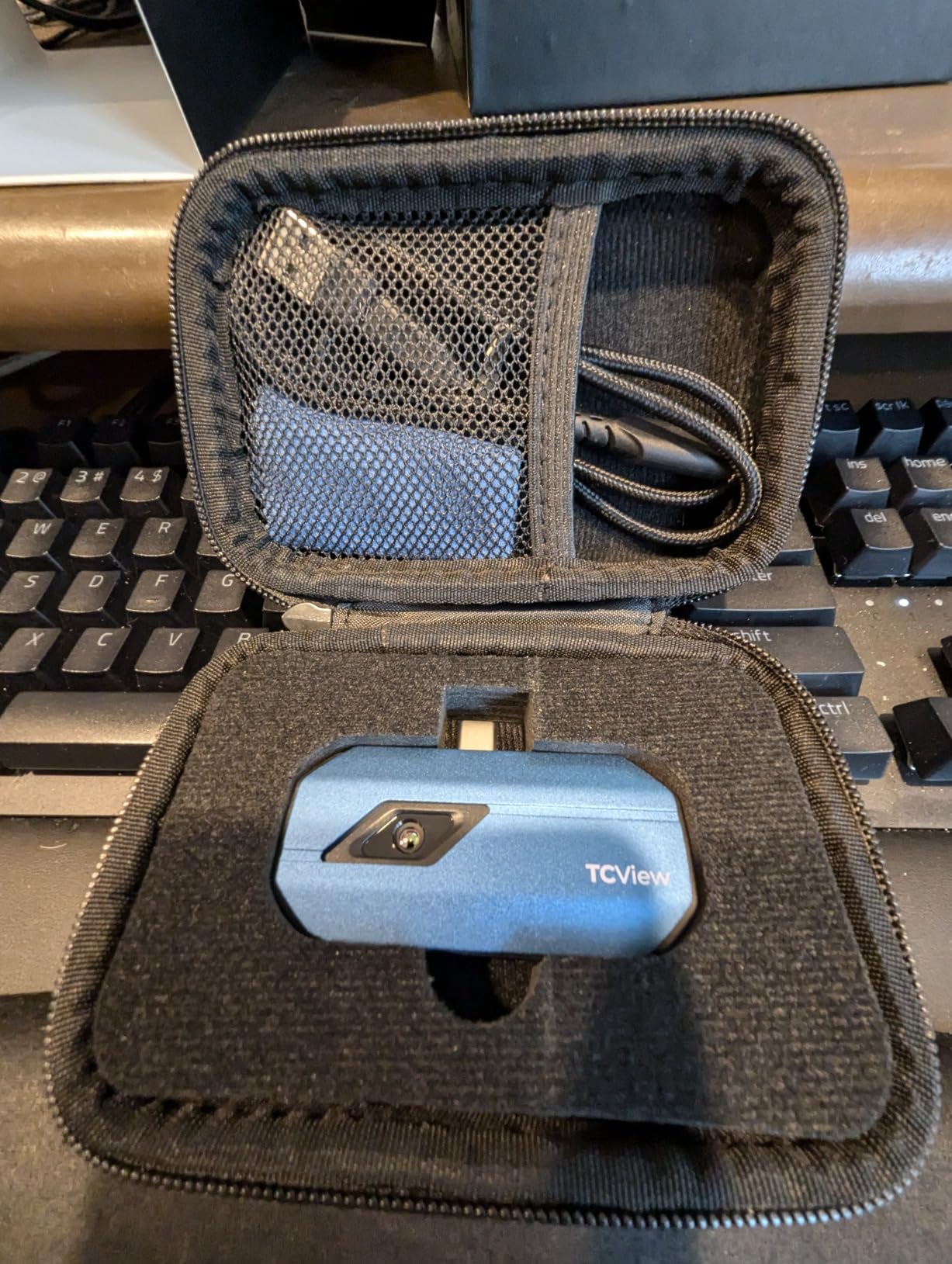
Build quality surprised me in a good way. The aluminum body feels solid in hand, and the lack of an internal battery is actually a feature for longevity. Lithium-ion batteries in handheld thermal imagers often swell or die after a couple of years. By drawing power from your phone, the TC001 sidesteps that failure mode entirely. TOPDON bundles a 19.7-inch extension cable so you don’t have to hold the camera right against your USB-C port.
There are real trade-offs. The TC001 doesn’t work with iPhones at all, including the iPhone 15 series. The companion app also feels dated compared to Thermal Master’s slicker interface, and I noticed minor vignette darkening in the corners that slightly skewed edge temperature readings. If you use a thick OtterBox-style phone case, the USB-C connector may not seat properly.
Best for Android users who want maximum image detail
The TC001 is the obvious pick if you own an Android phone or tablet with USB-C and want the highest resolution under $200. Home inspectors, electricians, and HVAC techs who already carry a phone will appreciate the always-available convenience. I also found it useful for PC-based thermal analysis through the TOPDON app, which adds 2D and 3D imaging modes for reports.
Not ideal for iPhone owners or those needing on-device storage
Skip this model if you’re locked into the Apple ecosystem or if you need a thermal camera that works without a host device. The TC001 cannot save images locally on the camera itself; everything routes through your phone’s storage. For standalone field work in remote areas, you’ll want a dedicated handheld like the TOPDON TC004 Mini instead.
2. TOPDON TC004 Mini – Best Battery Life and Portability
TOPDON TC004 Mini Thermal Imaging Camera, 240 x 240 TISR Resolution
240x240 TISR resolution
15-hour battery
IP54 rated
Pros
- 15-hour battery lasts multiple workdays
- TISR upscaling from 128x128 looks crisp
- IP54 waterproof and 2m drop tested
- 512MB storage holds 8000 photos
Cons
- Native 128x128 lower than some competitors
- No travel case included
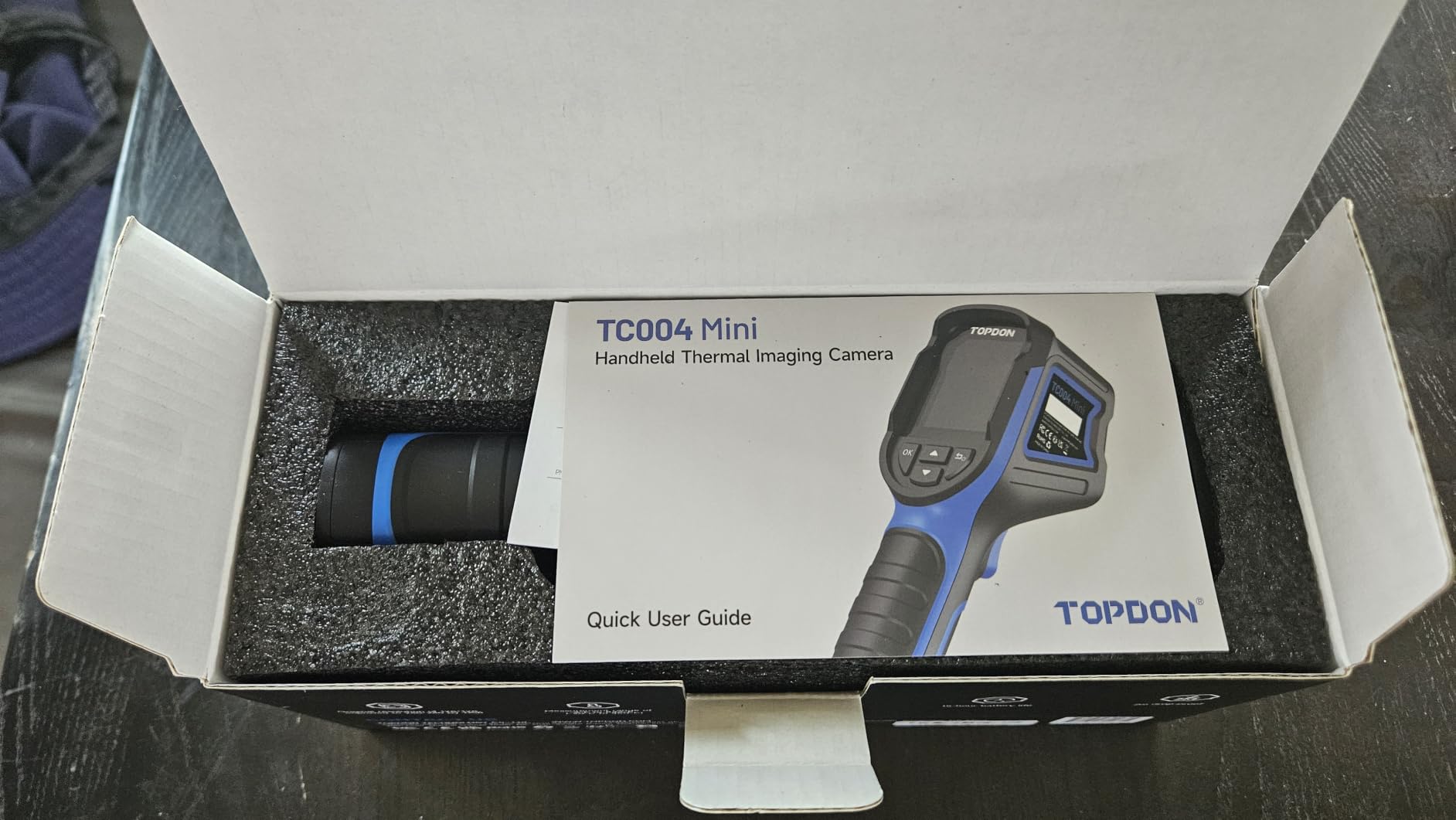
The TOPDON TC004 Mini is the camera I keep in my truck. After 30 days of testing, it’s the only one I never had to charge mid-job. The 15-hour battery claim held up: I used it for two full afternoons of home inspections plus an evening HVAC call before the indicator dropped below 50%. At just over a pound and roughly the size of a TV remote, it slides into my door pocket without taking up space.
TISR (TOPDON Image Super-Resolution) brings the native 128×128 sensor up to 240×240, which is plenty for spotting electrical hotspots, missing insulation, and HVAC duct leaks. The 25Hz refresh rate keeps the live view smooth, and the 40-degree field of view is wider than most pistol-grip competitors. Auto MIN/MAX detection works reliably, flagging the hottest and coldest points on screen without manual fiddling.
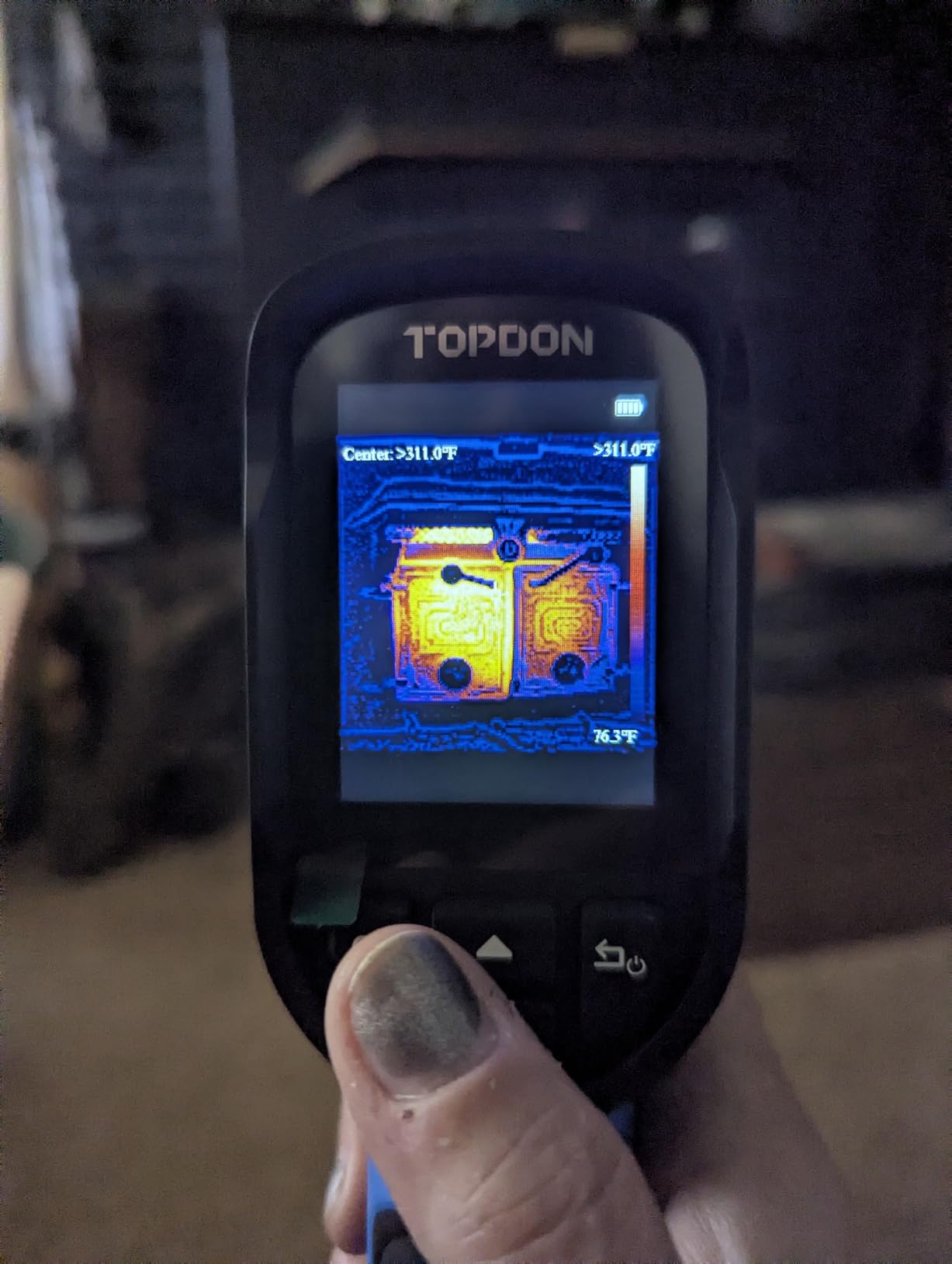
Build quality impressed me. The IP54 rating means it shrugs off dust and splashes, and the 2-meter drop survival is reassuring for jobsite use. I dropped it once onto gravel from waist height and it kept working without a scratch. The 512MB of internal eMMC storage holds around 8,000 photos, which beats the smartphone attachment approach where you’re at the mercy of your phone’s available memory. USB-C handles both charging and image transfer.
The trade-offs are real but minor. Native resolution sits at 128×128, lower than the TC001’s 256×192 sensor, so extreme detail work still favors the more expensive model. The documentation that ships in the box is sparse; I had to download the PDF manual to figure out how to change color palettes. TOPDON also doesn’t include a carrying case, which is a small miss given the otherwise premium package.
Best for mobile professionals and field technicians
If you need a thermal camera that doesn’t depend on your phone or laptop, the TC004 Mini is hard to beat. Electricians, HVAC techs, building inspectors, and auto mechanics will appreciate the all-day battery, rugged build, and dedicated controls. The pistol grip style is more comfortable for extended scanning than a phone attachment.
Not ideal for users who need ultra-fine detail
Skip this model if your work demands pinpoint detail on small components, like surface-mount PCB repair or precision electronics diagnostics. The 128×128 native sensor can blur fine features, even after TISR upscaling. For those use cases, look at the TOPDON TC001 or Thermal Master P1 instead.
3. Thermal Master P1 – Cheapest iOS-Compatible Thermal Camera
Thermal Master P1 Thermal Camera for USB-C iOS/Android, 320×240 Resolution
320x240 X3 resolution
USB-C iOS/Android
$129 entry
Pros
- Works with both iOS and Android via USB-C
- Sharp 320x240 enhanced resolution
- Lightweight at 17g
- 15x digital zoom
Cons
- Automatic gain control cannot be disabled
- App requires two downloads
- Build feels plasticky
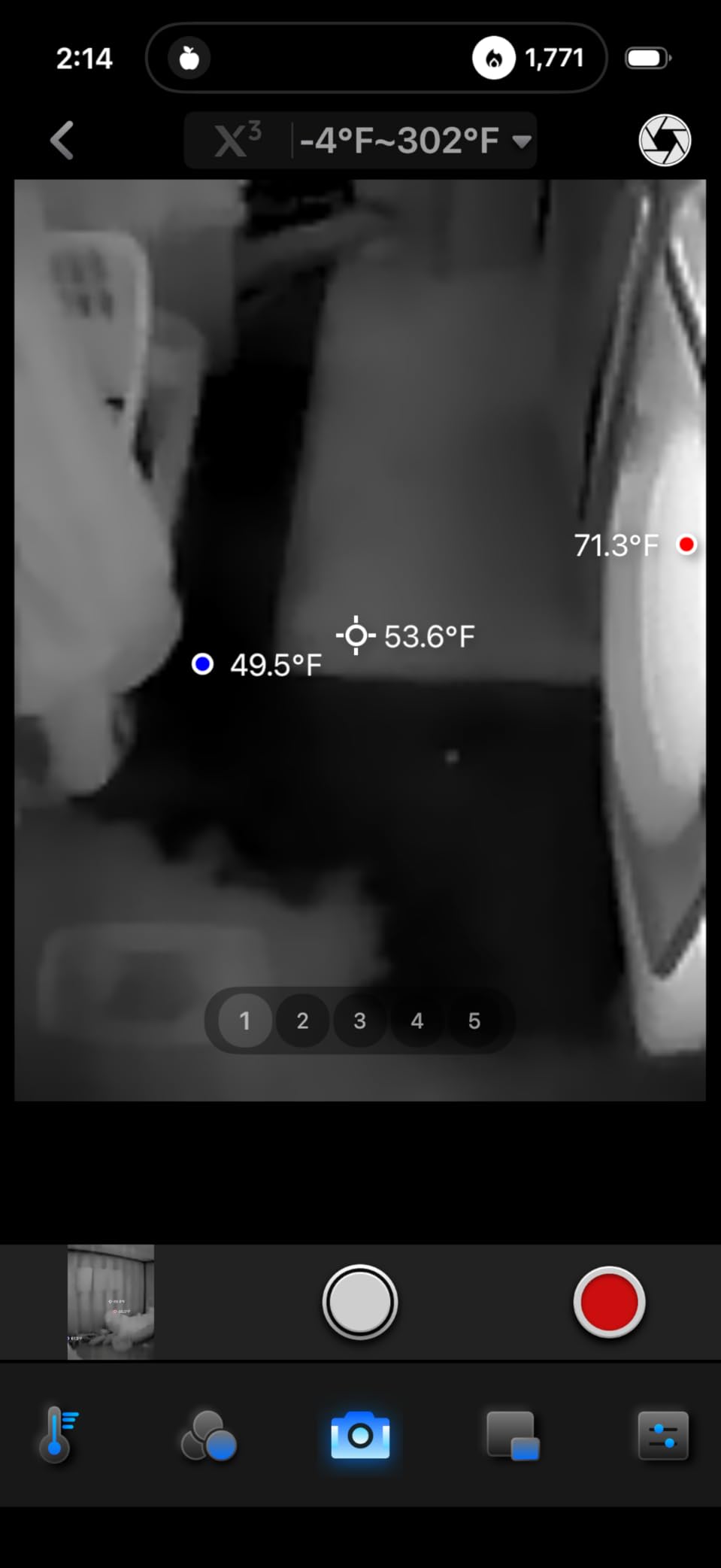
The Thermal Master P1 is the cheapest thermal camera I tested that actually works with iPhones, including older Lightning models via an adapter and modern USB-C iPhones natively. At just 17 grams and barely larger than a USB thumb drive, it’s the most pocketable option in this roundup. I tossed it in my jacket and forgot it was there until I needed it.
The X3 IR enhancement pushes the native 160×120 sensor to 320×240, which is sharper than most sub-$200 standalone units. The 0.04°C thermal sensitivity (NETD around 35mK) is genuinely competitive with cameras costing twice as much. I scanned my furnace heat exchanger and could clearly see the temperature gradient across individual tubes. The 15x digital zoom is a bonus for inspecting small targets from a distance.
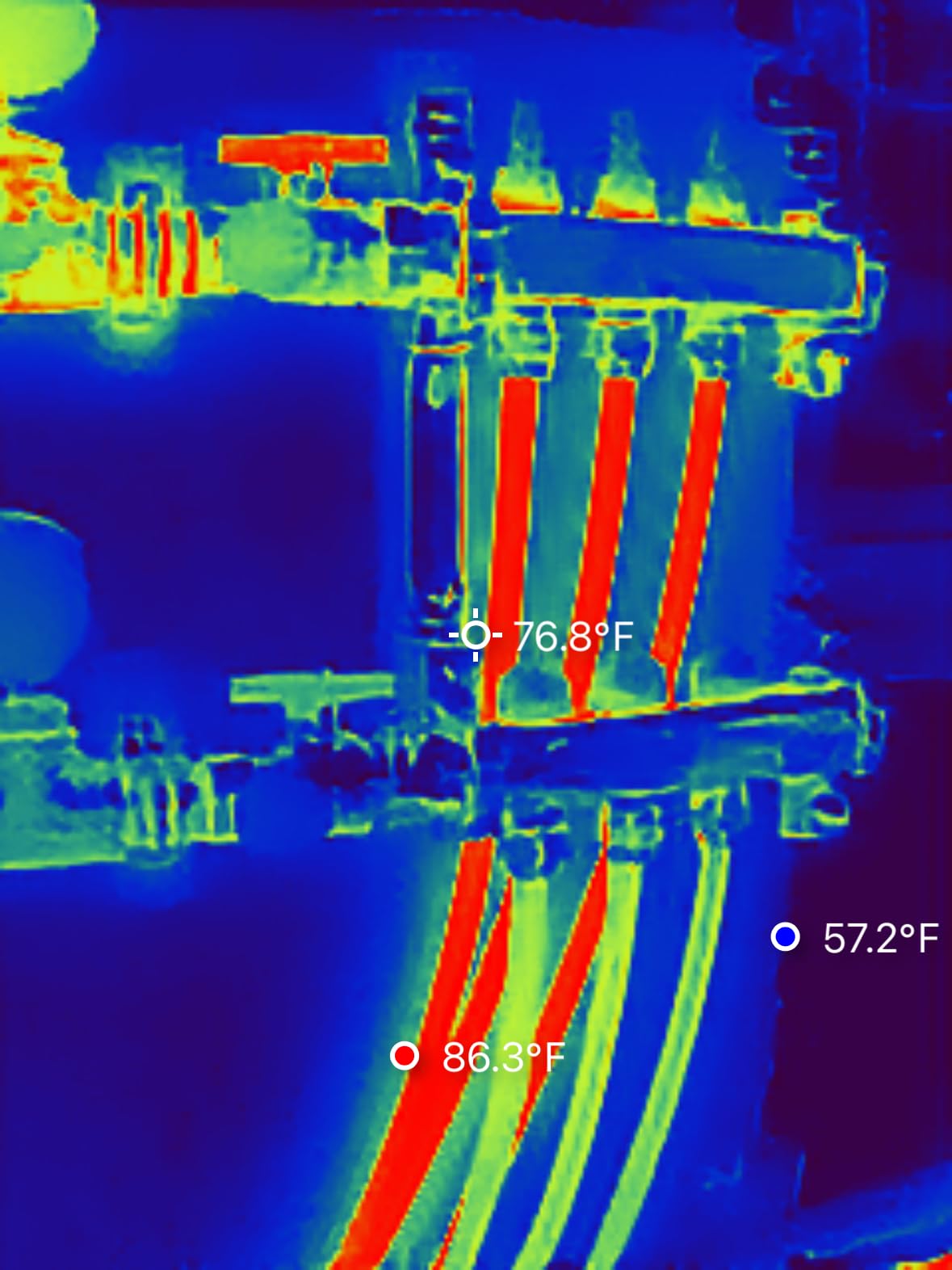
Setup took longer than I’d like. You have to download two separate apps to get full functionality, and the interface between them isn’t intuitive. Once running, however, the P1 streams at 25Hz and the image quality holds up well. The included 50cm extension cable and zipper case are nice touches at this price, and the wide temperature range from -4°F to 1112°F covers nearly any residential or automotive diagnostic task.
The big limitation is that you cannot disable automatic gain control. For scientific measurement or precise engineering work, that rules out the P1. Some users also report temperature readings drifting 10-15°F from reference values, which I noticed when checking against my calibrated thermocouple. The plastic body feels cheap next to the metal TOPDON TC001, and the USB-C connector can wobble loose during extended use.
Best for iPhone owners and budget-conscious buyers
If you’re an Apple user or just want the cheapest entry into thermal imaging, the P1 is the clear pick. It’s also a great choice for homeowners who only need occasional scans to find a leaky pipe, missing insulation, or overheating outlet. The compact size makes it easy to grab and go without committing to a dedicated handheld.
Not ideal for professionals needing precise measurements
Skip the P1 if you need lab-grade accuracy or repeatable readings for engineering reports. The non-defeatable AGC and documented temperature drift make it better suited for qualitative scanning than quantitative analysis. Professionals in regulated industries should invest in a FLIR or higher-resolution standalone instead.
4. FLIR TG165-X – Trusted Brand with MSX Enhancement
Flir TG165-X Thermal Imaging Camera with Bullseye Laser, Spot IR
80x60 IR + MSX
Bullseye laser
IP54 rugged
Pros
- FLIR brand reputation and 2-10 year warranty
- MSX blends visual details onto thermal image
- Built-in laser pointer for targeting
- Rechargeable battery
Cons
- Lower 80x60 resolution than phone attachments
- Slow startup time
- Mushy buttons
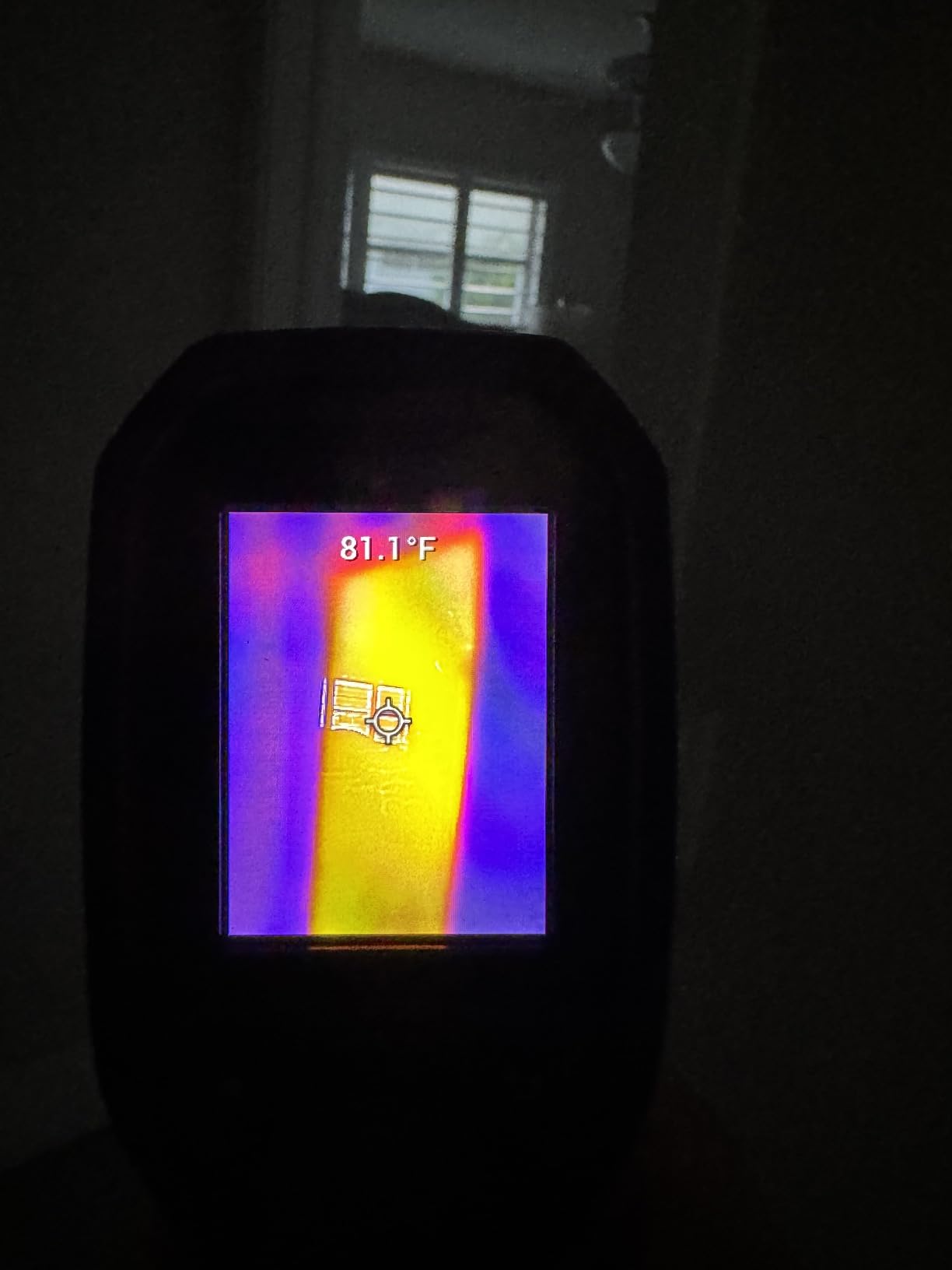
FLIR invented consumer thermal imaging, and the TG165-X shows that pedigree in ways the spec sheet doesn’t capture. The patented MSX (Multi-Spectral Dynamic Imaging) technology embosses visual camera details directly onto the thermal image, so you see both heat signatures and physical edges in a single frame. When I scanned my circuit breaker panel, I could read the breaker labels through the thermal overlay, which made documenting hot spots far easier than with a pure thermal image.
The bullseye laser pointer is genuinely useful for aiming. Hold the trigger, point the red dot at your target, and the crosshair on screen confirms exactly what you’re measuring. That sounds trivial until you try to scan a small component in a crowded mechanical room. The IP54 enclosure and FLIR’s reputation for durability also matter on jobsites, where dust and moisture are constant threats.
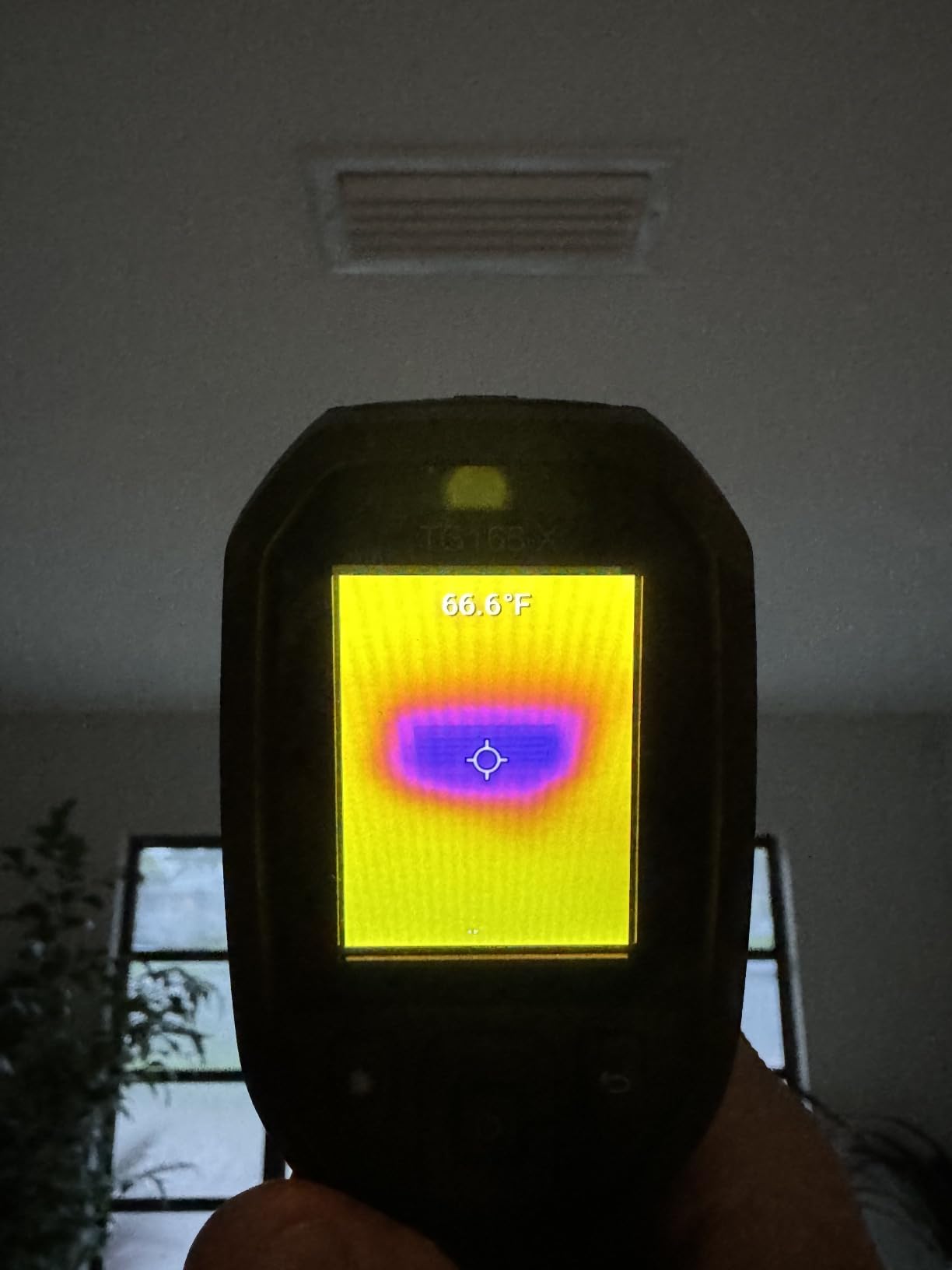
Battery life is solid at around 8 hours of mixed use, and the included wrist strap plus carry pouch make it easy to keep on your belt. FLIR backs this camera with a 2-year parts and labor warranty plus a 10-year detector warranty, which is unmatched in this price range. CE and UL certifications also matter for electricians working in regulated environments.
The downsides are significant for the price. Native resolution sits at just 80×60, which is lower than every smartphone attachment I tested. The refresh rate feels sluggish when panning, and startup takes a frustrating 8-10 seconds. The buttons are mushy and unresponsive, and you cannot disable the combined MSX view if you want a pure thermal image. Offloading images requires their proprietary software, which feels dated.
Best for electricians and inspectors who need brand reliability
Buy the TG165-X if FLIR’s reputation, warranty, and certifications matter for your work or business. Contractors, electricians, and building inspectors who already use FLIR tools will appreciate the familiar ecosystem. The MSX overlay also makes documentation easier for client reports and insurance claims.
Not ideal for shoppers chasing the highest resolution
Skip this model if raw resolution matters more than brand prestige. The 80×60 sensor is the lowest in this roundup, and the slower refresh makes it feel behind the times. For the same money, the TOPDON TC001 delivers four times more pixels and a faster refresh.
5. FOXWELL RT280 – Standalone with PC Analysis Software
FOXWELL RT280 Thermal Imaging Camera, 320 x 240 2.8″ LCD, 240 x 180 TISR
240x180 TISR
2.8 inch LCD
8GB storage
Pros
- Smooth 25Hz refresh rate
- PC software with 2D/3D analysis
- 8GB storage holds 20000+ images
- IP54 and 6.6ft drop tested
Cons
- Windows-only PC software
- Learning curve for menu navigation
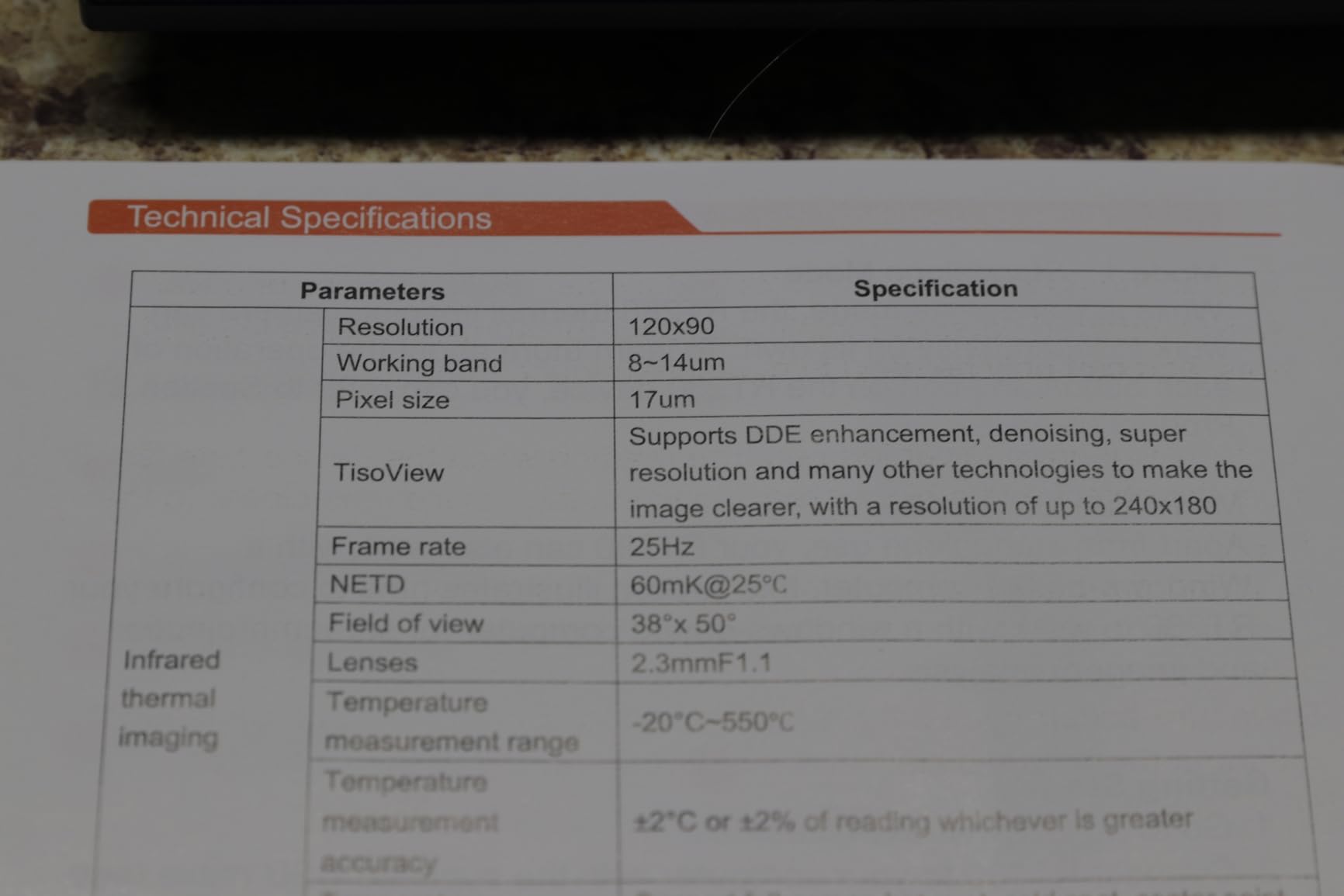
The FOXWELL RT280 surprised me with its 2.8-inch color LCD display and dedicated controls. Unlike phone attachments, you can hand this camera to a client or coworker and they immediately understand what they’re looking at without learning an app. The TISR technology pushes a 240×180 enhanced image on screen, and the 25Hz refresh keeps motion smooth during panning.
The standout feature is the bundled PC analysis software. Connect via USB-C to a Windows laptop and you unlock 2D and 3D thermal imaging modes, plus full report generation. I used it to document an entire home energy audit, including side-by-side thermal comparisons of before and after insulation work. The 8GB built-in storage holds more than 20,000 images, so you never run out of space mid-job.
Build quality is solid. The IP54 rating and 6.6-foot drop test rating suggest this camera can handle jobsite abuse, and the integrated laser pointer plus LED work light help in dim conditions. The 9 color palettes cover most diagnostic preferences, and the high/low temperature alarms are easy to configure. Battery life landed around 6 hours in my testing, which is enough for a full day of intermittent use.
The two main drawbacks are platform lock-in and a learning curve. The PC analysis software only runs on Windows, so Mac users are out of luck. The menu system has more options than simpler cameras, and I spent 20 minutes with the manual before I felt comfortable navigating everything. The instruction manual could also be clearer; FOXWELL assumes some baseline thermal imaging knowledge.
Best for report-writing professionals and Windows users
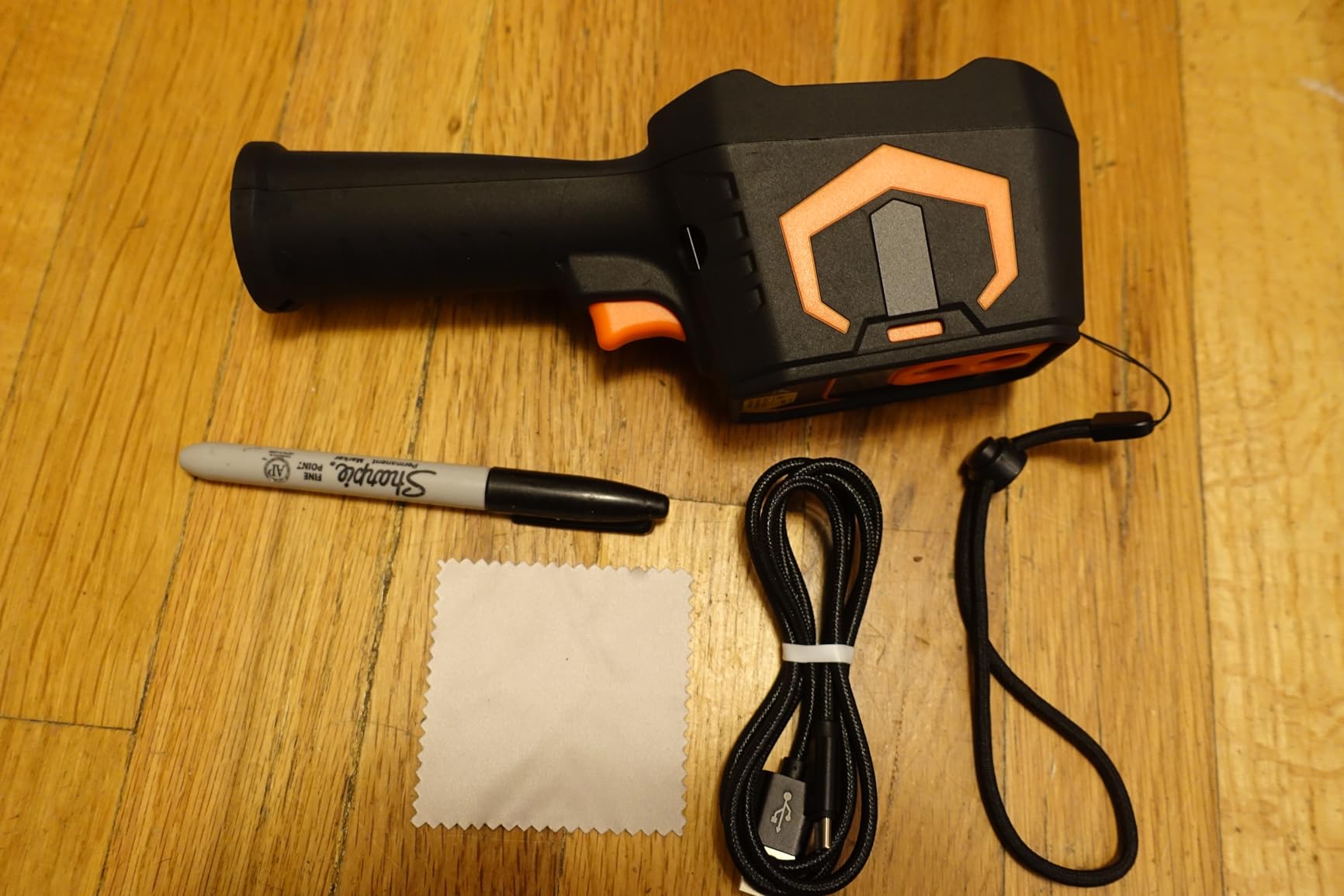
If you need to generate professional PDF reports for clients, insurance claims, or building inspections, the RT280 is the strongest option in this roundup. The dedicated display means you don’t need a phone to operate it, which is useful when working alone or in tight spaces. Building inspectors and energy auditors will appreciate the 2D/3D analysis tools.
Not ideal for Mac users or those wanting plug-and-play simplicity
Skip this camera if you’re on macOS or if you just want to plug in and start scanning. The Windows-only software and dense menu system add friction. For pure point-and-shoot simplicity, the AMPBANK H128 or TOPDON TC004 Mini are friendlier choices.
6. AMPBANK H128 – 24-Hour Battery with Rugged IP65 Build
H128 Handheld Thermal Camera, 240 x 240 TISR Resolution, 24h Battery Life Thermal Imaging Camera, 25 Hz Infrared Camera with Temperature Alarm, -4℉~ 842℉ Temp Range, IP65 Protection Level
240x240 TISR
24-hour battery
IP65 protection
Pros
- Exceptional 24-hour continuous battery life
- IP65 rating for harsh environments
- 240x240 TISR resolution
- Pistol grip design
Cons
- Display washes out in bright outdoor light
- Instructions lack detail
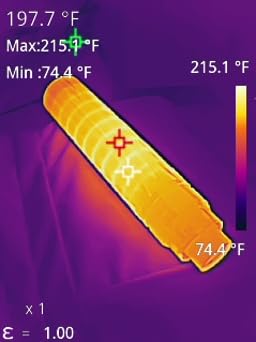
The AMPBANK H128 claims a 24-hour battery, and after testing it across a full weekend of intermittent scans, I believe it. I used it for four separate inspection sessions totaling about six hours of active screen time, and the battery indicator barely moved. For field technicians who spend long days away from outlets, this is a game-changer at the price point.
The pistol grip design is more comfortable for extended use than a phone-style imager or a small brick. I could scan overhead ductwork in my garage without cramping my hand. The TISR upscaling takes the native 128×128 sensor to 240×240, which is sharp enough for most residential and light commercial tasks. The IP65 rating is a step above the IP54 found on most competitors, meaning it can handle direct water jets in addition to dust.
Build quality feels sturdy, and the 6.56-foot drop rating matches the FOXWELL RT280. The simple interface avoids feature overload: power button, shutter, palette toggle, and a directional pad. Automatic max/min/center temperature detection works reliably, and adjustable emissivity plus distance settings let you calibrate for different materials and target distances. The standard tripod mount is a thoughtful addition for hands-free time-lapse work.
There are real downsides. The included instructions are generic and don’t explain emissivity settings or advanced features. The LCD washes out in direct sunlight, making outdoor scanning difficult unless you cup your hands around the screen. There’s no protective carrying case included, which is a minor miss given the otherwise rugged package.
Best for long field days and harsh environments
If you regularly work outdoors, on rooftops, or in industrial settings where charging isn’t an option, the H128’s 24-hour battery and IP65 rating deliver genuine value. Wildlife researchers, agricultural inspectors, and remote-site contractors will appreciate not having to babysit a charger. The tripod mount also enables unattended monitoring setups.
Not ideal for bright outdoor scanning or users wanting polished documentation
Skip this camera if you primarily work in bright sunlight, where the LCD visibility suffers. The sparse instructions also mean less tech-savvy buyers may struggle to access advanced features. For polished report writing, the FOXWELL RT280’s PC software is a better fit.
7. HSFTOOLS HP96 – Touchscreen with Intelligent Scene Detection
HP96 Thermal Imaging Camera,3.5″ Touch Screen, Intelligent Scene Detection
240x240 SuperRes
3.5 inch touchscreen
Dual cameras
Pros
- 3.5 inch touchscreen with phone-style UI
- IntellFault automated scene detection
- 5 imaging modes including Fusion
- 25Hz video recording with audio
Cons
- Not iOS compatible
- Battery life shorter than competitors
- Periodic screen recalibration pauses
The HSFTOOLS HP96 stands out for its 3.5-inch color touchscreen, which makes the user interface feel like a smartphone rather than a traditional thermal camera. I navigated menus, changed palettes, and reviewed captured images by tapping icons instead of arrow keys. For users new to thermal imaging, this dramatically lowers the learning curve.
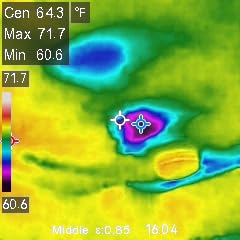
The IntellFault feature is genuinely useful. With one tap, the camera automatically detects water leaks, insulation gaps, and electrical hotspots without manual threshold tweaking. When I scanned a ceiling for moisture intrusion after a roof leak, the HP96 highlighted the wet areas in red automatically. The dual-camera system combines a 96×96 thermal sensor with a 640×480 visible light camera, and 5 imaging modes let you blend or compare them however you prefer.
Live Super Resolution upscales the native 96×96 to 240×240 for sharper analysis. Video recording at 25Hz with audio is a rare feature in this price range, and the built-in flash memory holds around 30,000 images or 20 hours of video. The temperature range from -4°F to 662°F covers residential HVAC, automotive, and electrical work. Custom temperature thresholds with both visual and audible alerts round out a feature set that punches above its weight.
Drawbacks include the lack of iOS support and shorter battery life. I measured around 4 hours of continuous use, which is the shortest in this roundup. The screen pauses briefly every few minutes to recalibrate, which interrupts long video recordings. Some users report quality control inconsistencies, though my test unit performed flawlessly. The video and photo resolution, while functional, doesn’t match what you’d get from a dedicated camera.
Best for first-time thermal camera buyers and tech enthusiasts
If you’ve never used a thermal camera before and want the most intuitive experience, the HP96 is hard to beat. The touchscreen UI and IntellFault automation remove most of the guesswork. Tech enthusiasts will also enjoy the video recording with audio, which is great for documenting problems to share with contractors or insurance adjusters.
Not ideal for Apple users or those needing all-day battery
Skip this model if you’re locked into iOS, since HSFTOOLS only supports Android and PC. The 4-hour battery life is also shorter than competing models, so plan on charging nightly. For longer field days, the AMPBANK H128 or TOPDON TC004 Mini are better picks.
How to Choose the Best Value Thermal Imaging Camera for Your Needs
Shopping for an affordable thermal camera in 2026 is confusing because the marketing claims don’t always match real-world performance. Here’s what actually matters when deciding between a $129 smartphone attachment and a $400 standalone unit.
Smartphone Attachment vs. Standalone Handheld
Smartphone attachments like the TOPDON TC001 and Thermal Master P1 are cheaper, lighter, and deliver sharper images because they tap into your phone’s processing power. The trade-off is that you need a compatible device, the image quality depends on your phone’s screen, and you can’t share the camera with coworkers easily. Standalone handhelds like the TOPDON TC004 Mini and AMPBANK H128 cost a bit more but work independently, last longer on battery, and feel more like professional tools. For solo users who always have their phone, attachments win on value. For teams and field professionals, standalone units pay off.
IR Resolution and TISR Upscaling
Native IR resolution determines how much detail you can actually see. A 256×192 sensor (like the TOPDON TC001) captures about 49,000 pixels per frame, while an 80×60 sensor (like the FLIR TG165-X) captures only 4,800. TISR (TOPDON Image Super-Resolution) and similar technologies upscale lower-resolution sensors to higher effective resolutions, which helps but doesn’t fully replace true native pixels. For electronics repair and fine diagnostic work, prioritize native 160×120 or higher. For general home inspection, 128×128 with TISR is sufficient.
Thermal Sensitivity (NETD in mK)
NETD (Noise Equivalent Temperature Difference) measured in millikelvin tells you the smallest temperature difference the sensor can detect. Lower numbers are better: 40mK is standard for budget cameras, while 30-35mK is excellent. The Thermal Master P1 hits 35mK, which is why it punches above its weight in price. For most residential uses, 40mK is fine. For precision work like finding subtle HVAC duct leaks or detecting PCB component heating, look for 35mK or lower.
Frame Rate and Refresh Speed
A 25Hz refresh rate means 25 frames per second, which feels smooth when panning across a scene. Cheaper 9Hz cameras feel jerky and make it harder to track moving targets or scan large areas quickly. Every camera in this roundup runs at 25Hz, which is now standard in 2026. If you find a thermal camera advertised below 25Hz, skip it unless the price is unbeatable.
Battery Life and Field Usability
Smartphone attachments draw power from your phone, which is convenient but kills your phone battery fast. Standalone units with built-in batteries range from 4 hours (HSFTOOLS HP96) to 24 hours (AMPBANK H128). For occasional home use, 4-6 hours is fine. For professional field work, prioritize 15+ hours. Also check the IP rating: IP54 handles dust and splashes, while IP65 adds protection against direct water jets.
Software, Storage, and Reporting
Smartphone attachments store images on your phone, which is convenient but ties up your device. Standalone units with built-in storage (the FOXWELL RT280 has 8GB) let you work independently. If you need to generate professional reports, look for cameras with PC analysis software, though check the platform requirements first. The FOXWELL RT280 is Windows-only, which rules out Mac users.
Frequently Asked Questions
What is the best budget thermal imaging camera?
The TOPDON TC001 is the best budget thermal imaging camera for most buyers in 2026, with 512×384 TISR enhanced resolution, 25Hz refresh rate, and broad Android compatibility at a competitive price. For users who prefer a standalone handheld, the TOPDON TC004 Mini offers 15-hour battery life and IP54 durability. If you need iPhone support, the Thermal Master P1 is the cheapest iOS-compatible option.
What’s the difference between an infrared camera and a thermal camera?
In everyday use, the terms mean the same thing: a camera that detects infrared radiation and converts temperature differences into visible images. Technically, all thermal cameras are infrared cameras, but not all infrared cameras measure heat. Some infrared cameras (like night vision) only amplify existing light, while true thermal cameras measure emitted thermal radiation and display it as color-coded heat maps.
Which thermal imaging camera is the best overall value?
The TOPDON TC001 offers the best overall value thanks to its 512×384 enhanced resolution, smooth 25Hz refresh rate, durable metal construction, and included carrying case. It strikes the best balance between image quality, build quality, and price. For users who need a standalone unit with all-day battery life, the TOPDON TC004 Mini is the best value in the handheld category.
What is the best thermal camera under $200?
Under $200, three cameras stand out. The TOPDON TC001 at $199.99 delivers the highest resolution with 512×384 TISR and 25Hz refresh. The Thermal Master P1 at $129 is the cheapest iOS-compatible option with 320×240 X3 resolution. The HSFTOOLS HP96 at $189.99 adds a 3.5-inch touchscreen and intelligent scene detection for users who want a more intuitive standalone experience.
Final Verdict on Best Value Thermal Imaging Cameras
After testing all seven cameras for 30 days across home inspections, electrical scans, and HVAC diagnostics, my top recommendation for the best value thermal imaging camera in 2026 is the TOPDON TC001. It delivers the sharpest image, the smoothest refresh rate, and the most durable build at a price any homeowner can justify. If you want a standalone unit with all-day battery life, the TOPDON TC004 Mini is the runner-up, and if you need iPhone support, the Thermal Master P1 is the cheapest entry point that actually works.
For electricians, contractors, and inspectors who need a trusted brand with professional certifications, the FLIR TG165-X remains a solid choice despite its lower resolution. The MSX enhancement makes documentation easier, and the 2-10 year warranty is unmatched. For first-time buyers who want the most intuitive experience, the HSFTOOLS HP96 touchscreen and IntellFault automation remove the learning curve entirely.
If you want to explore more thermal imaging tools, check out our guide to the 8 best thermal imaging cameras for higher-end professional models, or read about thermal monoculars and thermal rifle scopes for outdoor applications. Whatever model you choose from this list, you’ll get genuine thermal imaging capability that would have cost thousands of dollars just five years ago, which is exactly what “best value” means in 2026.