
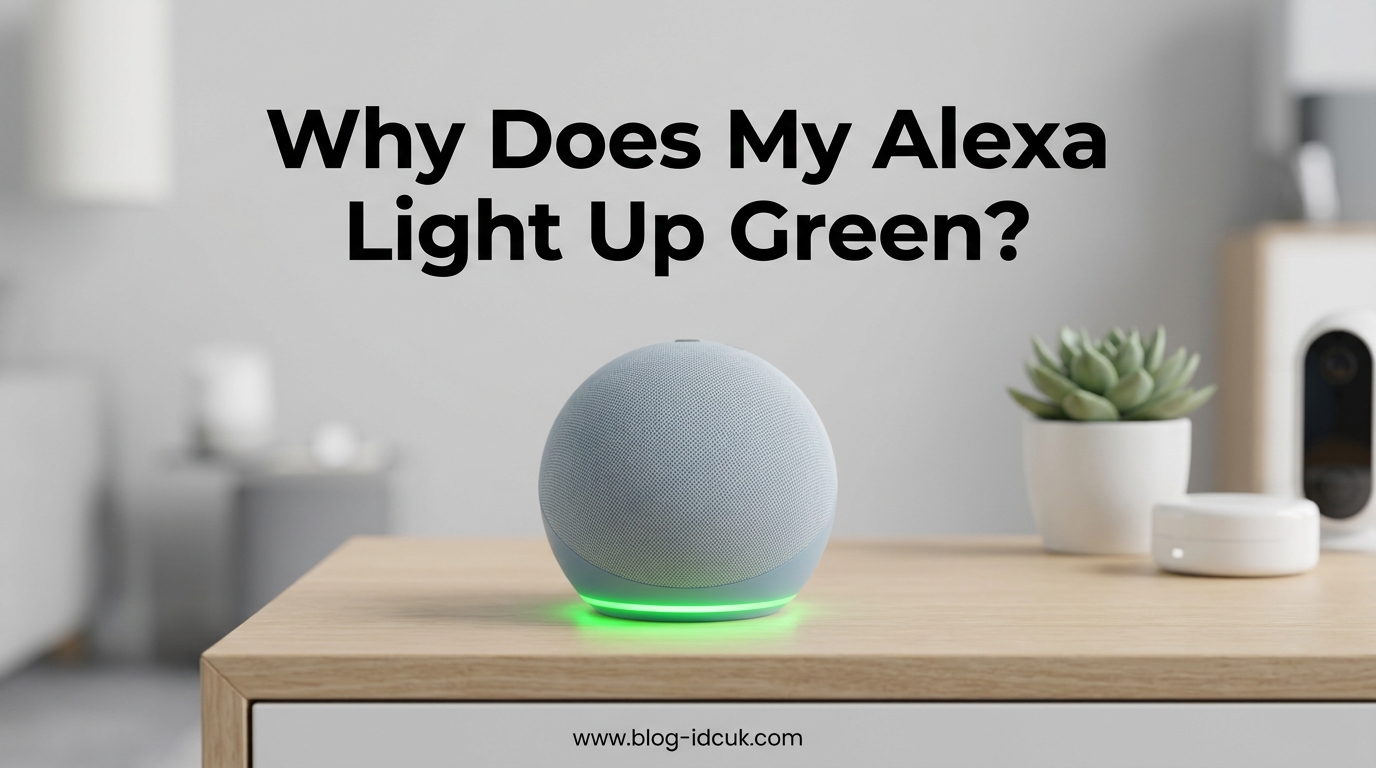
You glance across the room and your Amazon Echo is pulsing green. No one is calling. No one in your family pressed anything. The green ring just showed up on its own, and now you are wondering whether someone is listening, whether Alexa misheard you, or whether the device is broken.
If you have ever asked yourself why does my Alexa randomly light up green when no one is calling, you are far from alone. Thousands of Echo Dot, Echo Show, and full-size Echo owners report this exact scenario on Reddit, Amazon Forums, and Quora every month. I have dug through those threads, tested the fixes on my own Echo devices, and put together a clear guide that explains every cause and every fix.
By the end of this article you will understand exactly what each green light pattern means, why the green ring appears even when no one is calling, how to check whether Alexa misheard a command, how to stop the green light permanently, and how to tell with certainty that no one is secretly listening.
Table of Contents
What Does the Green Light on Alexa Mean?
The green light on your Alexa device always relates to communications, calls, or notifications. There are three distinct green light patterns, and each one means something different:
- Pulsing green light means you have an incoming call on your Echo device.
- Spinning green light means your device is on an active call or an active Drop In session.
- Solid green light means you have a notification or message waiting in the Alexa app.
That is the short answer. The rest of this article explains why these green lights sometimes appear with no obvious trigger and exactly what to do about each one.
Alexa Green Light Types: Pulsing, Spinning, and Solid Explained
Understanding the difference between pulsing, spinning, and solid green is the first step to figuring out what your Echo is trying to tell you. Each pattern has a specific cause and a specific fix.
Pulsing Green Light
A pulsing green light is the incoming call indicator. The ring pulses or flashes green when someone is calling your Echo device through Alexa calling, Alexa messaging, or the Drop In feature. The pulse is designed to get your attention so you can say “Alexa, answer” or “Alexa, ignore.”
If the light is pulsing and you did not expect a call, it could be that a household contact is trying to reach you, or that Alexa misheard a command and is now attempting to place a call on your behalf. I cover the misheard-command scenario in detail below, because it is one of the most common reasons Echo owners see a green ring with no obvious cause.
Spinning Green Light
A spinning green light means your Echo is actively connected to a call or a Drop In session. The ring spins clockwise while you are talking to someone, and it continues spinning until the call ends. According to multiple Reddit users, an anti-clockwise spinning green can also appear during certain Drop In states, though most users will only ever see clockwise motion.
If the green ring is spinning and you did not place a call, someone may have used Drop In on your device. This is the scenario that worries people the most, and it is also the one I address in the privacy section below.
Solid Green Light
A solid green light means you have a notification waiting. This could be an Amazon shopping notification, a message from an Alexa contact, or a reminder that Alexa thinks you should review. Saying “Alexa, what are my notifications?” usually clears a solid green light within seconds.
Several Reddit users confirmed that Amazon delivery notifications are a frequent cause of solid green. If you order from Amazon regularly, expect to see this pattern often.
Why Does My Alexa Randomly Light Up Green When No One Is Calling
This is the core question, and there are six common reasons why your Alexa randomly lights up green with no obvious call coming in.
1. Alexa Misheard a Command and Started a Call
This is the single most common reason for an unexpected green ring, and it is the one competitors cover the least. Alexa listens for its wake word and then attempts to interpret whatever follows. If the device mishears a phrase that sounds like “call” or “Drop In on” plus a contact name, it will attempt to place a call without you ever meaning to.
Reddit users describe this happening with phrases like “call mom” being misheard from background conversation, or Alexa picking up a name from a TV show and interpreting it as a calling command. You can verify whether this happened by checking your Alexa voice history in the Alexa app.
2. Someone Is Dropping In
If you have enabled the Drop In feature for household members or approved contacts, any of those people can connect to your Echo without you accepting the call first. The green ring will spin the moment they connect. If you live with family members who have Echo devices, one of them may have accidentally or intentionally dropped in.
You can check who dropped in by reviewing your recent communications activity in the Alexa app under the Communicate tab.
3. A Scheduled Routine Triggered a Communication
Alexa routines can include calling and messaging actions. If you have a routine set to call a contact at a certain time, or if a routine was created accidentally, it can trigger a green light on schedule. This is worth checking if the green ring appears at the same time every day.
4. Software or Firmware Update Completed
After a software update, some Echo devices display a green or green-and-blue ring as a notification that the update finished. Users on Amazon Forum and Reddit both report this behavior, especially after overnight firmware updates. The green light in this case is technically a notification indicator rather than a call indicator.
5. Amazon Delivery Notification
If you order from Amazon frequently, delivery and shipping notifications can trigger a solid green light. Multiple Reddit users confirmed that this was the cause of their mysterious green ring. Saying “Alexa, read my notifications” or dismissing the notification in the Alexa app clears the light.
6. Stuck Call State After Power Outage or Glitch
Power outages, network blips, and software glitches can leave your Echo stuck in a call state that never properly ended. The green ring keeps spinning because the device thinks a call is still active. This is the scenario that tends to last the longest, and one Reddit user reported the green ring persisting for three days until they fully reset the device.
Drop In vs Incoming Call: What’s the Difference?
People confuse Drop In and incoming calls constantly, so let me clarify the difference. Both can cause a green light, but they work very differently.
An incoming call works like a normal phone call. Someone rings your Echo, the green ring pulses, and you choose to answer or ignore. You have to say “Alexa, answer” or “Alexa, ignore” for the call to connect or disconnect.
Drop In is different. When a contact you have approved uses Drop In, they connect to your Echo instantly without you accepting anything. The green ring spins the moment they connect, and you can hear each other immediately. Drop In is designed for close family members, but it can be jarring if you forget you enabled it.
To check who has Drop In permission on your device, open the Alexa app, go to Devices, select your Echo, open Communications settings, and review the contacts listed under Drop In. Remove anyone you do not want connecting without warning.
Is Someone Listening? Privacy Check for Green Light
This is the question that causes the most anxiety, so let me answer it directly. A green light on your Alexa does not mean a stranger is listening to you. Green is specifically a communications indicator, not a microphone-active indicator.
The color that indicates Alexa is actively listening to you is blue. When the blue ring appears with a lighter cyan segment pointing in your direction, Alexa has heard its wake word and is processing your request. Green has nothing to do with active listening.
That said, a spinning green light can mean someone is connected to your Echo through Drop In. If you want to verify that no one has unauthorized access, follow these steps:
- Open the Alexa app and go to Communicate.
- Review recent calls and Drop In activity for any sessions you did not initiate.
- Go to Devices, select your Echo, open Communications, and review who has Drop In permission.
- Check your Alexa voice history under Settings to see if Alexa misheard a command and placed a call you did not intend.
- Change your Amazon password and enable two-step verification if you suspect any unauthorized access.
If none of those checks reveal anything unusual, your green light is almost certainly caused by a misheard command, a notification, or a software glitch, not by someone listening.
How to Stop the Green Light on Your Alexa
Here is the step-by-step process I use to stop a green light on any Echo device, ordered from quickest fix to most thorough.
Step 1: Say “Alexa, Hang Up”
If the green ring is spinning, say “Alexa, hang up” or “Alexa, end call.” This disconnects any active call or Drop In session. If the light was caused by a stuck call state, this clears it instantly.
Step 2: Say “Alexa, Ignore”
If the green ring is pulsing, say “Alexa, ignore” to dismiss the incoming call without answering. The light should stop pulsing within a few seconds.
Step 3: Say “Alexa, What Are My Notifications”
If the light is solid green, ask Alexa to read your notifications. Once you hear and dismiss the notification, the solid green light clears. You can also dismiss notifications in the Alexa app under the Communicate or Notifications tabs.
Step 4: Enable Do Not Disturb Mode
Do Not Disturb mode blocks incoming calls, messages, and notifications from triggering the green light. Say “Alexa, turn on Do Not Disturb” or enable it in the Alexa app. I cover the full app setup in the next section.
Step 5: Disable Drop In
If Drop In is the culprit, disable it entirely. Open the Alexa app, go to Devices, select your Echo, open Communications, tap Drop In, and select Off. This prevents anyone from connecting to your Echo without you accepting the call first.
Step 6: Disable Communications Entirely
For the most aggressive fix, disable the Communications feature altogether. In the Alexa app under your Echo device settings, turn off Communications. This removes calling, messaging, and Drop In from the device entirely. Many Reddit users confirmed this was the only fix that permanently stopped their green light problem.
Step 7: Restart the Echo
Unplug your Echo for 60 seconds and plug it back in. This clears stuck call states, software glitches, and lingering notification flags. If the green light returns immediately after restart, the cause is an active setting in your account rather than a device glitch.
How to Set Up Do Not Disturb Mode on Alexa
Do Not Disturb is the most effective tool for preventing the green light, especially overnight. Here is how to set it up through the Alexa app.
Open the Alexa app on your phone. Tap the Devices icon at the bottom. Select Echo and Alexa, then tap the specific Echo device you want to configure. Tap the gear icon for settings, scroll down, and tap Do Not Disturb. Toggle it on to block calls, messages, and notifications immediately.
For automatic overnight protection, use the Scheduled option within the same Do Not Disturb settings. Set a start time such as 10 PM and an end time such as 7 AM. During those hours, no calls, Drop Ins, or notifications will trigger the green ring. Alarms and timers still work during Do Not Disturb, so this is safe for bedroom Echo devices.
You can also enable Do Not Disturb by voice at any time by saying “Alexa, turn on Do Not Disturb” and turn it off by saying “Alexa, turn off Do Not Disturb.”
Green Light Won’t Go Away: Advanced Troubleshooting
If you have tried all the steps above and the green light still will not go away, you are dealing with a persistent issue. Forum users have documented the following escalation path.
Check Voice History for Misheard Commands
Open the Alexa app, go to More, then Activity, then Voice History. Review the timestamps when the green light appeared. Look for any entry where Alexa interpreted a sound as “call” or “Drop In” followed by a contact name. If you find a misheard command, that is your cause.
Deregister and Re-Set-Up the Device
Amazon Forum users reported success with deregistering the Echo from their Amazon account and setting it up again as a new device. Open the Alexa app, go to Devices, select the Echo, and look for the option to deregister. Once deregistered, run the setup process again. This clears stuck account states that a simple restart cannot fix.
Factory Reset the Echo
As a last resort, factory reset your Echo. The reset procedure varies by model. For most Echo Dot generations, hold the Action button and the Volume Down button simultaneously for about 20 seconds until the light ring turns off and on again. For the Echo Show, go to Settings, Device Options, and Reset to Factory Defaults.
Contact Amazon Support
If the green light persists after a factory reset, contact Amazon support. A stuck green ring that survives a reset may indicate a hardware or account-level issue that only Amazon can resolve. Amazon support can also check for any unusual account activity that might be triggering communications you did not initiate.
Why Does My Alexa Randomly Light Up at Night?
The nighttime green light issue is one that competitors barely address, but it comes up constantly in related searches. If your Echo lights up green in the middle of the night, the usual suspects are delivery notifications, software updates that install overnight, or a household member using Drop In from another room.
The most reliable fix is scheduled Do Not Disturb. Set it to cover your sleeping hours, and the green ring will not appear for calls, Drop Ins, or notifications during that window. If you use your Echo as an alarm clock, Do Not Disturb still allows alarms and timers to sound, so you will not oversleep.
For bedroom Echos specifically, also consider moving the device out of direct line of sight or using a small piece of tape to dim the LED ring. Neither of these stops the underlying cause, but both reduce the annoyance factor if the light wakes you up.
Other Alexa Light Colors and What They Mean
Green is not the only color your Echo can display. Here is a quick reference for the other common light ring colors so you can tell at a glance what your device is doing.
Blue light with a lighter cyan segment means Alexa heard the wake word and is listening. A spinning blue light means Alexa is processing your request. This is the color that actually indicates active listening.
Yellow light pulsing means you have a message, notification, or Amazon package delivery update. Say “Alexa, what did I miss” or “Alexa, read my messages” to clear it.
Red light means the microphone is muted and Alexa cannot hear you. Press the mic button on top of the Echo to unmute.
Orange light means the Echo is in setup mode or attempting to connect to Wi-Fi. A spinning orange ring during startup is normal.
Purple light indicates Do Not Disturb mode is active, or there is a Wi-Fi setup error during initial configuration.
White light shows when you are adjusting the volume, or when Alexa Guard is in Away mode and the device is monitoring for sounds like glass breaking or smoke alarms.
FAQs
Why is my Alexa randomly glowing green?
Your Alexa glows green when it receives an incoming call (pulsing green), connects to an active call or Drop In session (spinning green), or has a notification waiting (solid green). The most common reason for an unexpected green glow with no call is that Alexa misheard a command and tried to place a call on your behalf.
What color on Alexa means someone is listening?
Blue is the color that indicates someone, specifically Alexa, is listening. A blue ring with a lighter cyan segment pointing toward you means the wake word was detected and Alexa is actively processing your voice. Green does not mean someone is listening.
Why does Alexa light up for no reason?
Alexa usually lights up for a reason even when it is not obvious. Common causes include misheard wake words or commands, scheduled routines, approved contacts using Drop In, Amazon delivery notifications, completed software updates, and stuck call states after power outages. Check your voice history in the Alexa app to identify the trigger.
How do I know if someone is listening in on my Alexa?
Check your Alexa voice history and communications activity in the Alexa app under Activity and Communicate. Review who has Drop In permission under your device Communications settings. If no unusual activity appears, no one is listening. Change your Amazon password and enable two-step verification if you suspect unauthorized access.
Does a green light on Alexa mean someone is listening?
No, a green light does not mean someone is listening. Green specifically indicates communications activity such as calls, Drop In sessions, or notifications. The color that indicates active listening is blue. A spinning green light could mean an approved contact has connected via Drop In, but that only happens if you previously granted them permission.
What does the glowing green light mean on Alexa?
A glowing green light on Alexa means one of three things: a pulsing green ring signals an incoming call, a spinning green ring signals an active call or Drop In session in progress, and a solid green light signals a notification or message waiting in the Alexa app.
Why is Alexa flashing green but no call?
If Alexa is flashing green and no one is calling, the most likely cause is a misheard command that triggered a call attempt, a Drop In from an approved contact, a software update notification, or an Amazon delivery notification. Check your voice history and notifications in the Alexa app to identify the specific trigger.
Conclusion
The green light on your Alexa is almost never something to worry about. Pulsing means a call is coming in, spinning means a call or Drop In is active, and solid means a notification is waiting. The most common reason your Alexa randomly lights up green when no one is calling is a misheard command, and checking your voice history will usually confirm exactly what happened. Use Do Not Disturb overnight, audit your Drop In permissions, and you will rarely see an unexpected green ring again.