
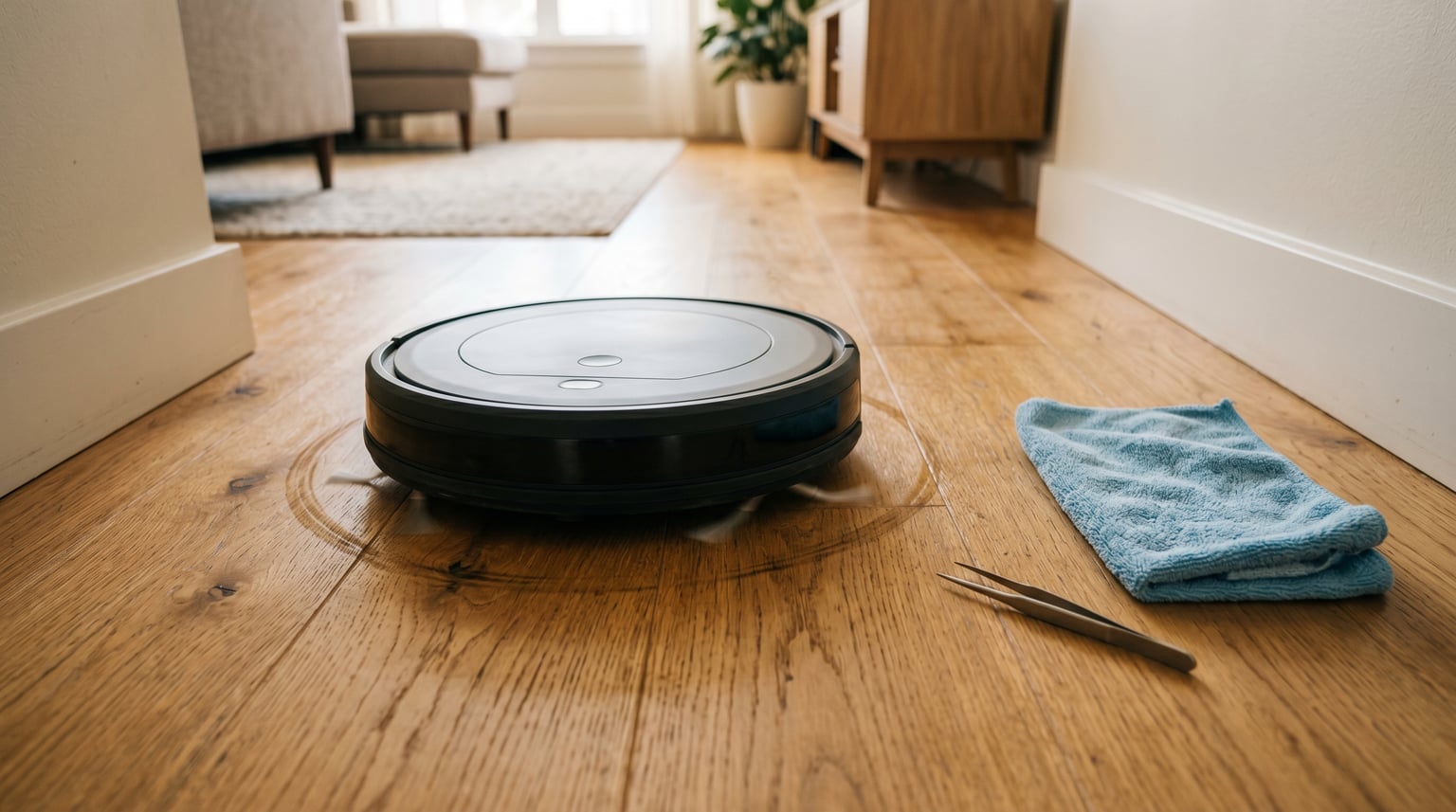
You set your robot vacuum to clean while you head out, expecting to come back to tidy floors. Instead, you find it spinning in the same spot, stuck against a chair leg, or hopelessly lost in a corner it has cleaned a hundred times before. Sound familiar?
A robot vacuum going in circles almost always comes down to three things: dirty or obstructed sensors, debris-jammed wheels, or outdated software causing navigation glitches. Most of the time, you can fix it yourself in under 30 minutes without spending a dime.
In this guide, our team walks through every common cause, a step-by-step fix for each one, brand-specific tips for Roomba, Roborock, Ecovacs, and Xiaomi owners, plus a maintenance routine that keeps your robot tracking straight for years.
Table of Contents
Why Does My Robot Vacuum Keep Going in Circles? Common Causes
Robot vacuums go in circles when their navigation sensors are dirty, wheels are jammed with debris, or software needs updating. When the vacuum cannot determine its correct position in a room, it compensates by spinning to try to reorient itself.
We have tested and troubleshot dozens of robot vacuum models over the years, and the causes below account for nearly every case we have seen. Let us break them down one by one.
Dirty or Obstructed Sensors
Dirty sensors are the single most common reason a robot vacuum starts spinning. Your robot relies on several types of sensors to understand its environment, and when any of them are blocked by dust, pet hair, or cleaning residue, the whole navigation system falls apart.
Cliff sensors sit on the underside of the vacuum and point downward to detect stairs and drop-offs. When dust accumulates over these infrared sensors, the vacuum falsely thinks it is constantly on the edge of a cliff. It backs up and spins repeatedly to find safe ground.
Bump sensors live behind the front bumper. If the bumper gets stuck in a pressed position from accumulated grime or a piece of debris, the vacuum thinks it is continuously hitting a wall. This causes endless backing up and turning.
A Dreame vacuum owner on Reddit discovered that even a thin film of dust on the carpet sensor window underneath the robot near the main brush could trigger false carpet detection and erratic movement. One wipe with a microfiber cloth solved it instantly.
Camera and LiDAR sensors on higher-end models can also cause issues. A smudged top-mounted camera or a dusty LiDAR turret means the robot cannot see where it is going, leading to confused, circular paths.
Wheel Problems: Debris, Hair Tangles, and Encoder Failures
Wheel issues are the second most frequent culprit behind a robot vacuum going in circles. Each drive wheel contains a small component called a wheel encoder that tells the vacuum how far and how fast each wheel is turning. If the encoders disagree because one wheel is jammed, the robot corrects by spinning.
Long hair and pet fur are the usual suspects. As hair wraps tightly around the wheel axle and the encoder wheel, it creates friction that slows one side down. The vacuum then drives in a constant curve or tight circle because one wheel spins faster than the other.
A Roomba owner on the r/roomba subreddit put it plainly: “It is because one of the wheel motors has too much hair wrapped around it.” They were right. After pulling out a wad of hair from the right wheel assembly, their Roomba went straight again.
The front caster wheel can also jam. This small omnidirectional wheel at the front of the robot picks up debris, string, and hair over time. When it seizes up, the robot drags it instead of rolling smoothly, which confuses the navigation algorithm.
Here is how to tell if your wheel encoder is failing: place the robot on a flat surface and manually spin each drive wheel. Both should rotate freely with equal resistance. If one feels stiff or gritty, you have found your problem.
Software and Firmware Glitches
Sometimes your robot vacuum is physically fine but the software is to blame. Robot vacuums are essentially small computers on wheels, and their firmware can develop bugs, especially after an update.
Many users report their robot worked flawlessly for years, then started spinning in circles right after a firmware update rolled out. This happens because new code can occasionally misinterpret sensor data or fail to calibrate the gyroscope correctly on certain hardware revisions.
A simple reboot fixes most temporary software glitches. A factory reset handles deeper issues. If the problem started immediately after an update, check the manufacturer’s community forums to see if other users with the same model are experiencing the same thing.
Outdated software can be just as problematic. Manufacturers release firmware patches that fix known navigation bugs, improve obstacle detection, and refine path planning. If you have been delaying updates, your robot may be running code with documented issues that have already been fixed.
Navigation System Failures
Modern robot vacuums use sophisticated navigation technologies, and when any component fails, the robot loses its sense of direction. Understanding how your specific model navigates helps you diagnose problems faster.
LiDAR-based robots (like most Roborock and some Ecovacs models) spin a laser turret on top to map your home. If the turret is obstructed, spinning too slowly, or making a grinding noise, the robot cannot build or follow a map.
dToF sensors (used in newer Ecovacs DEEBOT models) work similarly to LiDAR but use time-of-flight technology. These are generally more reliable but can still be affected by internal hardware failures.
Gyroscope and accelerometer calibration issues cause the robot to think it is turning when it is going straight, or vice versa. If your robot drifts to one side or curves constantly even on clean floors, a recalibration is likely needed.
Budget models with infrared-only navigation use a bounce-and-turn approach. These robots naturally move in more random patterns, but excessive spinning still indicates a sensor or wheel problem rather than normal behavior.
Physical Obstacles and Flooring Issues
Sometimes the robot is working correctly but the environment is the problem. Certain flooring types and obstacles can confuse even a perfectly maintained robot vacuum.
Dark or black floors absorb the infrared light from cliff sensors. The robot interprets this as a cliff and refuses to cross, often spinning in place at the boundary between light and dark flooring. This is a known issue with Roomba, Shark, and Eufy models.
High-pile carpet can create enough drag to slow one wheel slightly, which over time causes curved paths. Some robots also struggle to transition between hard floors and thick carpet, getting stuck on the lip and spinning their wheels.
Cluttered rooms with many chair legs, cables, and loose items force the robot into constant obstacle avoidance mode. While this is not technically a malfunction, it looks like erratic behavior and can cause the robot to lose its mapped position.
Reflective surfaces like glass doors, mirrors, and glossy tile can confuse LiDAR and camera-based navigation systems. The laser reflects off the surface at an unexpected angle, making the robot think there is open space where a wall actually exists.
How to Fix a Robot Vacuum Going in Circles: Step-by-Step
Fixing a robot vacuum that keeps going in circles is usually straightforward. Work through these five steps in order, testing the robot after each one to see if the problem is resolved.
Step 1: Clean All Sensors Thoroughly
Start with the sensors because they are the most common cause and the easiest to fix.
Flip your robot vacuum over. Use a clean, dry microfiber cloth to wipe every sensor on the underside. Pay special attention to the cliff sensors, which are small glass or plastic windows arranged along the front edge of the bottom plate.
Press the front bumper in and out several times to make sure it springs back freely. If it feels sticky, run a slightly damp cloth along the gap between the bumper and the body to remove built-up grime.
For robots with a top-mounted camera or LiDAR turret, gently wipe the lens with a microfiber cloth. If your robot has a LiDAR turret, make sure it spins freely when you lightly flick it with your finger.
One Xiaomi owner on Reddit shared this simple advice: “Give it a proper clean, and see if everything rotates correctly.” This single step fixes the majority of circular navigation issues.
Step 2: Check and Clean Both Drive Wheels
Remove each drive wheel and clear out any hair or debris wrapped around the axle. Most robot vacuums have pop-out drive wheels that you can pull straight out with moderate force. Check your manual if you are unsure.
Once the wheels are out, use tweezers to pull hair from the axle and the small encoder wheel inside the wheel housing. The encoder is a small disc with slots or markings that tells the robot how far the wheel has turned. Clean it carefully.
Check the front caster wheel too. Pull it straight out of its housing and remove any string, hair, or dust bunnies wrapped around the pin. Spin the wheel in your hand to confirm it rotates freely before reinserting it.
Reinstall both drive wheels and push them firmly until they click into place. A wheel that is not fully seated will cause the same navigation problems as a dirty one.
Step 3: Reset the Navigation System
If cleaning did not fix the problem, a system reset clears corrupted navigation data and forces the robot to start fresh.
For most robots, a soft reset involves holding the clean button (or home and spot buttons together on older models) for 10 to 20 seconds until you hear a tone. This restarts the firmware without deleting your maps or settings.
If the soft reset does not work, try a factory reset through the companion app. This erases saved maps and Wi-Fi settings, so you will need to set the robot up again. However, it also clears any corrupted data that might be causing navigation issues.
After a factory reset, let the robot run a full mapping cycle before expecting perfect navigation. It needs time to relearn your home’s layout.
Step 4: Update Firmware to the Latest Version
Check for firmware updates in your robot’s companion app. Most major brands release updates every few months that fix bugs and improve navigation.
If your robot started spinning after a recent update, the update itself may be the problem. Check the manufacturer’s community forums and Reddit communities for your brand. If many users report the same issue after an update, a patch is usually on the way.
In the meantime, some brands allow you to roll back to the previous firmware version through customer support. iRobot, Roborock, and Ecovacs all have this option if you contact them directly.
Keep your robot connected to Wi-Fi at all times so it can download updates automatically during its charging downtime.
Step 5: Rule Out Environmental Factors
If the robot still spins after cleaning, resetting, and updating, look at the environment.
Test the robot in a different room or on a different floor type. If it navigates fine in one area but spins in another, the flooring or lighting in that room is likely the cause. Dark floors triggering cliff sensors is the most common environmental issue.
Clear cables, loose clothing, and small objects from the floor. These items confuse the obstacle detection system and can physically jam the wheels if sucked up.
If you recently rearranged furniture, the robot’s saved map may no longer match reality. Run a new mapping cycle so the robot can update its internal floor plan.
Brand-Specific Troubleshooting Notes
Different brands have their own quirks when it comes to navigation issues. Here is what our team has learned from testing and community research across the most popular brands.
iRobot Roomba
Roombas are prone to bumper sensor sticking, especially on models with the older infrared bumper design. If your Roomba goes in circles or backs up repeatedly, press the bumper firmly on each side and listen for a click. If one side does not click, debris is blocking the bumper switch.
Compressed air blown into the bumper gap can dislodge trapped dust. For stubborn cases, removing the front bumper cover (four screws on most models) gives you access to the bumper switches for a thorough clean.
Roombas with Dirt Detect technology sometimes circle a spot repeatedly because they detect concentrated dirt. This is actually normal behavior, not a malfunction. The robot will move on once the dirt is picked up.
Roborock
Roborock models rely heavily on the LiDAR turret for navigation. If your Roborock is going in circles, check that the turret spins smoothly and quietly. A grinding or clicking sound from the turret means the motor is failing and needs replacement.
Roborock owners on Reddit also recommend checking that both drive wheels are clean. As one user noted: “Are the wheels clean? Like nothing tangled around and preventing movement. Also check if all your sensors are clean and clear.”
For mapping issues after furniture changes, use the Roborock app to edit your saved map rather than starting from scratch. This saves time and preserves your no-go zones and room labels.
Ecovacs Deebot
Ecovacs DEEBOT models with TrueMapping technology use dToF sensors for navigation. These are generally reliable, but the small sensor windows on the bottom can accumulate a film of cleaning solution residue that causes false readings.
If your DEEBOT started acting up after you mopped the floors, moisture on the carpet sensor window is likely the cause. Let the floors dry completely before sending the robot out.
Ecovacs also recommends recalibrating the gyroscope through the app if your DEEBOT drifts to one side. The calibration routine takes about two minutes and should be done on a flat, open surface.
Xiaomi and Dreame
Xiaomi and Dreame robot vacuums share similar internals and often experience the same issues. Wheel encoder failures are the most common cause of circular navigation on these brands.
Both brands offer a diagnostic mode accessible through the Mi Home or Dreame app. This mode lets you test each sensor individually and view real-time data from the wheel encoders. If one encoder reports zero movement while the wheel spins, the encoder sensor needs replacement.
Dreame users should pay special attention to the carpet sensor window underneath the robot. As one Dreame owner found, even a thin film of dust or floor cleaner residue can cause false carpet detection after a firmware update, leading to erratic behavior.
How to Prevent Your Robot Vacuum From Going in Circles
Preventing navigation issues is far easier than fixing them. A simple weekly maintenance routine keeps sensors clear and wheels spinning freely. Our team recommends the following schedule based on months of testing.
Weekly: Empty the dustbin, clean the main brush roller, and wipe all cliff sensors with a dry microfiber cloth. Check the front caster wheel for tangled hair.
Monthly: Remove both drive wheels and clean the axles and encoder discs. Use compressed air to blow dust out of the wheel housings. Clean the main brush bearings and check the side brushes for wear.
Quarterly: Deep clean the front bumper by removing the cover and wiping the bumper switches. Check the LiDAR turret or camera lens for scratches or haze. Replace the HEPA filter and side brushes if they show wear.
Always: Keep the robot connected to Wi-Fi for automatic firmware updates. Run the robot at least twice a week to prevent sensor buildup from standing idle.
When to Repair vs Replace Your Robot Vacuum
Not every robot vacuum problem is worth fixing. If you have cleaned everything, updated firmware, and reset the system but the robot still spins, you may have a hardware failure.
Worth repairing: A single failed wheel encoder, a worn-out bumper switch, or a sticky LiDAR motor. These parts typically cost between 15 and 40 dollars and can be replaced at home with basic tools. YouTube tutorials exist for nearly every major model.
Consider replacing: Multiple simultaneous failures, a cracked main board, or a robot that is more than four years old with significant wear on multiple components. At this point, newer models offer dramatically better navigation for a reasonable price.
The average lifespan of a robot vacuum is three to five years with regular maintenance. If yours is approaching that range and repairs cost more than half the price of a new unit, upgrading is usually the smarter long-term choice.
FAQs
Why is my robot vacuum going in circles?
Your robot vacuum is going in circles because of dirty or obstructed sensors, debris jammed in the drive wheels, or outdated software. Clean all sensors with a dry microfiber cloth, remove hair from the wheel axles, and check for firmware updates in the companion app. These three steps fix the problem in about 90% of cases.
What is the average lifespan of a robot vacuum?
The average lifespan of a robot vacuum is three to five years with regular maintenance. Battery replacement may be needed after 18 to 24 months. With diligent cleaning of sensors and wheels, many quality models from iRobot, Roborock, and Ecovacs last five years or more.
Why do robot vacuums move randomly?
Robot vacuums move randomly when their navigation system cannot build or follow a map. This happens with budget models that use infrared-only navigation, or when LiDAR, camera, or gyroscope sensors fail on higher-end models. Random movement can also occur on very dark floors that absorb cliff sensor signals.
Why does my Roomba keep bumping into things?
Your Roomba keeps bumping into things because the front bumper sensor is stuck or dirty. Press the bumper on both sides and listen for a click. If one side does not click, clean the bumper gap with compressed air or remove the bumper cover to access the switches directly. A firmware update can also improve obstacle detection on newer models.
Conclusion
A robot vacuum going in circles is frustrating but rarely means your device is broken. In our experience, dirty sensors and hair-jammed wheels account for the vast majority of cases, and both are fixable at home with a microfiber cloth and some tweezers.
Work through the five-step troubleshooting guide above, follow the weekly maintenance routine, and your robot vacuum should be tracking straight and cleaning efficiently again. Understanding why your robot vacuum keeps going in circles puts you back in control and saves you from an unnecessary replacement.
If you have tried every step and the robot still spins, check whether it is still under warranty. Most manufacturers cover navigation hardware failures for one to two years from the purchase date.