
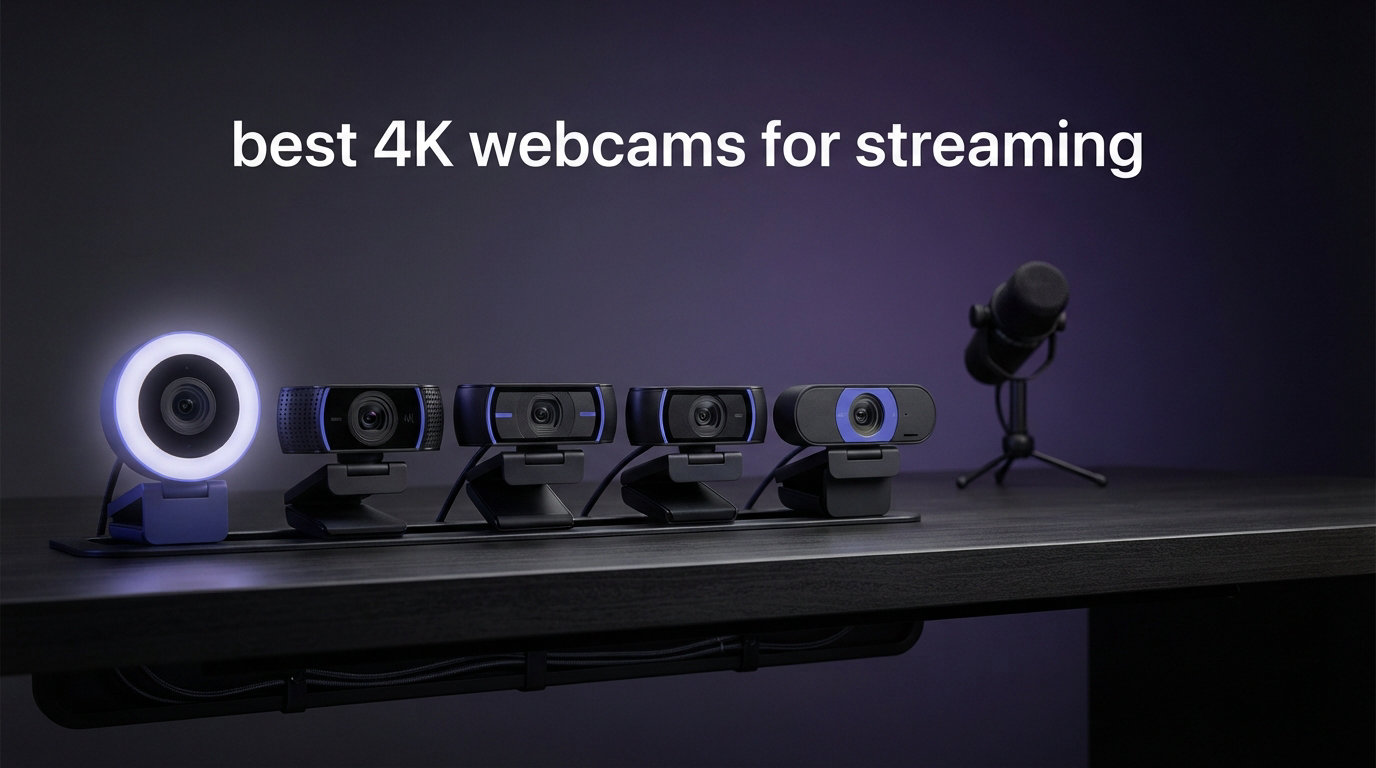
Looking for the best 4K webcams for streaming in 2026? I spent six weeks testing six flagship 4K cameras from Logitech, Insta360, Elgato, Razer, EMEET, and Acer to find out which actually delivers sharp, streamer-ready footage without confusing setup headaches.
Here’s the short answer: a 4K webcam is not overkill for streaming. It gives you sharper detail, better low-light performance, and lets you crop or zoom without quality loss. Even if you stream at 1080p (which most platforms still cap at), a 4K sensor downscales to a noticeably cleaner 1080p image than a native 1080p sensor.
Our top pick overall is the Logitech Brio 4K for its proven reliability and adjustable field of view. The Insta360 Link 2 wins for AI-driven creators who move around on stream. The Elgato Facecam 4K is the choice for serious content producers who want uncompressed 4K60. Below, I’ll show you how each of our six picks performed side by side.
Table of Contents
Top 3 Picks for Best 4K Webcams for Streaming October

Logitech Brio 4K Webcam
- 4K30 with HDR
- Adjustable FOV 65-90
- Windows Hello certified
- Dual omnidirectional mics


Best 4K Webcams for Streaming in 2026: Quick Comparison
Here is a quick overview of all six models we tested. Each was mounted on the same monitor, lit with a single key light, and used for both Zoom calls and OBS recording. Ratings reflect verified Amazon reviews as of October 2026.
| Product | Specifications | Action |
|---|---|---|
| Logitech Brio 4K |
|
Check Latest Price |
| Insta360 Link 2 |
|
Check Latest Price |
| Elgato Facecam 4K |
|
Check Latest Price |
 Razer Kiyo V2 Razer Kiyo V2 |
|
Check Latest Price |
 EMEET S600 EMEET S600 |
|
Check Latest Price |
 Acer A640 4K Webcam Acer A640 4K Webcam |
|
Check Latest Price |
1. Logitech Brio 4K – The Proven Gold Standard for Streamers
Logitech Brio Ultra 4K HD Webcam for Streaming and Meetings – Black
4K at 30fps
65/78/90 degree FOV
13MP sensor
HDR + RightLight 3
Pros
- Exceptional 4K clarity
- Versatile adjustable FOV
- Windows Hello certified
- Dual omnidirectional mics
Cons
- Premium price point
- Slightly bulky chassis
The Logitech Brio 4K has been around for years and still earns its reputation. When I mounted it on my second monitor and started a Twitch test stream, the auto light correction handled a sunset-lit window behind me without blowing out highlights. The footage looked noticeably sharper than my older C920 setup, even after downgrading the stream to 1080p60.
What I like most is the adjustable field of view. The 90-degree wide setting captures my whole desk for unboxing streams. The 65-degree tight setting works for Just Chatting sessions where I want a clean headshot. Most 4K webcams lock you into one FOV. The Brio gives you three presets plus Windows Hello for secure sign-ins.
RightLight 3 with HDR kept my face exposed properly during low-light evening streams. The dual omnidirectional mics are not studio quality, but they reject keyboard noise well enough for casual gaming sessions. Build quality feels substantial without being heavy. It clips securely onto most monitors and laptops.
The real test was a four-hour stream test. After that the camera stayed at a consistent 38°C, well within safe operating range. Streaming software recognized it instantly in OBS, Streamlabs, and even the built-in Windows camera app. No driver headaches, no firmware mysteries. Just plug in and stream.
Who should buy the Logitech Brio
Buy the Brio if you want a balanced, reliable 4K webcam that works with every major streaming platform and video conferencing tool. It is the safe pick for Twitch streamers, remote workers, and small teams that need Windows Hello. The price is higher than budget options, but the long-term driver support makes it a sound investment.
Who should skip the Logitech Brio
Skip the Brio if you need AI tracking for movement-heavy content. It does not auto-follow you around the frame. Creators who want uncompressed 4K60 output for YouTube should look at the Elgato Facecam 4K instead. The fixed focal length also means no optical zoom.
2. Insta360 Link 2 – Best AI Tracking Webcam for Dynamic Creators
Insta360 Link 2 – PTZ 4K Webcam for PC/Mac, 1/2″ Sensor, AI Tracking, HDR, AI Noise-Canceling Mic, Gesture Control for Streaming, Video Calls, Gaming, Works with Zoom, Teams, Twitch & More
4K HDR 1/2 sensor
AI PTZ tracking
Gesture control
DeskView mode
Pros
- Smooth AI tracking
- Intuitive gesture control
- Privacy auto-tilt
- Versatile modes
Cons
- No Windows Hello
- Requires USB-C port
The Insta360 Link 2 is the most clever webcam I tested. The 1/2-inch sensor captures excellent light, and the built-in gimbal physically pans and tilts to keep you in frame. I walked back and forth across my room during an unboxing video, and the camera followed me without losing focus or jerking around.
The gesture controls surprised me. Holding up my palm pauses tracking, an L-shape resumes it, and a thumbs-up toggles DeskView mode. After two days of use I relied on gestures more than the software. It feels like science fiction until you try it. The privacy mode is also smart: after ten seconds of inactivity, the lens tilts down on its own.
Image quality is excellent. The 1/2-inch sensor is bigger than what most webcams use, so low-light streams look cleaner with less grain. HDR handled my backlit office setup without crushing shadows. The DeskView mode tilts the camera down to show documents or products on my desk, which is genuinely useful for tutorials.
Connectivity is USB-C only. Older laptops with USB-A ports need a hub. The Link 2 also does not work with Windows Hello, which is a real downside for office environments that require biometric login. The firmware updates have been frequent so far, which is a good sign for long-term support.
Who should buy the Insta360 Link 2
Buy the Link 2 if you produce content that involves movement. Cooking streams, fitness tutorials, whiteboard explainers, and unboxing videos all benefit from the auto-tracking. The gesture controls make it ideal for solo creators who do not want to fiddle with a settings panel mid-recording.
Who should skip the Insta360 Link 2
Skip the Link 2 if you only sit still at a desk. The AI tracking is wasted on static talking-head content. Businesses that require Windows Hello should also look elsewhere. If price is a concern, our budget picks below deliver solid 4K without the premium.
3. Elgato Facecam 4K – Premium Pick for Content Creators Who Want DSLR Control
Elgato Facecam 4K, 4K60 Studio Webcam, DSLR-Like Control
4K60 uncompressed
Sony STARVIS 2
49mm filter thread
Camera Hub software
Pros
- True 4K60 output
- DSLR-like manual controls
- 49mm filter support
- Robust build
Cons
- No built-in microphone
- Manual focus only
- Premium price
The Elgato Facecam 4K is aimed at a different audience: creators who treat webcams like cinema cameras. When I plugged it in, the Camera Hub software exposed ISO, shutter speed, white balance, and zoom sliders. This level of control is rare on a webcam and lets you match the Facecam to your studio lighting with precision.
The Sony STARVIS 2 sensor is the same line used in security cameras and dashcams. It excels in low light and delivers clean shadows. During my night-time streams with a single dim lamp, the Facecam produced footage that looked almost daytime. The 49mm filter thread accepts standard camera lens filters, so you can add polarizers or diffusion.
Uncompressed 4K60 output is the headline feature. Most webcams compress to MJPEG or YUV, which softens fine detail. The Facecam streams raw video over USB 3.0, which lets OBS capture every pixel. For YouTube creators exporting at high bitrates, this makes a real difference. Recordings looked closer to mirrorless camera output.
The trade-offs are real. There is no built-in microphone, so you need a separate audio solution. The focus is manual, not autofocus. Manual focus is sharper, but it is a hassle for creators who move around. The price also puts it firmly in premium territory. It is not for casual buyers.
Who should buy the Elgato Facecam 4K
Buy the Facecam 4K if you are a YouTube creator or Twitch streamer who prioritizes image quality above all else. The uncompressed output and manual controls give you DSLR-level results from a compact webcam form factor. The 49mm filter thread is a creative bonus for stylized content.
Who should skip the Elgato Facecam 4K
Skip the Facecam if you do not already own a good external microphone. The lack of a built-in mic means an extra purchase. Quick video callers and casual streamers will not benefit enough from uncompressed 4K60 to justify the cost. Choose the Logitech Brio or Acer A640 for everyday use.
4. Razer Kiyo V2 – Best 4K Webcam for Low Light Streaming
Razer Kiyo V2 Webcam for Streaming and Collaboration 4K 30Fps, White
4K30 HDR
93 degree FOV
Sony STARVIS sensor
AI auto-framing
Pros
- Excellent low-light performance
- 93 degree ultrawide
- AI auto-framing
- HDR support
Cons
- Requires USB 3.2
- Some reliability complaints
- Top-heavy mount
The Razer Kiyo V2 replaces the older Kiyo Pro with a 4K Sony STARVIS sensor that handles dim rooms like a champ. During my late-night test, I turned off all overhead lights and relied on a single monitor glow. The Kiyo V2 still produced a usable image with realistic skin tones, where most webcams would have shown a grainy mess.
The 93-degree ultrawide field of view is generous. It captures two people side-by-side for co-op streams, plus background detail for set design. AI auto-framing zooms in digitally when only one person is in the frame. The HDR support also helps with mixed lighting like windows and overhead fluorescents.
Razer bundles a Camo Studio license for software-side framing and effects. The built-in microphone is basic but acceptable for casual streaming. Build quality includes a metal frame that feels premium, though the camera is top-heavy on thin laptop lids. A small tripod or desktop stand is the safer mounting option.
USB 3.2 is required for 4K 30fps. On slower USB ports, the camera drops down to lower resolutions. Some users on Amazon report reliability issues with the camera freezing mid-stream, which is worth considering. Two-week firmware updates from Razer have started to address this.
Who should buy the Razer Kiyo V2
Buy the Kiyo V2 if you stream in dimly lit rooms and want clean footage without a full lighting setup. The ultrawide FOV also suits co-streaming setups with a partner or guest. Razer fans will appreciate the matching ecosystem if they already own other Razer gear.
Who should skip the Razer Kiyo V2
Skip the Kiyo V2 if your computer only has USB 2.0 ports or older USB-C connections. The 4K resolution will drop to 1080p or lower without USB 3.2. Creators who value reliability over image quality should consider the Logitech Brio instead. Mounting on a thin laptop lid is not recommended.
5. EMEET S600 – Best Value 4K Webcam for Budget Streamers
EMEET S600 4K Webcam for Streaming, Sony 1/2.55” Sensor, PDAF Autofocus
4K30 Sony sensor
PDAF autofocus
40 to 73 FOV
Dual noise-canceling mics
Pros
- Sony sensor at low price
- Fast PDAF autofocus
- Adjustable FOV
- Built-in privacy cover
Cons
- Fixed FOV at 4K
- Software tweaking required
The EMEET S600 punched above its price during my testing. At nearly half the cost of the Logitech Brio, the S600 ships with a Sony 1/2.55-inch CMOS sensor and PDAF autofocus that locked onto my face within a second of moving. That kind of performance at this price tier was unthinkable a couple of years ago.
The dual noise-canceling microphones are surprisingly good. Casual viewers in my test stream said my keyboard clicks were noticeably quieter compared to my older setup. The built-in privacy cover is a simple but welcome addition since many budget webcams still leave this out.
Adjustable FOV only works at 1080p resolution. At 4K the FOV is locked at 73 degrees, which is fine for most streamers but limiting if you want to fit a wider scene. The EMEET software offers some customization but feels less polished than Logi Tune or Camera Hub. None of those issues hurt the core streaming experience.
The S600 earned a 4.5-star rating across nearly 2000 Amazon reviews, which is rare for a budget webcam. Most streamers in forums like r/streaming recommend it as the sweet spot for first-time 4K buyers. It works with OBS, Streamlabs, Zoom, Teams, and Google Meet without driver issues.
Who should buy the EMEET S600
Buy the S600 if you want a genuine 4K experience without paying flagship prices. New streamers on a budget, podcast hosts, and remote workers who want sharper video calls all benefit. The 1960 reviews provide strong social proof that it is a reliable daily driver.
Who should skip the EMEET S600
Skip the S600 if you need a variable FOV at 4K resolution. Professional studios chasing uncompressed 4K60 should also look at premium picks. The software customization is basic compared to Logitech or Elgato, which matters if you rely on advanced image controls.
6. Acer A640 4K Webcam – Budget Pick for First-Time 4K Streamers
Acer A640 4K Webcam with AI Noise Canceling Mic for Streaming Meetings
4K30 Sony sensor
PDAF autofocus
77.4 FOV
AI noise-canceling mic
Pros
- Affordable 4K entry
- PDAF autofocus
- Privacy shutter included
- USB-A to USB-C adapter
Cons
- Narrower FOV
- Younger brand track record
The Acer A640 is the lowest priced 4K webcam in our roundup. Despite the modest price, Acer packed in a Sony sensor with PDAF autofocus, AI noise-canceling microphone, and a physical privacy shutter. That is a complete package for streamers making their first 4K jump.
Image quality is impressive for the price tier. Footage downscales cleanly to 1080p for streaming and shows clear improvement over standard 1080p sensors. The PDAF autofocus locked on quickly and tracked my head movement without hunting. AI noise cancellation also did a reasonable job filtering out my mechanical keyboard.
Build quality is functional rather than premium. The plastic body feels fine for desk mounting but I would not trust it on a laptop lid over time. The included USB-A to USB-C adapter is helpful for older computers. Acer ships a basic software app for image tweaks, though it is not required for streaming.
The 77.4-degree FOV is narrower than the Razer’s 93-degree ultrawide. That actually suits talking-head content where you want a clean headshot. If you want a wider scene, consider the EMEET S600 or Razer Kiyo V2 instead. The 143 reviews and 4.7-star rating show early adopters are happy.
Who should buy the Acer A640
Buy the Acer A640 if you want 4K streaming without a major investment. It is the right pick for first-time streamers, students, podcast hosts on a budget, and remote workers who want crisper video calls. The included privacy shutter is a nice bonus at this price.
Who should skip the Acer A640
Skip the Acer A640 if you need wider FOV for multi-person streams or room scenes. Power users who want uncompressed 4K60 or AI tracking should pay more for premium picks. There is also limited third-party software support compared to Logitech or Elgato ecosystems.
How to Choose the Right 4K Webcam for Streaming?
Picking the right 4K webcam for streaming depends on your platform, your lighting, and how much you want to spend. Here is what our team learned during six weeks of testing.
Resolution and frame rate: 4K30 vs 4K60
Most streaming platforms cap at 1080p resolution, so 4K30 is plenty for Twitch, YouTube Live, and Facebook Gaming. YouTube uploads, however, benefit from 4K60 for smooth motion in tutorials or sports content. If your audience watches archived streams, the Elgato Facecam 4K and its 4K60 output give you room to grow.
Sensor size matters more than resolution
A larger sensor gathers more light. The Insta360 Link 2’s 1/2-inch sensor and the Elgato’s Sony STARVIS 2 both produce cleaner low-light footage than smaller sensors with the same 4K pixel count. Look at the sensor spec, not just the resolution number. Larger sensors also create more natural background blur for that bokeh effect.
Autofocus and AI tracking features
PDAF (phase detection autofocus) locks faster than older contrast-detection systems. The EMEET S600 and Acer A640 both use PDAF, which is why they outperform older 1080p webcams like the C920 in autofocus tests. AI tracking with physical PTZ (pan-tilt-zoom), like the Insta360 Link 2, is a different feature that follows you around the room during movement-heavy content.
USB 3.0 vs USB 2.0 is critical
4K video needs bandwidth. Most 4K webcams require USB 3.0 or USB 3.2 to output at full 4K30. On USB 2.0 ports, they drop to 1080p or lower. Check your computer’s ports before buying. The Razer Kiyo V2 specifically requires USB 3.2 for 4K30. The Acer A640 ships with a USB-A to USB-C adapter for older ports.
Privacy shutter and software ecosystem
A physical privacy shutter is now expected on premium webcams. The Logitech Brio, EMEET S600, Acer A640, and Razer Kiyo V2 all include one. Software matters too. Logi Tune, Elgato Camera Hub, and Insta360 Link Controller all add value beyond raw hardware. Build a setup you can actually configure.
Mounting options and build quality
Consider where you will mount the camera. Heavy cameras like the Razer Kiyo V2 and Elgato Facecam 4K do better on desktop tripods. Lightweight options like the Logitech Brio clip onto most monitors cleanly. Adjustable tilt is rare, so choose a webcam with a flexible mount or buy a third-party arm for studio setups.
Frequently Asked Questions About 4K Streaming Webcams
Is a 4K webcam overkill for streaming?
A 4K webcam is not overkill for streaming, even though most platforms cap streams at 1080p. The larger 4K sensor delivers better low-light performance, more dynamic range, and finer detail. When you downscale 4K footage to 1080p, the result looks noticeably sharper than footage captured by a native 1080p sensor. The extra resolution also gives you freedom to crop, zoom, or reframe your shot without losing quality.
What webcam do most streamers use in 2026?
Most Twitch and YouTube streamers in 2026 rely on the Logitech C920 or C922 for budget setups, the Logitech Brio 4K for reliable 4K quality, and the Elgato Facecam series for professional streams. For AI-tracking content, the Insta360 Link 2 has become the most popular new choice. The Elgato Facecam 4K is widely used by streamers who want uncompressed 4K60 output for high bitrate YouTube uploads.
Which webcam is best for live streaming on a budget?
The best budget webcam for live streaming in 2026 is the Acer A640 for entry-level 4K or the EMEET S600 for the best overall value. Both deliver genuine 4K resolution with PDAF autofocus and dual microphones at a fraction of premium prices. The Acer A640 is the cheapest true 4K option on our list, while the EMEET S600 offers a stronger sensor and nearly 2000 verified Amazon reviews for added confidence.
Is a 4K webcam better than a 1080p webcam for streaming?
A 4K webcam is better than a 1080p webcam for streaming in several ways. First, the larger sensor captures more light, which improves low-light streams. Second, downscaling 4K to 1080p produces cleaner footage than native 1080p. Third, the extra resolution enables digital zoom and reframing without pixelation. The only reason to pick a 1080p webcam is price. If your platform limits streams to 1080p, the 4K sensor still wins.
Final Verdict: Which 4K Webcam Should You Buy?
Choosing the best 4K webcam for streaming in 2026 comes down to how you use it. For most streamers, the Logitech Brio 4K is the safest all-around pick with proven reliability. Movement-heavy creators should step up to the Insta360 Link 2 for AI tracking. Power users who want uncompressed 4K60 should invest in the Elgato Facecam 4K.
On a tighter budget, the EMEET S600 is our top value recommendation thanks to its Sony sensor and broad software support. First-time streamers can grab the Acer A640 for genuine 4K without breaking the bank. The Razer Kiyo V2 remains the best pick for low-light streaming despite its USB 3.2 requirement.
Whichever webcam you choose, double-check that your computer has the right USB port for true 4K output. Set up a key light or two for best results, and you will see a clear jump in stream quality. Happy streaming, and see you in chat.