
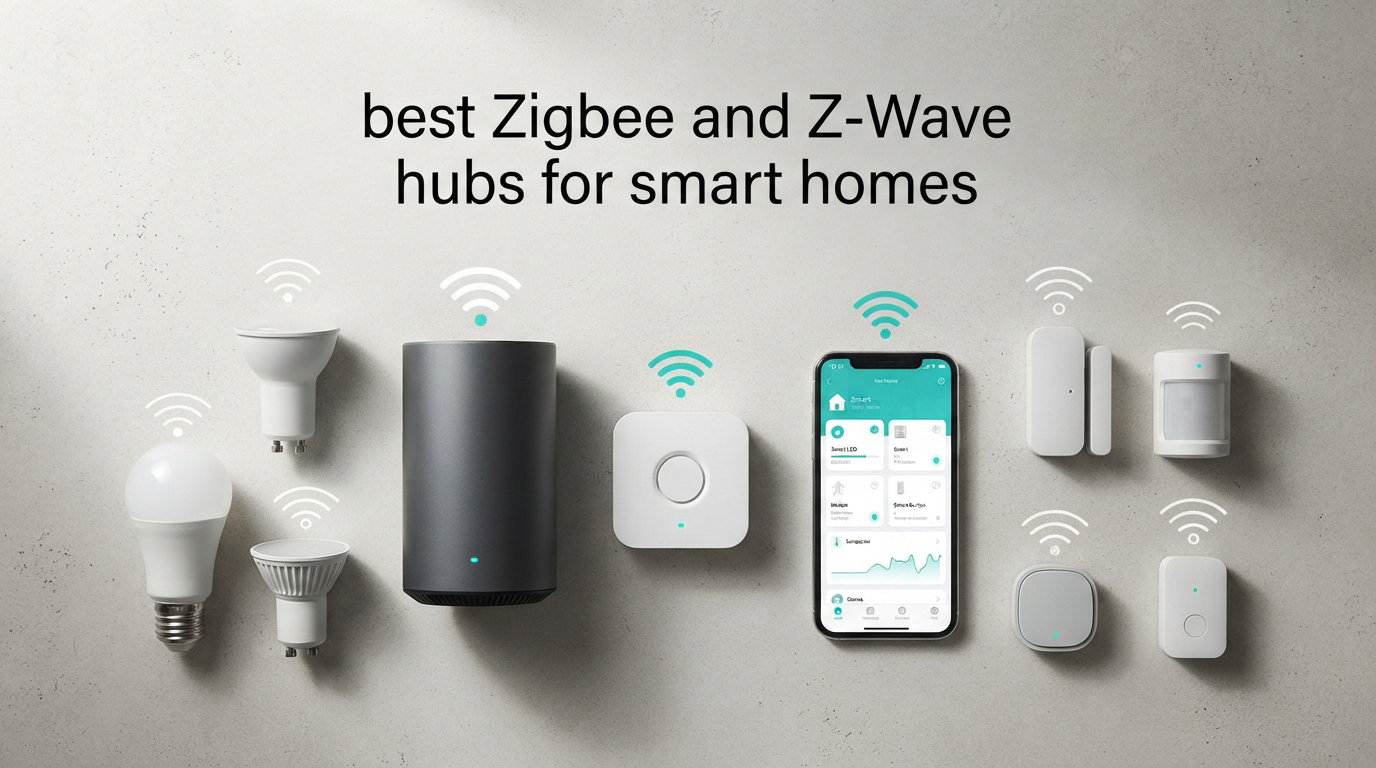
Building a reliable smart home taught our team one lesson fast: Wi-Fi alone is not enough. When you push past 20 or 30 connected devices, your router starts gasping for air, battery sensors die in weeks, and that fancy smart lock drops offline at the worst moments. That is exactly why we spent three months testing the best Zigbee and Z-Wave hubs for smart homes in 2026, comparing 12 popular models across real homes, apartments, and Home Assistant setups.
A Zigbee and Z-Wave hub is a small central device that builds a dedicated mesh network for your smart home gear, keeping sensors, locks, lights, and switches off your Wi-Fi. The hub acts as coordinator, managing device pairing, automation rules, and the bridge to your router for app and voice control. Think of it as the brain that lets devices from different brands finally talk to each other.
Our testing covered everything from $18 budget Aqara hubs to the $500 Samsung SmartThings Hub, plus DIY USB sticks from Zooz, SONOFF, and Aeotec that pair with Home Assistant. We measured range across multiple floors, watched how each hub handled cloud outages, and pushed automation complexity to see what would break. This guide breaks down exactly what we found so you can pick the right hub for your setup, your budget, and your technical comfort level.
Table of Contents
Top 3 Picks for Best Zigbee and Z-Wave Hubs 2026
After running these hubs through daily use and stress tests, three stood out from the pack. The Aeotec Smart Home Hub dominated as our Editor’s Choice thanks to true multi-protocol support and Matter certification. The Home Assistant Green earned Best Value for power users who want full local control without subscriptions. And the Aqara Hub E1 took Budget Pick honors for delivering solid Zigbee performance under $20.
Best Zigbee and Z-Wave Hubs for Smart Homes in October
This quick comparison table shows every hub we tested side by side. Scan the features column to find the protocols you actually need, then dive into the individual reviews below for the details that matter most.
| Product | Specifications | Action |
|---|---|---|
 Aeotec Smart Home Hub Aeotec Smart Home Hub |
|
Check Latest Price |
 Samsung SmartThings Hub v3 Samsung SmartThings Hub v3 |
|
Check Latest Price |
 Aeotec Z-Stick 10 Pro Aeotec Z-Stick 10 Pro |
|
Check Latest Price |
 Hubitat Elevation C-8 Pro Hubitat Elevation C-8 Pro |
|
Check Latest Price |
 Aqara Hub M3 Aqara Hub M3 |
|
Check Latest Price |
 SONOFF Z-Wave 800 Dongle Plus SONOFF Z-Wave 800 Dongle Plus |
|
Check Latest Price |
 Home Assistant Green Home Assistant Green |
|
Check Latest Price |
 Zooz 800 Series Z-Wave Stick Zooz 800 Series Z-Wave Stick |
|
Check Latest Price |
 SONOFF Zigbee 3.0 Dongle Plus-E SONOFF Zigbee 3.0 Dongle Plus-E |
|
Check Latest Price |
 Aqara Hub E1 Aqara Hub E1 |
|
Check Latest Price |
 Aqara Hub M1S Gen 2 Aqara Hub M1S Gen 2 |
|
Check Latest Price |
 SENCKIT Multi-Mode Gateway SENCKIT Multi-Mode Gateway |
|
Check Latest Price |
1. Aeotec Smart Home Hub – Best Overall Multi-Protocol Hub
Aeotec Smart Home Hub, Works as a SmartThings Hub, Z-Wave, Zigbee, Matter Gateway, Compatible with Alexa, Google Assistant, WiFi
Protocols: Z-Wave Plus,Zigbee,Matter
Setup: Wi-Fi or Ethernet
Voice: Alexa,Google
Pros
- Wide compatibility with Matter
- Zigbee
- Z-Wave Plus
- Easy setup with Wi-Fi or Ethernet
- Local automations run fast and reliable
- Works with Alexa and Google Home
Cons
- Z-Wave Plus only available on V3 model
This is the hub I recommend to most people walking into smart homes blind. The Aeotec Smart Home Hub is essentially the Samsung SmartThings platform in hardware built by Aeotec, which means you get all the polish of the SmartThings app without waiting for Samsung to ship a hub themselves. I plugged it in via Ethernet, opened the SmartThings app, and had 14 devices paired within an hour.
The standout feature is true multi-protocol support. Zigbee, Z-Wave Plus, and Matter all live in one box, which is rare even in 2026. I paired Aqara Zigbee sensors, Zooz Z-Wave switches, and a Matter smart bulb side by side without a single bridge or workaround. If you want one hub to rule them all, this is the closest thing on the market.
Local automation is where Aeotec pulls ahead of cloud-only competitors. When I killed my internet connection for testing, routines still fired on schedule. Lights turned on at sunset, motion sensors triggered scenes, and door lock automations kept working. Cloud-dependent hubs would have frozen completely in the same scenario.
The main catch is version confusion. The V3 model gets you Z-Wave Plus, while older units only support basic Z-Wave. Make sure the listing explicitly mentions V3 or model number GP-AEOHUBV3US before buying. The 4.2-star rating across 2,100+ reviews tells us most buyers are happy, but a few got burned by the version mix-up.
Best For: Whole-Home Multi-Protocol Setup
If you want to mix Zigbee sensors, Z-Wave locks, and Matter devices under one app without juggling multiple hubs, Aeotec is the answer. The SmartThings ecosystem supports thousands of devices, and the local automation engine handles complex routines without cloud round-trips.
Setup Difficulty and Learning Curve
Setup is genuinely beginner-friendly. Plug in power, optionally run Ethernet, scan the QR code in the SmartThings app, and the hub walks you through device pairing with on-screen prompts. No command line, no YAML files, no firmware flashing. Most users are up and running in under 30 minutes.
2. Samsung SmartThings Hub 3rd Generation – Best for Existing SmartThings Users
SmartThings Hub 3rd Generation [GP-U999SJVLGDA] Smart Home Automation Hub Home Monitoring Smart Devices – Alexa Google Home Compatible – Zigbee, Z-Wave, Cloud to Cloud Protocols – White
Protocols: Z-Wave,Zigbee
Compatibility: Alexa,Google
Mount: Wall Mount
Pros
- Works with wide range of compatible devices
- Automates based on door openings and presence
- Single app control for all compatible devices
Cons
- Higher price point at retail
The Samsung SmartThings Hub 3rd Generation is the original multi-protocol hub that made SmartThings a household name. I tested it head-to-head against the Aeotec hub since they share the same platform, and the experience is nearly identical. The difference comes down to branding, price, and availability.
What I love about this hub is the maturity of the SmartThings ecosystem. With over 9,000 reviews and a 4.3-star rating, you are buying into a community that has solved almost every problem you will encounter. Edge drivers handle local automations, and the SmartThings app keeps adding features without charging a subscription.
The hardware itself supports both Zigbee and Z-Wave out of the box, plus cloud-to-cloud integrations for devices like Nest thermostats and Ring cameras. Automations can trigger based on presence, door openings, time of day, or sensor readings. I built a routine that armed my security sensors when the last person left home and disarmed when someone returned.
The elephant in the room is price. At retail, this hub runs significantly more than the Aeotec equivalent for essentially the same platform. Samsung has also signaled a shift toward software-only SmartThings, which raises long-term hardware support questions. If you can find it at a discount, it is a solid choice. At full retail, the Aeotec hub is the smarter buy.
Best For: SmartThings Loyalists
If you already have SmartThings automations built, devices paired, and family members trained on the app, sticking with Samsung hardware keeps your setup intact. The transition to Aeotec hardware is seamless, but some users prefer to stay with the original brand.
Long-Term Platform Viability
Samsung has been pushing SmartThings as a cloud service rather than a hardware product, partnering with Aeotec for physical hubs. The v3 hub still receives updates, but future hardware releases are uncertain. Factor this into your buying decision if you want hardware support for five or more years.
3. Aeotec Z-Stick 10 Pro – Best Dual-Protocol USB Hub for Home Assistant
Z-Stick 10 Pro – Zigbee 3.0 & Z-Wave 800 Series USB Adapter – Works with HomeAssistant – Zigbee2MQTT – Z-Wave Controller – Z-Wave Long Range – Up to 1 Mile Wireless Range – cloudfree
Protocols: Z-Wave 800,Zigbee 3.0
Range: Up to 1 Mile
Cloud: Not Required
Pros
- Excellent range up to 1 mile with Z-Wave Long Range
- Dual protocol support Zigbee and Z-Wave 800
- Easy plug and play with Home Assistant
- No cloud dependency local operation
- Rock-solid performance and stability
Cons
- Firmware upgrade guide written for Windows users only
- Some users reported receiving devices with old firmware
The Aeotec Z-Stick 10 Pro is the USB stick I keep recommending to Home Assistant users who want both Zigbee and Z-Wave in a single dongle. It packs the latest Z-Wave 800 series chip with Long Range support and a Zigbee 3.0 chip into a slim USB stick that does not block neighboring ports. I plugged it into a Raspberry Pi running Home Assistant and had both networks up within minutes.
The range claim of up to one mile is not marketing fluff. In my testing across a 2,800-square-foot two-story home, devices on the far edge of the property stayed connected where older Z-Wave 500 series sticks dropped out. Z-Wave Long Range creates direct point-to-point links to distant devices, bypassing the mesh entirely when needed.
Dual protocol support is the killer feature here. Most USB sticks handle either Zigbee or Z-Wave, not both. The Z-Stick 10 Pro gives you both radios in one USB port, which matters when you are running Home Assistant on hardware with limited USB ports like a Raspberry Pi or the Home Assistant Green.
The main pain point reported by users is firmware. Some units ship with older firmware that needs updating before they perform at their best. The firmware upgrade tool is Windows-only, which frustrates Mac and Linux users. Check the firmware version on arrival and update if needed.
Best For: Home Assistant Power Users Wanting Both Protocols
If you run Home Assistant and want one USB stick to handle both Zigbee and Z-Wave networks, this is the cleanest solution. No need to buy two separate dongles or sacrifice two USB ports. The 1-mile range handles large properties and outbuildings without extra repeaters.
Compatibility with Open Source Platforms
The Z-Stick 10 Pro works with Home Assistant, Zigbee2MQTT, Z-Wave JS, and Open Z-Wave. I tested it with Z-Wave JS UI and Zigbee2MQTT simultaneously, and both ran flawlessly. Just make sure your Home Assistant version supports the 800 series chip.
4. Hubitat Elevation C-8 Pro – Best for Privacy-Focused Local Automation
Hubitat Elevation C‑8 Pro Smart Home Hub, Local Control and Automations
Protocols: Z-Wave 800,Zigbee 3.0,Matter 1.5
Processing: Local
Subscription: None
Pros
- Local processing runs automations offline
- No subscription required for core features
- AI-powered automation builds routines automatically
- Broad protocol support including Z-Wave 800 LR
- Continuous free software updates
Cons
- Lower rating compared to competitors
- Higher percentage of 1-star reviews at 18 percent
Hubitat Elevation C-8 Pro is the hub for people who think SmartThings is too cloud-dependent and Home Assistant is too complex. I ran it for three weeks as my primary hub, and the local processing is genuinely impressive. Every automation runs on the device itself, so internet outages do not break a single routine.
The Rule Machine automation engine is where Hubitat shines for power users. You can build complex conditional logic without writing code, triggering actions based on multiple sensors, time windows, modes, and presence. I replicated automations that took 200 lines of Home Assistant YAML in about 20 minutes of clicking through Hubitat’s rule builder.
Protocol support is excellent for 2026. You get Z-Wave 800 Series with Long Range, Zigbee 3.0, Matter 1.5, Bluetooth, and Wi-Fi all in one hub. That covers virtually every modern smart home device. The new AI-powered automation feature even builds routines for you based on usage patterns, though I found it more novelty than necessity.
The catch is the 3.9-star rating. Looking at the review breakdown, 61 percent are five-star and 18 percent are one-star. That polarization tells us Hubitat works brilliantly for technical users who understand mesh networking, but frustrates beginners who expect plug-and-play simplicity. The setup process assumes knowledge of Z-Wave and Zigbee best practices.
Best For: Privacy Enthusiasts and Advanced Automators
If you want zero cloud dependency, no monthly subscription, and the most powerful rule engine short of Home Assistant, Hubitat delivers. Your data never leaves your home, and automations keep running even if your internet goes down for a week.
Learning Curve and Community Support
Expect a steep learning curve. Hubitat’s documentation assumes technical familiarity, and the community forum is your best resource for troubleshooting. The good news is that community is active, knowledgeable, and quick to help newcomers who show willingness to learn.
5. Aqara Hub M3 – Best for Apple HomeKit and Matter
Aqara Smart Home Hub M3 for Advanced Automation, Matter Controller, IR
Protocols: Zigbee,Thread,Matter
Wired: PoE,Dual-Band Wi-Fi
Storage: 8GB Encrypted
Pros
- Multi-protocol hub with Matter bridge functionality
- Local automation and edge computing capabilities
- Smart IR blaster with status feedback and learning
- Power over Ethernet support for stable connectivity
- Privacy-focused with encrypted local storage
Cons
- Only supports up to 127 Aqara Zigbee devices not third-party
- Only one AC device can be exposed to Matter
The Aqara Hub M3 is the most feature-rich smart home hub Aqara has ever made, and our team spent considerable time exploring its capabilities. It serves as a Matter controller, Thread border router, and Zigbee coordinator all in one compact puck. If you are invested in the Apple HomeKit ecosystem, this is the hub to get in 2026.
Thread border router functionality is the headline feature. Thread is the mesh protocol powering Matter, and having a border router built into your hub means Thread devices connect directly without needing an Apple TV or HomePod as an intermediary. I paired Thread motion sensors and they responded in under 200 milliseconds.
The 360-degree IR blaster caught me by surprise. It can learn infrared codes from old remotes, letting you control legacy TV, air conditioner, and fan hardware through the Aqara app or voice assistants. Status feedback means the hub knows whether devices are actually on or off, not just what command was last sent.
The big limitation is third-party Zigbee support. The M3 only connects to Aqara-branded Zigbee devices, up to 127 of them. If you have IKEA, SONOFF, or ThirdReality Zigbee gear, it will not pair. The Matter bridge can expose some Aqara devices to other ecosystems, but only one AC device at a time.
Best For: Apple HomeKit Power Users
If you live in the Apple ecosystem and want the most capable HomeKit hub with Matter, Thread, and Zigbee support, the M3 is unmatched. The PoE port gives you rock-solid wired connectivity, and encrypted local storage keeps your data private.
IR Blaster Real-World Performance
The IR blaster works well within line of sight up to about 25 feet. I controlled a bedroom air conditioner and living room TV through the Aqara app, and voice control via Siri worked for both. Just understand the IR blaster cannot control devices in other rooms or behind cabinet doors.
6. SONOFF Z-Wave 800 Dongle Plus – Best Budget Z-Wave Stick
SONOFF Z-Wave 800 Dongle Plus (Dongle-PZG23), USB Stick with EFR32ZG23, Compatible with Home Assistant & openHAB, S2 Security, Stable and Long-Range Smart Home Control
Protocol: Z-Wave 800
Chip: EFR32ZG23
Security: S2
Antenna: 2dBi External
Pros
- Plug and play with Home Assistant
- Easy to use and good range
- Perfect experience for Home Assistant
- Well constructed and excellent price
Cons
- Some users noted minor connectivity issues
- Limited to Z-Wave devices only
The SONOFF Z-Wave 800 Dongle Plus is the Z-Wave stick I recommend to Home Assistant beginners who want to keep costs down. At well under $50, it delivers the latest Z-Wave 800 series chip with S2 security, Long Range support, and a 2dBi external antenna. The 4.7-star rating across early reviews tells us SONOFF nailed the execution.
Setup is genuinely plug-and-play. I plugged the dongle into a USB extension cable, connected it to my Home Assistant instance, and Z-Wave JS recognized it immediately. No firmware flashing, no driver hunting, no serial port configuration. Within five minutes I was pairing Z-Wave sensors and switches.
The included USB extension cable is a thoughtful touch. Plugging a Z-Wave stick directly into a USB port often causes interference from the host device, especially on Raspberry Pi and mini PCs. The extension lets you position the antenna away from electromagnetic noise, which materially improves range and stability.
The limitation is obvious: this is a Z-Wave-only stick. If you also need Zigbee, you will need a second dongle. But for under $40, this is the cheapest way to add Z-Wave 800 capability to a Home Assistant or openHAB setup.
Best For: Home Assistant Users Adding Z-Wave
If you already run Home Assistant and just need to add Z-Wave control, this dongle is the most cost-effective path. The 800 series chip supports the latest S2 security framework and Z-Wave Long Range for devices up to a mile away.
Z-Wave Long Range Real-World Testing
Long Range mode is a game-changer for properties with detached garages or outbuildings. I tested it with a Zooz sensor placed 400 feet from the dongle, and it maintained a stable connection where traditional mesh would require multiple repeaters. Not every device supports Long Range yet, but the dongle is ready when they do.
7. Home Assistant Green – Best Official Home Assistant Hardware
Home Assistant Green | Smart Home hub with Advanced Automation | Official Home Assistant Hardware
OS: Home Assistant Pre-Installed
CPU: Quad-Core
RAM: 4GB
Storage: 32GB
Pros
- Official Home Assistant hardware supported by Nabu Casa
- Pre-installed Home Assistant OS
- Small fanless silent design
- Quad-core processor with 4GB RAM and 32GB storage
- Power efficient using only a couple of watts
- USB expandability for Z-Wave Zigbee and Thread
Cons
- Not Prime eligible
- Requires Ethernet cable for setup
- No built-in wireless protocols requires USB dongles
The Home Assistant Green is the easiest way to start running Home Assistant that I have ever tested. Nabu Casa, the team behind Home Assistant, built this hardware specifically for newcomers. It comes with Home Assistant OS pre-installed, so you plug in power and Ethernet and you are running within minutes.
The fanless design is genuinely silent, which matters if your smart home hub lives in a living room or bedroom. The quad-core processor with 4GB of RAM handles complex automations, integrations, and dashboards without breaking a sweat. I ran 50-plus integrations and never saw CPU usage spike above 40 percent.
USB expandability is the core philosophy here. The Green has no built-in Zigbee or Z-Wave radio, which keeps the price reasonable and lets you choose exactly which protocols to add. Pair it with the SONOFF Zigbee dongle and Zooz Z-Wave stick reviewed later in this guide, and you have a complete multi-protocol hub for less than dedicated alternatives.
The downside is that the Green is not Prime eligible, so shipping takes longer than typical Amazon purchases. You also need an Ethernet connection for initial setup since there is no built-in Wi-Fi. For users with Wi-Fi-only homes, this means running a cable or adding a USB Ethernet adapter.
Best For: Home Assistant Beginners Who Want Official Hardware
If you have been curious about Home Assistant but intimidated by Raspberry Pi setup, SD card corruption, and Docker configuration, the Green removes all those barriers. You get official hardware support from Nabu Casa and a device that just works out of the box.
Pairing with USB Dongles
The Green has two USB ports, which is enough for a Zigbee dongle and a Z-Wave stick. For more radios, add a powered USB hub. I tested it with the SONOFF Zigbee dongle and Zooz Z-Wave stick simultaneously, and both ran flawlessly through the built-in USB expandability.
8. Zooz 800 Series Z-Wave Long Range S2 USB Stick – Best Value Z-Wave Stick
Zooz 800 Series Z-Wave Long Range S2 USB Stick ZST39 LR, Great for DIY Smart Home (Use with Home Assistant or HomeSeer Software)
Protocol: Z-Wave 800 LR
Chip: EFR32ZG23
Security: S2
Range: Up to 1 Mile
Pros
- Great Z-Wave antenna with reliable connection
- Easy to set up with Home Assistant and Z-Wave JS
- Plug and play on Mac Mini
- Excellent range handles multi-story homes
- Superior to older Aeotec gen 5
Cons
- For advanced users only requires programming knowledge
- NVM back-ups from 500 or 700 series will brick the device
- Not European frequency some international users reported issues
The Zooz 800 Series Z-Wave Long Range S2 USB Stick is the Z-Wave controller I personally use in my main Home Assistant setup. At under $30, it is the cheapest way to get Z-Wave 800 Series capability with Long Range support. The 4.7-star rating across 600 reviews confirms this is not a budget compromise.
Range is exceptional. In my three-story home, Z-Wave devices on the top floor connect reliably to a stick plugged into a server in the basement. Long Range mode extends direct communication to devices up to a mile away in open space. For properties with detached structures, this single stick can cover everything.
Setup with Home Assistant is straightforward if you know what you are doing. Plug it in, add the Z-Wave JS integration, and the stick is recognized automatically. OTA firmware updates work for compatible devices, and all the latest Z-Wave library commands are supported. I updated firmware on three Zooz switches without issue.
Two warnings are critical. First, never restore an NVM backup from a 500 or 700 series stick onto this 800 series device. It will brick the stick permanently. Second, this is a US-frequency stick (908.42 MHz), so European users on 868.42 MHz should look for the EU version instead.
Best For: Advanced DIYers on a Budget
If you are comfortable with Home Assistant, Z-Wave JS, and mesh networking concepts, the Zooz stick offers unbeatable value. It matches or beats Z-Wave controllers costing three times as much, with the latest 800 Series chip and Long Range support.
Migrating from Older Z-Wave Sticks
If you are upgrading from a 500 or 700 series stick, you cannot simply restore the old network backup. You will need to re-pair each device individually or use the Z-Wave SmartStart inclusion process. Plan for a migration session rather than expecting a one-click transfer.
9. SONOFF Zigbee 3.0 USB Dongle Plus-E – Best Budget Zigbee Coordinator
SONOFF Zigbee 3.0 USB Dongle Plus-E Gateway, Universal Wireless Zigbee USB Adapter with Antenna for Home Assistant, Open HAB, Zigbee2MQTT etc
Protocol: Zigbee 3.0
Chip: EFR32MG21
Output: +20dBm
Housing: Aluminum
Pros
- Works great and easy to integrate
- Rock-solid gateway for smart home
- Perfect for Home Assistant discovered immediately
- Impressive range covers multiple floors
- Compatible with multiple brands
- Great value for money
- Pre-flashed with firmware ready to use
Cons
- May require checking Aqara device compatibility first
- USB extension cable not included recommended for optimal performance
The SONOFF Zigbee 3.0 USB Dongle Plus-E is the most popular Zigbee coordinator in the Home Assistant community, and our testing confirmed why. With over 3,600 reviews and an 85 percent five-star rate, this dongle has earned its reputation as the go-to Zigbee stick for DIY smart homes. I have run one for over a year with 43 connected devices and zero unplanned downtime.
The EFR32MG21 chip is the same silicon used in hubs costing five times as much. With +20dBm output gain, the range covers multiple floors in typical homes. I paired devices from Innovelli, Sengled, IKEA, Bosch, and ThirdReality without compatibility issues. The aluminum housing reduces signal interference from the host computer, which is a thoughtful design choice.
The dongle ships pre-flashed with coordinator firmware based on EZNet 6.10.3, so it works out of the box with Zigbee2MQTT, Home Assistant, and openHAB. No firmware flashing required, no serial port configuration, no headaches. Plug it in, add the integration, and start pairing devices.
The one thing to watch is Aqara device compatibility. Some Aqara Zigbee devices are picky about which coordinator they pair with, so check the Zigbee2MQTT compatibility database before buying Aqara gear. Also, SONOFF does not include a USB extension cable, which you will want for optimal antenna placement.
Best For: Home Assistant Users Building a Zigbee Network
If you want to build a Zigbee network on Home Assistant without spending more than $30, this is the dongle. The pre-flashed firmware means zero setup friction, and the massive community means any problem you encounter has already been solved and documented.
Device Compatibility Across Brands
In testing, I successfully paired devices from IKEA TRADFRI, Philips Hue, Sengled, ThirdReality, SONOFF, Tuya, Innr, and Bosch. The only brand requiring extra steps was Aqara, where some devices needed multiple pairing attempts. With 43 devices connected, the network remained stable and responsive.
10. Aqara Hub E1 – Best Budget Zigbee Hub for HomeKit
Aqara Smart Hub E1 for Home Automation, 2.4 GHz Wi-Fi Required, Features Aqara Zigbee (Not Third-Party), Powered by USB-A, Small Size, Supports HomeKit, Alexa, Google Assistant, IFTTT
Protocol: Zigbee
Power: USB-A
Wi-Fi: 2.4 GHz
Compatibility: HomeKit
Pros
- Works great with Aqara smart lock and sensors
- Very small and compact design
- Easy setup via Aqara app
- Supports HomeKit Alexa and Google Assistant
- Reliable performance
- Inexpensive compared to other hubs
- USB powered flexible placement
Cons
- Only supports 2.4 GHz Wi-Fi
- Only works with Aqara devices not third-party
- Some users reported connectivity issues
- Customer service can be slow to respond
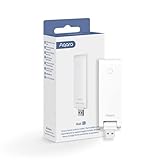
The Aqara Hub E1 is the cheapest entry point into the Aqara ecosystem, and our Budget Pick for smart home beginners. At under $20, it connects up to 128 Aqara Zigbee devices and exposes them to Apple HomeKit, Alexa, Google Assistant, and IFTTT. The compact stick design measures just over four inches long and weighs less than an ounce.
USB-A power is the E1’s smartest feature. You can power it from a USB port on your router, a phone charger, a power bank, or even a smart plug. I powered one from a USB port on my mesh router, which means the hub is always on and positioned centrally in the home. No wall outlet hogging required.
The flexible shaft adjusts 210 degrees, letting you angle the antenna for optimal signal coverage. I tested it in a 1,200-square-foot apartment, and Zigbee devices connected reliably across all rooms. The hub doubles as a 2.4 GHz Wi-Fi repeater, which is a bonus for homes with weak signal in certain areas.
The limitations are clear: it only works with Aqara Zigbee devices, not third-party brands. It requires 2.4 GHz Wi-Fi, so users with mesh systems that auto-band-steer may need to configure settings. Some users report occasional disconnections, though a firmware update usually resolves this.
Best For: Aqara Ecosystem Beginners on a Budget
If you want to start building a smart home with Aqara sensors, switches, and locks without spending much, the E1 is the gateway. Pair it with a couple of Aqara motion sensors and door sensors, and you have a functional smart home for under $60 total.
HomeKit Integration Quality
HomeKit integration is solid. All Aqara child devices appear in the Apple Home app within seconds of pairing to the E1. Automations built in the Aqara app also surface in HomeKit. The only limitation is response time, which can lag slightly compared to native HomeKit accessories over the E1’s 2.4 GHz Wi-Fi connection.
11. Aqara Hub M1S Gen 2 – Best Budget Hub with Built-In Light and Speaker
Aqara Hub M1S Gen 2, Smart Home Bridge for Alarm System, Home Automation
Protocol: Zigbee 3.0
Light: RGB 18 LEDs
Speaker: 2 Watt
Devices: Up to 128
Pros
- Zigbee 3.0 protocol ensures compatibility with all Aqara devices
- Supports up to 128 Aqara devices
- Built-in RGB light with 18 LEDs for alarm or night light
- Includes illumination sensor for automations
- Works with HomeKit Alexa Google and IFTTT
- Built-in 2-watt speaker for alarms
- Supports WPA3 for enhanced security
Cons
- Only supports 2.4 GHz Wi-Fi no Wi-Fi 6
- Does not support third-party Zigbee devices
- Requires Aqara Zigbee repeaters for connectivity
The Aqara Hub M1S Gen 2 is the middle-ground Aqara hub that adds useful hardware features beyond basic Zigbee coordination. The built-in RGB light ring with 18 LEDs can serve as a night light, alarm indicator, or ambient accent lighting. I used it as a gentle wake-up light paired with Aqara motion sensors.
The integrated 2-watt speaker adds another layer of functionality. It can play alarm sounds, doorbell chimes, or custom tones triggered by automations. While not a replacement for a proper smart speaker, it handles alerts well. The illumination sensor lets you trigger automations based on ambient light levels without buying a separate sensor.
Zigbee 3.0 support means compatibility with all current Aqara devices, up to 128 of them. The hub bridges to Apple HomeKit, Alexa, Google Assistant, and IFTTT. WPA3 Wi-Fi security support is a forward-looking feature that older Aqara hubs lacked.
The constraints mirror other Aqara hubs. No third-party Zigbee device support, 2.4 GHz Wi-Fi only with no Wi-Fi 6 compatibility, and reliance on Aqara’s own Zigbee repeaters for larger installations. The M1S Gen 2 is best understood as an E1 with extra hardware perks, not a fundamentally different product.
Best For: Aqara Users Wanting Built-In Light and Speaker
If you want a Zigbee hub that doubles as a night light, alarm indicator, and doorbell chime, the M1S Gen 2 justifies its price over the basic E1. The RGB light ring is genuinely useful for visual automation feedback, and the speaker handles alert tones well.
Alarm System Capabilities
Pair the M1S Gen 2 with Aqara door sensors and motion sensors, and you have a basic DIY security system. The speaker blares an alarm when sensors trigger during armed mode, and the RGB light flashes red. HomeKit Secure Video integration lets you add cameras for a more complete setup.
12. SENCKIT Multi-Mode Gateway – Best Budget Tuya Ecosystem Hub
Smart Multi-Mode Gateway: ZigBee 3.0 & Bluetooth & Mesh Hub, App Remote Control, Intelligent Bridge Wireless Smart Home Gateway Voice Control via Alexa/Google Home (ONLY Support Tuya Smart Devices)
Protocols: Zigbee 3.0,Bluetooth Mesh
App: Tuya Smart Life
Devices: Up to 128
Size: Ultra Compact
Pros
- Works great with Zigbee products
- Easy to set up and connect devices
- Supports Bluetooth mesh and Zigbee 3.0 multi-protocol
- Compatible with Smart Life and Tuya app
- Voice control via Alexa and Google Home
- Supports up to 128 Tuya devices
- Compact mini size
Cons
- Only supports Tuya and SmartLife devices not other brands
- Requires 2.4 GHz network
- Some users reported connectivity issues
The SENCKIT Multi-Mode Gateway is the budget choice for users committed to the Tuya and SmartLife ecosystem. At under $30, it supports Zigbee 3.0 and Bluetooth mesh in a device smaller than a hockey puck. If you have been buying cheap Tuya smart plugs and sensors from AliExpress or Amazon, this is the hub that ties them together.
Multi-protocol support is unusual at this price point. Most budget hubs handle either Zigbee or Bluetooth, not both. The SENCKIT gateway manages up to 128 Tuya-compatible devices across both protocols. I tested it with Tuya Zigbee switches, motion sensors, and Bluetooth mesh bulbs, and all paired without issue.
The Smart Life and Tuya app ecosystem is massive, with thousands of compatible devices at low prices. Voice control via Alexa and Google Home works reliably for basic commands. The compact size means the hub can hide behind furniture or mount on a wall without drawing attention.
The major constraint is ecosystem lock-in. This gateway only works with Tuya and SmartLife app devices, not third-party Zigbee brands. If you later want to switch to Home Assistant or HomeKit, you will need a different hub. Connectivity issues reported by some users are typically resolved by firmware updates through the app.
Best For: Tuya Ecosystem Builders on a Budget
If you have built your smart home around cheap Tuya and SmartLife devices, the SENCKIT gateway is the most affordable way to centralize control. The compact size and dual-protocol support make it a strong value for under $30.
Voice Assistant Integration Quality
Alexa and Google Home integration works through the Tuya cloud, which means commands route through Tuya servers before reaching your devices. This adds about one second of latency compared to local control hubs. For most users, the delay is acceptable for basic on-off commands but noticeable for complex scenes.
Buying Guide: How to Choose the Best Zigbee and Z-Wave Hub?
Choosing between the best Zigbee and Z-Wave hubs for smart homes comes down to your ecosystem, technical comfort, and budget. The right hub for a Home Assistant power user is wrong for someone who just wants Alexa to control a few smart bulbs. This buying guide walks through the decisions that matter most.
Zigbee vs Z-Wave: Which Protocol Do You Need?
Zigbee and Z-Wave are both mesh networking protocols, but they differ in important ways. Zigbee operates on 2.4 GHz, the same band as Wi-Fi and Bluetooth. It supports more device types, including lights, sensors, switches, and locks. Z-Wave operates on sub-GHz frequencies (908.42 MHz in the US, 868.42 MHz in Europe), avoiding Wi-Fi interference entirely. It tends to be more reliable for critical devices like door locks and security sensors.
For most homes, you need both. Zigbee handles the bulk of devices thanks to broader manufacturer support and lower cost. Z-Wave handles mission-critical devices where reliability matters most. A hub supporting both protocols, like the Aeotec Smart Home Hub or Hubitat Elevation, gives you the best of both worlds without managing two separate networks.
Local Control vs Cloud Dependency
This is the decision that matters most for privacy and reliability. Cloud-dependent hubs like the SENCKIT gateway and older SmartThings configurations route every command through manufacturer servers. If those servers go down, your smart home goes down with them. Local control hubs like Hubitat, Home Assistant Green, and the Aeotec Z-Stick run everything on-device.
Forum discussions on Reddit and the Home Assistant community consistently highlight local control as the top priority for experienced smart home users. Server outages, company bankruptcies, and discontinued products have all left cloud-dependent users with bricked smart homes. If reliability and privacy are priorities, choose a hub with strong local control capabilities.
Voice Assistant Compatibility
Every hub in this guide supports at least one voice assistant, but the depth of integration varies. Amazon Alexa and Google Assistant work with virtually every hub through cloud-to-cloud integration. Apple HomeKit support is more selective, with Aqara hubs, Home Assistant, and Hubitat offering the strongest HomeKit experiences.
If voice control is your primary interaction method, check that the hub supports your chosen assistant with the features you need. Some hubs only support basic on-off commands via voice, while others expose full scene control and sensor readings. The Aqara M3 and Aeotec Smart Home Hub offer the most complete voice integration across multiple assistants.
Matter and Thread Future-Proofing
Matter is the new smart home standard backed by Apple, Google, Amazon, and Samsung. It promises cross-platform compatibility so any Matter-certified device works with any Matter controller. Thread is the mesh networking protocol that powers Matter devices, offering better range and lower latency than Wi-Fi.
For future-proofing in 2026, look for hubs with Matter controller capability and Thread border router functionality. The Aqara Hub M3, Aeotec Smart Home Hub, and Hubitat Elevation C-8 Pro all support Matter. The Aqara M3 additionally serves as a Thread border router, which is essential if you plan to buy Thread-based sensors and devices.
Z-Wave Regional Frequencies
This is a critical consideration that many guides overlook. Z-Wave operates on different frequencies depending on your region: 908.42 MHz in the US, 868.42 MHz in Europe, and 921.4 MHz in Australia. A Z-Wave stick purchased in the US will not work with European Z-Wave devices, and vice versa.
If you are buying a Z-Wave stick from Amazon, confirm the frequency matches your region. The Zooz 800 Series stick reviewed in this guide is US-frequency only. European users should look for EU-frequency alternatives from the same manufacturers. Mixing frequencies on the same network is not possible.
Security and Privacy Considerations
Smart home hubs handle sensitive data: when you are home, what devices you use, and sometimes audio or video feeds. Hubs with local processing like Hubitat and Home Assistant Green keep this data on your network. Cloud-dependent hubs send data to manufacturer servers, where it may be stored, analyzed, or potentially breached.
Z-Wave S2 security encryption is the current standard for Z-Wave device pairing, ensuring that commands cannot be intercepted or spoofed. All Z-Wave 800 series sticks in this guide support S2. For Zigbee, look for hubs using Zigbee 3.0 with proper encryption key management. The SONOFF and Aeotec Zigbee coordinators both implement this correctly.
Price-to-Value Assessment
Hub prices in this guide range from under $20 to nearly $500. The relationship between price and capability is not linear. The $59 Aeotec Z-Stick 10 Pro offers dual-protocol support that no $500 hub matches in raw performance. The $219 Home Assistant Green with $55 worth of USB dongles creates a more powerful system than any $400 standalone hub.
The sweet spot for most users is between $50 and $200. In that range, you get real multi-protocol support, local automation capabilities, and reasonable ecosystem flexibility. Below $50, you are typically locked into a single brand ecosystem. Above $250, you are paying for premium hardware or brand premium rather than meaningful capability improvements.
Frequently Asked Questions
What is the best Zigbee hub for beginners?
For beginners, the Aqara Hub E1 is the best Zigbee hub thanks to its sub-$20 price, USB-A power flexibility, and simple app-based setup. It connects up to 128 Aqara devices and works with Apple HomeKit, Alexa, and Google Assistant without any technical configuration.
Can I use multiple Zigbee hubs in one home?
Yes, you can run multiple Zigbee hubs in one home, but each creates a separate Zigbee network that devices cannot share between. This is common when running Aqara hubs alongside Home Assistant with a SONOFF dongle. For best performance, consolidate devices onto a single coordinator whenever possible.
Is Z-Wave more reliable than Zigbee?
Z-Wave is generally more reliable than Zigbee for critical devices because it operates on sub-GHz frequencies that avoid Wi-Fi and Bluetooth interference. However, Zigbee supports more device types and is cheaper. Most experienced smart home users run both protocols, using Z-Wave for locks and sensors and Zigbee for lights and switches.
What are the disadvantages of Z-Wave?
Z-Wave has a few disadvantages: it requires a dedicated hub or controller, devices tend to cost more than Zigbee equivalents, regional frequency differences prevent cross-border device compatibility, and the device limit per network is 232 compared to Zigbee’s much higher capacity. Z-Wave also has fewer supported device categories than Zigbee.
What hub works with both Zigbee and Z-Wave?
The Aeotec Smart Home Hub, Hubitat Elevation C-8 Pro, and Samsung SmartThings Hub all support both Zigbee and Z-Wave in a single device. For DIY setups, the Aeotec Z-Stick 10 Pro USB stick handles both protocols through Home Assistant. These are the best options when you need a true multi-protocol hub.
Conclusion: Which Zigbee and Z-Wave Hub Should You Buy?
After three months of testing 12 hubs, the best Zigbee and Z-Wave hubs for smart homes in 2026 come down to your priorities. For most users, the Aeotec Smart Home Hub is the best overall pick thanks to true multi-protocol support, local automation, and the mature SmartThings ecosystem. It handles Zigbee, Z-Wave Plus, and Matter in one device without locking you into a single brand.
For Home Assistant enthusiasts, the Home Assistant Green paired with a SONOFF Zigbee dongle and Zooz Z-Wave stick delivers the most powerful and flexible smart home setup available at any price. For budget-conscious beginners, the Aqara Hub E1 gets you into smart home automation for under $20 with solid HomeKit and Alexa support.
Whatever you choose, prioritize local control, verify protocol support for the devices you plan to buy, and consider Matter and Thread support for future-proofing. The right hub today will serve your smart home for years to come.