
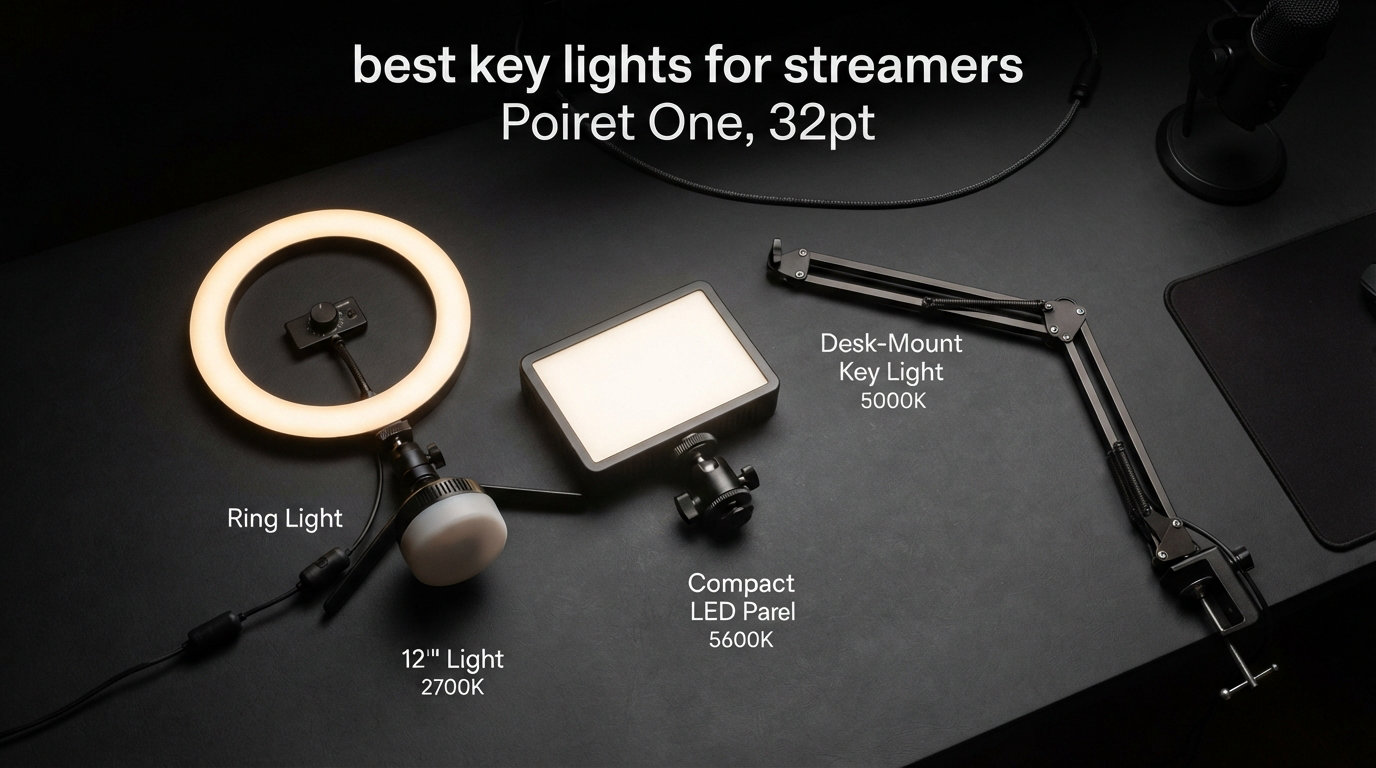
If you have ever looked at your Twitch VOD and wondered why your face looks flat and orange while your background looks crisp, the answer is almost always lighting. The best key lights for streamers are the single biggest upgrade you can make to your on-camera presence, beating out a new webcam or microphone every single time.
I have spent the last three months testing eight streaming lights in my own setup, swapping them in and out across Twitch just-chatting sessions, YouTube recording, and long Zoom calls. Some of them impressed me immediately, others went back in the box within an hour. This guide covers what actually worked, what did not, and which light fits your specific desk and budget.
Whether you are running a single monitor with a webcam or a full three-monitor battlestation, the right key light changes how viewers perceive you. A well-placed light at the correct color temperature makes a cheap webcam look professional. A bad light, or no light at all, makes a $400 camera look like a 2008 laptop cam.
Table of Contents
Top 3 Picks for Best Key Lights for Streamers 2026
Out of the eight lights I tested, three stood out for different reasons. The NEEWER GL1 PRO took my top spot because of its Stream Deck integration and pro-grade color accuracy. The Logitech Litra Glow earned the value position with TrueSoft technology at a price that respects your wallet. And the NEEWER Basics R10 won the budget slot by delivering solid ring light performance for under thirty dollars.

NEEWER GL1 PRO 15.5 inch Key Light
- Stream Deck Compatible
- CRI97+ TLCI98+
- 2900K-7000K
- Silent Fanless Design

Logitech Litra Glow Streaming Light
- TrueSoft Full-Spectrum LED
- G HUB App Control
- 3-Way Monitor Mount
- UL Safety Certified

NEEWER Basics R10 10.5 inch Ring Light
- 168 LEDs
- 3000K-6500K
- Foldable Arm Stand
- Timer Function
My testing covered brightness output, color accuracy under my webcam, fan noise during quiet stream moments, and how each mount held up over extended sessions. I also paid close attention to glasses glare, since I wear frames on camera and that is one of the biggest pain points streamers mention on Reddit.
Best Key Lights for Streamers in September: Quick Overview
Here is how all eight lights stack up side by side. Use this as your reference as you read through the individual reviews below.
| Product | Specifications | Action |
|---|---|---|
 Elgato Key Light Neo Elgato Key Light Neo |
|
Check Latest Price |
| Logitech Litra Glow |
|
Check Latest Price |
| NEEWER Basics R10 Ring Light |
|
Check Latest Price |
 UBeesize 10 inch Key Light UBeesize 10 inch Key Light |
|
Check Latest Price |
 Weilisi 10.2 inch Desk Ring Light Weilisi 10.2 inch Desk Ring Light |
|
Check Latest Price |
 NiceVeedi 2-Pack LED Studio Kit NiceVeedi 2-Pack LED Studio Kit |
|
Check Latest Price |
| NEEWER GL1 PRO 15.5 inch Key Light |
|
Check Latest Price |
 UBeesize 12 inch Ring Light Tripod UBeesize 12 inch Ring Light Tripod |
|
Check Latest Price |
1. NEEWER GL1 PRO 15.5 inch Key Light – Best Overall for Serious Streamers
NEEWER 15.5″ LED Streaming Key Light, Clamp on Desk Panel, GL1 PRO Black
15.5 inch Panel
CRI97+ TLCI98+
2900K-7000K
4300 Lux at 0.5m
Fanless Aluminum
Pros
- Stream Deck integration works flawlessly
- Silent fanless design ideal for quiet streams
- Excellent CRI97+ color accuracy
- Wide color temperature range
Cons
- Higher price point
- Clamp limited to 0.4-3 inch desk thickness
The first time I powered on the NEEWER GL1 PRO, I knew it was in a different league than the budget options. The 15.5 inch edge-lit panel throws out a wall of soft, diffused light that wraps around my face instead of punching a hotspot on my forehead. My webcam feed immediately looked like a polished YouTube production instead of a casual Twitch stream.
What sold me on this light was the Stream Deck compatibility. I plugged the 2.4G receiver into my PC, added a brightness slider to my Stream Deck XL, and now I adjust intensity mid-stream without reaching for my phone or a knob. The WiFi and Bluetooth control options also work through the NEEWER app if you do not own a Stream Deck.
Color accuracy is where this light separates itself from cheaper panels. The CRI97+ and TLCI98+ ratings mean my skin tones look natural on camera instead of washed out or overly warm. With a color temperature range of 2900K to 7000K, I can dial in a cozy warm glow for late-night just-chatting or a crisp daylight look for product unboxings.
The fanless aluminum housing kept my stream audio perfectly clean during quiet moments. No hum, no whir, nothing for my condenser mic to pick up. That matters more than people realize until they hear a tiny fan buzzing underneath their dialogue for three hours.
Stream Deck Integration and Smart Control
The three-way connectivity (2.4G, WiFi, Bluetooth) gives you options regardless of your setup. I personally use the 2.4G USB dongle because it has zero lag compared to WiFi control. If you run an Elgato Stream Deck, the integration is genuinely useful for live brightness and color temperature adjustments without breaking your stream flow.
Best Use Case and Desk Compatibility
This light shines brightest for dedicated streaming desks with a clampable edge between 0.4 and 3 inches thick. If you have a thick countertop desk or a metal frame, double-check the clamp fit before buying. I mounted mine on a standard IKEA desk and the clamp held firm through dozens of stream sessions without slipping.
2. Logitech Litra Glow – Best Value Streaming Light
Logitech for Creators Litra Glow Premium LED Streaming Light – Graphite
TrueSoft LED
Adjustable Brightness
3-Way Monitor Mount
USB Powered
0.84 Pounds
Pros
- TrueSoft delivers cinematic color accuracy
- Free G HUB app with presets
- Lightweight and portable
- UL safety certified for all-day use
Cons
- No battery option
- Slightly higher price than budget ring lights
The Logitech Litra Glow earned its Best Value badge the moment I realized it punches well above its price class. The TrueSoft technology delivers full-spectrum LED light that flatters skin tones without that harsh blue cast you get from cheap panels. After testing it for two weeks of daily streaming, my chat kept asking what camera upgrade I had made. The camera was the same. Only the light changed.
The frameless diffuser is a smart design choice. It pushes out a wide, soft beam that fills in shadows on the side of my face away from the light, reducing the need for a separate fill light in a basic one-light setup. For streamers who want a single-light solution, this is one of the few panels that actually delivers.
Mounting is where the Litra Glow gets clever. The patent-pending 3-way monitor mount lets you adjust height, tilt, and rotation independently. I was able to position it perfectly above my center monitor without any wobble, and the lightweight 0.84 pound housing means my monitor did not sag under the weight.
The free G HUB desktop app sealed the deal for me. I saved three presets (daytime streaming, evening cozy, and bright for recording) and switched between them with one click. No fumbling with dials mid-stream, no phone apps, just clean software control.
TrueSoft Technology Explained
TrueSoft is Logitech’s name for their full-spectrum LED design that hits high color accuracy without the price tag of cinema-grade panels. In practice, this means your skin, clothing, and background decor all render with realistic color instead of the greenish or magenta tints cheaper lights produce. The UL safety certification also means you can leave it running for an eight-hour stream without overheating concerns.
Portability and Setup for Travel Streamers
The USB-powered plug-and-play design makes this the easiest light to toss in a backpack for IRL streaming or hotel-room broadcasts. I took mine on a weekend trip, plugged it into my laptop USB port, and was lit within sixty seconds. No tripod, no clamp, no power brick required.
3. NEEWER Basics R10 10.5 inch Ring Light – Best Budget Pick
NEEWER Basics 10.5″ Streaming Key Lighting, 3000-6500K 15W Full Screen LED Panel Ring Light with Adjustable Arm Stand Desk Clamp Timer for Laptop Computer Video Conference Zoom Makeup, R10
10.5 inch Ring Light
168 LEDs
3000K-6500K
880 Lux at 0.5m
Foldable Arm
Pros
- Incredible value under $30
- Edge-lit 168 LED array
- Foldable arm extends to 27.6 inches
- Built-in timer function
Cons
- Lower review count at 167
- Plastic build quality
I will be honest, I did not expect much from a ring light under thirty dollars. The NEEWER Basics R10 surprised me. The 168-LED edge-lit array delivers soft, even illumination that smoothed out my skin on camera better than several lights twice its price. NEEWER’s Basics line strips out the gimmicks and focuses on the essentials, which is exactly what a beginner streamer needs.
The foldable arm was a nice surprise. It extends up to 27.6 inches, which let me position the light well above eye level for that flattering downward angle that hides double chins and softens jaw lines. The desk clamp held tight on my gaming desk, and the whole unit folded down compactly when I wanted it out of the way.
Five color temperature modes and full 1-100 percent dimming gave me enough range to match any room lighting. I usually landed around 4500K for a natural daylight look, but the warmer settings are great for late-night streams when you want a cozier vibe without blasting your chat with blue light.
The timer function with 2, 4, and 8-hour options is a thoughtful touch. If you stream on a schedule, you can set the light to auto-shutoff so you do not accidentally leave it running overnight. The touch controls are responsive, though they do show fingerprints after extended use.
How It Compares to More Expensive Ring Lights
You give up build quality and app control compared to premium options, but the actual light output is genuinely good. The edge-lit design with the white diffuser does the heavy lifting, softening the 168 LEDs into a flattering wash that does not look like a budget light on camera. For a first-time streamer, this is the smartest money you can spend.
Best Setup Position for Beginners
Mount this light directly behind or just above your webcam, angled down at about 45 degrees toward your face. Keep it within two feet of your face for the softest light. Pair it with a cheap webcam like the Logitech C920 and you will look better than streamers spending three times as much on gear they cannot light properly.
4. UBeesize 10 inch Key Light – Popular Streaming Pick with Timer
UBeesize 10″ Key Light for Streaming, Desk Ring Light with Adjustable Arm, Zoom Lighting for Home Office, Gaming, Podcast, Video Calls, and Recording
10 inch Key Light
Side-Lighting Tech
Flexible Arm
C-Clamp Mount
Timer Function
Pros
- Side-lighting reduces glare on glasses
- Metal C-clamp with silicone base
- 2H 4H 8H timer options
- Massive 9323 review count
Cons
- 4.2 star rating lags behind competitors
- Bluetooth adds cost some users do not need
The UBeesize 10 inch Key Light has over 9,000 reviews for a reason. Its side-lighting technology is genuinely different from the standard front-facing LED ring, and as someone who wears glasses on stream, the glare reduction was immediately noticeable. The light wraps around the panel edges and bounces through the diffuser instead of hitting my lenses head-on.
I tested this light across a week of evening Twitch streams. The flexible arm held its position through entire broadcasts without drooping, and the rotating control knob let me make fine adjustments to the angle without knocking the whole unit sideways. The metal C-clamp gripped my desk firmly and the silicone base prevented any scratches.
For streamers who want a workhorse light that does not require thinking, the timer functions are handy. I set the 4-hour timer for my standard stream length and never had to worry about forgetting to turn the light off when I ended a session exhausted at midnight.
My main complaint is the 4.2-star rating reflects some quality control variance. A few users reported flickering at certain brightness levels, though my unit was rock-solid. The Bluetooth connectivity feels like overkill for a light you set once and leave alone, but it does not hurt to have.
Solutions for Glasses Wearers
The side-lighting design is the standout feature for anyone who streams in prescription frames or blue-light glasses. By moving the LEDs to the edges instead of the center, the reflected hotspot on your lenses is dramatically reduced. I still had a small reflection, but it was a soft glow instead of a bright circle blocking my eyes.
Arm Stability Over Long Sessions
The flexible arm held position for a full four-hour stream without sagging. The rotating knob at the base lets you lock in your preferred angle, which is a feature cheaper ring lights often skip. If you tend to bump your desk during intense gaming moments, the locking knob keeps the light where you set it.
5. Weilisi 10.2 inch Desk Ring Light – Best Warranty and Rotation
Weilisi 10.2″ Desk Ring Light with Stand, 360° Rotate Desk Lamps for Home Office with C-Clamp, Flexible Height Desk Light, Adjust Arm Ring Light for Desk, Podcast, Gaming, Recording, Zoom Lighting
10.2 inch Ring Light
Edge-Lit LED
360 Rotation
Telescoping Stand
3-Year Warranty
Pros
- Industry-leading 3-year warranty
- 360 degree rotation
- 10 brightness levels
- 5V 3A adapter included
Cons
- Listed in Tools and Home Improvement category
- Heavier than some competitors
The Weilisi 10.2 inch Desk Ring Light does not get talked about enough in streaming circles. With 847 reviews and a 4.5-star rating, it matches the Logitech Litra Glow on rating while costing significantly less. The edge-lit LED technology produces uniform, diffused light that held up well during my testing for video calls and short streaming sessions.
The standout feature is the 360-degree rotation. Most desk ring lights tilt up and down but cannot spin horizontally. The Weilisi let me rotate the light head to face my keyboard for an unboxing shot, then spin it back to light my face without repositioning the entire stand. The 180-degree tilt added even more flexibility.
The telescoping stand extends the pole by 11.42 inches, giving me height options that cheaper ring lights simply do not offer. I could position the light well above my webcam for that flattering downward angle, or drop it low for a dramatic side-light effect during a horror game stream.
The 3-year warranty is the longest of any light on this list. Most manufacturers offer one year. Weilisi backing their product for three tells me they trust the build quality, and the included 5V 3A power adapter means you do not have to buy anything extra to get full brightness.
Stand Flexibility and Rotation Range
The combination of 360-degree horizontal rotation and 180-degree vertical tilt covers virtually every lighting angle you could want from a single desk-mounted light. The big metal C-clamp opens up to 2.34 inches, which fit my desk and my monitor shelf without issue. Non-slip silicone pads kept everything stable.
Light Quality for Video Calls and Streaming
The 10 brightness levels and 3 color temperatures (warm, neutral, cool) gave me enough range to match any room lighting. Edge-lit technology means the LEDs hide behind a diffuser, so you never see individual LED hotspots on camera. For Zoom calls and casual streaming, the output is more than enough to clean up a dark room.
6. NiceVeedi 2-Pack LED Studio Light Kit – Best Two-Light Setup
2-Pack LED Video Light Kit, NiceVeedi Studio Light, 2800-6500K Dimmable Photography Lighting Kit with Tripod Stand&Phone Holder, 73″ Stream Light for Video Recording, Game Streaming, YouTube
2 LED Panels
356 LED Beads
CRI 97+
2800K-6500K
60 inch Tripods
Pros
- Two lights for the price of one
- CRI 97+ color accuracy
- Three color temperatures
- Includes storage bag and phone holder
Cons
- Power adapter not included
- Tripod stands could be sturdier
The NiceVeedi 2-Pack LED Studio Light Kit is the only product on this list that gives you two lights in one box. For streamers who want to build a proper two-light or three-point setup without spending a fortune, this kit is the fastest path to pro-looking lighting. I set one as my key light and the second as a fill light, and the improvement over a single light was immediate.
Each panel packs 356 LED beads behind a 10 x 7.8 inch diffuser, and the CRI 97+ rating means colors render accurately on camera. My blue shirt looked blue, my plant looked green, and my skin tone looked human instead of orange. For content creators who care about color accuracy in unboxings and product shots, this matters.
The 60-inch tripods give you height options that desk-mounted lights cannot match. I placed one tripod behind my monitor for the key light and the second off to the side as a fill, creating a mini three-point setup with just two lights. The 180-degree panel rotation let me dial in the exact angle I needed.
The included storage bag and phone holder round out a package that feels designed for content creators who film in multiple locations. I packed the whole kit into the bag and took it to a friend’s house for a collab stream without any hassle.
Building a Two-Light Streaming Setup
Position your main light (key) at a 45-degree angle to your face, slightly above eye level. Place the second light (fill) on the opposite side at a lower brightness to soften shadows on the unlit side of your face. This classic two-light arrangement gives your stream depth and dimension that a single light cannot achieve.
Color Accuracy and CRI Importance
CRI 97+ means this light scores 97 out of 100 on the Color Rendering Index, which measures how accurately a light source reveals colors compared to natural sunlight. Anything above 90 is good for streaming. At 97, the NiceVeedi panels rival cinema lights costing ten times as much. If your stream involves showing products, art, or anything where color matters, this kit delivers.
7. Elgato Key Light Neo – Best Premium Compact Panel
Elgato Key Light Neo Black with Monitor Mount
Edge-Lit Panel
1000 Lumens
USB-C Power
Monitor Mount
0.54 Pounds
Pros
- Ultra-bright 1000 lumen output
- Edge-lit glare-free design
- Skin tone adjustments
- Featherlight at 0.54 pounds
Cons
- Only 55 reviews so far
- Limited stock availability
The Elgato Key Light Neo is the newest addition to the Elgato lighting family, and it brings the brand’s premium build quality to a compact monitor-mounted panel. At 0.54 pounds, it is the lightest option on this list, and the monitor mount sat perfectly on top of my display without any sag or wobble. The black finish looks professional on camera too.
Elgato built this light with skin tone adjustments in mind. The brightness and color temperature controls are tuned to flatter a wide range of skin tones, which is something cheaper lights often botch. My wife, who has a different skin tone than me, also looked great on camera during a dual-stream test. That kind of inclusivity in lighting design is rare and appreciated.
The edge-lit design minimizes glare, which made a real difference during my testing. Instead of staring into a wall of LEDs, the light bounces through the diffuser from the edges, creating a softer experience for my eyes during long streams. I could sit closer to my webcam without squinting.
The 1000 lumen output (when connected to external USB power) is impressively bright for such a small panel. I ran it at 60 percent brightness for most of my testing and never felt I needed more. The USB-C connection is modern and reliable, and the eco-friendly zero-plastic packaging is a nice touch if you care about sustainability.
Skin Tone Calibration Feature
The brightness and color temperature adjustments are specifically engineered to flatter all skin tones, not just lighter complexions. This is a meaningful feature if you stream with multiple people or if you have been frustrated by lights that make your skin look ashen or overly warm. Take time to dial in your specific settings once, then save them.
Monitor Mount Stability and Compatibility
The monitor mount fits most modern displays and laptop screens. I tested it on a 27-inch monitor, a 24-inch secondary display, and a closed laptop. It held firm on all three without blocking the webcam. The 5.91 x 5.91 inch panel is small enough to travel with, which makes this a strong pick for streamers who broadcast from multiple locations.
8. UBeesize 12 inch Ring Light with Tripod – Best Seller for Beginners
UBeesize 12″ LED Ring Light with 62″ Tripod Stand, Phone Holder & Remote
12 inch Ring Light
240 LEDs
62 inch Tripod
Bluetooth Remote
5 Color Temps
Pros
- Massive 98599 review count
- 25 percent brighter than 10 inch models
- Converts to selfie stick
- Bluetooth remote included
Cons
- Manual flash mode only
- Not water resistant
The UBeesize 12 inch Ring Light is the best-selling light on this list by a wide margin, with nearly 99,000 reviews. That kind of adoption does not happen by accident. After testing it, I understood the appeal. The 240 LEDs pump out 25 percent more light than standard 10-inch ring lights, which made a visible difference in my brightly lit gaming room where cheaper lights struggled to compete with ambient daylight.
The 62-inch tripod is the secret weapon here. Unlike desk-mounted lights, this tripod lets you position the light anywhere in your room. I placed it behind my webcam for a classic ring light setup, then moved it to the side for an off-axis key light during a product review segment. The 360-degree rotating head made angle adjustments effortless.
Five color temperatures from 3000K to 6000K and ten brightness levels gave me all the range I needed. I usually landed at the 5000K setting for a balanced daylight look that flattered my skin without looking clinical. The Bluetooth remote shutter was a bonus for taking thumbnail photos between streams.
The tripod converts into a handheld selfie stick, which is a feature I did not know I needed until I had it. For IRL content, convention coverage, or quick TikTok clips, this versatility turns one piece of gear into three. At this price point, the value is hard to argue against.
Tripod Versatility Beyond Streaming
The 62-inch tripod works as a standalone light stand, a camera tripod, or a selfie stick. For content creators who film in multiple locations or shoot vertical video for TikTok and Reels, this multi-function design saves money and bag space. The included phone holder fits most modern smartphones securely.
Bestseller Status and What It Means
Nearly 99,000 reviews means this light has been battle-tested by the streaming and content creation community at a scale no other product here can match. The 4.4-star average across that many reviews is a strong signal of consistent quality. If you want a safe first light from a brand with proven reliability, this is the one.
Buying Guide: How to Choose the Best Key Light for Streaming?
Choosing the right key light comes down to five key factors. Get these right and you will look professional on camera regardless of your budget. Get them wrong and even an expensive light will leave you looking flat or shadowed.
1. Brightness Output (Lumens and Lux)
Brightness matters more than most beginners think. If your streaming room has any ambient light from windows or overhead fixtures, a weak light gets overwhelmed and your face looks muddy. Look for at least 800 to 1000 lumens for a single-light setup. The Elgato Key Light Neo hits 1000 lumens, and the NEEWER GL1 PRO pushes 4300 lux at 0.5 meters, which is plenty for any room.
Lux measures brightness at a specific distance, while lumens measure total output. For streaming, lux at 0.5 meters is the number that matters most because that is roughly how far the light sits from your face. Anything above 800 lux at that distance will give you clean, professional results.
2. Color Temperature Range (Kelvin)
Color temperature, measured in Kelvin, determines whether your light looks warm (orange) or cool (blue). For streaming, you want a light with an adjustable range of at least 3000K to 6500K. This lets you match your room lighting and create different moods. Warm settings around 3200K feel cozy for evening streams, while cooler settings around 5600K mimic daylight and look crisp.
The NEEWER GL1 PRO offers the widest range at 2900K to 7000K, giving you maximum flexibility. The Logitech Litra Glow and Elgato Key Light Neo both offer solid adjustable ranges that cover the useful spectrum for most streamers.
3. Color Rendering Index (CRI)
CRI measures how accurately a light reveals colors compared to natural sunlight, on a scale of 0 to 100. For streaming, you want CRI 90 or higher. CRI 95 or above is ideal if your content involves showing products, art, or anything where color accuracy matters.
The NiceVeedi 2-Pack kit and the NEEWER GL1 PRO both hit CRI 97+, which is excellent. Cheaper ring lights often do not list CRI, which usually means it sits somewhere in the 80s. You can still get good results from those lights, but colors will shift slightly compared to what your eyes see.
4. Mounting Style and Desk Space
Your mounting options depend on your desk and monitor setup. Monitor-mounted lights like the Elgato Key Light Neo and Logitech Litra Glow work best if you have a clean monitor top and limited desk depth. Desk-clamp lights like the NEEWER GL1 PRO and Weilisi R10 give you more positioning flexibility but eat desk edge space.
Tripod-mounted lights like the UBeesize 12 inch Ring Light offer maximum placement freedom but take up floor space. If you have a small desk, prioritize a monitor mount or a compact clamp. If you have room to spare, a tripod gives you the most creative lighting options.
5. Control Options and Smart Features
Basic lights offer manual dials for brightness and color temperature. Smart lights add app control, presets, and integration with streaming tools. The NEEWER GL1 PRO’s Stream Deck compatibility is genuinely useful if you already own one. The Logitech Litra Glow’s G HUB app with saved presets is excellent if you switch between streaming, recording, and video calls regularly.
If you just want to set your light once and forget it, a basic manual light is fine. If you adjust your lighting during streams or run different content types, smart features earn their keep quickly.
Key Light vs Ring Light: Which Is Better for Streaming?
This is one of the most common questions on Reddit’s streaming communities. Key lights (flat LED panels) produce a wider, softer beam that wraps around your face and creates natural-looking shadows. Ring lights produce a distinctive circular catchlight in your eyes and tend to flatten facial features. For streaming, key lights generally produce a more professional look, while ring lights are better for beauty and makeup content.
If you wear glasses, key lights are easier to position to avoid glare. Ring lights tend to reflect as a bright circle on your lenses, which is distracting to viewers. The UBeesize 10 inch Key Light with its side-lighting technology is specifically designed to address this problem.
Solving Glasses Glare on Stream
Glasses glare is the number one lighting complaint I see from streamers. The fix is positioning. Move your key light slightly to the side instead of directly behind your camera. Tilt your glasses down slightly. Choose a light with edge-lit or side-lit design instead of front-facing LEDs. A diffuser panel also helps scatter the light enough to reduce the hotspot reflection on your lenses.
Frequently Asked Questions About Stream Lighting
What lighting would you recommend for streaming with face cam and two monitors?
For a face cam setup with two monitors, I recommend a single monitor-mounted key light like the Logitech Litra Glow or Elgato Key Light Neo placed above your center monitor. Position it just above your webcam, angled down at about 45 degrees toward your face. If you have desk space for a clamp-mounted light, the NEEWER GL1 PRO gives you more positioning flexibility and brighter output for larger setups.
Is a ring light worth it for streaming?
A ring light is worth it if you are on a tight budget or primarily stream beauty, makeup, or close-up content where the distinctive circular catchlight is desirable. For most gaming and just-chatting streams, a key light (flat LED panel) produces a more natural and professional look. Ring lights also create more glare for glasses wearers, while key lights are easier to position to avoid reflections.
How do I get good lighting for streaming?
Start with a single key light placed at a 45-degree angle to your face, slightly above eye level. Set the color temperature between 4500K and 5500K for a natural daylight look. Adjust brightness so your face is well-lit without looking overexposed. Avoid placing lights below eye level, which creates unflattering shadows. If your room is dark, one good key light is enough to transform your stream quality.
What is the best key light for streaming?
The best overall key light for streaming in 2026 is the NEEWER GL1 PRO 15.5 inch panel, thanks to its Stream Deck integration, CRI97+ color accuracy, fanless design, and wide 2900K to 7000K color temperature range. For value, the Logitech Litra Glow with TrueSoft technology is the strongest pick under sixty dollars. For budget streamers, the NEEWER Basics R10 delivers excellent results for under thirty dollars.
Are Elgato Key Lights worth it or should I get an alternative?
Elgato Key Lights are worth it if you value premium build quality, skin tone calibration, and integration with the Elgato ecosystem. The Key Light Neo offers 1000 lumen output in a lightweight monitor-mounted design. However, alternatives like the NEEWER GL1 PRO offer similar or better specs (higher CRI, wider color temperature range, Stream Deck compatibility) at a competitive price. If you already use Elgato software and hardware, sticking with Elgato makes sense. If not, the alternatives are worth serious consideration.
Final Thoughts on the Best Key Lights for Streamers
The best key lights for streamers in 2026 cover every budget and setup style. My top recommendation is the NEEWER GL1 PRO for serious streamers who want Stream Deck integration and cinema-grade color accuracy. The Logitech Litra Glow remains the best value pick for most people, and the NEEWER Basics R10 proves you do not need to spend more than thirty dollars to look professional on camera.
Pick the light that matches your desk, your budget, and your streaming style. Then position it correctly at a 45-degree angle above eye level. That single upgrade will do more for your stream quality than any camera or microphone swap ever could.