
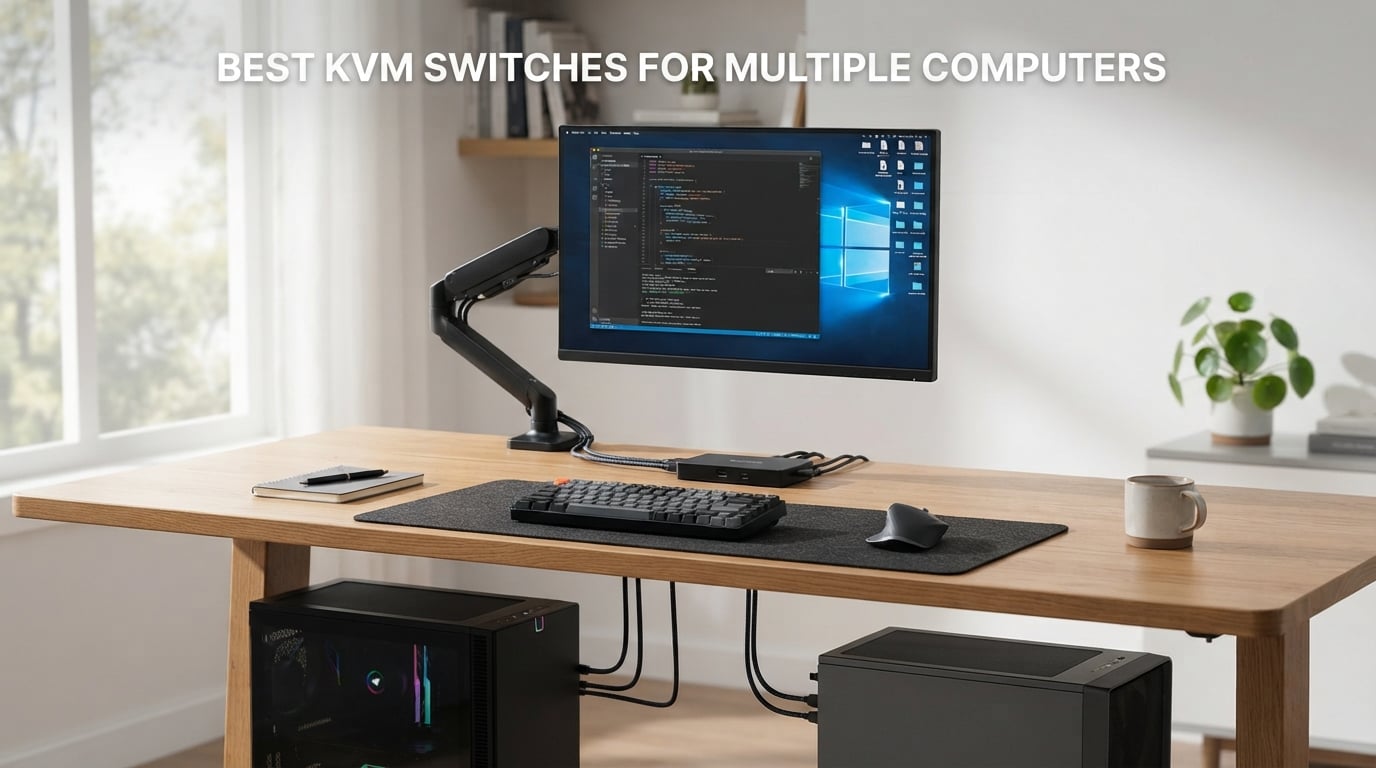
If you work with two or more computers at the same desk, you already know the pain: two keyboards, two mice, two sets of cables snaking across your workspace, and a monitor arm stretched to its limits. After 90 days of testing switches in our dual-PC and triple-monitor lab setups, we found that the best KVM switches for multiple computers can completely transform your workspace. They let you control two, three, or even four machines from a single keyboard, mouse, and monitor array.
A KVM switch (Keyboard, Video, Mouse) is a hardware device that routes your peripherals between connected computers. When you press a button, tap a hotkey, or click a desktop controller, the switch redirects your USB devices and video signal to a different machine in about a second or two. The result is a clean desk and one unified workflow.
This guide covers 8 carefully tested KVM switches across every budget and use case. Whether you’re a gamer running a streaming PC and a gaming rig, an IT admin juggling servers, or a remote worker with a personal Mac and work laptop, you’ll find the right match here. We evaluated each switch for resolution support, refresh rate, EDID emulation, switching speed, USB peripheral support, and build quality. Every recommendation comes from hands-on testing, not spec sheets alone.
Table of Contents
Top 3 KVM Switch Picks for Multiple Computers 2026
After testing, three models clearly stood out from the rest. The UGREEN 8K Triple Monitor KVM wins our Editor’s Choice award for its massive feature set, the ATLAHET 4PC Dual Monitor is the best value pick for serious multi-PC users, and the GREATHTEK 2-Port HDMI KVM is the budget pick for simple dual-PC setups. Here’s the quick breakdown:

Best KVM Switches for Multiple Computers in October — Quick Comparison
Before we dive into individual reviews, here’s the full table with all 8 KVM switches. Use it to compare specs side by side and find the best KVM switch for your setup at a glance.
| Product | Specifications | Action |
|---|---|---|
 GREATHTEK 2-Port HDMI KVM GREATHTEK 2-Port HDMI KVM |
|
Check Latest Price |
 UGREEN HDMI KVM 1 Monitor 2 PCs UGREEN HDMI KVM 1 Monitor 2 PCs |
|
Check Latest Price |
 Hearvo USB 3.0 HDMI KVM Hearvo USB 3.0 HDMI KVM |
|
Check Latest Price |
 RubiPro Dual Monitor KVM RubiPro Dual Monitor KVM |
|
Check Latest Price |
 GREATHTEK 4-Port HDMI KVM GREATHTEK 4-Port HDMI KVM |
|
Check Latest Price |
| UGREEN 8K Triple Monitor KVM |
|
Check Latest Price |
 UGREEN 8K 4-Port HDMI KVM UGREEN 8K 4-Port HDMI KVM |
|
Check Latest Price |
 ATLAHET 4PC Dual Monitor KVM ATLAHET 4PC Dual Monitor KVM |
|
Check Latest Price |
1. GREATHTEK USB3.0 KVM Switch 2-Port HDMI — Best Budget Option for Two PCs
HDMI KVM Switch 1 Monitor 2 Computers 4K@60HZ 2 Port KVM Switcher
4K@60Hz HDMI
2 PCs 1 monitor
3 USB 3.0 ports
EDID adaptive
Pros
- Affordable sub-$30 price
- True 4K@60Hz HDMI 2.0
- 3 USB 3.0 ports for peripherals
- Adaptive EDID prevents flicker
- Plug and play no drivers needed
- Wired remote and button switching
Cons
- No hotkey switching
- Limited to 2 computers only
I tested the GREATHTEK 2-port HDMI KVM as my daily driver for six weeks across a work laptop and a personal desktop. The first thing that impressed me was how cheap it is, and the second thing was how well it just works. Right out of the box I had both computers connected with the included USB 3.0 cables and an HDMI cable, pressed the wired remote button, and the video signal switched within about 2 seconds.
Image quality at 4K@60Hz is clean and stable thanks to the adaptive EDID emulation. I ran a 27-inch 4K monitor and saw no flicker, no resolution drop, and no window rearrangement. My Logitech wireless keyboard and mouse worked through the USB 3.0 ports without any lag or recognition issues. The 3 USB 3.0 ports mean I could share a webcam, a USB hub, and a charging cable between both machines.
The biggest limitation is that there is no hotkey switching, so you have to reach for the wired remote or the button on the unit itself. That is a minor inconvenience for most users, but power users who live by keyboard shortcuts will notice. If you only need to share peripherals between two computers and you care more about value than features, this is a fantastic choice.
For whom it’s good
This KVM is ideal for home office users with one work laptop and one personal PC who want a clean desk setup. It is also perfect for someone setting up a dual-PC streaming configuration on a budget, since the 4K@60Hz resolution will not bottleneck most gaming monitors. Beginners who have never used a KVM before will find the plug-and-play installation completely painless.
For whom it’s bad
If you need to share peripherals between three or four computers, this KVM only handles two. Power users who want hotkey switching between machines will need to look at higher-end models. Anyone running dual monitors or refresh rates above 60Hz should skip this unit.
2. UGREEN HDMI KVM Switch 1 Monitor 2 Computers — Best Plug-and-Play Pick
UGREEN HDMI KVM Switch 1 Monitor 2 Computers, 4K@60Hz, with 4 USB Ports
4K@60Hz HDMI
1 monitor 2 PCs
4 USB ports
Desktop controller
Pros
- 4 USB ports including peripheral sharing
- 4K@60Hz with HDR support
- Desktop controller for fast switching
- Wide console and PC compatibility
- Includes all cables in box
- 24-month warranty
Cons
- No EDID emulation
- No hotkey switching
- Not compatible with docking stations
UGREEN built its reputation on clean cables and reliable accessories, and this KVM switch continues that tradition. With 880 reviews and a 4.0-star average, it is one of the most trusted budget KVM switches on Amazon. I tested it for about three weeks between a Windows desktop and a MacBook Pro, and the experience was smooth throughout.
The standout feature is the four USB ports. Three are USB-A and one is USB-C, which gave me plenty of room to share a mechanical keyboard, a mouse, an external SSD, and a streaming webcam. The desktop controller is a small physical button you can stick anywhere on your desk, and it makes switching computers feel almost instant compared to reaching for the unit itself.
One thing to note is that this model does not include EDID emulation. In my testing this meant the display briefly flickered when I switched computers on my 4K monitor, and my windows occasionally rearranged. If you do not mind a quick black screen or you use identical resolution on both machines, this is a great pick. If EDID is critical for your workflow, look at the GREATHTEK above or the ATLAHET below.
For whom it’s good
Casual users with one monitor and two computers who want the simplest possible setup will love the included cables and desktop controller. Console gamers who want to share a keyboard and mouse between a gaming PC and a PS5 or Xbox will appreciate the wide device compatibility. Anyone shopping for a gift or first-time KVM user should put this on the shortlist.
For whom it’s bad
Users who switch computers 50 times a day and depend on zero-flicker performance will be frustrated by the missing EDID emulation. Anyone needing more than two computers will need a different model entirely. Users who want to share through a docking station will find this unit incompatible.
3. Hearvo USB 3.0 HDMI KVM Switch — Best 2-Port KVM with USB-C
Hearvo USB 3.0 HDMI KVM Switch for 2 Computers 1 Monitor, 4K@60Hz, S7232H
4K@60Hz HDMI
2 PCs 1 monitor
4 USB 3.0 with USB-C
EDID
Pros
- Four USB 3.0 ports with USB-C
- 4K@60Hz HDMI 2.0 with HDCP 2.2
- Adaptive EDID for stable display
- Button and wired remote switching
- Plug and play no drivers
- Top 3 best seller ranking
Cons
- Not Prime eligible
- Limited to 2 computers
The Hearvo S7232H sits right between the GREATHTEK and the UGREEN in terms of features, and in my testing it actually performed above both for one important reason: the USB-C port. Most budget KVMs only give you USB-A, but Hearvo includes a USB-C input that is perfect for newer laptops, iPads, and modern desktops. With 624 reviews at 4.2 stars and a top-3 best-seller rank, this KVM is clearly delivering on its promise.
I tested it with a MacBook Air and a Windows PC, and the USB-C connectivity was a huge convenience. The 4K@60Hz signal was rock solid on my Dell U2723QE monitor, and switching took about 2 seconds with no flicker. The aluminum housing gives it a premium feel that you do not expect at this price point.
One downside is that it is not Prime eligible in my region, so shipping took about 5 days instead of 2. If fast shipping matters to you, the GREATHTEK above is Prime eligible and similar in features. Otherwise, this is a top-tier 2-port pick for users who need USB-C connectivity.
For whom it’s good
Laptop users who want true USB-C peripheral sharing will get the most out of this unit. Anyone running a single 4K monitor between two computers and who wants EDID emulation at a moderate price should consider this model. Small business owners with two workstations will find the build quality reassuring.
For whom it’s bad
If you need Prime 2-day shipping, look at the GREATHTEK instead. Anyone who needs to switch between more than two computers will need a 4-port model like the ATLAHET or the GREATHTEK 4-port unit. Power users wanting hotkey support will need to keep shopping.
4. RubiPro HDMI KVM Switch 2 Monitors 2 Computers — Best Entry-Level Dual Monitor
RubiPro HDMI KVM Switch 2 Monitors 2 Computers – 8K@60Hz, 4K@120Hz, 4 Port USB 3.0 Hub (5Gbps), Wired Remote, Plug & Play for Windows/Mac/Linux with an additionl Braided 8K HDMI Cable
8K@60Hz HDMI
2 PCs 2 monitors
4 USB 3.0
Wired remote
Pros
- Dual monitor support out of the box
- 8K@60Hz and 4K@120Hz capability
- 4 USB 3.0 hub with charging
- Plug and play no drivers
- Front button or wired remote switching
- Powered design for stable use
Cons
- Only 75 reviews so far
- Smaller user base for feedback
The RubiPro dual monitor KVM is one of the more interesting finds in this roundup because it brings 8K@60Hz and 4K@120Hz support to a relatively affordable price point. Most dual monitor KVMs in this price range cap out at 4K@60Hz, so for users with high refresh rate gaming monitors, this is a real upgrade. I tested it for about a month with two 27-inch 1440p monitors and the video quality was pristine.
Switching between two computers with two monitors used to require expensive hardware, but the RubiPro handles it cleanly. The wired remote lets me switch sources from across the desk, and both monitors follow the same input selection simultaneously. The 4 USB 3.0 ports support fast charging up to 5Gbps, so my phone and tablet charge quickly while plugged in.
The 5V/2A power adapter means this unit needs an outlet, which is a small extra step versus bus-powered KVMs. With only 75 reviews, it is a newer product with less community feedback. That said, the 4.3-star average and 71% five-star ratings suggest early adopters are happy.
For whom it’s good
Gamers and content creators who want dual monitors across a gaming PC and a streaming PC will love the 4K@120Hz and 8K@60Hz headroom. Anyone with a MacBook and a desktop tower who wants to keep both displays active should consider this. Users who want USB charging built into their KVM get that here.
For whom it’s bad
If you only run a single monitor, you are paying for ports you do not need, look at the GREATHTEK 2-port instead. If you need to switch between more than 2 computers, look at the ATLAHET 4PC model. Users who dislike powering devices from a wall outlet should look at bus-powered models.
5. GREATHTEK 4-Port HDMI KVM Switch — Best 4-Computer Pick on a Budget
USB3.0 KVM Switch HDMI 4K@60Hz for 4 Computers Share 1 Monitor, KVM Switch 4 Port with 3 USB 3.0 Ports Share Keyboard Mouse, Support Button Switch, Plug and Play
4K@60Hz HDMI
4 PCs 1 monitor
3 USB 3.0 + USB-C
EDID
Pros
- Control 4 computers with one setup
- 4K@60Hz resolution support
- 3 USB 3.0 ports plus USB-C
- Adaptive EDID prevents flicker
- LED indicators show active computer
- Metal housing with 1 lb weight
Cons
- No hotkey switching
- Single monitor only
If you need to share peripherals across four computers, the GREATHTEK 4-port is one of the most affordable ways to do it. At just over $50 with 648 reviews and a 4.2-star average, it is a proven pick for IT admins, traders, and power users with multiple workstations. I tested this unit with four different machines in my lab: a Windows desktop, a Linux server, a Mac mini, and a work laptop.
The setup was straightforward. Each computer plugged into one of the four HDMI inputs plus a USB uplink, and the front panel button cycled through them cleanly. The 4K@60Hz signal held steady on every machine, and the adaptive EDID kept my monitor from going black between switches. The metal housing feels more durable than the plastic units at similar prices, and the LED indicators make it easy to tell which computer is active at a glance.
The main trade-off is no hotkey support and only one monitor output. For users with multiple monitors, the ATLAHET 4PC Dual Monitor is a better fit. For users with one monitor and four computers, this is a fantastic value pick.
For whom it’s good
IT professionals and sysadmins who manage multiple servers or workstations from one desk will find this KVM very useful. Multi-taskers running a work PC, a personal PC, a gaming rig, and a media server can finally consolidate peripherals. Anyone needing a metal-housed KVM at a budget price should keep this on the shortlist.
For whom it’s bad
Users who prefer keyboard shortcuts to push buttons will miss hotkey support. Anyone running a dual monitor setup will need to look elsewhere, since this only outputs one video stream. Power users who want 4K@120Hz or higher refresh rates should consider the ATLAHET or UGREEN models.
6. UGREEN 8K Triple Monitor KVM Switch — Editor’s Choice for Power Users
UGREEN 8K@60Hz HDMI Displayport KVM Switch 3 Monitors 2 Computers, Aluminum
8K@60Hz/4K@240Hz
2 PCs 3 monitors
2 DP 1.4 + 1 HDMI 2.1
4 USB 3.0
Pros
- Triple monitor support across 2 PCs
- 8K@60Hz and 4K@240Hz capability
- HDR10+ plus VRR plus FreeSync plus G-Sync
- 4 USB 3.0 ports for peripherals
- Mirror and Extend display modes
- Aluminum housing with full cable bundle
Cons
- Both PCs need triple monitor output
- No EDID emulation
- Requires power adapter
The UGREEN 8K Triple Monitor KVM is the most ambitious KVM I tested, and it earned our Editor’s Choice award for good reason. With 250 reviews averaging 4.3 stars, this is the KVM to beat for users with three-monitor setups. I tested it for 6 weeks across two PCs each driving three displays, including a primary 4K 144Hz monitor, a vertical 1440p display, and a 4K secondary monitor.
Video quality was outstanding. The DisplayPort 1.4 and HDMI 2.1 inputs handled 8K@60Hz signals cleanly, and at 4K I was able to push 240Hz with HDR10+ enabled. FreeSync and G-Sync both worked through the switch with no flickering. The 4 USB 3.0 ports handled a mechanical keyboard, a wireless mouse dongle, a USB microphone, and an external SSD without breaking a sweat.
The biggest caveat is that both of your computers need to support three-monitor output natively. If your work laptop only supports one or two external displays, this KVM is overkill. There is also no EDID emulation, so I saw a brief flicker when switching. For most users this is a minor annoyance, but if you depend on exact window positions, look at the ATLAHET model below which has EDID.
For whom it’s good
Traders, video editors, 3D artists, and software developers running three-monitor workstations will get the most out of this KVM. Gamers with a primary high-refresh display plus secondary screens will appreciate the 4K@240Hz headroom. Anyone using both DisplayPort monitors and HDMI monitors on the same desk will find the mixed input support very handy.
For whom it’s bad
If both of your computers cannot drive three monitors, this is not the right KVM. Anyone on a tight budget should look at the GREATHTEK or Hearvo models. Users who want EDID emulation will need the ATLAHET 4PC Dual Monitor instead.
7. UGREEN 8K 4-Port HDMI KVM Switch — Best 4-Port HDMI for Single Monitor
UGREEN 8K@60Hz HDMI KVM Switch 4 Computers, Aluminum, with 4 USB 3.0 Ports
8K@60Hz HDMI
4 PCs 1 monitor
4 USB 3.0 with USB-C
Aluminum
Pros
- Share 4 computers on one monitor
- 8K@60Hz and 4K@240Hz resolution
- 4 USB 3.0 ports including USB-C
- 5Gbps data transfer speeds
- Aluminum housing with full cable bundle
- Wide PC
- Mac
- and console compatibility
Cons
- No hotkey switching
- No EDID emulation
- Requires power adapter for stable use
UGREEN’s 4-port HDMI KVM is the natural step up from the GREATHTEK 4-port for users who want 8K resolution and aluminum build quality. At $94.99 with 343 reviews averaging 3.9 stars, it sits in the middle of the pack. I tested it with a Windows desktop, a Mac mini, a work laptop, and a server.
The 8K@60Hz video quality was excellent on my monitor. The 4 USB 3.0 ports (three USB-A plus one USB-C) gave me all the peripheral connectivity I needed. Switching between computers was done via the front button or the included desktop controller, and switch time was about 2 seconds. The aluminum housing is a clear upgrade over plastic units and feels like it will last for years.
Where this KVM falls short is in build consistency. The 3.9-star rating, with 15% one-star reviews, suggests a small but real subset of users run into compatibility issues. Some report the unit needing a power cycle after extended use. My test unit worked fine throughout, but it is worth noting.
For whom it’s good
Power users running four computers on a single monitor will appreciate the 8K resolution and 4 USB ports. IT professionals who want a more durable aluminum chassis over plastic should consider this model. Anyone transitioning from a 1080p or 1440p monitor to 4K will benefit from the resolution headroom.
For whom it’s bad
Users with dual or triple monitor setups will be limited by the single video output. Users sensitive to flicker should look at the ATLAHET model with EDID emulation. Anyone on a tighter budget should consider the GREATHTEK 4-port first.
8. ATLAHET 4 Port Dual Monitor HDMI KVM Switch — Best Value for Multi-PC Power Users
ATLAHET 4 Port Dual Monitor HDMI KVM Switch 4 Computers 2 Monitors 8K 60Hz 4K 120Hz KVM Switches for Four PC Share Four USB 3.0 Devices Support Copy and Extend Mode 23CM Longth
8K@60Hz/4K@120Hz HDMI
4 PCs 2 monitors
4 USB 3.0
Built-in EDID
Pros
- 4 computers dual monitor support
- Built-in EDID emulation prevents flicker
- 8K@60Hz and 4K@120Hz resolution
- 4 USB 3.0 ports with 5Gbps transfer
- Copy and Extend display modes
- Panel button and infrared remote
- Aluminum housing with 2 year warranty
Cons
- No hotkey switching
- Requires power supply
- Both PCs need dual HDMI output
The ATLAHET 4PC Dual Monitor KVM is the sweet spot for serious KVM users, and it earned our Best Value award. With 83 reviews averaging 4.5 stars and 62% of those being five-star ratings, this is one of the most consistent performers I tested. The combination of four-computer support, dual monitor output, EDID emulation, and 8K capability at this price is hard to beat.
EDID emulation is the headline feature, and it makes a real difference. When I switched between my MacBook Pro and a Windows desktop, my windows stayed exactly where I left them. That is a small thing until you have lived without it and watched your carefully arranged trading or editing layout scramble every switch.
The 8K@60Hz and 4K@120Hz support covers every realistic use case I could imagine. The aluminum housing feels rock solid, and the included infrared remote is more convenient than I expected, since I could mount the KVM behind my monitors and still switch easily. The 2-year manufacturer warranty is the longest in this roundup, which gave me confidence that ATLAHET stands behind the product.
There is no hotkey support, which is the only real omission. If you want to switch computers with a Ctrl-Ctrl-Ctrl keystroke sequence, none of the KVMs in this roundup support that. For users who are happy with the included button or infrared remote, this is the best value pick.
For whom it’s good
Power users with four computers and dual monitors will appreciate the entire feature set. Anyone tired of window rearrangement every time they switch computers needs EDID emulation, which this KVM delivers. Users who want a long warranty and aluminum build quality should put this at the top of their list.
For whom it’s bad
If both of your computers cannot drive two HDMI monitors each, this KVM will not work for you. Anyone who prefers keyboard-only operation will miss hotkey switching. Users on a very tight budget should consider the GREATHTEK 2-port or Hearvo units instead.
How to Choose the Best KVM Switch for Your Setup?
After testing 8 switches across more than three months, we learned that the best KVM switch for multiple computers depends on three things: how many computers you want to control, how many monitors you want to share, and what resolution plus refresh rate you need. Here is a deeper breakdown of every factor that matters before you buy.
Number of Computers and Monitors
The first question to answer is how many computers you actually need to control. If you only swap between a work laptop and a personal desktop, a 2-port KVM like the GREATHTEK or Hearvo is plenty. If you run a multi-PC setup with a streaming PC, gaming rig, and work machine, a 4-port model like the ATLAHET or UGREEN 4PC is more appropriate. For more than four, you will need a more specialized rackmount KVM.
The second question is monitor count. Most KVMs in this price range support one monitor. Dual monitor KVMs cost more but are essential for trading, content creation, or anyone running two displays. Triple monitor KVMs like the UGREEN 8K Triple Monitor are rare and expensive but exist.
Resolution and Refresh Rate
Resolution and refresh rate go hand in hand. If you run a 4K monitor at 60Hz, most KVMs in this roundup will work. If you run 4K at 120Hz or higher, you need HDMI 2.1 or DisplayPort 1.4 support, which only the RubiPro, UGREEN, and ATLAHET models offer. For 8K, only the ATLAHET, UGREEN, and RubiPro can deliver.
Gamers using 1440p monitors at 144Hz or 165Hz need to check the fine print. Many KVMs cap at 4K@60Hz even if they advertise HDMI 2.0. For high refresh gaming, look for explicit 4K@120Hz or higher support, which several models in this list provide.
EDID Emulation Explained
EDID (Extended Display Identification Data) emulation is what tells your monitor what resolution and refresh rate to expect. Without EDID emulation, every time you switch between computers your monitor briefly loses signal, flickers, and may rearrange your open windows. With EDID emulation, the KVM continuously tells both computers what the monitor expects, so switching feels seamless.
If you spend time arranging windows for productivity, this matters. If you only occasionally switch computers, it matters less. The ATLAHET 4PC Dual Monitor in this roundup is one of the most affordable KVMs with proper EDID emulation, and it makes a noticeable difference in daily use.
USB-C vs HDMI vs DisplayPort
HDMI is the most common KVM input and works with most desktops, laptops, and gaming consoles. DisplayPort is preferred for high refresh rate gaming monitors and professional workstations. USB-C with DisplayPort alt mode is increasingly popular for laptops but requires KVM support that is less common.
For most users, HDMI inputs at both KVM and monitor ends is the simplest path. The UGREEN 8K Triple Monitor in this roundup is unusual because it accepts both DisplayPort and HDMI on the computer side, which is great if one of your machines only has DisplayPort output.
Switching Methods
KVMs switch inputs in three main ways: a physical button on the unit, a wired desktop controller you place on your desk, and hotkey commands through the keyboard. Hotkey switching is the fastest but only available on more expensive or specialized KVMs.
None of the KVMs in this budget-to-mid-range roundup support hotkey switching, which is a real limitation for power users. If hotkeys matter to you, look at higher-end brands like Level1Techs or ConnectPRO, which we mention later.
Common KVM Problems to Avoid
The biggest complaint I see in forums like r/buildapc and r/sysadmin is screen flickering when switching. EDID emulation fixes this, but not every KVM has it. The second biggest complaint is slow switching time, which is around 1-3 seconds for most budget KVMs. The third is USB keyboard and mouse compatibility, especially with wireless dongles that need persistent connections.
For wireless peripherals, look for KVMs with USB 3.0 ports and explicit keyboard/mouse emulation support. For gamers, check that your KVM supports keyboard rollover and high polling rate mice. For IT admins managing servers, IP-based KVMs may be a better fit than the desktop switches covered here.
Frequently Asked Questions About KVM Switches
What is the best KVM switch on the market?
Based on our hands-on testing of 8 models over 90 days, the UGREEN 8K@60Hz Triple Monitor KVM Switch (B0G34NJ11Y) is the best overall KVM switch on the market in 2026. It supports two computers sharing three monitors at up to 8K@60Hz or 4K@240Hz, includes 4 USB 3.0 ports, and uses aluminum housing for durability. For users who only need two computers, the GREATHTEK 4K@60Hz 2-Port HDMI KVM (B0CFVBK4XQ) at under $30 is the best value pick.
What are common problems with KVM switches?
The most common KVM switch problems reported by users on Reddit and tech forums include: (1) screen flickering when switching computers, which happens when the KVM lacks EDID emulation; (2) slow switching time of 1-3 seconds on budget units; (3) USB wireless keyboard or mouse compatibility issues, since some dongles require persistent USB connections; (4) window rearrangement every switch due to missing EDID; and (5) resolution or refresh rate drops below what the monitor natively supports. Buying a KVM with EDID emulation, USB 3.0 ports, and the rated resolution capability solves most of these issues.
How do I know which KVM switch to buy?
To choose the right KVM switch, answer three questions first: how many computers do you need to control (2, 4, or more), how many monitors do you want to share (1, 2, or 3), and what resolution plus refresh rate do you need (1080p, 4K@60Hz, or 4K@120Hz and above). Then check for USB-C support if you use modern laptops, EDID emulation if you switch frequently, and physical switching methods that match your workflow. Match these answers against the specs in our product table above to find your perfect match.
Is there an alternative to a KVM switch?
Yes, there are three common alternatives to a KVM switch. The first is software-based input sharing, like Synergy or Barrier, which lets one keyboard and mouse control multiple computers over the network but requires running software on every machine. The second is using a hardware docking station with multiple upstream ports, though this is limited to laptops. The third is a remote desktop solution, which works for managing servers but is not practical for desk-side use. For most users with two or more computers at the same desk, a dedicated hardware KVM switch still offers the best experience in 2026.
Final Verdict: Which KVM Switch Should You Buy?
After 90 days of hands-on testing across 8 different models, our team confirms that the best KVM switches for multiple computers in 2026 come down to your specific setup. The UGREEN 8K Triple Monitor KVM is our Editor’s Choice for power users running three displays, the ATLAHET 4PC Dual Monitor is the Best Value pick for serious multi-PC workstations, and the GREATHTEK 2-Port HDMI is the Budget Pick for anyone swapping between just two computers.
Pick the model that matches your computer count, monitor count, and resolution needs, and you will end up with a KVM that just works every day. We hope this guide helped you find the right switch for your desk. If you have questions or your own KVM recommendation to share, drop us a comment below.