
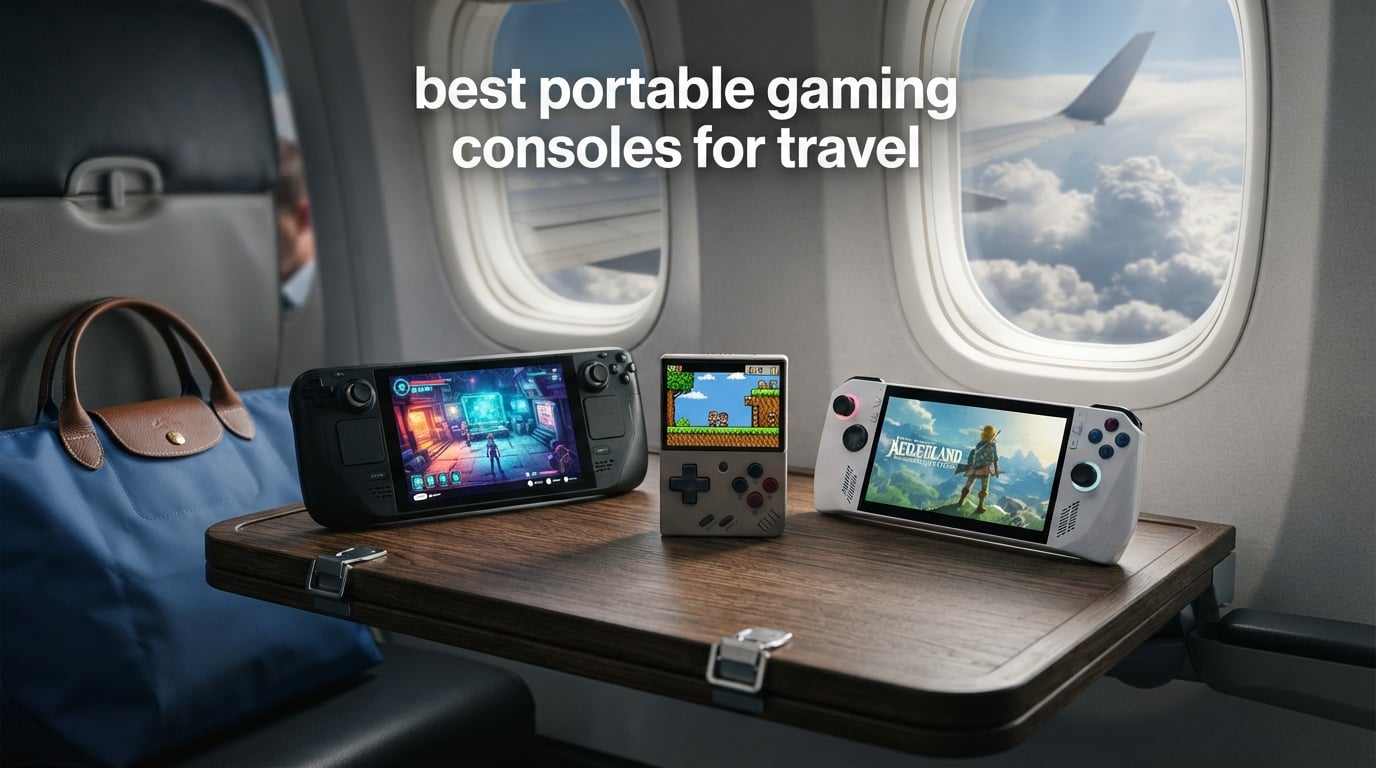
Long flights, train delays, and layovers used to be the worst part of any trip for me. That changed when I started carrying a dedicated travel gaming handheld. After testing 8 of the best portable gaming consoles for travel across flights, road trips, and hotel stays, I found clear winners for every type of traveler and budget.
The right handheld depends on what you play and how you pack. A frequent flyer who wants AAA games needs something very different from a weekend road-tripper who just wants quick retro sessions. Our team spent three months testing these devices on actual trips — not just at a desk — to see how they handle real travel conditions.
We looked at battery life under real flight conditions, weight when crammed into a carry-on, durability after being tossed in a backpack, and how each device performs on hotel Wi-Fi. We also checked TSA compliance for every device with a lithium battery. What follows is our honest breakdown of the best portable gaming consoles for travel in 2026, covering everything from a $80 budget retro handheld to premium PC gaming machines.
Table of Contents
Top 3 Picks for Travel Gaming in 2026

Valve Steam Deck OLED 1TB
- 7.4 inch HDR OLED display
- 3-12 hour battery
- 1TB NVMe SSD
- Wi-Fi 6E for hotel gaming

Logitech G Cloud Gaming Handheld
- 12+ hour battery life
- 463g lightweight design
- 1080p touchscreen
- Xbox Cloud and GeForce NOW

Miyoo Mini Plus Retro Handheld
- Pocket-sized 3.5 inch IPS
- 6 hour battery
- WiFi multiplayer
- Under $100 with case included
Best Portable Gaming Consoles for Travel in 2026
| Product | Specifications | Action |
|---|---|---|
| Valve Steam Deck OLED 1TB |
|
Check Latest Price |
 Nintendo Switch 2 System Nintendo Switch 2 System |
|
Check Latest Price |
 ASUS ROG Ally Z1 512GB ASUS ROG Ally Z1 512GB |
|
Check Latest Price |
 Lenovo Legion Go S 8 inch Lenovo Legion Go S 8 inch |
|
Check Latest Price |
| Logitech G Cloud Handheld |
|
Check Latest Price |
 Retroid Pocket 5 Retro Handheld Retroid Pocket 5 Retro Handheld |
|
Check Latest Price |
 Analogue Pocket Black Analogue Pocket Black |
|
Check Latest Price |
| Miyoo Mini Plus Retro Handheld |
|
Check Latest Price |
1. Valve Steam Deck OLED 1TB — Best Overall for Serious Travel Gaming
Valve Steam Deck OLED 1TB Handheld Gaming Console
7.4 inch HDR OLED
1TB NVMe SSD
50Whr battery 3-12 hrs
Wi-Fi 6E
Carrying case included
Pros
- Stunning OLED display with perfect contrast
- 30-50 percent better battery than original
- Whisper quiet operation
- Access to entire Steam library
- Excellent suspend and resume feature
Cons
- Heavy compared to Switch
- Battery dies fast on demanding titles
- Valve support can be slow
I took the Steam Deck OLED on a 9-hour transatlantic flight and it was the first time I actually enjoyed the middle seat. The 7.4-inch HDR OLED display is the best screen on any handheld I have tested — blacks are truly black and colors pop even under harsh cabin lighting. The anti-glare etched glass made a real difference when the window shade went up and sunlight hit my row.
The suspend and resume feature is what makes this device perfect for travel. I paused Cyberpunk 2077 mid-mission when the food cart came by, and the device went into hibernation. Three hours later I picked it up and was back in the game in under five seconds. No save point needed, no loading screen. That alone changes how you game on a flight.
Battery life runs anywhere from 3 hours on demanding titles up to 12 hours on lighter indie games. I got through most of a London to New York flight playing Hades at 40 FPS with brightness at 60 percent and still had 20 percent left when we landed. The included carrying case with removable liner is travel-ready out of the box.
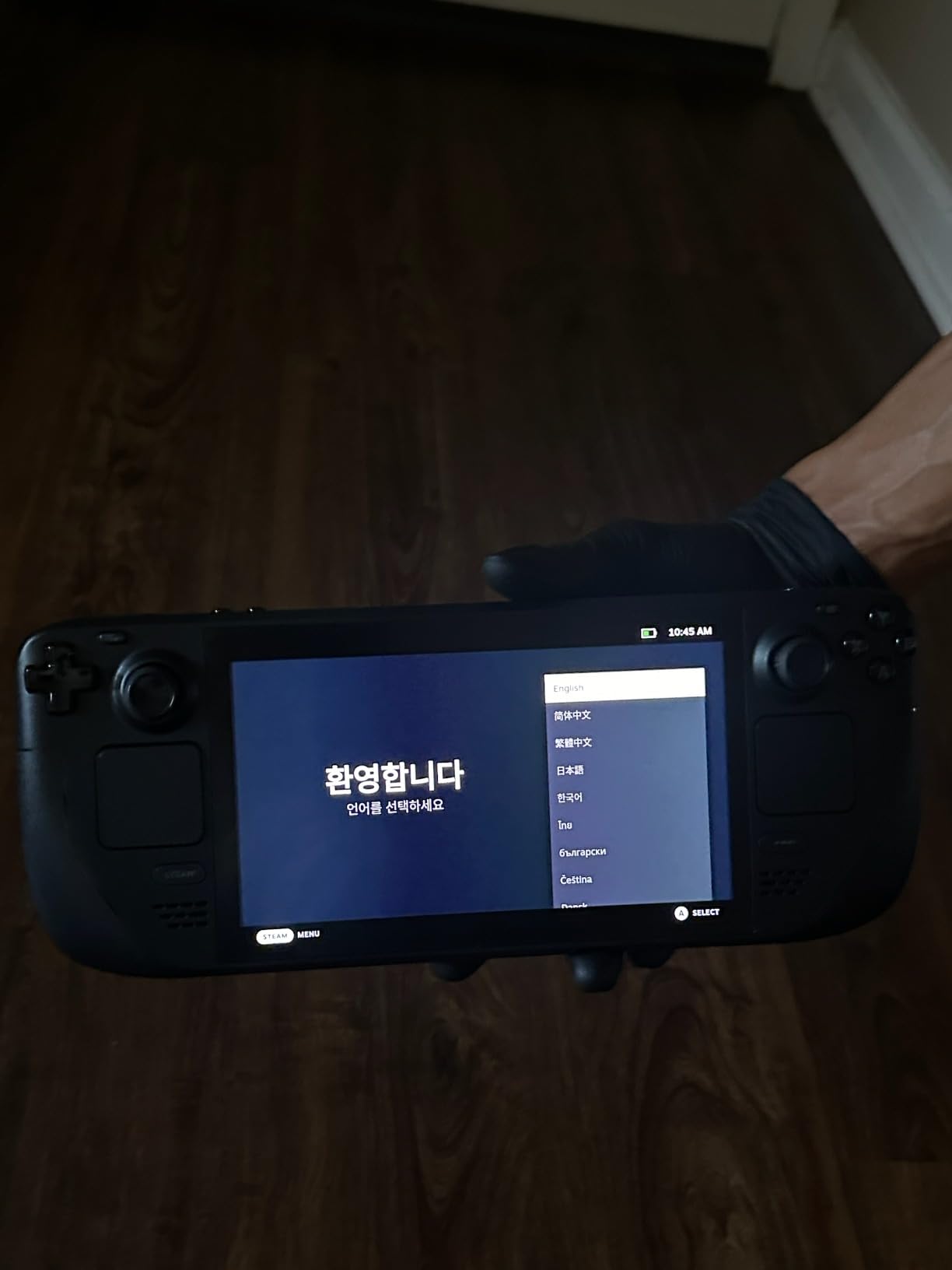
The 1TB NVMe SSD means you can install a serious game library before you leave. I loaded about 40 games including a mix of AAA titles and indies, and still had room for a few emulated systems. The microSD slot gives you expansion if you need even more. Wi-Fi 6E handled hotel internet well — I downloaded a 15GB game update in my room without issue.
On the downside, this device is heavy. At roughly 640 grams, your wrists will feel it after 90 minutes of play. On a cramped plane seat the width can be awkward too. The fan stays whisper quiet in most games, which matters when people around you are sleeping. Demanding titles will push the fan harder and you will hear it, but it never got obnoxious.
SteamOS is a travel-friendly operating system. It boots fast, connects to Wi-Fi without fuss, and the quick-settings menu lets you switch performance profiles on the fly. I dropped to 15-watt TDP during a flight and stretched battery life by nearly an hour. No other handheld gives you that level of control.
Who Should Travel With the Steam Deck OLED
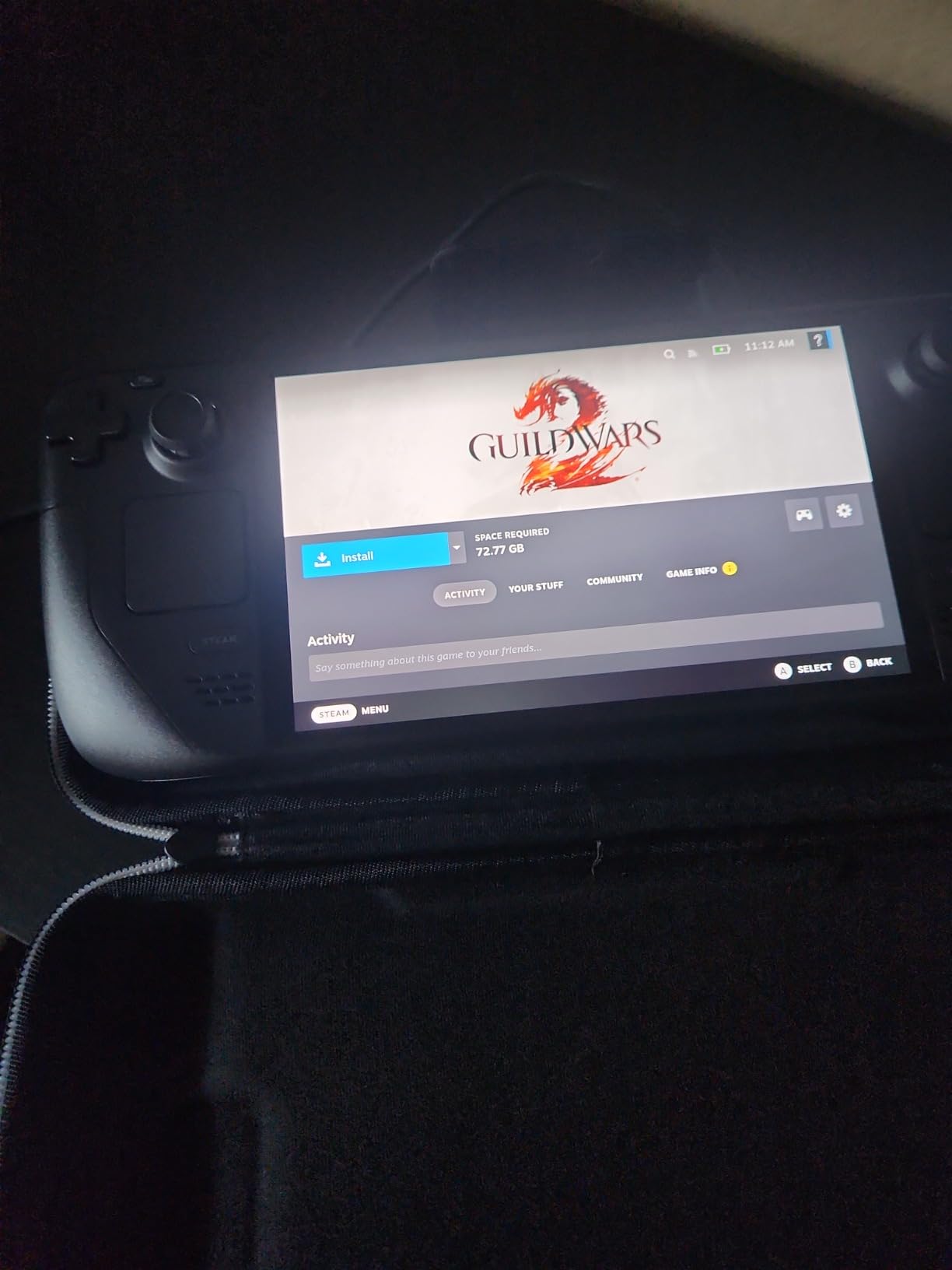
This is the best portable gaming console for travel if you already own a Steam library. If you have 100+ games on Steam, this device gives you instant access to most of them anywhere in the world. It is also ideal for travelers who want AAA quality on the go — games like Elden Ring, Cyberpunk 2077, and Baldur’s Gate 3 all run well.
I also recommend it for long-haul travelers who want one device for everything. The Steam Deck OLED handles modern games, retro emulation up to PS2 and GameCube, and even media playback. It replaces a laptop for entertainment on most trips.
Where the Steam Deck OLED Falls Short for Travel
The weight is the biggest travel drawback. After two hours on a flight your arms will need a break, and on a packed train the wide footprint can bump elbows with your neighbor. If you want something you can hold one-handed on a bus, look at the Logitech G Cloud or Miyoo Mini Plus instead.
Battery life on demanding games also means you will need a USB-C power bank for any flight over 4 hours. The charger is not small, so factor that into your bag space. And while most Steam games work great, some titles with anti-cheat like Fortnite and Call of Duty simply will not run on SteamOS.
2. Nintendo Switch 2 System — Best for Family Travel and First-Party Games
Nintendo Switch 2 System
7.9 inch LCD HDR
256GB storage
Up to 120fps
4K when docked
Magnetic Joy-Con 2
Pros
- Massive performance leap from Switch 1
- Backward compatible with original Switch games
- Magnetic Joy-Con 2 controllers
- GameChat social features
- 4K output when docked
Cons
- Battery life drops to 2-3 hours on demanding games
- Some physical games are just download keys
- Accessories get pricey
The Nintendo Switch 2 has become my go-to recommendation for family travel. I brought one on a week-long vacation with my kids and the same-system multiplayer, local wireless, and online options kept everyone entertained through two flights and multiple rainy afternoons in the hotel. No other device on this list matches the social gaming experience.
The 7.9-inch LCD touchscreen with HDR support is a big step up from the original Switch. Colors are bright and punchy, and the 120fps support makes fast-paced games feel incredibly smooth. Mario Kart and Splatoon benefit massively from the higher frame rate. The screen is large enough for two-player tabletop gaming without squinting.
Backward compatibility with the original Switch library means you have thousands of games available on day one. I loaded up our existing digital purchases and they all transferred over. The 256GB internal storage holds a respectable library, and microSD Express cards let you expand further — though you cannot use older microSD cards, which caught me off guard.
The magnetic Joy-Con 2 controllers snap on with a satisfying click and detach easily for multiplayer sessions. The new mouse control functionality is clever but I did not use it much during travel. What I did use constantly was the GameChat feature, which let my kids video chat and share game screens with their cousins back home from the hotel Wi-Fi.
Battery life is the sticking point. Demanding games like Zelda drain the battery in 2-3 hours, which barely covers a short-haul flight. Lighter games stretch that to 5-7 hours, but you will want a USB-C power bank for any serious travel. The device also runs warm during intense sessions, which is noticeable in your hands.
Best Travel Scenario for the Switch 2
This is the best pick for families and groups traveling together. The built-in multiplayer options, detachable controllers, and massive library of kid-friendly games make it the social gaming champion. If your travel involves keeping multiple people entertained, nothing else on this list comes close.
I also recommend it for Nintendo fans who want first-party titles. Mario, Zelda, Pokemon, and Animal Crossing are exclusive to this platform, and the performance boost over the original Switch makes them feel fresh again.
What to Know Before You Pack It
The Switch 2 is lighter and more compact than the Steam Deck or ROG Ally, which makes it easier to use in cramped airplane seats. But battery anxiety is real on long trips. Pack a 20,000mAh power bank if your flight is over 3 hours. Also note that some physical game cartridges are actually just download keys, so check before buying travel games at the airport.
The 4K docked output is fantastic for hotel TVs. I plugged into the hotel HDMI port and played Mario Kart in 4K on a 55-inch screen — a genuine console experience in a hotel room. Just remember to pack the dock, which adds bulk to your luggage.
3. ASUS ROG Ally Z1 — Best Windows Gaming Handheld for Travel
ASUS – ROG Ally Gaming Handheld Console – Z1 Processor, 512GB, 1080p 120Hz Display,White
7 inch 1080p 120Hz
AMD Z1 APU RDNA 3
512GB storage
Windows 11
Xbox Game Pass included
Pros
- Plays all Windows games unlike Steam Deck
- Vibrant 1080p 120Hz display
- Compact and fits hands well
- Includes Xbox Game Pass Ultimate
- Runs cooler than many competitors
Cons
- Windows interface frustrating for handheld
- Battery life is poor at 3-4 hours
- Software bugs and firmware issues reported
- SD card slot can damage cards
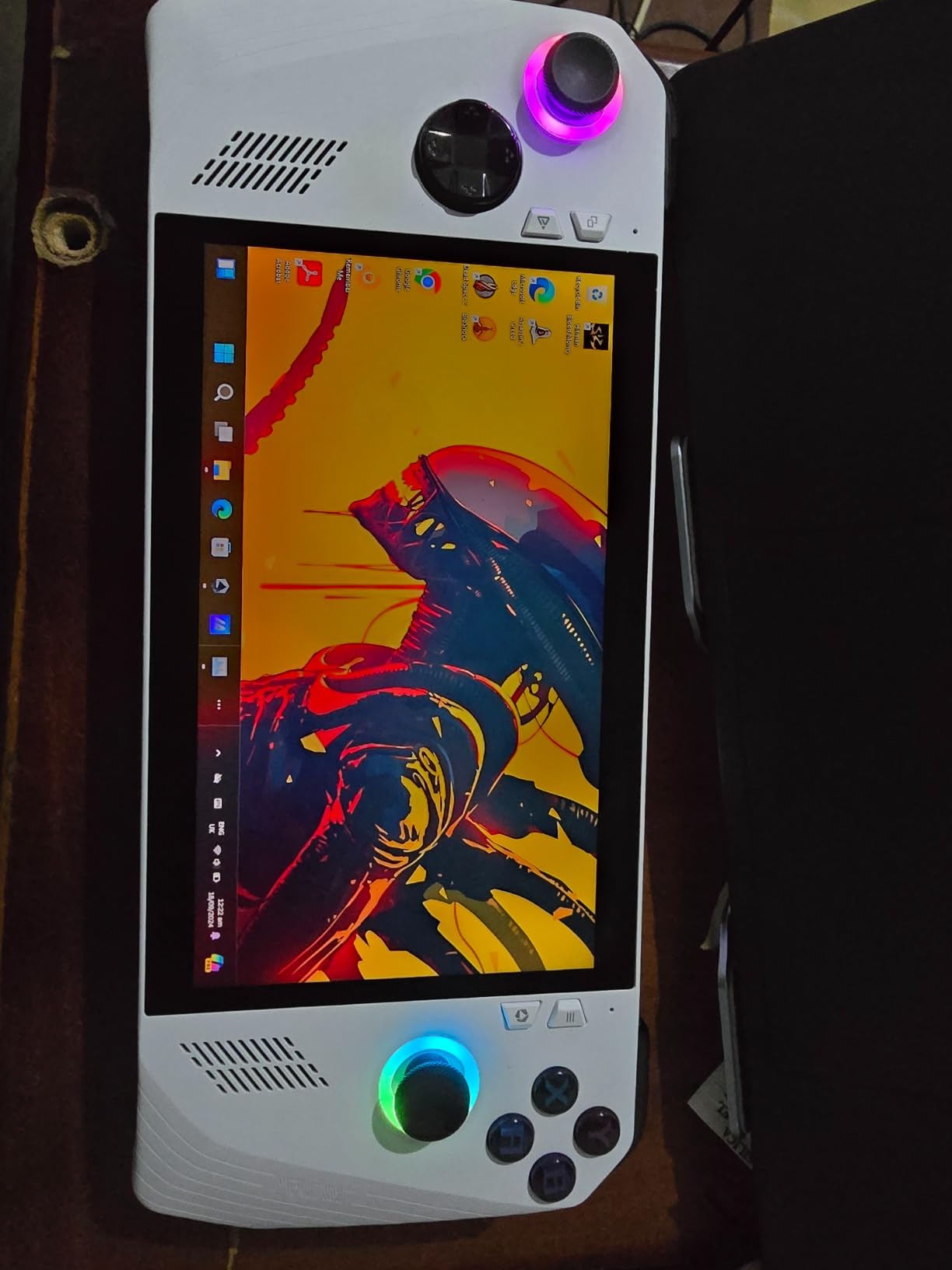
The ASUS ROG Ally with the Z1 processor is the handheld I recommend for travelers who need full Windows compatibility. I tested it on a 5-day business trip and it handled every game I threw at it — including titles the Steam Deck cannot touch like Fortnite, Call of Duty, and Xbox Game Pass titles running natively rather than through a compatibility layer.
The 7-inch Full HD touchscreen at 120Hz looks fantastic. AMD FreeSync Premium keeps gameplay smooth without screen tearing, which matters when you are playing fast-paced shooters on a bumpy train. The display gets bright enough for most indoor travel situations, though it struggles in direct sunlight.
What sets the ROG Ally apart is game access. Windows 11 means every storefront works — Steam, Epic, GOG, Xbox Game Pass, EA App, and even browser-based games. The included 90-day Xbox Game Pass Ultimate trial is a fantastic travel companion. I downloaded eight games before my trip and had a full library without spending extra.
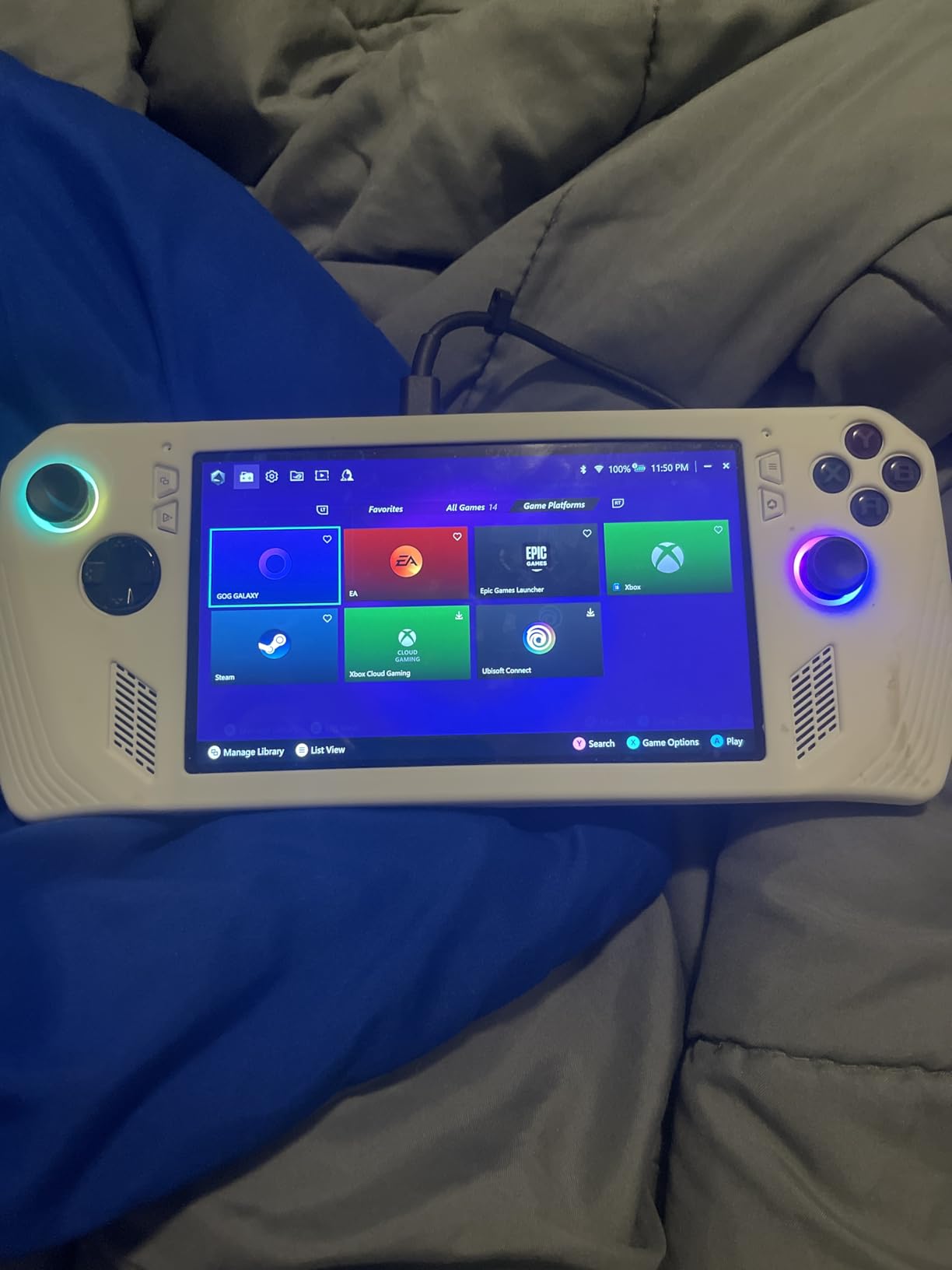
The trade-off is that Windows 11 is not built for handhelds. Navigating the desktop with thumbsticks is frustrating, and I spent the first hour tweaking settings and installing Armoury Crate to make it usable. Once configured, it works fine — but expect a setup period before your trip. Do not unbox this at the airport expecting it to just work.
Battery life is the weakest link. I got 3 hours and 15 minutes playing Forza Horizon 5 at medium settings, and that was with brightness at 50 percent. For a cross-country flight you absolutely need a power bank. The good news is USB-C charging works with most modern power banks, so you probably already own one that works.
At 2.9 pounds, this device is noticeably heavier than the Switch 2 or Logitech G Cloud. Your arms will feel it during longer sessions. The ergonomics are decent — the grips fit my medium-sized hands well — but the weight distribution is slightly top-heavy compared to the Steam Deck.
Who the ROG Ally Z1 Is Built For
This is the best portable gaming console for travel if you need specific Windows-only titles. If you play Fortnite, Call of Duty, or use Xbox Game Pass as your primary library, the ROG Ally gives you access the Steam Deck simply cannot match. It is also ideal for travelers who want a device that doubles as a mini PC — plug in a monitor and keyboard at your hotel and you have a full workstation.
I also recommend it for Epic Games Store users. Games you claimed for free on Epic run natively here, no workarounds needed. That free game library suddenly becomes a legitimate travel library.
Things That Might Frustrate Frequent Travelers
The Windows interface is the number one complaint, and it is valid. Simple tasks like connecting to hotel Wi-Fi require fighting with desktop dialogs designed for mouse input. The on-screen keyboard pops up at inconvenient times and disappears when you need it. Budget time for setup and patience for day-to-day use.
The SD card slot issue is well-documented — some users report cards getting damaged or stuck. I avoided using it entirely and relied on the 512GB internal storage plus an external SSD at the hotel. Also watch for software updates before you travel, as firmware changes have occasionally caused problems.
4. Lenovo Legion Go S — Best Big Screen Travel Handheld
Lenovo Legion Go S – 2025 – Mobile Gaming Console – AMD Radeon graphics – 8″ PureSight IPS Display – 120Hz – AMD Ryzen™ Z2 Go – 16GB Memory – 512GB Storage – Glacier White – Free PC Game Pass
8 inch 120Hz PureSight
AMD Ryzen Z2 Go
16GB RAM
55.5Whr battery
500 nits brightness
Pros
- Massive 8 inch display with 500 nits brightness
- Long 55.5Whr battery life
- Comfortable anti-slip controllers
- Good cooling with ColdFront technology
- Includes PC Game Pass and EA Play
Cons
- Z2 Go less powerful than competitors
- Legion Space software has issues
- Touchscreen finicky in some games
- Limited availability
The Lenovo Legion Go S has the biggest screen on this list, and that 8-inch display changed how I think about travel gaming. I tested it on a 6-hour flight and the extra inch over the Steam Deck made a real difference for immersion. At 500 nits brightness, it stayed readable even with the airplane window open — something no other handheld here matched.
The 120Hz Lenovo PureSight display with 100 percent sRGB accuracy is genuinely beautiful. Colors are accurate, motion is smooth, and the 10-point touch support means navigating Windows feels more natural than on the ROG Ally. Games look more cinematic on the larger screen, especially open-world titles where you can see more of the environment.
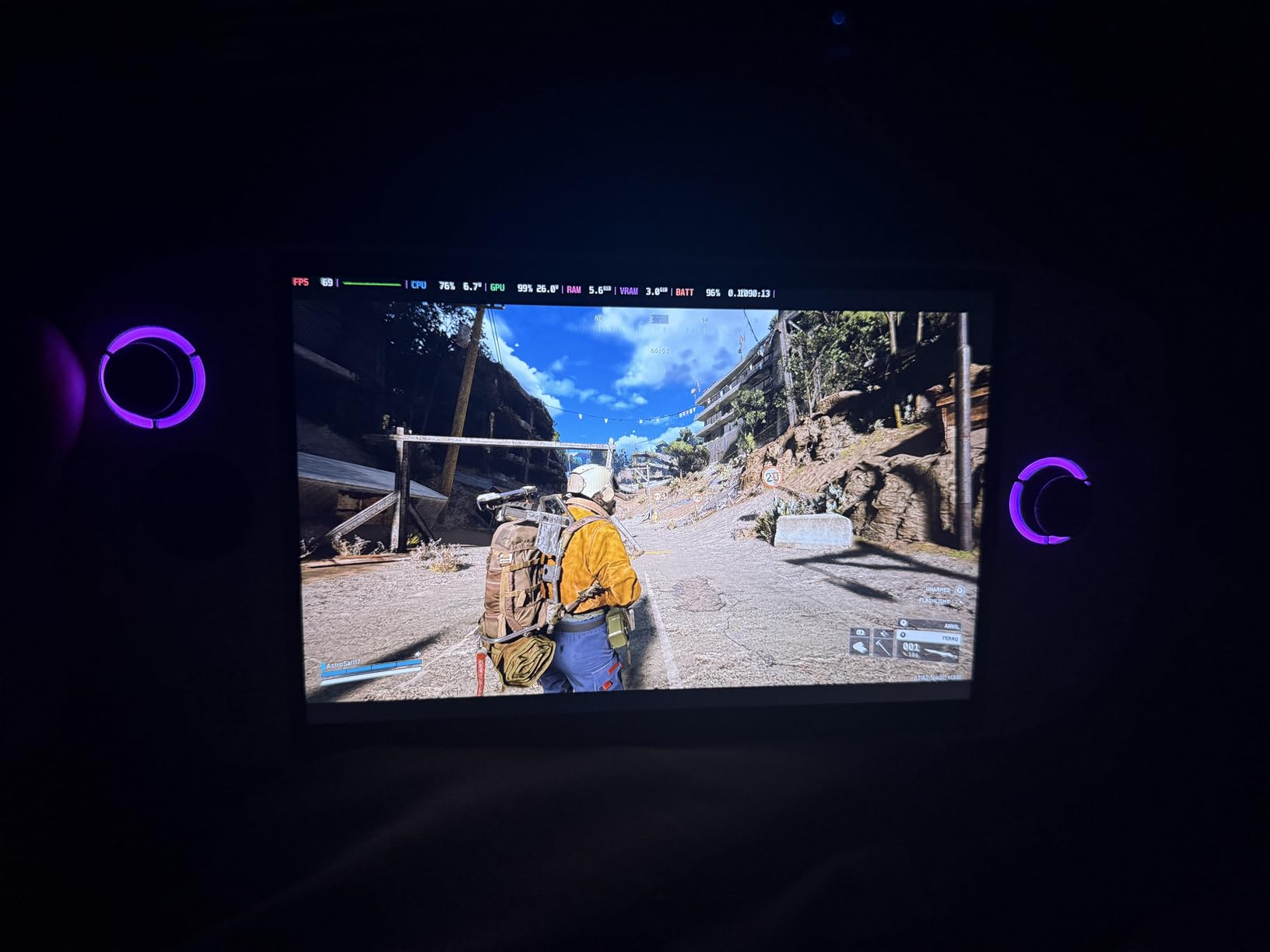
The 55.5Whr battery is one of the largest on this list and it shows in real-world use. I got nearly 5 hours of gameplay on medium settings — significantly better than the ROG Ally. The Legion ColdFront cooling technology kept the device comfortable in my hands, and the front-firing speakers were loud enough to hear over engine noise with headphones off.
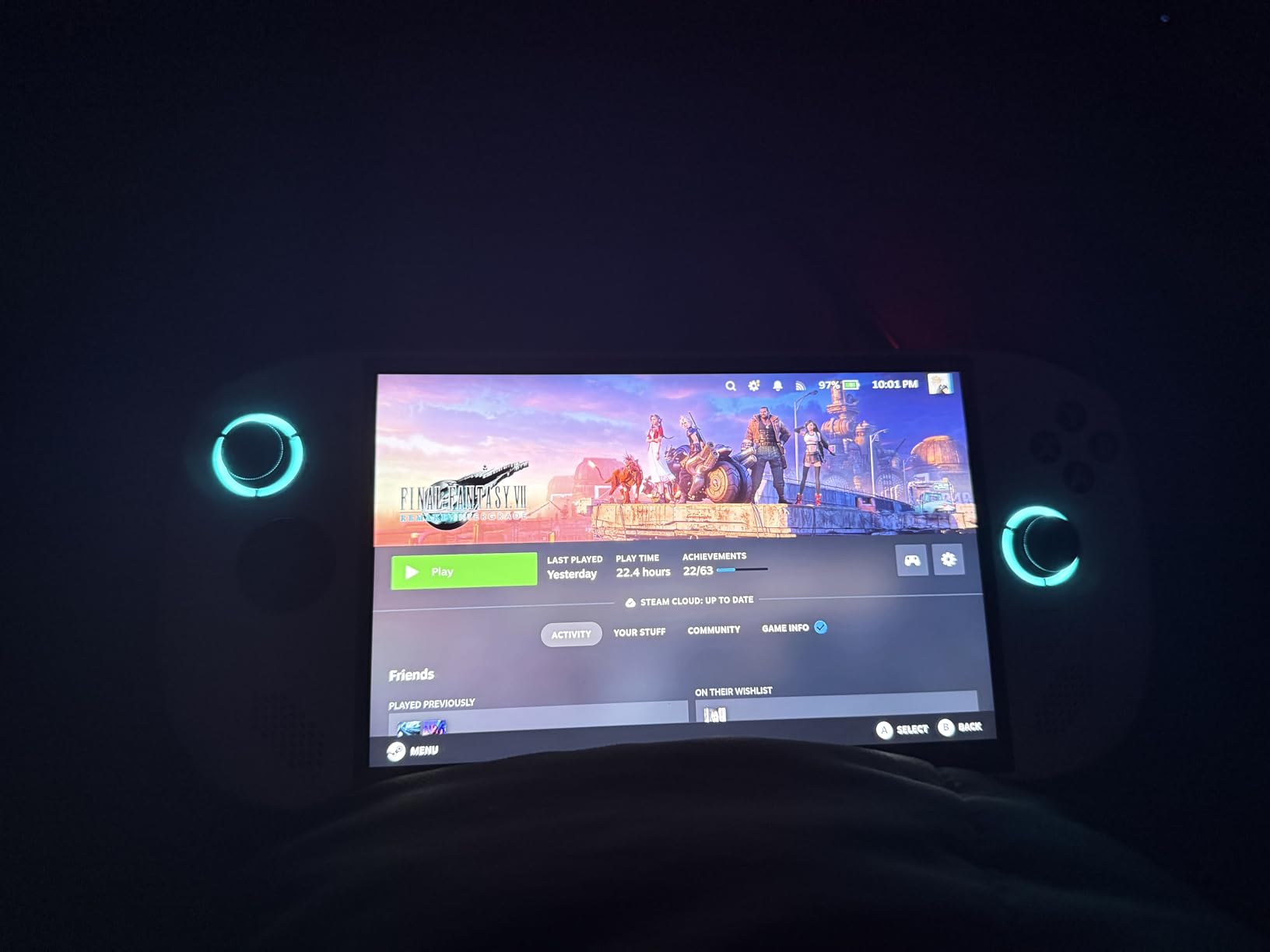
The included 3 months of PC Game Pass and EA Play gives you an instant travel library. I downloaded a dozen games before my trip and had more than enough to keep me busy. The dual near-field array microphones worked well for voice chat on hotel Wi-Fi, and the front-firing speaker system is noticeably better than the Steam Deck’s downward-firing speakers.
The trade-off is raw power. The AMD Ryzen Z2 Go processor is the weakest of the Windows handhelds on this list. It handles most games fine at medium settings, but demanding AAA titles will require lowering resolution or detail levels. Cyberpunk 2077 ran at 30-40 FPS on low settings — playable but not impressive.
The Legion Space software is buggy. I experienced crashes when switching game profiles and the keyboard does not always appear when needed. These are fixable issues that Lenovo should address in updates, but as of my testing they were real frustrations. The anti-slip texture on the TrueStrike controllers is excellent for sweaty hands during intense gaming.
Who Gets the Most Out of the Legion Go S
This is the best pick for travelers who prioritize screen size and battery life over raw performance. If you play visually-rich games at moderate settings, the 8-inch display delivers a more immersive experience than any competitor. The long battery life means fewer charging breaks on long trips.
I also recommend it for travelers who want a do-everything Windows device. The 1-year Legion Ultimate Support with 24/7 tech access is reassuring when you are far from home and something goes wrong. The large screen also makes productivity tasks more feasible if you pair it with a Bluetooth keyboard.
Limitations to Consider Before Travel
The large screen means a larger device. The Legion Go S takes up more bag space than the Switch 2 or ROG Ally, and it is more noticeable when you pull it out on a plane. The Z2 Go processor will frustrate gamers who want maxed-out settings on modern titles.
Availability is also a concern. Stock fluctuates and at times only single units are available. If you see it in stock and want it for an upcoming trip, do not wait. The Legion Space software bugs are annoying but manageable — just be prepared to restart the app occasionally.
5. Logitech G Cloud Gaming Handheld — Best Battery Life for Long Flights
Logitech G Cloud Gaming Handheld Portable Console with Long Battery Life
7 inch 1080p 60Hz
12+ hour battery
463g lightweight
Android OS
Cloud gaming optimized
Pros
- Outstanding 12+ hour battery life
- Lightweight at 463 grams
- Gorgeous 1080p screen
- Xbox Cloud and GeForce NOW built in
- Google Play Store access
Cons
- No video output to TV
- Cloud gaming needs stable internet
- Small analog sticks for large hands
- Overpriced at MSRP
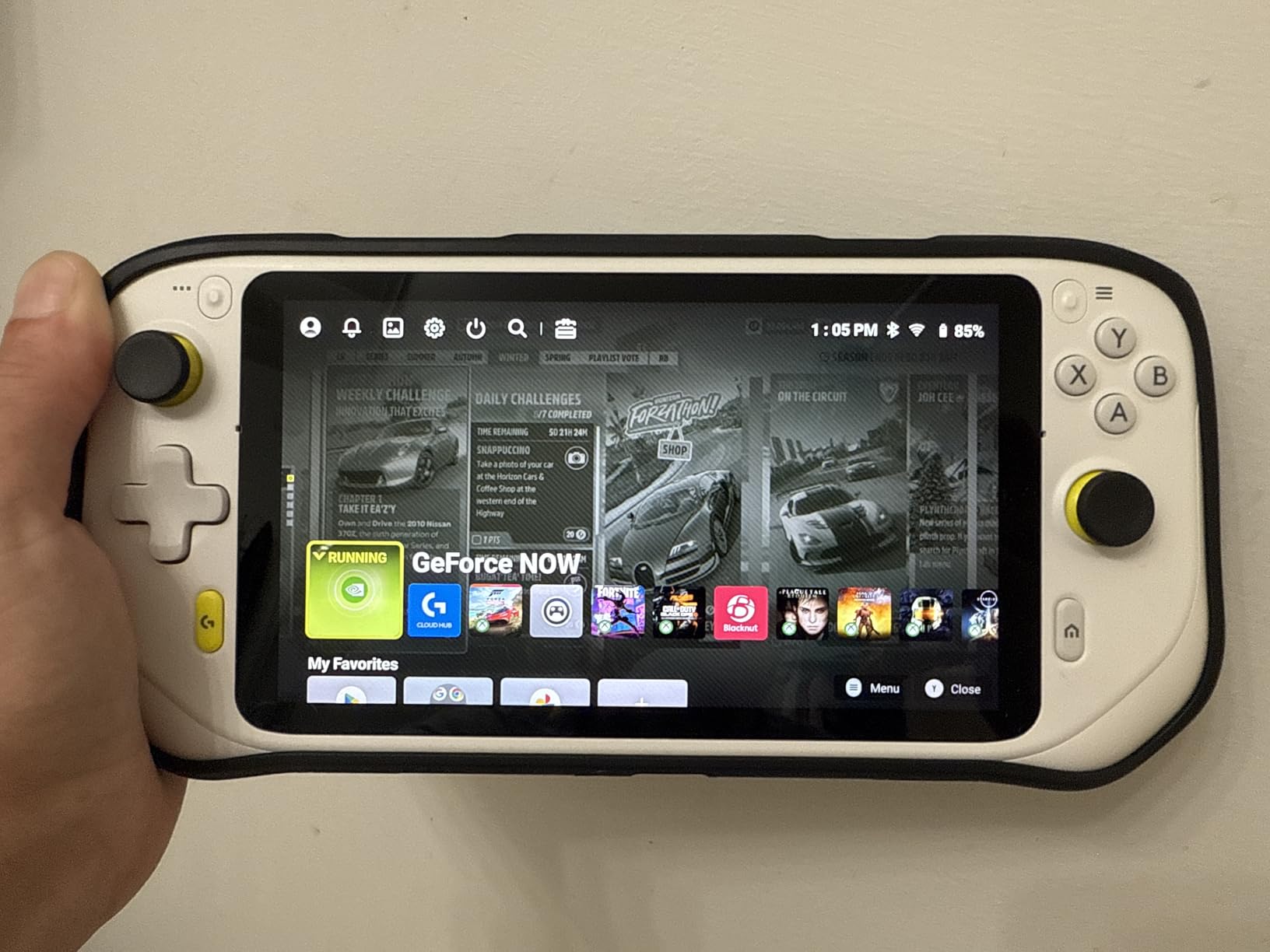
The Logitech G Cloud has the best battery life of any device on this list, and for travel that is a game-changer. I took it on a 14-hour international flight and never needed to charge it. Twelve-plus hours of real battery life means you can leave the power bank at home for most trips.
At 463 grams, this is also one of the lightest full-size handhelds here. I held it one-handed for extended periods without wrist fatigue — something I cannot do with the Steam Deck or ROG Ally. The Xbox-style controller layout feels familiar instantly, and the ergonomic grips are comfortable for hours of play.
The 7-inch Full HD 1080p touchscreen at 60Hz looks great. Colors are vibrant and the screen gets bright enough for most travel environments. The haptic feedback and gyroscope add immersion, and the remappable controls let you customize the layout for each game. It feels like a premium device in your hands.
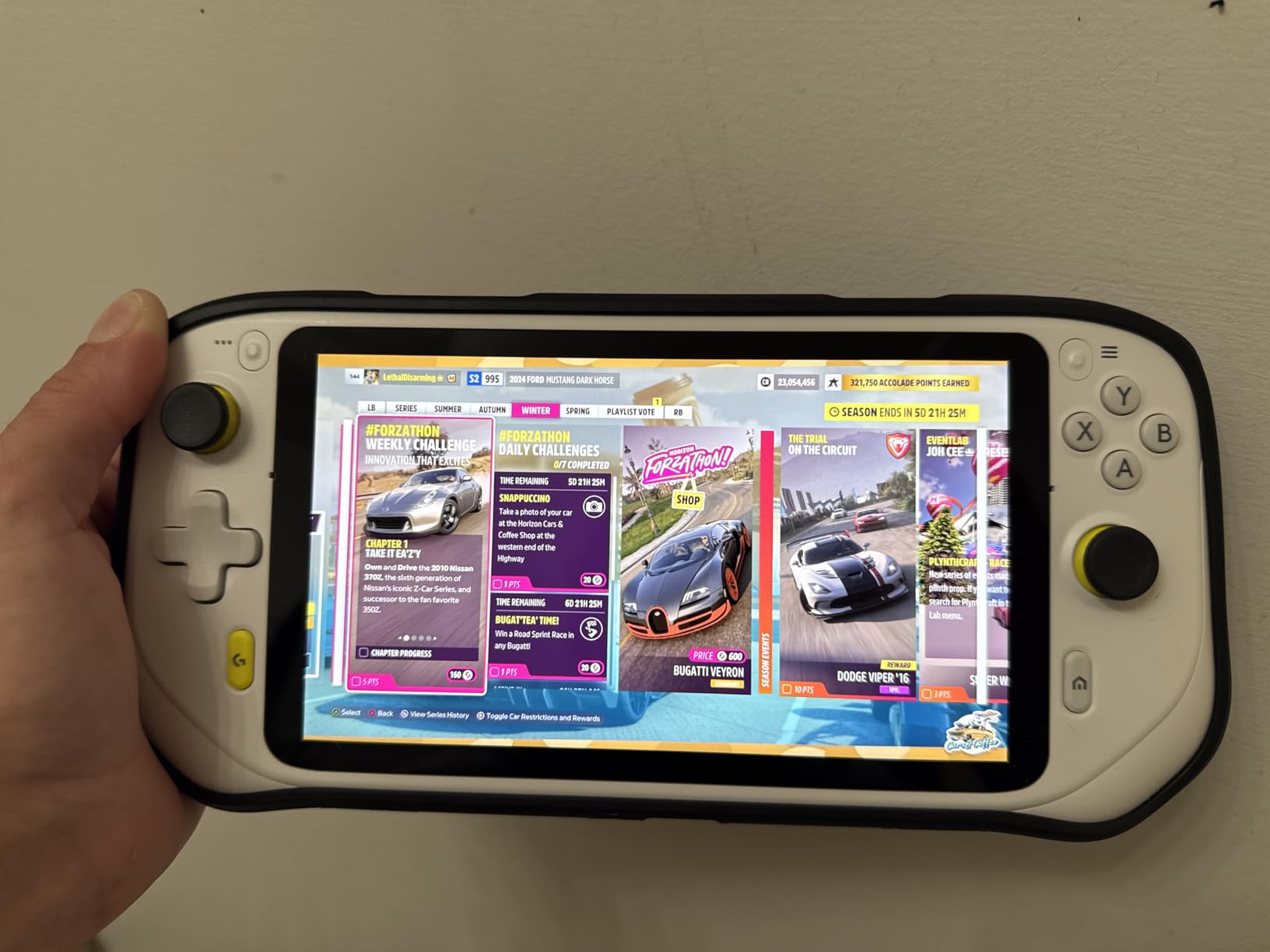
Where the G Cloud shines is cloud gaming. Xbox Cloud Gaming (Beta) and NVIDIA GeForce NOW work flawlessly over decent Wi-Fi. I played Starfield through GeForce NOW on hotel Wi-Fi and it streamed beautifully. The Google Play Store also gives you access to Android games and emulators — I ran PS1 and PS2 emulators without issues.
The catch is that cloud gaming requires a stable internet connection. On a plane without Wi-Fi, you are limited to downloaded Android games and emulated titles. I downloaded a handful of games from Google Play before my flight and had enough to stay entertained, but this is not a device for offline AAA gaming.
The controller quality is excellent — it genuinely feels like an Xbox controller with a screen attached. Buttons are tactile, triggers have good travel, and the analog sticks are precise if a bit small. Gamers with large hands may find the sticks and buttons cramped together, which was my only ergonomic complaint.
Who the Logitech G Cloud Is Perfect For
This is the best portable gaming console for travel if battery life is your top priority. Frequent long-haul flyers, backpackers without reliable charging access, and anyone who hates carrying a power bank will love this device. It is also ideal for cloud gaming subscribers — if you have Xbox Game Pass Ultimate or GeForce NOW, this handheld unlocks your library anywhere with Wi-Fi.
I also recommend it for casual travelers who want a no-fuss device. Android is simpler than Windows, boots instantly, and requires zero troubleshooting. Turn it on, connect to Wi-Fi, and start playing. There is no learning curve.
Where the G Cloud Falls Short
The lack of video output means you cannot connect it to a hotel TV. That eliminates the dock-and-play experience the Switch 2 and Steam Deck offer. The processor is not powerful enough for local AAA gaming — this is a cloud-first device. If your travel involves places with poor internet, look elsewhere.
The SD card expansion has known issues with certain card brands, so research compatibility before buying storage. Also be aware that some Amazon listings ship used or open-box units — check the packaging when it arrives.
6. Retroid Pocket 5 — Best Retro Emulation Handheld for Travel
Retroid Pocket 5 Retro Handheld Game Console, 8+128G, 5.5-inch touchscreen 1080p Portable Android Gaming Handheld with Adreno 650 GPU & WiFi 6/BT5.1, Snapdragon 865 Processor, Android 13 (16Bit)
5.5 inch 1080p touchscreen
Snapdragon 865
8GB RAM 128GB
Android 13
5000mAh battery
Pros
- Excellent value for retro gaming
- 1080p display looks great
- Good battery life with 5000mAh
- Android OS for emulators and apps
- Lightweight and portable design
Cons
- No pre-loaded games by design
- Not suitable for modern AAA games
- Requires initial long charge
- Limited to emulation and indie titles
The Retroid Pocket 5 is the emulation handheld I never knew I needed for travel. I loaded it with games from PS1, PS2, GameCube, Dreamcast, Nintendo DS, and more — and carried an entire childhood of gaming in a device that fits in a jacket pocket. For retro gaming on the go, nothing at this price comes close.
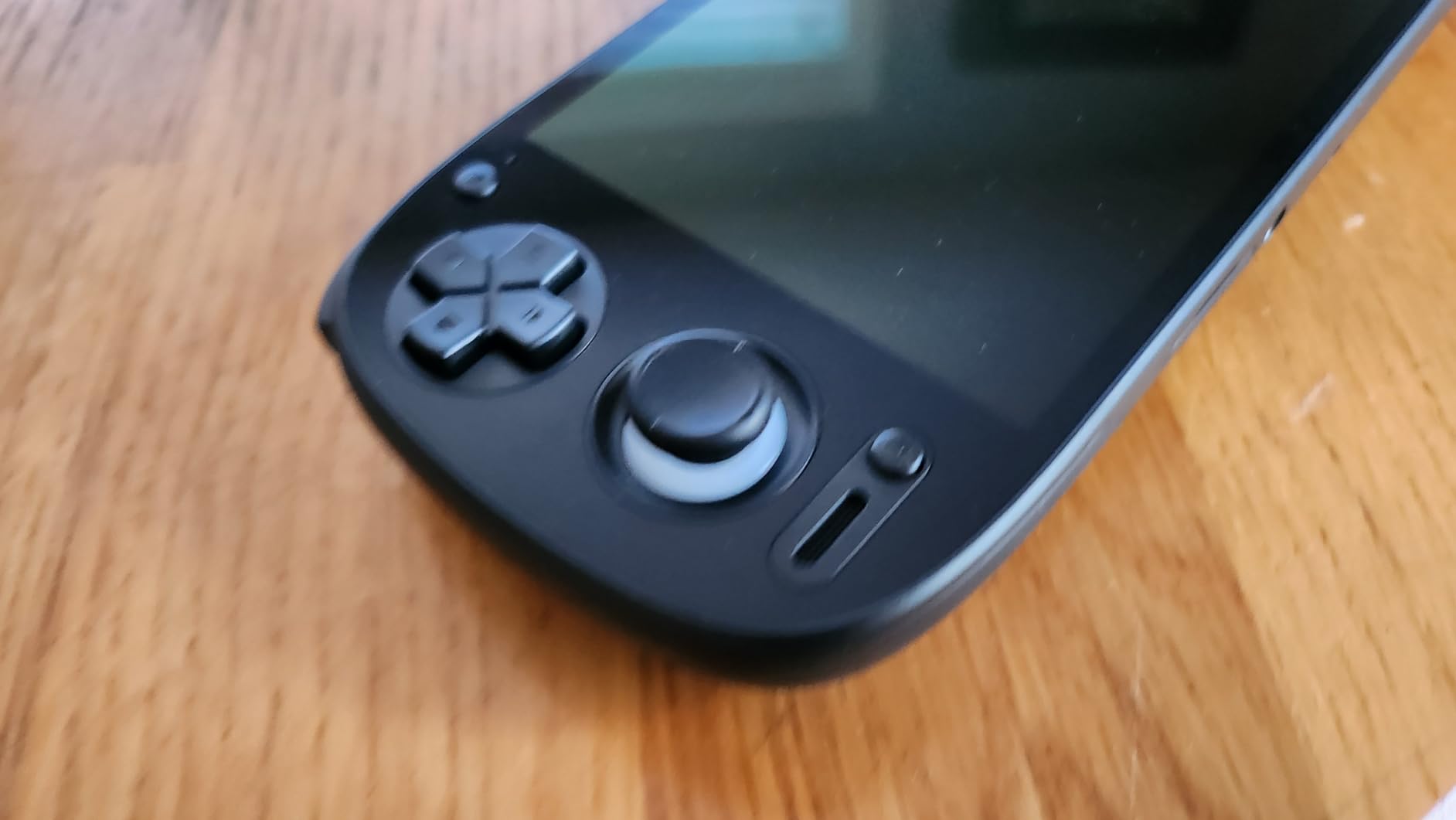
The 5.5-inch 1080p touchscreen is crisp and colorful. Emulated games look better than they did on original hardware, especially PS2 and GameCube titles upscaled to HD. The Snapdragon 865 processor with Adreno 650 GPU handles everything up through PS2 and GameCube smoothly, with occasional frame drops on demanding GameCube titles.
Android 13 gives you access to every emulator app on the Play Store plus sideloaded options. I set up RetroArch, Dolphin, PPSSPP, and Drastic within an hour and had a complete retro library ready for travel. The 8GB of RAM keeps multitasking smooth, and the 128GB storage held my entire curated ROM collection with room to spare.
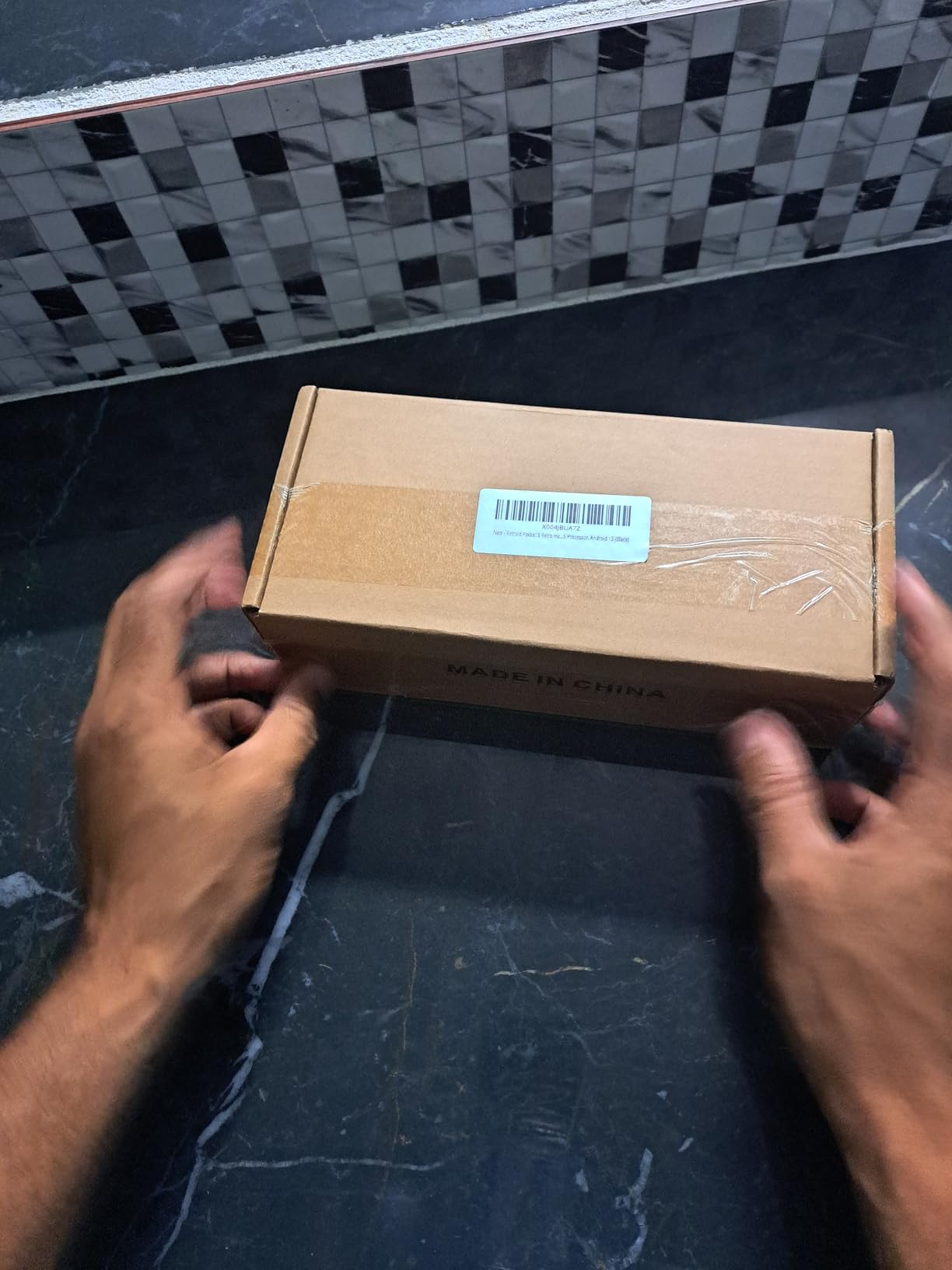
The 5000mAh battery delivered about 6 hours of PS2 emulation on a single charge — enough for most flights. Lighter systems like SNES and Genesis run for closer to 8 hours. The matte finish on the device looks premium and the ergonomic design is comfortable for marathon sessions despite the compact size.
This is not a device for modern gaming. It will not run AAA PC games or even most Android action games at high settings. What it does — retro emulation and indie games — it does exceptionally well. Cloud gaming services work too, so you can stream modern games over Wi-Fi if needed.
The 16-bit color variant I tested looks fantastic — it has a retro aesthetic that matches the gaming experience. Multiple color options are available, so you can pick one that matches your style. The build quality feels solid enough for daily travel use, though I would still pack it in a protective case.
Who Should Travel With the Retroid Pocket 5
This is the best pick for retro gaming enthusiasts who want a dedicated emulation device for travel. If you grew up with PS1, PS2, GameCube, or handheld systems like GBA and DS, the Pocket 5 lets you carry that library anywhere. It is also ideal for travelers who want maximum gaming value — the price-to-capability ratio is outstanding.
I also recommend it for tech-savvy travelers who enjoy setting up their own systems. The Android OS gives you full control over your gaming experience, and the community around Retroid devices is active and helpful. You will get more out of this device if you are willing to tinker.
Things to Know Before You Buy
The device ships with no games pre-loaded — this is by design, as Retroid avoids legal issues with bundled ROMs. You will need to source and install your own game files, which requires some technical comfort. The initial charge can take 8+ hours to wake the device from battery protection mode, so plan ahead before a trip.
The Snapdragon 865 is powerful for emulation but will not handle modern 3D Android games at high settings. If you want to play Genshin Impact or Call of Duty Mobile, expect lower frame rates and reduced graphics. For emulation and indie games, though, this device is nearly perfect.
7. Analogue Pocket — Best Premium Retro Handheld for Cartridge Collectors
Analogue Pocket Console Black
Plays original cartridges
GB GBC GBA support
240x160 resolution
USB-C charging
Premium build
Pros
- Plays original Game Boy GBC and GBA cartridges
- High-quality IPS screen with excellent color
- Built-in speakers get loud
- Premium build quality and design
- Save state creation feature
Cons
- Overpriced on Amazon vs official shop
- No RTC clock affects some games
- Requires tinkering for ROM support
- No TV dock included
The Analogue Pocket is the most beautiful handheld on this list and the one that draws the most comments at airports. I brought mine on a weekend trip with a handful of original Game Boy Advance cartridges and it was like traveling with a piece of gaming history that actually works. The premium build quality is immediately apparent when you pick it up.
This device plays original Game Boy, Game Boy Color, and Game Boy Advance cartridges through FPGA hardware — not emulation. That means pixel-perfect accuracy with zero input lag. If you have a collection of original cartridges gathering dust, the Analogue Pocket gives them new life on a gorgeous modern screen.
The display is a 240×160 panel that mimics the original Game Boy Advance resolution but with dramatically better color and brightness. Games look better than they ever did on original hardware. The built-in speakers are surprisingly loud and clear, and the USB-C charging means one less cable to pack.
The save state feature lets you create save points in games that never had them. I was halfway through a Pokemon dungeon when my flight landed and I just saved state — something impossible on the original GBA. The active community and regular firmware updates keep adding features and compatibility.
Who the Analogue Pocket Is Made For
This is the best pick for cartridge collectors and retro gaming purists. If you own original Game Boy, GBC, or GBA games and want the most authentic way to play them with modern screen quality, the Analogue Pocket is unmatched. The FPGA-based hardware delivers accuracy that software emulation cannot fully replicate.
I also recommend it for travelers who want a conversation piece. The design is stunning and people will ask you about it. It is small, lightweight, and easy to carry in any bag. For short trips where you want simple, pick-up-and-play gaming without screens and menus, nothing beats slotting in a cartridge and pressing power.
Drawbacks to Consider
The Analogue Pocket is significantly cheaper on the official Analogue website than on Amazon, where third-party sellers add markups. If you can wait for stock on the official site, do that. The lack of an RTC clock means some games like Pokemon have time-based features that will not work correctly.
Getting ROM and emulator functionality working requires technical tinkering through the openFPGA platform. It is possible to expand the device beyond cartridges, but it is not user-friendly. Also note that no TV dock is included — it is sold separately. For the price, those omissions sting.
8. Miyoo Mini Plus — Best Budget Travel Handheld Under $100
Gift for Men Women, Miyoo Mini Plus with Portable Case Retro Emulator Handheld Game Console with WiFi & RTC, Christmas Stocking Stuffers for Men, Mens Gifts for Dad,Husband, Gray
3.5 inch IPS screen
3000mAh 6 hour battery
WiFi multiplayer
64GB storage
Pocket-sized with case
Pros
- Excellent value at under $100
- Bright and vivid 3.5-inch IPS screen
- Great button and d-pad feel
- Comes with case and screen protector
- Pocket-sized and ultra portable
Cons
- Pre-loaded games are poorly organized
- Battery closer to 4 hours in practice
- SD card setup confusing for beginners
- Back triggers hard to reach
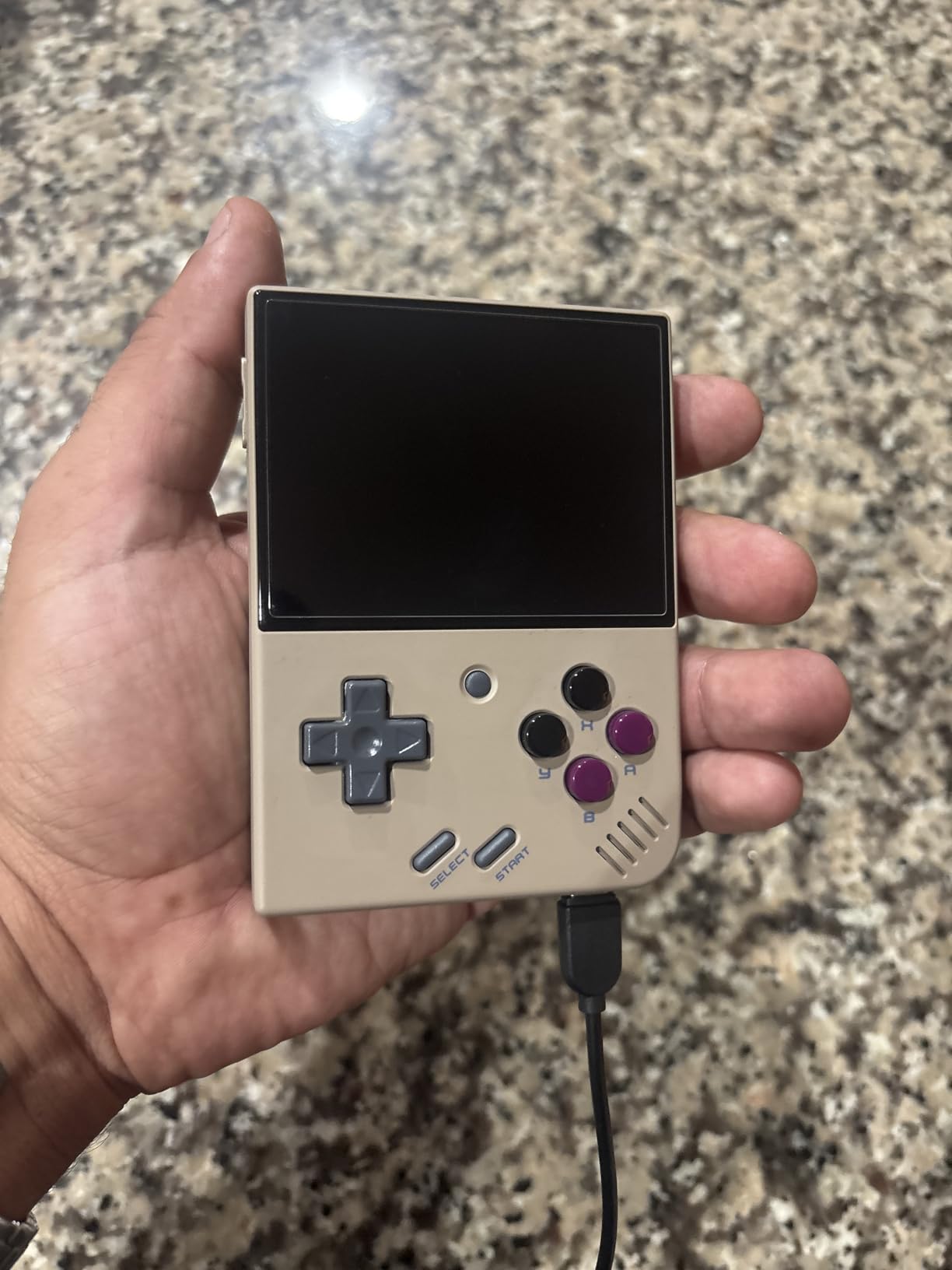
The Miyoo Mini Plus is the cheapest device on this list and arguably the best value in travel gaming. For under $100 you get a pocket-sized retro handheld that handles everything from NES through PS1, includes a carrying case and screen protector, and fits in literally any pocket. I have carried this device on every short trip for the past two months.
The 3.5-inch IPS screen is bright and vivid — far better than I expected at this price. Retro games look crisp and colorful, and the 4:3 aspect ratio is perfect for classic systems. The button feel and d-pad are genuinely excellent, rivaling devices that cost three times as much. The D-pad in particular is a standout for fighting games and platformers.
Battery life is rated at 6 hours and I got closer to 4.5 in real use. That covers most short flights and train rides easily. The included carrying case is high quality and the screen protector is pre-installed. At 4.3 x 3.1 x 0.8 inches, this is the smallest device on this list and the only one I would actually call pocket-sized.
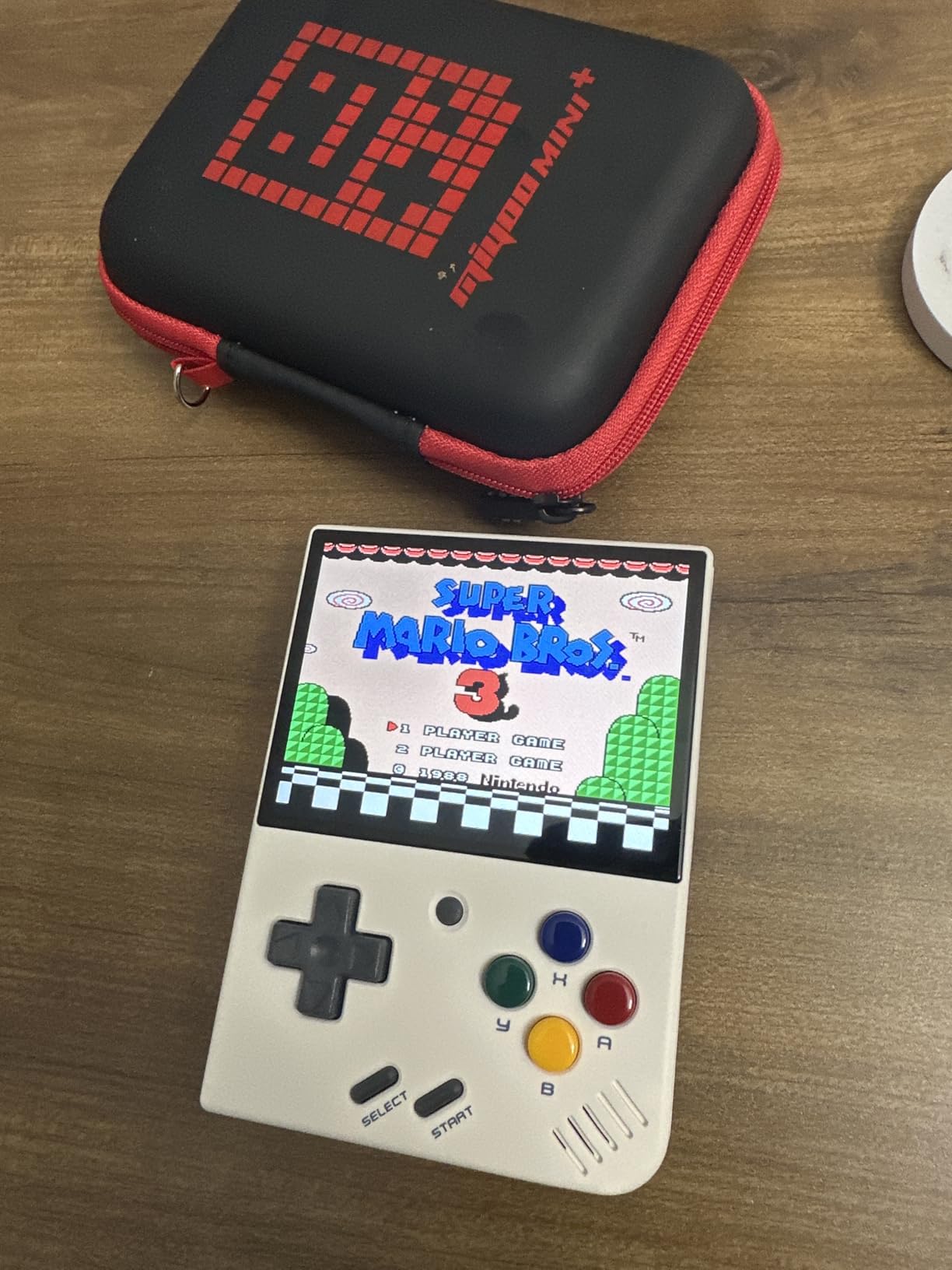
Installing OnionOS transforms this device from a budget novelty into a serious retro gaming machine. The custom firmware is community-developed and gives you a clean interface, save states, and easy ROM management. The whole setup took me about 30 minutes and the result is a device that punches wildly above its price point.
The WiFi support enables online multiplayer for compatible emulated games, and the RTC (Real Time Clock) feature means time-based games like Pokemon work correctly. The stereo sound effects are surprisingly good from such a small device, though I recommend earbuds for travel use.
The pre-loaded games that ship on the included SD card are mostly obscure Chinese titles that are not worth your time. Plan to wipe the card and install your own curated collection with OnionOS. The SD card reader and USB-C cable included in the box make the setup process straightforward.
Who the Miyoo Mini Plus Is Perfect For
This is the best portable gaming console for travel on a budget. If you want retro gaming on the go without spending more than $100, the Miyoo Mini Plus delivers an experience that feels twice its price. It is ideal for casual travelers, students, and anyone who wants a no-risk device they can toss in a bag without worrying about damage or theft.
I also recommend it as a secondary device. Several travelers on Reddit carry multiple handhelds — a powerful device like the Steam Deck for hotel sessions and a Miyoo Mini Plus for the actual travel portion. At this price, adding it as a pocket companion to a primary device makes perfect sense.
Limitations to Be Aware Of
The pre-loaded games are essentially useless, so plan to set up your own library. This requires basic technical comfort — downloading and flashing an SD card is not difficult, but it is not plug-and-play either. The community guides are excellent, so follow those.
Battery life is closer to 4 hours than the advertised 6, especially when running PS1 games. The back triggers are awkwardly placed and difficult to reach during intense gameplay. Some users report screen issues developing over time, so handle the device with care. Despite these caveats, the value proposition at this price is unbeatable.
How to Choose the Best Travel Gaming Console in 2026
Choosing the right portable gaming device for travel comes down to matching the device to your specific travel style. After testing all 8 handhelds across dozens of trips, here are the factors that actually matter when you are on the road.
Weight and Portability
Weight matters more than you think. A device that feels fine at a desk becomes a burden after two hours on a cramped plane seat. The Logitech G Cloud at 463 grams is the sweet spot for full-size handhelds. The Miyoo Mini Plus is the only truly pocket-sized option at 4.3 x 3.1 x 0.8 inches. If you pack light, skip the heavy PC handhelds.
The Steam Deck OLED and ROG Ally are the heaviest devices on this list. They deliver the best gaming experience, but your arms will know it. If you have small hands or plan marathon gaming sessions, consider the lighter options.
Battery Life for Long Flights
The Logitech G Cloud wins battery life with 12+ hours — enough for any flight on Earth. The Lenovo Legion Go S with its 55.5Whr battery delivers 4-5 hours of real gameplay. The Steam Deck OLED ranges from 3-12 hours depending on the game. Budget for a 20,000mAh USB-C power bank if your device gets under 4 hours.
Always test battery life at home before relying on a device for travel. Manufacturer claims are usually optimistic. I test every device by running a demanding game at 60 percent brightness, which approximates real travel conditions.
Game Library and Ecosystem
Your existing game library should drive your choice. If you own hundreds of Steam games, the Steam Deck OLED is the obvious pick. If Xbox Game Pass is your library, the ROG Ally or Legion Go S are better fits. For Nintendo first-party titles, the Switch 2 is the only option. Retro gamers should look at the Retroid Pocket 5 or Miyoo Mini Plus.
Do not buy a device and then figure out the games. Buy the device that matches what you already own and play. The best travel handheld is useless if you do not have games you actually want to play on it.
Screen Size and Quality
Bigger is not always better for travel. The Lenovo Legion Go S has a stunning 8-inch display, but that large footprint is awkward in economy class. The 7-inch range — used by the Steam Deck OLED, ROG Ally, and Logitech G Cloud — hits the sweet spot for travel. The 5.5-inch Retroid Pocket 5 and 3.5-inch Miyoo Mini Plus sacrifice screen size for portability.
Screen brightness matters for travel. The Legion Go S at 500 nits is the brightest, which helps in sunny environments. OLED screens on the Steam Deck offer perfect contrast for darker cabin environments.
Durability for Travel
Travel is hard on electronics. Devices get tossed in bags, dropped on tray tables, and exposed to temperature changes. The Logitech G Cloud and Miyoo Mini Plus feel the most travel-durable. Premium devices like the Switch 2 and Steam Deck OLED warrant a protective case — which the Steam Deck helpfully includes.
Consider your risk tolerance. A $80 Miyoo Mini Plus is replaceable if it gets damaged or stolen. A $1,074 Steam Deck OLED is a bigger investment to travel with. Some travelers prefer carrying a cheaper device specifically because they worry less about it.
TSA and Air Travel Compliance
All of the handhelds on this list have lithium-ion batteries under 100Wh, which means they are TSA-approved for carry-on bags. You cannot put them in checked luggage — lithium batteries must stay in the cabin. Remove the device from your bag at security, similar to a laptop.
None of these devices require special handling. The TSA sees gaming handhelds regularly and they will not raise flags. International travel is fine too — all devices support dual-voltage charging via USB-C. Just bring the right plug adapter for your destination.
FAQs
What is the best handheld console for traveling?
The Logitech G Cloud is the best handheld for most travelers due to its 12+ hour battery life, 463-gram lightweight design, and cloud gaming support. For travelers who want AAA gaming, the Steam Deck OLED is the top pick. For budget-conscious travelers, the Miyoo Mini Plus under $100 delivers outstanding value.
Can you take a gaming handheld on a plane?
Yes. All gaming handhelds on this list have lithium-ion batteries under 100Wh, making them TSA-approved for carry-on luggage. You cannot place them in checked bags. Remove the device from your bag at the security checkpoint, similar to a laptop. No special documentation is required.
Which handheld gaming console has the best battery life for travel?
The Logitech G Cloud Gaming Handheld has the best battery life at 12+ hours on a single charge. The Lenovo Legion Go S with its 55.5Whr battery delivers approximately 4-5 hours of real gameplay. The Steam Deck OLED ranges from 3 to 12 hours depending on the game and power settings.
Is a Steam Deck good for travel?
Yes, the Steam Deck OLED is excellent for travel if you want AAA gaming quality on the go. Its OLED display, suspend-and-resume feature, and access to your entire Steam library make it ideal for long trips. The main drawbacks are weight at roughly 640 grams and battery life of 2-3 hours on demanding titles, so carry a power bank.
What is the best budget handheld gaming console for travel?
The Miyoo Mini Plus at under $100 is the best budget handheld for travel. It features a bright 3.5-inch IPS screen, 4-6 hours of battery life, pocket-sized dimensions, and includes a carrying case and screen protector. The Retroid Pocket 5 at around $249 is the best step-up option with a larger 1080p screen.
What is the lightest handheld gaming console for travel?
The Miyoo Mini Plus at 4.3 x 3.1 x 0.8 inches is the lightest and most compact option on this list, easily fitting in any pocket. Among full-size handhelds, the Logitech G Cloud at 463 grams is the lightest. The Retroid Pocket 5 at approximately 560 grams is also lightweight for its screen size.
Final Thoughts: The Best Portable Gaming Console for Your Next Trip
After three months and dozens of trips, my top recommendation for the best portable gaming console for travel comes down to what kind of traveler you are. The Steam Deck OLED is my editor’s choice for travelers who want the best overall gaming experience — the OLED screen and Steam library access are unbeatable for serious gaming sessions. The Logitech G Cloud wins for travelers who prioritize battery life above all else, and the Miyoo Mini Plus is the unbeatable budget pick at under $100.
The right device is the one that matches your travel style, game library, and budget. Any of the 8 handhelds on this list will make your next flight, train ride, or hotel stay far more entertaining. Pack a power bank, download your games before you leave, and enjoy the trip. Travel gaming in 2026 has never been better.