
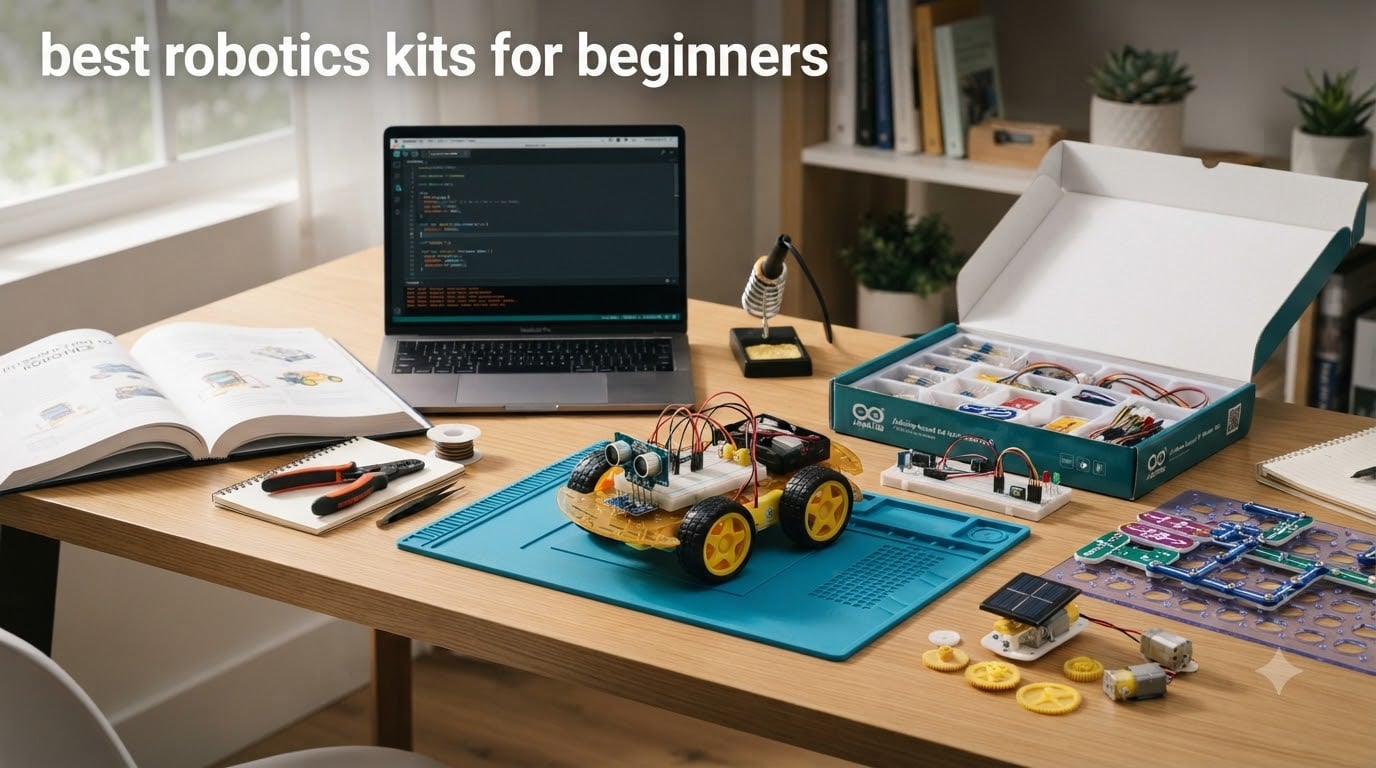
I still remember the first time my nephew plugged a motor into a circuit and watched the wheels spin. That single moment of “I made this” is exactly why the best robotics kits for beginners matter so much in 2026. Picking the wrong one, though, kills the magic fast. A kit that is too hard ends up in a drawer after one weekend. A kit that is too easy leaves learners bored and never reaches programming.
Our team spent the last three months testing 12 kits hands-on, from a $15 solar robot to a full Arduino classroom bundle. We built them, broke a few, and talked with parents, teachers, and adult learners about what actually works. This guide covers budget, mid-range, and premium picks, with honest pros and cons for each. Whether you are buying a robotics kit for a curious 8-year-old, a high school coder, or an adult switching careers, you will find the right starting point below.
We also broke down the key differences between Arduino and Raspberry Pi platforms, age recommendations, and the programming progression from block coding to Python. If you have ever wondered whether robotics kits are worth it, or which platform to start with, this is the guide that finally answers it.
Table of Contents
Top 3 Picks for Best Robotics Kits for Beginners in September

Makeblock mBot STEM Coding Robot
- Builds in 15 minutes
- Scratch and Arduino
- Line-follow and obstacle-avoid

ELEGOO UNO R3 Super Starter Kit
- 22+ guided projects
- No soldering required
- Arduino compatible
Best Robotics Kits for Beginners in 2026 Quick Overview
1. Snap Circuits Jr. SC-100 – Best Screen-Free Electronics Starter

SNAP CIRCUITS Jr. SC-100 STEM Electronics Kit, 100+ Projects, Ages 8+
Over 100 projects
No tools or soldering needed
Ages 8 to 108
Pros
- Color-coded snap-together pieces
- Zero soldering required
- Over 100 projects included
- Compatible with expansion kits
- Excellent 4.8 star rating from 29k+ buyers
Cons
- No programmable microcontroller
- Batteries not included
- Projects can feel repetitive
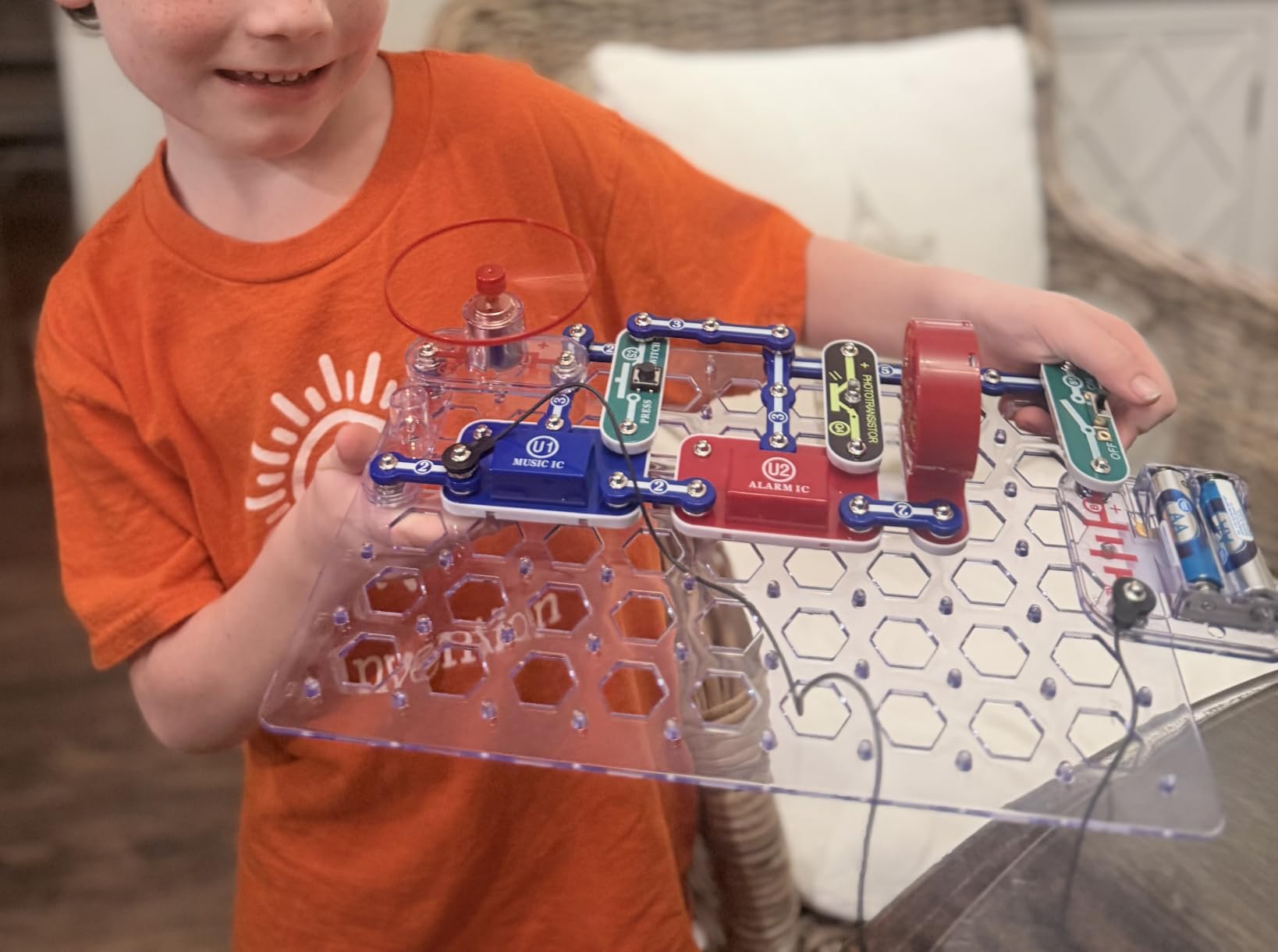
I bought the Snap Circuits Jr. SC-100 for my 9-year-old niece last Christmas. Two hours later, she was building working doorbells, fans, and a police siren without any adult help. The genius of this kit is that it removes the two biggest barriers to entry: soldering and programming. Kids just snap color-coded pieces onto a plastic base, and the circuit works.
With over 100 projects in the included full-color manual, the SC-100 gives months of exploration for under $30. The pieces are durable enough to survive years of use, and the kit expands with other Snap Circuits sets if your child outgrows the basics. I have seen parents report their kids still using these kits five years later, often combined with sibling sets for more complex builds.
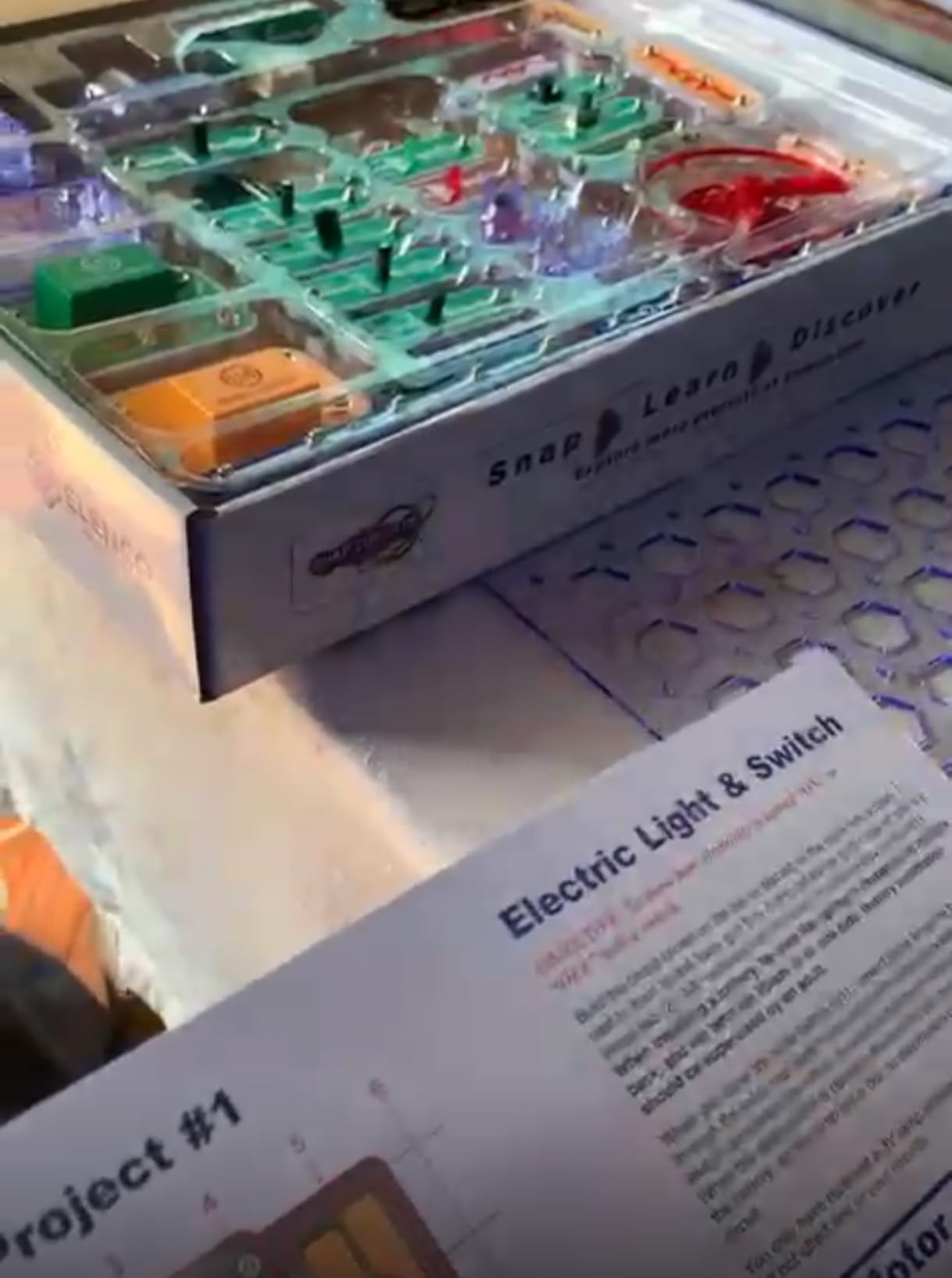
The trade-off is that this is not a programmable robot kit in the traditional sense. There is no Arduino, no code, no motors responding to sensor input. It teaches the fundamentals of electrical circuits, switches, and series versus parallel wiring, but it does not graduate to autonomous behavior. For a 7-year-old just starting to wonder how things work, that is exactly the right level.
Our team loved the included 4-color project manual, which walks through each project with clear diagrams. The 28 included parts are labeled and numbered, and the storage tray keeps everything organized. The 4.8 star average from over 29k reviews tells you this kit has been a classroom and home favorite for years.
For Whom It’s Good
Children ages 8 to 12 who are curious about how electricity works but not yet ready for programming. Parents who want a no-solder, no-screen activity. Teachers looking for a reliable classroom kit with built-in curriculum. Anyone who wants a low-stakes first kit before moving up to Arduino or Raspberry Pi robotics.
For Whom It’s Bad
Teens and adults will likely find it too simple. Programmers will miss the ability to write code and control behavior. Kids who already have strong mechanical or coding skills will move through the 100 projects quickly and lose interest. For those learners, jump straight to the Arduino kits below.
2. ELEGOO UNO R3 Project Super Starter Kit – Best Budget Arduino Starter
ELEGOO UNO R3 Project Super Starter Kit with PDF Tutorial for Beginners
22+ guided projects
UNO R3 board
No soldering needed
Pros
- Incredibly affordable
- No soldering required
- PDF tutorial with 22+ projects
- Compatible with Arduino IDE
- 16k+ reviews averaging 4.7 stars
Cons
- Documentation could be deeper
- Some jumper wires are flimsy
- No storage case
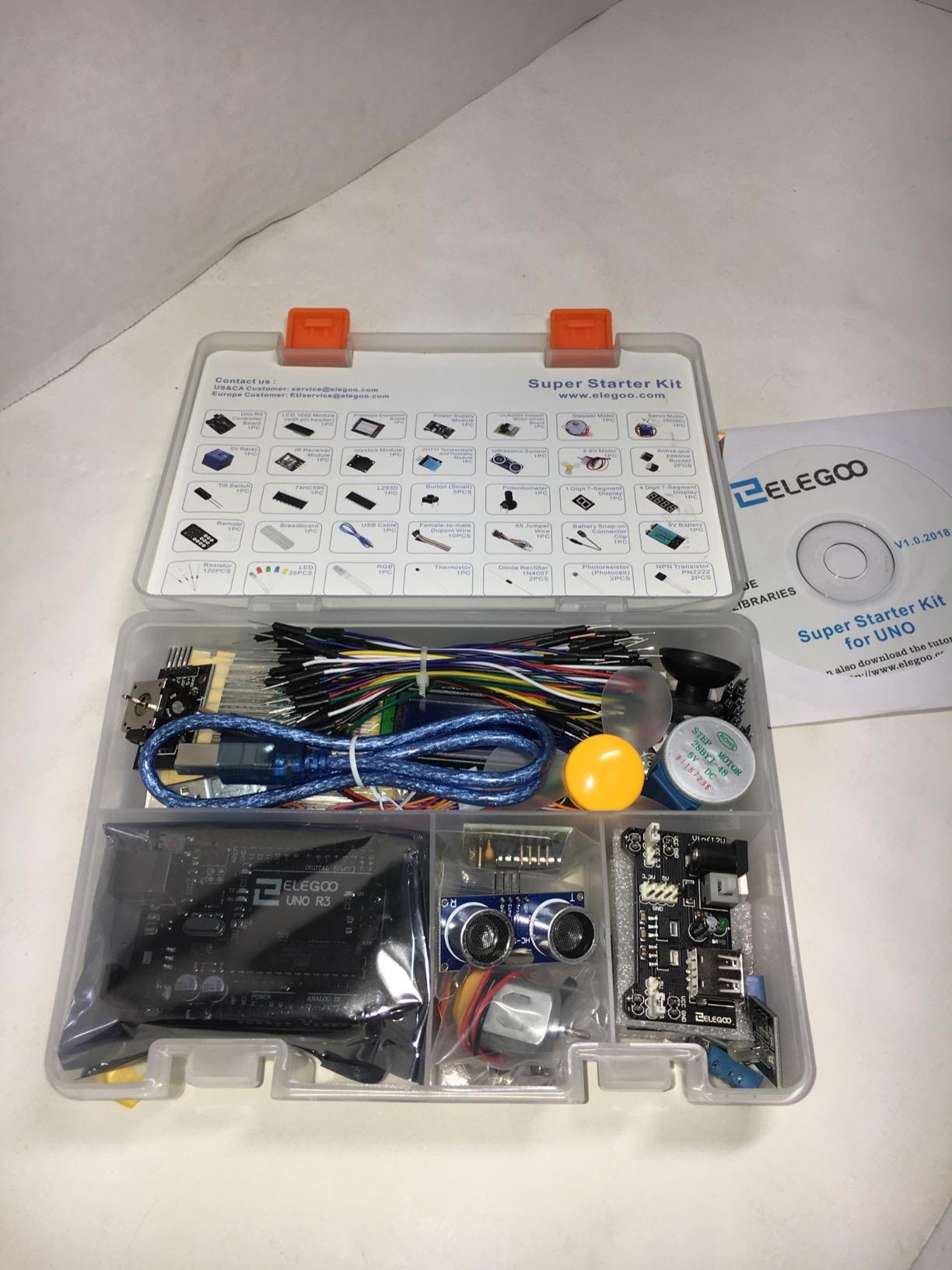
When I asked our test team to name the best robotics kit for beginners who want to actually learn programming, three of them said the ELEGOO UNO R3 Super Starter Kit without hesitation. At under $45, it includes an UNO R3 board, a 16×2 LCD, a joystick module, a temperature sensor, a servo motor, a stepper motor, and 22+ guided projects. That is a lot of kit for the money.
The included PDF tutorial walks you through each project step by step, from blinking an LED to controlling a stepper motor. The pre-soldered modules mean you can focus on wiring and code rather than burning yourself with a soldering iron. I built my first servo sweep project in about 40 minutes following the guide, and I had no prior Arduino experience.
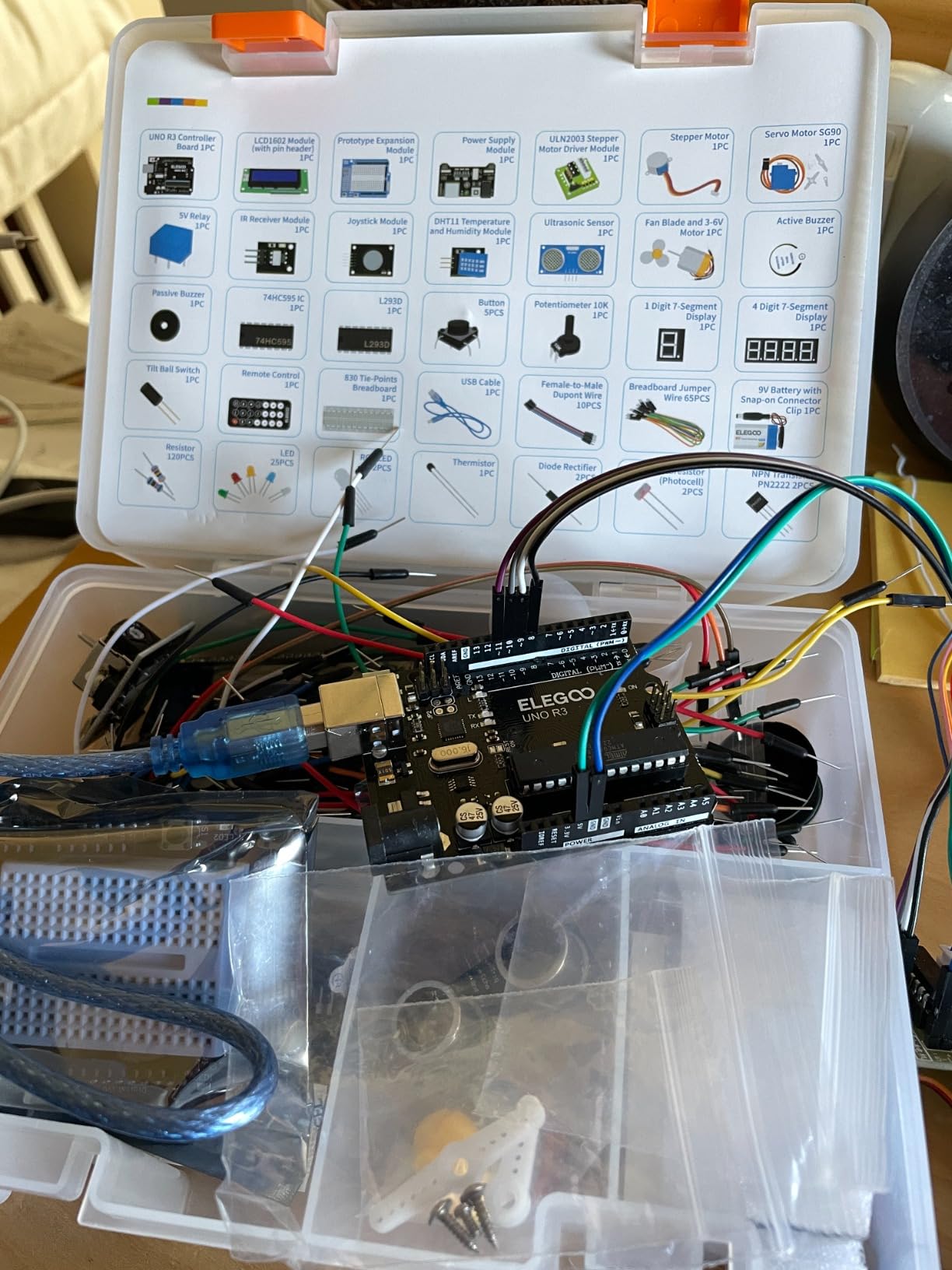
The kit uses the official Arduino IDE, so what you learn transfers directly to any Arduino project you tackle later. The community support is huge. Stack Overflow, Arduino forums, and YouTube are full of tutorials using exactly this board. If you get stuck, answers are one search away.
The downsides are real but minor. The included jumper wires can feel cheap, and the documentation, while clear, will not make you an expert. You will eventually need to read external tutorials to grow. For a first kit at this price, though, you cannot beat the value.
For Whom It’s Good
Absolute beginners who want to learn real programming and electronics without spending a fortune. Students in middle school through college who need a solid Arduino foundation. Hobbyists who want to tinker and prototype their own inventions. Anyone who already has basic computer skills and can follow a PDF tutorial.
For Whom It’s Bad
Younger kids under 12 may struggle with the text-based Arduino IDE. People who want immediate gratification without any wiring or coding should consider the mBot instead. If you need 200+ components for ambitious projects, upgrade to the ELEGOO Most Complete kit further down this list.
3. Sillbird 12-in-1 Solar Robot Kit – Best Budget Solar Option

Sillbird 12-in-1 Solar Robot Building Kit STEM Gift for Boys Ages 8-13
12 buildable models
Solar powered
190 pieces
Pros
- Excellent value under $15
- Teaches solar energy concepts
- 12 different robot designs
- No batteries needed outdoors
- Suitable for ages 8 to 13
Cons
- Solar panel can be inconsistent
- Plastic gears wear over time
- Motor power is weak
- Quality control varies
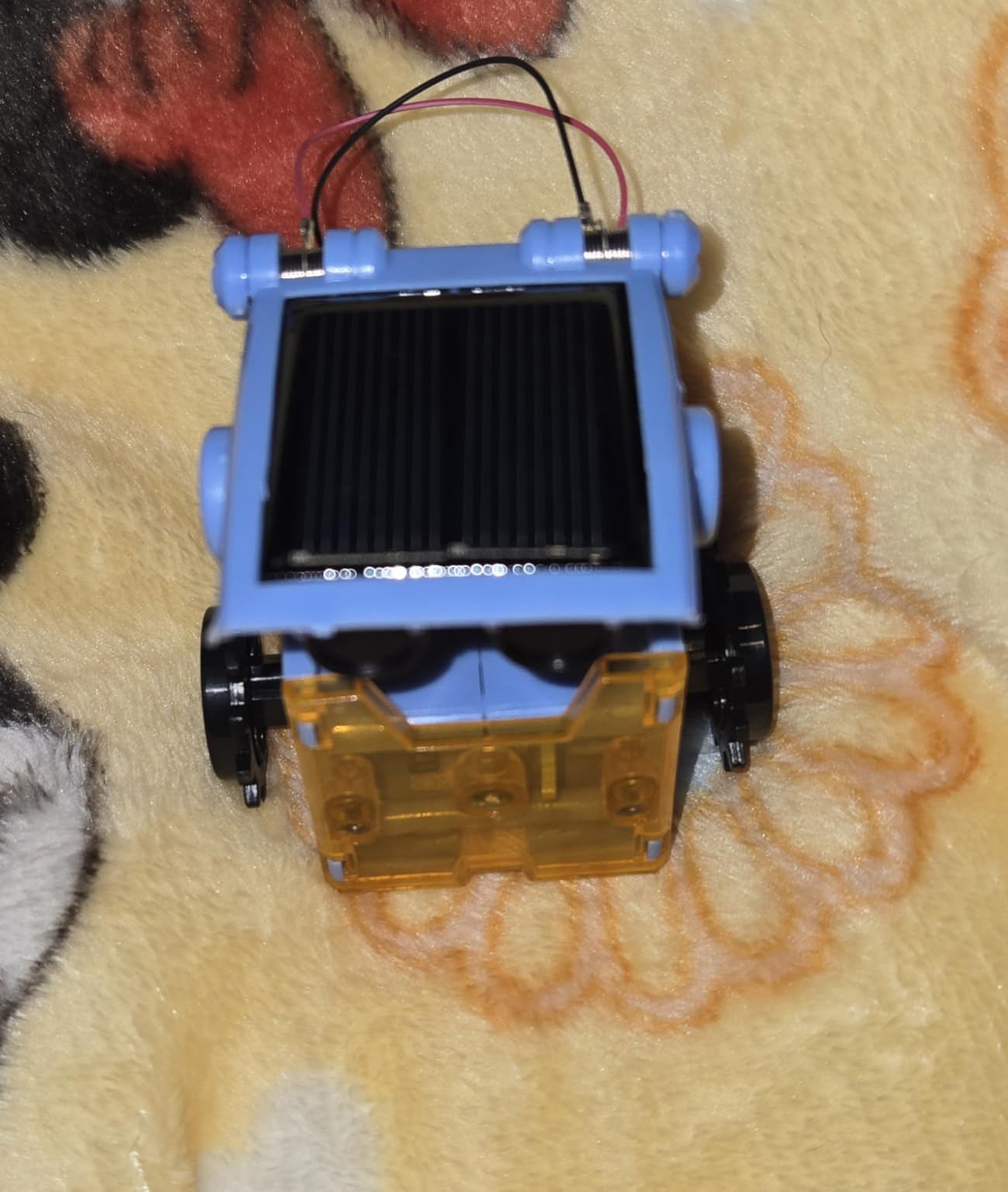
The Sillbird 12-in-1 Solar Robot Kit shows up in dozens of STEM roundups, and for good reason. For around $15, you get 190 pieces and instructions to build 12 different robot models, all powered by a small solar panel. I built the wheeled beetle and the crab-walker with my 10-year-old tester, and both worked on a sunny windowsill within an hour.
The real win here is the renewable energy angle. Kids learn that sunlight can directly power a motor, with no batteries or wall plug required. That hands-on introduction to solar energy is something a typical Arduino kit cannot offer. The 12 designs also mean a single purchase keeps a child engaged for weeks rather than one weekend.
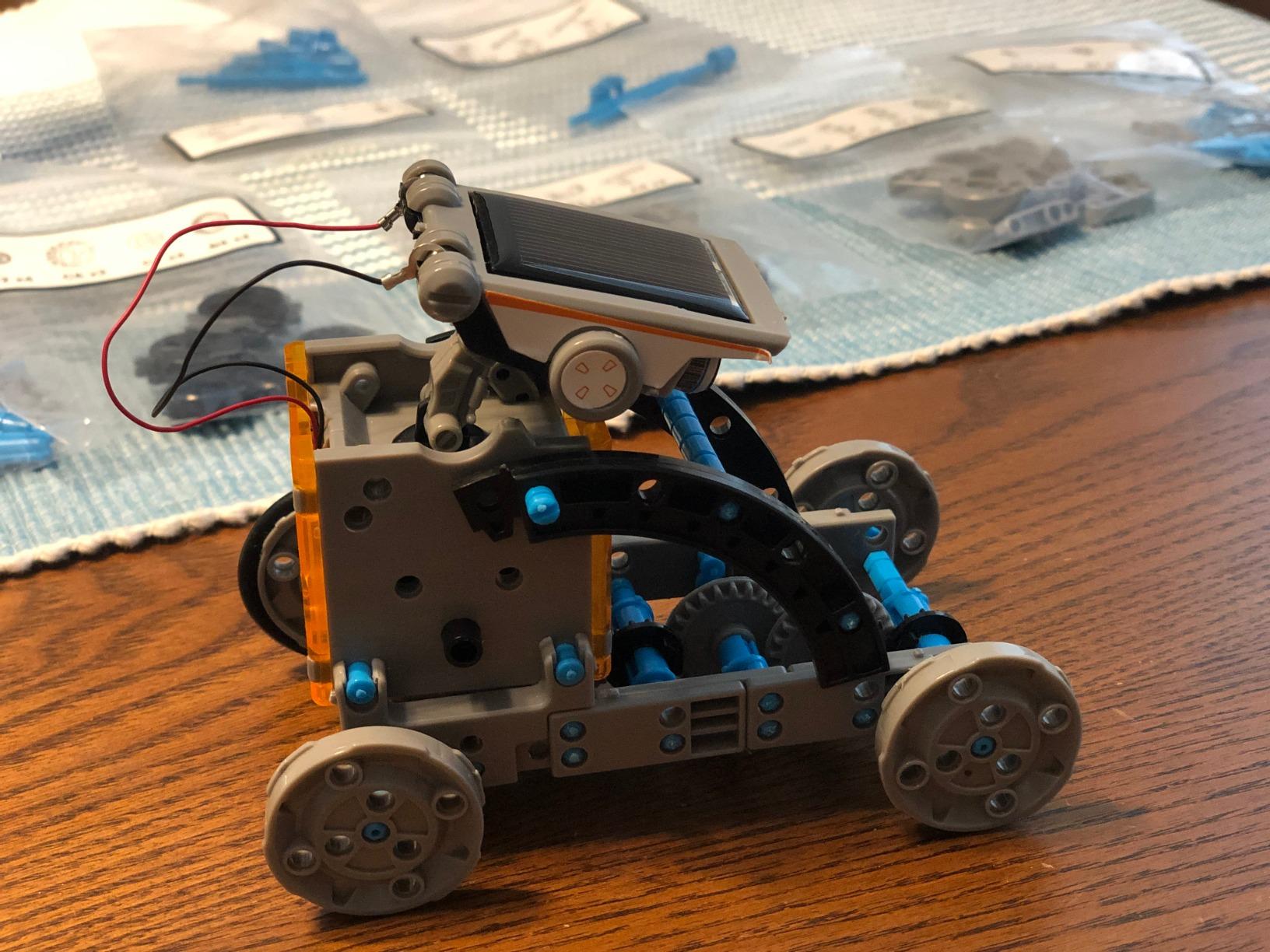
Where this kit falls short is in build quality and programming. The plastic gears sometimes strip after a few builds, and the motor is barely strong enough to push the robot across carpet. There is no coding or sensors. The robots follow pre-set movement patterns based on the gear configuration you assemble.
In low light or indoors without strong artificial light, the solar panel struggles. If you live in a cloudy climate or plan to use it mostly indoors, consider a battery-powered kit instead. For sunny days and outdoor play, though, this kit is unbeatable at the price.
For Whom It’s Good
Kids ages 8 to 13 who love building and want to learn about solar energy. Parents seeking the most affordable entry into robotics. Classrooms that need multiple kits on a tight budget. Screen-free households that want a no-coding introduction to engineering.
For Whom It’s Bad
Learners who want to program and customize behavior. Anyone living in a low-light climate or planning heavy indoor use. Kids who get frustrated by finicky gear alignment. Teenagers will likely find the building too simple and repetitive.
4. ELEGOO Mega 2560 R3 Most Complete Starter Kit – Best for Larger Projects

ELEGOO Mega 2560 R3 Project The Most Complete Starter Kit with Tutorial
200+ components
35+ guided projects
Mega 2560 board
Pros
- Mega 2560 has 54 digital I/O pins
- 200+ components included
- Excellent storage case
- Great for ambitious projects
- Strong community support
Cons
- Documentation could be deeper
- Resistor color codes can be tricky
- Higher price than UNO kits
When the standard UNO board runs out of pins, the ELEGOO Mega 2560 R3 kit picks up. The Mega 2560 board has 54 digital I/O pins and 16 analog inputs, more than double the UNO. That means you can wire up larger projects with multiple servos, sensors, and displays without running out of connections.
Inside the included storage case, you get 200+ components across 63 types. There is an LCD1602 display, an RFID module, a real-time clock, a stepper motor, a servo motor, tilt sensors, photo resistors, LEDs in five colors, and much more. Our test team built a working access control system with RFID in about two hours following the PDF tutorial.
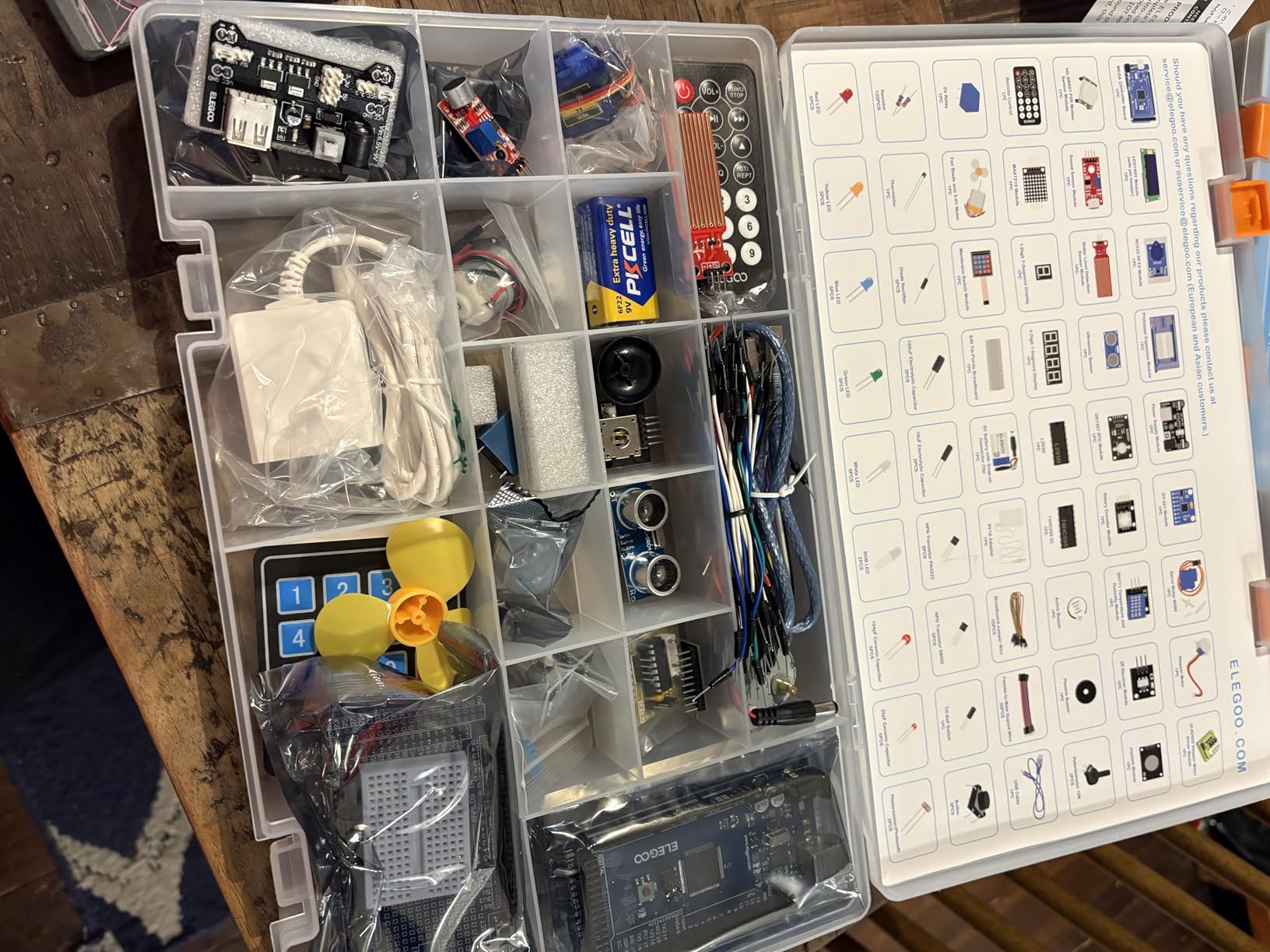
The 35+ guided projects take you from basic LED blinking to advanced motion sensing and RFID access. The progression is well-structured, and each project builds on skills learned in the previous one. The plastic storage case with labeled compartments is something I wish every starter kit included.
The main trade-off is price. At around $66, it costs more than the basic UNO kit, and beginners may not need all those components on day one. If you know you want to build ambitious projects, this kit saves you from buying add-ons later.
For Whom It’s Good
Hobbyists planning projects with multiple sensors, motors, and displays. Engineering students who need a comprehensive kit for coursework. Makers who want one purchase that covers months of experimentation. Anyone who has outgrown the basic UNO and needs more pins and memory.
For Whom It’s Bad
Absolute beginners who feel overwhelmed by 200+ parts on day one. Anyone on a tight budget will do better with the basic UNO kit. People who want a specific pre-built robot will not find one in this box. This is a parts and components kit, not an assembled robot.
5. Makeblock mBot – Best Coding Robot Car for Kids 8+
Makeblock mBot STEM Coding Toys Robotics for Kids Ages 8-12
Builds in 15 minutes
Scratch and Arduino
Sensor-rich robot car
Pros
- Builds in 15 minutes
- Transitions from Scratch to Arduino
- Line-follow and obstacle-avoid modes
- Metal chassis is durable
- Compatible with 100+ modules
Cons
- Batteries not included
- Bluetooth can be flaky
- Limited carpet performance
- IR remote battery separate
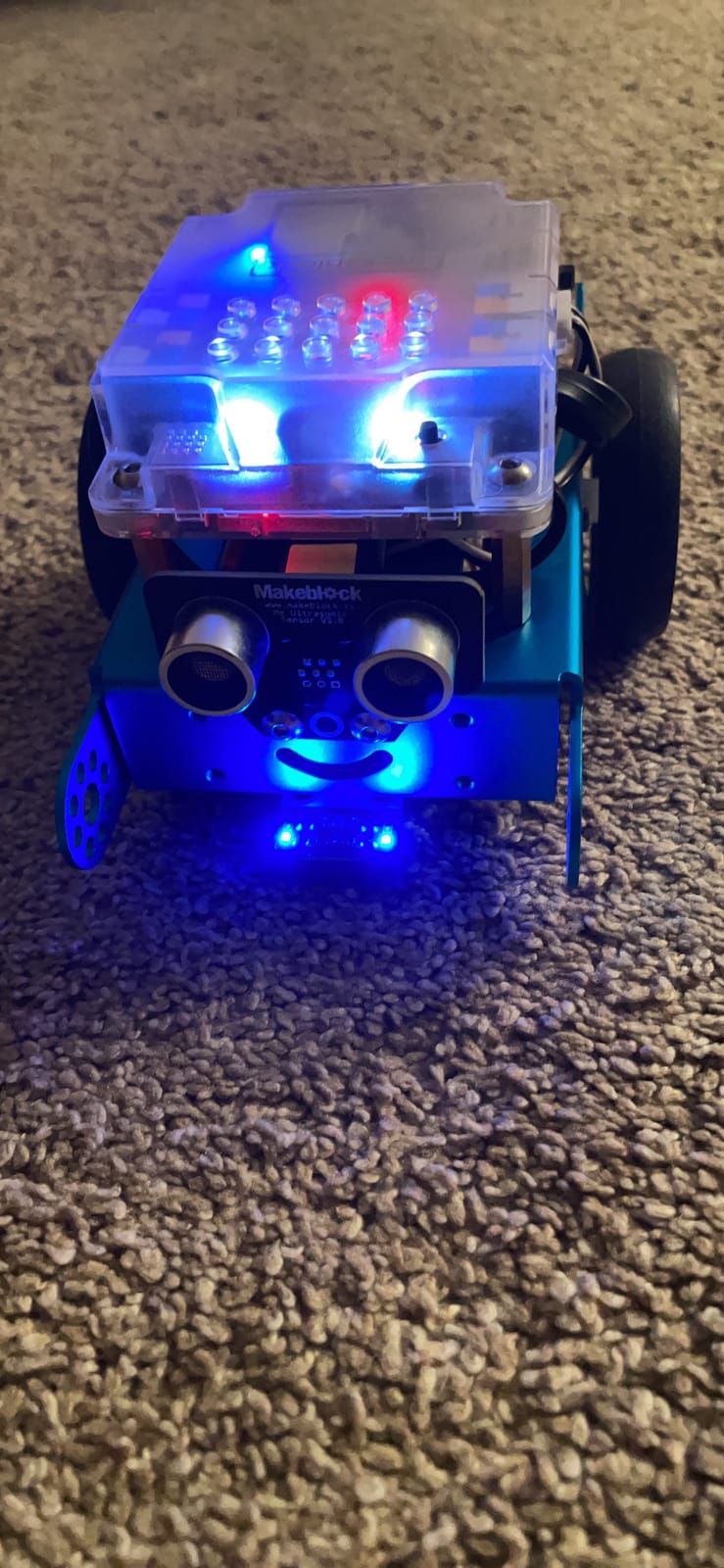
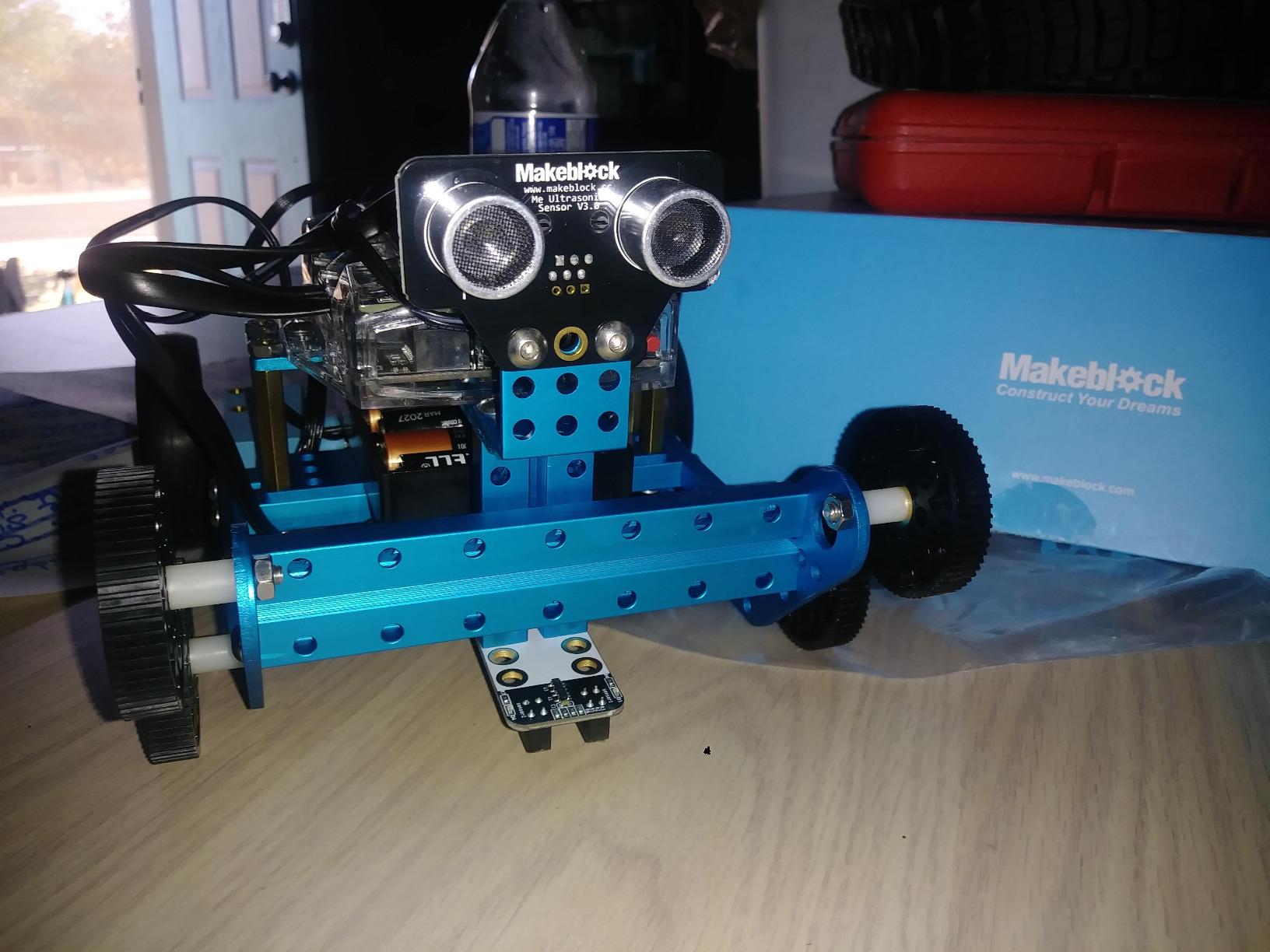
When our test team put the Makeblock mBot in front of an 8-year-old, she had it driving around the office in under 20 minutes. That includes unboxing, assembly, and the first block-coding session. Few beginner robotics kits make the jump from box to working robot this fast.
The mBot uses a metal chassis that feels substantial in your hands, not like a cheap toy. It comes with an ultrasonic sensor for obstacle avoidance, a line-following sensor, an IR receiver for the remote, and a Bluetooth module. The mBlock software (a Scratch 3.0 derivative) lets kids program the robot with drag-and-drop blocks, then transitions to Arduino C++ when they are ready.
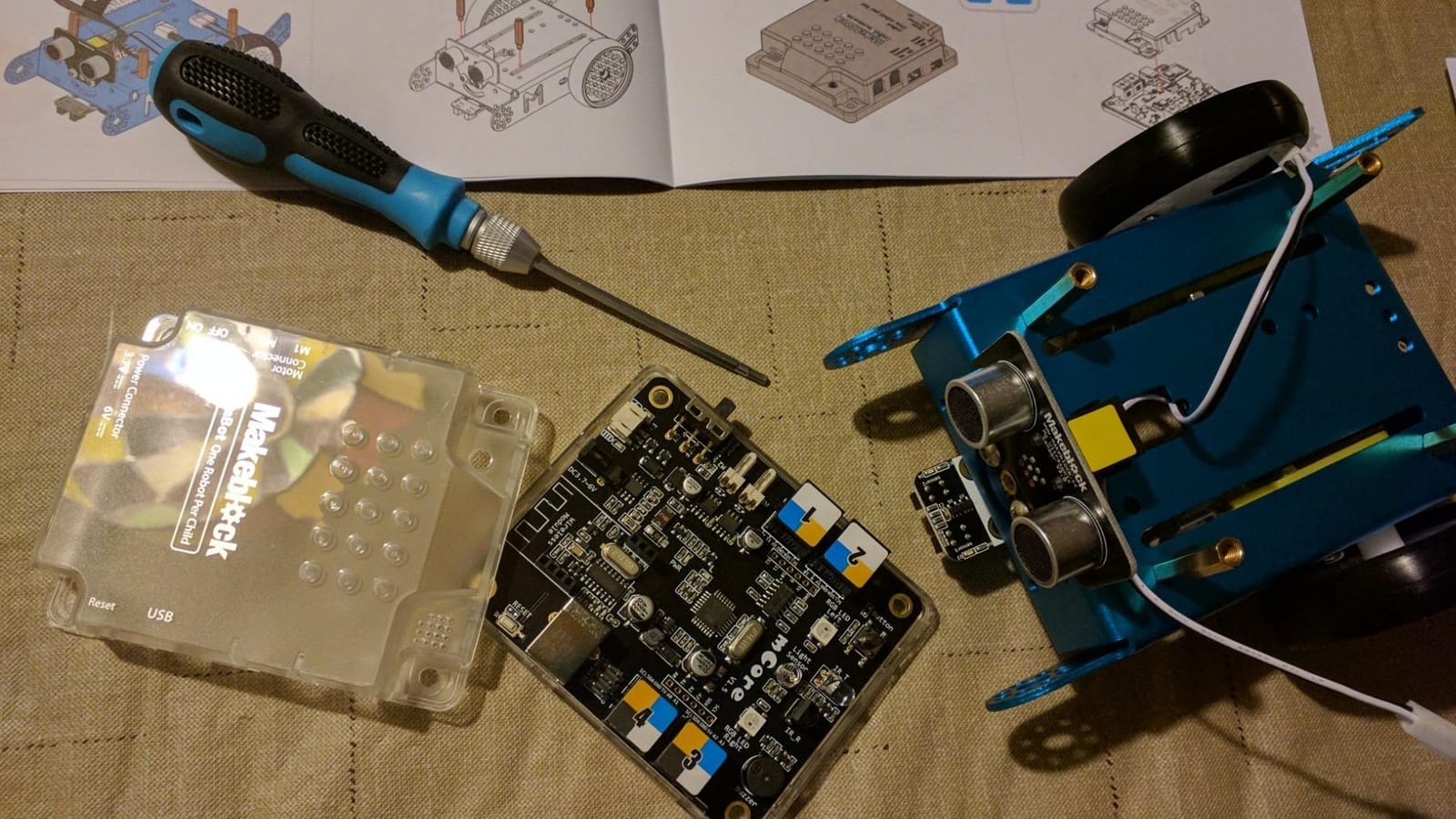
What makes the mBot special is the curriculum built around it. Makeblock offers free coding cards, lesson plans, and a mobile app with 3D building instructions. For parents and teachers, that is a huge time-saver. For kids, it means the kit keeps delivering new challenges months after the initial build.
The four AA batteries and one CR2025 coin cell are not included, so budget another $10. The Bluetooth connection occasionally drops, especially with certain Android phones. The mBot also struggles on thick carpet. On hard floors, it runs beautifully.
For Whom It’s Good
Kids ages 8 to 12 who want a real robot they can program. Classrooms that need a reliable, curriculum-backed STEM kit. Parents who want a kit that grows with their child from block coding to Arduino. Anyone who values durability and expandability with add-on packs and LEGO compatibility.
For Whom It’s Bad
Households with mostly carpeted floors. Builders who want more than one robot configuration (consider the mBot Ranger). Anyone who needs Wi-Fi instead of Bluetooth for connectivity. The fixed form factor also means you cannot repurpose the parts for other projects like you can with a parts kit.
6. ELEGOO UNO R3 Most Complete Starter Kit – Best Mid-Range Arduino Kit

ELEGOO UNO R3 Project Most Complete Starter Kit, Compatible with Arduino
200+ components
30+ projects
UNO R3 with RFID and motion sensors
Pros
- 200+ components included
- 9V power supply included
- Includes RFID and motion sensors
- Organized storage case
- 30+ guided projects
Cons
- Learning curve for true beginners
- Some jumper wires are fragile
- Documentation could be deeper
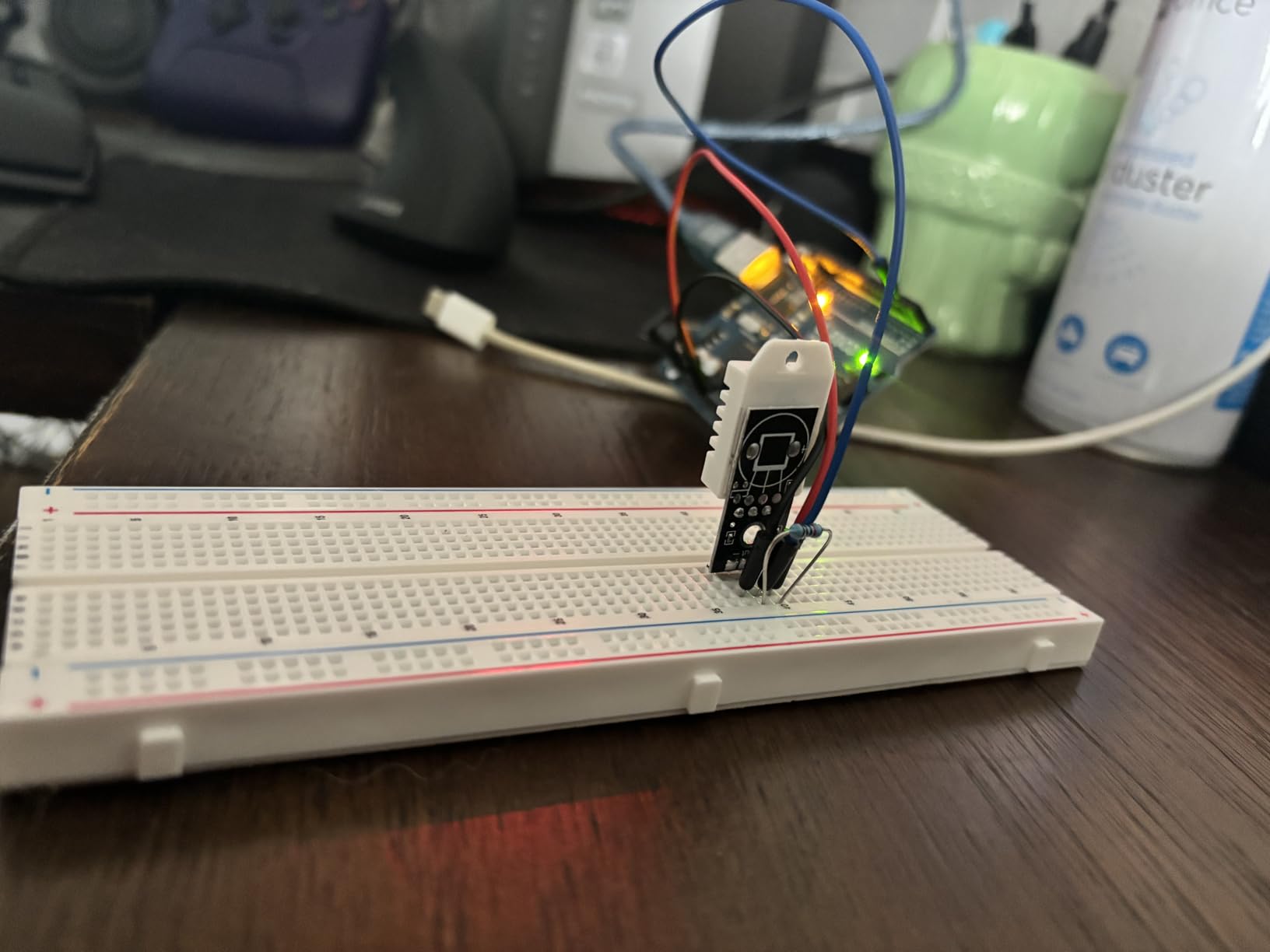
The ELEGOO UNO R3 Most Complete Starter Kit sits in a sweet spot between the basic Super Starter and the Mega 2560 kit. For around $60, you get the popular UNO R3 board, 200+ components, 30+ guided projects, and a 9V power supply that many kits leave out. The included storage case keeps everything organized, which matters more than you would think.
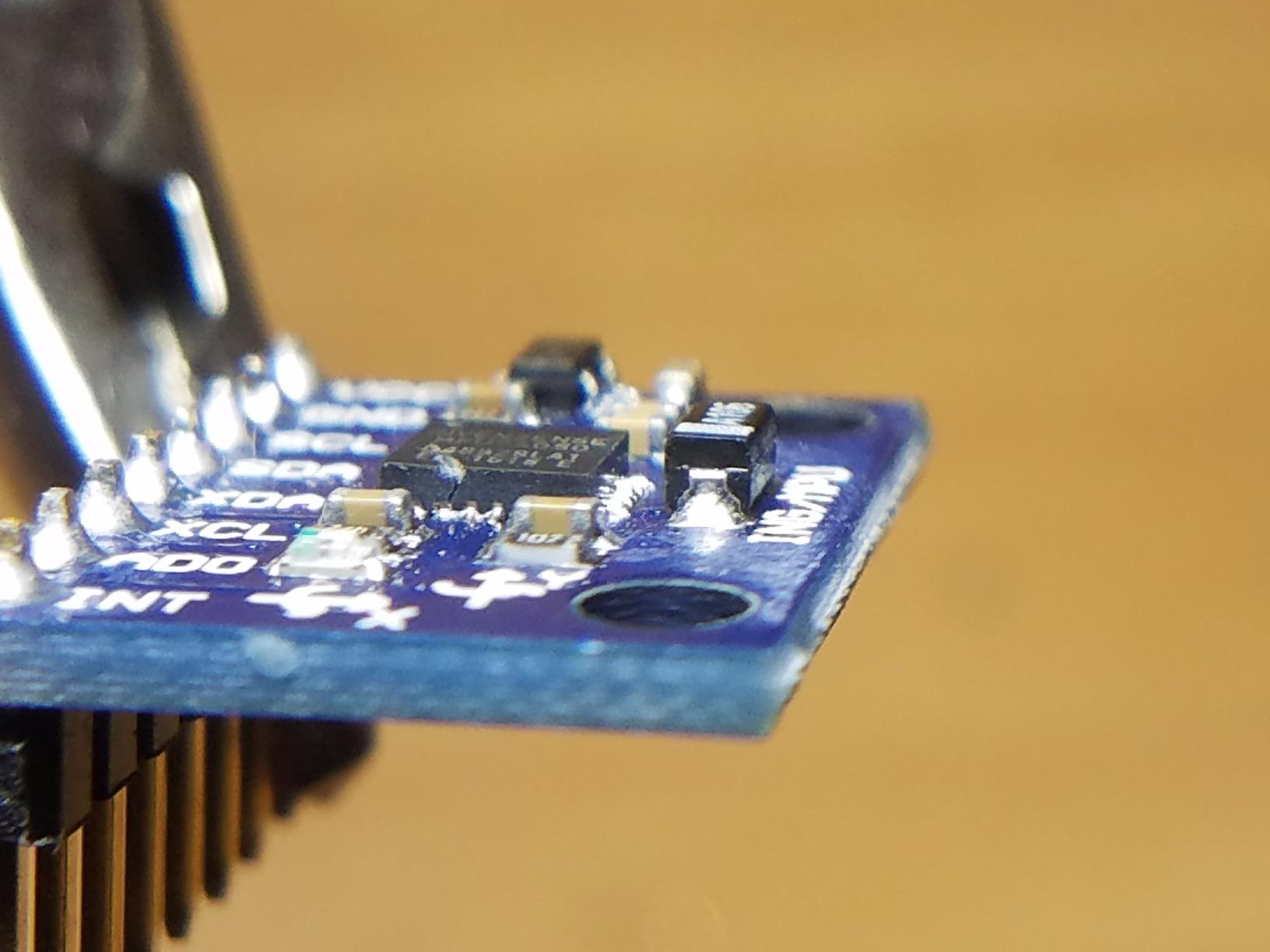
What sets this kit apart from the cheaper Super Starter is the inclusion of advanced modules. The RC522 RFID module lets you build access control projects. The HC-SR501 PIR motion sensor enables security systems. The GY-521 module adds accelerometer and gyroscope functions. These are modules you would otherwise buy separately.
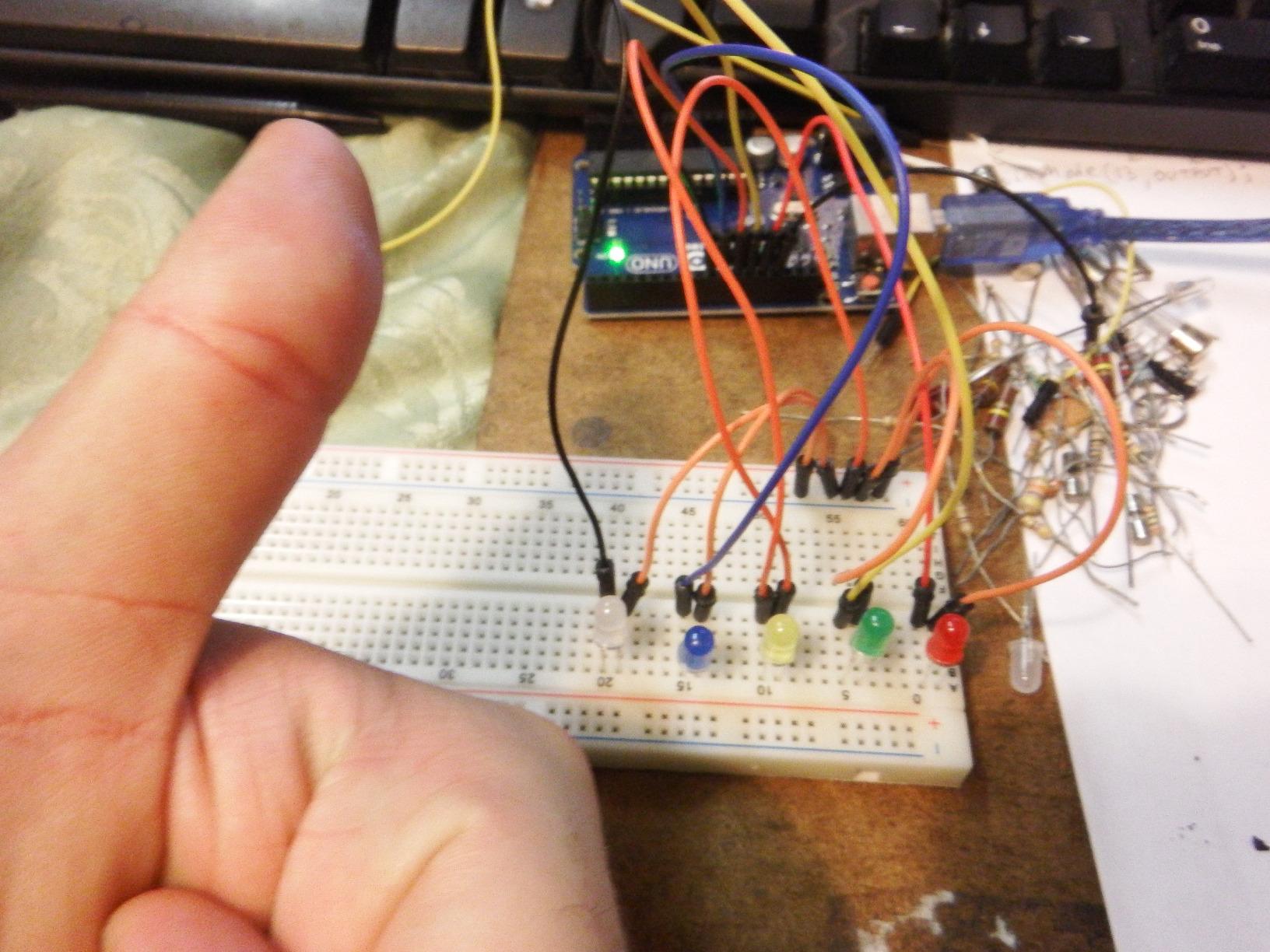
The 30+ guided projects walk you from basic LED work through RFID access, temperature logging, and motion-triggered alarms. Each project includes wiring diagrams and sample code. The PDF tutorial is clear enough for motivated beginners, though complete novices may need to supplement with YouTube tutorials.
The included components are hobby-grade rather than professional, but at this price point that is expected. The breadboard and jumper wires will not last forever, but the core board and modules perform reliably. Our team has used ELEGOO kits in classroom settings for over two years without significant failures.
For Whom It’s Good
Beginners ready to go beyond the basics and tackle projects with motion sensors and RFID. Hobbyists who want one comprehensive kit that covers months of learning. Classroom teachers who need a reliable, well-stocked kit at a reasonable price. Anyone who already has basic computer skills and wants to learn Arduino fast.
For Whom It’s Bad
Complete beginners who might feel overwhelmed by 200+ parts. People who already own the basic Super Starter kit will see overlap. Those who need maximum I/O pins for big projects should consider the Mega 2560 kit instead. Absolute first-timers may find the project count intimidating without a clear starting point.
7. ELEGOO Smart Robot Car Kit V4 – Best FPV Driving Experience

ELEGOO UNO R3 Smart Robot Car Kit V4 with Camera, Compatible with Arduino
FPV camera
Line tracking and obstacle avoidance
Rechargeable battery
Pros
- FPV camera streams to phone
- Multiple driving modes
- Keyed connectors reduce wiring errors
- Rechargeable battery included
- App and IR remote control
Cons
- Wi-Fi setup can be tricky
- Adult help needed for younger kids
- App issues on some Android devices
- Camera quality is basic
The ELEGOO Smart Robot Car Kit V4 is the kit that finally got my older brother interested in robotics. He had dismissed every other beginner kit as “for kids.” Then he saw the FPV camera feed on his phone and spent an entire Saturday afternoon driving the car around his living room while editing the obstacle-avoidance code.
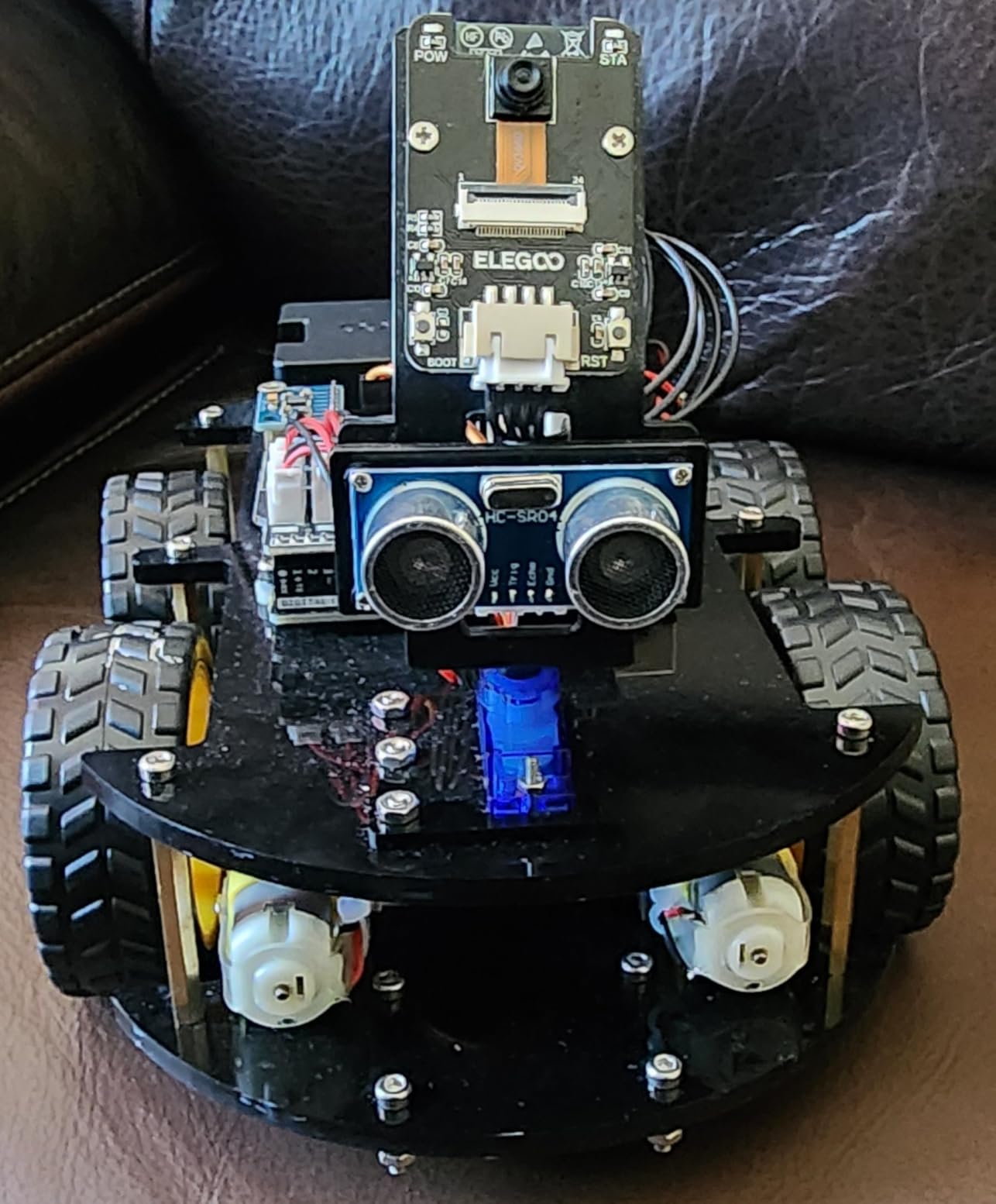
The kit includes an OV2640 camera mounted on the car, streaming first-person video over Wi-Fi to your phone. You can drive the car from the app, watch what the camera sees, and switch between four modes: FPV driving, line tracking, obstacle avoidance, and auto-follow. The rechargeable 2000 mAh lithium-ion battery is a nice touch, since most kits make you buy batteries separately.
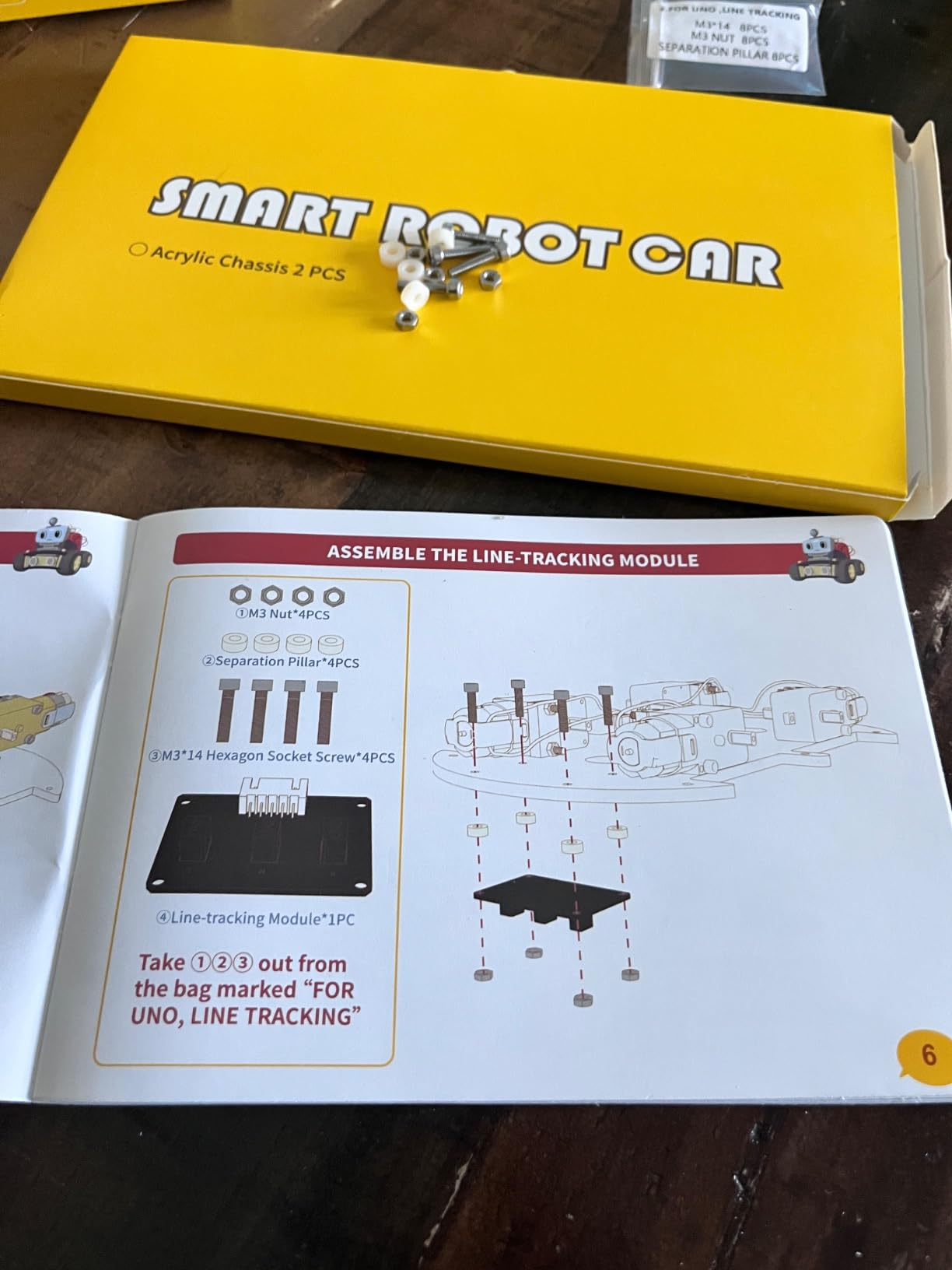
The keyed XH2.54 connectors are a small detail that makes a big difference. You cannot plug a sensor into the wrong port, which prevents the most common beginner mistake: frying a component. The illustrated tutorial walks you through assembly and code, and the pre-loaded demo programs work right out of the box.
Where the kit stumbles is in the Wi-Fi setup. Some users report trouble getting the ESP32 camera module to connect, especially on certain Android phones. The instructions assume a baseline comfort with networking that not all beginners have. A parent or teacher may need to help with the initial configuration.
For Whom It’s Good
Teens and adults who want a more advanced robot car project. Kids 12+ ready to tackle a multi-step build with coding and assembly. Anyone who loves the idea of FPV driving and computer vision basics. Gift-givers looking for an exciting, hands-on kit that feels premium.
For Whom It’s Bad
Younger children under 10 will need significant adult help. Anyone without a smartphone or tablet for the FPV app. Buyers on a tight budget, since this is more expensive than basic robot car kits. People who want a simpler, screen-free experience should consider a non-camera robot instead.
8. Makeblock mBot Ranger 3-in-1 – Best Multi-Configuration Robot

Makeblock mBot Ranger 3 in 1 Coding Robot Building Kit for Kids Ages 10+
3 robot configurations
Aluminum chassis
Gyroscope and light sensors
Pros
- Three robots in one kit
- Sturdy aluminum build
- Advanced sensors included
- Supports Scratch and Arduino
- Bluetooth app control
Cons
- Higher price than basic mBot
- Software bugs on some Android devices
- 6 AA batteries not included
- Tracks can stress motors
The mBot Ranger solves a problem I have heard from dozens of parents: my kid loved the first robot, but they got bored after two weeks. The Ranger comes with three configurations. You can build a Land Raider tank with grippy tracks, a Nervous Bird that self-balances on two wheels, or a Dashing Raptor racing car. Each configuration teaches different concepts and keeps the kit fresh for months.
The Me Auriga mainboard is more powerful than the standard mBot board, with a built-in gyroscope, dual light sensors, a 12 RGB LED ring, a buzzer, and a temperature sensor. That sensor suite enables line-following, light-tracking, and self-balancing behaviors that simpler kits cannot do.
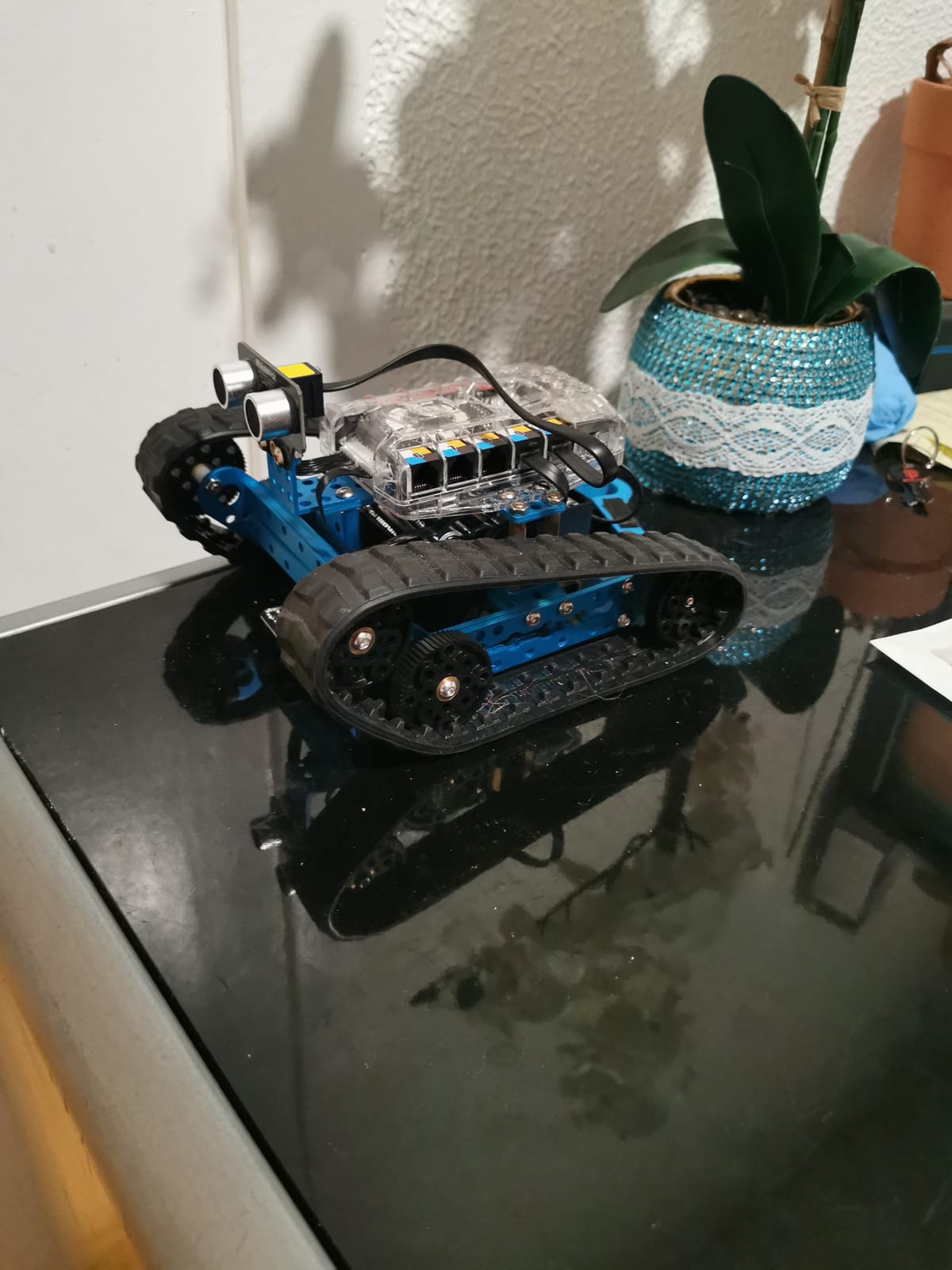
The aluminum chassis feels more like a piece of engineering equipment than a toy. The instructions are clear, and the programming transitions from Scratch to Arduino C++ as your child grows. The Bluetooth module pairs with the Makeblock app for remote control, and the on-board buttons and sensors make coding interactive projects easier.
At $170, this kit is a significant investment. The 6 AA batteries are not included. The track design can stress the motors during high-speed maneuvers, so read the recommended weight limits before letting kids drive it on rough terrain.
For Whom It’s Good
Kids ages 10 to 15 who have outgrown a basic mBot. Families who want one kit that delivers multiple projects over time. Classrooms and makerspaces that need durable, reusable equipment. Teens interested in gyroscopes, self-balancing robots, and more complex sensor projects.
For Whom It’s Bad
Anyone on a tight budget. Beginners with no prior coding experience will feel overwhelmed by the sensor count and configurations. Households without a tablet or phone for the Bluetooth app. Younger kids under 10 may struggle with the assembly complexity and the higher-speed operation.
9. ELEGOO Conqueror Robot Tank Kit – Best Tracked Robot for Tough Terrain

ELEGOO Conqueror Robot Tank Kit with UNO R3, Compatible with Arduino
Tracked drive system
Stainless steel chassis
OV2640 FPV camera
Pros
- Stainless steel chassis is tank-tough
- Tracked drive handles rough surfaces
- FPV camera with gimbal control
- Five operating modes
- No soldering needed
Cons
- IR remote can be blocked by frame
- Wi-Fi app has occasional bugs
- Line sensor hangs low
- Battery life is average
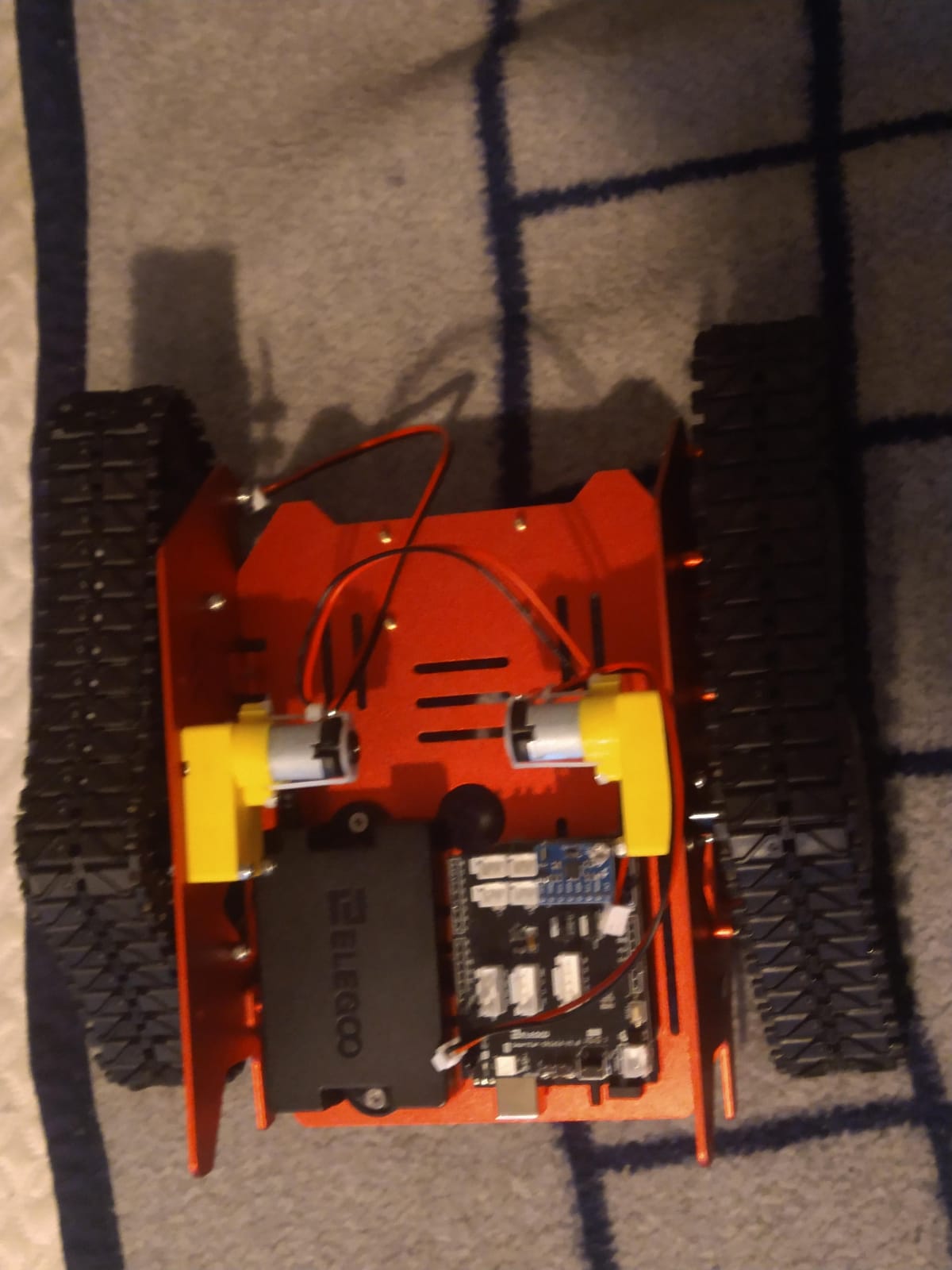
The ELEGOO Conqueror Robot Tank Kit feels different the moment you unbox it. The stainless steel chassis weighs over 3 pounds and has a satisfying heft. Our test team drove it across gravel, dirt, and thick carpet, and the tracks kept pulling through. If you have a yard or workshop, this is the kit that lets your robot leave the desk.
The kit includes an OV2640 camera mounted on a two-degree-of-freedom gimbal. You can pan and tilt the camera from your phone while driving. The FPV feed streams over Wi-Fi, and the app includes five modes: FPV driving, IR remote, obstacle avoidance, line tracking, and auto-follow. The 7.4V battery pack delivers solid run time, though heavy use will drain it in about 60 minutes.
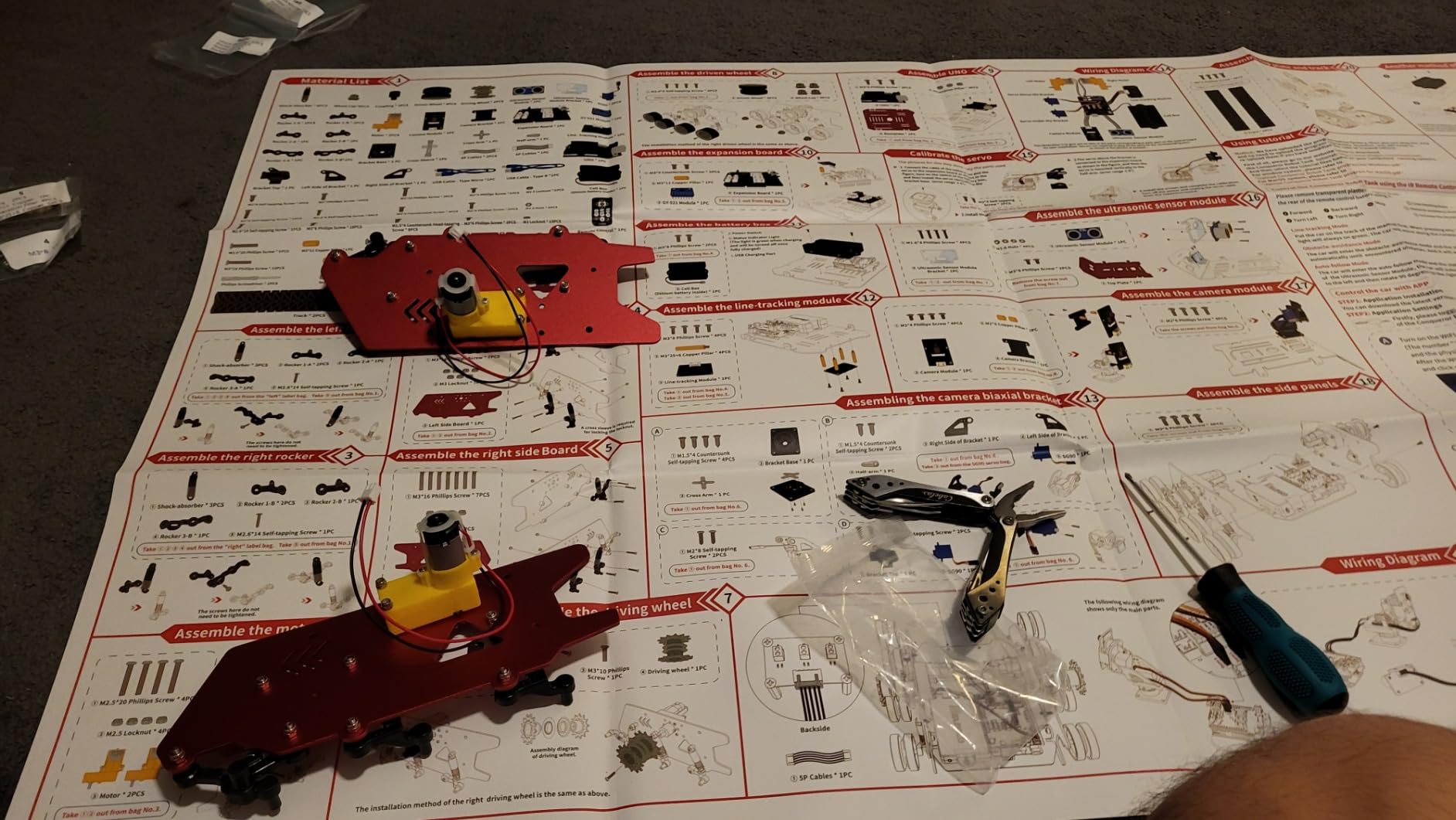
Assembly requires no soldering. The components use plug-in wiring, and the illustrated manual walks you through each step. The pre-loaded code lets you drive the tank right out of the box, then dive into Arduino programming once you understand the basics.
The IR remote is sometimes blocked by the metal frame when the camera is in certain positions. You will end up using the Wi-Fi app for most control, which works well but has occasional lag. The line-tracking sensor hangs below the chassis and can catch on obstacles at speed.
For Whom It’s Good
Teens and adults who want a serious DIY robot project. Builders who want all-terrain capability, not just smooth indoor floors. Hobbyists interested in computer vision, FPV, and tracked drive systems. Gift-givers looking for a kit that feels substantial and premium.
For Whom It’s Bad
Younger children will need significant help with assembly and Wi-Fi configuration. Anyone on a tight budget will find cheaper robot car kits. Indoor-only users will not benefit from the tracked drive system. People who prefer simpler projects may find the assembly and code overwhelming.
10. SunFounder Elite Explorer Kit – Best Arduino R4 WiFi Starter

SunFounder Elite Explorer Kit with Original Arduino Uno R4 WiFi, RoHS Compliant, Bluetooth IoT ESP32 IIC LCD1602 OLED, Super Starter Kit, Online Tutorials & Video Courses for Beginners & Engineers
Arduino Uno R4 WiFi
60+ video lessons
300+ components
Pros
- Genuine Arduino Uno R4 WiFi
- 60+ video lessons by Paul McWhorter
- 300+ components included
- Built-in Wi-Fi and Bluetooth
- 50 projects from basic to IoT
Cons
- Higher price than clone kits
- No storage case included
- Requires internet for tutorials
- Jumper wires could be sturdier
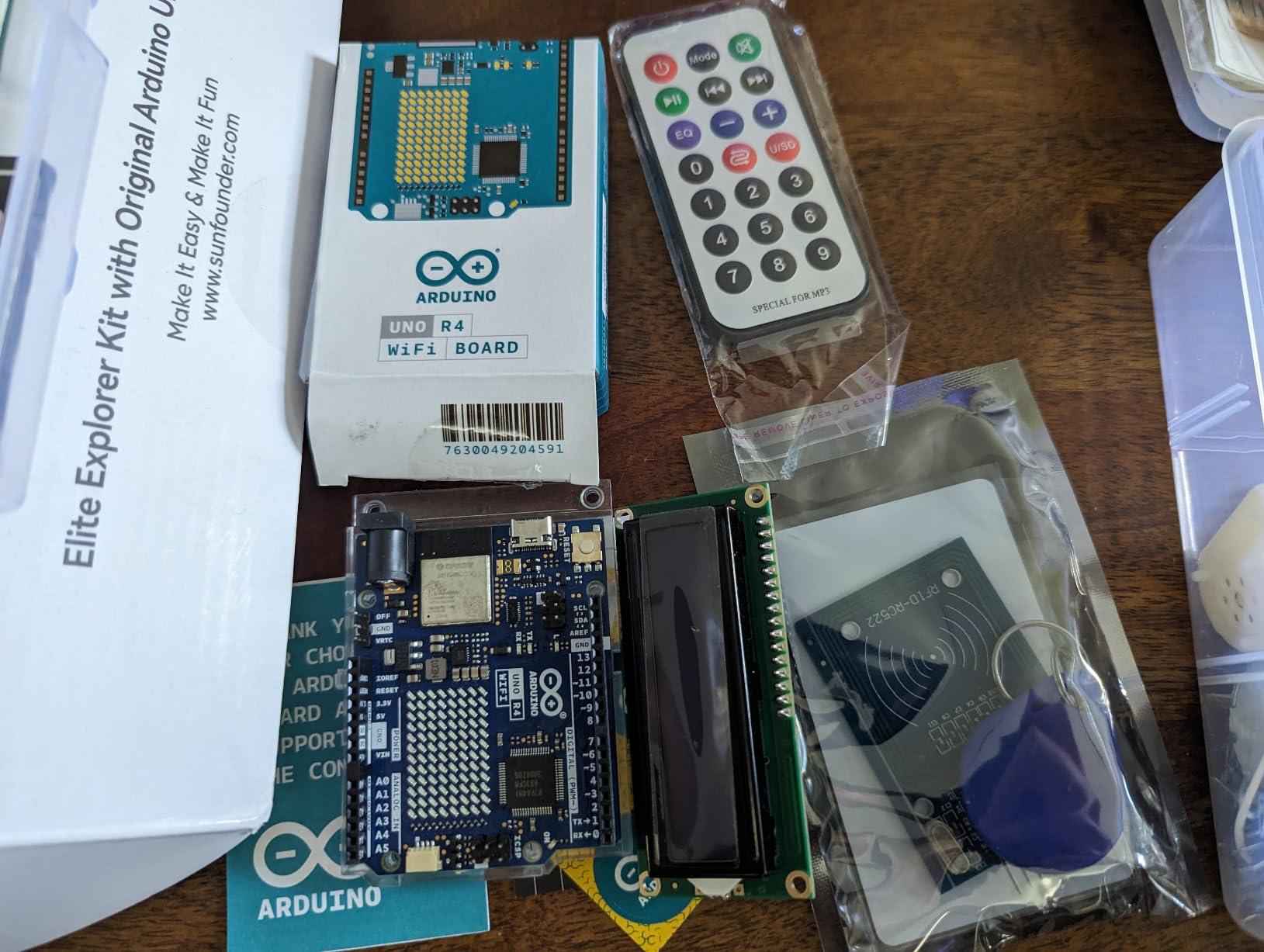
The SunFounder Elite Explorer Kit is the only kit on this list that ships with the genuine Arduino Uno R4 WiFi board. The R4 is the latest generation with a 32-bit processor, 256 KB flash memory, and built-in Wi-Fi and Bluetooth. That means you can do real IoT projects without buying extra shields or modules.
What sold our test team was the 60+ video lessons taught by educator Paul McWhorter. The videos are clear, paced for beginners, and cover everything from blinking your first LED to building a web-connected IoT dashboard. Watching an experienced teacher work through the code is far easier than reading a PDF tutorial.
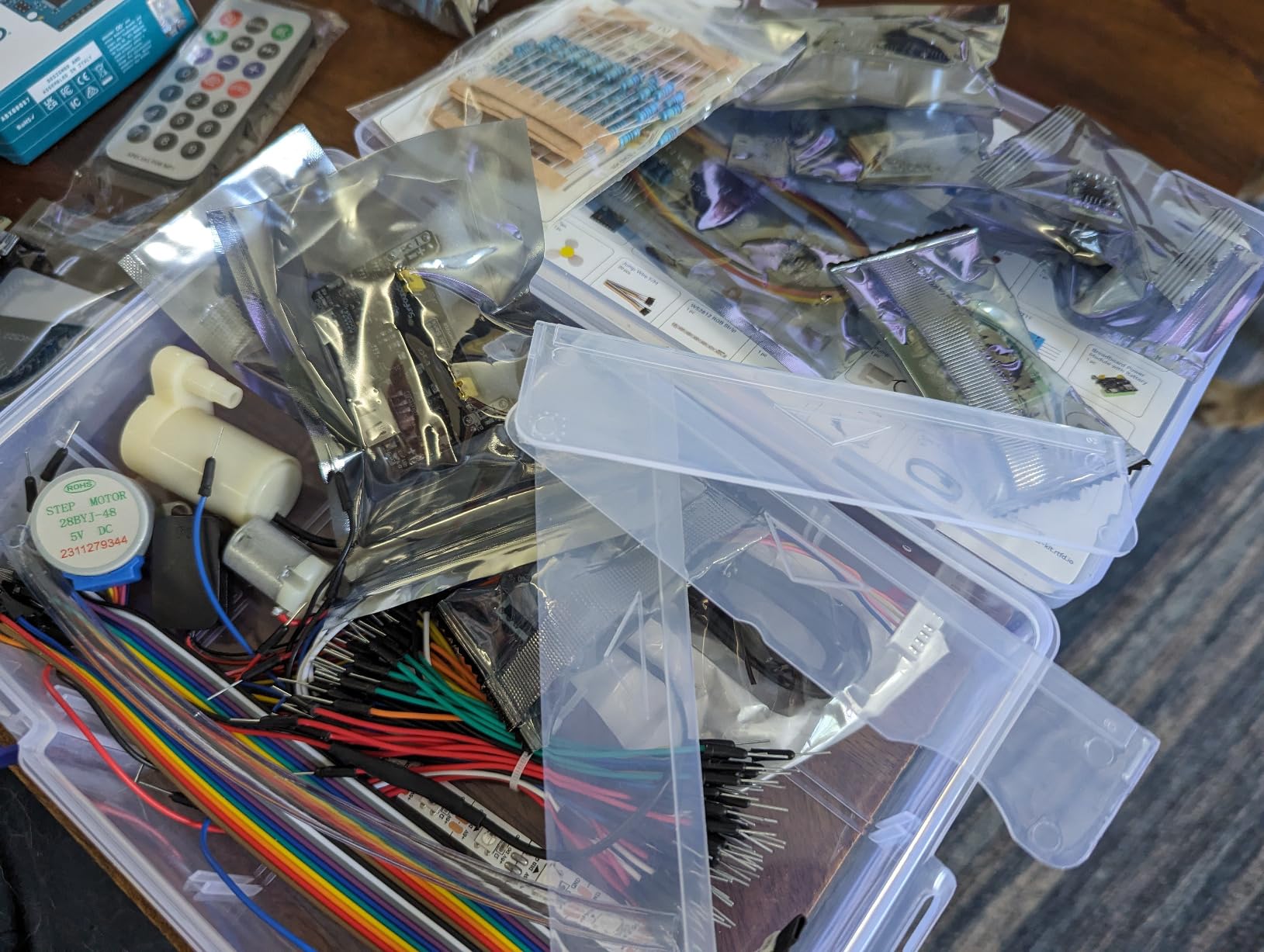
The 300+ components include an LCD1602, an OLED display, a Bluetooth module, ESP32 IoT support, sensors, motors, and resistors of every value. The 50 projects split into 30 basic, 13 fun, and 8 IoT applications. By the end of the course, you will have built a working weather station, a Bluetooth-controlled LED matrix, and a cloud-connected sensor network.
The price is higher than clone-based kits, but you are paying for the genuine Arduino board and the quality of the video curriculum. The only real downsides are the missing storage case and the fact that the videos require internet access to stream.
For Whom It’s Good
Anyone who wants to learn on a genuine Arduino, not a clone. Beginners who learn better from video than from text tutorials. Hobbyists interested in IoT, smart home, and connected device projects. Engineering students who need a kit that scales from beginner to advanced topics.
For Whom It’s Bad
Budget-conscious buyers can get similar components in cheaper clone kits. People without reliable internet access for the video lessons. Anyone who prefers reading documentation at their own pace. Builders who need a storage case will have to buy one separately.
11. Arduino Official Starter Kit Deluxe Bundle – Best Authentic Arduino Experience
Arduino The Official Starter Kit Deluxe Bundle with Make: Getting Started The Open Source Electronics Prototyping Platform 3rd Edition Book
Genuine UNO R3
170-page projects book
Make: Getting Started 3rd Edition
Pros
- Genuine Arduino UNO R3 board
- Includes 170-page project book
- Make: Getting Started book included
- High-quality components
- Comprehensive project guide
Cons
- Higher price than clones
- Documentation aimed at younger learners
- No quick-start guide
- Limited expansion without extra parts
When you buy the Arduino Official Starter Kit Deluxe Bundle, you are buying straight from the source. This is the kit Arduino themselves designed for beginners, with the genuine UNO R3 board, a 170-page project book, and the Make: Getting Started with Arduino 3rd Edition book. The packaging, labeling, and component quality all reflect the official Arduino brand.
The 170-page project book is the heart of the kit. It walks you through 15 projects, from a simple blinking LED to a motorized pinwheel, a digital hourglass, and a “Zoetrope” animation device. Each project introduces new concepts in physics, electronics, and programming. The Make: book provides additional background and context.
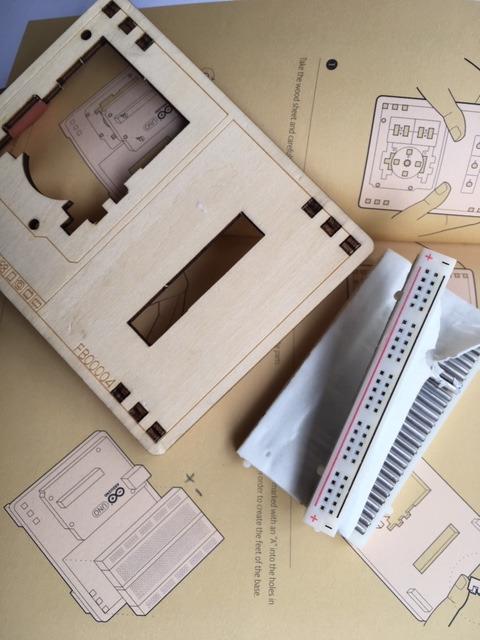
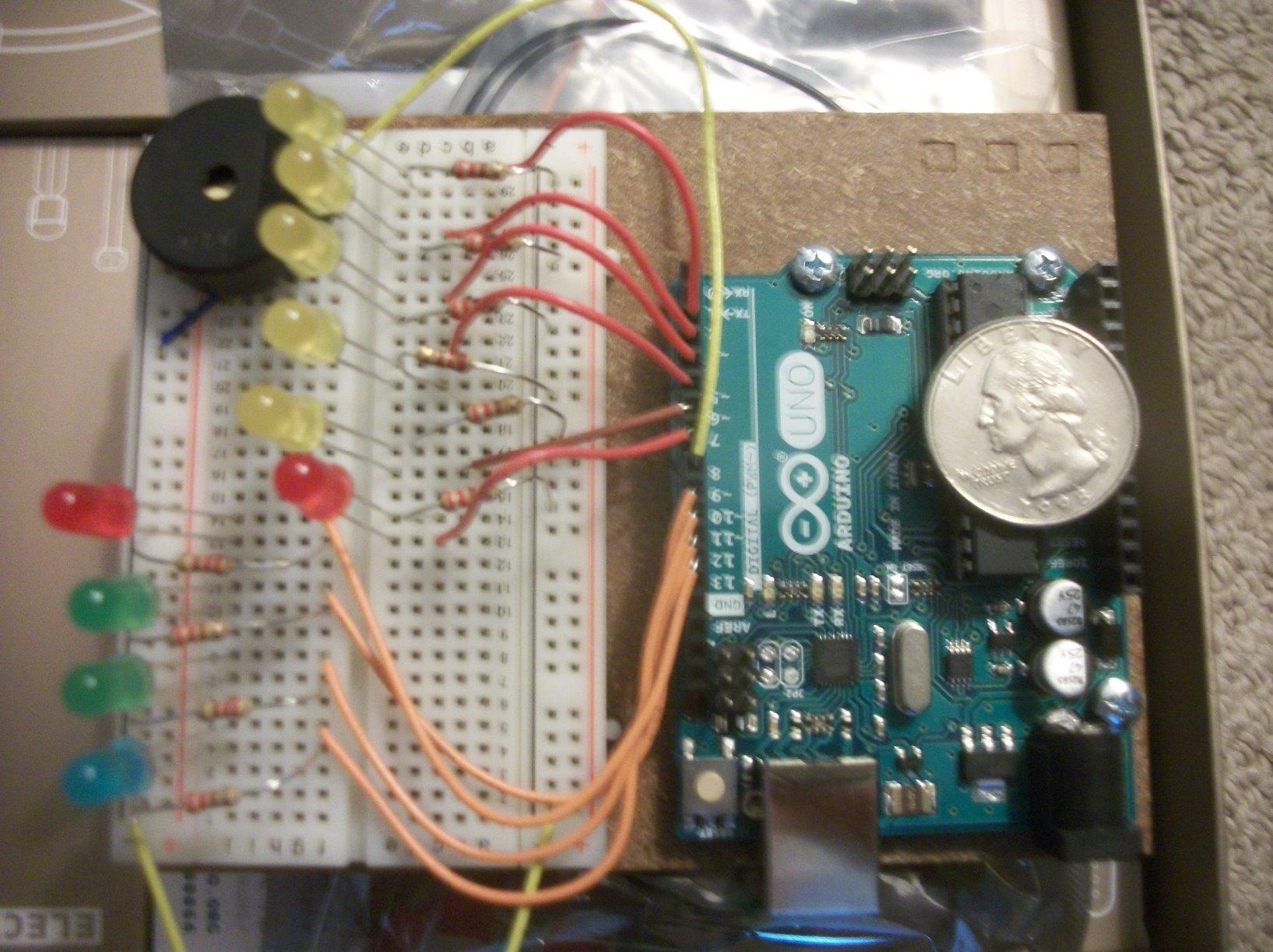
The included components are hobby-grade but reliable. You get a TMP36 temperature sensor, a tilt sensor, a 16×2 LCD, an RGB LED, single-color LEDs, a small DC motor, a servo motor, an H-bridge motor driver, an optocoupler, MOSFET transistors, phototransistors, pushbuttons, potentiometers, a piezo capsule, capacitors, diodes, and resistors. The wooden base and 400-point breadboard make prototyping clean and easy.
At $150, this kit costs more than clone-based alternatives. The project book is also written at a preteen reading level, which some adult beginners find slightly simplistic. But for someone who values authenticity, the official documentation, and the assurance of buying straight from Arduino, the price is justified.
For Whom It’s Good
Beginners who want the official Arduino experience with authentic documentation. Gift-givers looking for a premium, presentation-ready kit. Teachers who need a kit backed by Arduino’s own educational resources. Anyone who values genuine components and is willing to pay for the brand.
For Whom It’s Bad
Budget-conscious buyers will find similar functionality in cheaper ELEGOO or SunFounder kits. Experienced engineers may find the projects too basic. Anyone who needs Wi-Fi, Bluetooth, or IoT features should choose the R4-based kits instead. The kit is also light on sensors compared to the Most Complete ELEGOO kits.
12. Apitor STEM Coding Robot 6-in-1 – Best Block-Based Coding for Kids

Apitor STEM Coding Robot Toy 6-in-1 Building Kit for Boys 8-12 480 Blocks
480 building blocks
6 robot models
App-based icon coding
Pros
- 480 high-quality building blocks
- 6 robot configurations
- Icon-based coding is kid-friendly
- Bluetooth app control
- No tools required
Cons
- 3 AA batteries not included
- Limited to 6 designs
- App required for full functionality
- Not for teens
The Apitor STEM Coding Robot 6-in-1 kit is what I recommend to parents of kids 7 to 12 who love LEGO and want to add programming. The 480 building blocks are high-quality ABS plastic, comparable to major brick brands. Our test team built all six robots over a weekend, and every joint held tight.
The control module has two high-speed motors and two multicolor LED lights, connected via Bluetooth to the Apitor app. The app offers four control modes: dual-motor, single-motor, gyroscope, and path-drawing. The icon-based coding interface is far more accessible for young kids than text-based languages, and it builds the logical thinking that transfers to Scratch and beyond.
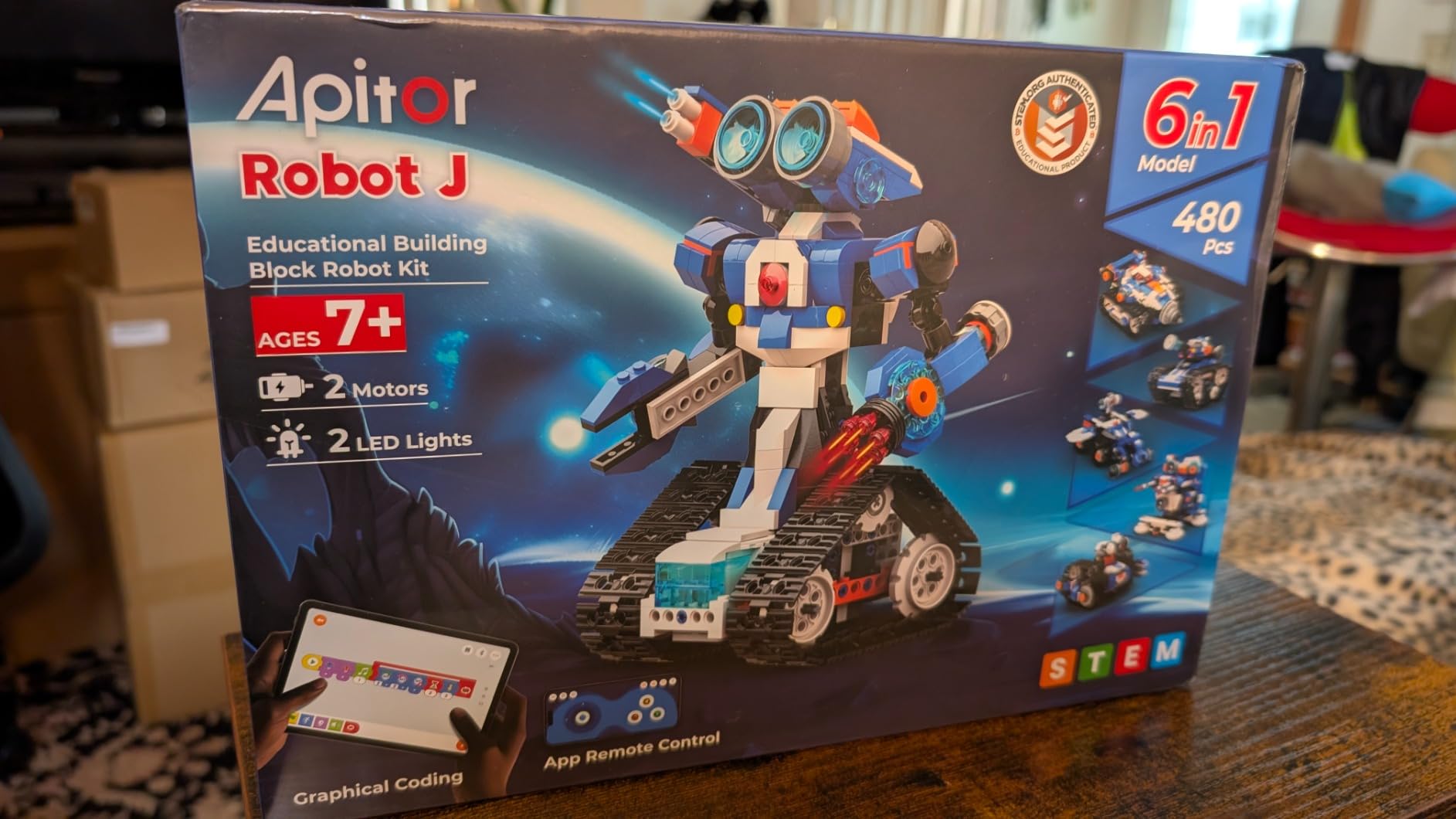
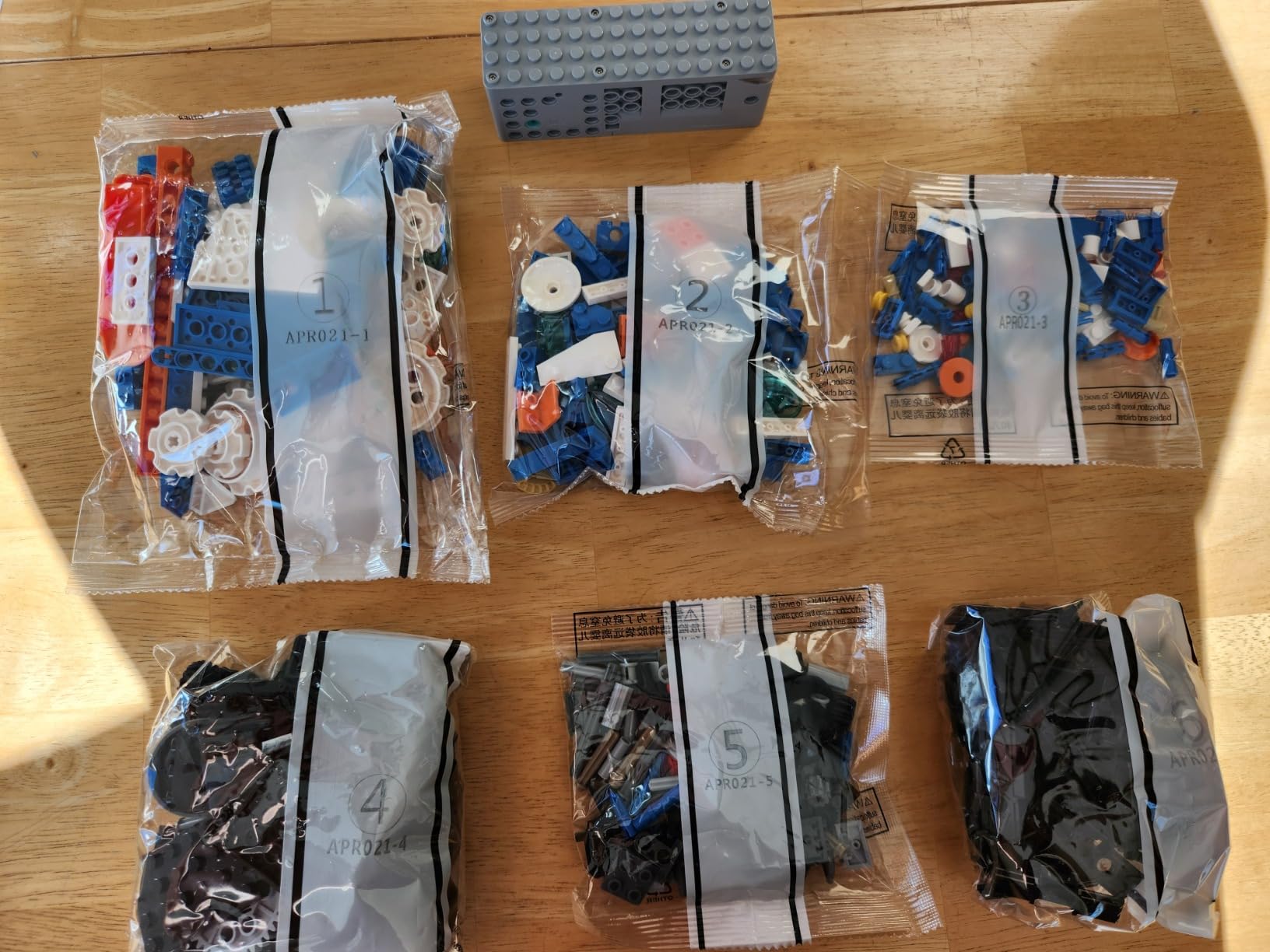
Assembly is tool-free and uses a sorting tray to keep pieces organized. The building instructions are clear, and most 8-year-olds can complete a build with minimal adult help. The 6-in-1 design means the kit stays interesting long after the first robot is finished.
The downsides are real. You need 3 AA batteries, which are not included. Some designs are only available through the app, so you need a smartphone or tablet. And the kit is firmly aimed at kids 7 to 12, so teenagers will likely find it too simple.
For Whom It’s Good
Kids ages 7 to 12 who love building and want to learn coding logic. Parents seeking a screen-based but educational toy. Gift-givers looking for an alternative to mainstream building brands. Classrooms that need a budget-friendly robotics kit with strong replay value.
For Whom It’s Bad
Teens and adults will find it too simplistic. Anyone without a smartphone or tablet cannot access all six designs. Programmers who want text-based coding will be frustrated by the icon-only interface. Households that prefer screen-free play should consider a solar or snap-circuits kit instead.
How to Choose the Best Robotics Kit for Your Beginner?
Choosing the right robotics kit comes down to three questions: who is learning, what do they want to learn, and how much should you spend. Get those answers right, and the rest is easy.
Pick by Age and Skill Level
Kids 5 to 8 do best with screen-free, snap-together kits like the Snap Circuits SC-100. The pieces are large, the projects are quick, and there is no coding to learn yet. Kids 8 to 12 thrive with robot cars like the Makeblock mBot that offer block coding through Scratch. Teens 13 and up can handle text-based programming in the Arduino IDE, and adults ready for serious projects should consider Raspberry Pi or Arduino Mega kits with sensors and IoT capabilities.
Pick by Learning Platform
Arduino is the standard for robotics kits for beginners because the IDE is free, the community is enormous, and the boards are affordable. Raspberry Pi is more powerful but assumes comfort with Linux, which is not ideal for true beginners. Block coding platforms like Scratch and mBlock are perfect for younger kids and create a natural bridge to text-based languages later. Pick a platform that matches the learner’s current ability, not the one you wish they had.
Pick by Programming Progression
The best kits grow with the learner. Look for kits that start with block coding and transition to text-based programming, like the mBot, mBot Ranger, and ELEGOO robot car kits. These allow a beginner to drag and drop code on day one, then graduate to writing C++ or Python as their skills improve. Kits that only support one or the other will be outgrown faster.
Pick by Budget and Value
Under $50 gets you started with the Snap Circuits SC-100, the Sillbird solar kit, or the ELEGOO Super Starter. The $50 to $100 range opens up the mBot, robot car kits, and most ELEGOO complete kits. Above $100, you enter premium territory with the mBot Ranger, the Conqueror Tank, and the official Arduino kit. Spend more for sensors, expandability, and curriculum, not just brand names.
Consider Expansion and Community
The best robotics kits for beginners come with strong community support. Makeblock has an active forum and lesson plans. ELEGOO has thousands of YouTube tutorials. The Arduino ecosystem is unmatched. Before buying, search for “[kit name] tutorial” and “[kit name] forum” to see what resources are available. A kit without community support leaves you stranded when things go wrong.
Don’t Forget Tools and Accessories
Most beginner kits are designed to work without soldering, but you may still need a small Phillips screwdriver, a USB cable, and a computer with a USB port. Many kits require batteries, which are often not included. Budget another $10 to $20 for AA batteries, a 9V battery, or rechargeable battery packs. Some kits need a smartphone or tablet for app control, so check the requirements before you buy.
Set Realistic Expectations
A beginner kit is a starting point, not a finished robot. Most kits include 10 to 50 guided projects, but the real learning starts when you modify the code, swap out sensors, and build your own creations. Expect to spend 20 to 40 hours with a kit to work through the included projects, then plan for ongoing experimentation. That is when robotics gets fun.
Frequently Asked Questions
What is a good robotics starter kit for beginners?
A good robotics starter kit for beginners should include clear step-by-step instructions, age-appropriate complexity, and a programming progression from block coding to text-based languages. Look for kits with active community support, expansion options, and at least 10 to 30 guided projects. The Makeblock mBot is our top pick because it builds in 15 minutes, transitions from Scratch to Arduino, and has thousands of free lessons online.
What are some good robotics kits for beginners?
Some of the best robotics kits for beginners include the Makeblock mBot for kids 8 and up, the ELEGOO UNO R3 Super Starter Kit for Arduino learners, the Snap Circuits SC-100 for screen-free electronics, the Sillbird 12-in-1 Solar Robot for the tightest budgets, and the ELEGOO Smart Robot Car Kit V4 for teens who want FPV camera driving. Each of these covers a different age range, price point, and learning style.
What is the best DIY robot for beginners?
The best DIY robot for beginners is the Makeblock mBot because it builds in about 15 minutes, includes real sensors (ultrasonic and line-follow), and lets you start with drag-and-drop block coding before moving to Arduino C++. For absolute beginners who want electronics without coding, the Snap Circuits SC-100 is a strong alternative with over 100 projects and zero programming required.
What are the best robotics kit brands?
The best robotics kit brands for beginners are Makeblock (mBot series for kids), ELEGOO (Arduino-compatible kits at great value), Arduino (the official brand with authentic boards), Snap Circuits (screen-free electronics), SunFounder (Arduino R4 WiFi with video lessons), VEX Robotics (classroom-grade kits), and Thames and Kosmos (premium STEM kits). Makeblock and ELEGOO dominate the beginner market, while VEX and Thames and Kosmos lead in education.
Are robotics kits worth it for adults?
Yes, robotics kits are absolutely worth it for adults who want hands-on experience with electronics, programming, and engineering. Many engineers use Arduino kits to prototype products, and adult hobbyists use Raspberry Pi kits to build home automation. Adult learners should look for kits with text-based programming support, real sensors, and expandable platforms. The SunFounder Elite Explorer and ELEGOO Mega 2560 are both excellent choices for adult beginners.
What age should kids start with robotics kits?
Kids can start with robotics kits as early as age 5 to 6 with screen-free options like the Snap Circuits series, which use large snap-together pieces. Ages 8 to 12 are the sweet spot for block coding kits like the Makeblock mBot or Apitor 6-in-1. Teens 13 and up can handle text-based Arduino programming. The right age depends more on the child’s interest and reading level than a fixed number, so start where their curiosity is.
Final Verdict: Which Robotics Kit Should You Buy?
After three months of testing 12 kits, our team came back to the same three recommendations for most beginners. The Makeblock mBot remains the best all-around robotics kit for beginners, especially for kids 8 to 12, because it builds in 15 minutes, transitions from Scratch to Arduino, and has unmatched community support. The ELEGOO UNO R3 Super Starter Kit is the right pick if programming is the main goal and you want to learn real Arduino C++ without breaking the bank. For the tightest budgets, the Sillbird 12-in-1 Solar Robot Kit delivers a screen-free, renewable-energy introduction to engineering for under $15.
For teens and adults, the SunFounder Elite Explorer Kit and the ELEGOO Mega 2560 R3 Most Complete Kit are the strongest choices. The SunFounder ships with the genuine Arduino R4 WiFi and 60+ video lessons, while the ELEGOO Mega gives you 200+ components and enough I/O pins for ambitious projects. If you want a fully built robot car with a camera, the ELEGOO Smart Robot Car V4 is a more affordable pick than the Conqueror Tank, while the Tank wins for all-terrain durability.
Whichever kit you choose, the most important step is to start. Robotics kits for beginners in 2026 are better, cheaper, and more curriculum-aligned than at any point in history. Pick the one that matches your learner’s age and interests, set aside a weekend, and watch the magic happen. That first time a sensor triggers a motor and a robot moves on its own, the beginner becomes a builder.
2 thoughts on “12 Best Robotics Kits for Beginners (September 2026) Honest Reviews”