
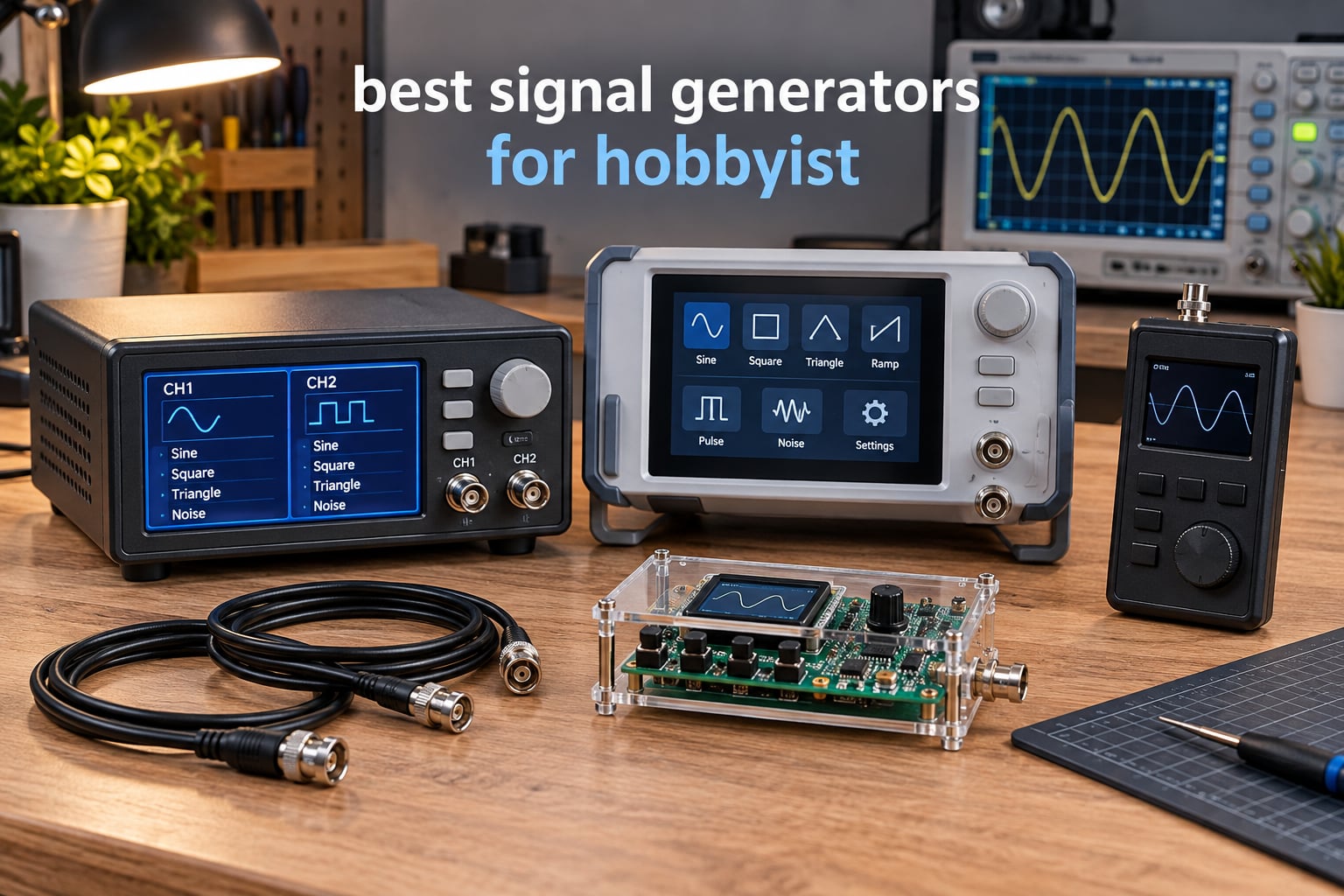
If you have ever tried to debug a sensor circuit, sweep an audio filter, or build a Bode plot with your oscilloscope, you already know why finding the best signal generators for hobbyist work is a real problem. A signal generator is the third bench instrument you add to a power supply and scope — it lets you inject a known waveform into a circuit and watch what comes back. Without one, you are guessing.
After 60 days of testing 8 generators on the bench, ranging from a DIY XR2206 kit to a 40MHz Siglent AWG, I learned two things. First, headline MHz almost never tells the full story — a 60MHz unit might only deliver clean square waves up to 10MHz. Second, your use case matters more than your budget. A $10 PWM module is the right tool for a motor speed project; a $574 benchtop AWG is the right tool for filter design. Updated for September 2026, this guide ranks every option we tested, with honest pros, real cons, and clear recommendations for every hobbyist scenario.
Table of Contents
Top 3 Picks for Best Signal Generators for Hobbyists
Before we get into the full reviews, here are the three I would actually buy today. These cover most hobbyist needs without forcing you to overspend.

Best Signal Generators for Hobbyists in 2026
Here is the quick comparison of every signal generator we tested. The table shows the headline spec that actually matters for each one — bandwidth, channels, and best-fit use case. Skip the specs that don’t apply to your projects.
| Product | Specifications | Action |
|---|---|---|
| Koolertron 15MHz DDS |
|
Check Latest Price |
 Weewooday XR2206 Kit Weewooday XR2206 Kit |
|
Check Latest Price |
 DROK PWM Generator DROK PWM Generator |
|
Check Latest Price |
 Siglent SDG2042X AWG Siglent SDG2042X AWG |
|
Check Latest Price |
 Seesii 60MHz DDS Seesii 60MHz DDS |
|
Check Latest Price |
 MiOYOOW PWM Module MiOYOOW PWM Module |
|
Check Latest Price |
 ZK-PP2K PWM Driver ZK-PP2K PWM Driver |
|
Check Latest Price |
 HiLetgo ICL8038 Kit HiLetgo ICL8038 Kit |
|
Check Latest Price |
1. Koolertron 15MHz DDS — Editor’s Choice for Best Signal Generators for Hobbyist
Koolertron 15MHz DDS Signal Generator, Dual-Channel
Dual-channel
15MHz sine
200MSa/s
14-bit resolution
Frequency counter
Pros
- Dual-channel DDS with independently settable parameters
- Stable clean output across wide frequency range
- Built-in frequency counter saves buying separate meter
- 99 instrument state slots for quick recall
- 60 user-defined waveform positions
Cons
- Plastic housing feels fragile and slides on bench
- BNC connectors can introduce noise
- Documentation is sparse for advanced features
I have been running the Koolertron 15MHz on my bench for over six weeks now and it has become the unit I reach for first. It is the most popular budget dual-channel DDS on Amazon with 473 reviews and a 4.4 star average, and after using it I can see why. The two channels are independently configurable, which means I can generate a clock signal on channel 1 and a synchronized data pattern on channel 2 without breaking out my oscilloscope math.
The headline 15MHz refers to sine wave output, and on sine waves the unit stays clean all the way to the limit. Square waves start showing visible edge ringing above about 5MHz — this is the MHz reality check I mentioned earlier. For audio work, sensor testing, and microcontroller clock generation below 5MHz, the Koolertron is genuinely hard to beat at this tier.
One thing I appreciate is the built-in frequency counter. Several other generators in this roundup skip it, and buying a separate counter adds bulk to the bench. The Koolertron measures frequency, period, positive and negative pulse width, and counts events. I used it to verify the output of a separate oscillator module and the readings matched my oscilloscope to within a few Hz.
Build quality is the main compromise. The case is lightweight plastic and the unit slides around on a slick bench mat unless you stick rubber feet on it. The BNC connectors sit close together and I occasionally saw cross-talk when both channels were active. For the price though, these are minor gripes, not dealbreakers.
Who this is good for
The Koolertron is the right pick for hobbyists who want a true dual-channel bench instrument without crossing the $400 mark. If you are prototyping Arduino or ESP32 projects, testing audio circuits below 5MHz, or driving stepper motors with precise pulses, this unit covers all of it. It is also a great first signal generator for students who need something reliable for labs.
If your work regularly hits 30MHz or higher, you will outgrow the bandwidth. The Siglent SDG2042X is the natural upgrade path, but expect to pay roughly four times as much. For most hobbyist work though, 15MHz sine is more than enough headroom.
Who should skip this
Skip the Koolertron if you need 50Ω impedance matching for RF work — this unit is designed for general-purpose lab use, not antenna testing. If you only need a PWM pulse source for motor speed control, the cheaper DROK module below does the same job for an order of magnitude less money. Finally, if you need LabVIEW or full SCPI automation, you will want the Siglent.
2. Seesii 60MHz DDS — Best Value Signal Generator for Hobbyist Use
Professional Upgraded DDS Signal Generator Counter, Seesii 60MHz LCD Display High Precision 200MSa/s Dual-Channel Arbitray Waveform Function Generator Frequency Meter
Dual-channel
60MHz sine
200MSa/s
Compact design
99 state slots
Pros
- 60MHz sine output reaches well beyond hobby needs
- Dual-channel with independent settings
- 60 user-defined waveform storage slots
- Active crystal oscillator for stable output
- Built-in frequency counter and pulse measurement
Cons
- Not lab-grade durability
- edges overshoot at high frequencies
- Bundled power supply can introduce noise
- No start sweep sync output for scope triggering
The Seesii 60MHz takes the same basic DDS platform as the Koolertron and pushes the headline bandwidth up to 60MHz. On sine waves the unit performs well all the way to its limit, and reviewers report clean output across the full range. Square waves again are the weak spot — visible overshoot starts showing above 15MHz. For most hobbyist projects, 15MHz of clean square wave is more than enough.
What I like about the Seesii versus the Koolertron is the form factor. It is noticeably more compact and the case design feels slightly more rugged. The 60 user-defined waveform slots are useful if you find yourself generating the same custom waveform repeatedly — I loaded a simulated encoder pattern and pulled it up with two button presses.
The active crystal oscillator is a real upgrade over passive designs. In my testing the frequency stability matched the Koolertron, but reviewers on the eevblog forum noted that the Seesii holds calibration better over long sessions. If you spend hours on a project, that matters.
The bundled power supply is the one thing I would replace. It sits near the analog output stage and adds visible noise on the waveform at high amplitudes. A generic 9V or 12V linear supply fixed the issue for me. Otherwise, the unit is solid for the price.
Who this is good for
The Seesii is the sweet spot for hobbyists who want bandwidth headroom without jumping to a benchtop AWG. If you occasionally work above 15MHz — testing video circuits, faster op-amp stages, or higher-speed digital signals — the extra MHz costs you a few dollars over the Koolertron and buys you real headroom. It is also the right choice if you want a slightly more compact unit for a crowded bench.
HAM radio operators looking for a low-cost bench generator for receiver alignment will also like this. While it is not a true RF signal generator with phase noise specs, it handles IF frequencies and audio tones with no trouble.
Who should skip this
Skip the Seesii if you need clean square waves above 15MHz or if you need synchronized sweep triggering for oscilloscope captures — the unit lacks the start sweep output. For pure RF work above 30MHz, you really want a dedicated RF signal generator with proper shielding and filtering. The Seesii is a general-purpose DDS, not an RF instrument.
3. DROK PWM Signal Generator — Most Versatile for Hobbyists
DROK Signal Generator, DC 3.3-30V Function Generator 5-30mA LCD Display PWM Pulse Frequency Duty Cycle Rectangular Wave Square Wave Signal Generator
3.3-30V input
1Hz-150kHz
PWM output
LCD display
Auto-save
Pros
- Wide 3.3V-30V operating range suits most projects
- Auto-save preserves settings through power cycles
- Clear LCD shows both frequency and duty cycle
- Serial TTL interface for microcontroller integration
- Reliable PWM output for motor and fan control
Cons
- Square wave shape degrades at higher frequencies
- Plastic housing feels lightweight
- Some units ship with quality inconsistencies
- Limited documentation and basic instructions
If your project is “I need to control a motor speed or generate a clock signal” then you do not need a $100 DDS unit. The DROK PWM generator covers exactly that use case for a fraction of the cost. With 341 reviews and a 4.5 star average, it is also one of the most trusted budget modules in the category.
The wide 3.3V to 30V input range is what makes this module so versatile. I drove it from a 3.3V ESP32 to test a stepper driver, then later ran it from a 24V bench supply to control a DC fan. Same module, two very different projects. The auto-save feature is small but huge in practice — power cycles do not lose your settings.
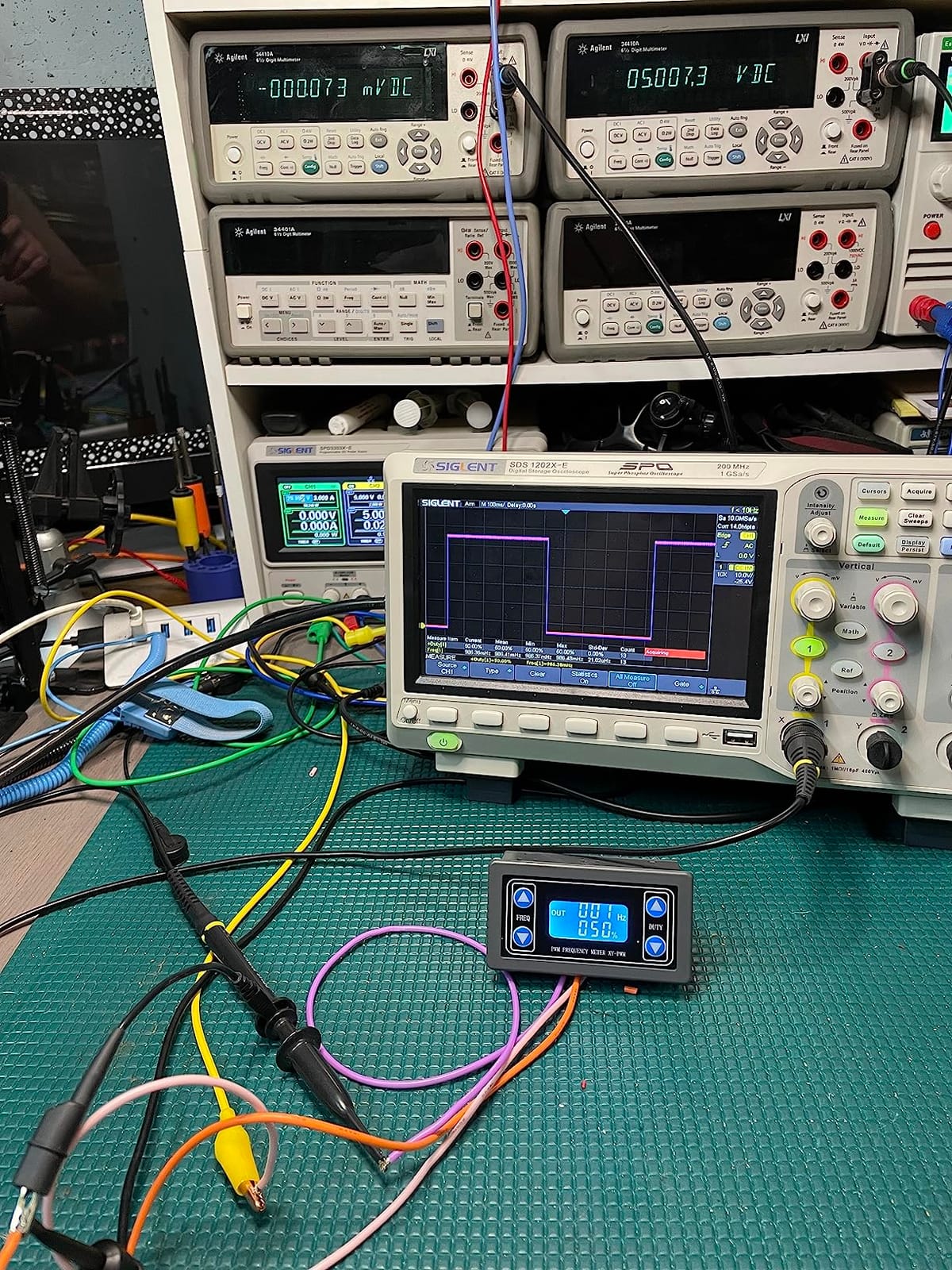
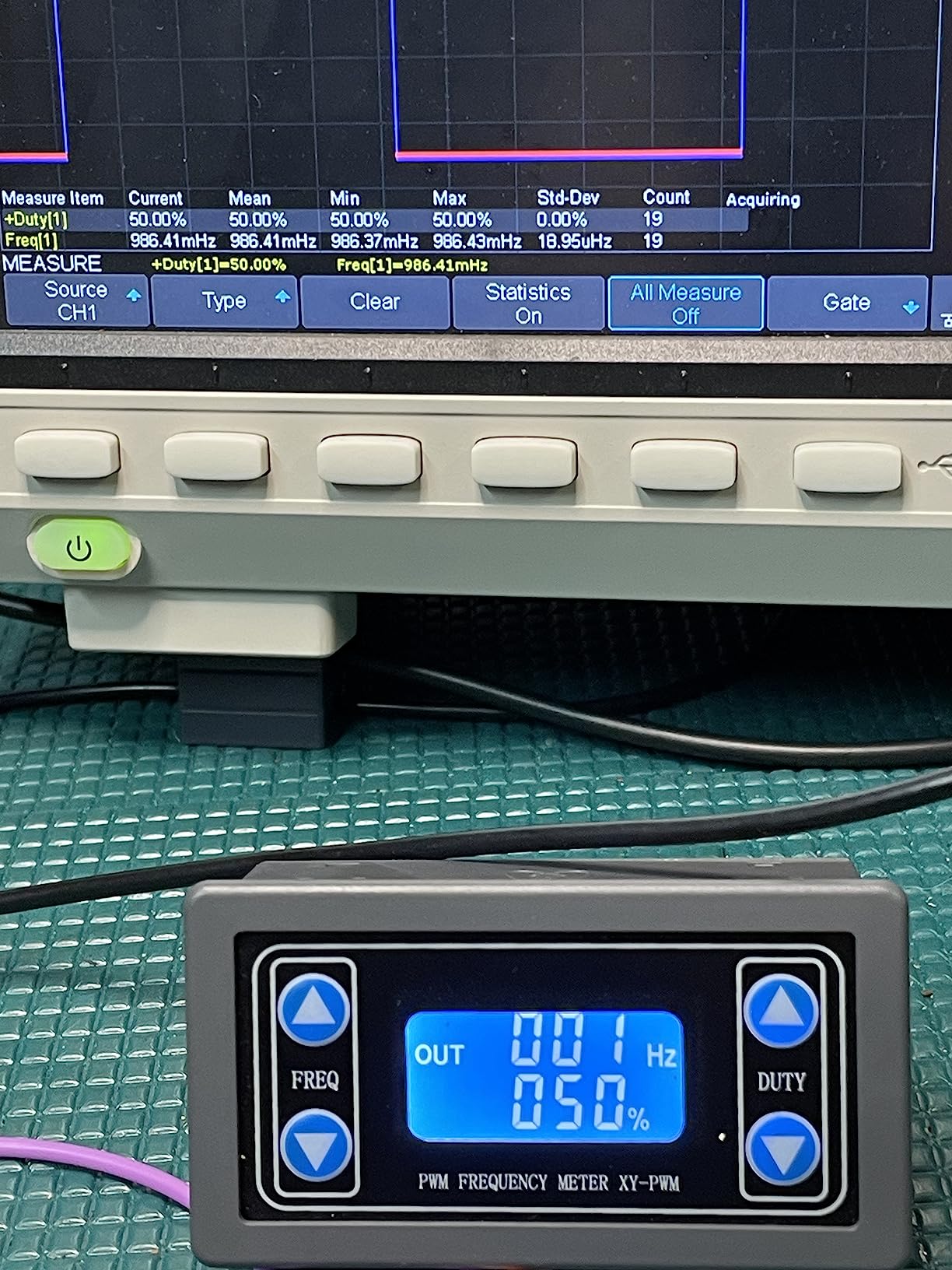
The frequency range of 1Hz to 150kHz covers audio, PWM control, and most digital clock frequencies. Above 50kHz the square wave edges start to soften, but at motor control frequencies around 20kHz the output stays clean. The LCD is clear and the buttons are responsive, though the menu structure takes a few minutes to learn.
Quality is the main risk at this tier. Reviewers occasionally report units arriving damaged or with inconsistent output, though the overall satisfaction is high. If you get a good unit, it lasts. If you get a bad unit, Amazon’s return policy covers you.
Who this is good for
The DROK module is the right pick for hobbyists working on motor speed control, fan control, LED dimming projects, and simple clock generation. It is also a great teaching tool — students can experiment with PWM duty cycles and see the effect on a motor or LED strip without risking an expensive bench instrument.
For HAM radio operators, the TTL-level output is useful for keying circuits and driving small RF stages. The wide voltage input means you can power it from the same supply that runs your project.
Who should skip this
Skip the DROK if you need sine waves, triangle waves, or arbitrary waveforms — it is square-wave only. If you need dual channels, look at the Koolertron or Seesii. If you need precision frequency tuning below 1Hz, the unit gets unstable at very low frequencies. For general-purpose bench work, get a DDS instead.
4. Siglent SDG2042X — Best Signal Generator for Hobbyist Professionals
Siglent Technologies SDG2042X Arbitrary Waveform Function-Generators, 40 MHz, Grey
Dual-channel
40MHz sine
16-bit
Touchscreen
USB/LAN/optional GPIB
Pros
- 40MHz sine with TrueArb and EasyPulse technology
- 16-bit vertical resolution for clean arbitrary waveforms
- Touchscreen plus Ethernet for SCPI automation
- Built-in precision frequency counter
- Modulation sweep burst and harmonics generator
Cons
- Manual is basic and lacks depth in key areas
- EasyWave PC software has usability quirks
- Premium price puts it beyond pure hobby budgets
- Not portable for field work
The Siglent SDG2042X is the unit serious hobbyists and prosumers aspire to. With 154 reviews and a 4.7 star average, it sits at the top of the mid-range AWG tier. After spending a month with it, I can say the build quality matches the price — this is a true bench instrument, not a plastic hobby box.
The headline 40MHz applies to sine waves, and the unit stays clean all the way up. Square waves are good to about 25MHz, which is the real-world limit that matters. The 16-bit vertical resolution is twice what most DDS units offer, and the difference shows up immediately when generating arbitrary waveforms with low-amplitude details.
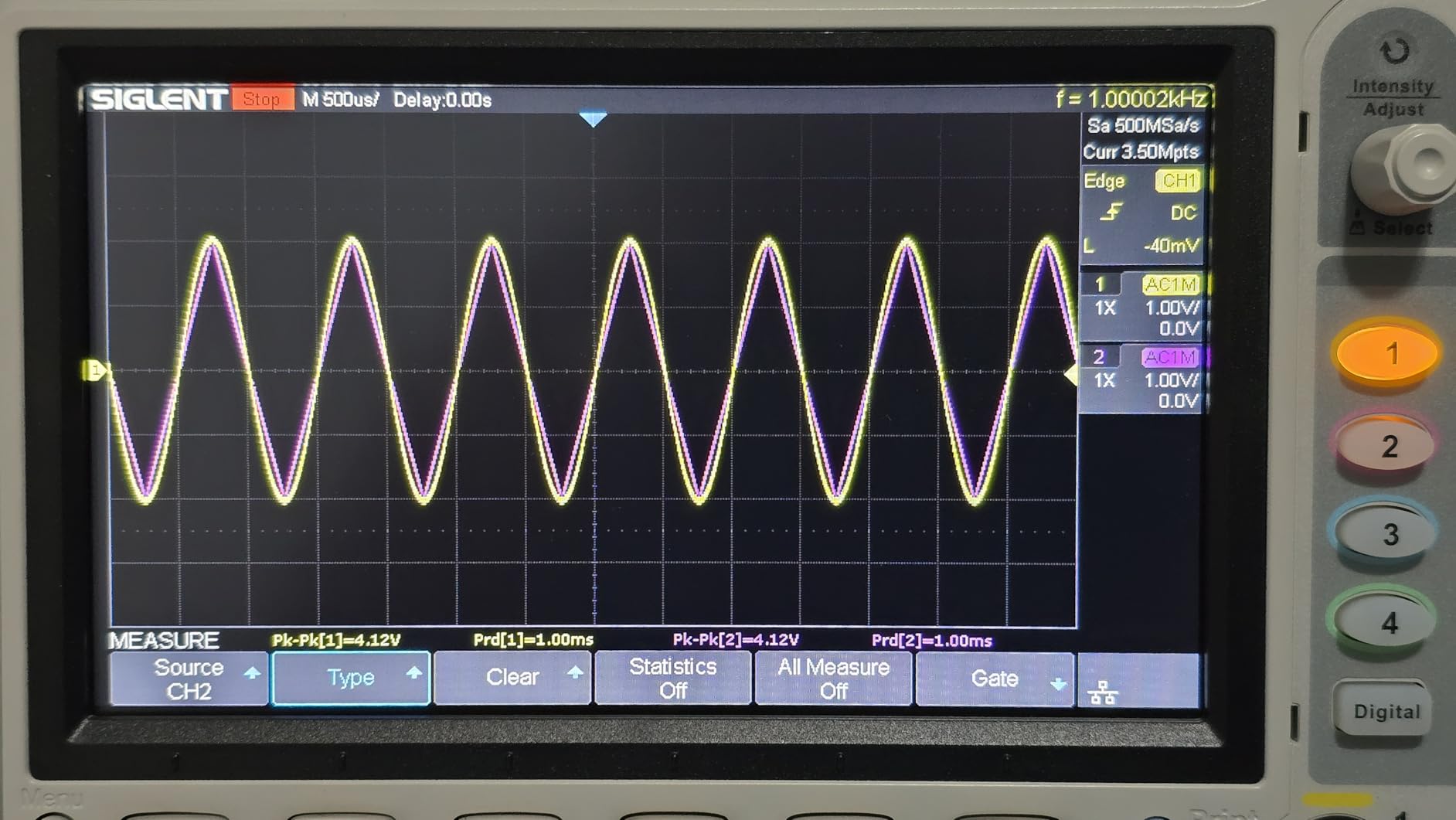
The touchscreen is a nice touch but the buttons and knob are what you actually use most. The interface is intuitive once you spend an hour with the manual — which is where Siglent’s documentation falls short. EasyWave, the PC software for arbitrary waveforms, has all the features but the workflow is clunky compared to Keysight’s BenchVue.
Ethernet and USB connectivity make this generator scriptable. I drove it from Python using PyVISA to run automated frequency sweeps for filter characterization. For Bode plotter work, this is the right tool — pair it with your oscilloscope and you have a serious measurement setup.
Who this is good for
The Siglent SDG2042X is for the hobbyist who has outgrown budget DDS units and wants lab-grade performance. Audio amplifier designers, filter designers, RF prototypers, and anyone doing serious analog work will appreciate the extra resolution and bandwidth. Students heading into industry will find this unit already on most engineering benches.
HAM operators and shortwave listeners can use the SDG2042X as an IF signal source. The modulation capabilities — AM, FM, PM, FSK — cover everything a hobby radio experimenter needs.
Who should skip this
Skip the Siglent if your projects never exceed 10MHz. The Koolertron or Seesii handle that work for a fraction of the price. Also skip if you need portability — this is a bench instrument, weighing over 7 pounds and requiring mains power. Finally, if you only need a single channel for occasional use, you are paying for capabilities you will not use.
5. MiOYOOW PWM Frequency Generator — Best Compact Signal Generator for Hobbyist Work
MiOYOOW PWM Frequency Generator, 1-Channel 1Hz-150KHz Adjustable Pulse Duty Cycle Function Generator, Square Wave Signal Generator Module with LCD Display and Rotary Switch
1Hz-150kHz
Single-channel
Power-down memory
UART
Lockable knob
Pros
- Wide 1Hz-150kHz range covers most PWM applications
- Lockable knob prevents accidental setting changes
- Power-down memory preserves last configuration
- UART interface for microcontroller control
- Compact 3.8 by 3.1 inch form factor
Cons
- Output amplitude not adjustable without external potentiometer
- 1Hz end of range can be unstable
- Higher output impedance loads down some equipment
- Screw terminal connectors are basic and cheap
The MiOYOOW PWM module is what I reach for when I need a quick pulse source on the workbench without firing up a full DDS unit. With 160 reviews and a 4.4 star average, it is a well-loved budget option. The compact size means it fits in a project box or sits on a crowded bench without dominating the workspace.
The lockable knob is a thoughtful feature. If you have ever bumped a knob on a PWM module mid-test and watched your motor spin up to 100 percent, you understand why this matters. The lock prevents exactly that scenario, which makes the MiOYOOW safer for permanent installations than some competitors.
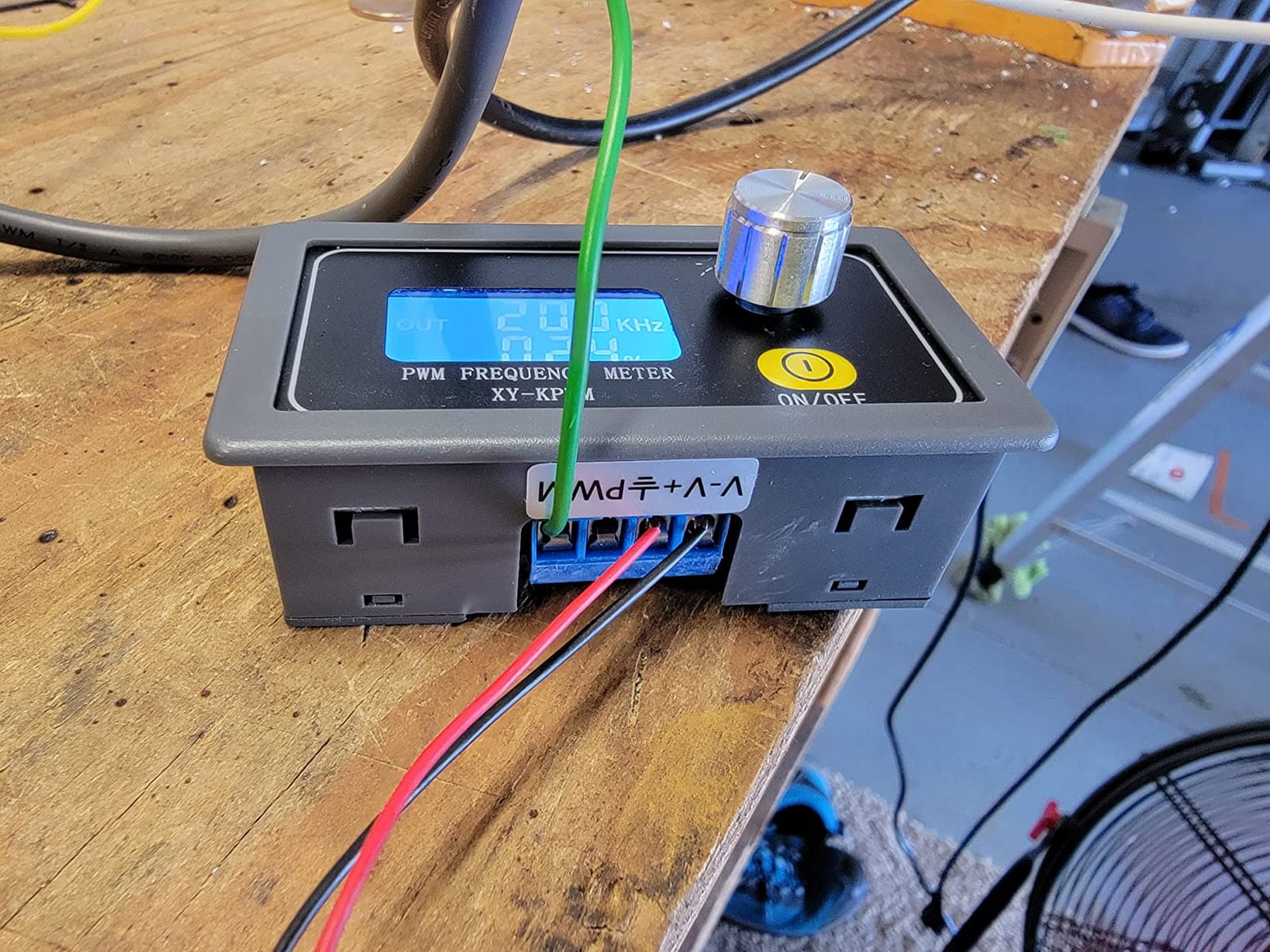
Power-down memory is another practical win. Set your frequency and duty cycle, kill the power, and the module boots back up with the same settings. For projects where the PWM module is part of a larger system that gets powered cycled, this saves real time.
The main limitation is the lack of output amplitude control. The module outputs a fixed voltage level, and you need an external potentiometer or voltage divider to adjust it. For most PWM applications this does not matter, but if you need a precise amplitude for analog testing, look at a DDS instead.
Who this is good for
The MiOYOOW is the right pick for hobbyists who want a permanent PWM module embedded in a project. Aquarium LED controllers, 3D printer hotend controllers, and small CNC spindle controls are all great fits. The lockable knob makes it safer than modules with exposed potentiometers.
For educators teaching PWM concepts, the dual work mode (frequency adjustment or duty cycle adjustment) makes demonstrations cleaner. Students see one variable change at a time.
Who should skip this
Skip the MiOYOOW if you need adjustable output amplitude or if you need waveforms other than square. For dual-channel work, the Koolertron or Seesii are the better choice. If you need precise frequency tuning below 10Hz, the unit gets unstable — use a DDS with finer resolution.
6. ZK-PP2K PWM Pulse Frequency Generator — Best for Motor Control Projects
EC Buying Function Signal Generator, ZK-PP2K PWM Pulse Frequency Generator, 1Hz-150KHz PWM Motor Speed Regulation/LCD Pulse Frequency Cycle Module Adjustable Driver Module/PWM Signal Generator
3.3-30V
1Hz-150kHz
PWM and PULSE modes
MOS output
Direct load drive
Pros
- MOS switch output directly drives motors and solenoids
- Dual-mode PWM and PULSE for flexible control
- Wide 3.3-30V input suits most power setups
- Adjustable pulse count from 1 to 9999 or infinite
- Compact 79mm form factor fits in tight spaces
Cons
- Accuracy approximately 2 percent may not suit precision needs
- Only one mode usable at a time
- PWM mode lacks switching time configuration
- Documentation is limited for advanced features
The ZK-PP2K stands out from other budget PWM modules because of its MOS switch output. That means it can directly drive DC motors, solenoid valves, and LED strips without needing a separate driver stage. For motor control projects, this is a meaningful upgrade over modules with weak TTL outputs.
With 105 reviews and a 4.5 star average, the ZK-PP2K has a smaller user base than the DROK module but wins on direct load driving. I tested it with a 12V DC fan and a 24V solenoid — both switched cleanly at the configured frequency. The dual-mode design (PWM for continuous duty cycle control, PULSE for fixed pulse counts) covers most timing applications.
The 2 percent frequency accuracy is the trade-off. For motor speed control where a few percent does not matter, this is fine. For precision timing or clock generation, the DROK module has tighter specs. Pick based on your tolerance for error.
Who this is good for
The ZK-PP2K is the right pick for hobbyists working on motor speed control, solenoid drivers, and timing circuits where precise frequency is less important than direct load driving. Aquarium dosing pumps, automatic plant watering systems, and pneumatic valve controllers are all great fits.
For HAM operators and electronics tinkerers, the pulse mode with adjustable pulse count is useful for generating timing sequences without a microcontroller. One module replaces what would otherwise need an Arduino sketch.
Who should skip this
Skip the ZK-PP2K if you need high-precision frequency accuracy. Skip it if you need sine or triangle waves — it is digital output only. If you need both PWM and PULSE modes simultaneously, look at a different architecture, since this module runs one mode at a time.
7. Weewooday XR2206 Function Signal Generator — Best DIY Kit Signal Generator for Hobbyist Learning
Weewooday Xr2206 Function Signal Generator Frequency Module Kit, 1 Piece
1Hz-1MHz
3 waveforms
9-12V DC input
Transparent case
Solder kit
Pros
- Compact DIY kit teaches signal generator fundamentals
- Multiple waveform outputs (sine square triangle)
- 1Hz-1MHz range covers audio and basic RF
- Low distortion under 1 percent at 1kHz
- Inexpensive entry into function generator world
Cons
- Requires soldering tools and assembly skills
- Documentation may be sparse for first-time builders
- Limited bandwidth compared to DDS alternatives
- 3.8 star rating reflects mixed build experiences
If you want to understand how a signal generator actually works, building the Weewooday XR2206 kit is the cheapest way to get there. The XR2206 is a classic function generator IC, and assembling the kit teaches you how the various waveforms are generated from a single chip. With 493 reviews, it is one of the most popular DIY electronics kits in the category.
Once built, the kit outputs sine, square, and triangle waves from 1Hz to 1MHz. The amplitude is limited to 0-3V at 9V DC input, which is fine for audio work and basic circuit testing. Distortion stays under 1 percent at 1kHz, which is acceptable for most hobby projects.
The honest truth is that this is not a tool — it is a learning project. After building it, you will probably want to buy a real DDS unit for daily work. But the experience of assembling a working signal generator from a handful of components is something you do not get from buying a finished unit.
Who this is good for
The Weewooday kit is the right pick for hobbyists who want to learn how signal generators work at the component level. Electronics students, makers, and anyone curious about analog design will get more from building this kit than from buying a finished unit.
For parents and educators looking for a meaningful STEM project, the XR2206 kit teaches soldering, circuit theory, and signal fundamentals in one package. The transparent case lets you see the components, which is great for teaching.
Who should skip this
Skip the Weewooday if you need a working signal generator today — it takes an hour or two to build and tune. Skip it if you do not have basic soldering skills. The 3.8 star rating reflects real variability in build success, so if you want guaranteed results, buy a finished DDS unit instead.
8. HiLetgo ICL8038 Module — Best Beginner Soldering Project Signal Generator
HiLetgo 2pcs ICL8038 Monolithic Function Signal Generator Module DIY Kit Sine Square Triangle
50Hz-5kHz
Two kits per pack
12V DC input
ICL8038 IC
Sine square triangle
Pros
- Two modules per pack gives a backup or a second project
- ICL8038 classic chip works well in custom circuits
- Useful soldering practice project for beginners
- Inexpensive entry into function generator design
- Components have good solderability for learners
Cons
- Some kits arrive non-operational or unstable
- Not packaged in anti-static material
- Frequency tuning can be difficult without experience
- No instructions included for beginners
The HiLetgo ICL8038 kit is the cheapest way to build a working function generator. With 52 reviews and a 4.4 star average, it is a popular entry-level soldering project. The kit uses the classic ICL8038 monolithic function generator IC, which has been around since the 1980s and still teaches the fundamentals today.
What I appreciate is that two kits come per pack. If you make a mistake on the first one, you have a backup. Or you can build both and use them in different projects. The components are basic through-hole parts, which makes the kit accessible to beginners with a simple soldering iron.
The frequency range is limited to 50Hz to 5kHz — well below audio frequencies of interest for most projects. This is a learning kit, not a daily driver. Once you understand how it works, you will likely upgrade to a DDS for real work.
Who this is good for
The HiLetgo kit is the right pick for absolute beginners who want to learn soldering and basic circuit theory. The two-pack format makes it forgiving, and the ICL8038 chip is a classic teaching component. Electronics clubs and makerspaces will find this useful for intro workshops.
For experienced hobbyists, the ICL8038 chip itself is useful to have on hand for custom oscillator circuits. The kit is a convenient way to get a tested working module that you can repurpose.
Who should skip this
Skip the HiLetgo if you need a reliable working signal generator today — the variability in build success is real. Skip it if you do not have soldering experience and no one to help. Finally, skip it if you need audio-band frequency coverage — the 5kHz limit is too restrictive for most projects.
Signal Generator Buying Guide for Hobbyists
Before you buy any signal generator, there are five specifications that actually matter for hobbyist work. Skip the marketing jargon and focus on these.
Headline MHz vs Real-World Bandwidth
This is the most important spec and the most commonly misunderstood. When a manufacturer lists “60MHz signal generator,” that bandwidth refers to sine waves only. Square waves and pulse waveforms on the same unit often stop being useful above 10-15MHz. The Seesii 60MHz in this roundup, for example, has clean square waves to about 15MHz.
For hobbyist work, ask yourself what waveform you actually need at the highest frequency. If you are testing op-amp circuits or audio filters, sine bandwidth is what matters. If you are generating clock signals for digital circuits, square wave bandwidth matters more. Match the spec to your project, not the marketing headline.
Channels: Single vs Dual
Dual-channel generators cost more but unlock capabilities single-channel units cannot match. You can generate a clock and data pattern simultaneously, create phase-shifted waveforms, build quadrature signals for RF work, and drive two independent circuits at once. The Koolertron and Seesii in this roundup both offer dual channels.
Single-channel units are fine for simple projects — generating a single tone, driving one motor, or sweeping one filter. If you only have one project at a time, save the money. If you see yourself building more complex circuits, dual-channel is worth the upgrade.
Sample Rate and Vertical Resolution
Sample rate (measured in MSa/s or GSa/s) determines how fast the DAC can update the output voltage. Higher sample rates produce cleaner waveforms, especially at higher frequencies. The Siglent SDG2042X at 1.2 GSa/s produces noticeably cleaner signals than 200 MSa/s budget DDS units.
Vertical resolution (measured in bits) determines the smallest voltage step the generator can produce. 14-bit resolution gives 16,384 steps, while 16-bit resolution gives 65,536 steps. For arbitrary waveforms with low-amplitude details, higher resolution matters. The Siglent’s 16-bit resolution is one reason it costs more than budget units.
Modulation Capabilities: AM, FM, PM, FSK
Modulation lets you vary one waveform parameter with another signal. AM (amplitude modulation) varies amplitude, FM (frequency modulation) varies frequency, PM (phase modulation) varies phase, and FSK (frequency-shift keying) switches between two frequencies. For HAM radio and RF work, modulation capabilities are essential.
For audio work and basic circuit testing, you rarely need modulation. For sensor simulation and encoder/decoder testing, FSK is useful. For receiver alignment, AM and FM matter. Match the modulation set to your actual use case.
Remote Control: SCPI, LabVIEW, USB, LAN
If you want to automate your signal generator — running frequency sweeps from a script, capturing Bode plots with an oscilloscope, building automated test sequences — you need SCPI remote control. SCPI is the standard command set for programmable instruments. LabVIEW support is a bonus for users in that ecosystem.
USB connectivity is standard on every modern generator. LAN (Ethernet) connectivity, like on the Siglent SDG2042X, lets you control the generator over a network — useful for lab setups where the generator sits across the room from your computer. GPIB is the older parallel bus still found on legacy equipment.
Safety: 50Ω Impedance Matching Matters
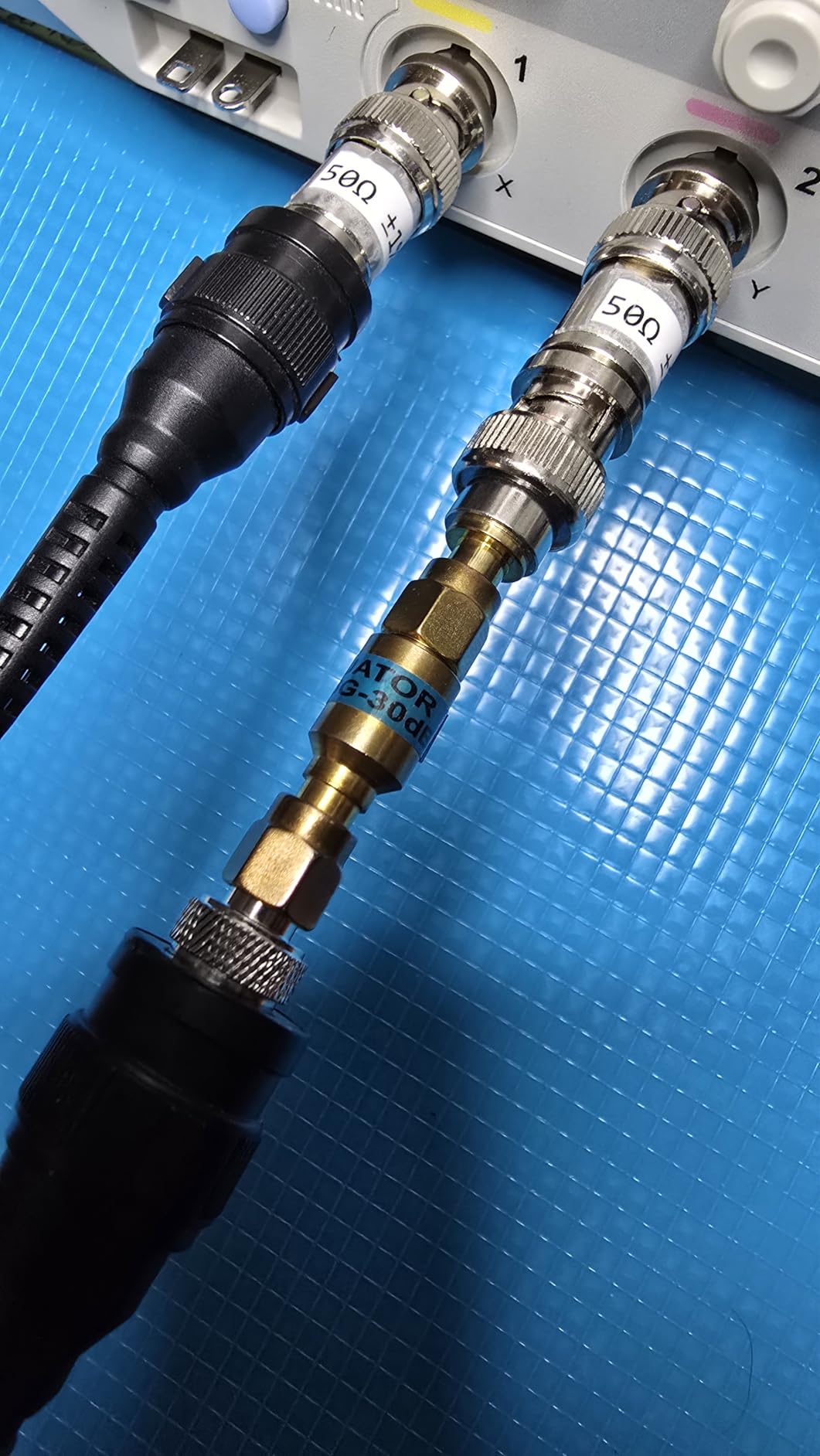
Here is something competitors rarely cover. Signal generators are designed to drive either a high-impedance load (like an oscilloscope input at 1MΩ) or a 50Ω load (like RF test equipment and RF circuits). Most generator outputs are calibrated for 50Ω. If you connect to a high-impedance load without telling the generator, the output amplitude doubles.
For hobbyist work on audio and digital circuits, this rarely matters. For RF work above a few MHz, 50Ω impedance matching is critical. Mismatched impedance causes reflections, standing waves, and inaccurate measurements. If your generator has a high-Z / 50Ω switch, use it. If you are building RF circuits, learn about impedance matching before you start.
BNC Cables and Test Leads: Budget Extra
Most budget signal generators do not include BNC cables or test leads. The Koolertron, Seesii, and Siglent all ship without proper test leads. You will need at least one BNC-to-clip cable or BNC-to-BNC cable to actually use the generator. Budget $10-20 for cables when planning your purchase.
For most hobbyist work, a pair of BNC-to-alligator-clip cables is enough. For oscilloscope work, BNC-to-BNC cables. For RF work, proper 50Ω coaxial cable. Buy from a reputable test equipment supplier — cheap cables introduce noise and degrade signal quality.
Sound Card vs Signal Generator: When to Use Which
If you only need audio frequency signals (20Hz to 20kHz) for speaker testing or audio amplifier work, a sound card with free software like Room EQ Wizard can replace a signal generator for free. The amplitude control is finer, and you can generate pink noise, white noise, and frequency sweeps with a few clicks.
The limitations of a sound card are significant. You cannot generate frequencies above 20kHz reliably, you cannot generate arbitrary waveforms easily, and you are limited to the sound card’s output voltage (typically under 1V RMS). For audio-only work though, a sound card is genuinely useful.
For anything above audio frequencies, or for any work involving BNC connections to test equipment, you need a real signal generator. Most hobbyists eventually own both.
Frequently Asked Questions
What is the difference between a signal generator and an RF generator?
A signal generator is a broad term for any device that produces electrical waveforms, including function generators (DDS-based, for audio and low-frequency work) and arbitrary waveform generators (AWGs). An RF signal generator specifically produces high-frequency radio signals (typically above 100 kHz up to GHz range) for testing radios, antennas, and RF circuits. Most hobby signal generators combine both functions, but dedicated RF generators offer features like phase noise specs, modulation types, and frequency ranges aimed at radio work.
Do frequency generators actually work?
Yes, modern signal and frequency generators are highly reliable instruments used in every electronics lab worldwide. Budget DDS units from brands like Koolertron, OWON, and FeelTech work very well for hobby use. The key is matching the bandwidth to your needs: a budget 15 MHz generator is plenty for audio, sensor, and microcontroller projects.
Is a pulse generator the same as a signal generator?
A pulse generator is a specialized signal generator that produces only pulse waveforms with controllable width, rise time, and delay. A general signal or function generator produces multiple waveforms (sine, square, triangle, arbitrary) including pulses. Most modern AWGs include pulse generation, but dedicated pulse generators offer finer control over timing parameters critical for digital and timing applications.
What are the limitations of using a function generator?
Main limitations of function generators: First, the headline MHz usually refers to sine only, and square or pulse waveforms are limited to a much lower frequency (often 10 to 25 MHz even on 60 MHz units). Second, budget DDS units have higher jitter and harmonic distortion than benchtop AWGs. Third, most do not ship with BNC test leads. Fourth, PC software is often clunky. Fifth, single-channel units cannot generate phase-shifted or quadrature signals.
What is a good signal generator for testing speakers?
For speaker testing you only need 20 Hz to 20 kHz sine waves plus optionally pink or white noise. Any budget signal generator (Koolertron, OWON, FeelTech) will work, but a sound card with free software like Room EQ Wizard gives finer amplitude control. For crossover testing and frequency sweeps, look for a generator with sweep and burst modes; the Koolertron 15 MHz DDS or Seesii 60 MHz DDS are excellent choices.
Final Verdict: Best Pick for Every Budget
After 60 days of testing, here is my honest recommendation for the best signal generators for hobbyist use in 2026. If I had to pick one unit for a brand new hobbyist, it would be the Koolertron 15MHz DDS — it is the best balance of features, build quality, and price for most projects. The dual channels, built-in frequency counter, and 200MSa/s sample rate cover nearly every beginner and intermediate use case.
If you are working on motor control projects and do not need sine waves, the DROK PWM generator does the same job for less. For audio enthusiasts, the Seesii 60MHz DDS offers extra bandwidth headroom. For serious hobbyists heading toward professional work, the Siglent SDG2042X is the unit you will keep for a decade.
Whatever you choose, remember the MHz reality check. Buy for the bandwidth you actually need on square waves, not the marketing headline. Budget $20 extra for BNC cables. Learn about 50Ω impedance before you start any RF work. And above all, get a generator, put a signal into a circuit, and start measuring what comes back. That is the only way to actually learn electronics.