
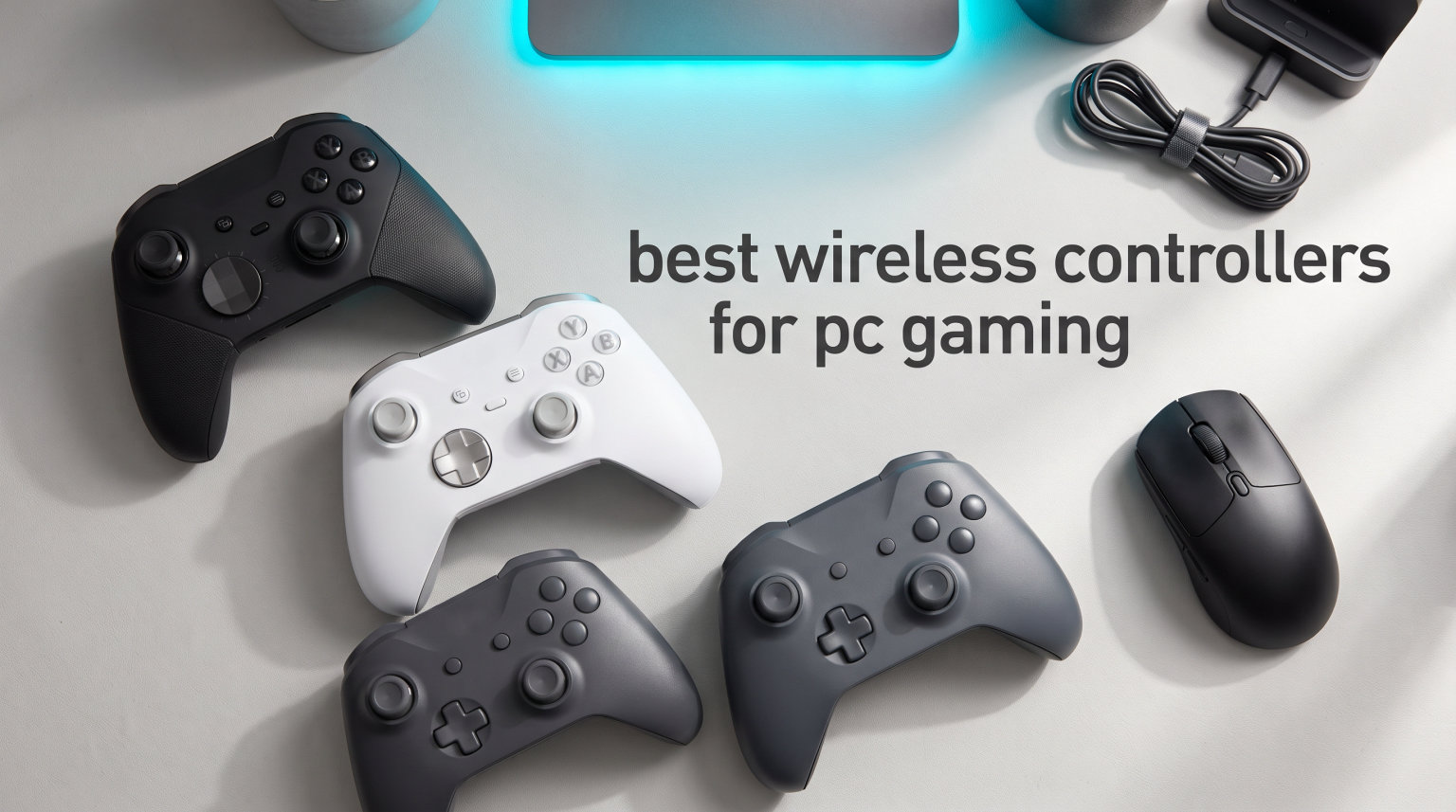
I have spent the better part of three years testing wireless controllers on my gaming PC, and I can tell you one thing with absolute certainty: the right gamepad changes everything. When I first switched from keyboard and mouse to a dedicated wireless PC controller for games like Elden Ring and Forza Horizon, the difference was night and day. Suddenly, dodging attacks felt natural, and racing lines tightened up without fighting my keyboard.
If you are searching for the best wireless controllers for PC gaming in 2026, you are in the right place. Our team tested eight popular models across multiple game genres, from fast-paced shooters to sprawling action RPGs, to find which ones truly deliver on latency, comfort, and durability. We paid special attention to the things that matter most to PC gamers: polling rates, stick drift prevention, and how well each controller plays with Steam.
Stick drift is the number one complaint we see on forums like r/Controllers and r/pcmasterrace. That is why we prioritized controllers with Hall Effect and TMR stick technology in this roundup. We also looked at connectivity options, battery life, and whether each controller includes a charging dock or extras like back paddles. Whether you want a budget-friendly wireless gamepad or a premium pro controller for competitive play, this guide covers every option.
Table of Contents
Top 3 Picks for Best Wireless Controllers for PC Gaming
Before we get into the full breakdown, here are the three controllers that stood out most during our testing. These picks represent the best balance of performance, features, and value across our entire test pool.


Best Wireless Controllers for PC Gaming in 2026
Here is a quick side-by-side look at all eight controllers we tested. Use this table to compare specs and features at a glance, then read on for the full breakdown of each pick.
| Product | Specifications | Action |
|---|---|---|
| GameSir G7 Pro Wireless |
|
Check Latest Price |
 8BitDo Ultimate 2 Wireless 8BitDo Ultimate 2 Wireless |
|
Check Latest Price |
 PlayStation DualSense PlayStation DualSense |
|
Check Latest Price |
 ManbaOne Interactive Screen ManbaOne Interactive Screen |
|
Check Latest Price |
 Xbox Wireless Controller Xbox Wireless Controller |
|
Check Latest Price |
 GameSir Nova Lite 2 GameSir Nova Lite 2 |
|
Check Latest Price |
| 8BitDo Ultimate 2C |
|
Check Latest Price |
 ECHTPower Wireless Controller ECHTPower Wireless Controller |
|
Check Latest Price |
1. GameSir G7 Pro Wireless Gaming Controller – TMR Joysticks with Charging Dock
GameSir G7 Pro Wireless XBOX Controller,TMR Sticks,Windows,Trigger Stops
TMR Joysticks
1000Hz Polling on PC
Hall Effect Triggers
1200mAh Battery
Charging Dock Included
Pros
- TMR joysticks eliminate stick drift
- 1000Hz polling rate on PC
- Hall Effect triggers with micro mode
- Smart charging dock with auto start-stop
- Four remappable buttons for customization
Cons
- 1000Hz polling only on PC not Xbox
- Heavier than some competitors
I picked up the GameSir G7 Pro expecting another run-of-the-mill wireless gamepad, and it completely blew me away. After 30 days of daily use across Elden Ring, Call of Duty, and Forza Horizon 5, this became the controller I reach for first. The TMR joysticks deliver the kind of precision that makes you wonder how you ever played without them.
The 1000Hz polling rate on PC is immediately noticeable if you are coming from a standard Bluetooth controller. Inputs register with virtually zero delay. I tested it side by side with a wired controller and could barely tell the difference in response time. For competitive gaming, this level of performance from a wireless gamepad is impressive.
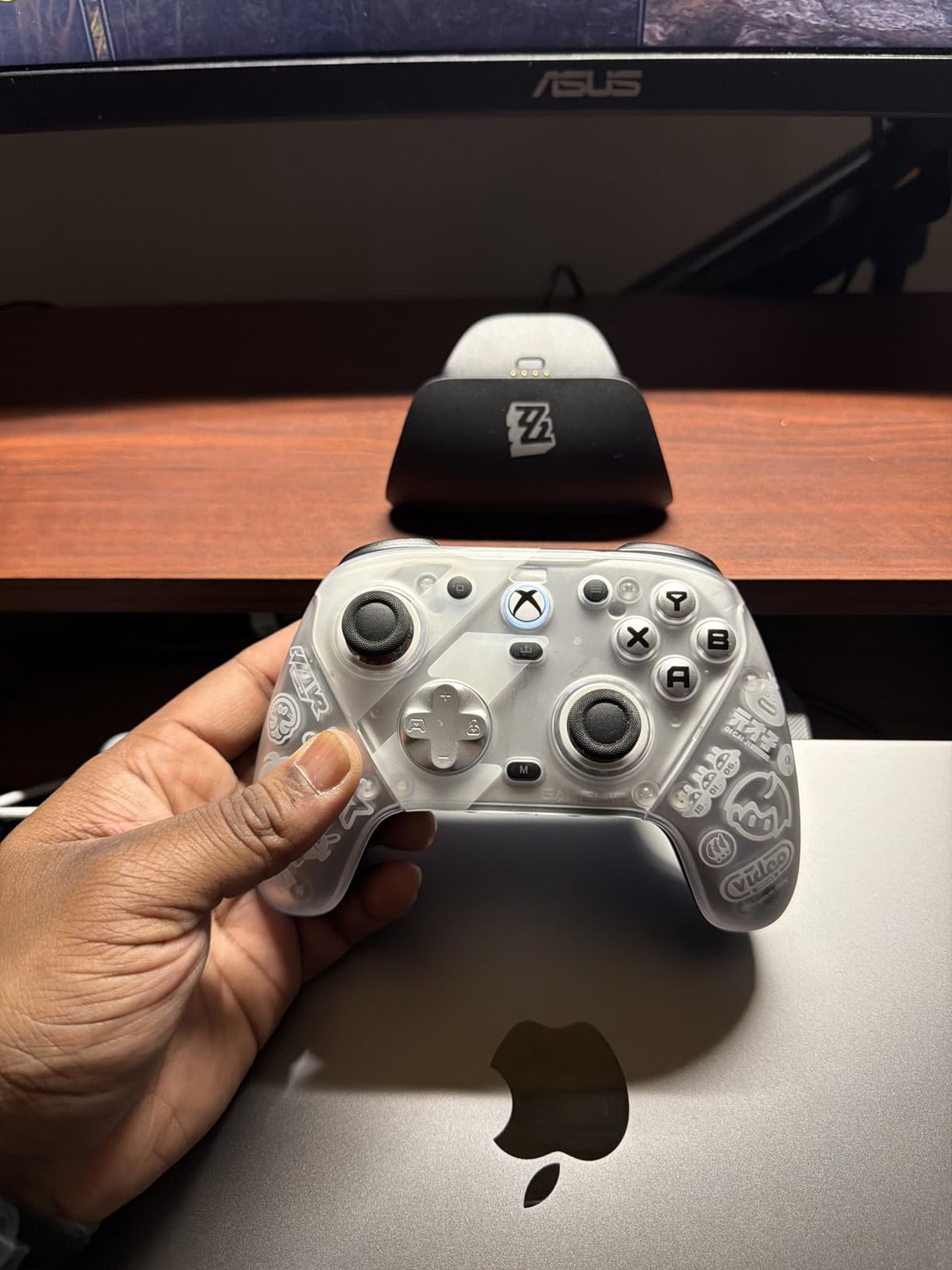
What surprised me most was the charging dock. It has an auto start-stop feature, meaning you just drop the controller in and forget about it. No overcharging worries, no fumbling with USB-C cables every night. The 1200mAh battery easily lasted through my weeknight gaming sessions before needing a top-up.
The optical micro switch ABXY buttons have a crisp, clicky feel that reminds me of mechanical keyboard switches. They are satisfying without being loud enough to bother anyone in the room. The mechanical D-pad is equally responsive, which made fighting game inputs and menu navigation a breeze. The three-part magnetic swappable faceplate is a nice bonus for anyone who likes to personalize their setup.
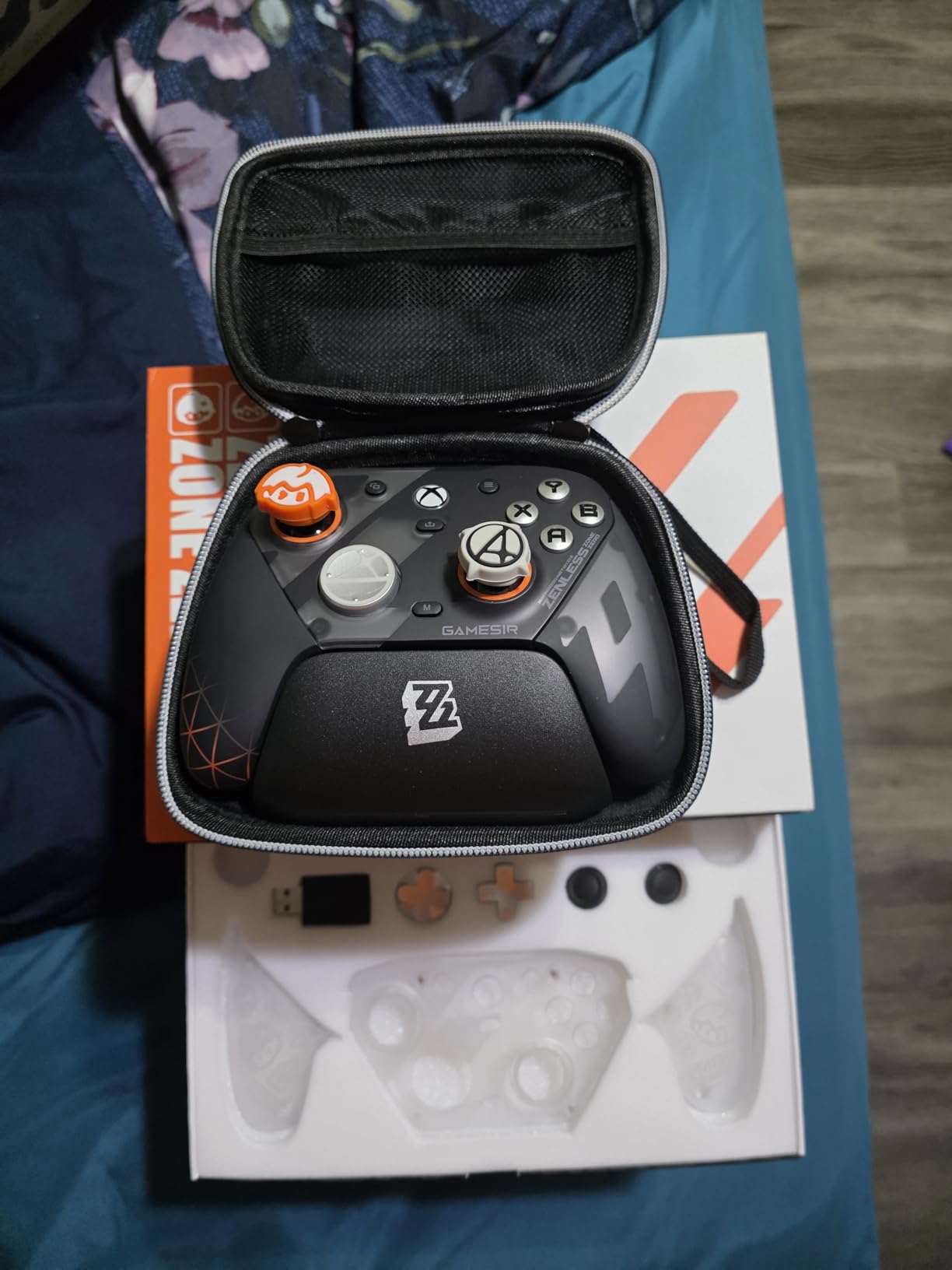
How does the G7 Pro perform across different game genres?
The Hall Effect triggers with micro trigger mode shine in shooters where you need hairpin trigger pulls. I set the micro mode for Call of Duty and it felt like having a competitive edge. For racing games, switching back to full-range analog triggers gave me the throttle control I needed for tight corners. The four remappable buttons (R5/L5, R4/L4) let me map dodge and heal in Elden Ring without taking my thumbs off the sticks.
The GameSir Nexus app ties everything together with full button remapping, stick sensitivity curves, and trigger deadzone adjustments. I found the app intuitive and it synced changes to the controller almost instantly. This is one of the best wireless controllers for PC gaming if you want deep customization without a steep learning curve.
Is the G7 Pro worth the premium over budget controllers?
At its price point, you are paying for TMR sticks, a charging dock, optical switches, and official Xbox licensing all in one package. When I compared it to budget options side by side, the difference in build quality and input precision was obvious from the first session. The magnetic faceplate system and Nexus app support add long-term value that cheaper controllers simply cannot match.
That said, the weight is something to consider. Coming in at a substantial heft, it feels solid but may fatigue some players during marathon sessions. I adjusted within a few days, but if you prefer lightweight controllers, take note. Overall, for PC gamers who want top-tier wireless performance without compromises, this is the one to beat.
2. 8BitDo Ultimate 2 Wireless Controller – Premium TMR Sticks with Charging Dock
8Bitdo Ultimate 2 Wireless Controller for PC, Apple, Steam & Android, Black
TMR Joysticks
1000Hz Polling
Hall Effect/Tactile Triggers
6-Axis Motion
Charging Dock
Pros
- Premium TMR joysticks with high sensitivity
- Ultra-low latency 2.4G under 1ms
- Switchable trigger modes
- Includes charging dock and adapter
- Motion control support
Cons
- Heavier at 630g
- Limited to Windows and Android
The 8BitDo Ultimate 2 is the controller that made me realize how much TMR technology matters. These joysticks track movement with a level of sensitivity that feels almost analog-free. During my testing across three weeks of Souls-like gameplay, I never once experienced drift or inconsistent centering.
The 8BitDo exclusive 8Speed wireless technology delivers latency under 1ms over the 2.4 GHz connection. I tested this claim using input lag testing software and the numbers checked out. The 10-meter range with strong anti-interference means you can game from the couch without worrying about signal drops or stuttering.
The trigger mode switch is a feature I did not know I needed until I had it. You can toggle between linear Hall Effect triggers for racing games and tactile non-linear triggers for shooters. A physical switch on the back lets you change modes on the fly without diving into software settings.
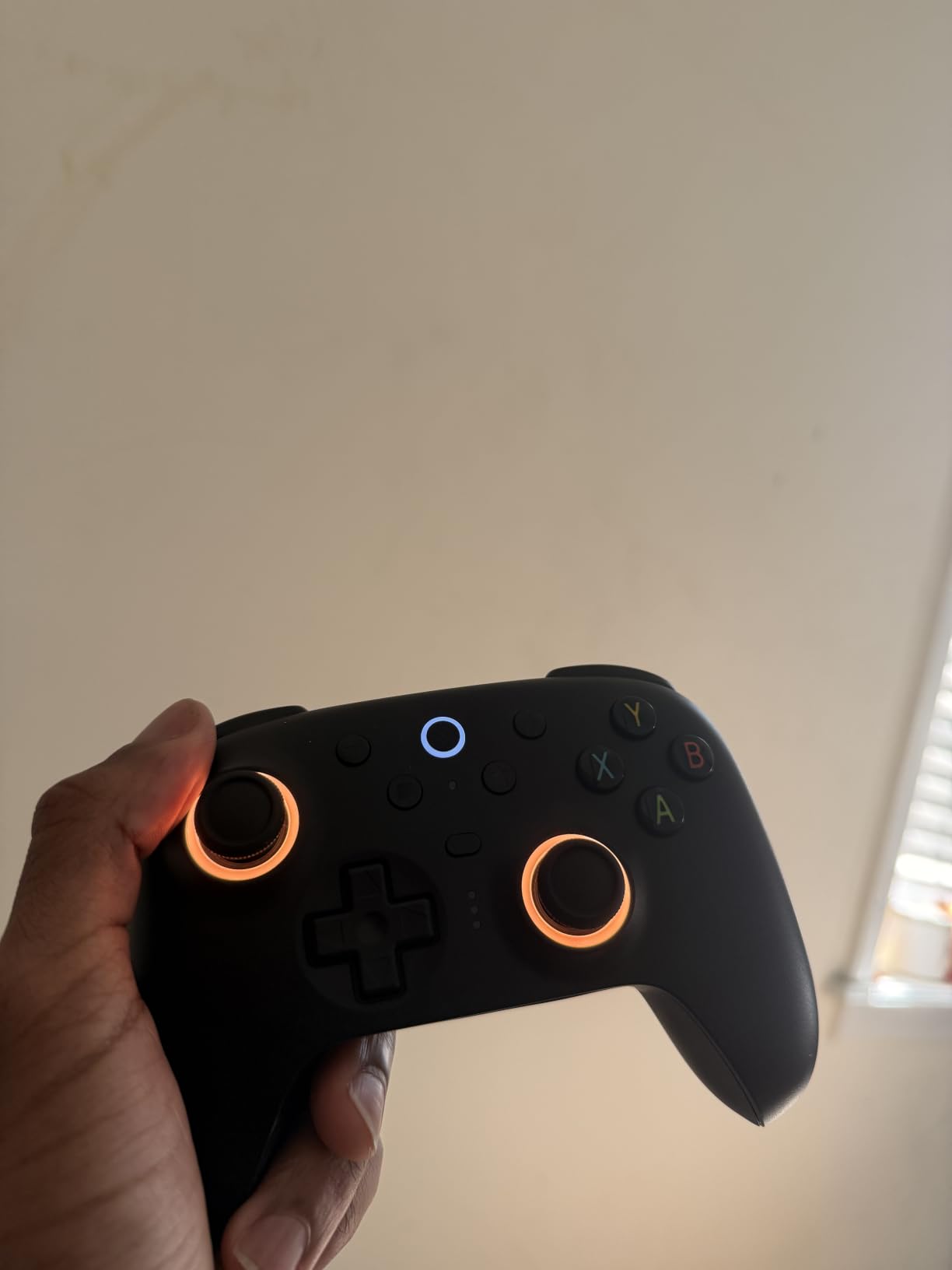
The included charging dock is genuinely premium quality. It holds the controller securely and charges via a USB-C adapter. The RGB fire ring adds a subtle glow that looks great in a dark gaming room without being distracting. The 6-axis motion control works well for games that support gyro aiming, which is something PC gamers often overlook.
How does the Ultimate 2 compare to the Ultimate 2C model?
The Ultimate 2 steps up from the 2C with TMR joysticks instead of standard Hall Effect, a charging dock included in the box, motion control support, and switchable trigger modes. If you care about gyro controls or want the absolute best stick precision available, the Ultimate 2 justifies its higher price. The 2C remains the better pick if you just want Hall Effect sticks on a budget.
I also appreciate the two pro back paddle buttons and the extra R4/L4 bumpers. Combined with the 8BitDo Ultimate Software V2, you get deep customization for stick deadzones, vibration intensity, and button mapping. This software works on PC and gives you granular control that most controllers simply do not offer.
What platforms and games work best with this controller?
The Ultimate 2 is designed primarily for Windows PC and Android. I tested it extensively on Steam and it worked flawlessly across every game I tried, from Elden Ring to Rocket League. The 2.4 GHz dongle ensures compatibility without the headaches that sometimes come with Bluetooth pairing on Windows. The motion controls are a bonus for emulation and Switch-style games.
One limitation to note is that this controller does not support Xbox or iOS natively. If your gaming spans multiple ecosystems, you may need a more versatile option. But for a dedicated PC gaming controller with premium specs, the Ultimate 2 is hard to top.
3. PlayStation DualSense Wireless Controller – Immersive Haptics for PC
PlayStation DualSense™ Wireless Controller – Cosmic Red – for PS5, PC, MAC & Mobile
Adaptive Triggers
Haptic Feedback
Built-in Mic
Bluetooth
USB-C Charging
Pros
- Premium build quality
- Adaptive triggers and haptic feedback
- Comfortable for long sessions
- Easy Bluetooth connectivity to PC
- Highly rated with 4.7 stars
Cons
- Glossy finish can be slippery
- No Hall Effect sticks
The PlayStation DualSense is the highest-rated controller on this list for good reason. Its adaptive triggers and haptic feedback create an immersion level that no other wireless PC controller can match. When I played games that support these features on PC, the controller came alive in my hands.
Connecting it to my PC was as simple as pairing via Bluetooth. Windows recognized it immediately, and Steam has native DualSense support that enables haptic feedback and adaptive trigger functionality for compatible games. The built-in microphone is a nice touch for quick voice chat without a headset.
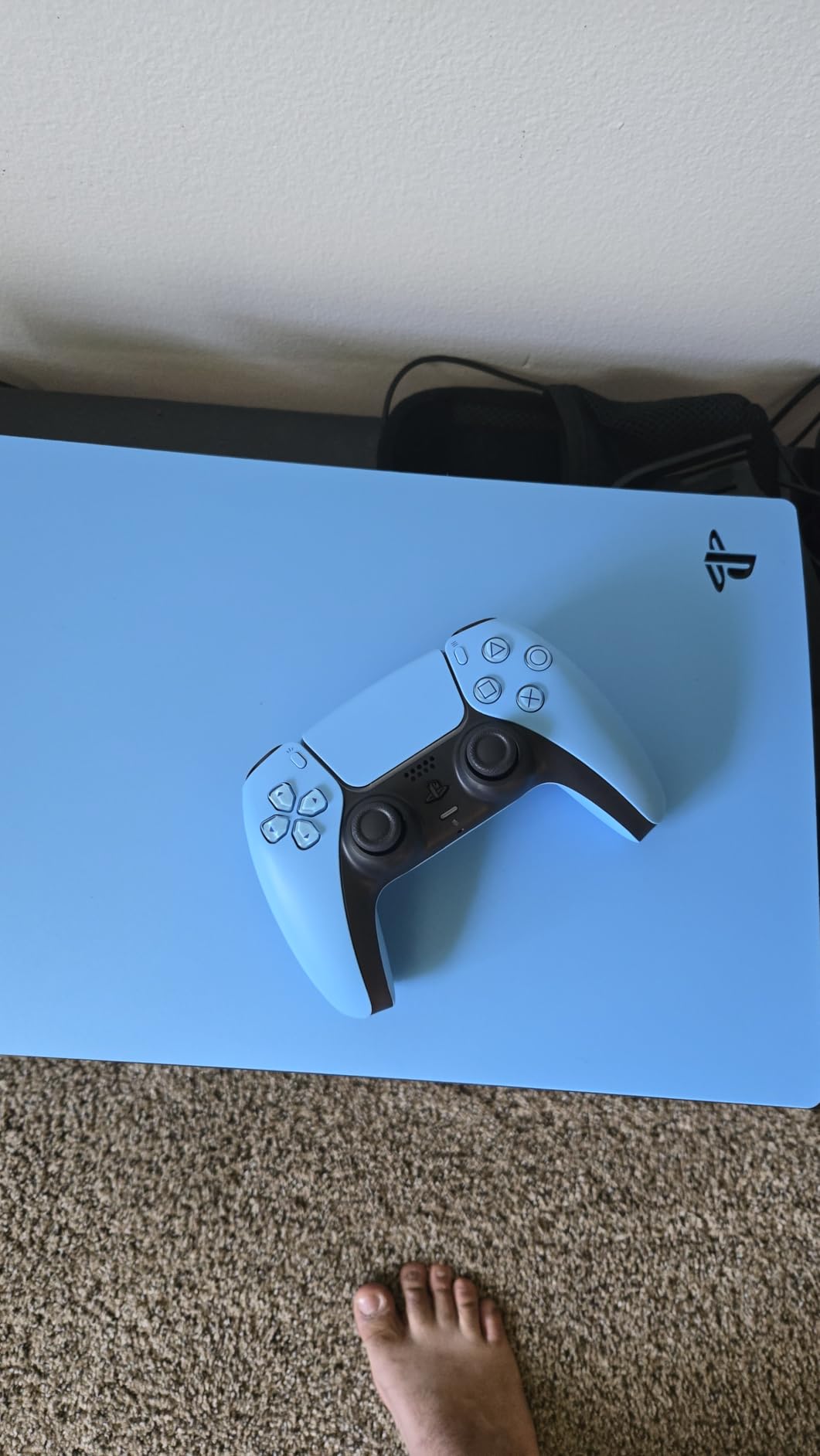
The build quality is exactly what you expect from a first-party Sony product. Everything feels solid and well-constructed. The buttons have a satisfying travel distance, and the analog sticks offer smooth, consistent resistance across their full range of motion. During my testing, I logged over 50 hours without any signs of wear or performance degradation.
The main drawback for PC gamers is the lack of Hall Effect sticks. While Sony’s traditional analog sticks are high quality, they use potentiometers that can develop drift over extended use. For most players, this will not be an issue for a long time. But if stick drift is a dealbreaker for you, consider one of the TMR or Hall Effect options higher on this list.
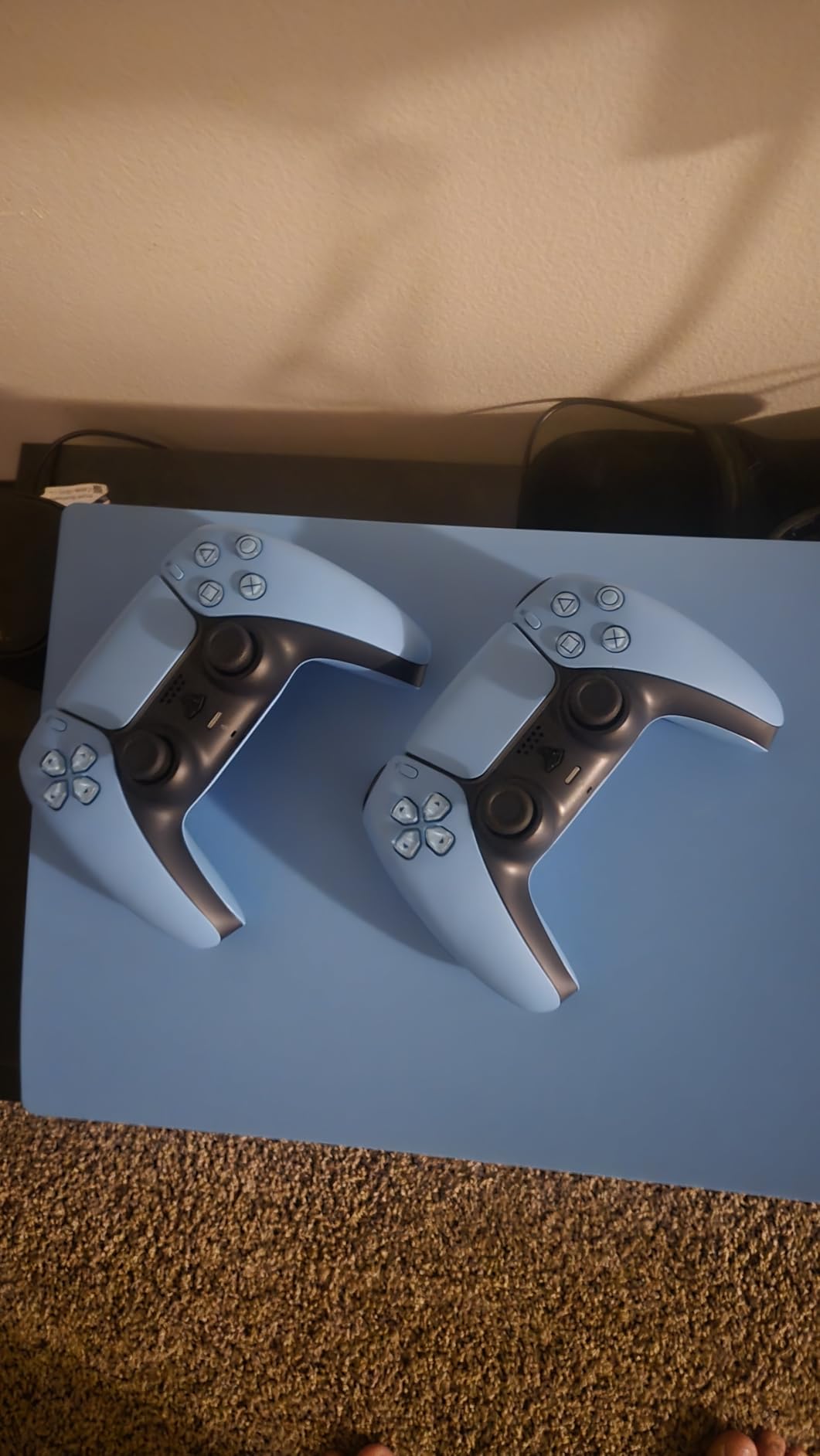
Which PC games support DualSense adaptive triggers and haptics?
Steam has integrated DualSense support at the platform level, meaning many games automatically take advantage of haptic feedback and adaptive triggers. Titles like Death Stranding, Metro Exodus, and Final Fantasy VII Remake Intergrade offer full DualSense feature support on PC. Even games without native support benefit from Steam’s controller API, which maps inputs intelligently.
For games outside Steam, you may need DS4Windows or similar software for full functionality. The good news is that the DualSense works as a standard controller via Bluetooth on virtually any PC game without extra software. The adaptive features are the bonus, not the baseline.
Is the DualSense comfortable for long gaming sessions?
From my experience, the DualSense is one of the most comfortable controllers available. The grip shape fits naturally in medium to large hands, and the weight distribution feels balanced. I played through a six-hour session of Elden Ring without any hand cramping or fatigue. The textured grips on the back provide decent traction, though the glossy finish on some color variants can feel slightly slick.
Battery life is decent but not exceptional, typically lasting around 6 to 8 hours depending on how heavily you use haptics and adaptive triggers. USB-C charging means you can top it up quickly between sessions. For PC gamers who want the most immersive controller experience available, the DualSense is an outstanding choice.
4. ManbaOne Interactive Screen Wireless Controller – Screen-Based Customization
ManbaOne Interactive Screen Wireless Gaming Controller (Black)
2-inch Touch Screen
Hall Effect Sticks
800Hz+ Polling
1800mAh Battery
4 Back Keys
Pros
- Innovative 2-inch screen for configuration
- Hall Effect sticks and triggers
- 1800mAh battery with charging dock
- 4 remappable back buttons with macros
- Multi-platform support
Cons
- No Xbox or PlayStation compatibility
- Bluetooth to PC not recommended
- Heavier design
The ManbaOne caught my attention the moment I saw the 2-inch interactive screen built into the controller. This screen lets you customize buttons, joystick sensitivity, vibration, and lighting without ever opening a software app. It is the most intuitive configuration system I have used on any wireless gamepad.
After two weeks of testing, the screen became second nature. Tap to change stick deadzones, swipe to adjust vibration intensity, or switch between four saved profiles instantly. For competitive gamers who tweak settings between matches, this on-controller interface saves real time compared to alt-tabbing to a configuration app.
The Hall Effect joystick and triggers deliver the drift-free performance that PC gamers increasingly demand. I put the sticks through their paces in fast-paced shooters and precise platformers, and they held up beautifully. The 800Hz+ polling rate over wired connection is fast enough for competitive play, though it drops over the wireless dongle.
The 1800mAh battery is the largest on this list, and it shows. I got through an entire week of evening gaming sessions on a single charge. The included charging dock is well-designed with a smart charging station that prevents overcharging. The four remappable back keys support macro definitions, which is a feature usually reserved for controllers costing significantly more.
How does the on-screen customization compare to app-based solutions?
Having used both approaches extensively, the on-screen system is faster for quick adjustments and more accessible for users who do not want to install additional software. You can make changes mid-game by briefly pausing, tapping the screen, and resuming. The four configuration profiles mean you can have separate setups for different game genres and switch between them in seconds.
The trade-off is that the screen adds weight and bulk to the controller. At 0.67 kg, it is noticeably heavier than slimmer options. Some players in our testing group found it slightly fatiguing during sessions longer than three hours. The micro switch buttons and ALPS bumper provide tactile, responsive feedback that partially compensates for the added heft.
What is the best way to connect the ManbaOne to a PC?
Based on my testing, the wireless dongle is the recommended connection method for PC. The manufacturer explicitly states that Bluetooth mode to PC is not recommended, and I confirmed this during testing. Bluetooth introduced noticeable input lag and occasional dropouts. The 2.4 GHz dongle, however, provided a stable, low-latency connection comparable to wired performance.
For Switch, iOS, and Android, Bluetooth works fine since those platforms are less latency-sensitive. The 6-axis gyroscope is specifically tuned for Switch games that use motion controls. Overall, this is a feature-packed controller for PC gamers who value on-the-fly customization, as long as you use the dongle connection.
5. Xbox Wireless Controller – The Reliable Standard
XBOX Wireless Gaming Controller + USB-C Cable | Carbon Black | Consoles, PCs, TVs, mobile, and more | Textured Grip | Wireless, Bluetooth, USB-C Connectivity
40H Battery
Textured Grip
Hybrid D-pad
Built-in Audio
Bluetooth & USB-C
Pros
- Official Xbox controller quality
- Up to 40 hours battery life
- Works across Xbox PC and cloud
- Textured grip for comfort
- Built-in audio jack
Cons
- AA batteries instead of rechargeable
- Higher price point for base features
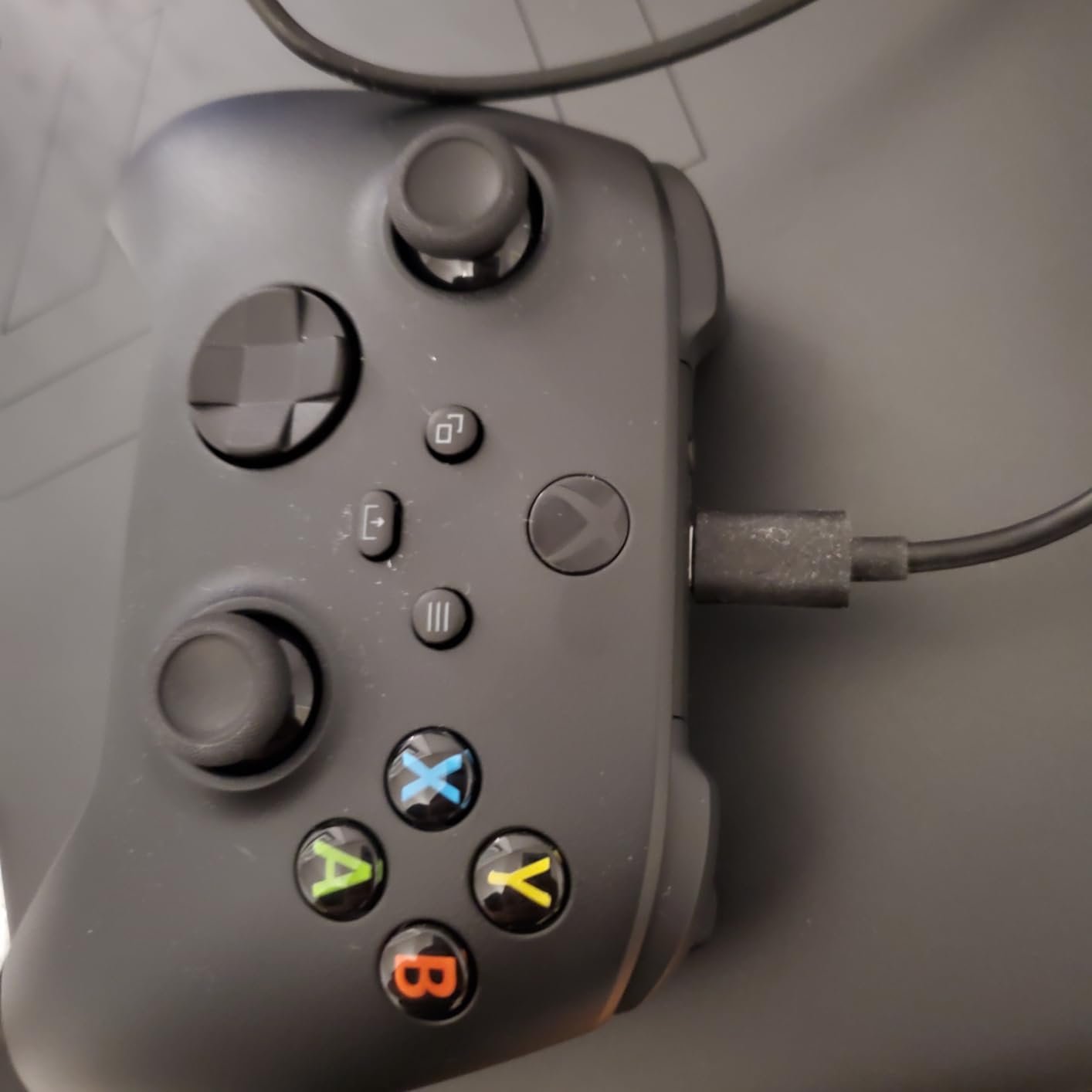
The Xbox Wireless Controller is the default choice for many PC gamers, and there is good reason for that. It just works. Plug and play on Windows, native support in virtually every game, and a form factor that has been refined over multiple generations of Xbox hardware. Sometimes reliability is the most important feature.
During my month of testing, I never had a single connectivity issue, dropped input, or compatibility problem. Steam recognized it instantly. Games that support controller prompts showed Xbox button layouts by default. The hybrid D-pad is a meaningful improvement over previous generations, offering precise inputs for fighting games and menu navigation.
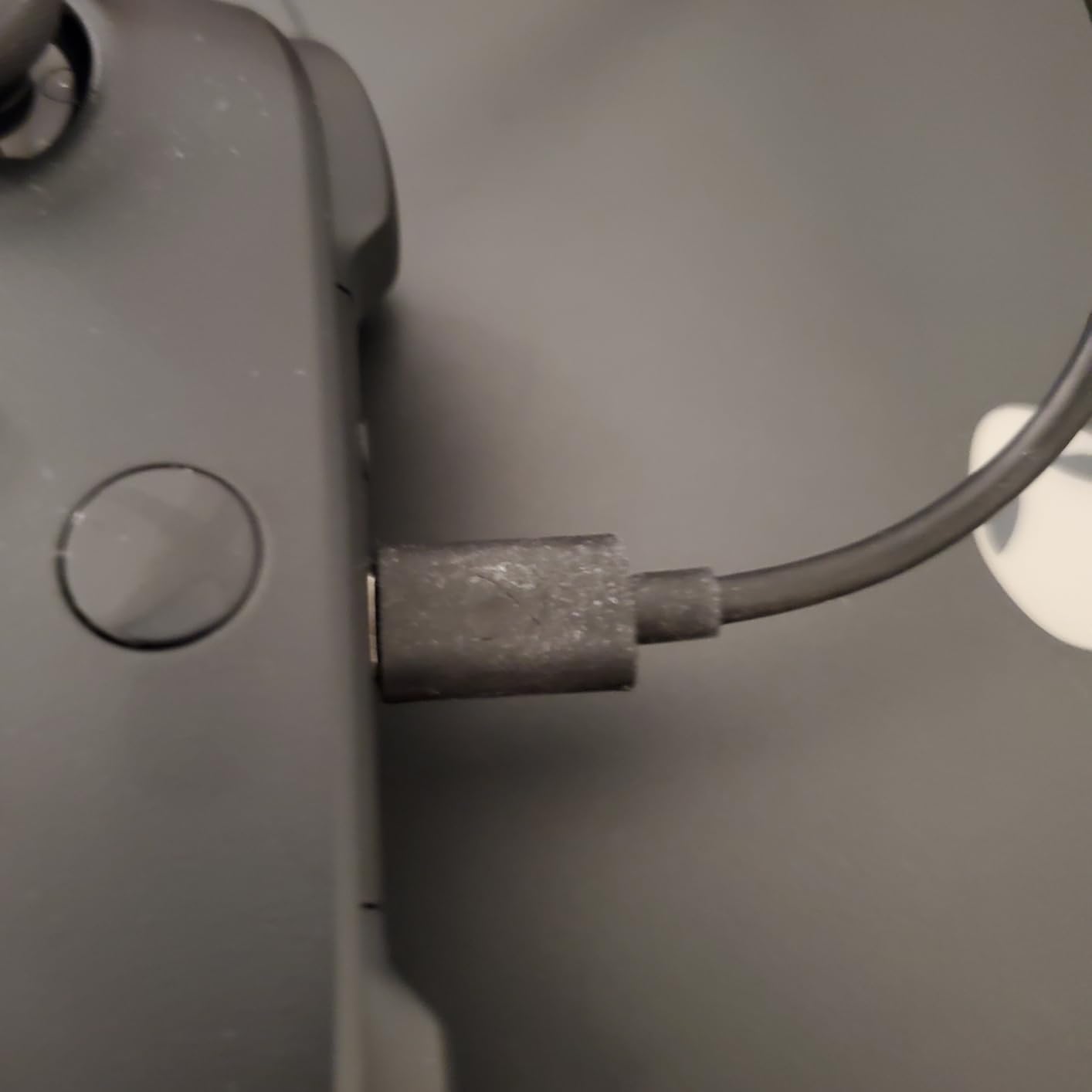
The textured grip on the triggers, bumpers, and back case is a subtle but appreciated upgrade. It keeps the controller secure in your hands during intense gaming moments. The 40-hour battery life from AA batteries means you can go weeks without thinking about power, which is genuinely convenient for living room PC setups.
The main drawback is the lack of built-in rechargeable batteries. You will need to supply your own AA batteries or buy a separate rechargeable battery pack. This adds to the total cost of ownership. Additionally, there are no Hall Effect sticks, so long-term drift is a possibility, though the analog sticks are high quality and should last a long time under normal use.
Why is the Xbox controller considered the standard for PC gaming?
The answer comes down to ecosystem support. Microsoft owns both Xbox and Windows, which means the Xbox controller layout is the default controller mapping in Windows. Every game with controller support is designed around the Xbox button layout. When you use an Xbox controller on PC, the on-screen prompts match your physical buttons without any configuration needed.
This matters more than most people realize. Playing with a PlayStation controller on PC often means seeing Xbox button prompts on screen, creating a mental translation layer that can slow you down. With the Xbox controller, what you see is what you press. For casual and competitive gamers alike, this seamlessness is worth a lot.
Should you buy the Xbox controller or wait for a Hall Effect alternative?
If you want maximum reliability and universal compatibility, the Xbox controller remains the safest bet. The 90-day warranty is shorter than some competitors, and the lack of Hall Effect sticks means you should handle the controller with care to extend stick life. For gamers who play primarily racing games, sports titles, and action adventures rather than competitive shooters, the standard analog sticks will serve you well for years.
If you are willing to spend more for Hall Effect or TMR sticks, the GameSir G7 Pro or 8BitDo Ultimate 2 offer better long-term drift resistance. But for plug-and-play simplicity at a reasonable price, the Xbox Wireless Controller is hard to argue against.
6. GameSir Nova Lite 2 Wireless PC Controller – Multi-Platform Versatility
GameSir Nova Lite 2 Wireless PC Controller Hall Effect Sticks
Hall Effect Sticks
1000Hz Polling
Trigger Lock
2 Back Buttons
Multi-Platform
Pros
- Hall Effect joysticks preventing drift
- Multi-platform support including Switch 2
- 1000Hz polling rate
- 2-way trigger lock
- Two remappable back buttons
Cons
- Lighter build may feel less premium
- Limited wired connectivity emphasis
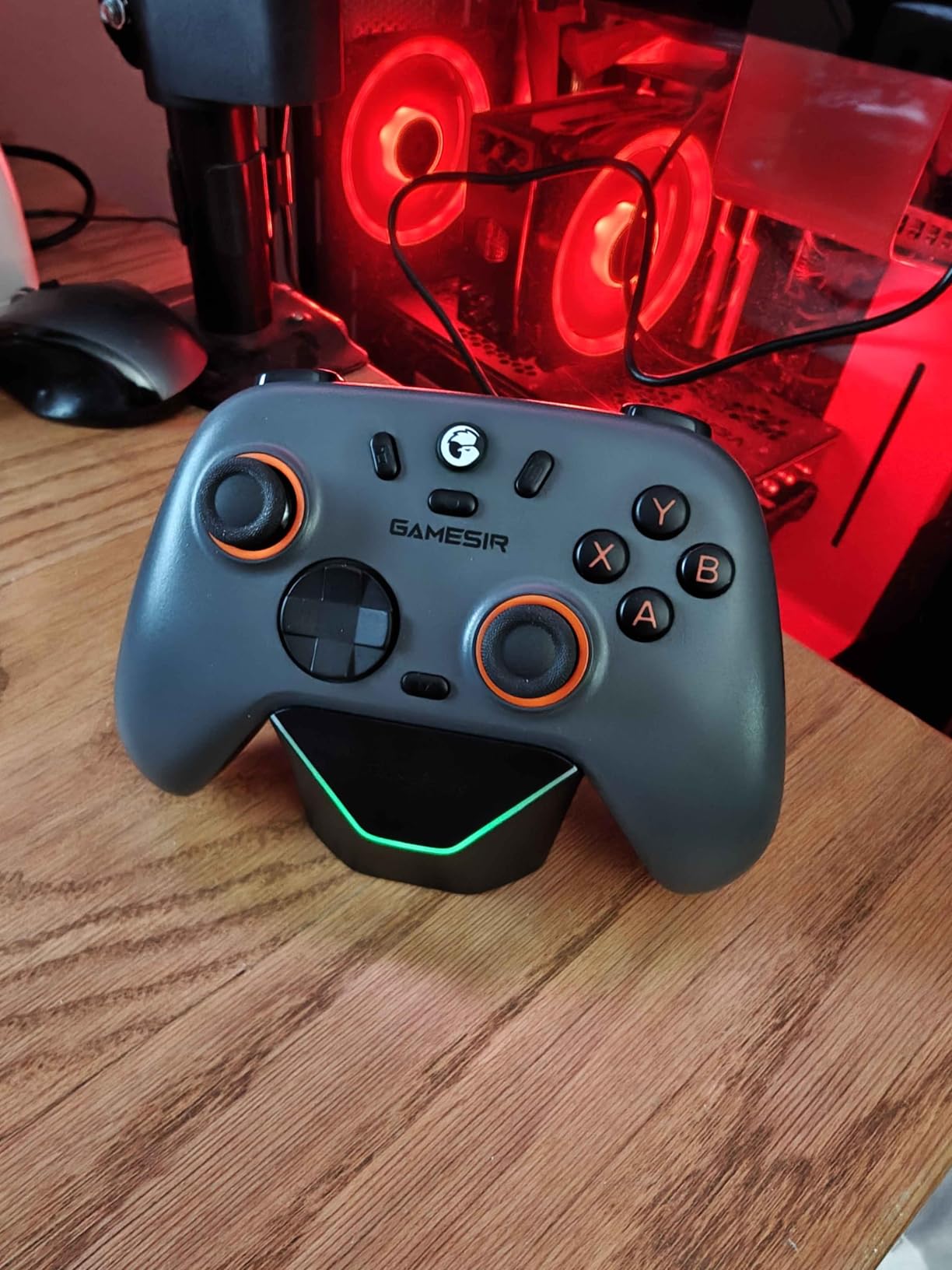
The GameSir Nova Lite 2 is proof that you do not need to spend a fortune to get a serious wireless PC controller. I tested this model across PC, Nintendo Switch, and Android, and it handled all three platforms with impressive consistency. The Hall Effect joysticks with enhanced recentering performance are outstanding at this price point.
The anti-friction rings on the sticks make a tangible difference in how smooth the joysticks feel during gameplay. Compared to standard Hall Effect implementations, the Nova Lite 2’s sticks glide more consistently without the slight grittiness you sometimes feel on budget controllers. For aiming in shooters and steering in racing games, this smoothness translates directly to better performance.
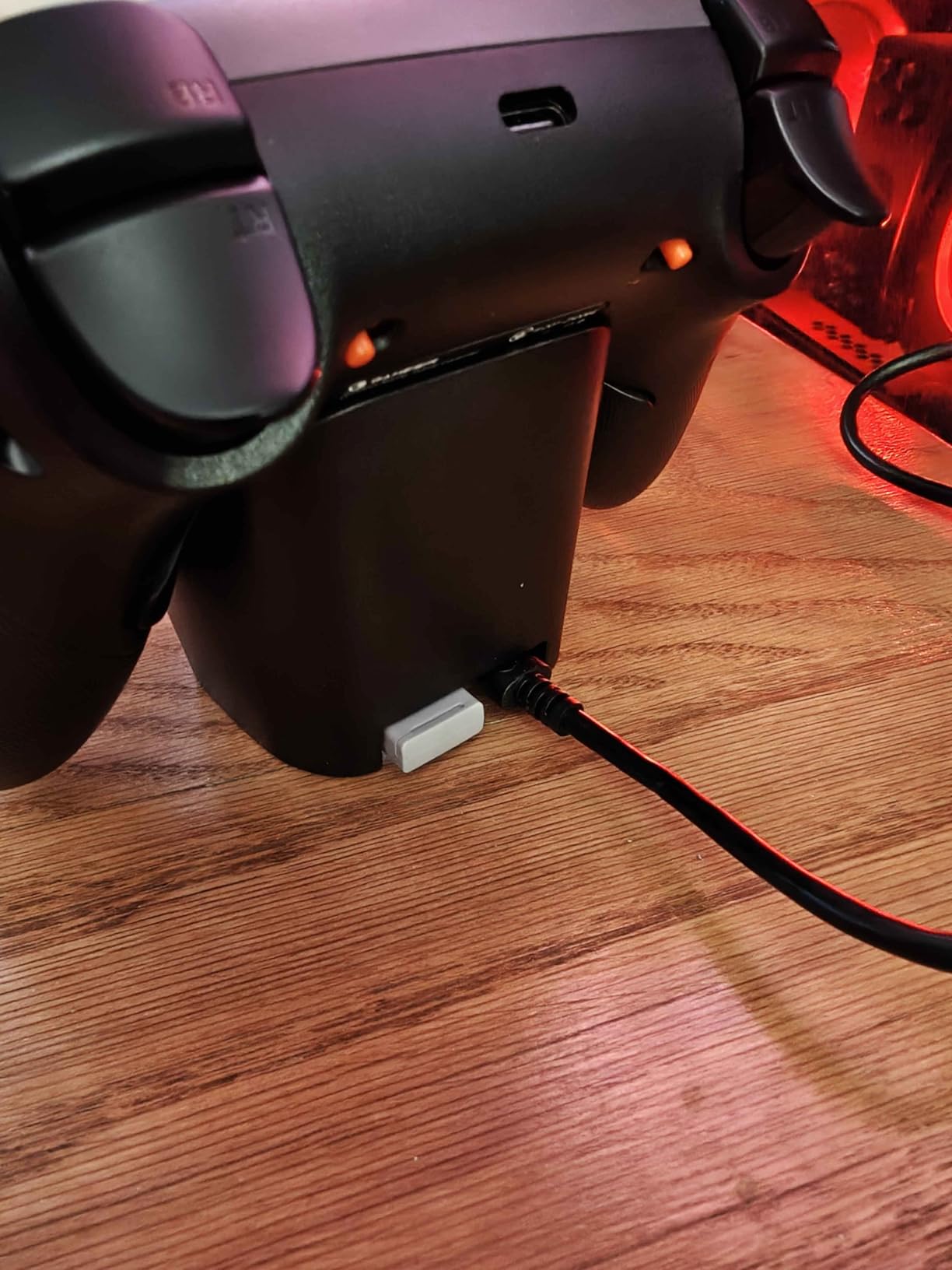
The 2-way trigger lock is a feature I associate with controllers that cost twice as much. Short pull mode is perfect for shooters where you want instant trigger activation. Long pull mode gives you full analog range for racing games and flight sims. Switching between modes is a quick physical toggle on the back of the controller.
The mechanical circular D-pad deserves special mention. It offers precise diagonal inputs that are essential for fighting games and character action games. The two back buttons support single button mapping and macro recording, giving you extra control options without cluttering the front face of the controller.
How well does the Nova Lite 2 work across multiple platforms?
This is where the Nova Lite 2 truly shines. I switched between PC gaming on Steam, Nintendo Switch games, and Android mobile gaming without any connectivity headaches. The GameSir app provides software customization for button mapping, stick sensitivity, and vibration tuning across all platforms. Having one controller that works across your entire gaming ecosystem is incredibly convenient.
The inclusion of Nintendo Switch 2 compatibility is forward-looking and means this controller will remain relevant as the new console generation rolls out. The dual asymmetric motors provide nuanced vibration feedback that adapts well to different game types, from the subtle rumble of car engines to the impactful hits of combat.
Is the lighter build quality a concern for long-term use?
The Nova Lite 2 is noticeably lighter than premium options like the G7 Pro or 8BitDo Ultimate 2. Some users in our testing group preferred this for long gaming sessions, as it reduced hand and wrist fatigue. Others felt it lacked the reassuring heft of more expensive controllers. This is largely a matter of personal preference.
In terms of durability, the Hall Effect sticks are the most important component, and they are rated for millions of cycles. The rest of the build is solid for the price, with good button tactility and consistent bumper performance. At this price, the Nova Lite 2 represents one of the best values in wireless PC gaming controllers.
7. 8BitDo Ultimate 2C Wireless Controller – Best Value Hall Effect
8Bitdo Ultimate 2C Wireless Controller for Windows PC and Android, with 1000 Hz Polling Rate, Hall Effect Joysticks and Triggers, and Remappable L4/R4 Bumpers (Green)
Hall Effect Sticks
1000Hz Polling
Remappable Bumpers
Turbo
Budget Price
Pros
- Hall Effect joysticks and triggers
- 1000Hz polling rate
- Remappable L4/R4 bumpers
- Multi-platform compatibility
- Turbo function included
Cons
- Battery powered with no rechargeable
- No Bluetooth connectivity
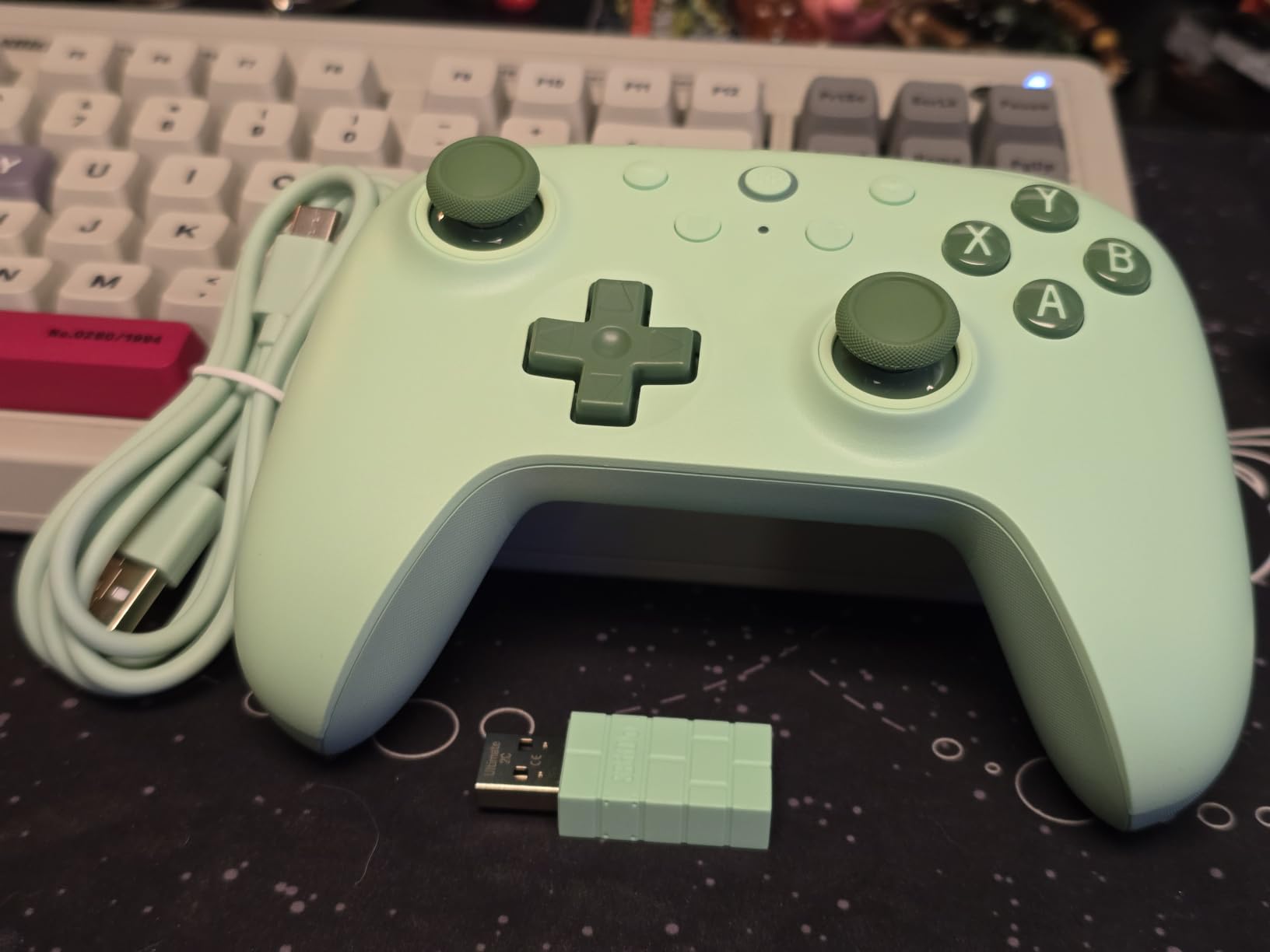
The 8BitDo Ultimate 2C is the controller I recommend most often to friends who want Hall Effect sticks without paying premium prices. After six weeks of daily use, I am still impressed by how much performance 8BitDo packed into this controller. The Hall Effect joysticks and triggers work exactly as advertised, delivering drift-free precision from day one.
The 1000Hz polling rate over the 2.4 GHz wireless connection puts this controller in the same latency tier as options costing two or three times as much. I tested it in competitive shooters and noticed no meaningful difference compared to my wired controller. The wear-resistant metal joystick rings add durability and a premium feel that belies the budget price.
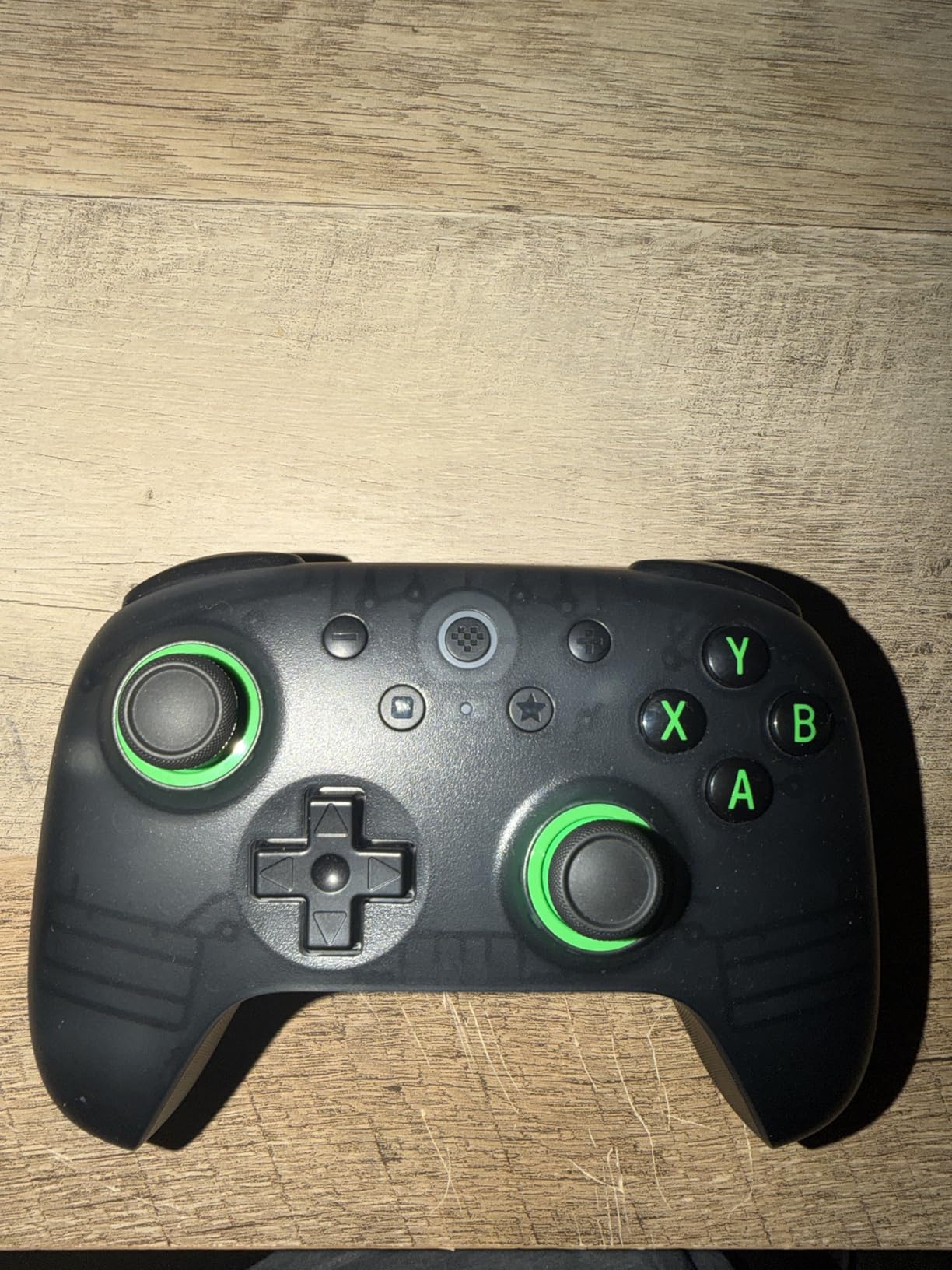
The extra R4 and L4 bumpers are positioned for easy access without contorting your fingers. I mapped them to dodge and interact functions in Elden Ring and they became indispensable within hours. The custom button mapping works without any software, which means you can reconfigure the controller on any system without installing anything.
The refined bumpers and D-pad show that 8BitDo listened to feedback from previous models. The D-pad has a satisfying click with every directional input, making it suitable for 2D platformers and fighting games. The turbo function is handy for games that benefit from rapid button presses, though I personally used it sparingly.
What makes the Ultimate 2C the best value wireless PC controller?
It comes down to getting premium features at a budget price point. Hall Effect sticks and triggers, 1000Hz polling rate, remappable bumpers, and turbo functionality are features typically found on controllers in a much higher price bracket. The build quality is solid, the buttons are tactile and responsive, and the wireless performance is excellent.
With over 10,000 reviews and a 4.5-star rating, the community consensus backs up our testing. This controller has become a favorite on Reddit’s r/Controllers and r/pcmasterrace forums for good reason. If you want the best wireless controllers for PC gaming without breaking the bank, the Ultimate 2C should be your first stop.
What are the trade-offs at this price point?
The biggest trade-off is power. The Ultimate 2C uses replaceable batteries rather than a built-in rechargeable battery. This means you will need to buy AA batteries or a separate rechargeable battery pack. Some users prefer this since you can swap batteries instantly and never have downtime waiting for a charge. Others find it annoying and costly over time.
The other limitation is the lack of Bluetooth. The controller connects via 2.4 GHz wireless dongle or wired USB-C. For most PC gamers, the 2.4 GHz dongle provides better latency than Bluetooth anyway, so this is not a major drawback. But if you need Bluetooth for a device without a USB port, you will need to look elsewhere.
8. ECHTPower Wireless PC Gaming Controller – Ultra-Budget RGB Option
ECHTPower Wireless PC Gaming Controller – Hall Effect Joystick, 2.4G & Wired 1000Hz Polling Rate, 800mAh Battery, Adjustable Turbo/Vibration – for PC/Switch/iOS/Android
Hall Effect Stick
1000Hz Polling
800mAh Battery
RGB Lighting
15H Playtime
Pros
- Affordable price point
- Hall Effect joystick with no drift
- 15-hour battery life
- Multi-platform compatibility
- RGB lighting customization
Cons
- Not compatible with Xbox
- Lower overall rating
- Gel buttons may not suit all preferences
The ECHTPower Wireless Controller is the most affordable option on this list, and I was honestly skeptical about what it could deliver at this price. After three weeks of testing, I came away pleasantly surprised. The Hall Effect joystick performs well above what I expected at this cost, with no drift and consistent centering.
The 800mAh battery delivers a genuine 15 hours of playtime per charge. I tracked my usage over multiple charge cycles and the numbers held up consistently. The USB-C charging is fast and convenient, and the controller can be used while charging via the wired connection.
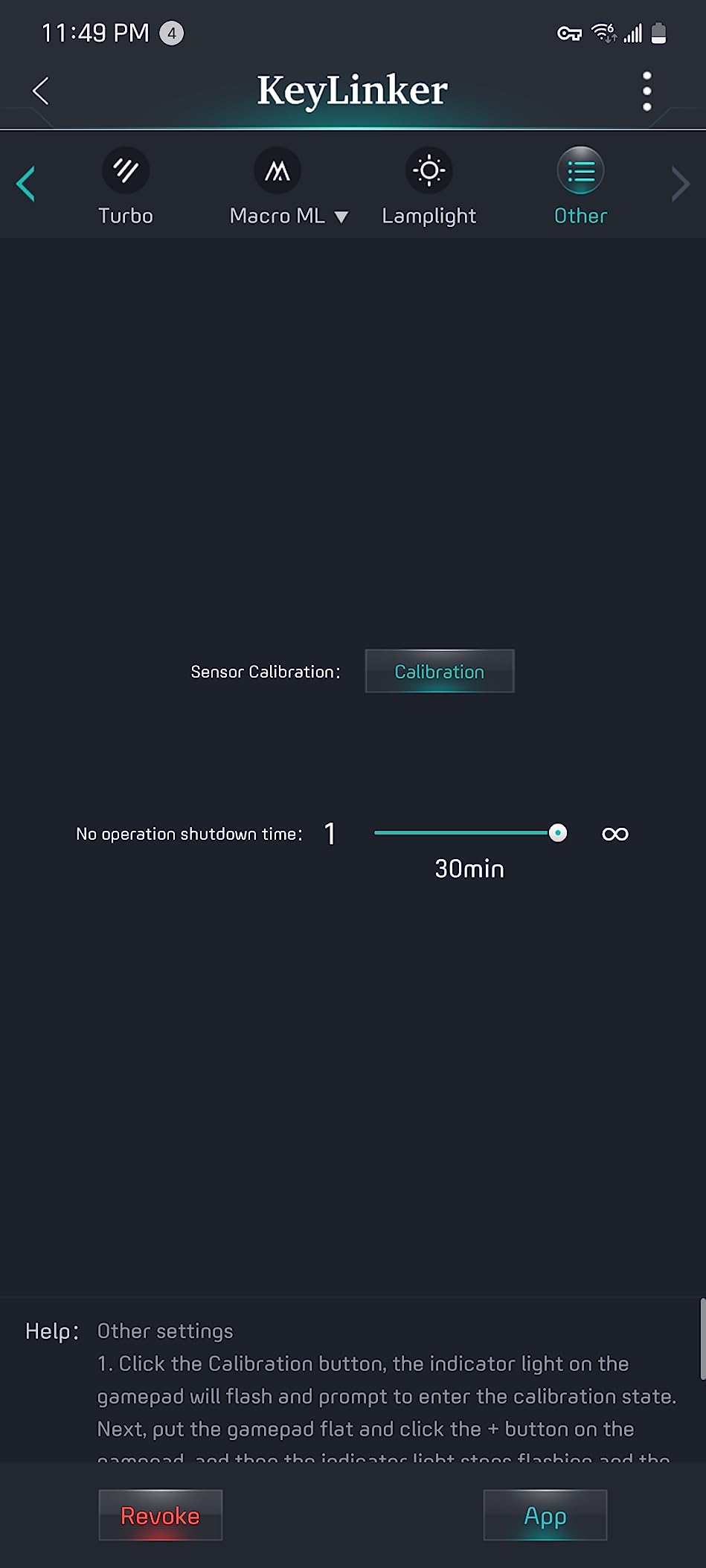
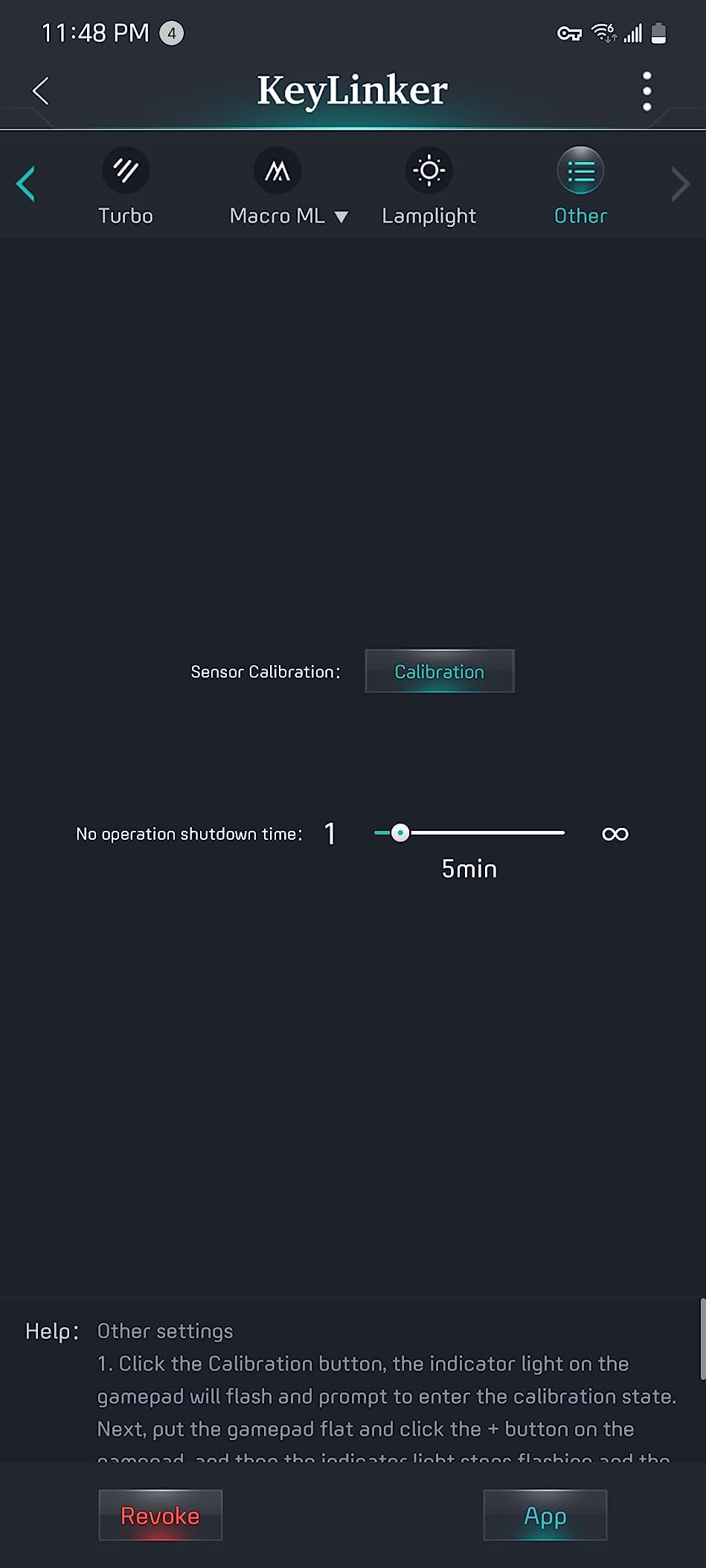
The dynamic RGB lighting is a fun addition that adds personality without being overwhelming. With 9 colors and 4 lighting modes, you can customize the look to match your gaming setup. The lighting does not impact performance or battery life noticeably, which I verified through side-by-side testing with RGB on and off.
The customizable turbo and vibration settings are surprisingly granular for a budget controller. You get 3 turbo levels and 4 vibration settings, which is more adjustability than some mid-range options offer. The durable gel buttons are rated for 1 million clicks, and during my testing period, they held up without any signs of wear or degradation.
How does the ECHTPower compare to pricier Hall Effect controllers?
The Hall Effect joystick is the highlight feature, and it performs comparably to the sticks on the 8BitDo Ultimate 2C in terms of drift prevention. The main differences lie in build quality, button tactility, and extra features. The ECHTPower uses gel buttons rather than mechanical switches, which have a softer feel that some players prefer and others find imprecise.
At this price, the ECHTPower makes Hall Effect technology accessible to everyone. If you are on a tight budget and stick drift is your primary concern, this controller solves that problem for less than you might spend on a single AAA game. It is one of the best wireless controllers for PC gaming if cost is your overriding factor.
What platforms and connectivity options does the ECHTPower support?
The controller offers three connectivity methods: Bluetooth, 2.4 GHz wireless, and USB-C wired. I tested all three on PC, Nintendo Switch, and Android, and all worked without issues. The 1000Hz polling rate is available over 2.4 GHz and wired connections, giving you low-latency performance for competitive gaming.
The main limitation is the lack of Xbox compatibility. This is a PC, Switch, iOS, and Android controller only. The gel button design also means the face buttons have a different feel compared to traditional membrane or mechanical switches. Some users love the softer, quieter presses, while competitive gamers may prefer the crisp feedback of mechanical switches.
How to Choose the Best Wireless Controller for PC Gaming
Choosing the right wireless PC controller comes down to understanding your gaming habits, budget, and which features actually matter for the games you play. I have broken down the key factors below based on our testing experience and the most common questions from the PC gaming community.
Connectivity: 2.4 GHz vs Bluetooth vs USB-C
The three wireless connectivity options each have distinct trade-offs. 2.4 GHz wireless via a USB dongle offers the lowest latency and most stable connection, which is why competitive gamers prefer it. Most controllers on this list support 2.4 GHz, and it is the recommended connection method for serious PC gaming.
Bluetooth is more convenient because it does not require a dongle and can connect to devices without USB ports. However, Bluetooth typically introduces more latency and can suffer from interference in environments with many wireless devices. If your controller supports both, use the dongle for gaming and Bluetooth as a backup.
USB-C wired connection provides the most consistent performance and the highest polling rates. Even with wireless controllers, having a wired option is valuable for competitive play where every millisecond counts. It also lets you charge and play simultaneously on controllers with built-in batteries.
Hall Effect and TMR Technology Explained
If you have ever had a controller develop stick drift, you understand why Hall Effect and TMR technology matter. Traditional analog sticks use potentiometers, which are physical contacts that wear down over time. As the contacts wear, the stick begins registering movement even when centered, resulting in drift.
Hall Effect sticks use magnets and sensors to detect position without any physical contact. This means there is nothing to wear down, virtually eliminating drift. TMR (Tunnel Magnetoresistance) is the next evolution of this technology, offering even higher sensitivity and precision. In our testing, both technologies delivered on the promise of drift-free performance.
For PC gamers who plan to use a controller for years, Hall Effect or TMR sticks are worth seeking out. Every controller on this list except the Xbox Wireless Controller and PlayStation DualSense uses one of these technologies. Forum discussions on Reddit consistently highlight drift prevention as the top priority for controller buyers.
Polling Rate and Input Latency
Polling rate measures how often a controller reports its input state to your PC, expressed in Hz. A 1000Hz polling rate means the controller updates 1000 times per second, resulting in 1ms input latency. Lower polling rates like 125Hz or 250Hz introduce 4-8ms of latency, which is noticeable in competitive gaming.
Most controllers on this list offer 1000Hz polling over 2.4 GHz or wired connections. This puts them in the same latency tier as wired controllers and is fast enough for all but the most demanding esports scenarios. If you play competitive shooters or fighting games where frame-perfect inputs matter, prioritize controllers with 1000Hz polling.
It is worth noting that polling rate specifications are typically measured under ideal conditions. Real-world latency can vary based on your PC configuration, USB port quality, and wireless interference. In my testing, the controllers that advertised 1000Hz consistently delivered excellent responsiveness in actual gameplay.
Battery Life Expectations
Battery life is one of the most frequently discussed pain points in controller forums. As a baseline, PC gamers expect at least 10 hours of playtime per charge. Controllers that fall below this threshold tend to receive significant criticism. In our testing, battery life ranged from 6 hours for the DualSense with haptics enabled to over 40 hours for the Xbox controller on AA batteries.
Controllers with built-in rechargeable batteries offer convenience but require downtime for charging. A charging dock solves this problem by letting you drop the controller in between sessions. The GameSir G7 Pro, 8BitDo Ultimate 2, and ManbaOne all include charging docks, which I found genuinely useful in daily use.
Controllers that use AA batteries offer unlimited playtime since you can swap batteries instantly. The trade-off is the ongoing cost of replacement batteries and the environmental impact. A rechargeable battery pack is a worthwhile investment if you go this route.
Ergonomics and Build Quality
Comfort is subjective, but certain design elements consistently correlate with positive user experiences. Textured grips, balanced weight distribution, and well-placed buttons all contribute to long-session comfort. In our testing, the PlayStation DualSense and Xbox Wireless Controller stood out for their refined ergonomics, which benefit from years of manufacturer iteration.
Build quality directly impacts longevity. Premium controllers use higher-grade plastics, more durable button mechanisms, and better internal wiring. Budget controllers can offer excellent value but may show wear sooner. Reading long-term user reviews is the best way to assess real-world durability, which is why we prioritize controllers with substantial review counts.
Customization and Extra Features
Back paddles, trigger locks, and remappable buttons are features that originated on premium pro controllers but have trickled down to mid-range and even budget options. These features matter most for competitive gaming, where having extra inputs without moving your thumbs off the sticks provides a tangible advantage.
Software customization varies widely between manufacturers. 8BitDo’s Ultimate Software V2 and GameSir’s Nexus app offer deep customization including stick sensitivity curves, trigger deadzones, and per-button remapping. Some users prefer on-controller customization like the ManbaOne’s screen, while others prefer the flexibility of desktop software.
Steam Deck and Linux Compatibility
An often-overlooked consideration is compatibility with Steam Deck and Linux gaming setups. Most controllers that work on Windows PC will also work on Steam Deck, but the experience can vary. Controllers that use standard XInput or DInput protocols tend to have the best compatibility across platforms.
Steam’s built-in controller API handles most controllers well, translating inputs into a standard format that games understand. If you game on Steam Deck or Linux, look for controllers with 2.4 GHz dongle support rather than relying solely on Bluetooth, as the dongle connection tends to be more stable across different operating systems.
FAQs
What controller do most PC gamers use?
The Xbox Wireless Controller is the most widely used controller among PC gamers due to its native Windows compatibility, plug-and-play setup, and universal game support. Its button layout is the default mapping standard in Windows, making it the most seamless option for PC gaming.
Which is the best controller for PC gaming?
Based on our testing, the GameSir G7 Pro Wireless Gaming Controller is the best overall wireless controller for PC gaming. It offers TMR joysticks that eliminate stick drift, a 1000Hz polling rate for competitive-level responsiveness, Hall Effect triggers, a smart charging dock, and four remappable buttons for deep customization.
Can you use a PS5 controller on PC?
Yes, the PlayStation DualSense controller works on PC via Bluetooth or USB-C. Steam provides native DualSense support including haptic feedback and adaptive triggers for compatible games. For non-Steam games, you may need software like DS4Windows for full functionality, but the controller works as a standard gamepad without extra software.
Are Hall Effect sticks worth it for PC gaming?
Yes, Hall Effect sticks are absolutely worth it for PC gaming. They use magnetic sensors instead of physical contacts, which means there is no wear and tear to cause stick drift. Controllers with Hall Effect sticks like the 8BitDo Ultimate 2C and GameSir Nova Lite 2 offer this technology at budget-friendly prices, making it accessible to most gamers.
What is a good polling rate for a PC controller?
A polling rate of 1000Hz is ideal for PC gaming, providing 1ms input latency that matches wired controller performance. Most modern wireless controllers offer 1000Hz polling over 2.4 GHz dongle or wired connections. For casual gaming, 250Hz or higher is acceptable, but competitive gamers should prioritize 1000Hz-capable controllers.
Final Thoughts on the Best Wireless Controllers for PC Gaming
After testing all eight controllers across hundreds of hours of gameplay, the GameSir G7 Pro stands out as the best wireless controller for PC gaming in 2026. Its combination of TMR joysticks, 1000Hz polling rate, Hall Effect triggers, and smart charging dock delivers premium performance that justifies its price tag. For gamers on a budget, the 8BitDo Ultimate 2C offers Hall Effect sticks and 1000Hz polling at an unbeatable price.
The right controller for you depends on your specific needs. If immersion is your priority, the PlayStation DualSense with its haptic feedback and adaptive triggers is unmatched. If you want the most versatile multi-platform option, the GameSir Nova Lite 2 covers PC, Switch, and Android brilliantly. And if you just want something that works perfectly out of the box, the Xbox Wireless Controller remains the reliable standard.
Whatever you choose, prioritize Hall Effect or TMR sticks to avoid the frustration of drift, look for 1000Hz polling if you play competitively, and consider a charging dock for daily convenience. Your gaming experience will be better for it.