
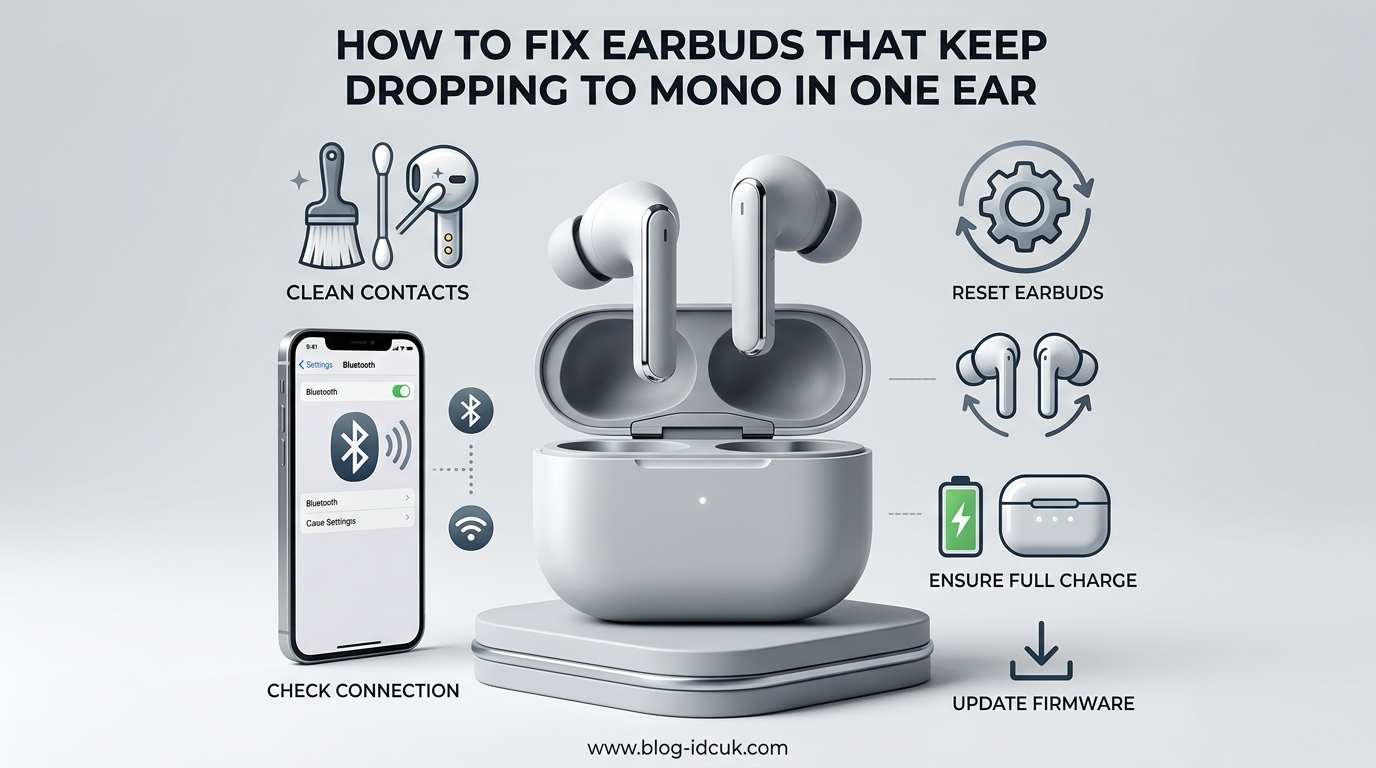
If one of your earbuds has gone silent and the other is suddenly playing the entire song by itself, you’re dealing with one of the most annoying wireless audio problems out there. The good news is that figuring out how to fix earbuds that keep dropping to mono in one ear is usually a quick process once you know where to look.
I have run into this exact problem with three different pairs of earbuds over the past two years, and in every case the fix took less than 10 minutes. In this guide, I will walk you through the same troubleshooting steps that worked for me, plus a few tips I picked up from audio forums and Reddit threads where users share their own fixes.
By the end, you will know exactly why your earbuds keep switching to mono, how to force them back into stereo, and how to stop it from happening again.
Table of Contents
What Does Mono Mode Mean and Why Are Your Earbuds Stuck in It
Mono mode is when both earbuds play the same single audio channel instead of separate left and right channels. In stereo, your music spreads across two speakers so you hear guitar in one ear and vocals in the other. In mono, everything collapses into one earbud, which is why it sounds flat and oddly quiet.
Your earbuds drop to mono mode when the two buds lose their wireless connection to each other. Most true wireless earbuds actually work like this: your phone sends audio to the “main” bud, and that bud relays the signal to the “secondary” bud. If that secondary link breaks, the main bud plays solo and you get the mono experience.
There are several reasons that link can break, including low battery on one bud, Bluetooth interference, dirt blocking the charging contacts, a software glitch, or the audio balance on your phone being set to one side.
Quick Diagnosis Checklist Before You Start
Before diving into deep fixes, run through this 30-second checklist. It will tell you which section of the guide to focus on:
- Is one earbud completely silent, or is it just very quiet? (Quiet = balance issue, silent = connection issue)
- Did this start right after a firmware update? (Update-related glitch)
- Is one bud lower on battery than the other by more than 20 percent? (Battery imbalance)
- Does the problem happen with all apps or only one? (App vs hardware)
- Did you drop the earbuds or get them wet recently? (Hardware damage)
If you answered “yes” to two or more of these, the matching section below will give you a targeted fix.
Basic Fixes You Should Try First
These are the simple fixes that solve the problem around 60 percent of the time according to user reports. I always try these before resetting anything.
Clean the Charging Contacts and Earbud Tips
Earwax, lint, and pocket debris love to settle on the small metal charging contacts inside your case and on the earbud stems. When those contacts get dirty, one bud may not charge fully, and an undercharged bud drops its connection.
Use a dry cotton swab or a soft toothbrush to gently clean the metal dots on each earbud and the pins inside the case. Do the same for the speaker grilles, since clogged grilles can also cause audio to sound one-sided.
A Reddit user on r/Earbuds shared that this single step fixed their three-week-long mono problem with no other changes. It is the easiest fix to try first.
Check the Audio Balance Settings on Your Phone
Your phone has a hidden audio balance slider that can accidentally shift sound to the left or right ear. On iPhone, go to Settings, Accessibility, Audio/Visual, and look for the Balance slider. Make sure it is centered.
On Android, the path varies by brand, but you can usually find it under Settings, Accessibility, Hearing, or Audio Balance. Drag the slider to the middle and test again.
Bluetooth earbuds dropping sound on one side is sometimes just a balance setting that someone bumped while cleaning the screen.
Make Sure Both Buds Are Fully Charged
Battery imbalance is one of the most overlooked causes. When one bud sits at 15 percent and the other at 80 percent, the weaker bud tends to drop its connection.
Place both buds in the case, close the lid, and let them charge for at least 30 minutes. Many cases need to be plugged in for the buds to actually charge, so check the case battery too. After charging, take them out and test.
How to Fix Earbuds That Keep Switching Between Stereo and Mono Over Bluetooth
If the basic fixes did not solve the problem, the next step is to refresh the Bluetooth connection. A corrupted Bluetooth profile is the most common reason earbuds only play in one ear even when both are working.
Forget the Device and Re-Pair From Scratch
This is the single most effective fix for wireless earbuds switching to mono. On your phone, open Bluetooth settings, find your earbuds in the list, and tap Forget This Device.
Then turn Bluetooth off for 10 seconds, turn it back on, and pair your earbuds again as if they were brand new. This forces your phone to rebuild the audio profile and clears any glitchy stereo settings.
Reset the Earbuds Themselves
Most earbuds have a hidden reset that does not require your phone. The exact method depends on the brand, but here is a general guide:
- Place both earbuds in the charging case and close the lid.
- Wait 10 seconds, then open the lid.
- Press and hold the button on each earbud (or the case button on some models) for 10 to 15 seconds.
- Wait for the LED light to flash, usually red and white or red and blue.
- Take the earbuds out and pair them with your phone again.
For JBL earbuds specifically, one Reddit user fixed a stubborn mono problem by disconnecting the buds from Bluetooth, putting them in the case, closing the lid, opening it, and then pressing the reset button while the buds were still inside the case. Worth trying if you have a JBL model.
Device-Specific Fixes for iPhone and Android
Sometimes the problem is not the earbuds at all, it is your phone sending a mono signal. iPhones and Android devices both have accessibility settings that can force mono audio.
On iPhone
Go to Settings, Accessibility, Audio/Visual, and make sure the Mono Audio toggle is turned off. If this toggle is on, your phone combines both stereo channels into one and sends it to both earbuds, which can confuse some earbuds and cause one to drop out.
Also, if you use the “Made for iPhone” hearing aid settings, you may have a custom audio routing configuration that forces mono output. Resetting these under Settings, Accessibility, Hearing Devices often clears the issue.
On Android
Samsung Galaxy phones have a setting under Settings, Accessibility, Hearing Enhancements called “Mono Audio.” Make sure it is off. Pixel phones have a similar setting under Settings, Accessibility, Audio, labeled “Mono audio.”
Some Samsung earbuds also have a “balance left/right” feature in the Galaxy Wearable app. Open the app, go to Earbuds Settings, and look for an audio balance or accessibility section. Reset it to center.
Bluetooth earbuds dropping sound on one side with Android specifically is often tied to the developer options. Go to Settings, About Phone, tap Build Number seven times to unlock developer mode, then look for “Bluetooth Audio Codec.” Switching from LDAC to SBC can sometimes stabilize the connection.
Factory Reset and Firmware Updates
If nothing else has worked, the issue is likely a software bug. Two final software fixes usually resolve stubborn mono mode problems.
Update the Firmware
Open your earbud brand’s companion app (Sony Connect, JBL Headphones, Samsung Wearable, Bose Music, and so on) and check for a firmware update. Earbuds stuck in mono mode after firmware update is a common complaint on Reddit, and the fix is usually another firmware patch that addresses the bug.
Keep the buds in the case and connected to your phone during the update. The process typically takes 5 to 15 minutes.
Perform a Full Factory Reset
This wipes all paired devices and resets the buds to their original state. The exact steps differ by brand, but here is the general method:
- Take the earbuds out of the case.
- Press and hold the touch sensor or button on both buds at the same time.
- Hold for 15 to 30 seconds until the LED indicators flash in a reset pattern.
- The earbuds will power off and reset.
After the reset, pair them with your phone as a brand new device. Most users on r/HeadphoneAdvice report that a factory reset solves the mono problem when nothing else has worked.
Advanced Troubleshooting for Stubborn Cases
If your earbuds still keep switching to mono after everything above, you are likely dealing with hardware or environmental interference. Here is what to check next.
Body Interference and Bluetooth Signal
Bluetooth signals are weak and can be blocked by water, including the water in your body. If you keep your phone in your back pocket, the signal has to travel through your body to reach the earbuds, which can cause one bud to drop.
Move your phone to your front pocket or a chest pocket, or wear it on the armband of your dominant hand. Wi-Fi routers, microwaves, and USB 3.0 ports can also interfere with Bluetooth, so test your earbuds in a different room or location.
Equalize Battery Levels Between Both Buds
If one bud consistently drains faster than the other, you may have a battery imbalance issue. To fix it, fully drain both buds until they power off, then charge them to 100 percent in a single session without removing them from the case.
Repeat this cycle two or three times. This recalibrates the battery indicator and forces both buds to discharge to the same level, which can resolve uneven power management.
Test With a Different Device
Pair the earbuds with a different phone, tablet, or laptop. If they work perfectly on another device, the problem is your original phone’s Bluetooth radio or audio settings, not the earbuds themselves. If the problem persists, the earbuds likely have a hardware fault.
Inspect for Physical Damage
Look closely at the charging contacts, speaker mesh, and the stem or housing of each earbud. Corrosion, bent pins, or a clogged mesh can all cause one-sided audio. If you see visible damage and the earbuds are under warranty, contact the manufacturer. Most brands offer 12-month warranties on wireless earbuds.
How to Prevent Mono Mode From Coming Back
Once you have fixed the issue, a few small habits will keep your earbuds in stereo mode for the long term.
- Wipe the charging contacts once a week with a dry cloth.
- Keep your earbud firmware up to date through the companion app.
- Avoid storing earbuds in extreme heat or cold, which degrades the battery.
- Keep your phone on the same side as your dominant hand to reduce body interference.
- Reset your earbuds every few months to clear cached Bluetooth profiles.
These small steps prevent the most common triggers and extend the overall life of your earbuds.
When to Seek Professional Help or Replace the Earbuds
If you have tried all of the fixes above and your earbuds still drop to mono regularly, it is time to consider a hardware fault. Driver failure, a damaged Bluetooth antenna, or a failing battery in one bud can all cause persistent mono mode.
Check whether your earbuds are still under warranty. Most brands including Sony, JBL, Samsung, Bose, and Apple offer at least a one-year warranty that covers defects. If the warranty is expired and the earbuds are over two years old, replacing them is often more cost-effective than repair.
For users on a tight budget, I usually recommend a mid-range pair with replaceable ear tips and a solid warranty. Avoid ultra-cheap no-name earbuds since they tend to have weak Bluetooth radios that drop one side frequently.
Frequently Asked Questions
How do I get my earbuds out of mono mode?
To get earbuds out of mono mode, first check the Mono Audio toggle on your phone and turn it off. Then forget the earbuds in your Bluetooth settings, place them in the charging case for 10 seconds, take them out, and re-pair. If that does not work, perform a factory reset by holding the buttons on both earbuds for 15 to 30 seconds until the LEDs flash.
How do I fix uneven earbuds where one is quieter than the other?
Uneven earbuds are usually caused by the audio balance slider being off-center or by earwax blocking one speaker grille. Go to your phone’s accessibility settings and center the L/R balance slider. Then gently clean the speaker mesh on both earbuds with a dry soft-bristle brush to remove earwax and debris that muffles sound on one side.
Why do my earbuds fall out of one ear only?
Earbuds fall out of one ear more often than the other when the ear tip size is wrong for that ear, when the ear canal shape is asymmetrical, or when the earbud battery is low and the driver loses power. Try swapping the ear tip sizes between ears to find a better fit, and keep both buds fully charged to prevent the driver from weakening mid-use.
How do I rebalance my earbuds to get equal sound in both ears?
To rebalance your earbuds, open your phone’s accessibility settings and find the audio balance slider. On iPhone it is under Settings, Accessibility, Audio/Visual. On Android it is under Settings, Accessibility, Hearing Enhancements. Drag the slider to the exact center so both channels receive equal volume, then test with a stereo music track to confirm both sides are balanced.
Final Thoughts on Fixing Mono Earbuds
Most cases of wireless earbuds switching to mono come down to a dirty charging contact, a stuck Bluetooth profile, or a hidden accessibility setting on your phone. Work through the fixes in the order I have listed them and you will solve the problem in under 15 minutes.
If you remember only one thing from this guide, remember to forget the device, re-pair from scratch, and check the Mono Audio toggle. Those three steps resolve the majority of mono mode complaints I have seen, including my own. Good luck getting your earbuds back to full stereo in 2026.