
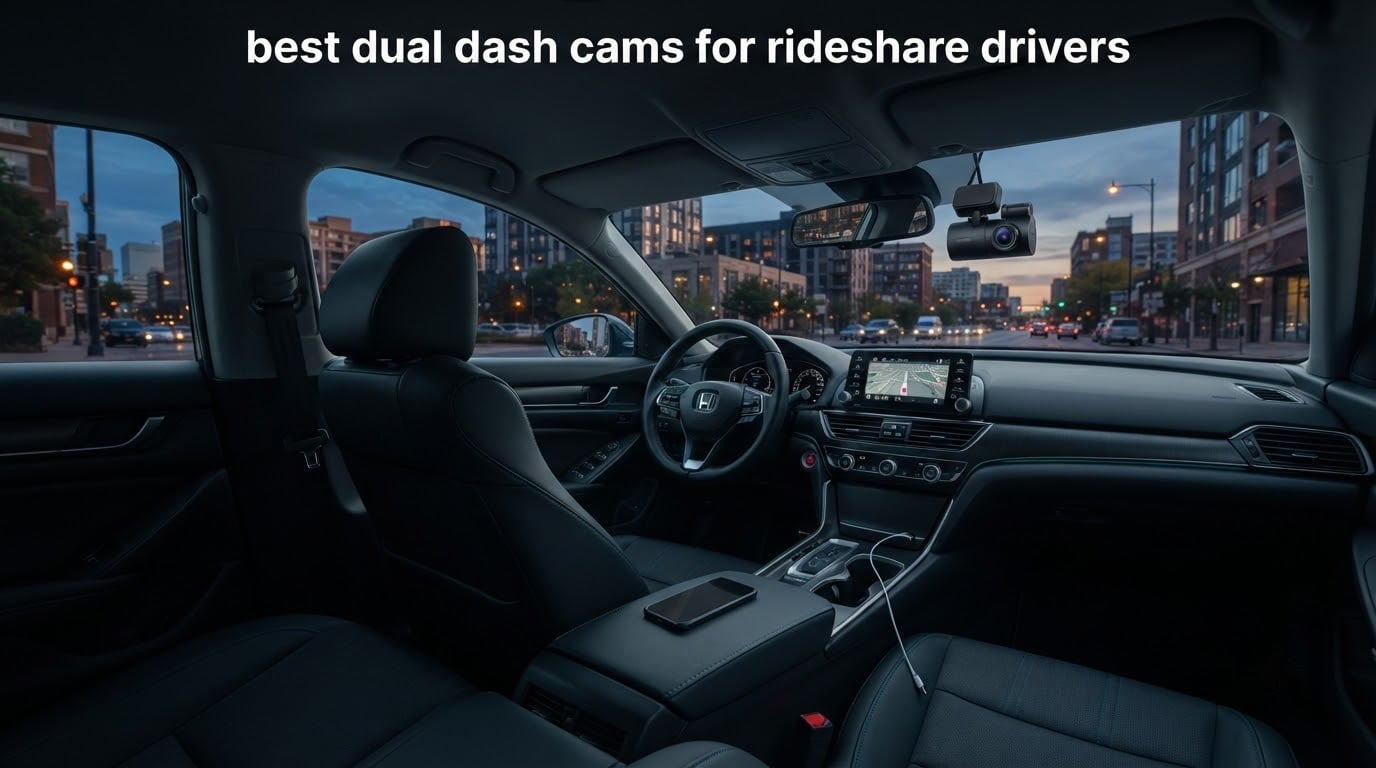
A dual dash cam records two video channels at the same time, usually a forward-facing road camera plus an inward-facing cabin camera. That second channel is the reason rideshare drivers buy one: when a passenger claims a lost phone, a scratch that was already there, or a dangerous drop-off, the cabin footage is the only objective record of what actually happened inside the car.
There is a terminology problem worth clearing up before any recommendations. Sellers use the word dual to mean two different things, so plenty of drivers buy a front-and-rear setup expecting cabin coverage and get none. A front-plus-rear pair covers the road and what is behind you, which protects you in a rear collision and in a hit-and-run. A front-plus-inside pair covers the road and the passenger compartment, which protects you in every in-cabin dispute. Only a three-channel unit records all three views at once.
We compared eight dual and multi-channel dash cams built for rideshare work, weighing channel layout, true resolution, infrared cabin night vision, whether GPS and speed data are stamped onto the file, and how much wiring and extra hardware you are signing up for. Every pick here has an honest drawback attached to it, because the cheapest and the most expensive options in this category fail in very different ways.
Before the individual reviews, it helps to know which camera configuration matches your shifts. Our general guide to dash cams for Uber drivers covers the basics of installation and evidence handling, and if you are still working out your budget, our budget dash cam picks are a reasonable comparison set.
Table of Contents
Top 3 Picks for Rideshare Drivers in 2026

ROVE R2-4K Front and Rear
- 4K front and 1080P rear
- IMX675 STARVIS 2 with HDR
- Built-in GPS speed and route stamp
- 3 inch IPS screen

REDTIGER F17 4K 3CH
- 4K front plus 1080P cabin and rear
- IR cabin night vision
- Built-in GPS evidence stamp
- 64GB card included

COOAU D30S Front and Inside
- 2.5K front plus 1080P cabin
- 4 IR LEDs for night cabin
- Sony STARVIS 2 sensor
- Built-in GPS and WiFi app
The ROVE R2-4K takes the top spot because it carries the highest average rating in the group alongside a very large body of owner feedback, and it stamps speed, route and location onto clips without a separate GPS dongle. The REDTIGER F17 is the only unit here that records front, cabin and rear simultaneously, which makes it the right answer if you want a single device covering every angle. The COOAU D30S is the value pick, with a 2.5K front channel, an infrared-lit cabin camera and a Sony STARVIS 2 sensor at a tier most drivers assume costs far more.
All 8 Best Dual Dash Cams Compared in 2026
| Product | Specifications | Action |
|---|---|---|
| ROVE R2-4K Front and Rear |
|
Check Latest Price |
| REDTIGER F17 4K 3-Channel |
|
Check Latest Price |
| COOAU D30S Front and Inside |
|
Check Latest Price |
 Vantrue N2X Front and Inside Vantrue N2X Front and Inside |
|
Check Latest Price |
 Yansoo Dual 1080P Front and Inside Yansoo Dual 1080P Front and Inside |
|
Check Latest Price |
 REDTIGER F7NP Front and Rear REDTIGER F7NP Front and Rear |
|
Check Latest Price |
 COOAU Dual 2.5K Front and Inside COOAU Dual 2.5K Front and Inside |
|
Check Latest Price |
 VIOFO A229 Pro Front and Rear VIOFO A229 Pro Front and Rear |
|
Check Latest Price |
A note on reading that table: three of these units record inside the cabin and three record behind the car, and the difference matters more than any resolution number. If your disputes are mostly about passengers, prioritise the front-and-inside units. If your disputes are mostly about who caused a rear-end shunt on a motorway slip road, the front-and-rear groups are the relevant comparison, and we have covered those separately in our front and rear dash cam guide.
1. ROVE R2-4K Dual Dash Cam – the all-round road record
ROVE R2-4K Dual Dash Cam Front and Rear, STARVIS 2 Sensor, Free 128GB Card
2.5K front upscaled to 4K plus 1080P rear
IMX675 STARVIS 2 with HDR
Built-in GPS and 3 inch IPS screen
Pros
- Highest average rating in this group with more than 14000 reviews
- Built-in GPS logs route location and speed onto footage
- Dual-band 5.8GHz WiFi with 20MB per second app transfers
- Bright 3 inch IPS screen for checking framing before a shift
- Supports microSD cards up to 1TB
Cons
- Front 4K mode is upscaled from 2.5K native rather than true 4K
- Parking mode needs a hardwire kit bought separately
- Rear channel is 1080P not 2K
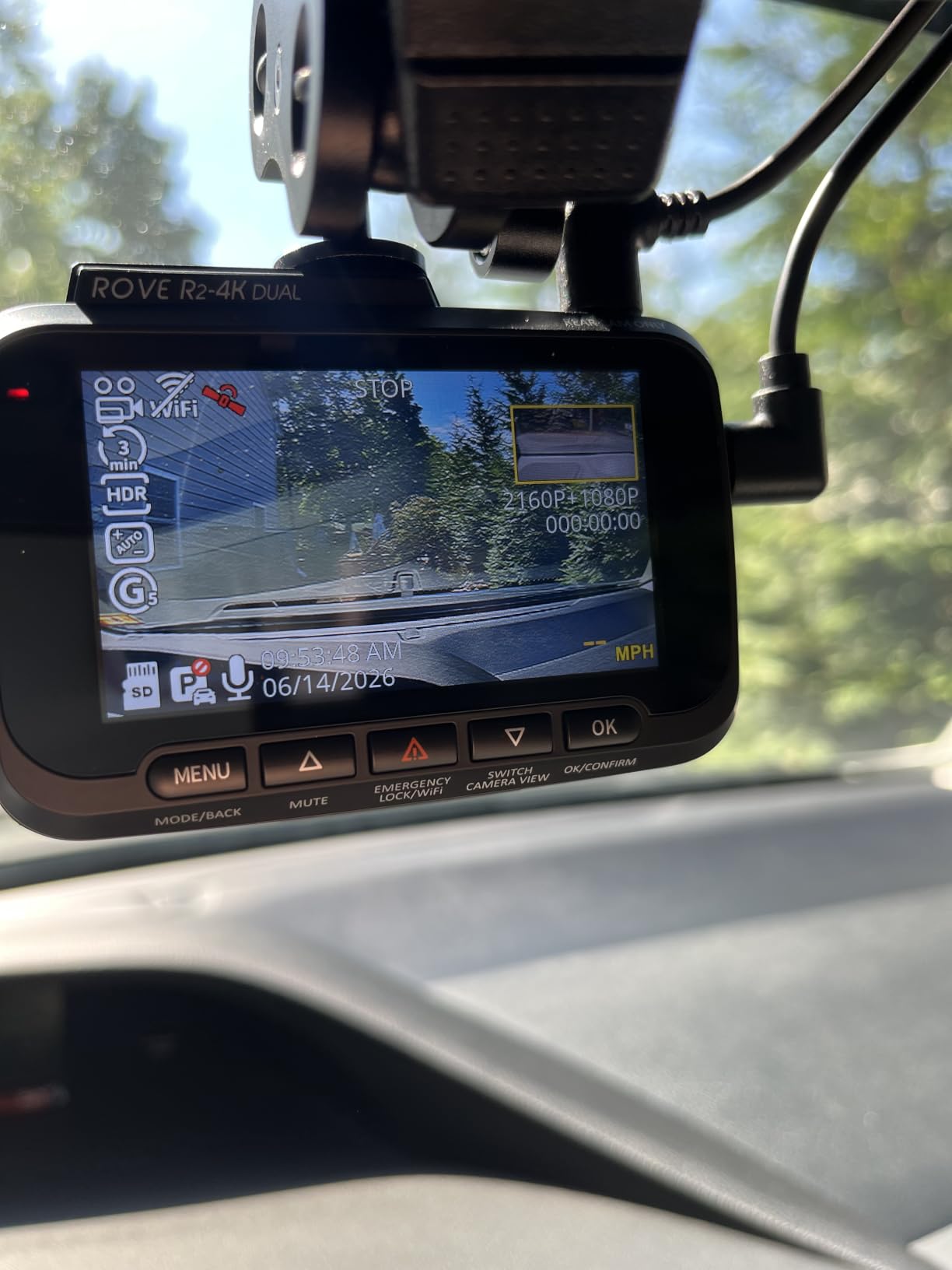
This is the unit I would put in my own car. The R2-4K pairs a Sony STARVIS 2 IMX675 sensor with an F1.5 aperture on the front channel, a built-in GPS module and a 3 inch IPS screen that is bright enough to frame the camera properly in daylight. Owners consistently single out the GPS, which logs route, location and speed directly onto the footage rather than relying on a separate dongle that can be knocked loose.
One thing to be honest about: the front channel records at 2.5K natively and upscales to 4K for the file. Detail is genuinely good, but it is not the same as the true native 4K capture on the VIOFO later in this list. If your priority is reading a licence plate at a distance rather than overall image quality, that difference shows up in the footage.
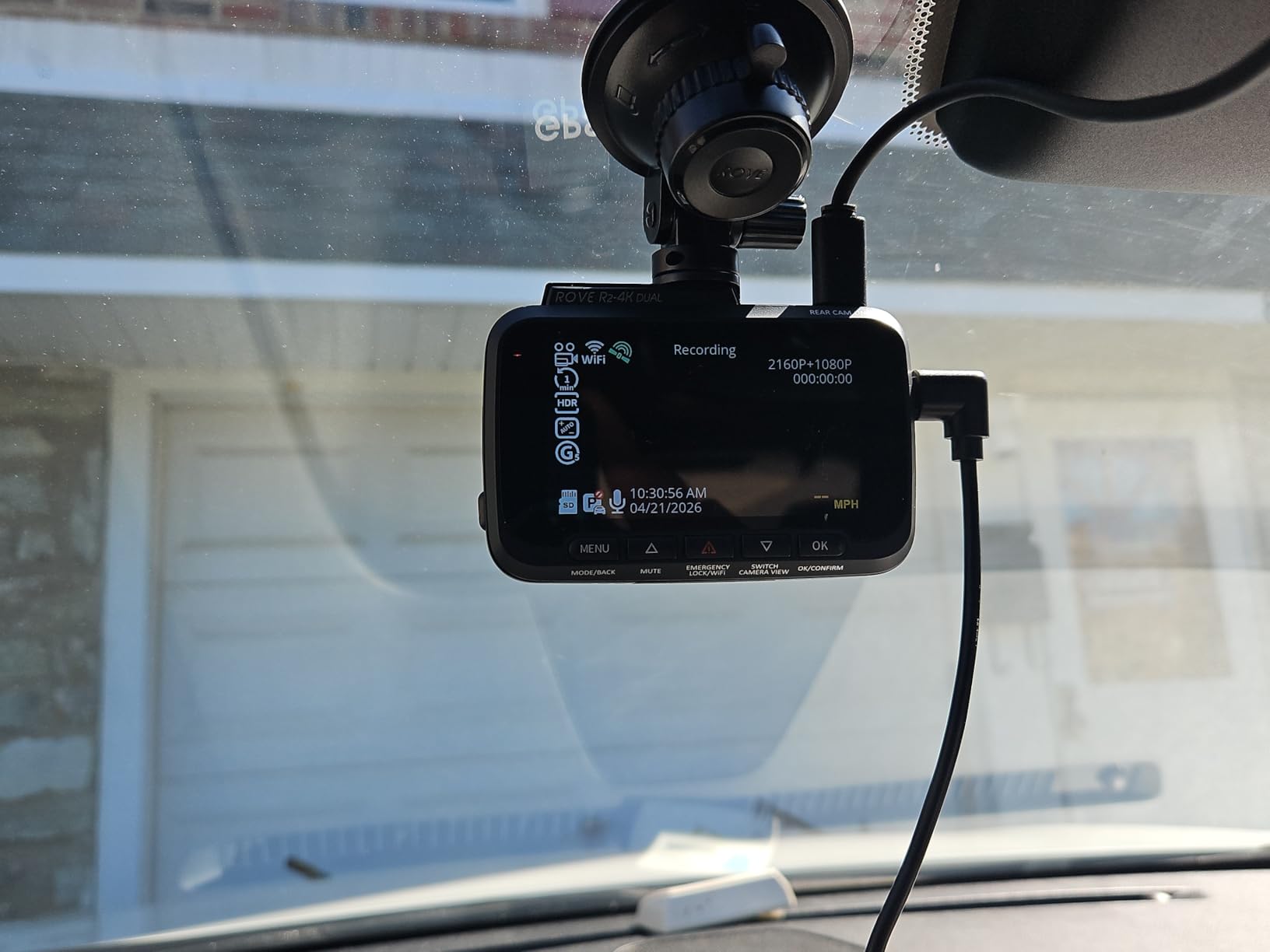
The dual-band 5.8GHz and 2.4GHz WiFi is what makes this practical as a daily workhorse. Transfers run up to 20MB per second, so pulling an incident clip onto your phone and uploading it to a safety report takes seconds rather than a coffee break. The screen shows live speed and compass data, which is genuinely useful for confirming you were stationary at pickup before a dispute starts.
Card support goes up to 1TB, and a 128GB card is included in the box. The supercapacitor instead of a lithium battery matters for anyone driving for a full shift in a hot car, since capacitors tolerate heat cycling far better than small batteries. Three parking modes are available, covering time-lapse, motion detection and collision detection.
Why drivers who file claims pick it
The stamped speed and location data is the deciding factor for anyone who plans to send footage to an insurer rather than just to a support inbox. A clip with a visible speed reading and route is far easier to attach to a claim than an unmarked video file, because nobody has to guess when or where it was taken.
For drivers running evening and airport shifts, the F1.5 front aperture and HDR handling are what keep headlights and street lighting from blowing out the frame. The rear channel at 1080P is still perfectly usable for identifying a vehicle behind you, provided there is decent light.
Where it falls short
The hardwire kit is not included, and parking mode will not run without one, so budget for that as a separate purchase before the first shift. Two cameras writing to one card also means the card fills faster, which makes a high-endurance card a genuine requirement rather than an optional upgrade.
At 4.5 stars across more than 14000 reviews, the weak points are narrow: the upscaled front channel, the 1080P rear, and a 150 degree field of view that is a little tighter than the widest units here. If you need maximum sweep across a wide intersection, that is the trade-off you accept.
2. REDTIGER F17 4K 3-Channel – front, cabin and rear at once
REDTIGER F17 4K 3CH Dash Cam, STARVIS 2 Sensor HDR, 64GB Card, 5.8GHz WiFi
4K front plus 1080P cabin and rear
IMX675 STARVIS 2 front sensor
4 IR lights on the cabin camera
Pros
- Only unit here recording front cabin and rear simultaneously
- 64GB microSD included so it works out of the box
- Built-in GPS stamps speed date and route with minimal overlay
- Two recording modes let you drop the cabin channel to free up space
- G-sensor sensitivity is adjustable so bumps do not fill the event folder
Cons
- WiFi defaults to off and must be re-enabled after every power cycle
- Hotspot app pairing is a multi step process requiring Bluetooth off
- No touchscreen or voice control
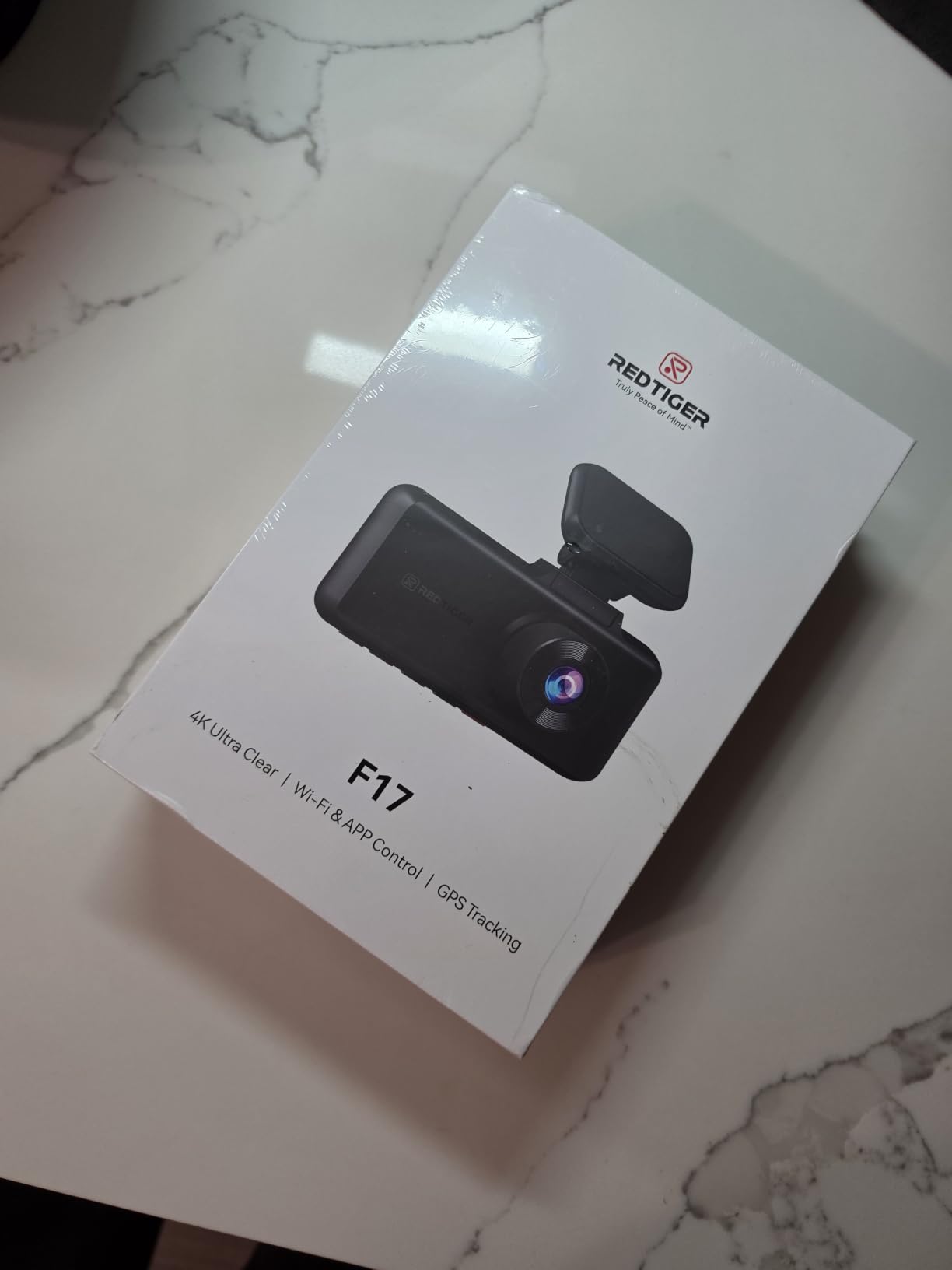
This is the closest thing in the group to a complete record. The F17 records three channels simultaneously: a 4K front camera with an IMX675 STARVIS 2 sensor, a 1080P cabin camera and a 1080P rear camera. The cabin lens carries four infrared lights, so the passenger compartment stays readable in genuine darkness rather than turning into grey noise at the end of a night shift.
The fields of view are well chosen for a working car: 150 degrees at the front, 160 degrees in the cabin and 155 degrees at the rear. The cabin channel in particular covers the whole rear bench and door area, which is where lost-property arguments and unwanted-behaviour complaints tend to take place.
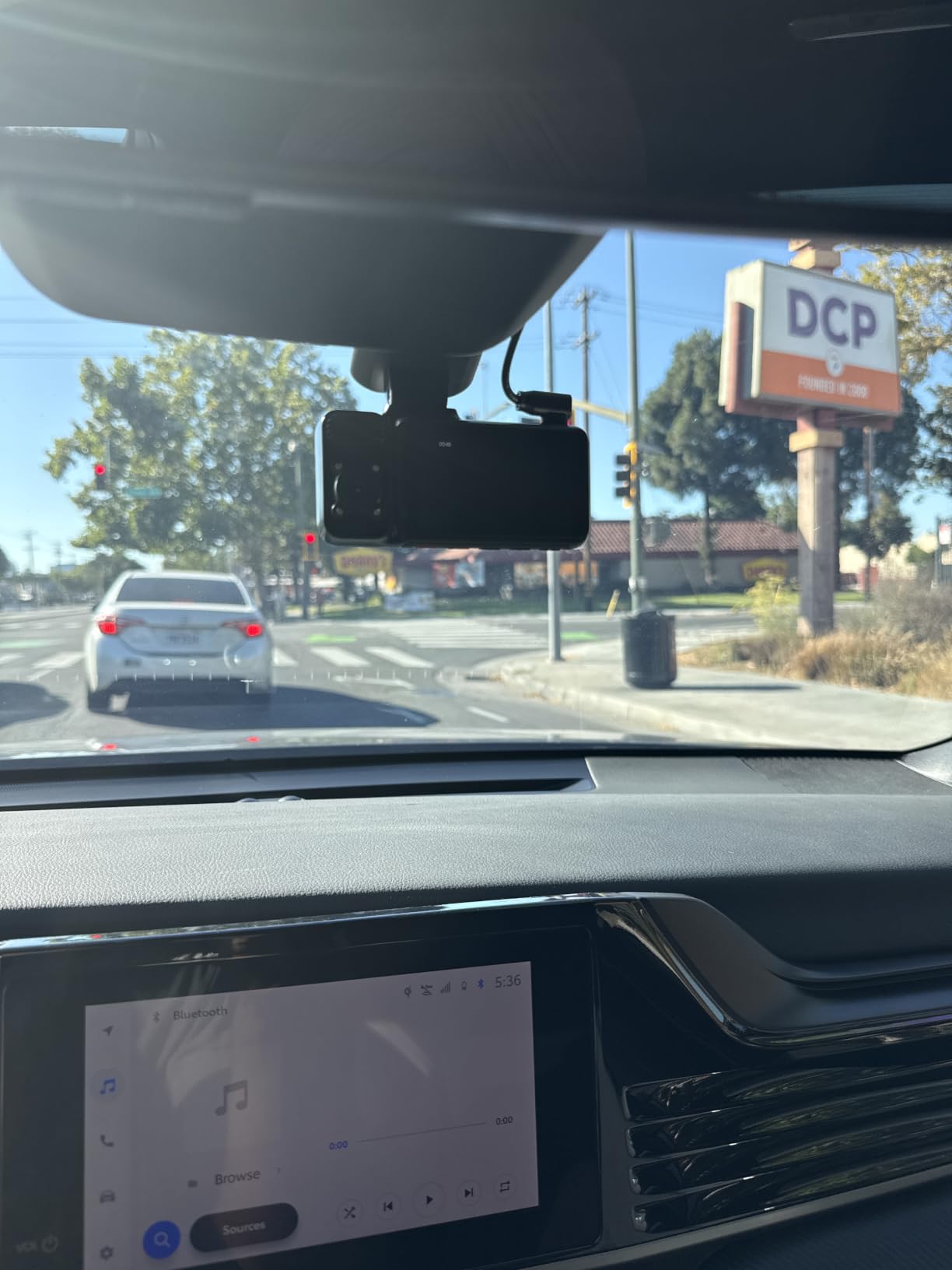
Two recording modes give you a real choice. You can run 2.5K front plus 1080P with the cabin channel active, or 4K front plus 1080P rear with the cabin channel switched off when you are on a private hire job where cabin recording is not something you want. A 64GB card is included, which removes the single most common reason new dash cams arrive unable to record.
Parking monitor supports time-lapse and collision detection, and the supercapacitor is rated for extreme temperature reliability, which matters if you park outdoors between shifts. There is a screen saver that turns the display off so it does not glow through the windscreen at night.
Why three-channel drivers buy it
A single device covering three angles removes the second camera, the second mounting problem and the second cable run. For a driver who wants evidence of the road, the cabin and the vehicle behind them, that consolidation is the whole argument, and the app supports simultaneous three-channel playback for review.
Owners also appreciate that the GPS stamps speed, date and route without covering the frame with a wall of text. Adjustable G-sensor sensitivity is a quiet but important feature: set too sensitive, every speed bump locks a file and you lose the clip you actually needed.
Where it falls short
The WiFi toggle is the repeated complaint. It is off at every power-up, so pairing the app is a multi-step process that also involves turning off phone Bluetooth for the hotspot connection. If you need to pull footage while parked between jobs, budget for that friction.
GPS logs location onto the video only. There is no remote tracking of the vehicle, so if the car is stolen you get the last footage on the card rather than a live feed. That is a real limit for anyone whose parking spot is not secure.
3. COOAU D30S – the best value front and inside setup
COOAU D30S 4K Dash Cam with GPS Wi-Fi, Front and Inside Dual 2.5K 1080P, Uber Car Camera with Infrared Night Vision, Supercapacitor, 4 IR LEDs, G-Sensor, Parking Mode, Loop Recording
2.5K front plus 1080P cabin simultaneously
Sony STARVIS 2 with f1.8 aperture
Cabin camera with 4 infrared LEDs
Pros
- Infrared cabin camera keeps faces visible in complete darkness
- Four IR LEDs give clean monochrome night footage rather than grainy colour
- Built-in GPS stamps route location and speed with no dongle
- App carries over between COOAU models if you upgrade later
- Tested from minus 4F to 158F with a 2 year warranty
Cons
- App logins expire and the WiFi connection drops during playback
- MicroSD card is not included and needs regular formatting
- Only a 1.5 inch screen
The D30S does the two things a rideshare driver actually needs, front road coverage and a cabin channel that works after dark, and it does them with a Sony STARVIS 2 sensor at f1.8. In single-lens mode it records 4K at 25fps across 170 degrees, and in dual mode it runs 2560×1440 in front at 30fps alongside a 1080p interior feed. That flexibility means you are not locked into one resolution setting.
The four infrared LEDs on the cabin camera are the feature that makes this worth the money. Most disputes that matter happen at night, and reviewers repeatedly describe the difference between identifiable faces with IR illumination and an unusable grey blur without it. If your shifts run past sunset, this is the single most valuable thing in the box.
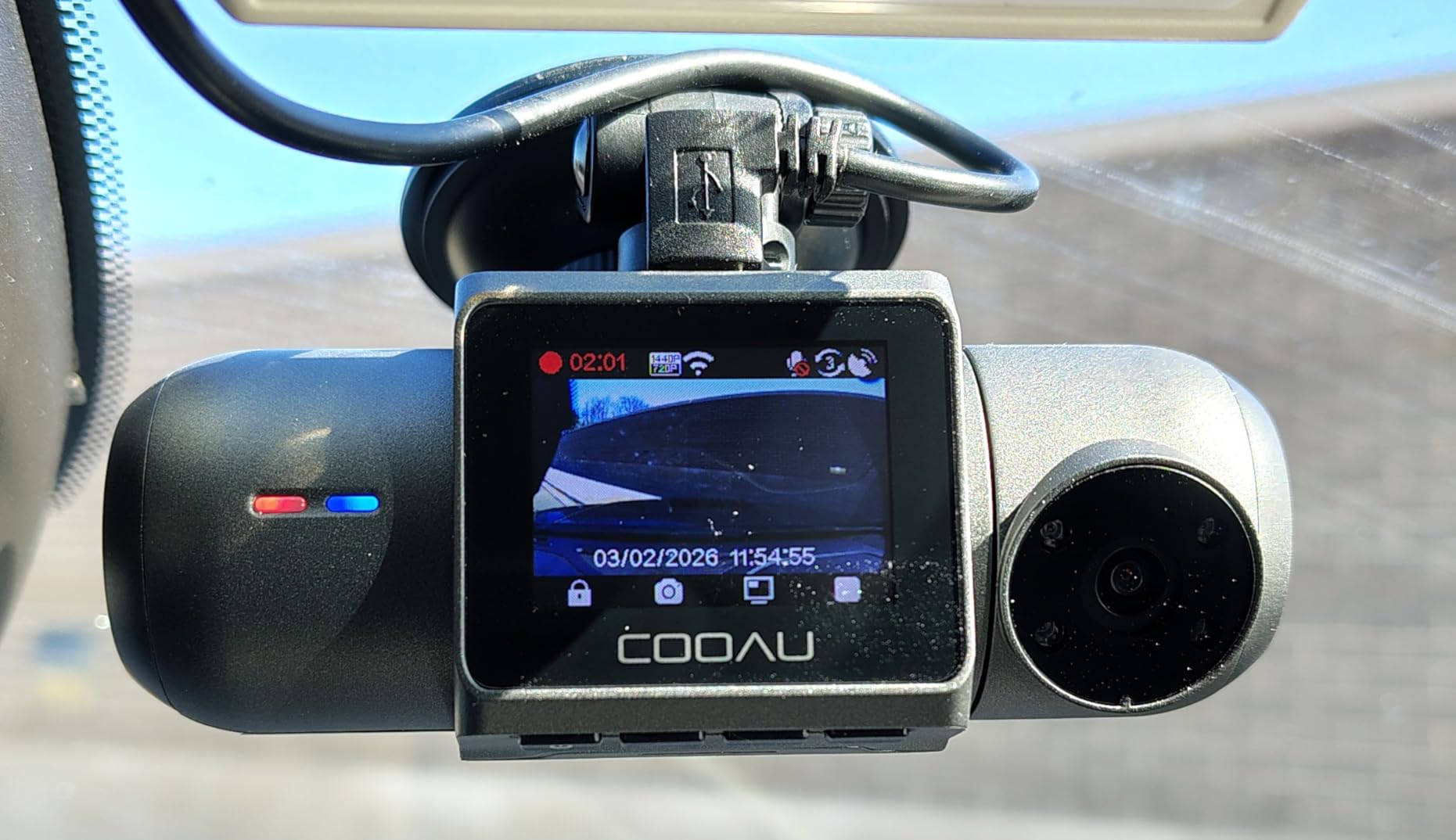
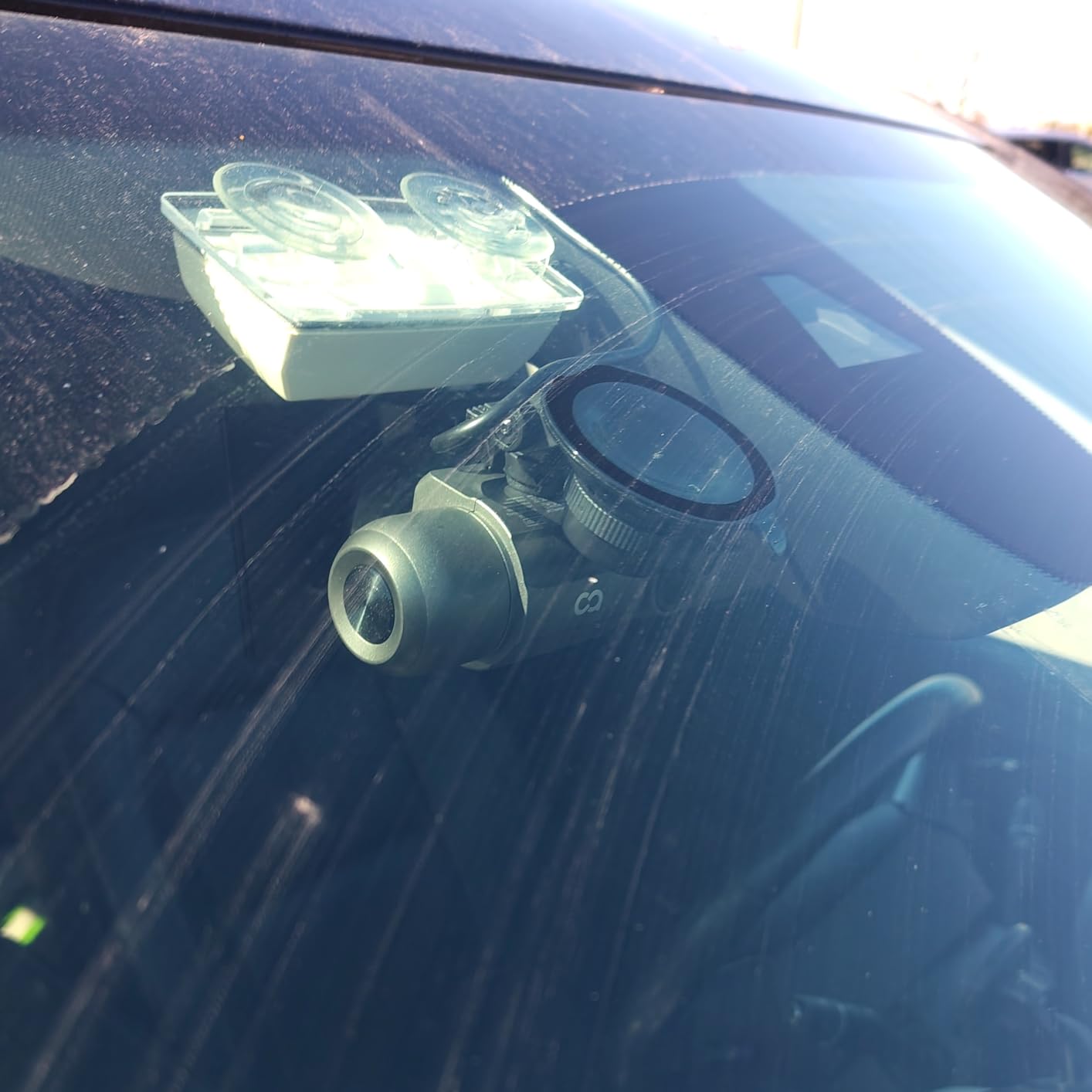
Built-in GPS stamps route, location and speed onto the clips, and there is no subscription attached to the COOAUDash app, which matters if you are reviewing footage several times a week. The suction cup mount is reported as holding firm in desert heat, a genuine consideration for drivers working long summer shifts.
Three parking monitoring modes are supported, covering collision detection, motion detection and time-lapse, each requiring a hardwire kit. The unit is tested from minus 4F to 158F and carries a two-year warranty, and if you later move to another model in the same range your existing power cable and app setup carry over.
Why value buyers pick it
The sensor and the infrared cabin lighting are the parts that usually get stripped to hit a price point, and here they are not stripped. For a driver whose main exposure is a passenger dispute rather than a motorway shunt, this configuration covers the risk that actually occurs most often.
GPS and the app with no subscription fee keep the running cost simple. You are not paying a monthly fee to review an incident clip at the end of a twelve-hour shift, which is the part of the running cost most drivers forget to check.
Where it falls short
The app is the weak point and the reviews are consistent about it. Logins expire and the camera frequently drops the WiFi connection during playback, which is frustrating at exactly the moment you need to pull a clip. A minority of owners also report reliability issues where minute-long clips around an incident go missing.
No microSD card is included and the card needs regular formatting to stay healthy, which is one more task on your list after a long shift. The 1.5 inch screen is also small enough that framing the cabin camera takes a couple of attempts.
4. Vantrue N2X – the one to run on night shifts
Vantrue N2X 2.7K Dash Cam Front and Inside, STARVIS 2 PlatePix Car Camera
1944p front plus 1080P cabin at 30fps
STARVIS 2 with HDR and 4 IR LEDs
45 degree rotatable cabin lens
Pros
- Tool-free magnetic mount that detaches with a slide
- STARVIS 2 front sensor reads plates clearly at short range
- Cabin IR night vision identifies passengers in the dark
- Buffered recording captures 15 seconds before an impact
- Discreet enough to sit under the rear view mirror
Cons
- App WiFi drops during video downloads
- Needs a 12V DC source so a USB port will not power it
- Draws noticeable power and runs hot in direct sun
The N2X records the front and inside channels together at 1944p plus 1080p at 30fps, and the front camera also runs 1440p at 60fps if you want smoother footage of fast traffic. The front lens covers 158 degrees and the interior lens 165 degrees, with a 45 degree rotatable cabin mount so you can aim the camera at the rear bench rather than at the roof.
Night performance is the reason to choose it. A STARVIS 2 front sensor at f1.8 with dual HDR, plus four infrared LEDs on the cabin camera, means the interior is legible without relying on street lighting. In the threads on r/uberdrivers, Vantrue dual-lens models are the names that come up most often when drivers describe what they actually run, and the N2X is the current version of that idea with a magnetic mount.
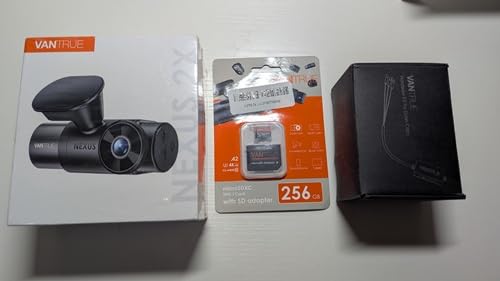
Built-in GPS logs time, date, location, speed and mileage reports, which is useful if you want to evidence working hours. Four parking modes are available with 15 seconds of pre-recording and customisable motion zones, so an impact is captured with the run-up rather than just the moment of contact. Voice control is multilingual, and there is an optional add-on emergency button.
The magnetic mount is the part you will notice every day. It detaches with a slide rather than a clip, so taking the camera in at the end of a shift takes seconds. Note that it is not compatible with PD fast chargers, and the unit needs a proper 12V DC source rather than a USB port.
Why night and airport drivers pick it
Airport runs and evening shifts are where the infrared cabin camera earns its place, and the rotatable cabin lens lets you tune the aim for a specific vehicle. The buffered pre-recording is the other quiet win: incidents get the seconds before impact, which is often where the actual story is visible.
Plate readability on the front channel is consistently reported as strong within about a car length, which is the range that matters when a vehicle stops in front of you at traffic lights.
Where it falls short
Power draw is the recurring theme in the reviews. Owners report the camera running hot in direct sun and drawing noticeably more current than the smaller units in this list, and without the hardwire kit it no longer powers after ignition off. That is fine for driving coverage but it means parking mode is not available out of the box.
The app connection dropping during downloads comes up repeatedly, and a few detailed reviews describe an unresolved failure of the optional cellular module. If remote live view is something you want, check that add-on carefully before committing.
5. Yansoo dual 1080P – the cheapest way to get two channels
Dual Dash Cam Front and Inside, 1080P Car Camera with Infrared Night Vision
1080P front and inside at 30fps
4 infrared LEDs with f1.8 aperture
2 inch LCD with playback
Pros
- Lowest entry point of any dual front and inside unit here
- Both channels record full 1080P rather than dropping the interior feed
- Simple suction cup install that auto-starts on ignition
- Brand support resolves firmware and setup issues quickly
Cons
- No built-in WiFi or app so footage must be pulled from the card
- MicroSD not included and capped at 64GB
- Suction mount can release when temperatures change
- Night video is noticeably softer than higher priced models
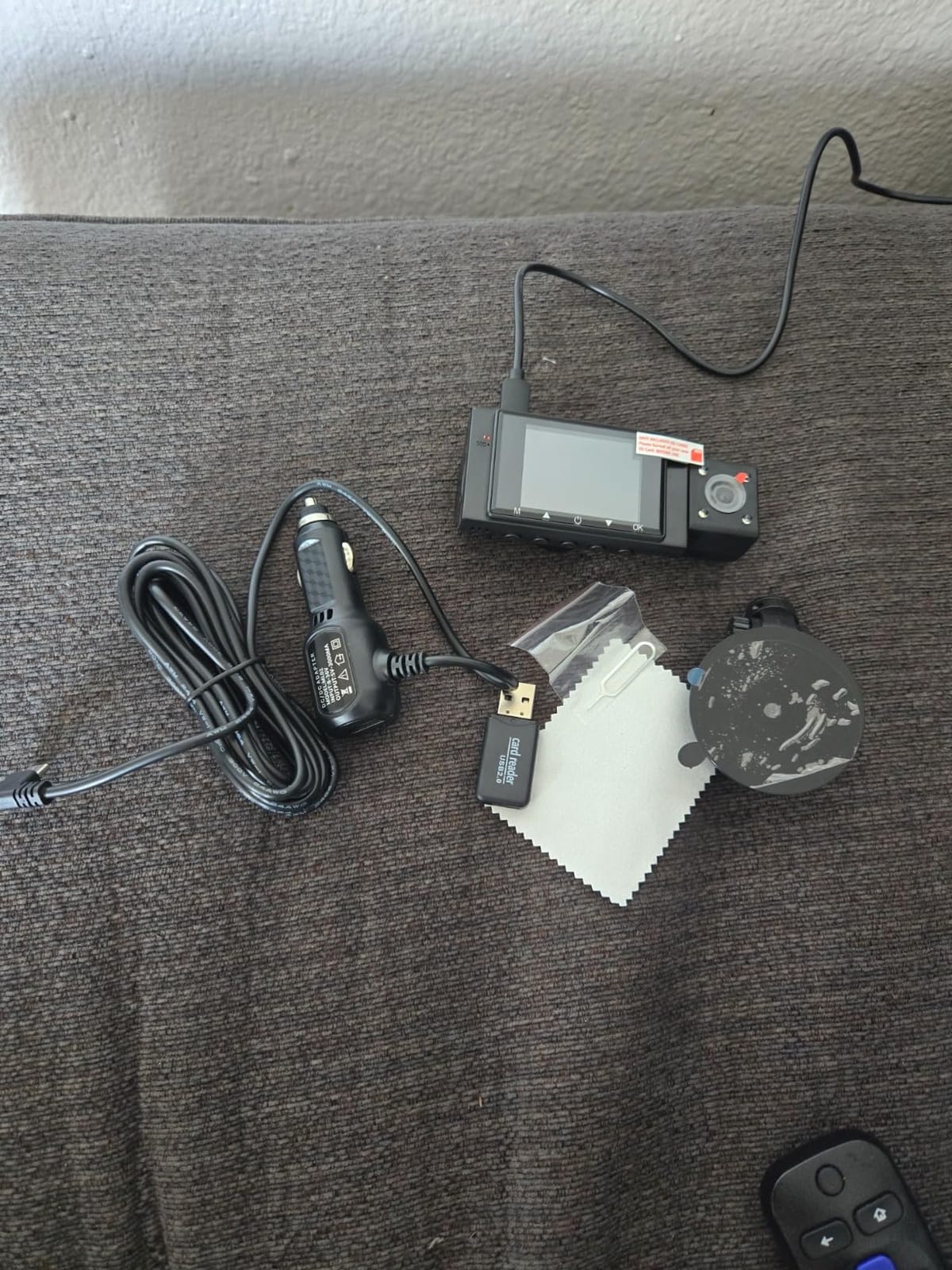
Sometimes the right question is how little it costs to stop being exposed. This Yansoo unit records 1920×1080 at 30fps on both the front and inside channels simultaneously, covering 170 degrees at the front and 140 degrees in the cabin. Critically, it does not downgrade the interior feed to make room for the front one, which is where cheaper dual-channel kits usually cut corners.
Four infrared LED fill lights sit behind an f1.8 aperture with WDR, so the cabin channel produces a usable monochrome image after dark even though it is softer than the sensors in the mid and upper tiers. For a driver who mainly needs to show that a passenger was not mistreated, and to show what a missing item did or did not look like, softness is a reasonable trade.
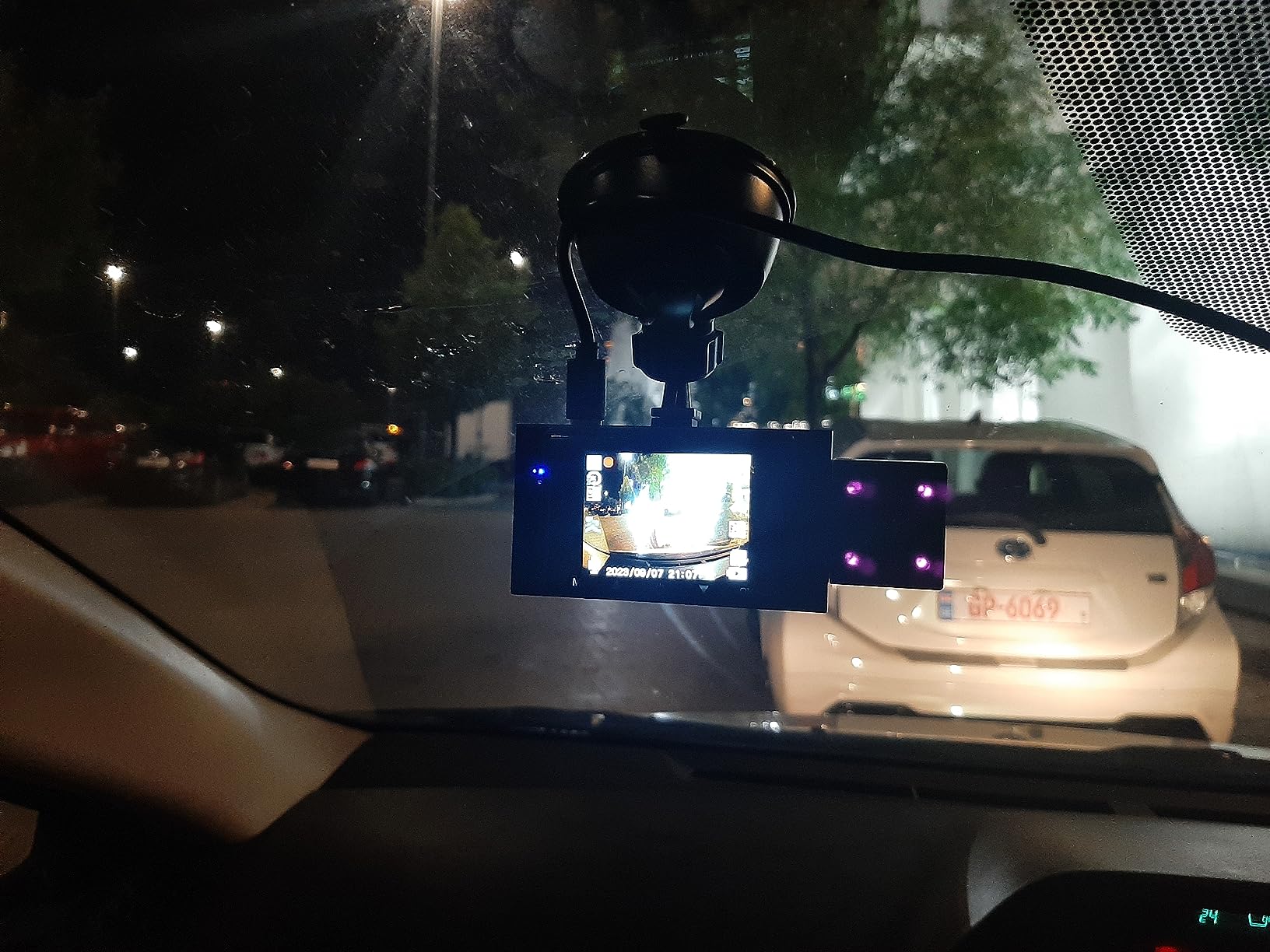
There is a 2 inch LCD for live view and playback on the unit itself, which is more than some pricier rivals offer. The G-sensor locks a clip on impact, loop recording deletes the oldest video automatically, and a 24-hour parking monitor records 30 seconds when it detects an impact after power-off. Power comes from the cigarette lighter socket and recording starts with the ignition.
Owners generally accept the softness and the mount as fair trade-offs, and several mention that support resolved firmware and setup problems quickly. One unit is reported to have failed after seven months, so treat it as a first season rather than a five-year investment.
Who it suits
Part-time drivers, weekend-only shifts and anyone who wants both channels recording without dealing with apps, accounts or card formatting schedules. Because the unit has no WiFi, there is no app to log into at the end of a shift, which removes a whole category of friction for drivers who find phone connectivity tiring.
It is also a reasonable backup unit for a shared family car where you want in-cabin coverage for the school run without committing to a more complex install.
Where it falls short
No WiFi means every clip comes off the microSD card by hand. If you plan to file safety reports from your phone, you are doing that with a card reader every time, and a failed card means no footage at all.
The 64GB cap limits how far back your loop recording reaches, and the suction cup is reported to release when temperatures swing, which is exactly the condition of a car parked in the sun between shifts. Night clarity is the weakest in this group, so night-only drivers should step up a tier.
6. REDTIGER F7NP – 4K front and rear with a card included
REDTIGER F7NP 4K Dash Cam Front Rear, STARVIS 2 Sensor, Free Card Included
4K front plus 1080P rear at 170 and 140 degrees
STARVIS 2 sensor with f1.5 aperture
Built-in GPS and 5.8GHz WiFi
Pros
- Largest review base of any unit here with more than 25000 ratings
- 4K front channel with STARVIS 2 and WDR night handling
- Built-in 5.8GHz WiFi with up to 20MB per second transfers
- 128GB memory card included in the box
- Supercapacitor design tolerates heat better than a lithium battery
Cons
- Rear channel is 1080P while the front is 4K
- Parking mode needs a hardwire kit sold separately
- No cabin channel so passenger disputes are not covered
The F7NP has the deepest well of owner feedback in this group, and that matters for a work tool. With a 170 degree front lens and a 140 degree rear lens recording simultaneously at 4K and 1080P, plus a STARVIS 2 sensor behind an f1.5 aperture with WDR, the hardware list is strong for a unit aimed at mainstream drivers rather than enthusiasts.
Night-time clarity from the STARVIS 2 sensor is the most repeated praise in the reviews, alongside how fast the 5.8GHz WiFi moves files to the phone at up to 20MB per second. The built-in GPS adds route, speed and location to the clip, and the app handles playback and sharing. A 128GB card is in the box, which is a meaningful saving over buying one separately.
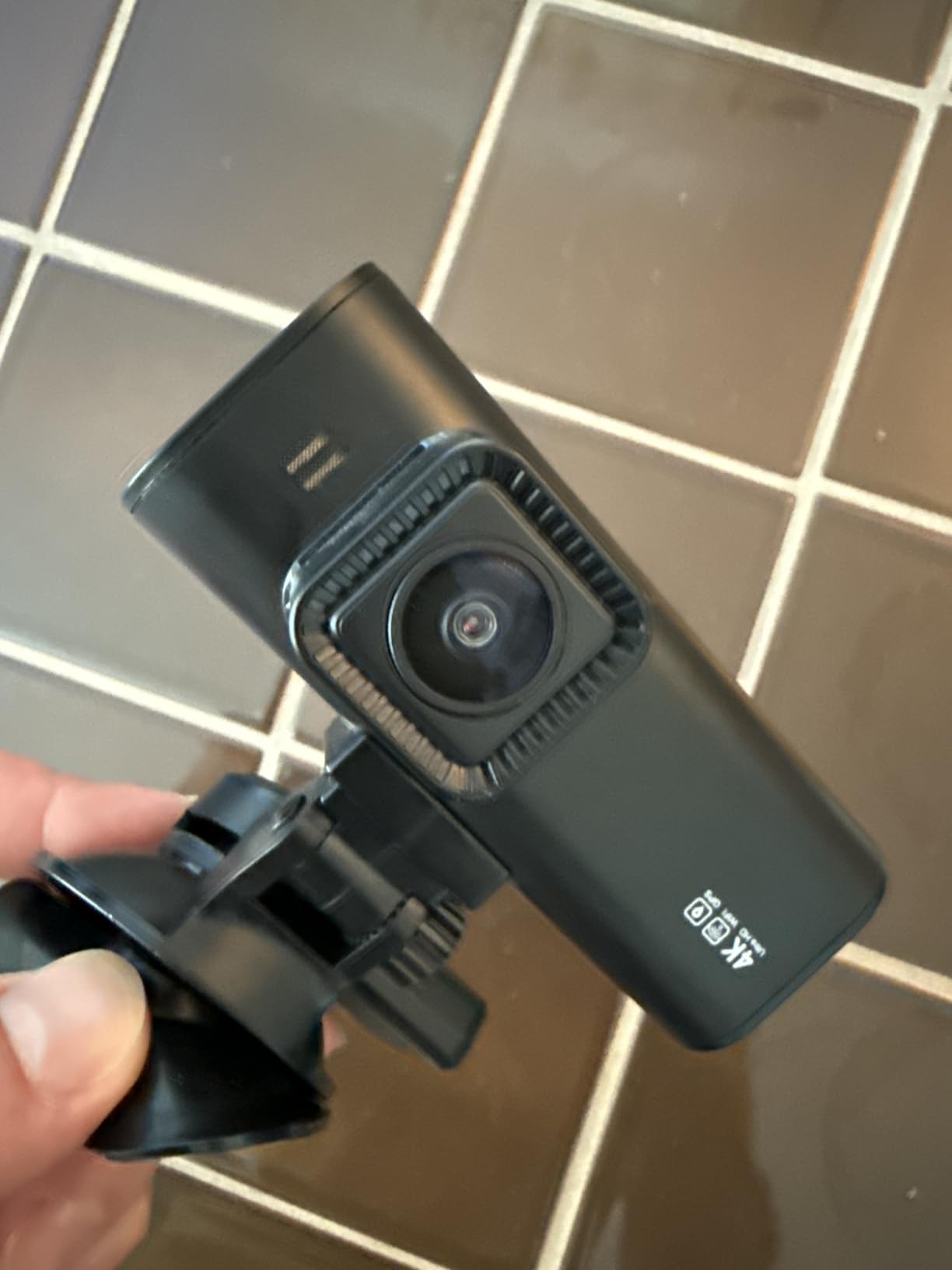
The supercapacitor instead of a lithium battery is the detail that suits shift work. Capacitors survive repeated heat cycling in a parked car far better than small internal batteries, and this is the design choice that most reduces long-term failure risk for a device left in a windscreen all day.
Continuous loop recording with G-sensor event locking protects an incident clip from being overwritten, and 24/7 parking mode with time-lapse and collision detection is available once a hardwire kit is fitted. Cards are supported up to 512GB, and the warranty runs 18 months from purchase.
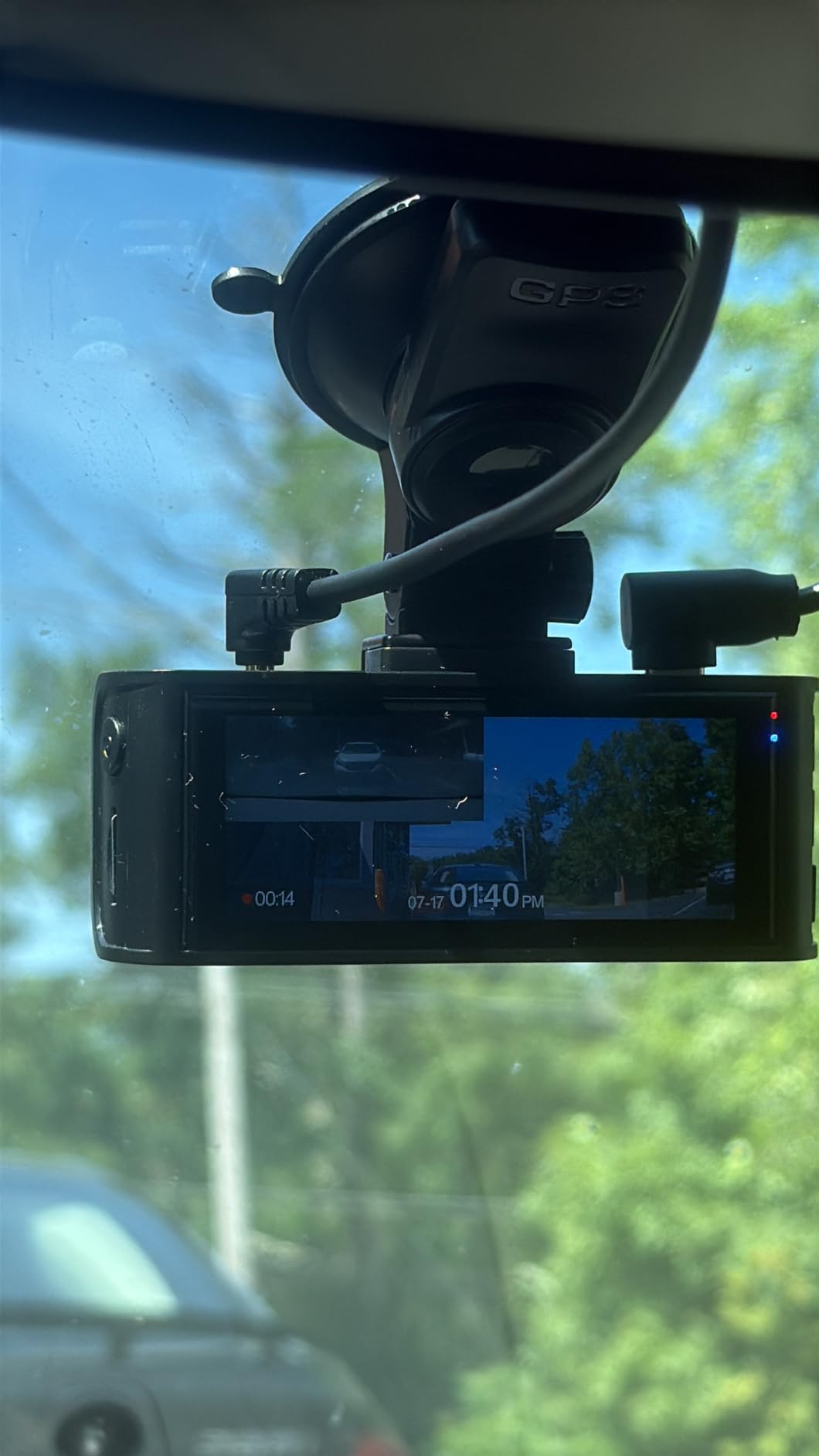
Why it suits road-focused drivers
If your risk is on the road rather than in the cabin, this is the strongest combination of front resolution and owner history in the group. A huge review base also means the failure modes are well documented, so you are not discovering problems at 2am between pickups.
It is worth pairing with our 4K dash cam guide if your priority is front-channel detail, since the upscaling question matters more here than in cheaper units.
Where it falls short
There is no cabin camera. If a passenger disputes what happened in the car, this unit simply cannot help, and that is the most common reason rideshare drivers move to a front-and-inside or three-channel setup.
The rear channel being 1080P while the front is 4K means an uneven record, and the hardwire kit for parking mode is a separate purchase. The most common caveat in the reviews is exactly that: parking mode will not function without the added kit.
7. COOAU dual 2.5K – budget front and inside with infrared cabin
COOAU Dual Dash Cam 2.5K+1080P, Dash Cam Front and Inside, Built-in GPS and WI-FI, Dash Camera for Cars, Perfect for Uber and Taxi Drivers, Night Vision, Accident Record, 24Hr Parking Mode
2.5K front plus 1080P inside at 30fps
4 IR lights and f1.8 on cabin camera
Built-in GPS logging speed and route
Pros
- Two channel 2.5K front and 1080P inside recording in one unit
- Four IR lights keep the interior visible after dark
- Built-in GPS logs speed in km/h or mph plus route
- Compact 1.5 inch body that does not block the driver's view
- Two year warranty with 30 day returns
Cons
- MicroSD card is not included
- App connection disables Android Auto or CarPlay while linked
- Hardwire kit sold separately for parking mode
This COOAU dual 2.5K unit covers the two channels that matter most for passenger disputes at a modest entry point. The front camera records 2560×1440 at 30fps across 170 degrees, which is enough to cover six to eight lanes at a junction, and the interior camera runs 1080P at 150 degrees with four IR lights behind an f1.8 aperture and a switchable night mode.
Built-in GPS records speed in km/h or mph along with route and location, so the file you hand to a support team or an insurer carries the context it needs. The COOAUDash app works over built-in WiFi and lets you review footage without pulling the card, which is the main practical difference between this and the cheapest unit in the list.
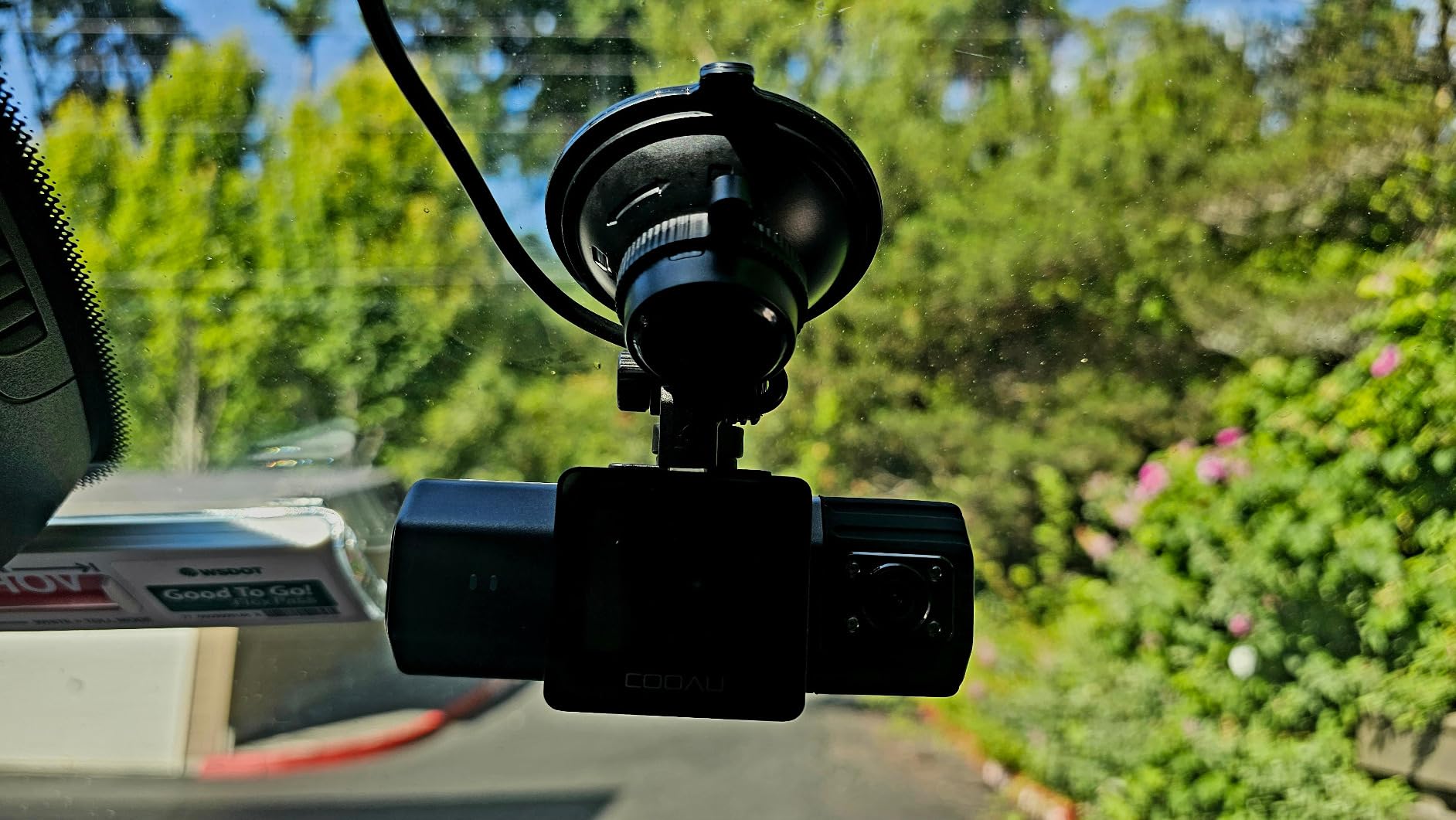
The front lens is a six-glass f1.8 with WDR for balanced exposure, and the body is small enough at 1.5 inch that it does not sit in your sightline. The supercapacitor is rated from minus 4F to 158F, and the warranty runs two years with a two-year manufacturer cover behind it.
Parking monitor includes collision and motion detection with an adjustable G-sensor lock, but it needs a wired hardwire kit. Loop recording supports a Class 10 or higher card up to 256GB, and the card is not included, so plan for that as part of the running cost.
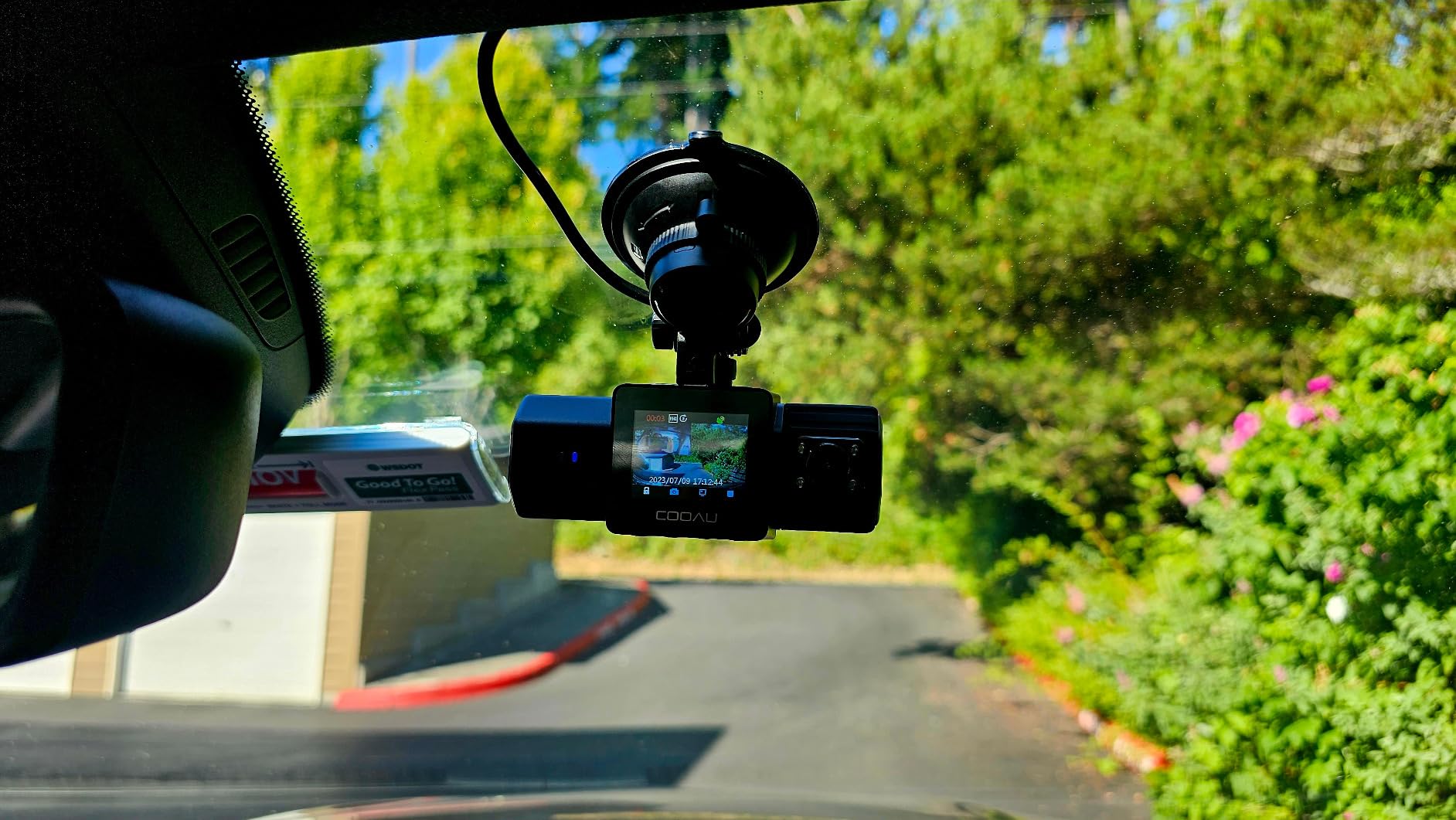
Why budget drivers pick it
The combination of 2.5K front resolution and an infrared cabin channel at this price is unusual, and reviewers consistently highlight the IR night view and the built-in GPS as the standouts. For a driver adding a second car to the earning fleet, this is a defensible first unit.
Because the card is read over WiFi rather than removed, you can check a clip while waiting at a pickup without unscrewing anything, which is a real convenience on a long shift.
Where it falls short
The recurring complaint is one you should know before buying: while the app is connected to the camera, your phone cannot use Android Auto or CarPlay. If you navigate by phone rather than by built-in car navigation, that is a meaningful conflict during every shift.
No card is included, and parking mode needs a separate hardwire kit. The 150 degree interior angle is also slightly narrower than some rivals, so check it covers the full rear bench in your vehicle.
8. VIOFO A229 Pro – true 4K front capture for evidence work
VIOFO A229 Pro 4K HDR Dash Cam Front and Rear, Dual STARVIS 2 Sensors
True 4K front IMX678 and 2K rear IMX675
HDR on both channels, Night Vision 2.0
Quad-mode GPS and 12 voice commands
Pros
- Only unit here with genuine native 4K front resolution
- Two STARVIS 2 sensors give matched quality front and rear
- HDR on both channels for plate reading after dark
- Voice control so you never touch the device while driving
- Pre-installed CPL filter cuts windshield reflections from day one
Cons
- No memory card and no hardwire kit included
- Front field of view of 140 degrees is narrower than most rivals
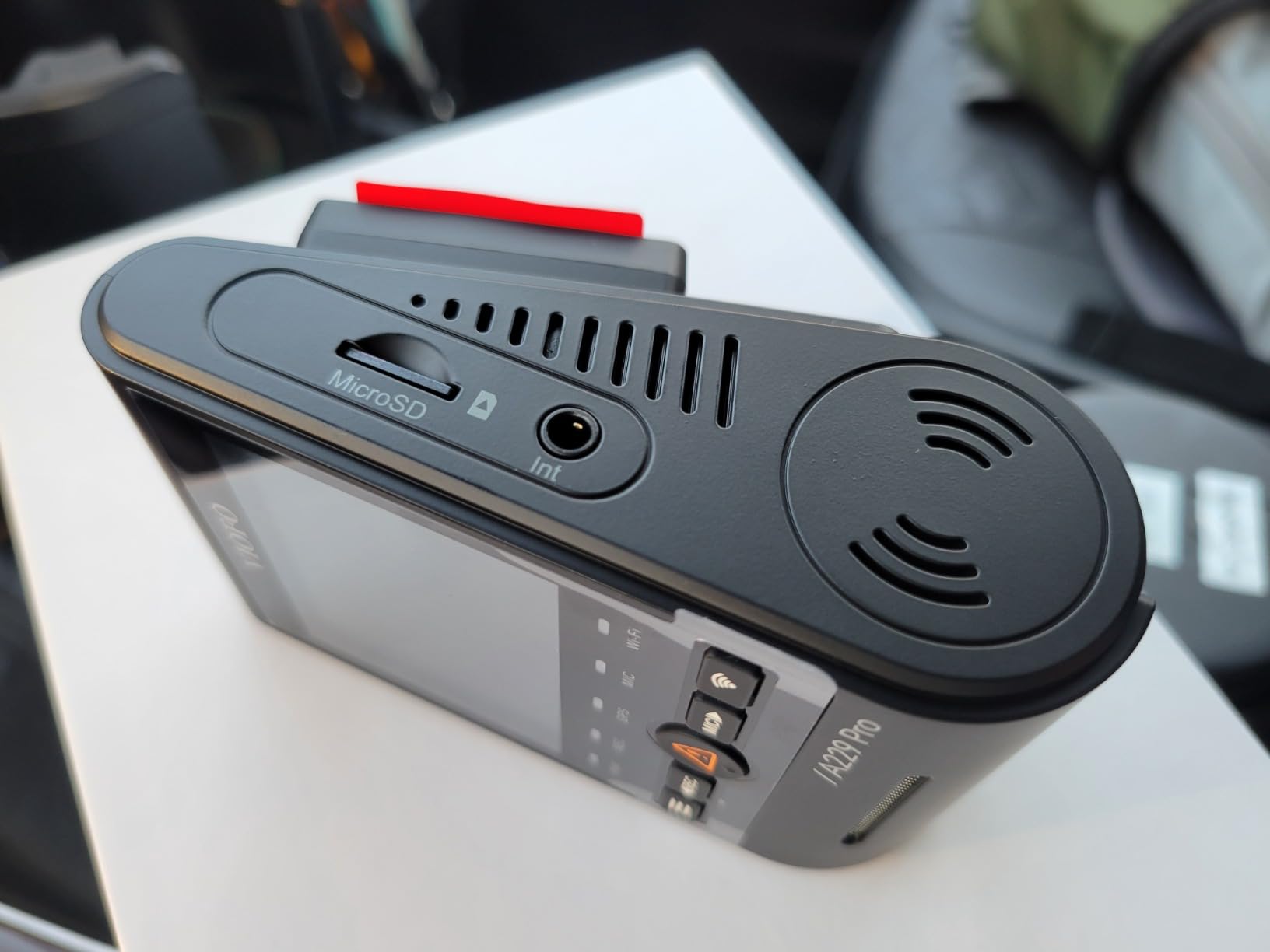
The A229 Pro is the only camera in this group that records genuine native 4K at the front, using an IMX678 sensor, with an IMX675 behind the rear lens at 2K. That pairing matters for anyone whose disputes are about reading a plate rather than about a general sense of what happened. Sentiment in the reviews centres on image quality, with the front channel consistently described as sharp and the HDR handling as effective for plate recognition.
Both channels run HDR, marketed as Night Vision 2.0, and a quad-mode GPS module covers GPS, BEIDOU, GALILEO and GLONASS, stamping route, speed and timestamp onto the footage. Twelve voice commands let you lock a clip, take a photo or switch channels without touching the device, which is genuinely useful at a pickup window.
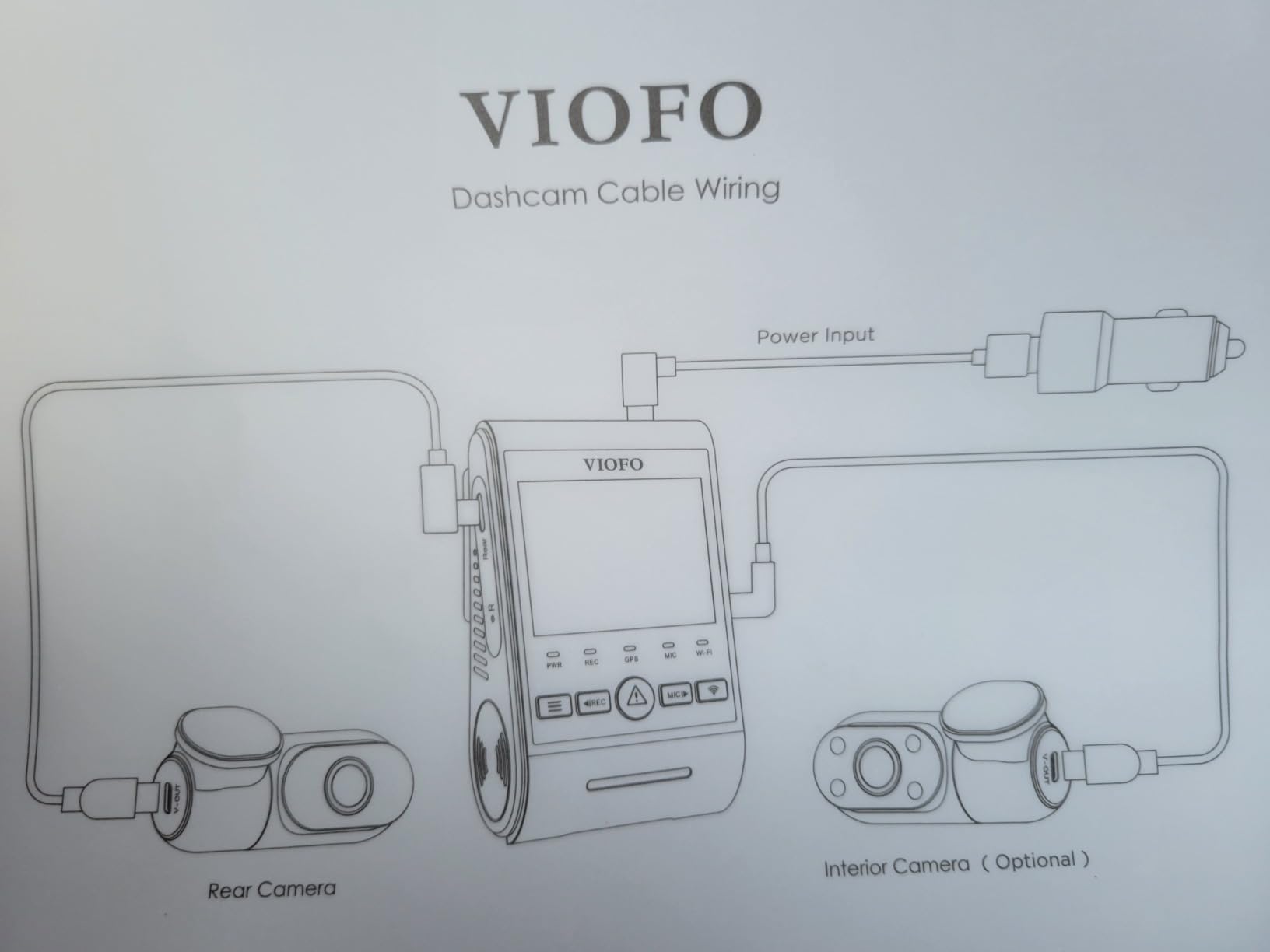
Two practical details make this easier to live with than the specification list suggests. A CPL anti-glare filter is already fitted to the front lens, so you avoid the usual first-week problem of reflected dashboard glare at night, and a 6 metre rear cable is included, with 8 and 10 metre lengths optional for larger vehicles.
Buffered parking mode stores 15 seconds before and 30 seconds after an event, alongside auto event detection, low bitrate and time-lapse modes. The supercapacitor is rated from 5F to 149F, cards are supported up to 512GB, and the warranty is 18 months with a further six months on registration.
Why evidence-focused drivers buy it
Native 4K front capture is the argument. If your work involves reporting a collision to an insurer with a licence plate visible from a following position, resolution headroom is worth more than a wider field of view, and the front and rear channels here are matched in sensor tier rather than mismatched.
The voice control and the pre-fitted CPL filter are quality-of-life details that compound across a full driving week. The community-maintained guide on DashCamTalk ranks cameras by use case such as licence plate capture rather than a single flat list, and this is the pick in our set that sits at the top of that category.
Where it falls short
Nothing is included in the box beyond the cameras and cable. You need a high-endurance microSD and a hardwire kit for parking mode, so the real total cost is meaningfully above the sticker number. That is the most discussed drawback in the reviews.
The 140 degree front field of view is the narrowest here, and there is no cabin camera, so a passenger dispute is outside what this unit can address. Drivers covering both road risk and cabin risk in one device should look at a three-channel unit instead.
Do You Need 2 Channels or 3?
Two channels is the right answer for most full-time rideshare drivers, as long as you pick front and inside. That pairing covers the two situations that generate almost all disputes: a road incident ahead of you, and a disagreement with a passenger behind you. Everything else is a bonus.
Three channels adds a rear camera, and it is worth it in two specific situations. If you spend your nights on roads with poor street lighting and want a record of a vehicle that hits you and drives away, the rear channel is what turns a he-said-she-said into evidence. And if you carry family members or share the car, full three-angle coverage means one device records everyone without a second install.
Skip three channels if your priority is sharper front footage and you work urban daytime shifts. Splitting recording capacity across three feeds usually means a lower resolution per channel, and the trade is only worth making when you genuinely need all three views.
A related point that catches people out: some multi-channel kits record front and rear but not the cabin, and still market themselves as dual channel. Always check the channel description, not the word dual. Our general dash cam buying guide breaks down the naming conventions across brands.
Five Specs That Actually Matter for Rideshare Driving
Infrared cabin illumination comes first. Without IR LEDs, a cabin camera at night produces a grainy image where faces are unreadable, and the disputes that matter most tend to happen on late shifts. Four LEDs is the practical minimum worth paying for, and every front-and-inside pick in this list has them.
Sensor tier is second. A Sony STARVIS 2 sensor, whether the IMX675 or the IMX678, handles low light far better than a typical sensor at the same nominal resolution. It is the reason a 2.5K STARVIS 2 cabin feed can outperform a nominal 4K feed from a cheaper sensor, and it is the single spec that separates good night footage from unusable night footage.
Third, the evidence stamp. A clip carrying date, time, speed and location can be attached to a claim or a safety report and treated as fact. A clip without them requires somebody to vouch for when and where it was taken, which is exactly the argument you do not want to have.
Fourth, field of view. Anything under about 150 degrees at the front will not cover a wide junction cleanly, and the cabin channel should cover the full rear bench. Fifth, the power source. A 12V DC connection with a hardwire kit and low-voltage protection is what enables parking mode, and low-voltage cutoff is the feature that stops a long shift from flattening your car battery.
Parking Mode, Hardwire Kits and Car Battery Drain
Every unit in this list that supports parking mode needs a hardwire kit, and not one of them includes one. That is the most common surprise for new rideshare drivers, and it is worth budgeting for before the first shift rather than after a clip fails to record overnight.
The drain question comes down to one thing: how long the car sits. A multi-channel setup writing continuously to a card draws more current than a single-channel one, and that current adds up across a full shift followed by hours parked. The mitigation is the low-voltage protection built into a decent hardwire kit, which cuts power at a set threshold so the vehicle battery is preserved even if the cam keeps running.
Two further options are worth knowing about. Some drivers add a small external battery pack so parking monitoring draws from that instead of the car, which removes the drain question entirely for anyone parking on the street for long periods. Others simply accept a shorter parking mode window and rely on G-sensor collision clips, which record a short burst after impact rather than running continuously.
If you are choosing on this basis alone, pick a kit with an adjustable low-voltage cutoff and a proper fuse, and set the cutoff to suit your battery. A dashboard light or a screen that stays on in parking mode tells you the wiring is drawing standby current you did not intend.
Installing It So Your Car Still Looks Like a Normal Car
One of the strongest complaints in driver forums is cosmetic rather than technical: a car full of visible wiring looks like a fleet vehicle, and some drivers report losing rides because the interior camera is obvious the moment a passenger gets in. Planning the cable route before you mount anything solves most of it.
Run the rear cable along the headliner and down the A-pillar trim, never along a window edge, and tuck it behind the rubber weather strip at the door. Clip it every 20 to 30 centimetres so it cannot move, then push the pillar trim back into place with a plastic pry tool. Ten minutes of careful work makes the cable effectively invisible from the passenger seat.
For the cabin camera, mount it on the windscreen just below the rear view mirror rather than on the headliner, so you can adjust the aim in seconds. The 45 degree rotatable cabin lens on the N2X and the swivel bodies on the COOAU models exist for exactly this reason: the best interior angle differs between a saloon and a minivan.
Finally, format the card in the camera before you rely on it, set the date and time correctly through the app so the evidence stamp is right, and then drive a short loop to confirm all channels record before you start paying passengers. A timestamp two hours out is the kind of detail that gets an otherwise solid clip dismissed.
Rider Privacy, Consent and What Safety Teams Accept
Rider consent is a real operational issue, not a legal footnote. A thread on r/uberdrivers carries a title that captures the problem plainly: a driver asking for help because passengers keep refusing rides because of the interior camera. A camera mounted prominently in the cabin reads as surveillance to some riders, and that costs you income before any footage is ever used.
The practical approach is to make the cabin camera small, tidy and easy to explain, and to mention it in your greeting when a passenger gets in. Most discomfort disappears once people know they are on camera and why. Rules on interior recording vary by state and city, and platform policies differ, so check the guidance that applies to where you drive rather than relying on general advice.
For the footage itself, what support teams and insurers can act on is the same list in every case: the clip, the date and time, the speed reading, the location, and an unbroken account of what happened before and after. That is why the buffered pre-recording on the VIOFO and Vantrue matters, and why the GPS modules on the ROVE, REDTIGER and COOAU units are worth having.
On storage, use a high-endurance card rated for continuous multi-channel recording and format it monthly. Silent card failure is the most common way drivers lose the exact clip they needed, and it tends to show up as a gap in the timeline after the event rather than as an error message at the time.
Frequently Asked Questions
What dash cam do most Uber drivers use?
Most drivers in the r/uberdrivers threads we found run a front-and-inside dual-lens unit, with Vantrue models the names mentioned most often. The Vantrue N2X is the current pick in that group, and the COOAU D30S covers the same front and cabin layout with infrared night lighting at a lower tier.
Is a dual dash cam worth it?
Yes, for rideshare work, because a single-channel camera cannot show what happened inside the car. A front-and-inside pair covers a road incident and a passenger dispute with one device, which is where nearly all the disputes that reach support originate.
What is the best dual channel dash cam?
The ROVE R2-4K is the strongest all-round dual channel unit here, with a 4.5 average across more than 14000 reviews, a STARVIS 2 sensor and built-in GPS stamping. If the second channel must be the cabin rather than the rear window, the COOAU D30S and Vantrue N2X are the picks.
Which camera is best for Uber drivers?
It depends on where your risk sits. Night and passenger disputes favour the Vantrue N2X and COOAU D30S for their infrared cabin lighting, while road incidents and plate reading favour the ROVE R2-4K and the VIOFO A229 Pro for their front channel detail.
What dash cam is TfL approved for Uber?
There is no widely published list of TfL-approved dash cam models, so treat approval claims as marketing. What does matter in London is your licensing obligations and the platform rules for recording inside a hired vehicle, so check current guidance for where you drive before fitting an interior camera.
Will a dash cam drain my car battery?
A hardwired multi-channel setup draws continuous current, so the protection comes from the kit rather than the camera. Choose a hardwire kit with an adjustable low-voltage cutoff, or add an external battery pack if you park on the street for long periods between shifts.
What SD card does a dash cam need for 24 hour recording?
Use a high-endurance card rated for continuous multi-channel recording, and match its capacity to how many channels you run. Format it in the camera every month, because silent card failure is the most common reason drivers lose the exact clip they needed.
The Best Dual Dash Cam for Rideshare Drivers in 2026
After working through eight dual and multi-channel units, the ROVE R2-4K is our pick for the best dual dash cams for rideshare drivers overall. It has the highest average rating in the group, a very large body of owner feedback, built-in GPS that stamps route and speed onto the clip, and a bright screen that makes setting the camera up correctly a two-minute job.
If your risk is in the cabin, take the Vantrue N2X on night shifts or the COOAU D30S for value; both put infrared lighting where it matters. If you want the road, the cabin and the vehicle behind you in one device on one card, the REDTIGER F17 is the only unit here that does it. If your disputes are about reading a licence plate, the VIOFO A229 Pro is the one with genuine native 4K at the front.
Whatever you choose, add a hardwire kit with a low-voltage cutoff, buy a high-endurance card, and mount the cabin camera so it looks like part of the car rather than surveillance equipment. That last point costs nothing and it is the difference between a camera riders accept and one they cancel the ride over. Our 2026 testing covered the eight units above, and every recommendation here carries a drawback we would want to know about before buying.