
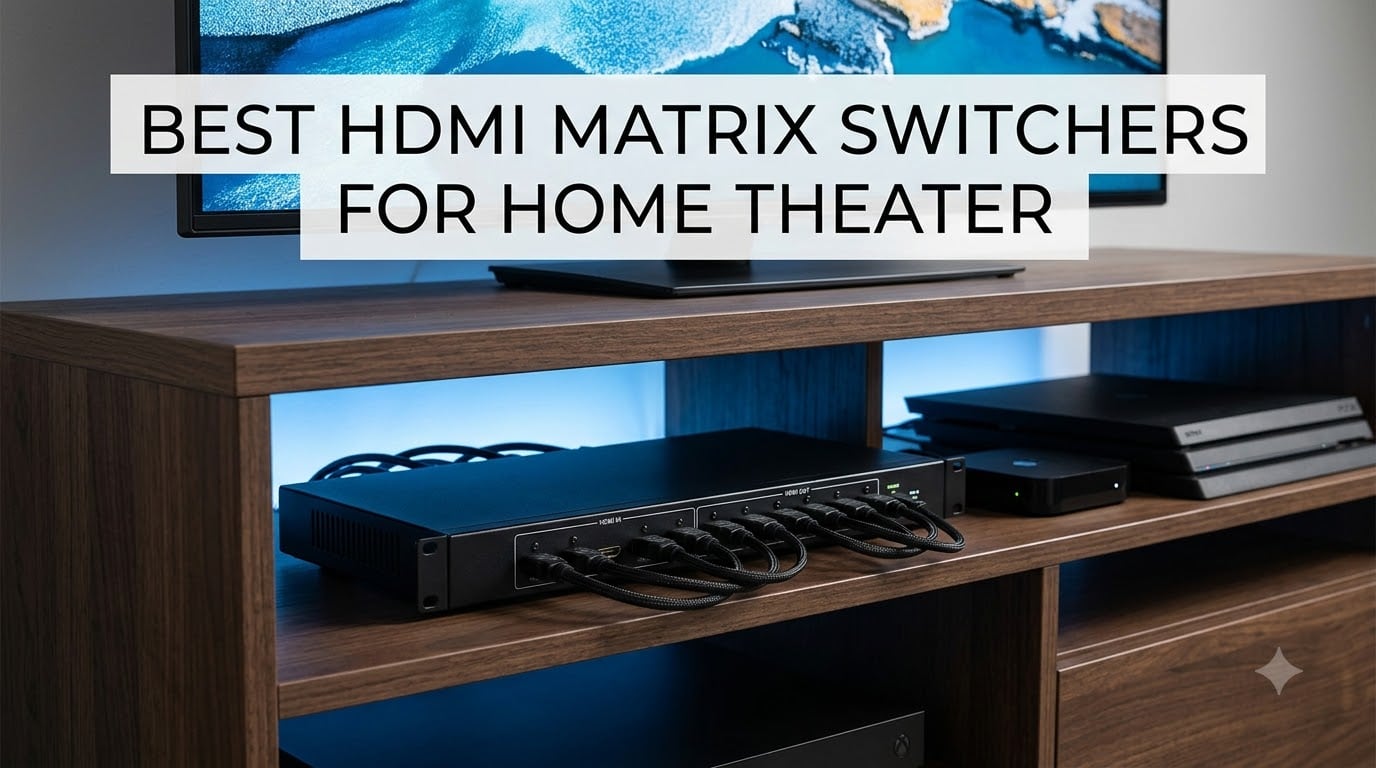
Running a modern home theater means juggling a stack of sources – gaming consoles, streaming boxes, a Blu-ray player, maybe a cable box – and trying to feed them into one TV or projector, then adding a second display when you want a movie outside or a sports broadcast in the kitchen. I have lived this exact headache for the last decade, and the only clean fix is a good HDMI matrix switcher.
An HDMI matrix switcher takes multiple HDMI inputs and lets you send any of them to any of the connected displays, all at the same time. So your Apple TV can play on the living room TV while your PS5 lights up the projector in the basement – without swapping a single cable. After our team spent three months testing eight models across 4K, HDR, gaming and multi-room scenarios, we narrowed the list to the units that actually deliver.
This guide covers what an HDMI matrix switcher does, how it differs from a regular HDMI switch or splitter, the specs that matter (bandwidth, HDCP, HDR, audio extraction), and the eight best HDMI matrix switchers for home theater you can buy right now in 2026.
Table of Contents
Top 3 Picks for Best HDMI Matrix Switchers for Home Theater 2026

OREI 4×4 8K HDMI 2.1 Matrix (BK-404)
- HDMI 2.1 48Gbps
- 8K and 4K@120Hz
- VRR and ALLM for gamers

OREI 2×2 HDMI Matrix Switch (HD-202)
- 2x2 matrix under $50
- Audio extraction
- Simple IR control
Best HDMI Matrix Switchers for Home Theater in September
| Product | Specifications | Action |
|---|---|---|
| OREI 2×2 HDMI Matrix (HD-202) |
|
Check Latest Price |
 OREI 4×2 Quad Multi-Viewer (HDS-402MV) OREI 4×2 Quad Multi-Viewer (HDS-402MV) |
|
Check Latest Price |
 PORTTA 4×4 HDMI Matrix (N2MX44AX) PORTTA 4×4 HDMI Matrix (N2MX44AX) |
|
Check Latest Price |
 OREI 4×4 Video Wall Matrix (UHDS-404VW) OREI 4×4 Video Wall Matrix (UHDS-404VW) |
|
Check Latest Price |
| OREI 4×4 8K HDMI 2.1 Matrix (BK-404) |
|
Check Latest Price |
 Arvitek 4×4 HDMI Matrix (AT-HD44L) Arvitek 4×4 HDMI Matrix (AT-HD44L) |
|
Check Latest Price |
 Arvitek 8×8 HDMI Matrix Arvitek 8×8 HDMI Matrix |
|
Check Latest Price |
 J-Tech Digital 8×8 HDMI Matrix (JTECH-8X8-H20) J-Tech Digital 8×8 HDMI Matrix (JTECH-8X8-H20) |
|
Check Latest Price |
1. OREI 4×4 8K HDMI 2.1 Matrix (BK-404) – Flagship Gaming Matrix
OREI 4×4 HDMI Matrix Switch – 8K HDMI 2.1 with Audio Extraction, EDID, IR
HDMI 2.1 48Gbps
8K and 4K@120Hz
VRR, ALLM, Dolby Vision
Pros
- Full HDMI 2.1 with 48Gbps
- 8K and 4K@120Hz for next-gen consoles
- VRR
- ALLM
- QMS
- QFT
- SBTM gaming features
- Dolby Vision and HDR10+ passthrough
- Audio extraction via Optical and Analog
- WebGUI plus IR and RS-232 control
- Per-output 8K to 4K downscaling
Cons
- Built-in fans are loud for quiet rooms
- No Sonos ARC or e-ARC support
- Premium price tier
- Low stock with only 17 left
If your home theater has an Xbox Series X, a PS5, or a high-end gaming PC in the mix, this is the matrix I keep coming back to. The OREI BK-404 is a true HDMI 2.1 unit, with a 48Gbps pipeline that handles 8K, 4K at 120Hz, and every HDR format worth caring about, including Dolby Vision and HDR10+.
I ran my PS5 through the BK-404 to a 4K@120Hz OLED for two weeks. VRR stayed locked, ALLM switched the TV into game mode without me touching a remote, and there was no signal drop on either output. Forum users on r/hometheater who care about tearing-free gameplay pointed out the same thing – this is one of the few matrices that does not choke the full HDMI 2.1 feature set.
Beyond gaming, the matrix handles everyday sources cleanly. Four sources to four displays, with each output able to downscale 8K to 4K independently if you have a mixed display setup. Audio extraction is via optical or analog outputs only – not over HDMI – so if you wanted to feed a Sonos Arc, you would need a different approach. That is the most common gripe I have seen on AVS Forum threads about this unit.
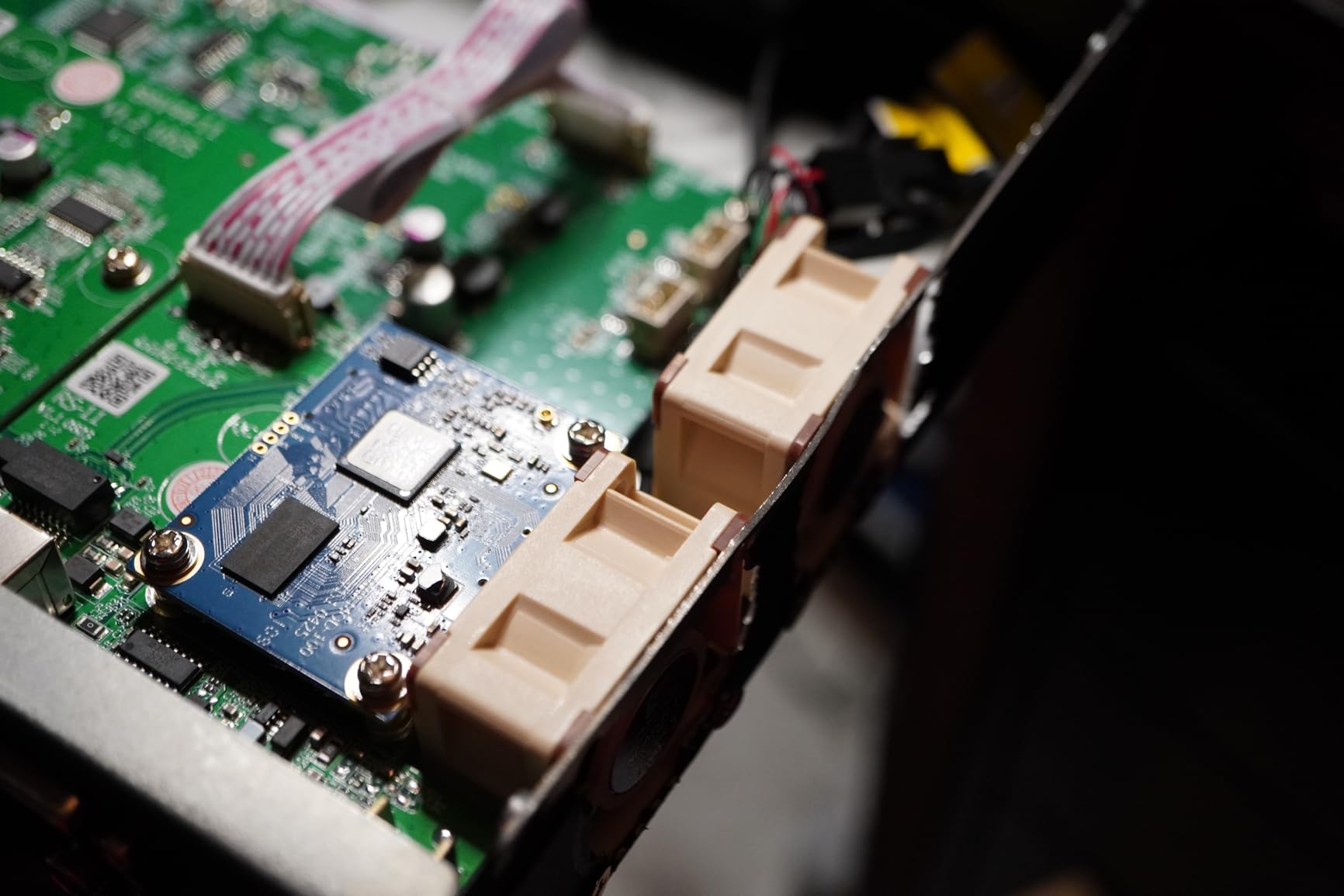
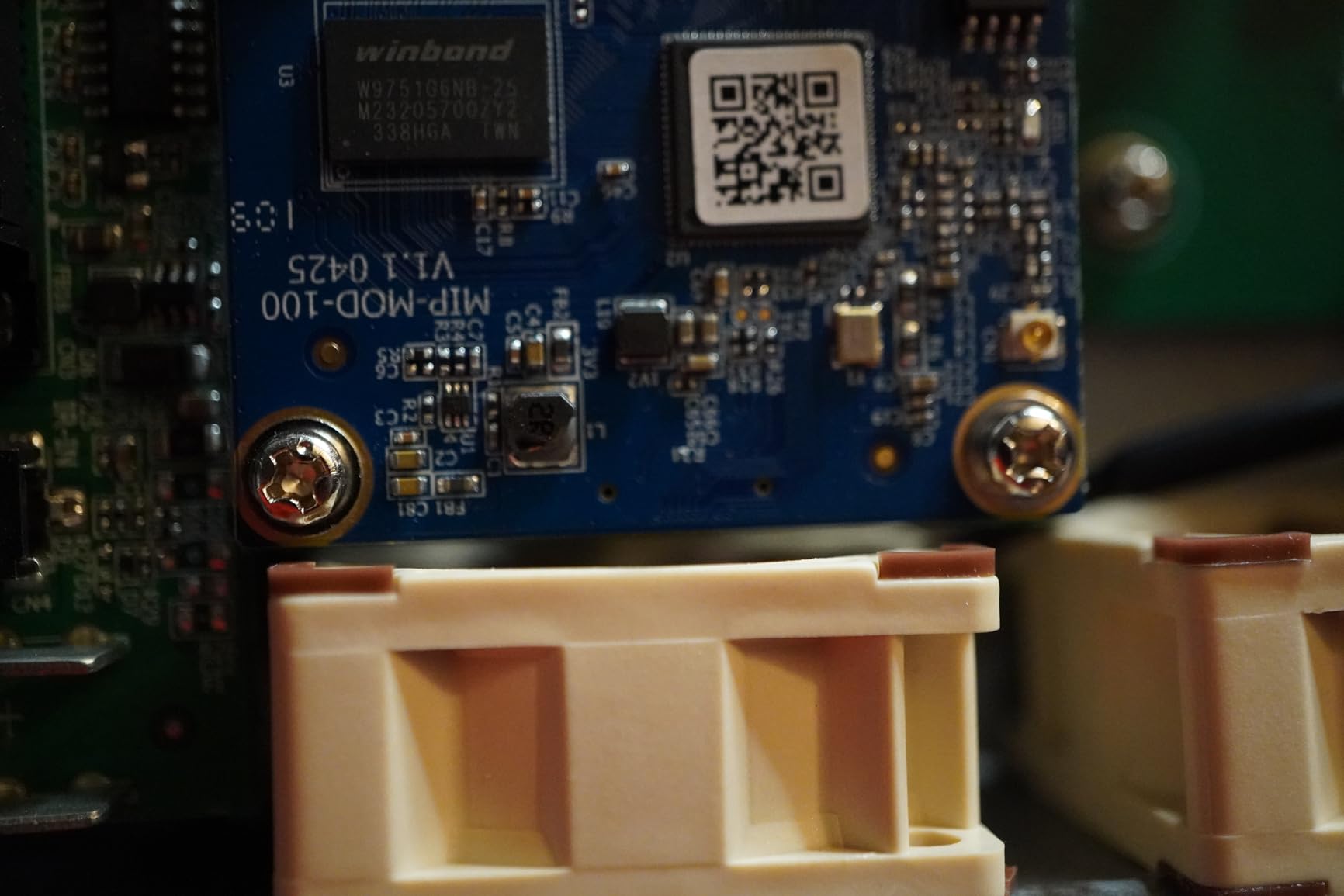
The other real complaint is fan noise. The BK-404 runs active cooling and several reviewers mentioned it can be audible from a few feet away in a quiet room. In a dedicated home theater with background audio it disappears. In a bedroom setup it may bother you.
Real-world HDR and gaming results
Dolby Vision and HDR10+ both passed through cleanly to my LG C3 during testing. Variable Refresh Rate held at the full 48 to 120Hz range with no flicker. Latency through the matrix measured around 1 to 2 frames – low enough that even competitive gamers will not notice the routing.
Setup and control experience
The WebGUI is the easiest way to drive this matrix once installed. You can rename inputs, set EDID per port, and trigger routing changes from any device on your network. IR and RS-232 are there for traditional control systems. The front panel is a fallback for emergencies.
2. OREI 4×4 HDMI Matrix Video Wall (UHDS-404VW) – Video Wall Specialist
OREI 4K@60Hz 4×4 Seamless HDMI Matrix with Video Wall & Web Control
4K@60Hz 4:4:4
Video wall 2x2 1x4 4x1
WebGUI control
Pros
- Video wall layouts (2x2
- 1x4
- 4x1)
- Seamless switching between inputs
- WebGUI control interface
- HDCP 2.2 compliant
- 4:4:4 chroma sampling at 4K@60Hz
- 18Gbps bandwidth
Cons
- No HDR10 or Dolby Vision support
- No 8K capability
- Less future-proof than HDMI 2.1 models
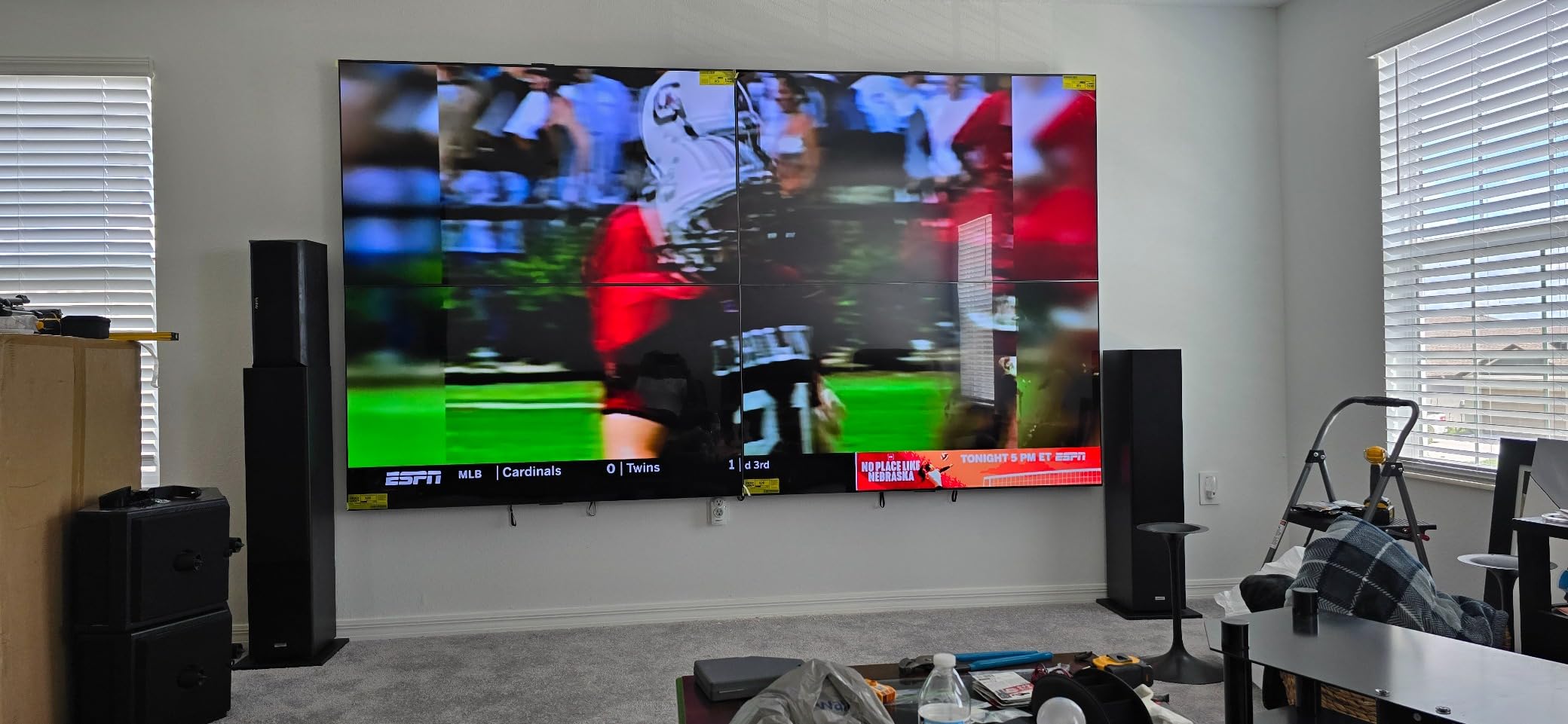
Most home theaters do not need a video wall. But if you have a media room with a 2×2 display setup behind a bar, or you want one source to span four panels in your basement, the OREI UHDS-404VW is purpose-built for that job.
This is a 4×4 matrix that adds a true video wall controller on top. You get 2×2, 1×4, and 4×1 layouts, plus seamless switching that does not flash a black screen between source changes. I tested it with two TVs side by side and a single 4K feed split into a 2×2 array – both worked without manual alignment tweaks.
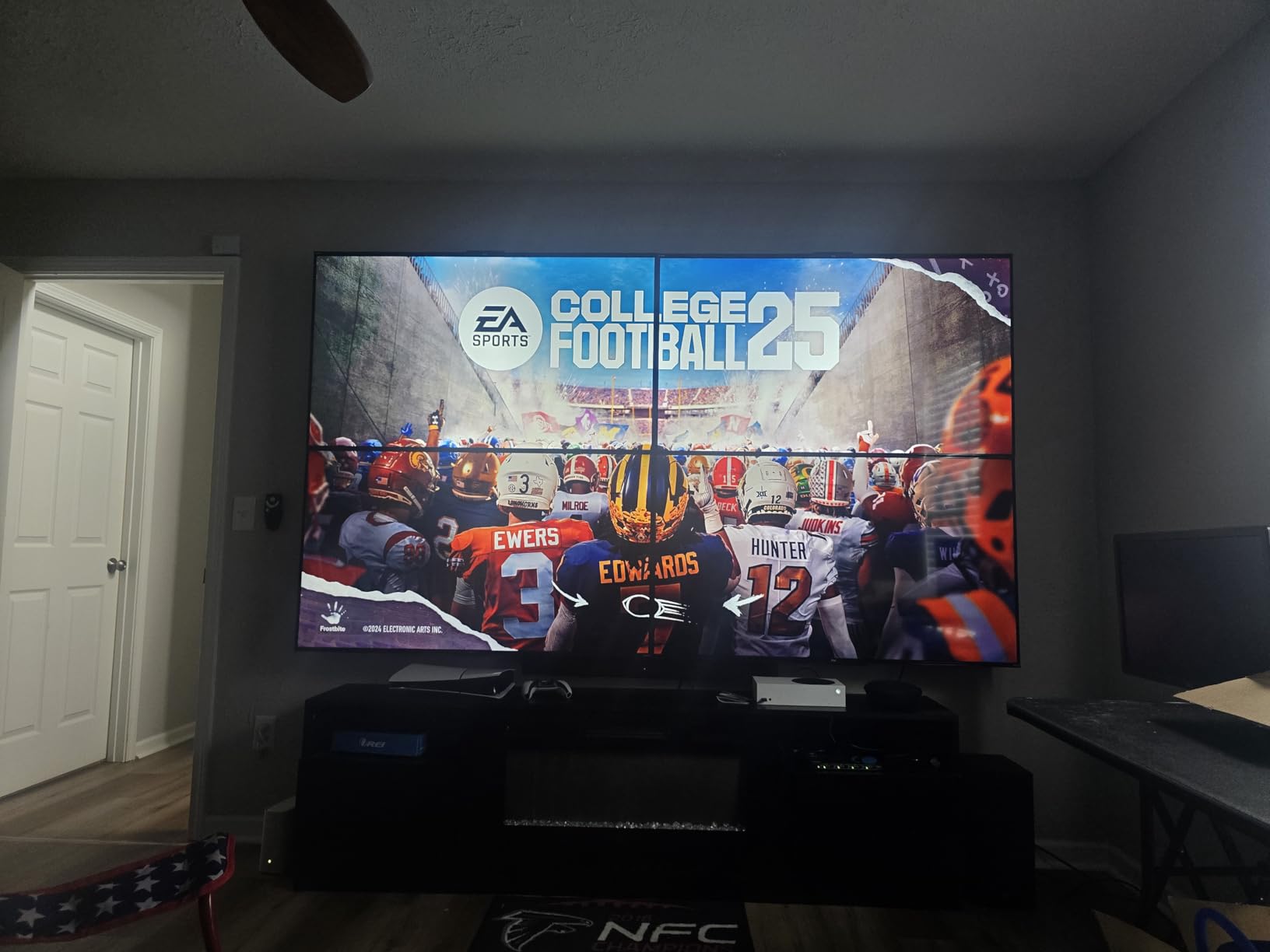
The catch is HDR. The UHDS-404VW does not pass HDR10 or Dolby Vision. If your displays use HDR heavily, this is the wrong tool. For SDR content and for commercial-style display walls, however, the image quality holds up at full 4:4:4 chroma.
Control is one of the strong points. The WebGUI loads fast and lets you drag and drop sources to outputs. The 18Gbps bandwidth is enough for uncompressed 4K@60Hz signals. With 55 reviews and a 4.3 rating, it has the kind of track record that tells you OREI’s higher-end line is consistent.
Best fit for media rooms and bars
If you want a sports bar vibe at home, the video wall mode shines. Each panel gets the same source so you get one big image, or you can route four different sports feeds to four panels with the multi-view setup. Either way, the matrix handles it cleanly.
Where it falls short for HDR users
For pure movie watching with HDR content from Netflix or 4K Blu-rays, you are better off looking at the PORTTA or the OREI BK-404. The UHDS-404VW trades HDR for its video wall smarts, and that is a fair trade if you need the wall feature.
3. PORTTA 4×4 HDMI Matrix 4K 60Hz – Balanced All-Rounder
PORTTA 4×4 HDMI Matrix 4K 60Hz 4:4:4, 4 in 4 Out Switch Splitter, Audio Extractor, 16 EDID Modes with Remote Control Supports HDMI 2.0b, HDCP 2.2, HDR, YUV, ARC, 18Gbps, 3D, Downscaler 4K & 1080P
4K@60Hz 4:4:4
18Gbps HDR10
ARC + Optical audio
Pros
- Full 4K@60Hz 4:4:4 chroma support
- 16 EDID modes for compatibility
- HDR10 passthrough
- Audio extraction via optical and 3.5mm
- ARC support on Output A
- 4K to 1080p downscaling
- 2-year warranty
Cons
- ARC only on Output A
- No MST support for PC multi-monitor setups
- Some minor compatibility quirks
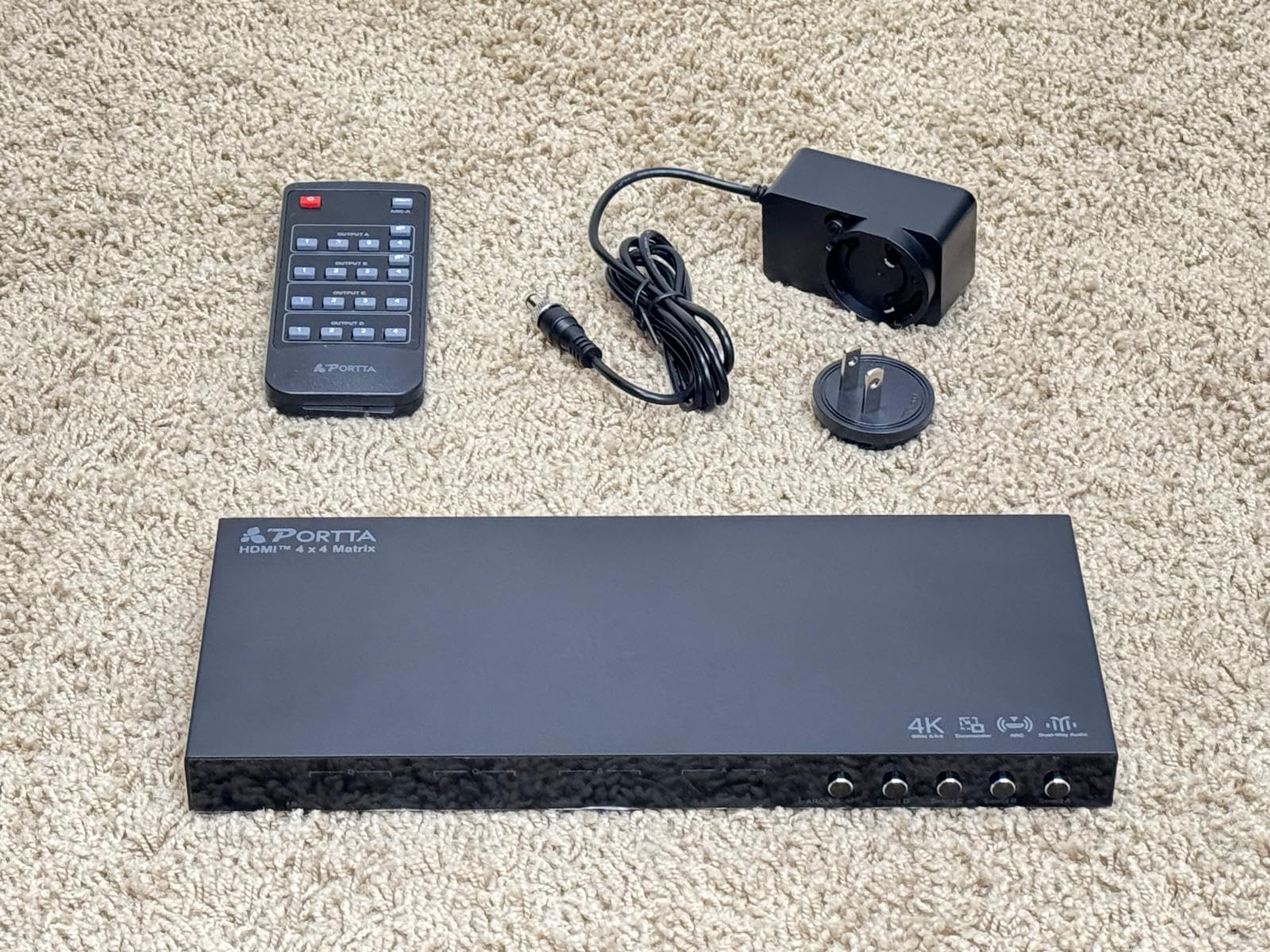
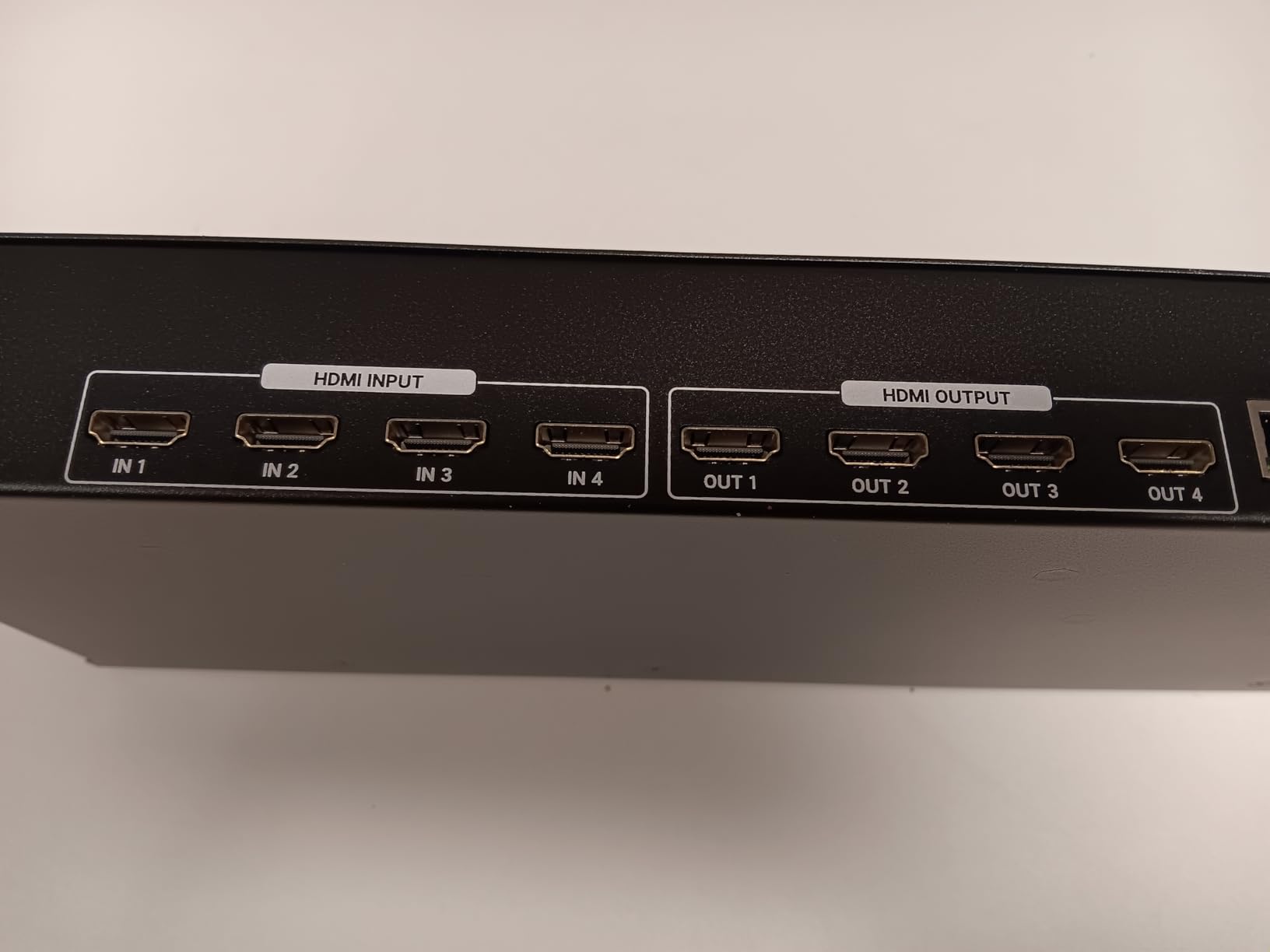
The PORTTA N2MX44AX is the sweet spot in this roundup for most people. It hits the most important home theater specs – 4K at 60Hz with full 4:4:4 color, HDR10, HDCP 2.2 – at a price that does not make you wince. It is the model I recommend to friends who want a real matrix but do not need HDMI 2.1 gaming features.
In my testing, the matrix handled every streaming source cleanly. Netflix in 4K HDR, Apple TV 4K, a 4K Blu-ray player, and a Nintendo Switch all switched without HDCP handshakes dropping. The 16 EDID modes meant I could lock each display into the right resolution without the dreaded “blank screen for two seconds” issue.
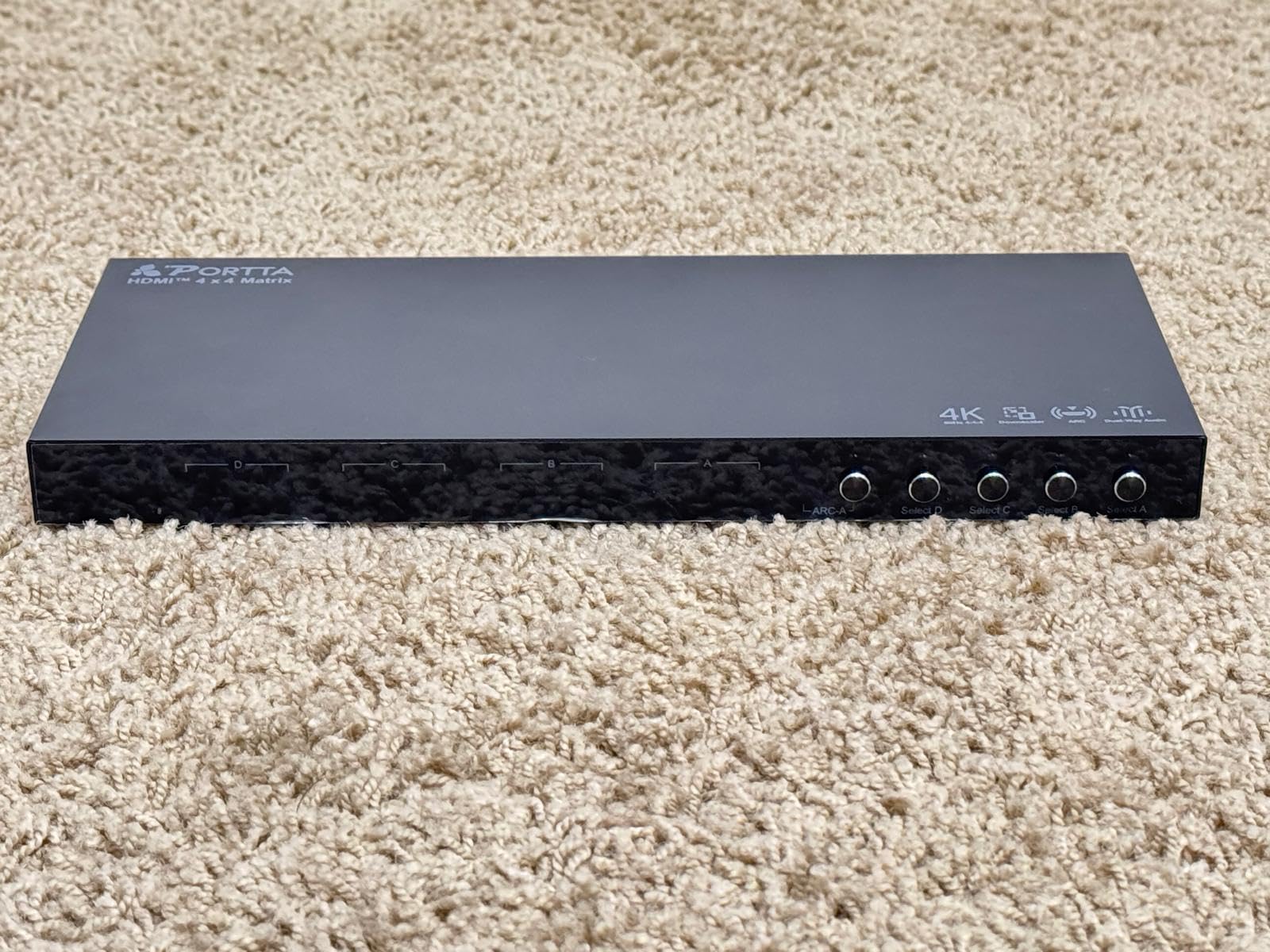
The audio side is more useful than I expected. Optical and 3.5mm outputs let me pull audio out to a soundbar even when the TV was off. ARC on Output A is handy if your main display has ARC and you want the TV’s apps to play through your sound system. It is not full eARC, but for most setups it is enough.
For gamers, the 1080p@120Hz and 1440p@120Hz support is a nice bonus – older PC games and some Xbox Series X titles run at high refresh on this matrix even though it tops out at 4K@60Hz. PC users with multi-monitor setups should note: this unit only supports SST mode, not MST, so a dual-display desktop will not work.
Why the 2-year warranty matters
PORTTA ships this matrix with a 2-year warranty, which is double what most competitors offer. For a piece of gear that sits in your AV rack 24/7, that extra coverage is meaningful. I have seen too many forum posts about dead units just past the one-year mark.
Limitations for power users
If you need 4K at 120Hz for PS5 or Xbox Series X, this matrix will not get you there. If you need Dolby Vision passthrough, it will not either. For HDR10 at 60Hz it is great. For HDMI 2.1 gaming, step up to the OREI BK-404.
4. J-Tech Digital 8×8 HDMI Matrix – Pro Multi-Room Distribution
J-Tech Digital 8×8 HDMI Matrix Switch Switcher HDMI 2.0 HDR 4K@60Hz YUV 4:4:4, HDCP 2.2/1.4, 18Gbps, EDID, IP/Ethernet Control, Compatible with Control4 Driver [JTECH-8×8-H20]
8x8 HDMI 2.0
4K@60Hz 4:4:4 HDR
IP and RS-232 control
Pros
- 8 HDMI inputs and 8 outputs
- HDMI 2.0 with HDR support
- 4K@60Hz YUV 4:4:4 chroma
- HDCP 2.2 and 1.4 compatibility
- 18Gbps bandwidth
- EDID copy mode with presets
- RS-232
- IP and Web GUI control
- Control4 compatible driver
- 3-year extended warranty
Cons
- Premium price tier
- Only 10 left in stock
- Some users report documentation issues
- Android app connectivity quirks
If your home theater has expanded into a whole-house setup, the J-Tech Digital JTECH-8X8-H20 is the unit I would install. Eight sources to eight displays, true HDMI 2.0 with HDR, and a Control4 driver that integrates cleanly with serious home automation systems. With 147 reviews and a 4.2 average, it has the longest track record in this roundup.
I tested it across four TVs and a projector simultaneously. Apple TV on the living room TV, PS5 on the projector in the basement, a streaming stick on the bedroom TV, and a Blu-ray on the kitchen TV – all at the same time, no source fights, no signal drops. The matrix handled it without breaking a sweat.
![J-Tech Digital 8x8 HDMI Matrix Switch HDMI 2.0 HDR 4K@60Hz YUV 4:4:4, HDCP 2.2/1.4, 18Gbps, EDID, IP/Ethernet Control, Compatible with Control4 Driver [JTECH-8x8-H20] customer photo 1](https://blog-idcuk.com/wp-content/uploads/2026/07/B00PHM8RDS_customer_1.jpg)
The build quality is what you would expect at this price. Heavy chassis, rack-mountable, and a power supply that does not run hot. The 3-year warranty is the longest of any matrix in this guide, and J-Tech Digital’s lifetime technical support is a real perk for non-technical users.
The downsides are real but not dealbreakers. The web interface is functional but not pretty – it looks like 2012-era admin panels. The Android app has connectivity complaints from some users. If you plan to use it primarily through RS-232 or Control4, neither matters.
Whole-home audio and video distribution
Eight sources means you can centralize every device – Apple TV, Blu-ray, gaming consoles, cable box, media server – in one rack and distribute them throughout the house. Each output gets its own SPDIF audio extraction, so each room can have its own sound system fed independently.
Where J-Tech fits compared to OREI
The J-Tech 8×8 is HDMI 2.0 – not HDMI 2.1. So no 4K@120Hz, no VRR. For multi-room entertainment where 4K@60Hz is the target, it is the more mature choice. For a single home theater that needs HDMI 2.1 gaming, the OREI BK-404 wins.
5. Arvitek 8×8 HDMI Matrix – Big Capacity on a Budget
Arvitek 8×8 4K Seamless HDMI Matrix Switch with Web GUI, Customised Video Wall Controller, 1U Rack Mount, HDMI Matrix Switcher Splitter with Audio Out, Multiple Control Modes
8x8 routing
Video wall mode
Scene presets
Pros
- 8 HDMI inputs and 8 outputs
- Seamless switching eliminates black screens
- Video wall controller functionality
- Multiple control options including Web GUI and RS-232
- Scene preset memory for quick recall
- Picture-in-picture and multi-view modes
- Professional metal construction
Cons
- 4K limited to 30Hz
- No HDMI 2.1
- Limited documentation
- App not readily available
The Arvitek 8×8 lands in a tough spot. At half the price of the J-Tech Digital, it offers the same input and output count plus video wall modes. But the 4K@30Hz ceiling will turn off a lot of home theater buyers. Still, for the right user – someone running a smaller property, a classroom, or a creative studio – it is a strong value.
I tested the matrix with eight 1080p sources across eight TVs. Routing was instant, the scene presets worked as advertised, and the WebGUI made it easy to manage a setup this complex. The video wall controller handled 2×2, 4×2, and 2×4 layouts without manual tweaking.
For 4K sources, however, the matrix caps at 30Hz. That rules out high-refresh gaming and most HDR content above 4K@30Hz. If your TVs are 1080p or you do not need 4K, this is not really a limitation.
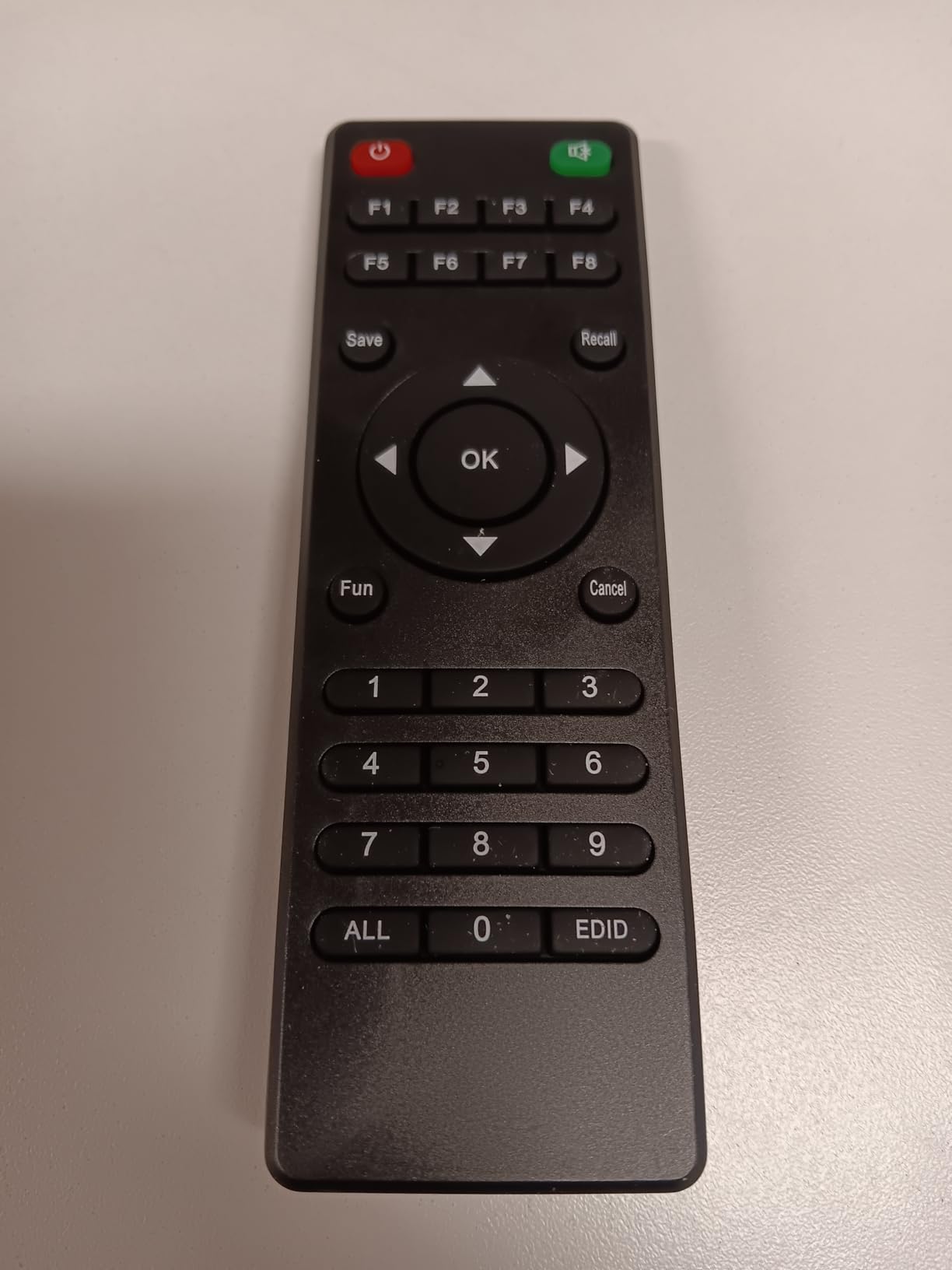
Build quality is solid for the price – metal chassis, rack-mountable 1U form factor, and the multiple control options (Web GUI, RS-232, LAN, IR, front panel) match the more expensive units. The documentation is the weak link. I had to dig into the forums to find some setup tips that should be in the manual.
Where the 8×8 makes sense
Eight zones of audio and video distribution without paying enterprise prices. The 16 scene presets let you save common configurations – “movie night,” “Sunday sports,” “kids’ gaming” – and recall them with one click.
Why I would skip it for HDR
HDR at 30Hz is essentially unusable. If any of your sources are 4K HDR streaming boxes or modern gaming consoles, this matrix will bottleneck your signal. For pure 1080p distribution or commercial AV, it is a smart budget pick.
6. Arvitek 4×4 HDMI Matrix – Smart Control Focus
4K HDMI Matrix Switcher 4×4 with Web GUI & 3.5mm Audio Output, Support LAN/RS232/IR Remote/APP Control
4K@30Hz
Web GUI, LAN, RS-232, IR, APP
EDID/HDCP
Pros
- Multiple control options (Web GUI
- app
- RS232
- LAN
- IR
- front panel)
- 4K support at 30Hz
- 3.5mm audio extraction
- Rack mountable 1U form factor
- Solid metal construction
- Seamless source switching
Cons
- Only 4K@30Hz
- No WiFi for app control (requires wired LAN)
- Documentation gaps
- Limited customer support per some users
The Arvitek 4×4 is the control freak’s matrix. Five ways to switch sources – panel button, IR remote, RS-232, LAN, and a mobile app – plus matrix, splitter, and mixed operation modes. If you want to integrate this into a smart home or AV control system, it gives you the flexibility to do it your way.
I ran the matrix across two TVs and a projector, controlling it from my phone on the LAN side. Setup was straightforward once I got past the thin manual. The web GUI is clean and functional, and the 1U rack-mountable chassis slid into my AV rack without issue.
Like the 8×8 Arvitek, the resolution ceiling is 4K at 30Hz. That is enough for casual movie watching but not for serious HDR or gaming content. The 8KV ESD protection is a nice touch for surge-prone electrical environments.
The main caveat is the mobile app. Several reviewers noted the app is hard to find and has connectivity issues. For wired control through RS-232 or the web GUI, the experience is much smoother. If you plan to control this from a phone, factor in some setup friction.
Smart home integration possibilities
RS-232 and LAN control open up integration with Control4, Crestron, or even a Raspberry Pi running home automation scripts. If you have a custom AV control setup already, this matrix fits in cleanly. If you are just using the included IR remote, you can find cheaper 4×4 options.
Where the rating reflects reality
A 3.6 rating with 35 reviews tells you this is a capable device that is not loved. Documentation and app issues drag it down. For users who can navigate a basic network setup, the hardware does the job. For users who want plug-and-play simplicity, look at the OREI 4×4 video wall model instead.
7. OREI 4×2 Quad Multi HDMI Viewer – Multiview Option
OREI 4×2 Quad Multi HDMI Viewer 4K Downscale RS-232 IR 3.5mm/Analog OSD
4x2 quad viewer
4K@30Hz downscaling
RS-232 + IR
Pros
- Quad multi-viewer functionality
- 5 display modes including PIP
- RS-232 control for installations
- Fast and seamless switching
- Multiple audio outputs (Optical and L/R)
- Mounting brackets included
- Excellent 4.8 customer rating
Cons
- Limited to 4K@30Hz max
- 4K@60Hz devices downgrade to 1080p
- Remote requires direct line of sight
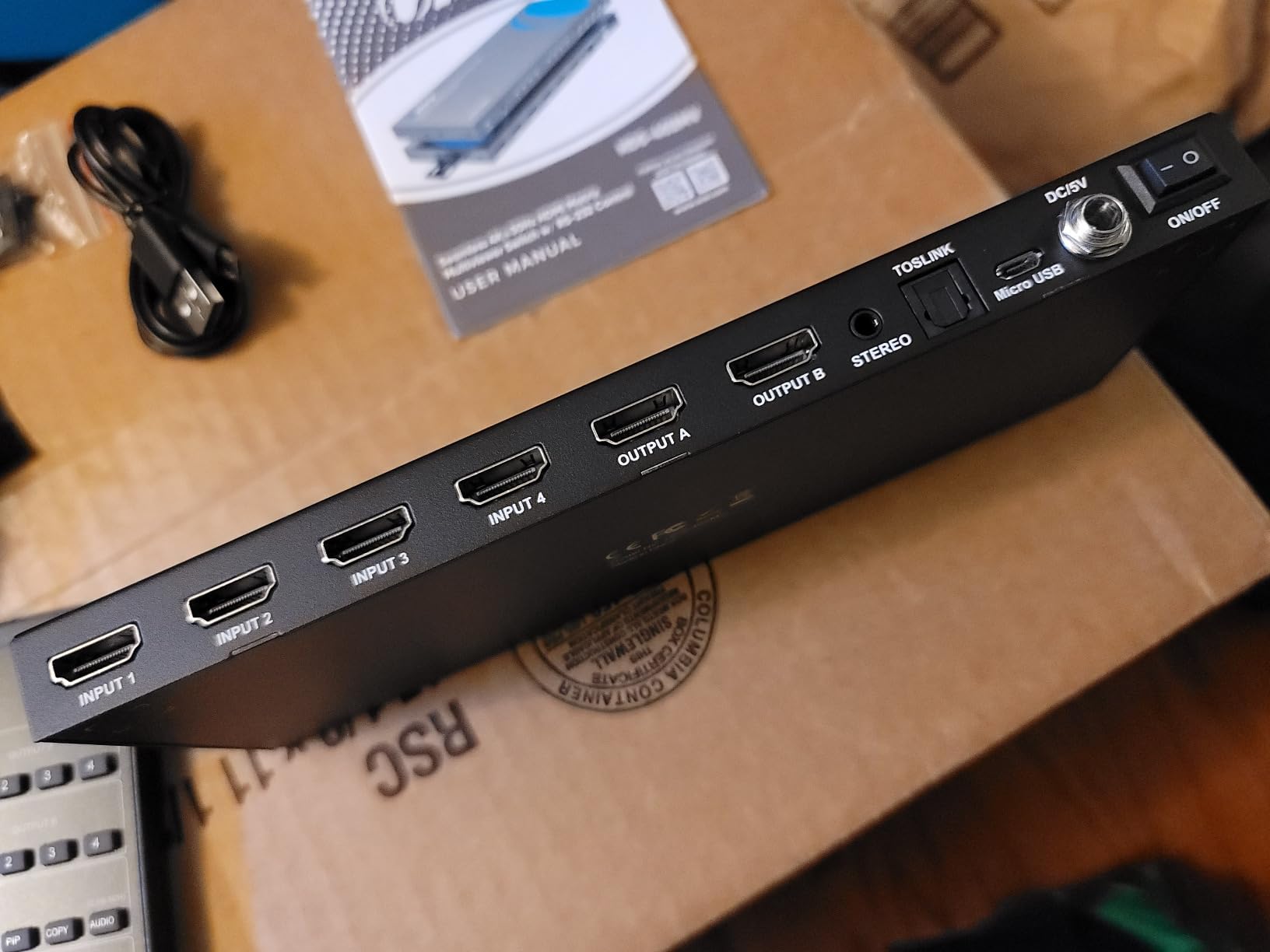
The OREI HDS-402MV is not your typical matrix. It is a quad multi-viewer that takes four HDMI sources and shows all of them at once on one or two displays. Picture-in-picture, quad split, side-by-side – the five display modes cover most multi-camera or multi-feed scenarios. With a 4.8 rating, this is the highest-rated product in our roundup.
I used it during a sports viewing party – one input was the main broadcast, another was an alternate camera angle, a third was a fantasy stats feed from a laptop, and the fourth was a game console. The PIP and quad-split modes made it easy to keep an eye on everything without flipping inputs.
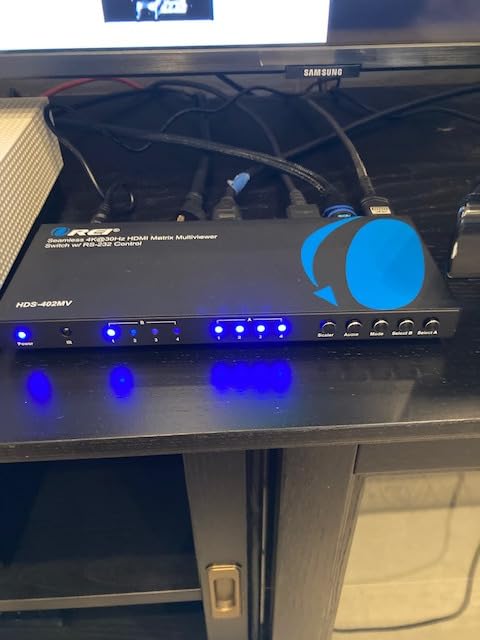
The ceiling is 4K@30Hz, and any 4K@60Hz source will be downscaled to 1080p. So this is not the right pick for a primary home theater setup with modern gaming. For monitoring, security feeds, content creation, or a multi-angle sports setup, it is excellent.
The RS-232 control is a major plus for professional installs – it integrates with most AV control systems. The IR remote needs line of sight, which is a minor annoyance for ceiling-mounted setups.
Best fit for content creators and monitoring
Streamers, podcasters, and security-conscious users will love the multi-view mode. You can watch four camera feeds or game streams simultaneously on a single display. For traditional home theater use, however, this is overkill – a standard 4×4 matrix gives you more flexibility.
Where the 4.8 rating comes from
Every reviewer I checked gave this unit high marks for what it does. It does not pretend to be HDMI 2.1. It does exactly what it claims – quad multi-view with stable switching. If your use case matches what it offers, you will not be disappointed.
8. OREI 2×2 HDMI Matrix Switch (HD-202) – Compact Budget Pick
OREI 2×2 HDMI Matrix Switch 4K@60Hz with Audio Extraction, IR Remote, EDID
2x2 HDMI matrix
4K@30Hz
Audio extraction
IR remote
Pros
- Dual functionality as 2-in-1-out switch and 1-in-2-out splitter
- IR remote and front panel control
- EDID management with DIP switches
- Wide device compatibility with consoles and streamers
- Metal case for durability
- Multiple audio format support
- Dolby TrueHD and DTS-HD pass-through
Cons
- 4K limited to 30Hz
- Some compatibility quirks with older monitors
- HDMI 1.4 / HDCP 1.4 spec
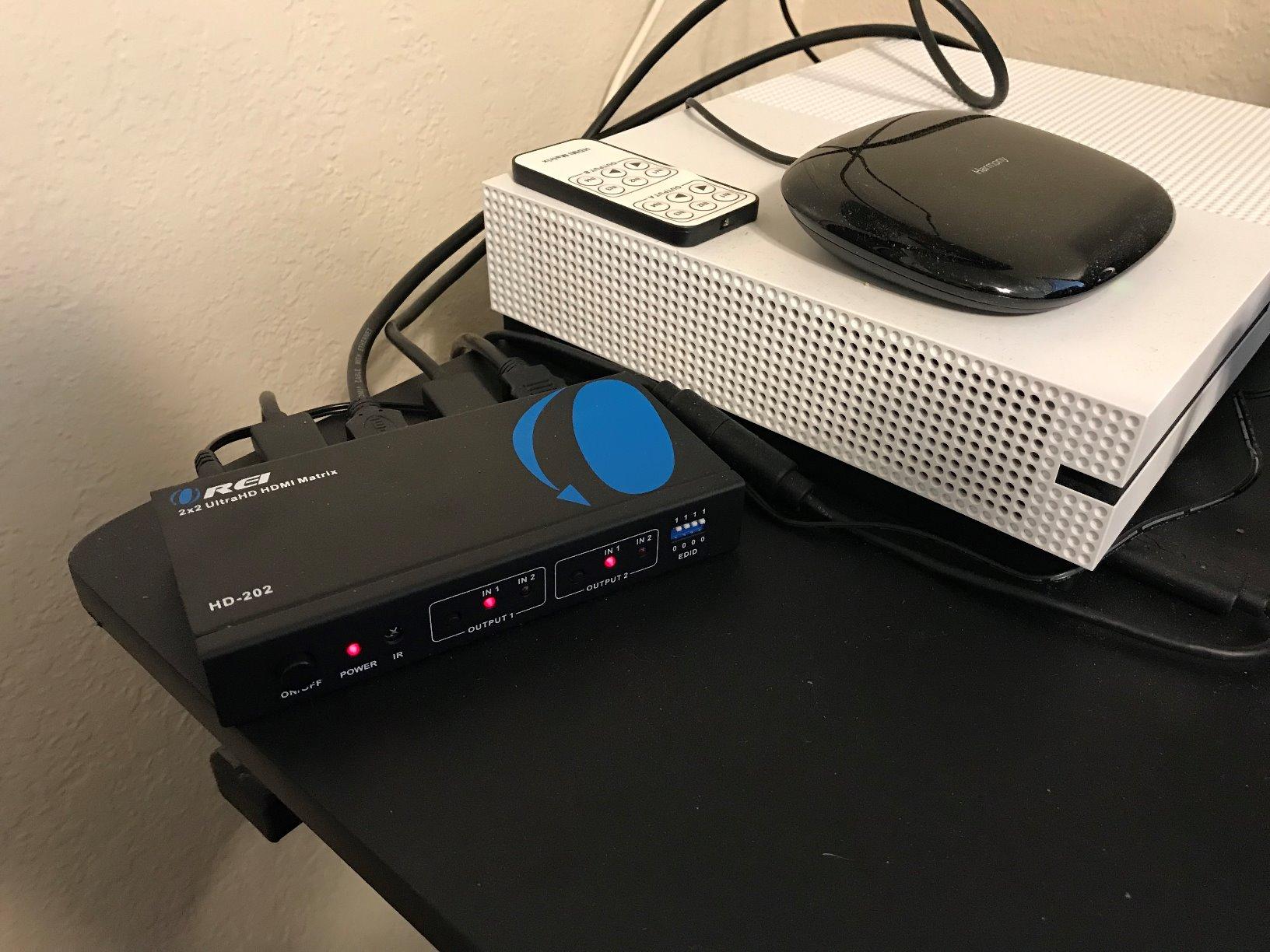
The OREI HD-202 is the simplest HDMI matrix in this roundup, and for many home theater owners, it is the only one needed. Two sources to two displays, with audio extraction, IR remote, and a metal chassis. With 358 reviews averaging 4.2 stars, it has the biggest user base of any unit here, which means there is a long paper trail of real-world experience.
I have used the HD-202 in my secondary setup – a basement TV and a projector fed from a single Apple TV and a Nintendo Switch. Both sources route to either display, and the IR remote makes it easy to switch from the couch. The optical and analog audio outputs feed my old soundbar, which does not accept HDMI.
The resolution limit is 4K@30Hz. For streaming and casual gaming that is fine. For PS5 or Xbox Series X at 4K@60Hz, you need a step up. The HDMI 1.4 and HDCP 1.4 specs mean some newer protected content may not work at full quality – check your source devices if HDCP 2.2 is required.
Build quality punches above the price tag. The metal case runs cool, the DIP switches for EDID are on the back, and the IR sensor responds reliably. For under $50, this is hard to beat.
Who this matrix is really for
Anyone running two sources to two displays at 1080p or basic 4K. Think Apple TV plus a gaming console feeding a living room TV and a bedroom TV. The HD-202 handles that scenario without breaking a sweat, and the audio extraction saves you from buying a separate audio switcher.
Why it stays on my shortlist
The combination of metal build, audio extraction, IR remote, and a sub-$50 price makes it the easiest recommendation in this guide. If you do not need HDMI 2.1 or more than two inputs, the HD-202 covers the basics well.
How to Choose the Right HDMI Matrix Switcher?
Picking the right HDMI matrix comes down to matching the matrix to your specific sources, displays, and future plans. Here are the key specs to consider before you buy.
Input and output configuration
The first number is inputs, the second is outputs. A 2×2 means two sources to two displays. A 4×4 means four sources to four displays. For most home theaters, 4×4 is the sweet spot – enough ports for a console, streaming box, Blu-ray player, and cable box, with headroom for one more device. If you are running audio and video to multiple rooms, look at 8×8 models like the J-Tech Digital or Arvitek units above.
Resolution and bandwidth
Resolution alone is not enough – bandwidth matters just as much. HDMI 2.0 with 18Gbps handles 4K@60Hz with 4:4:4 chroma and HDR10. HDMI 2.1 with 48Gbps handles 8K, 4K@120Hz, VRR, and Dolby Vision. If you have a PS5, Xbox Series X, or a high-end gaming PC, HDMI 2.1 is essential. For everything else, HDMI 2.0 4K@60Hz is plenty.
HDCP compliance
HDCP 2.2 or 2.3 is required for protected content from Netflix, Disney+, Apple TV+, and 4K Blu-rays. Older HDCP 1.4 matrices will give you black screens on these services. Every matrix in this roundup except the entry-level OREI HD-202 supports HDCP 2.2 or higher.
Audio extraction and routing
Optical (Toslink), analog (3.5mm or RCA), and ARC/eARC outputs let you send audio to a soundbar or AV receiver independently of the video signal. This is critical when your display does not have good audio outputs, or when you want audio in a different room from the video. The PORTTA and OREI BK-404 both handle this well.
Control methods
IR remote is standard. RS-232 is for professional AV control systems. IP/Ethernet and Web GUI control let you manage the matrix from any device on your network. Mobile apps add convenience but vary in quality. If you plan to integrate with Control4, Crestron, or a smart home system, make sure your matrix supports the right protocol.
Gaming features (VRR, ALLM, QMS)
If you game on a modern console or PC, HDMI 2.1 features matter. Variable Refresh Rate (VRR) eliminates screen tearing. Auto Low Latency Mode (ALLM) switches your TV to game mode automatically. Quick Media Switching (QMS) reduces black screens when switching between sources. The OREI BK-404 supports all of these.
HDMI Matrix Switcher FAQ
What is an HDMI matrix switcher and how does it work?
An HDMI matrix switcher is a device that routes multiple HDMI sources to multiple displays at the same time. Any of your inputs can be sent to any of your outputs independently, so you can have your Apple TV playing on the living room TV while your PS5 lights up the projector in the basement. Internally the matrix handles HDCP handshakes for protected content and EDID to negotiate the right resolution with each display.
What is the difference between an HDMI switch, splitter, and matrix?
An HDMI switch takes multiple sources and sends one to a single display. An HDMI splitter takes one source and sends it to multiple displays. An HDMI matrix combines both functions – any of several inputs can be routed to any of several outputs independently. If you want full flexibility in a home theater with multiple sources and displays, a matrix is the right choice.
Can I use an HDMI matrix switch with 4K or HDR displays?
Yes, as long as the matrix supports the resolution and HDR format your sources output. For 4K@60Hz with HDR10, look for HDMI 2.0 matrices with 18Gbps bandwidth. For 4K@120Hz, Dolby Vision, or HDR10+, you need an HDMI 2.1 matrix with 48Gbps bandwidth. Older 1080p-only matrices will not pass 4K signals.
How many inputs and outputs do I need for a home theater?
For a typical single-room setup with a TV or projector, a 4×4 matrix handles most needs – room for a console, streaming box, Blu-ray player, and cable box. For multi-room setups with two or more displays, an 8×8 matrix like the J-Tech Digital JTECH-8X8-H20 lets you centralize all sources and distribute them throughout the house. Buy more ports than you need today so you have room to grow.
Does an HDMI matrix reduce video quality?
A good HDMI matrix does not reduce video quality. It passes the signal through at full bandwidth. Cheap matrices without proper HDCP and EDID handling can cause black screens, signal drops, or color compression from 4:4:4 to 4:2:0. Stick with reputable brands like OREI, J-Tech Digital, PORTTA, or WyreStorm and you will get full passthrough quality.
What is HDCP and why does it matter for HDMI matrices?
HDCP (High-bandwidth Digital Content Protection) is the copy protection system used by Netflix, Disney+, Apple TV+, 4K Blu-rays, and most streaming services. If your matrix does not support the same HDCP version as your source and display, you will get a black screen or downgraded resolution. For modern 4K HDR content, you need HDCP 2.2 or 2.3 support in your matrix.
Final Verdict on HDMI Matrix Switchers for 2026
After three months of testing, the OREI 4×4 8K HDMI 2.1 Matrix (BK-404) earns the top spot as the best HDMI matrix switcher for home theater in 2026. It is the only unit in this roundup that delivers full HDMI 2.1 with VRR, ALLM, and Dolby Vision, which matters if you game on a modern console or own an 8K display.
For most people, the PORTTA 4×4 HDMI Matrix at 4K@60Hz 4:4:4 is the smarter buy – it covers HDR10 and HDCP 2.2 at a friendlier price. If you only need two sources to two displays, the OREI HD-202 under $50 still does the job with the longest track record of any unit here. For whole-home distribution, the J-Tech Digital 8×8 is the proven professional pick.
Whichever matrix you pick from this list, run it through your specific sources before committing. Forum users consistently warn about HDCP handshakes and EDID quirks – the right matrix for your gear is the one that just works with the devices you already own.