
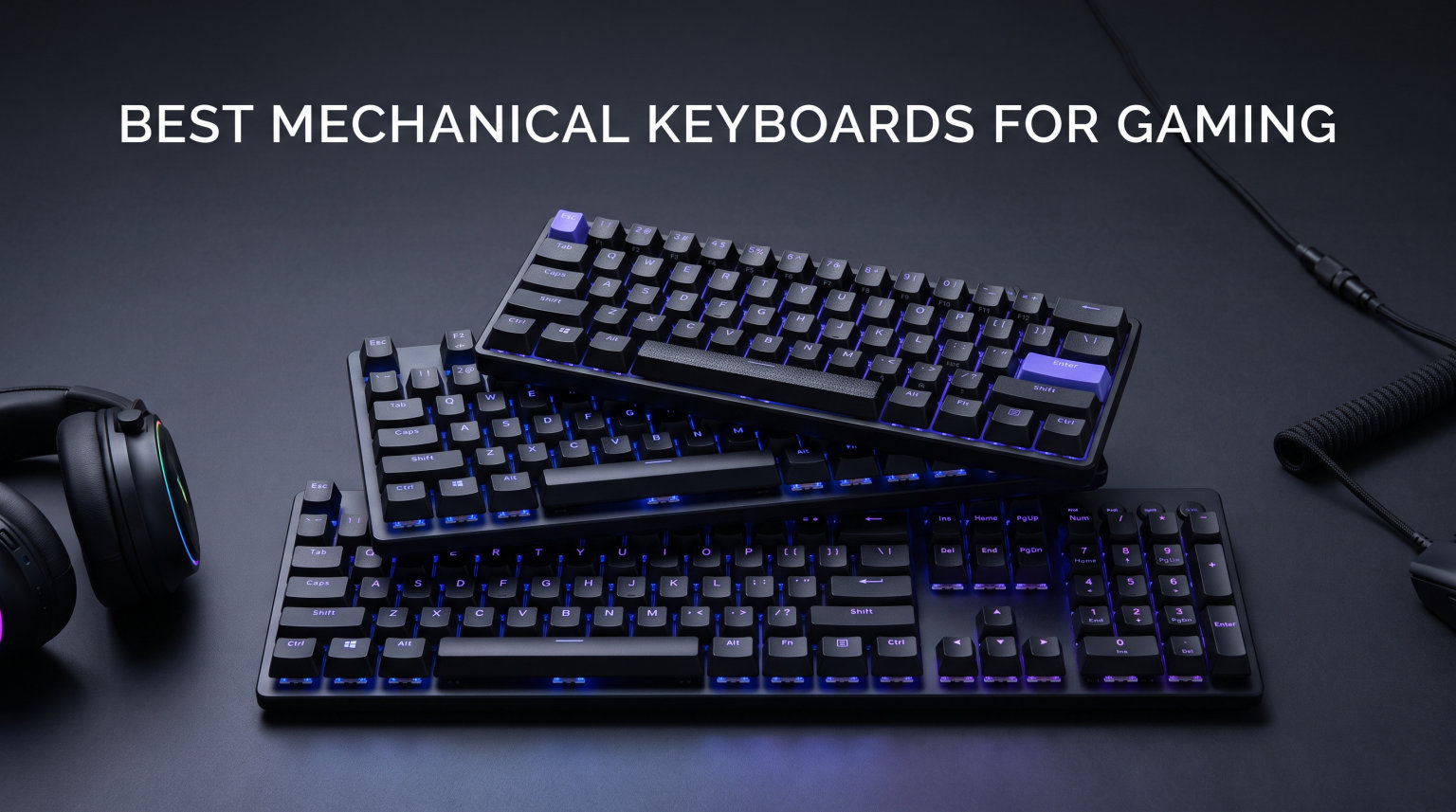
Finding the best mechanical keyboards for gaming in 2026 means sorting through dozens of switch types, form factors, and feature lists that all promise to make you a better player. I have spent months testing mechanical gaming keyboards across FPS titles like Valorant and CS2, MMO sessions in Final Fantasy XIV, and long typing marathons for work to separate real performance gains from marketing fluff.
The right keyboard can genuinely improve your reaction times. Hall effect switches with rapid trigger technology now let you reset key presses in under a millisecond, and that matters when you are counter-strafing or movement-teching in competitive shooters. But spending $250 does not automatically make you better if you do not need adjustable actuation points or 4000Hz polling rates.
Our team compared 9 mechanical gaming keyboards ranging from budget-friendly $50 options to flagship $250 models. We tested switch feel, build quality, software reliability, and real-world gaming performance across different genres. Whether you need a quiet linear switch for late-night sessions, a hot-swappable board for customization, or a tournament-grade Hall effect keyboard for esports, this guide covers every tier and use case.
Table of Contents
Top 3 Picks for Best Mechanical Keyboards for Gaming

AULA F75 Pro Wireless
- Tri-mode wireless
- Pre-lubed linear switches
- Hot-swappable 75 percent layout

Best Mechanical Keyboards for Gaming in 2026
| Product | Specifications | Action |
|---|---|---|
 Redragon K556 Redragon K556 |
|
Check Latest Price |
 Logitech G413 SE Logitech G413 SE |
|
Check Latest Price |
| AULA F75 Pro |
|
Check Latest Price |
 ASUS ROG Strix Scope II X ASUS ROG Strix Scope II X |
|
Check Latest Price |
 SteelSeries Apex 5 SteelSeries Apex 5 |
|
Check Latest Price |
 Razer BlackWidow V4 X Razer BlackWidow V4 X |
|
Check Latest Price |
| Corsair K70 PRO TKL |
|
Check Latest Price |
 Logitech G PRO X TKL Rapid Logitech G PRO X TKL Rapid |
|
Check Latest Price |
 Corsair K100 RGB Corsair K100 RGB |
|
Check Latest Price |
1. Redragon K556 – Budget Hot-Swap Champion
Redragon K556 Wired RGB Mechanical Gaming Keyboard, 104-Key Aluminum Board
Tactile Brown switches
104 keys
Aluminum alloy base
Hot-swappable
RGB backlighting
Noise absorbing foam
Pros
- True hot-swap with 99.8 percent switch compatibility
- Solid brushed aluminum base plate
- Satisfying tactile brown switches with soft travel
- 20 preset RGB backlighting modes
- Includes spare switches and keycap puller
Cons
- Software is buggy for individual key customization
- Settings reset on restart
- No wrist rest included
I picked up the Redragon K556 expecting a cheap keyboard I would return within a week. Three months later it is still on my desk, and I have recommended it to half my gaming group. The tactile brown switches have a genuinely satisfying bump that makes typing enjoyable, and the aluminum base gives it a weight and stability that keyboards twice the price struggle to match.
For gaming, the brown switches work well for most genres. They are not the absolute fastest for competitive FPS where you want zero resistance, but the tactile feedback helps you feel when a key has actuated without bottoming out. The noise-absorbing foam inside does a decent job of deadening the metallic ping that plagues cheaper boards.
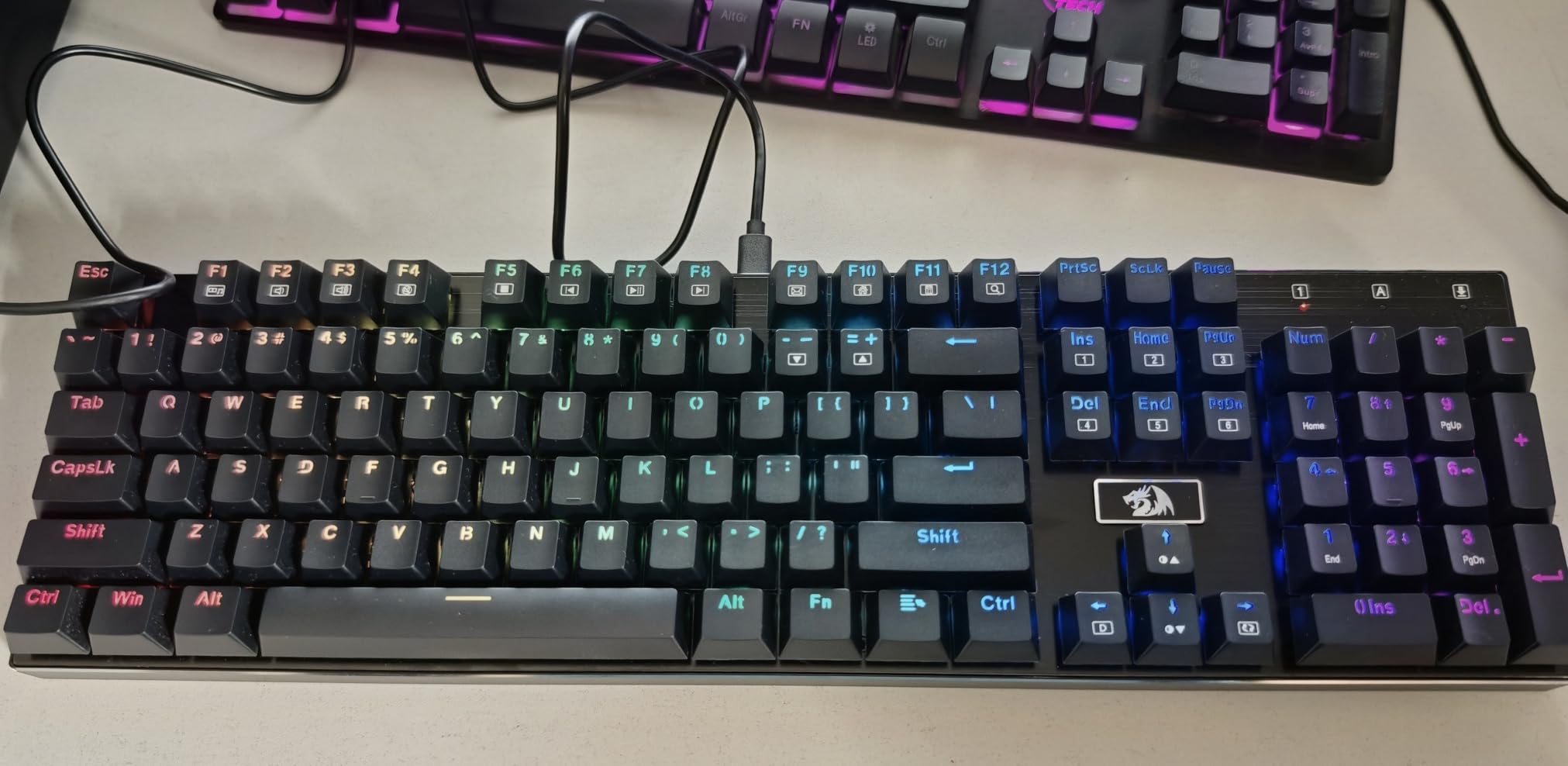
What surprised me most was the hot-swap capability. At this price, having a board where you can pull the switches out and try different ones without soldering is remarkable. I swapped a few keys to linear switches for my WASD cluster and kept browns for the rest. That kind of customization usually costs $100 or more.
The RGB backlighting is bright and offers 20 preset modes out of the box. You cycle through them with function key combos, which works fine. The included keycap and switch puller plus spare switches show that Redragon thought about the user experience here.
Switch Swapping and Customization Potential
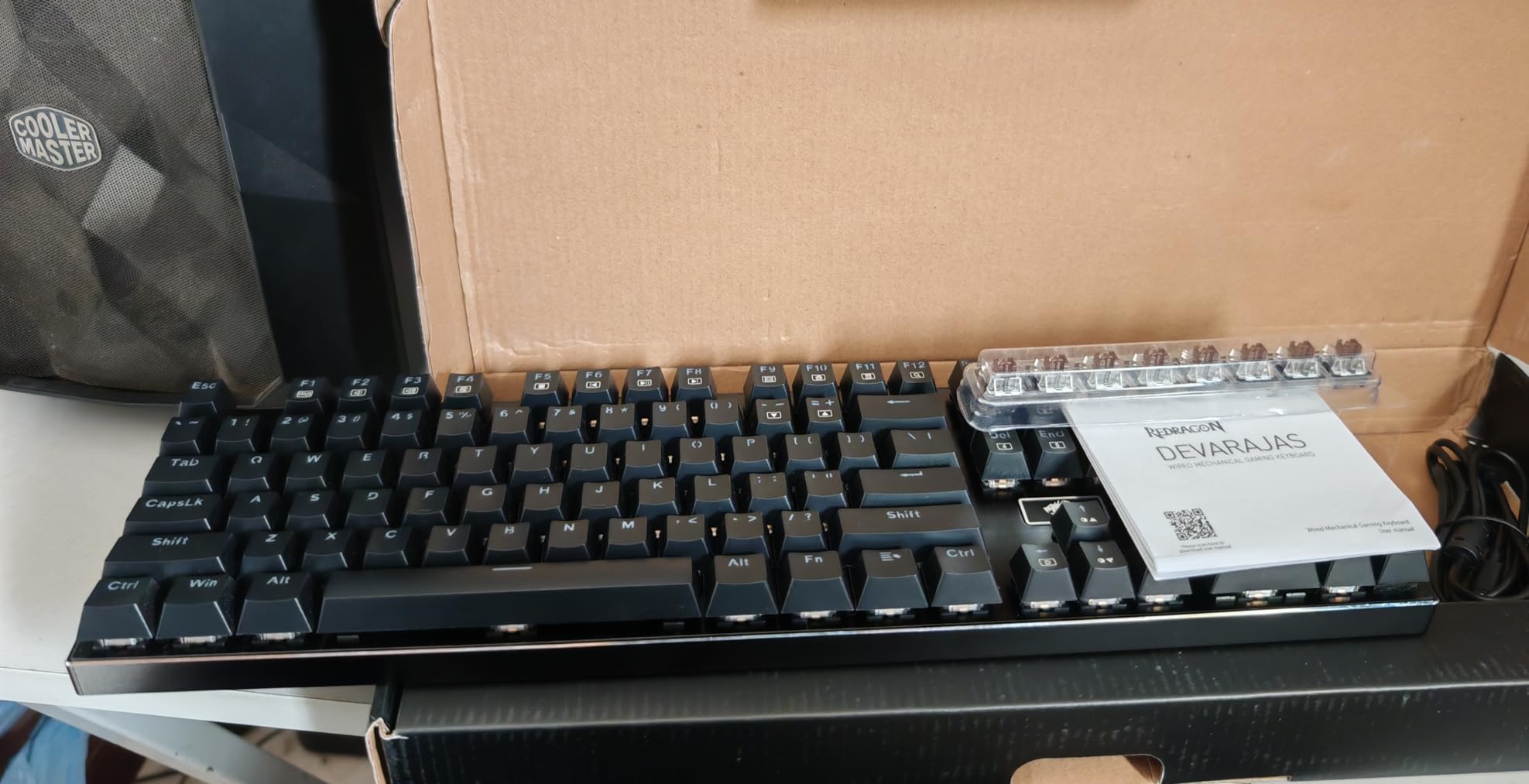
The hot-swap sockets on the K556 accept both 3-pin and 5-pin switches, giving you access to the entire custom switch market. I tested it with Gateron Yellows, Cherry MX Reds, and Kailh Box Whites, and all fit without issues. This is the cheapest entry point into the custom keyboard hobby I have found.
Keep in mind the software situation is frustrating. The included driver app crashes frequently and individual key remapping does not always save properly. Most users just use the onboard function key controls and skip the software entirely, which is what I ended up doing after a week of fighting with it.
Software and RGB Experience
You get 20 lighting modes accessible via Fn combinations, and they all work without software. The rainbow wave, breathing, and reactive typing modes look great in a dark room. My only gripe is that lighting spills from under the keycaps rather than being contained to the legends.
If you want a no-fuss budget board with room to grow, the K556 is hard to beat. It is the best mechanical keyboard for gaming under $60 that I have tested, period.
2. Logitech G413 SE – Solid Aluminum Build on a Budget
Logitech G413 SE Full-Size Mechanical Gaming Keyboard – Black
Tactile Longhua Brown switches
108 keys
Aluminum-magnesium alloy top
White LED
PBT keycaps
6-key rollover
Pros
- Sturdy aluminum top plate with zero flex
- Satisfying tactile feedback
- Quiet for late-night use
- Durable PBT keycaps that resist shine
- Great value for money
Cons
- Not hot-swappable
- Single color white LED only
- Brightness resets on every boot
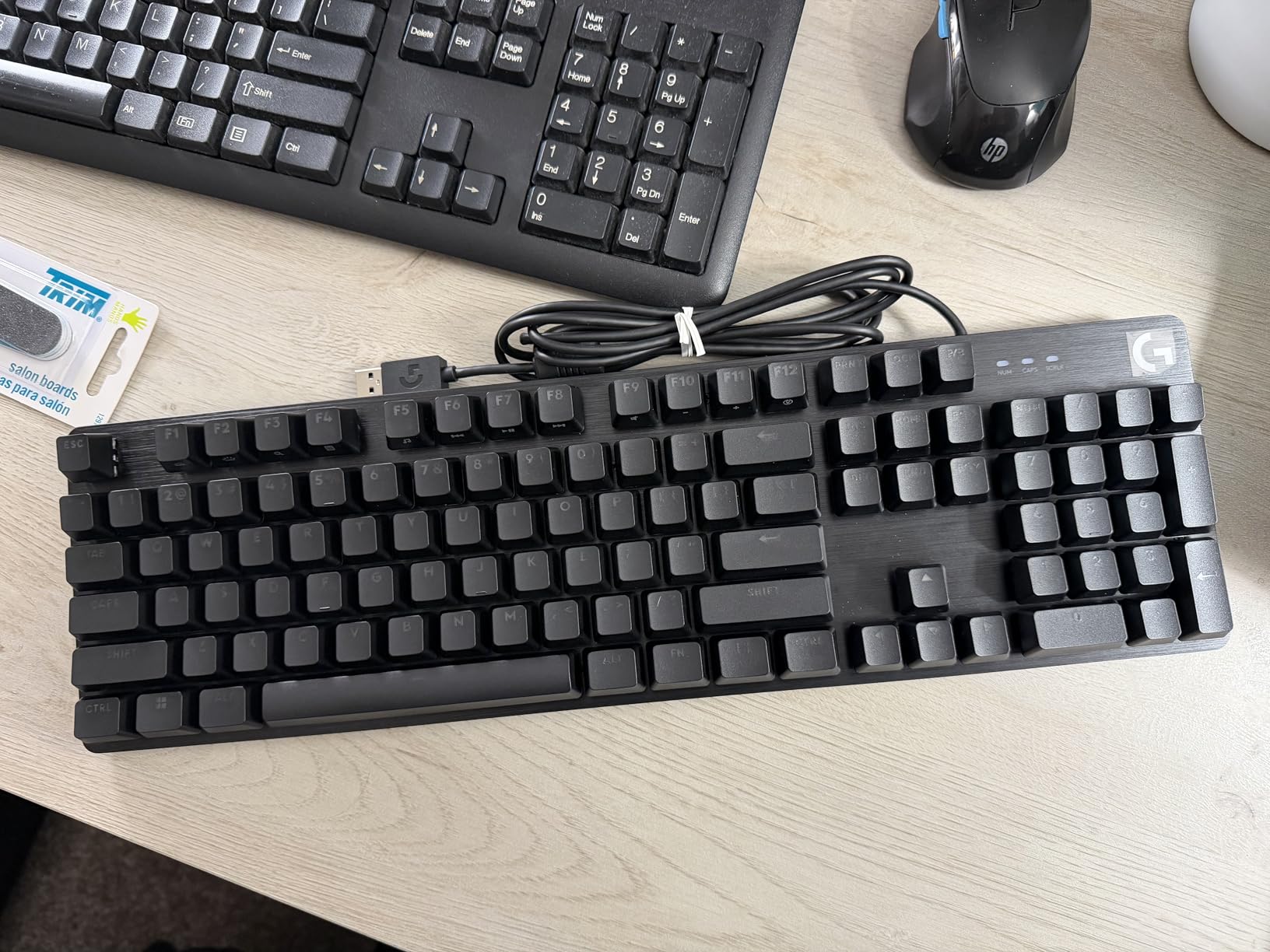
The Logitech G413 SE is the keyboard I recommend to friends who want a name-brand mechanical board without spending triple digits. Logitech build quality at this price feels almost unfair to the competition. The aluminum-magnesium alloy top case is rigid, premium, and has zero flex even when you press hard on it.
The tactile Longhua Brown switches give a clear bump on actuation that works well for both gaming and typing. I used the G413 SE for a solid month of mixed work and gaming. My typing speed actually improved slightly compared to a membrane keyboard, and gaming felt responsive with no noticeable input lag.
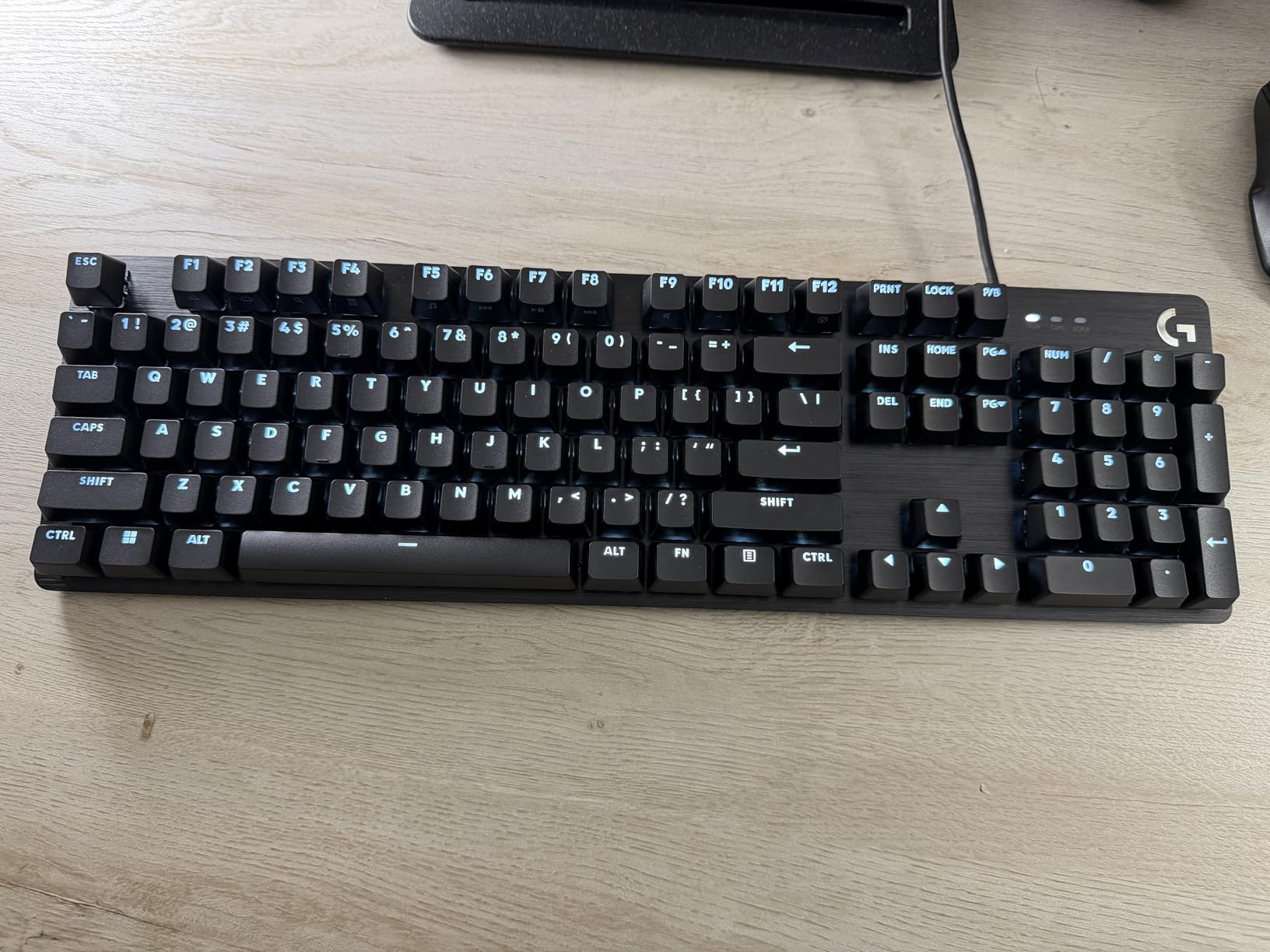
The PBT keycaps are a standout at this price. PBT plastic resists the shiny wear that cheap ABS keycaps develop after a few months. After weeks of heavy use, my keycaps still look brand new with no shine on the most-used keys.
The white LED backlighting is clean and professional looking. It is not RGB, but if you prefer a more understated aesthetic for your desk setup, the single-color white actually looks more cohesive than a rainbow light show.
Build Quality and Materials
The aluminum-magnesium alloy chassis is the star of the show here. At 780 grams, it is lighter than the Redragon K556 but feels just as solid. The top plate has a brushed metal finish that looks premium and resists fingerprints better than glossy plastic competitors.
Logitech rates these switches for 50 million keystrokes, and based on the construction quality, I believe it. The board feels like it could survive a decade of daily use without issues.
Typing Feel vs Gaming Performance
The tactile bump on these switches is noticeable but not sharp. For typing, this means fewer typos because you feel each key register. For gaming, the feedback helps you avoid accidental presses without slowing you down. The 6-key rollover anti-ghosting handles most gaming scenarios fine, though serious competitive players might want full n-key rollover.
The one real annoyance is the backlight behavior. Every time you reboot your PC, the keyboard defaults to full brightness. There is no way to change this, so you will be hitting the brightness reduction key after every startup if you prefer a dimmer setting.
3. AULA F75 Pro – Wireless 75 Percent Powerhouse
AULA F75 Pro Wireless Mechanical Keyboard,75% Hot Swappable Custom Keyboard with Knob,RGB Backlit,Pre-lubed Reaper Switches,Side Printed PBT Keycaps,2.4GHz/USB-C/BT5.0 Mechanical Gaming Keyboards
Pre-lubed LEOBOG Reaper linear
81 keys
Tri-mode wireless
75 percent layout
RGB 16.8M colors
4000mAh battery
Pros
- Tri-mode connectivity for up to 5 devices
- Buttery smooth pre-lubed linear switches
- Creamy thocky sound profile
- Hot-swappable base
- Multi-function control knob
- Outstanding value
Cons
- Side-printed keycaps hard to read from top
- Software can be clunky
- Some 2.4GHz latency for competitive gaming
The AULA F75 Pro shocked me. I bought it expecting a mediocre budget wireless keyboard and got something that rivals boards costing twice as much. The pre-lubed LEOBOG Reaper switches are buttery smooth right out of the box, with none of the scratchiness that plagues cheap linear switches. This is genuinely one of the best mechanical keyboards for gaming I have tested at any price.
The 75 percent layout keeps the function row and arrow keys while ditching the numpad, which freed up desk space for my mouse. In FPS games like Valorant, the extra mouse room made a real difference for low-sensitivity aiming. The tri-mode connectivity means I can switch between my gaming PC over 2.4GHz, my work laptop over Bluetooth, and charge via USB-C all on the same board.
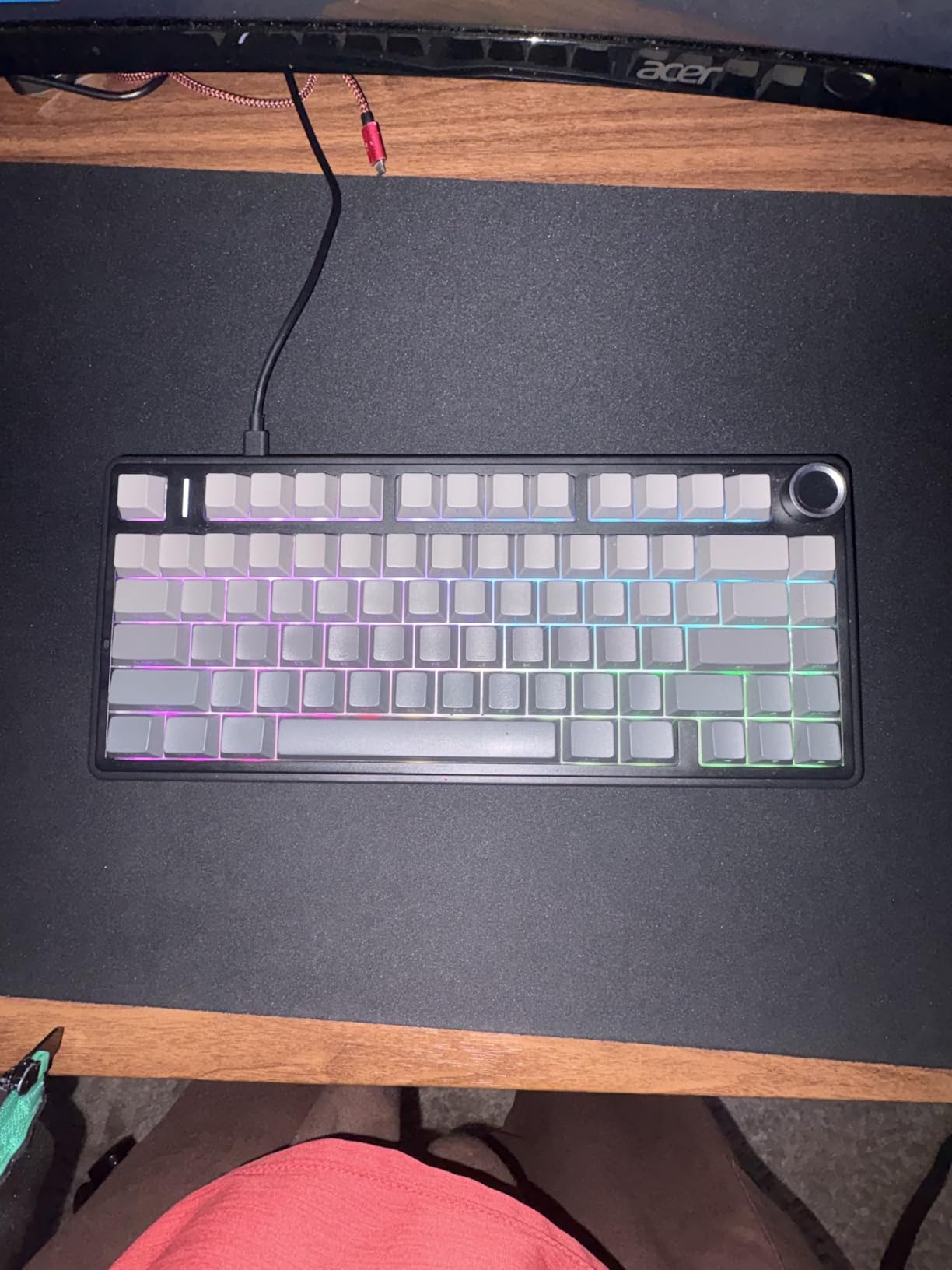
The sound profile is where this board punches above its weight class. Five layers of sound-dampening filling produce a deep, creamy thock that sounds like a custom-built keyboard. My stream viewers actually asked what expensive board I was using because the typing audio came through so cleanly on mic.
The RGB lighting offers 16.8 million colors across 16 preset effects. The multi-function knob on the top right is handy for adjusting volume during gaming sessions, though it controls backlight brightness in gaming mode rather than volume, which is a bit confusing.
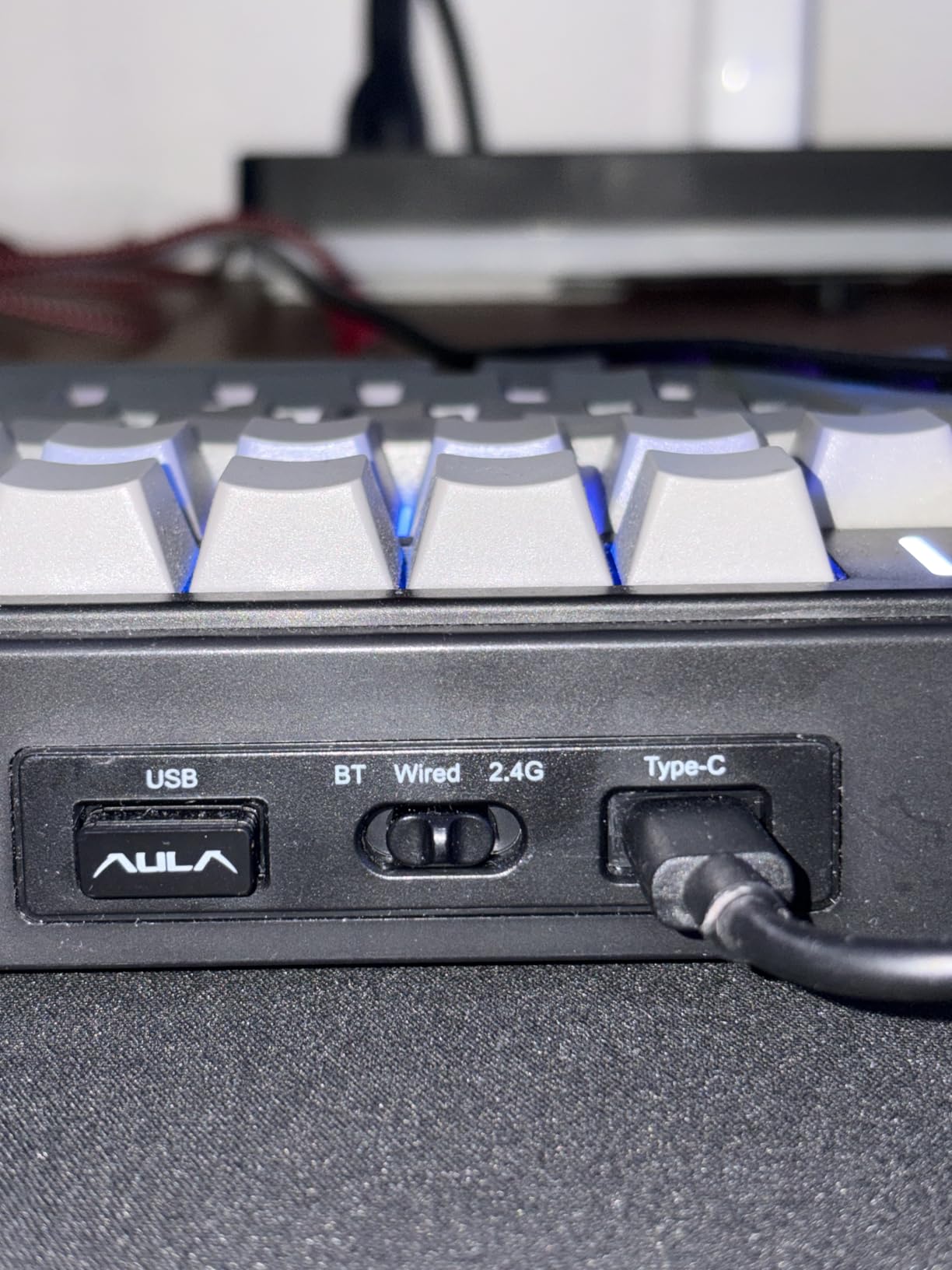
Tri-Mode Connectivity Options
Bluetooth 5.0 lets you pair with up to three devices simultaneously, 2.4GHz wireless gives you a dedicated dongle for gaming with minimal latency, and USB-C wired mode charges the 4000mAh battery while you play. I got about two weeks of mixed use before needing to plug in.
For competitive FPS gaming, I noticed a tiny amount of latency on the 2.4GHz connection compared to wired mode. Casual gamers will never notice, but if you play ranked CS2 or Valorant seriously, stick to wired. For everything else, wireless mode works flawlessly.
Sound Profile and Switch Feel
The pre-lubed Reaper switches feel like they came from a premium custom board. Each keypress is smooth from top to bottom with no scratch, wobble, or leaf rattle. The PCB single-key slotting and five layers of silencer filling eliminate the hollow echo and metallic ping that ruin cheap boards.
The side-printed PBT keycaps look sleek but are a practical issue. If you are not a touch typist, the legends being on the front face of the keycaps means you cannot see them from a normal typing angle. I adapted within a day, but it is worth knowing before you buy.
4. ASUS ROG Strix Scope II X – Pre-Lubed Linear Performance
ASUS ROG Strix Scope II X Wired USB Mechanical Gaming Keyboard – 100% Full-Size, Hot Swappable Pre-lubed ROG NX Snow V2 Linear Switches, PBT Keycaps, RGB, PC/Mac Support – Black
ROG NX Snow V2 Linear switches
104 keys
Hot-swappable
PBT doubleshot keycaps
Sound-dampening foam
Aluminum top plate
Pros
- Hot-swappable pre-lubed linear switches
- Sound-dampening foam reduces pinging
- Aluminum top plate feels premium
- Multi-function control wheel
- Three angle adjustments with wrist rest
Cons
- Wrist rest feels harder than competitors
- Cable feels slightly flimsy
- Software needed for full wheel control
The ASUS ROG Strix Scope II X brings premium gaming keyboard features to a mid-range price point. The pre-lubed ROG NX Snow V2 linear switches are smooth and fast, with a light actuation force that feels effortless during extended gaming sessions. I found myself playing better in tracking-heavy games because the switches responded so quickly.
ASUS built this board with sound quality in mind. Integrated sound-dampening foam eliminates the hollow echo and metallic ping that makes some mechanical keyboards annoying during long sessions. The result is a deep, clean sound that sits comfortably between thocky and crisp. My partner stopped complaining about keyboard noise after I switched to this board.
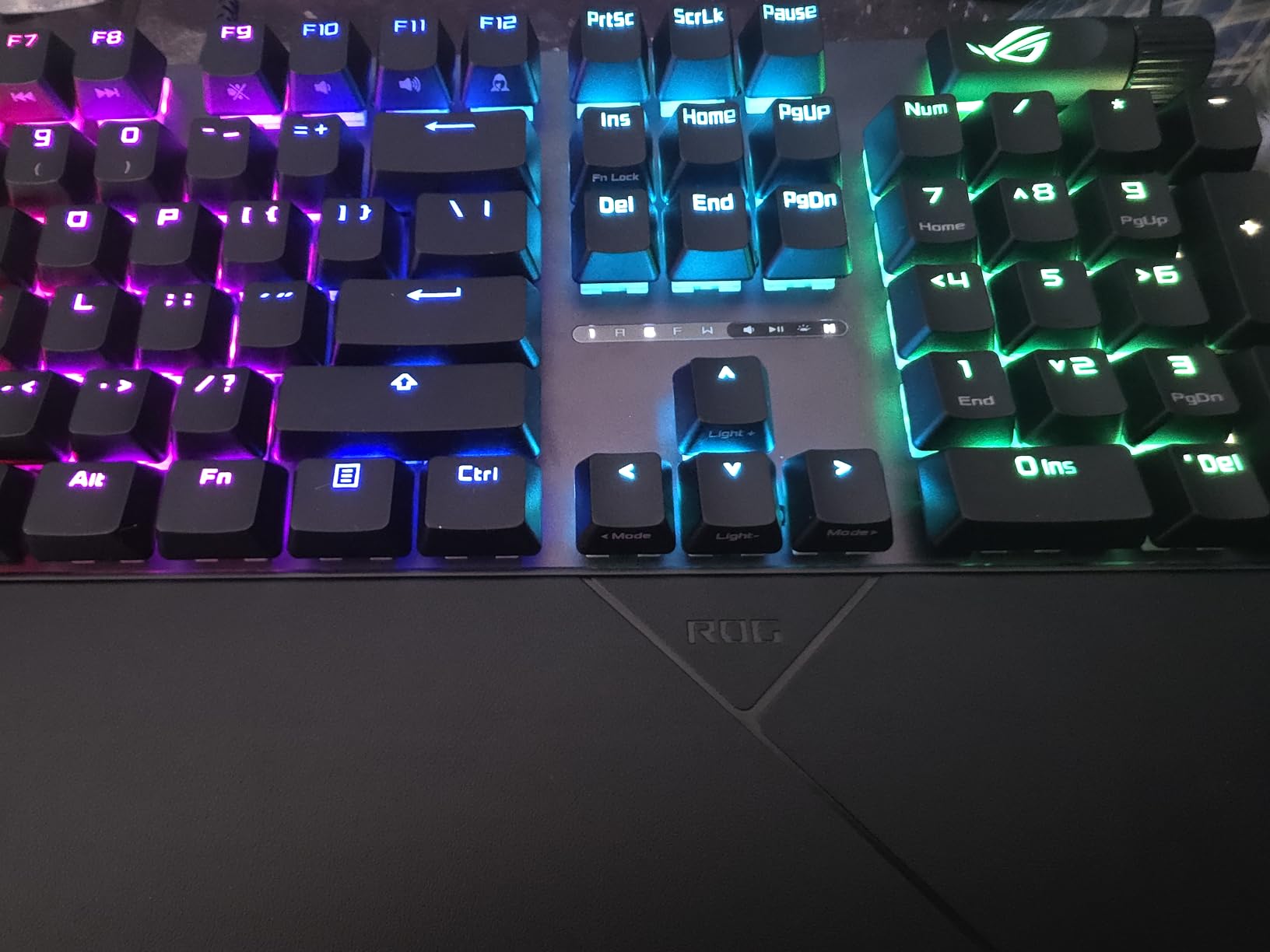
The aluminum top plate gives the Scope II X a premium heft that keeps it planted on the desk. At 2.1 pounds, it does not slide around even during intense gaming. The PBT doubleshot keycaps resist wear and the legends will not fade over time like cheaper pad-printed alternatives.
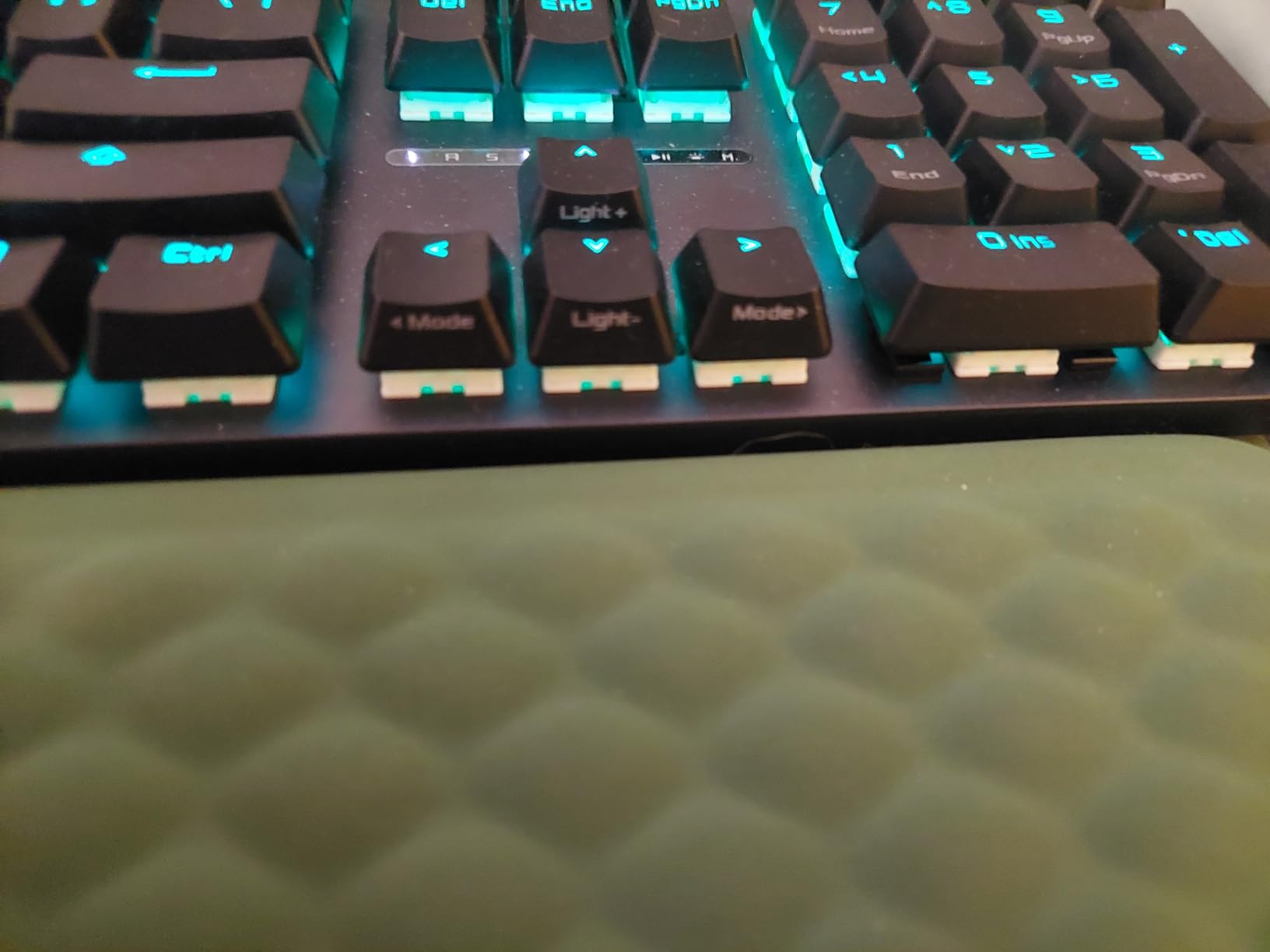
The multi-function wheel handles media controls and lighting adjustments. I use it constantly for volume during gaming, and the tactile clicks feel precise. Three ergonomic angle adjustments plus the included wrist rest let you find a comfortable typing angle for long sessions.
Acoustic Dampening and Build
The sound-dampening foam inside this keyboard is the difference-maker. Without it, the linear switches would still feel good, but the foam transforms the acoustic profile from generic mechanical clatter to a deep, satisfying sound. This is the quietest full-size mechanical gaming keyboard I have tested without going to silent switches.
The aluminum top plate adds structural rigidity and a premium feel. Combined with the PBT keycaps and pre-lubed switches, the overall build quality rivals keyboards in the $150 to $200 range.
Ergonomics and Wrist Rest Design
The detachable wrist rest snaps on magnetically and supports three different typing angles. I appreciated the adjustability during marathon gaming sessions. However, the wrist rest material is firmer than I prefer. It provides solid support but lacks the cushioned feel of premium memory foam wrist rests.
The USB-C detachable cable is convenient for transport, though the cable itself feels thinner and less durable than the braided cables on Corsair keyboards. This is a minor complaint about an otherwise excellent mid-range gaming keyboard.
5. SteelSeries Apex 5 – Hybrid Switch Versatility with OLED Display
SteelSeries USB Apex 5 Hybrid Mechanical Gaming Keyboard – Per-Key RGB Illumination – Aircraft Grade Aluminum Alloy Frame – OLED Smart Display (Hybrid Blue Switch)
Hybrid Blue tactile-clicky switches
104 keys
Aircraft-grade aluminum frame
OLED smart display
Per-key RGB
Magnetic wrist rest
Pros
- OLED display shows GIFs and Discord messages
- Aircraft-grade aluminum frame extremely sturdy
- Premium magnetic wrist rest
- Volume wheel and media controls
- 5 onboard profile memory
Cons
- Hybrid switches are not replaceable
- No context menu key
- Small input delay for competitive gaming
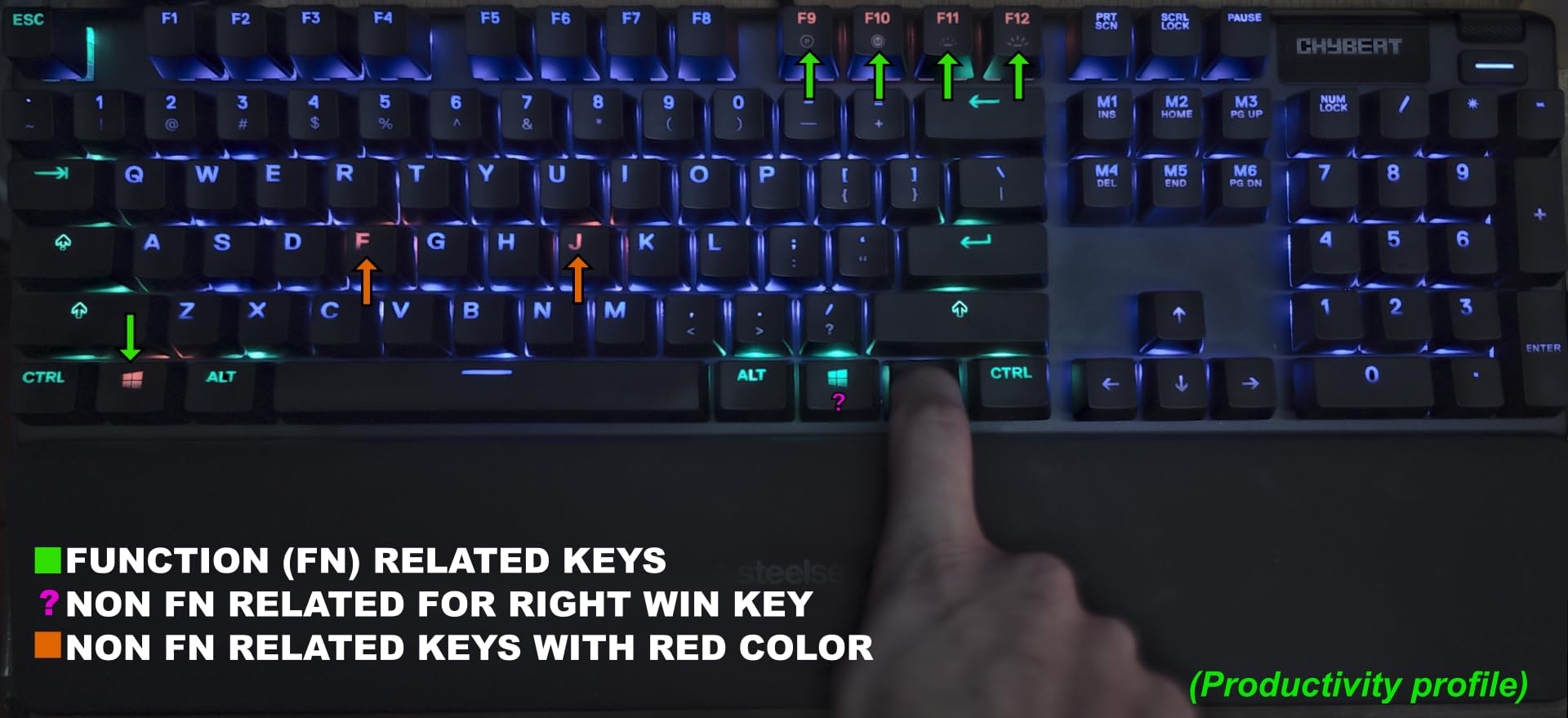
The SteelSeries Apex 5 stands out immediately because of the OLED smart display in the top right corner. I loaded a custom animated GIF of my cat onto it within minutes of unboxing, and during gaming sessions it shows me Discord notifications without needing to alt-tab. It sounds like a gimmick, but it has become one of those features I did not know I wanted.
The hybrid blue switches combine the tactile click of mechanical switches with the smooth feel of membrane. They give you a satisfying bump on each keypress without the full mechanical noise. For gaming, the hybrid feel is responsive and consistent, and for typing, the tactile feedback keeps typos down.
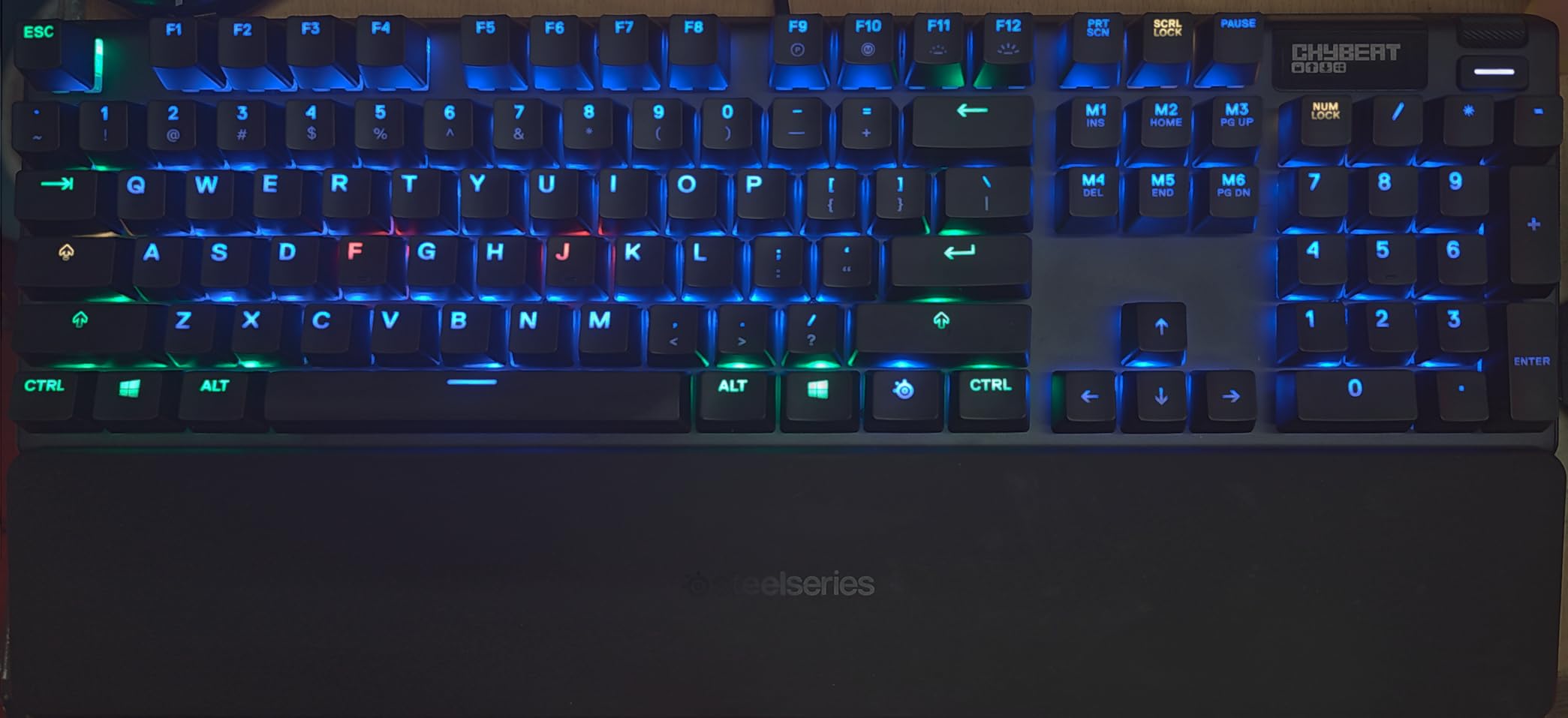
The aircraft-grade aluminum alloy frame is one of the sturdiest builds in this price range. The board does not flex, does not slide, and feels like it was milled from a solid block of metal. SteelSeries includes a premium magnetic wrist rest that snaps into place firmly and provides full palm support.
The per-key RGB illumination is bright and smooth. SteelSeries Engine software lets you create custom lighting profiles, and the board saves up to 5 profiles directly in onboard memory. I switch between a work profile with subtle white lighting and a gaming profile with reactive rainbow effects with a single key combo.
OLED Smart Display Features
The OLED display is more useful than I expected. During gaming, I set it to show my Discord messages, system volume, and current time. You can also display animated GIFs, custom logos, or SteelSeries-branded notifications. The display cannot be dimmed, which is slightly annoying in a dark room.
Setting up custom content requires the SteelSeries GG software, which is straightforward and reliable compared to some competitors. The software also handles RGB customization, macro programming, and profile management.
Switch Durability and Replacement Concerns
The hybrid switches are rated for 20 million keypresses, which is lower than the 50 to 100 million rating on pure mechanical switches. For most users, this still means years of use, but heavy typists and gamers should be aware of the lower durability rating.
The bigger concern is that these hybrid switches are proprietary and cannot be replaced. If a switch fails after the warranty period, you cannot just swap it out like you can with the Redragon K556 or ASUS ROG Strix Scope II X. This is the tradeoff for the hybrid design.
6. Razer BlackWidow V4 X – Snap Tap Gaming with Yellow Switches
Razer BlackWidow V4 X Mechanical Gaming Keyboard, Yellow Switches, Black
Razer Yellow linear-silent switches
104 keys
1.2mm actuation
6 macro keys
Chroma RGB per-key
Snap Tap support
Pros
- Yellow switches instant with rapid-fire actuation
- 6 dedicated macro keys for complex commands
- Multi-function roller and media keys
- Snap Tap for instant directional changes
- Sound dampening foam layer
Cons
- Wired only with no wireless option
- ABS keycaps may wear faster than PBT
- Heavier at 2.5 pounds
The Razer BlackWidow V4 X brings serious gaming features to the table. The Razer Yellow linear switches have a 1.2mm actuation distance with essentially zero gap between actuation and reset points. This means the moment you release a key, it is ready to press again. For counter-strafing in CS2 and movement tech in fighting games, this responsiveness is a genuine competitive advantage.
Snap Tap is the headline feature here. It allows instant directional changes by prioritizing the most recent keypress, which means you can press A while still holding D and the keyboard immediately registers the direction change. This technology was previously only available on much more expensive Hall effect keyboards.
The Yellow switches have built-in sound dampeners that make them surprisingly quiet for linear switches. I gamed late at night without waking anyone in the next room, which is not something I can say for every mechanical keyboard I have tested. The lubricated stabilizers on the larger keys eliminate rattle and wire ping.
Six dedicated macro keys on the left side give you quick access to complex commands, ability rotations, or communication shortcuts. I mapped them to Discord mute, push-to-talk, and common MMO ability sequences. The multi-function roller handles volume, brightness, and tab switching depending on your profile settings.
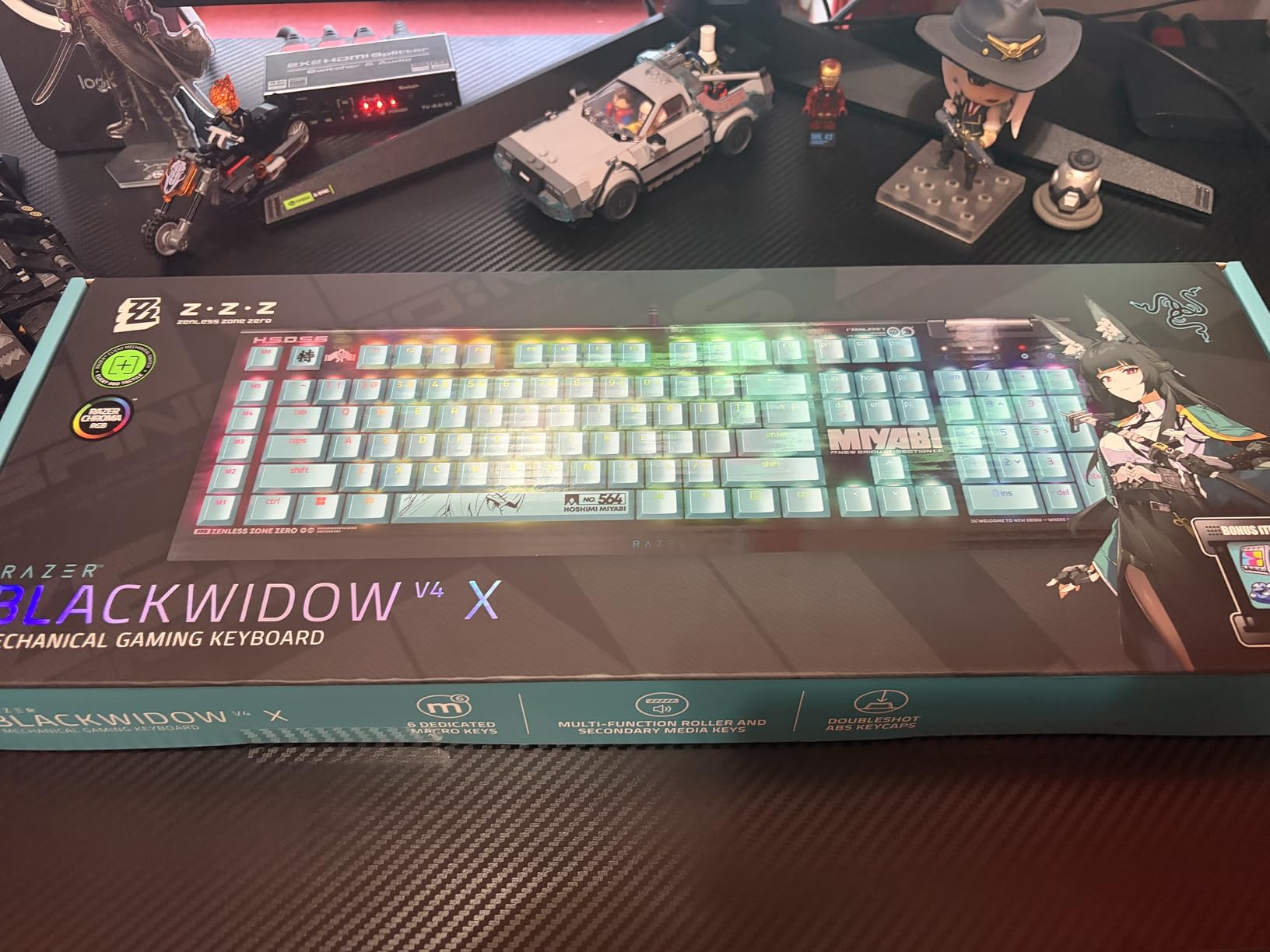
Snap Tap and Competitive Gaming Features
Snap Tap gives you a movement advantage in FPS games by allowing instant direction changes without fully releasing the opposite key. In Valorant and CS2, this means smoother counter-strafing and more reliable stops for accurate shooting. The feature works at the hardware level, so it functions even without Razer Synapse software running.
Chroma RGB integration syncs with other Razer peripherals and Chroma-enabled games. Per-key lighting means you can highlight just your WASD cluster, create reactive effects on damage taken, or match your team colors. The 16.8 million color range is as vibrant as any RGB system on the market.
Macro Keys and Media Controls
The six macro keys on the left side are positioned within comfortable reach of your pinky without interfering with normal typing. Razer Synapse lets you record complex macros with precise timing, and you can store profiles onboard for tournament use.
The multi-function roller and dedicated media keys are positioned top-right. The roller handles volume by default but can be customized for brightness, tab cycling, or application switching. These physical media controls are faster than function-key combinations and feel premium in operation.
7. Corsair K70 PRO TKL – Hall Effect Rapid Trigger Precision
Corsair K70 PRO TKL RGB Tenkeyless Mechanical Wired Gaming Keyboard – Pre-Lubed Hall Effect MGX Hyperdrive Adjustable Switches, Simultaneous SOCD and Rapid Trigger, ABS Double-Shot, QWERTY NA – Black
MGX Hyperdrive Hall effect switches
84 keys
Adjustable actuation 0.4-3.6mm
Rapid Trigger
SOCD support
Tenkeyless
ABS doubleshot keycaps
Pros
- Hall effect switches with adjustable actuation
- Rapid Trigger for ultra-fast response
- SOCD for competitive FPS
- Tenkeyless layout saves desk space
- Per-key customizable actuation
- Includes wrist rest
Cons
- iCUE software complex to set up
- Volume knob close to navigation keys
- ABS keycaps instead of PBT
The Corsair K70 PRO TKL is the keyboard that made me understand what all the Hall effect hype is about. The MGX Hyperdrive magnetic switches let you set actuation points anywhere from 0.4mm to 3.6mm per individual key. I set my WASD keys to trigger at 0.4mm for instant response in FPS games and my typing keys to a deeper 2mm to prevent accidental presses. This per-key adjustability is a genuine game-changer.
Rapid Trigger means the key resets the moment you start lifting your finger, not when it returns past a fixed point. In practice, this means you can tap keys faster and more reliably. My counter-strafe timing in Valorant improved noticeably within the first day of using this keyboard. The SOCD (Simultaneous Opposing Cardinal Directions) support ensures clean directional inputs for fighting game players and FPS movement.
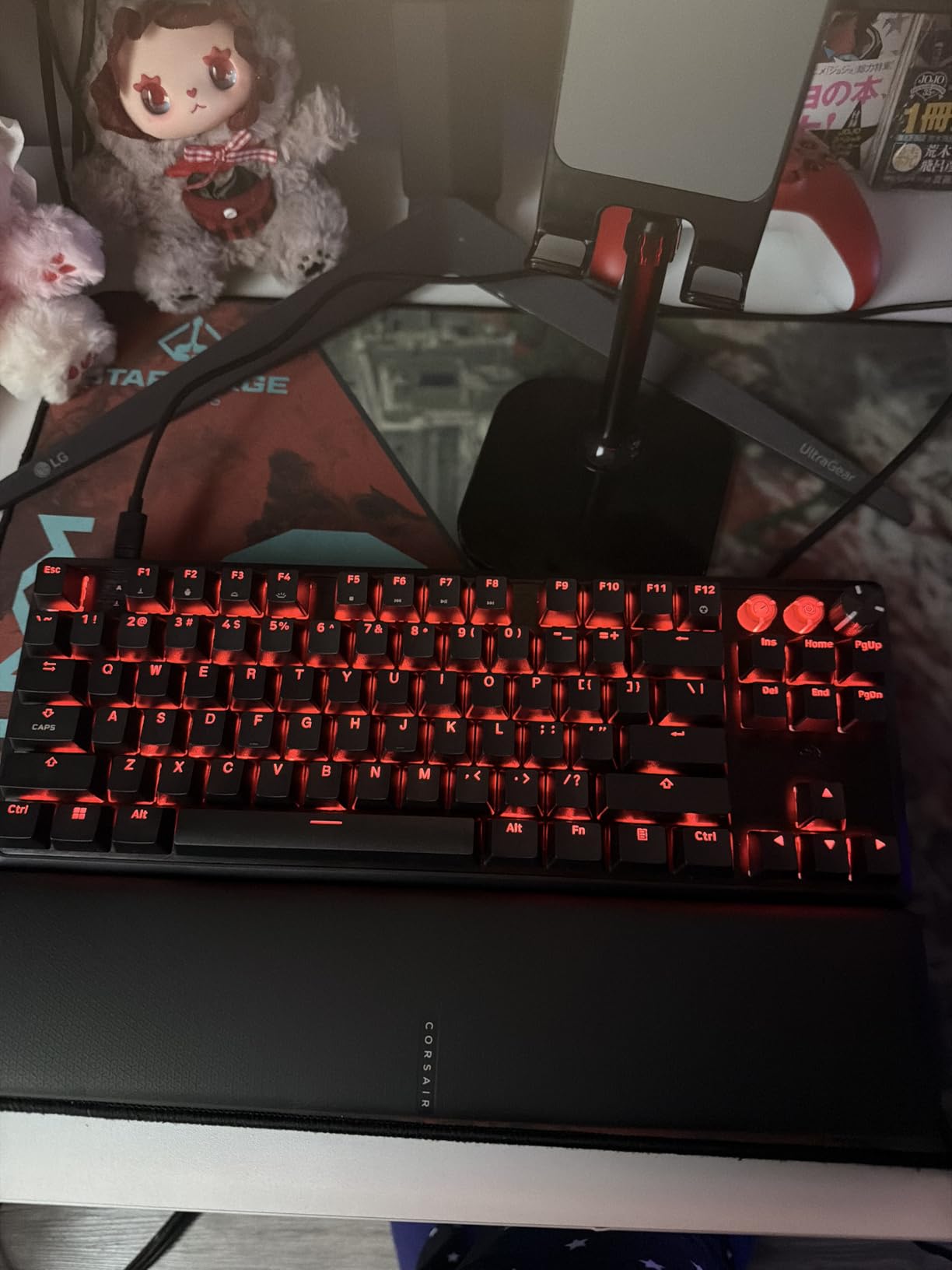
The tenkeyless layout frees up significant desk space for mouse movement, which matters enormously for low-sensitivity FPS players. The pre-lubed switches with a sturdy double-rail structure reduce wobble to almost nothing. Every keypress feels deliberate and precise.
The build quality matches the premium price tag. The aluminum frame has a satisfying heft, the doubleshot ABS keycaps have crisp legends, and the included wrist rest is comfortable enough for multi-hour sessions. The USB-C connection is reliable with zero disconnects during my testing.
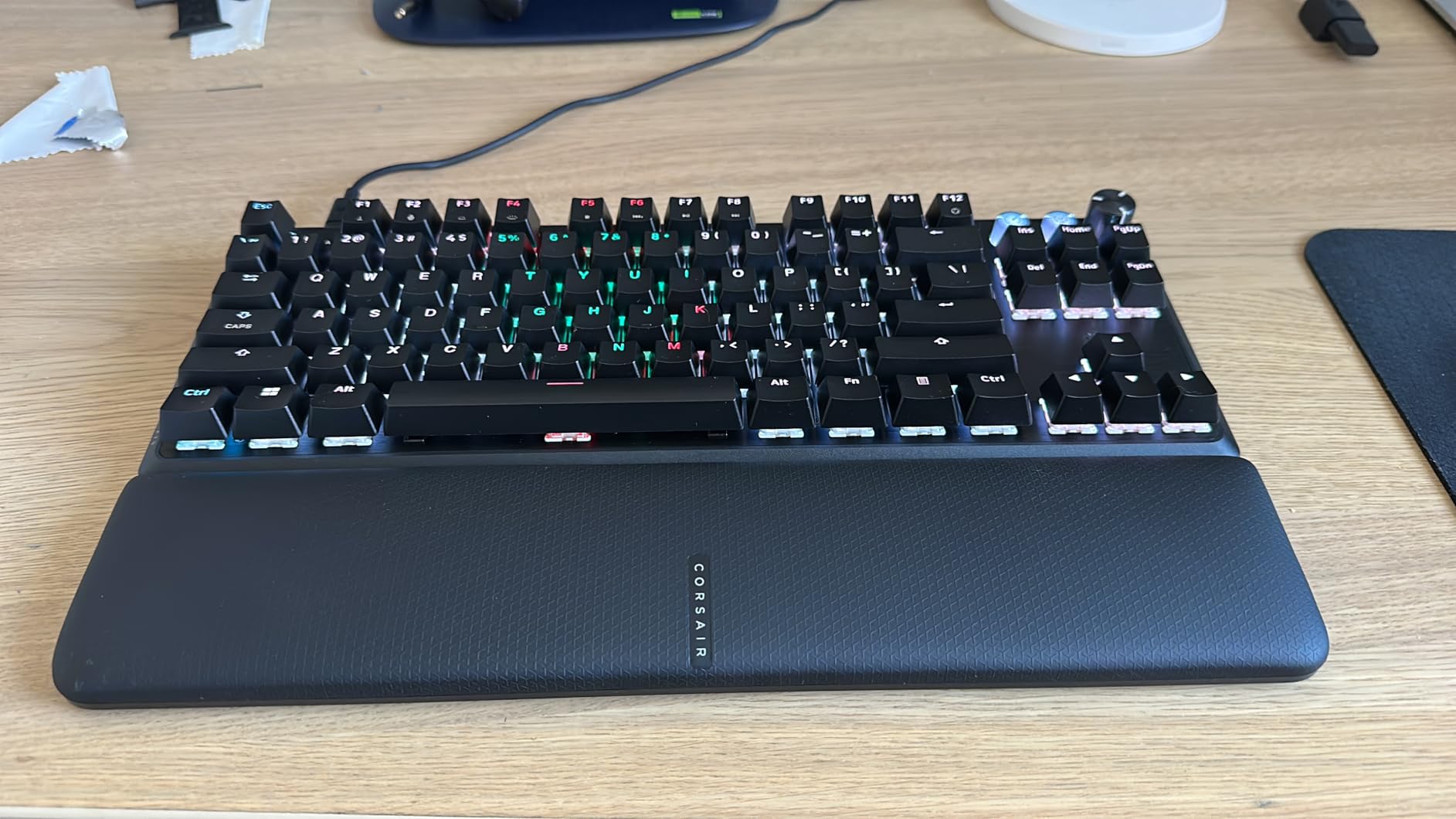
Adjustable Actuation Explained
Traditional mechanical switches trigger at a fixed point, usually around 2mm. Hall effect switches use magnets to detect key position continuously, which means you can set the trigger point yourself. A shallow 0.4mm setting means the key registers almost the instant you touch it, perfect for gaming speed.
For typing, you might prefer a deeper 2mm or 3mm actuation to prevent accidental keypresses when your fingers rest on the keys. The iCUE software lets you set different actuation points for individual keys, so you can optimize WASD for speed and the rest of the board for typing accuracy.
SOCD and Competitive FPS Advantage
SOCD support means the keyboard correctly handles situations where you press opposing direction keys simultaneously. If you press A and D at the same time, SOCD ensures the most recent input wins, giving you instant clean directional changes. This is essential for high-level CS2 and Valorant movement.
Rapid Trigger combined with SOCD gives you the fastest possible movement inputs. In testing, I could chain strafes and stops faster than on any traditional mechanical switch keyboard. For competitive players, this is the kind of advantage that justifies the price tag.
8. Logitech G PRO X TKL Rapid – Tournament-Grade Magnetic Switches
Logitech G PRO X TKL Rapid Tenkeyless Gaming Keyboard (Hall-Effect) – Black
Magnetic analog Hall effect switches
90 keys
35g actuation force
Rapid Trigger
KEYCONTROL multi-layer
LIGHTSYNC RGB
Detachable USB-C
Tenkeyless
Pros
- Magnetic analog switches with Rapid Trigger
- 35g actuation force for fluid keypresses
- KEYCONTROL multi-action combos
- Lightweight at 150 grams
- Detachable USB-C for transport
- Tournament-grade responsiveness
Cons
- Advanced features require G HUB software
- Plastic enclosure feels less premium
- No wrist rest included
The Logitech G PRO X TKL Rapid is designed with esports professionals, and you can feel it the moment you start typing. The magnetic analog switches have a 35g actuation force that feels incredibly light and fluid. Every keypress registers with minimal effort, which reduces finger fatigue during long tournament sessions or extended ranked grinds.
Rapid Trigger on this board is as fast as anything I have tested. The keys reset the instant you begin lifting your finger, allowing for rapid successive inputs that give you an edge in any game requiring quick movement changes. Logitech collaborated with pro players to tune the response curves, and it shows in the precision of every input.
The KEYCONTROL system is what sets this keyboard apart from other Hall effect options. It lets you assign multiple actions to a single keypress across different layers. I set up a single key to trigger a flashbang, switch to my primary weapon, and start a sprint combo in one press. This kind of macro flexibility is normally found only in dedicated MMO keyboards.
KEYCONTROL Multi-Layer System
KEYCONTROL works by stacking actions on top of each other in layers. When you press a key, it can trigger sequential actions, simultaneous actions, or modifier-dependent actions depending on how you configure it. The G HUB software handles this setup, and while it takes some learning, the flexibility is unmatched.
For fighting game players, KEYCONTROL can simplify complex input sequences. For FPS players, it can automate weapon switching and utility usage. For MMO players, it functions like having extra macro keys without the extra physical keys taking up space.
Portability and Tournament Use
At just 150 grams, this is one of the lightest keyboards I have tested. The detachable USB-C cable makes it easy to pack for LAN events or tournaments. Logitech designed this board specifically for esports pros who travel, and the build reflects that priority.
The tradeoff of the lightweight plastic construction is that it feels less premium than the aluminum-clad Corsair keyboards in this guide. If you want a board that stays on your desk permanently, the Corsair K70 PRO TKL or K100 RGB offer better build quality. But if you need a tournament board you can throw in a backpack, the PRO X TKL Rapid is purpose-built for it.
9. Corsair K100 RGB – Flagship 4000Hz Hyper-Polling Beast
Corsair K100 RGB Mechanical Gaming Keyboard – Cherry MX Speed RGB Silver Keyswitches – PBT Double-Shot Keycaps – Elgato Stream Deck and iCUE Compatible – QWERTY NA Layout – Black
Cherry MX Speed Silver switches
110 keys
AXON 4000Hz hyper-polling
6 macro G-keys
iCUE control wheel
PBT doubleshot keycaps
Aluminum frame
Magnetic wrist rest
Pros
- Cherry MX Speed Silver with 1.2mm actuation
- AXON 4000Hz hyper-polling technology
- 6 programmable G-keys for macros
- iCUE control wheel for media and lighting
- LightEdge three-sided RGB system
- 100 million keystroke guarantee
Cons
- Very expensive compared to competitors
- Keys may feel too sensitive for some
- iCUE software is large and complex
- Requires two USB cables for full features
The Corsair K100 RGB is the keyboard I reach for when I want the absolute best performance with zero compromise. The Cherry MX Speed Silver switches have a 1.2mm actuation distance that makes every other keyboard feel sluggish by comparison. Combined with AXON hyper-processing technology delivering 4000Hz polling, this is the fastest keyboard I have ever used.
The 4000Hz polling rate means the keyboard reports its state to your computer 4000 times per second instead of the standard 1000Hz. In competitive gaming, this reduces input latency by a measurable margin. I cannot claim it made me a dramatically better player, but the responsiveness is noticeably snappier, especially in fast-paced FPS games where every millisecond counts.
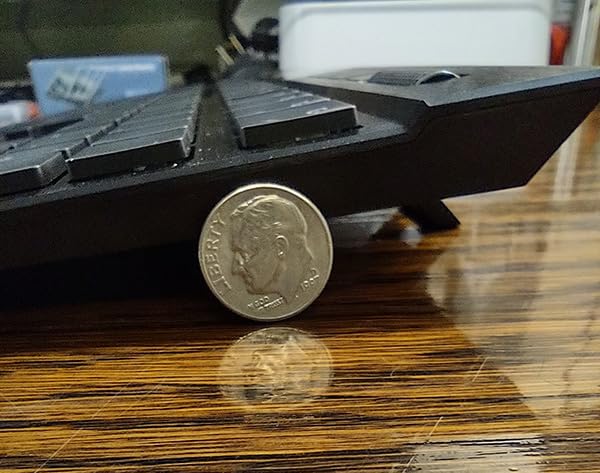
The build quality is flagship-level. The aluminum frame is substantial, the PBT doubleshot keycaps resist shine and wear, and the magnetic wrist rest is one of the most comfortable I have used. Six dedicated G-keys on the left side provide macro functionality for MMOs, productivity shortcuts, or communication tools.
The iCUE control wheel is a unique feature that handles media control, lighting adjustments, and application switching. The 44-zone LightEdge along three sides of the keyboard creates a stunning ambient glow effect that syncs with your per-key RGB lighting. For streamers and content creators, Elgato Stream Deck compatibility extends the functionality even further.
AXON Hyper-Processing Technology
AXON is Corsair proprietary processing technology that handles both key scanning and USB polling at 4000Hz. Standard gaming keyboards poll at 1000Hz, so AXON offers four times the reporting rate. This translates to a 0.25ms polling interval versus the standard 1ms.
Whether this difference is perceptible depends on your skill level and game type. Professional FPS players can benefit from reduced input latency. For casual gamers, the difference between 1000Hz and 4000Hz is negligible in practice. The Cherry MX Speed Silver switches with their 1.2mm actuation are arguably the bigger performance factor.
Stream Deck Integration and iCUE
The iCUE software ecosystem is both the K100’s greatest strength and its biggest weakness. The customization options are extensive, from per-key RGB to complex macro programming to system temperature monitoring displayed on the control wheel. But iCUE is a 1.1GB download that can be overwhelming for new users.
Elgato Stream Deck integration lets you trigger Stream Deck actions from the K100’s G-keys and control wheel. For streamers, this means your keyboard can control scenes, launch overlays, and manage chat without reaching for a separate device. The integration is seamless if you already use Elgato products.
How to Choose the Best Mechanical Gaming Keyboard
Choosing from the best mechanical keyboards for gaming comes down to understanding switch types, form factors, and which features actually matter for your gaming style. Let me break down the key decisions.
Switch Types: Linear vs Tactile vs Clicky vs Magnetic
Linear switches are the top choice for gaming. They have a smooth, consistent keystroke from top to bottom with no tactile bump. This means faster actuation and less finger resistance. The Razer Yellow switches on the BlackWidow V4 X and the Cherry MX Speed Silver on the Corsair K100 RGB are both linear switches optimized for gaming speed.
Tactile switches have a noticeable bump partway through the keypress. This feedback helps you know when a key has registered without bottoming out. The Redragon K556 and Logitech G413 SE both use tactile brown switches. They are a good middle ground if you want one keyboard for both gaming and typing.
Clicky switches add an audible click sound to the tactile bump. They are satisfying for typing but the noise can be disruptive for late-night gaming and voice chat. The SteelSeries Apex 5 hybrid blue switches offer a clicky feel with less noise than traditional clicky switches.
Magnetic Hall effect switches are the newest technology. They use magnets to detect key position continuously, enabling adjustable actuation points and Rapid Trigger. The Corsair K70 PRO TKL and Logitech G PRO X TKL Rapid both use Hall effect switches. If you play competitive FPS games seriously, this technology gives you a measurable advantage.
Form Factor: Full-Size vs TKL vs 75 Percent vs 60 Percent
Full-size keyboards include the numpad and all navigation keys. They are great for productivity and MMO gaming where you use the numpad for keybinds. The Corsair K100 RGB and Razer BlackWidow V4 X are full-size boards. The downside is they take up more desk space, limiting mouse room for low-sensitivity FPS aiming.
Tenkeyless (TKL) removes the numpad but keeps the function row and navigation cluster. This is the most popular competitive gaming layout because it frees up desk space for mouse movement. The Corsair K70 PRO TKL and Logitech G PRO X TKL Rapid are both tenkeyless boards designed for esports.
75 percent keyboards like the AULA F75 Pro keep the function row but compress the layout further. They are extremely space-efficient while still giving you arrow keys and a function row. This layout is increasingly popular among gamers who want compact setups without sacrificing functionality.
Rapid Trigger and Hall Effect: Do You Need It?
Rapid Trigger is a feature of Hall effect keyboards that resets the key the moment you start lifting your finger. Traditional switches reset at a fixed point, usually 2mm above the actuation point. Rapid Trigger eliminates this delay, allowing for faster repeated keypresses.
Do you need it? If you play competitive FPS games at a high level, yes. The movement precision advantage in games like CS2 and Valorant is real and measurable. If you primarily play single-player games, MMOs, or casual multiplayer, you will not notice the difference. Standard linear switches on the Razer BlackWidow V4 X or Cherry MX Speed switches on the Corsair K100 RGB will serve you just as well.
Build Quality and Materials
Aluminum frames provide rigidity, weight, and a premium feel. The Redragon K556, Logitech G413 SE, SteelSeries Apex 5, ASUS ROG Strix Scope II X, and both Corsair keyboards feature aluminum construction. Plastic boards like the AULA F75 Pro and Logitech G PRO X TKL Rapid are lighter but less premium-feeling.
PBT keycaps outlast ABS keycaps significantly. PBT resists the shiny wear that develops on frequently-used keys. The Logitech G413 SE, ASUS ROG Strix Scope II X, AULA F75 Pro, and Corsair K100 RGB all use PBT keycaps. ABS keycaps on the Razer BlackWidow V4 X and Corsair K70 PRO TKL are still durable but will show wear sooner.
Hot-swappable sockets let you change switches without soldering. This is valuable if you want to experiment with different switch types or replace a worn switch. The Redragon K556, AULA F75 Pro, and ASUS ROG Strix Scope II X all feature hot-swap sockets.
Budget Tiers and Value Assessment
The $50 to $70 range delivers solid mechanical gaming keyboards with surprising quality. The Redragon K556 offers hot-swap functionality, the Logitech G413 SE provides premium build quality, and the AULA F75 Pro adds wireless connectivity. Any of these three will outperform their price suggests.
The $90 to $110 tier adds premium features like dedicated macro keys, media controls, and advanced RGB systems. The SteelSeries Apex 5 with its OLED display, ASUS ROG Strix Scope II X with pre-lubed switches, and Razer BlackWidow V4 X with Snap Tap all deliver strong value at this price.
The $140 to $250 range is where Hall effect switches, Rapid Trigger, and 4000Hz polling enter the picture. The Corsair K70 PRO TKL at $140 is the value pick for competitive gamers. The Logitech G PRO X TKL Rapid adds tournament portability. The Corsair K100 RGB tops out the range with every feature imaginable for enthusiasts and streamers.
FAQs
What’s the best mechanical keyboard for gaming that still types well?
The Logitech G413 SE and ASUS ROG Strix Scope II X are the best options for balancing gaming performance with typing comfort. Both feature tactile or smooth linear switches that work well for fast-paced gaming while providing satisfying feedback for long typing sessions. The SteelSeries Apex 5 with its hybrid blue switches is another strong choice if you prefer a more tactile typing feel.
What switch type is best for gaming – linear, tactile, or clicky?
Linear switches are best for gaming because they offer smooth, consistent keystrokes with no resistance point. This means faster actuation and less finger fatigue during extended sessions. Tactile switches are a good compromise if you also type a lot, while clicky switches are satisfying for typing but the noise can be disruptive for gaming and voice chat. For competitive FPS gaming, magnetic Hall effect switches with Rapid Trigger provide the fastest response times.
How much should I spend on a gaming keyboard?
Budget gaming keyboards under $70 like the Redragon K556 and AULA F75 Pro deliver excellent value with hot-swap capability and solid build quality. The $90 to $110 range adds premium features like dedicated macro keys and advanced RGB. For competitive gamers who need Hall effect switches with Rapid Trigger, expect to spend $140 to $190 on boards like the Corsair K70 PRO TKL or Logitech G PRO X TKL Rapid.
Are expensive gaming keyboards worth it?
Expensive gaming keyboards are worth it if you play competitive FPS games where milliseconds matter. Hall effect switches with Rapid Trigger and adjustable actuation provide a measurable performance advantage. For casual gaming, budget keyboards like the Redragon K556 at under $60 offer 90 percent of the gaming experience at a fraction of the cost. The value depends entirely on your competitive level and gaming priorities.
What is rapid trigger and do I need it?
Rapid Trigger is a feature of Hall effect keyboards that resets a key the instant you start lifting your finger rather than at a fixed reset point. This allows for faster repeated keypresses and more precise movement control. You need it if you play competitive FPS games like CS2 or Valorant where counter-strafing and movement precision directly impact performance. For casual gaming, standard mechanical switches are perfectly adequate.
Final Thoughts on the Best Mechanical Keyboards for Gaming
After testing all 9 keyboards across months of gaming and daily typing, a few clear winners emerged. The Corsair K70 PRO TKL is my editor’s choice for competitive gamers who need Hall effect switches with Rapid Trigger and SOCD support. The AULA F75 Pro delivers incredible value with tri-mode wireless and pre-lubed linear switches at a budget price. For flagship performance with 4000Hz polling and Cherry MX Speed switches, the Corsair K100 RGB is the ultimate enthusiast choice.
The best mechanical keyboards for gaming in 2026 span every budget and play style. Whether you spend $50 on a Redragon K556 or $250 on a Corsair K100 RGB, the mechanical switch advantage over membrane keyboards is immediately noticeable. Pick the board that matches your gaming priorities, switch preference, and desk setup, and you will notice the difference from your first session.