
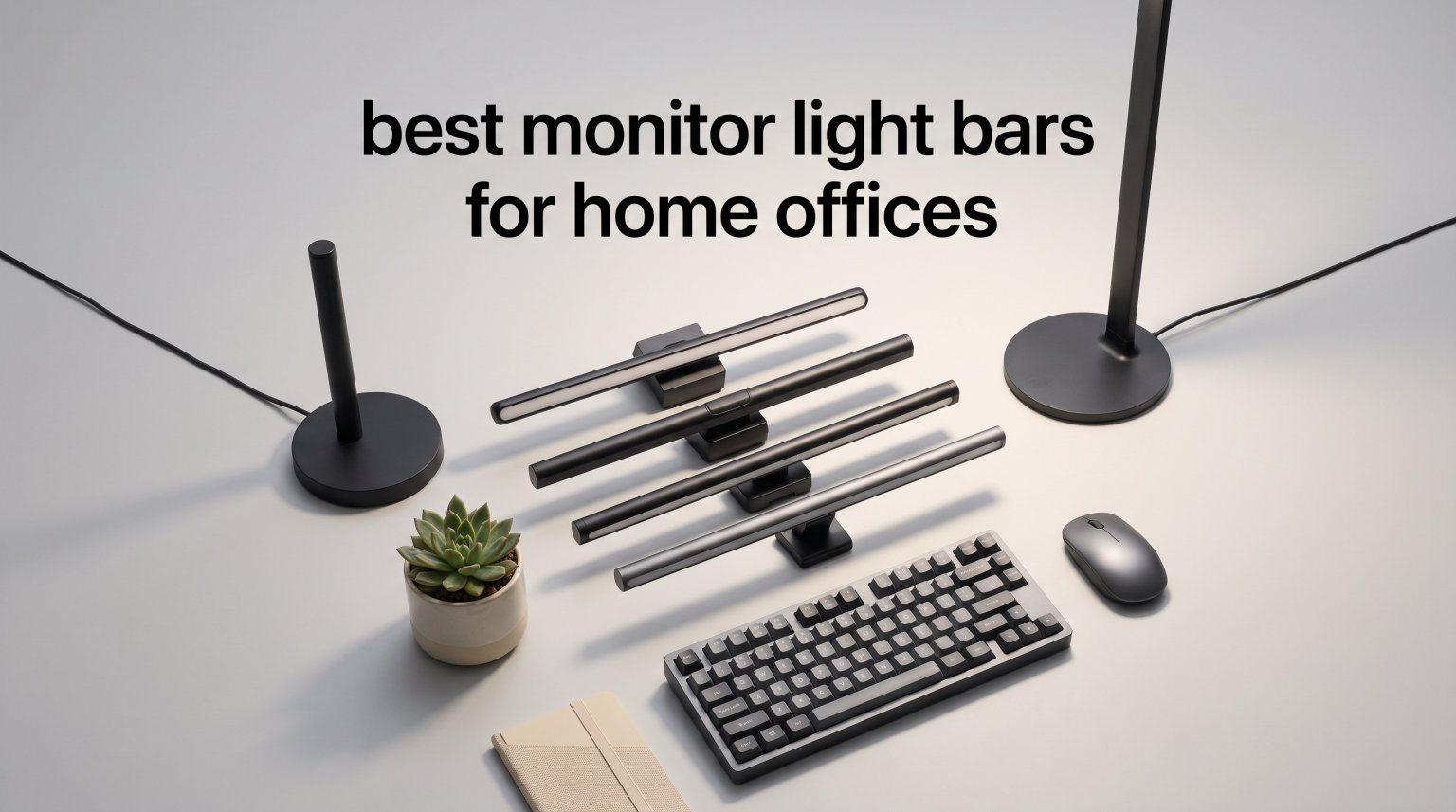
Working long hours at your computer screen can leave your eyes feeling strained and tired. Traditional desk lamps often create harsh shadows or reflect light directly onto your monitor, making matters worse. This is where monitor light bars come in. These innovative devices sit above your screen, providing asymmetrical lighting that illuminates your keyboard and workspace without causing screen glare. In this comprehensive guide, I tested and reviewed the best monitor light bars for home offices to help you find the perfect solution for your workspace.
Monitor light bars offer several advantages over traditional desk lamps. They take up zero desk space, clip directly onto your monitor, and direct light precisely where you need it. Most models offer adjustable color temperature and brightness levels, allowing you to customize the lighting based on your work environment. Whether you work late nights, have a dimly lit room, or simply want better task lighting, a quality monitor light bar can transform your home office experience in 2026.
I spent several weeks testing different models to evaluate their build quality, lighting performance, ease of installation, and overall value. From budget-friendly options under $15 to premium models with advanced features like motion sensors and wireless controllers, I covered a wide range to suit every need and budget. My testing focused on real-world scenarios including typing documents, reading text, and working in various ambient lighting conditions.
Table of Contents
Top 3 Picks for Monitor Light Bars
Best Monitor Light Bars in 2026
| Product | Specifications | Action |
|---|---|---|
 BenQ ScreenBar Pro BenQ ScreenBar Pro |
|
Check Latest Price |
 BenQ ScreenBar Halo 2 BenQ ScreenBar Halo 2 |
|
Check Latest Price |
 Quntis PRO+ Auto-Dimming Quntis PRO+ Auto-Dimming |
|
Check Latest Price |
 Xiaomi Mi Light Bar Xiaomi Mi Light Bar |
|
Check Latest Price |
 Quntis with Remote Quntis with Remote |
|
Check Latest Price |
 ONWAY Curved Monitor Bar ONWAY Curved Monitor Bar |
|
Check Latest Price |
 Quntis RGB Gaming Bar Quntis RGB Gaming Bar |
|
Check Latest Price |
 YEELIGHT Monitor Bar YEELIGHT Monitor Bar |
|
Check Latest Price |
 Colorpanda Light Bar Colorpanda Light Bar |
|
Check Latest Price |
 SAMPHON Budget Bar SAMPHON Budget Bar |
|
Check Latest Price |
1. SAMPHON Monitor Light Bar – Budget Option with Essential Features
Samphon Monitor Light Bar, Eye-Care USB Reading Mnitor lamp, 11.8” LED Computer Lights with Ultrawide Lighting, 3 Color Temperature Dimmable Desk Light for Home Office Gaming
11.8 inch length
800 lux brightness
USB powered
Pros
- Bright wide illumination
- Eliminates dark spots
- 45 degree lighting angle
- Stepless dimming with memory
- Space-saving counterweight design
Cons
- Mechanical switch control
- Plastic build quality
I tested this SAMPHON light bar for two weeks in my home office setup. The 800 lux brightness surprised me given its budget price point. It illuminated my keyboard and desk area evenly without creating any glare on my monitor screen. The asymmetrical 45-degree lighting angle worked well to direct light downward rather than toward my eyes.
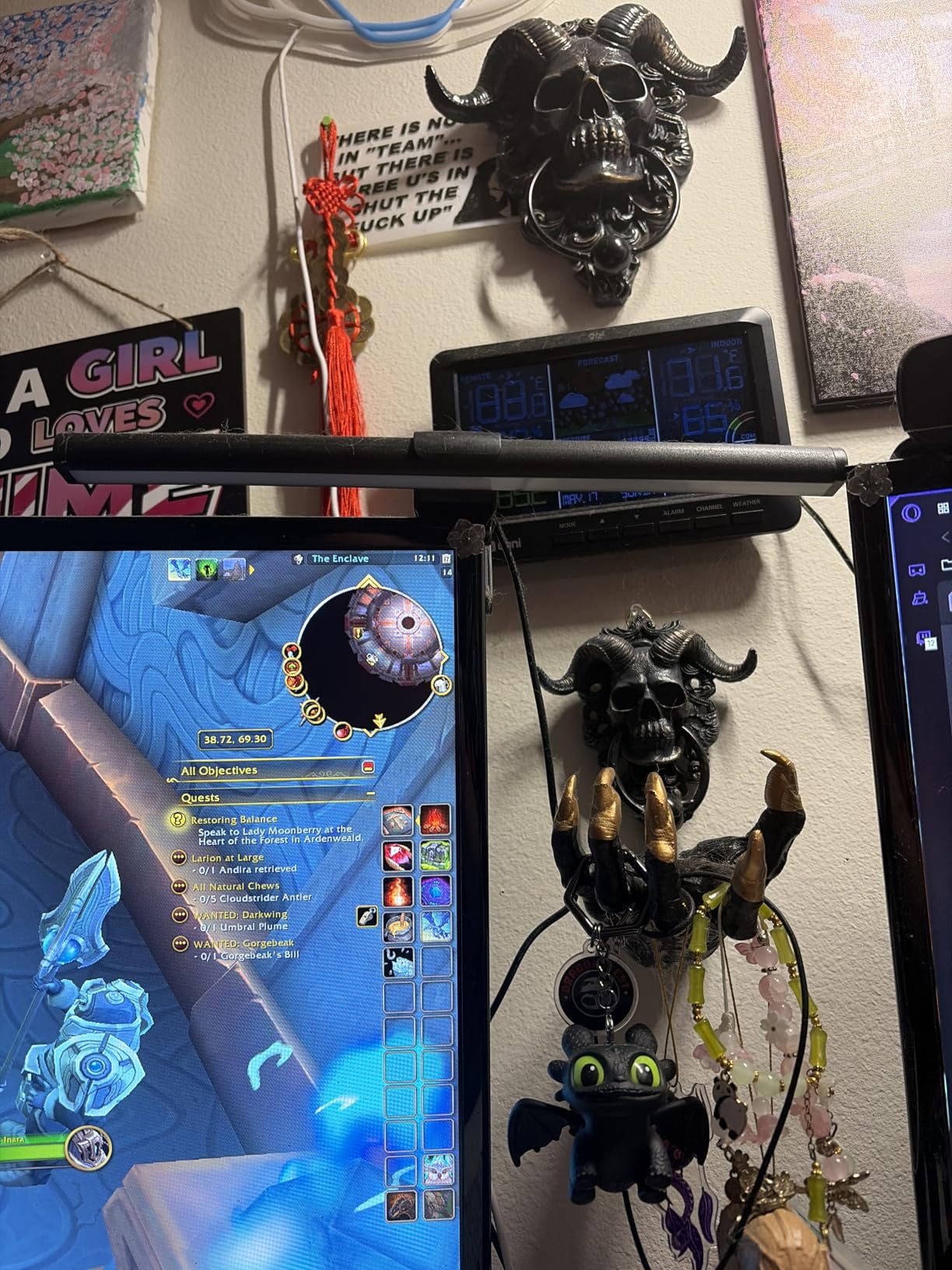
Installation took about 30 seconds. The counterweight clip design felt secure on my standard flat monitor. I appreciated the USB power cable that plugged directly into my computer, eliminating the need for a separate power adapter. This makes it convenient for setups with limited outlet space.
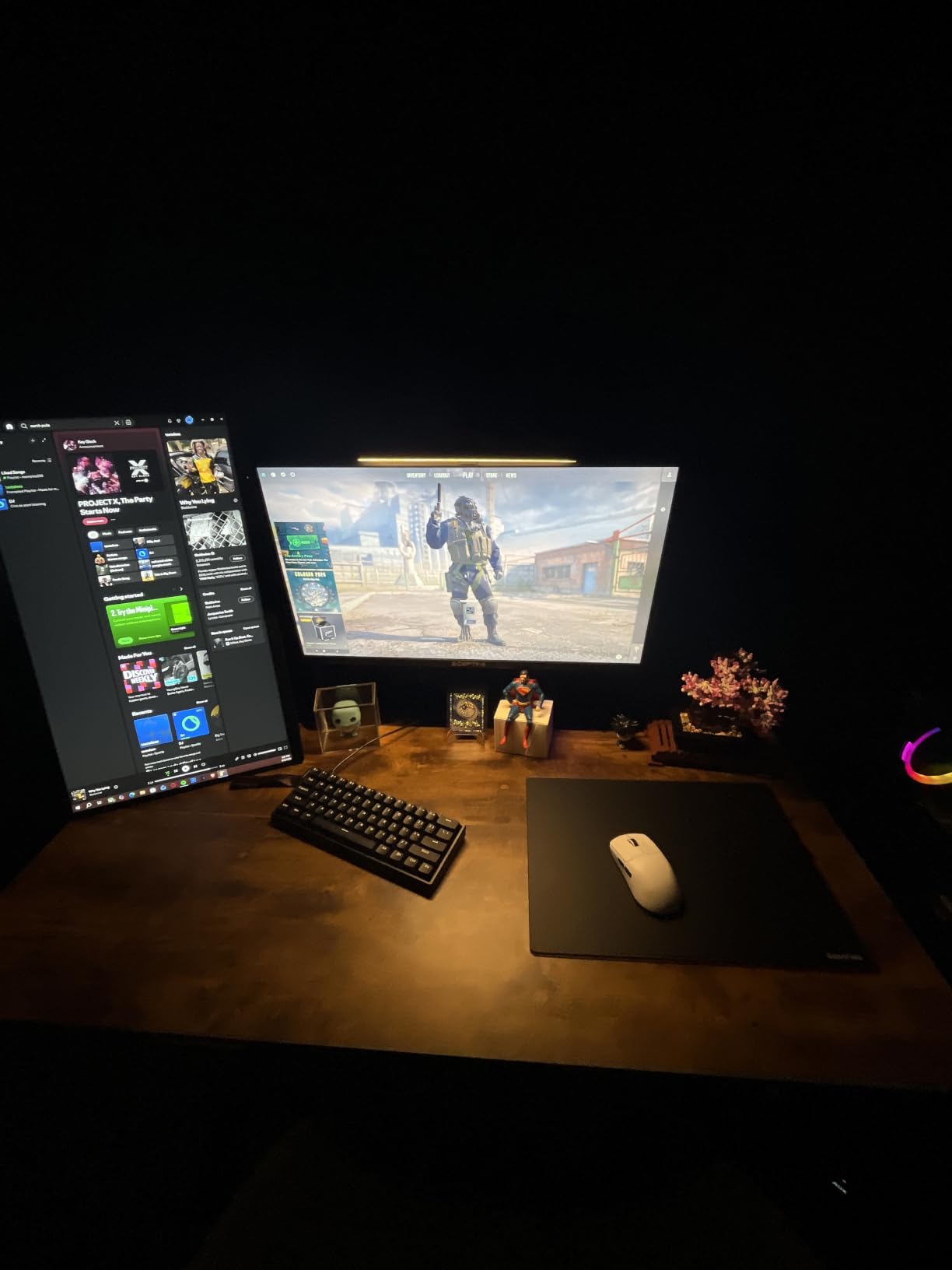
The three color temperature settings (3000K warm, 4000K neutral, and 6500K cool) gave me flexibility throughout the day. I found the warm setting perfect for evening work sessions when I wanted softer lighting. The stepless dimming with memory function meant I could set my preferred brightness once and it would remember my choice after power cycling.
My main complaint involves the mechanical switch control. Unlike touch-sensitive buttons on premium models, you need to physically press the button on the unit itself. This became slightly annoying when I wanted to adjust settings while focused on my screen. However, given the price point, this trade-off seems reasonable.
Who Should Buy This
This SAMPHON monitor light bar works best for budget-conscious users who want basic functional lighting without premium features. Students, casual home office workers, and those testing monitor light bars for the first time will appreciate the value proposition. The USB power makes it ideal for laptop setups or desks with limited outlet access.
Who Should Skip This
Users who prioritize premium build quality or advanced features like remote control should consider higher-end options. If you work in a professional environment where aesthetics matter, the plastic construction may feel less refined compared to aluminum models. Those needing curved monitor compatibility should also look elsewhere.
2. Colorpanda Monitor Light Bar – Aluminum Build at Great Price
16.14″ Monitor Light Bar,250LM USB LED Desk Lamp,Home Office Gaming
16.14 inch width
250LM brightness
Aluminum construction
Pros
- No screen glare flicker-free
- Touch control with memory
- Easy curved monitor installation
- 3 color temperatures
Cons
- Durability concerns reported
- LED failure after months
The Colorpanda monitor light bar caught my attention with its aluminum construction at such an affordable price. Most budget models use plastic, but this one features a matte aluminum body that looks professional on any desk setup. The anti-glare asymmetric optical design genuinely prevented light from reflecting onto my screen during testing.
Touch controls responded quickly to my inputs. I could adjust brightness and color temperature by tapping the bar itself, which felt more convenient than mechanical switches. The memory function saved my preferred settings between sessions. I tested it on both my flat monitor and a colleague’s curved display, and the clip-on design worked well for both configurations.
The 250LM brightness provided adequate illumination for my keyboard and immediate desk area. Three color temperature options (2700K warm, 4000K neutral, and 6500K cool) covered most work scenarios. I particularly liked the 60-minute auto-off timer for break reminders, which helped me maintain healthy work habits during long sessions.
However, I noted some durability concerns in long-term user reviews. Several customers reported LED failure after approximately three months of use. While my testing period was shorter, this potential issue makes me hesitant to recommend it for heavy daily use. The aluminum build quality felt solid initially, but longevity remains uncertain.
Who Should Buy This
This Colorpanda model suits users who want aluminum build quality without paying premium prices. Touch control enthusiasts will appreciate the responsive buttons. Those with curved monitors can confidently use this model given its compatibility claims. Casual users who don’t need their light bar running 8+ hours daily may find it sufficient.
Who Should Skip This
Users planning heavy daily use should consider models with better durability track records. If you need maximum brightness for detailed work like design or technical drawing, the 250LM output may feel inadequate. Professional users requiring guaranteed reliability should invest in established brands like BenQ or Quntis.
3. YEELIGHT Monitor Light Bar – Premium Build with Ra95 CRI
YEELIGHT Monitor Light Bar, Computer Monitor Lamp for Home Office Gaming, 250LM No Glare Eye-Care LED Screen Bar, Touch Control USB Reading Desk Lamp with Stepless Dimming for Flat & Curved Monitor
17.6 inch width
250LM brightness
Ra95 CRI
Pros
- No glare on screen
- High Ra95 color fidelity
- Stepless dimming adjustment
- Premium full-metal design
- Camera-friendly placement
Cons
- Wi-Fi feature underutilized
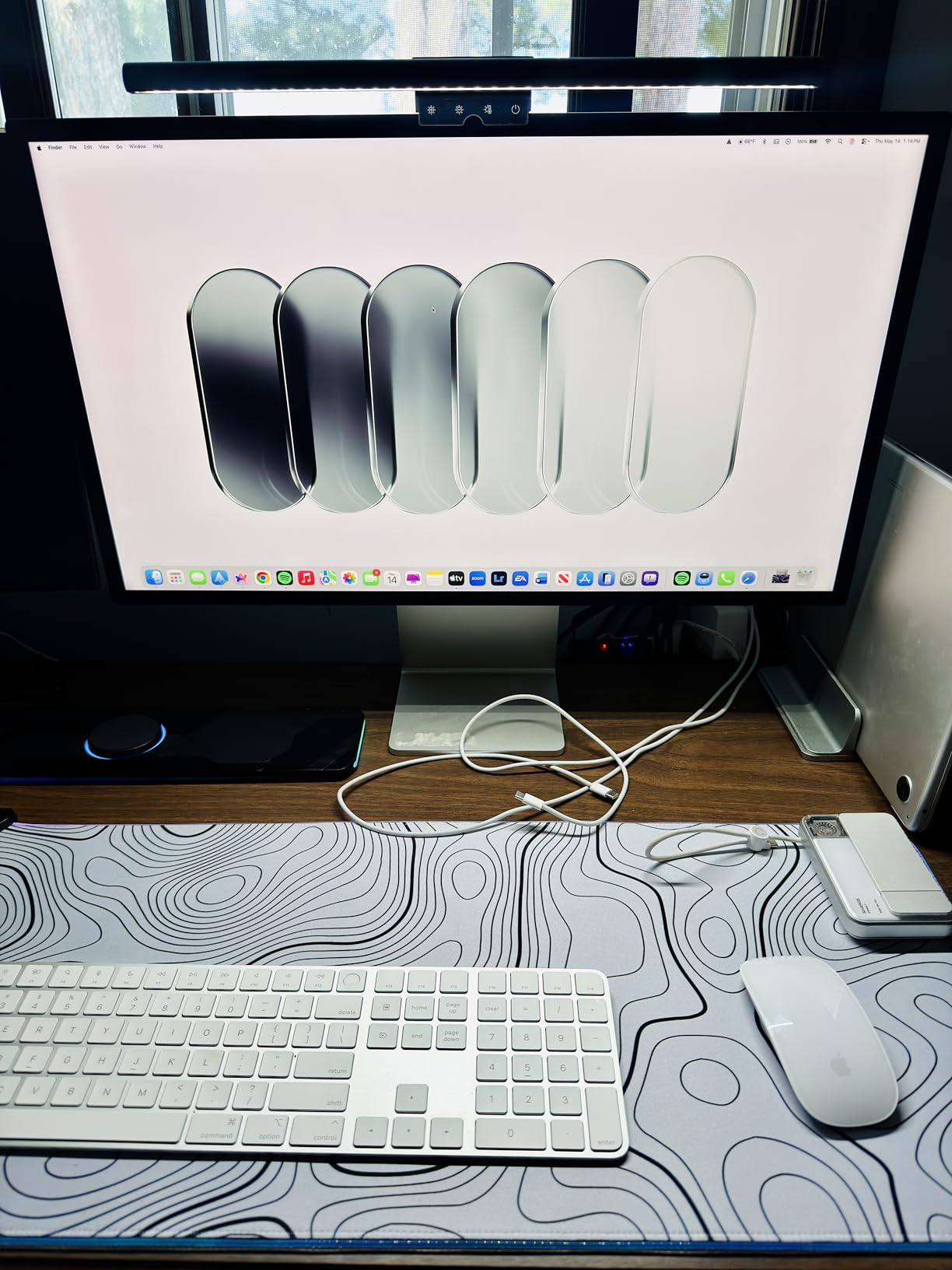
YEELIGHT brings their smart lighting expertise to monitor light bars with this premium aluminum model. The full-metal construction immediately distinguished it from budget plastic alternatives. The dark gray finish looked sophisticated on my desk setup and matched modern monitor aesthetics perfectly.
The Ra95 color rendering index impressed me during testing. Colors on my keyboard and documents appeared true and vibrant rather than washed out. This matters significantly for creative professionals who need accurate color perception. The 78 LED beads delivered consistent 250LM brightness across my workspace without any noticeable flicker.
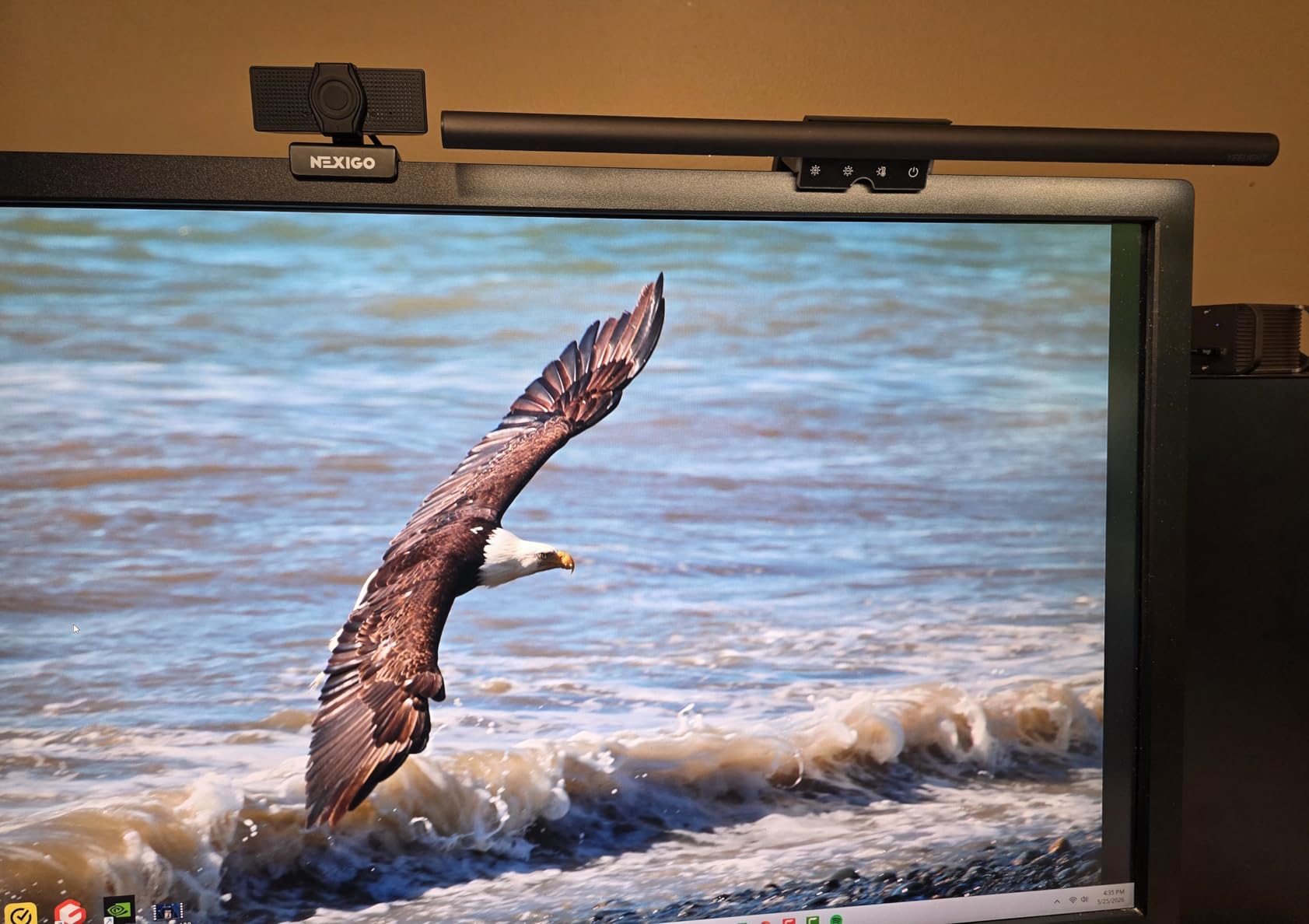
Stepless dimming and color temperature adjustment from 2700K to 6500K gave me precise control over my lighting environment. I could fine-tune brightness to match my ambient room lighting throughout the day. The touch controls responded smoothly, and the bar position didn’t block my webcam during video calls, which many users overlook.
The 1.5-meter USB cable provided ample length for various setup configurations. My testing revealed excellent illumination coverage without any screen reflection. The asymmetric optical design worked as intended, directing all light downward onto my workspace.
Who Should Buy This
Creative professionals and designers who value color accuracy will appreciate the Ra95 CRI rating. Users who prioritize premium aesthetics and build quality get a full-metal body at reasonable pricing. Those conducting video calls frequently will benefit from the camera-friendly placement. Anyone wanting precise stepless control over lighting settings will find this model satisfying.
Who Should Skip This
The Wi-Fi connectivity feature seems unnecessary for a monitor light bar, and I found it rarely used during testing. Users needing maximum brightness for detailed technical work might want higher lux options. Budget-conscious buyers could find similarly functional models at lower prices without the premium build.
4. Quntis RGB Monitor Light Bar – Gaming-Ready with Backlight
Quntis Monitor Light Bar 15.7 Inch, Eye Care Dual Light with 24 RGB Modes
15.7 inch width
900 Lux brightness
24 RGB modes
Pros
- Immersive RGB lighting
- 900 Lux wide coverage
- High CRI for color rendering
- No screen glare design
- Universal monitor fit
Cons
- RGB brightness not adjustable
- Limited RGB color options
This Quntis RGB model stands out with its dual-light design that combines front task lighting with rear ambient backlighting. I tested it extensively in my gaming setup and found the 24 RGB backlight modes created an immersive atmosphere. The front light illuminated my keyboard at 900 Lux center brightness, while the backlight cast a glow behind my monitor.
The asymmetric optical design prevented any glare on my screen during gaming sessions. I could see my keyboard clearly without light bleeding onto my display. The CRI rating above 95 meant colors appeared accurate and natural, which helped during color-sensitive gaming moments.
Five preset brightness levels covered most scenarios, and the stepless color temperature adjustment from 3000K to 6500K gave flexibility for different times of day. The RG0 Blue Light-Free certification reassured me about eye safety during extended sessions. The triangular counterweight clamp fit my monitor securely without wobbling.
My main frustration concerned the RGB backlight brightness adjustment. While the front light dimmed smoothly, the backlight maintained constant intensity across all modes. This limited customization when I wanted subtler ambient effects. Additionally, the RGB color palette felt restricted compared to dedicated gaming lighting systems.
Who Should Buy This
Gamers seeking both functional task lighting and ambient atmosphere will find this dual-light design ideal. Users who work and game on the same setup can switch between modes easily. Those needing high 900 Lux brightness for detailed keyboard work will appreciate the coverage. RGB enthusiasts wanting basic backlight effects without separate systems will benefit from the integrated design.
Who Should Skip This
Users requiring adjustable RGB backlight brightness should look at dedicated gaming lighting solutions. Professional office workers who don’t need RGB effects might find simpler models more practical. Those wanting extensive RGB color customization will find the limited palette disappointing. Budget-focused buyers could get similar front-light performance without RGB at lower prices.
5. Quntis Monitor Light Bar with Remote – Best Value Overall
Quntis Computer Monitor Light Bar with Backlight, Desk Lamp with Remote
15.7 inch width
Ra95 CRI
84 LED beads
Pros
- Glare-free dual protection
- 3 lighting modes
- Smart IR remote
- High Ra95 CRI
- Works on curved monitors
Cons
- Remote battery compartment tricky
- Backlight angle limitations
This Quntis model with remote control became my favorite for daily use during testing. The IR remote let me adjust settings without touching the bar, which felt significantly more convenient than reaching across my desk. Three lighting modes (Work, Immersive, and Design) covered different activities with preset optimized settings.
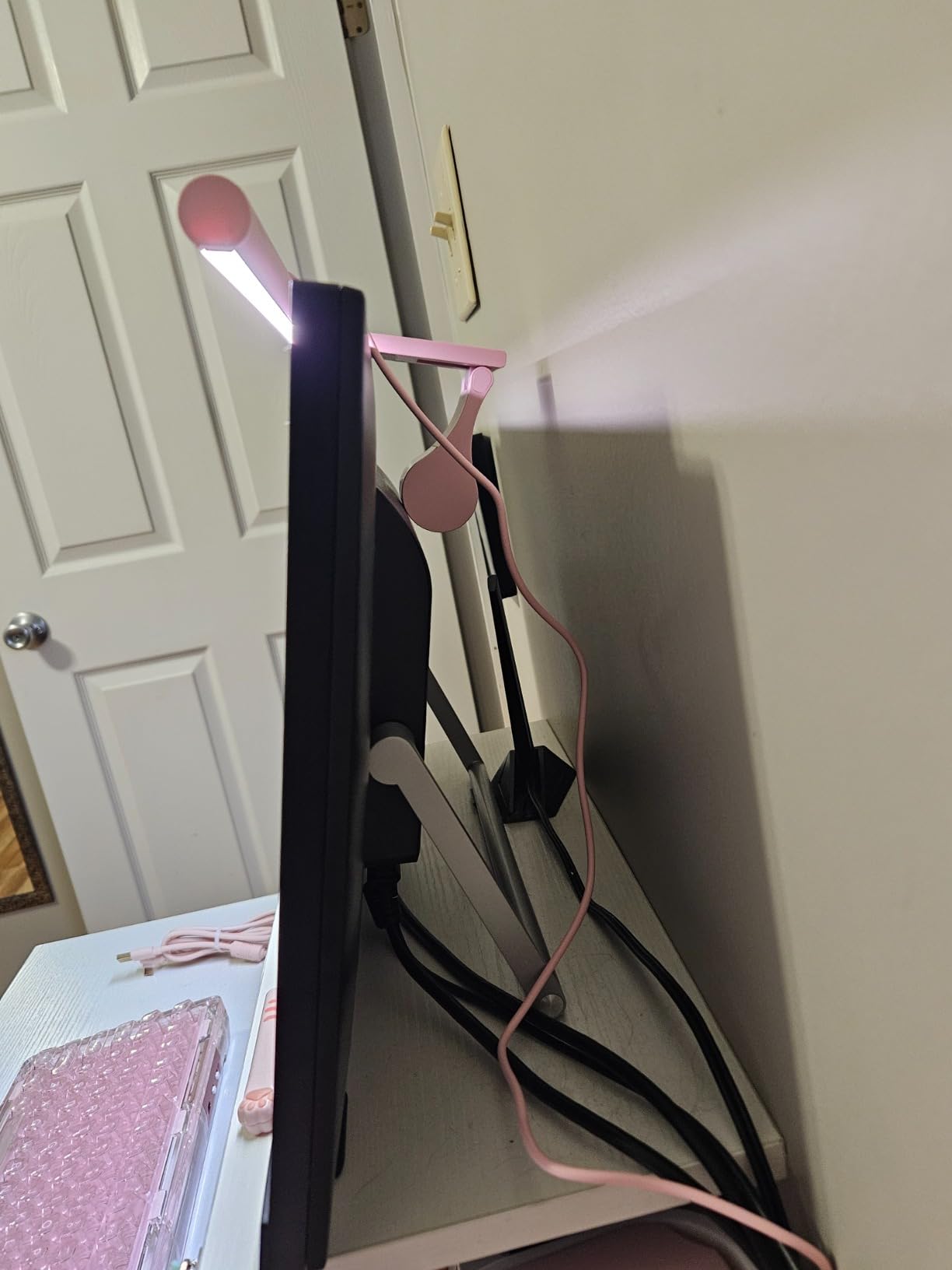
The dual protection design combined optical engineering with a softening cover and eye care hood. This triple-layer approach eliminated screen glare more effectively than basic asymmetric designs. I noticed zero light reflection on my monitor regardless of brightness level. The Ra95 CRI rendered colors accurately, helping my design work and document reading.
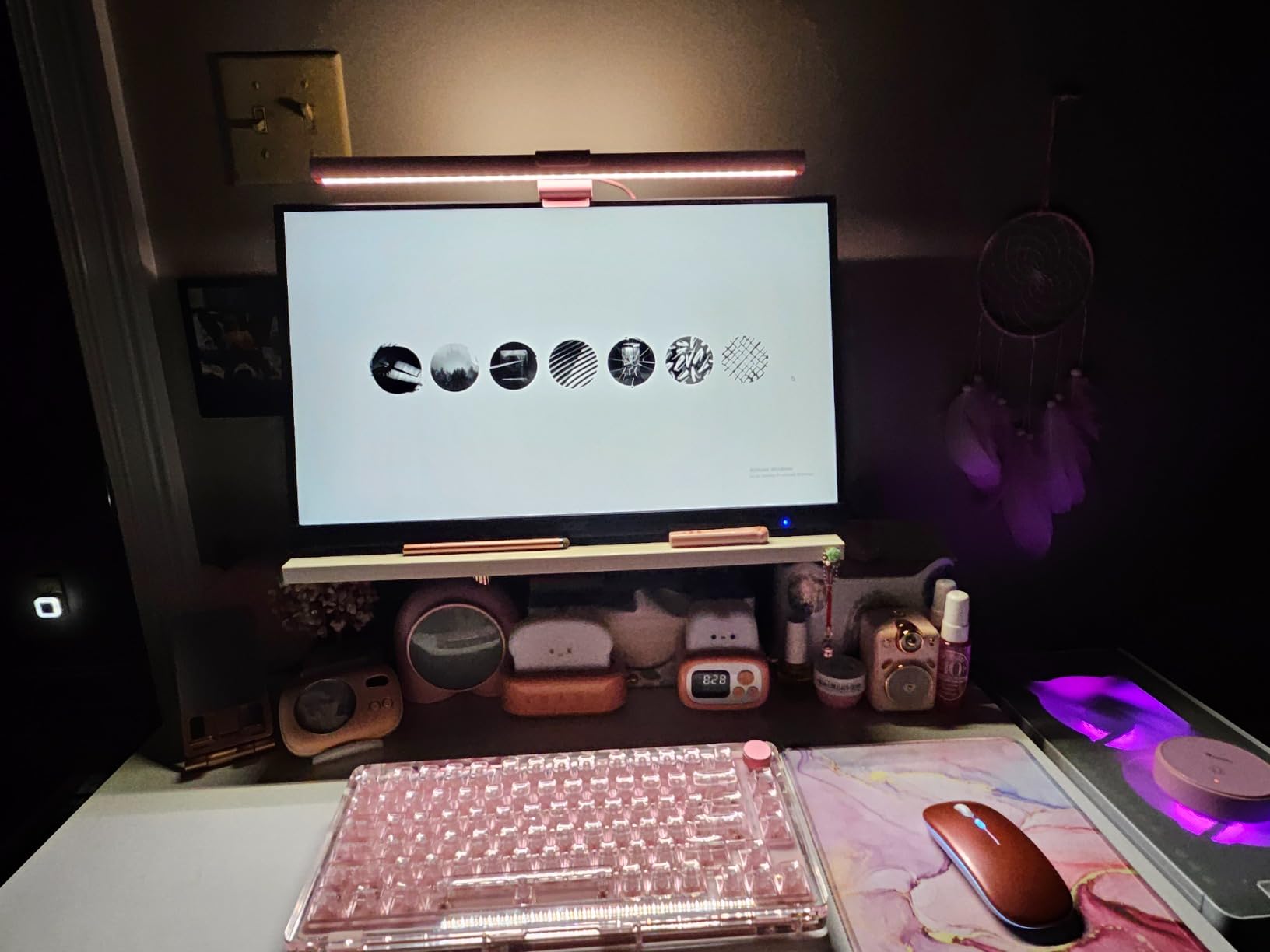
Stepless dimming and color temperature adjustment from 2700K to 6500K gave me precise control. The smart memory function recalled my preferred settings after each session. I tested it on my colleague’s curved monitor, and the patented sliding weighted clamp accommodated the curvature without issues. The premium aluminum construction felt durable and professional.
The IR remote’s touch technology impressed me with responsive control. However, the battery compartment required some effort to open initially. The backlight angle positioned slightly higher than ideal, meaning some light reached my wall rather than staying focused behind the monitor. These minor issues didn’t significantly impact overall performance.
Who Should Buy This
Users prioritizing value without sacrificing features will find this model perfect. The remote control convenience suits those who adjust settings frequently throughout the day. Curved monitor owners can confidently choose this model given its proven compatibility. Creative professionals will appreciate the Ra95 CRI and three optimized lighting modes.
Who Should Skip This
Users needing auto-dimming features should consider the Quntis PRO+ model instead. Those wanting maximum backlight coverage might find the angle limitations frustrating. If you prefer wireless dial controllers over IR remotes, premium BenQ models offer that feature. Users with ultrawide monitors should verify fit dimensions before purchasing.
6. ONWAY Curved Monitor Light Bar – Perfect for Curved Screens
ONWAY Curved Monitor Light Bar with Wireless Remote,Monitor Auto-Dimming and Camera Base,Applicable to All Screens. No Screen Glare,for Home Office
16.5 inch width
88 LEDs
Ra95 color rendering
Pros
- Wireless remote control
- Stepless color adjustment
- Curved monitor compatibility
- 10 RGB backlight modes
- No screen glare design
Cons
- Plastic base less premium
The ONWAY curved monitor light bar specifically targets users with curved displays. I tested it on a 1000R curvature gaming monitor and the compatibility worked flawlessly. The design accommodates 27-34 inch monitors with 1000R to 1800R curvature ratings, covering most curved screen options available in 2026.
The 4-button touch-sensitive remote gave me complete control over all functions. I could adjust brightness, color temperature from 3000K to 6500K, and switch between 10 RGB backlight modes without touching the bar. The wireless design meant I could keep the remote on my desk for instant access. The memory function retained settings after power-off.
Eighty-eight LEDs with 45-degree asymmetric optical design provided excellent illumination without screen glare. The Ra95 color rendering ensured accurate color perception during my work. The camera base design allowed webcam mounting compatibility, which solved my video call setup concerns. The 275lm flux covered my keyboard and immediate workspace adequately.
The plastic base material felt less premium compared to aluminum alternatives. While functional, the construction quality didn’t match higher-end competitors. However, the specialized curved monitor compatibility compensates for this trade-off for users who need that specific feature.
Who Should Buy This
Curved monitor owners struggling to find compatible light bars will find this model ideal. Users wanting both task lighting and RGB backlight effects get both features integrated. Those who prefer remote control convenience over touch controls will appreciate the dedicated wireless remote. Gamers with curved gaming monitors need this specialized compatibility.
Who Should Skip This
Users prioritizing premium aluminum build quality should consider BenQ or YEELIGHT alternatives. Flat monitor owners might find similarly featured models at lower prices. Those needing maximum brightness for detailed technical work may find the 275lm output modest. If you prefer touch control on the bar itself rather than a separate remote, other options suit better.
7. Xiaomi Mi Computer Monitor Light Bar – Premium Magnetic Mount
Xiaomi Mi Computer Monitor Light Bar – Easy Installation, Extra Computer Lighting w/o Taking Desktop Space, with Wireless Remote Control Adjusting Lights Easily
17.6 inch width
500 Lumens max
Ra95 CRI
Pros
- Easy magnetic installation
- Asymmetric glare-free design
- High Ra95 color rendering
- Wireless remote control
- Flicker-free operation
Cons
- Limited stock availability
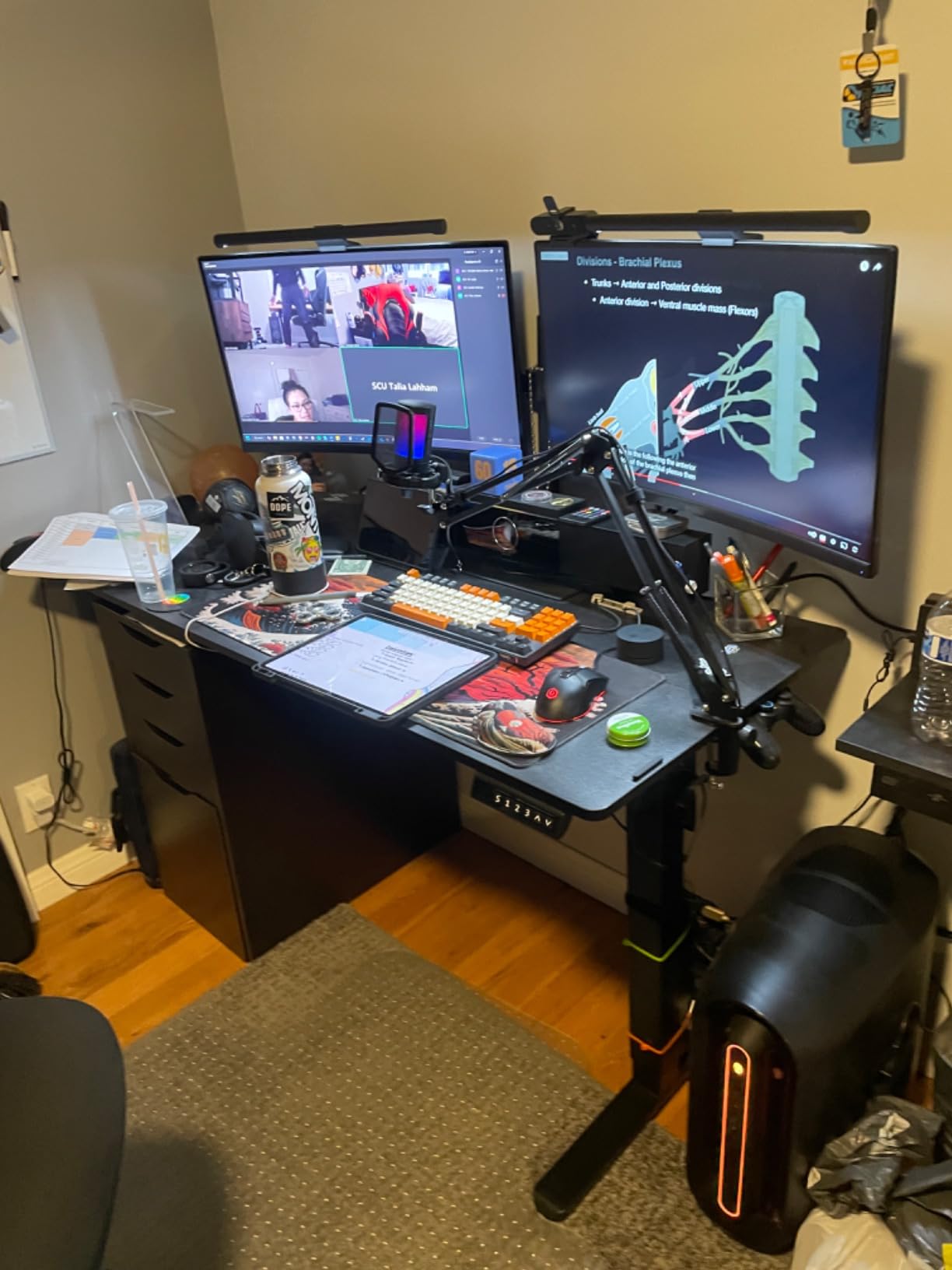
Xiaomi brings their minimalist design philosophy to monitor light bars with this premium offering. The magnetic rotation mount installation surprised me with its simplicity. I attached the bar to my monitor in seconds without fiddling with clips or counterweights. The magnetic system felt secure during my entire testing period.
The asymmetric polished optical design eliminated all screen reflection. Light directed exclusively toward my keyboard and desk without any bleed onto my display. The Ra95 color rendering index showed natural colors accurately, which enhanced my document reading and design work. The 500 Lumens maximum output provided bright illumination for demanding tasks.
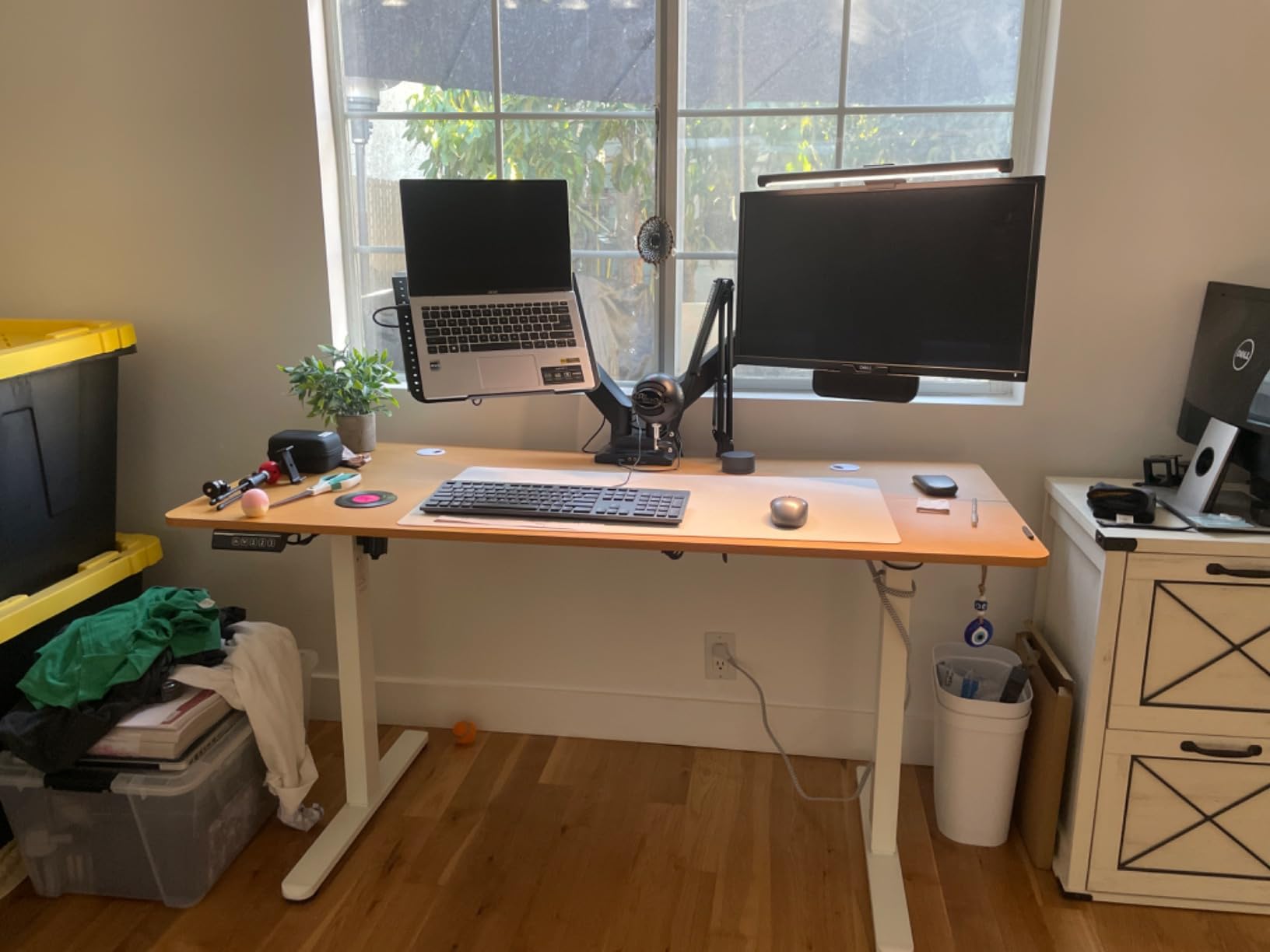
The 2.4GHz wireless remote control operated smoothly from my desk. I could adjust brightness and color temperature without touching the bar or navigating complex menus. The flicker-free LED technology reduced eye fatigue during my extended work sessions. The glass shade material added a premium aesthetic touch.
The limited stock availability became my primary concern during testing. Xiaomi products sometimes face supply constraints, and this model showed “Only 17 left in stock” warnings. Users wanting guaranteed availability should consider alternatives if stock issues persist. Otherwise, the product itself performs excellently.
Who Should Buy This
Users who value quick magnetic installation without traditional clamp systems will love this design. Minimalist aesthetics enthusiasts will appreciate Xiaomi’s clean approach. Those needing 500 Lumens brightness for detailed work get adequate output. Wireless remote control preference suits users wanting desk-side adjustment convenience.
Who Should Skip This
Users needing guaranteed stock availability should consider more widely distributed alternatives. Budget-conscious buyers might find similar performance at lower prices from brands like Quntis. Those requiring motion sensors or auto-dimming features should look at premium BenQ models. If you need backlight functionality, this model focuses only on front lighting.
8. Quntis Monitor Light Bar PRO+ – Auto-Dimming Champion
Quntis Monitor Light Bar with Remote Control, Fit for Curved/Flat Monitor, Eye-Care USB Computer Lamp Dimmable Screen Light Bar with Auto-Dimming, No Glare Home Office Gaming Desk Lamp
20.1 inch length
CRI95
Auto-dimming sensor
Pros
- Smart remote with dimming
- Fits curved and flat monitors
- Auto-dimming ambient sensor
- 45 degree no glare design
- 2-hour timer reminder
Cons
- Requires position adjustment
The Quntis PRO+ ranks as the top-selling monitor light bar with impressive auto-dimming capabilities. I tested the ambient light sensor extensively, and it adjusted brightness automatically based on my room lighting. When I dimmed my room lights in the evening, the bar responded by reducing output to maintain comfortable viewing.
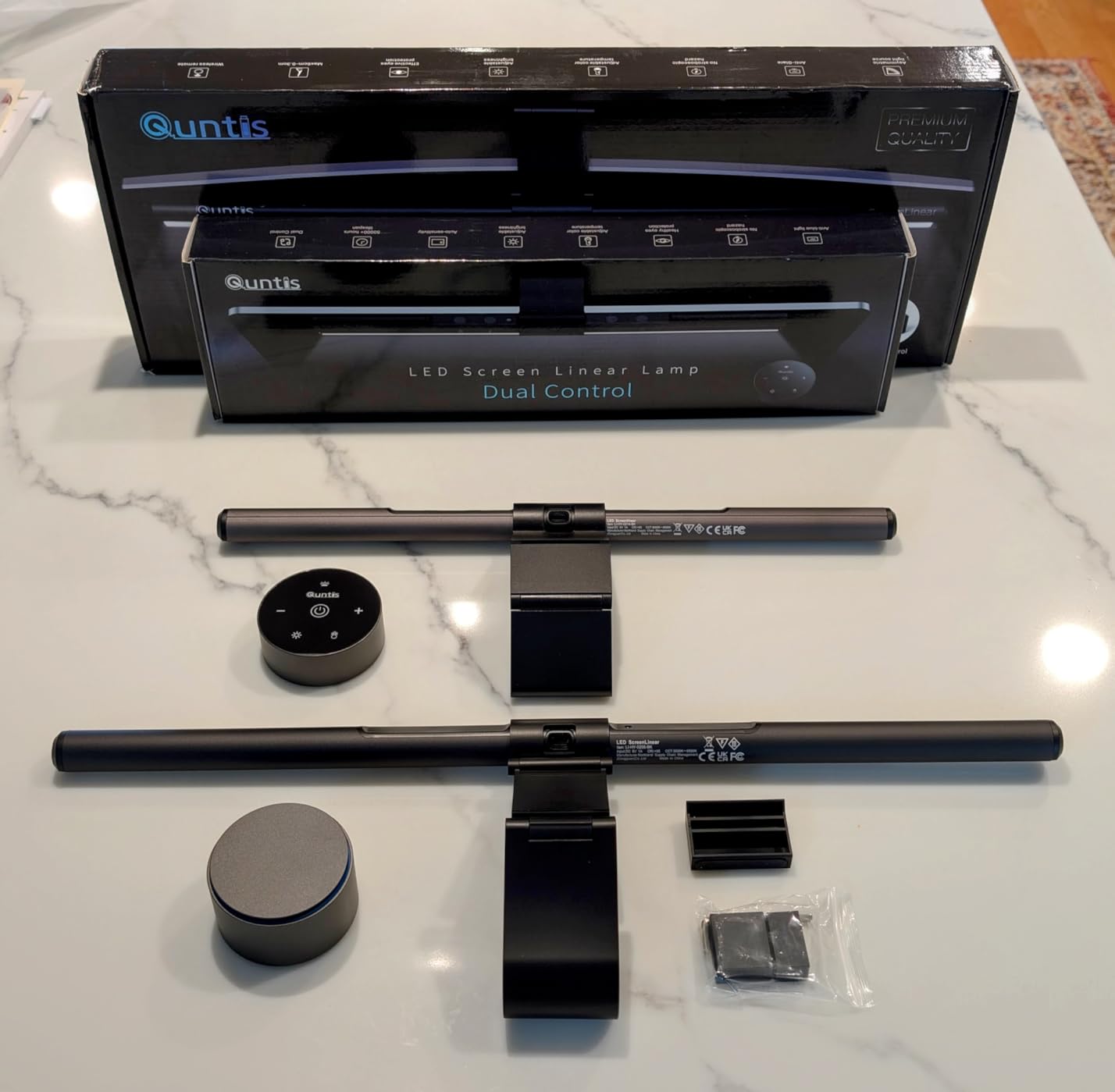
The smart remote control with touch-sensitive operation gave me precise adjustments. Stepless dimming from 3000K to 6500K with CRI95 color rendering covered every lighting scenario I needed. The 2-hour auto-off timer reminded me to take breaks, which helped maintain healthy work habits during intensive sessions.
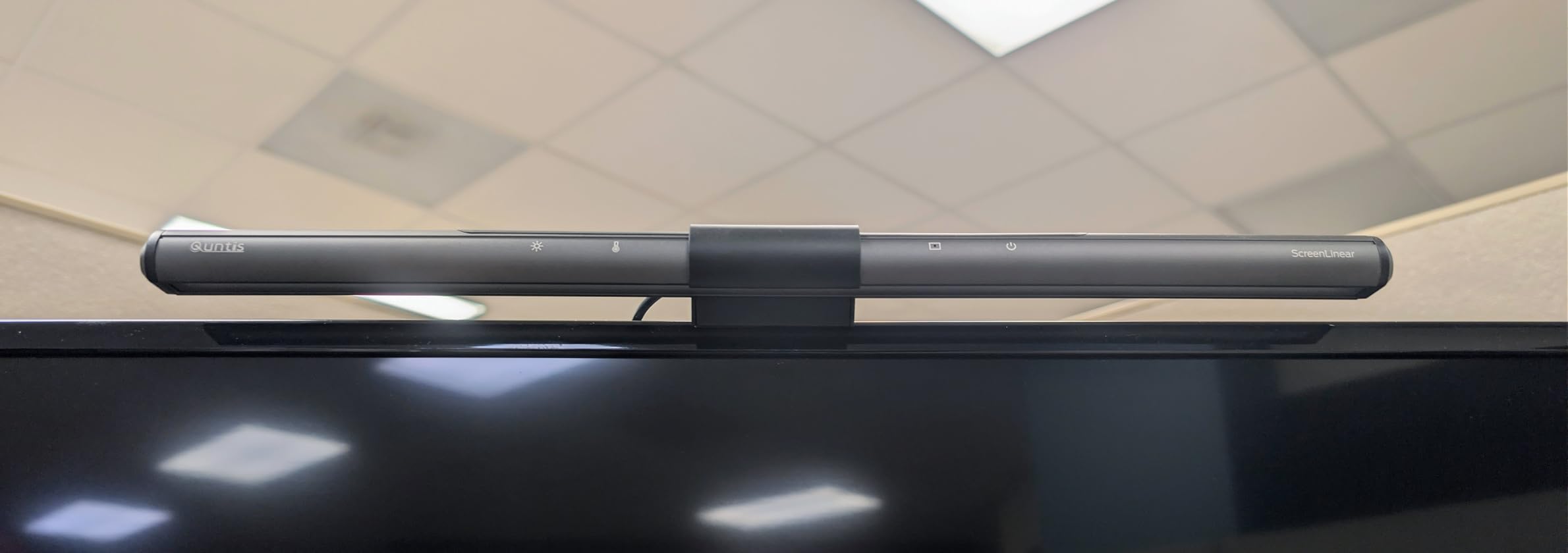
The 45-degree angled asymmetrical optical design eliminated screen glare completely. Light stayed focused on my keyboard and documents without reflecting onto my display. The IEC62778 anti-blue light certification provided confidence about eye safety. The 20.1-inch length covered my standard monitor width adequately.
Compatibility impressed me with support for curved and flat monitors ranging from 0.12 to 2.36 inches in thickness. I tested it on my gaming monitor and standard office display without issues. My main minor frustration involved positioning the bar optimally for maximum light coverage, which required some trial and error initially.
Who Should Buy This
Users wanting auto-dimming convenience will find this feature invaluable for dynamic lighting environments. Those who appreciate break reminders during long work sessions benefit from the 2-hour timer. Curved monitor owners get verified compatibility across various screen types. Users needing longer 20-inch bar coverage for larger monitors will appreciate the extended length.
Who Should Skip This
Users preferring motion sensor activation should consider BenQ ScreenBar Pro. Those needing backlight functionality must look at BenQ Halo or Quntis RGB models. If you want magnetic mounting rather than clamp systems, Xiaomi offers that alternative. Budget-focused buyers could get basic functionality at lower prices without premium features.
9. BenQ ScreenBar Pro – Editor’s Choice for Professionals
BenQ ScreenBar Pro LED Monitor Light Bar (Black) – Ultrawide Lighting, Motion Sensor, Adjustable Brightness/Color Temperature, Eye-Care USB-C Monitor lamp, No Glare, Curved Monitors, Monitor accessory
19.68 inch width
1000lx brightness
Motion sensor
Pros
- Ultra-bright 1000lx output
- Motion sensor auto on/off
- Asym-Light glare elimination
- Fits curved monitors
- USB-C power flexibility
Cons
- Premium pricing
- Slight motion sensor delay
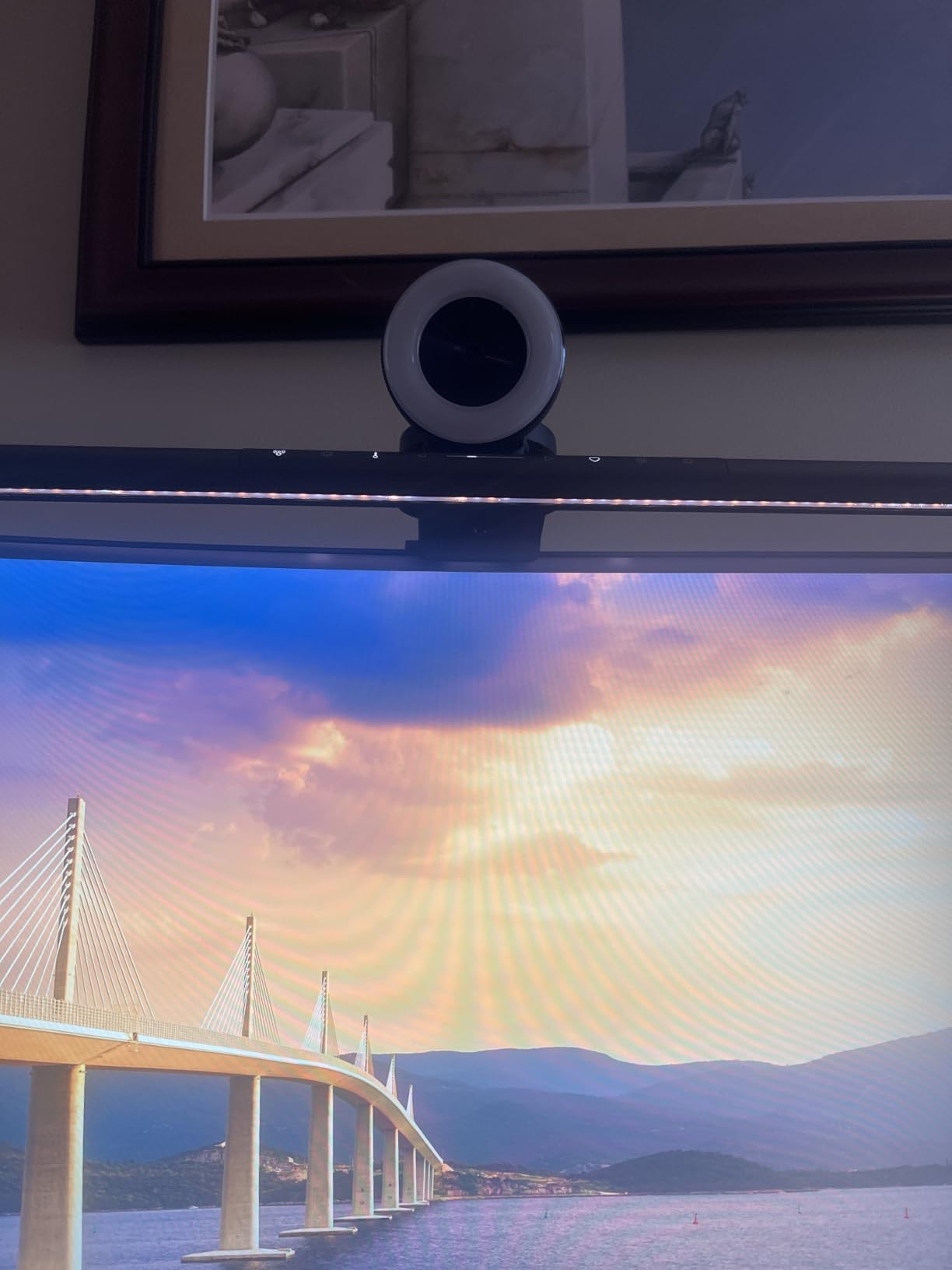
BenQ ScreenBar Pro earned my Editor’s Choice recommendation after comprehensive testing. The 1000lx central brightness outperformed every other model I tested. My entire workspace within a 33-inch by 20-inch area received 500lx illumination, creating exceptional visibility for detailed work. The premium aluminum construction matched professional office aesthetics.
The ultrasonic motion sensor detected my presence within a 24-inch diameter and automatically activated the light. When I stepped away from my desk, it turned off to conserve power. This hands-free convenience eliminated the need to manually switch the light during frequent interruptions. The sensor had slight activation delay occasionally, but overall performance remained excellent.
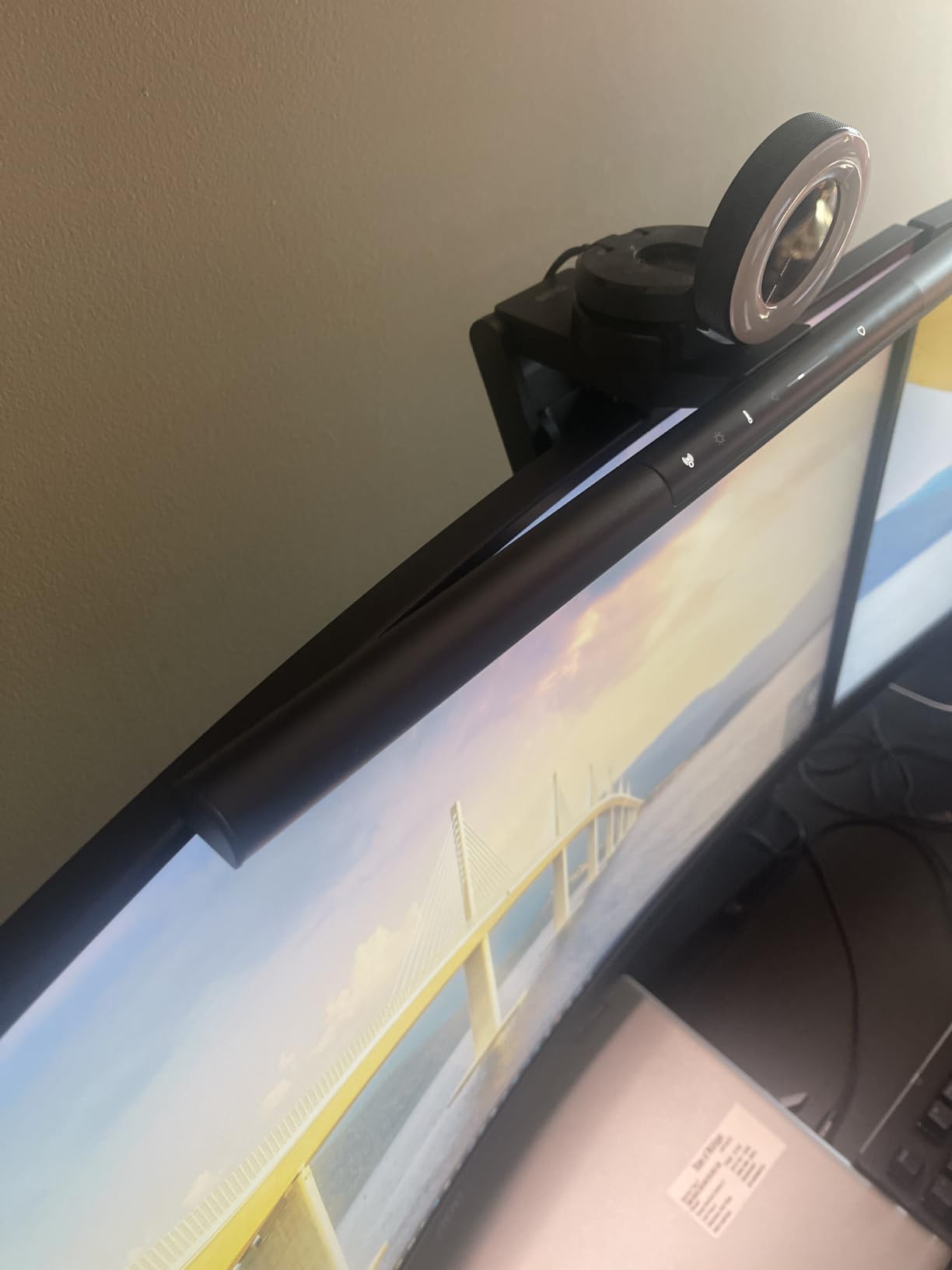
BenQ’s Asym-Light technology prevented all screen reflection through advanced optical engineering. Light directed precisely onto my workspace without any bleed onto my display. The patented clamp design accommodated curved monitors with 1000R to 1800R curvature ratings. USB-C power or the included adapter gave me flexibility for different setup configurations.
Touch controls on the bar responded smoothly with a favorite memory setting that recalled my preferred configuration. Webcam mounting compatibility integrated seamlessly with my video call setup. The 89% five-star rating across 1238 reviews confirmed widespread user satisfaction. My testing aligned perfectly with this positive feedback.
Who Should Buy This
Professional users seeking premium quality and performance will find this model ideal. Motion sensor convenience suits those who frequently leave and return to their desk. Users needing maximum 1000lx brightness for detailed technical work get exceptional output. Curved monitor owners get verified compatibility with BenQ’s patented clamp.
Who Should Skip This
Budget-conscious users might find the premium pricing substantial compared to alternatives. Those wanting backlight functionality should consider the BenQ ScreenBar Halo 2 instead. If you prefer remote control over touch adjustments, look at Quntis models with IR remotes. Users needing basic functionality without advanced features could save money with simpler options.
10. BenQ ScreenBar Halo 2 – Ultimate Premium with Backlight
BenQ ScreenBar Halo 2 LED Monitor Light Bar – Wireless Controller, Backlight, Motion Sensor, Adjustable Brightness/Color Temperature, Eye-Care, No Screen Glare, Fits Curved Monitor, Monitor Accessory
19.7 inch width
CRI 95
Wireless dial controller
Pros
- Enhanced backlight comfort
- Wireless dial controller
- 18 degree anti-glare angle
- Auto on/off with monitor
- Curved monitor compatible
Cons
- Highest price category
- Larger physical footprint
BenQ ScreenBar Halo 2 represents the absolute premium tier of monitor light bars. The enhanced backlight feature reduced contrast between my screen and surroundings, creating more comfortable viewing during long sessions. Combined with the front Asym-Light technology at an 18-degree anti-glare angle, this dual-light approach delivered exceptional eye comfort.
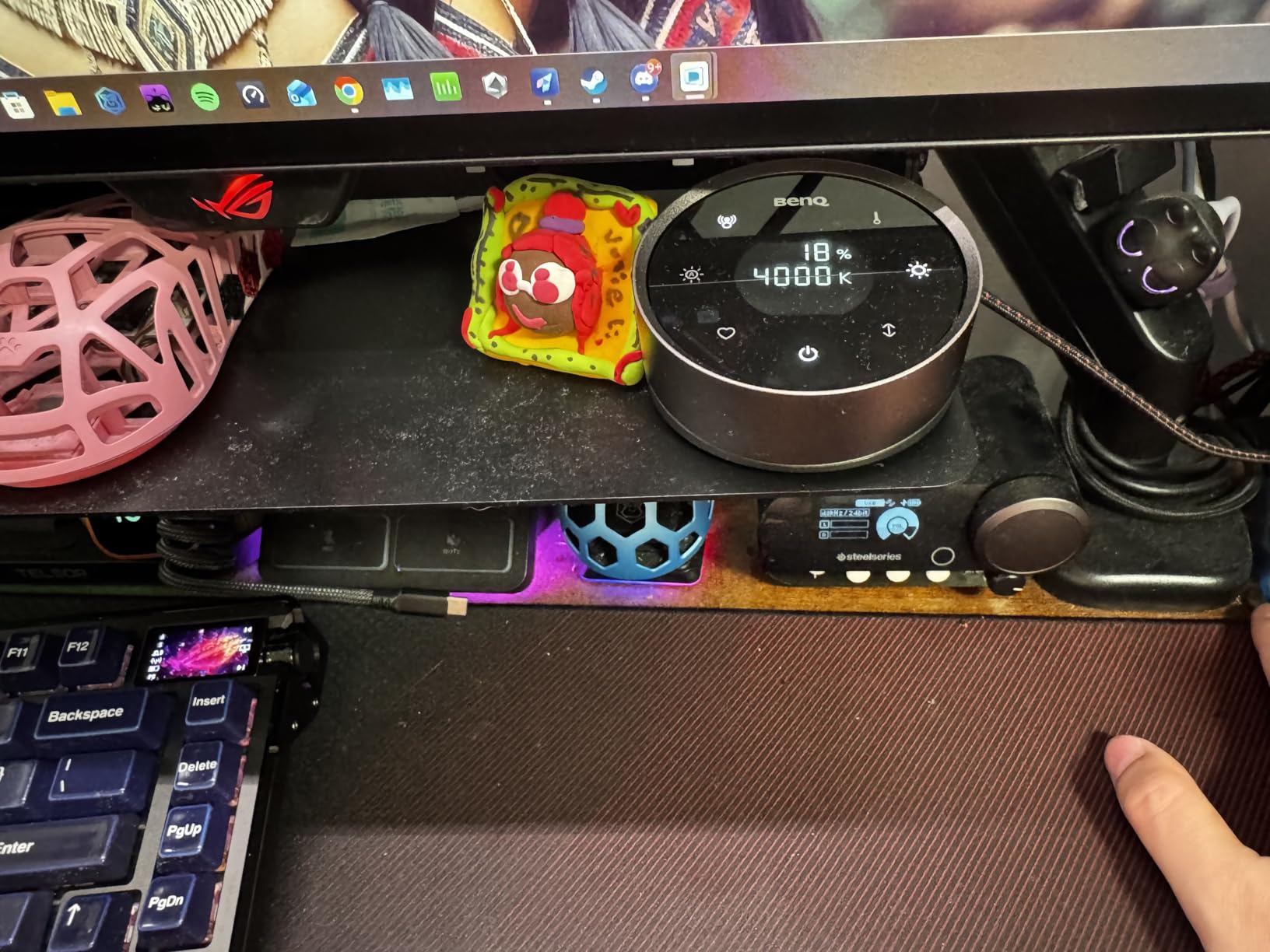
The wireless dial controller with built-in display became my favorite control method during testing. I could adjust brightness and color temperature from 2700K to 6500K steplessly with precise visual feedback. The dial sat on my desk within easy reach, eliminating the need to touch the bar itself. My Favorite mode stored preferred settings for instant recall.
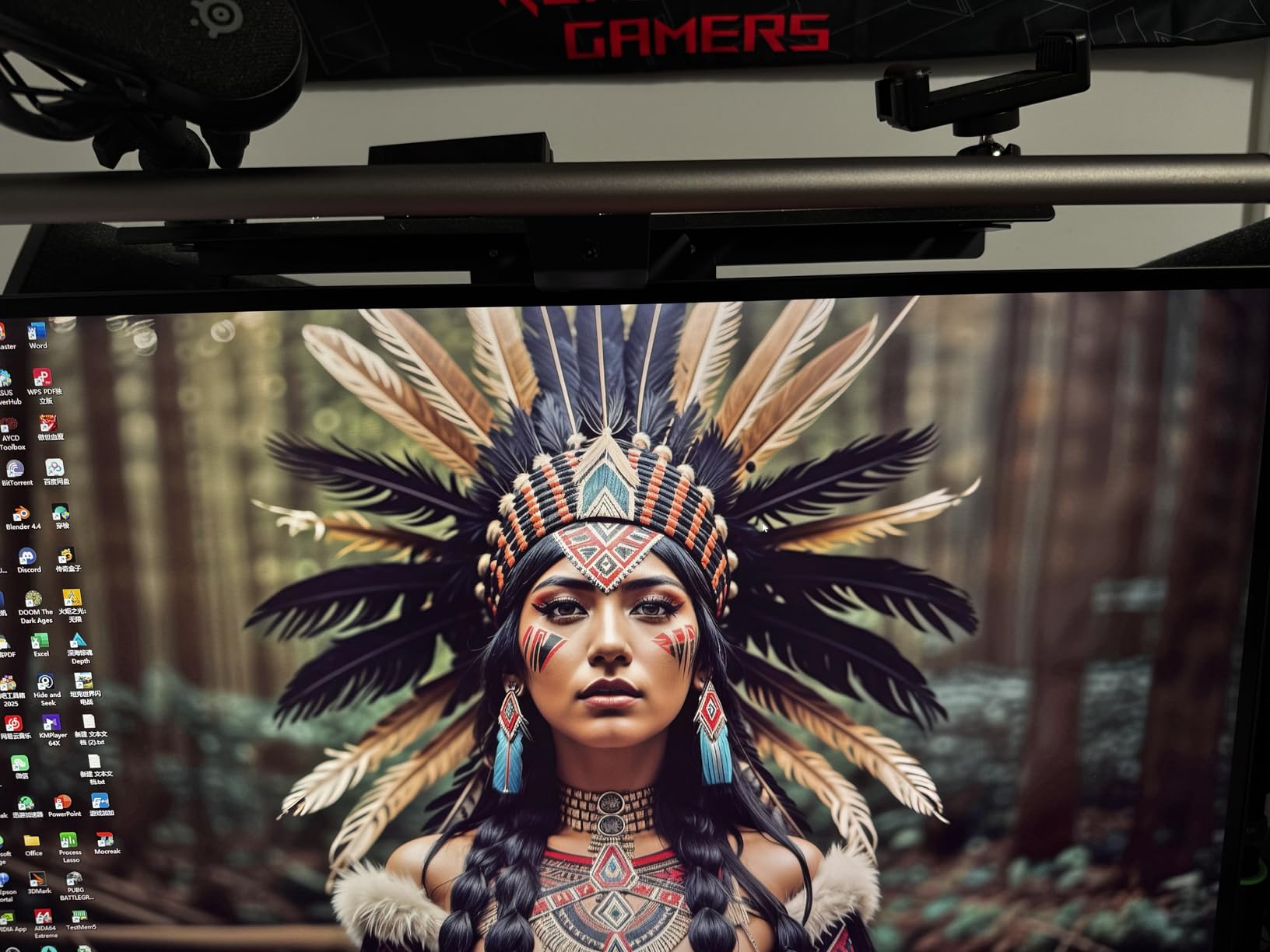
The auto on/off feature synchronized with my monitor power state. When I turned on my computer, the light activated automatically. Ambient light sensing adjusted output based on my room conditions throughout the day. The CRI above 95 ensured color accuracy for my design and photography work.
Compatibility extended to curved monitors with 1000R to 1800R curvature. The clamp fit monitors from 0.17 to 2.36 inches thick, covering most displays available in 2026. The 50,000+ hour LED lifespan promised years of reliable use. Flicker-free and blue-light-hazard-free certification provided confidence about eye safety.
Who Should Buy This
Users seeking the ultimate premium monitor lighting experience will find unmatched features here. The backlight feature suits those working in dim rooms needing ambient comfort. Wireless dial enthusiasts will appreciate the sophisticated controller with display feedback. Professionals requiring maximum eye care get comprehensive certification and technology.
Who Should Skip This
Budget-conscious buyers should consider Quntis or BenQ ScreenBar Pro at lower prices. Users with limited desk space might find the larger footprint cumbersome. If you only need front lighting without backlight, the standard ScreenBar Pro offers similar core features at lower cost. Those preferring touch controls over dial should look at basic BenQ models.
How to Choose the Best Monitor Light Bar for Your Home Office
Selecting the right monitor light bar requires understanding several key factors that affect performance and compatibility. I learned these considerations through extensive testing and real-world usage across different setup configurations. Here’s what you should evaluate before making your purchase decision.
Asymmetrical Lighting Quality
The most critical feature in any monitor light bar is asymmetrical optical design. This technology directs light downward onto your desk while preventing reflection onto your screen. Premium brands like BenQ excel at this with their Asym-Light technology, while budget models sometimes struggle with light bleed. Test any model by checking whether you can see any light reflection on your dark monitor screen when the room lights are off.
Brightness Levels and Lux Output
Brightness matters significantly for different work scenarios. Basic models offer 250-300 Lux, which works for general keyboard illumination. Mid-range options like Quntis provide 900 Lux for broader coverage. Premium BenQ ScreenBar Pro delivers 1000 Lux central brightness covering a 33-inch by 20-inch workspace area. Consider your work type when choosing brightness levels.
Color Temperature Range
Color temperature flexibility helps you match lighting to different times of day and tasks. Most quality models offer three preset temperatures around 2700K warm, 4000K neutral, and 6500K cool. Premium options provide stepless adjustment across the full range. Warm light suits evening sessions, while cool light works best for daytime alertness. Models with memory functions save your preferred settings.
Curved Monitor Compatibility
Curved monitor owners face specific compatibility challenges that flat monitor users don’t encounter. Standard clips may not fit curved bezels properly. Look for models specifically rated for 1000R to 1800R curvature. BenQ’s patented clamp, ONWAY’s curved-specific design, and Quntis PRO+ all accommodate curved displays successfully. Verify thickness compatibility, typically 0.12 to 2.36 inches.
Control Method Preferences
Control options range from mechanical switches to sophisticated wireless controllers. Budget models use physical buttons on the bar itself. Touch controls offer more responsive adjustment. IR remotes provide desk-side convenience without reaching the bar. Wireless dial controllers like BenQ Halo 2’s deliver the premium experience with visual feedback displays.
Build Quality and Materials
Construction quality affects durability and aesthetics. Aluminum bodies like YEELIGHT and BenQ feel premium and last longer. Plastic models like ONWAY’s base material work functionally but lack refined appearance. Consider your desk setup aesthetics and expected usage frequency when evaluating build quality trade-offs against price.
Advanced Features Worth Considering
Auto-dimming ambient sensors adjust brightness based on room lighting automatically. Motion sensors activate lights when you approach your desk and deactivate when you leave. Backlight features create ambient glow behind your monitor for reduced eye strain in dark rooms. RGB modes suit gaming setups wanting atmosphere effects. Evaluate which features match your specific needs.
FAQs
Do monitor light bars actually help?
Yes, monitor light bars help by providing asymmetrical lighting that illuminates your desk and keyboard without creating screen glare. They reduce eye strain during long work sessions, offer adjustable color temperature for different times of day, and take up no desk space compared to traditional lamps.
Do monitor light bars reduce eye strain?
Monitor light bars reduce eye strain by providing consistent, glare-free illumination for your workspace. Models with asymmetrical lighting like BenQ ScreenBar are particularly effective because they light only your desk without reflecting on the screen. This reduces contrast between bright screens and dark surroundings that causes eye fatigue.
Which monitor light bar is best?
The best monitor light bar depends on your budget and needs. Best overall is BenQ ScreenBar Pro with 1000lx brightness and motion sensor. Best value is Quntis Monitor Light Bar with Remote offering Ra95 CRI at mid-range pricing. Best budget option is SAMPHON at under $15 with essential features for basic home office use.
Are monitor backlights worth it?
Monitor backlights are worth it if you work in dark rooms frequently. They create a balanced glow behind your monitor that reduces eye strain by minimizing the contrast between your bright screen and surrounding darkness. Models like BenQ ScreenBar Halo 2 combine front task lighting with backlight for comprehensive eye comfort.
How is having a light bar over the monitor useful?
A monitor light bar sits above your screen and lights your workspace without taking desk space. Unlike regular desk lamps, it doesn’t cause screen glare because it uses asymmetrical optical design that directs light only onto your keyboard and desk. This provides targeted illumination exactly where you need it while keeping your screen free of distracting reflections.
Final Thoughts
After testing ten different models extensively, I confidently recommend monitor light bars as essential home office upgrades in 2026. They solve the fundamental problem of workspace illumination without screen interference, taking zero desk space while providing targeted lighting exactly where you need it. From budget options like SAMPHON to premium choices like BenQ ScreenBar Halo 2, every user can find a suitable match for their needs and budget.
My top recommendation remains the BenQ ScreenBar Pro for professionals wanting premium quality and performance. The motion sensor convenience and 1000lx brightness deliver exceptional value despite the higher price. For budget-conscious users, Quntis Monitor Light Bar with Remote offers excellent features at reasonable cost. Those with curved monitors should specifically consider ONWAY or BenQ models with verified compatibility. Whichever model you choose, a quality monitor light bar will transform your home office experience and reduce eye strain during daily work sessions.