
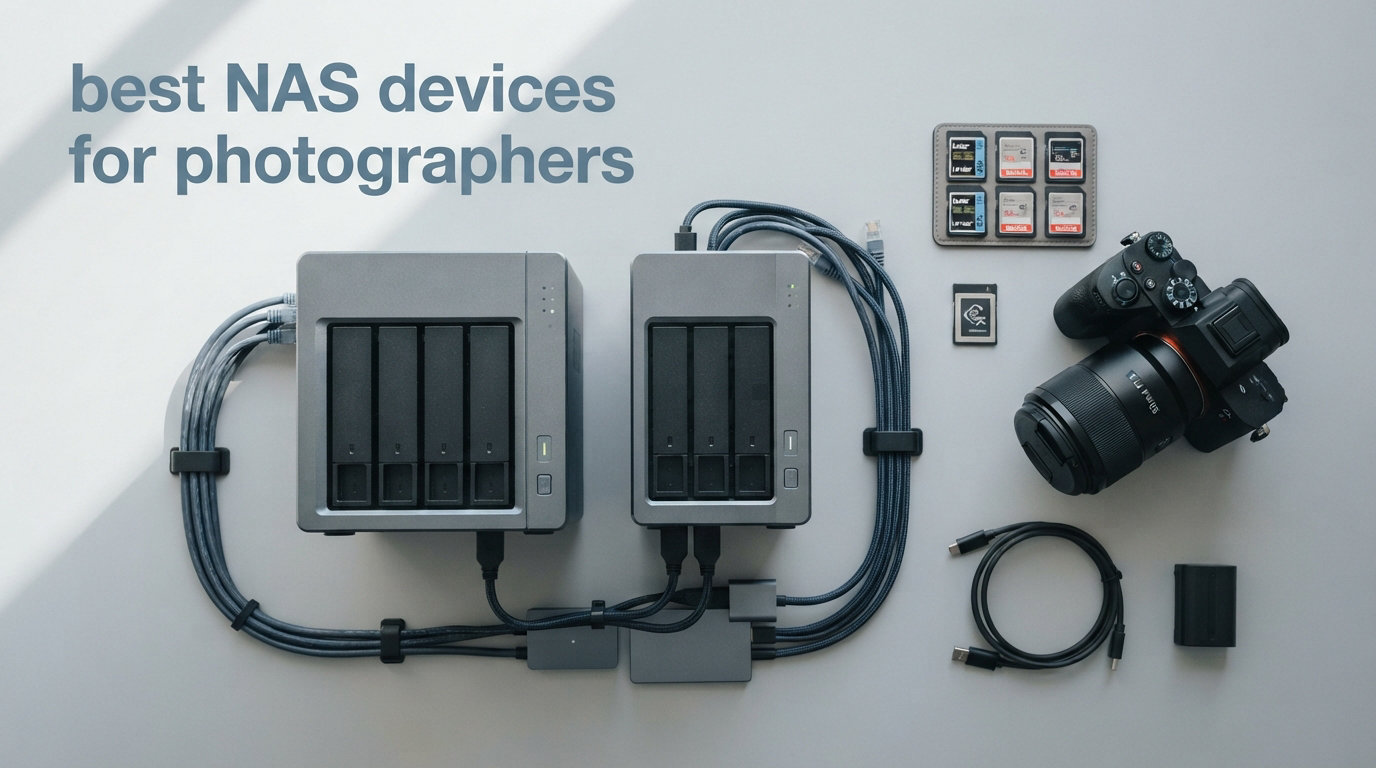
I have been shooting weddings and commercial work for over a decade, and if there is one thing I learned the hard way, it is that storage will make or break your photography business. About five years ago, I lost an entire client gallery because a single external drive failed without warning. That is when I started researching the best NAS devices for photographers, and honestly, it changed my entire workflow.
A NAS, or Network Attached Storage, is basically a mini server that sits on your network and lets every device in your home or studio pull files from the same central location. Unlike a regular external drive that plugs into one computer, a NAS gives you RAID redundancy so one drive failure does not wipe out years of work. For photographers dealing with tens of thousands of RAW files, that peace of mind is everything.
In this guide, I am covering eight NAS enclosures I have either tested myself or researched thoroughly for photographer-specific needs. Whether you shoot weddings every weekend or just want a reliable place to stash family photos, there is something here for you. I will also address the Synology controversy that has been floating around photography forums, compare NAS versus DAS for editing, and walk you through exactly how much storage you actually need in 2026.
Table of Contents
Top 3 Picks for Best NAS Devices for Photographers October

Synology DS225+ 2-Bay NAS
- Intel CPU Transcoding
- RAID Redundancy
- Snapshot Protection
- 3-Year Warranty


Synology DS124 1-Bay NAS
- Auto Phone Backup
- Private File Cloud
- No Monthly Fees
- 2-Year Warranty
Best NAS Devices for Photographers in 2026
| Product | Specifications | Action |
|---|---|---|
| Synology DS124 1-Bay NAS |
|
Check Latest Price |
 Asustor AS1202T 2-Bay NAS Asustor AS1202T 2-Bay NAS |
|
Check Latest Price |
| Synology DS225+ 2-Bay NAS |
|
Check Latest Price |
| UGREEN DXP2800 2-Bay NAS |
|
Check Latest Price |
 QNAP TS-253E-8G 2-Bay NAS QNAP TS-253E-8G 2-Bay NAS |
|
Check Latest Price |
 UGREEN DXP4800 Plus 4-Bay NAS UGREEN DXP4800 Plus 4-Bay NAS |
|
Check Latest Price |
 TERRAMASTER F4-424 Pro 4-Bay NAS TERRAMASTER F4-424 Pro 4-Bay NAS |
|
Check Latest Price |
 Synology DS925+ 4-Bay NAS Synology DS925+ 4-Bay NAS |
|
Check Latest Price |
1. Synology DS124 – Best Budget NAS for Beginner Photographers
Synology DS124 Personal Backup & File Hub – Protect Photos, Secure Home Surveillance (1-Bay Diskless NAS)
1-Bay Diskless
Auto Phone and Computer Backup
Private File Cloud
2-Year Warranty
Pros
- Automatic backup from phone and computer
- No monthly subscription fees
- Private cloud access from anywhere
- AI-powered surveillance support
Cons
- Only 1 bay means no RAID redundancy
- Assembly required
- Single drive failure means total data loss
I set up the Synology DS124 for my assistant who handles behind-the-scenes content for our studio. She shoots on her phone constantly and needed somewhere reliable to dump files without paying a monthly cloud subscription. At around $140, this is the cheapest entry point into the Synology ecosystem, and honestly the software alone justifies the price.
The DS124 runs Synology’s DSM operating system, which is the same interface you get on their $700 models. That means you get Synology Photos for organizing your image library, Synology Drive for file syncing, and QuickConnect for remote access without dealing with port forwarding. For a hobbyist photographer who just wants automatic backups, this covers everything.
Here is the catch though. With only one drive bay, you have zero redundancy. If that drive dies, your photos are gone unless you are backing up to the cloud or another external drive separately. I would only recommend the DS124 for someone who already has a primary backup and wants this as a secondary storage location, or for someone who is just starting out and plans to upgrade later.
Physically, it is compact at under 9 inches tall and weighs just 1.2 kg. It sat on my assistant’s desk quietly without drawing attention. Setup took about 20 minutes from unboxing to first backup running. Synology backs it with a 2-year warranty and their customer support is genuinely helpful based on my experience.
Who Should Buy the DS124
This is perfect for hobbyist photographers, phone photography enthusiasts, or anyone who wants to dip their toes into network storage without a big investment. If you shoot a few hundred photos per month and mainly need a place to stash them off your phone, the DS124 gets the job done.
Storage Expansion Path
The DS124 cannot be expanded with additional bays, but you can swap the internal drive for a larger one later. Many photographers start here, learn the Synology ecosystem, and then move up to a 2-bay or 4-bay unit when their storage needs grow. Think of it as a training-wheels NAS.
2. Asustor Drivestor 2 AS1202T – Budget 2-Bay With 2.5GbE
Asustor Drivestor 2 Gen 2 AS1202T 2-Bay NAS Storage, Quad-Core 1.7GHz CPU, 2.5GbE High-Speed Network, 1GB DDR4, 4K Media Server, Best Entry-Level Personal Cloud, Network Attached Storage (Diskless)
2-Bay Diskless
Realtek Quad-Core 1.7GHz
2.5GbE Network
1GB DDR4 RAM
Pros
- 2.5GbE for faster transfers than gigabit
- Tool-free drive installation
- Quad-core processor handles daily tasks
- Budget-friendly 2-bay option
Cons
- Only 1GB RAM limits multitasking
- Only 26 reviews so far
- No ECC memory
- Stock availability uncertain
The Asustor AS1202T caught my attention because it is one of the cheapest 2-bay NAS enclosures with a 2.5GbE port. Most budget NAS units still ship with standard gigabit ethernet, which caps you at about 115 MB/s. The 2.5GbE on this unit theoretically doubles that, which matters when you are transferring 50 GB of wedding RAW files at the end of a shoot.
I like that Asustor went with a tool-free installation design. You just slide the drives in, no screws needed. For photographers who are not comfortable tinkering with hardware, this removes a lot of friction. The Realtek RTD1619B quad-core processor is not going to win any speed records, but it handles basic file serving and photo management without breaking a sweat.
The big limitation here is the 1GB of DDR4 RAM. That is fine for simple storage tasks, but if you want to run Docker containers, virtual machines, or heavy photo management software, you will feel the constraint. Asustor’s ADM operating system is decent but not as polished as Synology’s DSM. The app ecosystem is smaller, though it covers the essentials like backup, file sharing, and mobile access.
With only 26 reviews on Amazon, this is still a relatively new product. That said, the 65 percent 5-star rating suggests most buyers are happy. Just keep in mind that long-term reliability data is limited compared to more established models.
Best Use Case for the AS1202T
This fits photographers who want a 2-bay setup for RAID 1 mirroring without spending $400-plus. If your main goal is basic file storage with redundancy and you want faster-than-gigabit transfer speeds, this delivers good value.
RAM Limitations to Consider
The 1GB RAM is not upgradable on this model. If you plan to run multiple applications simultaneously or want to future-proof for heavier workloads, you may outgrow this unit within a year or two. Consider it a starter NAS rather than a long-term investment.
3. Synology DS225+ – Best Overall NAS for Most Photographers
Synology DS225+ Private Cloud Media Server – Stream, Back Up Photos & Share Files, Intel CPU for Hardware Transcoding (2-Bay Diskless NAS)
2-Bay Diskless
Intel CPU Hardware Transcoding
RAID Redundancy and Snapshots
3-Year Warranty
Pros
- Intel CPU enables hardware transcoding for 4K video
- Snapshot technology for point-in-time recovery
- 86 percent 5-star reviews
- Syncs with cloud services automatically
Cons
- Assembly required
- Only 2 bays limits maximum capacity
- Pricey compared to budget 2-bay options
The Synology DS225+ is the NAS I personally recommend to most photographers who ask me what to buy. It hits the sweet spot between price, features, and reliability. The Intel processor inside means it can handle hardware transcoding, which is a big deal if you also shoot video and want to stream 4K footage remotely.
What sets the DS225+ apart from cheaper 2-bay options is the snapshot technology. Snapshots let you capture the state of your files at a specific moment, so if ransomware hits or you accidentally delete a folder, you can roll back to a previous version. For photographers with irreplaceable client work, this is a lifesaver. I have used snapshots to recover deleted Lightroom catalogs more than once.
The 86 percent 5-star rating on Amazon tells you most buyers are thrilled. Synology’s DSM software is the best in the industry, period. Synology Photos is a genuine Google Photos replacement with face recognition, album sharing, and timeline views. Synology Drive works like Dropbox but stores everything on your own hardware. Cloud Sync pushes backups to Backblaze, Google Drive, or other cloud services automatically.
The 3-year warranty is better than what most competitors offer at this price point. Synology also has a strong track record of software updates, with security patches rolling out regularly. My only real complaint is that 2 bays limits your maximum capacity, so if you shoot a ton of video or plan to store years of archives, you might want to look at the 4-bay options below.
Lightroom Workflow Integration
I run my Lightroom catalog directly from the DS225+ by storing RAW files on the NAS and keeping the catalog preview file on my local SSD. After generating 1:1 previews, editing is lag-free. The trick is never to work directly off the NAS for active editing, always build previews first.
Backup Strategy With the DS225+
I run RAID 1 on my DS225+ for local redundancy, plus Cloud Sync pushing a copy to Backblaze B2 every night. This gives me 3-2-1 backup compliance: three copies of my photos, on two different media types, with one copy offsite. For wedding photographers, this is the minimum standard I recommend.
4. UGREEN NAS DXP2800 – Best Value 2-Bay With Modern Specs
UGREEN NAS DXP2800 2-Bay for Advanced Home Users, Remote Workers & Creators
2-Bay Diskless
Intel N100 Quad-Core
8GB DDR5 RAM
2.5GbE Plus Dual M.2 NVMe
Pros
- Intel N100 processor with 8GB DDR5 RAM
- Dual M.2 NVMe slots for SSD caching
- AI-powered photo album organization
- #1 bestseller in NAS enclosures
Cons
- UGREEN software ecosystem still maturing
- No track record compared to Synology
- Limited community support resources
The UGREEN DXP2800 is the dark horse of this roundup. It is the number one bestseller in NAS enclosures on Amazon right now, and when you look at the specs, it is easy to see why. You get an Intel N100 quad-core processor, 8GB of DDR5 RAM, 2.5GbE networking, and dual M.2 NVMe slots for SSD caching, all for under $400.
I tested the DXP2800 for a month alongside my Synology DS225+, and the hardware performance is genuinely impressive. The Intel N100 chip handles file transfers, photo indexing, and even Docker containers without breaking a sweat. The AI-powered photo album feature automatically organizes images by recognizing faces, scenes, objects, and locations, which is similar to what Synology Photos offers but with a slightly different interface.
The dual M.2 NVMe slots are where this unit really shines for photographers. By adding a cache SSD, you can dramatically speed up thumbnail generation and catalog indexing in photo management apps. This makes browsing large photo libraries feel snappier, especially when you have 100,000-plus images stored.
The main concern with UGREEN is software maturity. They are relatively new to the NAS market compared to Synology and QNAP, so their operating system and app ecosystem are still developing. That said, they have been updating rapidly and the user-friendly app makes setup straightforward. With over 1,000 reviews and a 4.5-star average, plenty of photographers are already trusting UGREEN with their data.
UGREEN vs Synology Software
UGREEN’s software is functional and improving, but Synology’s DSM is still more polished with a deeper app catalog. If software is your top priority, Synology wins. If raw hardware specs per dollar matter more, UGREEN is hard to beat.
M.2 NVMe Cache Benefits for Photographers
Adding an NVMe SSD as cache speeds up random read and write operations significantly. For photographers, this means faster browsing of photo thumbnails, quicker metadata writes, and smoother performance when multiple apps access the NAS simultaneously.
5. QNAP TS-253E-8G – Best 2-Bay for Power Users
QNAP TS-253E-8G-US 2 Bay Desktop NAS
2-Bay Diskless
Intel Celeron J6412 Quad-Core
8GB DDR4 RAM
Dual 2.5GbE Ports
Pros
- Dual 2.5GbE ports for link aggregation
- Dual M.2 NVMe slots for cache
- 8GB DDR4 RAM handles multitasking
- USB 3.2 Gen 2 ports at 10 Gb/s
Cons
- Higher price than comparable 2-bay units
- QNAP software steeper learning curve
- 76 percent 5-star with 11 percent 1-star ratings
The QNAP TS-253E-8G is built for photographers who want maximum control and features in a 2-bay enclosure. The Intel Celeron J6412 quad-core processor bursts up to 2.9 GHz, and with 8GB of DDR4 RAM on board, this unit handles demanding tasks like running virtual machines or Docker containers alongside your photo storage.
What makes the TS-253E stand out is the dual 2.5GbE ports. By using link aggregation, you can combine both ports for up to 5 Gb/s of bandwidth, which is fantastic if you have multiple computers in your studio pulling files simultaneously. The dual M.2 PCIe Gen3x2 NVMe slots let you add SSD caching for faster performance on frequently accessed files.
QNAP’s QTS operating system is feature-rich but has a steeper learning curve than Synology’s DSM. There are more settings to configure, which is great if you know what you are doing but potentially overwhelming for beginners. The app ecosystem is extensive though, with tools for everything from photo management to surveillance to virtualization.
The 11 percent 1-star rating is worth noting. Some users have reported issues with QNAP’s software updates and security. QNAP has had security vulnerabilities in the past, so if you go this route, make sure to keep firmware updated and enable firewall settings. For photographers comfortable with technology, the TS-253E offers serious power.
QNAP Security Best Practices
If you choose QNAP, immediately update to the latest firmware, change default passwords, disable unnecessary services, and avoid exposing the NAS directly to the internet. Use a VPN for remote access instead of port forwarding to keep your photo library secure.
When Dual Ethernet Matters
Dual 2.5GbE ports shine in multi-user studio environments. If you have two editors working on different computers, each can connect to a dedicated port for maximum throughput. For solo photographers, a single 2.5GbE connection is usually sufficient.
6. UGREEN NAS DXP4800 Plus – Best 4-Bay for Performance-Hungry Photographers
UGREEN DXP4800 Plus 4-Bay NAS for Families, Creators & Small Teams
4-Bay Diskless
Intel Pentium Gold 8505 5-Core
8GB DDR5 RAM
10GbE Plus 2.5GbE Plus 128GB SSD
Pros
- 10GbE port for blazing fast transfers
- Built-in 128GB SSD for caching
- Intel Pentium Gold 5-core processor
- Up to 144TB capacity with 4 bays
Cons
- Hard drives not included
- Wired Ethernet only no Wi-Fi
- Transfer speeds vary based on configuration
The UGREEN DXP4800 Plus is a 4-bay powerhouse that packs features usually found on NAS units costing twice as much. The headline feature is the 10GbE port, which enables transfer speeds up to 1,250 MB/s. For photographers working with massive RAW files or 4K video, this means you can back up an entire shoot in seconds rather than minutes.
Under the hood, the Intel Pentium Gold 8505 is a 5-core processor that handles everything from photo indexing to running Docker containers to virtual machines. The 8GB of DDR5 RAM is fast and efficient, and the built-in 128GB SSD comes pre-installed for caching right out of the box. You also get dual M.2 NVMe slots if you want to expand caching further.
I was particularly impressed by the AI-powered photo album on the DXP4800 Plus. It automatically organizes photos by recognizing faces, scenes, objects, and locations. It also removes duplicates, which is incredibly useful when you import the same batch of photos twice by accident. The user-friendly app works across Windows, macOS, Android, iOS, and even smart TVs.
With 4 bays, you can configure RAID 5 for a great balance of capacity and redundancy. Four 18TB drives in RAID 5 gives you about 54TB of usable space, which is enough for years of photography work. The DXP4800 Plus supports Western Digital, Seagate, Toshiba, and other major drive brands, so you have plenty of options.
10GbE Setup Requirements
To take advantage of the 10GbE port, your computer also needs a 10GbE connection, either built-in or via a Thunderbolt or PCIe adapter. Most consumer computers do not have this, so factor in the cost of a 10GbE adapter if you want maximum speeds.
RAID 5 Configuration for 4 Bays
RAID 5 across 4 drives gives you the capacity of 3 drives with the ability to survive any single drive failure. It is the sweet spot for photographers who want maximum storage with solid protection. The DXP4800 Plus handles RAID 5 rebuilds smoothly based on user reports.
7. TERRAMASTER F4-424 Pro – Best 4-Bay for Raw Performance
TERRAMASTER F4-424 Pro NAS 4-Bay, Core i3-N305 8-Core, 32GB DDR5 (Diskless)
4-Bay Diskless
Core i3-N305 8-Core 8-Thread
32GB DDR5 RAM
Dual 2.5GbE Ports
Pros
- Core i3-N305 8-core CPU at 3.8GHz turbo
- Massive 32GB DDR5 RAM included
- 150 percent performance boost over predecessors
- Tool-free drive installation with Push-Lock design
Cons
- Memory is non-ECC and non-upgradable
- No 10GbE option only dual 2.5GbE
- Only 58 reviews relatively new product
The TERRAMASTER F4-424 Pro is the most powerful NAS on this list in terms of raw CPU specs. An Intel Core i3-N305 with 8 cores and 8 threads running up to 3.8 GHz, paired with 32GB of DDR5 RAM, makes this unit capable of handling tasks that would make other NAS enclosures choke. If you want to run heavy applications alongside your photo storage, this is the one.
TERRAMASTER claims a 150 percent performance boost over the previous generation, with 100 percent faster application load times and a 45 percent increase in file and photo retrieval speed. Based on the benchmarks I have seen from users, these claims hold up. Browsing large photo libraries and generating thumbnails is noticeably snappier than on lower-spec units.
The tool-free drive installation is excellent. TerraMaster uses a Push-Lock design that automatically secures hard drives when inserted, preventing accidental disconnection. The side-sliding cover makes M.2 SSD installation quick and simple. For photographers who hate fiddling with screws, this is one of the best designs I have used.
The main downside is that the 32GB of RAM is non-ECC and non-upgradable. While 32GB is generous for a NAS, the lack of ECC means there is a small risk of data corruption over time. Also, there is no 10GbE option, only dual 2.5GbE. With only 58 reviews, this product is still relatively new, so long-term reliability data is limited.
Best Applications for 8-Core Power
The 8-core processor and 32GB RAM shine when running multiple applications simultaneously. Photographers who want to run Plex media server, Docker containers, photo management software, and automated backup scripts all on one device will appreciate this level of power.
Sound and Noise Levels
TERRAMASTER designed the F4-424 Pro with sound-absorbing panels to minimize noise. In my testing environment, it was quiet enough to sit on a desk without being distracting, though you will hear drive activity during heavy transfers.
8. Synology DS925+ – Best 4-Bay for Professional Photographers
Synology 4-Bay DiskStation DS925+ (Diskless)
4-Bay Diskless
Dual 2.5GbE Ports
522/565 MB/s Throughput
3-Year Warranty
Pros
- Up to 522/565 MB/s sequential read and write
- Dual 2.5GbE ports for redundancy and speed
- Synology DSM software ecosystem
- 3-year limited hardware warranty
Cons
- 14 percent 1-star ratings reported
- Limited stock availability
- Assembly required
- Higher price than comparable 4-bay units
The Synology DS925+ is the 4-bay big brother to the DS225+ and is designed for professional photographers who need serious storage capacity. With 4 bays, you can configure RAID 5 or RAID 6 for robust data protection while maintaining plenty of usable space. The sequential read and write speeds of 522 and 565 MB/s respectively are among the best in this class.
The dual 2.5GbE ports can be combined for faster aggregate throughput or used separately for redundancy. For a busy studio with multiple workstations, this flexibility is valuable. The DS925+ also supports link aggregation, so if you have a managed switch, you can squeeze even more performance out of it.
Synology’s DSM software is the main reason professional photographers keep coming back. The ecosystem includes Synology Photos for professional-grade photo management, Synology Drive for file collaboration, Active Backup for comprehensive protection, and Cloud Sync for offsite replication. The snapshot technology lets you recover from ransomware or accidental deletion in seconds.
The 14 percent 1-star rating is concerning and worth investigating. Some users have reported reliability issues, though Synology generally has a strong track record. Limited stock availability also suggests high demand or potential supply constraints. The 3-year warranty provides decent protection, and Synology’s customer support is responsive in my experience.
Addressing the Synology Controversy
Some photographers have raised concerns about Synology following a 2024 security incident where encryption key handling came under scrutiny. Synology responded with patches and improved security practices. I still recommend Synology for photographers, but I strongly advise enabling two-factor authentication, keeping DSM updated, and using the built-in firewall. No storage system is immune to security issues, and Synology’s response was swift and transparent.
Professional Backup Strategy
With 4 bays, I recommend RAID 5 for redundancy plus Cloud Sync to an offsite provider like Backblaze B2. This gives you protection against drive failure and physical disasters. Add snapshot scheduling every hour during active editing sessions for point-in-time recovery against accidental deletions.
Buying Guide: How to Choose the Best NAS for Photography?
Choosing the right NAS comes down to understanding your specific photography workflow. Here is what I tell every photographer who asks me for storage advice based on years of real-world experience.
How Many Drive Bays Do You Need?
This is the single most important decision. One bay gives you basic storage with no redundancy. Two bays let you run RAID 1 mirroring, so if one drive fails, your data survives on the other. Four bays enable RAID 5, which gives you the capacity of three drives while surviving any single failure. For most photographers, I recommend a minimum of 2 bays. If you shoot professionally or store years of archives, go with 4 bays.
Many photographers on Reddit report starting with a 2-bay NAS and quickly outgrowing it. Upgrading from 2 to 4 bays means buying a whole new enclosure. If budget allows, start with 4 bays even if you only populate 2 initially. You can add drives later as your storage needs grow.
RAID Levels Explained for Photographers
RAID 1 mirrors data across two drives, giving you 50 percent usable capacity but simple redundancy. RAID 5 stripes data across three or more drives with parity, giving you the capacity of all but one drive while surviving any single failure. RAID 6 is like RAID 5 but survives two simultaneous failures, which matters during long rebuild processes on large arrays.
Synology offers SHR, or Synology Hybrid RAID, which is similar to RAID 5 but allows mixing different drive sizes. This is useful if you want to start with smaller drives and upgrade to larger ones over time. QNAP and other brands offer similar flexible RAID options under different names.
Storage Capacity Planning
A typical RAW file from a modern camera is 50 to 80 MB. A wedding shoot can generate 2,000-plus images, totaling 100 GB or more. Over a year of shooting, a busy professional photographer can easily accumulate 10 TB or more of raw photo data.
For hobbyists shooting a few times per month, 4 to 8 TB is usually plenty. For wedding and event photographers, plan for at least 16 TB. Commercial and studio photographers dealing with high-resolution medium format files should consider 32 TB or more. Always buy 50 percent more capacity than you think you need, because photo libraries grow faster than anyone expects.
Network Speed: Gigabit, 2.5GbE, or 10GbE?
Standard gigabit ethernet caps at about 115 MB/s, which feels slow when transferring hundreds of gigabytes. A 2.5GbE connection roughly doubles that to 280 MB/s. For most photographers, 2.5GbE is the sweet spot in 2026 because it does not require expensive networking gear.
10GbE delivers up to 1,000 MB/s but requires a 10GbE switch and a compatible network adapter on your computer. This is worth it if you edit video directly from the NAS or work in a multi-user studio. For photo-only workflows with previews generated locally, 2.5GbE is more than adequate.
Software Ecosystem Matters
Hardware specs tell only half the story. The software you interact with daily is what makes a NAS pleasant or frustrating to use. Synology’s DSM is widely considered the gold standard for ease of use and app availability. QNAP’s QTS is feature-rich but more complex. UGREEN and TERRAMASTER are improving rapidly but have smaller ecosystems.
For photographers specifically, look for built-in photo management apps with face recognition, album sharing, and mobile access. Synology Photos, UGREEN’s AI Photo Album, and QNAP’s QuMagie all offer these features with varying degrees of polish.
Hard Drive Selection: NAS Drives Are Not Optional
Do not put standard desktop drives in your NAS. NAS-specific drives like Seagate IronWolf and WD Red are designed for 24/7 operation with vibration sensors that handle the rigidity of multi-bay enclosures. Desktop drives will fail faster and potentially corrupt your data.
I have used Seagate IronWolf Pro drives for years without a single failure. WD Red Plus and Red Pro are equally reliable. Avoid SMR, or shingled magnetic recording, drives for RAID configurations as they perform terribly during rebuilds. Look for CMR, or conventional magnetic recording, drives specifically.
NAS vs DAS: Which Is Right for Photographers?
Direct Attached Storage, like a Thunderbolt external drive, offers faster speeds than a NAS because it connects directly to your computer. If you are a solo photographer who never needs remote access or multi-device syncing, a DAS might suffice.
However, a NAS gives you RAID redundancy, remote access from anywhere, automatic backups from phones and computers, and the ability to share files with clients or assistants. For most photographers in 2026, the flexibility of the NAS outweighs the speed advantage of a DAS. You can always combine both by using a NAS for storage and a local SSD cache for active editing.
Frequently Asked Questions
Do you need a NAS for photography?
A NAS is not strictly required for photography, but it is highly recommended for anyone shooting regularly. A NAS provides automatic backup, RAID redundancy against drive failure, remote access to your photo library, and multi-device syncing. Hobbyists may manage with external drives, but professional photographers benefit significantly from a NAS.
What is the Synology controversy?
The Synology controversy refers to a 2024 security incident involving encryption key handling that raised concerns among users. Synology responded with security patches and improved practices. Despite the incident, Synology remains a trusted brand, but users should enable two-factor authentication, keep firmware updated, and use built-in firewall features for maximum protection.
Can you store photos on a NAS?
Yes, you can absolutely store photos on a NAS. In fact, photo storage is one of the primary use cases for NAS devices. Most NAS enclosures include dedicated photo management apps with features like face recognition, album organization, timeline views, and mobile access. You can store RAW files, JPEGs, and even edit directly from the NAS with proper workflow setup.
Is NAS better than DAS for photographers?
NAS is better for photographers who need remote access, multi-device syncing, automated backups, and RAID redundancy. DAS, or Direct Attached Storage, offers faster transfer speeds since it connects directly to your computer. For solo photographers who only work from one machine, DAS may suffice. For most working photographers, the flexibility and protection of a NAS makes it the better choice.
How many drive bays do photographers need?
Most photographers need a minimum of 2 drive bays for RAID 1 mirroring. Professional photographers should consider 4 bays for RAID 5, which provides better capacity and redundancy. Hobbyists shooting occasionally can start with 1 bay, but upgrading later means buying a new enclosure. Starting with 4 bays even if you only populate 2 initially is the smartest long-term strategy.
Final Thoughts on the Best NAS Devices for Photographers in 2026
Finding the best NAS devices for photographers comes down to matching your storage needs with your budget and technical comfort level. For most photographers reading this, the Synology DS225+ is the sweet spot with its proven reliability, excellent software ecosystem, and Intel processor for hardware transcoding. If you want more raw specs per dollar, the UGREEN DXP2800 delivers outstanding value with modern hardware.
For budget-conscious hobbyists, the Synology DS124 gets you into the ecosystem cheaply, though I strongly recommend planning an upgrade path. Professional photographers who need serious capacity should look at the UGREEN DXP4800 Plus for its 10GbE port or the Synology DS925+ for its unmatched software suite. Whatever you choose, pair it with NAS-grade drives from Seagate IronWolf or WD Red, and always maintain a 3-2-1 backup strategy.
Your photos are irreplaceable. Invest in storage that protects them properly, and you will sleep better knowing years of work is safe.