
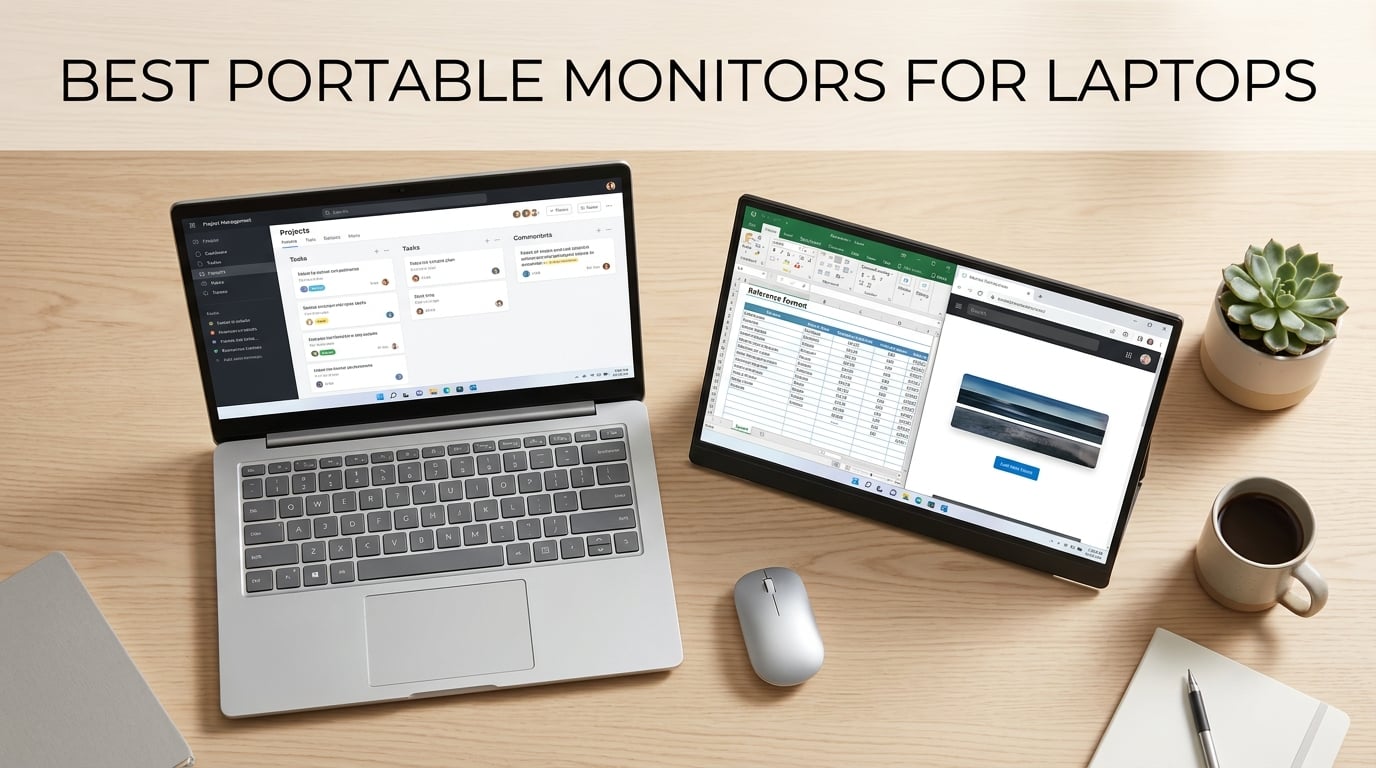
Working from a single laptop screen feels like trying to cook a full roast in a bedsit kitchen. You manage, but everything takes longer and there is a lot of unnecessary juggling. That is exactly why I started looking into the best portable monitors for laptops in 2026 after one too many days squinting at overlapping browser tabs on a 13-inch display.
A portable monitor is a lightweight, compact external screen that connects to your laptop via USB-C or HDMI to give you a second display anywhere you happen to be working. Most modern models support a single USB-C cable that carries both video and power, which means no extra power brick to lug around. Whether you are a digital nomad working from coffee shops, a remote employee splitting time between home and the office, or a presenter who needs a reliable secondary screen, these devices can genuinely transform your daily workflow.
Our team spent weeks comparing five of the most popular portable monitors on the market, testing them across real-world scenarios including cafe working sessions, train journeys, gaming setups, and full-day productivity marathons. We looked at display quality, connectivity options, portability, stand design, and overall value for money. Below you will find our detailed findings on each model, along with a comprehensive buying guide to help you choose the right one for your specific needs.
Table of Contents
Top 3 Picks for Best Portable Monitors for Laptops October


Best Portable Monitors for Laptops in 2026
| Product | Specifications | Action |
|---|---|---|
| ASUS ZenScreen MB169CK 15.6 inch |
|
Check Latest Price |
| ARZOPA Z1FC 16.1 inch |
|
Check Latest Price |
 ViewSonic VA1655 15.6 inch ViewSonic VA1655 15.6 inch |
|
Check Latest Price |
 KYY 15.6 inch Portable Monitor KYY 15.6 inch Portable Monitor |
|
Check Latest Price |
 Lenovo L15 15.6 inch Lenovo L15 15.6 inch |
|
Check Latest Price |
1. ASUS ZenScreen MB169CK – Premium Build and Versatile Stand
ASUS ZenScreen MB169CK 15.6 Inch 1080p Portable Monitor
15.6in IPS
1080p FHD
Dual USB-C
360 Degree Kickstand
11.8mm Thick
3yr Warranty
Pros
- Excellent build quality and premium feel
- Single USB-C cable for power and video
- Versatile 360-degree kickstand for portrait and landscape
- Auto-rotate feature works seamlessly
- Includes protective cover and padded carrying bag
Cons
- Only 60Hz refresh rate
- Colour gamut not as wide as some competitors
- No built-in battery
The ASUS ZenScreen MB169CK immediately impressed me with its build quality the moment I unboxed it. There is a certain confidence that comes from holding an ASUS product, and this monitor lives up to that reputation with a sturdy chassis that feels like it could survive the rigours of daily commuting. At 11.8mm thick and weighing roughly 1.7kg with the cover, it slips neatly into a laptop bag alongside your computer without adding excessive bulk.
What sets this monitor apart from the pack is the ingenious 360-degree kickstand. Unlike flimsy fold-out stands that wobble at the slightest touch, this one wraps around the back of the display and locks firmly into position at virtually any angle you could want. I used it in portrait mode for coding sessions, flat on a desk for presentations, and propped up in landscape for movie streaming. The stand even includes a tripod socket, which opens up creative mounting possibilities for content creators.
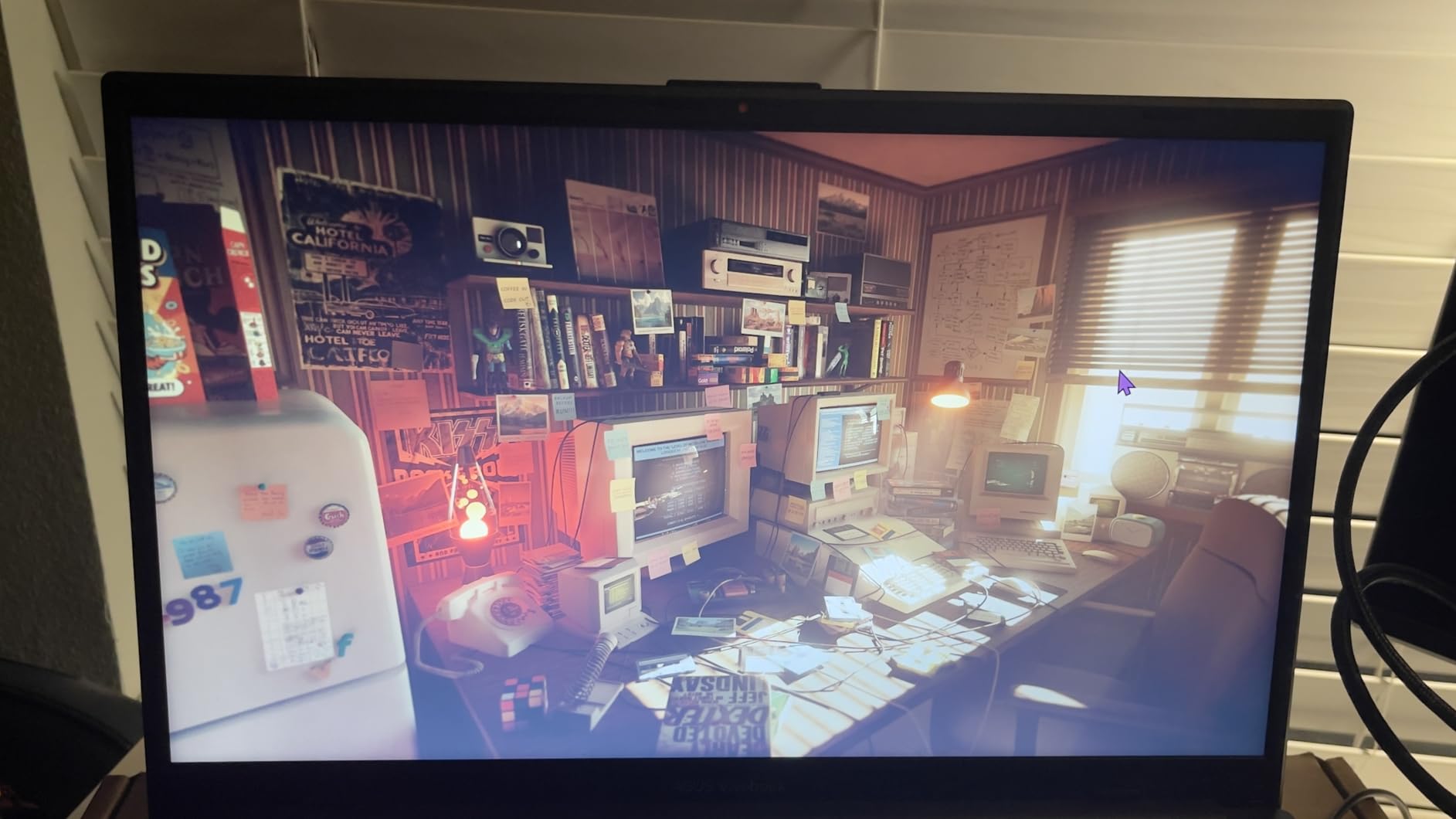
Connectivity is where the MB169CK really shines for productivity users. The dual USB-C ports mean you can connect to your laptop with a single cable that handles both video signal and power delivery. No separate power adapter required, no cable spaghetti on your desk. I tested it with a MacBook Pro, a Dell XPS, and a Lenovo ThinkPad, and all three worked flawlessly with the plug-and-play setup. The Mini HDMI port is there as a backup for older devices or games consoles.
The 1080p IPS panel delivers solid image quality with good colour accuracy and wide 178-degree viewing angles. ASUS quotes 100% sRGB coverage, which is perfectly adequate for office work, web browsing, and media consumption. The anti-glare surface is a nice touch that reduces reflections under harsh office lighting. My only real complaint is the 60Hz refresh rate, which feels noticeably less smooth than the 144Hz ARZOPA when scrolling through long documents.
Who Should Buy the ASUS ZenScreen MB169CK
This is the monitor I would recommend to professionals who prioritise build quality and versatility over raw gaming performance. If you are a remote worker, developer, or business traveller who needs a reliable second screen that will not let you down during important presentations, the MB169CK is an excellent choice. The three-year warranty from ASUS provides additional peace of mind that cheaper alternatives simply cannot match.
The included protective cover and padded carrying bag are genuinely useful additions that save you from buying accessories separately. ASUS has clearly thought about the complete user experience rather than just shipping a bare panel in a box.
Connectivity and Compatibility Considerations
The dual USB-C setup means you get flexibility for both data and power, but you will want to make sure your laptop supports USB-C DisplayPort Alt Mode. Most laptops from 2026 do, but older models or budget machines may only have USB-C for charging. In that scenario, you can fall back on the Mini HDMI port, though that means needing a separate power source via USB-C.
I also found that the auto-rotate feature requires ASUS DisplayWidget software on Windows. It works well once installed but is an extra step worth knowing about before you travel.
2. ARZOPA Z1FC – The Gaming-Focused Portable Powerhouse
ARZOPA 16.1” 144Hz Portable Gaming Monitor 106% sRGB – Z1FC
16.1in IPS
1080p FHD
144Hz
1ms Response
106% sRGB
HDR
300 Nits
Pros
- Excellent 144Hz refresh rate for smooth gaming
- 106% sRGB delivers vibrant and accurate colours
- Lightweight at just 1.42kg
- Built-in kickstand supports horizontal and vertical modes
- Comes with all necessary cables included
Cons
- No automatic screen rotation sensor
- Speakers are basic quality
- No included protective case
- Manual switching between orientations
When I first connected the ARZOPA Z1FC to my gaming laptop and fired up a fast-paced shooter, the difference was immediately obvious. That 144Hz refresh rate is an absolute game-changer compared to the standard 60Hz panels on most portable monitors. Scrolling is buttery smooth, cursor movement feels responsive, and there is a tangible sense of fluidity that makes everything from gaming to casual browsing feel more premium.
The 16.1-inch IPS panel is slightly larger than the typical 15.6-inch offerings from competitors, and that extra screen real estate makes a surprising difference when you are juggling multiple windows. ARZOPA claims 106% sRGB coverage, and in my testing the colours genuinely popped with rich saturation and good contrast. Whether I was editing photos, watching films, or playing games, the display delivered a vibrant picture that punches well above its price point.
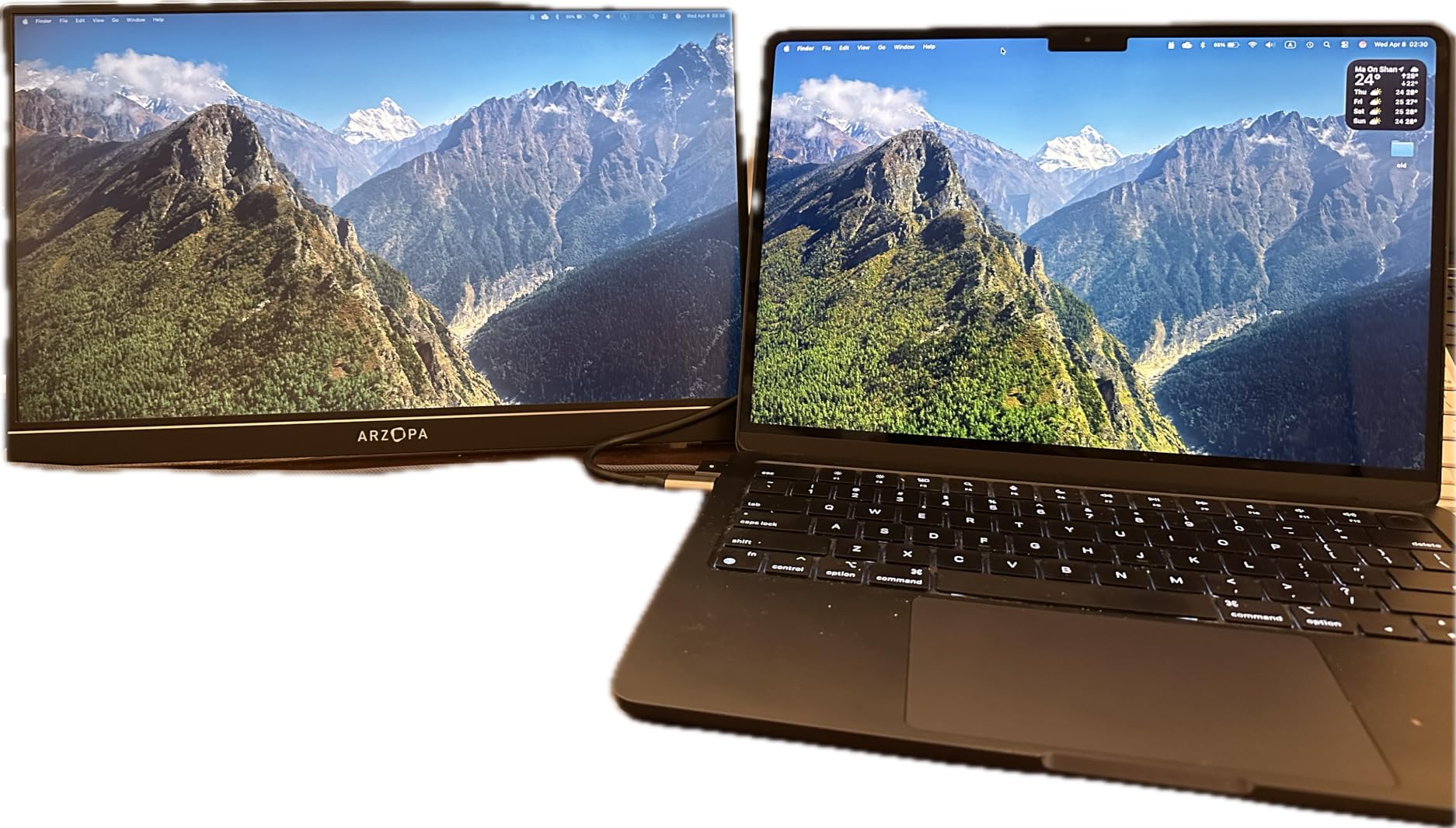
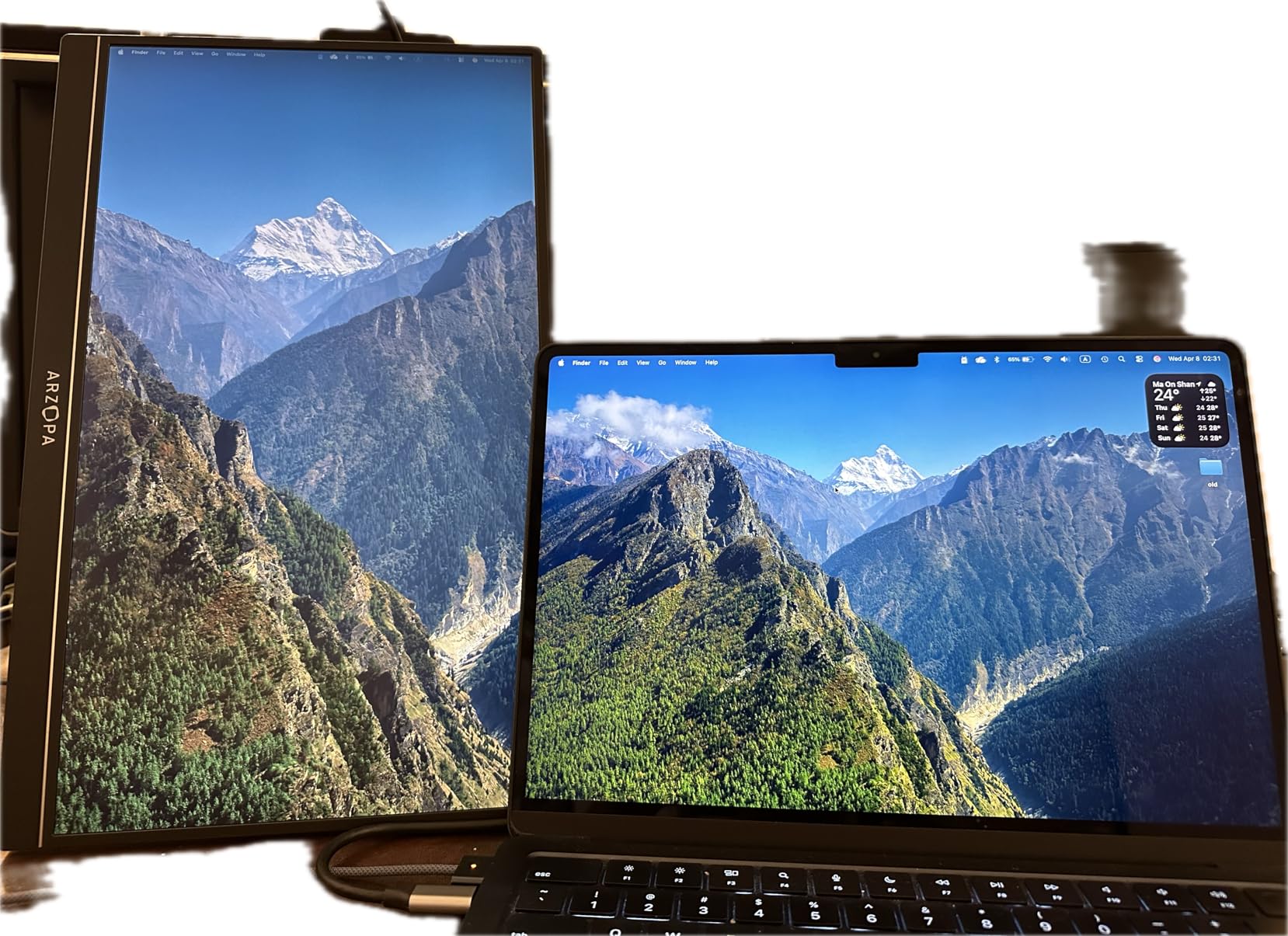
The built-in kickstand is a clever bit of design that folds flush into the back of the monitor when not in use. It supports both horizontal and vertical orientations, though you will need to switch between them manually since there is no auto-rotation sensor. I found the stand sturdy enough for desk use, but it did wobble slightly when I typed aggressively on a nearby keyboard. At 1.42kg, the Z1FC is one of the lighter monitors in this lineup, making it a practical travel companion.
Connectivity covers all the bases with two fully functional USB-C ports and one Mini HDMI port. The USB-C connection carries both power and video from compatible laptops, which means a single cable is all you need for a clean setup. I tested it with a PS5 and an Xbox Series S via HDMI, and both worked flawlessly with HDR enabled. The HDR support is admittedly basic rather than true HDR10, but it does add a noticeable boost to contrast in supported games.
Best Use Cases for the ARZOPA Z1FC
This monitor is purpose-built for gamers who want a portable second screen without sacrificing performance. If you travel with a gaming laptop, connect to consoles in hotel rooms, or simply want a smooth 144Hz display for competitive online play away from your main setup, the Z1FC is hard to beat at this price. The 1ms response time also makes it suitable for fast-paced titles where input lag is critical.
Beyond gaming, the vibrant colour reproduction and smooth refresh rate make this an excellent all-rounder for creative work and general productivity. I used it for photo editing in Lightroom and found the colour accuracy more than acceptable for non-professional work.
What to Watch Out For
The lack of an included protective case is a genuine frustration for a portable device. You will need to factor in the cost of a sleeve or case to keep the screen safe in transit. Several Reddit users on r/PortableMonitor have mentioned this as a recurring complaint, and I have to agree with them. The built-in speakers are functional but tinny, so you will want headphones or external speakers for any serious media consumption.
Also keep in mind that the 144Hz refresh rate only benefits you if your source device can output at that frequency. Older laptops and most budget models cap out at 60Hz, so check your laptop specifications before committing.
3. ViewSonic VA1655 – The Lightweight Value Champion
ViewSonic VA1655 16 Inch 1080p Portable Monitor, FHD IPS External Screen
15.6in IPS
1080p FHD
1.5 lbs
60W USB-C
250 Nits
Protective Case Included
Pros
- Extremely lightweight at just 1.5 lbs
- Comes with protective case and cable options
- USB-C single-cable setup is effortless
- 3-year warranty with US-based support
- Built-in stand for portrait and landscape
Cons
- Plastic build feels less premium
- Kickstand can be wobbly in portrait mode
- Limited colour gamut at 45% NTSC
- Built-in speakers are tinny
The first thing that struck me about the ViewSonic VA1655 was how ridiculously light it is. At just 1.5 pounds, this is one of the lightest portable monitors on the market, and the difference is immediately noticeable when you are carrying it in a backpack alongside a laptop. If weight is your primary concern, and for many digital nomads it absolutely is, the VA1655 is difficult to top.
ViewSonic includes a protective sleeve and screen protector in the box, which instantly solves one of the biggest pain points that portable monitor buyers face. No need to spend extra money on accessories or worry about scratches during transport. The sleeve is basic but functional, and it doubles as a folding stand when you flip it around. I appreciated this thoughtful inclusion, especially since several competitors in this guide charge extra for similar accessories.
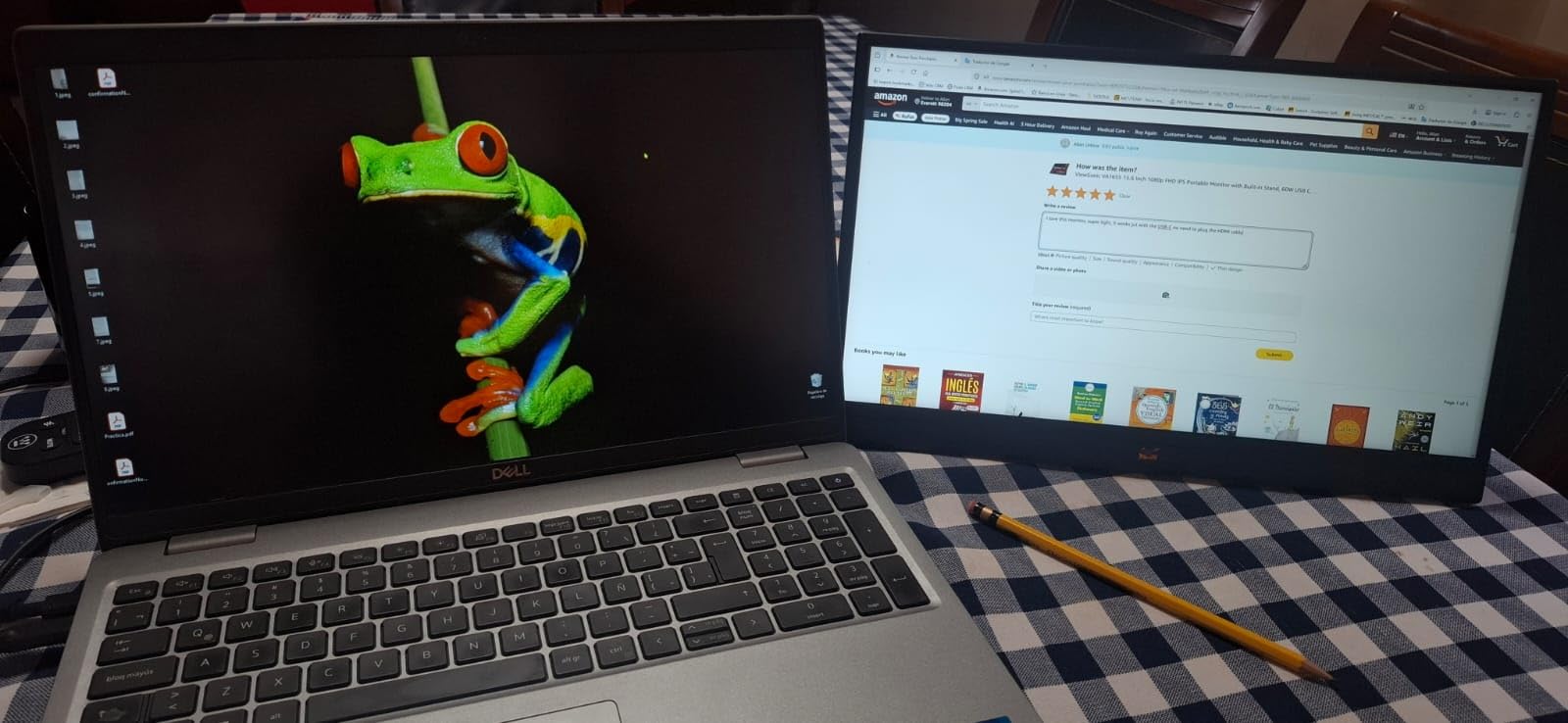
The 15.6-inch IPS panel delivers a perfectly serviceable 1080p image with 250 nits of brightness. That brightness figure is on the lower end of the spectrum, and I did find myself struggling slightly when working outdoors in bright sunlight. Indoors or in shaded areas, the display is perfectly readable with good viewing angles thanks to the IPS technology. The anti-glare coating helps with reflections, though it cannot work miracles in direct sun.
The 60W USB-C connectivity is a standout feature at this price point. Pass-through charging means you can connect your laptop to the monitor via USB-C and have the monitor charge your laptop simultaneously. This reduces cable clutter significantly and is a feature usually reserved for more expensive models. I tested this with a USB-C equipped MacBook Air and it worked flawlessly, keeping the laptop topped up while displaying video.
Ideal Users for the ViewSonic VA1655
This is the monitor I recommend for budget-conscious buyers who prioritise portability above all else. Students, travelling salespeople, and anyone who wants a capable second screen without breaking the bank will find a lot to like here. The three-year warranty from ViewSonic is genuinely impressive at this price and provides reassurance that the company stands behind its product.
If you are a digital nomad who values weight savings over premium materials, the VA1655 is an outstanding choice. Reddit users on r/digitalnomad consistently recommend ViewSonic monitors for their combination of light weight and reliability.
Limitations to Consider Before Buying
The plastic construction is immediately apparent when you pick up the VA1655. It does not have the premium heft of the ASUS or Lenovo models, and there is a slight flex if you press on the back panel. This has not caused any functional issues in my testing, but it does affect the overall perception of quality. The kickstand works adequately in landscape mode but becomes noticeably wobbly when you flip the monitor to portrait orientation.
The colour gamut is limited at 45% NTSC, which translates to roughly 55 to 60% sRGB. This means colours will look slightly washed out compared to the ARZOPA or ASUS monitors. For office work and web browsing this is perfectly fine, but creative professionals should look elsewhere for accurate colour reproduction.
4. KYY 15.6 inch Portable Monitor – The Budget Favourite
KYY Portable Monitor 15.6″ 1080P Computer Monitor Screen Extender w/Cover
15.6in IPS
1080p FHD
HDR
1ms Response
300 Nits
Smart Cover
Ultra-Slim 0.3in
Pros
- Outstanding value for money with excellent picture quality
- HDR support enhances colour and contrast
- Ultra-slim profile at just 0.3 inches thick
- Smart cover doubles as stand and screen protection
- Fast 1ms response time for casual gaming
- Wide compatibility across devices
Cons
- Refresh rate limited to 60Hz
- Colour gamut not precisely specified
- Built-in speakers are basic
- Smart cover can be fiddly to position
With over 13,000 customer reviews and a consistent 4.4-star rating, the KYY 15.6 inch portable monitor is one of the most popular budget options on the market. I was genuinely curious whether a monitor at this price point could deliver a worthwhile experience, and I came away pleasantly surprised. The KYY offers remarkable value that makes it easy to understand why so many buyers have chosen it.
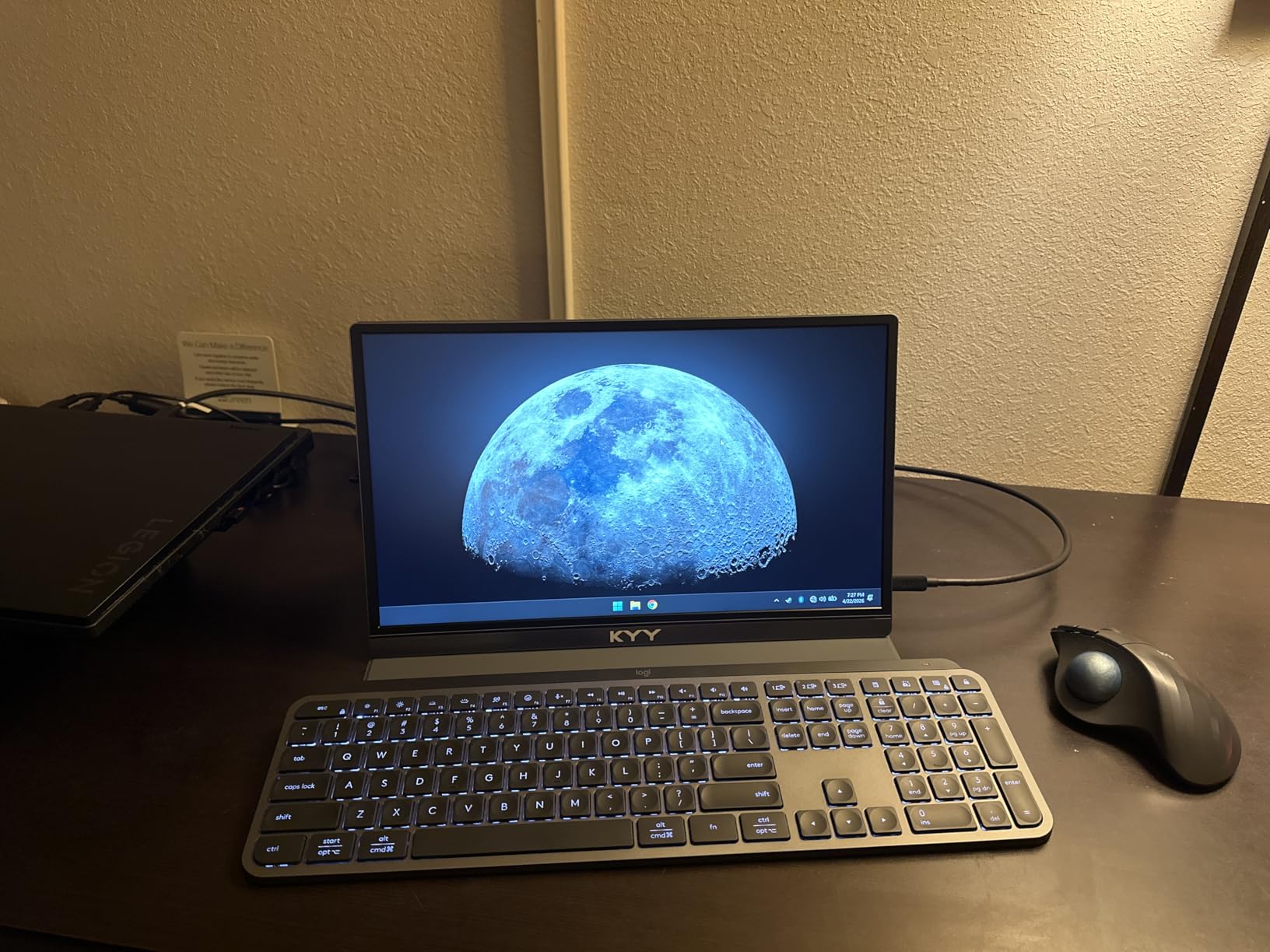
The 1080p IPS display produces a crisp, clear image with good colour reproduction and HDR support that genuinely enhances the viewing experience for compatible content. At 300 nits of brightness, it matches the ARZOPA and ASUS monitors in this guide, and the 178-degree viewing angles mean the picture remains consistent even when viewed from the side. I watched several films and played through a few casual games, and the picture quality consistently exceeded my expectations for the price.
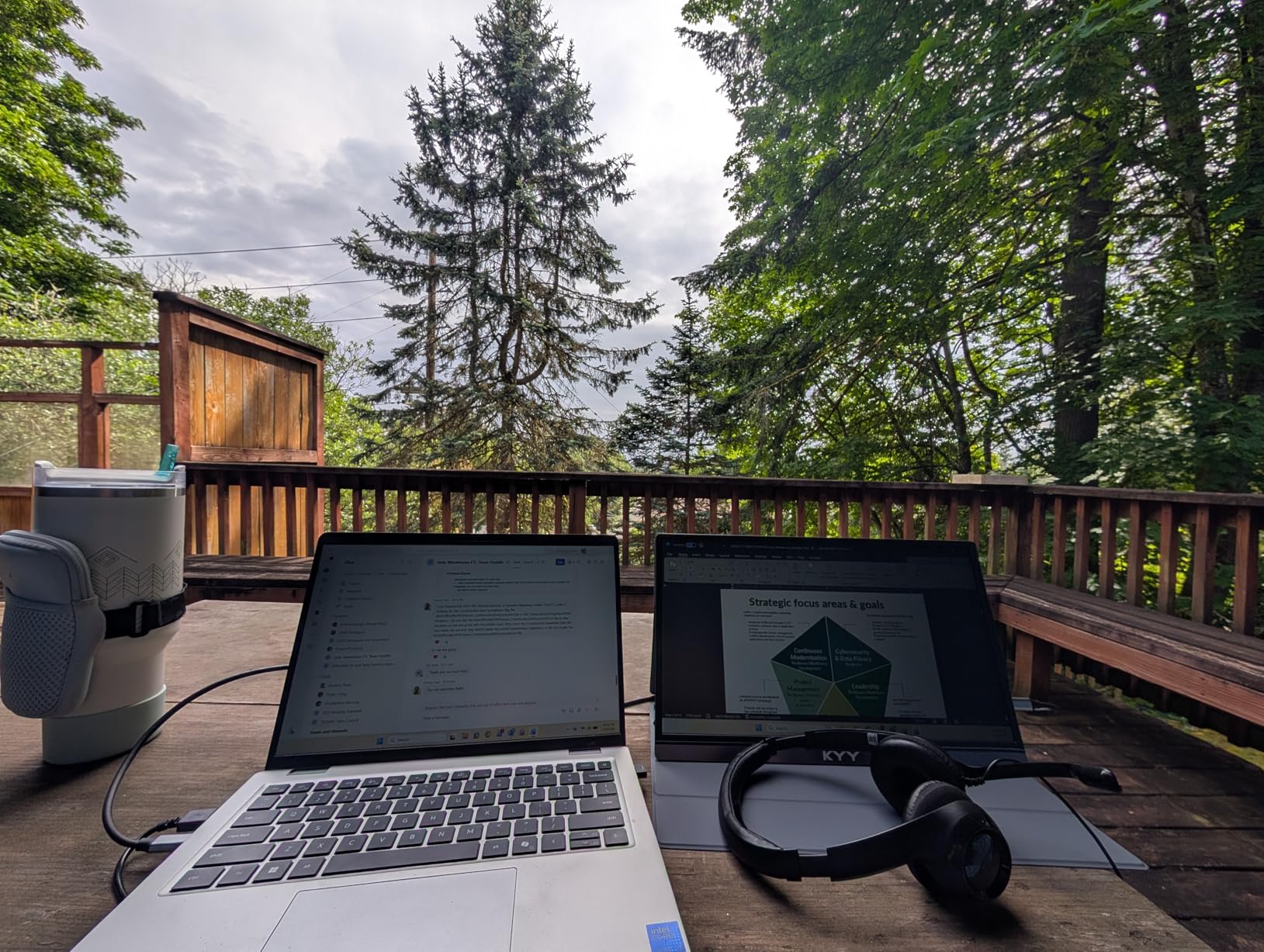
The included smart cover is a clever magnetic design that attaches to the front of the monitor to protect the screen during transport and folds around the back to serve as a stand. The folding mechanism takes some getting used to, and I found it slightly less intuitive than the built-in kickstands on the ARZOPA or ASUS models. Once you figure out the right folding pattern, it works well enough, but it can be fiddly to position on uneven surfaces like a cafe table or train tray table.
At just 0.35 inches thick and 1.7 pounds, the KYY is one of the slimmest monitors in this lineup. It slides into a backpack or laptop bag with minimal fuss and barely adds any noticeable weight. The 1ms response time is a bonus for casual gaming, though the 60Hz refresh rate means it cannot compete with the ARZOPA Z1FC for competitive play. Connectivity includes two full-function USB-C ports and a Mini HDMI port, covering all the essential bases.
Who Gets the Most Value from the KYY Monitor
If you are looking for your first portable monitor and want to spend as little as possible while still getting a quality product, the KYY is where I would point you. It is the cheapest monitor in this guide by a significant margin, yet it delivers picture quality that rivals models costing twice as much. Students, casual users, and anyone who is curious about portable monitors but hesitant to invest heavily will find this an excellent entry point.
The massive review base of over 13,000 customers also provides valuable social proof. When that many people have used a product and rated it highly, you can be reasonably confident it will meet your expectations.
Trade-offs at This Price Point
The 60Hz refresh rate is the main limitation for anyone interested in gaming. Casual games and console play work perfectly fine, but competitive PC gamers will want the 144Hz ARZOPA instead. The colour gamut is not precisely specified by KYY, which is slightly concerning for anyone doing colour-sensitive work. In practice, the display looks good for everyday use but lacks the vibrant punch of the ARZOPA with its 106% sRGB rating.
The smart cover, while functional, takes practice to fold correctly and does not offer the same rock-solid stability as a dedicated kickstand. If you plan to use your monitor primarily in portrait mode, you may find the cover frustrating.
5. Lenovo L15 – The Ergonomic Professional Choice
Lenovo L15 Portable Monitor, 15.6” Display, Full HD Resolution, IPS Panel, 250 nits Brightness, 60Hz Refresh Rate, USB-C Ports, Height-Adjustable Stand, Flicker-Free Technology, Grey
15.6in IPS
1080p FHD
Height-Adjustable Stand
250 Nits
FreeSync
Flicker-Free
Dual USB-C
Pros
- Unique height-adjustable stand for ergonomic viewing
- Excellent build quality from trusted Lenovo brand
- Flicker-free technology reduces eye strain
- FreeSync support for smooth visuals
- Versatile dual USB-C connectivity
- Space-efficient footprint
Cons
- Higher price point
- Lower brightness at 250 nits
- Heavier at 4.7 pounds
- No HDR support
- Limited review count
The Lenovo L15 stands out from every other monitor in this guide for one very specific reason: it has a proper height-adjustable stand. After years of propping portable monitors up on books, laptop stands, and improvised wedges to get the screen at eye level, having a monitor that adjusts vertically with a simple push feels like a revelation. For anyone who takes ergonomic comfort seriously, this is a genuinely meaningful feature.
Lenovo is a brand that professionals trust, and the L15 reflects that pedigree with solid build quality and a clean, business-like aesthetic. The display itself is a 15.6-inch IPS panel running at 1080p with 250 nits of brightness. Those specifications are modest by the standards of this guide, and the lower brightness was noticeable when I tried working near a bright window. However, for typical indoor office use, the image quality is perfectly adequate with accurate colours and good sharpness.
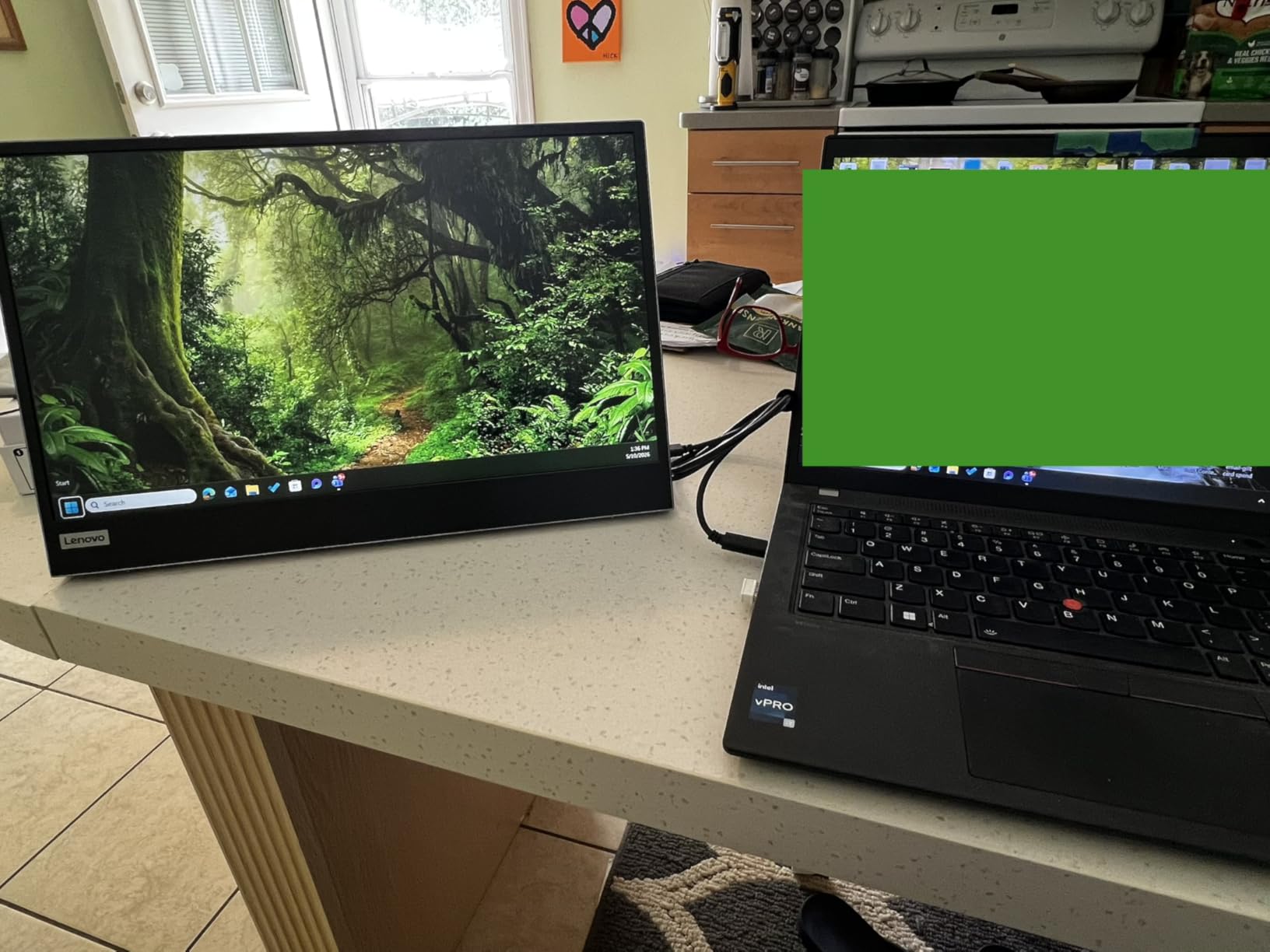
The flicker-free technology is more than just a marketing checkbox. I spent a full eight-hour workday in front of the L15 and noticed significantly less eye strain compared to cheaper monitors I have used in the past. The flicker-free coating, combined with the height-adjustable stand that lets you position the screen at the perfect ergonomic height, makes this monitor a genuinely comfortable option for long working sessions. If you suffer from eye fatigue during extended computer use, the L15 deserves serious consideration.
Connectivity is handled entirely through dual USB-C ports. There is no HDMI option, which means you will need a USB-C to HDMI adapter if you want to connect older devices or games consoles. For modern laptops equipped with USB-C, the single-cable setup for both power and video works exactly as you would expect. Lenovo also includes FreeSync support, which helps smooth out frame rate variations during casual gaming or video playback.
Best Suited for Professional and Office Use
The Lenovo L15 is the monitor I recommend for professionals who spend full workdays in front of their screens and prioritise ergonomic comfort. If you are setting up a semi-permanent dual-monitor workstation at home or in a serviced office, the height-adjustable stand and flicker-free technology make this an outstanding choice. It is less suited to constant travel due to its heavier weight, but for regular commutes between home and office it works well.
The build quality inspires confidence that this monitor will last for years. Lenovo products are known for their durability, and the L15 feels like it could easily outlast cheaper alternatives by a significant margin.
Understanding the Price Premium
At its higher price point, the L15 is the most expensive monitor in this guide. The question is whether the height-adjustable stand and flicker-free technology justify that premium for your specific needs. If you work full days in front of a screen and value ergonomic comfort, the answer is a clear yes. If you only need a portable monitor for occasional use or short sessions, the ASUS or ViewSonic options offer better value.
The heavier weight of 4.7 pounds is worth noting, as it is significantly heavier than the ViewSonic VA1655 at 1.5 pounds. This makes the L15 less ideal for frequent travellers who count every gram in their backpack.
How to Choose the Best Portable Monitor for Your Laptop?
Choosing the right portable monitor comes down to understanding your specific needs and matching them to the features that matter most. After testing all five monitors extensively, I have identified the key factors that should influence your decision. Let me walk you through each one so you can make an informed choice without wasting money on features you do not need.
Display Resolution and Panel Quality
All five monitors in this guide feature 1080p Full HD resolution, which is the sweet spot for portable displays in 2026. At 15.6 inches, 1080p provides a comfortable pixel density that keeps text sharp without demanding excessive graphics power from your laptop. Higher resolutions like 1440p or 4K are available in portable monitors, but they come at a significant price premium and can drain laptop battery faster.
Panel type matters more than resolution for perceived image quality. IPS panels, which all five monitors in this guide use, offer the best combination of colour accuracy, viewing angles, and response times. They outperform TN panels for colour work and VA panels for response times. If colour accuracy is critical for photo or video editing, look for monitors with specified sRGB coverage like the ARZOPA at 106% or ASUS at 100%.
Connectivity Options and Cable Management
The single most important connectivity feature in a modern portable monitor is USB-C with DisplayPort Alt Mode. This allows a single cable to carry both video signal and power between your laptop and monitor, dramatically simplifying your setup. All five monitors in this guide support this feature, which reflects how essential it has become.
Mini HDMI is a useful secondary port that expands compatibility to devices without USB-C, including games consoles, cameras, and older laptops. The Lenovo L15 is the only monitor here that lacks HDMI entirely, which could be a limitation depending on your devices. Consider what you plan to connect and make sure the monitor has the right ports before buying.
Pass-through charging is another feature worth looking for. The ViewSonic VA1655 supports 60W pass-through charging, meaning you can connect your laptop to the monitor via USB-C and have the monitor charge the laptop at the same time as displaying video. This is particularly useful when wall sockets are scarce, such as in airports or cafes.
Weight and Portability
If you are buying a portable monitor, weight matters enormously. The lightest option here is the ViewSonic VA1655 at just 1.5 pounds, followed closely by the KYY at 1.7 pounds and the ARZOPA at 1.42kg. The Lenovo L15 is the outlier at 4.7 pounds, which makes it noticeably heavier to carry.
Think about how you will transport the monitor. If it lives in a backpack that you carry daily, every gram counts. If it mostly sits on a desk and only travels occasionally, the weight difference becomes less significant. Also consider whether the monitor comes with a protective case or cover, as this affects both portability and durability.
Reddit users on r/digitalnomad consistently report that weight is their top concern when choosing a portable monitor. Many nomads recommend buying a cheaper monitor if you travel frequently, since portability means higher risk of damage. The logic is simple: it hurts less to replace a budget monitor than a premium one.
Brightness and Outdoor Visibility
Brightness is measured in nits, and for portable monitors the range typically falls between 250 and 350 nits. The ARZOPA, ASUS, and KYY monitors all offer 300 nits, which is adequate for most indoor environments and shaded outdoor areas. The ViewSonic and Lenovo models offer 250 nits, which can struggle in bright environments.
If you plan to work outdoors or in very bright spaces, look for monitors with 300 nits or higher. Direct sunlight will overwhelm even the brightest portable monitors, so plan to work in shaded areas regardless of which model you choose. The anti-glare coatings on these monitors help with reflections but cannot compensate for insufficient brightness.
Stand Design and Stability
The stand is one of the most overlooked aspects of portable monitor selection, yet it has an enormous impact on usability. A wobbly or poorly designed stand can make even an excellent display frustrating to use. The ASUS ZenScreen MB169CK has the best stand in this guide with its versatile 360-degree kickstand that locks firmly into position.
The Lenovo L15 takes a different approach with its unique height-adjustable stand, which is the only one here that allows vertical adjustment. This is a significant ergonomic advantage for full-day use. The ARZOPA has a solid built-in kickstand, while the ViewSonic and KYY rely on folding covers or sleeves that can be less stable on uneven surfaces.
Consider where you will typically use your monitor. If you work on train tray tables, cafe tables, or other uneven surfaces, a sturdy built-in kickstand will serve you better than a folding cover. For permanent desk setups, the height-adjustable Lenovo stand offers the best ergonomics.
Refresh Rate and Gaming Performance
Refresh rate matters even if you are not a gamer. A 144Hz display like the ARZOPA Z1FC makes scrolling, cursor movement, and general navigation feel noticeably smoother than a standard 60Hz panel. For productivity users, this translates to a more premium feel and reduced motion blur when reading long documents.
For actual gaming, the refresh rate becomes critical. Competitive games benefit enormously from 144Hz, and the ARZOPA delivers this alongside a 1ms response time. The other four monitors in this guide offer 60Hz, which is fine for casual gaming and console play but will not satisfy competitive PC gamers.
Response time is a separate specification that affects motion clarity. The ARZOPA and KYY both offer 1ms response times, while the ASUS sits at 5ms and the ViewSonic at 7ms. Lower response times mean less ghosting and blur during fast-moving content.
Eye Comfort Features
Spending hours in front of any screen can cause eye strain, but portable monitors often sit closer to your face than desktop displays. Look for monitors with flicker-free technology and low blue light modes, both of which help reduce eye fatigue during extended use.
The ASUS ZenScreen MB169CK features TUV-certified eye care technology, and the Lenovo L15 includes flicker-free technology that I found genuinely effective during long working sessions. These features are rarely discussed in competitor reviews but can make a real difference to your comfort, especially if you already suffer from digital eye strain.
Warranty and Brand Reliability
A portable monitor is an investment, and the warranty reflects the manufacturer confidence in their product. ASUS offers a three-year warranty on the ZenScreen MB169CK, ViewSonic offers three years on the VA1655, and Lenovo provides one year on the L15. ARZOPA and KYY both offer twelve-month warranties.
Brand reputation also matters for long-term support. ASUS, ViewSonic, and Lenovo are established display manufacturers with proven track records. ARZOPA and KYY are newer brands that have built strong reputations through Amazon reviews, but their long-term support infrastructure may not match the established players.
Use Case Recommendations
For digital nomads and frequent travellers, the ViewSonic VA1655 or KYY 15.6 inch are my top recommendations due to their light weight and affordable price points. If they get damaged in transit, the financial impact is less painful. For remote workers who need reliability and build quality, the ASUS ZenScreen MB169CK is the clear winner with its premium construction and three-year warranty.
For gamers, the ARZOPA Z1FC with its 144Hz refresh rate is the obvious choice. For professionals who prioritise ergonomic comfort during full workdays, the Lenovo L15 with its height-adjustable stand is worth the premium price. Think honestly about how you will use the monitor day to day, and let that guide your decision rather than being swayed by impressive-sounding specifications you may never need.
FAQs
Are portable monitors good for laptops?
Yes, portable monitors are excellent additions to laptop setups. They provide a second screen that boosts productivity by 20 to 50 percent according to multiple studies, and they connect easily via USB-C or HDMI. Modern portable monitors are lightweight enough to carry daily and support single-cable connections that carry both video and power.
What is the best portable laptop monitor for work?
The ASUS ZenScreen MB169CK is the best portable monitor for work due to its premium build quality, versatile 360-degree kickstand, dual USB-C connectivity, and three-year warranty. For budget-conscious workers, the ViewSonic VA1655 offers excellent value at just 1.5 pounds with 60W pass-through charging.
What are the disadvantages of using a portable laptop monitor?
The main disadvantages are limited screen brightness compared to desktop monitors, typically 250 to 300 nits, which can make outdoor use difficult. Portable monitors also have smaller screen sizes, limited colour accuracy on budget models, and can add weight to your bag. Some models have flimsy stands and lack built-in batteries.
Do portable monitors need external power?
Most modern portable monitors with USB-C connectivity can draw power directly from your laptop through a single USB-C cable, so no external power adapter is needed. However, some older laptops may not provide enough power through USB-C, in which case you will need a separate power source or use the Mini HDMI port with USB power.
Final Thoughts on the Best Portable Monitors for Laptops in 2026
Finding the best portable monitors for laptops in 2026 does not have to be overwhelming. If you want the best overall package with premium build quality, the ASUS ZenScreen MB169CK is our editor’s choice. For gamers, the ARZOPA Z1FC and its 144Hz refresh rate cannot be beaten at this price. The ViewSonic VA1655 wins on lightweight portability, the KYY 15.6 inch is the budget champion, and the Lenovo L15 offers unique ergonomic features for full-time professionals.
Think about how you will actually use your monitor day to day. Match the features to your real needs rather than chasing specifications you may never use. Any of these five monitors will give you a genuinely useful second screen that transforms your laptop workflow, whether you are working in a cafe, presenting in a boardroom, or gaming in a hotel room. Pick the one that fits your budget and use case, and you will not be disappointed.