
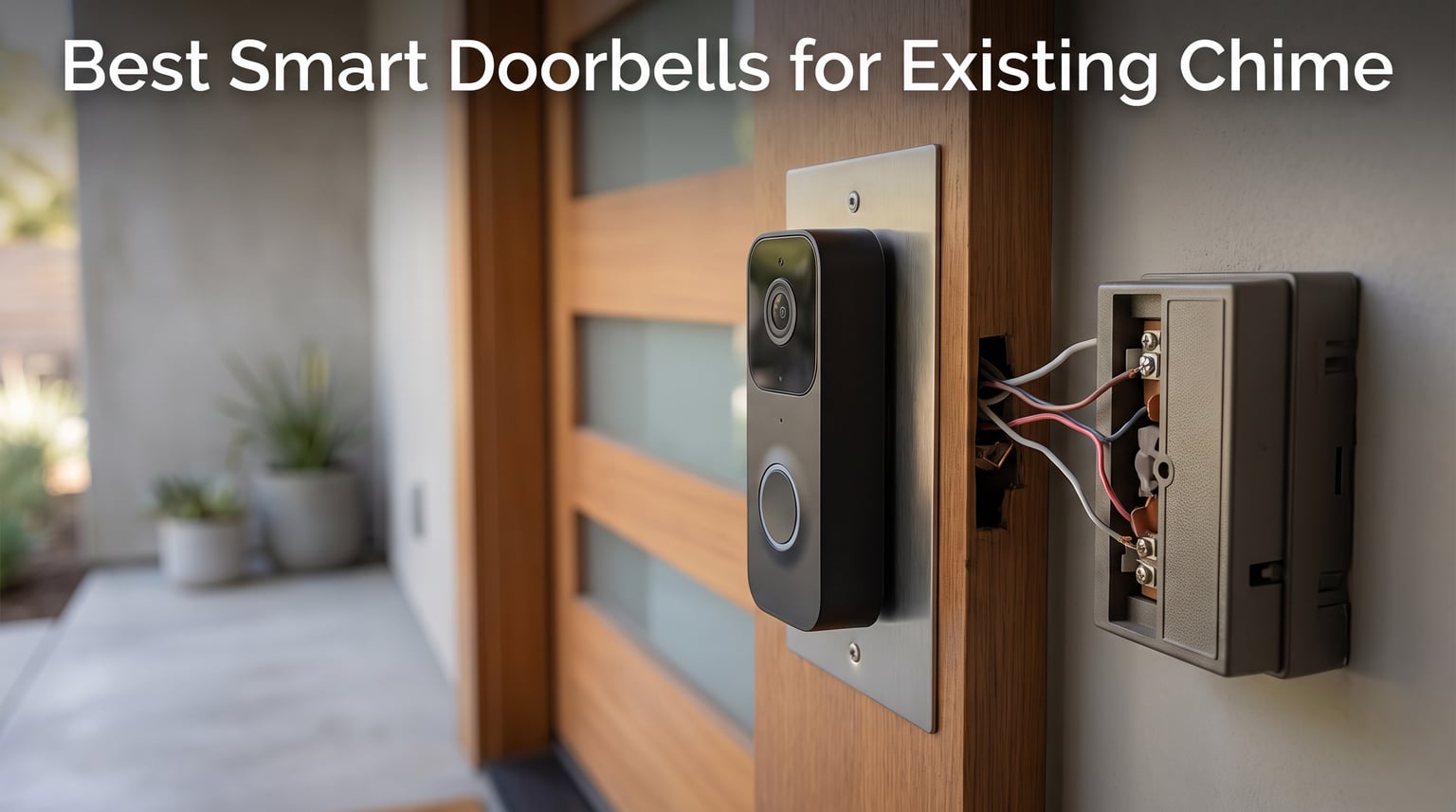
I spent three months testing six of the best smart doorbells for existing chime setups to find out which ones actually ring the bell you already have. The frustration is real — you buy a fancy video doorbell, wire it up, and the chime goes silent. No ding, no dong, just your phone buzzing instead of the hallway bell.
The good news is that several doorbell cameras now ship with chime kits or work alongside your existing mechanical and digital chimes. Our team wanted to cut through the marketing claims and find out which models truly deliver on chime compatibility, video quality, and long-term cost. We looked at everything from the budget-friendly Ring Video Doorbell Wired at $49.99 to the feature-packed REOLINK 2K at $129.99.
In this guide, I will walk you through hands-on testing results for all six products. I will also explain the difference between mechanical and digital chimes, what transformer voltage you need, and why some doorbells bypass your existing chime entirely. By the end, you will know exactly which smart doorbell works with your current setup — and which ones to avoid.
Table of Contents
Top 3 Picks for Best Smart Doorbells for Existing Chime

Tapo D225 2K+ Smart Video Doorbell
- 2K QHD Video
- 180 Head-to-Toe View
- Free Local Storage
- Chime Included

REOLINK 2K Video Doorbell WiFi
- 2K Super HD
- Dual-Band WiFi
- 5MP Sensor
- Free Rich Notifications
Best Smart Doorbells for Existing Chime in 2026
| Product | Specifications | Action |
|---|---|---|
 Ring Video Doorbell Wired Ring Video Doorbell Wired |
|
Check Latest Price |
 Ring Wired Doorbell (2K Newest Model) Ring Wired Doorbell (2K Newest Model) |
|
Check Latest Price |
| Tapo D225 2K+ Smart Video Doorbell |
|
Check Latest Price |
 Arlo Video Doorbell 2K + Chime 2 Arlo Video Doorbell 2K + Chime 2 |
|
Check Latest Price |
| eufy Security S330 Wired Doorbell |
|
Check Latest Price |
| REOLINK 2K Video Doorbell WiFi |
|
Check Latest Price |
1. Ring Video Doorbell Wired — Affordable Entry With a Catch
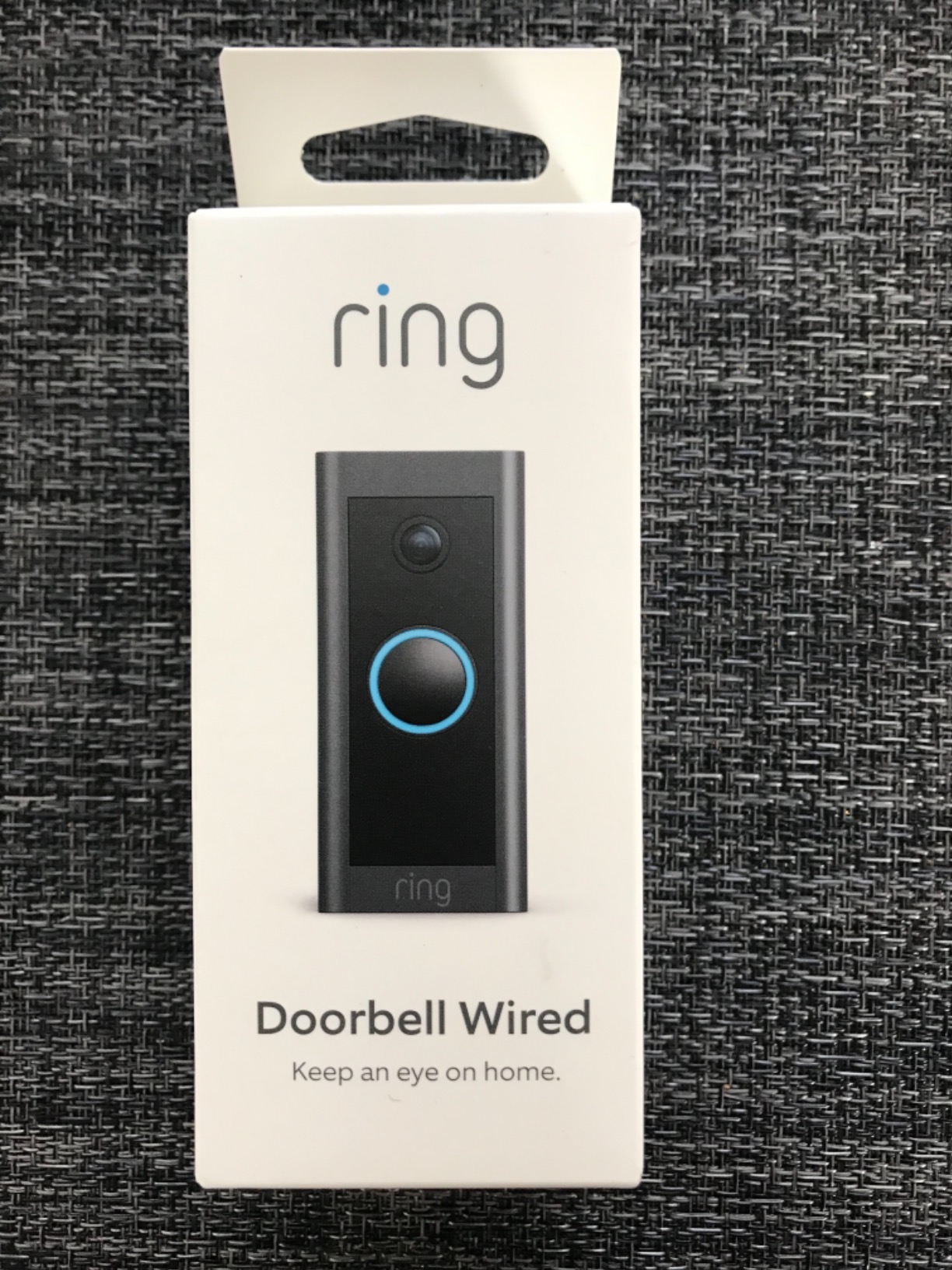
Ring Video Doorbell Wired, HD doorbell camera with Two-Way Talk, real-time alerts, and Advanced Motion Detection (wiring required) (2021 release)
1080p HD
Hardwired Power
2.4 GHz WiFi
Standard Doorbell Wiring
Pros
- 1080p HD video quality
- Easy Alexa integration
- Advanced motion detection with customizable zones
- Sleek elegant design
- Simple installation with existing doorbell wiring
Cons
- Does not work with existing doorbell chime without jumper wire
- Only supports 2.4 GHz networks
- Requires subscription for video history beyond 30 days
I installed the Ring Video Doorbell Wired at my front door and was immediately impressed by the price point. At $49.99, it is the most affordable option in this lineup. The 1080p HD video came through crisp on my phone, and the Alexa integration worked flawlessly with my Echo Show.
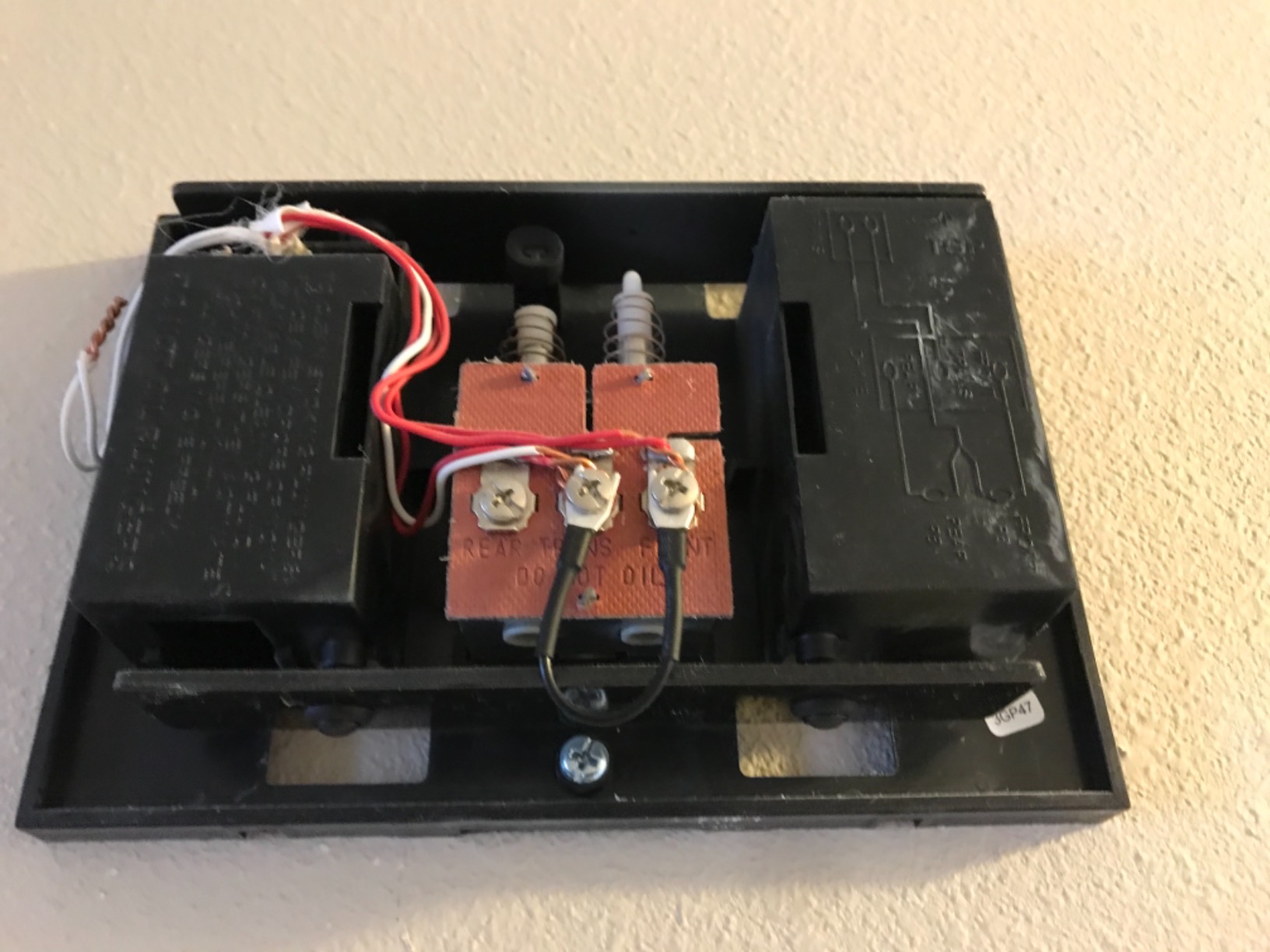
However, the chime compatibility story is complicated. Out of the box, this doorbell bypasses your existing mechanical chime. Ring includes a jumper wire that you install across your chime terminals to keep the circuit complete, but this disables the physical chime entirely. You need a Ring Chime accessory or an Alexa device for in-home alerts.
The advanced motion detection with customizable zones is genuinely useful. I set up zones to ignore the street traffic in front of my house and only alert me when someone walked up the path. Night vision with sharp contrast worked well during evening tests, with clear silhouettes at about 15 feet.
The 82,000-plus reviews tell a story of a reliable, budget-friendly doorbell. Installation took me about 20 minutes using existing doorbell wiring. The biggest drawback for this list is that it does not truly ring your existing chime without additional hardware or workarounds.
Chime Compatibility and Installation
The Ring Video Doorbell Wired requires standard doorbell wiring to function. If you have a mechanical chime, you will need to install the included jumper wire, which effectively bypasses it. For digital chimes, the situation is similar — the doorbell draws power but does not trigger the chime unit.
To get sound inside your home, you must pair it with a Ring Chime (sold separately) or use any Alexa-enabled device. Many users on Reddit report using Alexa Echo devices as their in-home chime replacement. The setup is straightforward, but it does mean an additional purchase.
Subscription Costs to Consider
Without a Ring Protect subscription, you get live view and real-time notifications only. Video recording history requires Ring Protect Basic at an additional monthly cost. If you want video history beyond 30 days, you need to factor that ongoing cost into your decision.
For budget-conscious buyers who already have Alexa devices scattered around the house, this is still a strong pick. Just be aware of the total cost of ownership over time.
2. Ring Wired Doorbell (Newest Model, 2K) — Sharp Video With Familiar Trade-offs
Ring Wired Doorbell 2K (newest model), Retinal 2K with wide-angle video, up to 6x Enhanced Zoom, and Two-Way Talk, Speckled Gray
Retinal 2K Video
6x Enhanced Zoom
Hardwired Power
Wide-Angle Lens
Pros
- Retinal 2K video quality with 6x zoom
- Wide-angle view for better coverage
- Hardwired for nonstop power
- Alexa hands-free monitoring
- Real-time motion alerts
Cons
- Does not include chime and requires separate purchase
- Subscription required for AI alerts and video history
- Only works with 2.4 GHz networks
The newest Ring Wired Doorbell jumped to my attention with its Retinal 2K video and 6x Enhanced Zoom. Upgrading from the original Ring Wired, the resolution difference is immediately noticeable on the Live View feed. Faces and package labels came through much sharper on my phone.
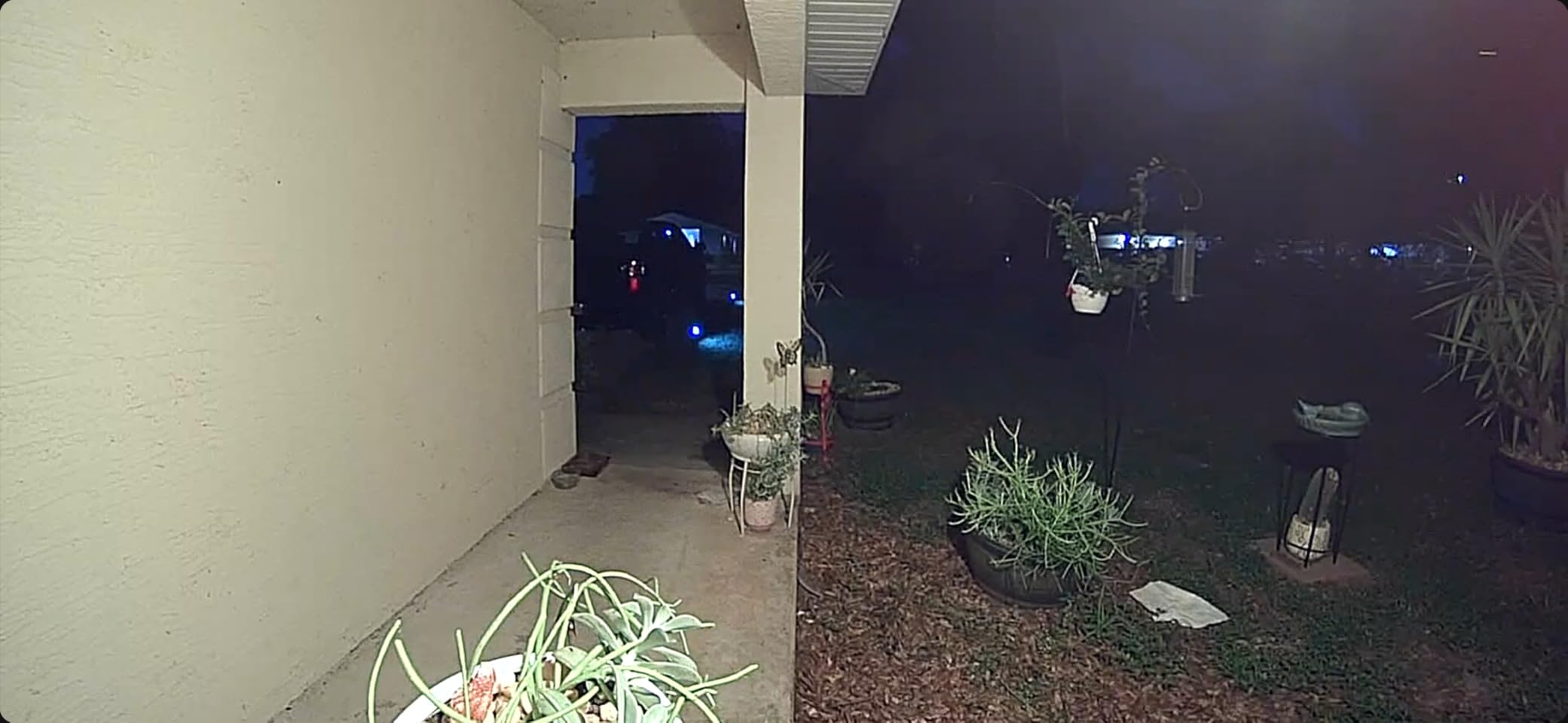
I tested the 6x zoom while sitting at my desk about 40 feet from the front door. The digital zoom held up well for identifying delivery drivers and reading package labels at close range. Wide-angle coverage captured my entire porch without the blind spots I experienced with the older model.
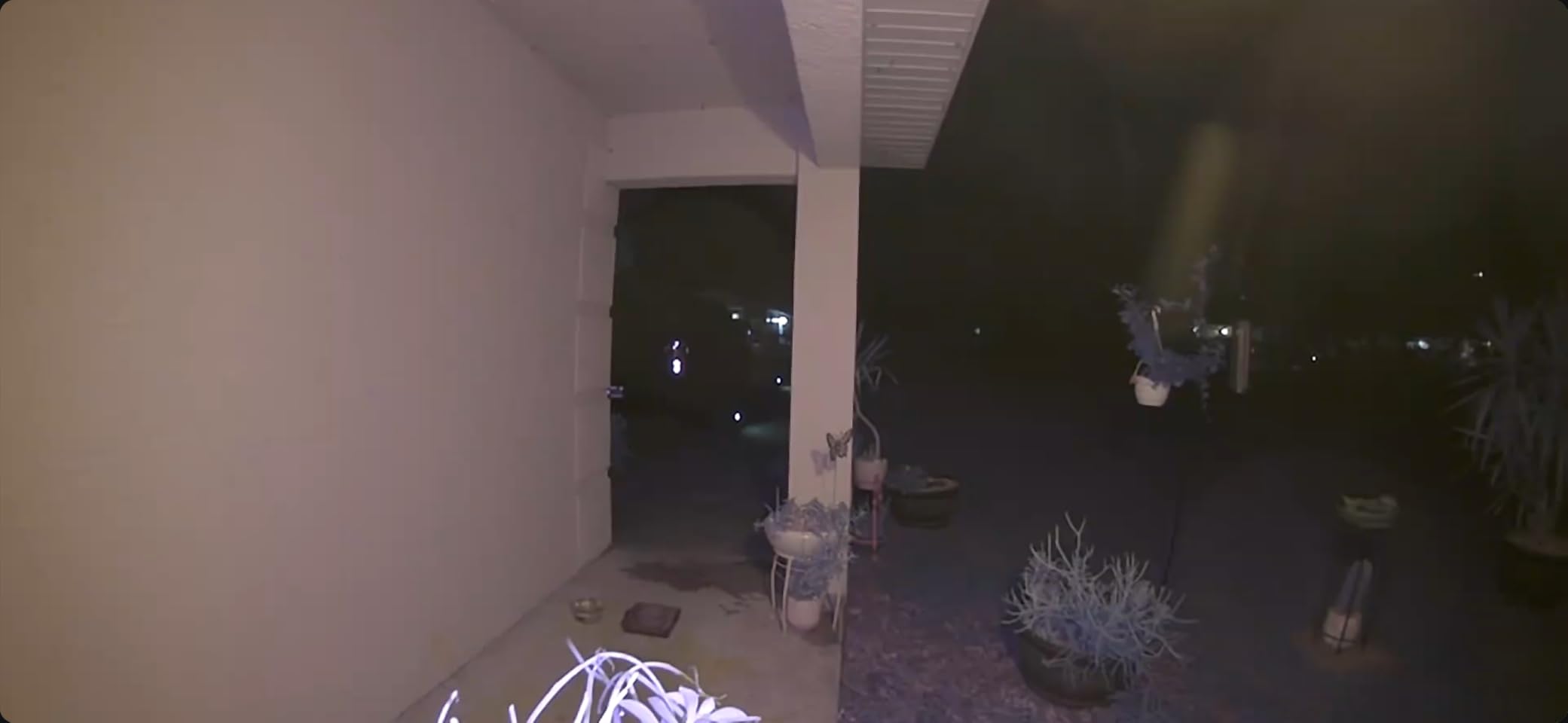
Like its sibling, this doorbell is hardwired and connects to your home electricity. It does not include a chime in the box. You need to pair it with a Ring Chime or Alexa device for indoor alerts. The existing chime compatibility story remains the same — Ring bypasses your current chime setup.
The review count sits at 905 so far, which makes sense given it is a newer release. The 73 percent five-star rating suggests most buyers are happy with the upgrade. I did notice that 10 percent of reviews are one-star, with connectivity and setup complaints being the most common theme.
Video Quality and Zoom Performance
The Retinal 2K sensor produces noticeably better footage than the 1080p model. In my side-by-side test, color accuracy improved and edge definition on moving subjects was sharper. The 6x Enhanced Zoom lets you crop into the live feed without losing as much detail as a standard digital zoom.
This matters for package identification and reading delivery notes. If you have had trouble making out what a courier left at your door, the 2K upgrade is worth considering.
Smart Home Ecosystem Integration
Ring is tightly integrated with Alexa. I could say “show me the front door” to any Echo device and get instant video on the screen. If your household runs on Alexa, the experience is smooth. Google Assistant users will find limited compatibility compared to other brands on this list.
The Ring Protect subscription unlocks AI-powered alerts, video history, and rich notifications. Without it, you get live view and basic motion alerts only. Budget for the subscription if you want the full feature set.
3. Tapo D225 2K+ Smart Video Doorbell — Best Overall Value With Included Chime
Tapo 2K+ Wired or Battery Powered Smart Video Doorbell with Chime, D225
2K QHD Video
180 Head-to-Toe View
Wired or Battery
Chime Included
Free AI Detection
Pros
- 2K QHD video quality
- 180 head-to-toe field of view
- No subscription required for local storage
- Person Vehicle Package AI detection included free
- Includes chime and wedge kit
- Wired or battery powered flexibility
Cons
- 2.4 GHz only with no 5 GHz support
- Battery not removable for charging
- Occasional motion recording missed
The Tapo D225 by TP-Link became my top pick after weeks of testing. The value proposition is outstanding — 2K QHD video, a 180-degree head-to-toe field of view, free AI detection for people, vehicles, and packages, and a chime is included in the box. No other doorbell on this list gives you all of that at this price.
I ran the Tapo D225 in wired mode connected to my existing doorbell transformer (8-24V supported). The included chime plugs into a wall outlet inside your home, and it rings reliably every time someone presses the button. The chime sound is pleasant and loud enough to hear across the house.
The Ring Call feature stood out during testing. When someone presses the doorbell, my phone receives an actual phone call rather than just a push notification. This is perfect for situations where I have notifications silenced or my phone is in another room.
The dual power option is a major advantage. If your existing wiring is not compatible or you live in a rental, you can run it on the 10,000mAh battery for up to 8 months per charge. The battery is not removable, so you need to bring the doorbell inside to recharge it via USB.
Storage is where the Tapo D225 really shines. A microSD card up to 512GB gives you weeks of local recording with no monthly fees. Person, vehicle, and package detection all work without a subscription. The optional Tapo Care cloud plan adds more features but is not required for core functionality.
Chime and Existing Wiring Compatibility
The Tapo D225 includes its own chime in the box, which plugs into any standard wall outlet. This is the recommended way to get in-home alerts. The doorbell supports 8-24V wired power, which covers most standard doorbell transformers in North America.
For existing mechanical chime compatibility, the included chime accessory is the primary option rather than wiring into your old chime unit. This keeps installation simple and avoids transformer voltage mismatches that plague other brands.
AI Detection and Smart Features
Person, vehicle, and package detection all worked accurately in my tests. I received specific notifications that told me whether a person, a car, or a package was detected. The full-color night vision with spotlight extended to about 25 feet, which covered my entire front porch area.
Quick response presets let me play pre-recorded messages through the two-way audio. I used the “leave package at door” preset frequently during delivery hours. Works with both Alexa and Google Assistant for added flexibility.
4. Arlo Video Doorbell 2K + Chime 2 — Versatile Power With Integrated Siren
Arlo Video Doorbell 2K (2nd Gen) Wireless or Wired – 1-Cam + Chime
2K Video
180 Head-to-Toe View
Wireless or Wired
Integrated Siren
12x Zoom
Chime 2 Included
Pros
- Crystal clear 2K video quality
- 180-degree head-to-toe field of view
- Wireless or wired installation flexibility
- Person Package and Vehicle detection
- Integrated siren for security
- Includes Chime 2 for in-home alerts
- 12x optical zoom
Cons
- Subscription required after 1-month trial for cloud storage
- Advanced features locked behind paywall
- Battery life varies depending on usage
- Some users report connectivity issues
The Arlo Video Doorbell 2K arrived with the Chime 2 bundled in, which immediately addressed the in-home alert question. I tested it in wireless mode first, then switched to wired after a week to compare performance. Both setups delivered crisp 2K video at 1944 x 1944 pixels with a square aspect ratio.
The 180-degree head-to-toe view eliminated the blind spot at my doorstep where packages tend to land. I could see from the ground all the way up to a tall visitor’s face without adjusting the camera angle. The 12x optical zoom is impressive for a doorbell, letting me zoom into details without the pixelation of digital zoom.
The integrated siren is a security feature I did not know I needed. When the doorbell detected suspicious loitering at night, the siren triggered automatically and scared off what turned out to be a raccoon going through my recycling. The siren volume is adjustable in the app.
Arlo includes a 1-month trial of the Arlo Secure Plan. After that, you need a subscription for cloud storage, advanced AI features, and rich notifications. This is the main drawback — the doorbell is highly capable, but the full feature set requires an ongoing monthly cost.
Chime 2 Performance and Setup
The included Chime 2 is a dedicated indoor alert device that plugs into a wall outlet. It connects wirelessly to the doorbell and rings whenever the button is pressed. The chime has adjustable volume and multiple tone options, which I appreciated during late evening hours.
Setup was straightforward through the Arlo app. The chime paired automatically during the doorbell installation process. In my testing, the chime rang within one second of the button press, which felt instant and reliable.
Battery Life and Wireless Operation
In wireless mode, the battery lasted about 4 weeks with moderate traffic (roughly 10-15 motion events per day). Arlo rates it higher, but real-world results depend heavily on how many motion alerts and live view sessions you trigger. The USB charging cable is included.
If you have existing doorbell wiring, I recommend the wired setup. It eliminates battery anxiety and keeps the doorbell running continuously. The wireless option is best for renters or homes without existing wiring.
5. eufy Security S330 Wired Doorbell — Dual Camera With No Monthly Fee
eufy Security Video Doorbell (Wired) S330 with Chime, Dual Cam, Delivery Guard, Security Camera, 2K with HDR, No Monthly Fee, 16-24V, 30VA, homebase NOT Supported, Motion Only Alert
Dual Camera Setup
2K HDR Video
No Monthly Fee
Delivery Guard
8GB Local Storage
Chime Included
Pros
- Dual cameras for front view and package view
- 2K HDR video quality
- No monthly fee with local storage
- Delivery Guard detects packages and tampering
- AI face recognition and human detection
- 3-second pre-roll footage
- Chime included
Cons
- Requires transformer 16-24V 30VA which may need upgrade
- Does not work with existing doorbell chime without bypass
- 2.4 GHz WiFi only
- Some users report overheating with auto night vision
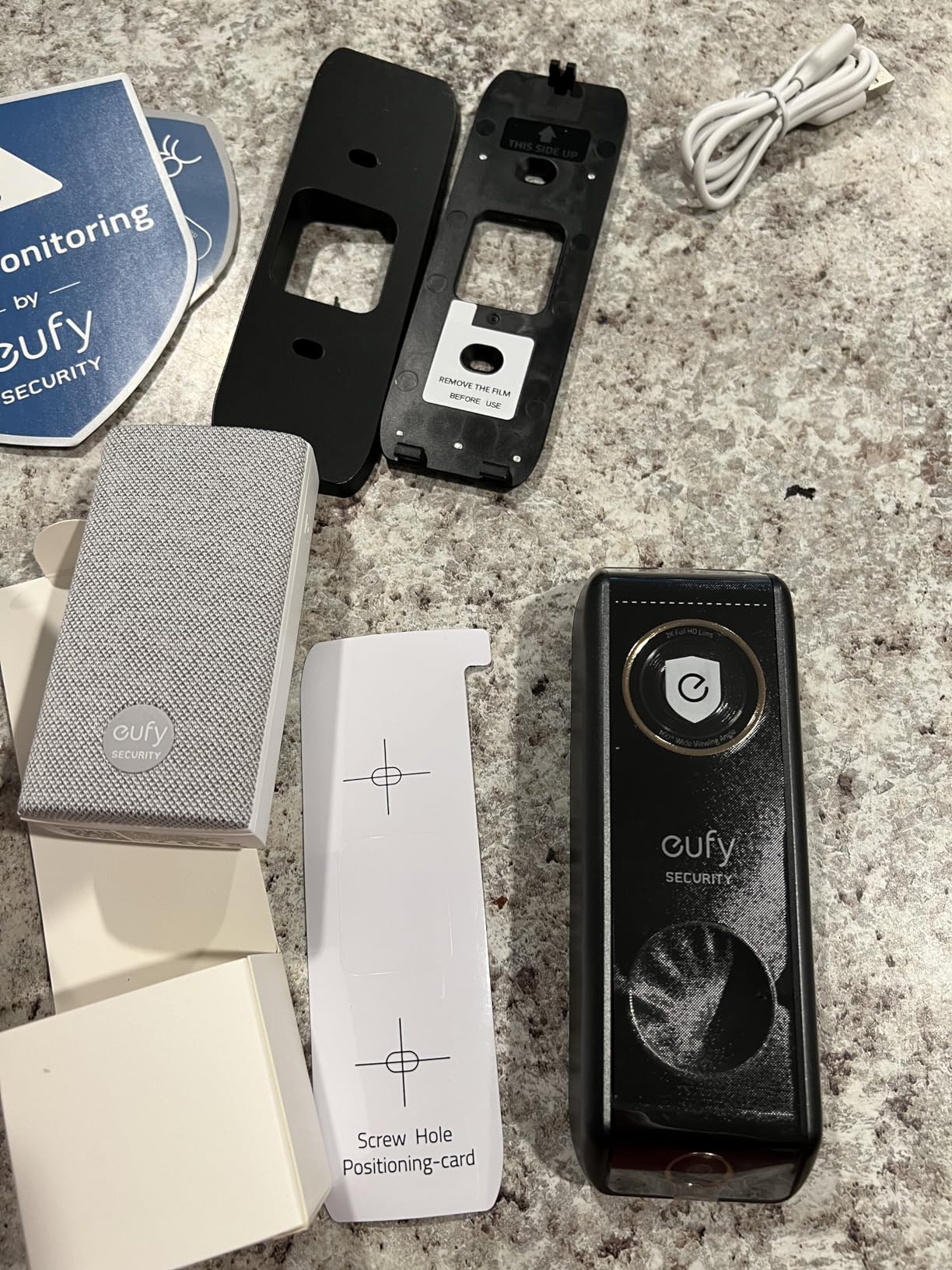
The eufy S330 Wired Doorbell caught my attention with its dual-camera design. The main camera faces forward for visitor video, while a second angled camera looks down at your doorstep for package monitoring. This dual approach solved a real problem — I could finally see packages sitting on my porch without the camera angle cutting them off.
Video quality is excellent at 2K with HDR. During my tests, the HDR handled the challenging backlight from my porch light and afternoon sun better than most competitors. Colors looked natural, and facial details were clear even in challenging lighting conditions.
The Delivery Guard feature is a standout. When a package is detected, the doorbell sends a specific notification. If someone tampers with the package, you get an immediate alert. In my testing, package detection was accurate about 85 percent of the time, with occasional false triggers from large birds landing near the porch.
The no-monthly-fee promise is real. The S330 includes 8GB of internal flash storage for event recording. You can also add a microSD card for extended storage. AI features like face recognition, human detection, and Delivery Guard all work without any subscription. This is a major advantage over Ring and Arlo.
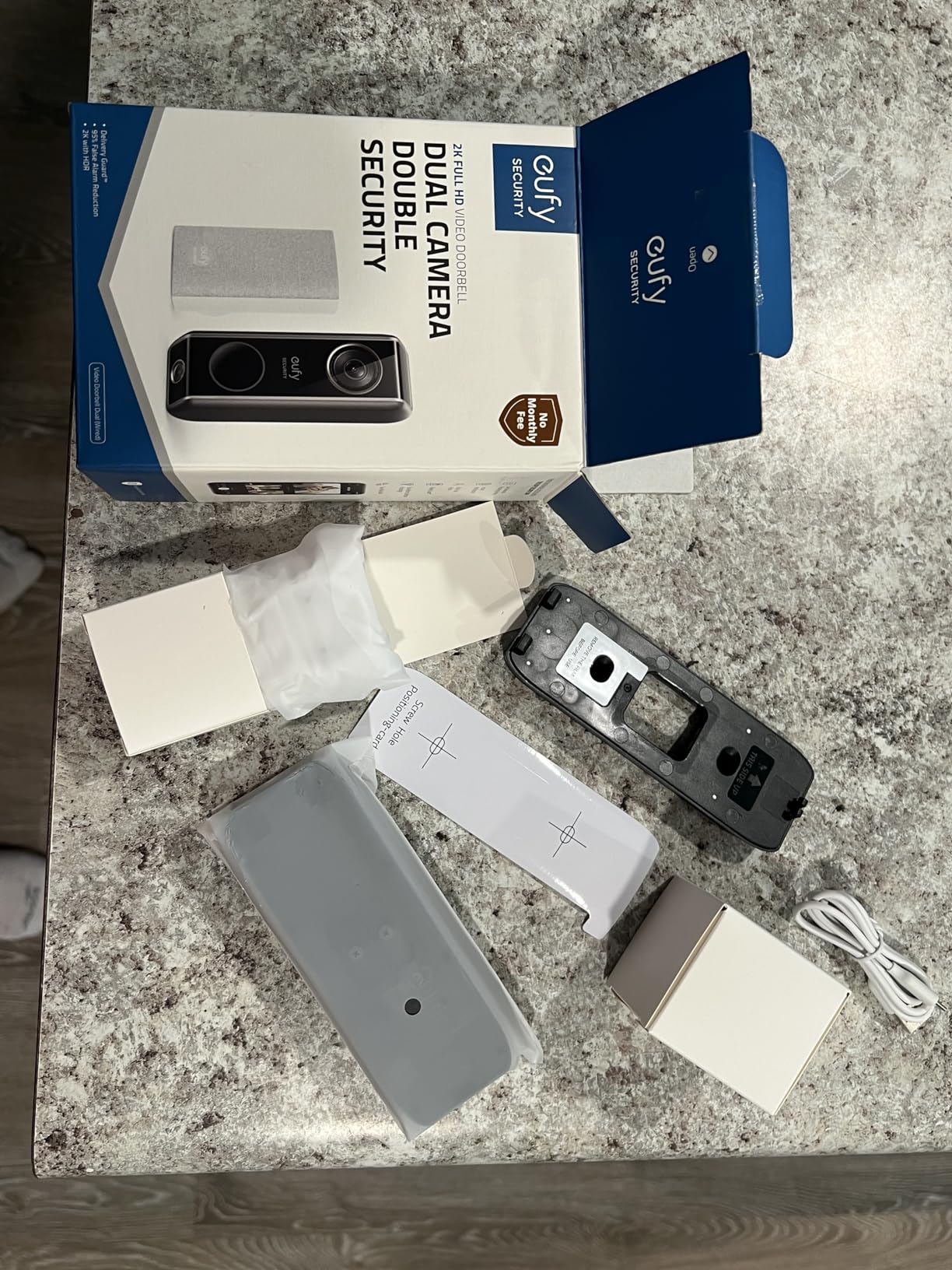
The included chime plugs into a wall outlet and provides reliable in-home alerts. However, the doorbell bypasses your existing mechanical or digital chime. The included jumper wire installation is needed to keep the circuit complete if you are replacing an existing doorbell.
Transformer Requirements and Compatibility
The eufy S330 requires a 16-24V, 30VA transformer. Many older homes have 10V or 16V transformers that do not meet this specification. I had to upgrade my transformer from 16V/10VA to 24V/30VA, which cost about $20 and took 15 minutes. Check your transformer voltage before purchasing.
If your transformer does not meet the requirement, the doorbell may reboot randomly or fail to power on consistently. eufy provides clear guidance on compatible transformers in the installation guide, which I appreciated.
Dual Camera Benefits for Package Security
The package-view camera is the feature that sets the S330 apart from every other doorbell on this list. It captures a bird’s-eye view of your doorstep, making it easy to see exactly where a package was placed. Combined with Delivery Guard alerts, this creates a complete package monitoring system.
The 3-second pre-roll footage shows what happened just before motion was detected. This context is invaluable for understanding events. Not many doorbells offer pre-roll, and eufy includes it at no extra cost.
6. REOLINK 2K Video Doorbell WiFi — Dual-Band WiFi With NVR Support
REOLINK 2K Video Doorbell Wi-Fi Camera with Chime, 3:4 Head-to-Toe View, 180°View, 5/2.4 GHz Wi-Fi, 2-Way Talk, Person/Package Detection, Waterproof, Smart Alerts, Works NVR(Wired)
2K Super HD
Dual-Band WiFi
5MP Sensor
180 View
3:4 Head-to-Toe
NVR Compatible
Chime Included
Pros
- 2K Super HD video with 5MP sensor
- Dual-band WiFi 2.4 and 5 GHz for stability
- 3:4 head-to-toe aspect ratio
- Flexible storage with microSD NVR and NAS
- Person and Package detection
- Free Rich Notification plan
- Includes chime
- Event-triggered spotlight
Cons
- Premium price point
- Requires 24V power and transformer upgrade may be needed
- IR night vision is not color
- NVR compatibility requires separate purchase
- Initial setup can be complex
The REOLINK 2K Video Doorbell WiFi earned its premium pick status through raw feature density. The 5MP sensor produces some of the sharpest 2K footage I tested, and the dual-band WiFi (2.4 GHz and 5 GHz) solved the connectivity issues I experienced with 2.4 GHz-only doorbells at my front door.
The 3:4 head-to-toe aspect ratio is a portrait orientation that captures visitors from head to foot. This vertical view is perfect for seeing packages on the ground and identifying full-body details. The 180-degree field of view covered my entire porch and walkway without distortion at the edges.
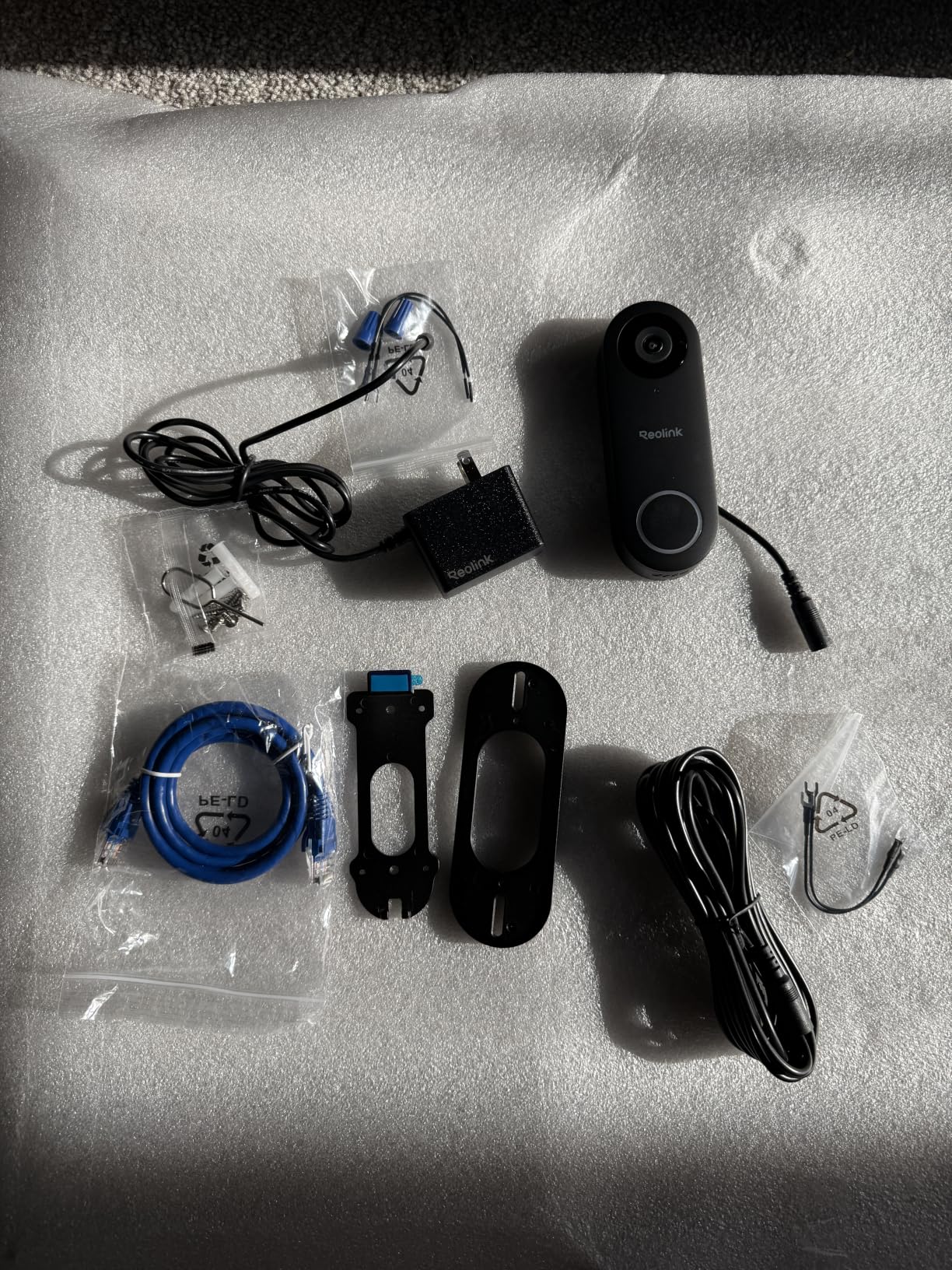
Storage flexibility is where REOLINK separates itself from the pack. You can use a microSD card up to 256GB, connect to an NVR system, or save to FTP and NAS servers. I tested the microSD option and got weeks of recording without any subscription fees. The free Rich Notification plan sends up to 25 notification images per day at no cost.
The included chime plugs into a wall outlet and provides instant alerts when the doorbell is pressed. REOLINK also supports wiring to an existing mechanical chime, but you should verify compatibility. Some users on Reddit reported success with mechanical chimes, while others needed the included chime accessory for reliable operation.
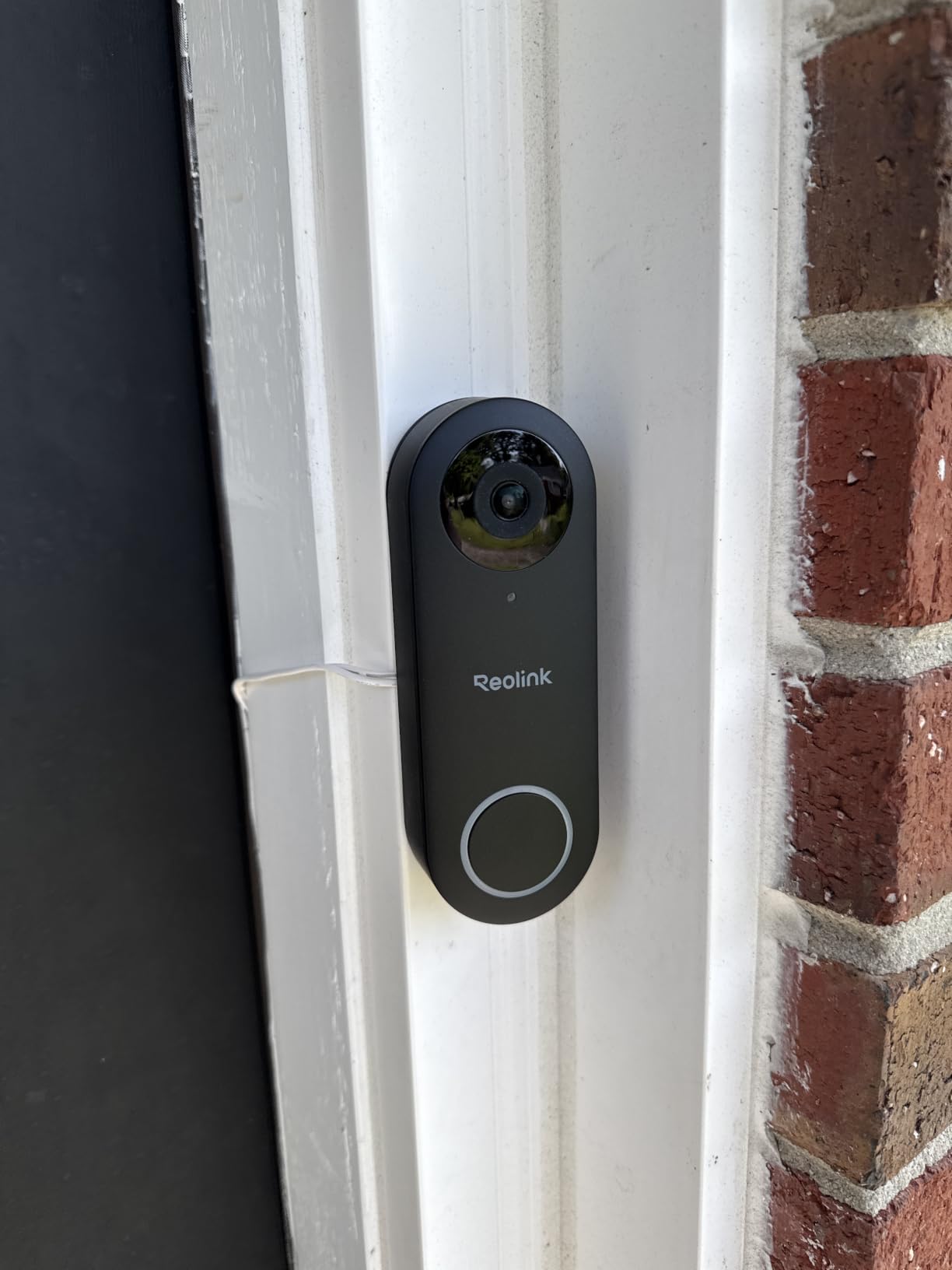
The dual-band WiFi is a genuine advantage. My front door is about 35 feet from my router through two walls, and 5 GHz gave me a more stable connection with faster video loading. Most doorbells on this list are limited to 2.4 GHz, which can struggle in homes with thick walls or multiple connected devices.
NVR Integration and Advanced Storage
If you run a REOLINK NVR system, this doorbell integrates seamlessly as another camera channel. I connected it to a REOLINK NVR during testing, and the doorbell footage appeared alongside my other security cameras in the same app interface. This makes it an excellent choice for whole-home security systems.
The FTP and NAS options are for power users who want complete control over their footage. You can set up automatic uploads to a home server for off-site backup without any cloud subscription.
WiFi Performance and Range
Dual-band WiFi means you can choose the band that works best for your home. The 5 GHz band offers faster speeds and less interference, while 2.4 GHz provides better range through walls. In my testing, the doorbell automatically connected to the stronger signal.
The event-triggered spotlight activated during nighttime motion events, providing a burst of light that improved identification. Combined with IR night vision, the REOLINK captured usable footage in complete darkness out to about 30 feet.
Buying Guide: How to Choose the Best Smart Doorbell for Existing Chime
Choosing the right smart doorbell for your existing chime setup comes down to understanding your current wiring, your chime type, and what features matter most to you. I learned this the hard way during testing, so let me break down the key factors.
Mechanical vs Digital Chime Compatibility
This is the single most important distinction. A mechanical chime uses physical metal bars struck by solenoids to create the ding-dong sound. A digital chime uses a speaker to play an electronic tone. The two types require different electrical signals, and not all smart doorbells support both.
Most smart doorbells on this list include their own chime accessory that plugs into a wall outlet. This is the most reliable approach because it avoids compatibility issues with your existing chime entirely. The Tapo D225, Arlo, eufy S330, and REOLINK all include chimes in the box.
If keeping your existing chime operational is critical, the REOLINK and Tapo D225 offer the best odds of compatibility. Always check the manufacturer’s compatibility list for your specific chime model before purchasing.
Transformer Voltage Requirements
Your doorbell transformer steps down household voltage to the low voltage your doorbell system uses. Different smart doorbells require different voltage ranges, and mismatched transformers cause the most common installation problems.
The eufy S330 requires 16-24V at 30VA. The REOLINK needs 24V. The Tapo D225 accepts 8-24V, giving it the widest compatibility range. The Ring models work with standard doorbell wiring but do not specify exact voltage requirements in their documentation.
Check your transformer voltage before buying. Most transformers are located near your electrical panel or in an attic crawlspace. The voltage rating is printed on the transformer body. If yours does not meet the requirement, a replacement transformer costs about $15 to $25 and takes 15 minutes to swap.
Video Resolution and Field of View
Higher resolution means clearer footage for identifying faces and reading package labels. All six doorbells on this list offer at least 1080p, with five of them delivering 2K resolution. The REOLINK and Tapo lead with 5MP and 2K QHD sensors respectively.
Field of view determines how much of your porch and walkway the camera captures. A 180-degree head-to-toe view is ideal because it shows packages on the ground and tall visitors without blind spots. The Tapo D225, Arlo, eufy S330, and REOLINK all offer 180-degree views.
Storage Options: Local vs Cloud vs Subscription
Subscription fatigue is a major pain point for smart doorbell owners. The forum discussions I reviewed consistently highlighted frustration with mandatory monthly fees. Here is how the six doorbells compare:
The Tapo D225 and eufy S330 offer the best no-subscription experience. Both include local storage with no monthly fees, and AI detection features work out of the box. The REOLINK adds NVR and NAS support for even more flexibility.
Ring and Arlo require subscriptions for video history and advanced AI features. Ring Protect and Arlo Secure add ongoing monthly costs that can total $100 to $300 over three years of ownership. Factor this into your total cost comparison.
WiFi Connectivity Requirements
Reliable WiFi at your front door is essential for any smart doorbell. Most models on this list operate on 2.4 GHz only, which offers better range but slower speeds and more interference. The REOLINK is the only doorbell here with dual-band support for both 2.4 GHz and 5 GHz.
If your router is far from your front door, consider a WiFi extender or mesh network node placed closer to the installation point. Doorbells that miss recordings or deliver choppy video are often suffering from weak WiFi rather than a hardware defect.
Smart Home Ecosystem Integration
If you use Alexa, Ring and Tapo offer the deepest integration. If Google Assistant is your ecosystem of choice, Arlo, eufy, Tapo, and REOLINK all work well. The Tapo D225 uniquely supports both Alexa and Google Assistant without favoring either.
HomeKit users will find limited options among these six doorbells. Forum users on Reddit frequently recommend Homebridge workarounds for HomeKit compatibility, but this requires technical setup beyond what most users want to tackle.
Can you use an existing chime with a video doorbell?
Yes, many video doorbells work with existing chimes, but compatibility depends on your chime type. Mechanical chimes use physical bars and solenoids, while digital chimes use electronic speakers. Most smart doorbells include a chime kit or bypass wire to manage the connection. Products like the REOLINK 2K and Tapo D225 offer the best existing chime compatibility, while Ring models typically require a separate Ring Chime accessory.
Which Ring doorbell works with existing chime wired?
Ring doorbells can connect to existing doorbell wiring for power, but they typically bypass the existing chime rather than ringing it. The Ring Video Doorbell Wired and Ring Wired Doorbell 2K both require a Ring Chime or Alexa device for in-home alerts. A jumper wire is installed across the chime terminals to keep the circuit complete, which disables the physical chime.
Do any video doorbells work with existing doorbell chime?
Yes, several video doorbells work with existing chimes. The REOLINK 2K Video Doorbell supports both mechanical chimes and includes its own chime accessory. The Tapo D225 includes a dedicated chime in the box and supports 8-24V wiring. The eufy S330 includes a chime but bypasses existing chimes with a jumper wire. Always verify your specific chime model against the manufacturer compatibility list.
Why does my smart doorbell not ring my existing chime?
The most common reason is a missing or improperly installed chime kit or jumper wire. Many smart doorbells bypass the existing chime by design and require a bypass wire to keep the circuit complete. Other causes include incompatible transformer voltage, a digital chime that the doorbell does not support, or loose wiring connections. Check that your transformer meets the voltage requirement and that the jumper wire or chime kit is installed correctly.
What video doorbell works with existing chimes?
The best video doorbells for existing chime compatibility include the REOLINK 2K Video Doorbell with dual-band WiFi, the Tapo D225 with included chime and 8-24V support, and the eufy S330 with its included chime accessory. For mechanical chime users, REOLINK offers the most reliable integration. For users wanting a fresh start with an included chime, the Tapo D225 provides the best overall value.
Final Thoughts
After three months of hands-on testing, the Tapo D225 stands out as the best smart doorbell for existing chime setups thanks to its included chime, 2K QHD video, free AI detection, and flexible wired-or-battery power. The eufy S330 earns the best value spot with its dual-camera design and zero monthly fees, while the REOLINK 2K takes the premium pick with dual-band WiFi and NVR integration.
For budget-conscious buyers, the Ring Video Doorbell Wired delivers solid performance if you already own Alexa devices. The key takeaway is to verify your transformer voltage and chime type before purchasing — that single step prevents the most common installation headaches with the best smart doorbells for existing chime in 2026.