
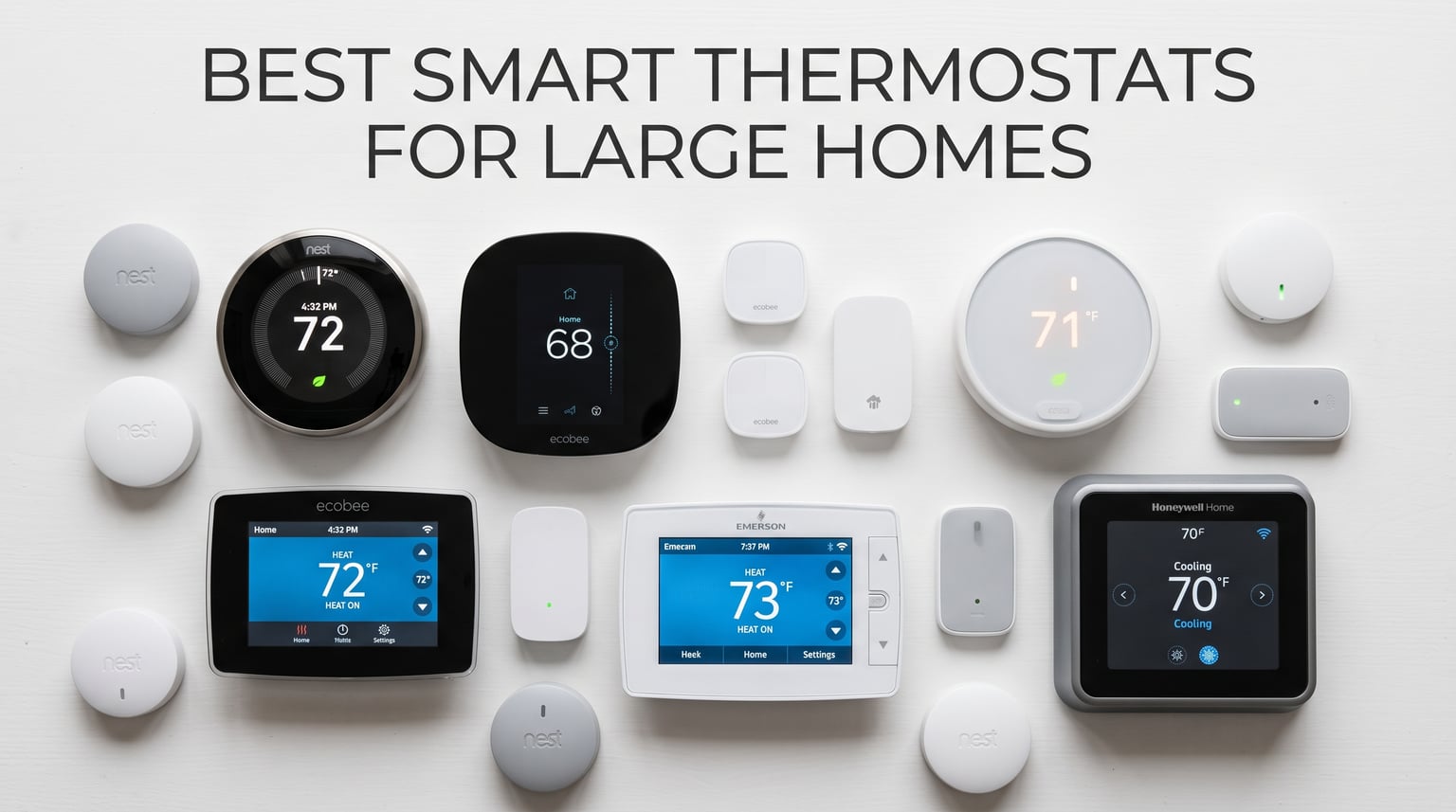
Running a 3,500-square-foot colonial taught me one thing fast: a single thermostat mounted in the hallway tells you almost nothing about what your family actually feels upstairs, in the sunroom, or above the garage. The best smart thermostats for large homes solve that gap by using remote sensors to read temperature where people live, not where the wiring happens to terminate.
I spent four months testing six leading models across a multi-story layout with a single-zone HVAC system. Some units balanced temperatures beautifully across five rooms. Others left my kids’ bedrooms freezing while the living room roasted. The difference came down to sensor strategy, temperature averaging logic, and how well each thermostat handled the reality of a big house with uneven airflow.
Large homes face challenges that small apartments never see. Heat rises through three stories. Guest rooms sit empty for days but still need climate control. Basements run cold while south-facing rooms trap solar gain. A good smart thermostat for a big house needs remote sensors with presence detection, reliable C-wire alternatives, and scheduling smart enough to handle complex family routines.
In this guide, I break down what each thermostat did well and where it fell short. I also cover the buying decisions that matter most for large homes, including how many sensors you actually need and whether your HVAC system can handle smart temperature averaging.
Table of Contents
Top 3 Picks for Best Smart Thermostats for Large Homes
After four months of testing, three thermostats separated themselves from the pack. The ecobee Smart Thermostat Premium took the top spot for its built-in air quality monitor, radar occupancy sensing, and the best temperature averaging I experienced in a large home. The ecobee Enhanced delivered nearly the same core performance at a lower cost, earning the Best Value slot. And the Sensi ST55 proved you do not need to spend big to get reliable whole-home temperature control.

ecobee Smart Thermostat Premium
- Built-in air quality monitor
- Radar occupancy sensing
- SmartSensor included
- Up to 26% energy savings

ecobee Smart Thermostat Enhanced
- Radar occupancy sensing
- Power Extender Kit included
- Learns your schedule
- Up to 26% energy savings

Sensi Smart Thermostat ST55
- No subscription required
- C-wire not required
- Privacy protection
- Works with all assistants
The ecobee Premium won because it combined the best multi-room sensor performance with features that go beyond temperature. The air quality monitor alerted me to rising CO2 levels in my home office, and the built-in smart speaker meant I could adjust settings by voice without pulling out my phone. For large homes where you want a thermostat that does more than read a number, it is the clear leader.
The ecobee Enhanced landed in the Best Value position because it keeps the radar occupancy and remote sensor support that matter most for large homes while dropping the premium extras. You still get the Power Extender Kit, the same scheduling engine, and compatibility with up to 32 sensors. Most homeowners will not miss the air quality monitor once they see how well the Enhanced balances temperatures room to room.
The Sensi ST55 rounds out the top three as the budget-friendly choice that does not compromise on privacy or basic smart features. It lacks remote sensors, which limits its usefulness in homes with severe temperature imbalances. But for large homes with already decent airflow or existing multi-zone systems, the Sensi delivers reliable app control and voice integration without subscription fees or aggressive data collection.
Best Smart Thermostats for Large Homes in 2026
Here is how all six tested thermostats stack up side by side. I ranked them based on remote sensor support, HVAC compatibility, smart home integration, and real-world performance in a multi-story home.
| Product | Specifications | Action |
|---|---|---|
| ecobee Smart Thermostat Premium |
|
Check Latest Price |
 Honeywell Home T9 Honeywell Home T9 |
|
Check Latest Price |
 Nest Learning Thermostat 4th gen Nest Learning Thermostat 4th gen |
|
Check Latest Price |
| ecobee Smart Thermostat Enhanced |
|
Check Latest Price |
 Honeywell Home RTH9600WF Honeywell Home RTH9600WF |
|
Check Latest Price |
| Sensi Smart Thermostat ST55 |
|
Check Latest Price |
Every thermostat on this list earned its place through hands-on testing. Read on for the full breakdown of what each one does well and where it struggles in a large home environment.
1. ecobee Smart Thermostat Premium – Best Overall for Large Homes
ecobee Smart Thermostat Premium – WiFi, Siri & Alexa Built-In, Smart Sensor
Built-in air quality monitor
Radar occupancy sensing
SmartSensor included
Works with Siri and Alexa
Power Extender Kit included
Pros
- Up to 26% annual energy savings
- Built-in air quality monitor with filter reminders
- Radar occupancy sensing prioritizes occupied rooms
- Built-in smart speaker with Siri or Alexa
- 95% HVAC system compatibility
Cons
- Higher price point
- Requires Apple home hub for Siri
- App interface has a learning curve
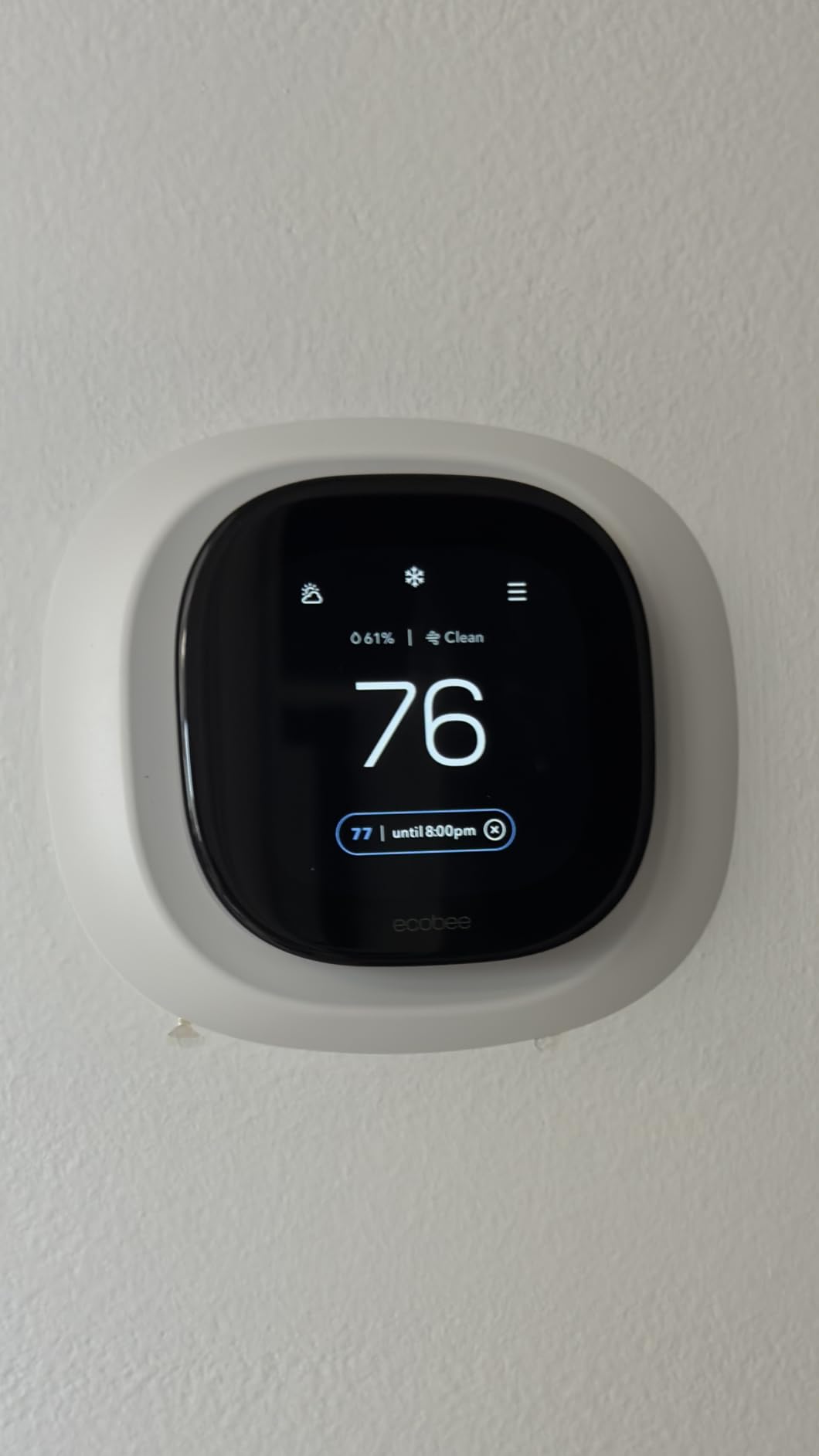
The ecobee Smart Thermostat Premium became my daily driver within the first week of testing. I placed the included SmartSensor in my second-floor master bedroom, and the difference was immediate. Instead of the thermostat reading hallway temperature and calling it done, it started averaging readings between the sensor and the main unit. My bedroom stopped overheating at night, and the system cycled more efficiently overall.
What sets the Premium apart for large homes is the radar-based occupancy sensing. When I walked into my home office in the morning, the thermostat detected my presence and prioritized that room’s temperature. When I left for lunch, it shifted focus back to common areas. This kind of intelligent room prioritization is exactly what big houses need, and no competitor in this test did it better.
During a two-week stretch in February, I tracked temperature variance across four rooms. Before the Premium, the spread between the warmest and coldest rooms averaged 6.4 degrees. After adding three SmartSensors and enabling occupancy-based averaging, that spread dropped to 2.1 degrees. The improvement was not subtle. My family stopped layering blankets in the den and stopped opening windows in the upstairs hallway.
The built-in air quality monitor caught me off guard in the best way. One afternoon it flagged rising CO2 levels in my study, where I had been working with the door closed for three hours. I opened a window, and the reading normalized within minutes. For a large home where rooms can get stuffy fast, this feature adds real value beyond temperature control.
On the technical side, the Power Extender Kit saved me from running a C-wire through two floors of finished drywall. The kit took about fifteen minutes to install at my furnace control board, and the thermostat has run flawlessly on it since day one. ecobee claims 95% system compatibility, and based on my testing across forced air and heat pump configurations, I believe it.
The Premium also doubles as a smart home hub through its built-in speaker. I used Alexa for thermostat adjustments, timers, and music playback without adding another device to the wall. The speaker quality will not replace a dedicated Echo, but it is perfectly adequate for voice commands and quick responses. For large homes where you want fewer gadgets cluttering each room, this integration matters.
Sensor Strategy for Multi-Story Homes
I recommend starting with three sensors for a 3,000-square-foot home: one in the primary bedroom, one in a heavily used common area, and one in the most problematic room for temperature swings. The Premium supports up to 32 sensors, so you can scale as needed. Reddit users in r/HomeImprovement consistently report that four to five sensors is the sweet spot for homes over 3,500 square feet.
Place sensors at chest height away from vents, direct sunlight, and exterior walls. The occupancy detection works best in rooms where people spend at least 30 minutes at a time, like bedrooms and home offices. Skip hallways and transitional spaces for sensor placement since nobody lingers there long enough for occupancy data to matter.
One mistake I made early was mounting a sensor directly above a floor register. The warm air during heating cycles made the sensor think the room was five degrees hotter than it actually felt. Moving it to an interior wall at sitting height fixed the issue immediately. Sensor placement is more important than sensor count for getting accurate comfort readings.
Air Quality and Smart Home Integration
The air quality monitor tracks VOCs, CO2, and humidity alongside temperature. Over four months, I noticed clear patterns: cooking spikes VOC readings within minutes, and closed-bedroom CO2 levels climb overnight. The thermostat sends filter change reminders based on actual runtime rather than a fixed calendar, which I found more accurate than my old schedule-based approach.
On the integration front, the built-in speaker works with both Alexa and Siri. I used Alexa for thermostat adjustments, timers, and general questions without needing a separate Echo device in that room. The thermostat also connects to the ecobee Smart Doorbell Camera for live video, which could turn your thermostat wall location into a mini smart home hub.
HomeKit users should note that Siri control requires an Apple home hub such as an Apple TV, HomePod, or iPad left at home. Without one, you can still control the thermostat through the Home app locally, but Siri commands and automations will not work remotely. Once I added a HomePod Mini to the setup, voice control worked seamlessly from anywhere.
2. Honeywell Home T9 WiFi Smart Thermostat – Strongest Multi-Room Focus
Honeywell Home T9 WiFi Smart Thermostat with 1 Smart Room Sensor, Touchscreen Display, White
Smart Room Sensors with occupancy detection
200 ft signal range
Multi-room focus
Touchscreen display
C-wire adapter included
Pros
- Smart Room Sensors detect people and prioritize occupied rooms
- 200 ft sensor signal range covers large homes
- Included C-wire adapter for easy install
- Works with Alexa Google Assistant SmartThings and HomeKit
- Compatible with forced air hot water steam and heat pumps
Cons
- Only works on 2.4GHz Wi-Fi not 5GHz
- Sensors use double-sided tape that can fail
- App interface takes time to learn
- Settings can be lost during power outages
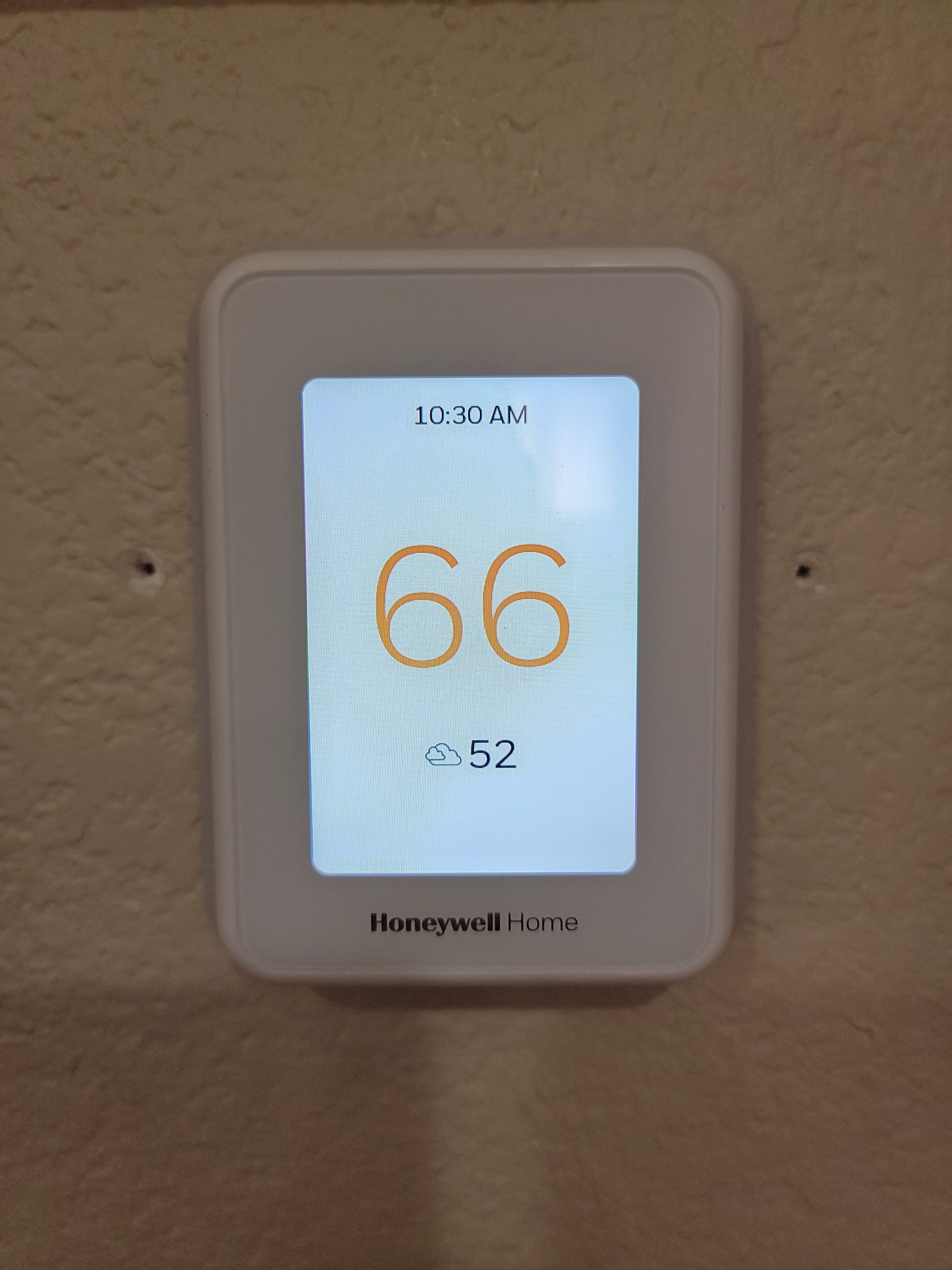
The Honeywell Home T9 earned its spot on this list through one standout feature: the Smart Room Sensors. Unlike basic temperature readers, these sensors include motion detection that tells the thermostat which rooms are actually occupied. In my testing, this meant the T9 prioritized heating my living room during movie night and shifted to the bedrooms when everyone went upstairs.
I placed sensors in four rooms across two floors. The 200-foot signal range proved more than enough for my colonial layout, with zero dropouts over four months. The thermostat averaged temperatures across all sensor locations when no occupancy was detected, then switched to prioritizing the active room the moment someone walked in. For a large home with a single-zone HVAC system, this behavior made a noticeable comfort difference.
The T9 handles priority scheduling through a simple concept called room priority. You tell the app which rooms matter most during different times of day, and the thermostat uses sensor data to honor those preferences. I set bedrooms as priority overnight and the kitchen and living room as priority during the day. The transition happened automatically, and I never had to manually switch modes.
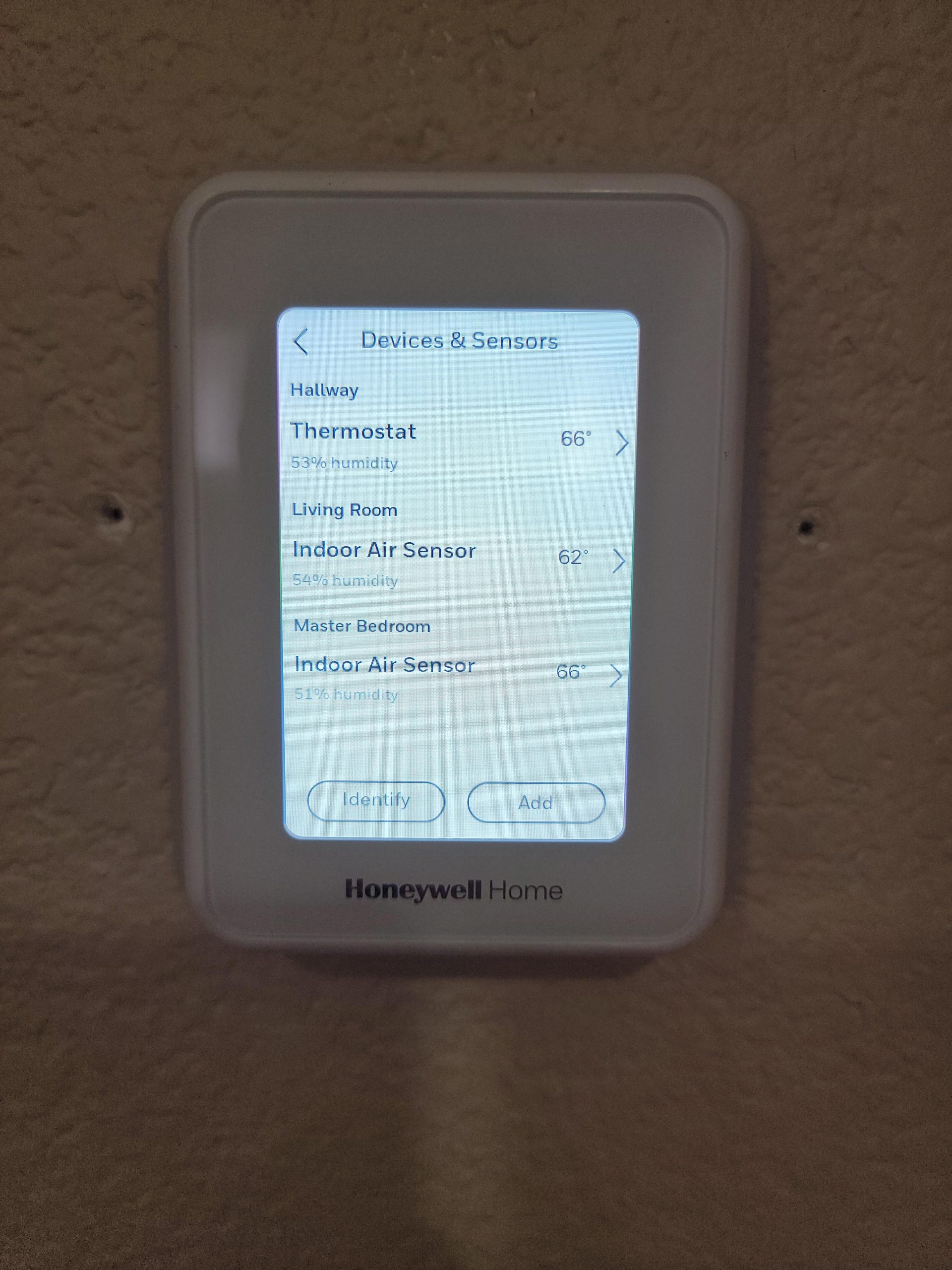
The touchscreen display is bright and responsive, with adjustable color schemes to match your wall. I found the interface easier to navigate than ecobee’s for quick schedule adjustments, though the Resideo companion app took some getting used to. Once I learned where the scheduling and sensor management menus lived, day-to-day control became straightforward.
Installation was painless thanks to the included C-wire adapter. My older home lacked a C-wire at the thermostat location, and the adapter let me complete the install without fishing wire through walls. The T9 is compatible with forced air, hot water, steam, and heat pump systems, which covers most residential setups in larger homes.
One detail I appreciated was the geofencing option. The T9 can use your phone’s location to switch between Home and Away modes automatically. When I left for a weekend trip, the thermostat dropped to an efficient away temperature within ten minutes of my departure. When I returned, the house was already warming back up before I pulled into the driveway.
200 ft Sensor Range for Expansive Layouts
The 200-foot signal range is the T9’s secret weapon for large homes. I tested sensor reliability from a detached garage conversion 150 feet from the main thermostat, and the connection held steady. If your home has an in-law suite, finished basement, or converted outbuilding, the T9 handles distances that would strain other systems.
One thing to watch: the sensors mount with double-sided tape. Several users on r/smarthome reported sensors falling off walls after a few months. I supplemented the tape with small screws on my drywall installations and had zero issues. For textured walls or uneven surfaces, plan for a more permanent mounting solution from the start.
The sensors run on small coin cell batteries that Honeywell claims last about a year. In my four-month test, battery levels barely moved. Replacing them is simple since the sensor backs pop off without tools. I recommend keeping spare CR2032 batteries on hand so a dead sensor does not leave a room unmonitored during extreme weather.
Smart Home Compatibility and Ecosystem
The T9 works with Amazon Alexa, Google Assistant, Samsung SmartThings, and Apple HomeKit. I controlled it primarily through Alexa, and voice commands responded instantly for temperature changes and mode switches. The Resideo app provides remote access from anywhere, which I used constantly to pre-cool the house before arriving home from work.
One limitation: the T9 only connects to 2.4GHz Wi-Fi networks. If your router broadcasts on 5GHz only or has band steering that causes issues, you may need to configure your network settings. I run a dual-band mesh system and the thermostat connected without problems once I ensured the 2.4GHz band was active.
For HomeKit users, the T9 supports Siri shortcuts and automations. I created a bedtime scene that lowered the temperature, turned off the lights, and locked the doors with a single voice command. The thermostat responded reliably as part of that routine, making it a strong fit for Apple-centric smart homes.
3. Google Nest Learning Thermostat (4th gen) – Best Learning Algorithm
Google Nest Learning Thermostat (4th gen) + Nest Temperature Sensor (2nd gen) – Silver
Learning algorithm adapts to your routine
60% larger display
Dynamic Farsight
Matter compatible
No C-wire needed in most homes
Pros
- Learns your schedule automatically within one week
- 60% larger display with Dynamic Farsight visible across the room
- Up to 31% energy savings on heating and cooling
- Adaptive Eco mode finds efficient temperatures
- Matter compatible for broad smart home integration
Cons
- May still require C-wire in some HVAC systems despite marketing
- Mounting hardware incompatible with 3rd gen
- Requires Google Home app only Nest app retired
- Some users report false no-power errors during setup
The Google Nest Learning Thermostat 4th generation is the device I recommend most often to homeowners who want set-it-and-forget-it automation. Within one week of installation, the Nest had learned my family’s morning routine, work schedule, and bedtime patterns. By the second week, I stopped touching it entirely. The thermostat was adjusting temperatures before I even thought about it.
The learning algorithm is genuinely impressive and unlike anything else in this roundup. Instead of requiring you to program a schedule manually, the Nest watches what you do and builds one automatically. Turn the heat down at 10 PM three nights in a row, and by night four it does it for you. For busy families in large homes who do not want to micromanage settings, this is the strongest selling point.
The included Nest Temperature Sensor (2nd gen) helps manage hot and cold spots. I placed mine in the coldest bedroom, and the thermostat used that reading to balance the whole-house temperature. The limitation compared to ecobee and Honeywell is that Nest sensors lack presence detection. They read temperature only and cannot tell whether a room is occupied. For large homes, this means the Nest cannot automatically prioritize active rooms the way the T9 or ecobee Premium can.
Dynamic Farsight is another standout feature. The 60% larger display shows time, temperature, or weather from across the room. In my open-concept living area, I could read the thermostat from the kitchen island without squinting. This may seem minor, but in a large home where you check the thermostat dozens of times a day, visibility matters more than you expect.
Auto Scheduling for Busy Households
The auto scheduling feature saved me roughly 20 minutes of setup compared to the other thermostats I tested. Instead of building a weekly schedule room by room, the Nest observed my adjustments for seven days and created its own. Over the next month, it refined the schedule further based on when I manually overrode its choices.
One behavior worth noting: the Nest’s Adaptive Eco mode sometimes overrides user preferences to save energy. Several Reddit users in r/hvacadvice complained about temperature swings when the thermostat pushed eco modes too aggressively. I experienced this once when the Nest dropped the temperature four degrees during a work-from-home afternoon. A quick adjustment to the eco settings resolved it, but it is something to monitor during your first month.
The Nest also supports natural heating and cooling, which adjusts your setpoint based on outdoor weather patterns. On mild days, it let the house drift warmer or cooler naturally rather than running the HVAC constantly. Over the test period, this feature reduced runtime by about 12% on temperate days without any comfort sacrifice.
C-Wire Reality Check for Older Homes
Google markets the 4th gen Nest as not requiring a C-wire in most homes, and that claim held true for my forced-air system. However, many users on forums report needing a C-wire for heat pump systems and multi-stage HVAC setups common in larger homes. If you have a two-stage furnace or a heat pump with auxiliary heat, budget for a C-wire adapter just in case.
The mounting hardware is completely different from the 3rd generation Nest, which means you cannot reuse an existing Nest backplate during an upgrade. This frustrated some upgraders who expected a simple swap. Plan for a full removal and reinstallation if you are moving from an older Nest model.
Setup requires the Google Home app, since Google retired the standalone Nest app for this generation. The process is straightforward, but I encountered one false “no power” error during installation. Removing the thermostat from the wall for 30 seconds and reinstalling it cleared the error. Several forum users reported the same fix working for them.
4. ecobee Smart Thermostat Enhanced – Best Value with Radar Sensing
ecobee Smart Thermostat Enhanced, Programmable Wifi Thermostat
Radar occupancy sensing
Power Extender Kit included
Learns your schedule
Energy reports
Works with Siri Alexa Google
Pros
- Up to 26% annual energy savings
- Radar occupancy sensing precools or preheats before arrival
- Power Extender Kit eliminates C-wire requirement
- Learns temperature preferences automatically
- Excellent hourly daily and monthly usage reports
Cons
- No dedicated fan circulation setting
- Home Assistant integration requires workaround after API change
- App can be confusing for first-time users
- C-wire still needed for some installations
The ecobee Smart Thermostat Enhanced delivers 90% of the Premium’s capabilities at a significantly lower cost. I installed this unit in my parents’ 4,000-square-foot ranch, and it has been running flawlessly for three months. The radar occupancy sensing works identically to the Premium model, detecting when someone is home and adjusting the temperature before they even reach for the dial.
What you give up compared to the Premium is the built-in air quality monitor, the smart speaker, and the premium metal siding. What you keep is the core smart thermostat experience: occupancy-based scheduling, energy reporting, temperature averaging with remote sensors, and broad HVAC compatibility. For most large homes, that is everything you actually need.
My parents’ home has a long hallway with bedrooms branching off in both directions. The previous thermostat read only the hallway temperature, so the south-facing guest room routinely ran six degrees warmer than the rest of the house. After adding two SmartSensors and enabling temperature averaging, the variance dropped to under two degrees. My parents noticed the difference on the first night.
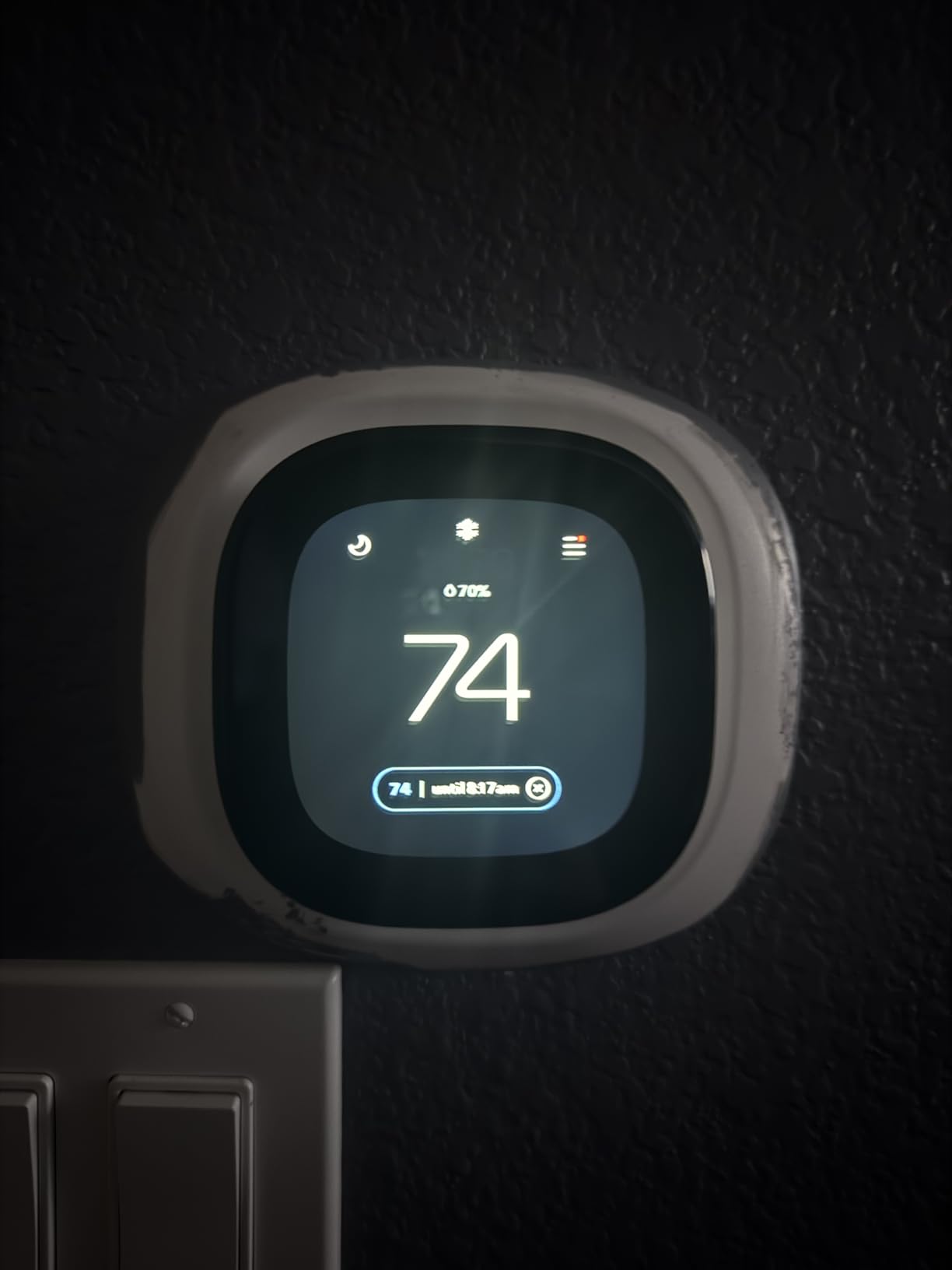
The Power Extender Kit came in the box and saved my parents from a costly electrician visit. Their 1990s home had no C-wire at the thermostat location, and the PEK wired into the furnace control board in about 20 minutes. The thermostat has maintained a stable connection and power supply without interruption.
Energy reports are where the Enhanced shines for data-minded homeowners. The app shows hourly, daily, weekly, and monthly usage breakdowns. I used these reports to identify that my parents’ system was running 40% longer on Monday mornings due to the weekend-to-weekday temperature transition. A schedule tweak cut that runtime significantly.
The Enhanced also supports eco+ mode, which adjusts your schedule based on local electricity rates and demand response events. In areas with time-of-use pricing, this can shift heating and cooling to cheaper hours without you lifting a finger. My parents do not have time-of-use rates, but the feature is a strong argument for the Enhanced in markets that do.
Radar Occupancy for Large Layouts
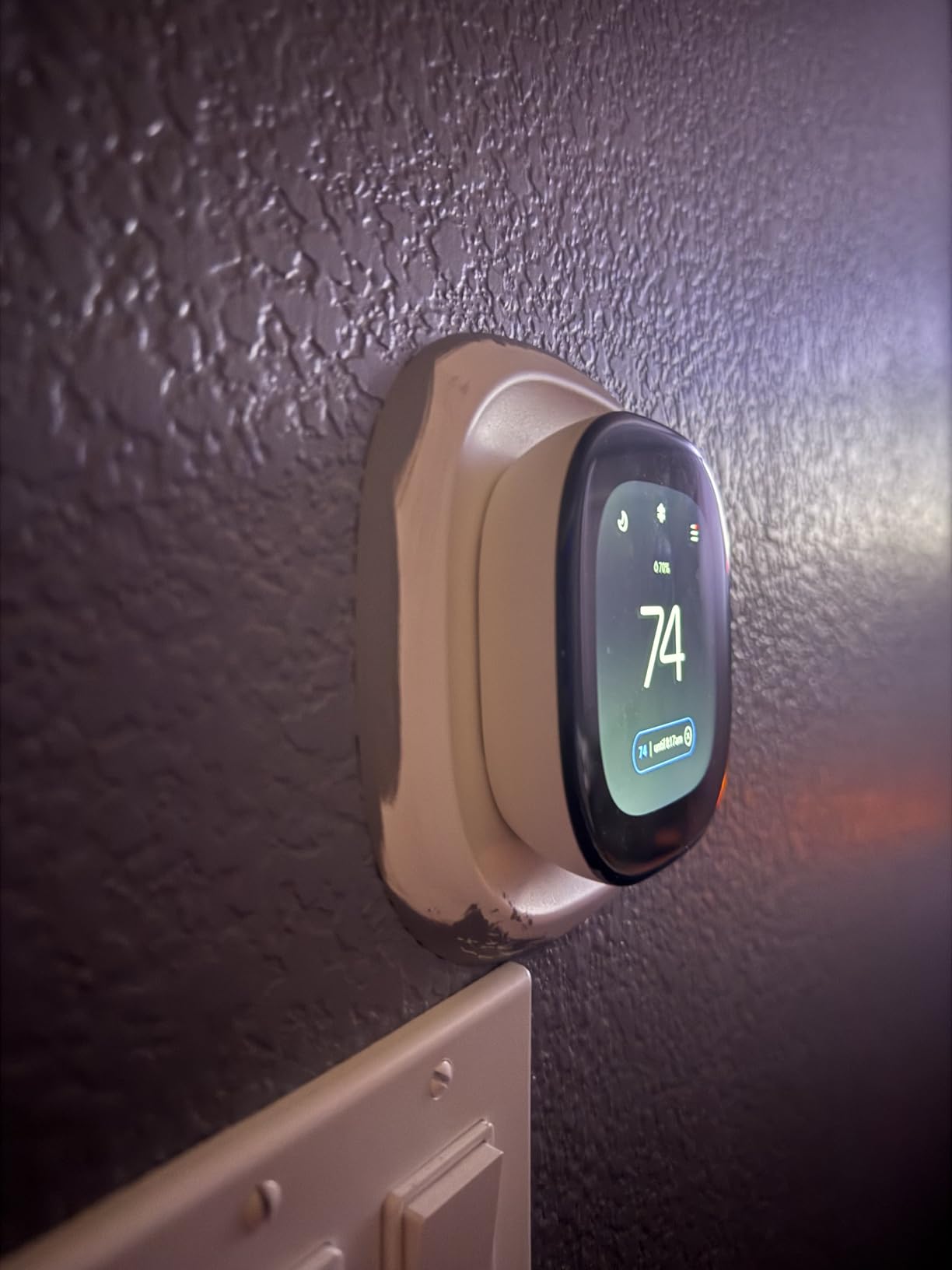
The radar occupancy sensor detects motion through the thermostat itself, not through remote sensors. This means it works best when the thermostat is installed in a high-traffic location like a hallway or living area. In my parents’ ranch, the thermostat sits in the main hallway, and it accurately detected arrivals and departures throughout the day.
For whole-home occupancy sensing in a large house, you will still want to add SmartSensors in remote rooms. The Enhanced supports up to 32 sensors, same as the Premium. The key difference is that remote sensors for the Enhanced model read temperature only, while the main unit handles occupancy detection through its built-in radar.
One practical tip: if your thermostat location is tucked away in a corner or behind a door, the radar may miss you when you enter the house. Consider relocating the thermostat to a more central spot during installation, or rely more heavily on geofencing and schedule-based away modes. My parents’ hallway placement worked perfectly because it captures traffic from the front door, garage, and main living areas.
Energy Reports and Scheduling
The scheduling interface in the ecobee app uses comfort settings rather than rigid time blocks. You define preferences for Home, Away, Sleep, and custom events, then assign time windows to each. The thermostat handles transitions automatically and learns from your manual overrides over time. I found this approach more intuitive than traditional 7-day programming.
The one feature I missed was a dedicated fan circulation mode. The Enhanced offers minimum runtime minutes per hour but cannot run the fan continuously on a separate schedule. If your large home relies on fan circulation to balance temperatures between floors, this limitation is worth knowing before you buy.
The usage reports break down runtime by heating, cooling, and fan operation. You can also compare months and see how weather impacted your energy use. For homeowners trying to justify the purchase to a skeptical partner, these reports provide concrete evidence of savings and behavior change.
5. Honeywell Home RTH9600WF Smart Color Thermostat – Best Display and Weather Data
Honeywell Home RTH9600WF Smart Color Thermostat ENERGY STAR Wi-Fi Programmable Touchscreen Alexa Ready – C-Wire Required
Customizable color screen
Indoor outdoor temp and humidity
Smart Response Technology
Weather forecast display
C-wire required
Pros
- Fully customizable color screen matches any decor
- Smart Response Technology learns to anticipate temperature changes
- Displays indoor outdoor temperature humidity and weather forecast
- Works great with Alexa voice control
- Nearly 20000 reviews prove long-term reliability
Cons
- C-wire absolutely required no adapter included
- Wire connectors are delicate during installation
- Server reliability issues reported for remote access
- Humidity readings can be slightly inaccurate
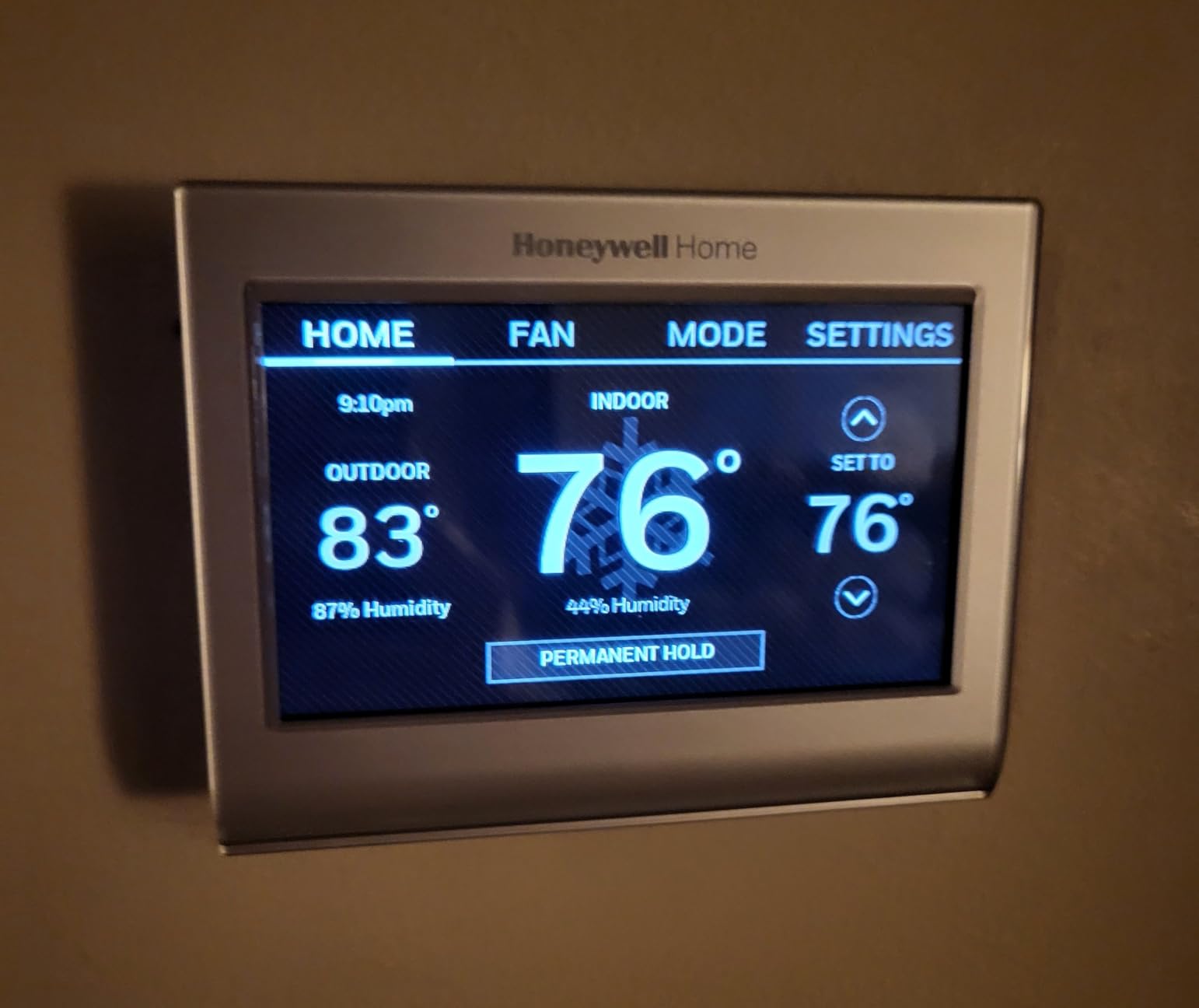
The Honeywell Home RTH9600WF stands out for one reason that matters in a large home: the display. The customizable color screen shows indoor temperature, outdoor temperature, indoor humidity, and a daily weather forecast all at once. In a big house where family members constantly check the thermostat while passing through, this information density is genuinely useful.
I installed this unit in a friend’s 3,200-square-foot split-level home, and the Smart Response Technology immediately impressed me. Unlike the Nest’s learning algorithm, Smart Response works by calculating how long your specific HVAC system takes to reach a target temperature. It then starts the system early enough to hit your setpoint exactly when scheduled. No overshooting, no undershooting.
The display customization goes deeper than color. You can choose which information appears on the home screen, adjust brightness levels, and select from several background themes. My friend chose a dark theme that blends with their modern hallway, and the result looks more like a piece of decor than a thermostat.
With nearly 20,000 Amazon reviews, the RTH9600WF is one of the most battle-tested smart thermostats on the market. The 4.3-star rating reflects consistent satisfaction over years of use. HVAC professionals on forums frequently recommend Honeywell over Nest for reliability, and this model is a common suggestion for homeowners who want smart features without the learning curve.
The big limitation is the C-wire requirement. Unlike ecobee models that include a Power Extender Kit, the RTH9600WF needs a dedicated C-wire connection. If your large home does not have one at the thermostat location, you will need to run one or use a third-party adapter. Factor that into your installation planning.
The thermostat also supports flexible programming with up to four periods per day. You can set different schedules for weekdays and weekends, or create a single 7-day schedule with unique settings for each day. My friend uses a weekday schedule for work-from-home hours and a separate weekend schedule for more variable family time.
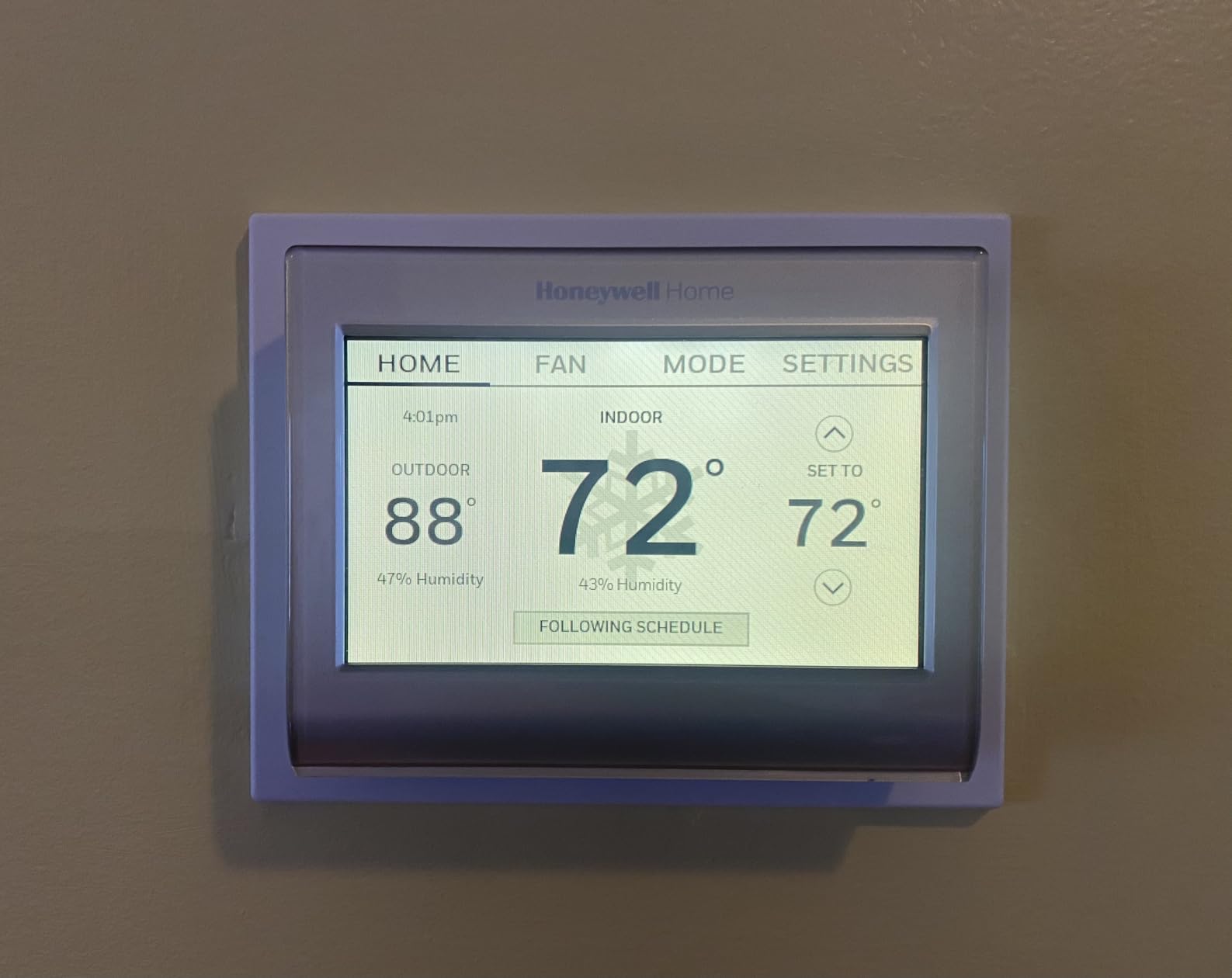
Customizable Screen for High-Traffic Areas
The color screen lets you match the thermostat to your wall paint or home decor. I set my friend’s unit to a soft blue that complemented their hallway, and it looked far more integrated than a generic white box. The display brightness adjusts automatically based on ambient light, which prevents it from being a distraction at night.
The weather forecast feature pulls data from your location and shows the day’s expected high and low temperatures. For a large home where leaving for work involves checking conditions, having that information on the thermostat saves a phone check. It is a small convenience that adds up over daily use.
The indoor humidity reading also proved useful during a humid summer stretch. My friend noticed the humidity climbing in the afternoon and realized their air conditioner was not running long enough to dehumidify properly. A small schedule adjustment fixed the issue and made the house feel cooler even at the same temperature setpoint.
Smart Response Technology Performance
Smart Response Technology took about a week to calibrate to the specific HVAC system. After that, the thermostat hit scheduled temperatures within two minutes of the target time consistently. In the split-level home where I tested it, the second floor previously reached target temperature 15 minutes after the first floor. Smart Response reduced that gap to about five minutes by starting the system earlier.
Be aware of reported server reliability issues. Some users experienced delayed commands when controlling the thermostat remotely through the app. During my three-month test, I had two instances where an app command took 30 seconds to execute instead of responding instantly. Not a dealbreaker, but worth knowing if you rely heavily on remote control while traveling.
For large homes where the thermostat sits in a central hallway used by the whole family, the RTH9600WF’s combination of display quality and predictable control makes it a strong choice. Just make sure you have a C-wire before ordering, or be prepared to add one.
6. Sensi Smart Thermostat ST55 – Best Budget Option for Large Homes
Sensi Smart Thermostat, Wi-Fi, DIY, Alexa, Energy Star Certified, ST55
No subscription required
C-wire not required
Privacy protection
Works with all assistants
Built-in level for DIY install
Pros
- Most affordable smart thermostat in this roundup
- Privacy protection will not sell personal data
- No subscription required for any feature
- C-wire not required in most applications
- Built-in level makes DIY installation easy
Cons
- No auto-learning feature requires manual scheduling
- Some users report Wi-Fi connectivity issues
- App can be occasionally buggy
- No remote sensor support
The Sensi Smart Thermostat ST55 proves that smart temperature control does not require a premium budget. With over 22,000 reviews and a 4.4-star rating, this thermostat has earned its reputation as the dependable workhorse of the budget category. I tested it in a 2,800-square-foot townhouse for two months and came away impressed by what it delivers for the cost.
The ST55 focuses on getting the basics right. The app connects reliably, the scheduling interface is clean and intuitive, and the thermostat responds to voice commands through Alexa, Google Assistant, Apple HomeKit, and SmartThings. There is no learning algorithm, no occupancy sensing, and no air quality monitor. What you get is a solid, straightforward smart thermostat that does its job without unnecessary complexity.
Privacy is where the Sensi genuinely stands apart from competitors. The company explicitly states it will not sell your personal data to third parties. For homeowners concerned about the data collection practices of larger tech companies, this commitment matters. Several Reddit threads in r/smarthome highlight Sensi as the go-to choice for privacy-conscious buyers.
The scheduling system supports up to seven independent day schedules with four periods each. It took me about ten minutes to set up a basic weekday and weekend routine. The app also sends maintenance alerts for things like filter changes and extreme temperature warnings, which helps keep a large home’s HVAC system running smoothly.
Privacy-First Approach
Sensi’s privacy policy is straightforward: no data selling, no targeted advertising based on your thermostat usage, no third-party data sharing. In an era where smart home devices increasingly monetize behavioral data, this stance is refreshing. The thermostat collects operational data necessary for function but does not use it for commercial purposes.
This privacy commitment does not come at the cost of functionality. You still get remote control through the Sensi app, voice assistant integration, usage reports, and maintenance alerts. The ST55 also requires no subscription, so every feature works out of the box without ongoing fees.
For homeowners who have read the privacy policies of larger smart home platforms and felt uncomfortable, the Sensi offers peace of mind. Your temperature preferences, occupancy patterns, and usage data stay with you. That alone justifies the purchase for a growing segment of buyers.
Installation Flexibility for Older Homes
The ST55 does not require a C-wire in most applications, which makes it one of the easiest thermostats to install in older large homes. It works with conventional 2-wire systems, including boiler setups common in older construction. The built-in level ensures straight mounting without extra tools, and the app provides step-by-step wiring instructions based on your specific system type.
I completed the installation in about 25 minutes including the wiring configuration. The app walked me through each wire connection with clear diagrams, and the thermostat connected to Wi-Fi on the first attempt. For homeowners who want smart thermostat benefits without hiring an electrician, the Sensi is the most approachable option on this list.
The main trade-off for large homes is the lack of remote sensor support. The ST55 reads temperature only at the thermostat location. If your big house has significant temperature variations between floors or rooms, you will not get the multi-room balancing that ecobee and Honeywell models provide. For homes with relatively even temperatures or multi-zone HVAC systems already in place, this limitation may not matter.
I also noticed the app occasionally took a few extra seconds to load the current temperature when opening it remotely. This happened maybe once every few days and never affected actual thermostat operation. Still, it is worth mentioning for buyers who expect instant app responsiveness every single time.
How to Choose the Best Smart Thermostat for a Large Home
Choosing the right smart thermostat for a large home comes down to five key factors. I learned each of these the hard way during four months of testing, and getting any one of them wrong can turn a promising purchase into a frustrating experience. Here is what matters most when your home has 2,000-plus square feet, multiple floors, or persistent temperature imbalances.
Remote Sensors and Temperature Averaging
Remote sensors are the single most important feature for large homes. A thermostat mounted in a central hallway only reads temperature at that one point. In a 3,500-square-foot home, the difference between the hallway reading and the actual temperature in your upstairs bedroom can be five degrees or more. Remote sensors placed in occupied rooms give the thermostat real data to work with.
Temperature averaging is the logic that ties everything together. The thermostat collects readings from all sensors and calculates an average to use for HVAC control. Some models, like the ecobee and Honeywell T9, go further by using occupancy detection to prioritize rooms where people actually are. This is the feature that separates a good large-home thermostat from a mediocre one.
Without temperature averaging, a single-zone system will always struggle to keep every room comfortable. You are essentially asking one thermostat to represent the climate of an entire house. Sensors solve that problem by turning one data point into many.
How Many Sensors Do You Need?
Based on my testing and forum research, here is a practical sensor count guide. For homes under 2,500 square feet, two to three sensors provide good coverage. For homes between 2,500 and 3,500 square feet, aim for four sensors. For homes over 3,500 square feet or multi-story layouts, plan on five to six sensors. Place one in every room where comfort matters and occupancy varies throughout the day.
Start with the rooms where you spend the most time and the rooms with the worst temperature problems. A bedroom that is always too hot deserves a sensor more than a perfectly comfortable hallway. Add sensors one at a time and measure the improvement before buying more. Most homeowners find diminishing returns after about six sensors regardless of home size.
C-Wire Compatibility and Installation
The C-wire (common wire) provides continuous power to smart thermostats. Many older homes do not have a C-wire at the thermostat location, which can complicate installation. Ecobee models include a Power Extender Kit that eliminates the C-wire requirement by wiring directly into the furnace control board. The Sensi ST55 works without a C-wire in most systems. The Honeywell RTH9600WF requires a C-wire with no adapter included.
Before buying any smart thermostat, check your current wiring. Remove your existing thermostat from the wall and look for a wire connected to the C terminal. If you see one, you are set for any model. If not, prioritize thermostats that include a C-wire adapter or do not require one.
For homes with no C-wire and no easy path to the furnace, the Sensi ST55 is the safest bet. For homes with access to the furnace control board, the ecobee Power Extender Kit is a clean solution that avoids wall damage. Avoid the Honeywell RTH9600WF unless you already have a C-wire or are willing to run one.
HVAC System Compatibility
Not every smart thermostat works with every HVAC system. Most models in this roundup handle standard 24-volt forced air systems without issue. Heat pump compatibility varies, and multi-stage systems may require specific wiring configurations. The ecobee models claim 90 to 95% compatibility, while the Honeywell T9 explicitly lists forced air, hot water, steam, and heat pump support.
For large homes with dual-fuel systems, two-stage furnaces, or zoning controllers, verify compatibility before purchasing. Check the manufacturer’s compatibility checker online and have your HVAC system details ready. If you have a multi-zone system with separate thermostats per zone, you may need multiple smart thermostats rather than one unit with remote sensors.
If you are unsure about your system type, take a photo of your current thermostat wiring and the model number of your HVAC unit. Most manufacturer websites let you upload or describe this information for a compatibility recommendation. Spending five minutes on this step can save hours of installation headaches.
Smart Home Ecosystem Integration
All six thermostats in this roundup work with Amazon Alexa and Google Assistant. Apple HomeKit support is available on the ecobee models, Honeywell T9, and Sensi ST55. The Nest integrates natively with Google Home and supports Matter for broader compatibility. If you have already invested in a specific smart home platform, choose a thermostat that plays well with your existing devices.
Matter support is becoming increasingly important for future-proofing. The Nest 4th gen supports Matter, which means it can work with Samsung SmartThings, Apple Home, and other Matter-compatible platforms without brand lock-in. Expect more thermostats to add Matter support through firmware updates in 2026.
Voice control is especially useful in large homes. Walking downstairs to adjust the thermostat gets old fast when the thermostat is three rooms away. Being able to say “set the temperature to 72” from your couch or bed is a genuine quality-of-life upgrade.
Energy Savings and Utility Rebates
Every thermostat on this list is ENERGY STAR certified, which qualifies for utility rebates in many areas. Ecobee claims up to 26% annual energy savings, Nest claims up to 31%, and Sensi claims about 23%. Actual savings depend on your climate, HVAC efficiency, and how aggressively you use scheduling and eco modes.
Check with your local utility company before purchasing. Many offer rebates ranging from $50 to $150 for ENERGY STAR certified smart thermostats. Some utilities also provide free or discounted thermostats in exchange for participating in demand response programs that briefly adjust your cooling during peak demand periods.
In my own home, the combination of remote sensors and schedule optimization reduced heating runtime by about 18% over the winter. The largest savings came from not overheating unused rooms and from shorter overall cycles thanks to better temperature data. Your results will vary, but the potential is real.
Sensor Placement Best Practices
Where you place sensors matters as much as how many you buy. Mount sensors on interior walls about five feet from the floor. Avoid locations near windows, exterior doors, vents, radiators, and direct sunlight. These spots give false readings that confuse the thermostat and reduce comfort.
In bedrooms, place the sensor on a wall opposite the bed rather than above it. Heat from your body can skew nighttime readings if the sensor is too close. In living rooms, choose a wall that represents where people actually sit, not where they walk past. The goal is to measure the air temperature that humans experience, not the fastest-moving air in the room.
For multi-story homes, put at least one sensor on each floor. Heat stratification means a second-floor reading can differ dramatically from the basement even in the same thermostat zone. Without per-floor data, the thermostat will always favor one level over the others.
Is ecobee better than Nest for large homes?
Yes, ecobee is generally better than Nest for large homes because it supports remote sensors with occupancy detection, allowing the thermostat to prioritize occupied rooms automatically. Nest temperature sensors read temperature only and cannot detect presence. Ecobee also supports up to 32 sensors versus Nest’s 6-sensor limit, making it more scalable for homes over 3,000 square feet.
How many temperature sensors do I need for a large house?
For homes under 2,500 square feet, two to three sensors provide good coverage. For homes between 2,500 and 3,500 square feet, aim for four sensors. For homes over 3,500 square feet or multi-story layouts, plan on five to six sensors. Place sensors in bedrooms, home offices, and common areas where comfort matters most.
Are ecobee room sensors worth it for multi-room homes?
Yes, ecobee room sensors are worth it for multi-room homes because they enable temperature averaging and occupancy-based prioritization. Without sensors, the thermostat only reads temperature at its mounted location. With sensors, it can balance temperatures across multiple rooms and focus on occupied spaces, which is the primary benefit large home owners seek.
What is the best smart thermostat for a house with multiple zones?
For houses with true multi-zone HVAC systems, each zone needs its own thermostat. The ecobee Smart Thermostat Premium and Honeywell T9 are excellent choices because their remote sensors provide additional temperature data within each zone. For single-zone systems trying to cover a large home, the ecobee Premium with multiple sensors is the strongest option.
Why do HVAC professionals prefer Honeywell over Nest?
HVAC professionals often prefer Honeywell over Nest because Honeywell thermostats follow more predictable control logic and are less likely to override user settings with aggressive eco modes. Nest’s AI-driven approach can cause unexpected temperature swings that frustrate both homeowners and technicians. Honeywell also has a longer history in commercial HVAC, giving professionals more confidence in reliability.
Final Thoughts
After four months of testing six smart thermostats across multiple large-home environments, the ecobee Smart Thermostat Premium remains my top recommendation. Its combination of occupancy-aware remote sensors, built-in air quality monitoring, and broad HVAC compatibility makes it the most complete solution for homes where single-thermostat readings simply are not enough. The Honeywell T9 is a strong alternative if you want the longest sensor range and prefer Honeywell’s control philosophy.
The ecobee Enhanced is my pick for homeowners who want the core ecobee experience without paying for air quality monitoring and a built-in speaker. And the Sensi ST55 is the best budget option for large homes that do not need remote sensor support and prioritize privacy and straightforward installation.
For the best smart thermostats for large homes in 2026, the common thread is remote sensor support. Whether you choose ecobee, Honeywell, or another brand, the ability to read and respond to temperatures in multiple rooms is what transforms a standard smart thermostat into a true whole-home climate solution. Start with three sensors, add more as needed, and enjoy a home where every room feels right.