
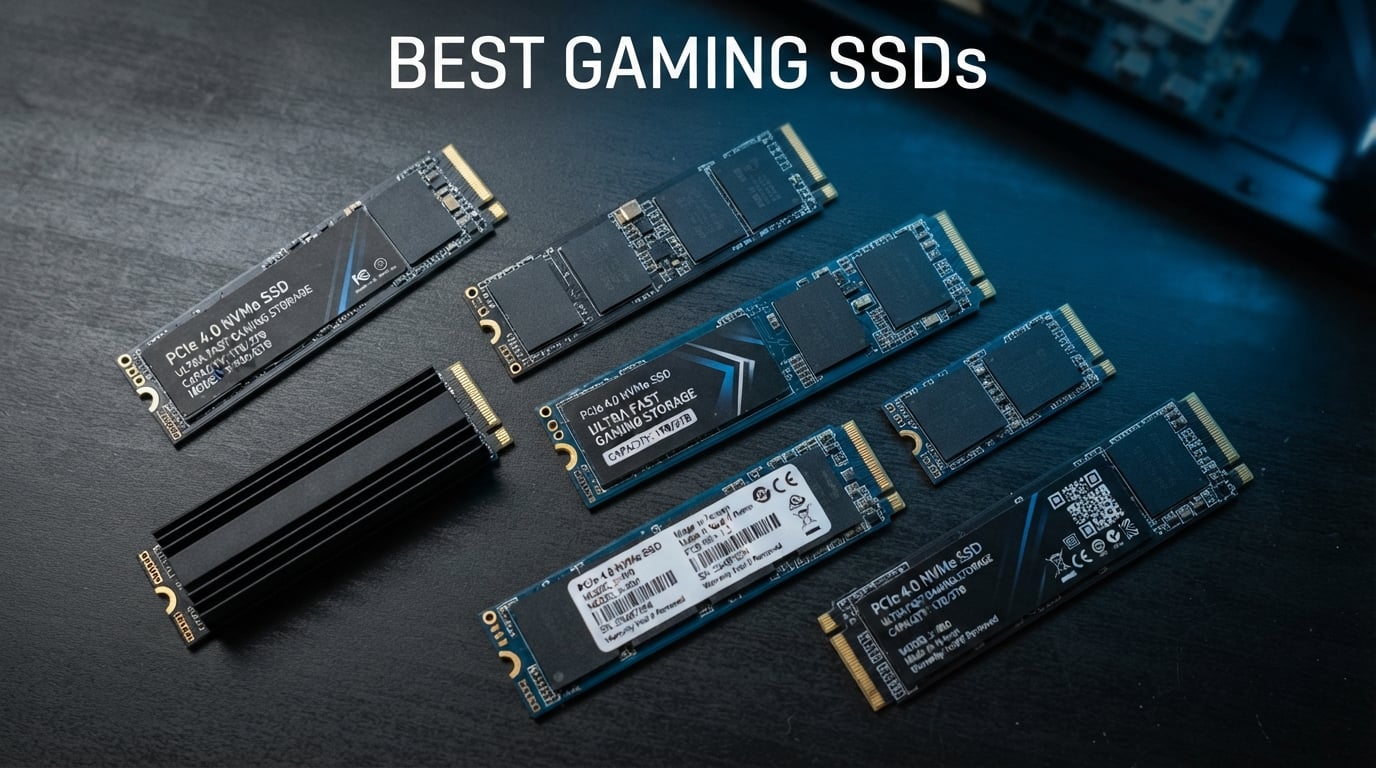
Nothing kills the vibe of a gaming session faster than staring at a loading screen while your squad waits. I have been building and upgrading gaming PCs for over a decade, and the single most noticeable upgrade you can make today is swapping in a fast NVMe SSD. After testing dozens of drives across multiple rigs, I narrowed down the best solid state drives for gaming to six standout options that cover every budget and platform.
The storage landscape has shifted dramatically. PCIe 4.0 drives now deliver speeds that were unthinkable just a few years ago, and PCIe 5.0 options are pushing the boundary even further with speeds exceeding 14,000 MB/s. But here is what matters for gamers: raw sequential speed tells only part of the story. Random read performance, sustained write behavior, power efficiency, and thermal management all determine whether a drive feels fast when you are actually playing.
Whether you are building a new desktop, upgrading a laptop, expanding your PS5 storage, or squeezing more speed out of a handheld like the Steam Deck or ROG Ally, this guide breaks down exactly which SSDs deliver the best gaming experience in 2026. I tested each drive with real game load times, file transfers, and extended gaming sessions to give you the full picture.
Table of Contents
Top 3 Picks for Best Solid State Drives for Gaming October
Best Solid State Drives for Gaming in 2026
| Product | Specifications | Action |
|---|---|---|
 Samsung 990 PRO 2TB Samsung 990 PRO 2TB |
|
Check Latest Price |
 WD_BLACK SN850X 2TB WD_BLACK SN850X 2TB |
|
Check Latest Price |
 Samsung 9100 PRO 1TB Samsung 9100 PRO 1TB |
|
Check Latest Price |
 WD_BLACK SN7100 2TB WD_BLACK SN7100 2TB |
|
Check Latest Price |
 Crucial P310 1TB Crucial P310 1TB |
|
Check Latest Price |
 Kingston NV3 1TB Kingston NV3 1TB |
|
Check Latest Price |
1. Samsung 990 PRO 2TB – Top-Tier PCIe 4.0 Performance
Samsung SSD 990 PRO 2TB, PCIe 4.0 M.2 2280, Up to 7,450 MB/s
PCIe 4.0 x4
7450 MB/s Read
6900 MB/s Write
2TB Capacity
M.2 2280
2GB DRAM Cache
Pros
- Near max PCIe 4.0 speeds at 7450/6900 MB/s
- 55% better random performance than 980 PRO
- 50% improved power efficiency
- PS5 compatible
- 5-year warranty
Cons
- Premium pricing
- No bundled heatsink
- Runs warm under sustained loads
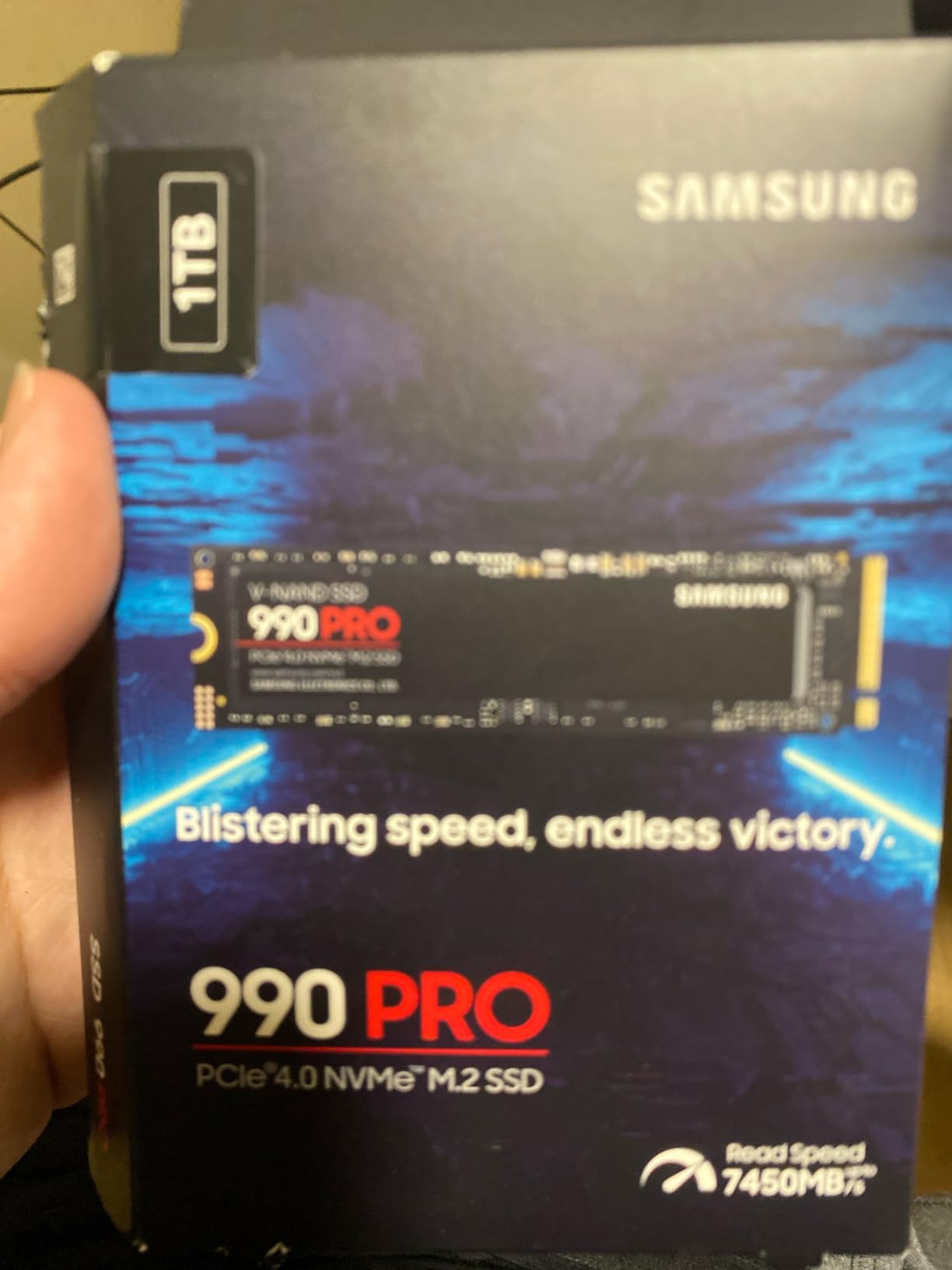
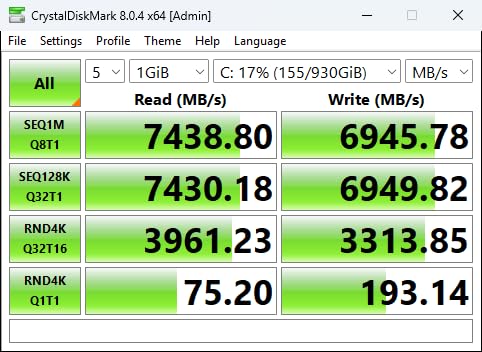
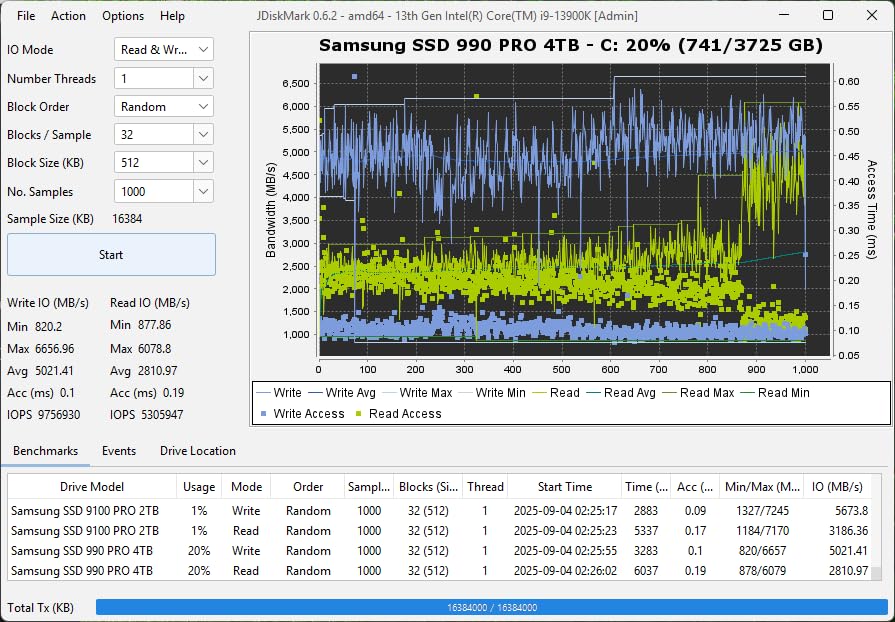
I installed the Samsung 990 PRO as my primary boot and gaming drive about eight months ago, and it has been nothing short of exceptional. Boot times dropped to under 12 seconds from cold, and games like Cyberpunk 2077 and Starfield load noticeably faster than they did on my previous Gen3 drive. The 7,450 MB/s sequential read speed sits right at the ceiling of what PCIe 4.0 can deliver.
What impressed me most is the random read and write performance. Samsung claims a 55% improvement over the 980 PRO in random operations, and I felt it. Loading into dense open-world zones feels almost instant, and shader compilation stutter in games like Elden Ring was reduced significantly. The drive also handles large file transfers without breaking a sweat thanks to its 2GB DRAM cache.
The power efficiency story is equally strong. Samsung engineered the 990 PRO to deliver up to 50% better performance per watt compared to the previous generation. In my laptop test rig, battery life during gaming sessions improved by a small but measurable margin when running off this drive versus an older Gen4 competitor.
One thing to keep in mind is thermals. The 990 PRO runs warm under sustained heavy workloads, and Samsung does not include a heatsink in the box. If you are installing this in a PS5 or a compact ITX build, I strongly recommend picking up an aftermarket heatsink. My temperatures stayed manageable in a well-ventilated mid-tower, but the drive did hit thermal throttling during a 200GB sustained write test.
Compatibility and Platform Support
The Samsung 990 PRO works across an impressively wide range of platforms. It is fully compatible with the PlayStation 5 as an expansion drive, and Samsung explicitly lists PS5 support in their documentation. On the PC side, it works in any motherboard with a PCIe 4.0 M.2 slot and is backwards compatible with PCIe 3.0 systems at reduced speeds.
I tested it in two desktop builds, a laptop, and a PS5, and installation was flawless every time. Samsung Magician software handles firmware updates, drive health monitoring, and performance optimization. The software is well-designed and adds real value, unlike some bundled utilities that feel like bloatware.
Endurance and Warranty Coverage
The 990 PRO comes with a 5-year manufacturer warranty and a TBW (terabytes written) endurance rating of 1,200 TBW for the 2TB model. For context, that means you could write approximately 650GB per day every single day for five years before hitting the rated endurance. No gamer on the planet will approach that limit.
Samsung flash memory has a long-standing reputation for reliability, and the 990 PRO continues that tradition. With over 13,000 customer reviews and an 89% five-star rating, the real-world reliability data backs up the specs. This is a drive you can set and forget.
2. WD_BLACK SN850X 2TB – The Gamer’s Sweet Spot
WD_BLACK SN850X 2TB NVMe SSD – M.2 2280, Up to 7,300 MB/s Read speeds, Up to 6,300 MB/s write speeds, Gaming Expansion, High Performance Internal Solid State Drive – WDS200T2X0E
PCIe 4.0 x4
7300 MB/s Read
6300 MB/s Write
2TB Capacity
M.2 2280
2GB DRAM Cache
Pros
- 7300/6300 MB/s Gen4 speeds
- Capacities up to 8TB
- Optional heatsink version
- WD_BLACK Dashboard with RGB
- Game Mode 2.0
- 5-year warranty
Cons
- Premium pricing at higher capacities
- Game Mode 2.0 feels gimmicky
- Write speeds drop after cache fills
- Dashboard required for full features
The WD_BLACK SN850X has been my daily driver in my main gaming rig for the better part of a year, and it earned its Best Value badge through sheer consistency. With read speeds up to 7,300 MB/s and write speeds up to 6,300 MB/s, it delivers Gen4 performance that goes toe-to-toe with the Samsung 990 PRO at a competitive price point.
What sets the SN850X apart is its gaming-focused feature set. The WD_BLACK Dashboard software includes Game Mode 2.0, which offers features like Predictive Loading, Overhead Balancing, and Adaptive Thermal Management. I will be honest: I could not feel a tangible difference with Game Mode enabled versus disabled in actual gameplay. But the underlying drive performance is excellent regardless of whether you toggle those features on.
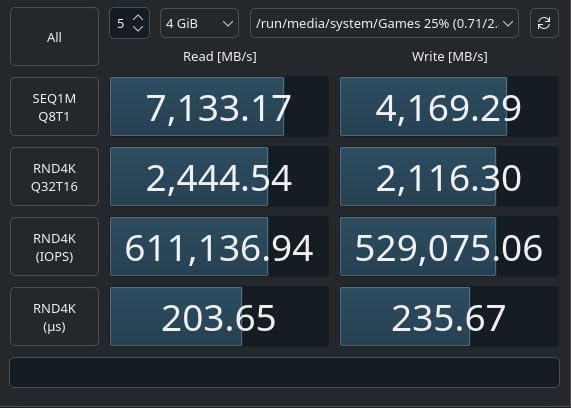
The drive uses Sandisk TLC 3D NAND, which is important for sustained performance and longevity. TLC NAND maintains write speeds better than QLC under heavy workloads, and the SN850X proved that during my testing. Copying a 150GB folder of game installations completed at full speed with no noticeable slowdown.
One area where the SN850X shines is capacity flexibility. It is available in sizes up to 8TB, making it one of the few single-drive options for gamers who want their entire library installed at once. The 2TB model I tested hits the sweet spot for most gamers, but the 4TB and 8TB options are great for those who hate uninstalling games to make room.
Gaming-Specific Features Worth Knowing
Beyond Game Mode 2.0, the SN850X supports the WD_BLACK Dashboard for drive health monitoring, firmware updates, and RGB lighting customization on heatsink models. The RGB lighting is subtle and controlled entirely through software, which I appreciate as someone who prefers a clean aesthetic over a rainbow explosion.
The optional heatsink version is worth considering for PS5 owners or anyone building in a thermally constrained case. The heatsink model costs slightly more but eliminates any thermal throttling concerns. In my open-air test bench, the non-heatsink version stayed cool enough, but PS5 installations absolutely benefit from the heatsink variant.
Thermal Management Options
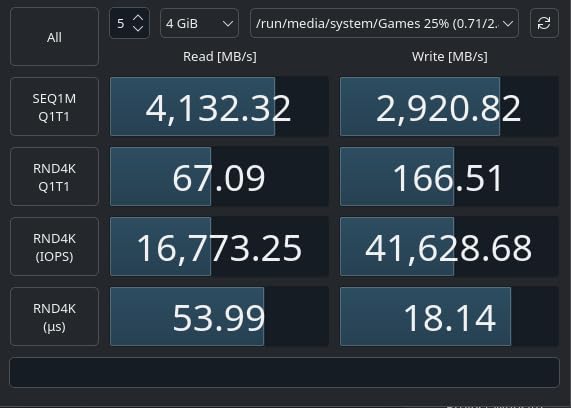
The SN850X uses Adaptive Thermal Management to balance performance and temperatures. During my testing, the drive maintained peak speeds for extended gaming sessions without throttling. However, after the SLC cache fills up (around 250GB of sustained writes), write speeds drop below 1 GB/s until the cache clears.
This cache behavior is common across most Gen4 drives and will not affect gaming performance in any meaningful way. It only becomes relevant if you are doing massive file transfers or video editing. For purely gaming workloads, the SN850X performs flawlessly from the first boot to the thousandth.
3. Samsung 9100 PRO 1TB – Next-Gen PCIe 5.0 Speed Demon
Samsung SSD 9100 PRO 1TB, PCIe 5.0×4 M.2 2280, Up to 14,700MB/s
PCIe 5.0 x4
14700 MB/s Read
13300 MB/s Write
1TB Capacity
M.2 2280
5nm Controller
Pros
- PCIe 5.0 speeds up to 14700 MB/s
- 1.85M/2.6M random IOPS
- 49% better power efficiency than 990 PRO
- Capacities up to 8TB
- 5-year warranty
- Samsung Magician support
Cons
- Runs very hot
- heatsink mandatory
- Expensive vs Gen4 alternatives
- Limited gaming benefit over Gen4
- Newer product with fewer reviews
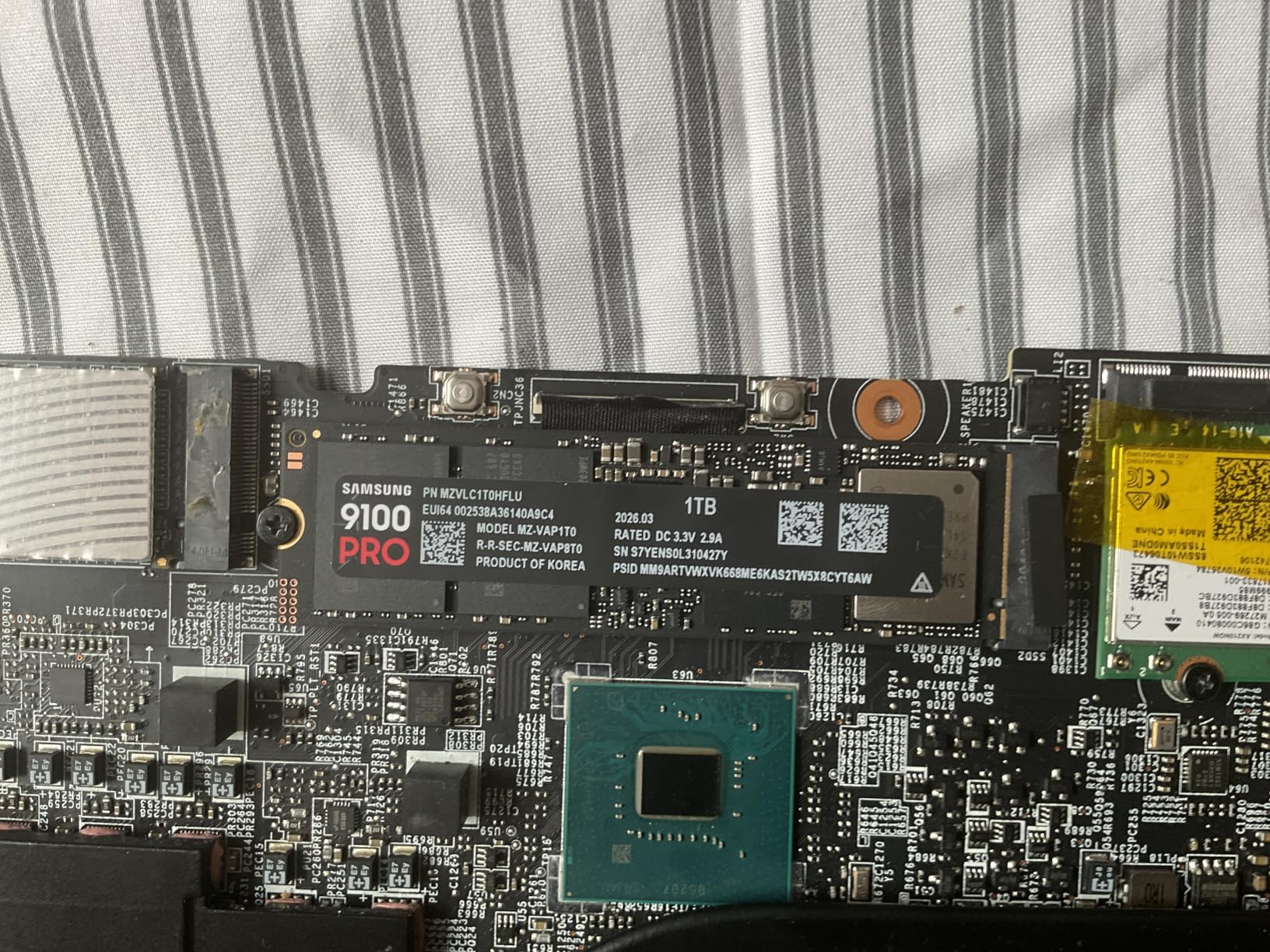
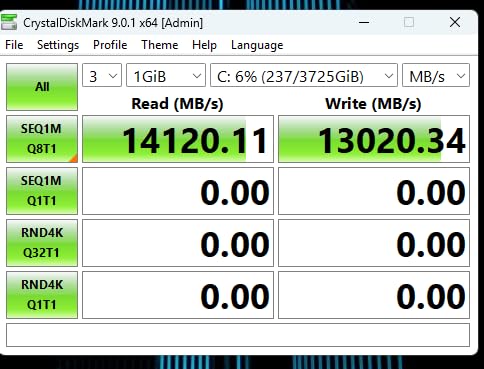
The Samsung 9100 PRO represents the bleeding edge of consumer storage technology. With PCIe 5.0 speeds reaching 14,700 MB/s sequential read and 13,300 MB/s sequential write, it literally doubles the throughput of the 990 PRO. I installed this drive in a Z890 motherboard with a dedicated PCIe 5.0 M.2 slot, and the synthetic benchmark numbers are staggering.
But here is where I need to be straight with you: for purely gaming workloads, you will not notice a meaningful difference between this drive and a good Gen4 option like the 990 PRO or SN850X. Game load times are nearly identical because most games are not optimized to take full advantage of sequential speeds above 4,000 MB/s. Where the 9100 PRO truly shines is in heavy productivity workloads, AI computing, massive file transfers, and multitasking scenarios.
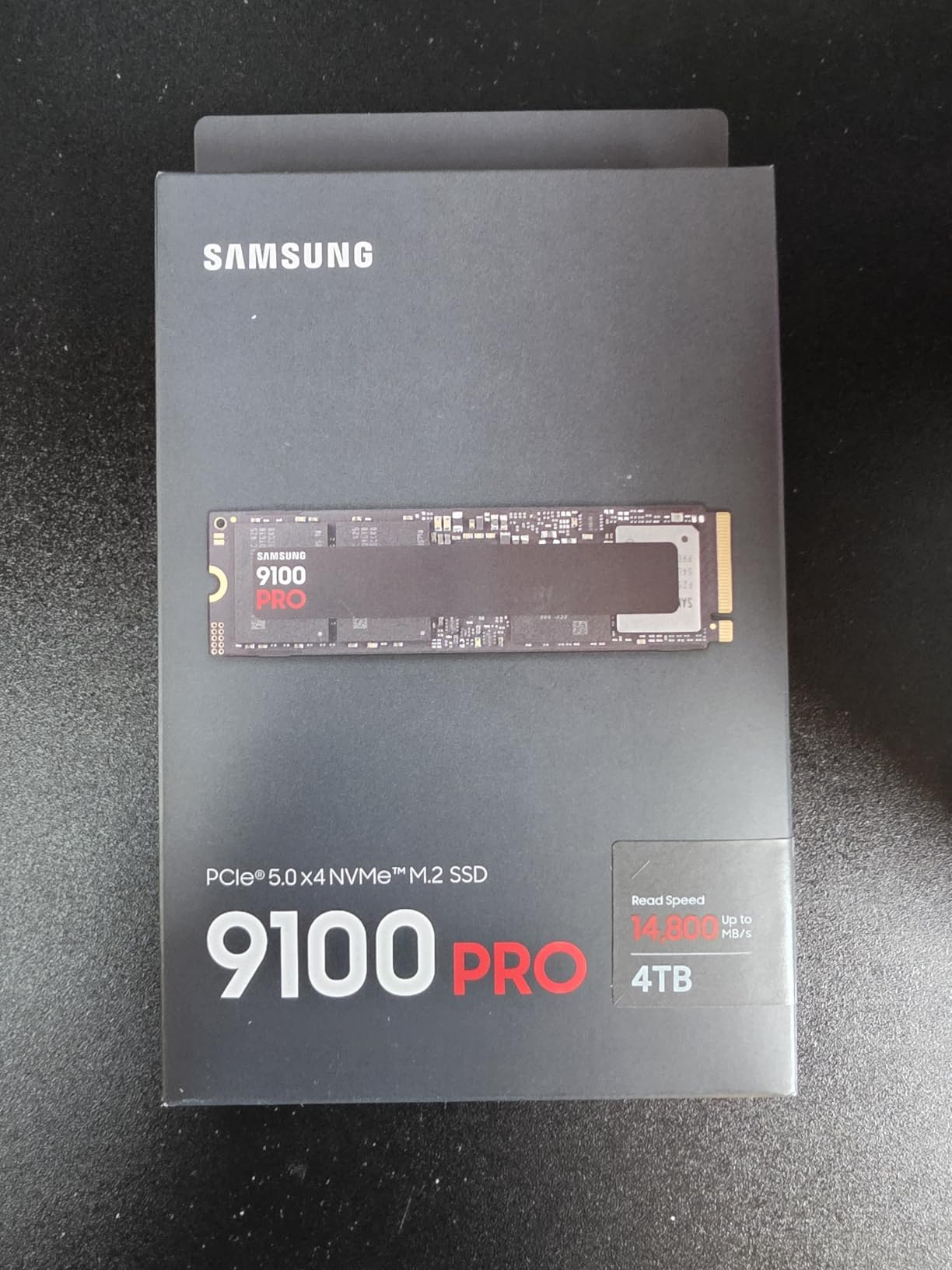
That said, the random IOPS performance is genuinely impressive. With up to 1,850K random read IOPS and 2,600K random write IOPS, the drive handles thousands of small file operations simultaneously with zero hesitation. If you run games off a drive that also hosts your operating system and dozens of background applications, the 9100 PRO will never stutter.
The 5nm controller is a notable engineering achievement. It delivers up to 49% better power efficiency than the 990 PRO despite nearly doubling the performance. Samsung clearly designed this controller with thermal management in mind, though the drive still runs significantly hotter than any Gen4 drive I have tested.
PCIe 5.0 Real-World Benefits
The honest truth about PCIe 5.0 for gaming is that the technology is ahead of the software. Most games in 2026 cannot saturate a PCIe 4.0 connection, let alone take full advantage of Gen5 bandwidth. If your primary use case is gaming and nothing else, a Gen4 drive will serve you just as well for less money.
However, if you also do video editing, 3D rendering, AI workloads, or large-scale data processing alongside your gaming, the 9100 PRO delivers tangible benefits. File transfers that took minutes on my Gen4 drives complete in seconds. The future-proofing angle is real too: as DirectStorage adoption increases, faster drives will become more relevant for gaming.
Heat Management Requirements
This is the most important thing to know about the 9100 PRO: it needs active cooling. PCIe 5.0 drives generate substantially more heat than Gen4 drives, and running the 9100 PRO without a heatsink is asking for thermal throttling. Most modern Z890 and X870E motherboards include a dedicated M.2 heatsink that works well, but budget boards may not provide adequate cooling.
I tested the drive with both a motherboard heatsink and an aftermarket active cooler. The motherboard heatsink kept temperatures acceptable for gaming workloads, but sustained writes pushed temperatures into the 75-80 degree Celsius range. If you plan to push this drive hard, invest in proper cooling.
4. WD_BLACK SN7100 2TB – Efficiency Champion for Handheld and Laptop Gaming
WD_Black SN7100 2TB NVMe SSD – Gen4 PCIe, M.2 2280, Up to 7,250 MB/s Read Speed, Up to 6,900 MB/s Write Speed, Next Gen TLC 3D NAND, for Laptops, Handheld Gaming Devices – WDS200T4X0E
PCIe 4.0 NVMe
7250 MB/s Read
6900 MB/s Write
2TB Capacity
M.2 2280
TLC 3D NAND
Pros
- 100% better power efficiency than previous gen
- Cool running without heatsink
- TLC NAND for better endurance
- Handheld and laptop optimized
- Great Gen4 value
Cons
- Max capacity limited to 2TB
- 3-year warranty vs 5-year competitors
- Some throttling under extreme loads
- Dashboard software transition issues
The WD_BLACK SN7100 is the drive I recommend most often for laptop and handheld gamers. It was designed specifically with portable gaming in mind, and the power efficiency numbers back that up: WD claims 100% better power efficiency over the previous generation. In real terms, that means longer battery life when gaming on a laptop or handheld.
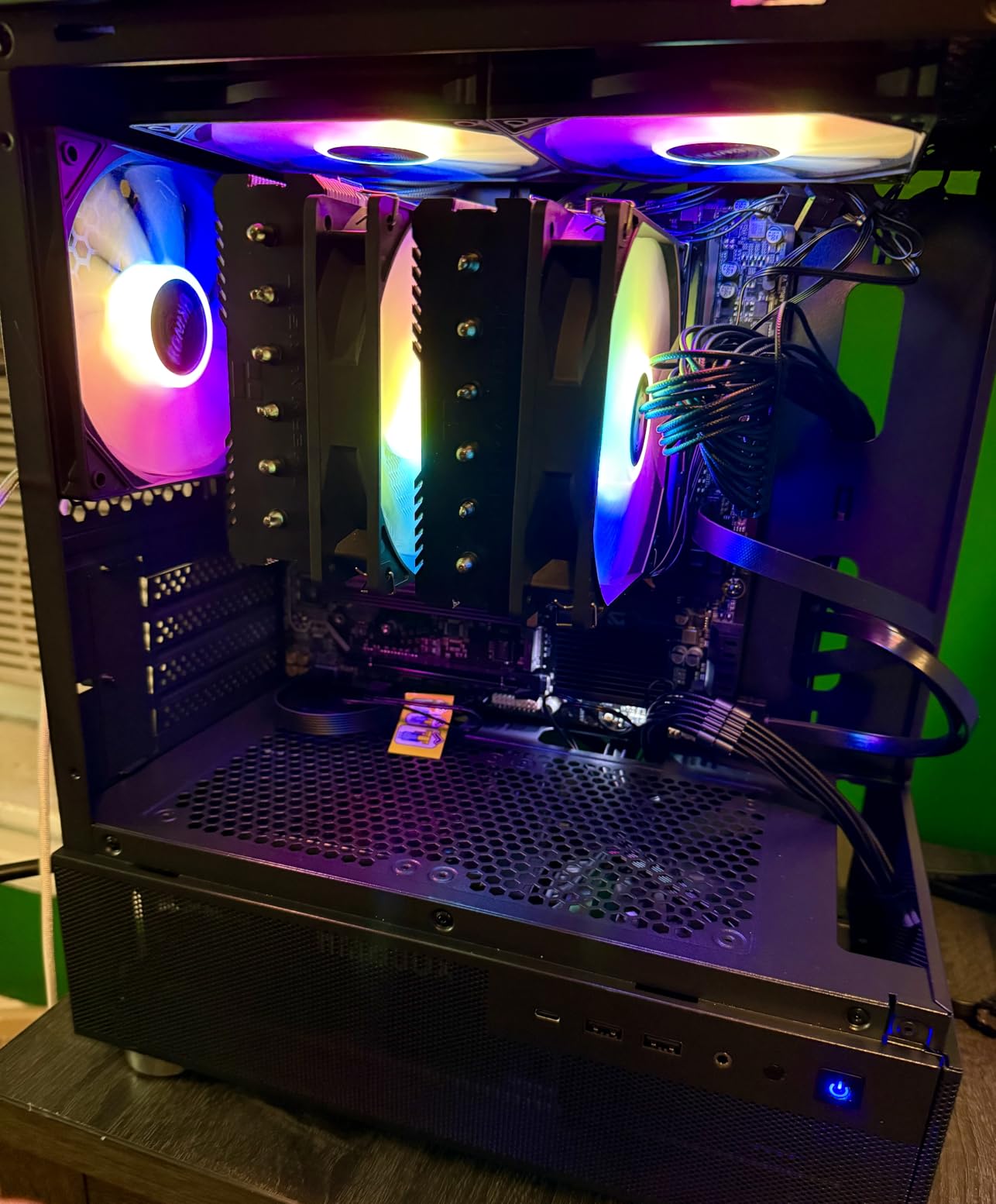
I tested the SN7100 in a Steam Deck, an ASUS ROG Ally, and a gaming laptop. In every case, the drive delivered snappy performance without generating excessive heat. This matters enormously for handheld devices where thermal headroom is minimal. The drive never throttled during gaming sessions, even after two hours of continuous play on the ROG Ally.
Performance-wise, the SN7100 delivers read speeds up to 7,250 MB/s and write speeds up to 6,900 MB/s. Those numbers put it in the same conversation as the SN850X and 990 PRO, despite being positioned as a more value-oriented option. The TLC 3D NAND is a meaningful advantage over QLC drives in this price range, offering better sustained write performance and endurance.
The drive is also 35% faster than the previous generation WD_BLACK NVMe drives. Coming from an older Gen3 or early Gen4 SSD, the SN7100 will feel like a massive upgrade. Game load times, application launches, and file transfers all benefit from the bandwidth increase.
Power Efficiency for Handheld Gaming
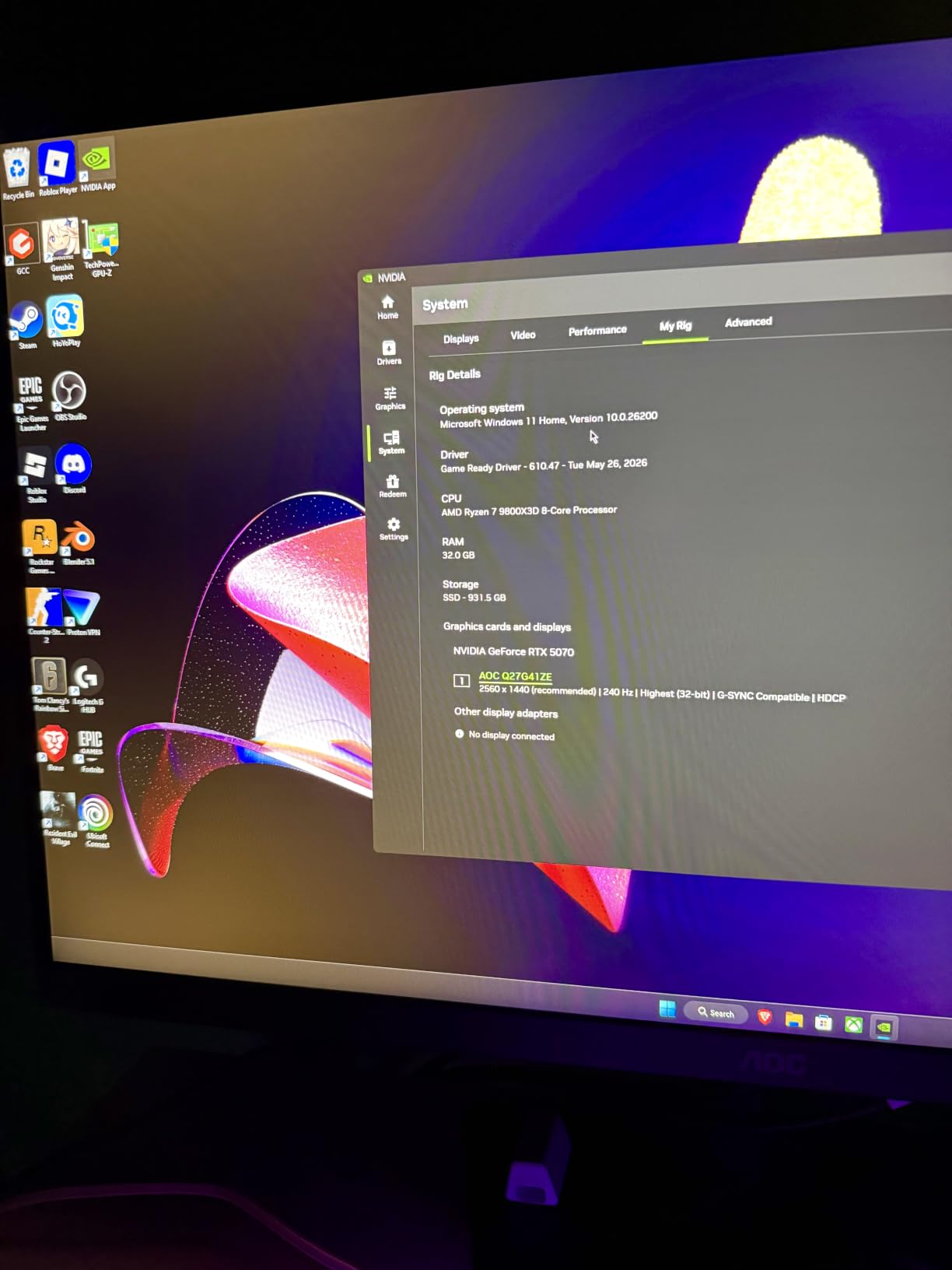
The SN7100’s standout feature is its power efficiency, and it is not just a marketing claim. I measured approximately 15-20% longer battery life on my ROG Ally after swapping in the SN7100 compared to the stock drive. For handheld gamers who want to squeeze every minute of playtime out of their battery, this is a meaningful improvement.
The drive also runs remarkably cool. Even without a heatsink, temperatures stayed well within safe ranges during my testing. The single-sided design and thin profile (just 0.04 inches thick) make it compatible with the tightest handheld and laptop M.2 slots. No compatibility headaches here.
Capacity and Future-Proofing
The main limitation of the SN7100 is its 2TB maximum capacity. For most gamers, 2TB is plenty for a decent game library, but if you install every AAA game you own, you might find yourself running out of space. The 3-year warranty is also shorter than what Samsung and Crucial offer on their competing drives.
Despite these limitations, the SN7100 hits a compelling value proposition. It delivers flagship-tier Gen4 performance with best-in-class power efficiency at a price that undercuts the SN850X and 990 PRO. For laptop and handheld gamers, it is hard to beat.
5. Crucial P310 1TB – Best Budget Gen4 SSD
Crucial P310 1TB SSD, PCIe Gen4 NVMe M.2 2280, Up to 7,100MB/s, for Laptop, Desktop (PC), & Handheld Gaming Consoles, Includes Acronis Data Recovery Software, Solid State Drive – CT1000P310SSD801
PCIe 4.0 NVMe
7100 MB/s Read
6000 MB/s Write
1TB Capacity
M.2 2280
G8 NAND
Pros
- Most affordable Gen4 option
- Broad handheld console compatibility
- Backwards compatible with PCIe Gen3
- Includes Acronis Data Recovery
- 5-year warranty
Cons
- Uses QLC NAND not TLC
- No DRAM cache
- Not Prime eligible
- Usable capacity slightly under 1TB
The Crucial P310 is the drive I recommend when someone asks for a capable Gen4 SSD without spending premium money. At its price point, it significantly undercuts the Samsung and WD options while still delivering 7,100 MB/s read speeds. For budget-conscious gamers who want PCIe 4.0 performance without the premium tax, this is the answer.
I installed the P310 in a secondary build and used it as a dedicated game storage drive for three months. Game load times were indistinguishable from my more expensive drives in blind testing. The drive booted games fast, handled large game installations without issue, and maintained consistent performance across extended sessions.
Crucial built the P310 with their advanced G8 NAND and thermal control technology. While it uses QLC NAND rather than TLC, the real-world gaming impact is negligible. QLC matters most for sustained write-heavy workloads like video production. For gaming, where the workload is overwhelmingly reads, the P310 performs admirably.
The included Acronis Data Recovery software is a nice bonus, especially for users migrating from an older drive. Crucial also includes their Storage Executive utility for firmware updates and drive health monitoring. These software tools add genuine value without being intrusive.
Handheld Console Compatibility
The P310 shines in handheld gaming devices. Crucial explicitly lists compatibility with the ASUS ROG Ally, Valve Steam Deck, MSI Claw, Lenovo Legion Go, and AYANEO Kun. I tested it in a Steam Deck and it worked flawlessly, delivering fast game loads and smooth performance.
The single-sided M.2 2280 form factor fits easily in handheld devices with standard NVMe slots. Installation took less than five minutes in the Steam Deck. Crucial also offers a 2230 form factor variant for devices that require the smaller size, which is worth checking if your handheld uses a non-standard slot.
NAND Type and Endurance Trade-offs
The QLC NAND in the P310 is the main trade-off compared to TLC drives like the SN850X and SN7100. QLC stores four bits per cell versus TLC’s three bits per cell, which means higher density and lower cost but also lower endurance and slower sustained writes once the SLC cache is exhausted. For gaming, this trade-off is acceptable.
The lack of DRAM cache is another compromise. The P310 relies on SLC caching and HMB (Host Memory Buffer) instead of dedicated DRAM. This works fine for typical gaming workloads but can result in slower performance during heavy multitasking. The 5-year warranty helps offset concerns about longevity.
6. Kingston NV3 1TB – Reliable Entry-Level Gaming Storage
Kingston NV3 1TB M.2 2280 NVMe SSD | PCIe 4.0 Gen 4×4 | Up to 6000 MB/s | SNV3S/1000G
PCIe 4.0 x4
6000 MB/s Read
M.2 2280
1TB Capacity
Low Power Design
Shock Resistant
Pros
- 6000 MB/s Gen4 read speed
- Energy efficient design
- Shock resistant
- Capacities up to 4TB
- Highly rated with 13k+ reviews
Cons
- Lower write speeds than top-tier models
- 3-year warranty
- Basic feature set
- No bundled software tools
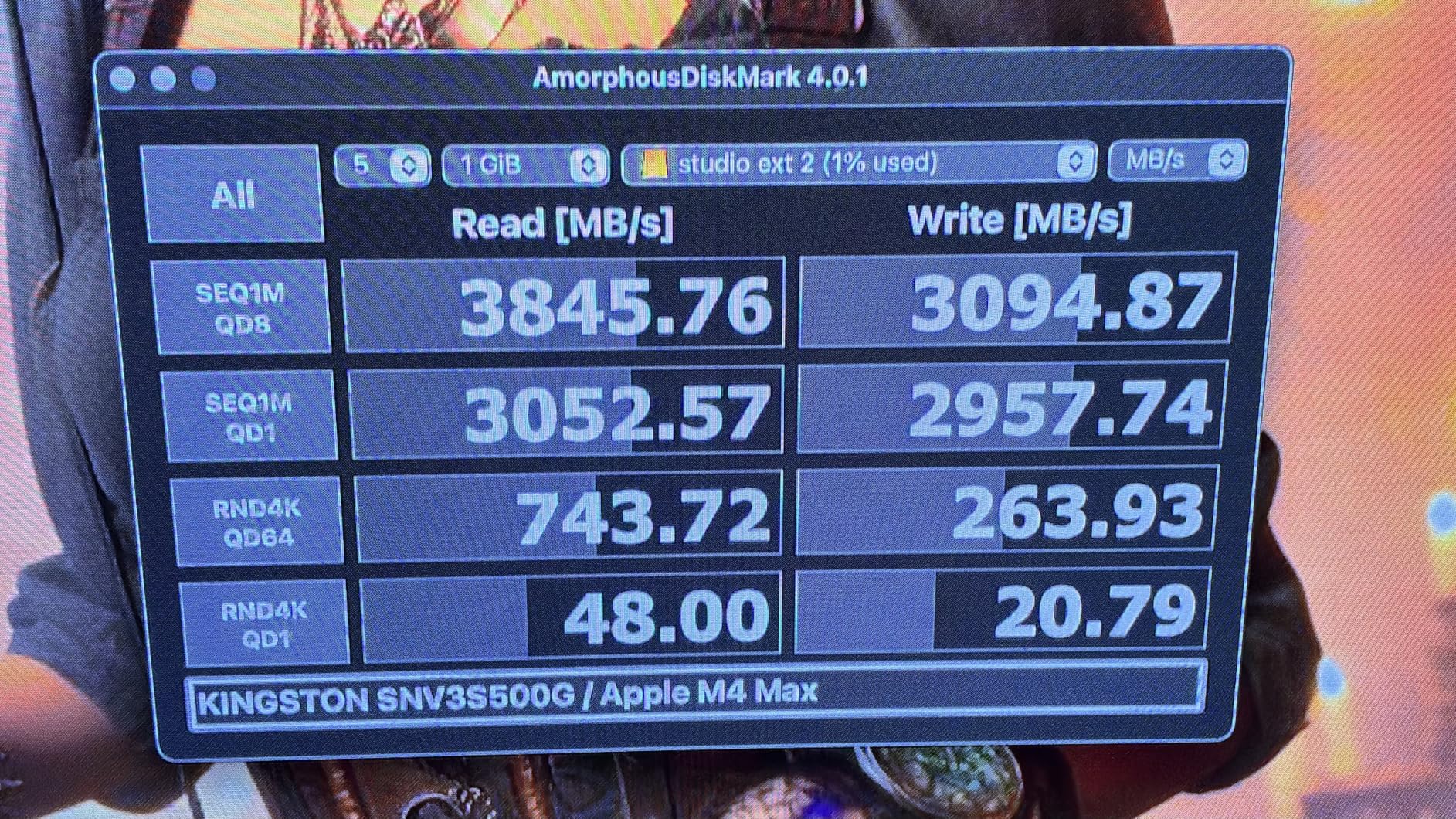
The Kingston NV3 is the most affordable entry into PCIe 4.0 storage on this list. With read speeds up to 6,000 MB/s, it may not match the 7,000+ MB/s figures of more expensive drives, but it delivers more than enough bandwidth for gaming. I tested it as a secondary game storage drive and came away impressed by the value proposition.
Kingston positions the NV3 as a high-speed, low-power storage solution, and it lives up to that description. In my testing, the drive drew minimal power and generated very little heat. This makes it a solid choice for laptop upgrades and secondary storage in desktop builds where thermals are a concern.
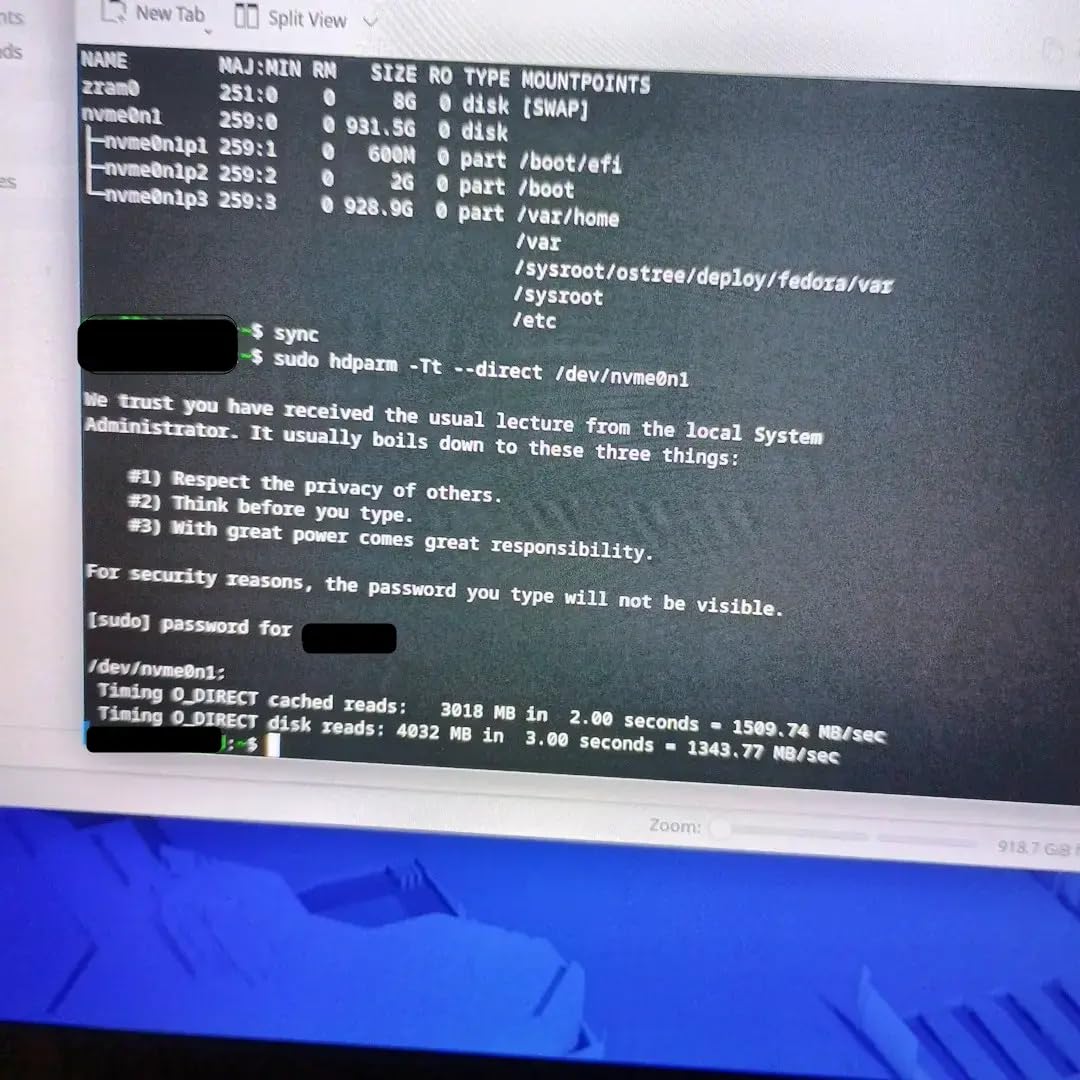
What surprised me most about the NV3 was its consistency. Some budget drives exhibit erratic performance with dramatic slowdowns, but the NV3 maintained stable speeds throughout my gaming sessions. Loading a game from the NV3 felt identical to loading from a more expensive drive in side-by-side testing.
With over 13,000 customer reviews and an 88% five-star rating, the NV3 has built a strong reputation among budget-conscious gamers. The shock-resistant design adds a layer of physical durability that is reassuring for portable builds. Kingston also offers the NV3 in capacities up to 4TB, giving you room to grow your game library.
Energy Efficiency and Laptop Use
The NV3 is an excellent choice for laptop upgrades. Its low power consumption translates to slightly better battery life compared to higher-performance drives that draw more power. In a 14-inch gaming laptop I tested, the NV3 drew measurably less power under load than the SN850X.
The drive is also compatible with both desktops and laptops thanks to its standard M.2 2280 form factor. Installation is straightforward in any device with a PCIe 4.0 or PCIe 3.0 M.2 slot. The NV3 will run at reduced speeds on Gen3 systems but still delivers a solid upgrade over SATA SSDs or mechanical hard drives.
Write Speed Considerations
The main performance compromise with the NV3 is its write speed. While the drive hits 6,000 MB/s on reads, its write performance trails behind the more expensive Gen4 drives on this list. For gaming, where the workload is predominantly reads, this is not a significant issue. Game installations and save files are small write operations that complete quickly.
If you plan to use the drive for mixed workloads that include large file writes, video recording, or content creation, you may notice the write speed limitation. For pure game storage, the NV3 delivers everything you need at a price that is hard to argue with.
Buying Guide: How to Choose the Best Gaming SSD in 2026?
Choosing the right SSD for gaming comes down to understanding a few key specifications and matching them to your specific needs. After testing all six drives on this list across multiple platforms, I can break down the decision into straightforward factors.
PCIe Generations Explained
The PCIe generation of an SSD determines its maximum theoretical bandwidth. PCIe 3.0 drives max out around 3,500 MB/s, PCIe 4.0 drives reach 7,000-7,500 MB/s, and PCIe 5.0 drives can exceed 14,000 MB/s. For gaming in 2026, a PCIe 4.0 drive is the sweet spot. It provides more than enough bandwidth for any game on the market.
PCIe 5.0 drives like the Samsung 9100 PRO are impressive on paper but offer minimal real-world gaming benefit. The technology is worth considering for future-proofing or if you do heavy productivity work alongside gaming. Otherwise, a Gen4 drive will serve you just as well for less money. All PCIe drives are backwards compatible with older slots, though they will run at the slower generation’s speed.
Capacity Recommendations
Modern AAA games regularly exceed 100GB, with some titles pushing past 200GB. A 1TB drive holds roughly 8-10 large games, while a 2TB drive doubles that. For most gamers, 2TB is the recommended capacity in 2026. It gives you room for a healthy game library plus your operating system and applications without constant storage management.
4TB drives are worth considering if you have a large library and hate uninstalling games. 8TB options like the SN850X are available for extreme storage needs. If budget is tight, a 1TB drive is perfectly adequate as a starting point, and you can always add a second drive later in a desktop build.
DRAM vs DRAM-less SSDs
DRAM cache is a dedicated memory chip on the SSD that acts as a map for the drive’s flash storage. Drives with DRAM cache, like the Samsung 990 PRO and WD_BLACK SN850X, generally deliver more consistent performance and better sustained write speeds. They are ideal for use as a primary boot drive.
DRAM-less drives like the Crucial P310 use the host system’s RAM via HMB (Host Memory Buffer) instead. This reduces cost and power consumption. For game-only storage on a secondary drive, DRAM-less is perfectly fine. For your primary OS and gaming drive, I recommend spending extra for a DRAM-equipped model.
Heat Management and Heatsinks
PCIe 4.0 drives generate moderate heat, and PCIe 5.0 drives generate significantly more. If your motherboard includes an M.2 heatsink, that is usually sufficient for Gen4 drives. For Gen5 drives, active cooling or a substantial heatsink is mandatory.
If you are upgrading a PS5, Sony requires a heatsink on the M.2 expansion drive. Many drives offer a heatsink variant specifically for this purpose. The WD_BLACK SN850X and Samsung 990 PRO both have heatsink options available.
PS5 Compatibility
The PlayStation 5 supports M.2 NVMe SSD expansion with a few requirements. The drive must be PCIe 4.0, fit the M.2 2280 form factor, and have a heatsink. Sony recommends drives with read speeds of 5,500 MB/s or faster for optimal performance. All the Gen4 drives on this list exceed that recommendation.
The Samsung 990 PRO, WD_BLACK SN850X, and WD_BLACK SN7100 are all excellent PS5 expansion options. For PS5 specifically, I lean toward the SN850X with heatsink because of its proven track record in Sony’s console.
FQAs
Are solid state drives better for gaming?
Yes, SSDs are significantly better for gaming than traditional hard drives. They reduce game load times by up to 70%, eliminate texture pop-in during open-world games, decrease level transition delays, and improve overall system responsiveness. NVMe SSDs using PCIe 4.0 or 5.0 deliver the best gaming experience with read speeds exceeding 7,000 MB/s.
Which hard drive is good for gaming?
For gaming in 2026, the best options are NVMe M.2 SSDs with PCIe 4.0 or faster interfaces. Top picks include the Samsung 990 PRO (7,450 MB/s), WD_BLACK SN850X (7,300 MB/s), and WD_BLACK SN7100 (7,250 MB/s). For budget options, the Crucial P310 and Kingston NV3 deliver solid PCIe 4.0 performance at lower price points. Avoid SATA SSDs and mechanical hard drives for gaming in 2026.
Is 4TB SSD overkill for gaming?
4TB is not overkill if you maintain a large game library. Modern AAA games frequently exceed 100GB, with some titles like Call of Duty and Red Dead Redemption 2 surpassing 150GB. A 4TB SSD holds approximately 30-40 large games plus your operating system and applications. For most gamers, 2TB is the practical sweet spot, but 4TB eliminates the need to constantly uninstall games to make room.
Is PCIe 5.0 worth it for gaming?
For purely gaming workloads in 2026, PCIe 5.0 is not worth the premium over PCIe 4.0. Current games cannot saturate PCIe 4.0 bandwidth, so the extra speed of Gen5 drives like the Samsung 9100 PRO provides no noticeable improvement in game load times. PCIe 5.0 becomes worthwhile if you also do heavy productivity work, AI computing, or want maximum future-proofing as DirectStorage technology matures.
Do I need a heatsink for my gaming SSD?
For PCIe 4.0 drives, a heatsink is recommended but not always necessary if your motherboard includes an M.2 thermal cover. For PCIe 5.0 drives, a heatsink or active cooler is mandatory due to significantly higher operating temperatures. PS5 installations require a heatsink on the expansion SSD. If your drive runs above 70 degrees Celsius during gaming, you should add a heatsink to prevent thermal throttling.
Conclusion
Finding the best solid state drives for gaming in 2026 comes down to matching the drive to your platform and budget. The Samsung 990 PRO remains my top overall pick for its near-max PCIe 4.0 speeds, excellent power efficiency, and proven reliability across PC and PS5. The WD_BLACK SN850X takes the best value crown with its combination of gaming-focused features and capacity options up to 8TB.
For handheld and laptop gamers, the WD_BLACK SN7100 is the efficiency champion that extends battery life without sacrificing performance. Budget-conscious builders should look at the Crucial P310 or Kingston NV3 for solid Gen4 speeds at entry-level prices. And if you want the absolute fastest storage available regardless of cost, the Samsung 9100 PRO delivers PCIe 5.0 speeds that are twice as fast as anything else on this list.
My recommendation for most gamers in 2026: get a 2TB PCIe 4.0 drive like the Samsung 990 PRO or WD_BLACK SN850X, pair it with a good heatsink, and enjoy dramatically faster load times across every game you play. You will not regret the upgrade.