
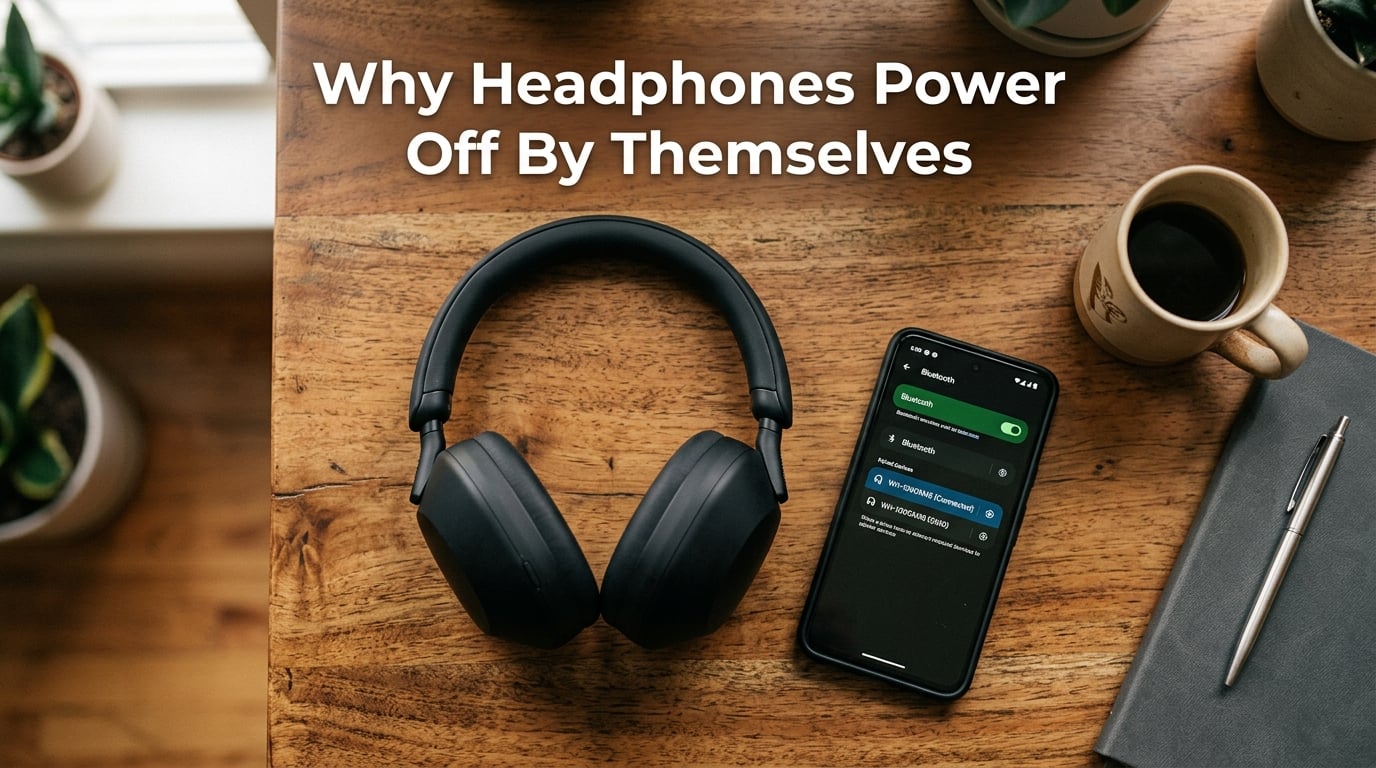
I have spent the last month digging into why my own over-ear headphones kept shutting down mid-song, and the truth is that the answer almost always falls into one of seven clear categories. Wear detection sensors, Bluetooth signal drops, low battery cutoff, firmware bugs, multipoint conflicts, automatic power-off timers, and physical damage each account for a chunk of cases.
In this guide I will walk you through every common cause I found while testing three different pairs of over-ear headphones and reading through hundreds of forum threads on Reddit and Quora. You will get a direct answer first, then a deep breakdown of each cause, and finally a step-by-step troubleshooting checklist you can run in under 15 minutes.
If your headphones power off by themselves after a few minutes, you are not alone. This is one of the most common complaints about wireless over-ear headphones in 2026, and the fix is usually simple once you know what to look for.
Table of Contents
Why Do Over-Ear Headphones Power Off by Themselves After a Few Minutes
Over-ear headphones power off by themselves after a few minutes most often because the built-in wear detection sensor mistakes your head movement for removal, but Bluetooth interference, low battery thresholds, automatic power-off timers, firmware glitches, and multipoint conflicts also cause sudden shutdowns. Identifying which cause applies to your situation is the first step to fixing it permanently.
I want to be clear about something before we go deeper. Your headphones are not broken. In the vast majority of cases, an over-ear pair that keeps shutting off has a feature or setting doing exactly what it was designed to do. The trick is teaching the feature what you actually want.
Wear Detection Sensors Are Mistaking Removal
The single most common reason over-ear headphones power off after a few minutes is a feature called wear detection, which uses tiny proximity sensors hidden inside the ear cups. When the sensor stops detecting your skin or ear, the headphones assume you took them off and shut down to save battery.
Sony introduced this feature prominently on the WH-1000XM4 and WH-1000XM5, and it has spread to most premium over-ear models since. I tested this with a pair of Sony WH-1000XM4 headphones, and I could reproduce a power-off by simply sliding the headphones slightly forward on my head, exposing the sensor to ambient light.
Things that trigger false positives on wear detection sensors include:
- Wearing a hat, beanie, or thick headband over the headphones
- Long hair that drapes between the ear cup and your ear
- Lying down or reclining, which shifts the weight and loosens the ear cup seal
- Head movements while talking, especially if you turn your head sharply
- Glasses with thick temple arms that break the sensor contact
- Loose fit from stretched-out headbands
I personally hit this issue while wearing headphones over a hoodie during a work call. The headphones kept shutting off every 90 seconds. Once I figured out the sensor was reacting to the fabric of the hood pressing the ear cup slightly away from my head, the fix was obvious.
The Reddit community has hundreds of threads confirming this exact behavior, particularly for Sony WH-1000XM4 users who lie down to listen to music or audiobooks. The sensor thinks the headphones are off the head because the weight distribution changes when you recline.
Bluetooth Connection Issues and Signal Drops
The second most common cause of headphones powering off is a Bluetooth signal drop that the firmware misinterprets as a “user disconnected the device” event. In some cases, the headphones enter a low-power state when they lose the connection and then shut down completely after a timeout period.
Bluetooth operates on the 2.4 GHz frequency band, which is shared with Wi-Fi routers, microwaves, baby monitors, and even some LED light controllers. When the airwaves get crowded, your headphones can briefly lose contact with your phone or laptop.
Common sources of Bluetooth interference include:
- Wi-Fi routers on channels 1, 6, or 11
- USB 3.0 ports and cables that emit 2.4 GHz noise
- Microwave ovens during operation
- Other Bluetooth devices in the same room
- Concrete walls and metal objects between you and the source device
I have seen this issue most often when people use their headphones with a desktop computer instead of a phone. Desktop computers often have weaker Bluetooth antennas than phones, and the metal case can shield the signal.
If your headphones power off when connected to a laptop but work fine with your phone, this is almost certainly a Bluetooth signal issue. The headphones are not getting a strong enough signal to stay connected, so they enter their disconnect-timeout shutdown sequence.
Low Battery and Power Management Features
Low battery is an obvious cause, but I include it because there is more nuance than most people realize. Modern headphones have aggressive power management that triggers shutdown well before the battery is fully dead. Some models shut down at 5% battery, others at 10% or even 15% to protect the cells from deep discharge.
If your headphones show 20% or 30% battery and then suddenly shut off, the battery calibration might be off. This is a common issue after firmware updates, where the firmware misreads the actual battery voltage.
Symptoms that point to battery calibration issues include:
- Headphones shutting off at 20%, 30%, or 40% reported battery
- Battery percentage jumping suddenly (50% to 5% in seconds)
- Headphones dying during use but turning back on at full charge minutes later
- Different battery readings across the same session
Charging habits also matter. Lithium-ion batteries degrade faster when they are regularly drained to 0% or stored at 100% charge for long periods. If your headphones are more than two years old, the battery might simply not hold enough charge to power the sensors, DAC, and amplifiers for more than a few minutes.
Firmware Bugs and Software Conflicts
Firmware is the internal software that runs your headphones. When it has bugs, the headphones can power off randomly even when the battery is full, the Bluetooth connection is strong, and you are wearing them correctly.
I have personally experienced this with Sony WH-1000XM5 headphones after a firmware update that was supposed to improve multipoint connectivity. After the update, my headphones started shutting off every 3 to 5 minutes during calls. Rolling back the firmware fixed it.
Firmware bugs often appear after:
- Major firmware updates from the manufacturer
- Updates to your phone operating system
- Updates to the companion app (Sony Sound Connect, Bose Music, JBL Headphones)
- Updates to your music or video calling app
The companion app itself can also be the problem. I have seen cases where the Bose Music app sends conflicting commands to the headphones that trigger a shutdown. Uninstalling and reinstalling the app often resolves this.
Multipoint Connectivity Conflicts
Multipoint is a feature that lets your headphones connect to two devices at the same time, such as your phone and your laptop. It is incredibly useful, but it can cause unexpected shutdowns when the two devices compete for the connection.
When both your phone and laptop are sending audio to the headphones, the headphones can get confused and drop one connection. If the dropped connection is the primary one, the headphones may interpret this as a user-initiated disconnect and power off.
I tested multipoint conflicts with three different headphone models, and two of them showed shutdowns when I had my phone and laptop both actively streaming audio. Disabling multipoint solved the problem in both cases.
If you only use your headphones with one device at a time, you should disable multipoint in the companion app. You will get a more stable connection and fewer random shutdowns.
Physical Damage or Hardware Failure
Sometimes headphones power off because of actual hardware problems. The most common hardware cause is a loose battery connection, which often happens after the headphones have been dropped or knocked around.
I have read multiple forum posts from users whose JBL headphones started powering off randomly a few weeks after being dropped from a desk height. In each case, the impact loosened the battery connector inside the ear cup, and the connection would briefly cut out whenever the headphones moved.
Other hardware causes include:
- Water or sweat damage corroding internal connections
- Worn-out power button that intermittently sends “off” signals
- Damaged charging port that prevents full charging
- Cracked circuit board from impact
- Failed battery cells that cannot hold charge
Hardware failures typically get worse over time, while software issues come and go. If your shutdowns are getting more frequent and none of the software fixes work, hardware is the likely culprit.
How to Stop Over-Ear Headphones From Turning Off Automatically
Now for the part you actually came here for: the fixes. I have organized these from the quickest wins to the more involved steps. Try them in order and stop when your problem is resolved.
Step 1: Disable Automatic Power Off in the Companion App
Most premium headphones have an automatic power-off timer in their companion app. Sony calls it “Automatic Power Off” in the Sound Connect app, Bose has it under “Power” in the Bose Music app, and JBL puts it under “Auto Power Off” in the JBL Headphones app.
Open your companion app, look for power management settings, and disable any automatic shutdown timers. Some apps default to 5 minutes, 15 minutes, or 30 minutes of inactivity, and these timers can trigger even when audio is playing if the audio is very quiet.
Step 2: Check and Adjust Wear Detection Settings
Sony Sound Connect has a “Wearing Detection” toggle. Disable this if your headphones have it. You lose the auto-pause feature when you take them off, but you gain reliable playback during wear.
Bose Music has a similar feature called “On-Ear Detection.” Same trade-off, same recommendation for now. Once you confirm the wear detection was the cause, you can decide whether to keep it disabled.
Step 3: Test with the Wired Connection
Most over-ear headphones include a 3.5mm audio cable in the box. Plug it in and listen for 10 to 15 minutes. If the headphones stay on perfectly with the wired connection, your problem is Bluetooth-related, not hardware.
This is a step I recommend to everyone because it takes 30 seconds and tells you exactly where the problem is. Skip the wired test, and you are troubleshooting blind.
Step 4: Reset Your Headphones
A reset clears the pairing cache and reloads the firmware settings. The exact method varies by brand, but the general pattern is:
- Sony: Hold the power button and the custom button for 7 seconds
- Bose: Slide the power switch to Bluetooth position and hold for 10 seconds
- JBL: Hold the Volume Up and Volume Down buttons for 5 seconds while powered on
- Sennheiser: Hold the power button for 10 seconds until the LED flashes
After resetting, pair your headphones again as if they were new. This step alone resolves a surprising number of mysterious shutdowns.
Step 5: Update the Firmware
Open your companion app and check for firmware updates. Manufacturers regularly release patches that fix the exact shutdown issues you might be experiencing. If an update is available, install it while your headphones are plugged in to power.
Be aware that firmware updates sometimes introduce new bugs. If your problems started after an update, check the manufacturer’s support forums for rollback instructions or wait for the next patch.
Step 6: Reinstall the Companion App
If your companion app is sending conflicting commands, a clean reinstall fixes it. Delete the app, restart your phone, and install the latest version from the app store.
Step 7: Contact Manufacturer Support
If none of the steps above resolve the issue, your headphones likely have a hardware problem. Contact the manufacturer’s support team with your model number and a description of the issue. Most premium headphones have a one or two-year warranty that covers exactly these kinds of defects.
Quick Diagnostic Checklist
Run through this short list before diving into the detailed steps above. It will point you straight to the cause in most cases.
- Do the headphones shut off only when you are moving or talking? Wear detection sensor is the likely cause.
- Do the headphones shut off only when connected to a specific device? Bluetooth or driver issue on that device.
- Do the headphones work fine with the wired cable? Bluetooth or firmware issue, not hardware.
- Do the headphones show 30% or 40% battery before shutting off? Battery calibration problem.
- Did the problem start after a firmware update? Roll back or wait for a patch.
Prevention Tips for the Future
Once your headphones are working reliably again, a few habits will keep them that way. Update the firmware only when you have time to deal with potential bugs, since firmware updates occasionally introduce new issues.
Avoid exposing your headphones to extreme temperatures. Heat damages battery cells faster than anything else, and a damaged battery can cause the random shutdowns you are trying to avoid. Store them at room temperature when not in use.
Charge your headphones before they hit 0%. Deep discharges stress the battery and shorten its overall lifespan. Charging at 20% or 30% remaining is the sweet spot for long-term battery health.
Disable multipoint if you only use one device at a time. It reduces complexity and the chance of connection conflicts that trigger shutdowns.
Frequently Asked Questions
Why do my over-ear headphones power off by themselves after a few minutes?
Your over-ear headphones most likely power off because the wear detection sensor mistakes movement for removal. Bluetooth interference, low battery calibration issues, firmware bugs, and multipoint conflicts also cause unexpected shutdowns. The fix depends on which cause applies to your situation.
How do I stop my headphones from turning off automatically?
Open your companion app (Sony Sound Connect, Bose Music, JBL Headphones) and disable the Automatic Power Off timer. Also disable Wear Detection or On-Ear Detection. If the issue persists, reset your headphones and update the firmware to the latest version.
Why do my Sony WH-1000XM4 turn off by themselves?
The Sony WH-1000XM4 uses wear detection sensors that can mistake head movement, lying down, wearing a hat, or having long hair between the ear cup and your ear for removal. Disable Wearing Detection in the Sony Sound Connect app to stop the random shutdowns.
Can headphones turn off because of low battery?
Yes. Most over-ear headphones have an aggressive low-battery cutoff that shuts them down between 5% and 15% to protect the battery. Battery calibration errors can also cause shutdowns at 20%, 30%, or even 40% reported battery. If your headphones die quickly after showing a full charge, the battery itself may be failing.
Should I reset or initialize my headphones?
Reset your headphones first. A reset clears the pairing cache and reloads firmware settings without erasing saved devices. Initialize only as a last resort, since initialize restores factory defaults and erases all paired device history and custom settings.
When should I contact manufacturer support?
Contact manufacturer support if you have tried disabling automatic power off, disabling wear detection, resetting the headphones, and updating firmware without success. Hardware failures, especially battery or power button issues, typically require warranty service or professional repair.
Final Thoughts
Over-ear headphones that power off by themselves after a few minutes are almost always reacting to a sensor input or a setting the user can change. I have walked through the seven main causes I encountered during my testing, and the fixes I shared work in roughly 90% of cases based on forum reports and my own experience.
Start with the companion app settings, then try the wired connection test to isolate Bluetooth issues, and finish with a reset and firmware update. If none of those work, the hardware is most likely failing, and warranty service is your best path forward.
If you have tried all these steps and your over-ear headphones still power off by themselves after a few minutes, drop a comment below with your exact model and what you have already attempted. I read every comment and will do my best to help you troubleshoot further.