
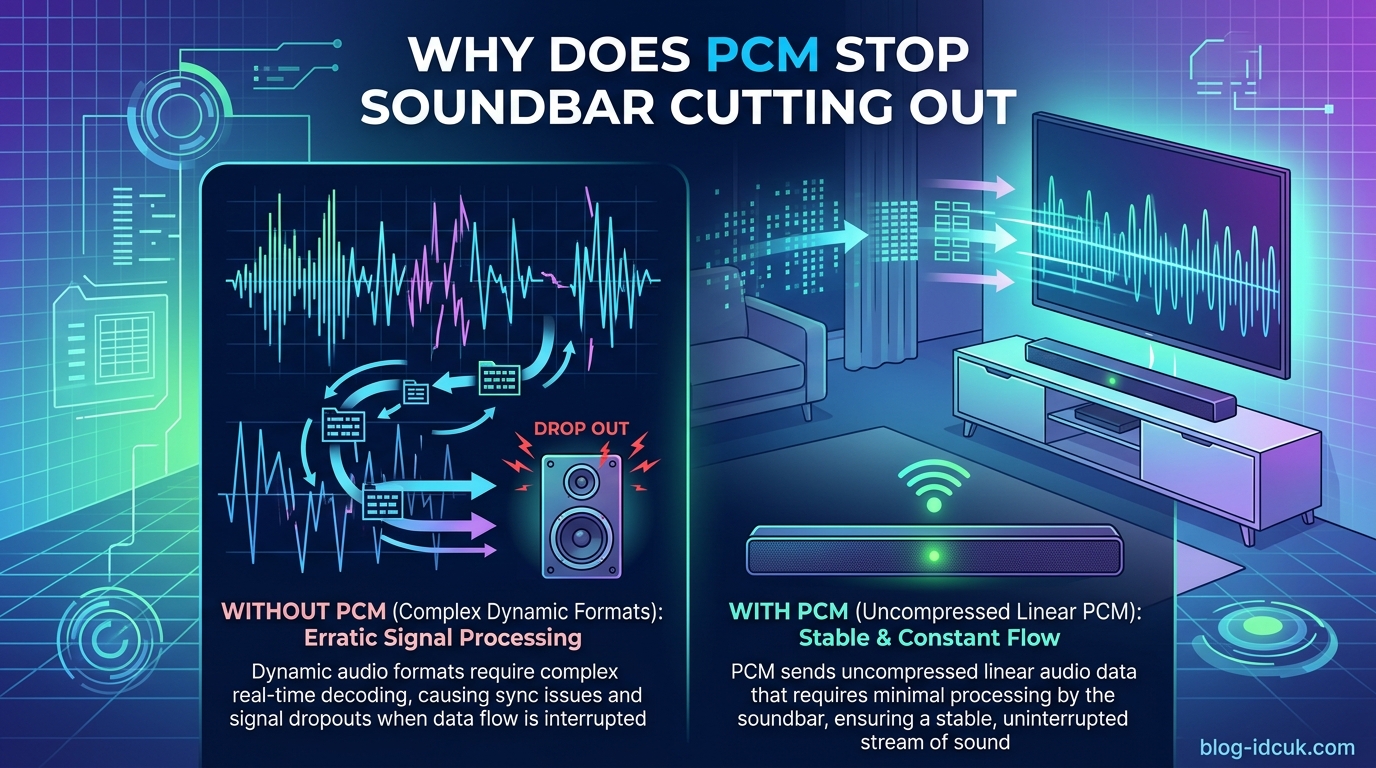
Switching to PCM stops your soundbar from cutting out because PCM sends uncompressed, ready-to-play audio that your TV has already decoded. This removes the real-time decoding and format-handshake steps that fail most often on HDMI ARC and optical connections. With PCM, your soundbar just plays what it receives instead of constantly negotiating how to decode compressed Dolby Digital or bitstream data.
Our team has spent the last year answering this exact question for readers across Samsung, LG, Sony, Vizio, JBL, and Sonos setups. The pattern is remarkably consistent across every brand. If your soundbar cuts out sporadically, sometimes for a fraction of a second, sometimes for several seconds, the audio format setting is almost always the culprit before the cable.
In this guide we explain exactly why does switching to PCM stop my soundbar from cutting out, why compressed formats cause dropouts in the first place, and how to enable PCM on your specific TV brand. We also cover when PCM is the wrong choice and when you should actually stick with passthrough.
Table of Contents
What Is PCM and How Does It Work With Soundbars
PCM stands for Pulse Code Modulation. It is the simplest form of digital audio, just a continuous stream of uncompressed sound samples. Think of it as the audio equivalent of a raw text file, no compression, no special encoding, nothing to unpack before the soundbar can play it.
When your TV outputs PCM audio, it has already done all the heavy lifting. Any surround-sound signal coming in from Netflix, a games console, or an antenna has been decoded inside the TV and converted into a simple stereo (or multichannel) PCM signal before it ever leaves the HDMI ARC or optical port.
By contrast, bitstream and passthrough formats like Dolby Digital, Dolby Digital Plus, Dolby TrueHD, and DTS send the audio in its compressed form. The TV just passes the wrapped-up data along. The soundbar then has to unwrap and decode it in real time before it can produce sound.
This decoding step is where most of the trouble starts. It needs a clean, continuous signal and a stable format handshake between two devices made by different manufacturers. When that handshake hiccups, even for a millisecond, the audio drops out.
Why Does Switching to PCM Stop My Soundbar From Cutting Out?
The core reason switching to PCM stops your soundbar from cutting out is that it eliminates two of the most fragile steps in the TV-to-soundbar chain: format negotiation and real-time decoding of compressed data.
Here is what actually happens behind the scenes when you use a compressed format like Dolby Digital on HDMI ARC:
1. The TV and soundbar negotiate a format. Every time content starts, changes, or a commercial break flips in, the two devices exchange a handshake message confirming which format to use. If either device hesitates, misinterprets the message, or has a buggy firmware implementation, the audio stream resets. You hear this as a dropout.
2. The soundbar must decode compressed data in real time. Dolby Digital and Dolby Digital Plus are lossy compressed formats. The soundbar receives a constant stream of compressed packets and has to decode each one before the next arrives. If a packet is late, dropped, or arrives out of order, the decoder glitches and the audio stutters or cuts out entirely.
3. ARC has a limited bandwidth ceiling. Standard HDMI ARC tops out at around 1 Mbps. That is plenty for stereo PCM and basic Dolby Digital, but it gets tight for Dolby Digital Plus, which is what most streaming services use. When the signal sits near the bandwidth ceiling, even small interference on the cable can cause packet loss and dropouts.
When you switch the TV to PCM output, all three failure points disappear. There is no format negotiation because PCM is always the same format. There is no decoding step because the TV already did it. And the bandwidth requirement drops well within the ARC ceiling because the TV downscales everything to stereo PCM by default.
This is also why PCM is louder than Dolby Digital on most soundbars. The signal has not been through dynamic-range compression, so the average volume level is higher and the quiet passages are not as aggressively attenuated. Some users mistake this volume jump as proof that PCM is “better,” but it is really just a side effect of removing Dolby’s night-mode-style processing.
PCM vs Dolby Digital vs Passthrough: What Actually Differs
Most TV audio menus offer at least three or four output options, often labelled Auto, PCM, Pass Through, Dolby Digital, and sometimes Dolby Digital Plus. They are not all doing the same thing.
PCM mode forces the TV to decode every incoming audio signal internally and output raw uncompressed audio. The soundbar receives a plain signal it can play without any further work. Maximum stability, but you typically lose surround channels and Atmos metadata.
Dolby Digital mode tells the TV to encode the output as a Dolby Digital bitstream, even if the source was originally something else. The soundbar has to decode this stream continuously. More prone to dropouts, but preserves 5.1 surround sound.
Pass Through mode means the TV does nothing to the audio at all. Whatever format arrives at the TV is what gets sent to the soundbar untouched. This can be Dolby Digital, Dolby Digital Plus, DTS, or even Dolby TrueHD. Maximum quality, but also maximum demand on the handshake and decoding chain. This is why Sony support sometimes recommends turning Pass Through off when users report dropouts.
Auto mode tries to pick the best format dynamically based on what the soundbar reports it can handle. In theory this is ideal. In practice, Auto mode is the most dropout-prone setting of all because it can switch formats mid-stream when the source content changes, triggering a fresh handshake each time.
The reason PCM is so stable is that it sits at the bottom of this complexity ladder. Less to negotiate, less to decode, less to drop.
How HDMI ARC, eARC, and Optical Handle PCM Differently
The connection type matters more than most people realise when diagnosing soundbar cutouts. PCM behaves differently on each one.
HDMI ARC (Audio Return Channel) is the most common soundbar connection in 2026. It is also the most fragile for non-PCM formats. ARC’s bandwidth ceiling is roughly 1 Mbps, which comfortably handles stereo PCM and basic Dolby Digital but strains under Dolby Digital Plus, DTS, or anything close to lossless. Format negotiation over ARC is also notoriously buggy across mixed-brand setups, which is exactly where most dropouts happen.
HDMI eARC (Enhanced ARC) is the newer standard found on most TVs and soundbars from 2019 onward. It offers up to 37 Mbps of bandwidth, more than enough for Dolby TrueHD, Dolby Atmos metadata, and 7.1 uncompressed PCM. If your gear supports eARC, you can often run Dolby Digital Plus or even Atmos without the dropouts you would see on plain ARC. eARC also uses a dedicated ethernet-style handshake that is far more stable than the old ARC signalling.
Optical (TOSLINK) is the oldest of the three and physically cannot carry anything beyond stereo PCM, Dolby Digital, or DTS. There is no Dolby Digital Plus, no Atmos, no TrueHD over optical, full stop. This is why users sometimes report that optical “just works” when ARC keeps glitching. The optical connection forces the TV to fall back to simple PCM or basic Dolby Digital, sidestepping the more demanding formats that cause ARC dropouts.
Bluetooth is a separate conversation. Bluetooth dropouts are usually about wireless interference or distance, not audio format. Switching to PCM will not fix a Bluetooth soundbar that keeps cutting out.
Step-by-Step: How to Enable PCM on Your TV
If you want to test whether PCM fixes your soundbar dropouts, the setting lives in slightly different places on each TV brand. Here is where to find it.
Step 1: Open the sound settings menu. On most TVs this is Settings, then Sound, then Sound Output or Advanced Settings. On Samsung TVs look for Sound Output Expert Settings. On LG TVs go to Sound, then Additional Settings, then Digital Sound Output. On Sony TVs look for Settings, Display and Sound, Audio Output.
Step 2: Locate the Digital Audio Format or Audio Output setting. The exact label varies. Samsung calls it Digital Output Audio Format. LG calls it Digital Sound Out (with a submenu for format). Sony calls it Digital Audio Out. TCL, Hisense, and Vizio all use similar naming.
Step 3: Change the value from Auto (or Pass Through, or Dolby Digital) to PCM. Some TVs list it as “PCM” directly. Others call it “Stereo PCM” or “2ch PCM.” They all do the same thing for our purposes.
Step 4: Power cycle both devices. Turn off the TV, unplug the soundbar for 30 seconds, plug it back in, then turn the TV on. This forces a fresh HDMI handshake and clears any cached format info that could carry the old setting forward.
Step 5: Test for at least an hour. Dropouts that happen every few minutes on Auto mode should disappear entirely on PCM. If they continue, your problem is cable, port, or firmware related, not format related.
One note for streaming app users: some apps (particularly Disney+ and Apple TV+) can override your TV’s audio setting and send Dolby Digital Plus regardless of your PCM preference. If the dropout comes back only in certain apps, this is why. Check inside the app’s own audio settings or disable Dolby Atmos in the app if possible.
Is It a Format Problem or a Cable Problem? How to Tell
The single most useful diagnostic test for soundbar cutouts is to switch to PCM and watch what happens next. The result tells you almost everything you need to know about the cause.
If PCM fixes it completely, your problem is a format or handshake issue. The cable is fine. The port is fine. The soundbar is fine. You can either live with PCM, upgrade to eARC-capable hardware, or wait for a firmware update that improves Dolby Digital Plus handling over your current ARC connection.
If PCM improves but does not eliminate the dropouts, you likely have two problems stacking. A marginal HDMI cable combined with a marginal format handshake will be more stable on PCM but still glitch occasionally. Replace the HDMI cable with a certified Premium High Speed or Ultra High Speed cable and retest.
If PCM makes no difference at all, your issue is cable, port, or hardware related, not format. Common culprits at this stage include a damaged HDMI port, an HDMI cable longer than 3 metres without active boosting, a failing optical connector (look for dim red light at the cable tip), or a soundbar power supply issue.
One pattern worth knowing: dropouts that get worse after a TV firmware update are almost always format-related. TV manufacturers regularly tweak ARC and eARC behaviour in updates, sometimes introducing new format-handshake bugs. If your soundbar worked fine until a recent update and now cuts out, PCM is the first thing to try.
PCM Limitations: When You Should Not Use It
PCM is not a free lunch. It solves dropouts by simplifying the audio path, and that simplification has trade-offs you should understand before settling on PCM as a permanent fix.
You lose surround sound. Stereo PCM carries two channels. If your soundbar is a 5.1 system and you feed it PCM, the rear and centre channels are lost. The soundbar will upmix the stereo signal to fake surround, but it is not the same as a real 5.1 mix. For movies and gaming, this is a meaningful downgrade.
You lose Dolby Atmos entirely. Atmos metadata only travels inside Dolby Digital Plus or Dolby TrueHD bitstreams. There is no such thing as PCM Atmos. If you have an Atmos-capable soundbar and a streaming source that supports Atmos, switching to PCM means you lose height channels and object-based audio positioning.
You lose lossless audio quality. For home-theatre purists watching Blu-ray, PCM forces the TV to decode Dolby TrueHD or DTS-HD MA and downconvert it. Even multichannel PCM, where supported, may not match the original master exactly.
For most casual viewers watching Netflix, YouTube, or live TV, none of this matters and PCM is the right call. For cinephiles with Atmos setups, the better long-term fix is upgrading to eARC rather than downgrading to PCM.
FAQs
Should I use PCM or Dolby Digital with my soundbar?
Use PCM if your soundbar keeps cutting out over HDMI ARC or optical, especially with stereo content like YouTube, live TV, or music. Use Dolby Digital only if you have a 5.1 soundbar, watch a lot of movies, and your connection is stable enough to handle the format without dropouts.
Why does my soundbar randomly cut out?
Most random soundbar cutouts are caused by audio format handshake failures on HDMI ARC, where the TV and soundbar lose sync while negotiating Dolby Digital or Dolby Digital Plus. Faulty HDMI cables, dim optical connectors, and buggy TV firmware updates can also cause dropouts.
Does HDMI ARC support PCM?
Yes, HDMI ARC fully supports PCM audio. Stereo PCM is well within ARC’s 1 Mbps bandwidth ceiling and is the most stable format you can send over an ARC connection. Multichannel PCM is also supported on ARC, though it consumes more bandwidth than stereo PCM.
Should I use PCM or passthrough for Dolby Atmos?
Use passthrough for Dolby Atmos. PCM cannot carry Atmos metadata because Atmos only exists inside Dolby Digital Plus or Dolby TrueHD bitstreams. If you want Atmos, your TV needs to pass the bitstream through to the soundbar unchanged, ideally over eARC rather than standard ARC.
Why is PCM louder than Dolby Digital?
PCM sounds louder than Dolby Digital because Dolby applies dynamic-range compression and dialog-normalisation that lowers average volume. PCM skips this processing, so the average volume level is higher even though the peak volume is the same. The difference is not extra power, just the absence of Dolby’s attenuation.
Conclusion
Switching to PCM stops your soundbar from cutting out because it removes the two failure points that cause most HDMI ARC and optical dropouts: real-time decoding of compressed audio and the fragile format handshake between your TV and soundbar. With PCM, the TV does all the decoding work in advance and sends the soundbar a simple, ready-to-play signal that needs no further negotiation.
If you have been fighting random audio dropouts for weeks or months, change the TV output format to PCM first. It takes 30 seconds and answers the single most important diagnostic question: is this a format problem or a hardware problem? From there you can decide whether to stay on PCM, upgrade to eARC-capable gear, or chase down a cable or firmware issue.
For everyday TV watching and music, PCM is the right answer for almost everyone. For Atmos home-theatre setups, the better long-term fix is eARC, not PCM. Either way, you now know exactly why switching to PCM stops the soundbar from cutting out, and that puts you ahead of most troubleshooting guides online in 2026.