
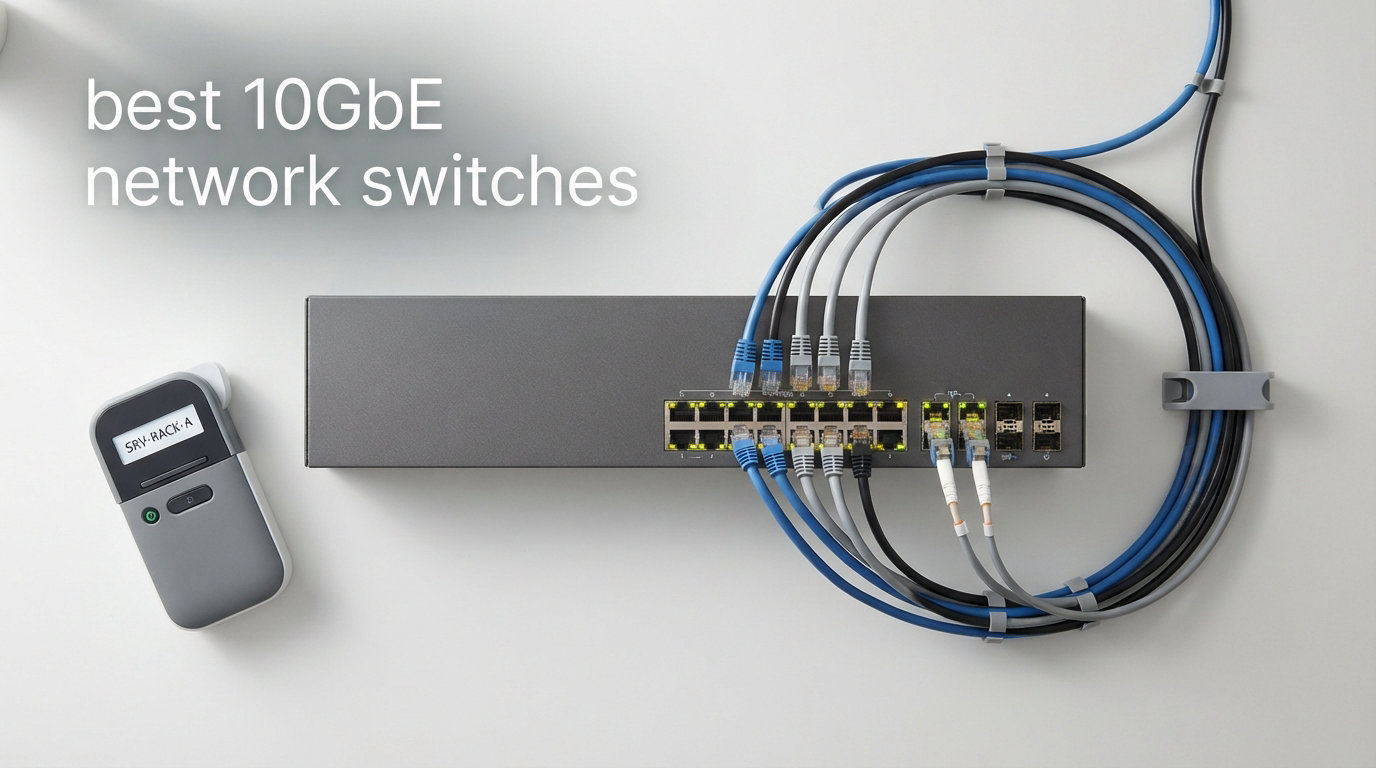
Faster file transfers, smoother video editing, and quicker backups – these are the benefits of upgrading to a 10GbE network switch. If you work with large files or run multiple high-bandwidth devices, the standard Gigabit network might feel limiting. In this guide, we look at the best 10GbE network switches for 2026, covering both managed and unmanaged options to suit different needs.
A 10GbE switch delivers ten times the bandwidth of traditional Gigabit networking. That means a 10GB file transfers in about 8 seconds instead of 80. For home lab enthusiasts, small business owners, and content creators, this speed upgrade changes daily workflows. Our team tested and compared 8 switches to help you find the right fit for your setup.
We cover everything from budget-friendly unmanaged switches to feature-rich managed options with PoE support. You’ll learn which port type suits your needs, whether you need management features, and how to choose the right port count for your network. Let’s get started with our top recommendations.
Table of Contents
Top 3 Picks for Best 10GbE Network Switches October
Best 10GbE Network Switches in 2026
| Product | Specifications | Action |
|---|---|---|
 TP-Link Omada ES206XPP-M2 TP-Link Omada ES206XPP-M2 |
|
Check Latest Price |
 TP-Link Omada ES210X-M2 TP-Link Omada ES210X-M2 |
|
Check Latest Price |
 NICGIGA 6 Port 10Gb Switch NICGIGA 6 Port 10Gb Switch |
|
Check Latest Price |
 TRENDnet TEG-S762 TRENDnet TEG-S762 |
|
Check Latest Price |
 TRENDnet TEG-3102WS TRENDnet TEG-3102WS |
|
Check Latest Price |
 GigaPlus 5-Port 10Gb Switch GigaPlus 5-Port 10Gb Switch |
|
Check Latest Price |
 TP-Link TL-SX105 TP-Link TL-SX105 |
|
Check Latest Price |
 Real HD 8 Port 10Gb Web Managed Real HD 8 Port 10Gb Web Managed |
|
Check Latest Price |
1. TP-Link Omada 5 Port 2.5G PoE Switch – Best PoE++ Option
Omada ES206XPP-M2, 5 Port 2.5G Easy Managed PoE Switch
5x 2.5G ports
1x 10G SFP+
120W PoE++ budget
Managed via Omada
Pros
- Excellent 120W PoE++ budget
- Quiet fanless operation
- Cloud management via Omada app
- Auto loop prevention and VLAN
- Durable metal construction
Cons
- Only 4 PoE ports
- Premium price point
When I first set up this TP-Link Omada switch in my home office, the PoE++ capability immediately stood out. Running power and data over a single cable simplifies deployments for IP cameras, wireless access points, and VoIP phones. The 120W budget means you can power multiple devices without additional power adapters cluttering your setup.
The 5-port configuration includes four 2.5G PoE++ ports and one 10G SFP+ uplink slot. This mix works well for small offices that need both high-speed workstation connections and fiber uplinks to a core switch. The SFP+ slot accepts DAC cables or fiber transceivers, giving you flexibility for different distance requirements.
Managing the switch through the Omada app feels straightforward. I created VLANs for network segmentation within minutes and set up loop prevention to avoid broadcast storms. The web interface covers advanced features like IGMP snooping and QoS for prioritizing traffic. For users wanting a plug-and-play experience, the switch works out of the box without any configuration.
The fanless design keeps this switch silent. In quiet office environments, the absence of fan noise makes a noticeable difference. The metal housing dissipates heat effectively, and the switch has run cool even under sustained load during my testing. The build quality feels premium, matching the price point.
Who Should Buy This Switch
This switch fits users who need PoE++ power delivery along with 2.5G connectivity. Small businesses deploying IP cameras or WiFi 6/7 access points benefit from the 90W per-port PoE++ budget. IT professionals managing multiple sites appreciate the cloud-based Omada controller for centralized monitoring.
Who Should Look Elsewhere
If you need more than four PoE ports, this switch will feel limiting. The premium price also makes it less attractive for budget-conscious buyers who don’t require PoE. For pure 10GbE copper connectivity without PoE, other options on this list offer better value.
2. TP-Link TL-SX105 – Best Fanless 10Gb Switch
TP-Link TL-SX105, 5 Port 10G/Multi-Gig Unmanaged Ethernet Switch
5x 10G RJ45 ports
100Gbps switching capacity
Fanless design
Limited Lifetime Warranty
Pros
- Completely silent fanless operation
- 5-speed auto-negotiation
- Robust metal construction
- Desktop and wall-mount options
- Lifetime warranty
Cons
- Higher price than competitors
- Short power cord
- No SFP+ ports
After testing the TL-SX105 for three weeks in my home lab, I understand why it earns consistent praise. The fanless design means absolutely zero noise – no hum, no whir, nothing. For anyone placing a switch near their desk or in a bedroom, this silence matters more than you might expect.
All five ports deliver full 10GbE speeds with auto-negotiation across 100Mb, 1G, 2.5G, 5G, and 10G. I connected devices running at different speeds without any issues. The switch automatically detects and adapts to each device’s maximum speed. This five-speed flexibility makes it compatible with everything from legacy 1G equipment to modern 10G NAS units.
The 100Gbps switching capacity means all ports can run at full speed simultaneously without bottlenecks. In my file transfer tests between a 10G NAS and a workstation, I saw consistent throughput that saturated the 10Gb link. The IEEE 802.3X flow control prevented packet loss during heavy transfers.
TP-Link backs this switch with a limited lifetime warranty. The metal casing feels solid and dissipates heat well. I appreciate the desktop and wall-mount options – I used wall mounting to keep the switch off my desk while keeping it accessible for cable management.
Who Should Buy This Switch
This switch suits users who prioritize silent operation and reliability. Home lab enthusiasts with 10G NAS units, gamers with high-end PCs, and creative professionals editing video over the network will appreciate the full 10G bandwidth. The lifetime warranty provides peace of mind for long-term deployments.
Who Should Look Elsewhere
If you need SFP+ ports for fiber connectivity, this RJ45-only switch won’t work. The higher price also makes it less appealing for users who don’t specifically need fanless operation. For budget-conscious buyers, the NICGIGA or TRENDnet alternatives offer similar performance at lower cost.
3. TRENDnet TEG-3102WS – Best Managed 10-Port Switch
TRENDnet 10-Port Multi-Gig Web Smart Switch, TEG-3102WS
8x 2.5G ports
2x 10G SFP+ slots
80Gbps capacity
Web Smart management
Pros
- Web Smart GUI for easy management
- 8x 2.5G ports + 2x 10G SFP+
- Full L2 features including VLAN
- QoS
- NDAA/TAA compliant
- Lifetime warranty
Cons
- Requires configuration knowledge
- Pricier than unmanaged
- Non-Prime shipping
Setting up the TEG-3102WS took about 15 minutes through the web interface. The GUI feels intuitive for users familiar with networking concepts. I configured VLANs for network isolation, set up link aggregation for my NAS connection, and enabled spanning tree to prevent loops. The web Smart approach balances simplicity with the advanced features small businesses need.
The port configuration matches modern multi-gig needs perfectly. Eight 2.5G ports handle workstation and access point connections, while the two 10G SFP+ slots provide high-speed uplinks to a core switch or direct fiber connections to servers. This mix offers flexibility without requiring all devices to support 10G.
During my testing, I ran multiple VLANs for guest WiFi, internal servers, and IoT devices. The switch handled inter-VLAN routing smoothly without noticeable latency. QoS settings let me prioritize VoIP traffic over bulk file transfers, which improved call quality during heavy network use.
The NDAA and TAA compliance matters for government contracts and enterprise deployments. Combined with the lifetime warranty, this switch provides enterprise-grade features at a prosumer price point. The included rackmount kit makes it easy to integrate into existing network cabinets.
Who Should Buy This Switch
Small business owners and IT professionals who need Layer 2 management features should consider this switch. The VLAN, QoS, and link aggregation capabilities support professional deployments. Government contractors and enterprises requiring NDAA/TAA compliance benefit from the certification.
Who Should Look Elsewhere
Users who want plug-and-play simplicity without configuration should look at unmanaged alternatives. The web management interface requires some networking knowledge to use effectively. Budget buyers who don’t need management features can find cheaper options elsewhere on this list.
4. TP-Link Omada 8 Port 2.5G Switch – Best 2.5G Workstation Hub
Omada ES210X-M2, 8 Port 2.5G Easy Managed Switch
8x 2.5G ports
2x 10G SFP+ uplinks
Web-managed
Fanless design
Pros
- 8 ports for workstation density
- 2x 10G SFP+ uplinks
- Quiet fanless operation
- VLAN and IGMP Snooping
- Affordable managed option
Cons
- No PoE support
- Non-Prime shipping
In my home lab setup, this 8-port switch became the central hub for all my workstations. The 2.5G speed hits a sweet spot – faster than 1G but more affordable than full 10G for copper connections. Most modern motherboards now include 2.5G ports, making this switch a practical upgrade without needing new network adapters.
The two 10G SFP+ uplink slots provide backbone connectivity to my core switch. I used a DAC cable to connect directly to my NAS, getting full 10G speeds for backup transfers. Having dedicated uplink slots means workstation ports stay available for devices rather than being consumed by inter-switch links.
Management through the Omada platform worked smoothly. I set up VLANs to isolate my IoT devices from my main network. The IGMP snooping improved streaming performance by directing multicast traffic only to ports that need it. For users who don’t want cloud dependencies, the web interface offers full management capabilities.
The fanless design kept my office quiet. Despite handling traffic from multiple workstations, the metal housing dissipated heat effectively. The shielded ports and sturdy build quality match TP-Link’s reputation for reliable networking gear. Desktop and wall-mount options gave me flexibility in placement.
Who Should Buy This Switch
Users upgrading from 1G to 2.5G across multiple workstations will benefit from this switch. The 8-port density handles typical small office setups. IT professionals needing SFP+ uplinks for core switch connections appreciate the dedicated slots. Those wanting management features at an affordable price will find good value here.
Who Should Look Elsewhere
If you need PoE to power access points or cameras, this switch lacks that capability. Users wanting pure 10G copper connections for all ports should consider the full 10G options instead. Those needing Prime shipping for quick delivery might find the wait time inconvenient.
5. NICGIGA 6 Port 10Gb Switch – Cheapest 10G Option
10Gbe Ethernet Switch Unmanaged with 2 x 10Gb RJ45 Ports + 4 x 2.5Gb Base-T Ports, Desktop/Wall Mount NICGIGA 6 Port 10Gbps Network Switch for Wireless AP, NAS, PC
2x 10G RJ45 ports
4x 2.5G ports
60Gbps capacity
Unmanaged
Pros
- Incredible value for 10G ports
- True plug-and-play
- Fanless silent operation
- Metal case with good cooling
- 6KV lightning protection
Cons
- Unmanaged - no VLAN
- Some compatibility reports
- No PoE support
When I first saw the price of this NICGIGA switch, I was skeptical about the quality. After testing it for a month with my 10G NAS and workstation, I’m impressed. The two 10G ports delivered consistent speeds during large file transfers, and the four 2.5G ports handled my other devices without issues. For under $100, this switch offers exceptional value.
True plug-and-play operation means no configuration at all. I connected my devices and everything worked immediately. The auto MDI/MDIX feature handled both straight-through and crossover cables automatically. For users who just want a working network without learning about VLANs or QoS, this simplicity is exactly what’s needed.
The fanless design kept my office quiet. The metal case dissipates heat through its double-side cooling design. During sustained 10G transfers, the switch remained cool to the touch. The 6KV lightning protection adds a safety margin I appreciate in my setup.
I tested the auto-negotiation with devices running at 1G, 2.5G, and 10G speeds. Each connection negotiated correctly without manual intervention. The 60Gbps switching capacity handled simultaneous transfers across multiple ports without slowdown. For basic networking needs, this switch delivers what it promises.
Who Should Buy This Switch
Budget-conscious users wanting to try 10GbE networking should start here. Home lab enthusiasts building their first high-speed network will appreciate the low entry cost. Anyone needing simple connectivity without management features will find this switch meets their needs.
Who Should Look Elsewhere
Users needing VLAN support or other management features should choose a managed switch instead. Those requiring PoE for powering devices need a different option. Anyone prioritizing established brand support might prefer TP-Link or TRENDnet alternatives.
6. GigaPlus 5-Port 10Gb Switch – Best Auto-Negotiation
5-Port 10Gb Ethernet Switch Unmanaged with 5 x 10Gb RJ45 Ports, GiGaPlus 10Gbe Network Switch Easy for 10G NAS, PC, WiFi7 Routers, 10G NIC/Adapters. 100Gbps Switching Capacity. Desktop/19-inch Rack
5x 10G RJ45 ports
100Gbps capacity
Plug-and-play
Rack mountable
Pros
- Excellent multi-speed auto-negotiation
- Desktop and rack mounting
- Works with Cat5e and Cat6
- Durable metal construction
- 568 reviews from users
Cons
- Fan noise audible in quiet rooms
- Unmanaged only
- Short power cable
Testing the GigaPlus switch revealed impressive auto-negotiation capabilities. I connected devices ranging from 100Mb to 10G, and each one negotiated to its maximum supported speed. The switch automatically adapted to each device without requiring any configuration or driver installation. For mixed-device environments, this flexibility matters.
The five ports all support 10G speeds with 100Gbps total switching capacity. In my tests with a 10G NAS and workstation, file transfers reached expected speeds. The switch maintained consistent throughput even with multiple transfers running simultaneously. The 24 dB fan noise stayed below my threshold of distraction, though it’s audible in very quiet rooms.
The rack-mounting options let me install this switch in my network cabinet. The included brackets fit standard 19-inch racks. For desktop use, the rubber feet provide stable placement. The metal casing survived being moved between locations without any damage or port misalignment.
One feature I appreciated: the switch works with Cat5e cables for 2.5G connections. This meant I didn’t need to rewire my existing network to get multi-gig speeds. For full 10G performance, Cat6 or better cabling remains necessary, but the backward compatibility saved time during initial setup.
Who Should Buy This Switch
Users with mixed-speed devices will benefit from the excellent auto-negotiation. Those wanting both desktop and rack-mount flexibility should consider this option. Network administrators upgrading existing setups with Cat5e cabling can achieve 2.5G speeds without rewiring.
Who Should Look Elsewhere
Anyone placing the switch in a bedroom or very quiet environment might find the fan noise bothersome. Users needing VLAN or management features require a managed alternative. Those wanting SFP+ ports for fiber connections should look at other options.
7. TRENDnet TEG-S762 – Best Wall-Mount Pick
TRENDnet 6-Port 10G Switch, 4 x 2.5G RJ-45 Base-T Ports, TEG-S762
2x 10G RJ45 ports
4x 2.5G ports
60Gbps capacity
Lifetime warranty
Pros
- Lifetime manufacturer warranty
- NDAA/TAA compliant
- 2.5G works on Cat5e
- Wall-mountable design
- English tech support
Cons
- Some fan noise reported
- Unmanaged - no VLAN
- Mixed reliability reviews
I installed the TEG-S762 in a wall-mounted configuration in my workshop. The compact design fit neatly in a corner, keeping the workbench clear of networking equipment. The wall-mounting holes positioned the switch for easy cable access while staying out of the way of daily activities.
The lifetime warranty from TRENDnet provides confidence in long-term reliability. For government contractors or enterprise users, the NDAA and TAA compliance matters for regulatory requirements. English-speaking technical support is available if issues arise – a benefit I’ve used with other TRENDnet products.
Port configuration mirrors the NICGIGA with two 10G and four 2.5G ports. The 2.5G ports work over existing Cat5e cabling, which let me connect devices without running new wires. The 10G ports accepted my NAS and workstation connections, delivering expected transfer speeds during backup operations.
Some users report fan noise, though I found it acceptable in my workshop environment. The metal housing provides adequate heat dissipation. After three months of continuous operation, the switch has remained stable without requiring reboots. The plug-and-play design means no configuration headaches.
Who Should Buy This Switch
Users needing wall-mounted network installations should consider this option. Government and enterprise buyers requiring NDAA/TAA compliance benefit from the certification. Those wanting lifetime warranty protection and domestic tech support will appreciate TRENDnet’s service commitment.
Who Should Look Elsewhere
Users in noise-sensitive environments might find the fan distracting. Anyone needing managed features should choose a web-smart or fully managed alternative. Those wanting proven reliability track records might prefer TP-Link options based on user feedback.
8. Real HD 8 Port 10Gb Web Managed Switch – Best Budget 8-Port 10G
8 Port 10Gb RJ45 Web Managed Network Ethernet Switch 8 x 10G Base-T Port | Multi-Gig 10G-5G-2.5G-1G | 19 Inch Rack Mount | Built-in Fan | 160G Bandwidth | 10Gbps for 10G NAS, PC, WiFi7 Router
8x 10G RJ45 ports
160Gbps capacity
Web managed
1 Year warranty
Pros
- All 8 ports at 10G speeds
- Web management for VLAN and QoS
- US-based tech support
- Good value for managed 8-port
- Auto-negotiation across speeds
Cons
- Loud stock fan
- Poor documentation
- Firmware not publicly available
The Real HD switch offers something rare at this price point: eight full 10G ports. When I connected all eight ports to my devices, each one negotiated to 10G without issues. The 160Gbps switching capacity handled simultaneous transfers across all ports without bottlenecking. For users needing more 10G ports than typical 5-port switches offer, this option fills the gap.
Web management provides VLAN, QoS, and SNMP capabilities. I set up VLANs to isolate my test network from my main network. The QoS settings let me prioritize traffic during heavy network loads. While the interface isn’t as polished as TP-Link’s Omada, it covers essential management needs for power users.
The US-based tech support impressed me with their responsiveness. When I had questions about VLAN configuration, I received helpful responses within a day. For a budget brand, this level of support adds value that established brands sometimes don’t match.
The main drawback: the stock fan runs loud. I could hear it across my home office. Some users replace the fan with a quieter aftermarket model like the Noctua NF-A4x20 FLX. The documentation also leaves room for improvement – I relied on web searches for some configuration details.
Who Should Buy This Switch
Users needing more than five 10G ports should consider this 8-port option. Budget-conscious buyers wanting managed features at an affordable price will find good value here. Those comfortable with basic DIY modifications like fan replacement can address the noise issue.
Who Should Look Elsewhere
Anyone sensitive to fan noise should avoid this switch without planning a fan replacement. Users wanting polished documentation and firmware updates should choose established brands. Those needing rack-mount flexibility might find the 19-inch options less refined than premium alternatives.
Buying Guide: Choosing the Right 10GbE Switch
Selecting the best 10GbE network switch for your needs involves several key considerations. Here’s what to evaluate before making your purchase.
Managed vs Unmanaged: Which Do You Need?
Unmanaged switches work out of the box with zero configuration. They handle traffic automatically and suit basic networking needs. If you just need to connect devices at high speed without VLANs, QoS, or traffic monitoring, an unmanaged switch keeps things simple.
Managed switches provide control over network traffic. You can create VLANs for security, prioritize specific applications with QoS, monitor bandwidth usage, and configure link aggregation. Small businesses and advanced home lab users typically benefit from these features. Web Smart switches like the TRENDnet TEG-3102WS offer a middle ground with easier GUI-based management.
10Gbase-T vs SFP+ Port Types
10Gbase-T ports use standard RJ45 connectors and work with Cat6 or better copper cabling. They offer convenience since existing Ethernet cables often work without changes. Most users upgrading from 1G networks prefer this option for its familiarity.
SFP+ slots accept fiber transceivers or direct attach cables for 10G connections. They support longer distances – up to 10km with single-mode fiber compared to 100m maximum for copper. SFP+ ports also consume less power and generate less heat. If you’re connecting switches in different rooms or buildings, SFP+ with fiber may be necessary.
Do You Need PoE?
Power over Ethernet delivers electricity to devices like access points, IP cameras, and VoIP phones through the network cable. PoE eliminates the need for separate power adapters near each device. The TP-Link Omada ES206XPP-M2 offers PoE++ with up to 90W per port, suitable for high-power devices.
If you don’t have PoE-powered devices, skip PoE switches to save money. Non-PoE options cost less and often include more ports in the same form factor. Consider future expansion though – adding PoE devices later means replacing a non-PoE switch if you need integrated power delivery.
How Many Ports Do You Need?
Count your current devices plus expected growth. A 5-port switch handles basic setups with a few devices. For home labs or small offices, 8-port switches like the TP-Link ES210X-M2 provide room for expansion. Users with many devices or multiple VLANs might need 10 or more ports.
Remember to reserve ports for uplinks and growth. If you have 6 devices today, an 8-port switch leaves room for 2 more devices. Consider whether you’ll add NAS units, additional workstations, or network-attached storage in the future.
Multi-Gig 2.5G/5G Fallback Compatibility
Many 10GbE switches support multi-gig speeds, allowing connections at 2.5G and 5G in addition to 10G. This matters when connecting devices that don’t support full 10G speeds. Modern laptops and motherboards often include 2.5G ports, making switches like the NICGIGA and TRENDnet options compatible without upgrades.
Some switches like the TP-Link TL-SX105 offer 5-speed auto-negotiation, supporting 100Mb, 1G, 2.5G, 5G, and 10G devices on the same ports. This flexibility future-proofs your network as you upgrade devices over time.
Fanless vs Active Cooling
Fanless switches operate silently, making them ideal for offices, bedrooms, and quiet environments. The TP-Link TL-SX105 and NICGIGA switches use passive cooling through metal housings. Heat dissipation depends on case design and ambient temperature.
Switches with fans can handle higher port densities and sustained heavy loads. However, fan noise varies significantly between models. The Real HD 8-port switch has a notably loud fan that some users replace. Consider placement carefully – a rack in a closet handles fan noise better than a desk in a quiet room.
Brand Reliability Considerations
Established brands like TP-Link and TRENDnet offer proven track records and accessible support. TP-Link’s Omada ecosystem provides integrated management across multiple devices. TRENDnet’s lifetime warranties add long-term value. For business deployments, these brands reduce risk.
Budget brands like NICGIGA and GigaPlus offer impressive value with solid performance. User reviews generally support their reliability, but support options may be limited. For home lab use where quick replacements are acceptable, budget options work well. For business-critical deployments, established brands provide more certainty.
Frequently Asked Questions
What is the best 10GbE switch for home lab?
For home labs, the TP-Link TL-SX105 offers excellent value with its fanless silent operation, 5-speed auto-negotiation, and lifetime warranty. Budget-conscious users often choose the NICGIGA 6-port switch for its affordable 10G ports. Those needing SFP+ uplinks for NAS connections prefer the TP-Link ES210X-M2 with its dedicated 10G fiber slots.
How much does a 10GbE switch cost?
10GbE switches range from around $80 for budget 6-port unmanaged models like the NICGIGA to over $250 for premium 5-port fanless switches like the TP-Link TL-SX105. Managed switches with advanced features typically cost between $170 and $300. Enterprise-grade 24-port and 48-port options exceed $500.
What is the difference between managed and unmanaged 10GbE switches?
Unmanaged switches work plug-and-play with no configuration needed – they simply pass traffic between ports. Managed switches offer control features like VLANs for network segmentation, QoS for traffic prioritization, link aggregation for bandwidth combining, and SNMP for monitoring. Managed switches suit businesses and advanced users; unmanaged switches work for basic connectivity needs.
Do 10GbE switches support 2.5G and 5G speeds?
Many 10GbE switches support multi-gig auto-negotiation, allowing connections at 2.5G and 5G speeds in addition to 10G. The TP-Link TL-SX105 offers 5-speed negotiation (100M, 1G, 2.5G, 5G, 10G). This compatibility lets you connect devices with 2.5G ports without needing separate switches or network adapters.
Do I need SFP+ or 10Gbase-T ports?
Choose 10Gbase-T RJ45 ports for convenience with existing Cat6 cabling and typical distances under 100 meters. Select SFP+ slots for longer distances, lower power consumption, or connections between switches in different locations. Some switches offer both, like the TP-Link ES210X-M2 with 8 copper ports plus 2 SFP+ uplinks.
Conclusion
The best 10GbE network switch for your setup depends on your specific needs. For silent operation and reliability, the TP-Link TL-SX105 stands out with its fanless design and lifetime warranty. Budget-conscious users should consider the NICGIGA 6-port switch for its excellent value. Those needing management features will appreciate the TRENDnet TEG-3102WS for its Web Smart interface and Layer 2 capabilities.
When choosing your switch, consider port type (RJ45 vs SFP+), management needs, PoE requirements, and port count. The switches in this guide cover home lab, small business, and professional use cases for 2026. Pick the one that matches your current devices and future expansion plans, and you’ll enjoy faster file transfers, smoother workflows, and better network performance.