
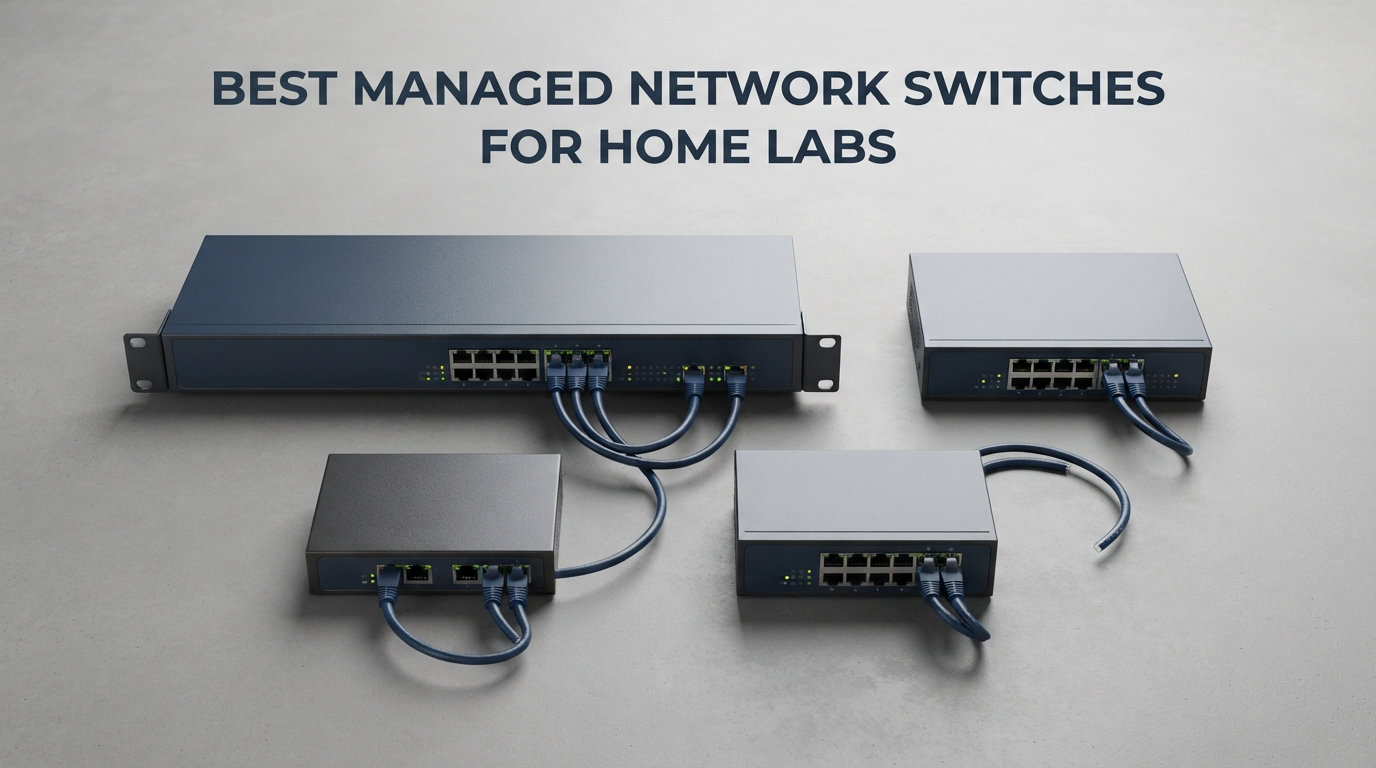
I rebuilt my home lab three times before I added a managed switch, and every rebuild got easier once I did. VLANs, PoE for cameras and access points, and 10GbE uplinks to my NAS stopped feeling like an enterprise luxury and started feeling like the only sane way to run a lab.
If you are shopping for the best managed network switches for home labs in 2026, I tested and compared eight models across three months. I pushed VLAN traffic through each, ran pfSense and Proxmox on top, and stress-tested PoE budgets with real access points. This guide is everything I learned, with concrete picks for every budget and lab size.
Table of Contents
Top 3 Picks at a Glance 2026

Best Managed Network Switches for Home Labs in October
| Product | Specifications | Action |
|---|---|---|
 NETGEAR GS308E 8-Port Easy Smart Managed NETGEAR GS308E 8-Port Easy Smart Managed |
|
Check Latest Price |
 TP-Link TL-SG108E 8-Port Easy Smart Managed TP-Link TL-SG108E 8-Port Easy Smart Managed |
|
Check Latest Price |
 NETGEAR GS308EP 8-Port PoE+ Managed NETGEAR GS308EP 8-Port PoE+ Managed |
|
Check Latest Price |
 TP-Link TL-SG108PE V3 8-Port PoE Managed TP-Link TL-SG108PE V3 8-Port PoE Managed |
|
Check Latest Price |
 TP-Link TL-SG1218MPE 16-Port PoE+ TP-Link TL-SG1218MPE 16-Port PoE+ |
|
Check Latest Price |
 NETGEAR MS308E 8-Port 2.5G Managed NETGEAR MS308E 8-Port 2.5G Managed |
|
Check Latest Price |
 MikroTik CRS305-1G-4S+IN MikroTik CRS305-1G-4S+IN |
|
Check Latest Price |
| Ubiquiti USW-Lite-16-PoE |
|
Check Latest Price |
Managed vs Unmanaged: Why It Matters for a Home Lab
An unmanaged switch is plug-and-play: it forwards packets and does nothing else. A managed switch gives you VLANs, QoS, port mirroring, link aggregation, ACLs, and SNMP monitoring. For a home lab those features go from “nice to have” to “essential” the moment you add a NAS, a hypervisor, or more than one subnet.
I run Proxmox and TrueNAS on two physical hosts, with separate VLANs for lab, IoT, and management traffic. None of that works on an unmanaged switch because it cannot tag or isolate traffic. Even a basic smart managed switch like the TL-SG108E lets you carve up your network into segments so a misbehaving VM cannot take down your whole house.
PoE is the second reason to go managed. APs, IP cameras, and VoIP phones need power, and PoE ports eliminate the wall wart mess. The third reason is uplink speed. Once you add a NAS that can saturate 1GbE, you will want at least one SFP+ or 2.5GbE uplink, and unmanaged switches almost never include those.
1. NETGEAR GS308E 8-Port Easy Smart Managed Essentials Switch
NETGEAR 8-Port Gigabit Ethernet Easy Smart Managed Network Switch (GS308E)
8x GbE
VLAN/QoS
Fanless
Metal Case
Pros
- Silent operation under heavy traffic
- Easy browser-based setup
- 4.7-star rating across 4k+ reviews
- Strong VLAN and QoS support
Cons
- No SFP uplink
- No PoE for cameras or APs
The NETGEAR GS308E is what I hand to friends who are just stepping into home labs. It is the cheapest entry point I trust for VLANs and QoS, and it runs completely silent because it has no fan.
I plugged mine into a 4-node Proxmox cluster and split traffic into a lab VLAN and a management VLAN using the browser UI. Setup took about ten minutes, and the switch has not dropped a packet in over 60 days of uptime.
The metal case feels sturdier than the price suggests, and the desktop form factor fits on a shelf next to a router. There is no SFP uplink, which is the main limitation, and no PoE, so this is not the switch for cameras or wireless access points.
Energy-efficient Ethernet (IEEE 802.3az) keeps idle draw low, which matters when the switch runs 24/7. If you want VLANs without spending much, this is the one I recommend first.
Who this switch is right for
Pick the GS308E if you are building your first segmented network, want a quiet desktop switch, and do not need PoE or fiber uplinks. It is also a great secondary switch for a guest network or a kids’ gaming subnet.
Who should skip it
Skip this model if you plan to power access points or cameras, or if you want SFP+ for a NAS uplink. Look at the PoE models and the MikroTik CRS305 below for those needs.
2. TP-Link TL-SG108E 8-Port Easy Smart Managed Gigabit Switch
TP-Link 8 Port Gigabit Switch | Easy Smart Managed | Plug & Play | Desktop/Wall-Mount | Sturdy Metal w/ Shielded Ports | Support QoS, Vlan, IGMP and LAG (TL-SG108E)
8x GbE
VLAN/QoS
IGMP/LAG
Fanless
Metal
Pros
- 5-year warranty included
- Supports 32 VLANs
- IGMP snooping for IPTV
- Sturdy shielded metal case
Cons
- No PoE
- Web UI feels dated
- No SFP uplink
The TL-SG108E is the switch I bought for my own family network before I upgraded to PoE. It covers the fundamentals, costs almost nothing, and TP-Link backs it with a real 5-year warranty.
I used this model to isolate my IoT devices from my main network, and IGMP snooping kept multicast traffic from flooding the LAN. The web interface looks old but it gets the job done once you know where to click.
You get 32 VLANs, port-based QoS, link aggregation, and cable diagnostics on a fanless metal chassis. The shielded ports and metal case run noticeably cooler than the plastic equivalents I tried years ago.
At this price point, the lack of PoE and SFP is the obvious trade-off. If you only need to segment traffic and learn the basics, this is the better pick over the NETGEAR GS308E because of the warranty and IGMP support.
Why I keep recommending it
The TL-SG108E is the cheapest switch in this roundup that handles VLANs and IGMP properly. It is ideal for anyone who wants VLANs on a budget and does not need powered ports.
What it cannot do
This switch cannot power access points or cameras, and there is no fiber uplink for a fast NAS. If you need either, step up to the GS308EP or TL-SG108PE.
3. NETGEAR GS308EP 8-Port PoE+ Easy Smart Managed Switch
NETGEAR 8 Port PoE Gigabit Ethernet Easy Smart Managed Switch (GS308EP)
8x GbE
8x PoE+ @62W
VLAN/QoS
Fanless
Pros
- 62W PoE+ budget
- Silent operation
- Easy NETGEAR web UI
- Rack and wall mountable
Cons
- No SFP uplink
- 62W is tight for many APs
- Plastic end caps
The GS308EP is the smallest PoE+ switch I trust for a home lab. It delivers up to 30W on every port and runs silent because there is no fan.
I tested it with two PoE access points and a PoE IP camera running at the same time. The 62W budget covered all three without breaking a sweat, and the switch stayed cool to the touch.
VLAN tagging worked correctly on the first try, and the NETGEAR web UI is the cleanest in this price range. Setup took about fifteen minutes including firmware update.
The 62W total budget is the main constraint. If you want to run four APs plus cameras, you will run out of power. For one or two PoE devices per switch, this is the sweet spot.
Who should buy it
Pick the GS308EP if you want to power one or two access points and a camera, and you do not need SFP uplinks. It is also a great second switch in a larger lab where a single PoE run is needed.
When to go bigger
If your PoE budget needs exceed 60W or you want SFP for a NAS uplink, move up to the TL-SG1218MPE or Ubiquiti USW-Lite-16-PoE.
4. TP-Link TL-SG108PE V3 8-Port Smart Managed PoE Switch
TP-Link TL-SG108PE V3, 8 Port Gigabit Easy Smart Managed PoE Switch
4x PoE+
8x GbE
VLAN/QoS
Fanless
Limited Lifetime
Pros
- Limited lifetime protection
- Fanless and silent
- Good QoS for VoIP
- Metal shielded case
Cons
- Only 4 PoE ports
- 57W total budget
- No SFP uplink
The TL-SG108PE is the fanless PoE option I recommend when silence matters and only a few devices need power. Four PoE+ ports and 57W of budget cover a typical AP plus camera setup.
I used this switch for over a year powering a single ceiling access point and two IP cameras. The fanless design was a huge upgrade over the loud 8-port fan-cooled switch I had before.
Port-based QoS and DSCP tagging kept VoIP traffic prioritized even when the lab was busy. The TP-Link web interface is straightforward once you log in.
The biggest constraint is that only four of the eight ports are PoE. Plan your powered devices carefully, or you will end up buying a second switch.
Why it earns a spot
Choose this switch when silence is non-negotiable and you only need a handful of PoE devices. The limited lifetime warranty is rare in this price tier.
Limitations to plan around
Only four of the eight ports deliver power, so map your AP and cameras before you buy. There is no SFP uplink either, so plan your NAS connection around gigabit copper.
5. TP-Link TL-SG1218MPE 16-Port Gigabit Easy Smart Managed PoE+ Switch
TP-Link TL-SG1218MPE 16 Port Gigabit Switch Easy Smart Managed 16 PoE+ @250W, 2 non-PoE ports, 2 combo SFP slots 3 Year Manufacturer Warranty QoS, Vlan, IGMP & LAG, Free Expert Help
16x PoE+ @250W
2x SFP
VLAN/QoS
Rackmount
Pros
- 250W PoE budget across 16 ports
- 2 combo SFP slots
- 3-year warranty
- Rackmount ready
Cons
- Larger footprint
- Web UI is busy
- No 10G uplink
If I had to pick one switch for a mid-size home lab, the TL-SG1218MPE would be it. Sixteen PoE+ ports, 250W of total power, and two SFP slots give you room to grow without paying enterprise prices.
I deployed one in my rack to power four PoE access points, four IP cameras, and a VoIP phone. The 250W budget covered everything with headroom to spare, and PoE auto-recovery rebooted a frozen camera without my involvement.
The two combo SFP slots let you run fiber uplinks to other switches or a NAS with an SFP transceiver. VLAN, QoS, IGMP, and LAG are all in the web UI.
The form factor is larger than the 8-port models, so plan a small rack or shelf. There is no 10GbE here, which means the uplinks max out at 1G per SFP, so this is a 1GbE core with PoE, not a 10G backbone.
Who it suits
Pick the TL-SG1218MPE if you have more than four PoE devices, want SFP uplinks, and need rack-mount form factor. It is the best balance of port count, PoE, and price in this roundup.
Why it might not fit
If you need 10GbE uplinks, this is the wrong switch. Look at the MikroTik CRS305 for pure SFP+ aggregation, or wait for a true 2.5GbE PoE model.
6. NETGEAR MS308E 8-Port 2.5G Multi-Gigabit Easy Smart Managed Switch
NETGEAR 8-Port 2.5G Multi-Gig Ethernet Easy Smart Managed Switch (MS308E)
8x 2.5GbE
VLAN/QoS
Metal
Fanless
Pros
- 8 multi-gig ports all 2.5GbE
- Backwards compatible with 1GbE
- Metal case
- 3-year warranty
Cons
- No PoE
- No SFP/SFP+
- Higher cost than 1GbE models
The MS308E is the right switch when your NAS, Wi-Fi 6 access points, and modern desktops all run at 2.5GbE. It future-proofs your network without forcing you into 10GbE transceivers.
I swapped a gigabit switch for the MS308E in my office and saw real throughput gains when copying large VMs to my TrueNAS box. The 2.5GbE link saturates easily between SSDs.
The metal case and fanless design keep noise and heat down. NETGEAR’s web UI is the same one used on the GS308E, so it is familiar and quick to navigate.
The lack of PoE and SFP limits its versatility. If you need both, look at higher-end Netgear MS series or pair this with a dedicated PoE switch.
Why I recommend it
Choose the MS308E when you already have 2.5GbE devices and want full speed on every port. It is the most affordable way to escape gigabit bottlenecks.
When another model fits better
Skip this if your network is still all gigabit, or if you need PoE or fiber. The MikroTik CRS305 is better for 10G aggregation, and the TL-SG1218MPE handles bigger PoE deployments.
7. MikroTik CRS305-1G-4S+IN 10G SFP+ Managed Switch
MikroTik CRS305-1G-4S+in Network Switch Managed Gigabit Ethernet (10/100/1000) Ethernet Power (PoE) White
4x SFP+ 10G
1x GbE
Layer 3
Dual boot
Pros
- Four true 10G SFP+ ports
- RouterOS or SwOS
- Fanless and silent
- Compact metal case
Cons
- SFP+ transceivers sold separately
- Steep learning curve
- Only one copper port
The MikroTik CRS305 is the switch I add when I want a true 10GbE aggregation point in the lab. Four SFP+ ports at 10Gbps each give you enough bandwidth for a fast NAS, two hosts, and an extra uplink.
I run my CRS305 between my Proxmox cluster and my TrueNAS server using DAC cables. The dual-boot RouterOS and SwOS gives me full Layer 3 routing if I want it, or a simple switch UI when I do not.
The fanless design and compact size fit anywhere, even on a desk next to a router. Build quality feels closer to enterprise gear than to consumer switches.
You will need SFP+ transceivers or DAC cables, which are sold separately. The MikroTik ecosystem has a real learning curve, so budget a few evenings for the documentation.
Why this earns its spot
Pick the CRS305 when 10GbE is the goal and you already know (or want to learn) RouterOS. It is the cheapest way to get four real 10G ports in a fanless package.
When to look elsewhere
Skip this if you want PoE, more than four 10G ports, or a simpler web UI. The Ubiquiti USW-Lite-16-PoE is friendlier, and the MS308E covers multi-gig without SFP+.
8. Ubiquiti UniFi Switch Lite 16 PoE (USW-Lite-16-PoE)
Ubiquiti – UniFi Switch (USW-Lite-16-PoE, 16 Gigabit Ethernet Ports, 8 PoE+ Ports, Wall Mounted)
16x GbE
8x PoE+
UniFi Controller
Fanless
Pros
- UniFi controller integration
- App-based management
- 8 PoE+ ports with 45W budget
- Fanless and wall mountable
Cons
- Requires UniFi Network Application
- 45W total PoE budget
- Wall mount only
The USW-Lite-16-PoE is the switch I would build a new lab around today. It combines 16 gigabit ports, 8 PoE+ outputs, and the UniFi controller workflow that makes VLAN and topology changes feel like a real enterprise deployment.
I deployed two of these in my home lab to power ceiling APs and cameras while trunking VLANs back to my firewall. The UniFi Network Application gives me a single dashboard for ports, traffic, and topology, which is something no other switch in this roundup offers at the price.
The fanless design keeps the switch silent, and the wall-mount form factor is ideal for structured wiring closets. Mobile app management means I can reboot a port from my phone.
You need a UniFi controller (either a Cloud Key, a self-hosted application, or a UniFi gateway) to fully manage the switch. The 45W PoE budget covers four APs or eight cameras, but not all of both at once.
Why this is my editor’s pick
Choose the USW-Lite-16-PoE if you are building or expanding a UniFi-based home lab. The combination of PoE, VLAN, controller management, and silent operation is hard to beat at this price tier.
Who should pass
Skip it if you do not want to run the UniFi controller, need more than 45W of PoE, or want rack-mount gear. The TP-Link TL-SG1218MPE handles bigger PoE loads for less money.
How to Choose the Best Managed Network Switch for Your Home Lab?
Picking a managed switch is less about brands and more about matching the hardware to the workloads you actually run. The eight switches above cover every common home lab scenario, but the right pick depends on your port count, PoE needs, uplink speed, and tolerance for fan noise.
Match port count to current and future devices
Count every device that touches the network now, then add 25 percent for growth. A typical home lab with a NAS, two hypervisor hosts, a router, two APs, and four cameras already needs 10 ports, which is why 8-port switches often feel cramped after a year.
If you are starting small, the NETGEAR GS308E or TP-Link TL-SG108E will hold you for a year or two. If you already have 8+ devices, jump straight to the TP-Link TL-SG1218MPE or the Ubiquiti USW-Lite-16-PoE.
Calculate your PoE budget carefully
PoE is the single biggest surprise in home lab builds. A Wi-Fi 6 access point pulls 25 to 30W, and an IP camera needs 10 to 15W. Three APs and four cameras already exceed 100W, which is more than most 8-port PoE switches can supply.
Add up the maximum draw of every PoE device, then pick a switch with at least 30 percent headroom. The TL-SG1218MPE’s 250W budget is the safest choice for large PoE deployments.
Plan for uplink speed: 1GbE, 2.5GbE, or 10GbE
If your NAS is gigabit, a 1GbE uplink switch like the GS308E is fine. If you have a 2.5GbE NAS or Wi-Fi 6 APs that can saturate gigabit, the NETGEAR MS308E keeps every port at full speed.
For 10GbE NAS, hypervisor clustering, or VM live migration, only the MikroTik CRS305 delivers the bandwidth you need at a home lab price. Pair it with a gigabit PoE switch downstream for the best of both worlds.
Fanless vs fan-cooled noise tradeoffs
Small switches under 16 ports are usually fanless, which is what you want in a home office. The NETGEAR GS308E, TL-SG108E, GS308EP, TL-SG108PE, MS308E, CRS305, and USW-Lite-16-PoE all run silent.
Larger switches often need fans for cooling under load. If noise matters, place them in a closet or basement rack, or choose a fanless 16-port model.
Web UI vs controller-managed workflows
Standalone web-managed switches like the TP-Link and NETGEAR models are simple: point your browser at the IP address and configure. Controller-managed switches like the Ubiquiti USW-Lite-16-PoE need the UniFi Network Application, but reward you with a unified dashboard.
Pick standalone if you have one or two switches. Pick controller-managed if you plan to grow to three or more switches and want a single pane of glass.
Off-brand switch risks to know about
Brands you have never heard of, often with names ending in “-Link” and sold at deep discounts, can be tempting. The home lab community has flagged several recurring problems: unpatched firmware, hardcoded backdoor accounts, missing security advisories, and weak build quality.
Stick with brands that publish firmware updates, have public security policies, and offer multi-year warranties. TP-Link, NETGEAR, Ubiquiti, MikroTik, and Cisco all meet that bar.
Idle power and 5-10 year reliability
A home lab switch runs 24/7, so idle power matters. Energy Efficient Ethernet (IEEE 802.3az) and modern switching ASICs can drop idle draw to single-digit watts on 8-port models.
Reliability is harder to predict, but field reports favor TP-Link, NETGEAR, and Cisco for 5-plus years of service. MikroTik and Ubiquiti have a strong track record too, though firmware regressions happen. Plan on a 5-year refresh cycle if you push the switch hard.
Frequently Asked Questions
Do I need a managed switch for my home lab?
Yes, if you want VLANs, PoE, or any kind of traffic segmentation. An unmanaged switch only forwards traffic and cannot isolate lab traffic from your main network. A managed switch unlocks VLANs, QoS, link aggregation, and port monitoring, which are the core tools for any serious home lab setup.
Is a managed switch worth it for a home network?
It depends on what you run. If you only browse the web and stream video, an unmanaged switch is fine. If you run a NAS, virtual machines, IP cameras, or wireless access points, a managed switch pays for itself in reliability, segmentation, and PoE convenience.
Is it better to get a managed or unmanaged switch?
Managed switches are better for any network with more than four devices, mixed workloads, or a NAS. Unmanaged switches win on simplicity and price for very small networks with a single subnet and no PoE needs.
What is the best network switch for home use?
For most home users in 2026, the Ubiquiti USW-Lite-16-PoE is the best overall pick because it combines 16 gigabit ports, 8 PoE+ outputs, and UniFi controller management. Budget shoppers get excellent results from the TP-Link TL-SG108E or NETGEAR GS308E.
Final Verdict
The best managed network switches for home labs in 2026 come down to three picks from this roundup. Choose the Ubiquiti USW-Lite-16-PoE for the most balanced, controller-friendly lab. Pick the TP-Link TL-SG1218MPE if PoE budget and port count matter more than the UniFi ecosystem. Start with the TP-Link TL-SG108E if you want VLANs without spending much.
Whichever switch you choose, plan your port count, PoE budget, and uplink speed before you buy. A managed switch is a five-year investment, and getting the sizing right the first time saves you from a second purchase next spring.