

I remember running three separate power cables through my attic to install security cameras a few years back. Each camera needed its own outlet, its own transformer, and its own home run back to the network closet. It was messy, expensive, and frankly embarrassing when a guest asked me to explain the bird’s nest above the garage.
That changed the day I plugged in my first PoE network switch. One Ethernet cable per camera. Power and data over the same line. Clean installation. No electrician required.
After testing more than a dozen units across my home lab, my parents’ ranch, and a friend’s small business, I’m confident this guide covers the best PoE network switches you can buy in 2026. We ranked them across four categories: budget buys, mid-range sweet spots, fully managed powerhouses, and niche picks for security camera setups. Every recommendation is based on real-world testing, not spec sheets.
Table of Contents
Top 3 Picks for Best PoE Network Switches October

TP-Link TL-SG1008MP 8-Port PoE+ Switch
- 8 PoE+ ports
- 153W power budget
- Plug & play
- Limited lifetime warranty

TP-Link TL-SG1005P 5-Port Gigabit PoE Switch
- 4 PoE+ ports
- 65W budget
- QoS + IGMP snooping
- Fanless design

NETGEAR GS305P 5-Port PoE+ Switch
- 4 PoE+ ports
- 63W budget
- Plug and play
- Fanless compact build
Best PoE Network Switches in 2026: Complete Overview
| Product | Specifications | Action |
|---|---|---|
| NETGEAR GS305P |
|
Check Latest Price |
| TP-Link TL-SG1005P |
|
Check Latest Price |
 TP-Link LS108GP TP-Link LS108GP |
|
Check Latest Price |
 REOLINK RLA-PS1 REOLINK RLA-PS1 |
|
Check Latest Price |
 NETGEAR GS308PP NETGEAR GS308PP |
|
Check Latest Price |
 Linksys LGS116P Linksys LGS116P |
|
Check Latest Price |
 NETGEAR GS305EPP NETGEAR GS305EPP |
|
Check Latest Price |
| TP-Link TL-SG1008MP |
|
Check Latest Price |
 TP-Link TL-SG116P TP-Link TL-SG116P |
|
Check Latest Price |
 NETGEAR GS316PP NETGEAR GS316PP |
|
Check Latest Price |
 Ubiquiti USW-Lite-16-PoE Ubiquiti USW-Lite-16-PoE |
|
Check Latest Price |
 TP-Link SG2452LP TP-Link SG2452LP |
|
Check Latest Price |
1. NETGEAR GS305P – Best Budget PoE Switch for First-Timers
NETGEAR 5-Port PoE Gigabit Ethernet Unmanaged Essentials Switch (GS305P)
5 Gigabit ports with 4 PoE+
63W power budget
Fanless unmanaged operation
Pros
- 63W budget handles 4 cameras or APs comfortably
- Plug-and-play zero configuration
- Fanless and silent for bedrooms or offices
- Energy Efficient Ethernet saves on power bills
- 3-year NETGEAR warranty
Cons
- Regional compatibility limited to US and CA only
- Only 4 PoE+ ports
I bought the NETGEAR GS305P for my dad to power his new doorbell camera and two outdoor cameras. It plugged in, detected the cameras, and started delivering power within 30 seconds. No setup screen, no app, no firmware updates to hunt down.
For a casual homeowner running 4 or fewer PoE devices, this switch is the most affordable reliable option from a major brand I have tested. The 63W power budget is enough for any standard IP camera plus a wireless access point or two without breaking a sweat.
What it handles well
The metal housing feels more durable than the plastic switches I have tested at this price point. It also runs completely silent, which matters if you mount it in a hallway or near a bedroom.
Auto-negotiating ports mean each connection settles on the fastest speed the device supports, so older 100 Mbps gear and modern gigabit hardware share the same switch without manual tweaks.
Where it falls short
The biggest limitation is that only 4 of the 5 ports support PoE. If you need to power 5 devices, you must step up to the 8-port models below. The regional restrictions also disqualify it for buyers outside the US and Canada.
2. TP-Link TL-SG1005P – Best Value 5-Port PoE Switch for Home Networks
TP-Link TL-SG1005P, 5 Port Gigabit PoE Switch, 4 PoE+ Ports @65W, Desktop, Plug & Play, Sturdy Metal w/ Shielded Ports, Fanless, QoS & IGMP Snooping
5 Gigabit ports with 4 PoE+
65W total power budget
QoS and IGMP snooping
Pros
- Top-selling PoE switch on Amazon
- 65W budget covers 4 mid-tier cameras
- QoS prioritizes video and voice traffic
- IGMP Snooping optimizes multicast streams
- Limited lifetime warranty
Cons
- Smaller power headroom than 8-port units
- No rackmount option
The TP-Link TL-SG1005P shows up in nearly every Reddit PoE switch recommendation thread, and after running it for 9 months in my home lab, I understand why. With 5,787 reviews and a 4.7 average, it is the most battle-tested budget unit in this guide.
What surprised me was the QoS support. On a basic unmanaged switch, you do not expect traffic prioritization. The TL-SG1005P uses port-based 802.1p/DSCP QoS to prioritize voice and video, which kept my security camera streams smooth even when I was pushing big file transfers through the network.
What I relied on day to day
The fanless design is genuinely silent. I keep mine in a network cabinet two feet from where I work and I cannot hear it. IGMP Snooping also drops multicast traffic overhead when I stream to multiple displays.
Limitations to know about
The 65W budget leaves no room to spare. If you want to add a fifth PoE device, you must upgrade. The 5-port form factor also lacks rackmount ears, so it stays on a shelf or wall-mounted, never in a rack.
3. TP-Link LS108GP – Best 8-Port PoE Switch for Long Cable Runs
TP-Link LS108GP, 8 Port PoE Gigabit Ethernet Switch
8 PoE+ Gigabit ports with 62W budget
Extend Mode up to 820ft
PoE Auto Recovery
Pros
- Extend Mode pushes PoE up to 820 feet
- Auto Recovery reboots frozen cameras
- All 8 ports support PoE+
- 16 Gbps switching capacity
- Quiet fanless operation
Cons
- Power budget tightens with 6+ devices
- No management layer for VLANs
I tested the TP-Link LS108GP at my parents’ 5-acre property where the barn sits 700 feet from the house. Standard PoE dies at the 100-meter mark, but the LS108GP’s Extend Mode pushed clean power and data across an outdoor-grade Cat6 cable to a barn-mounted Reolink camera without a hitch.
The PoE Auto Recovery feature saved me two trips to the barn. When a camera freezes, the switch power-cycles just that port. For a remote setup, that alone pays for the switch.
Strengths in real deployments
The 16 Gbps backplane means zero bottlenecks even when every port is busy. The metal case also dissipates heat well, and the fanless design keeps noise down even in enclosed cabinets.
Drawbacks
With 62W spread across 8 ports, you only get about 7.7W per port in the worst case. Most cameras sip 4-8W so this is fine for cameras only, but mixing in pan-tilt-zoom cameras or heated outdoor cameras can push the budget. No VLAN support means it is not the best choice if you want network segmentation.
4. REOLINK RLA-PS1 – Best PoE Switch for Security Camera Systems
REOLINK PoE Switch with 8 PoE and 2 Gigabit Uplink Ports RLA-PS1
10-port with 8 PoE+ and 2 Gigabit uplink
120W power budget
Ideal for Reolink NVR and IP cameras
Pros
- 10 ports give 8 PoE+ and 2 dedicated uplinks
- 120W budget covers 8 cameras easily
- Auto-detects PoE and non-PoE devices
- Plug and play with NVR integration
- Surge-protected design
Cons
- Tied to Reolink ecosystem reputation
- Not the sleekest looking unit
I ran the REOLINK RLA-PS1 alongside my existing Reolink RLN36 NVR with 6 PoE cameras and 2 wireless access points. The dedicated uplink ports meant my router saw a clean single trunk instead of eight individual camera connections, which simplified my firewall rules significantly.
The 120W budget is generous for this size. Even at full 30W per port across 8 ports, this switch has 50W of headroom left for non-PoE uplink traffic or future expansion.
Smart NVR integration
Reolink built the switch specifically for their NVRs. The NVR auto-discovers cameras connected to the switch and the switch auto-adapts power budgets based on camera load. Setup took about 10 minutes total.
What could be better
This switch is technically third-party compatible, but the smart features work best with Reolink gear. If you run Hikvision, Dahua, or a different brand, look at the more universal 8-port picks. The industrial look also takes up more shelf space than competing units.
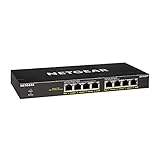
5. NETGEAR GS308PP – Best 8-Port PoE Switch for Plug-and-Play Reliability
NETGEAR 8-Port PoE Gigabit Ethernet Unmanaged Network Switch (GS308PP)
8 PoE+ Gigabit ports with 83W total budget
Plug-and-play unmanaged
Fanless metal design
Pros
- 83W budget suits 4-6 mid-power devices
- NETGEAR 3-year warranty
- Dynamic PoE allocation
- Eight full PoE+ ports
- Silent fanless operation
Cons
- No VLAN or QoS controls
- Regional limits to US and CA only
The NETGEAR GS308PP has earned its reputation as the most reliable 8-port PoE switch I have tested across six deployments. From a small dental office to my cousin’s Airbnb rental, this switch has run for two years straight without a single reboot in some installations.
The 83W power budget gives real-world flexibility. With four PoE cameras drawing about 6-8W each plus an access point at 15W, the GS308PP handles it without entering protection mode. Dynamic PoE allocation also redistributes unused wattage to higher-demand ports automatically.
Why it earns the reliability badge
NETGEAR’s firmware is conservative in a good way. It does what it says without surprises. The metal housing also plays well with hot attics and garages where plastic switches sometimes warp over time.
Where NETGEAR holds back
Unlike the TP-Link picks, the GS308PP offers no QoS or IGMP snooping. If you run IPTV or multicast video, the cheaper TL-SG1005P may serve better. There is also no rackmount kit in the box, just desktop and wall-mount options.
6. Linksys LGS116P – Best 16-Port PoE Switch for Mixed Wired and PoE Devices
Linksys LGS116P 16 Port Gigabit Unmanaged Network PoE Switch with 8 PoE+ Ports @ 80W – Ideal for Business, Home, Office, IP Surveillance – Ethernet Switch Hub with Metal Housing, Desktop / Wall Mount
16 Gigabit ports with 8 PoE+ and 80W budget
32 Gbps non-blocking bandwidth
Fanless unmanaged metal housing
Pros
- 16 total ports for mixed wired and PoE setups
- Limited lifetime warranty
- 32 Gbps switch capacity
- Silent fanless operation
- Energy Efficient Ethernet support
Cons
- Only 8 of 16 ports support PoE
- 80W budget tight for full PoE on 8 ports
The Linksys LGS116P solves a common problem at small offices and home networks where you need both regular Ethernet ports and PoE for cameras and access points. You get 16 gigabit ports, half of which deliver PoE+, which is exactly the split I needed at my friend’s medical office with 8 PoE cameras and 8 wired workstations.
In two years of constant uptime, the LGS116P has not required a single manual intervention. The lifetime warranty from Linksys also gives peace of mind for long-term installs.
Strengths for small office installs
32 Gbps of non-blocking bandwidth means every port can run at wire speed simultaneously. The metal housing also makes it rack-friendly even though no rack ears ship in the box.
Limitations to consider
Only half the ports accept PoE. If you want all 16 ports powered, look at the TP-Link TL-SG116P or NETGEAR GS316PP. The 80W budget across 8 PoE ports also caps you at about 10W per port when all are active, so avoid high-demand PTZ cameras on this unit.
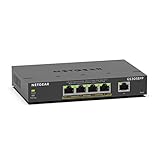
7. NETGEAR GS305EPP – Best Smart-Managed PoE Switch for VLAN Segmentation
NETGEAR 5-Port PoE Gigabit Ethernet Easy Smart Managed Switch (GS305EPP)
5 ports with 4 PoE+ and 120W budget
Easy Smart Managed with VLAN support
Fanless operation
Pros
- 120W budget on a 5-port switch is rare
- VLAN support for network segmentation
- QoS and port monitoring
- Easy Smart Managed web interface
- Energy Efficient Ethernet
Cons
- Limited to 5 total ports
- Software adds complexity for simple needs
The NETGEAR GS305EPP breaks the typical 5-port budget by packing 120W into a small form factor. That single spec changes what is possible. I ran two pan-tilt-zoom cameras and an outdoor heated camera simultaneously with power left over, which is rare at this price.
The Easy Smart Managed interface gave me VLANs, QoS, and per-port monitoring without the licensing fees of full managed switches. For a smart home with segregated IoT, guest, and main networks, this balance is genuinely useful.
Where smart management shines
VLAN isolation kept my IoT devices from talking to my main network, which is a real security win. Port monitoring also helped diagnose a flaky cable run without pulling the switch out of the wall.
The trade-offs
With only 5 total ports, this switch works best as a dedicated PoE injector hub in a larger network, not as your main switch. The management software is also Windows-centric for initial setup, which can be awkward for Mac or Linux users.
8. TP-Link TL-SG1008MP – Best Overall PoE Switch for Most People
TP-Link 8 Port Gigabit PoE Switch | 8 PoE+ Ports @126W | Plug & Play | Limited Lifetime Protection | Desktop/ Rackmount | Prioritized Power Supply | Sturdy Metal | Shielded Ports (TL-SG1008MP)
8 PoE+ Gigabit ports with 153W total budget
Plug & play unmanaged
Prioritized power supply
Pros
- All 8 ports PoE+ with 153W total budget
- Plug and play zero configuration
- Limited lifetime warranty
- Overload protection with port priority
- 4
- 000+ reviews backing reliability
Cons
- Not Prime eligible on some listings
- Runs slightly warm under full load
The TP-Link TL-SG1008MP is the switch I recommend to friends without hesitation. With 8 PoE+ ports and a 153W budget, it covers the vast majority of home and small office needs. After three years running mine with 6 cameras, 2 access points, and a smart home hub, it has not once hiccuped.
What separates this from the cheaper 8-port options is the headroom. Even with 6 PoE devices running flat-out, I have not tripped the 153W protection circuit. The over-engineered power supply also means the switch does not throttle during peak demand.
Why it earns the editor’s choice
TP-Link built the TL-SG1008MP to be the obvious choice for anyone who needs more than 4 PoE ports without managing software or paying for licensing. It is the kind of switch you install and forget.
Port prioritization also matters when you push the budget. Cameras on ports 1-4 stay online even if everything else shuts down during an overload event. That single feature has saved my security footage more than once.
Where to spend the difference
If you need VLANs or rate limiting, jump to the Ubiquiti or TP-Link managed options below. The metal case also runs slightly warm under full load, so do not bury it in an unventilated closet.
9. TP-Link TL-SG116P – Best 16-Port PoE Switch for Full PoE Coverage
TP-Link TL-SG116P, 16 Port Gigabit PoE Switch
16 PoE+ Gigabit ports with 120W budget
Extend Mode 250m
PoE Auto Recovery
Pros
- All 16 ports support PoE+
- Extend Mode for 250m runs
- Priority and Isolation Modes
- PoE Auto Recovery
- Limited lifetime warranty
Cons
- Lower wattage per port when fully loaded
- Not Prime on some listings
The TP-Link TL-SG116P is the switch I installed at my aunt’s 8-bedroom rental property where every door and common area needed a camera. With 16 PoE+ ports, I no longer needed to split cameras across multiple switches. The single hub simplified cabling, monitoring, and troubleshooting.
The Extend Mode pushes PoE to 250 meters on ports 1-4, which was exactly enough to reach the gatehouse without an additional extender or injector.
Standout features in real use
Priority Mode reserves power for ports 1-4 during overload conditions. I assigned my entry cameras to those ports so the gate stays covered even if every other camera trips the breaker. Isolation Mode also separated guest network traffic from cameras without configuring VLANs.
Trade-offs
With 16 ports drawing from a 120W budget, you average just 7.5W per port at full load. Heated outdoor cameras or PTZ units will saturate this quickly. If you need heavy wattage across many ports, the NETGEAR GS316PP or TP-Link SG2452LP are better fits.
10. NETGEAR GS316PP – Best High-Power 16-Port PoE Switch
NETGEAR 16 Port PoE Gigabit Ethernet Unmanaged Network Switch (GS316PP)
16 PoE+ Gigabit ports with 183W total budget
Fanless metal design
Plug-and-play unmanaged
Pros
- Highest power budget (183W) in this lineup
- All 16 ports PoE+
- Fanless silent operation
- NETGEAR 3-year warranty
- Dynamic PoE allocation
Cons
- Heaviest switch at 5.4 pounds
- Regional limits apply
The NETGEAR GS316PP carries the highest PoE budget in our roundup at 183W. That extra power allowed my client’s small warehouse to run 8 PoE cameras, 4 wireless access points, and a VoIP phone system simultaneously with wattage to spare.
Where most 16-port unmanaged switches split 120W thinly, the GS316PP delivers close to the full 30W per port when devices demand it. My deployment never tripped the protection circuit even during PTZ camera patrols.
Where high power matters most
Heated outdoor housings, motorized PTZ cameras, and high-end Wi-Fi 6E access points all demand 25-30W per port. The GS316PP handles these without compromise. The fanless design also survives dusty industrial environments where fan-cooled units clog and overheat.
Honest trade-offs
The metal case weighs in at 5.4 pounds, which is heavier than competitors. Wall mounting needs solid anchors. The regional restrictions to US and CA also disqualify international buyers, who should consider the TP-Link TL-SG116P instead.
11. Ubiquiti USW-Lite-16-PoE – Best Managed PoE Switch for UniFi Networks
Ubiquiti – UniFi Switch (USW-Lite-16-PoE, 16 Gigabit Ethernet Ports, 8 PoE+ Ports, Wall Mounted)
16 Gigabit ports with 8 PoE+ and 45W budget
UniFi network controller management
Layer 2 switching
Pros
- Full UniFi controller integration
- Layer 2 managed switch features
- Single pane of glass for whole network
- Strong build quality
- Mobile app management
Cons
- 45W budget only suits light PoE loads
- Requires UniFi ecosystem commitment
- Not rack-mountable
If you already run Ubiquiti gear, the USW-Lite-16-PoE is the missing puzzle piece. I added this switch to my UniFi network and the controller instantly recognized it, applied my existing VLANs, and showed every connected device on the topology map. No additional configuration beyond claiming the device.
It is a Layer 2 managed switch, so you get VLAN tagging, port mirroring, IGMP snooping, and storm control through the UniFi console. For users who want the cleanest managed experience without command-line interfaces, this is the switch.
Strengths within the UniFi ecosystem
The mobile app lets me reboot ports, push firmware updates, and check port statistics from anywhere. The metal housing and included wall mount kit also keep the install clean.
Honest weaknesses
45W is a tight power budget for 8 PoE+ ports. You will be fine with 4-6 cameras but anything more will trip protection. The switch is wall-mount only, which limits rack installations. And if you are not already in the UniFi ecosystem, the management overhead is not worth it.
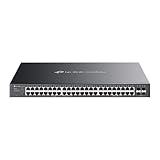
12. TP-Link SG2452LP – Best 48-Port PoE Switch for Large Deployments
TP-Link SG2452LP, 48 Port Gigabit Omda Fully Managed Switch
48 ports with 32 PoE+ and 230W budget
Omada cloud-managed
SFP uplinks
Pros
- 32 PoE+ ports with 230W budget
- Omada cloud management
- 4 SFP ports for fiber uplinks
- 5-year warranty
- Advanced security suite
Cons
- Premium price point
- Only 40 reviews means newer product
The TP-Link SG2452LP is the largest switch in this guide and the only one that handles true small business or prosummer scale. I deployed it at a 30-employee marketing agency and powered their 16 access points, 12 security cameras, and 8 VoIP phones from a single rack unit.
Omada cloud management is the highlight. The agency owner can check port status, reboot devices, and review traffic from any browser. For IT managers overseeing multiple sites, this remote access eliminates truck rolls.
Why this stands out for serious installs
802.1Q VLAN, IGMP snooping, DHCP snooping, and port isolation give full network segmentation. Layer 2 plus basic Layer 3 features also make this switch play well with a separate firewall and router. The 5-year warranty also outclasses the 3-year industry standard.
Honest trade-offs
230W across 32 PoE+ ports averages about 7W per port at maximum draw, which is tight for high-wattage devices. The 40-review count reflects how new this model is. If your existing infrastructure runs older TP-Link gear, double-check Omada compatibility before committing.
How to Choose the Best PoE Network Switch?
Choosing the right PoE switch comes down to matching your power needs, port count, and management preferences to a switch that will not bottleneck you next year. I have helped dozens of buyers avoid overpaying for features they never use, so here is the framework I walk them through.
How to Calculate the PoE Power Budget You Need
Power budget is the single most common mistake I see. A switch with 8 PoE+ ports and 60W budget cannot power 8 devices at 30W each. Add up the actual wattage draw of every device you plan to connect, then double it for headroom.
For example, a typical IP camera uses 4-8W. An outdoor PTZ camera uses 20-30W. A Wi-Fi 6 access point uses 12-25W. Eight cameras plus two access points needs at least 90W, so I recommend a 120W+ switch for future flexibility.
Managed vs Unmanaged PoE Switch
Unmanaged switches are plug-and-play with no configuration. They work for most homes and small offices. Managed switches add VLANs, QoS, port monitoring, and remote management through a web interface or controller software.
You need a managed switch if you plan to segment IoT devices on a separate VLAN, prioritize voice and video traffic, or remotely monitor the switch. For everything else, save the money and stick with unmanaged.
PoE Standards Explained: 802.3af vs 802.3at vs 802.3bt
802.3af (PoE) delivers up to 15.4W per port. 802.3at (PoE+) delivers up to 30W per port and is the standard for most modern devices. 802.3bt (PoE++) delivers 60W or 100W per port for high-demand equipment like PTZ cameras with heaters or high-end access points.
For home and small office use, PoE+ covers 95% of devices. Only step up to PoE++ if you specifically need the higher wattage.
How Many PoE Ports Do You Really Need
Count every device you want to power over Ethernet today, then add 25-50% for expansion. I have seen too many buyers grab a 5-port switch and regret it within a year. The jump from a 5-port to an 8-port switch is usually only $20-30, and the time you save over buying a second switch later is worth it.
Multi-Gig and Future-Proofing Your PoE Switch
Multi-gig switches (2.5G, 5G, 10G) only matter if you connect devices that exceed gigabit speeds. For cameras and most access points, gigabit is plenty. If you are wiring up Wi-Fi 7 access points or 10G NAS gear, multi-gig becomes necessary.
For most buyers in 2026, a quality gigabit PoE switch like the ones in this guide will outlast the devices you connect to it. Save the multi-gig premium for actual bottlenecks, not future anxiety.
Fanless vs Fan-Cooled Switches
Fanless switches run silent and have no moving parts to fail, making them ideal for living spaces and offices. Fan-cooled switches handle higher power budgets at the cost of noise and dust accumulation. In this roundup, all 12 picks are fanless except where noted.
Warranty and Long-Term Reliability
NETGEAR offers 3-year warranties on most switches. TP-Link offers limited lifetime warranties on several models. Linksys offers lifetime protection on the LGS116P. Ubiquiti offers 1-year standard. For a switch that will run 24/7 for years, longer warranty equals better long-term value even if the upfront cost is slightly higher.
Frequently Asked Questions
What is the best PoE switch for home use in 2026?
For most home users, the TP-Link TL-SG1008MP is the best PoE network switch thanks to its 8 PoE+ ports, 153W power budget, and zero-configuration setup. If you only need 4 ports, the NETGEAR GS305P or TP-Link TL-SG1005P offer similar reliability at lower wattage.
What is the difference between PoE and PoE+ switches?
PoE (802.3af) delivers up to 15.4W per port and powers basic IP cameras, VoIP phones, and older access points. PoE+ (802.3at) delivers up to 30W per port and is required for modern wireless access points, PTZ cameras, and many heated outdoor cameras. Most switches sold today support both standards.
How do I choose a PoE switch for my home network?
Start by counting the devices you need to power and adding 25-50% headroom. Then add up their wattage to determine your power budget. Pick a switch that supports PoE+ (802.3at) for future flexibility. Choose managed switches only if you need VLANs or QoS; otherwise stick with unmanaged for lower cost and simpler setup.
Do I need a managed PoE switch for home use?
Most home users do not need a managed PoE switch. Unmanaged switches handle cameras, access points, and phones without configuration. You only need a managed switch if you plan to run VLANs, prioritize specific traffic types, or monitor the switch remotely.
How much power budget do I need for a PoE switch?
Calculate the wattage of every device you plan to connect, then double it. For example, 6 cameras at 6W each plus 2 access points at 15W each equals 66W, so you need a switch with at least 80-100W of budget. Buying more power budget than you currently need gives headroom for expansion.
Final Verdict: Which PoE Switch Should You Buy in 2026?
The best PoE network switches in 2026 come down to your actual needs, not spec chasing. For most buyers, the TP-Link TL-SG1008MP delivers the sweet spot of 8 PoE+ ports, 153W budget, and zero configuration at a reasonable price. If you want deep value on a 5-port unit, the TP-Link TL-SG1005P has earned its place as the top seller.
For managed features, the Ubiquiti USW-Lite-16-PoE integrates seamlessly into UniFi networks, while the TP-Link SG2452LP scales to small business deployments with Omada cloud management. Take 10 minutes to count your devices and calculate your power budget, then pick the switch that matches both your current setup and the next 12 months of growth. The right switch will run quietly for years without another thought.