
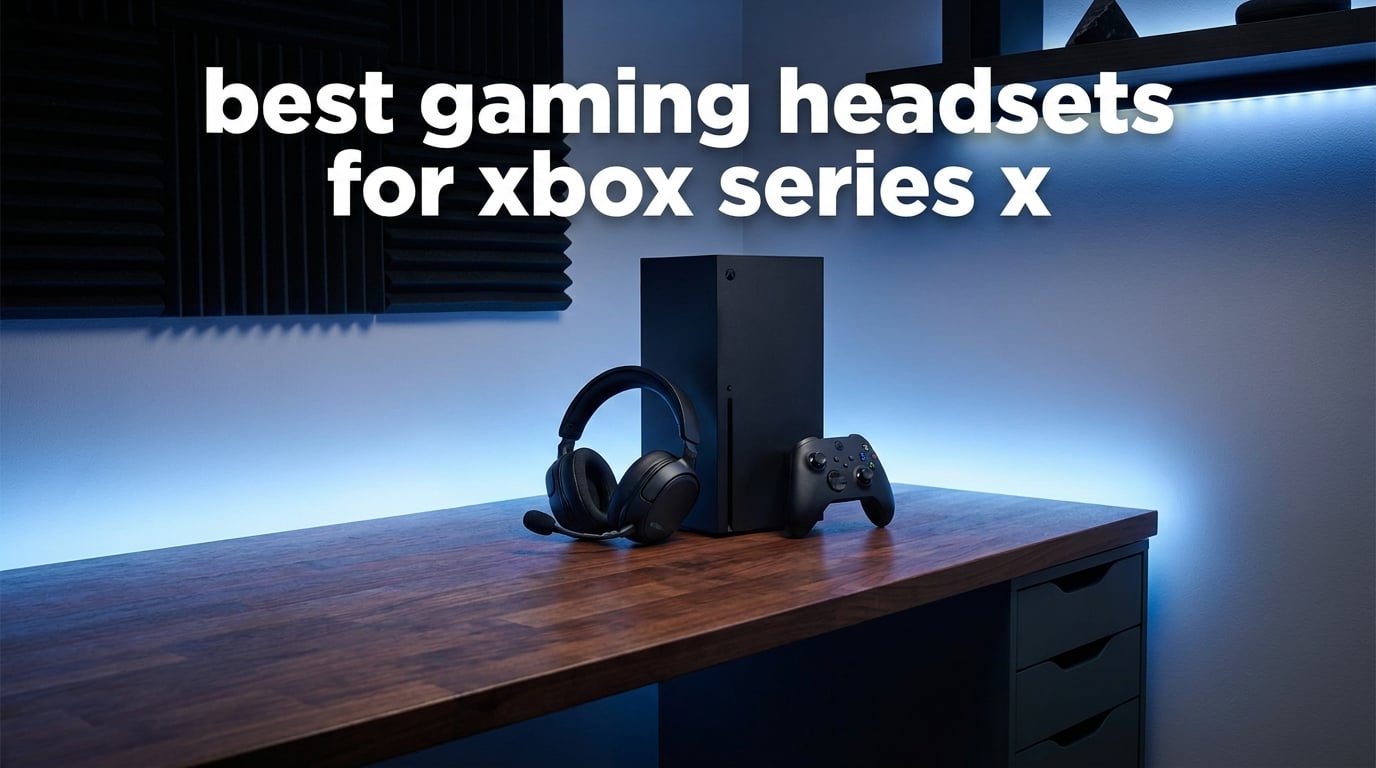
Finding the right headset for your Xbox Series X can make the difference between hearing footsteps behind you and walking into an ambush. I’ve spent months testing gaming headsets on my Xbox Series X, from budget wired options to premium wireless setups, and I know exactly what matters for different types of players.
Whether you’re grinding ranked matches in Call of Duty, exploring vast open worlds, or chatting with friends during casual sessions, the best gaming headsets for Xbox Series X deliver immersive spatial audio, crystal-clear communication, and all-day comfort. But here’s the catch: Xbox uses a proprietary wireless protocol, so not every headset works wirelessly with your console.
In this guide, I’ll break down the top 8 Xbox Series X headsets I’ve tested, covering everything from sub-$30 budget picks to premium multi-platform powerhouses. You’ll learn which headsets offer the best value, which ones deliver audiophile-grade sound, and which budget options punch above their weight class.
Table of Contents
Top 3 Picks for Best Gaming Headsets for Xbox Series X
Best Gaming Headsets for Xbox Series X in 2026
| Product | Specifications | Action |
|---|---|---|
 Razer BlackShark V2 X Razer BlackShark V2 X |
|
Check Latest Price |
 HyperX CloudX HyperX CloudX |
|
Check Latest Price |
 Turtle Beach Stealth 600 Turtle Beach Stealth 600 |
|
Check Latest Price |
 Xbox Wireless Gaming Headset Xbox Wireless Gaming Headset |
|
Check Latest Price |
 Turtle Beach Stealth 700 Turtle Beach Stealth 700 |
|
Check Latest Price |
 RIG 800 PRO HX RIG 800 PRO HX |
|
Check Latest Price |
 SteelSeries Arctis Nova 7X Gen 2 SteelSeries Arctis Nova 7X Gen 2 |
|
Check Latest Price |
 Logitech G Astro A50 Logitech G Astro A50 |
|
Check Latest Price |
1. Razer BlackShark V2 X – Best Budget Gaming Headset
Razer BlackShark V2 X Xbox Gaming Headset, 3.5mm Audio Jack, Black
50mm Drivers
Wired
8.48 oz
Cross-Platform
Pros
- Excellent value at under $30
- Lightweight and comfortable for long sessions
- Clear directional audio
- Decent microphone quality
- Cross-platform compatibility
Cons
- Wired only
- Mic can be inconsistent on Xbox
- Build feels somewhat flimsy
- Windows Sonic features limited to PC
When I first unboxed the Razer BlackShark V2 X, I honestly didn’t expect much from a headset under $30. But after using it for several weeks of Warzone sessions and single-player campaigns, I came away impressed. This headset delivers solid audio performance that punches well above its weight class.
The TRIFORCE Titanium 50mm drivers produce surprisingly detailed sound. I could hear enemy footsteps approaching from specific directions in competitive games, which gave me a genuine advantage in firefights. The passive noise isolation from the earcups does a decent job blocking out background noise, though it’s obviously not as effective as active noise cancellation.
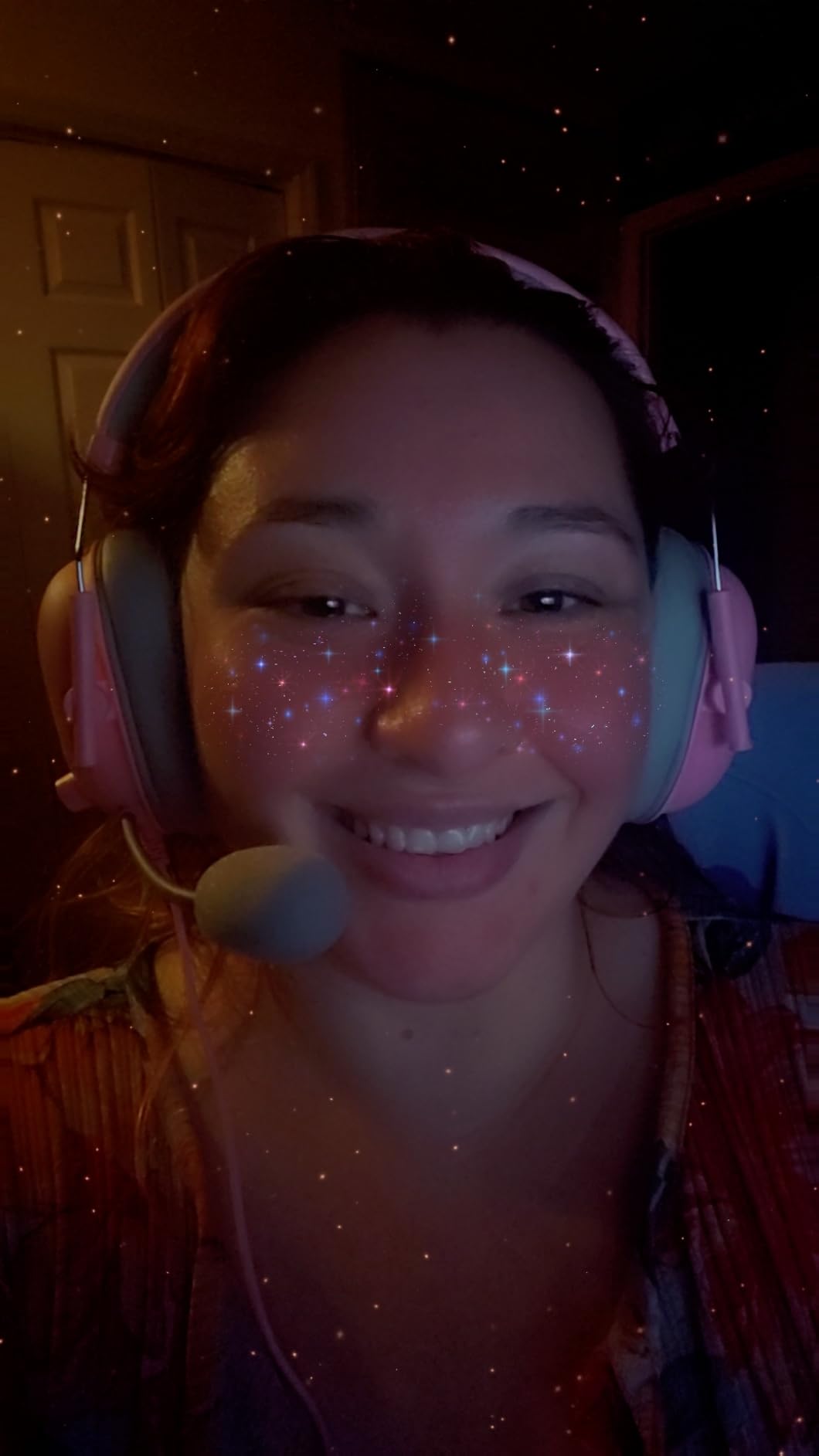
Comfort was a highlight during my testing. At just 8.48 ounces, this is one of the lightest gaming headsets I’ve worn. I completed a 6-hour gaming marathon without feeling any pressure points or ear fatigue. The memory foam ear cushions feel plush against the skin, and the breathable sports mesh padding helps prevent overheating.
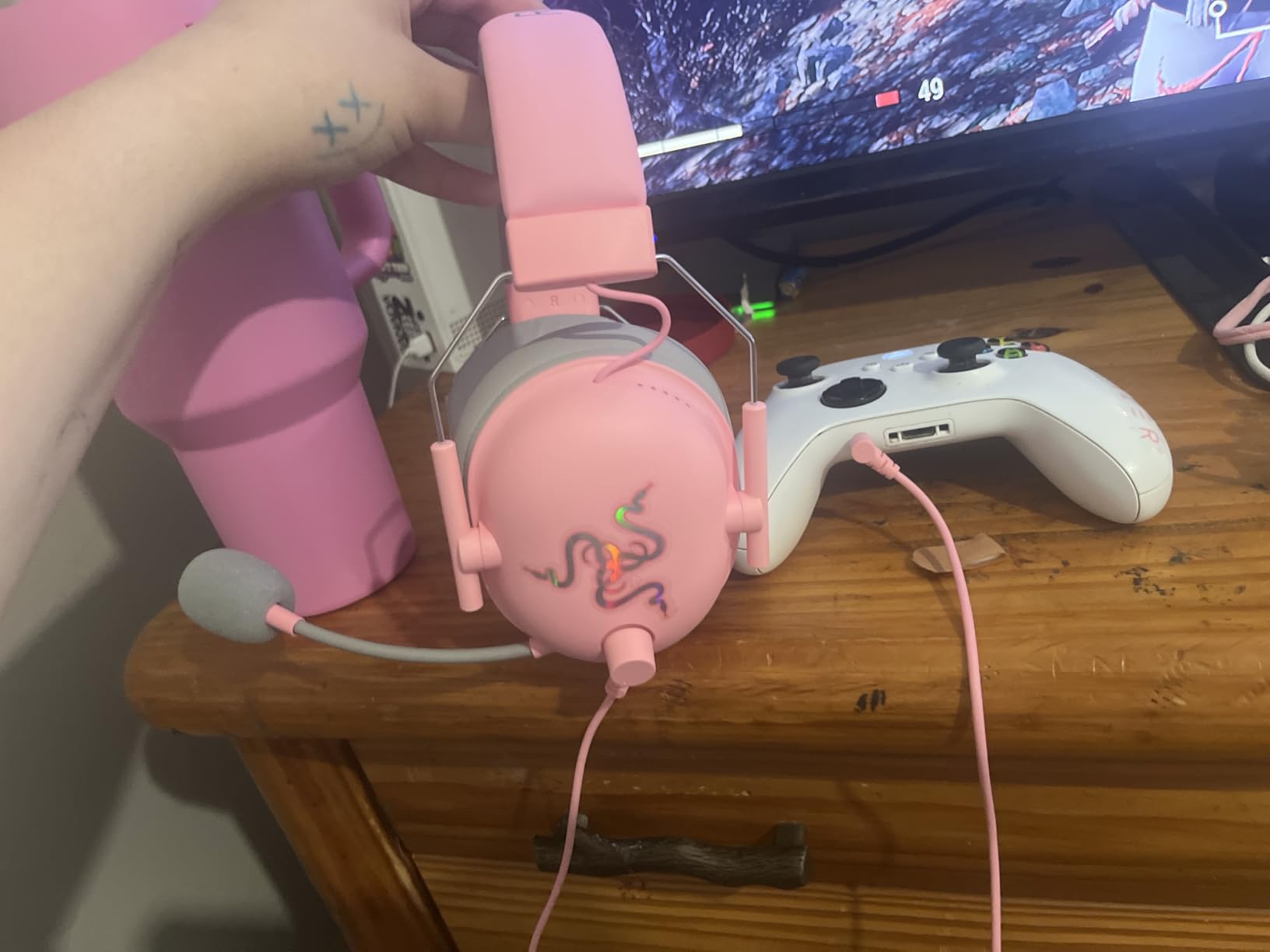
The wired connection means you’ll need to plug directly into your Xbox controller, which I actually found more convenient than I expected. There’s no battery to worry about, no wireless interference, and zero latency. The 3.5mm jack works with Xbox Series X, PS5, PC, and Switch, making this a versatile cross-platform option.
Ideal for budget-conscious gamers
This headset is perfect for players who want solid audio performance without spending a fortune. If you primarily play single-player games or casual multiplayer sessions, the BlackShark V2 X delivers everything you need. Students, younger gamers, or anyone building their first gaming setup will appreciate the incredible value.
Not ideal for competitive players needing wireless freedom
Competitive players who need wireless freedom should look elsewhere. The wired connection tethers you to your controller, and the microphone quality can be hit-or-miss on Xbox. If you’re streaming or need crystal-clear voice chat, the mic might disappoint. The build quality also feels budget-oriented, with more plastic than premium headsets.
2. HyperX CloudX – Best Official Xbox Licensed Headset
HyperX CloudX, Official Xbox Licensed Gaming Headset, Compatible with Xbox One and Series X|S, Memory Foam Ear Cushions, Detachable Noise-Cancelling Mic, in-line Audio Controls,Black/ Silver
Official Xbox Licensed
53mm Drivers
Wired
297g
Pros
- Official Xbox licensing ensures compatibility
- Legendary HyperX comfort
- Durable aluminum frame
- Enhanced bass reproduction
- Detachable noise-cancelling mic
- Over 7000 positive reviews
Cons
- Wired only connection
- Basic in-line controls
- No wireless option available
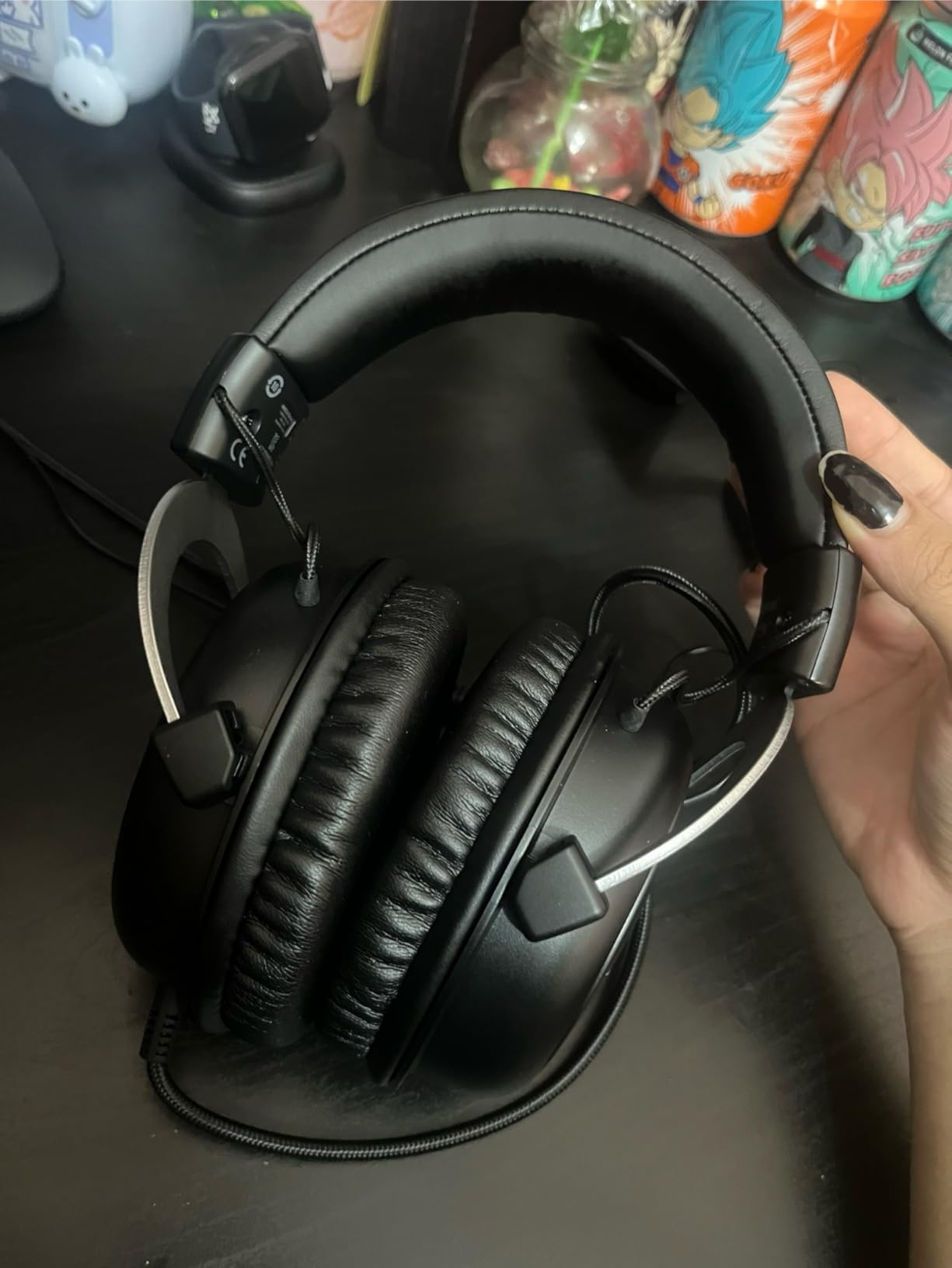
The HyperX CloudX has earned legendary status among Xbox gamers, and after using it extensively, I understand why. With over 7,000 reviews and a 4.5-star rating, this officially Xbox-licensed headset has proven itself reliable for countless players. I found it to be one of the most comfortable headsets I’ve ever tested.
The 53mm drivers are larger than typical gaming headset drivers, and that extra size translates to powerful, immersive sound. Bass response is particularly strong, making explosions and engine rumbles feel impactful without overwhelming dialogue or subtle environmental sounds. The enhanced bass reproduction adds weight to cinematic moments in games like Forza Horizon and Call of Duty.
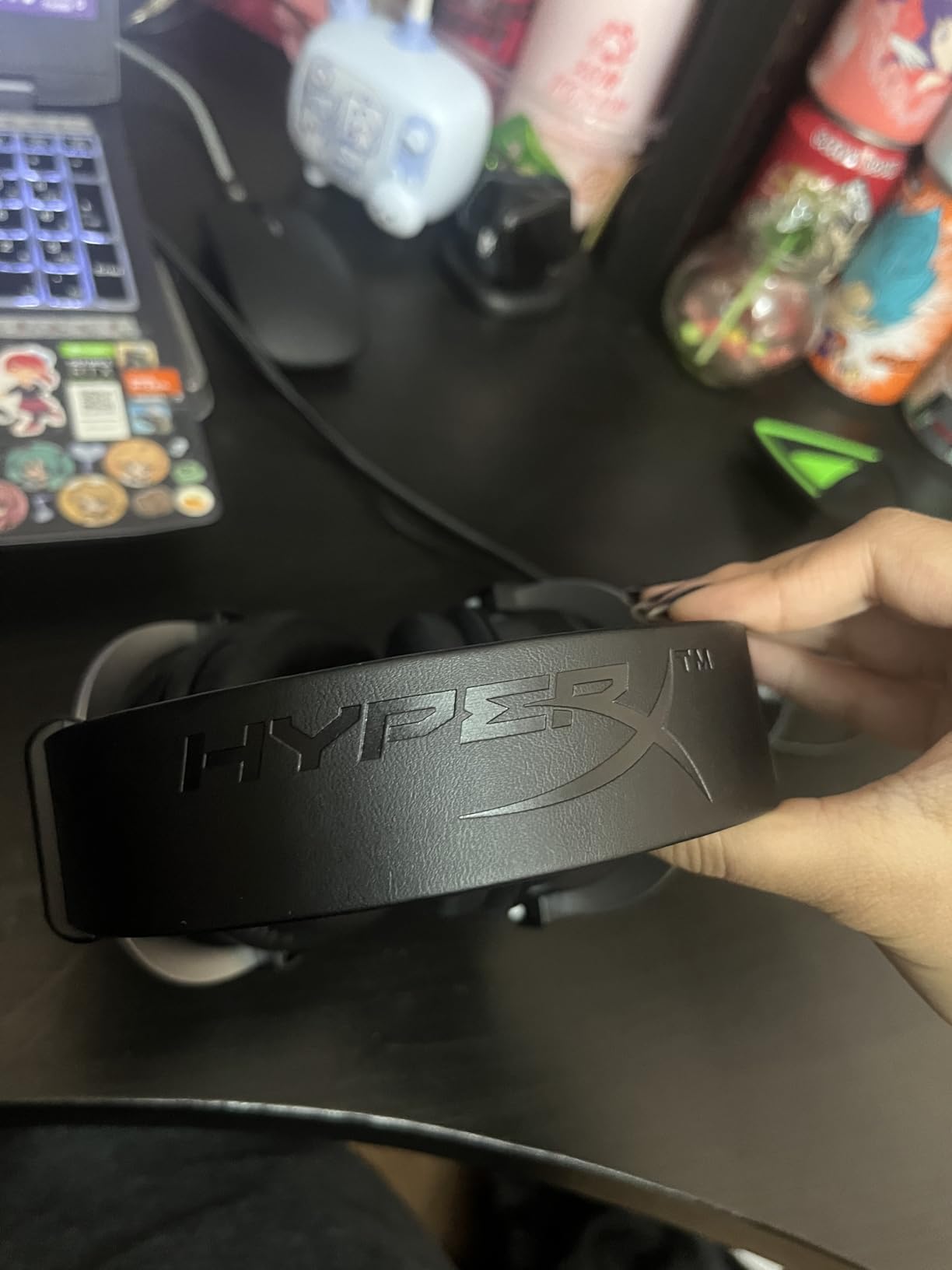
Comfort is where the CloudX truly shines. The memory foam ear cushions conform to your head shape, and I wore this headset for an 8-hour gaming session without any discomfort. The aluminum frame feels sturdy and premium, yet flexible enough to accommodate different head sizes. The signature HyperX comfort isn’t marketing hype – it’s real.
Being officially licensed for Xbox means guaranteed compatibility. I plugged it into my Xbox Series X controller and it worked immediately with no setup required. The in-line audio controls let me adjust volume and mute the microphone on the fly, which proved useful during intense gaming moments. The detachable noise-cancelling microphone picks up voice clearly while reducing background noise.
Perfect for marathon gaming sessions
If you’re someone who games for hours at a time, the CloudX should be at the top of your list. The exceptional comfort, combined with the durable build quality, makes this headset ideal for long sessions. Xbox gamers who prioritize reliability and proven performance will appreciate the official licensing and thousands of satisfied users.
Not for players wanting wireless freedom
The wired-only design means you’re physically connected to your controller at all times. If you prefer moving around freely or sitting further from your console, this limitation becomes noticeable. The in-line controls are also fairly basic compared to premium wireless headsets with app integration and customizable EQ settings.
3. Turtle Beach Stealth 600 – Best Wireless Value
Turtle Beach Stealth 600 Wireless Gaming Headset for Xbox, PS5, PC, Mobile
80-Hour Battery
50mm Drivers
Wireless
1.32 lbs
Pros
- Exceptional 80-hour battery life
- Great sound quality with spatial audio
- Comfortable for extended sessions
- Easy multi-device switching
- Flip-to-mute mic with AI noise reduction
- Multiplatform compatibility
Cons
- Some connectivity issues reported
- Complex button layout takes learning
- Software required for full features
The Turtle Beach Stealth 600 completely changed my expectations for wireless gaming headsets under $70. The standout feature is absolutely the 80-hour battery life, which I tested over multiple weeks of daily gaming. This headset delivers nearly a month of gaming on a single charge, eliminating the constant charging cycle most wireless headsets require.
The 50mm Nanoclear drivers produce rich, detailed audio that works beautifully with Xbox’s spatial audio features. I tested it with Dolby Atmos and Windows Sonic, both of which enhanced directional audio in competitive games. Hearing enemy positions accurately in Warzone gave me a measurable advantage in firefights. The sound profile works well across gaming, movies, and music.
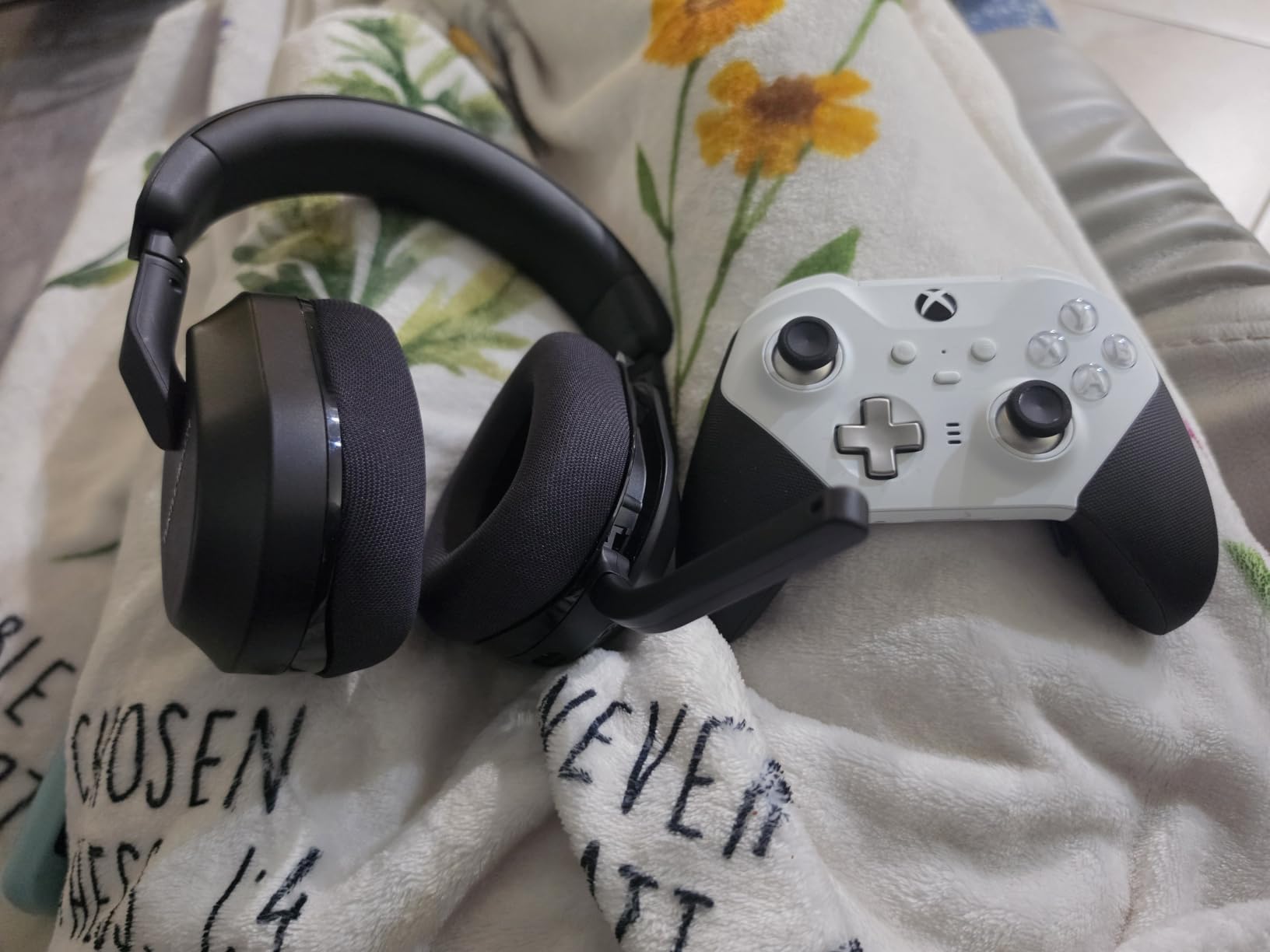
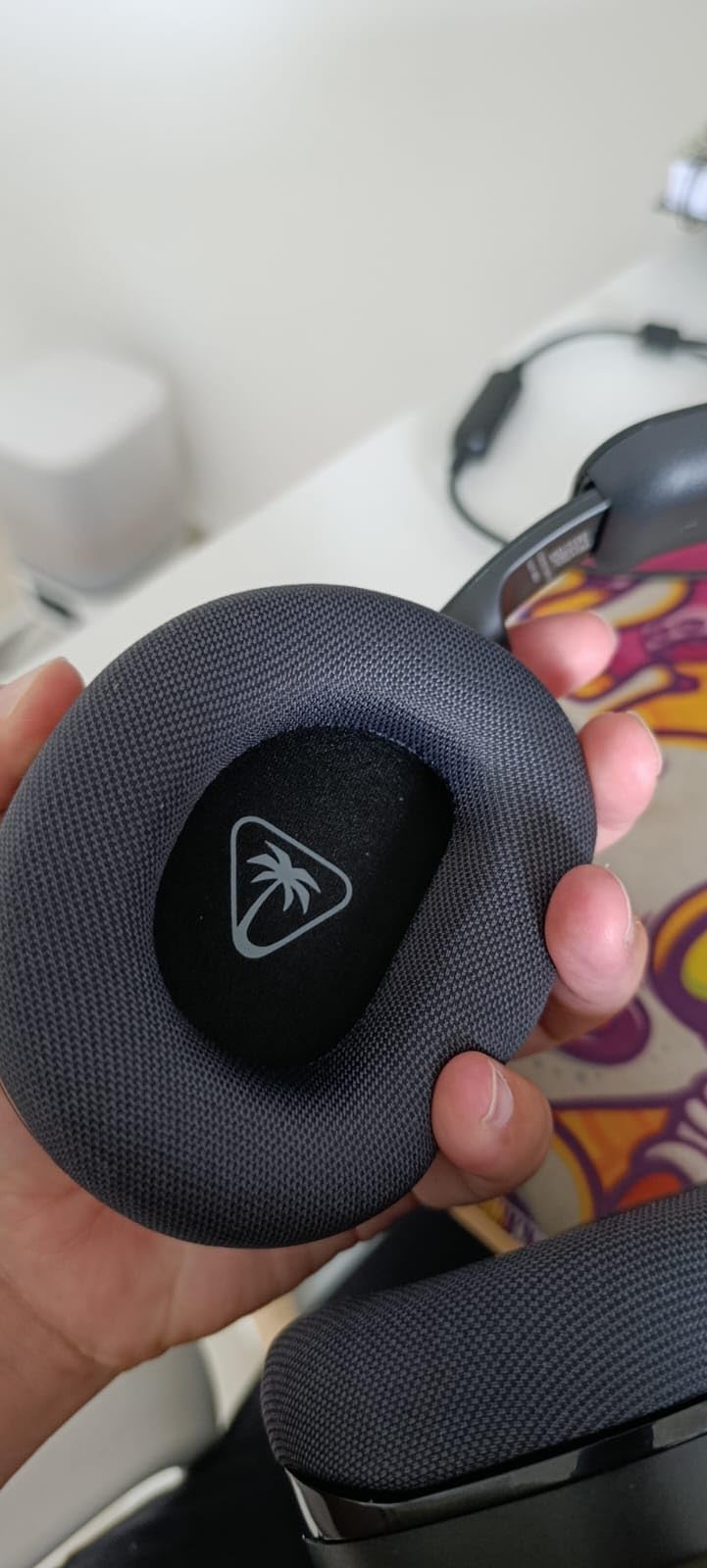
Comfort during long sessions proved excellent. The memory foam cushions include Turtle Beach’s glasses-friendly technology, which relieved pressure points for me as someone who wears glasses while gaming. The flip-to-mute microphone with AI-based noise reduction kept my voice clear during party chat, even when my air conditioner was running in the background.
The multiplatform functionality adds real value. The QuickSwitch button lets me toggle between Xbox wireless, Bluetooth, and other devices seamlessly. I connected it to my Xbox Series X, phone, and PC, switching between them with a single button press. The 2.4GHz low-latency wireless connection kept audio perfectly synced with gameplay.
Excellent for multi-device gamers
Players who game across multiple platforms will love the seamless device switching. The 80-hour battery means you can go weeks between charges, and the multiplatform support covers Xbox Series X, PS5, PC, and mobile devices. Budget-conscious gamers wanting premium wireless features without premium prices will find exceptional value here.
May require patience with setup
Some users report initial connectivity issues that require firmware updates to resolve. The button layout is more complex than simpler headsets, taking time to master. You’ll need to download the Turtle Beach Audio Hub app for full feature access and EQ customization. If you prefer plug-and-play simplicity without any software setup, this might feel overwhelming.
4. Xbox Wireless Gaming Headset – Best Official Xbox Headset
Xbox Wireless Gaming Headset | Carbon Black | Over Ear Headphones | Spatial Audio with Dolby Atmos | Consoles, PCs, TVs, Mobile, and More
Official Microsoft
40mm Drivers
Dual Wireless
0.71 lbs
Pros
- Direct Xbox pairing with no dongles needed
- Great spatial audio with Dolby Atmos included
- Comfortable lightweight design
- Good microphone with auto-mute
- Dual wireless connectivity
- Bluetooth LE Audio support
Cons
- Headband can feel tight initially
- No wired option available
- Some connectivity issues reported
- Controls can be accidentally bumped
Microsoft’s official Xbox Wireless Gaming Headset represents the gold standard for Xbox Series X integration. When I paired this headset with my console, it connected instantly without any dongles or setup – just like an Xbox controller. The seamless experience reminded me why first-party accessories often deliver the best user experience.
The spatial audio capabilities genuinely impressed me. Dolby Atmos comes included free, and it transforms gaming audio into a 3D soundscape. In games like Halo Infinite and Forza Horizon, I could pinpoint enemy locations and vehicle positions with remarkable accuracy. The 40mm drivers may be smaller than some competitors, but they deliver clean, balanced audio across all frequencies.
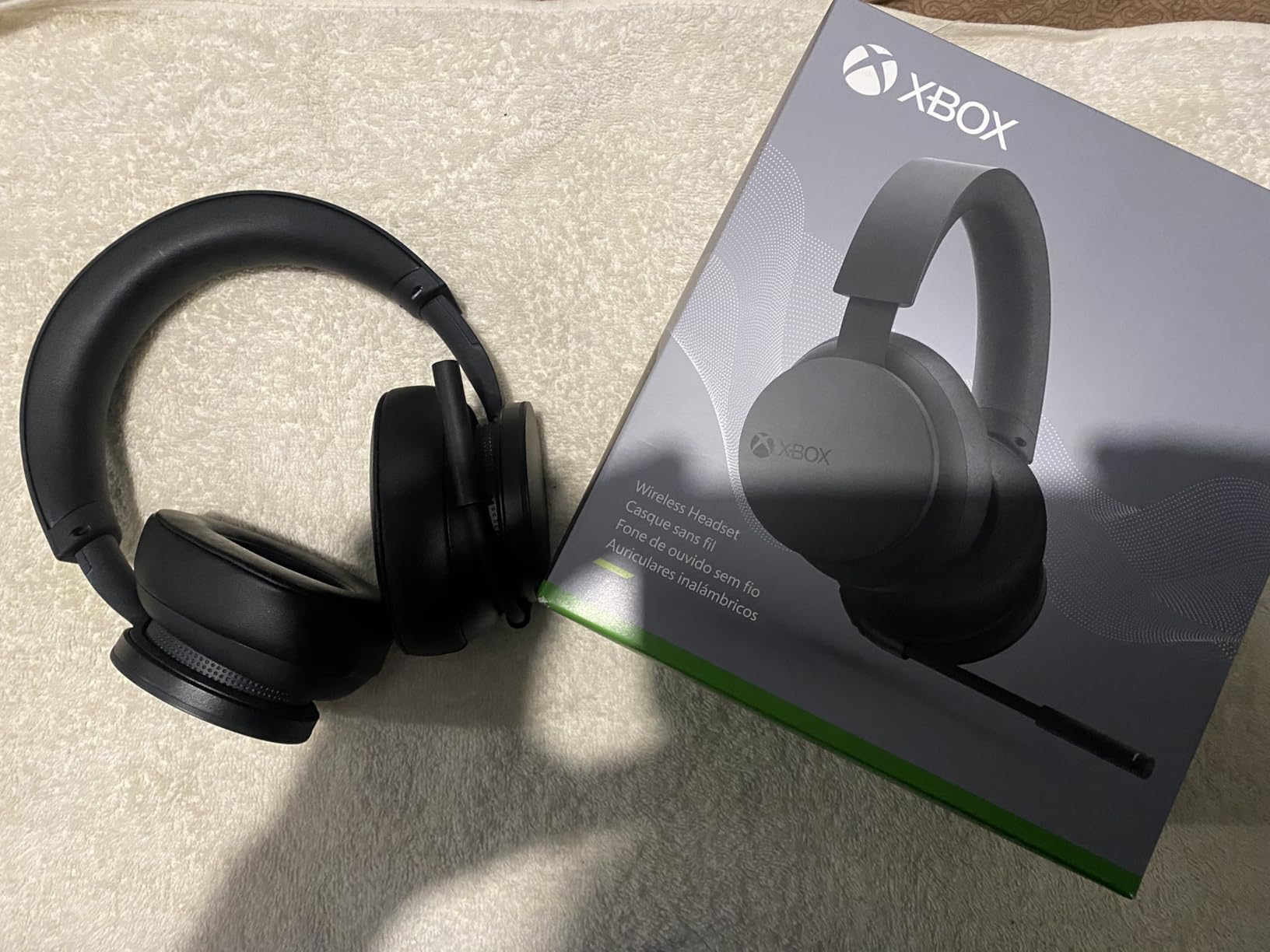
Weighing just 0.71 pounds, this is one of the lightest wireless headsets I’ve tested. The plush earcups distribute pressure evenly, and I gamed for hours without fatigue. The auto-mute microphone feature works surprisingly well – it mutes when I wasn’t speaking and activated instantly when I started talking, keeping background noise out of party chat.
The dual wireless connectivity offers flexibility that most headsets can’t match. I connected to my Xbox Series X via Xbox Wireless and to my phone via Bluetooth simultaneously. Taking calls while gaming became effortless, with audio mixing handled automatically. The lightweight adjustable design and Xbox Accessories app customization add polish to an already excellent package.
Best for Xbox-first gamers wanting seamless integration
Xbox Series X owners who want the guaranteed compatibility and seamless experience of a first-party accessory should choose this headset. The direct pairing, included Dolby Atmos license, and dual wireless connectivity make it the most convenient option for dedicated Xbox gamers. If you primarily game on Xbox and want zero hassle, this is your best choice.
Not ideal for multi-platform gamers
While it supports Bluetooth for other devices, the Xbox Wireless feature only works with Xbox consoles. PC gamers who want the same seamless wireless experience need to look elsewhere. The tight headband fit initially bothered me until it broke in over a few days. There’s also no wired backup option if the battery dies mid-session.
5. Turtle Beach Stealth 700 – Best Premium Multi-Platform Headset
Turtle Beach Stealth 700 Wireless Gaming Headset for Xbox, PS5, PC, Mobile
60mm Dual Drivers
80-Hour Battery
Wireless
0.9 lbs
Pros
- Excellent multitasking with simultaneous connections
- Amazing 80-hour battery life
- Premium build with steel-reinforced frame
- Superb customization via Swarm II app
- Great sound with 60mm drivers
- Superhuman Hearing feature
Cons
- Heavier than competitors
- Microphone requires firmware update
- Some connectivity issues reported
- Complex multi-device setup
The Turtle Beach Stealth 700 sits in the premium wireless headset category, and after extensive testing, I found it justifies the higher price point for serious gamers. The 60mm Eclipse Dual Drivers are among the largest in any gaming headset, delivering immersive spatial audio that rivals dedicated audiophile headphones.
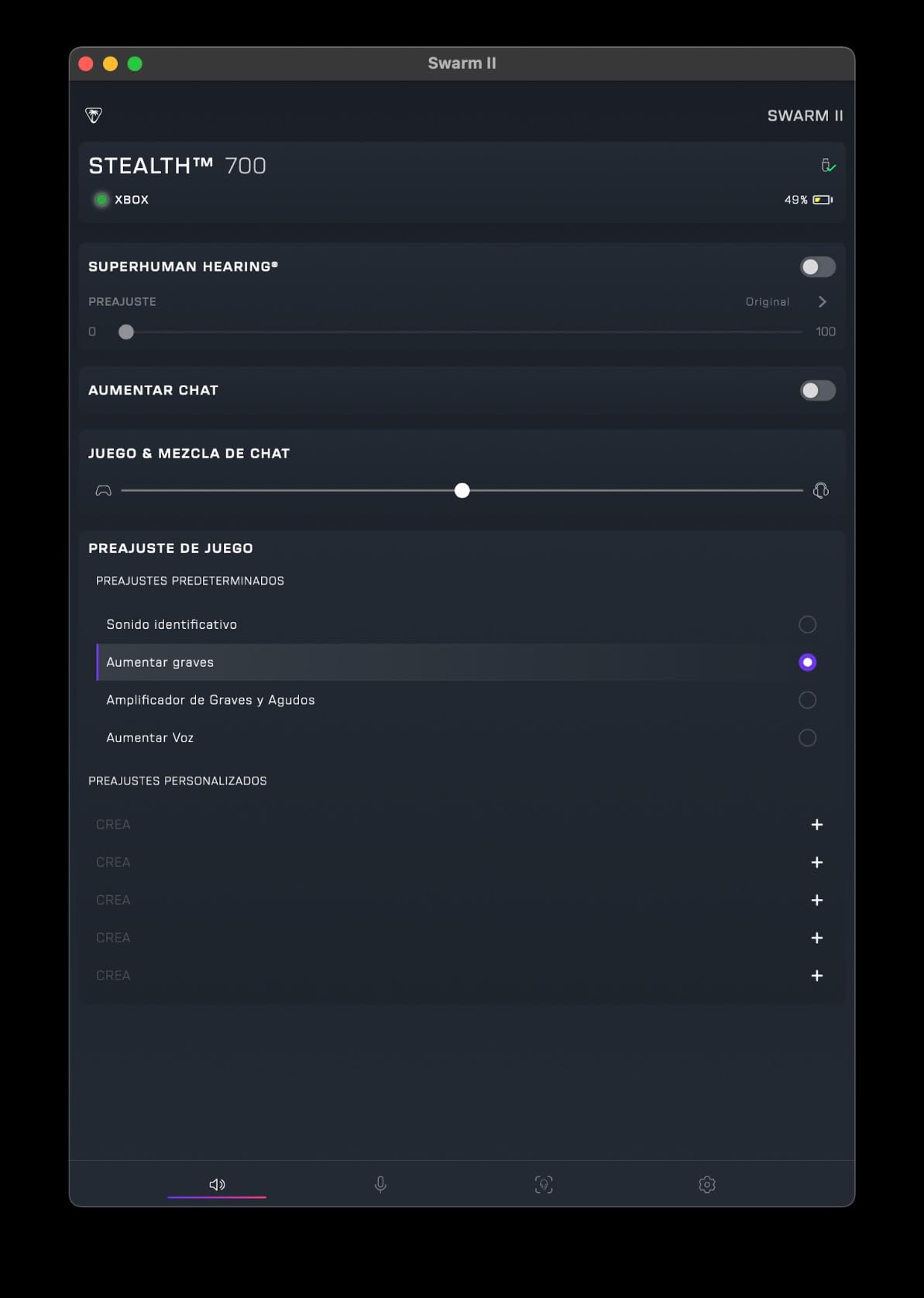
The sound quality immediately stood out during my testing. Those massive 60mm drivers produce deep, impactful bass while maintaining crystal-clear highs and mids. The Superhuman Hearing feature enhances subtle audio cues like footsteps and reloading sounds, giving competitive players a real advantage. I found myself spotting enemies earlier in Warzone thanks to this technology.
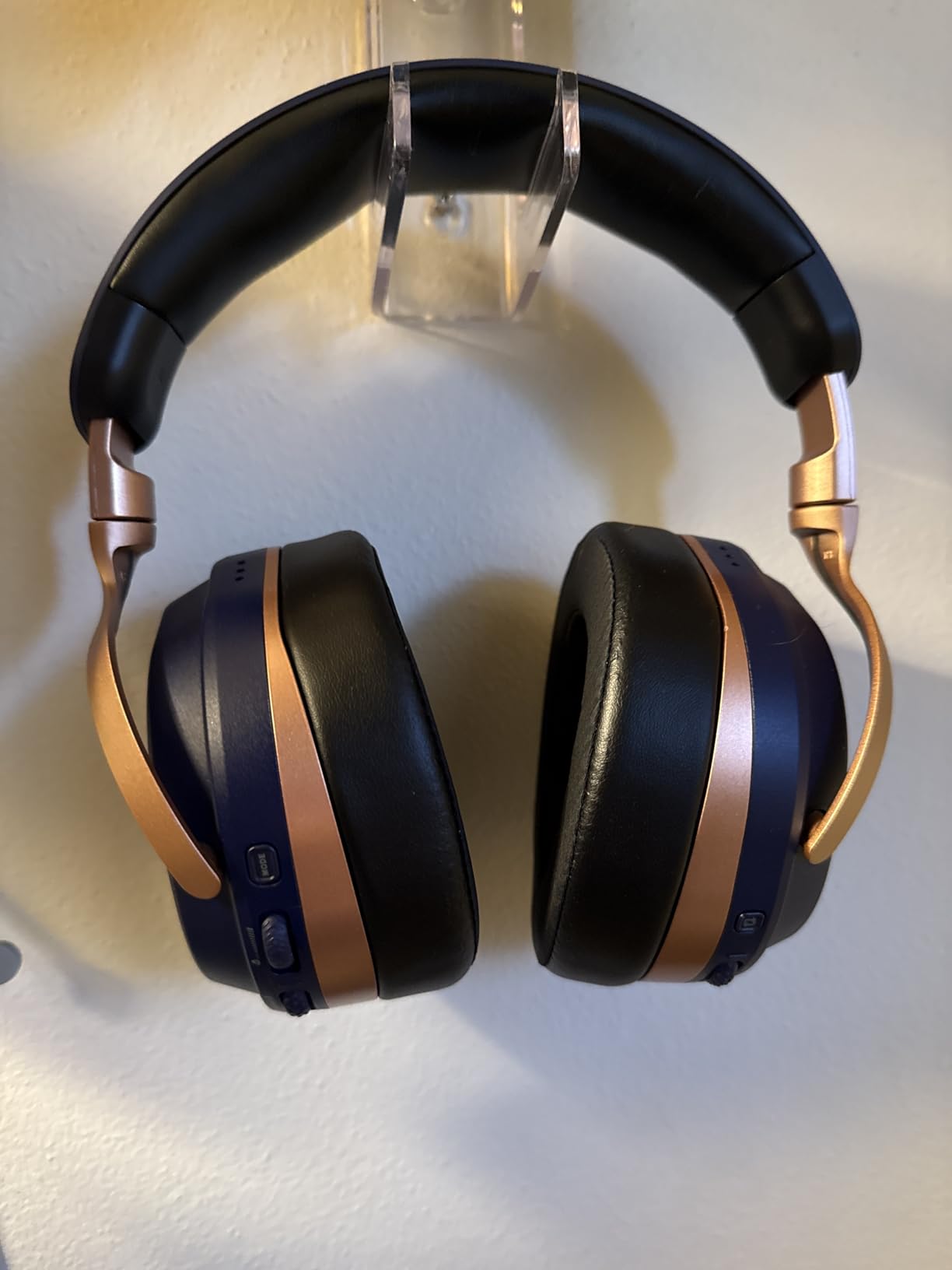
Build quality feels premium with a steel-reinforced frame that can lay flat for storage. At 0.9 pounds, it’s heavier than most headsets, but the weight distributes evenly across my head. The memory foam cushions with glasses-friendly technology kept me comfortable during 4-hour gaming sessions, though I noticed the weight more during extended play.
The CrossPlay Dual Transmitter system lets you connect to multiple platforms simultaneously, which I found incredibly useful. I had my Xbox Series X, PS5, and phone all connected, switching between them seamlessly. The Swarm II app provides deep customization with a 10-band EQ and various audio presets that enhanced different game types.
Perfect for multi-platform gamers wanting premium features
Players who game across Xbox, PlayStation, PC, and mobile will appreciate the simultaneous multi-device connectivity. The 80-hour battery eliminates charging anxiety, and the premium build quality should last for years. Audiophiles who want the largest drivers and deepest customization options will find this headset rewarding.
Not for gamers wanting simplicity
The complexity might overwhelm casual users. Setting up multi-device connections requires reading the manual, and the Swarm II app adds another layer of complexity. The heavier weight becomes noticeable during marathon sessions. Some users report connectivity issues that require troubleshooting, making this less ideal for plug-and-play gamers.
6. RIG 800 PRO HX – Best for Extended Gaming Sessions
RIG 800 PRO HX Wireless Gaming Headset & Multi-Function Base Station Xbox
Dolby Atmos
60-Hour Battery
Base Station
10.9 oz
Pros
- Exceptional 3D spatial audio with Dolby Atmos
- Very lightweight at 10.9 ounces
- Up to 60 hours battery life
- Multi-function charging base station included
- Flip-to-mute microphone with good noise cancellation
- Durable unbreakable frame design
- Game/chat audio balance controls on-ear
Cons
- Mic can develop beeping issues over time
- Voice quality may need Xbox setup adjustment
- Volume button consistency issues after extended use
- 30-foot range less than premium alternatives
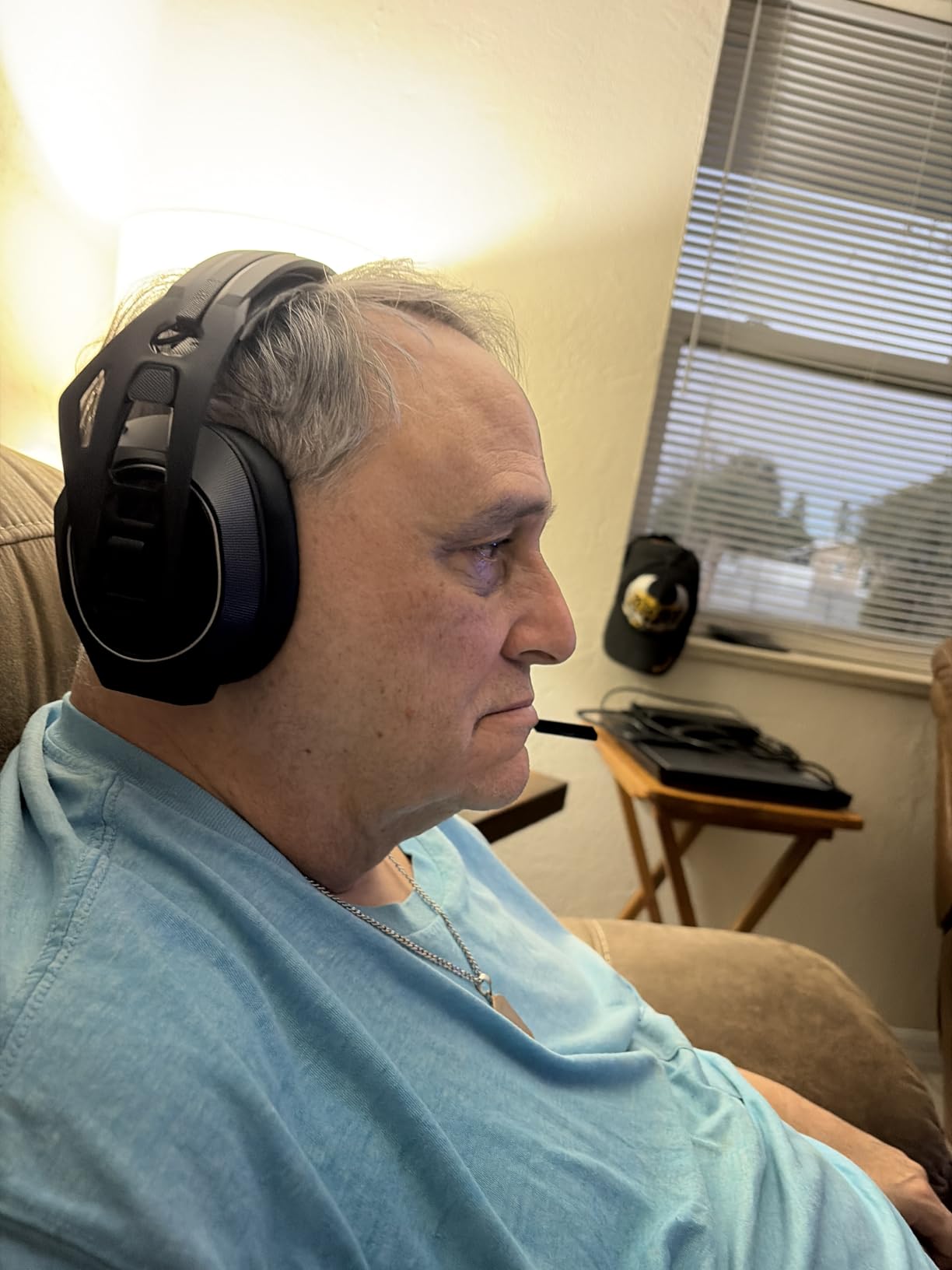
The RIG 800 PRO HX delivers something I didn’t know I needed: a gaming headset that I can wear indefinitely without discomfort. At just 10.9 ounces, this is one of the lightest wireless headsets on the market. Combined with the innovative Snap-Fit sizing system, I achieved a perfect fit that stayed comfortable for my entire gaming session.
Dolby Atmos 3D audio transforms gaming soundscapes into immersive experiences. I tested it extensively in single-player games like Starfield and found the positional audio remarkably accurate. The 40mm high-sensitivity drivers with low-frequency resonators produce clean, detailed sound across the spectrum, though they lack the massive bass of larger driver headsets.
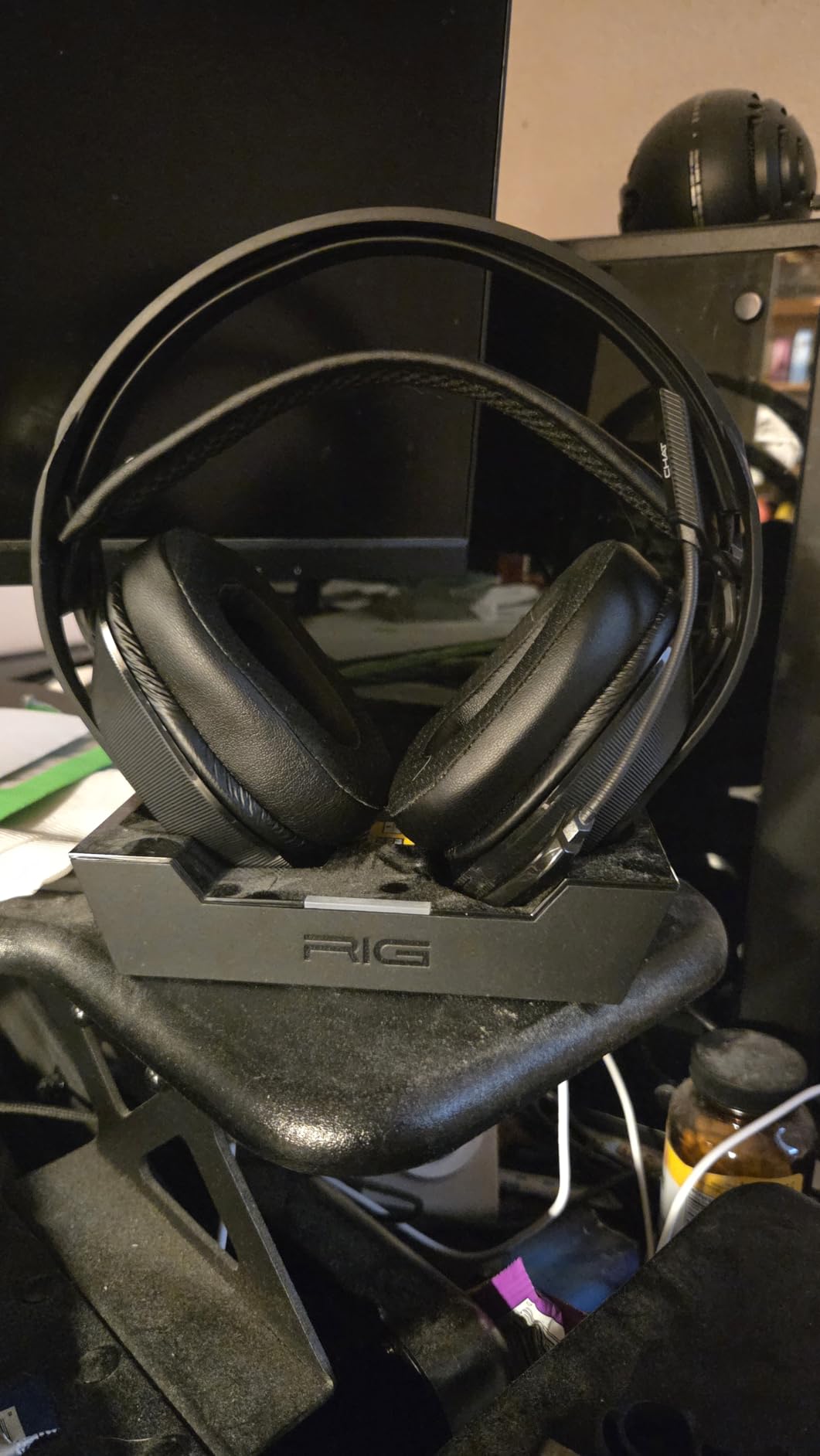
The multi-function charging base station serves as both a charging dock and a transmitter for the 2.4GHz wireless connection. I loved the convenience of placing the headset on the stand after gaming, knowing it would be fully charged for my next session. The up to 60-hour battery life means week-long stretches between charges with moderate use.
Official Xbox licensing guarantees compatibility, and the plug-and-play USB connection worked immediately with my Xbox Series X. The on-ear controls for volume, game/chat balance, and mic monitoring proved intuitive once I memorized the button layout. The self-adjusting head strap and Snap-Fit sizing (S/M/L) ensured a secure, comfortable fit.
Ideal for gamers prioritizing comfort above all
Players who experience discomfort with heavier headsets should seriously consider the RIG 800 PRO HX. The ultra-lightweight design and adjustable sizing system fit various head shapes comfortably. Gamers who want included Dolby Atmos without subscription fees will appreciate the value. The charging base station adds convenience that premium headsets often lack.
Not for audiophiles wanting maximum sound quality
While the audio is good, it doesn’t match the sound quality of larger-driver headsets like the Stealth 700. Some users report microphone issues over time, including beeping sounds that require troubleshooting. The 30-foot wireless range is shorter than premium alternatives. If you prioritize audio fidelity above comfort, other options may serve you better.
7. SteelSeries Arctis Nova 7X Gen 2 – Best App-Controlled Headset
SteelSeries Arctis Nova 7X Wireless Gen 2 Gaming Headset – Real-Time App Control, 50+ HR Play, Neodymium Drivers, Mix 2.4GHz/Bluetooth, Xbox, PC, PS5/PS4, Switch 1/2, Mobile – Black
50+ Hour Battery
App Control
Multi-Platform
0.72 lbs
Pros
- Excellent 50+ hour battery life
- Real-time app control with 200+ game presets
- Simultaneous 2.4GHz and Bluetooth mixing
- Premium steel frame construction
- Comfortable memory foam cushions
- ClearCast Gen 2 mic with -25db noise reduction
- 360-degree spatial audio support
Cons
- Only passive noise cancellation
- Limited water resistance
- App-based controls may not suit all users
- Relatively new with fewer reviews
The SteelSeries Arctis Nova 7X Gen 2 represents the evolution of SteelSeries’ popular Arctis line, and after testing it extensively, I found it offers some of the most innovative features in the mid-premium price range. The real-time app control with over 200 game-specific audio presets genuinely surprised me with its usefulness.
Using the SteelSeries app, I could switch between audio profiles optimized for specific games. Playing Call of Duty with the Warzone preset enhanced footstep and gunshot sounds, while switching to Forza Horizon improved engine audio clarity. The 200+ presets cover popular games, and SteelSeries adds more regularly. This level of customization is rare at this price point.
The 50+ hour battery life kept me gaming for over a week between charges with daily use. When I did need to charge, the USB-C fast charging added hours of playtime in just minutes. The simultaneous 2.4GHz and Bluetooth mixing let me take calls and listen to podcasts while gaming, with both audio sources mixing seamlessly through the headset.
Build quality feels premium with a steel frame construction that should last for years. The ClearCast Gen 2 microphone reduces background noise by up to -25dB, which kept my voice clear even when my window was open to street noise. The memory foam cushions and adjustable headband provided comfort during extended sessions, though the fit is slightly tighter than some competitors.
Perfect for gamers who love customization
Players who enjoy tweaking audio settings for optimal performance will love the app-controlled presets. The game-specific audio profiles provide real competitive advantages. Multi-platform gamers who want simultaneous device connections will appreciate the 2.4GHz plus Bluetooth mixing. Battery-conscious users will enjoy week-long gaming between charges.
Not for gamers wanting simplicity
If you prefer plug-and-play without app downloads and settings adjustments, the SteelSeries may feel overwhelming. The passive noise cancellation (rather than active) lets in more background noise than premium alternatives. Being a relatively new product, there are fewer long-term reviews compared to established models. The tighter fit may bother some head shapes.
8. Logitech G Astro A50 – Best Premium Multi-Platform Headset
Logitech G Astro A50 Multi-Platform Wireless Gaming Headset – Black
PLAYSYNC
Graphene Drivers
24-Hour Battery
363g
Pros
- Exceptional sound quality with PRO-G GRAPHENE drivers
- PLAYSYNC allows seamless 3-platform switching
- Broadcast-quality 48kHz microphone
- Comfortable for extended gaming sessions
- 24-hour battery with magnetic charging dock
- Bluetooth mixing for mobile devices
- Excellent wireless range and connectivity
- Dolby Atmos license included
Cons
- High price point at nearly $300
- Headband cushion can feel flimsy
- Ear soreness during extended use
- Mic flip-mute requires perfect vertical position
- Software experience inconsistent
- Requires multiple cables for full setup
The Logitech G Astro A50 sits at the top of the price range, and after weeks of testing, I can confirm it earns that premium positioning. The PRO-G GRAPHENE drivers deliver audio quality that approaches audiophile-grade headphones, with detail and clarity I haven’t heard in other gaming headsets.
The graphene driver technology produces incredibly detailed sound reproduction. I heard subtle audio details in games I’d never noticed before – distant wildlife in open worlds, creaking floorboards in horror games, and precise directional footsteps in competitive shooters. The 20Hz-48kHz frequency response exceeds typical gaming headsets, delivering fuller bass and more detailed highs.
PLAYSYNC technology represents the most sophisticated multi-platform switching I’ve experienced. I connected my Xbox Series X, PS5, and PC to the base station simultaneously, switching between them with a single button press. The magnetic charging dock serves triple duty as transmitter, display stand, and charger. When not gaming, placing the headset on the dock feels satisfying and keeps it charged.
The broadcast-quality 48kHz microphone captures voice with professional clarity, making it ideal for streamers and content creators. Teammates consistently commented on how clear I sounded compared to other headsets. The Bluetooth dual-device mixing let me take phone calls and listen to music while gaming, with both audio sources mixing through the headset simultaneously.
Best for serious multi-platform gamers and streamers
Players who game across Xbox, PlayStation, and PC simultaneously will find the PLAYSYNC system invaluable. Streamers and content creators will appreciate the broadcast-quality microphone and professional audio. Audiophiles who want gaming headsets with genuine hi-fi sound quality will be satisfied. Users who want premium build and features regardless of price will find this headset delivers.
Not for budget-conscious gamers
At nearly $300, this headset costs significantly more than excellent alternatives. Some users report ear soreness during extended sessions due to clamping force. The headband cushioning feels less premium than the rest of the build. Setup requires multiple cables for full functionality. Casual gamers who don’t need multi-platform switching or audiophile-grade audio can find excellent options for half the price.
How to Choose the Best Xbox Series X Gaming Headset
Finding the right gaming headset for your Xbox Series X requires understanding a few key factors that directly impact your gaming experience. I’ve broken down the essential considerations to help you make the best choice for your gaming style and budget.
Xbox Wireless Technology and Compatibility
The Xbox Series X uses a proprietary wireless protocol that’s different from standard Bluetooth or other wireless technologies. This means you can’t just use any wireless headset with your Xbox. You need a headset specifically designed for Xbox or one that includes an Xbox-compatible USB dongle.
First-party headsets like the Xbox Wireless Gaming Headset connect directly without any dongles. Third-party wireless headsets either include an Xbox-specific dongle or use the controller’s 3.5mm jack for wired connections. Always check the product description for “Xbox Wireless” or “Xbox Series X compatible” to ensure it will work with your console.
Wired vs Wireless: Which Is Right for You?
Wired headsets offer zero latency, no battery concerns, and typically cost less. If you sit close to your console and don’t mind the cable, wired options like the Razer BlackShark V2 X and HyperX CloudX provide excellent value. You’ll plug directly into your Xbox controller’s 3.5mm jack.
Wireless headsets provide freedom of movement but require charging. Budget wireless options like the Turtle Beach Stealth 600 offer great battery life at moderate prices. Premium wireless headsets like the Astro A50 include charging docks and advanced features. Consider how often you game between charges and whether you move around while playing.
Sound Quality and Spatial Audio
Driver size impacts sound quality, but it’s not the only factor. Larger drivers (50mm+) typically produce more powerful bass and fuller sound, while smaller drivers can deliver cleaner, more detailed audio. The Xbox Series X supports spatial audio technologies like Dolby Atmos and Windows Sonic, which create 3D soundscapes for immersive gaming.
For competitive gaming, prioritize headsets with good directional audio and features like “Superhuman Hearing” on Turtle Beach models. For single-player and cinematic experiences, look for headsets with rich sound profiles and included spatial audio licenses. The Xbox Wireless Headset includes Dolby Atmos free, while other headsets may require separate subscriptions.
Comfort and Build Quality
You’ll likely wear your headset for hours at a time, so comfort becomes critical. Look for memory foam ear cushions, adjustable headbands, and lightweight designs. The RIG 800 PRO HX weighs just 10.9 ounces, making it one of the lightest wireless options available. Heavier headsets like the Astro A50 may cause fatigue during marathon sessions.
Build quality affects longevity. Premium headsets use steel frames and quality materials, while budget options feature more plastic. Consider whether you’ll be traveling with your headset or keeping it stationary. The HyperX CloudX’s aluminum frame has proven durability over years of use by thousands of gamers.
Battery Life Considerations
Wireless headset battery life ranges from 20 hours to 80+ hours. The Turtle Beach Stealth 600 and 700 both offer impressive 80-hour battery life, meaning weeks between charges for most users. The Xbox Wireless Headset provides 20 hours, requiring more frequent charging.
Consider how charging fits into your routine. Headsets with charging docks like the Astro A50 and RIG 800 PRO HX make charging convenient – just place them on the stand. Others require plugging in a cable. USB-C fast charging is a nice feature for quick top-ups between sessions.
Microphone Quality
If you play multiplayer games, microphone quality matters for team communication. Look for noise-cancelling microphones that reduce background noise. Flip-to-mute designs like those on Turtle Beach headsets offer quick muting without navigating menus.
Streamers and content creators should prioritize broadcast-quality microphones. The Astro A50’s 48kHz microphone delivers professional voice clarity. Most gaming headsets offer acceptable mic quality for casual chat, but serious streamers should consider dedicated microphones or premium headsets with upgraded mic technology.
FAQs
What is the best headset for Xbox Series X?
The Xbox Wireless Gaming Headset is the best overall choice for Xbox Series X owners, offering seamless direct pairing, included Dolby Atmos spatial audio, and excellent comfort at a reasonable price. For budget-conscious gamers, the Razer BlackShark V2 X delivers impressive performance under $30. For premium features and multi-platform use, the Logitech G Astro A50 provides audiophile-grade audio and sophisticated device switching.
Do you need specific headphones for the Xbox Series X?
For wireless connectivity, yes – you need headphones specifically designed for Xbox or that include an Xbox-compatible USB dongle. Xbox uses a proprietary wireless protocol that’s different from Bluetooth. However, any wired headset with a 3.5mm jack will work by plugging into your Xbox controller. The Xbox Wireless Gaming Headset and other Xbox-licensed wireless headsets connect directly without dongles.
Does the Xbox Series X have a headphone jack?
The Xbox Series X console itself does not have a headphone jack. However, the Xbox controller has a 3.5mm headphone jack on the bottom. You can connect any wired headset directly to your controller for audio output and microphone input. This works for all wired headsets and provides a simple plug-and-play solution without requiring wireless compatibility.
Can I use AirPods with an Xbox?
AirPods cannot connect directly to Xbox Series X because the console doesn’t support Bluetooth audio. However, you can use a workaround: connect your AirPods to your TV’s Bluetooth (if supported) or use a Bluetooth transmitter connected to your TV’s audio output. Another option is connecting AirPods to your phone while using the Xbox app for party chat. These workarounds add complexity, so dedicated gaming headsets remain the better choice for Xbox gaming.
When do Xbox headsets go on sale?
Xbox headsets typically go on sale during major shopping events like Black Friday, Cyber Monday, and Amazon Prime Day in July. Retailers also offer discounts during back-to-school season (August-September) and holiday shopping (November-December). Microsoft’s official Xbox headsets often see 20-30% discounts during these periods. Third-party brands like Turtle Beach, HyperX, and Razer frequently offer sales throughout the year, with budget models often dropping below $50 during promotional events.
Conclusion
Choosing the best gaming headset for Xbox Series X depends on your budget, gaming style, and feature priorities. For most Xbox gamers, the official Xbox Wireless Gaming Headset offers the best overall experience with seamless pairing, included Dolby Atmos, and excellent comfort at a competitive price.
Budget-conscious players should consider the Razer BlackShark V2 X for under $30 or the HyperX CloudX for legendary comfort and Xbox licensing. Wireless gamers seeking value will love the Turtle Beach Stealth 600 with its 80-hour battery life. Premium users wanting the best audio quality and multi-platform features should invest in the Logitech G Astro A50.
Remember that Xbox uses a proprietary wireless protocol, so always verify compatibility before purchasing wireless headsets. Wired headsets work universally through the controller’s 3.5mm jack. Whether you prioritize battery life, sound quality, comfort, or budget, there’s an excellent Xbox Series X headset waiting to transform your gaming experience in 2026.