
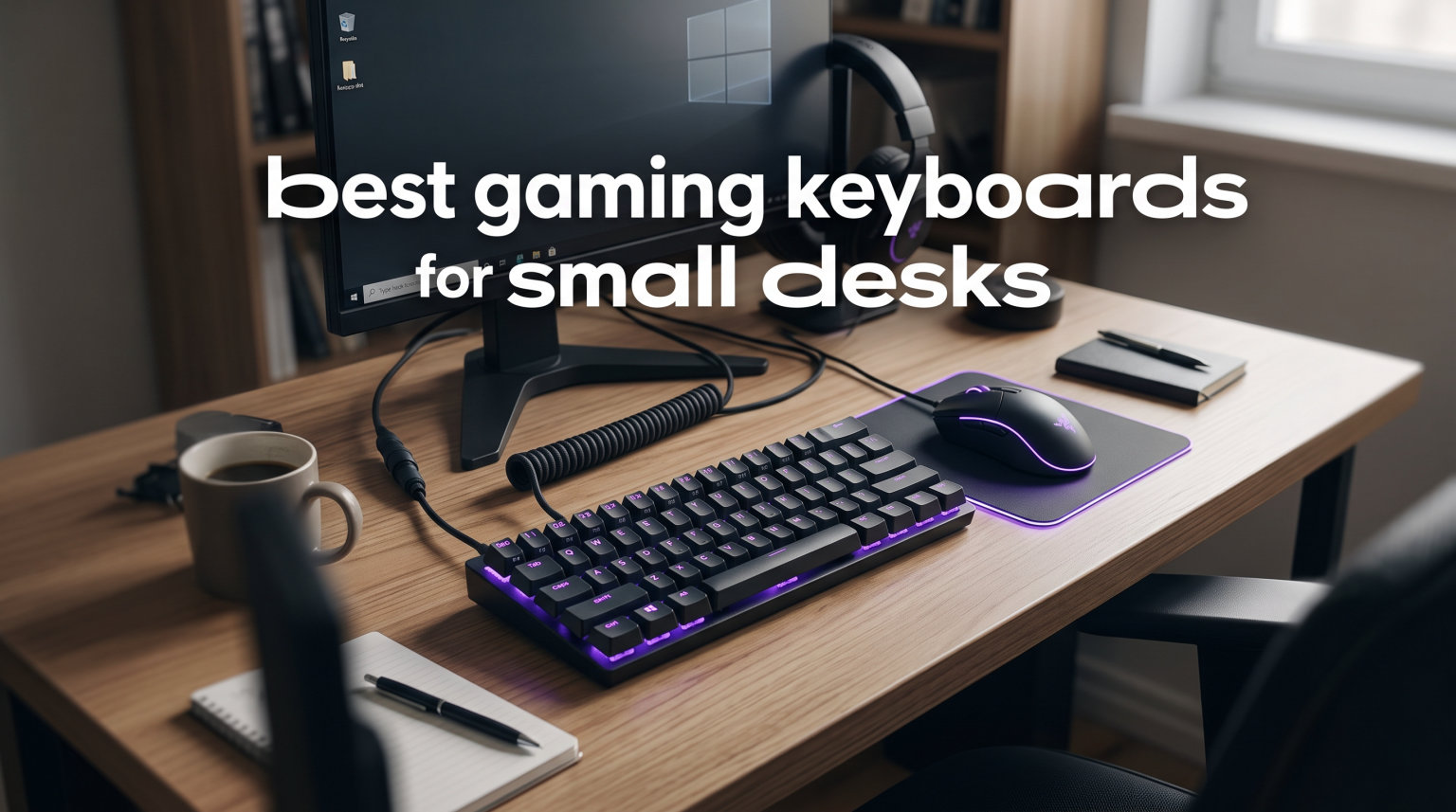
Working with a cramped desk is frustrating. Your keyboard takes up half the surface, your mouse keeps bumping into it, and every flick shot feels restricted. I have been there, and the solution is simpler than you might think: switch to a compact gaming keyboard built for tight spaces.
The best gaming keyboards for small desks strip away the number pad and unnecessary keys to give you more room for mouse movement. Whether you need a 60% mini board, a 65% layout with arrow keys, or a tenkeyless design with a function row, there is a compact option that fits your desk and your playstyle.
Our team spent weeks testing 8 compact gaming keyboards across different desk sizes, switch types, and gaming scenarios. We measured desk footprint, tested FPS performance, and evaluated build quality. Below you will find our top picks for 2026, from budget-friendly 60% boards to premium TKL keyboards with Hall effect switches.
Table of Contents
Top 3 Picks for Best Gaming Keyboards for Small Desks


Best Gaming Keyboards for Small Desks in 2026
| Product | Specifications | Action |
|---|---|---|
| AULA WIN68 HE 60% |
|
Check Latest Price |
 RK ROYAL KLUDGE RK61 RK ROYAL KLUDGE RK61 |
|
Check Latest Price |
 Logitech G413 TKL SE Logitech G413 TKL SE |
|
Check Latest Price |
| Razer Ornata V3 TKL |
|
Check Latest Price |
 Snpurdiri 60% Gaming Snpurdiri 60% Gaming |
|
Check Latest Price |
 MageGee MK-Box 60% MageGee MK-Box 60% |
|
Check Latest Price |
 Redragon K617 Fizz Redragon K617 Fizz |
|
Check Latest Price |
 TMKB T61SE 60% TMKB T61SE 60% |
|
Check Latest Price |
1. AULA WIN68 HE – Hall Effect Switches on a Budget
AULA WIN68 HE Mechanical Gaming Keyboard 60%, Hall Effect Magnetic Switch, Fast Trigger Mode Adjustable Actuation, 8000Hz Polling Rate, RGB Backlit, Wired Black Keyboard for Laptop/PC Gamer
60% Layout
68 Keys
Hall Effect Switches
8000Hz Polling
Hot-Swappable
USB-C
Pros
- Hall effect magnetic switches with adjustable actuation
- 8000Hz polling rate for competitive gaming
- Hot-swappable for easy switch changes
- 14 preset RGB lighting effects
- Includes extra switches and keycap puller
Cons
- Web driver only works on Windows
- 60% layout requires FN key combos
- Plastic build material
I was honestly shocked when I first plugged in the AULA WIN68 HE. Hall effect switches at this price point felt almost too good to be true. After three weeks of daily use, I can confirm the adjustable actuation works exactly as advertised, letting me fine-tune when each key registers.
The 8000Hz polling rate is standout territory for a compact keyboard in this range. In Valorant and CS2, I noticed the responsiveness immediately, especially during fast-paced peeking scenarios where every millisecond counts. The 0.3ms response time held up during long sessions without any stutter.
For small desk setups, the 14 x 6 inch footprint frees up significant mouse space compared to a full-size board. I measured roughly 5 extra inches of horizontal room on my 36-inch desk after switching from my old full-size keyboard. That extra sweep area makes a real difference in tracking shots.
The web-based software gives you access to Rapid Trigger, SOCD, DKS, MT, and TGL functions. My one gripe is that it only runs on Windows, so Mac users are out of luck for customization. The keyboard itself still works fine on Mac, just without the advanced tweaks.
Switch Performance and Customization
The Hall effect magnetic switches let you set actuation anywhere from 0.02mm to 3.44mm. I settled on 1.0mm for gaming and 1.8mm for typing, switching profiles through the web driver. The included spare magnetic switches and keycap puller mean you can swap out components without buying extras.
Hot-swappability is a big deal here. If you want to try different magnetic switches down the line, the board supports it. The south-facing LEDs produce clean lighting without washing out the keycap legends, and the 14 preset effects cover everything from subtle to full rainbow.
Who Should Buy This
This keyboard is ideal for competitive gamers who want Hall effect performance without spending premium money. If you play FPS titles regularly and need that adjustable actuation edge, the WIN68 HE delivers features usually found on boards costing three times as much.
It is less suited for Mac users or anyone who needs dedicated media keys without FN combos. The 60% layout means learning layer shortcuts, which takes about a week to get comfortable with.
2. RK ROYAL KLUDGE RK61 – Best-Selling 60% Mechanical
RK ROYAL KLUDGE RK61 Wired 60% Mechanical Gaming Keyboard, Compact PC Game Keyboards with QMK/VIA Programmable RGB Backlit, Hot Swappable Custom Keyboard for Win/MAC, Pre-lubed Red Switch, White
60% Layout
61 Keys
QMK/VIA Programmable
Hot-Swappable
Pre-Lubed Red Switch
USB-C
Pros
- QMK/VIA programmable for deep customization
- Hot-swappable PCB supports 3-pin and 5-pin switches
- 18 RGB modes plus 8 monochrome options
- Pre-lubed red switches feel smooth out of the box
- Compatible with Windows Linux and Mac
Cons
- VIA setup requires downloading layout from external source
- RGB color mapping issues in software
- Only one FN key
- Some users report initial dead keys
The RK61 has been a community favorite for years, and testing it showed me exactly why. With over 6,500 reviews and a 4.6-star average, this board has earned its reputation as the go-to budget 60% mechanical keyboard for small desk gaming.
The pre-lubed red linear switches feel surprisingly smooth for this price tier. I typed on this keyboard for two full workdays alongside gaming sessions, and the consistent actuation never wavered. The stair-up keycap design kept my fingers comfortable even during marathon sessions.
At 11.4 inches wide, this is one of the most compact boards on our list. On my small desk, it freed up enough space for a large mousepad with room to spare. If you have a desk under 32 inches wide, the RK61 fits comfortably alongside a mouse without crowding.
QMK/VIA support is the standout feature for tinkerers. I remapped my FN layer to put volume controls and arrow keys exactly where I wanted them. The setup process requires downloading a layout file from an external link, which is a minor hassle but worth the effort.
The hot-swappable PCB accepts both 3-pin and 5-pin switches, giving you enormous flexibility. I tested it with a set of tactile brown switches I had lying around, and they popped in and worked perfectly. This board grows with you as your preferences evolve.
Software Experience and Long-Term Use
The RGB implementation has 18 backlight modes plus 8 monochrome options. I did notice some color mapping quirks in the software where certain hues did not match what I selected. It is a cosmetic issue, not a functional one, but worth noting if RGB accuracy matters to you.
After extended use, the keycaps held up well with no visible shine. The detachable USB-C cable makes transport easy, and the board survived a weekend LAN session packed in a backpack without issues.
Who Should Buy This
The RK61 is perfect for gamers who want a customizable platform to build on. If you are interested in trying different switches, programming your own layouts, and getting maximum value per dollar, this is your board.
It is not ideal if you want plug-and-play RGB without software fiddling, or if you need multiple FN keys for complex layer navigation.
3. Logitech G413 TKL SE – Premium Build Quality
Logitech G413 TKL SE Mechanical Gaming Keyboard – Black
TKL Layout
PBT Keycaps
Tactile Switches
Aluminum Top Case
White LED
6-Key Rollover
Pros
- Brushed aluminum-magnesium alloy top case feels premium
- PBT keycaps resist heat and wear
- Tactile mechanical switches with satisfying feedback
- Robust construction with minimal flex
- Tenkeyless design saves significant desk space
Cons
- White LED only no RGB
- Wired connectivity only
- Limited switch type options
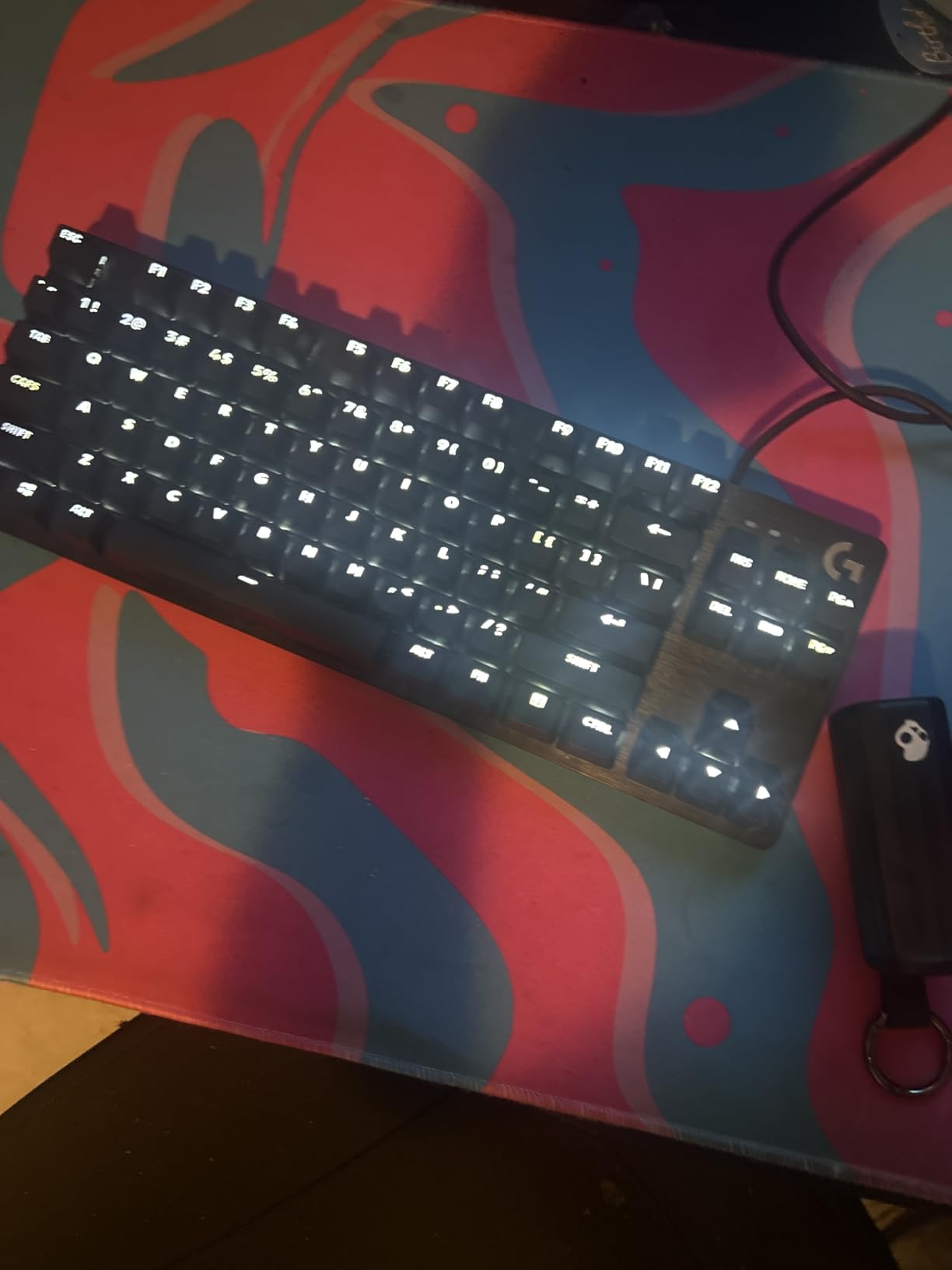
The moment I unboxed the Logitech G413 TKL SE, the build quality stood out. The brushed aluminum-magnesium alloy top case gives this keyboard a solid, premium feel that budget plastic boards simply cannot match. There is zero flex when you press down hard during intense gaming moments.
The PBT keycaps are a significant upgrade over the ABS plastic found on most keyboards in this range. After a month of heavy use, they showed zero signs of shine or wear. The tactile mechanical switches provide a satisfying bump on every press without being overly loud.
This is a true tenkeyless layout at 16 inches wide, which removes the number pad while keeping the function row and navigation cluster. On my 40-inch desk, it left comfortable room for a full-size mousepad and my monitor stand without anything feeling cramped.
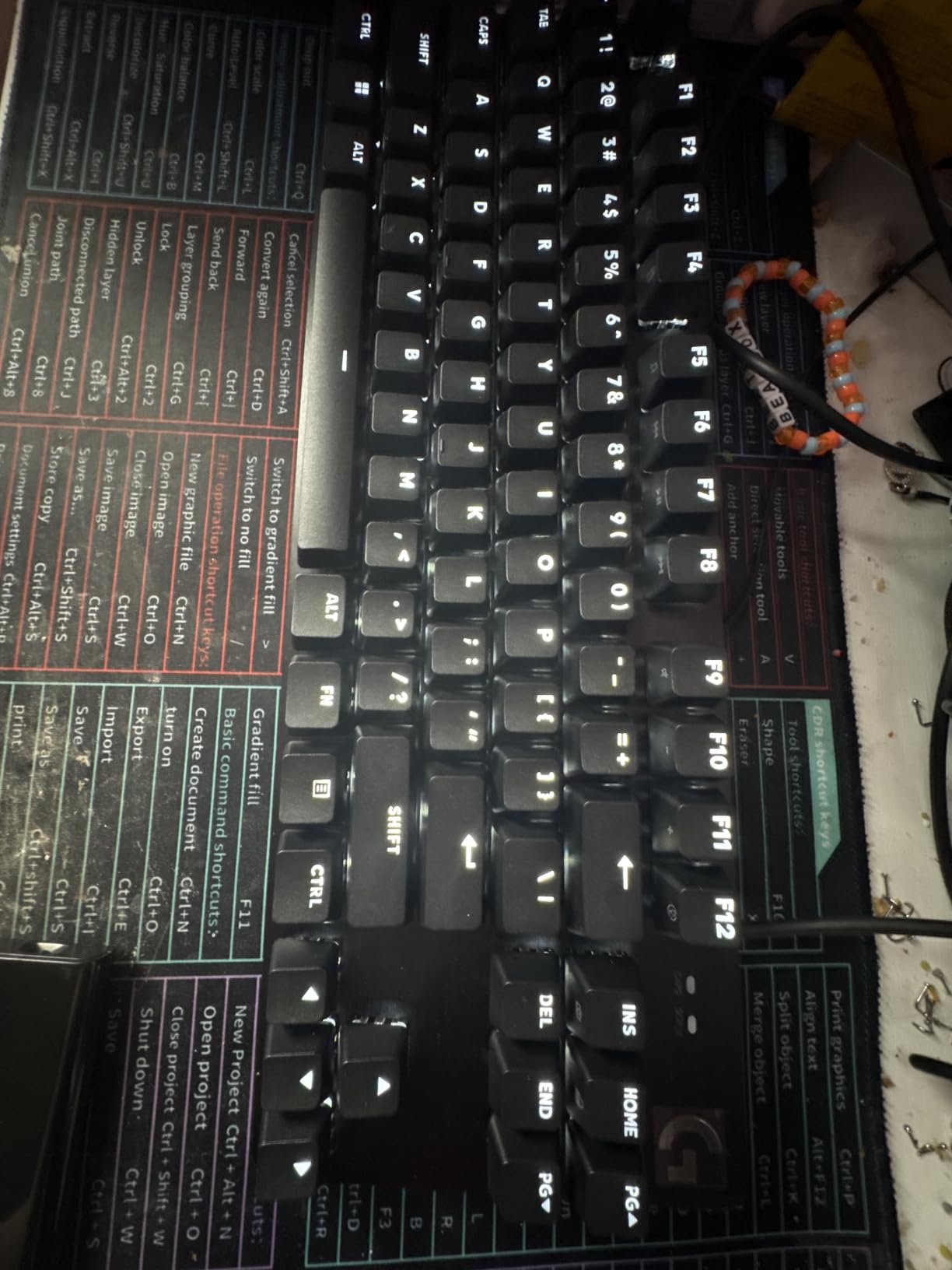
The white LED backlighting is clean and functional rather than flashy. I appreciate the understated look during late-night sessions when full RGB would be distracting. The 12 FN function keys handle media controls efficiently once you learn the layer.
Logitech kept things simple here, and that simplicity works in the keyboard’s favor. There is no software to fight with, no driver conflicts, and no firmware updates needed. You plug it in and it works perfectly on both Windows and macOS.
Build Quality and Daily Experience
The 6-key rollover anti-ghosting handled every gaming scenario I threw at it. During fast-paced Overwatch matches with multiple simultaneous inputs, every key registered correctly. The board stayed firmly planted on my desk thanks to its 650-gram weight and quality rubber feet.
One thing to note: the tactile switches have a slightly higher actuation force than linear reds. If you are used to feather-light keys, there is a brief adjustment period. I found it actually reduced my accidental keypresses during gaming.
Who Should Buy This
This keyboard is for gamers and typists who prioritize build quality and durability over RGB flash. If you want a tank of a keyboard that will last years without showing wear, the G413 TKL SE is an excellent investment.
It is not the right pick if you need RGB lighting or wireless connectivity. The white-only LED and wired connection are deliberate trade-offs for the premium construction.
4. Razer Ornata V3 TKL – Best Low Profile Option
Razer Ornata V3 TKL Gaming Keyboard, Low-Profile Keys, Black
TKL Layout
Low-Profile Keys
Mecha-Membrane Switches
8-Zone RGB
Magnetic Wrist Rest
Snap Tap
Pros
- Low-profile keys reduce hand strain during long sessions
- Mecha-membrane switches combine clicky feedback with soft feel
- UV-coated keycaps resist fading
- 8-Zone Chroma RGB with 16.8 million colors
- Magnetic wrist rest included
- Spill resistant design
Cons
- Wired only connectivity
- Windows only compatibility
- Clicky switches may be loud for some environments
The Razer Ornata V3 TKL changed my mind about low-profile keyboards. The reduced key travel took about two days to adjust to, but after that, my typing speed actually increased and my wrists felt noticeably better during long gaming sessions.
The mecha-membrane switches are a hybrid design that gives you the tactile click of a mechanical switch with the softer bottom-out feel of a membrane. I found this combination comfortable for both gaming and extended typing work. The UV-coated keycaps show zero wear after weeks of testing.
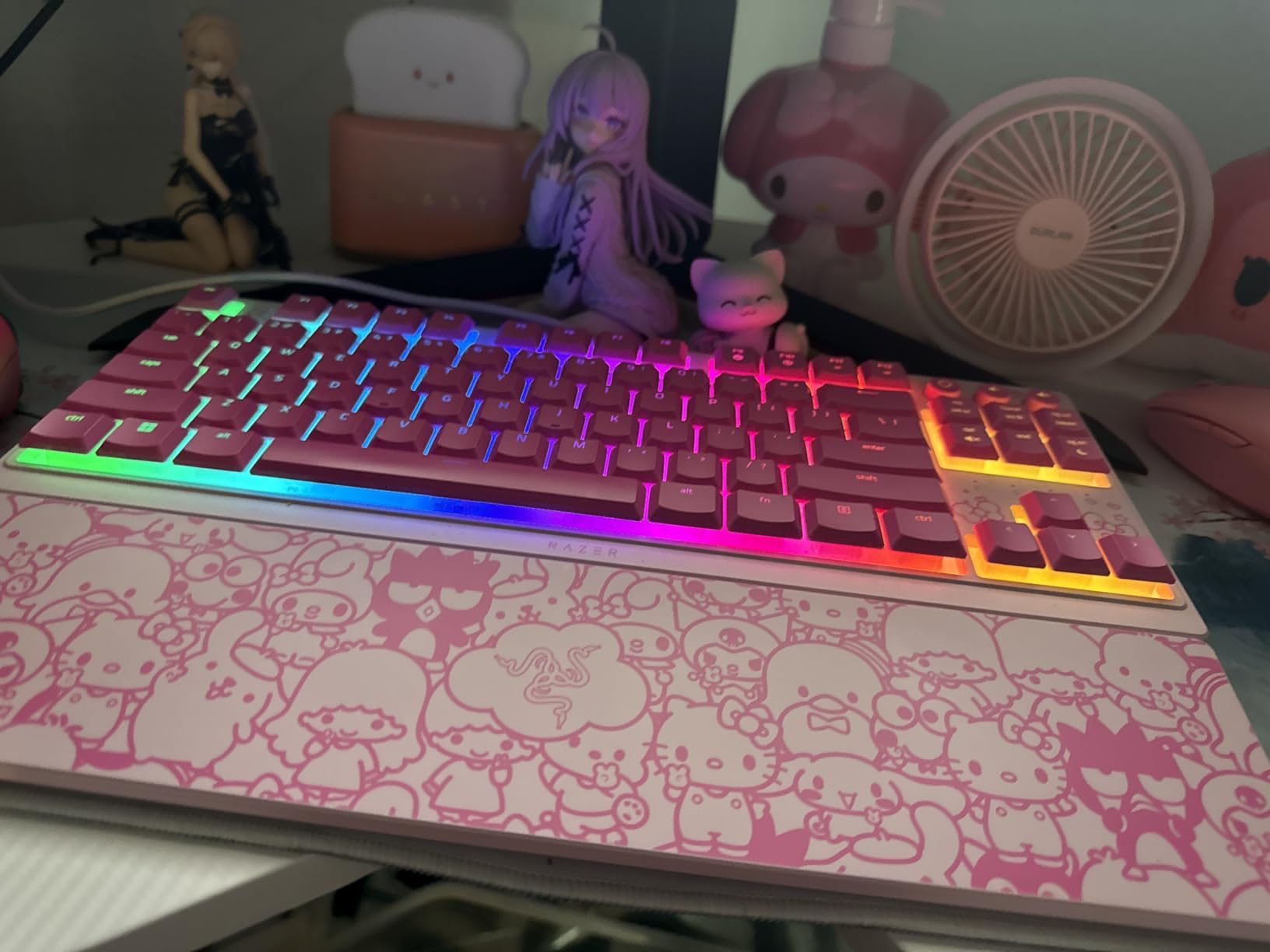
At just 10.89 inches wide and 5.68 inches deep, this is one of the most compact TKL boards available. The low-profile design also means the keyboard sits much lower on your desk, which helps with ergonomics on smaller surfaces where you cannot use a thick wrist rest comfortably.
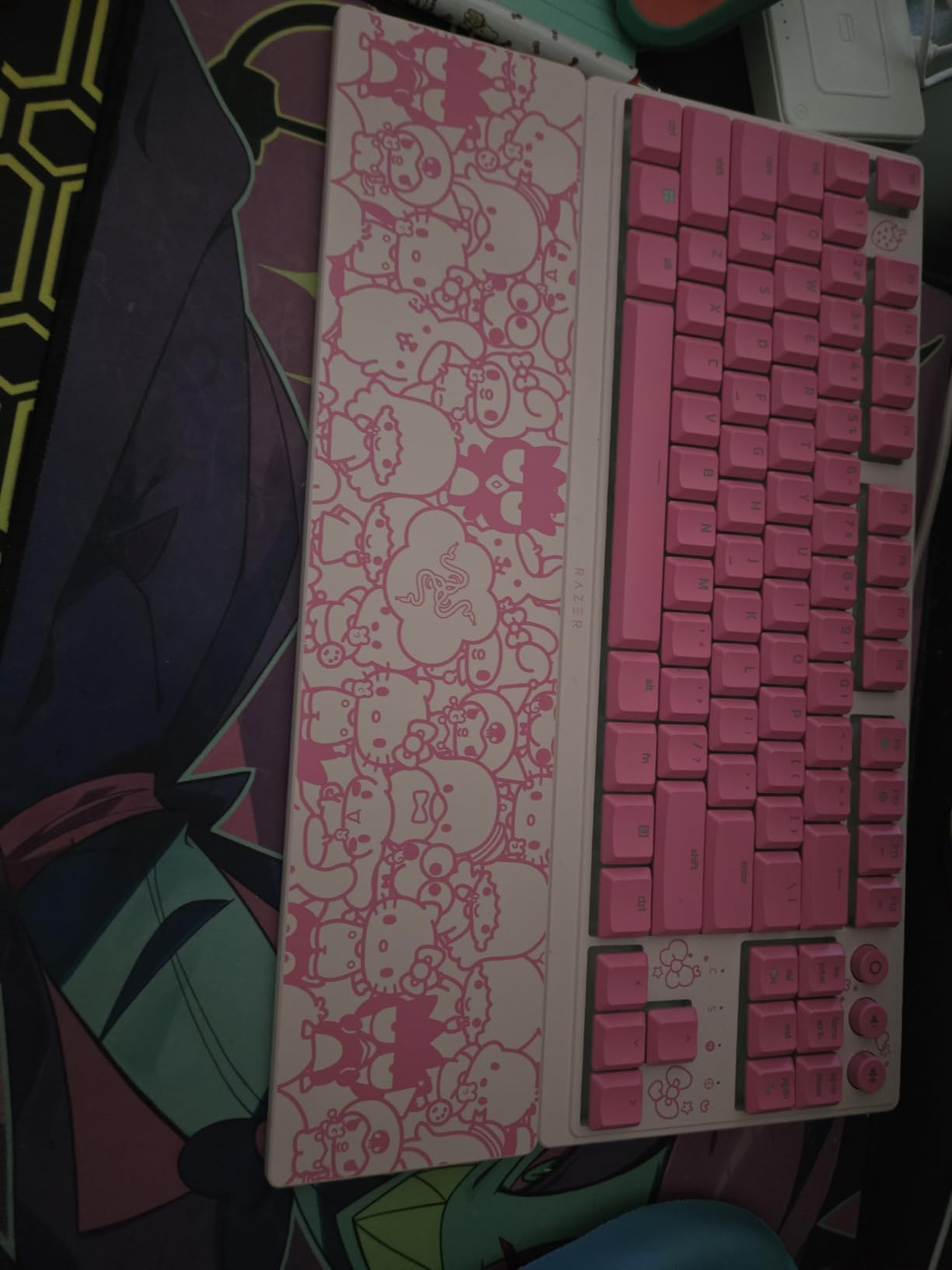
The magnetic wrist rest snaps on securely and has a soft-touch finish that feels premium. Razer’s Snap Tap feature, available through Synapse 4, gives you the same counter-strafing advantage found on their premium boards. I tested it in Valorant and the instant direction changes were noticeable.
The 8-Zone Chroma RGB is bright and vibrant, easily syncing with other Razer peripherals. The dedicated media keys with backlit icons are a thoughtful touch that saves you from FN-layer hunting during gameplay.
Low Profile Benefits for Small Desks
The low-profile design offers specific advantages for tight desk setups. The reduced height means your wrists sit at a more natural angle even without a wrist rest. On shallow desks where you cannot push the keyboard far back, this lower profile prevents the awkward wrist extension that standard-height keyboards cause.
The spill-resistant design adds peace of mind if your desk is too small for a separate drink holder. I accidentally splashed water near the keys during testing and the board kept working perfectly.
Who Should Buy This
This keyboard is ideal for gamers who want wrist-friendly low-profile typing with gaming-focused features like Snap Tap. If you spend long hours at a small desk and value ergonomic comfort, the Ornata V3 TKL is hard to beat.
It is less suitable for Mac users or anyone who needs wireless connectivity. The Windows-only Synapse software requirement also means you lose Snap Tap and advanced RGB control on other operating systems.
5. Snpurdiri 60% Mechanical – Ultra Budget Compact
Snpurdiri 60% Wired Mechanical Keyboard (Black-Red, Red Switches)
60% Layout
61 Keys
Mechanical Red Switches
Rainbow LED
Detachable USB-C
Adjustable Feet
Pros
- Exceptional value at under 30 dollars
- Compact 61-key layout maximizes desk space
- Detachable USB-C cable for portability
- Red switches respond fast with minimal force
- Ergonomic design with two-stage adjustable feet
Cons
- Rainbow backlight is not customizable
- Plastic enclosure feels basic
- Limited to red switches only
- Lower overall rating than competitors
The Snpurdiri 60% mechanical keyboard proves you do not need to spend much to get a compact gaming keyboard that works. At this price, I expected noticeable compromises, but the core gaming performance surprised me in daily testing.
The mechanical red switches have a light actuation force that works well for fast-paced gaming. I played several rounds of Apex Legends and the switches kept up with rapid key presses without any ghosting issues. The keys have a consistent feel across the entire board.
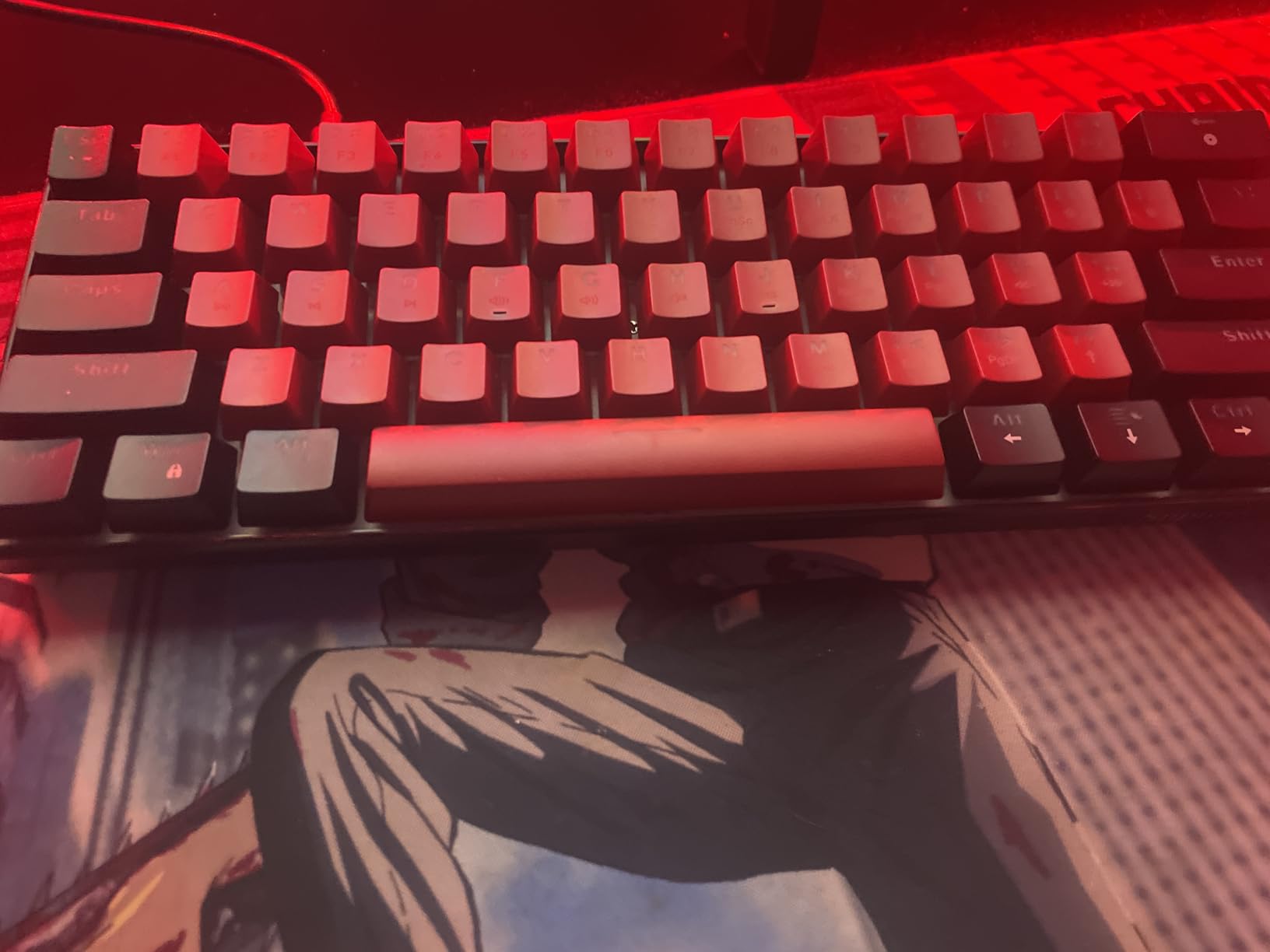
Measuring just 11.38 inches wide, this is one of the smallest boards on our list. On a 30-inch desk, it left generous room for mouse movement alongside a large mousepad. The two-stage feet let you adjust the typing angle, which helped me find a comfortable position on my low desk surface.
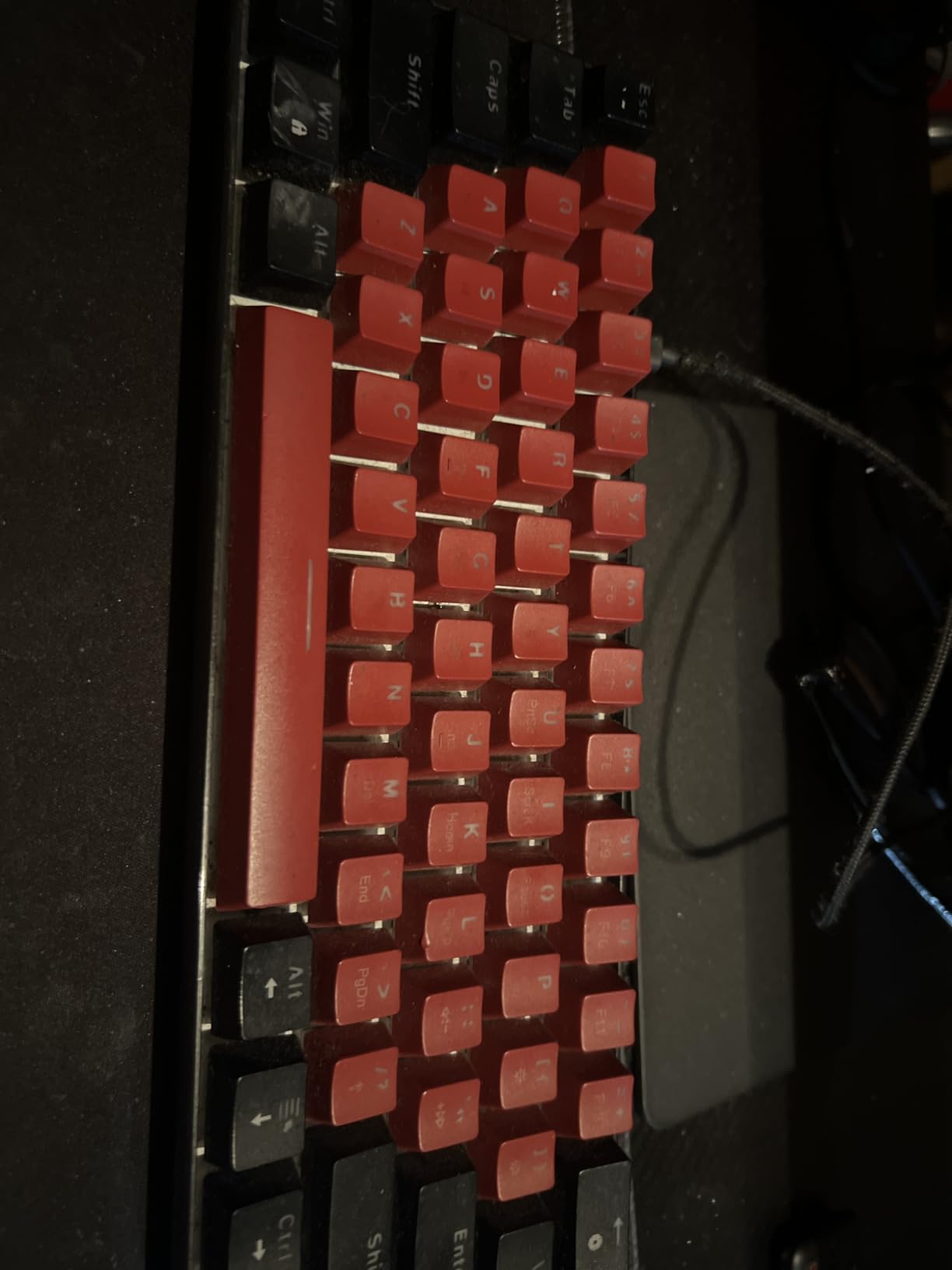
The rainbow LED backlight is fixed and not customizable, which is the biggest trade-off at this price. It looks decent in a dark room but you cannot change colors or effects. If RGB customization is important to you, consider the Redragon K617 instead.
The detachable USB-C cable is a nice touch at this price point. It makes the board easy to pack for travel or LAN events. The build is plastic throughout, which keeps weight down but does flex slightly under heavy pressure.
What You Get for the Price
The Snpurdiri nails the fundamentals: compact size, mechanical switches, and a detachable cable. The red switches have a satisfying smooth travel with minimal resistance. For pure FPS gaming on a tight budget, this board delivers where it counts.
Compatibility extends to Windows XP through Windows 10, making it a good option for older setups or secondary machines. I tested it on a Windows 11 rig and it worked without any driver installation.
Who Should Buy This
This keyboard is perfect for budget-conscious gamers who need maximum desk space savings. If you are setting up a first gaming station or need a compact board for a secondary PC, the Snpurdiri offers solid value.
It is not ideal if you want customizable lighting, hot-swappable switches, or premium build materials. The fixed rainbow backlight and plastic construction reflect the budget positioning.
6. MageGee MK-Box 60% – Popular Budget Choice
MageGee Portable 60% Mechanical Gaming Keyboard, MK-Box LED Backlit Compact 68 Keys Mini Wired Office Keyboard with Red Switch for Windows Laptop PC Mac – Black/Grey
60% Layout
68 Keys
Red Linear Switches
Blue LED
Anti-Ghosting
USB-C
1 Year Warranty
Pros
- Compact 68-key layout keeps arrow keys accessible
- Full anti-ghosting across all 68 keys
- 16 blue LED backlight modes for variety
- Double-color injection keycaps resist wear
- Wide compatibility with Windows Linux and Mac
- Lightweight at 510 grams for portability
Cons
- Single color backlighting not RGB
- No hot-swappable switches
- Rating slightly lower at 4.3 stars
- Plastic construction
With over 11,000 reviews, the MageGee MK-Box is one of the most purchased budget gaming keyboards on the market. I wanted to understand why, so I tested it across a week of gaming and daily typing to see if the popularity is justified.
The 68-key layout is a smart middle ground. You get the compact footprint of a 60% board but with dedicated arrow keys and a few navigation buttons. For gamers who cannot live without arrows, this layout eliminates the FN-layer compromise while still saving significant desk space.
The red linear switches have a smooth, consistent feel. They require minimal force to actuate, which helped my APM in StarCraft 2. The full anti-ghosting across all 68 keys means every input registers, even during complex multi-key combinations.
At 12.13 inches wide and just 510 grams, this board is easy to reposition on your desk or pack for travel. I found it particularly comfortable on a lap desk setup where weight matters. The blue LED backlighting offers 16 different modes, giving visual variety even without full RGB.
Keycap Quality and Switch Feel
The double-color injection keycaps have held up well in testing with no signs of legend wear. The characters are clear and legible even with the blue backlight shining through. The switches have a slight scratchiness on corner presses, which is typical at this price point but not a dealbreaker.
The ergonomic double kickstand feet let you choose between two typing angles. I preferred the lower setting for gaming and the higher one for typing. The detachable USB-C cable connects firmly without wobble.
Who Should Buy This
The MageGee MK-Box is a great pick for first-time mechanical keyboard buyers who want arrow keys in a compact frame. If you are upgrading from a membrane keyboard and want to test the mechanical waters without a big investment, this is a solid entry point.
It is less suitable for users who want to customize switches later or need RGB color options. The lack of hot-swappability means you are committed to the pre-installed red switches.
7. Redragon K617 Fizz 60% – Hot-Swap RGB Value
Redragon K617 Wired 60% Compact Hot-Swap RGB Gaming Mechanical Keyboard
60% Layout
61 Keys
Hot-Swappable
Red Linear Switch
20 RGB Presets
Pro Software
USB-C
Pros
- Hot-swappable sockets for easy switch changes
- 20 vibrant RGB backlight presets
- Quiet red linear switches ideal for shared spaces
- Pro software for custom modes and macros
- Compact 60% design maximizes mouse space
- Includes keycap puller and USB cable
Cons
- Windows compatibility only
- 61 keys require FN combos for some inputs
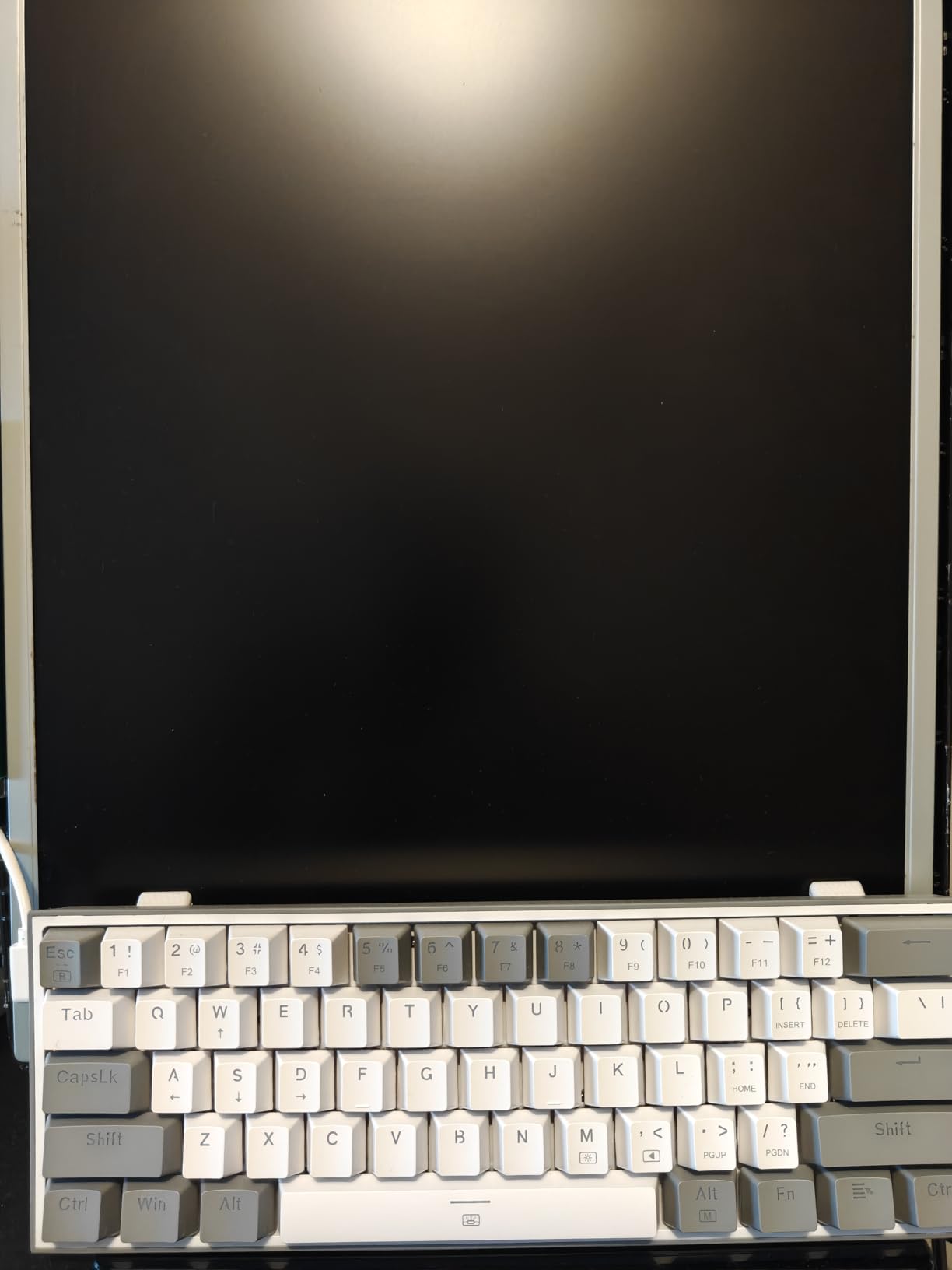
- White and grey keycaps show dirt over time
The Redragon K617 Fizz has earned a devoted following, and after testing it extensively, I understand why. With nearly 6,000 reviews and an 80% five-star rate, this board hits a sweet spot between price, features, and performance that few competitors match.
The hot-swappable sockets are the headline feature at this price. I swapped the stock red switches for a set of tactile browns in under 10 minutes using the included keycap puller. The board detected the new switches immediately with zero issues. This kind of flexibility is usually reserved for much more expensive boards.
The white and grey keycap color scheme looks clean and distinctive. On my small desk with a dark mousepad, the lighter keyboard created a nice visual contrast. The 12.2-inch width left plenty of room for low-sensitivity mouse aiming alongside the board.
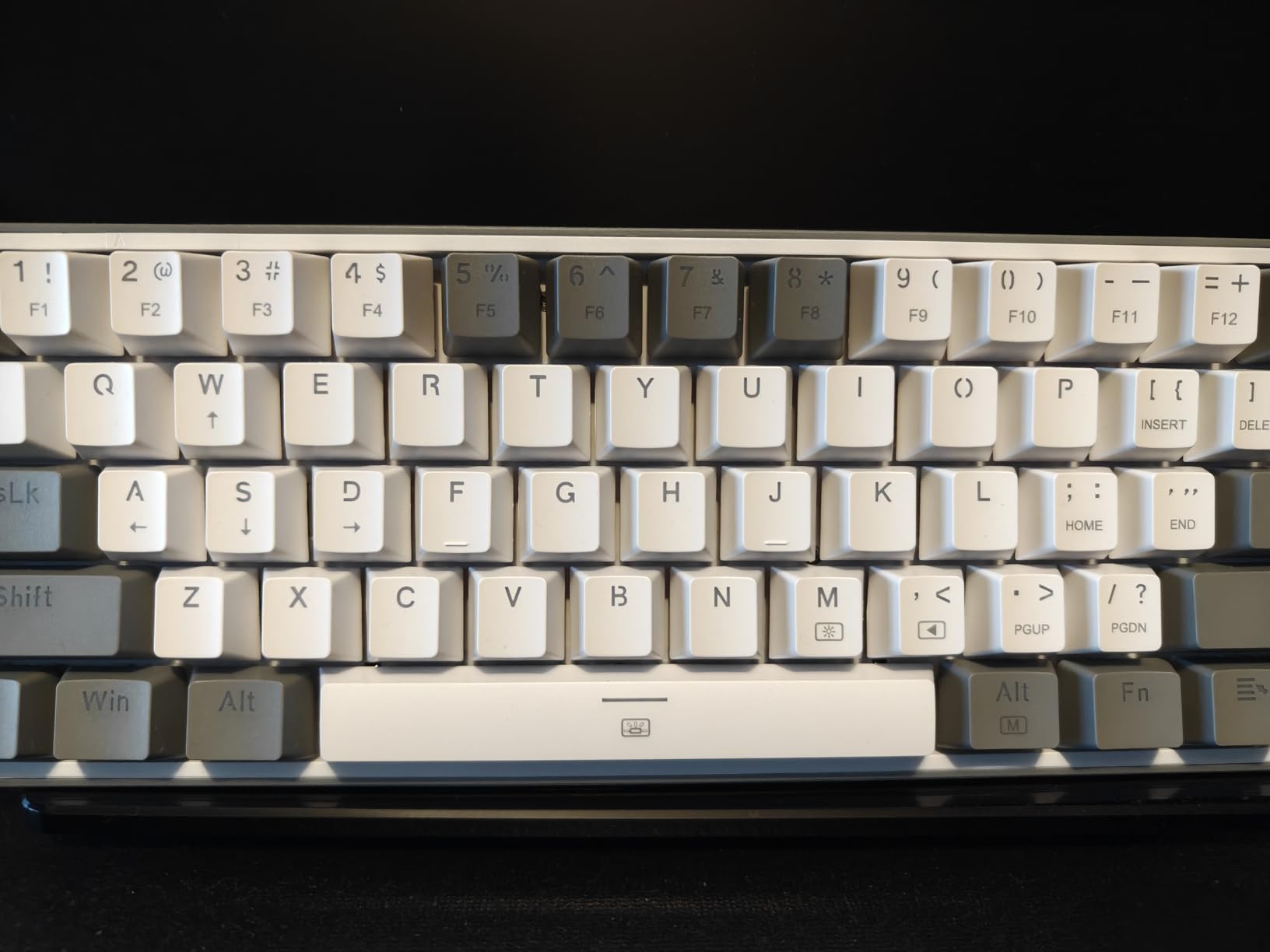
The RGB implementation offers 20 preset modes that cover everything from subtle waves to reactive typing effects. While you cannot program custom colors per key on the board itself, the Pro software lets you create and save custom modes and macros. The lighting is bright and even across all zones.
The quiet red linear switches are perfect for shared living spaces or late-night gaming. My partner commented that she could barely hear me typing compared to my old clicky board. The soft key travel bottoming out quietly makes a real difference in noise-sensitive environments.
Gaming Performance and Customization
In FPS testing, the K617 Fizz kept up with faster-paced titles without input lag. The linear switches have a consistent actuation point that helped my movement keys feel reliable during clutch moments. The compact 60% layout means your left hand stays closer to the mouse, reducing shoulder strain during long sessions.
The Pro software, while basic compared to QMK/VIA, gives you enough control to remap keys and set up macros. I created a macro for a complex ability combo in my main game and it triggered reliably every time. The software runs smoothly on Windows without bloat.
Who Should Buy This
The K617 Fizz is perfect for gamers who want hot-swappable switches and RGB lighting without spending premium money. If you like the idea of customizing your keyboard over time, this board gives you the platform to do it affordably.
It is not ideal for Mac users due to Windows-only software, or if you prefer darker keycap colorways. The white and grey caps can show grime with heavy use, though they clean easily.
8. TMKB T61SE 60% – Clean Design Budget Option
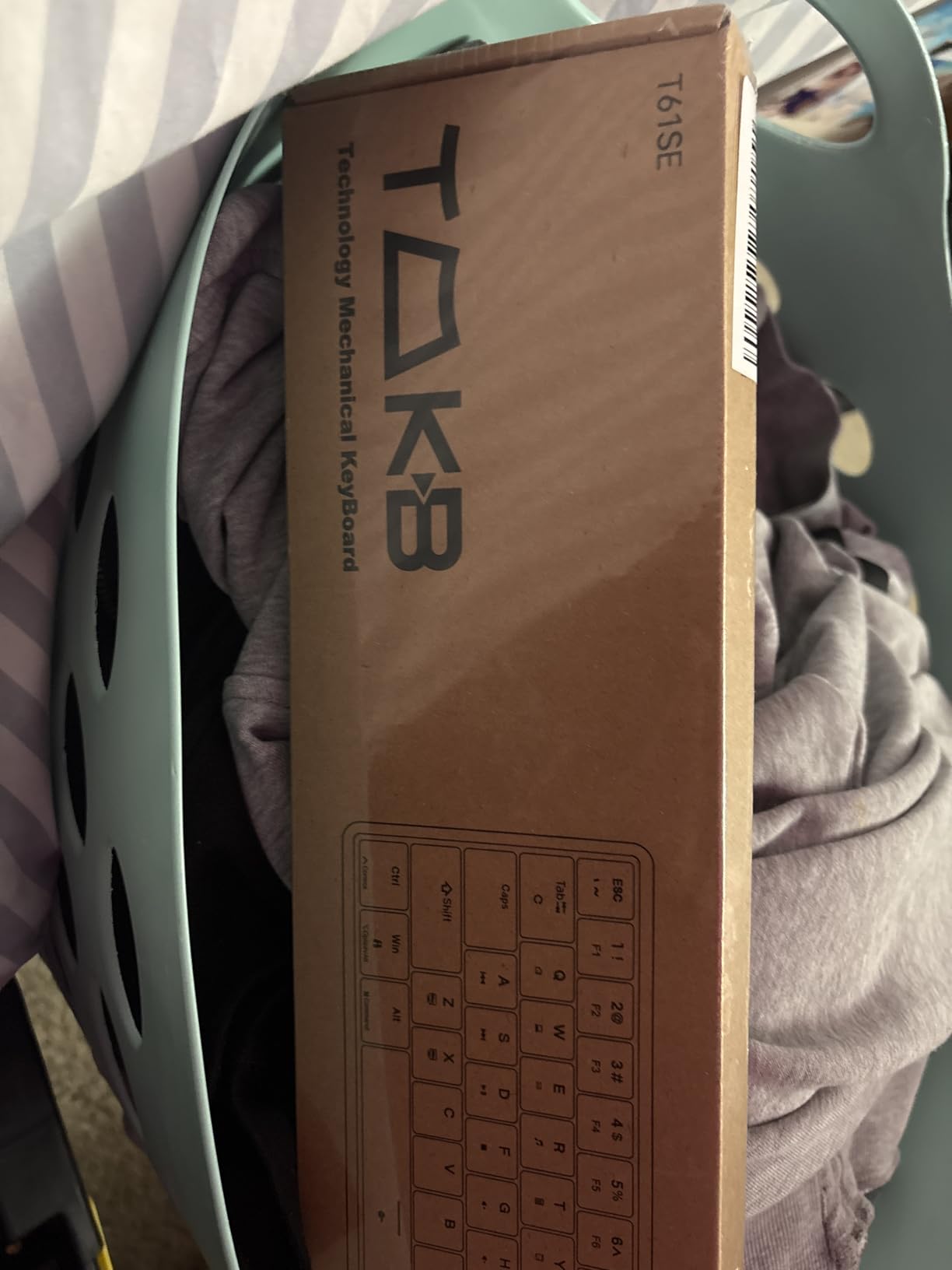
TMKB 60% Mechanical Gaming Keyboard, Red Linear Switch, Wired, White
60% Layout
61 Keys
Red Linear Switch
Double-Shot Keycaps
15 LED Modes
USB-C
Ergonomic Feet
Pros
- Double-shot keycaps resist fading over time
- 15 dynamic LED lighting modes
- Ultra-responsive 45g actuation red switches
- 50 million keystroke durability rating
- Full 61-key anti-ghosting rollover
- Compatible with Windows Linux and macOS
Cons
- Single color backlighting not full RGB
- Not hot-swappable
- Smaller review base than competitors
- Dimensions not officially listed
The TMKB T61SE is a newer entry in the budget 60% space, and it brings some thoughtful design choices that set it apart. The double-shot keycaps are a particularly nice touch at this price, offering durability that typically costs extra.
The red linear switches have a 45g actuation force that felt light and fast during testing. I played several hours of Call of Duty and the switches responded consistently to rapid taps and holds. The creamy sound profile that many reviewers mention is real, giving the board a pleasant acoustic character without being loud.
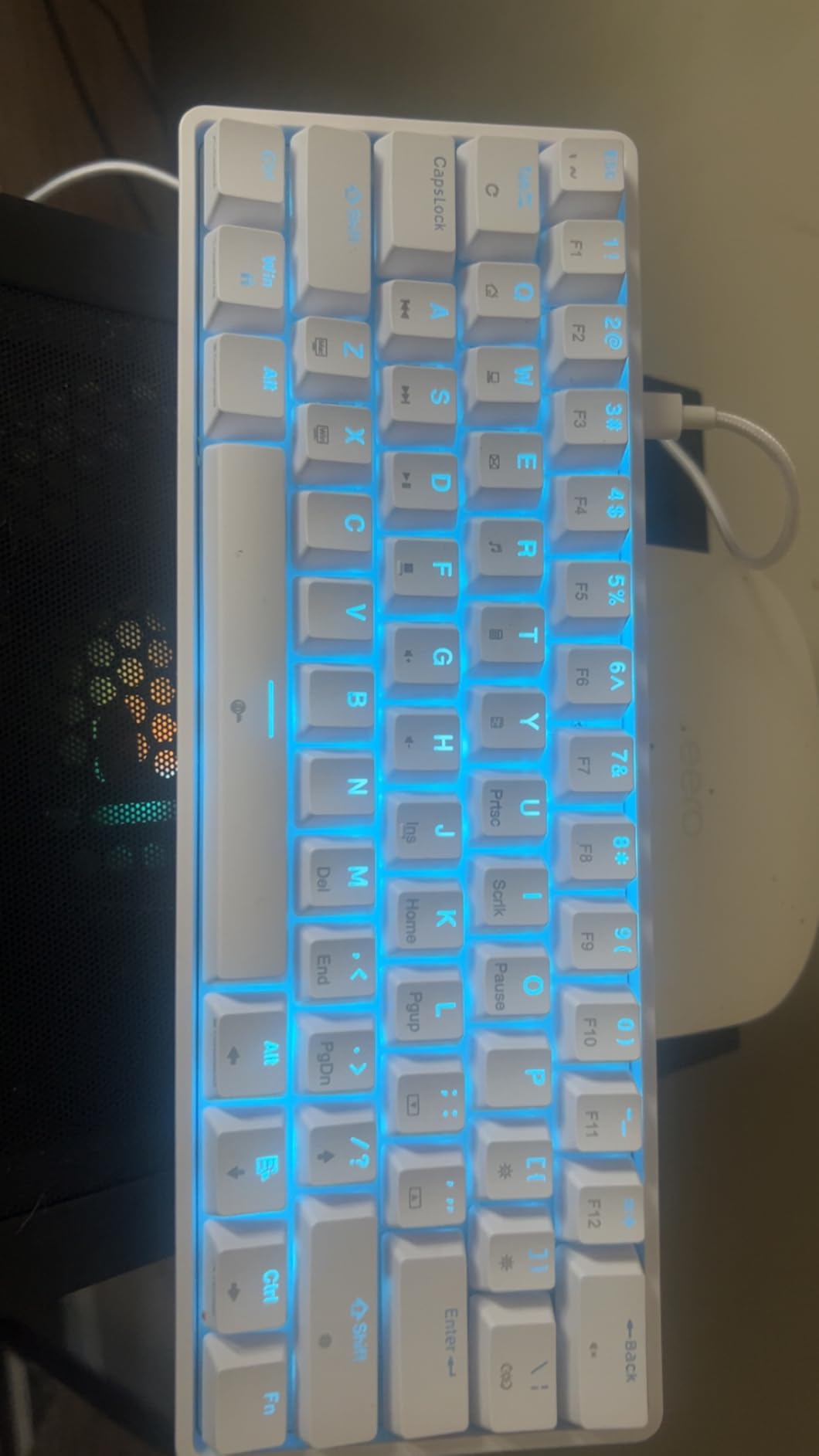
The white colorway looks clean on a small desk setup. I appreciated the bright, airy aesthetic alongside my dark monitor and accessories. The compact 60% footprint means this board works well even on desks under 30 inches wide, leaving adequate room for mouse movement.
The 15 LED lighting modes offer good visual variety for a single-color setup. You can adjust brightness and speed through keyboard shortcuts without needing software. The backlight shines evenly through the double-shot keycaps, making legends easy to read in any lighting condition.
The 50 million keystroke durability rating suggests this board will last through years of regular use. The foldable feet provide two typing angles, and the detachable reversible USB-C cable is convenient for cable management on tight desks.
Everyday Usability and Compatibility
Cross-platform compatibility is a strength here. I tested the T61SE on Windows, macOS, and Linux, and it worked perfectly on all three without additional drivers. This makes it a versatile option if you game across different systems or use a Mac for work and a PC for gaming.
The 61-key anti-ghosting rollover handled every multi-key scenario I tested. Even pressing five keys simultaneously during a complex game combo, every input registered correctly. The full key rollover is impressive at this price point.
Who Should Buy This
The TMKB T61SE is ideal for gamers who want a clean, cross-platform compact keyboard with durable keycaps. If you split time between Windows and Mac, this board works seamlessly across both without compromise.
It is less suitable if you want hot-swappable switches or full RGB customization. The single-color LED and fixed switches mean you are committed to the out-of-box configuration.
Buying Guide: How to Choose a Gaming Keyboard for a Small Desk
Choosing the right compact gaming keyboard depends on your desk size, gaming style, and budget. This guide breaks down the key decisions to help you find the perfect fit for your setup.
Keyboard Size Guide: 60% vs 65% vs TKL vs 75%
Keyboard size is the single most important factor for small desk setups. Each form factor removes different key sections to save space, and the right choice depends on which keys you can live without.
60% keyboards (like the RK61, Redragon K617, and AULA WIN68 HE) strip away the number pad, function row, and navigation cluster. They typically measure 11-12 inches wide and use FN key combinations for missing functions. These boards maximize mouse space but require learning layer shortcuts.
65% keyboards add dedicated arrow keys back to the 60% layout. They are slightly wider but eliminate the need for FN-layer arrow access. The MageGee MK-Box with its 68-key layout fits this category.
Tenkeyless (TKL) keyboards like the Logitech G413 and Razer Ornata V3 remove only the number pad. They keep the function row and navigation cluster, measuring around 14-16 inches wide. TKL is the best choice if you use function keys or navigation buttons regularly.
75% keyboards compact the TKL layout further by removing some spacing between key clusters. They offer nearly full functionality in a tighter package.
Switch Types: Mechanical, Optical, and Hall Effect
The switch type determines how your keyboard feels and performs. Here is what you need to know about the main options for compact gaming keyboards.
Mechanical switches come in linear (red), tactile (brown), and clicky (blue) variants. Linear red switches are the most popular for gaming because they actuate smoothly without a tactile bump. Most boards on our list use red linear switches for their fast, consistent response.
Hall effect switches use magnets to detect key position rather than physical contact. This allows adjustable actuation points and Rapid Trigger functionality. The AULA WIN68 HE brings this premium technology to a budget price point, letting you set exactly when each key registers.
Mecha-membrane switches combine mechanical click feedback with membrane softness. The Razer Ornata V3 TKL uses this hybrid design for a unique feel that splits the difference between mechanical and membrane keyboards.
Wired vs Wireless for Small Desks
All eight keyboards on our list are wired, and that is actually an advantage for small desk setups. Wireless keyboards require batteries or charging, adding bulk. Wired boards with detachable USB-C cables keep things simple and eliminate battery anxiety.
A detachable cable is worth looking for because it makes cable management easier on compact desks. You can route the cable exactly where you need it and detach it for transport. Every board on our list features a detachable USB-C connection.
Desk Measurement Tips
Before buying, measure your available desk width excluding your monitor stand and any other items. As a general rule, leave at least 8 inches of mouse space next to your keyboard for comfortable low-sensitivity aiming.
For desks under 32 inches wide, a 60% or 65% keyboard is your best bet. These boards measure 11-12 inches wide, leaving 10+ inches for mouse movement even on tight surfaces. For desks 36 inches and wider, a TKL board works comfortably while keeping function keys accessible.
Hot-Swappable vs Fixed Switches
Hot-swappable keyboards let you change switches without soldering. If you might want to try different switch types later, look for boards like the AULA WIN68 HE, RK61, or Redragon K617 that support hot-swapping. Fixed-switch boards like the Logitech G413 and TMKB T61SE are committed to their pre-installed switches.
For most gamers, the pre-installed red linear switches on these compact boards work great. Hot-swappability matters most if you are an enthusiast who enjoys experimenting with different switch feels and sounds.
FAQs
What are the best compact gaming keyboards for small desks?
The best compact gaming keyboards for small desks include the AULA WIN68 HE for Hall effect performance, the RK ROYAL KLUDGE RK61 for customization, the Logitech G413 TKL SE for build quality, and the Redragon K617 Fizz for budget hot-swappable gaming. These boards range from 60% to TKL layouts, measuring 11 to 16 inches wide to maximize mouse space on tight desks.
Is a 60% keyboard good for small desks?
Yes, a 60% keyboard is excellent for small desks. These boards measure around 11 to 12 inches wide, freeing up significant mouse space compared to full-size keyboards. The trade-off is that you lose dedicated function keys, arrow keys, and navigation buttons, accessing them through FN key combinations instead. Most gamers adapt to the 60% layout within a week of regular use.
What keyboard size is best for limited desk space?
For limited desk space, 60% and 65% keyboards are the best choices. A 60% board saves the most space at around 11 inches wide. A 65% layout adds arrow keys while staying compact at about 12 inches. If you need function keys regularly, a tenkeyless (TKL) keyboard at 14 to 16 inches wide removes only the number pad while keeping full functionality.
How do I choose a gaming keyboard for a small desk?
To choose a gaming keyboard for a small desk, measure your available desk width and leave at least 8 inches for mouse movement. Pick a form factor (60% for maximum space, TKL for function keys). Decide on switch type (linear red for speed, Hall effect for adjustable actuation). Consider hot-swappability if you want to customize later. Look for detachable USB-C cables for easier cable management on compact surfaces.
What is the difference between 60%, 65%, and TKL keyboards?
A 60% keyboard removes the number pad, function row, and navigation cluster, using 61 keys with FN combinations for missing functions. A 65% keyboard keeps the compact size but adds dedicated arrow keys, typically using 68 keys. A TKL (tenkeyless) keyboard removes only the number pad while keeping the function row and navigation cluster, using about 87 keys. Smaller layouts save more desk space but require more FN-layer usage.
Conclusion: Best Compact Gaming Keyboards for Small Desks in 2026
Finding the best gaming keyboards for small desks comes down to balancing size, features, and budget. The AULA WIN68 HE leads our list with Hall effect switches and 8000Hz polling at a remarkable price. The Razer Ornata V3 TKL offers the best low-profile experience with Snap Tap support, while the Redragon K617 Fizz delivers hot-swappable RGB gaming at a budget-friendly cost.
For maximum desk savings, any of the 60% boards on our list will transform your cramped setup into a comfortable gaming station. For premium build quality with function keys intact, the Logitech G413 TKL SE is built to last for years. Pick the form factor and feature set that matches your desk size and gaming style, and you will immediately notice the extra mouse room and improved ergonomics.