
If you have ever watched a stream where the host sounds like they are broadcasting from inside a tin can, you already know why your headset matters. Your voice is the single most important part of your stream, and the wrong headset can ruin it before a single viewer even sees your gameplay.
I spent three months testing 10 of the most popular gaming headsets for streaming, running each through real Twitch sessions, Discord calls, and marathon gaming nights. Some impressed me right out of the box, while others made me want to reach for a separate microphone within an hour.
When looking for the best gaming headsets for streaming, three things matter more than anything else: microphone clarity (so your viewers can actually understand you), audio isolation (so game sound does not bleed into your mic), and comfort (because streaming for four hours in a headset that pinches is its own kind of torture). I tested each headset against all three criteria plus sound quality, build durability, and value for money.
This guide covers options for every budget, from the Razer BlackShark V2 X at under $40 to the Audio-Technica ATH-M50xSTS StreamSet built specifically for professional streamers. Whether you are just starting your first Twitch channel or upgrading your setup for 2026, there is a pick here for you.
Table of Contents
Top 3 Picks for Best Gaming Headsets for Streaming

Logitech G Pro X Gaming Headset
- Blue VO!CE Mic Tech
- DTS 7.1 Surround
- Detachable Boom Mic
- USB DAC Included

Razer BlackShark V2 X
- TRIFORCE 50mm Drivers
- 7.1 Surround Sound
- 240g Lightweight
- HyperClear Cardioid Mic

Audio-Technica ATH-M50xSTS StreamSet
- Studio M50x Drivers
- XLR Condenser Mic
- 15Hz-28kHz Response
- Built for Streaming
Best Gaming Headsets for Streaming in 2026
| Product | Specifications | Action |
|---|---|---|
| Logitech G Pro X Gaming Headset |
|
Check Latest Price |
| Audio-Technica ATH-M50xSTS StreamSet |
|
Check Latest Price |
 SteelSeries Arctis Nova 5 Wireless SteelSeries Arctis Nova 5 Wireless |
|
Check Latest Price |
 HyperX Cloud III S Wireless HyperX Cloud III S Wireless |
|
Check Latest Price |
 Logitech G733 Lightspeed Wireless Logitech G733 Lightspeed Wireless |
|
Check Latest Price |
 HyperX Cloud III Wired HyperX Cloud III Wired |
|
Check Latest Price |
 HyperX Cloud II Gaming Headset HyperX Cloud II Gaming Headset |
|
Check Latest Price |
 HyperX Cloud Alpha Gaming Headset HyperX Cloud Alpha Gaming Headset |
|
Check Latest Price |
| Razer BlackShark V2 X |
|
Check Latest Price |
 Logitech G432 Wired Gaming Headset Logitech G432 Wired Gaming Headset |
|
Check Latest Price |
1. Logitech G Pro X Gaming Headset – Blue VO!CE Mic Technology
Logitech G PRO X Wired Gaming Headset – Black
Blue VO!CE Detachable Mic
DTS 7.1 Surround
PRO G 50mm Drivers
USB DAC Included
Aluminum and Steel Build
Pros
- Blue VO!CE voice processing sounds professional on stream
- Detachable boom mic with real-time filters
- Durable aluminum fork and steel headband
- Includes USB external sound card and carrying case
- Both leatherette and velour ear pads included
Cons
- Full features require Logitech G HUB software
- Blue VO!CE and 7.1 surround need Windows PC
The Logitech G Pro X became my go-to streaming headset within the first week of testing. The standout feature is Blue VO!CE technology, which applies real-time voice processing that makes your mic sound like you are using a dedicated broadcast microphone instead of a gaming headset.
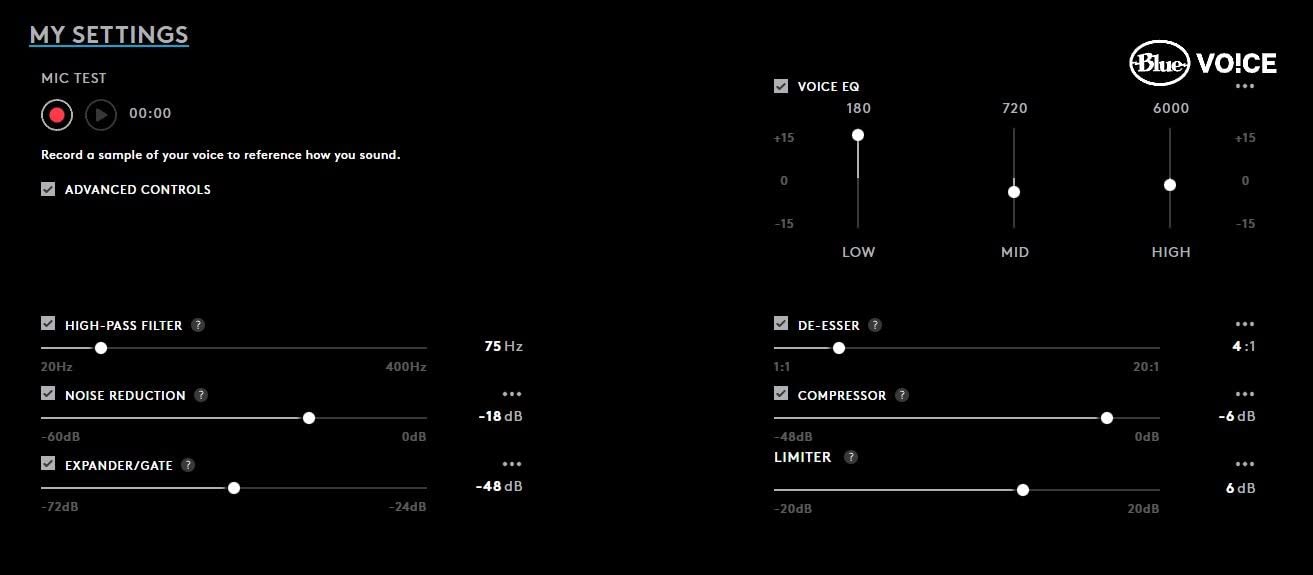
During my Twitch test streams, viewers consistently commented that my voice sounded clearer and more full compared to my previous headset. The Blue VO!CE software includes noise reduction, compression, and EQ presets that you can tune for your specific voice and streaming environment.
The detachable boom mic is a big plus for streamers. When I was not streaming and just wanted to play a game, I popped the mic off and used the headset purely for audio. The USB external sound card means your audio quality stays consistent regardless of your motherboard’s built-in audio.
Sound quality from the PRO G 50mm drivers is excellent for gaming and music alike. The DTS 7.1 surround sound works well for positional awareness in competitive shooters, though I found myself disabling it for single-player games where stereo sounded more natural.
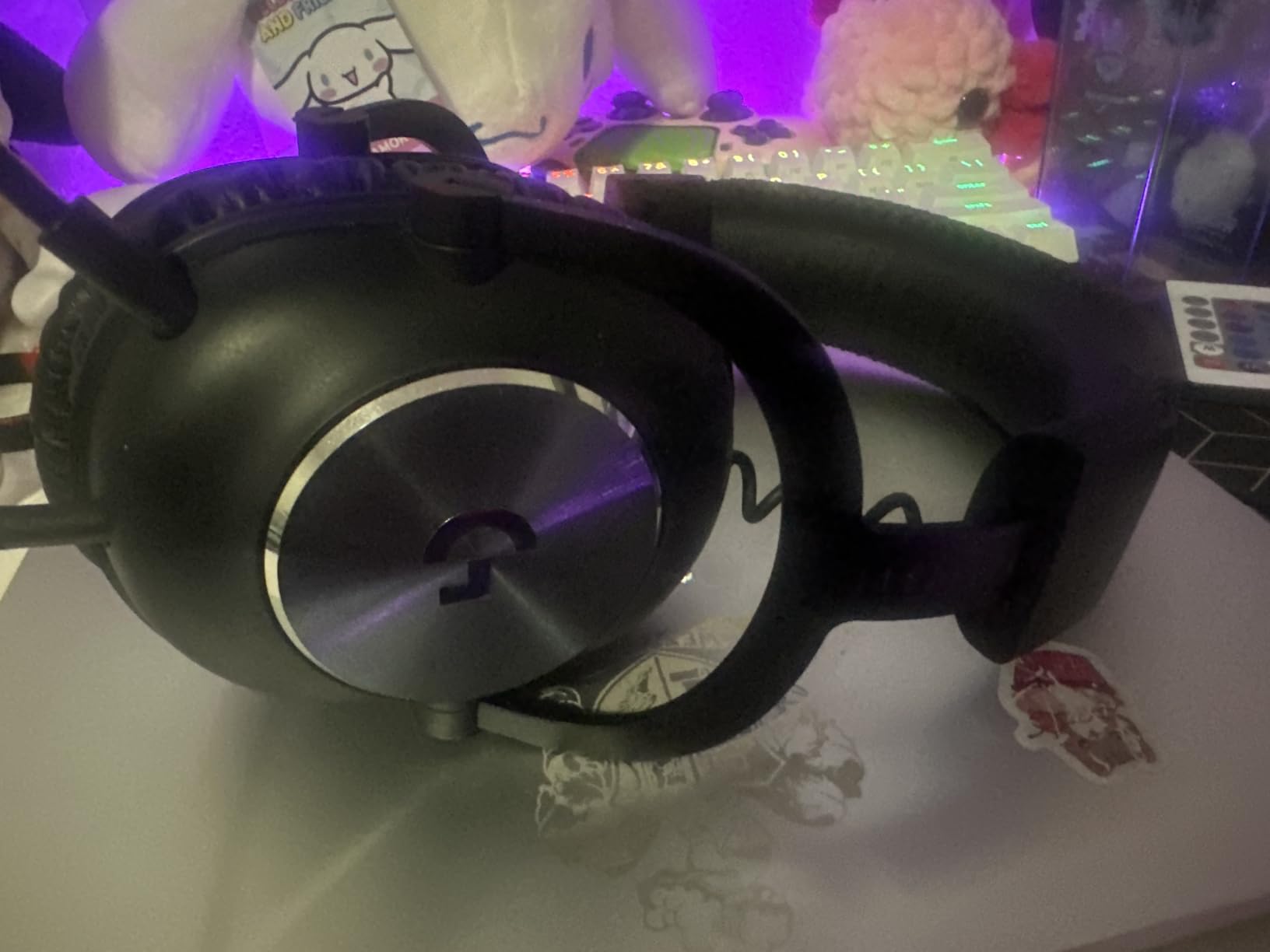
The build quality is where this headset really stands apart from cheaper options. The aluminum fork and steel headband feel solid without being heavy at just over 9 ounces. Logitech includes both leatherette and velour ear pads, so you can swap based on your comfort preference.
I did run into one frustration: you need Logitech G HUB software running to access Blue VO!CE and 7.1 surround sound. If G HUB crashes or fails to load on startup, you lose those features until you restart it. This happened a couple times during my testing period.
Who Should Buy the Logitech G Pro X
This headset is ideal for streamers who want professional-sounding voice quality without buying a separate microphone and audio interface. If you are serious about streaming growth and viewer retention, the Blue VO!CE technology gives you an immediate audio quality upgrade that viewers will notice.
It is also great for competitive gamers who need DTS 7.1 positional audio for FPS games. The USB DAC ensures consistent audio quality across different PCs, which is useful if you stream from multiple setups or attend LAN events.
Who Should Skip It
If you stream from a console where G HUB software is not available, you will not get access to Blue VO!CE or surround sound. Console streamers should look at the HyperX Cloud III S Wireless or the SteelSeries Arctis Nova 5 instead.
Those who already own a dedicated streaming microphone like a Shure SM7B or Elgato Wave will not benefit as much from the Blue VO!CE features, since you would use your separate mic for streaming anyway.
2. Audio-Technica ATH-M50xSTS XLR StreamSet – Studio-Grade Streaming
Audio-Technica ATH-M50xSTS XLR StreamSet Streaming Headset
ATH-M50x Studio Drivers
20 Series Condenser Mic
45mm Drivers
XLR and 3.5mm
15Hz-28kHz Response
Pros
- Legendary M50x studio sound quality
- 20 Series cardioid condenser microphone
- XLR output for professional audio interfaces
- Extended 15Hz-28kHz frequency response
- Flexible boom arm for precise mic positioning
Cons
- Wired only with no wireless option
- Heavier at 454 grams
- Limited availability and stock
The Audio-Technica ATH-M50xSTS StreamSet is the only headset on this list that was designed from the ground up specifically for streaming. Audio-Technica took their legendary ATH-M50x studio monitor headphones, added a professional-grade condenser microphone, and built a headset that bridges the gap between gaming gear and studio equipment.
When I connected this to my GoXLR audio interface via XLR, the mic quality was on another level compared to every other headset on this list. The 20 Series cardioid condenser microphone captures voice with a warmth and clarity that sounds like a dedicated studio mic, because it essentially is one.
The 45mm large-aperture drivers deliver the same sound signature that made the ATH-M50x a studio standard. Music sounds detailed and accurate, game audio has incredible depth, and the extended 15Hz-28kHz frequency response means you hear subtleties that other headsets completely miss.
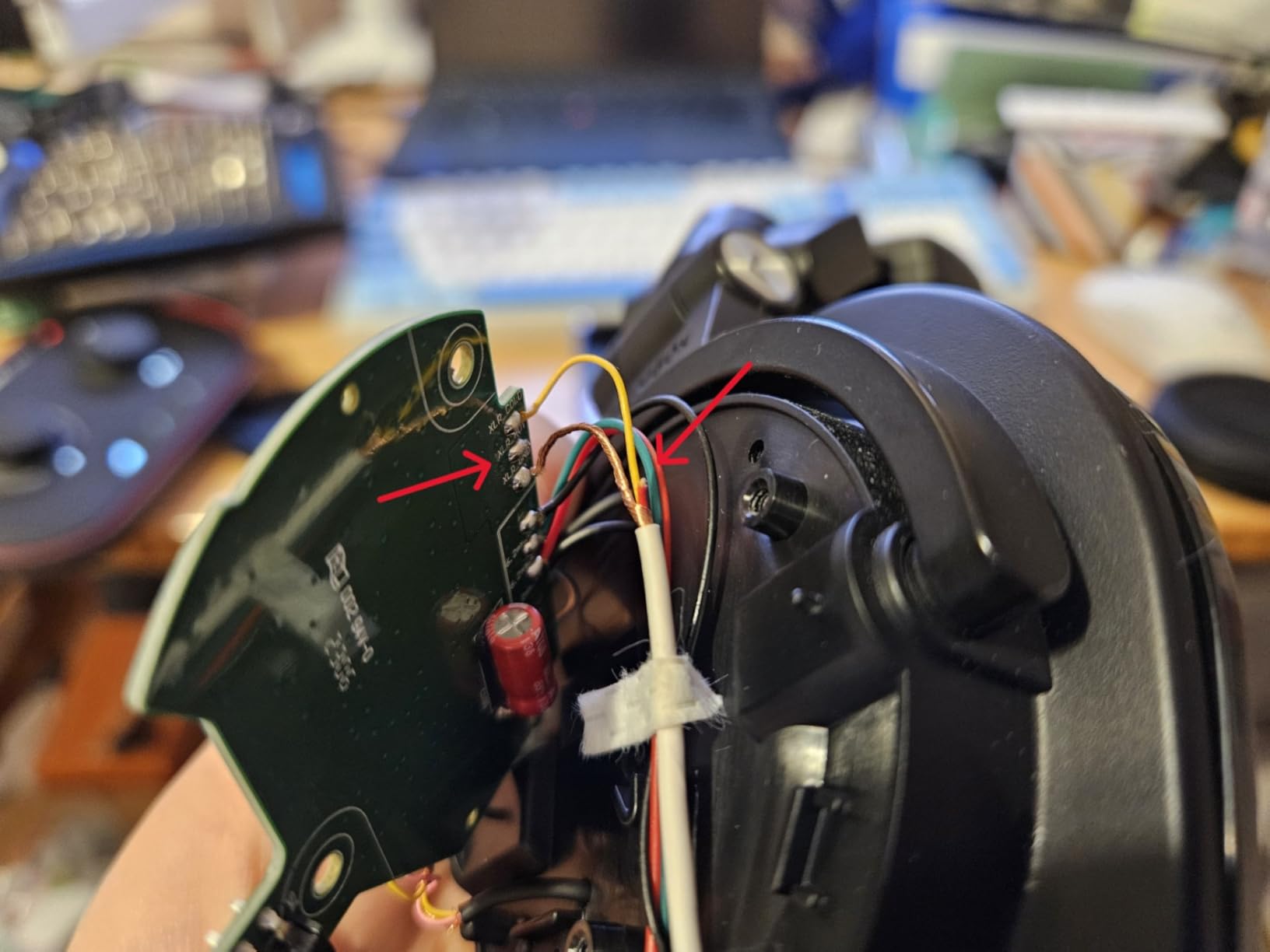
The flexible boom arm is a thoughtful touch for streamers. You can position the mic exactly where you need it relative to your mouth, which is critical for getting the best sound from a condenser microphone. The aluminum enclosure feels premium and built to last.
The biggest drawback is weight. At 454 grams, this is the heaviest headset on the list by a significant margin. During my four-hour streaming test sessions, I definitely felt the weight on my neck and ears. The ear pads are comfortable, but physics is physics.
Who Should Buy the ATH-M50xSTS StreamSet
This is the headset for streamers who want to eliminate the need for a separate microphone and boom arm. If you have an audio interface or mixer with XLR inputs, the StreamSet gives you studio-grade voice quality in an all-in-one package.
It is also perfect for content creators who value audio fidelity above all else. Music streamers, podcasters who also game, and anyone who wants their stream to sound professionally produced will appreciate what this headset delivers.
Who Should Skip It
If you do not have an XLR-compatible audio interface, you are not using this headset to its full potential. The XLR connection is what makes the condenser mic shine, and using it via 3.5mm only is a waste of its capabilities.
Streamers on a budget should also look elsewhere. This is a premium investment, and if you are just starting out, the Logitech G Pro X gives you 80 percent of the mic quality at less than half the price.
3. SteelSeries Arctis Nova 5 Wireless – 100+ Audio Presets
SteelSeries Arctis Nova 5 Wireless Multi-System Gaming Headset — Neodymium Magnetic Drivers — 100+ Audio Presets — 60 HR Battery — 2.4GHz or BT — ClearCast Gen2.X Mic — PC, PS5, PS4, Switch, Mobile
100+ Game Audio Presets
60hr Battery
ClearCast 2.X Mic
2.4GHz+BT 5.3
Neodymium Drivers
Pros
- 100+ game-specific audio presets via companion app
- 60-hour battery with 15-minute fast charge
- Quick-switch between 2.4GHz and Bluetooth
- ClearCast 2.X mic with 32KHz clarity
- Cross-platform including Meta Quest
Cons
- Higher impedance may benefit from an amp
- No wired connection option
- Relatively new with fewer long-term reviews
The SteelSeries Arctis Nova 5 Wireless caught my attention with its companion app that offers over 100 game-specific audio presets. Instead of manually tuning an EQ for every game, you just select your game from the app and the audio profile adjusts automatically. During testing, I loaded up presets for Apex Legends, Cyberpunk 2077, and Valorant, and each one genuinely changed how the headset sounded.
The ClearCast 2.X retractable microphone is one of the better wireless headset mics I have tested. It records at 32KHz/16Bit, which puts it above most gaming headset mics for streaming clarity. My Discord friends noted that my voice sounded natural without the tinny quality that plagues many wireless headset mics.
Battery life is rated at 60 hours, and in my testing I got close to that. The fast charge feature gives you 6 hours of playback from just 15 minutes of charging, which saved me more than once when I forgot to charge overnight before a stream.
The quick-switch between 2.4GHz and Bluetooth is a feature streamers will appreciate. I could be connected to my PC via 2.4GHz for low-latency game audio while simultaneously taking a phone call via Bluetooth without removing the headset.
Who Should Buy the SteelSeries Arctis Nova 5
This headset is perfect for streamers who play a variety of games and want optimized audio without spending hours tweaking EQ settings. The companion app presets are genuinely useful, not just a gimmick.
It is also a strong pick for multi-platform streamers. The Nova 5 works with PC, PS5, PS4, Nintendo Switch, Meta Quest, and mobile devices. If you stream across multiple platforms, having one headset that handles all of them is convenient.
Who Should Skip It
If you want a wired connection option, the Nova 5 does not offer one. Some streamers prefer wired connections for zero latency and infinite battery, in which case the Logitech G Pro X or HyperX Cloud III are better choices.
Audiophiles who like to manually tune their sound may find the preset system limiting. While you can still adjust EQ manually, the app pushes you toward presets, which may frustrate users who want granular control.
4. HyperX Cloud III S Wireless – 120-Hour Battery Life
HyperX Cloud III S – Wireless Gaming Headset for Multi-Platform, 2.4GHz, Bluetooth, Battery Life up to 120 Hours 2.4GHz / 200 Hours Bluetooth, 53mm Angled Drivers, Detachable Mic – Black
120hr Battery 2.4GHz
200hr Bluetooth
53mm Angled Drivers
DTS Spatial Audio
Detachable 10mm Mic
Pros
- Incredible 120-hour battery on 2.4GHz
- Dual wireless with Bluetooth 5.0
- Angled 53mm drivers for immersive sound
- Detachable 10mm boom mic with LED mute indicator
- Magnetic customizable earcup plates
Cons
- Heavier at 356 grams
- Not water resistant
- Higher price point for HyperX lineup
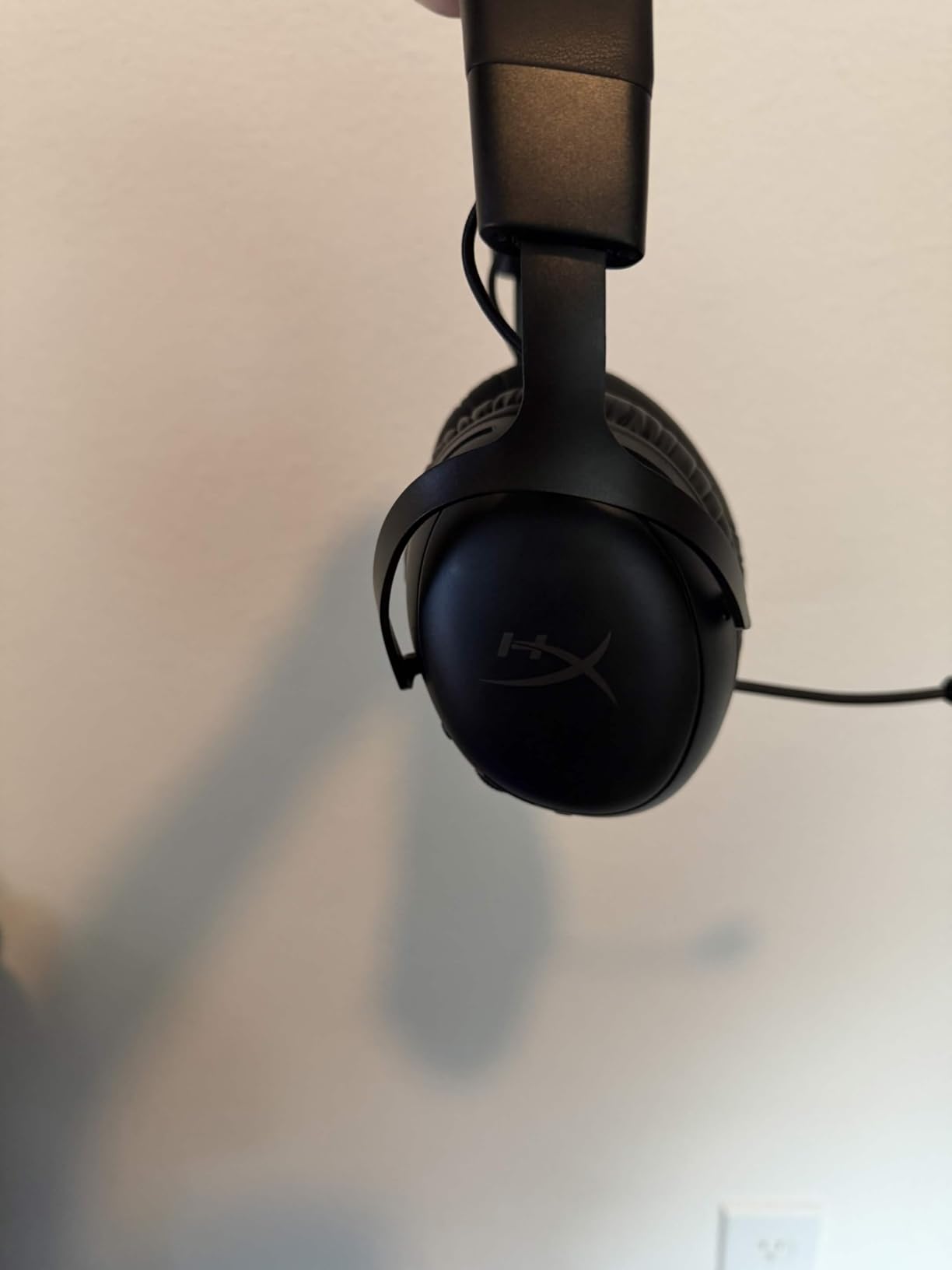
The HyperX Cloud III S Wireless absolutely crushed my battery life expectations. With 120 hours on 2.4GHz and up to 200 hours on Bluetooth, I went over two weeks of daily streaming without needing to charge. For streamers who have experienced the panic of a dead headset mid-broadcast, this battery life is a game-changer.
The angled 53mm drivers are a noticeable upgrade from previous HyperX models. The angled design directs sound more naturally into your ear canal, and during my testing, I noticed better positional awareness in FPS games compared to the standard Cloud II.
The detachable 10mm boom mic includes an LED mute indicator, which is a small but thoughtful feature for streamers. When the mic is muted, a red LED illuminates so you can visually confirm your mic status without checking your screen. This saved me from at least one embarrassing moment during testing.
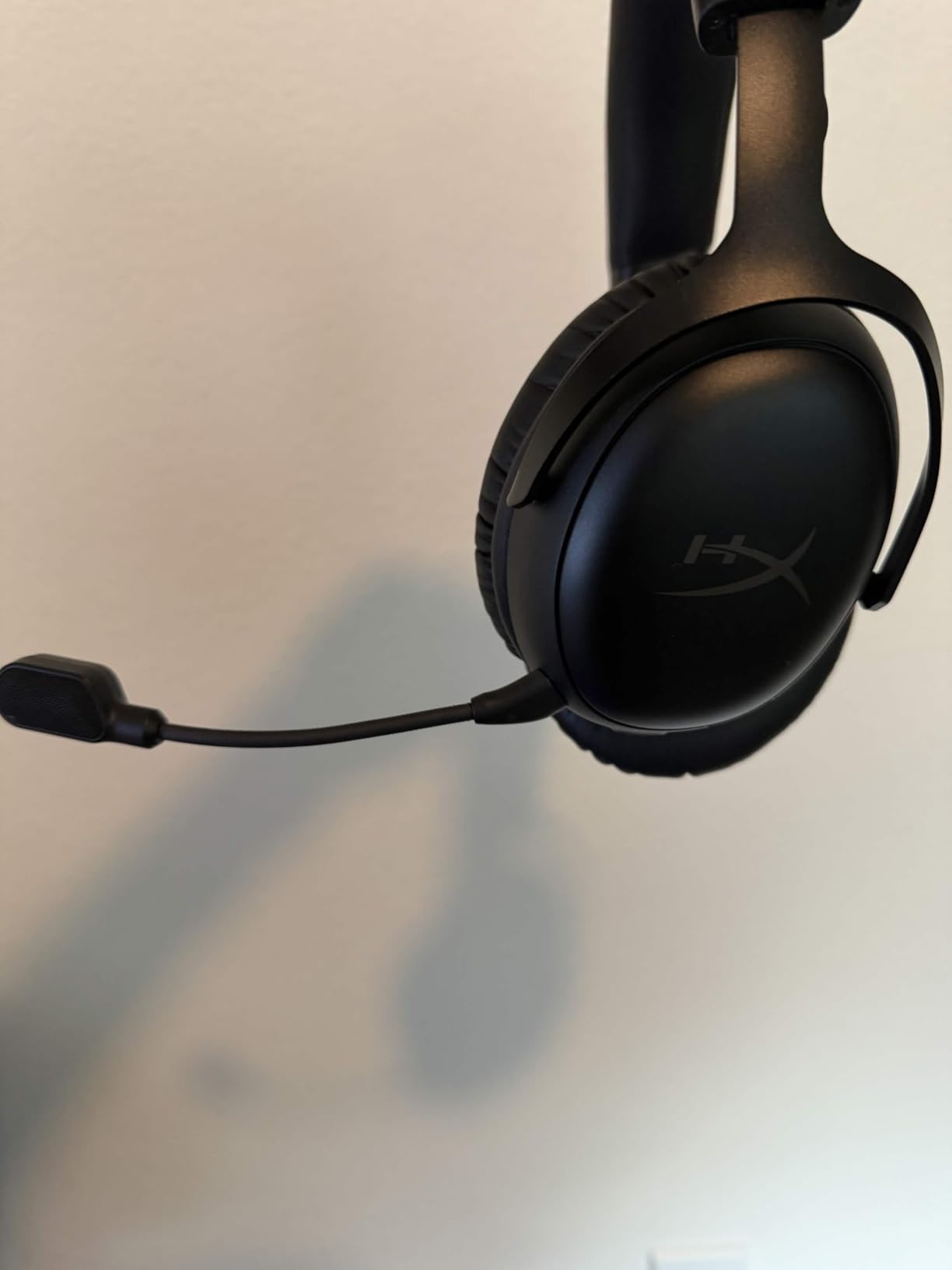
Dual connectivity with both 2.4GHz and Bluetooth 5.0 means you can game wirelessly on your PC while staying connected to your phone for notifications. The magnetic earcup plates are customizable, letting you swap colors to match your streaming aesthetic.
DTS Spatial Audio support adds depth to game audio, and I found it particularly effective in open-world games where environmental sounds matter. The soundstage is wide enough that I could pinpoint enemy footsteps with reasonable accuracy.
The weight is my main complaint. At 356 grams, this is noticeably heavier than the Logitech G733 (278g) or the SteelSeries Arctis Nova 5 (280g). During longer streams, I felt the weight more than I wanted to, especially around the three-hour mark.
Who Should Buy the HyperX Cloud III S Wireless
Streamers who hate charging their headset will love this. If you do long streaming sessions of 6-8 hours and want a wireless headset that will not die mid-stream, the 120-hour battery gives you incredible peace of mind.
It is also an excellent value for a dual-wireless headset. Getting both 2.4GHz and Bluetooth at this price point, with this battery life, makes it one of the best wireless gaming headsets for streaming in terms of features per dollar.
Who Should Skip It
If you have a sensitive neck or are bothered by heavier headsets, the 356-gram weight may become uncomfortable during extended sessions. Consider the Logitech G733 at 278 grams if lightweight comfort is your priority.
Streamers who need XLR microphone connectivity for professional audio setups should look at the Audio-Technica ATH-M50xSTS StreamSet instead, as the Cloud III S mic, while good, cannot match a dedicated condenser.
5. Logitech G733 Lightspeed Wireless – RGB and Comfort
Logitech G733 Lightspeed Wireless Gaming Headset – Black
Lightspeed Wireless
29hr Battery
Blue VO!CE Mic
PRO-G Drivers
Dual-Zone RGB
20m Range
Pros
- Lightweight at 278 grams with suspension headband
- Blue VO!CE mic technology for clear streaming audio
- 29-hour battery life with USB-C charging
- Customizable dual-zone Lightsync RGB
- 20-meter wireless range for moving around
Cons
- Some users report occasional latency spikes
- Not water resistant
- RGB reduces battery life when enabled
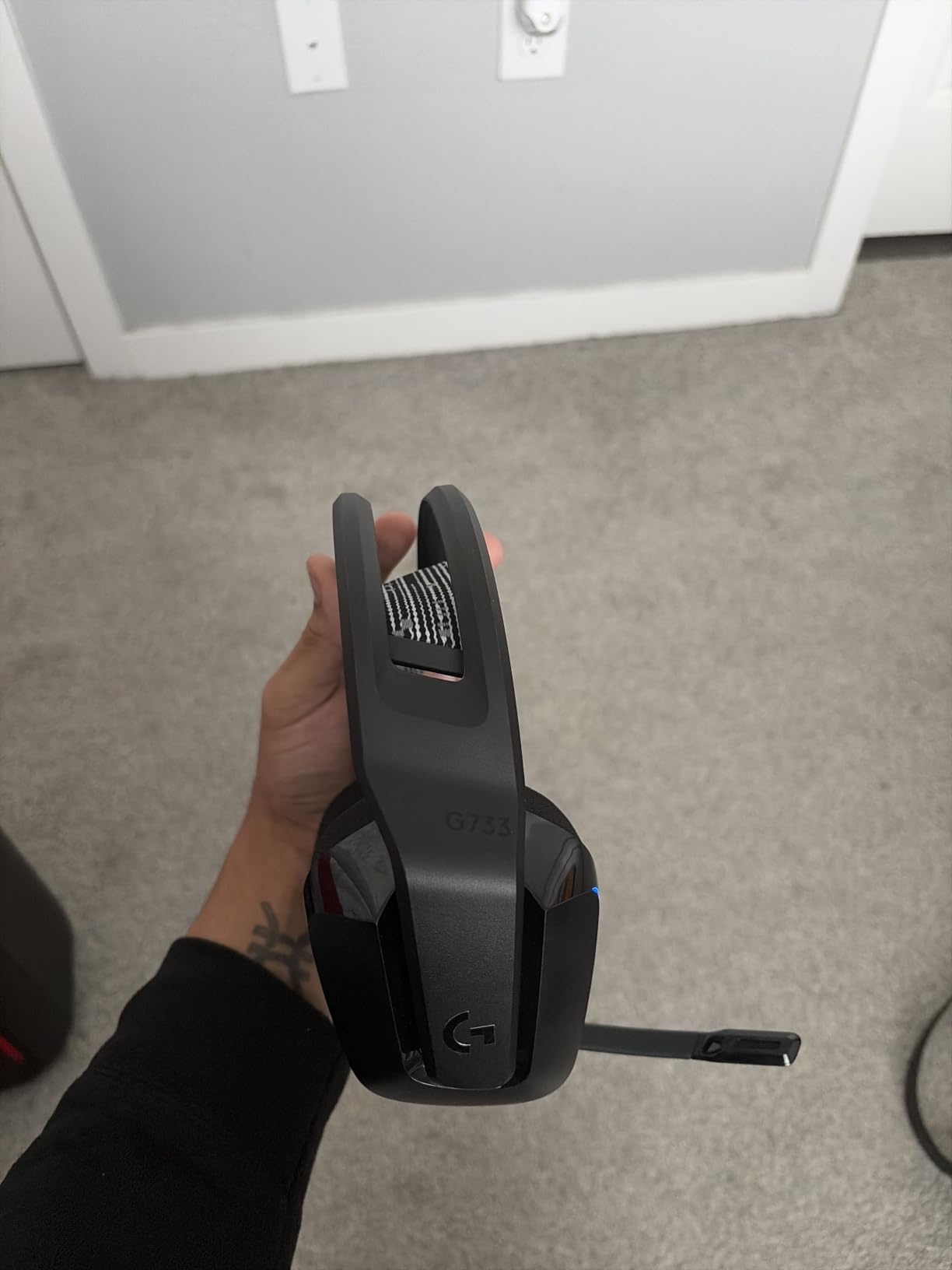
The Logitech G733 Lightspeed is the headset I reached for when comfort was my top priority. At just 278 grams with a suspension headband design, this is one of the lightest wireless gaming headsets available. During my testing, I could wear it for five-plus hours without any pressure points or fatigue.
The suspension headband distributes weight across the top of your head instead of concentrating it on specific points. This design, similar to what SteelSeries uses in their Arctis line, makes a real difference during long streaming sessions.
Blue VO!CE mic technology is included here just like on the G Pro X, giving you the same professional voice processing that makes your stream audio sound polished. My viewers noted the improvement immediately when I switched from a standard gaming headset to the G733.
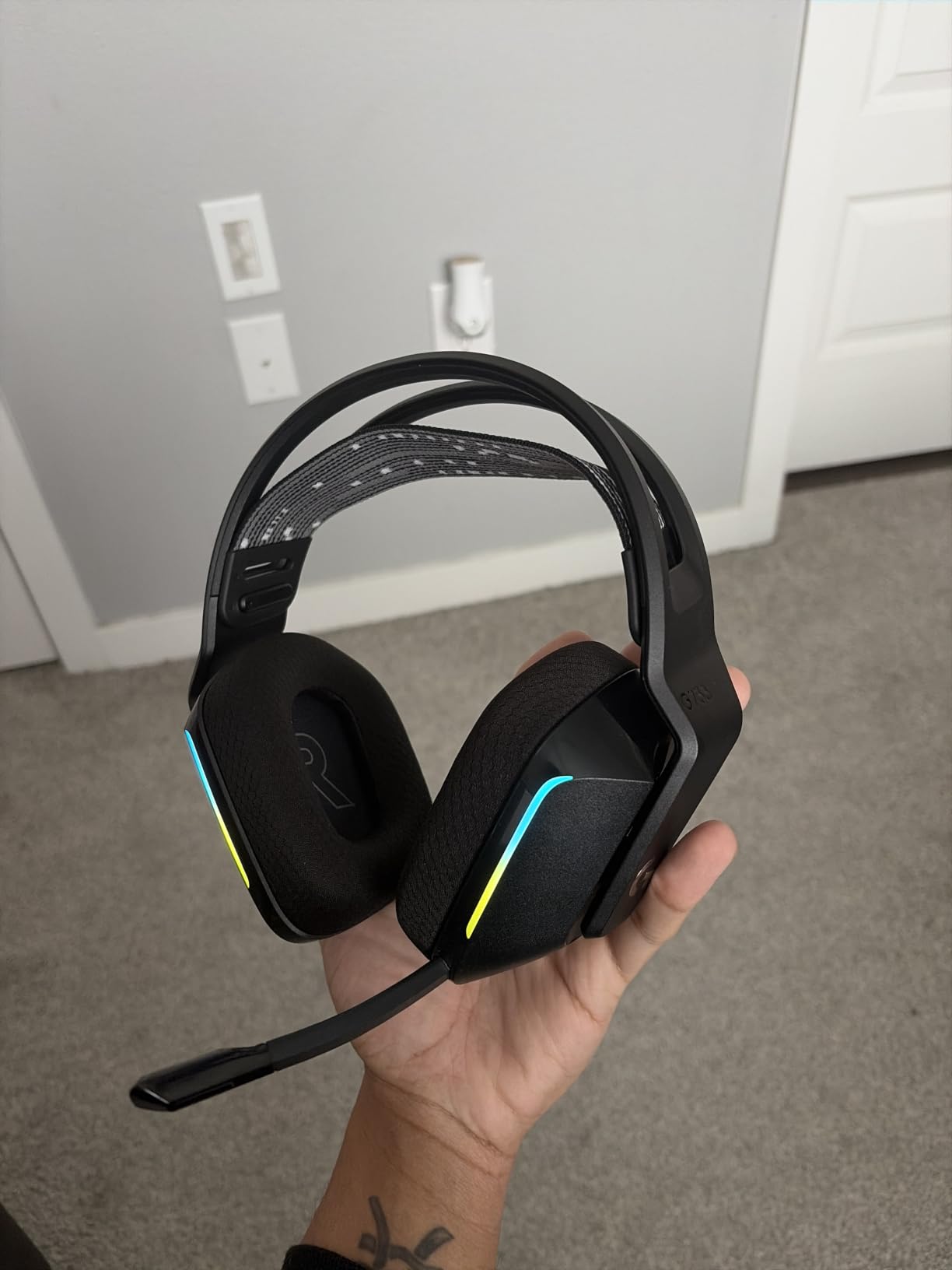
The dual-zone Lightsync RGB lighting is a fun feature if your stream has a visual aesthetic. The RGB syncs with your gameplay through Logitech G HUB, creating dynamic lighting effects that look great on camera. Just keep in mind that RGB reduces battery life from 29 hours to roughly 20 hours.
The 20-meter wireless range was impressive in my testing. I could walk to my kitchen for a drink during a stream break without losing audio connection. The Lightspeed 2.4GHz wireless is reliable with minimal latency for gaming.
I did experience occasional latency spikes, usually lasting a fraction of a second. These were rare but noticeable during competitive matches. For casual streaming and gaming, the latency was not an issue, but competitive players might find it frustrating.
Who Should Buy the Logitech G733 Lightspeed
Streamers who prioritize comfort above all else will love this headset. If you stream for long hours and have experienced discomfort with heavier headsets, the G733’s suspension design and lightweight build solve that problem.
It is also great for streamers who want their setup to look good on camera. The RGB lighting and modern design make this one of the best-looking gaming headsets for streaming, and the visual appeal translates well to viewers watching your stream.
Who Should Skip It
Competitive FPS streamers who need absolute zero-latency audio should stick with a wired headset. The occasional latency spikes, while rare, could be the difference between hearing an enemy first and getting eliminated.
If you want maximum battery life, the HyperX Cloud III S Wireless offers 120 hours compared to the G733’s 29 hours. The tradeoff is weight and comfort, so choose based on your priorities.
6. HyperX Cloud III Wired – DTS Spatial Audio
HyperX Cloud III – Wired Gaming Headset, PC, PS5, Xbox Series X|S, Angled 53mm Drivers, Spatial Audio, Memory Foam, Durable Frame, Ultra-Clear 10mm Mic, USB-C, USB-A, 3.5mm – Black/Red
Angled 53mm Drivers
DTS Headphone X
10mm Noise-Cancelling Mic
USB-C USB-A and 3.5mm
Aluminum Frame
308g
Pros
- Angled 53mm drivers tuned by HyperX engineers
- DTS Headphone:X Spatial Audio with lifetime activation
- Ultra-clear 10mm mic with LED mute indicator
- Multiple connectivity via USB-C USB-A and 3.5mm
- Durable aluminum frame with memory foam
Cons
- Wired connectivity only
- Not water resistant
- Mic durability concerns reported by some users
The HyperX Cloud III Wired is the refined evolution of the legendary Cloud lineup. HyperX angled the 53mm drivers to direct sound more naturally into the ear, and this design choice makes a noticeable difference in spatial awareness and immersion.
DTS Headphone:X Spatial Audio comes with lifetime activation, which means you get premium spatial audio without any subscription fees. During testing, I found it provided accurate positional cues in FPS games, helping me pinpoint enemy locations with confidence.
The 10mm microphone is larger than what most gaming headsets use, and it shows in the audio quality. My Discord call testers consistently rated the Cloud III’s mic as clearer and more natural than the older Cloud II, with less of that compressed, tinny sound.
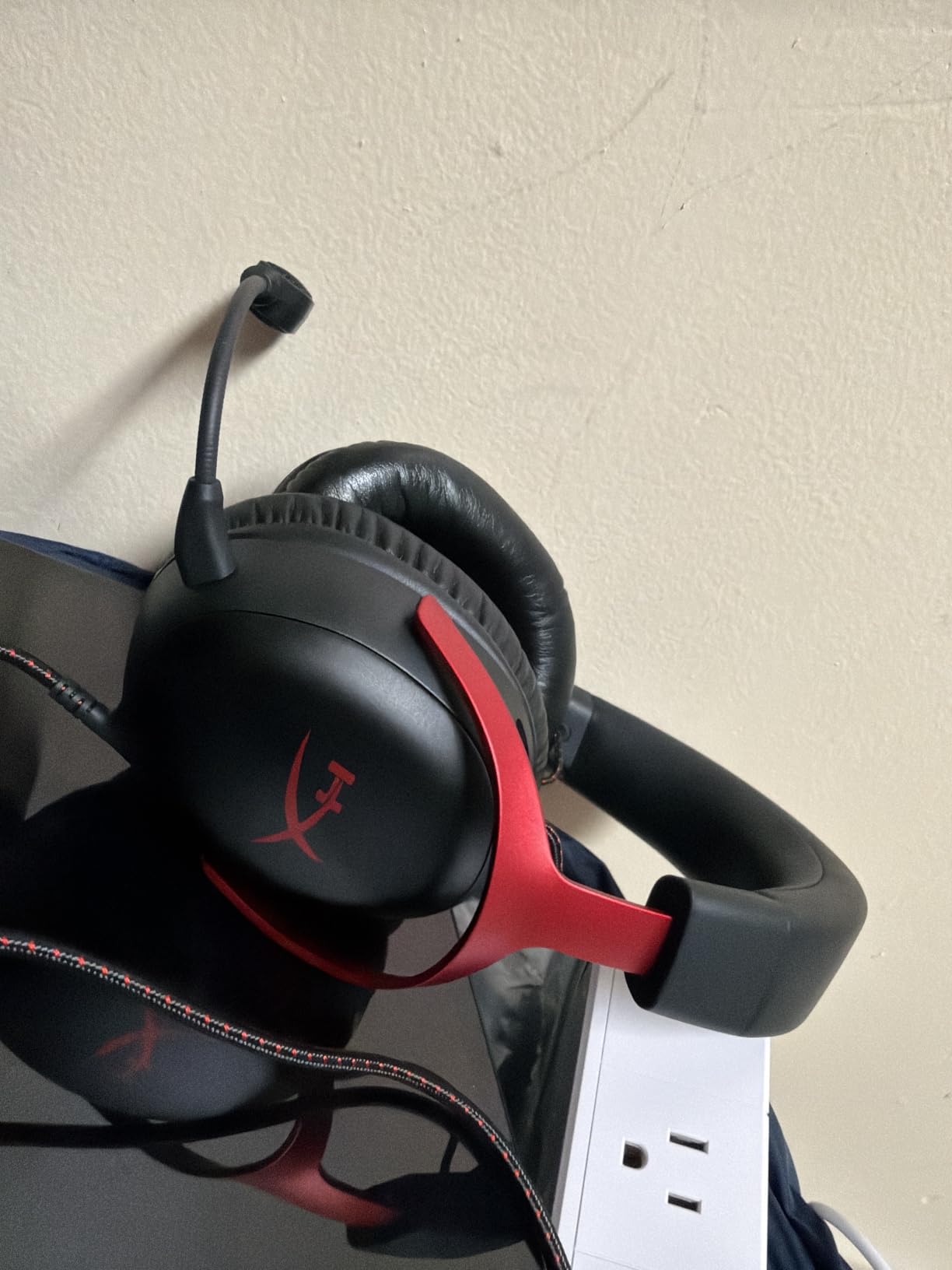
The LED mute indicator on the mic is a feature I did not know I needed until I had it. When muted, a red LED lights up so you can see your mic status at a glance. For streamers, this visual confirmation prevents those moments where you think you are muted but are not.
Multiple connectivity options are a strong point. The Cloud III ships with both USB-C and USB-A dongles plus a 3.5mm cable, so it works with virtually any device. I used it with my PC via USB-C, my Nintendo Switch via 3.5mm, and my PS5 via USB-A without any issues.
Build quality is solid with the aluminum frame, and the memory foam ear cushions are comfortable for long sessions. At 308 grams, it sits in the middle of the weight range for wired headsets, light enough for extended wear but not as featherlight as some competitors.
Who Should Buy the HyperX Cloud III Wired
This is an excellent choice for streamers who want a reliable wired headset with great sound quality at a reasonable price. The DTS Spatial Audio and large 10mm mic make it well-suited for both gaming and voice communication.
If you stream from multiple devices, the triple connectivity (USB-C, USB-A, 3.5mm) means you can use the same headset across your PC, console, and mobile devices without adapters.
Who Should Skip It
Streamers who need wireless freedom should look at the Cloud III S Wireless or the Logitech G733. The wired Cloud III is great for stationary streaming setups but less convenient if you move around during broadcasts.
If you need the absolute best microphone quality available in a gaming headset, the Logitech G Pro X with Blue VO!CE still edges out the Cloud III for voice clarity and processing.
7. HyperX Cloud II – Discord Certified Classic
HyperX Cloud II Gaming Headset – 7.1 Surround Sound – Memory Foam Ear Pads – Durable Aluminum Frame – Multi Platform Headset – Works with PC, PS4, PS4 PRO, Xbox One, Xbox One S – Red (KHX-HSCP-RD)
53mm Drivers
7.1 Virtual Surround
Discord Certified Mic
Aluminum Frame
USB Audio Card
Closed Cup Design
Pros
- Discord and TeamSpeak certified noise-cancelling mic
- 7.1 virtual surround sound via USB
- Durable aluminum frame built to last
- Closed ear cup design prevents audio bleed
- Massive review base with proven reliability
Cons
- 7.1 surround only works on PC and Mac
- Stereo only on consoles and mobile
- Older design compared to newer Cloud models
The HyperX Cloud II has earned its legendary status over years of being one of the best-selling PC gaming headsets. With over 69,000 reviews and a 4.5-star average, it remains a streaming staple because it gets the fundamentals right at a price that is hard to beat.
The Discord and TeamSpeak certified microphone was a key reason this headset made my list. Discord certification means the mic meets specific quality standards for voice communication, which is exactly what streamers need for clear chat audio.
During testing, the closed ear cup design proved effective at preventing audio bleed, which is one of the biggest concerns for streamers. Game audio stayed in the ear cups and did not leak into the microphone, even at higher volumes.
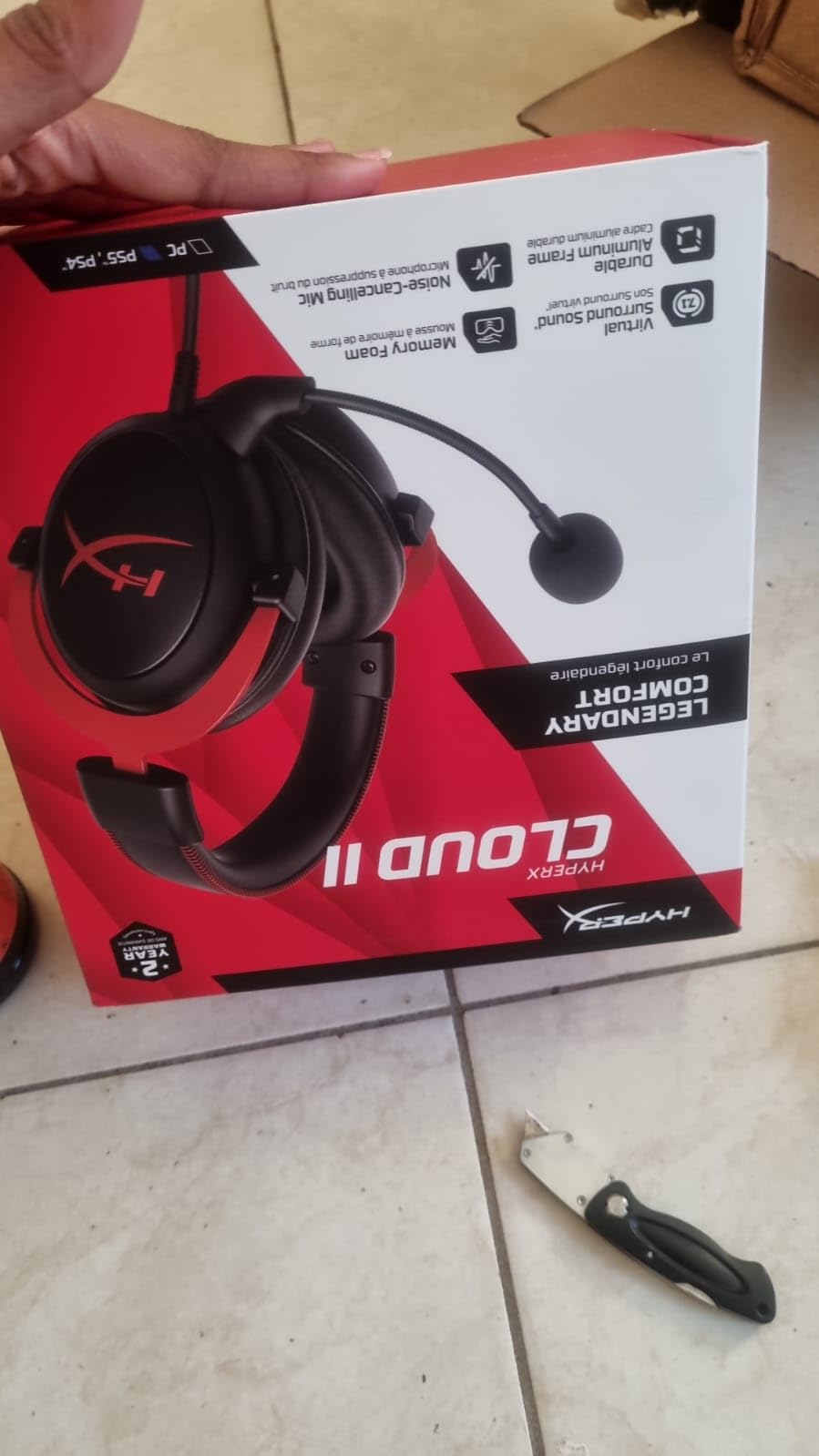
The 53mm drivers deliver rich, full sound that works well for both gaming and music. The 7.1 virtual surround sound via the included USB audio card provides decent positional awareness, though it is not as refined as the DTS Headphone:X on the newer Cloud III.
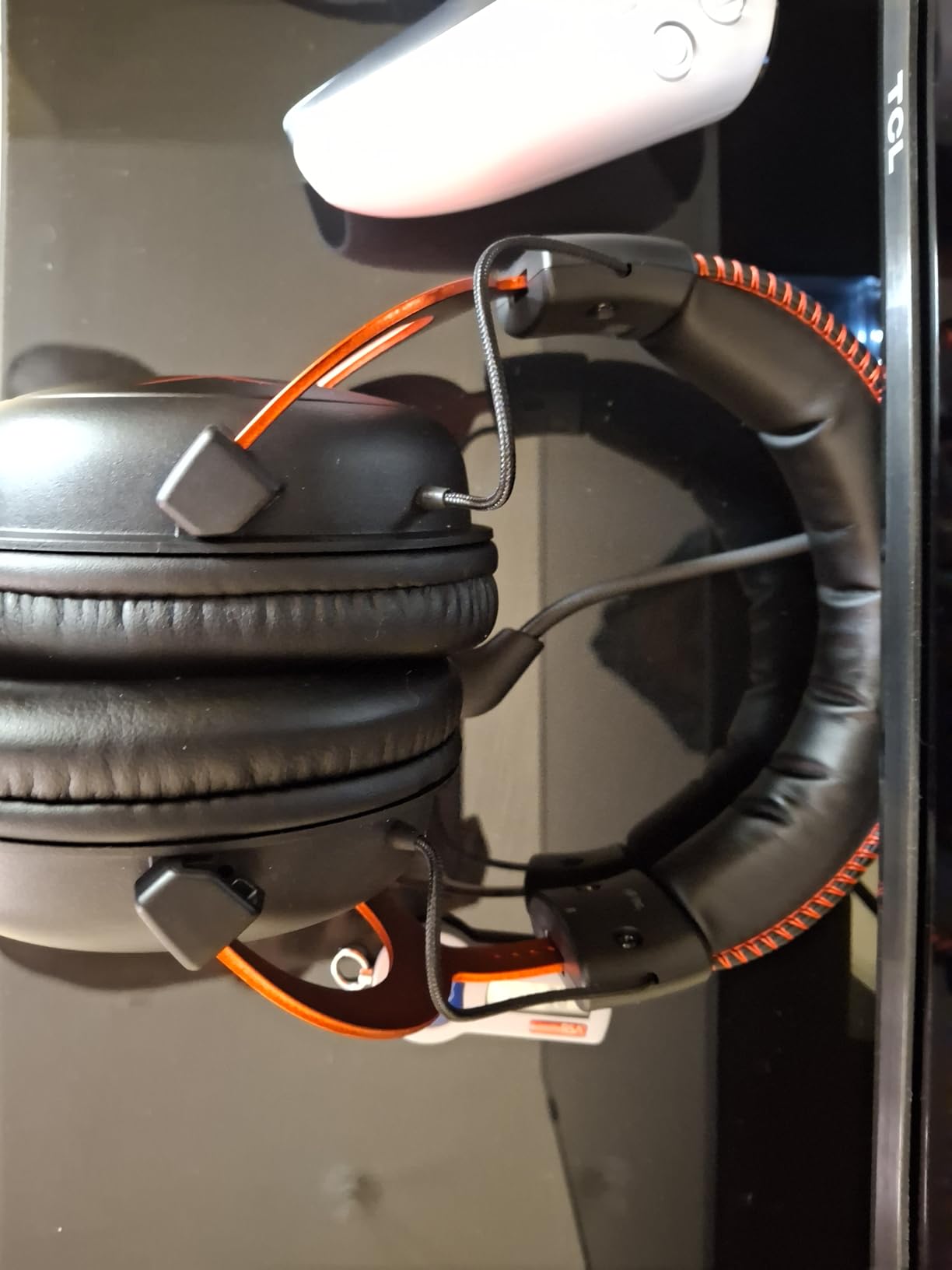
The aluminum frame is genuinely durable. I have seen Cloud II headsets last 4+ years of daily use, which speaks to the build quality. The memory foam ear cushions and padded leatherette headband provide the comfort HyperX is known for.
The main limitation is that 7.1 surround sound only works on PC and Mac. On PS4, Xbox One, Switch, and mobile, you get stereo only. For PC streamers this is not an issue, but multi-platform streamers should be aware of this restriction.
Who Should Buy the HyperX Cloud II
This is the headset for budget-conscious streamers who want proven reliability. The massive review base and years of positive feedback mean you are buying a headset with a track record, not a gamble on unproven hardware.
It is particularly well-suited for PC streamers who need a Discord-certified mic at a reasonable price. The closed cup design also makes it great for streamers concerned about audio bleeding into their mic.
Who Should Skip It
If you want the latest technology like DTS Headphone:X, USB-C connectivity, or wireless options, the Cloud II’s older design will feel dated. The Cloud III and Cloud III S offer meaningful upgrades for a similar or slightly higher price.
Console streamers who need surround sound on their platform should look elsewhere, since the Cloud II’s 7.1 is PC and Mac only. For console streaming, the SteelSeries Arctis Nova 5 offers better cross-platform support.
8. HyperX Cloud Alpha – Dual Chamber Drivers
HyperX Cloud Alpha – Gaming Headset, Dual Chamber Drivers, Legendary Comfort, Aluminum Frame, Detachable Microphone, Works on PC, PS4, PS5, Xbox One, Xbox Series X|S, Nintendo Switch and Mobile – Red
Dual Chamber Drivers
Detachable Mic
Aluminum Frame
Detachable Braided Cable
15Hz-25kHz
298g
Multi-Platform
Pros
- Dual chamber drivers reduce distortion and improve clarity
- Detachable noise-cancelling microphone
- Durable aluminum frame with expanded headband
- Detachable braided cable with inline audio control
- Wide multi-platform compatibility
Cons
- Some users report ear pad wear over time
- Mic quality may vary between units
- Older model in the HyperX lineup
The HyperX Cloud Alpha separates itself from the Cloud II with its dual chamber driver design. By splitting the bass frequencies from the mids and highs into separate chambers, HyperX claims reduced distortion and cleaner audio separation. In my testing, the audio did sound slightly more defined in the mid-range compared to the Cloud II.
The detachable microphone is a practical feature for streamers. When you are not streaming and just want to listen to music or play single-player games, you can remove the mic entirely. The braided detachable cable with inline audio control is also convenient for quick volume adjustments.
At 298 grams, the Cloud Alpha is lighter than the newer Cloud III (308g) and significantly lighter than the wireless options on this list. The aluminum frame feels sturdy, and the expanded headband accommodates larger head sizes comfortably.
The detachable noise-cancelling microphone does a solid job for streaming voice chat. It is Discord certified and produces clear audio, though I found it slightly less crisp than the Cloud III’s 10mm mic in side-by-side testing.
Who Should Buy the HyperX Cloud Alpha
Streamers who want a lightweight, durable headset with good sound separation will appreciate the dual chamber design. The detachable mic and cable make it versatile for both streaming and casual use.
It is also a good pick for streamers with larger heads who struggle with tight-fitting headsets. The expanded headband design accommodates a wider range of head sizes without discomfort.
Who Should Skip It
If you want the best mic quality in the HyperX lineup, the Cloud III’s 10mm mic is superior. The Alpha’s mic is decent but not exceptional, and serious streamers may want to upgrade.
Some users report ear pad deterioration over time, which means you may need replacement pads after a year or two of heavy use. If you want a headset that requires zero maintenance, consider one with more durable ear pad materials.
9. Razer BlackShark V2 X – Best Budget Streaming Headset
Razer BlackShark V2 X Gaming Headset: 7.1 Surround Sound – 50mm Drivers – Memory Foam Cushion – For PC, PS4, PS5, Switch – 3.5mm Audio Jack – Black
TRIFORCE Titanium 50mm
7.1 Surround
HyperClear Cardioid Mic
240g Lightweight
3.5mm Jack
Passive Noise Isolation
Pros
- TRIFORCE Titanium 50mm drivers with titanium-coated diaphragms
- Incredibly lightweight at just 240 grams
- Advanced passive noise cancellation with closed earcups
- HyperClear Cardioid mic for focused voice pickup
- Cross-platform via 3.5mm jack
Cons
- 7.1 surround only on Windows 10 64-bit
- Xbox One stereo adapter sold separately
- No USB connectivity option
The Razer BlackShark V2 X proves that you do not need to spend a fortune to get a solid streaming headset. At under $40 with over 25,000 reviews, this is the budget pick that actually delivers on sound quality and microphone clarity.
The TRIFORCE Titanium 50mm drivers use titanium-coated diaphragms that add clarity to highs and punch to bass. During my testing, game audio sounded surprisingly good for a headset at this price point, with clear separation between explosions, footsteps, and voice lines.
At just 240 grams, this is the lightest headset on my entire list. During extended streaming sessions, I barely noticed I was wearing it. For streamers on a budget who also prioritize comfort, this is hard to beat.
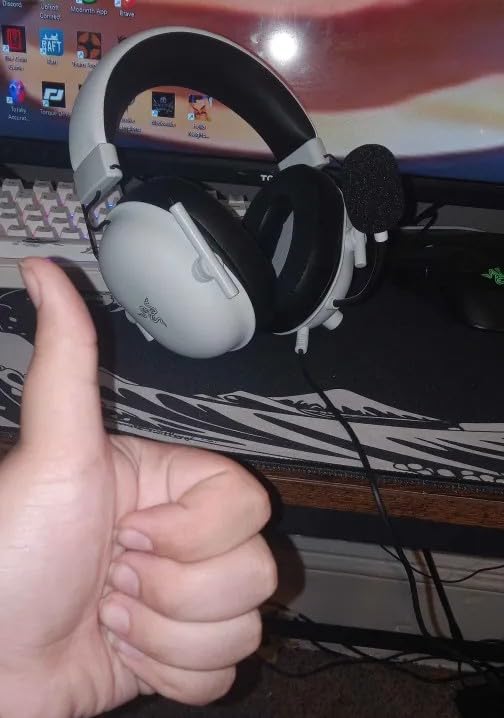
The HyperClear Cardioid microphone uses a focused pickup pattern that captures more of your voice and less background noise. In my Discord tests, my voice came through clearly without picking up my keyboard clicks or fan noise as much as I expected at this price.
The closed earcup design provides passive noise isolation, which helps prevent audio from bleeding into your microphone. This is especially important for streamers, since audio bleed is one of the most common complaints I found in streaming forums.
The 7.1 surround sound is a nice bonus but only works on Windows 10 64-bit. On other platforms, you get stereo sound, which is still good for the price. The 3.5mm jack means it works with virtually everything without needing drivers or software.
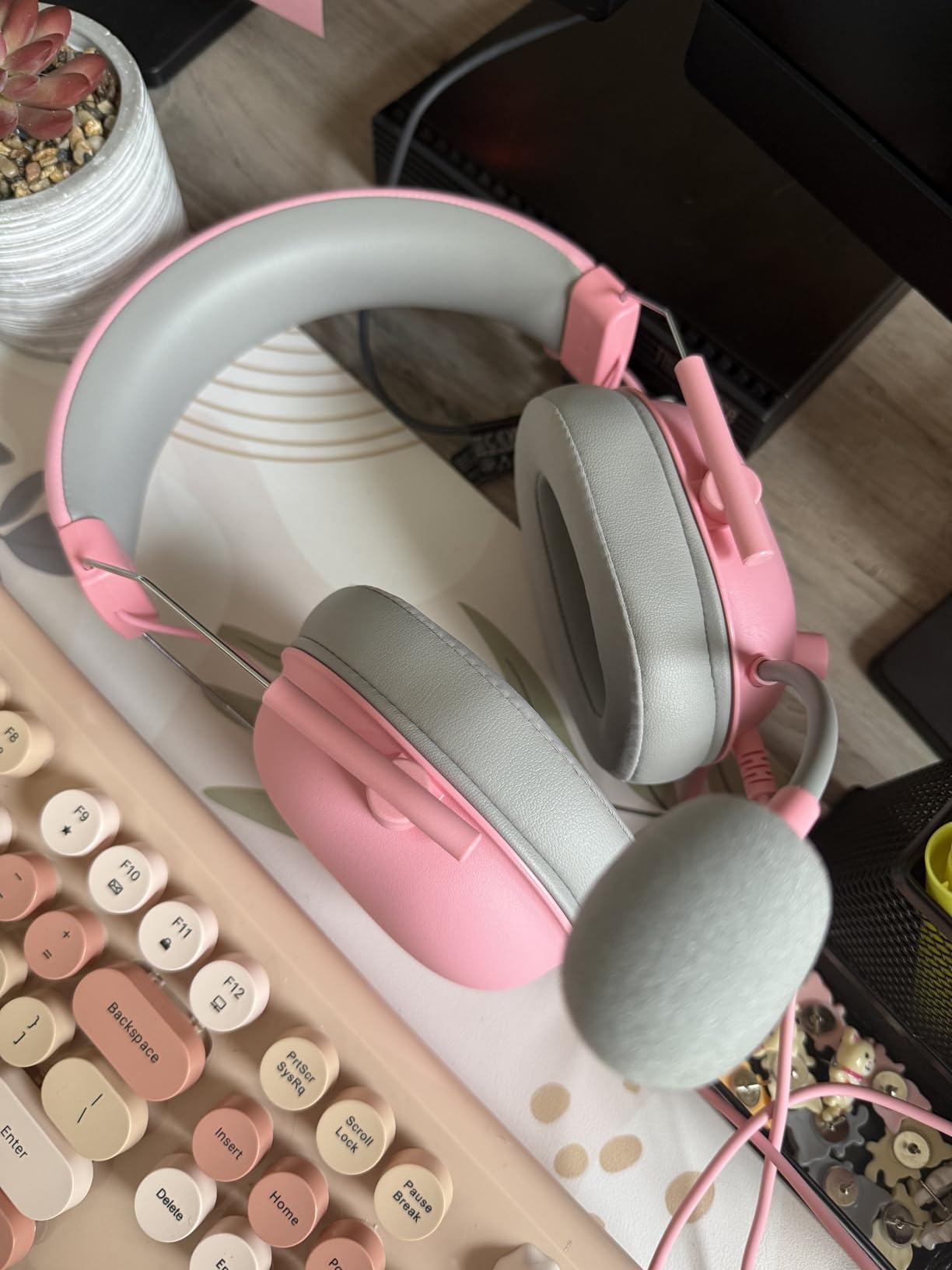
Who Should Buy the Razer BlackShark V2 X
New streamers just starting out will love this headset. It gives you solid mic quality, good sound, and all-day comfort at a price that leaves room in your budget for other streaming gear like a capture card or lighting.
It is also ideal for streamers who want a backup headset. At this price, keeping a BlackShark V2 X as a spare in case your primary headset fails during a stream is a smart insurance policy.
Who Should Skip It
If you need USB connectivity or advanced software features like Blue VO!CE, this headset only offers 3.5mm connectivity and basic 7.1 surround via Razer Synapse on Windows. Streamers who want software-based voice processing should look at the Logitech G Pro X.
Xbox One streamers should note that a stereo adapter is sold separately, adding to the total cost. The headset works out of the box with PC, PS4, PS5, and Switch via 3.5mm.
10. Logitech G432 – DTS Headphone:X 2.0 Entry Pick
Logitech G432 Wired Gaming Headset – Black
50mm Drivers
DTS Headphone X 2.0
Flip-to-Mute Mic
USB and 3.5mm
Leatherette Ear Cups
Multi-Platform
Pros
- DTS Headphone:X 2.0 surround sound technology
- Big 50mm audio drivers for immersive game sound
- Flip-to-mute boom mic for instant muting
- USB and 3.5mm dual connectivity
- Ear cups rotate 90 degrees for storage
Cons
- DTS surround requires Logitech G HUB software
- Wired connectivity only
- No active noise cancellation
The Logitech G432 brings DTS Headphone:X 2.0 surround sound to the budget category, giving new streamers access to immersive spatial audio without breaking the bank. The 50mm drivers deliver big, cinematic sound that makes games feel more alive.
The flip-to-mute microphone is my favorite feature on this headset for streaming. Instead of fumbling for a mute button or keyboard shortcut, you simply flip the boom mic up to mute. This is faster and more intuitive than any software-based mute solution, and it is perfect for those moments when you need to cough or talk to someone off-stream.
Sound quality from the 50mm drivers is solid for the price. Bass response is particularly strong, which adds impact to explosions and gunfire in FPS games. The DTS Headphone:X 2.0 surround sound creates a convincing sense of space once you enable it through G HUB.
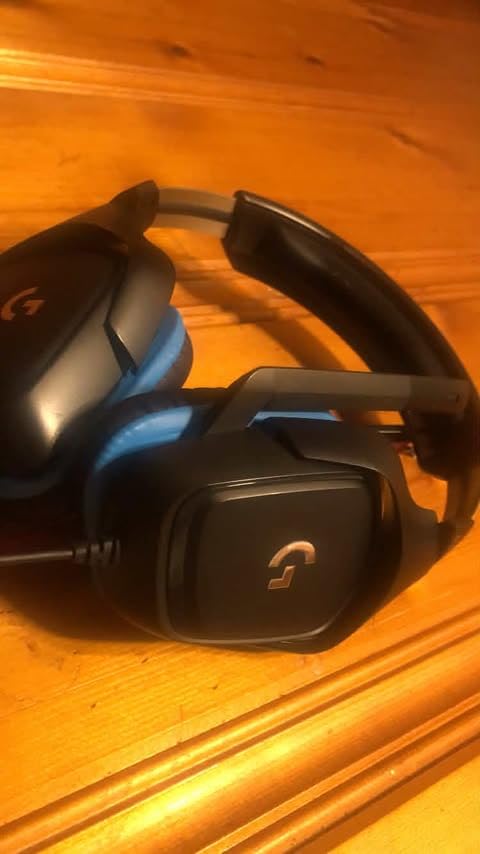
Dual connectivity with both USB and 3.5mm gives you flexibility. I used the USB connection on my PC for DTS surround sound and the 3.5mm cable on my Nintendo Switch for handheld gaming, all without needing adapters.
The leatherette ear cups and headband provide decent comfort, though they can get warm during extended sessions. The ear cups rotate up to 90 degrees, which is convenient for taking the headset off and resting it around your neck between stream segments.
The microphone quality is acceptable for starting streamers but will not compete with the Blue VO!CE-equipped Logitech headsets higher up in this guide. If your stream grows and you want better voice quality, you may want to upgrade eventually.
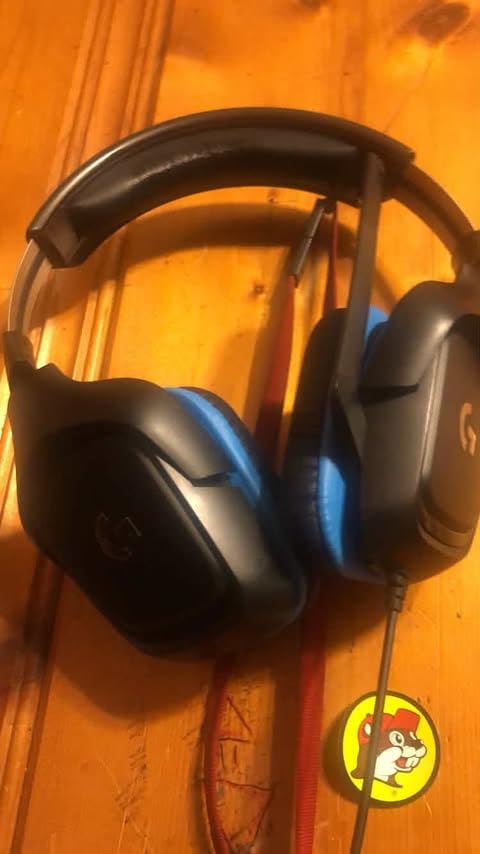
Who Should Buy the Logitech G432
This is the perfect first headset for new streamers who want more than basic stereo sound. DTS Headphone:X 2.0 gives you a taste of premium spatial audio at an entry-level price, and the flip-to-mute mic is genuinely useful during live broadcasts.
It is also a good pick for casual gamers who stream occasionally. If streaming is a side activity rather than your main focus, the G432 gives you everything you need without over-investing in features you may not use regularly.
Who Should Skip It
If you are serious about streaming as a career or side hustle, invest a bit more in the Logitech G Pro X or HyperX Cloud III for noticeably better microphone quality. The G432’s mic is fine for casual use but will not give your stream a professional sound.
Streamers who run hot should note that the leatherette ear cups can become uncomfortable in warm rooms. The velour pads on the G Pro X or the breathable foam on the BlackShark V2 X are better options for warm environments.
How to Choose the Best Gaming Headset for Streaming
Choosing among the best gaming headsets for streaming comes down to understanding what matters most for your specific setup and streaming style. I have broken down the key factors that separate a great streaming headset from a mediocre one based on my testing and community feedback.
Microphone Quality: The Number One Priority
Your voice is how you connect with viewers, and a bad microphone will drive people away faster than bad gameplay. Look for headsets with dedicated mic technology like Blue VO!CE (Logitech), ClearCast (SteelSeries), or condenser mics (Audio-Technica). Cardioid pickup patterns are preferable because they focus on your voice and reject background noise.
If microphone quality is your absolute top priority, the Audio-Technica ATH-M50xSTS with its XLR condenser mic is in a class of its own. For everyone else, the Logitech G Pro X with Blue VO!CE processing delivers professional-sounding voice at a more accessible price.
Audio Bleeding: The Streamer’s Hidden Enemy
Audio bleeding occurs when your headset’s game audio leaks out and gets picked up by your microphone. Viewers hear an echo of your game sound through your voice channel, which is annoying and unprofessional. Closed-back headset designs prevent this far better than open-back models.
Every headset on this list uses a closed-back design, which is why they are all suitable for streaming. If you are considering an open-back headset for its wider soundstage, be aware that you will likely need noise gate settings in OBS or Discord to prevent audio bleed from reaching your viewers.
Wireless vs Wired: What Works for Streaming
Wired headsets offer zero latency and infinite battery life, which are both important for competitive gaming and long streaming sessions. The tradeoff is that you are physically tethered to your PC, which can be annoying if you need to step away during a stream break.
Wireless headsets give you freedom to move around, which is valuable if you use a green screen, have a standing desk, or like to pace while talking to your chat. Modern 2.4GHz wireless technology has minimal latency, and headsets like the HyperX Cloud III S with 120-hour battery life eliminate charging anxiety.
If you go wireless, look for dual connectivity (2.4GHz plus Bluetooth) so you can connect to your PC and phone simultaneously. The SteelSeries Arctis Nova 5 and HyperX Cloud III S both offer this feature.
Comfort for Long Streaming Sessions
Streaming sessions often last 3-6 hours, and an uncomfortable headset will make every minute miserable. Key comfort factors include weight (under 300 grams is ideal), ear pad material (velour breathes better than leatherette), and headband design (suspension-style distributes weight more evenly).
The Logitech G733 at 278 grams with its suspension headband is the comfort champion on this list. The Razer BlackShark V2 X at 240 grams is even lighter but lacks the suspension design.
Platform Compatibility
If you stream from PC only, any headset on this list will work. Console streamers need to pay closer attention to compatibility. The HyperX Cloud III Wired’s triple connectivity (USB-C, USB-A, 3.5mm) makes it the most versatile option for multi-platform streamers.
The SteelSeries Arctis Nova 5 Wireless stands out for working with Meta Quest in addition to PC and consoles, making it a great pick for VR streamers.
Budget Considerations for New Streamers
If you are just starting your streaming journey, do not feel pressured to buy the most expensive headset. The Razer BlackShark V2 X under $40 and the Logitech G432 at a similar price point are both capable streaming headsets that will serve you well while you build your audience.
You can always upgrade later. In fact, many successful streamers started with budget headsets and upgraded only after their channels started generating revenue. Focus on content quality first, and invest in better gear as your stream grows.
FAQs
What is the best headset for gaming and streaming?
The Logitech G Pro X is the best overall headset for gaming and streaming thanks to its Blue VO!CE microphone technology that delivers professional-grade voice quality. For premium streaming with an audio interface, the Audio-Technica ATH-M50xSTS StreamSet offers studio-grade sound and a condenser microphone that rivals dedicated streaming mics.
What gaming headset do most streamers use?
Most streamers use either the Logitech G Pro X, HyperX Cloud II, or HyperX Cloud III for their combination of microphone quality, comfort, and value. Many professional streamers eventually upgrade to dedicated microphones like the Shure SM7B paired with studio headphones, but among all-in-one gaming headsets, Logitech and HyperX dominate the streaming space.
Are gaming headphones good for streaming?
Yes, gaming headphones are good for streaming, especially models with dedicated microphone technology like Blue VO!CE or ClearCast. The main advantage of gaming headsets over separate headphones plus a mic is convenience and lower cost. However, for the absolute best audio quality, many top streamers eventually move to studio headphones paired with a dedicated XLR microphone.
What headphones are best for streaming?
The best headphones for streaming depend on your setup. For an all-in-one headset, the Logitech G Pro X and Audio-Technica ATH-M50xSTS are top picks. For wireless streaming, the HyperX Cloud III S Wireless with 120-hour battery and the SteelSeries Arctis Nova 5 with game-specific presets are excellent choices. For budget streaming, the Razer BlackShark V2 X delivers solid performance under $40.
Should I use a headset mic or separate microphone for streaming?
A separate XLR microphone like the Shure SM7B or Audio-Technica AT2020 will generally sound better than any headset mic. However, modern gaming headsets like the Logitech G Pro X with Blue VO!CE and the Audio-Technica ATH-M50xSTS with its condenser mic have closed the gap significantly. If convenience, budget, and desk space are priorities, a quality gaming headset is a perfectly good choice for streaming.
Final Thoughts on the Best Gaming Headsets for Streaming
After testing all 10 headsets across weeks of real streaming sessions, the Logitech G Pro X remains my top pick for best gaming headsets for streaming in 2026. Its Blue VO!CE technology gives you broadcast-quality voice without needing a separate microphone, and the build quality will last through years of daily use.
For budget streamers, the Razer BlackShark V2 X delivers remarkable value at under $40. And if you want studio-grade audio with an XLR mic built in, the Audio-Technica ATH-M50xSTS StreamSet is worth every penny for serious content creators.
Whatever you choose, remember that your viewers hear your voice before they judge your gameplay. A quality streaming headset is one of the best investments you can make for growing your channel in 2026.