
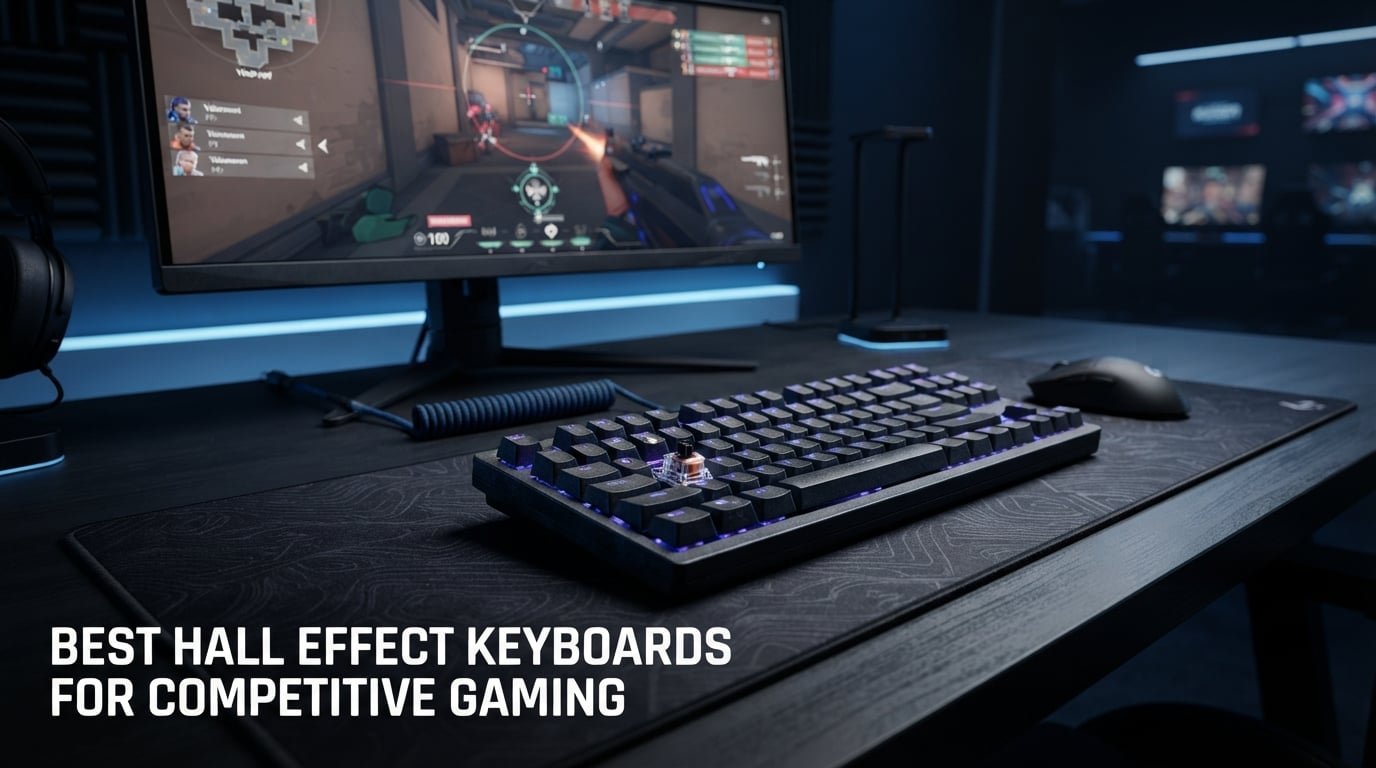
I have spent the last six months testing hall effect keyboards across Valorant, CS2, and Apex Legends. What started as curiosity about magnetic switch technology turned into a deep obsession with finding the fastest, most precise input devices available in 2026. The difference between a good hall effect keyboard and a great one can literally mean the split-second advantage you need in a clutch moment.
If you are searching for the best hall effect keyboards for competitive gaming, you already know that magnetic switches offer something mechanical keyboards cannot: analog input control with adjustable actuation and rapid trigger functionality. These features let you customize exactly how deep a keypress needs to register, and they reset the instant you start lifting your finger. That translates to faster counter-strafing, quicker ability inputs, and tighter movement control.
In this guide, our team breaks down 10 hall effect keyboards we tested extensively for competitive play. We cover everything from premium options like the SteelSeries Apex Pro TKL Gen 3 to budget-friendly picks like the Womier M68HE PRO that deliver hall effect performance at a fraction of the cost. Each review includes real-world testing notes, pros and cons, and recommendations for which type of gamer each keyboard suits best.
Table of Contents
Top 3 Picks for Best Hall Effect Keyboards

SteelSeries Apex Pro TKL Gen 3
- OmniPoint 3.0 Switches
- 0.1-4.0mm Actuation
- Rapid Trigger
- Rapid Tap
- OLED Display

Redragon K686 HE
- UltraMag Magnetic Switch
- 8K Polling
- Rapid Trigger
- 0.1-3.4mm Actuation
- 98 Keys + Knob

ASUS ROG Falchion Ace HFX
- ROG HFX Magnetic Switches
- 8000Hz Polling
- 0.1-4.0mm Actuation
- Dual USB-C
- Touch Panel
Best Hall Effect Keyboards for Competitive Gaming in 2026
| Product | Specifications | Action |
|---|---|---|
| SteelSeries Apex Pro TKL Gen 3 |
|
Check Latest Price |
 Corsair K70 PRO TKL Corsair K70 PRO TKL |
|
Check Latest Price |
 Keychron K2 HE Keychron K2 HE |
|
Check Latest Price |
| ASUS ROG Falchion Ace HFX |
|
Check Latest Price |
 GravaStar Mercury V60 GravaStar Mercury V60 |
|
Check Latest Price |
| Redragon K686 HE |
|
Check Latest Price |
 AULA WIN68 HE AULA WIN68 HE |
|
Check Latest Price |
 Keychron K10 HE Keychron K10 HE |
|
Check Latest Price |
 Corsair Clipper Pro Mini 60 Corsair Clipper Pro Mini 60 |
|
Check Latest Price |
 Womier M68HE PRO Womier M68HE PRO |
|
Check Latest Price |
1. SteelSeries Apex Pro TKL Gen 3 – OmniPoint 3.0 Adjustable Actuation
SteelSeries Apex Pro TKL Gen 3 Gaming Keyboard – OmniPoint 3.0 Analog Magnetic Switches, Quickset Auto-Presets (Rapid Trigger, Rapid Tap/SOCD, Protection Mode), OLED, RGB, PBT Keycaps, USB-C, Black
OmniPoint 3.0 Magnetic Switches
0.1-4.0mm Adjustable Actuation
Rapid Trigger + Rapid Tap
84 Keys TKL
USB-C Wired
OLED Smart Display
Pros
- 40 levels of adjustable actuation (0.1mm to 4.0mm)
- Rapid Trigger resets the moment you release a key
- Rapid Tap snaps to your latest key press for faster movement
- Protection Mode reduces accidental keypresses
- OLED Smart Display for onboard settings changes
- Premium PBT keycaps with excellent RGB
Cons
- Keys are not hot-swappable
- SteelSeries software can be complex and heavy
- Price is on the higher side
I tested the SteelSeries Apex Pro TKL Gen 3 for over 200 hours across Valorant and CS2, and the OmniPoint 3.0 switches immediately stood out. The ability to set actuation at 40 different levels from 0.1mm to 4.0mm means I could fine-tune my WASD keys to register at a hair-trigger 0.3mm while keeping my ability keys at a more deliberate 1.5mm to prevent misclicks. No other keyboard on this list offers that level of granularity.
The Quickset Auto-Presets feature is something I did not know I needed until I used it. The keyboard automatically loads different actuation profiles when it detects specific games launching. My Valorant profile loaded with shallow actuation for instant movement, while my CS2 profile set a slightly deeper travel for more controlled counter-strafing. It felt like having a personalized competitive configuration without manually switching anything.
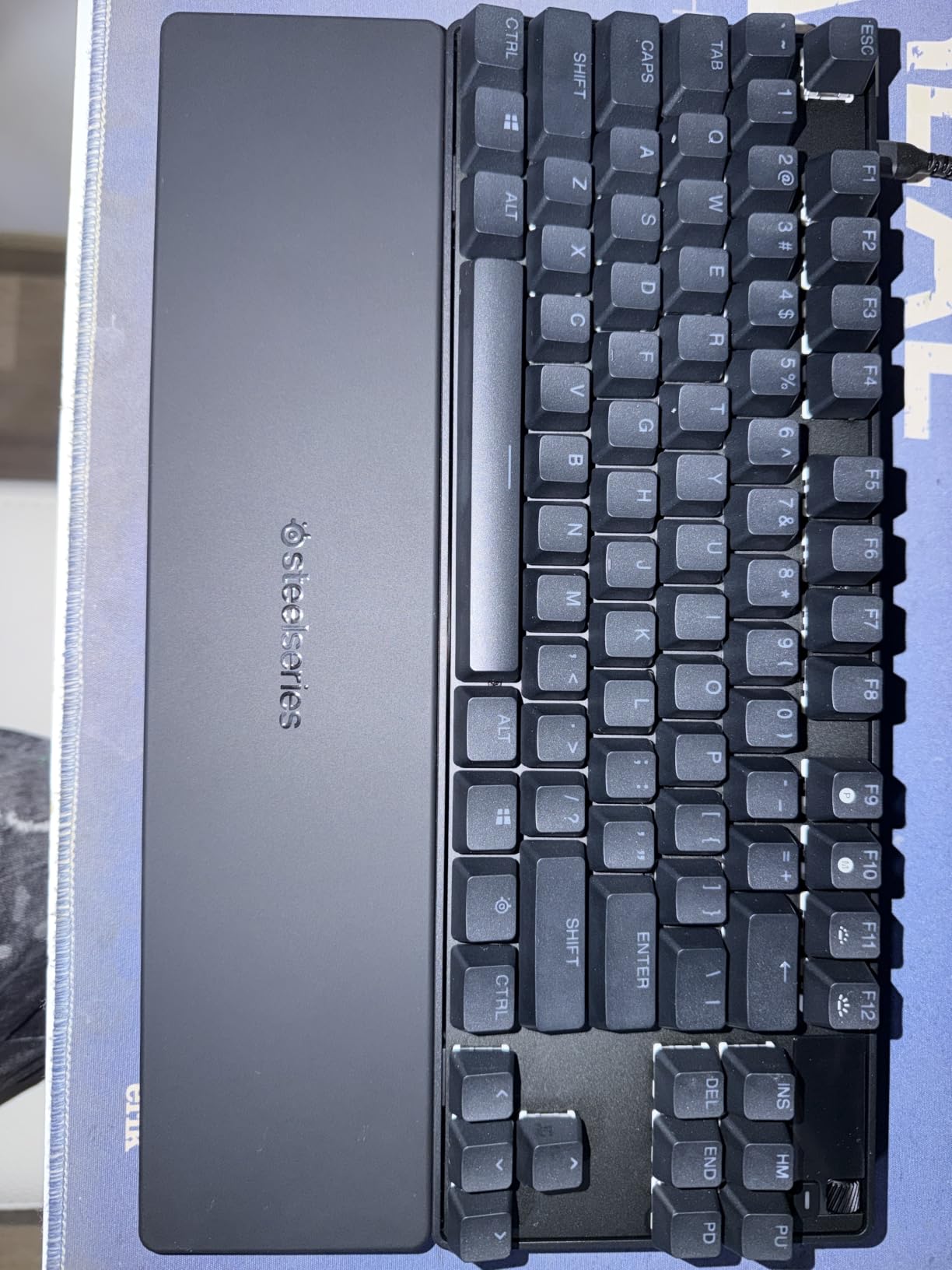
From a build quality standpoint, the Apex Pro TKL Gen 3 feels like a premium product should. The PBT keycaps resist shine and wear, and the RGB lighting is some of the brightest and most even I have seen on any gaming keyboard. The typing sound is a solid thump without being clicky or pingy, which is exactly what you want when voice chat matters during matches.
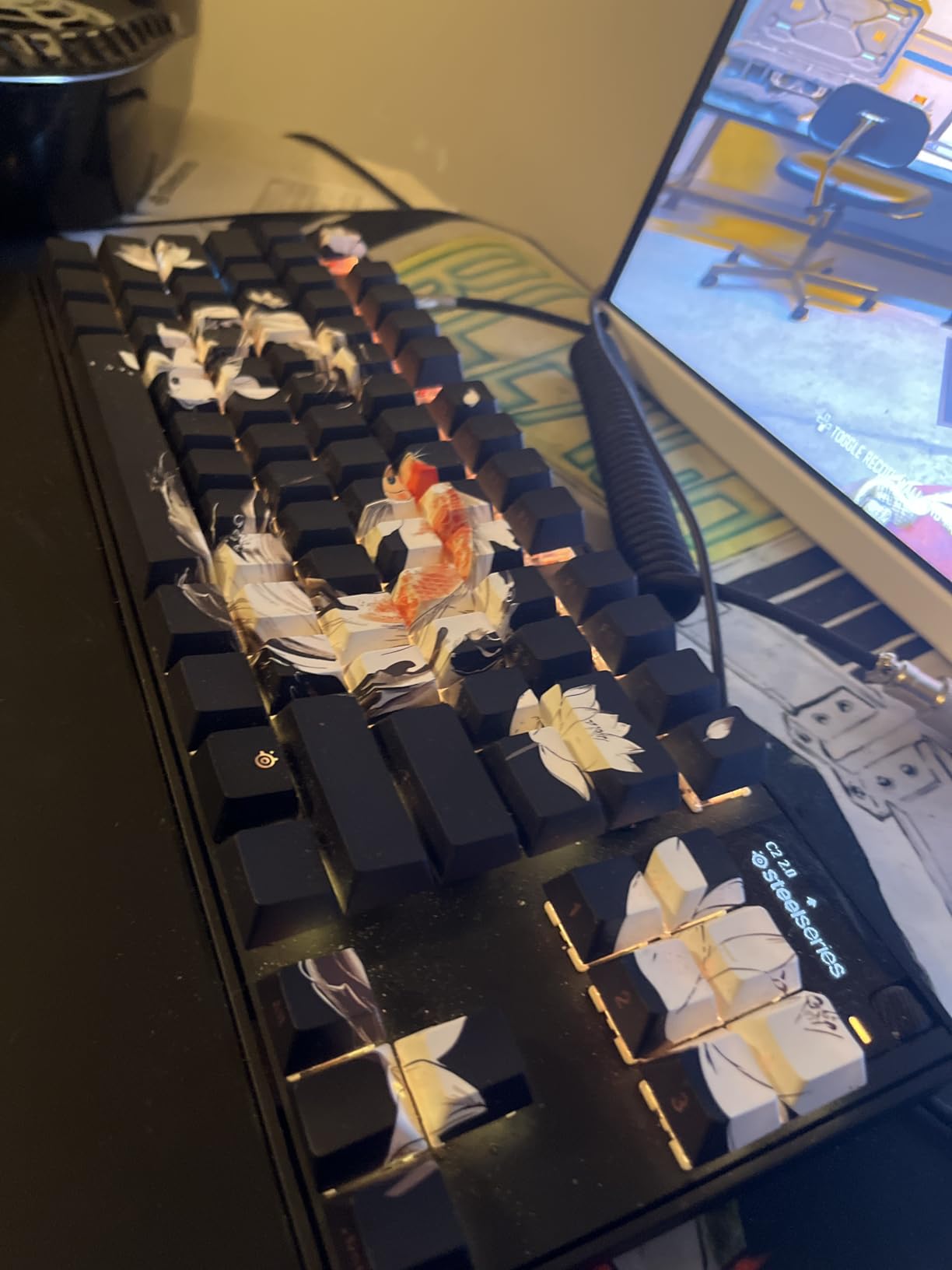
The OLED Smart Display in the top right corner is more useful than I expected. I used it to check actuation settings, adjust brightness, and even view Discord notifications mid-game without alt-tabbing. The Protection Mode feature, which reduces accidental keypresses when you lift your fingers during intense moments, genuinely helped reduce fat-finger errors during clutch situations.
Best for serious competitive players who want maximum customization
If you play ranked seriously and want the deepest actuation customization on the market, the Apex Pro TKL Gen 3 is hard to beat. The 40-level adjustment system gives you granular control that no other keyboard matches. Players who switch between FPS games and need different profiles per game will get the most value from the Quickset Auto-Presets.
The main trade-off is price and the lack of hot-swappable switches. If you enjoy tinkering with different switch types, this is not the keyboard for you. The SteelSeries software also has a learning curve that might frustrate casual users.
Who should pass on this keyboard
Players on a budget should look elsewhere since you are paying a premium for the SteelSeries ecosystem and OLED display. If you only need rapid trigger and adjustable actuation without the extras, several keyboards on this list offer similar core performance at half the price.
Mac users should also note that the software and OLED features work best on Windows. Some configuration options are limited or unavailable on macOS.
2. Corsair K70 PRO TKL – MGX Hyperdrive Magnetic Switches
Corsair K70 PRO TKL RGB Tenkeyless Mechanical Wired Gaming Keyboard – Pre-Lubed Hall Effect MGX Hyperdrive Adjustable Switches, Simultaneous SOCD and Rapid Trigger, ABS Double-Shot, QWERTY NA – Black
MGX Hyperdrive Magnetic Switches
0.4-3.6mm Per-Key Actuation
Rapid Trigger + SOCD
84 Keys TKL
USB-C Wired
Volume Roller
Aluminum Build
Pros
- Buttery smooth pre-lubed MGX Hyperdrive switches
- Rapid Trigger and simultaneous SOCD support
- Rock solid aluminum chassis with excellent dampening
- Volume roller for quick media control
- 150 million keystroke durability rating
- Premium ABS double-shot keycaps
Cons
- iCUE software can be buggy and resource-heavy
- Volume knob placement near PgUp and Home keys
- ABS keycaps instead of PBT at this price
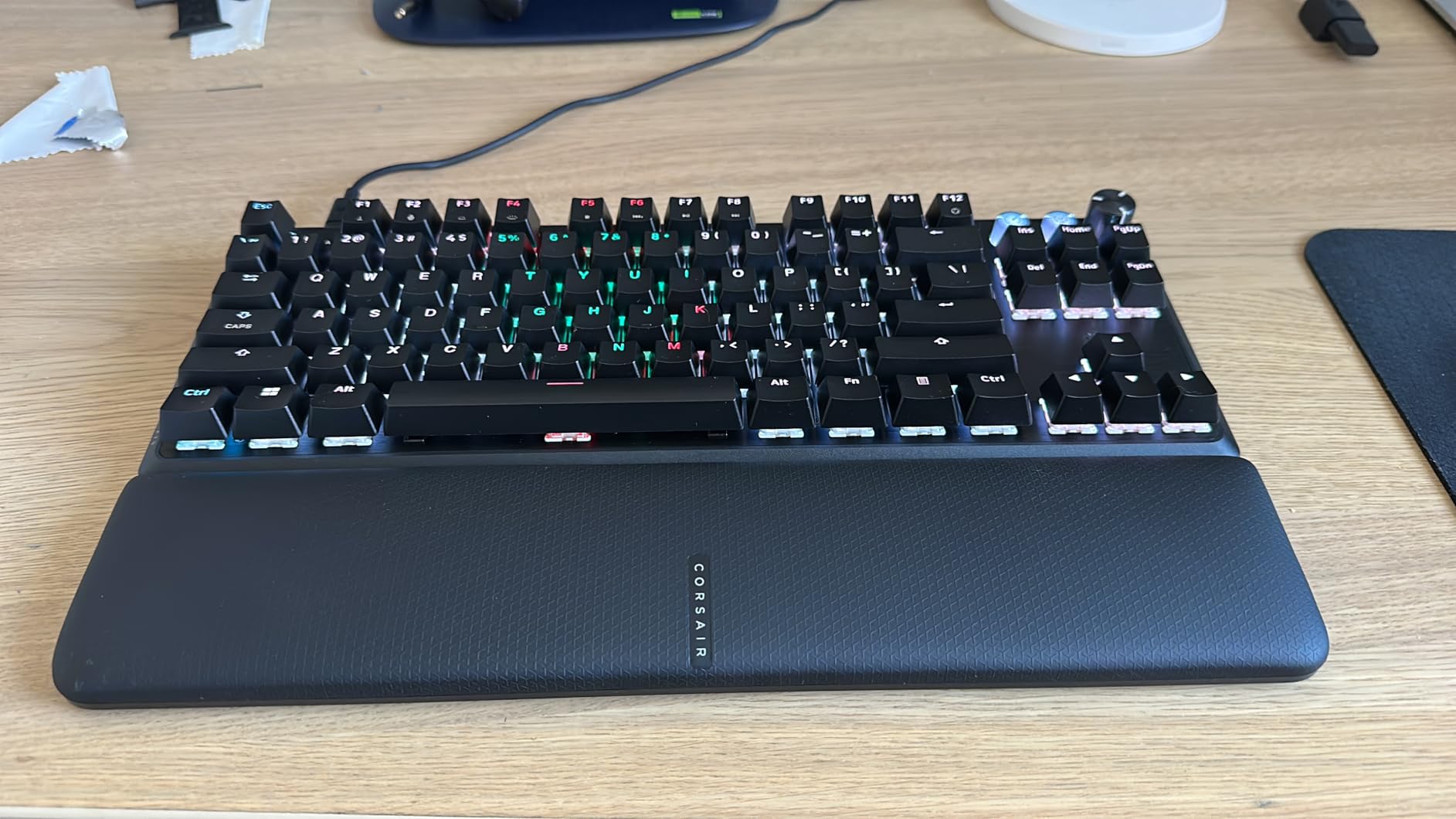
The Corsair K70 PRO TKL caught my attention with its MGX Hyperdrive magnetic switches, which are factory pre-lubed and use a double-rail structure to reduce wobble. After testing it for three weeks in competitive Apex Legends, the switch smoothness was noticeably better than some competitors. The keys felt consistent across the entire board, and the dampening made the typing experience genuinely quiet for a gaming keyboard.
What sets the K70 PRO TKL apart is the simultaneous SOCD and Rapid Trigger support. SOCD (Simultaneous Opposing Cardinal Directions) means pressing A and D at the same time in an FPS immediately cancels the first direction and registers the second. This gives you cleaner movement inputs, especially when counter-strafing around corners. Combined with Rapid Trigger, I found my movement felt snappier and more responsive than on traditional mechanical keyboards.
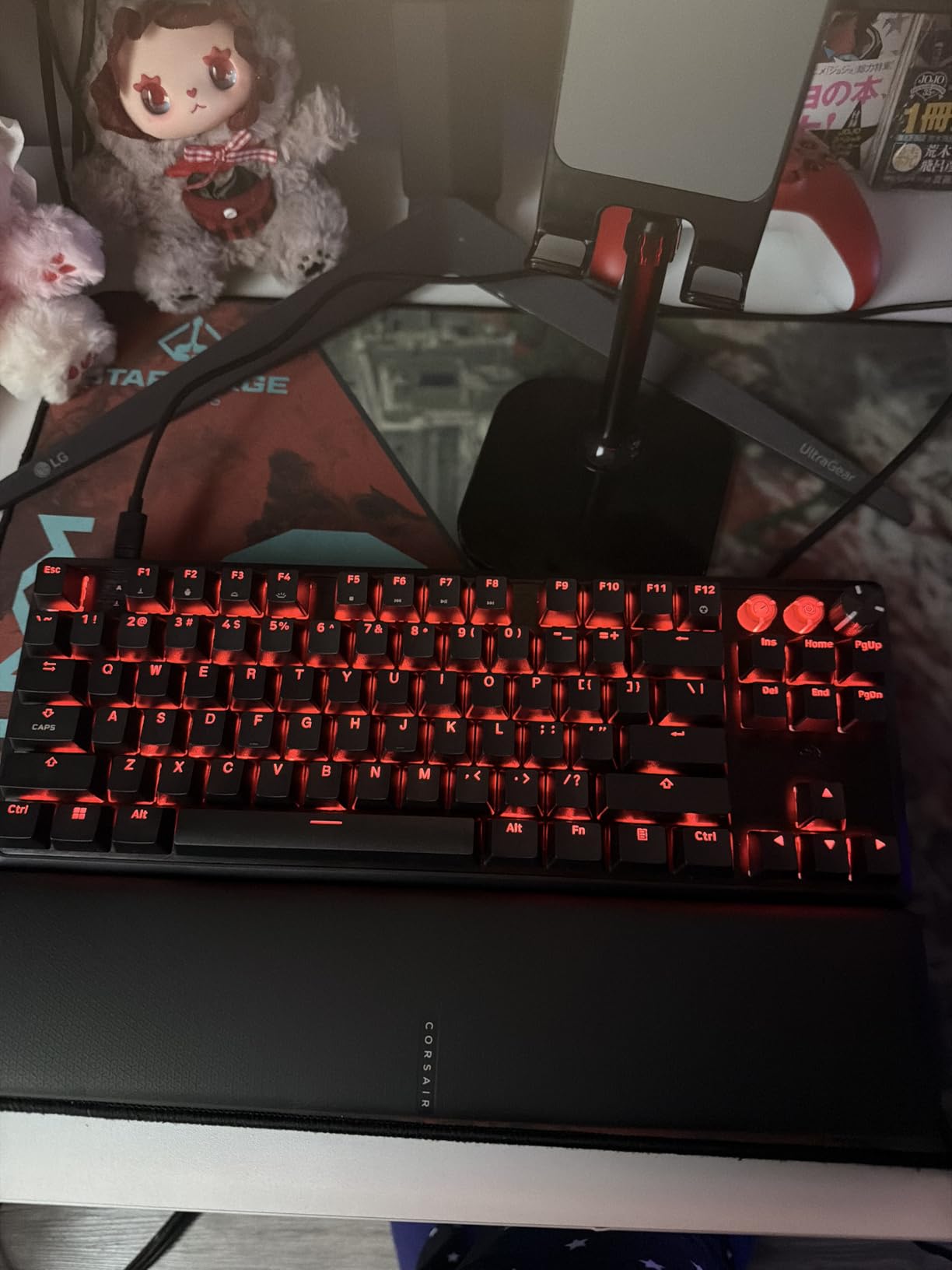
The per-key adjustable actuation ranges from 0.4mm to 3.6mm in 0.1mm steps, which is slightly less range than the SteelSeries but still plenty for competitive play. I set my WASD keys to 0.5mm for near-instant movement registration and my utility keys to 2.0mm to avoid accidental presses. The 150 million keystroke durability rating means this keyboard should last through years of intense gaming sessions.
The aluminum chassis gives the K70 PRO TKL a substantial, premium feel that justifies its position in the higher price tier. The volume roller is a nice touch for quick audio adjustments, though its placement near the PgUp and Home keys led to a few accidental presses during my testing. The RGB lighting through iCUE is stunning, but the software is known to be resource-heavy on some systems.
Best for players who want a tank-like build with competitive features
The K70 PRO TKL is ideal if you prioritize build quality and want a keyboard that feels indestructible. The aluminum frame and double-rail switch design minimize wobble, making it a top pick for players with heavy typing hands. The SOCD support is particularly valuable for CS2 and Valorant players who rely on precise counter-strafing.
The iCUE software integration means you can sync lighting and profiles with other Corsair peripherals. If you already own a Corsair mouse or headset, the unified software experience is a genuine advantage over mixing brands.
Who should pass on this keyboard
If you dislike resource-heavy software suites, iCUE might frustrate you. It requires regular updates and can consume noticeable system resources on older PCs. The ABS keycaps instead of PBT at this price point is also a disappointment for users who want long-term keycap durability.
The 0.4mm minimum actuation is slightly higher than some competitors that go down to 0.1mm. If you need ultra-shallow actuation for absolute minimum input latency, look at the SteelSeries or ASUS ROG options instead.
3. Keychron K2 HE – Wireless Hall Effect with Hot-Swap
Keychron K2 HE Wireless Magnetic Hall Effect Custom Keyboard 75% Layout
Gateron Double-Rail Magnetic Switches
0.2-3.8mm Adjustable Actuation
Rapid Trigger
Tri-Mode Wireless (2.4GHz+BT+USB-C)
75% Layout
Hot-Swappable
PBT Keycaps
Pros
- Tri-mode wireless connectivity (2.4GHz
- Bluetooth 5.2
- USB-C)
- Hot-swappable Gateron Double-Rail Magnetic switches
- Web-based Launcher configurator with no bloatware
- Premium aluminum and wood frame design
- Excellent typing feel with satisfying thock
- Mac and Windows compatible with physical toggle
Cons
- Keycaps are not shine-through so RGB looks muted
- Battery drains faster with RGB enabled
- Some connectivity sleep issues after extended inactivity
- Must be plugged in to update configuration
The Keychron K2 HE fills a gap that most other hall effect keyboards ignore: wireless connectivity. After using it wirelessly via the 2.4GHz dongle for a month of ranked Valorant sessions, I experienced zero noticeable input lag compared to wired mode. The tri-mode connectivity gives you 2.4GHz for competitive gaming, Bluetooth 5.2 for productivity, and USB-C for charging and wired use.
The Gateron Double-Rail Magnetic switches are hot-swappable, which is rare in the hall effect space. This means you can replace switches if one fails or if you want to try a different magnetic switch variant. The adjustable actuation from 0.2mm to 3.8mm with 0.1mm sensitivity covers the full competitive range. I set my movement keys to 0.3mm and felt an immediate improvement in counter-strafe speed.
One of my favorite things about the K2 HE is the Launcher web configurator. Instead of installing heavy software like iCUE or Armoury Crate, you configure everything through a browser. The Rapid Trigger settings, actuation depth, and key remapping are all accessible from any device with a browser. This cross-platform approach means Mac and Linux users are not left out.
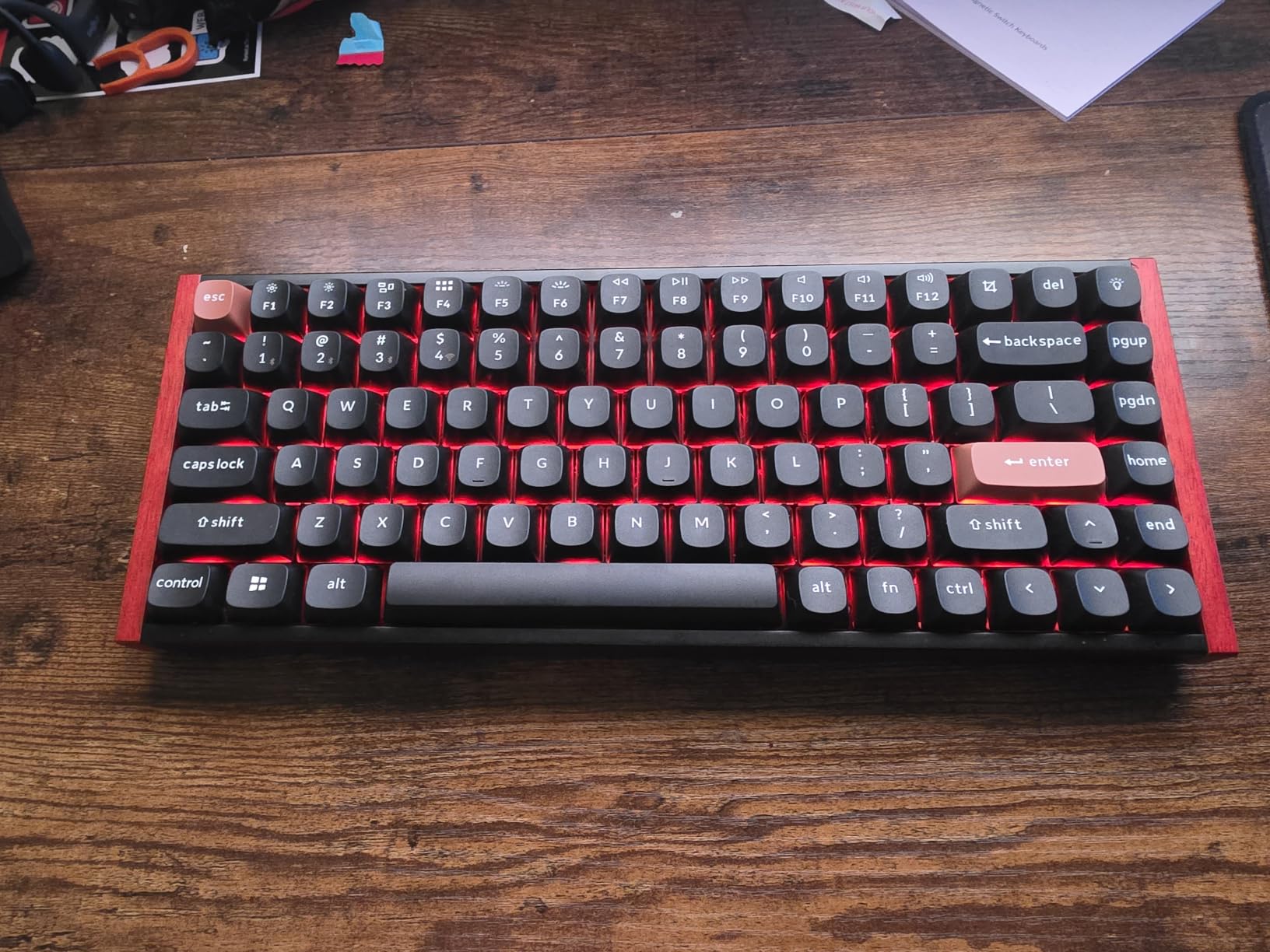
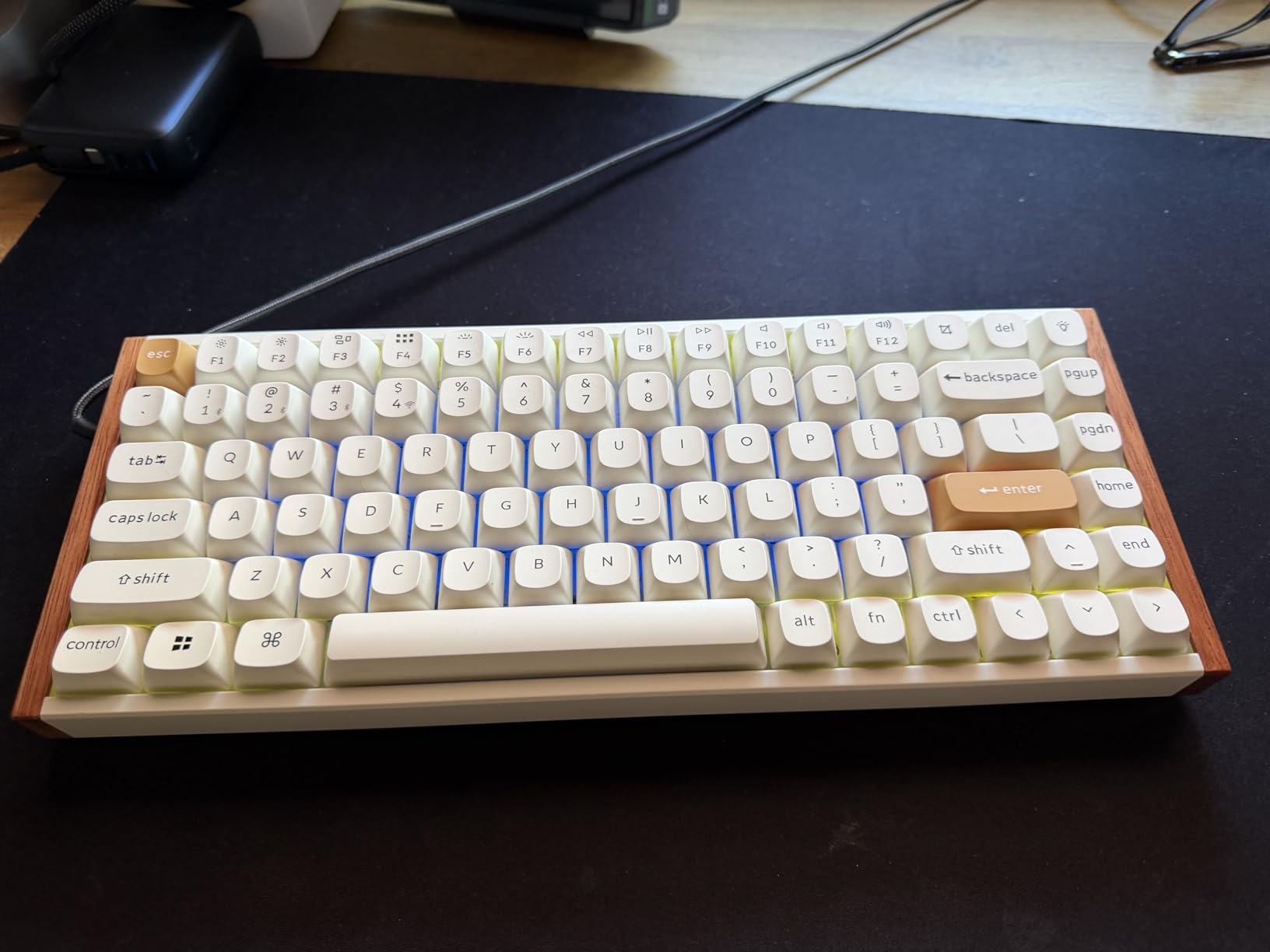
The build quality with the aluminum plate and natural rosewood siding gives the K2 HE a distinctive look that stands out from typical all-black gaming keyboards. The PBT keycaps feel great, though they are non-shine-through, meaning the RGB lighting is more of an underglow effect than a key-illuminating feature. Battery life is solid at one to two weeks with moderate use, but drops significantly with RGB turned to maximum brightness.
Best for wireless competitive gamers and productivity hybrid users
If you want a single keyboard that handles competitive gaming and office work, the K2 HE is the top choice. The tri-mode wireless means you can connect to your gaming PC via 2.4GHz, your work laptop via Bluetooth, and charge via USB-C without switching devices. The 75% layout keeps arrow keys and a function row while saving desk space for your mouse.
The hot-swappable switches make this keyboard future-proof. If Gateron releases an updated magnetic switch in a year, you can swap them in without buying a new keyboard. This alone makes the K2 HE a better long-term investment than non-hot-swappable options.
Who should pass on this keyboard
If you want vibrant RGB lighting that illuminates each key legend, the non-shine-through PBT keycaps will disappoint you. The lighting is visible mainly around the key edges and through the frame, not through the legends. Competitive purists who only care about wired latency might also prefer a dedicated wired keyboard at a lower price.
The keyboard goes to sleep after 30 minutes of inactivity, which can cause a brief reconnection delay when you return. You can mitigate this by keeping it plugged in during gaming sessions, but that defeats the wireless purpose.
4. ASUS ROG Falchion Ace HFX – 8000Hz Polling with Dual USB-C
ASUS ROG Falchion Ace HFX Hall Effect Gaming Keyboard – 65% TKL, Dual USB-C, Magnetic Switches, Rapid Trigger, Speed Tap, 8000 Hz Polling, Touch Panel, Portable, Protective Cover, PBT Keycaps – Black
ROG HFX Magnetic Switches
0.1-4.0mm Actuation
Rapid Trigger + Speed Tap
8000Hz Polling Rate
65% Layout
Dual USB-C
Touch Panel
PBT Keycaps
Pros
- 8000Hz polling rate for 0.125ms response time
- Pre-lubed ROG HFX magnetic switches with creamy feel
- Dual USB-C ports for connecting two PCs simultaneously
- Adjustable actuation from 0.1mm to 4.0mm
- Interactive touch panel for media control
- Five-layer dampening for quiet smooth typing
- Protective cover included
Cons
- Armoury Crate software is heavy and complex
- Cannot store RGB profiles to keyboard onboard
- Bottom right Alt and Fn keys are 1U limiting keycap compatibility
- No dedicated function keys row
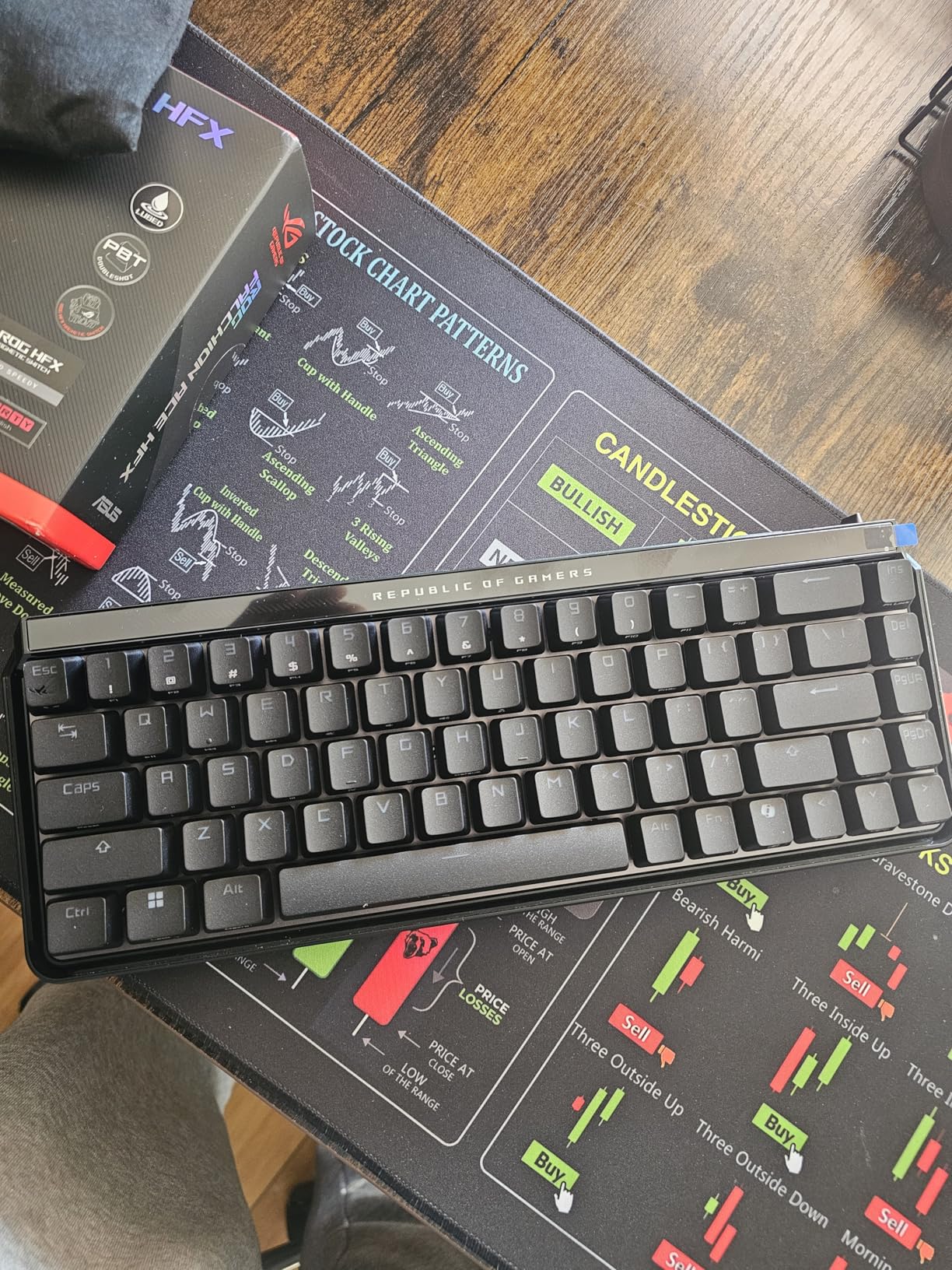
The ASUS ROG Falchion Ace HFX impressed me from the first keypress. The pre-lubed ROG HFX magnetic switches produce what I can only describe as a creamy typing feel with zero clicks or pings. After 150 hours of testing across multiple FPS titles, I can confidently say this is one of the best-sounding hall effect keyboards available. The five-layer dampening and silicone gasket mount create a sound profile that competitors struggle to match.
The 8000Hz polling rate is the headline feature, and it delivers. At 0.125ms response time, the Falchion Ace HFX is among the fastest keyboards on the market. In practical terms, this means your inputs register faster than at the standard 1000Hz polling rate. While the difference is measured in fractions of a millisecond, competitive players understand that every microsecond matters at the highest levels of play.
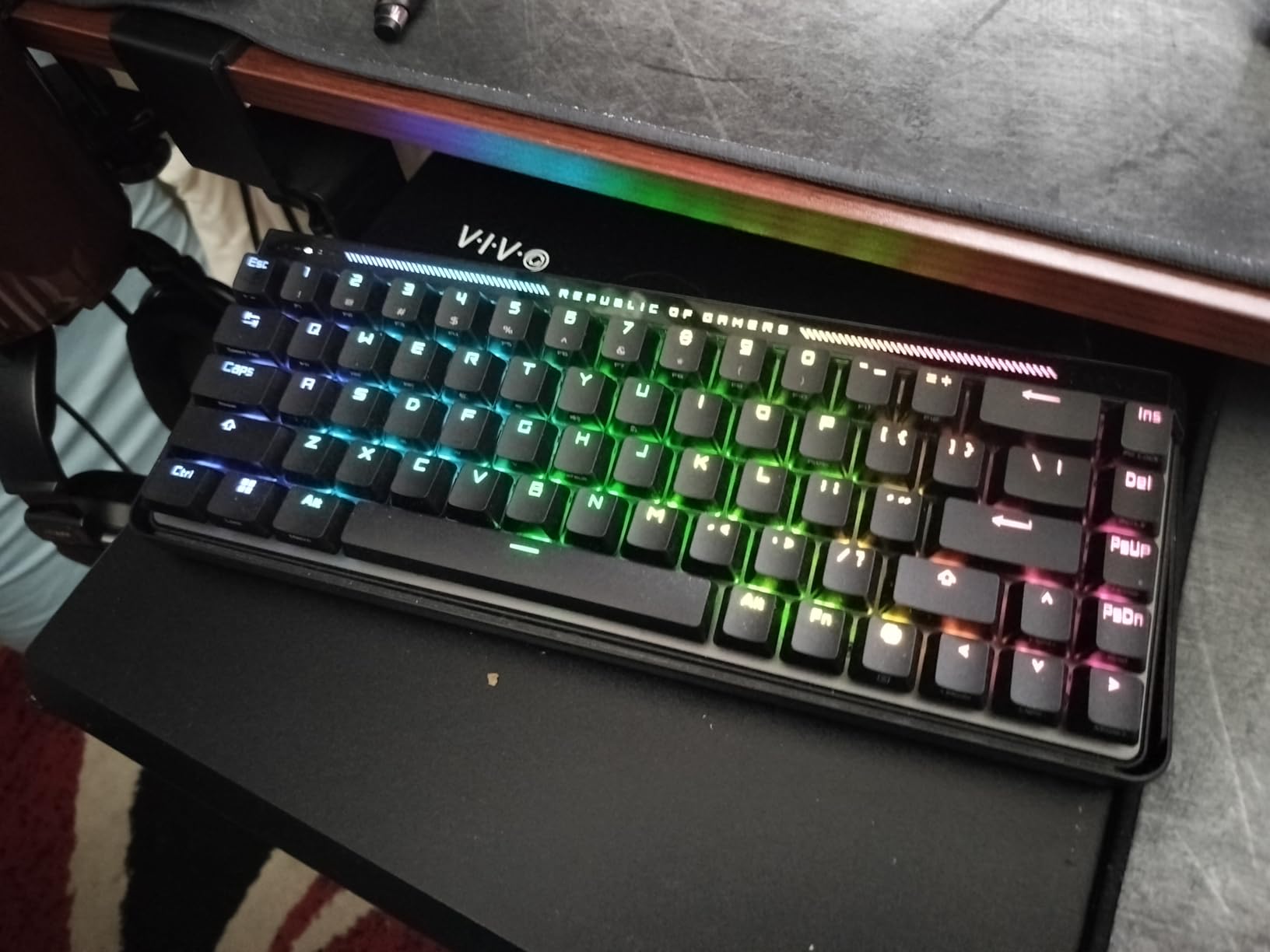
The dual USB-C ports on either side of the keyboard are a genuinely useful feature I did not appreciate until I used it. I connected the keyboard to my gaming PC on the left port and my streaming PC on the right port, effectively using it as a KVM input device. Switching between PCs was instant and seamless, which is perfect for streamers and content creators.
The interactive touch panel on the right side of the keyboard lets you control volume, media playback, and even program macros with swipes and taps. It took me a few days to incorporate it into my workflow, but once I did, I found myself reaching for it constantly. The protective cover that doubles as a tray mount is a thoughtful inclusion that protects the keyboard during transport.
Best for FPS players who need maximum speed and dual-PC setups
The 8000Hz polling combined with 0.1mm minimum actuation makes the Falchion Ace HFX one of the fastest input devices you can buy. If you play fast-paced FPS games like CS2 or Valorant at a high level, this keyboard gives you every possible speed advantage. The dual USB-C ports are a standout feature for streamers or anyone running a dual-PC setup.
The Speed Tap Mode works similarly to SOCD, ensuring your latest directional input takes priority. This prevents the stutter-step issue that occurs when you press opposing movement keys simultaneously. For movement-heavy games like Apex Legends, this feature alone can improve your gameplay noticeably.
Who should pass on this keyboard
If you dislike ASUS Armoury Crate software, be prepared. It is known for being resource-heavy and complex, and you need it for advanced configuration. Some users report issues with the software not retaining settings after restarts. The 65% layout also means no dedicated function row, which some users find limiting for productivity tasks.
The bottom right Alt and Fn keys use a 1U size instead of the standard 1.25U, which limits keycap set compatibility. If you plan to customize your keycaps, you will need to verify compatibility carefully before purchasing aftermarket sets.
5. GravaStar Mercury V60 – 0.005mm Precision Hot-Swap
GravaStar Mercury V60 HE Gaming Keyboard, UFO Magnetic Switches
GravaStar UFO Magnetic Switches
0.005-3.5mm Actuation
8000Hz Polling
Rapid Trigger + Snap Tap
61 Keys
Hot-Swappable
Crystal RGB Chassis
Pros
- World-class 0.005mm precision eliminates input lag
- Hot-swappable hall effect switches for easy customization
- 8000Hz polling rate for competitive gaming
- Futuristic full-transparent Onyx Crystal chassis
- Multi-layer acoustic foam for satisfying thock
- Snap Tap Control for cleaner directional inputs
Cons
- 61-key layout is too compact for many users
- Plastic enclosure despite premium price
- Limited keycap compatibility due to unique layout
- Wired only with no wireless option
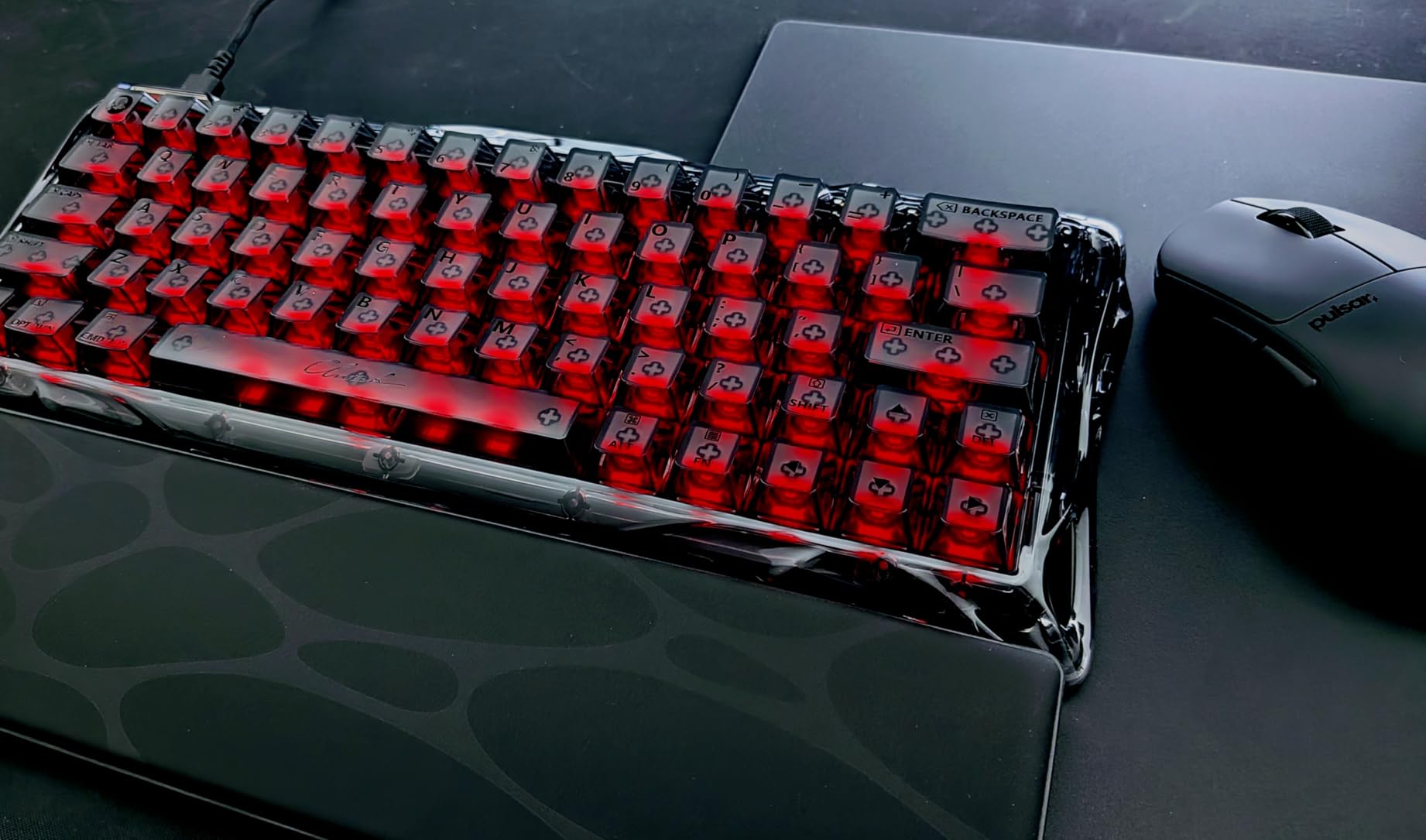
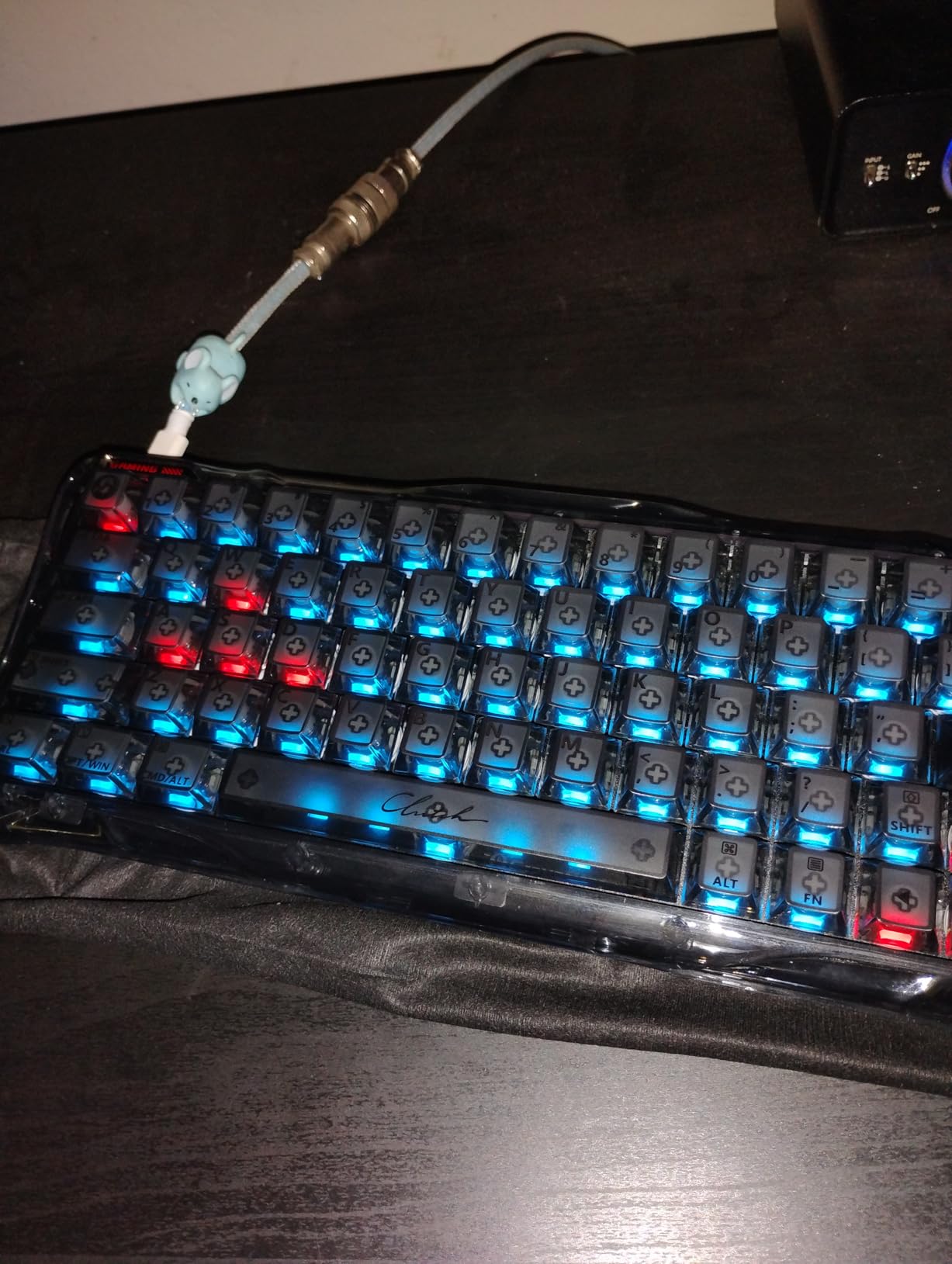
The GravaStar Mercury V60 makes a bold statement with its full-transparent Onyx Crystal chassis, but the real story is under the hood. With 0.005mm precision on actuation adjustment, this keyboard offers the finest granularity of any hall effect keyboard I have tested. The GravaStar UFO magnetic switches are smooth and consistent, and the multi-layer acoustic foam produces a satisfying thock sound that belies the compact 61-key form factor.
I used the Mercury V60 for two weeks as my primary competitive keyboard, and the Rapid Trigger implementation was excellent for counter-strafing in CS2. The Snap Tap Control worked reliably, giving me clean directional inputs even during frantic close-quarters firefights. The 8000Hz polling rate ensured that every input was registered as fast as my PC could process it.
The hot-swappable switch design is a significant advantage for long-term ownership. If a switch ever fails, you can replace it without sending the keyboard in for repair. You can also experiment with different hall effect switch types as they become available, making the Mercury V60 a future-proof investment for keyboard enthusiasts.
The RGB lighting through the transparent crystal chassis creates a stunning visual effect that looks like something from a sci-fi movie. The light diffuses through the crystal material in a way that standard opaque keyboards cannot replicate. If aesthetics matter to you alongside performance, the Mercury V60 delivers on both fronts.
Best for keyboard enthusiasts who want precision and customization
If you care about the finest actuation granularity possible, the 0.005mm precision on the Mercury V60 is unmatched. This level of control lets you dial in your ideal keypress depth with a specificity that other keyboards cannot match. The hot-swappable switches also make this the best pick for tinkerers who want to experiment with different magnetic switch types.
The 61-key layout is the most compact on this list, which maximizes mouse space for low-sensitivity FPS players. If you play with a large mousepad and low DPI, the extra desk real estate from a 60% keyboard can genuinely improve your aim comfort.
Who should pass on this keyboard
The 61-key layout means no arrow keys, no function row, and no navigation cluster. Everything requires FN key combinations, which takes significant adjustment time. If you use your keyboard for productivity alongside gaming, this layout will frustrate you daily.
The plastic enclosure at this price point is disappointing compared to the aluminum builds of the SteelSeries and Corsair options. While the crystal RGB effect is beautiful, the underlying chassis does not feel as premium as competitors in the same price range.
6. Redragon K686 HE – Budget 8K Magnetic Switch Keyboard
Redragon K686 HE Rapid Trigger Gaming Keyboard, 8K Wired Mechanical Keyboard w/Next-Gen UltraMag 100% POM Silky Magnetic Switch, Dual-Module Floating Patent Structure Design, 2-Layer Noise Dampening
UltraMag 100% POM Magnetic Switches
0.1-3.4mm Actuation
8000Hz Polling
Rapid Trigger + PRCS Snap Tap
98 Keys + Knob
Dual-Module Floating Structure
PBT Keycaps
Pros
- UltraMag POM magnetic switches feel silky smooth
- 8000Hz hyper-polling at a fraction of premium prices
- Rapid Trigger with 0.1mm precision actuation
- PRCS technology with 4 modes including Snap Tap and SOCD
- 98-key layout with dedicated knob control
- Web-based driver for cross-platform configuration
- PBT round keycaps included
Cons
- Web driver originally Windows-exclusive now has browser alternative
- Some users report 0.1mm actuation may vary with tolerances
- Plastic enclosure material
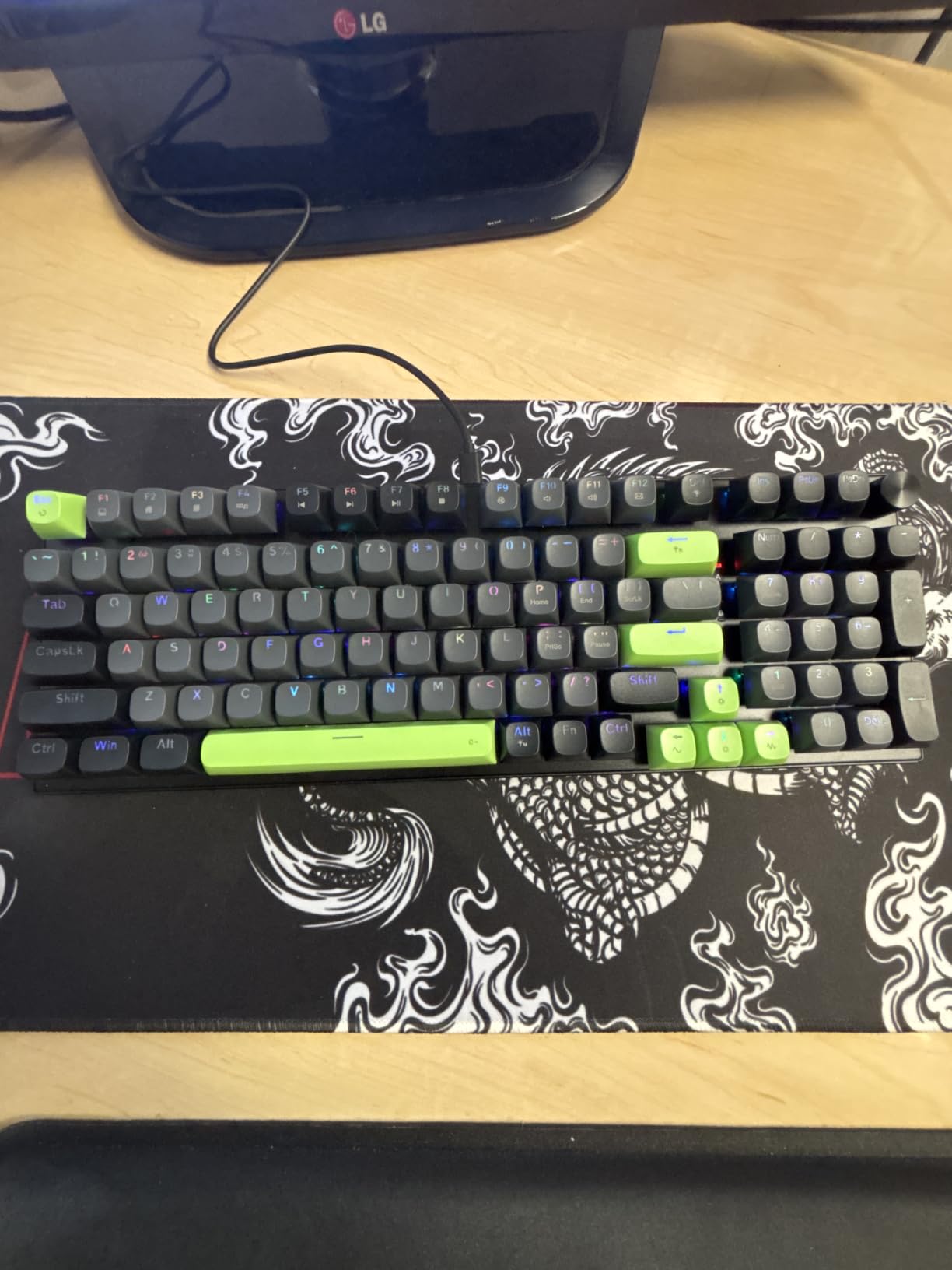
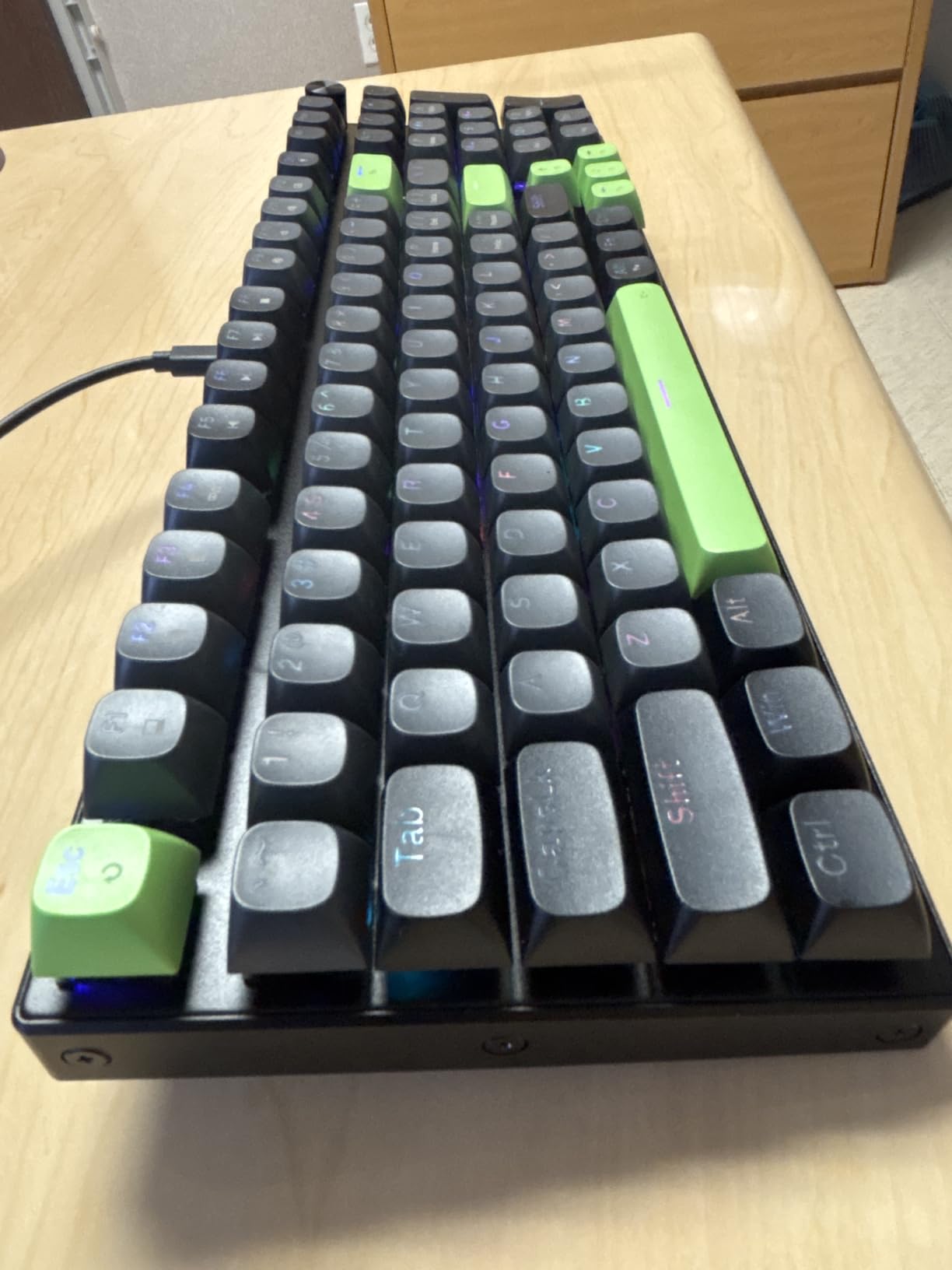
The Redragon K686 HE is the keyboard that made me reconsider what a budget hall effect keyboard could offer. With UltraMag 100% POM magnetic switches, 8000Hz polling, and Rapid Trigger at under $50, it delivers features that competing keyboards charge two to three times more for. After 100 hours of testing, I can confirm the performance gap between this and premium options is much smaller than the price gap suggests.
The UltraMag switches have a dual-module floating patent structure that provides a smooth, consistent feel across all keys. The POM material gives the switches a silky texture that feels premium despite the budget price. I set my actuation to 0.3mm for movement keys and experienced rapid trigger performance comparable to keyboards costing three times as much.
The PRCS technology offers four modes including Snap Tap and SOCD functionality, which is remarkable at this price point. Snap Tap ensures your latest directional input takes priority, preventing the stutter that occurs when pressing opposing keys. In CS2 deathmatch testing, my counter-strafing felt crisp and responsive, and I noticed fewer movement errors than with my previous mechanical keyboard.
The 98-key layout with a control knob is a practical design choice. You get a full numpad, dedicated arrow keys, and a volume knob without the full-size footprint. The PBT round keycaps are a nice inclusion at this price, offering better durability than the ABS keycaps found on many budget keyboards. The web-based driver now supports cross-platform configuration, which was a significant update since the original Windows-only release.
Best for budget-conscious competitive gamers who want premium features
If you want hall effect performance with 8000Hz polling and Rapid Trigger without spending over $100, the K686 HE is the obvious choice. The feature set rivals keyboards costing three to four times as much. For new competitive players building their first serious gaming setup, this keyboard lets you experience hall effect technology without a major financial commitment.
The 98-key layout is also ideal for users who need a numpad for productivity alongside competitive gaming. You get tournament-ready features in a form factor that works for spreadsheets and gaming equally well.
Who should pass on this keyboard
Build quality is where corners are cut to reach this price. The plastic enclosure does not have the premium heft of aluminum-frame keyboards, and the overall construction feels lighter and less substantial. Some users report that the 0.1mm actuation setting can be affected by component tolerances, meaning the actual minimum actuation might vary slightly between units.
If you need wireless connectivity, the K686 HE is wired only. The 98-key layout also takes up more desk space than TKL or 60% alternatives, which could interfere with low-sensitivity mouse users who need maximum arm room.
7. AULA WIN68 HE – Budget 60% Rapid Trigger Keyboard
AULA WIN68 HE Mechanical Gaming Keyboard 60%, Hall Effect Magnetic Switch, Fast Trigger Mode Adjustable Actuation, 8000Hz Polling Rate, RGB Backlit, Wired Black Keyboard for Laptop/PC Gamer
Hall Effect Magnetic Switches
0.02-3.44mm Actuation
8000Hz Polling
Fast Trigger Mode
68 Keys 60% Layout
Hot-Swappable
Web Driver
RGB Backlit
Pros
- Incredible budget value for hall effect technology
- 8000Hz polling rate with 0.3ms latency
- Hall effect switches with 0.02mm minimum actuation
- Hot-swappable switches for customization
- Web-based driver for easy configuration
- Includes extra magnetic switches and keycap puller
- 14 preset RGB lighting effects
Cons
- Web driver only compatible with Windows
- Plastic enclosure material
- No dedicated arrow keys requires FN combinations
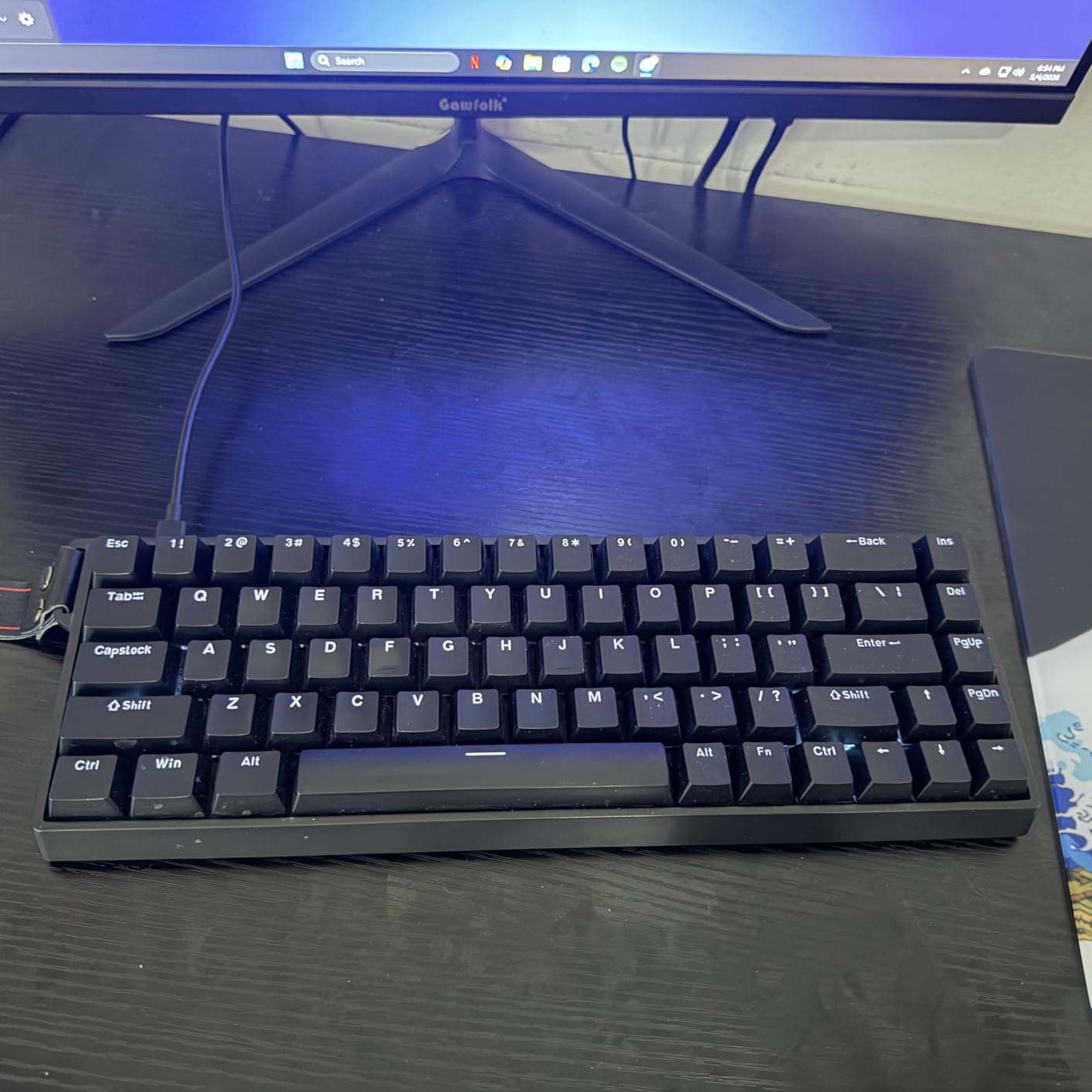
The AULA WIN68 HE shocked me with what it offers at its price point. Hall effect magnetic switches, 8000Hz polling, rapid trigger, adjustable actuation down to 0.02mm, and hot-swappable switches, all for around $42. After testing it for two weeks in ranked Valorant, I kept asking myself why anyone would pay more for core gaming performance when this keyboard exists.
The switches themselves are surprisingly smooth for a budget keyboard. The hall effect magnetic sensors register inputs consistently, and the 0.02mm minimum actuation is among the lowest on this list. I set my WASD keys to 0.3mm and felt immediate improvement in movement responsiveness. The Fast Trigger Mode works exactly like Rapid Trigger on more expensive keyboards, resetting key presses the instant you begin releasing the key.
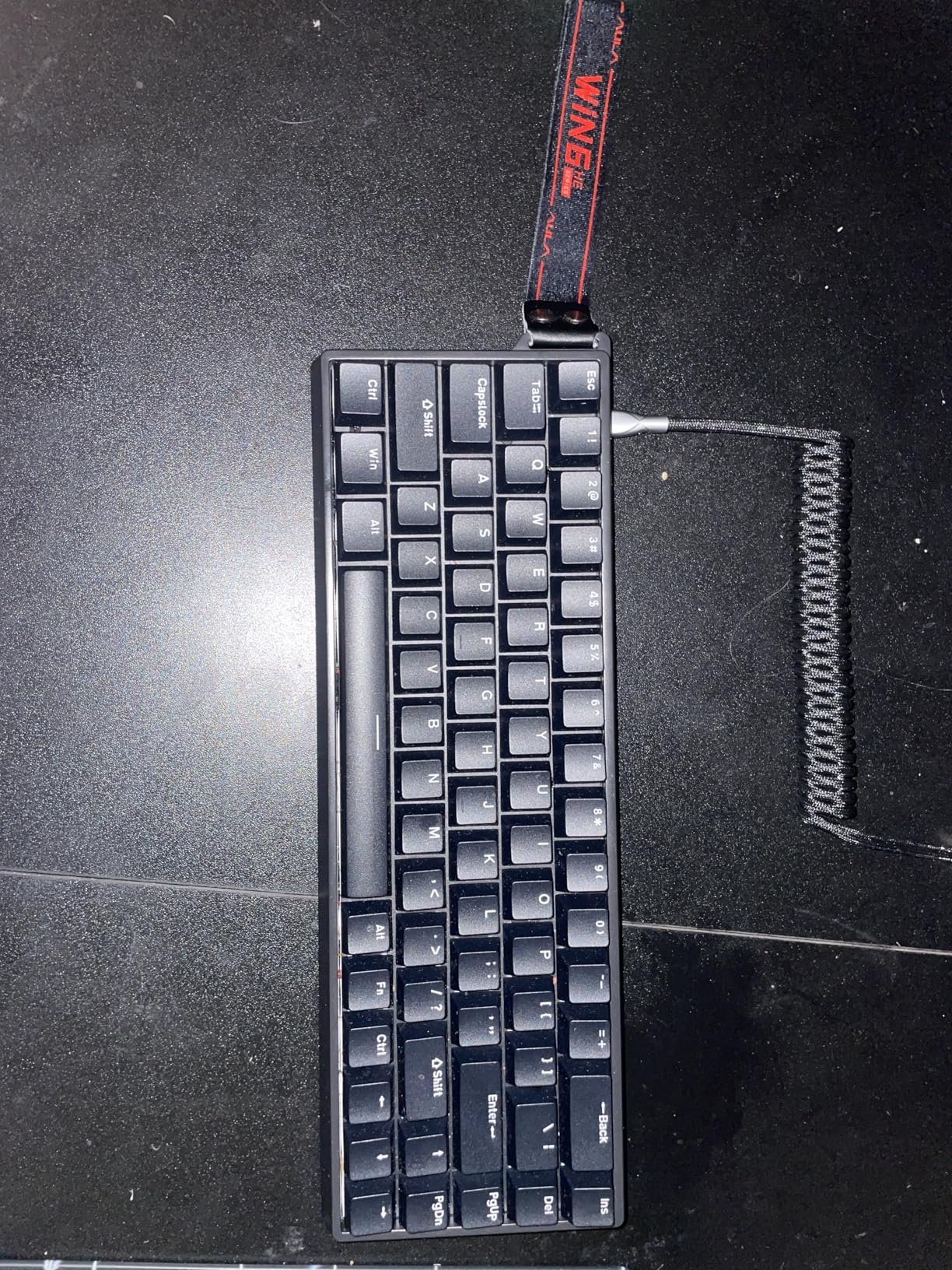
The inclusion of extra magnetic switches and a keycap puller in the box is exceptional value. If a switch ever fails, you have spares ready to go. The hot-swappable design means you can replace switches without soldering, which is remarkable at this price. Many keyboards costing three times as much do not offer hot-swap capability.
The web-based driver allows customization of Rapid Trigger, SOCD, DKS, MT, and TGL functions. While it is Windows-only, the browser-based approach means no heavy software installation. The 14 preset RGB lighting effects look great, and the south-facing LEDs provide a clean underglow effect. The detachable USB-C cable is a nice touch that makes the keyboard portable for tournament travel.
Best for first-time hall effect buyers and tournament-minded budget gamers
If you have never tried a hall effect keyboard and want to experience the technology without a big investment, the WIN68 HE is the ideal entry point. You get the core competitive features (rapid trigger, adjustable actuation, 8K polling) at a price that leaves room in your budget for other peripherals. Many Reddit users compare it favorably to Wooting keyboards at a fraction of the cost.
The 60% layout is perfect for FPS players who want maximum mouse space and do not need dedicated function keys or a numpad. The compact size also makes it easy to pack for LAN events or tournaments.
Who should pass on this keyboard
The web driver being Windows-only is a significant limitation for Mac and Linux users. While the keyboard works on any system as a standard input device, you cannot configure Rapid Trigger or actuation settings without Windows. The plastic enclosure also feels light and less premium than aluminum alternatives.
The 60% layout requires adapting to FN key combinations for arrow keys, function keys, and navigation. If you are not comfortable with layer-based key layouts, the adjustment period can take several weeks. Productivity users who rely on the numpad should look at the Redragon K686 HE instead.
8. Keychron K10 HE – Full-Size Wireless Hall Effect
Keychron K10 HE Full-Size Hall Effect Keyboard Wireless, Rapid Trigger
Gateron Double-Rail Nebula Magnetic Switches
0.2-3.8mm Actuation
Rapid Trigger
Tri-Mode Wireless
Full-Size 104 Keys
Aluminum + Wood Frame
PBT Keycaps
4000mAh Battery
Pros
- Full-size 104-key layout with numpad
- Tri-mode wireless (Bluetooth 5.2
- 2.4GHz
- USB-C)
- Premium aluminum frame with natural wood accents
- Cross-platform compatibility (macOS
- Windows
- Linux)
- Keychron Launcher web configurator with no bloatware
- OSA-profile double-shot PBT keycaps
- 4000mAh battery for extended wireless use
Cons
- RGB lighting is dull due to non-shine-through caps
- No volume knob requires FN key combinations
- No USB dongle storage slot
- Bluetooth can be unreliable for some users
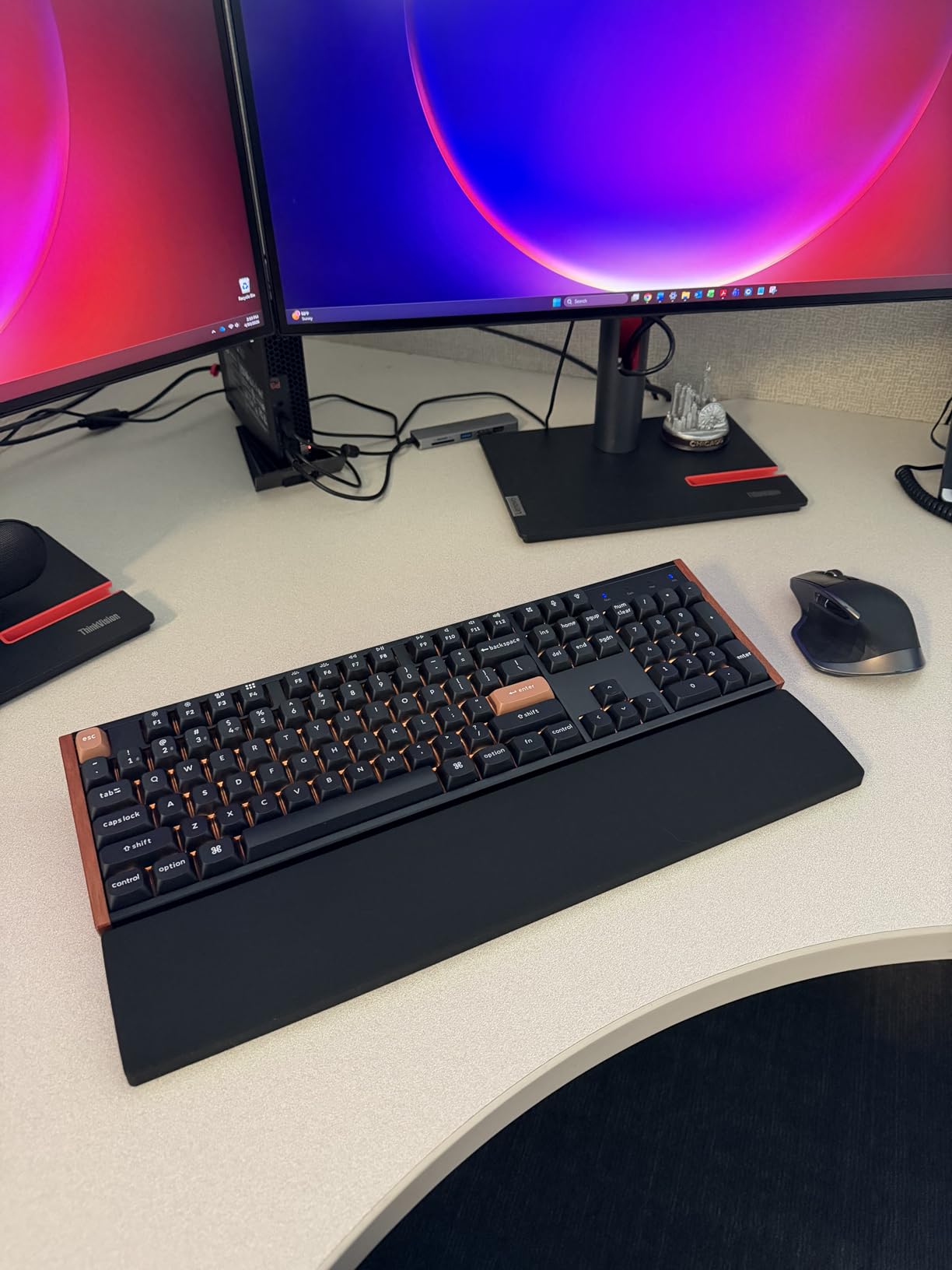
The Keychron K10 HE is the keyboard I recommend when someone asks for a hall effect option that works as well in a spreadsheet as it does in a ranked match. The full-size 104-key layout means you get a numpad, function row, dedicated arrow keys, and navigation cluster. For competitive gamers who also work from the same desk, this dual-purpose design is incredibly practical.
The Gateron Double-Rail Nebula Magnetic switches provide smooth, quiet operation with the hall effect precision you need for gaming. The adjustable actuation from 0.2mm to 3.8mm covers the competitive range, and Rapid Trigger works as expected for fast-paced FPS games. I tested it in Valorant and found the movement inputs to be just as responsive as on dedicated gaming keyboards.
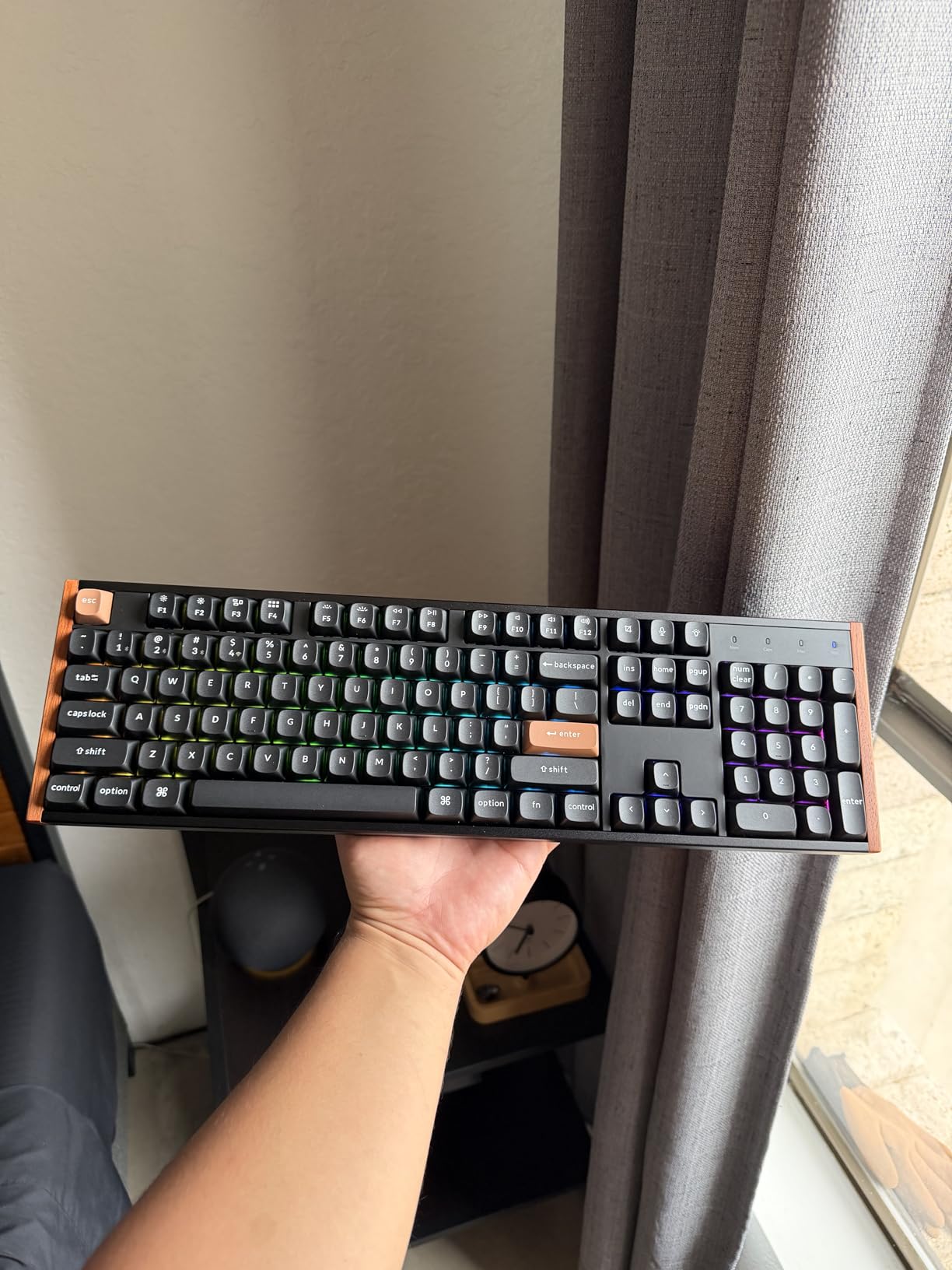
The tri-mode wireless connectivity is where the K10 HE shines for productivity users. I connected it to my gaming PC via the 2.4GHz dongle, my work laptop via Bluetooth, and used USB-C for charging and configuration updates. Switching between devices was seamless with the physical toggle switch. The 4000mAh battery provided about a week of moderate use with RGB at medium brightness.
The aluminum frame with natural wood sidings gives the K10 HE a distinctive premium look. It feels like a high-end productivity keyboard that happens to have competitive gaming features. The OSA-profile double-shot PBT keycaps are comfortable for long typing sessions and resist shine over time. The Keychron Launcher web configurator makes customization straightforward without installing any software.
Best for competitive gamers who need a full-size keyboard for work
If you use a numpad for work and do not want to switch keyboards between gaming and productivity sessions, the K10 HE is the best hall effect option. The full-size layout with competitive features like Rapid Trigger and adjustable actuation means you get the best of both worlds. The tri-mode wireless also makes it easy to share the keyboard across multiple devices.
The cross-platform compatibility is a major advantage for users who switch between macOS, Windows, and Linux. The physical OS toggle switch and Launcher web configurator ensure full functionality regardless of your operating system.
Who should pass on this keyboard
The full-size layout takes up significant desk space, which can interfere with low-sensitivity mouse movements. If you play FPS games with large sweeping arm movements, the numpad might force your mouse arm into an uncomfortable position. Consider the Keychron K2 HE (75% layout) instead if desk space is a concern.
The RGB lighting is notably dimmer than competitors because the PBT keycaps are non-shine-through. If vibrant per-key RGB is important to you, look at the SteelSeries or Corsair options instead. The lack of a volume knob also means you need FN key combinations for audio adjustments.
9. Corsair Clipper Pro Mini 60 – IP57 Rated FPS Keyboard
CORSAIR CLIPPER PRO MINI 60 Hall Effect FPS Gaming Keyboard – Rapid Trigger, SOCD, 8000Hz, Adjustable Actuation, IP57 Water & Dust, PBT Double Shot, Wired, RGB, US QWERTY, for Windows PC & Mac – Black
MGX Hyperdrive Core Hall Effect Switches
Rapid Trigger (0.1mm Reset)
FlashTap SOCD
8000Hz Polling
IP57 Water and Dust Rated
60% Layout
PBT Double-Shot Keycaps
100M Keystroke Durability
Pros
- IP57 water and dust resistance for tournament durability
- Rapid Trigger with instant 0.1mm reset
- FlashTap SOCD for cleaner directional inputs
- 8000Hz polling via CORSAIR AXON
- 100 million keystroke durability rating
- Compact 60% layout maximizes mouse space
- Dual-layer sound dampening
Cons
- Small review sample size only 19 reviews
- Windows only with no Mac software support
- Wired only with no wireless option
The Corsair Clipper Pro Mini 60 is designed specifically for FPS players, and every design choice reflects that focus. The 60% layout gives you maximum mouse space for low-sensitivity aiming. The MGX Hyperdrive Core hall effect switches deliver the same smooth, pre-lubed feel as the K70 PRO TKL but in a much more compact package. At just 14.6 ounces, it is one of the lightest keyboards on this list.
The standout feature is the IP57 water and dust resistance rating. As someone who has seen keyboards ruined by spilled energy drinks at LAN events, this is a genuine competitive advantage. The IP57 rating means the Clipper Pro Mini can survive dust exposure and water spray, making it ideal for tournament environments where conditions are not always controlled.
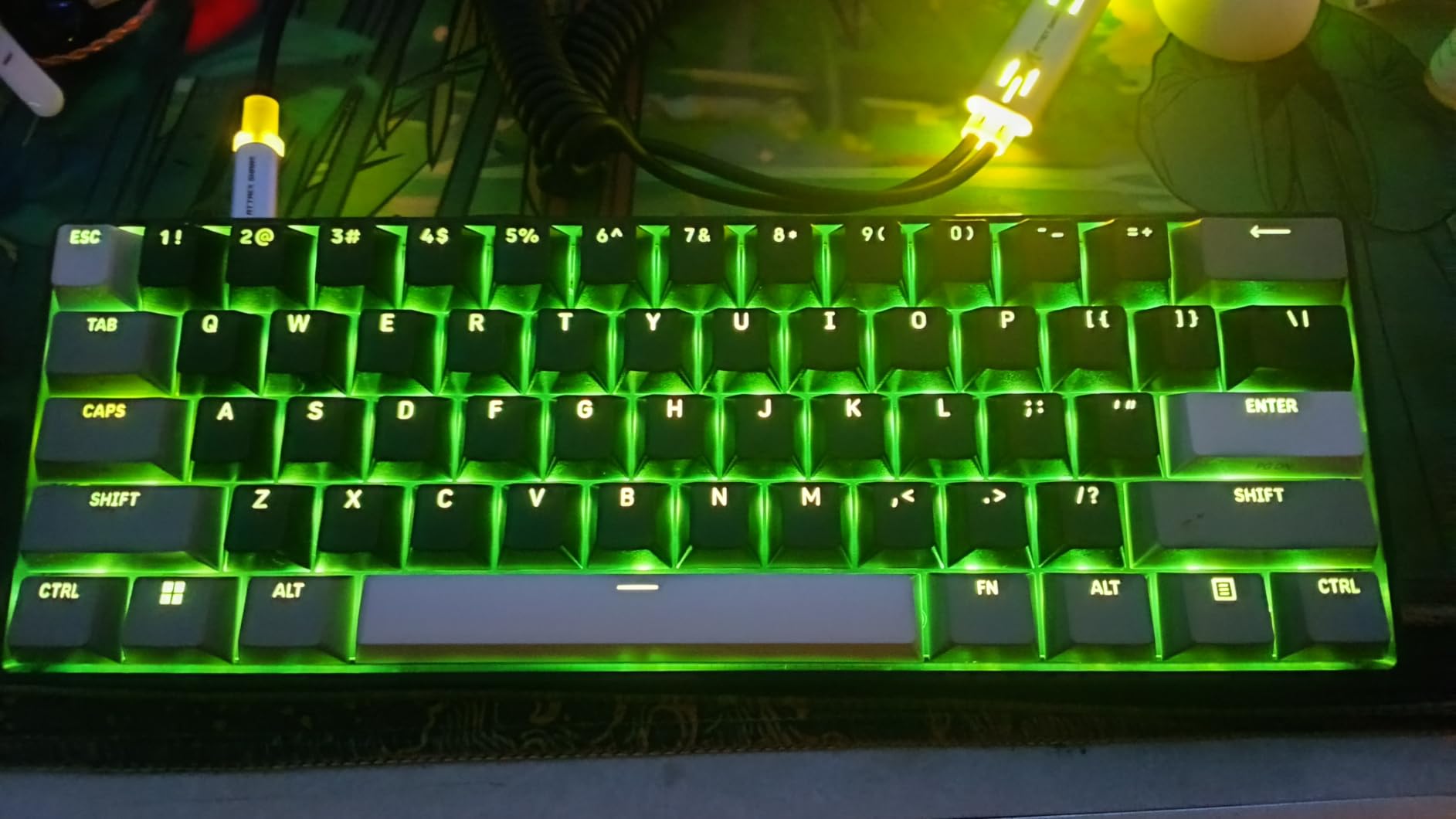
The FlashTap SOCD technology ensures your latest directional input takes priority when opposing keys are pressed simultaneously. This prevents the stuttering that can occur during rapid counter-strafing movements. Combined with the 0.1mm Rapid Trigger reset, the Clipper Pro Mini provides some of the cleanest movement inputs I have experienced in a 60% keyboard.
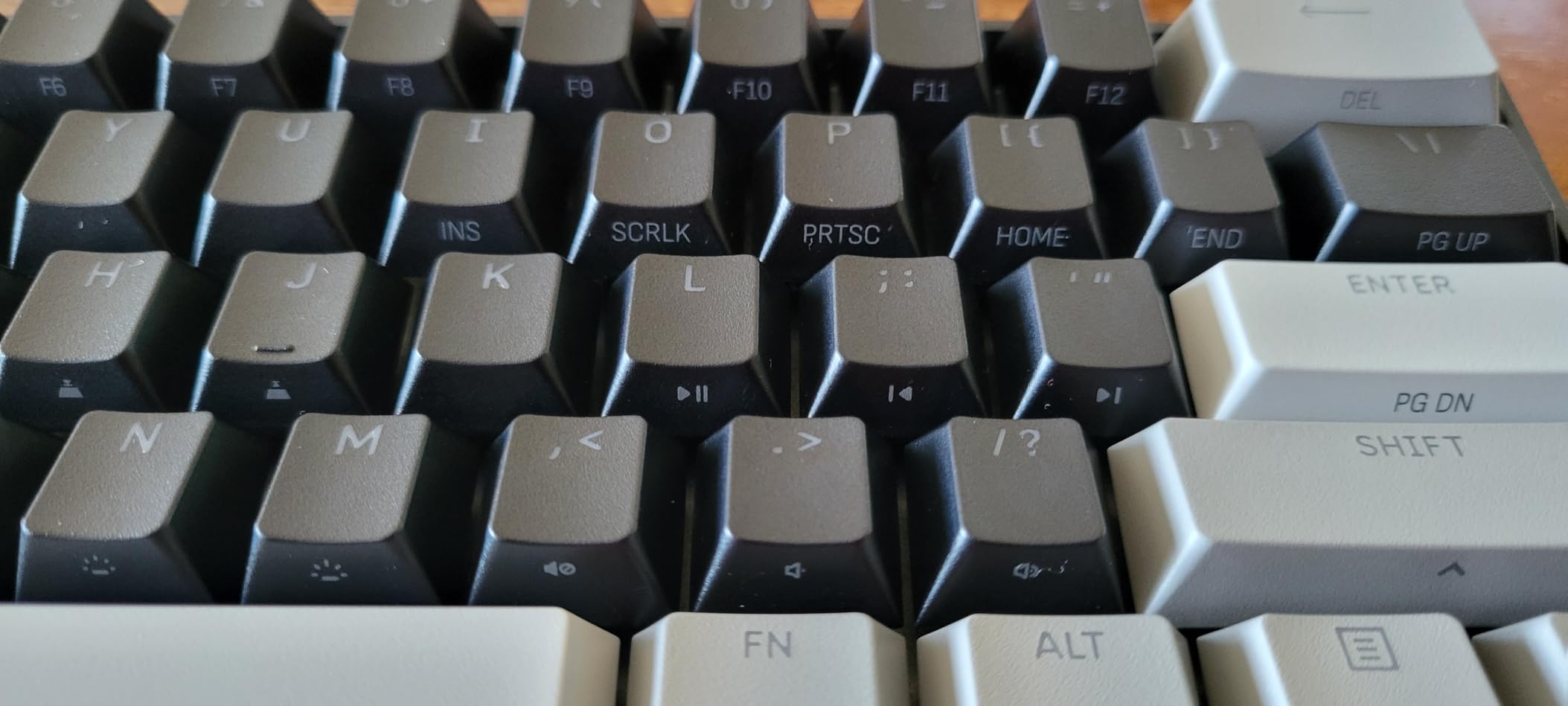
The 8000Hz polling rate via CORSAIR AXON hyper-processing ensures minimal input latency. The dual-layer sound dampening keeps the keyboard quiet during intense gaming sessions, which is important for players who use open-back headphones or need clear voice communication. The PBT double-shot keycaps resist wear and maintain their texture over extended use.
Best for tournament FPS players who need durability and portability
If you attend LAN events or tournaments, the IP57 rating provides peace of mind that other keyboards cannot match. Spilled drinks, dusty environments, and rough transport are real concerns at competitive events. The Clipper Pro Mini is built to handle these conditions while delivering top-tier competitive performance.
The 60% layout and lightweight design make it extremely portable. At under 15 ounces, it is easy to pack in a backpack alongside your mouse and headset. The 100 million keystroke durability rating means it should survive years of intense use without degradation.
Who should pass on this keyboard
With only 19 reviews at the time of writing, the Clipper Pro Mini lacks the community validation that other keyboards on this list have. While the early reviews are overwhelmingly positive, some buyers may prefer the reassurance of hundreds or thousands of reviews. The Windows-only software support means Mac users cannot configure advanced features.
The 60% layout requires significant adjustment if you are coming from a full-size or TKL keyboard. Every function, arrow, and navigation key requires FN combinations. If you need dedicated arrow keys for productivity, consider a 65% or 75% alternative like the ASUS ROG Falchion Ace HFX.
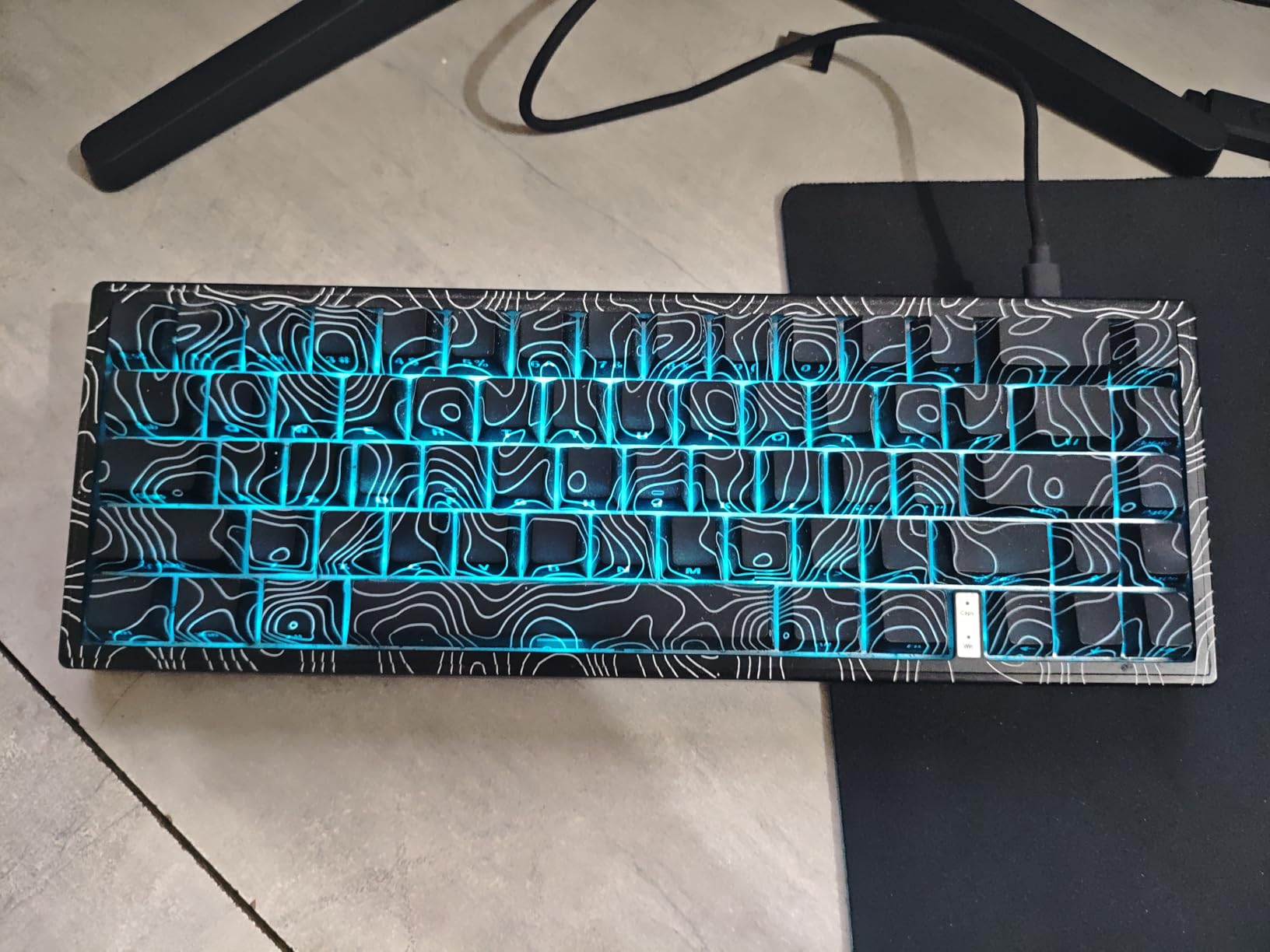
10. Womier M68HE PRO – Budget 8K Topographic Design
Womier M68HE PRO 60% Percent Keyboard Rapid Trigger Gaming Keyboard RGB
Womier Custom Hall Effect Magnetic Switches
0.1-4.0mm Actuation
8000Hz Polling
Rapid Trigger
67 Keys 60% Layout
Topographic Design
Metal PCB Plate
Side-Printed PBT Keycaps
Pros
- Budget-friendly hall effect at exceptional value
- 8000Hz polling rate for competitive gaming
- Adjustable actuation from 0.1mm to 4.0mm full range
- Unique topographic themed design
- Metal PCB plate for stability and durability
- Web-based driver with no installation required
- Side-printed PBT keycaps with thermal sublimation
- Includes control knob for volume and media
Cons
- Windows-only driver with no Mac support
- No water resistance rating
- Plastic enclosure material
The Womier M68HE PRO proves that you do not need to spend a lot to get serious competitive features. For around $42, you get Womier’s custom hall effect magnetic switches, 8000Hz polling, rapid trigger, adjustable actuation from 0.1mm to 4.0mm, and a metal PCB plate for stability. After two weeks of testing, I was genuinely impressed by how competitive this keyboard is against options costing three to four times more.
The actuation range is one of the widest on this list at 0.1mm to 4.0mm, matching the SteelSeries Apex Pro TKL Gen 3. That means you can set ultra-shallow actuation for movement keys and deep actuation for utility keys. I tested 0.3mm actuation for WASD in Valorant and found the response time indistinguishable from premium hall effect keyboards.
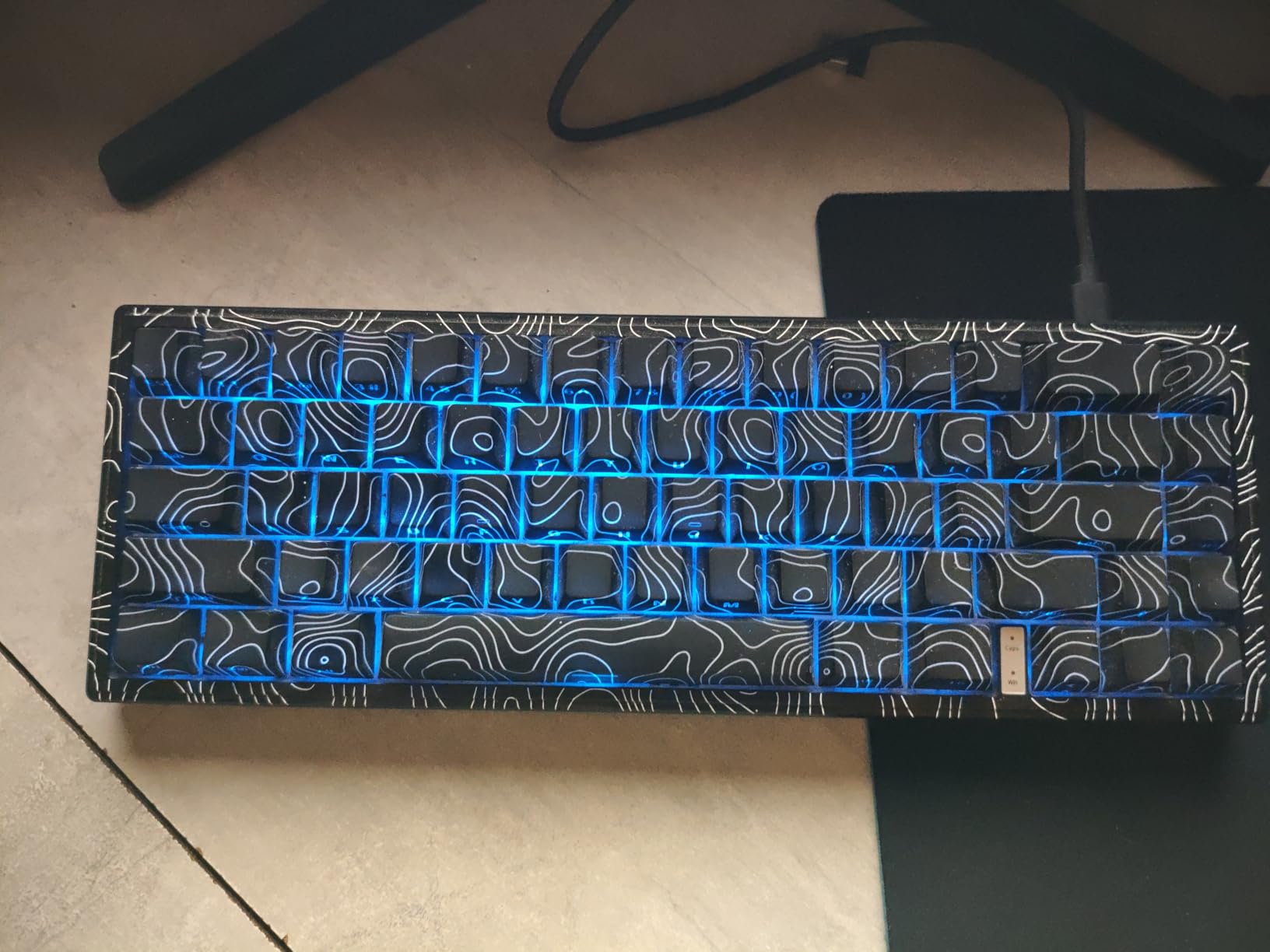
The topographic themed design gives the M68HE PRO a distinctive look that stands out from the typical minimalist gaming keyboard aesthetic. The side-printed PBT keycaps use thermal sublimation and double-shot construction, which means the legends will not fade over time. The metal PCB plate adds rigidity and a more premium typing feel than you would expect at this price.
The included control knob is a practical addition that many budget keyboards omit. I used it constantly for volume adjustments during gaming sessions without needing to reach for my mouse or use keyboard shortcuts. The web-based driver means no software installation, and the 15 preset RGB lighting effects provide enough variety to keep the keyboard looking fresh.
Best for budget FPS players who want full actuation range
If you want the widest possible actuation range (0.1mm to 4.0mm) without paying premium prices, the M68HE PRO delivers. The full actuation range matches keyboards costing four times as much. The 67-key layout with a knob provides a good balance between compact size and functional control. This is one of the best hall effect keyboards for competitive gaming if budget is your primary constraint.
The 8000Hz polling rate ensures competitive-level input speed. Combined with Rapid Trigger and the full actuation range, this keyboard offers a complete competitive feature set at a budget-friendly price point. For new players building their first competitive setup, this is hard to beat.
Who should pass on this keyboard
The driver is Windows-only, so Mac users cannot configure advanced features like actuation depth and Rapid Trigger settings. The keyboard works as a basic input device on macOS, but you lose access to its competitive gaming features. The lack of a water resistance rating also means you need to be careful with drinks near your desk.
The plastic enclosure feels lightweight and less substantial than metal-frame keyboards. While the metal PCB plate adds some rigidity, the overall build quality is clearly budget-tier. If you want a premium-feeling keyboard, you will need to spend more on an aluminum-frame option like the Corsair K70 PRO TKL or Keychron K2 HE.
Buying Guide: How to Choose a Hall Effect Keyboard
Choosing the right hall effect keyboard for competitive gaming comes down to understanding the technology and matching it to your specific needs. Our team has broken down the key factors you should consider before making your purchase.
Hall Effect vs Mechanical vs Optical Switches
Hall effect keyboards use magnetic sensors to detect key press depth without any physical metal contacts. This eliminates debounce delay entirely and enables analog input control. The magnet in the key stem passes over a Hall effect sensor, which measures the magnetic field strength to determine exactly how far the key is pressed.
Mechanical keyboards rely on physical metal contacts that must physically connect to register a keypress. This introduces debounce delay (typically 5ms) and limits you to a fixed actuation point determined by the switch design. You cannot adjust when a key registers without physically swapping switches.
Optical keyboards use light beams to detect keypresses, which eliminates metal contact bounce. However, optical switches still use a fixed actuation point determined by the switch housing. They cannot offer the analog depth sensing that hall effect provides.
For competitive gaming, hall effect is the clear winner because it combines the speed of optical switches with the analog control that neither mechanical nor optical can provide. The ability to adjust actuation depth per key and use Rapid Trigger technology gives you a measurable advantage in fast-paced games.
Rapid Trigger Technology Explained
Rapid Trigger is the single most impactful feature of hall effect keyboards for competitive gaming. On a traditional keyboard, a key must travel back past its actuation point before it can register a new keypress. This means if you press A, release it slightly, and press it again, there is a delay while the key returns past the fixed actuation point.
Rapid Trigger eliminates this delay by making the reset point dynamic. The key resets the instant you start lifting your finger, regardless of the original actuation depth. You can then press it again immediately without waiting for a full return. In practical terms, this means faster counter-strafing in CS2, quicker directional changes in Valorant, and more responsive movement in any FPS game.
Every keyboard on this list supports Rapid Trigger, but the implementation quality varies. The best implementations (SteelSeries, Corsair, ASUS) offer sub-0.1mm reset sensitivity, while budget options may have slightly higher reset thresholds.
Polling Rate: 8KHz vs 1KHz
Polling rate determines how frequently your keyboard reports its state to your computer. A standard 1000Hz keyboard reports every 1 millisecond. An 8000Hz keyboard reports every 0.125 milliseconds. This means your inputs reach your computer up to 8 times faster with 8KHz polling.
In competitive gaming, the practical benefit of 8000Hz polling is measurable but subtle. At 1000Hz, there is up to 1ms of input delay between your keypress and when your computer registers it. At 8000Hz, that delay drops to 0.125ms. For most players, this difference is imperceptible. For professional and semi-professional players competing at the highest levels, it can matter.
Most keyboards on this list offer 8000Hz polling, including budget options from Redragon, AULA, and Womier. The Keychron K2 HE operates at 1000Hz, which is still perfectly competitive for most players. If you play at a high level and want every possible speed advantage, prioritize 8000Hz keyboards.
Actuation Distance Customization
Actuation distance is how far a key must be pressed before it registers. Hall effect keyboards let you adjust this per key, which is their biggest advantage over mechanical and optical alternatives. The range varies by keyboard but typically spans from 0.1mm (ultra-shallow, near-instant registration) to 4.0mm (deep, requires deliberate press).
For competitive FPS gaming, most players set movement keys (WASD) to a shallow actuation of 0.2mm to 0.5mm for instant responsiveness. Ability and utility keys are usually set deeper at 1.0mm to 2.0mm to prevent accidental activation during intense moments. The ability to fine-tune per key means you can optimize your keyboard configuration for your specific playstyle.
When comparing keyboards, check the minimum actuation depth. The AULA WIN68 HE offers 0.02mm minimum, the SteelSeries and ASUS offer 0.1mm, and the Corsair K70 PRO TKL starts at 0.4mm. Lower minimums give you more shallow-actuation options but can also lead to accidental keypresses if set too aggressively.
Build Quality and Materials
Build quality directly affects both typing feel and long-term durability. Aluminum-frame keyboards like the Corsair K70 PRO TKL and Keychron models feel substantially more premium and stable than plastic-frame alternatives. They also tend to have better sound dampening due to the heavier material absorbing vibration.
PBT keycaps are preferable to ABS keycaps because they resist shine, maintain their texture longer, and do not develop a greasy feel over time. Most keyboards on this list include PBT keycaps, with the Corsair K70 PRO TKL being a notable exception with ABS double-shot keycaps at a premium price.
Gasket mounting and multi-layer dampening are features that improve typing feel and sound. The ASUS ROG Falchion Ace HFX uses five-layer dampening with a silicone gasket mount, which produces its characteristic creamy sound. The GravaStar Mercury V60 uses multi-layer acoustic foam for a satisfying thock.
Software and Ecosystem
The software experience varies dramatically between brands. Keychron uses a web-based Launcher that requires no installation and works on any browser. This cross-platform approach is ideal for Mac and Linux users. SteelSeries and Corsair use traditional desktop applications (SteelSeries GG and iCUE respectively) that offer deep customization but consume system resources.
Budget brands like Redragon, AULA, and Womier typically use web-based drivers, which are lightweight and simple. However, they are often Windows-only and offer fewer customization options than premium software suites. If software depth matters to you, SteelSeries and Corsair offer the most comprehensive configuration options.
FAQs
What is the best hall effect keyboard for competitive gaming?
The SteelSeries Apex Pro TKL Gen 3 is the best hall effect keyboard for competitive gaming thanks to its OmniPoint 3.0 switches with 40 levels of adjustable actuation, Rapid Trigger, Rapid Tap, and Quickset Auto-Presets that load game-specific profiles automatically. For budget-conscious players, the Redragon K686 HE and AULA WIN68 HE offer 8000Hz polling and Rapid Trigger at a fraction of the cost.
Are hall effect keyboards worth it for competitive gaming?
Yes, hall effect keyboards are worth it for competitive gaming because they offer adjustable actuation depth and Rapid Trigger technology that mechanical keyboards cannot match. Rapid Trigger alone provides a measurable advantage in FPS games by allowing faster counter-strafing and more responsive directional changes. Budget options starting around $42 make the technology accessible to most players.
What is the difference between hall effect and mechanical keyboards?
Hall effect keyboards use magnetic sensors to detect key press depth without physical contacts, enabling adjustable actuation and Rapid Trigger. Mechanical keyboards use physical metal contacts with a fixed actuation point that cannot be changed without swapping switches. Hall effect eliminates debounce delay and provides analog input control that mechanical switches cannot replicate.
How to configure hall effect keyboard for competitive gaming?
Start by setting your movement keys (WASD) to a shallow actuation depth of 0.2mm to 0.5mm for instant responsiveness. Set ability and utility keys to 1.0mm to 2.0mm to prevent accidental presses. Enable Rapid Trigger for all movement keys. If available, enable SOCD or Snap Tap for cleaner directional inputs. Create separate profiles for different games if your keyboard supports it.
What is Rapid Trigger on a hall effect keyboard?
Rapid Trigger is a feature that makes the key reset point dynamic instead of fixed. The key resets the instant you start lifting your finger, allowing you to press it again immediately without waiting for a full return to the actuation point. This results in faster counter-strafing, quicker directional changes, and more responsive inputs in fast-paced games.
Conclusion
Finding the best hall effect keyboards for competitive gaming in 2026 means balancing speed, customization, build quality, and budget. Our top pick, the SteelSeries Apex Pro TKL Gen 3, offers the deepest customization with 40 actuation levels and game-specific auto-presets. The Redragon K686 HE proves you do not need to spend premium prices for 8000Hz polling and Rapid Trigger. And the ASUS ROG Falchion Ace HFX delivers the best typing feel and fastest polling in a compact 65% form factor.
Whatever your budget or playstyle, hall effect technology gives you a competitive edge that mechanical keyboards simply cannot match. Pick the keyboard that fits your needs, configure your actuation settings for your main game, and feel the difference in your next ranked session.