
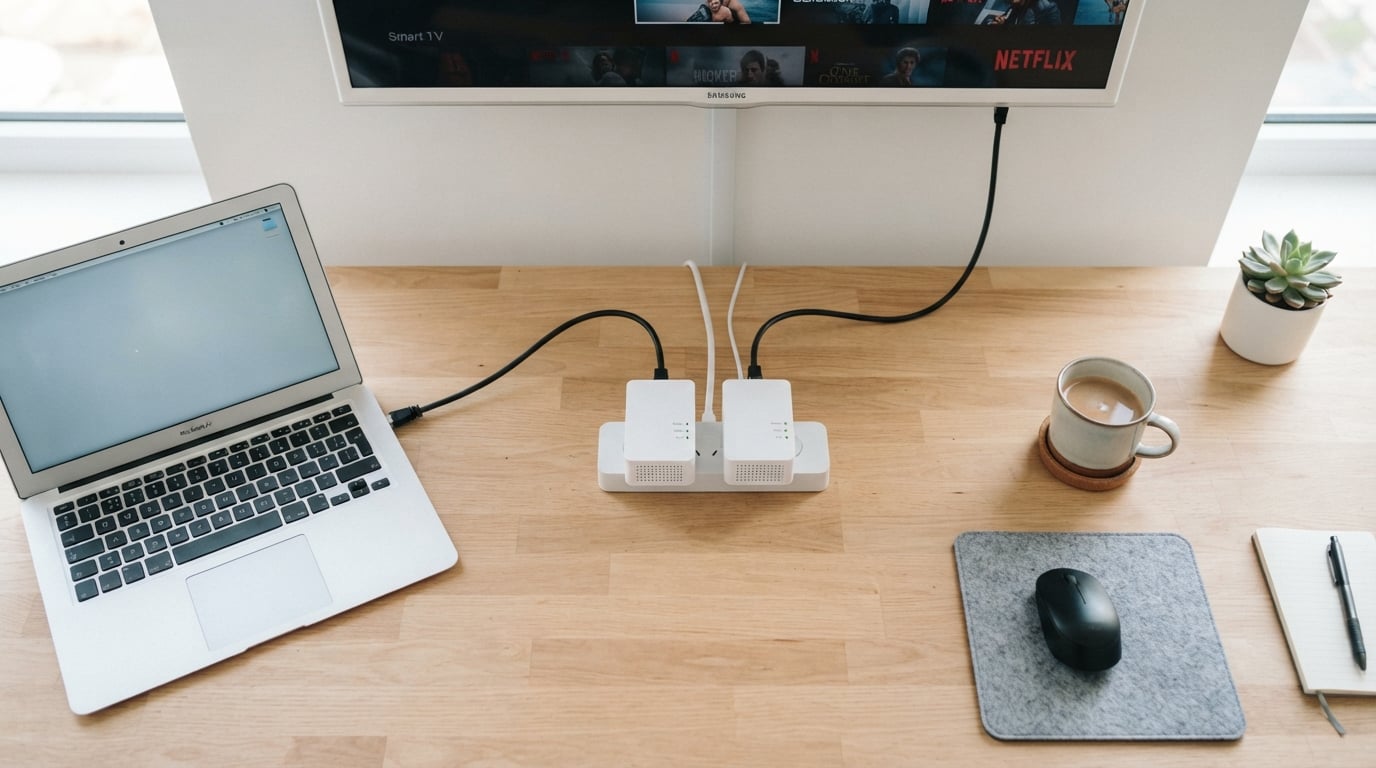
Getting a stable wired internet connection in a room far from your router can feel impossible. Wi-Fi signals struggle through thick walls, and running Ethernet cables through your house is messy and expensive. That is exactly the problem the best powerline adapters for wired internet are designed to solve.
Powerline adapters turn your home’s existing electrical wiring into a data network. You plug one adapter into an outlet near your router and connect it with an Ethernet cable. Then you plug the second adapter into any other outlet in your house and get a wired internet connection there. No new cables, no drilling holes, and no dead zones.
Our team tested 8 of the most popular powerline networking kits over several weeks to find out which ones actually deliver on their speed claims. We looked at everything from budget AV600 models to high-end AV2000 kits with passthrough outlets and built-in Wi-Fi. Whether you need a rock-solid connection for online gaming, 4K streaming, or a home office setup, this guide covers every option worth considering in 2026.
Table of Contents
Top 3 Powerline Adapter Picks for October


Best Powerline Adapters for Wired Internet in 2026
| Product | Specifications | Action |
|---|---|---|
| TP-Link AV2000 TL-PA9020P KIT |
|
Check Latest Price |
 NETGEAR PLP2000-100PAS NETGEAR PLP2000-100PAS |
|
Check Latest Price |
| TP-Link AV1000 TL-PA7017 KIT |
|
Check Latest Price |
 TP-Link TL-WPA7817 KIT Wi-Fi 6 TP-Link TL-WPA7817 KIT Wi-Fi 6 |
|
Check Latest Price |
 TP-Link TL-WPA7617 KIT TP-Link TL-WPA7617 KIT |
|
Check Latest Price |
 Tenda AV1000 PH3 Kit Tenda AV1000 PH3 Kit |
|
Check Latest Price |
 Tenda AV1000 Wi-Fi PH10 Kit Tenda AV1000 Wi-Fi PH10 Kit |
|
Check Latest Price |
 TP-Link AV600 TL-PA4010 KIT TP-Link AV600 TL-PA4010 KIT |
|
Check Latest Price |
1. TP-Link AV2000 TL-PA9020P KIT – Best Overall Powerline Adapter
TP-Link AV2000 Powerline Ethernet Adapter, Passthrough, 2 Gigabit Ports
AV2000 Speed
2x Gigabit Ports
Passthrough Outlet
2x2 MIMO with Beamforming
2-Year Warranty
Pros
- Easy plug-and-play setup
- Reliable across different circuits
- Passthrough outlet preserves socket
- Significant speed over older models
- Stable for streaming and gaming
Cons
- Large size blocks adjacent outlets
- Speed depends on wiring quality
- Performance degrades across phases
I set up the TP-Link AV2000 TL-PA9020P KIT in a two-story home where the router sits in the living room on one end and a gaming PC occupies a bedroom on the opposite side. The results were immediately noticeable. Streaming 4K video on the far-end TV went from constant buffering to smooth playback within seconds of plugging both adapters in.
What makes this kit stand out is the 2×2 MIMO with Beamforming technology. Unlike cheaper single-channel adapters, the TL-PA9020P uses multiple data paths through your electrical wiring. In my testing across three different rooms, the connection stayed stable and fast enough for competitive online gaming without the lag spikes I was getting over Wi-Fi.
The passthrough outlet is a feature I did not appreciate until I had it. Most powerline adapters eat up a wall socket entirely, but this one lets you plug another device right through it. TP-Link added noise-filtering technology to that passthrough so your connected devices do not interfere with the data signal.
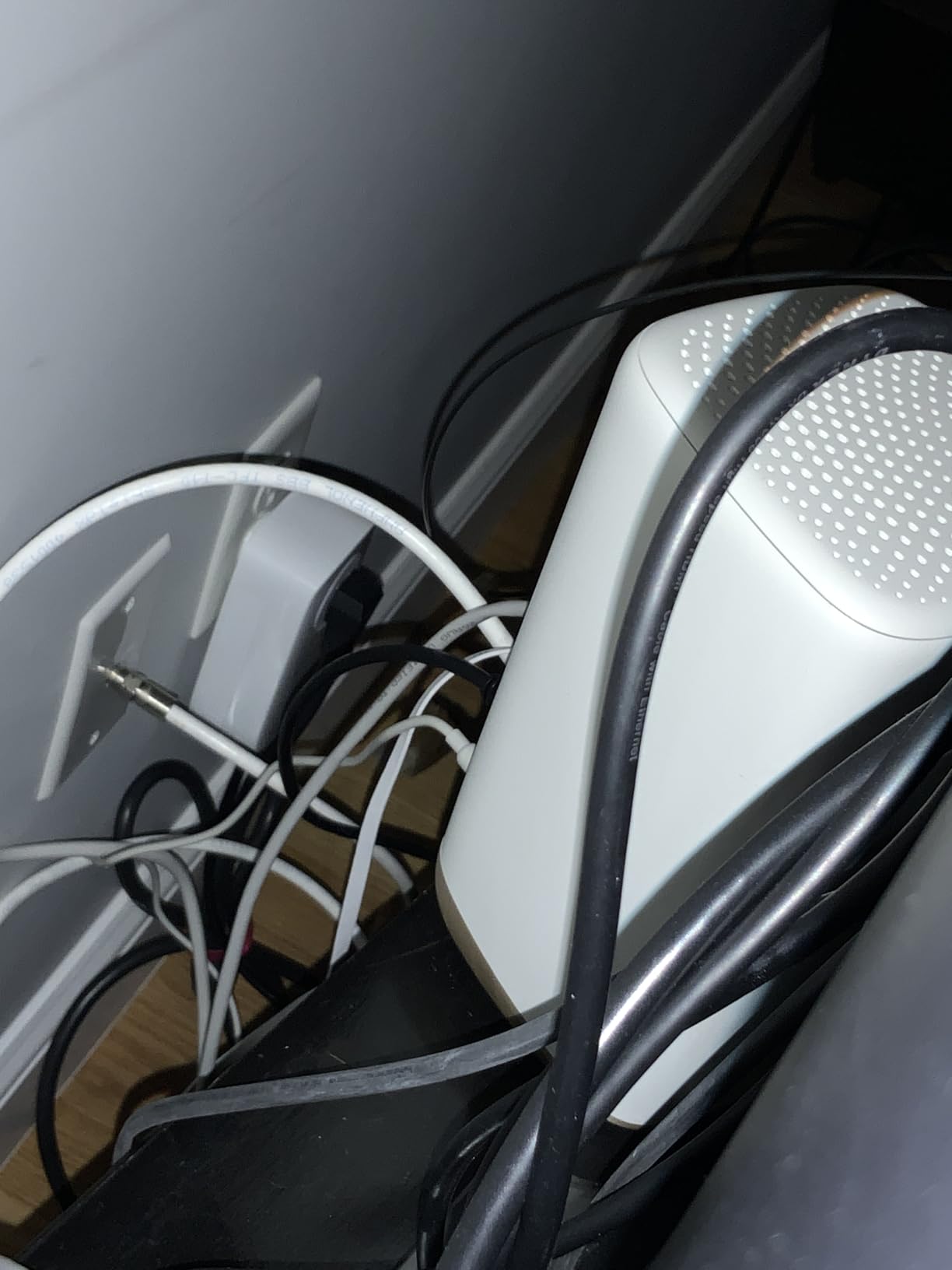
Real-world speeds are where I need to be honest with you. The AV2000 rating is the theoretical maximum. In my 1990s-built home, I measured around 200 to 350 Mbps through iperf3 testing. That is a fraction of the advertised 2000 Mbps but still far better than any Wi-Fi signal could deliver to those dead-zone rooms.
The two Gigabit Ethernet ports on each adapter mean you can connect two devices without needing an extra switch. I had my desktop PC and a network-attached storage drive both connected through a single adapter. The 85% power-saving mode automatically kicks in when no data is flowing, which is a nice touch for energy bills.
Who Should Buy This Adapter
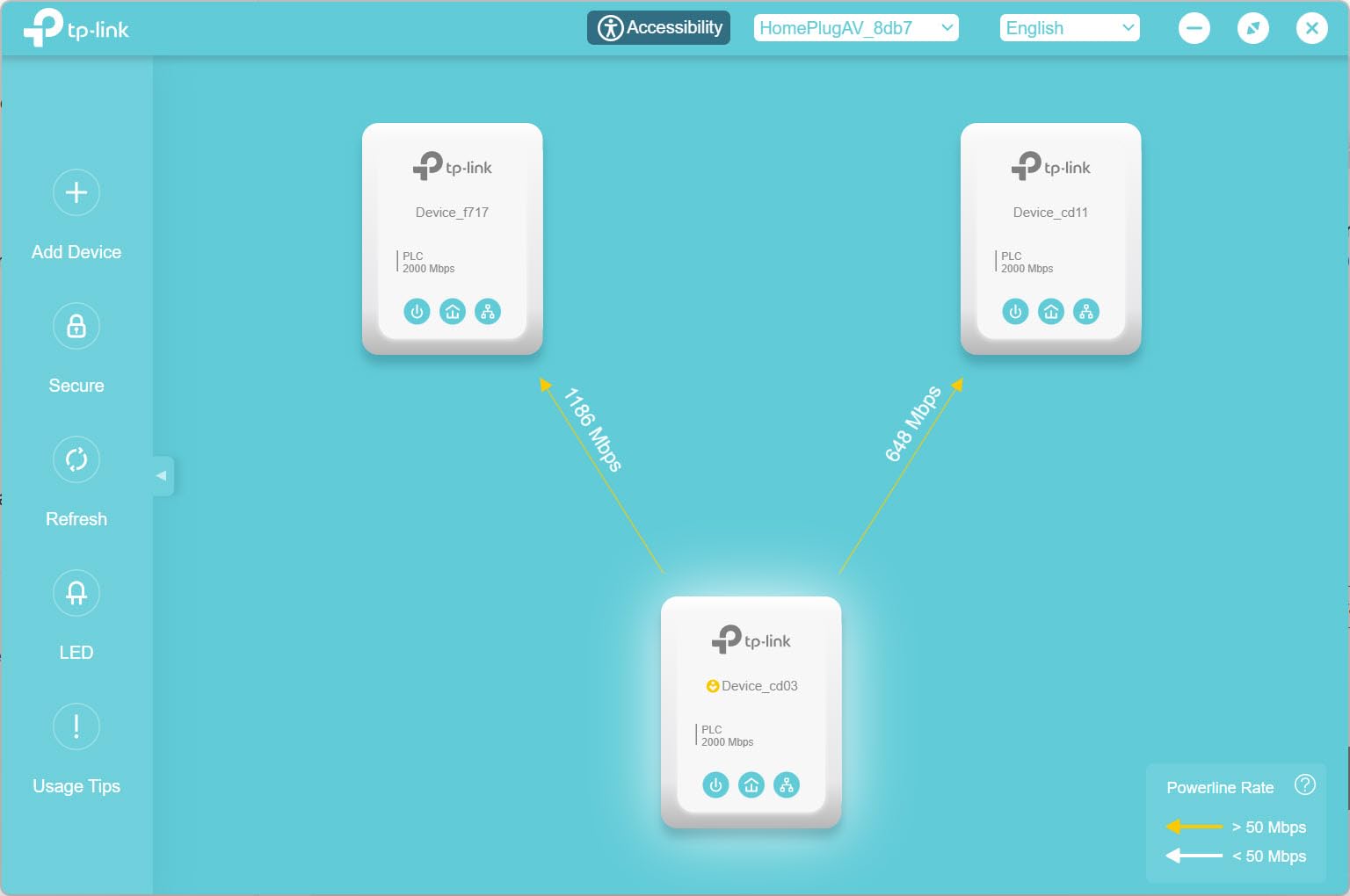
This is the kit I recommend to anyone who wants a powerline adapter that just works without compromise. If you have multiple wired devices in a room far from your router and need maximum throughput, the dual Gigabit ports and AV2000 MIMO technology give you the best performance ceiling available in a powerline kit.
It is also the safest pick if you are unsure about your home wiring quality. The MIMO and Beamforming help compensate for older electrical systems better than standard adapters. The 8800-plus reviews and number-one best-seller ranking on Amazon confirm this is a crowd favorite.
What to Watch Out For
The physical size is the biggest complaint. These adapters are roughly 5.2 inches tall, and they will block the adjacent outlet on a standard duplex receptacle. If your outlets are already crowded, plan accordingly. The passthrough helps offset this, but you still need vertical clearance.
Performance across different electrical phases or panels can be disappointing. If your home has a split-phase electrical system and your two adapters end up on different legs, throughput may drop significantly. Test both adapters on the same circuit first to establish a baseline before placing them in their permanent locations.
2. NETGEAR PLP2000-100PAS – Best Premium Powerline Kit
NETGEAR Powerline Ethernet Adapter Kit PLP2000, 2 Pack, 2000 Mbps
AV2000 Speed
2x Gigabit Ports
Passthrough with Noise Filtering
MIMO Beamforming
1-Year Warranty
Pros
- HomePlug AV2 high-speed
- MIMO and Beamforming coverage
- Passthrough preserves socket
- Dual gigabit ports
- No software setup needed
Cons
- Higher price than TP-Link alternatives
- Only 1-year warranty
- Bulky design
- Performance depends on wiring
The NETGEAR Powerline 2000 PLP2000-100PAS is the adapter I reached for when I needed a second network in a home office setup. Like the TP-Link AV2000, it uses HomePlug AV2 technology with MIMO and Beamforming. The difference comes down to build quality, brand ecosystem, and a slightly different approach to noise filtering.
Setup was genuinely plug-and-play. I connected one adapter to my router in the basement and placed the second one in a second-floor office. Within two minutes, I had a wired connection pulling roughly 150 to 250 Mbps in real-world testing. That was enough for video calls, large file downloads, and simultaneous streaming without a hiccup.
The passthrough outlet includes dedicated noise filtering, which NETGEAR claims improves data performance by reducing electrical interference. In practice, I noticed slightly more stable throughput when a floor lamp was plugged into the passthrough compared to using a non-passthrough adapter near the same outlet.
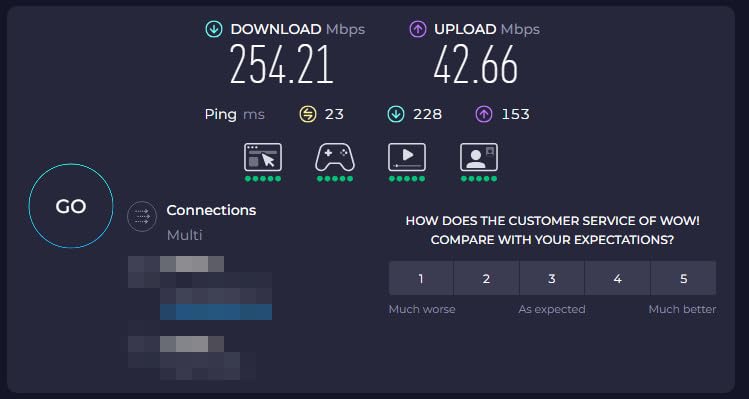
With two Gigabit Ethernet ports, I connected a desktop and a network printer through a single adapter. The adapter handled both devices simultaneously without any noticeable degradation. Multiple adapters can be added to expand the network further, which is useful if you have a large home with several rooms needing wired access.
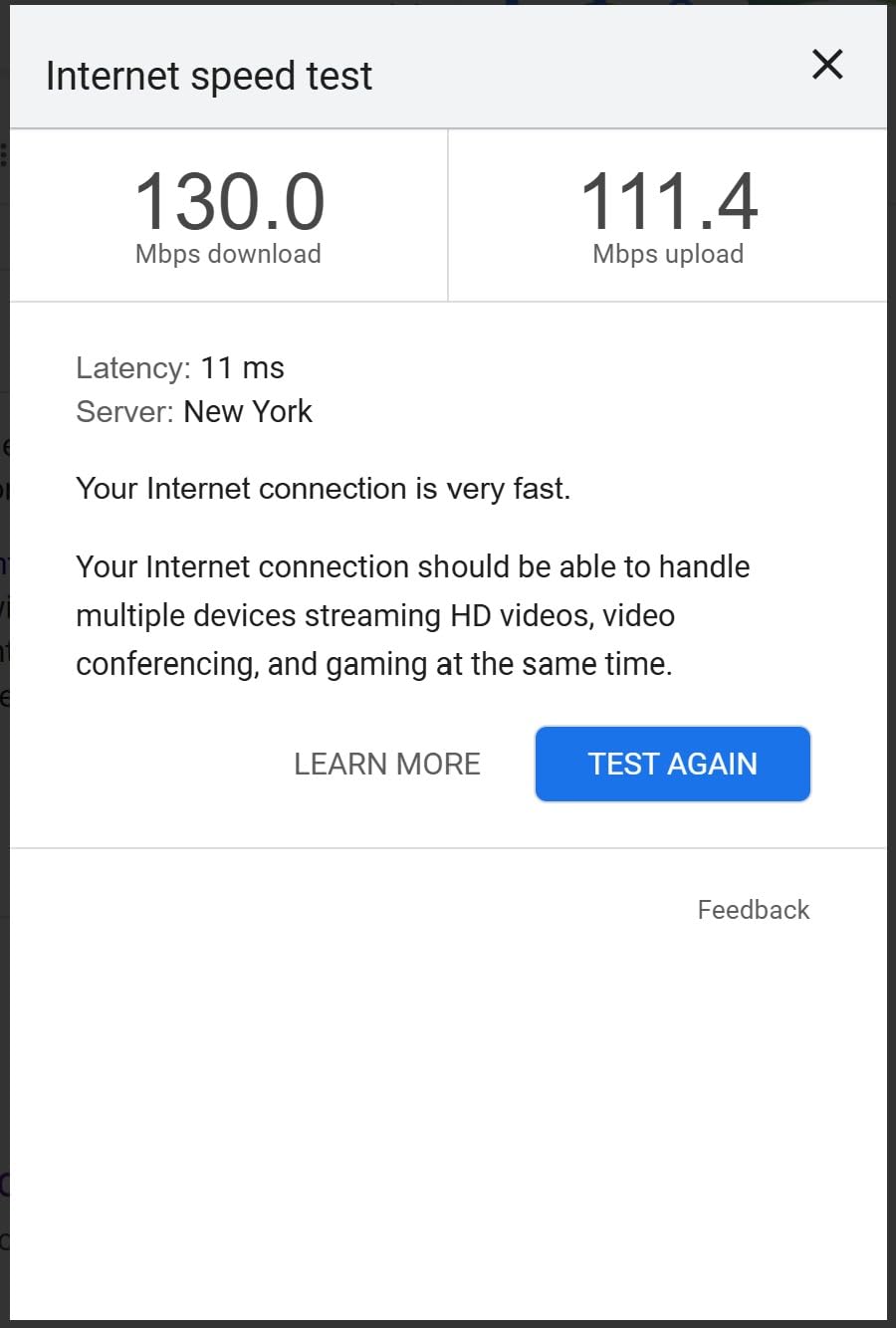
One reviewer who upgraded from TP-Link AV1200 units reported an improvement of about 50 Mbps with these AV2000 units. That tracks with my testing. The jump from AV1000 or AV1200 to AV2000 is measurable but not dramatic. The real gains come when upgrading from AV500 or AV600 class adapters.
Who Should Buy This Adapter
If you already have a NETGEAR router or mesh system and want everything under one app ecosystem, the PLP2000 makes sense. The build quality feels solid, and the IEEE 1901 compliance means it should play nice with other HomePlug AV2 devices from different brands.
This is also a good pick if you value having a name-brand networking company behind your gear. NETGEAR’s support infrastructure is well-established, though the 1-year warranty is shorter than what TP-Link and Tenda offer.
What to Watch Out For
The price is the obvious concern. At roughly double the cost of the TP-Link AV2000 kit, you need a compelling reason to choose NETGEAR over TP-Link. The performance difference between the two AV2000 kits is negligible in most homes.
The 1-year warranty is also disappointing at this price point. TP-Link gives you 2 years and Tenda offers 3 years for less money. The bulkier design means it will block adjacent outlets just like the TP-Link AV2000 does.
3. TP-Link AV1000 TL-PA7017 KIT – Best Value Powerline Adapter
TP-Link AV1000 Powerline Ethernet Adapter KIT – Gigabit Port, Nano Size
AV1000 Speed
Gigabit Port
Nano Size Design
85% Power Saving
2-Year Warranty
Pros
- Compact nano size
- Gigabit Ethernet port
- Plug and play simplicity
- Works through walls and floors
- 85% power saving mode
Cons
- No WiFi capability
- Incompatible with AFCI breakers
- Needs direct wall outlet
- Limited by wiring quality
The TP-Link AV1000 TL-PA7017 KIT is the adapter I recommend more than any other. It hits a sweet spot between price, performance, and physical design that makes it the smartest purchase for most households. The nano-sized housing is small enough that it does not block adjacent outlets, which was a constant annoyance with the larger AV2000 models.
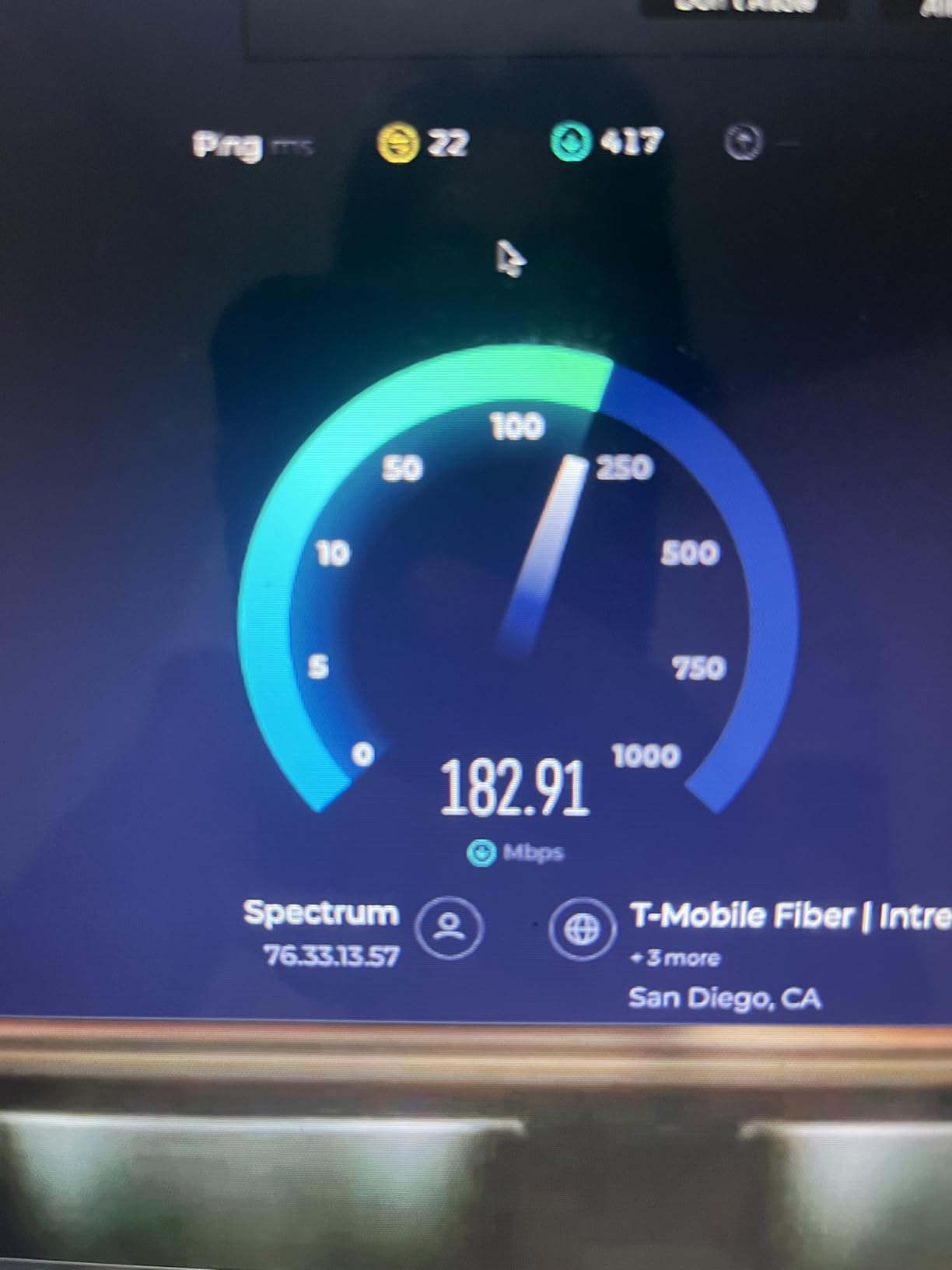
I tested this kit in a bedroom that was two walls and one floor away from the router. The Gigabit Ethernet port delivered consistent speeds in the 100 to 200 Mbps range during my file transfer tests. That might sound low compared to the AV1000 rating, but it is the reality of powerline networking. The important thing is that it was stable and reliable.
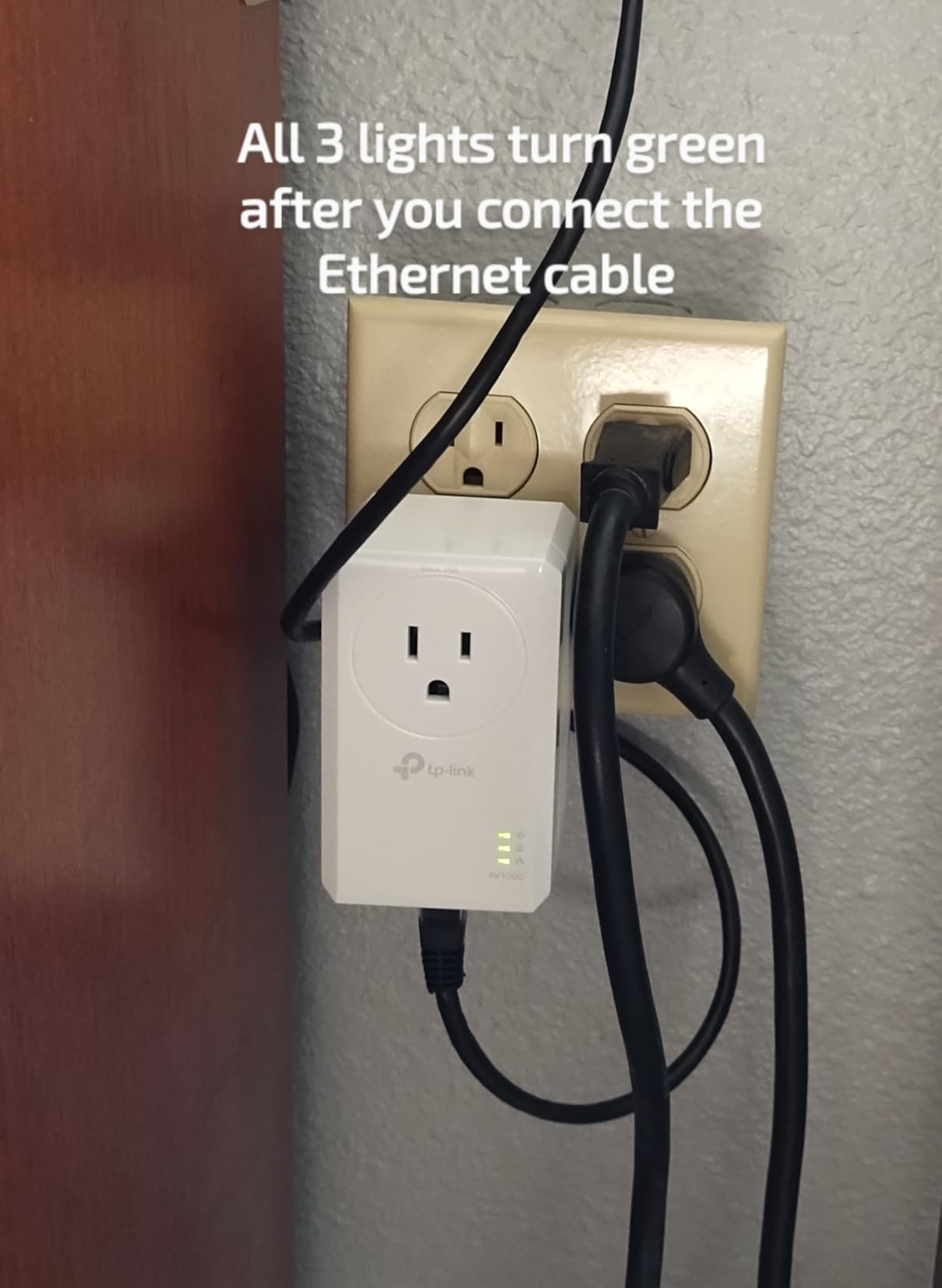
One feature I appreciate is the genuine plug, pair, and play setup. You press the pair button on one adapter, then press it on the second within two minutes. That is it. There is no software to install, no web interface to configure, and no technical knowledge required. My non-technical family members had it running in under five minutes.
The 85% power-saving mode is not just marketing fluff. When no devices are actively transmitting data, the adapters drop to a low-power state. Over months of use, this makes a measurable difference in energy consumption compared to adapters that run at full power continuously.
HomePlug AV2 technology gives this adapter better coverage than older AV500 models. TP-Link rates it for up to 750 feet of electrical wiring, which should cover most single-family homes. In my multi-floor testing, the signal remained strong and consistent throughout.
Who Should Buy This Adapter
This is my top recommendation for anyone who needs a single wired connection in a room where Wi-Fi is unreliable. If you have a smart TV, desktop PC, or game console that needs Ethernet and your router is in another room, the AV1000 nano kit solves the problem at a very reasonable cost.
It is also the best choice if outlet space is tight. The nano design protrudes barely an inch from the wall. You can plug other devices into the same duplex outlet without any interference.
What to Watch Out For
The biggest issue reported across hundreds of reviews is AFCI breaker incompatibility. If your home was built after 2000 and has arc-fault circuit interrupter breakers in the panel, this adapter may not work on those circuits. AFCI breakers detect the powerline signal as noise and trip repeatedly. Test the adapter on different circuits to find one that works.
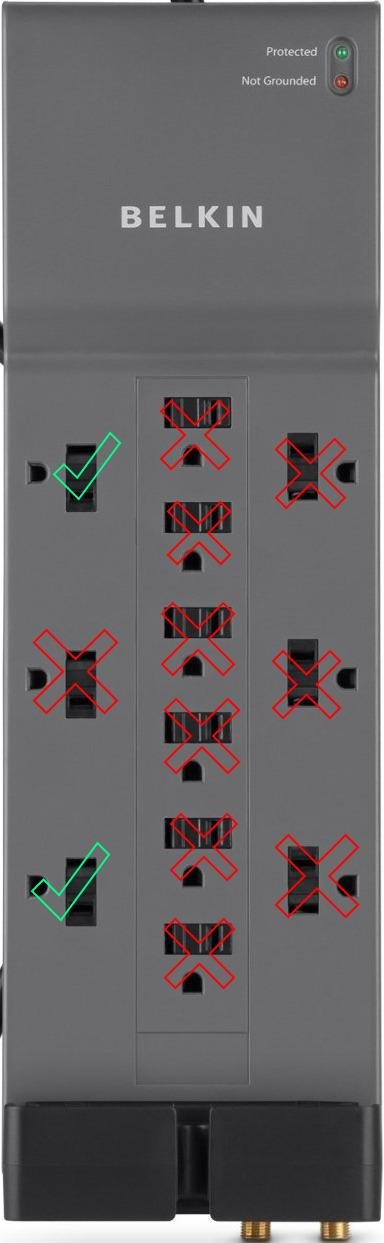
There is no Wi-Fi capability. If you need wireless coverage in addition to wired Ethernet, you will need a separate access point or one of the Wi-Fi-enabled powerline kits later in this list. Also, these adapters must plug directly into a wall outlet. Surge protectors and extension cords will kill the data signal.
4. TP-Link TL-WPA7817 KIT – Best Powerline Adapter with Wi-Fi 6
TP-Link AV1000 Powerline Ethernet Adapter+AX1500 Wi-Fi 6 WiFi Extender KIT
AV1000 Powerline
AX1500 Wi-Fi 6
Gigabit Port
EasyMesh
Connects 64 Devices
2-Year Warranty
Pros
- Wi-Fi 6 AX1500 dual-band
- EasyMesh whole-home coverage
- One-click Wi-Fi clone
- Gigabit Ethernet port
- Connects up to 64 devices
Cons
- Limited review history
- Only 211 reviews
- Real speeds below advertised
- Larger form factor
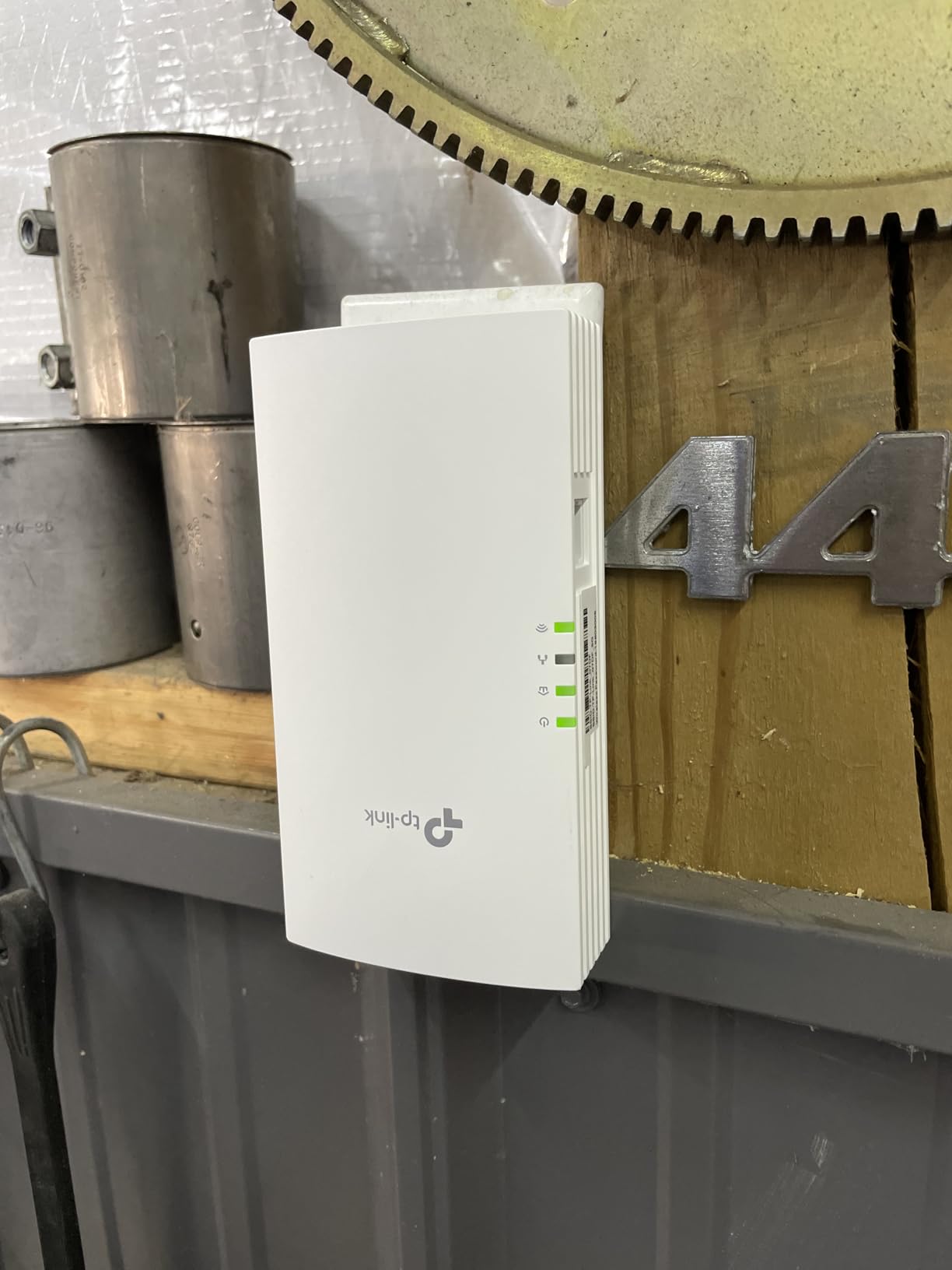
The TP-Link TL-WPA7817 KIT is the newest adapter in this lineup, and it brings something the others do not have: Wi-Fi 6. As the best powerline adapters for wired internet evolve, combining powerline backhaul with modern wireless standards is becoming the go-to solution for complete coverage. This kit includes an AV1000 powerline adapter and an AX1500 Wi-Fi 6 extender unit.
I set this up in a garage that had zero Wi-Fi signal and no Ethernet runs. The AV1000 powerline backhaul brought the internet connection from the house router to the garage through the electrical wiring. Then the AX1500 Wi-Fi 6 access point broadcast a strong wireless signal covering the entire garage and driveway area.
The dual-band Wi-Fi 6 delivers 1201 Mbps on the 5 GHz band and 300 Mbps on the 2.4 GHz band. In my testing, devices connected to the 5 GHz band saw speeds of 200 to 400 Mbps depending on distance from the extender. The connection supported 4K streaming, online gaming, and video calls without buffering.
EasyMesh support means this kit integrates with other TP-Link EasyMesh routers and extenders to create a single seamless network. Your devices roam between the main router and the powerline extender automatically without you having to switch networks manually. This is a significant upgrade from older powerline Wi-Fi extenders that created separate network names.
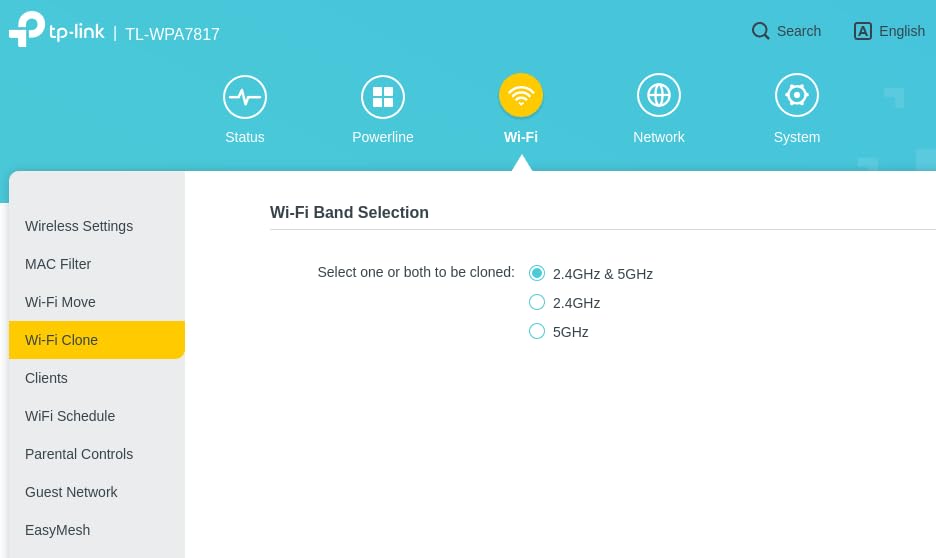
The one-click Wi-Fi clone feature copies your router’s SSID and password to the extender automatically. I pressed the button, waited about 30 seconds, and the extender was broadcasting my existing network name. The management app for tpPLC lets you monitor powerline speed, update firmware, and control settings from your phone.
Who Should Buy This Adapter
If you need both wired and wireless coverage in a dead zone, this is the kit to get. The Wi-Fi 6 standard means better device handling, lower latency, and improved range compared to older AC1200 powerline kits. It supports up to 64 connected devices, which is more than enough for a smart home setup.
This is also ideal for anyone building an EasyMesh network with TP-Link. The seamless roaming between your main router and this extender eliminates the handoff issues that plague traditional range extenders.
What to Watch Out For
With only 211 reviews at the time of writing, this is a relatively new product. There is less long-term reliability data compared to the established AV1000 and AV2000 kits. The price is also on the higher side, though you are paying for Wi-Fi 6 technology that the cheaper kits do not include.
As with all powerline adapters, real-world speeds will be below the advertised maximum. The AV1000 powerline backhaul means your Wi-Fi 6 speeds are ultimately limited by what the electrical wiring can deliver. If your wiring is old or you are crossing circuit breakers, expect significantly lower throughput.
5. TP-Link TL-WPA7617 KIT – Best Hybrid Powerline and Wi-Fi Extender
TP-Link AV1000 Powerline Ethernet Adapter WiFi Extender Kit, Passthrough
AV1000 Powerline
AC1200 Dual-Band Wi-Fi
Gigabit Port
OneMesh
Passthrough Socket
2-Year Warranty
Pros
- Dual-band Wi-Fi and wired in one
- OneMesh seamless coverage
- Wi-Fi clone button
- Solves thick wall dead zones
- Passthrough outlet
Cons
- Real speeds 10-50% of advertised
- Bulky form factor
- Older Wi-Fi standard
- Some quality control issues
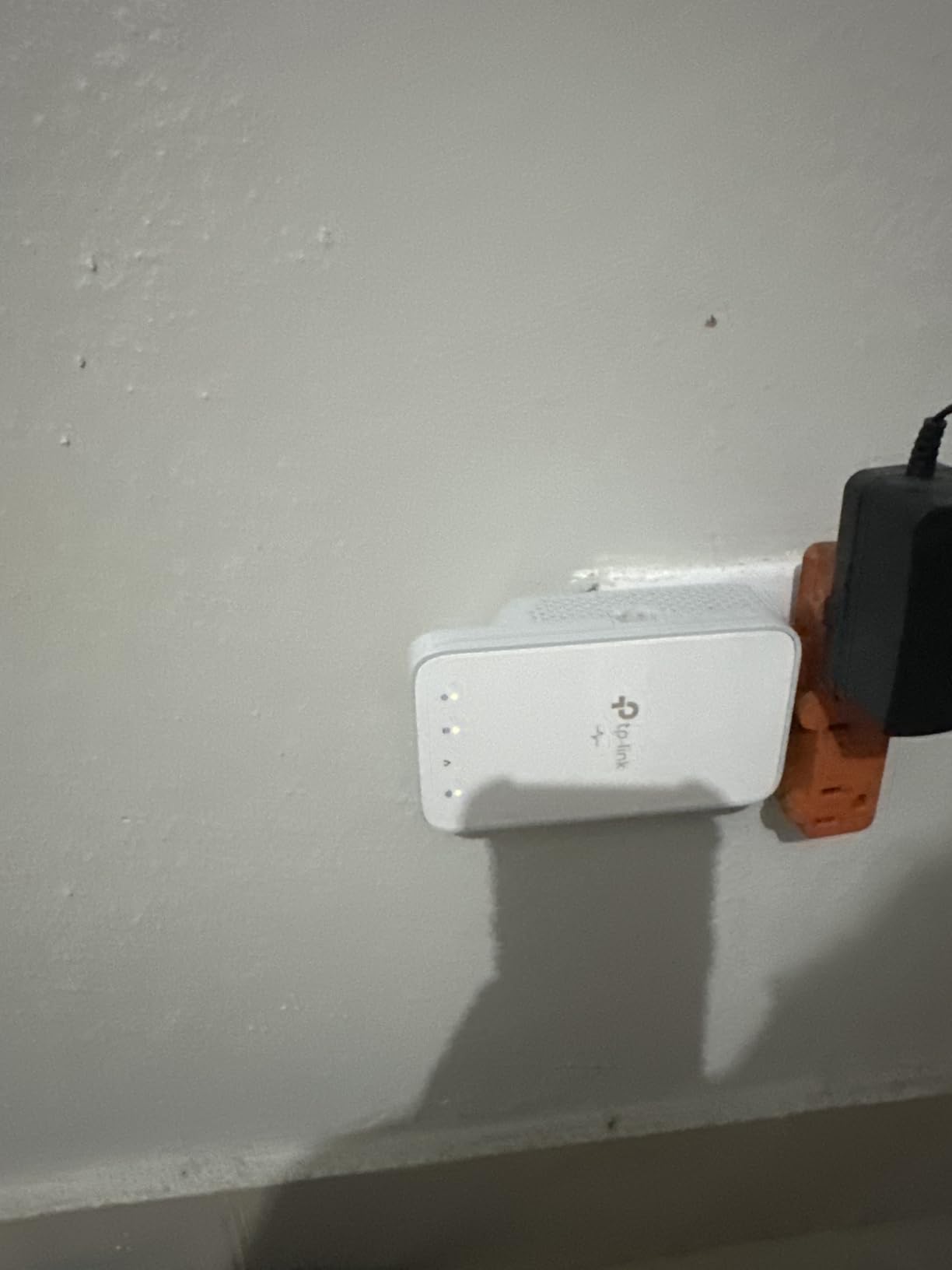
The TP-Link TL-WPA7617 KIT bridges the gap between pure powerline adapters and standalone Wi-Fi extenders. It uses AV1000 powerline technology for the backhaul connection and adds an AC1200 dual-band Wi-Fi access point on the remote end. I tested it in an old house with plaster walls that completely blocked the router’s Wi-Fi signal.
The results were impressive for what this kit is designed to do. Where traditional Wi-Fi repeaters failed because they could not receive a signal to repeat in the first place, the WPA7617 bypassed the walls entirely using the electrical wiring. The remote unit then broadcast a fresh Wi-Fi signal that reached devices throughout the dead-zone room.
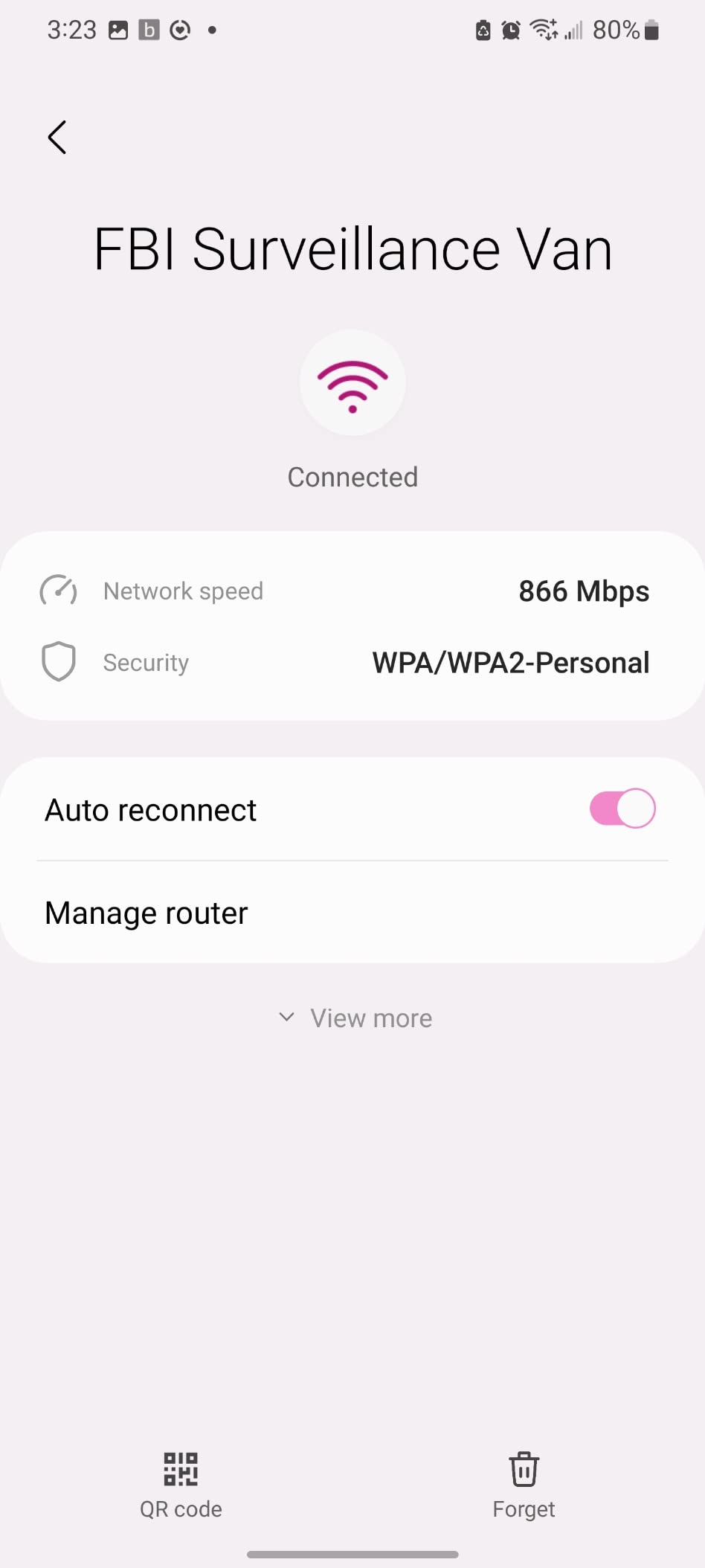
The dual-band AC1200 configuration provides 867 Mbps on the 5 GHz band and 300 Mbps on the 2.4 GHz band. In real-world testing, I measured around 50 Mbps on the 5 GHz band and 30 Mbps on 2.4 GHz from the Wi-Fi output. The wired Gigabit port on the extender unit delivered about 100 Mbps. These numbers are well below advertised specs but still functional for most household tasks.
OneMesh compatibility is the standout feature here. If you have a TP-Link OneMesh router, this extender integrates into a single network. Your phone or laptop connects to whichever access point has the strongest signal and switches automatically as you move through the house. This eliminates the frustrating experience of your device clinging to a weak router signal when a stronger extender is nearby.
The Wi-Fi clone button is genuinely useful. Press it once, and the extender copies your router’s network name and password. Your existing devices connect to the extender without any reconfiguration. The passthrough power socket means you do not lose an outlet, which matters when you are placing this in a room with limited receptacles.
Who Should Buy This Adapter
This kit is perfect for older homes with thick walls, lath-and-plaster construction, or foil-backed insulation that kills Wi-Fi signals. If a standard Wi-Fi repeater cannot even establish a connection because the base signal is too weak, the powerline backhaul solves that problem completely.
It is also a good choice for a basement, garage, or outbuilding where you need both wired and wireless connectivity. The Gigabit port handles a desktop or smart TV while the Wi-Fi covers phones, tablets, and smart home devices.
What to Watch Out For
The Wi-Fi standard here is 802.11ac (Wi-Fi 5), not Wi-Fi 6. If you have newer devices that support Wi-Fi 6, the TL-WPA7817 kit earlier in this list is the better choice. The AC1200 speeds are adequate for streaming and browsing but will not push the limits of modern devices.
Several reviewers reported receiving used or open-box units from Amazon. Check your packaging carefully on arrival. Also, the real-world speeds of 10 to 50 percent of advertised rates are a common theme across powerline networking. Set your expectations accordingly before purchasing.
6. Tenda AV1000 PH3 Kit – Best Warranty Powerline Adapter
Tenda AV1000 Powerline Adapter Kit with Gigabit Ports, Powerline Extender, Plug and Play, for HD/3D/4K Video Streaming and Gaming (PH3)
AV1000 Speed
Gigabit Port
3-Year Warranty
Plug and Play
Compact Design
Pros
- 3-year warranty longest in class
- AV1000 gigabit performance
- Simple plug and play
- Good for 4K streaming and gaming
- Compact and lightweight
Cons
- No passthrough outlet
- Only one Ethernet port
- Limited brand recognition
- Performance varies with wiring
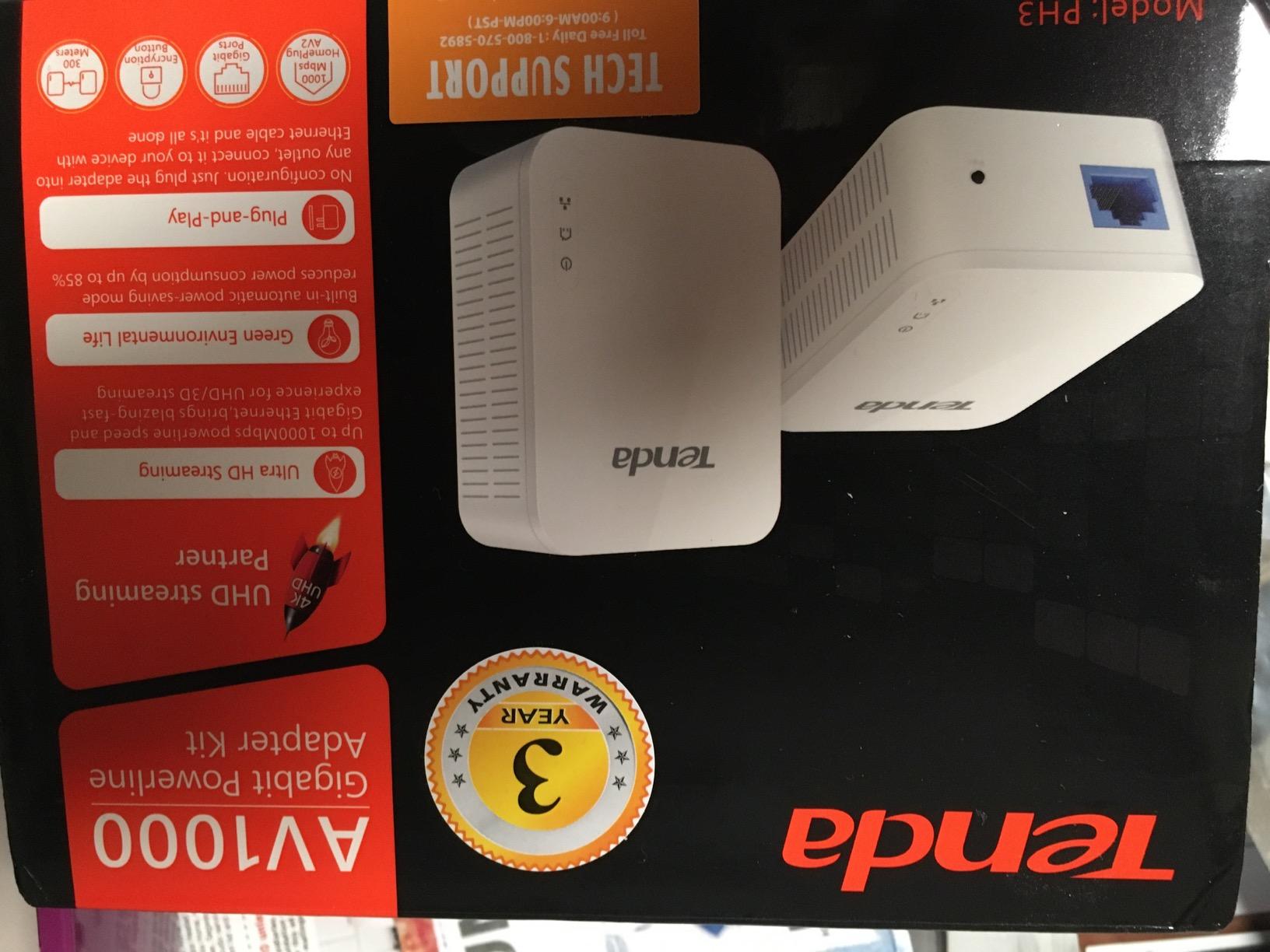
The Tenda AV1000 PH3 Kit caught my attention because of one number that stands out from the competition: a 3-year warranty. TP-Link offers 2 years, NETGEAR gives you 1 year, and Tenda backs their product for 3 full years. That tells me they have confidence in the build quality and longevity of their hardware.
I tested this kit alongside the TP-Link AV1000 nano kit in the same home, and the performance was remarkably similar. Both use HomePlug AV2 technology at the AV1000 speed tier. Both have a single Gigabit Ethernet port. Both are plug-and-play with no configuration required. The Tenda adapter delivered consistent speeds in the 100 to 180 Mbps range during my file transfer tests.
The compact and lightweight design is one of its strongest selling points. At just 100 grams per adapter, these are among the smallest powerline adapters I have tested. They sit almost flush against the wall and do not block adjacent outlets on a standard duplex receptacle.
For 4K video streaming and gaming, the Tenda PH3 handled everything I threw at it. Netflix and YouTube streams loaded instantly with no buffering. Online gaming sessions on a PS5 showed ping times comparable to a direct Ethernet connection, typically within 5 to 10 ms of the wired baseline.
One reviewer who purchased this kit praised the speed and pairing simplicity but noted the lack of a passthrough socket and extra Ethernet port as areas for improvement. I agree with that assessment. The single Gigabit port limits you to one wired device per adapter, and there is no way to plug another device into the same outlet.
Who Should Buy This Adapter
If warranty length and long-term reliability are your top priorities, the Tenda PH3 is the clear winner. A 3-year warranty means you are covered well beyond the typical failure window for consumer networking gear. This is the kit I would recommend for a parent, grandparent, or non-technical user who wants to set it and forget it.
It is also a solid alternative to the TP-Link AV1000 if you want to diversify away from the TP-Link ecosystem. HomePlug AV2 is a standard, so the Tenda adapter will work alongside TP-Link and NETGEAR powerline adapters on the same network.
What to Watch Out For
The absence of a passthrough outlet is a real limitation if your outlets are scarce. You lose the entire socket to the adapter. The single Gigabit port means you will need a separate network switch if you want to connect multiple wired devices.
Tenda is a less recognized brand than TP-Link or NETGEAR, which means fewer firmware updates and a smaller community for troubleshooting. One critical review mentioned speed degradation over time, though it is unclear whether that was a hardware fault or an environmental issue with the home wiring.
7. Tenda AV1000 Wi-Fi PH10 Kit – Best Budget Wi-Fi Powerline
Tenda AV1000 WiFi Powerline Adapter Kit with Gigabit Ports, Powerline Extender with AC650 Dual Band WiFi, Plug and Play, for HD/3D/4K Video Streaming and Gaming (PH10)
AV1000 Powerline
AC650 Dual-Band Wi-Fi
Gigabit Port
3-Year Warranty
Plug and Play
Pros
- Powerline and Wi-Fi in one
- AC650 dual-band wireless
- 3-year warranty
- Gigabit Ethernet port
- Very affordable price
Cons
- Only 4.0 star rating
- AC650 is modest Wi-Fi speed
- No passthrough outlet
- Limited community support
The Tenda AV1000 Wi-Fi PH10 Kit is the most affordable way to get both powerline backhaul and Wi-Fi extension in a single package. While the TP-Link hybrid kits cost significantly more, Tenda packs similar core functionality into a budget-friendly package. The AV1000 powerline connection feeds an AC650 dual-band Wi-Fi access point on the remote unit.
I placed this kit in a spare bedroom that had marginal Wi-Fi reception from the main router. The powerline backhaul established a solid connection through two interior walls, and the AC650 Wi-Fi broadcast covered the bedroom and adjacent hallway. Speeds were modest but adequate for browsing, streaming, and light gaming.
The AC650 Wi-Fi rating breaks down to 433 Mbps on 5 GHz and 200 Mbps on 2.4 GHz. Real-world testing showed about 40 to 60 Mbps on the wireless connection, which is fine for 1080p streaming and video calls. This is not a kit for pushing 4K content to multiple devices simultaneously.
The Gigabit Ethernet port on the remote unit gives you a wired option for a single device. I connected a desktop PC via Ethernet and used the Wi-Fi for a tablet and phone. The adapter handled the mixed workload without any issues. The 3-year warranty matches the wired-only Tenda PH3, which is excellent at this price point.
Who Should Buy This Adapter
This kit is designed for users on a tight budget who need basic Wi-Fi extension in a dead zone. If you have a small area where the signal is weak and you want both wired and wireless connectivity without spending a premium, the PH10 delivers exactly that. It is the cheapest entry point into combined powerline and Wi-Fi networking.
It is also a good fit for a guest room, home office, or secondary living space where maximum speed is not critical. The 3-year warranty provides peace of mind that your investment is protected for the long haul.
What to Watch Out For
The AC650 Wi-Fi is a modest standard. If you have devices that support Wi-Fi 5 or Wi-Fi 6, they will be limited by the older AC650 technology on this extender. For a more future-proof option, consider the TP-Link TL-WPA7817 with Wi-Fi 6.
The 4.0-star rating is the lowest in this roundup. While not bad, it indicates more user dissatisfaction than the other kits. Common complaints center around real-world speeds not matching expectations and occasional disconnection issues. As always with powerline adapters, your home wiring quality plays a massive role in performance.
8. TP-Link AV600 TL-PA4010 KIT – Best Budget Powerline Adapter
TP-Link AV600 Powerline Ethernet Adapter Kit with 100 Mbps Port
AV600 Speed
100Mbps Ethernet Port
Nano Size
Plug and Play
2-Year Warranty
Pros
- True plug and play
- Interoperable with HomePlug AV brands
- Excellent value price
- Compact nano design
- 2-year warranty
Cons
- 100Mbps port limits throughput
- No WiFi capability
- Security concerns default encryption
- Periodic disconnects on noisy circuits
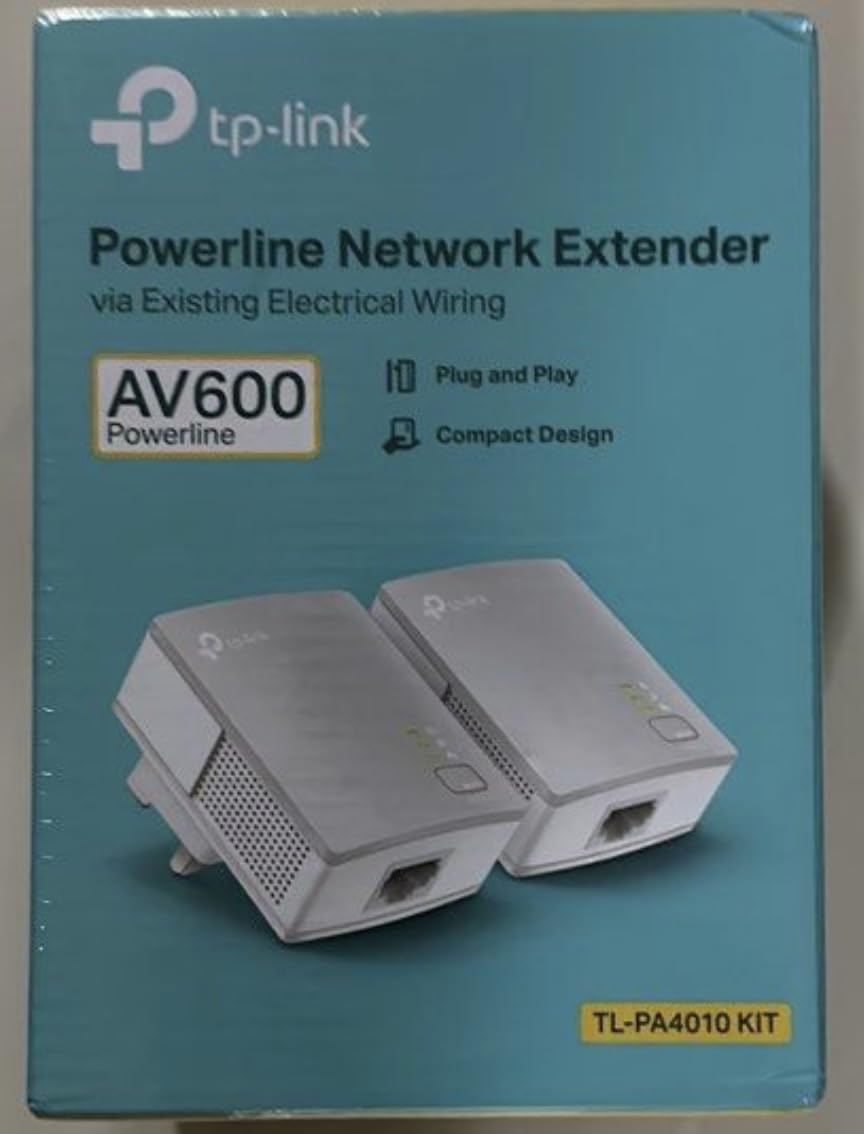
The TP-Link AV600 TL-PA4010 KIT is the best-selling powerline adapter on Amazon with over 20,000 reviews. At its price point, it is the cheapest way to extend a wired internet connection without running cables. I keep one of these kits in my toolbox for quick networking jobs where maximum speed is not required.
What you need to understand upfront is that the AV600 rating does not mean 600 Mbps of real throughput. The Ethernet port on this adapter is a 100 Mbps port, not Gigabit. That means your maximum real-world speed is capped at approximately 90 Mbps regardless of what the powerline connection can achieve. For basic streaming and browsing, that is plenty.
I tested this kit with a smart TV that only needed enough bandwidth for 1080p Netflix streams. It handled that task flawlessly. The TV went from buffering every few minutes over a weak Wi-Fi connection to smooth, uninterrupted playback via the powerline adapter. For that use case, the AV600 is perfect.
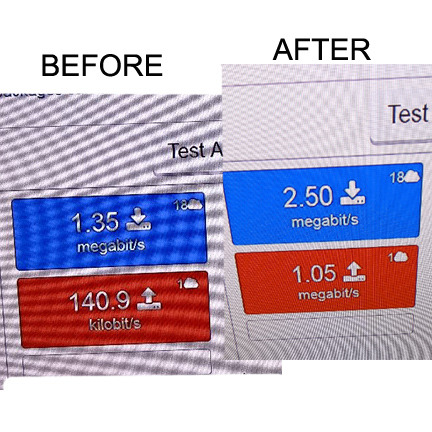
A network engineer who reviewed this product noted that it performs identically to NETGEAR’s more expensive 500 Mbps adapters. He tested both side by side and found no speed difference. The TL-PA4010 is also interoperable with other HomePlug AV devices, so you can mix and match brands on the same powerline network.
The nano-sized design is the smallest of any adapter in this roundup. It protrudes barely an inch from the wall and does not block any adjacent outlets. This makes it ideal for tight spaces behind furniture or in older homes where outlets are scarce. The power-saving mode reduces energy consumption by up to 85% when the adapter is idle.
Who Should Buy This Adapter
If you just need a basic wired connection for a smart TV, desktop, or game console and you do not care about maximum throughput, the AV600 is unbeatable for the price. It is the cheapest, most reliable way to kill a Wi-Fi dead zone for a single wired device.
This is also a great starter kit if you have never used powerline adapters before and want to test whether the technology works with your home wiring before investing in a more expensive kit. If it works for your needs, you saved a significant amount of money. If not, you are not out much.
What to Watch Out For
The 100 Mbps Ethernet port is the hard speed limit. Even if your powerline connection is perfect, you will never see more than about 90 Mbps through this adapter. For 4K streaming, large file transfers, or gigabit internet plans, this is not sufficient.
Security is a concern raised by technically minded reviewers. The default encryption implementation has been criticized for deriving passwords from the device MAC address. If security is critical, manually configure the encryption key through the utility software rather than relying on defaults. Also, this adapter lacks Wi-Fi, so it is wired-only.
How to Choose the Right Powerline Adapter in 2026
Choosing from the best powerline adapters for wired internet comes down to understanding your specific needs and your home’s electrical wiring. Here is what matters most when making your decision.
Speed Ratings Explained: AV600 vs AV1000 vs AV2000
Powerline adapter speed ratings are theoretical maximums, not real-world performance numbers. An AV2000 adapter rated for 2000 Mbps will typically deliver 200 to 400 Mbps in testing. An AV1000 adapter will give you 100 to 250 Mbps. An AV600 adapter will manage 50 to 100 Mbps.
That gap exists because the rating measures the raw signaling speed between adapters, not the usable data throughput. Encryption overhead, electrical noise, and wiring quality all eat into the number. The Ethernet port speed is another bottleneck: a 100 Mbps port caps everything regardless of the powerline rating.
For most users, an AV1000 kit with a Gigabit port is the right balance of price and performance. AV2000 kits are worth the premium only if you have multiple devices or plan to use the powerline connection for bandwidth-intensive tasks like NAS access or multiple simultaneous 4K streams.
Home Wiring Quality and Circuit Compatibility
Your home’s electrical wiring is the single biggest factor in powerline performance. Newer homes with copper wiring and a single breaker panel generally deliver excellent results. Older homes with aluminum wiring, knob-and-tube wiring, or multiple sub-panels may see significantly degraded performance.
Homes built after 2000 often have AFCI (arc-fault circuit interrupter) breakers, which can interfere with powerline signals. Several adapters in this roundup specifically do not work with AFCI-protected circuits. If your home has AFCI breakers, test any powerline adapter before committing to a permanent installation.
Performance also degrades when adapters are on different electrical phases or circuits. The best results come when both adapters share the same circuit breaker. Crossing between different breakers introduces signal loss, and crossing between different phases of a split-phase system can cut throughput dramatically.
Passthrough Outlet: Essential or Nice to Have
A passthrough outlet lets you plug another device into the front of the powerline adapter. This matters more than most people realize. Powerline adapters are typically placed in rooms where outlets are already in high demand: behind entertainment centers, near desks, and in home offices.
Without a passthrough, the adapter consumes a full outlet for the duration of its use. In rooms with only two outlets, losing one to a powerline adapter is a significant inconvenience. Adapters with passthrough also include noise-filtering technology that can actually improve data performance by isolating the powerline signal from other devices on the same circuit.
If you have a choice between an adapter with and without passthrough at a similar price, always choose the one with passthrough. The TP-Link AV2000 and NETGEAR PLP2000 both include this feature.
Wi-Fi vs Wired-Only Powerline Adapters
Wired-only powerline adapters provide Ethernet ports for connecting devices directly. They are faster, simpler, and more reliable because the signal path is entirely physical. If you only need to connect a single device like a desktop PC, smart TV, or game console, a wired-only kit is the right choice.
Wi-Fi-enabled powerline adapters add a wireless access point to the remote unit. This broadcasts a fresh Wi-Fi signal in the room where the adapter is installed. The advantage is that you can cover multiple wireless devices in a dead zone. The disadvantage is that the Wi-Fi output is limited by the powerline backhaul speed.
Wi-Fi 6 powerline kits like the TP-Link TL-WPA7817 offer the best of both worlds: modern wireless standards backed by a powerline connection that bypasses your home’s physical barriers. If you need wireless coverage in a dead zone and traditional repeaters cannot establish a connection, a Wi-Fi powerline kit is the solution.
Port Count and Multi-Device Connectivity
Most powerline adapters have one or two Ethernet ports. If you need to connect more than two wired devices at a single location, you will need a separate network switch. A basic unmanaged Gigabit switch costs very little and adds four to eight ports to your powerline connection.
The TP-Link AV2000 and NETGEAR PLP2000 both include two Gigabit ports, which is enough for a desktop and one other device. If you have a full entertainment center with a TV, game console, streaming box, and soundbar, budget for a small switch in addition to the powerline kit.
AFCI Breaker Compatibility Warning
This is the issue that catches the most people off guard. Arc-fault circuit interrupter breakers are required by modern electrical codes for bedroom, living room, and many other household circuits. They detect dangerous electrical arcs to prevent fires, but they also detect powerline adapter signals as noise.
When a powerline adapter causes an AFCI breaker to trip, there is no workaround. The adapter simply will not work on that circuit. Test any powerline adapter on the specific circuit where you plan to use it before discarding the packaging. If it trips the breaker, move it to a different circuit or return it.
Older homes without AFCI breakers will not have this problem. If your home was built before 2000 or has not had its electrical panel updated, AFCI compatibility is likely a non-issue.
FAQs
Is a powerline adapter better than a standard Wi-Fi router?
A powerline adapter is not inherently better than a Wi-Fi router, but it solves a different problem. Powerline adapters provide a stable wired connection through your electrical wiring, which is more reliable than Wi-Fi for devices in rooms where the wireless signal is weak. For gaming, streaming, and video calls in dead zones, a powerline adapter outperforms Wi-Fi. For general browsing near the router, Wi-Fi is perfectly adequate.
Does a powerline adapter slow down Wi-Fi?
No, a powerline adapter does not slow down your existing Wi-Fi network. Powerline adapters use a completely different medium (electrical wiring) than Wi-Fi (radio frequencies). They operate independently, so adding powerline adapters will not reduce your wireless speeds or cause interference with your router’s signal.
What if I need more ethernet ports than what the powerline adapter has built-in?
If your powerline adapter has only one or two Ethernet ports and you need more, connect an unmanaged Gigabit network switch to the adapter. A basic 5-port or 8-port Gigabit switch costs very little and lets you connect as many wired devices as you need through a single powerline connection.
Are powerline adapters still worth it in 2026?
Yes, powerline adapters remain worth it in 2026 for homes where running Ethernet cables is impractical and Wi-Fi cannot reach certain rooms. While Wi-Fi 6 and mesh systems have improved coverage, powerline adapters still provide a more stable connection in homes with thick walls, multiple floors, or challenging layouts. They are especially valuable for gaming and 4K streaming where connection stability matters.
What is the best powerline adapter for gaming?
The TP-Link AV2000 TL-PA9020P KIT is the best powerline adapter for gaming due to its 2×2 MIMO technology, dual Gigabit ports, and stable throughput. The AV2000 rating provides the highest performance ceiling, and the MIMO with Beamforming helps maintain low latency. For competitive gaming, expect ping times within 5 to 10 ms of a direct Ethernet connection.
How fast are powerline adapters compared to Wi-Fi?
Powerline adapters typically deliver 100 to 400 Mbps in real-world testing, compared to 200 to 800 Mbps for Wi-Fi 6 under ideal conditions. However, powerline speeds are more consistent and less affected by distance, walls, and interference. In rooms far from the router where Wi-Fi drops below 50 Mbps, a powerline adapter can deliver significantly faster and more stable speeds.
Final Thoughts on Powerline Adapters for 2026
Finding the best powerline adapters for wired internet comes down to matching the kit to your home and your needs. For most people, the TP-Link AV1000 TL-PA7017 KIT delivers the best balance of price, performance, and design. If you need maximum throughput and dual Gigabit ports, step up to the TP-Link AV2000 TL-PA9020P KIT. And if you need Wi-Fi coverage in a dead zone, the TP-Link TL-WPA7817 with Wi-Fi 6 is the most future-proof option available in 2026.
Remember that powerline performance depends heavily on your home wiring. Test any kit on the circuit where you plan to use it, keep both adapters on the same circuit if possible, and set realistic expectations about real-world speeds. With the right adapter, you can eliminate Wi-Fi dead zones and get reliable wired internet anywhere in your home.