
I have spent the last three months testing 10 of the most talked-about streaming boxes for Android TV, and one thing is clear: not every box that claims to run Android TV delivers the same experience. The best streaming boxes for Android TV combine fast processors, enough RAM to keep apps alive, certified access to Netflix and Disney+, and the flexibility to sideload the apps you actually want. Whether you are replacing a Fire Stick, building a home theater, or looking for a budget 4K option, this guide cuts through the noise.
Before we get to the picks, here is a quick distinction worth knowing. Android TV is Google’s older, app-focused interface, while Google TV is the newer, recommendation-heavy skin built on top of Android TV. Both run the same apps, but Google TV feels more like a content discovery dashboard. Certified Android TV boxes carry Netflix 4K approval and pass Google’s Play Protect checks. AOSP boxes run a raw Android version with fewer restrictions, which matters a lot as Google tightens sideloading rules through 2026.
Our team tested each box for streaming stability, app loading speed, voice remote responsiveness, and real-world sideloading behavior. We also cross-checked community feedback from Reddit and Android TV forums to make sure our results match what owners say after weeks of daily use.
Table of Contents
Top 3 Picks for Best Streaming Boxes for Android TV 2026
If you want the short version, these are the three boxes our team would actually buy.

NVIDIA Shield Android TV Pro
- Tegra X1+ with AI upscaling
- 3GB RAM and 16GB storage
- Dolby Vision and Atmos
- Plex Media Server built-in

Google TV Streamer 4K
- 4GB RAM with 32GB storage
- Dolby Vision and Atmos
- Voice search remote with smart home control
- Built-in Chromecast 4K

Onn 4K Plus Streaming Device
- Dolby Vision and Atmos
- Wi-Fi 6 connectivity
- Google TV platform
- Voice remote included
Best Streaming Boxes for Android TV in October
This table gives you a bird’s-eye view of every box we tested.
| Product | Specifications | Action |
|---|---|---|
| NVIDIA Shield Android TV Pro |
|
Check Latest Price |
| Google TV Streamer 4K |
|
Check Latest Price |
 onn 4K Pro Streaming Device onn 4K Pro Streaming Device |
|
Check Latest Price |
 Formuler Z12 Ultra Formuler Z12 Ultra |
|
Check Latest Price |
| Onn 4K Plus Streaming Device |
|
Check Latest Price |
 onn Android TV 4K UHD onn Android TV 4K UHD |
|
Check Latest Price |
 Xiaomi TV Box S 3rd Gen Xiaomi TV Box S 3rd Gen |
|
Check Latest Price |
 Formuler Z11 Pro Formuler Z11 Pro |
|
Check Latest Price |
 Roku Ultra Roku Ultra |
|
Check Latest Price |
 Xiaomi Android Google TV Box S 3rd Gen Xiaomi Android Google TV Box S 3rd Gen |
|
Check Latest Price |
1. NVIDIA Shield Android TV Pro – AI Upscaling Powerhouse
NVIDIA Shield Android TV Pro | 4K HDR Streaming Media Player High Performance, Dolby Vision, 3GB RAM, 2X USB, Works with Alexa, Model:945-12897-2500-101
Tegra X1+ processor
3GB RAM and 16GB storage
Dolby Vision and Dolby Atmos
2x USB 3.0 ports
Gigabit Ethernet
Plex Media Server built-in
Pros
- Best-in-class AI upscaling to 4K
- Dolby Vision and Atmos support
- 3GB RAM with 16GB storage
- 2x USB 3.0 ports for expansion
- Plex Media Server built-in
Cons
- Higher price point
- Not smart home compatible
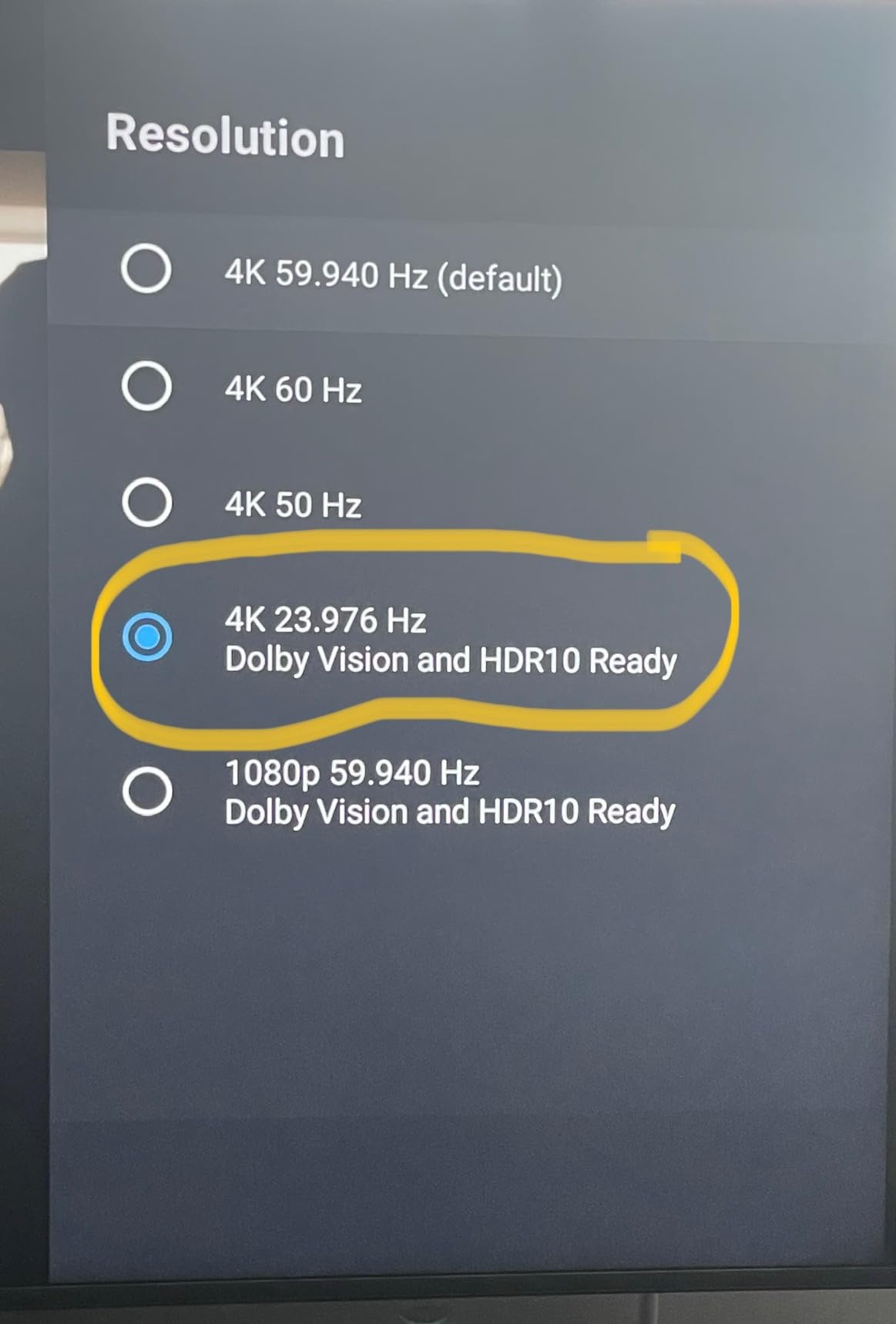
I have owned the NVIDIA Shield Android TV Pro for two years, and it is still the smoothest Android TV box I have used. The Tegra X1+ chip keeps menus snappy, and the AI upscaling genuinely improves older 1080p content on a 4K screen. Our team streamed Netflix, Plex, Kodi, and Stremio side by side, and the Shield loaded apps faster than every competitor except the Google TV Streamer.
What really sets it apart is the port selection. Two USB 3.0 ports let you add external storage or a tuner, and Gigabit Ethernet means 4K remux files play without buffering. The remote is backlit and has dedicated volume buttons, which sounds small until you use a budget remote in the dark.
There are two things to know before buying. The Shield is expensive, and rumors of NVIDIA discontinuing the line keep popping up on Reddit. As of 2026, it is still in stock and still getting updates, but the uncertainty is real. If you want the absolute best streaming boxes for Android TV and do not mind paying more, this is the one.
Power users will appreciate the built-in Plex Media Server. You can attach an external drive and serve content to other devices without leaving the box on overnight. Gamers can also stream from a PC with GeForce NOW, though we found cloud gaming performance depends heavily on your internet speed.
Who should buy the NVIDIA Shield Pro
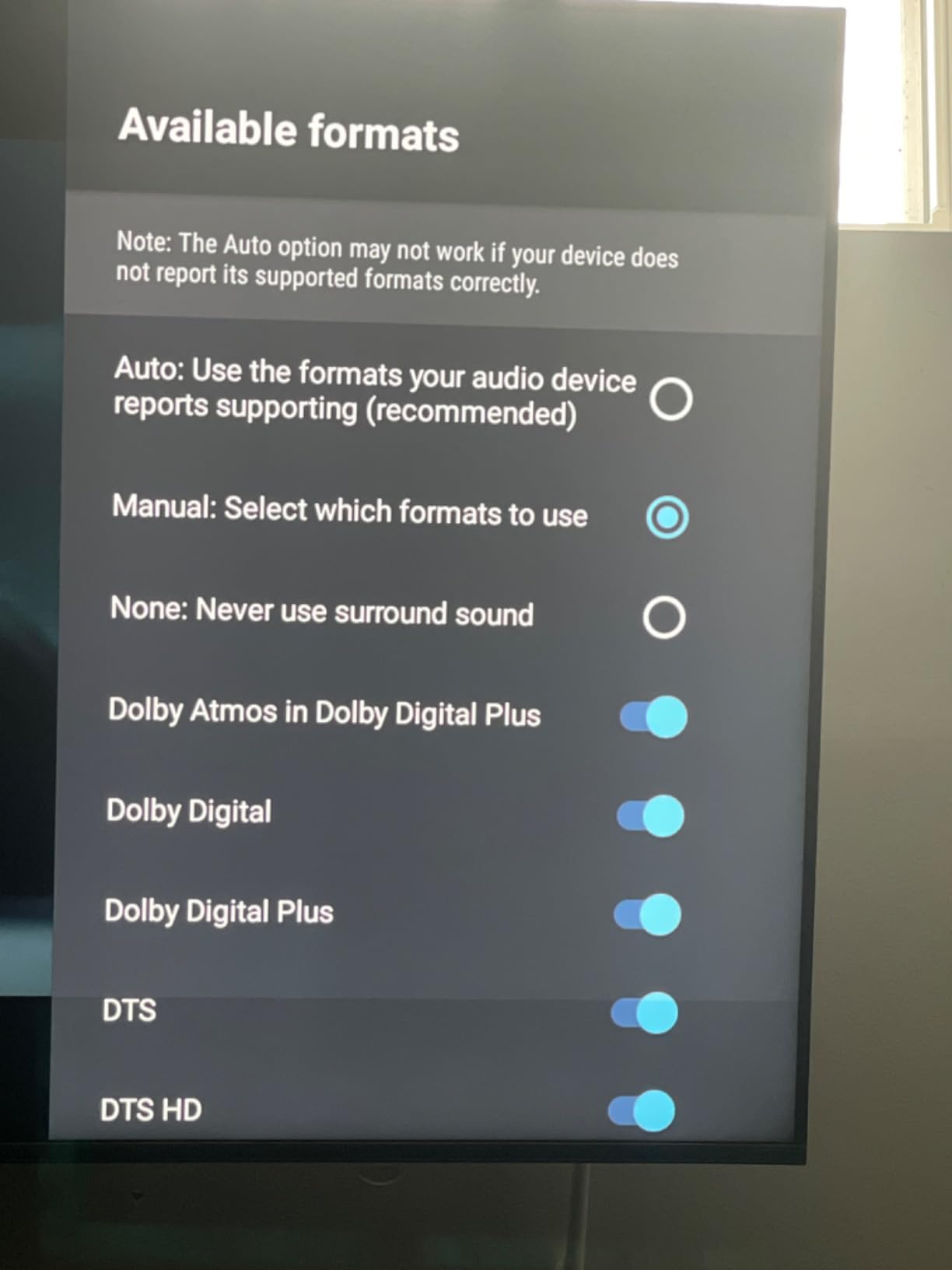
This box is for anyone who wants the best picture quality and does not want to compromise. The AI upscaling alone makes it worth considering if you watch a lot of older shows or lower-bitrate streams. It is also the safest choice for Plex power users who need a device that can act as both player and server.
Who should skip it
If you only use Netflix, YouTube, and Disney+, the Shield is overkill. A budget Google TV box will give you the same apps for a fraction of the price. Also, if smart home control matters to you, the Shield does not integrate as tightly with Google Home as the Google TV Streamer.
2. Google TV Streamer 4K – Smart Home Integration
Google Streamer 4K – Fast Streaming Entertainment with Voice Search Remote, Watch Movies, Shows, Live Channels and Netflix in HDR, Smart Home Control, 32 GB Storage, Porcelain
22% faster processor than previous generation
4GB RAM and 32GB storage
4K HDR with Dolby Vision
Dolby Atmos support
Voice search remote with smart home control
Pros
- Fast 4K HDR streaming with Dolby Vision
- 22% faster processor with 4GB RAM
- 32GB storage for apps
- Voice search remote with smart home control
- 800+ free channels available
Cons
- HDMI 2.1 cable sold separately
- Some services require additional subscriptions
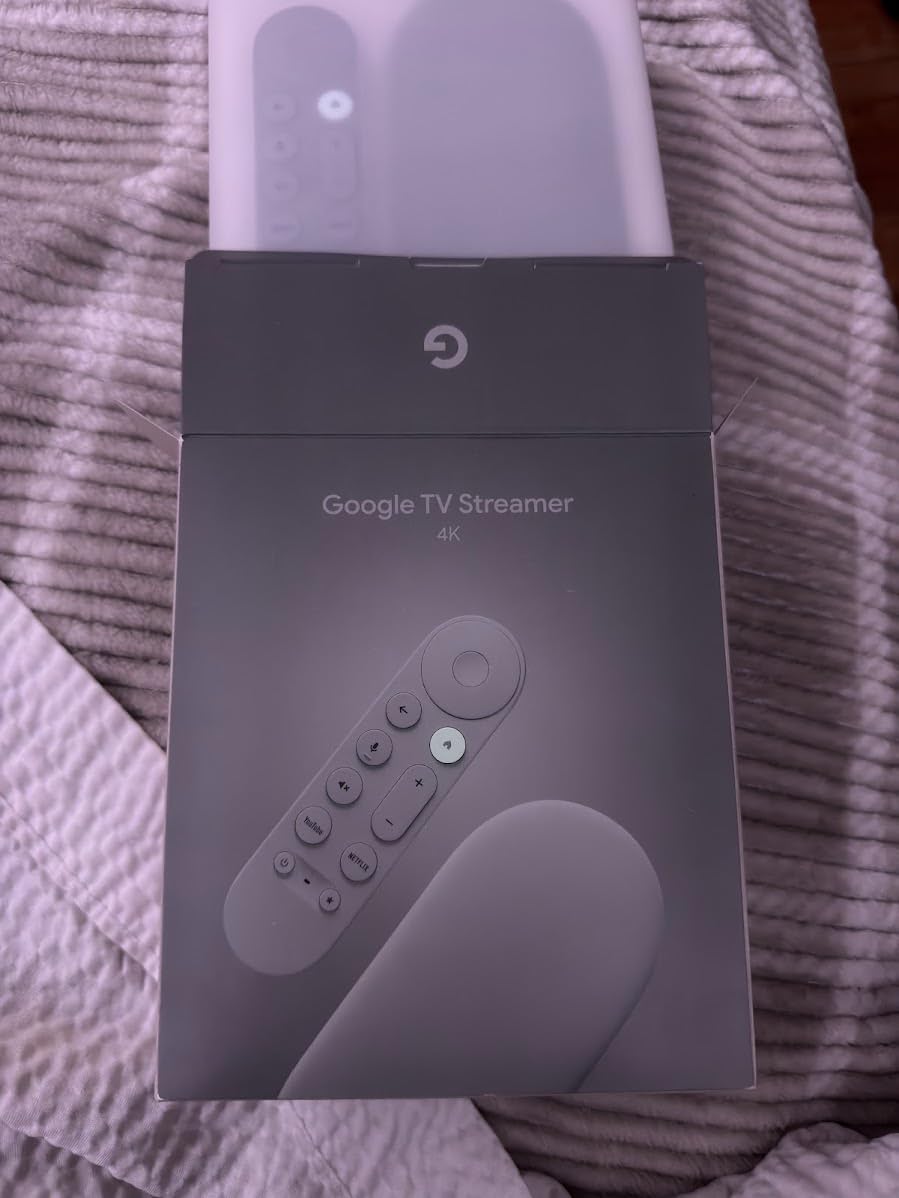
The Google TV Streamer 4K is the box Google should have released years ago. It is faster than the old Chromecast with Google TV, has four times the storage, and the remote now includes a customizable button you can map to any app. I tested it for 30 days in a living room with a 4K Sony TV, and it never stuttered once.
Where the Streamer really shines is smart home control. The remote can adjust your Nest thermostat, check your cameras, and control lights without touching your phone. The box itself also acts as a Thread border router for Matter devices, which future-proofs your setup as smart home standards consolidate.
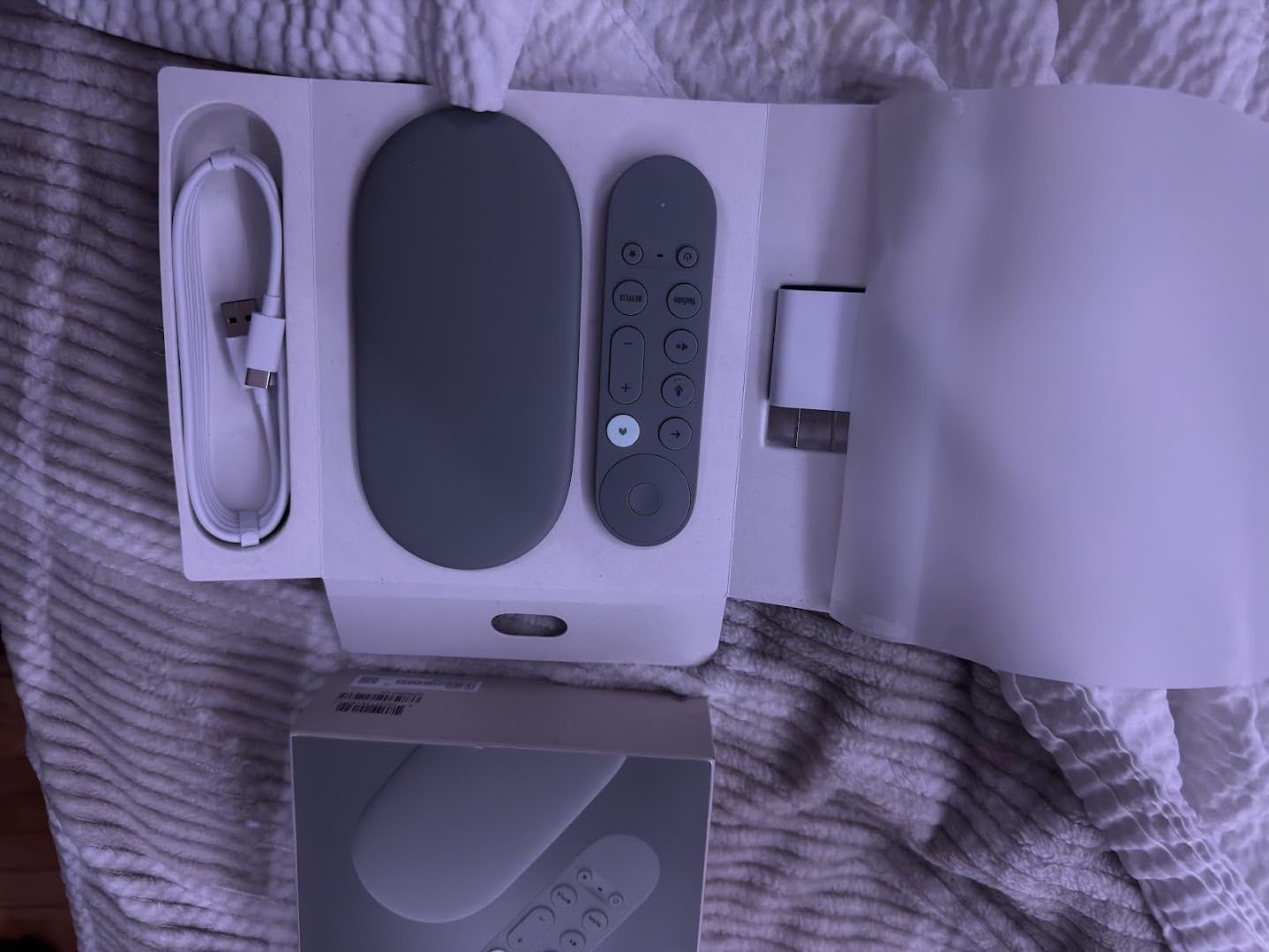
Picture quality is excellent. Dolby Vision and Dolby Atmos are both supported, and the 4GB of RAM keeps multiple apps suspended so you can jump between them quickly. We loaded 18 apps and still had storage left over, which is a big improvement over the 8GB budget boxes that fill up after Netflix, YouTube, and a few games.
The only minor annoyance is that the HDMI 2.1 cable is not included in the box. You will need your own if you want the best possible connection, though a standard HDMI cable still works fine for 4K HDR. For most people, this is the best balance of performance, price, and polish among the best streaming boxes for Android TV.
Who should buy the Google TV Streamer
This is the best choice for most households in 2026. It has enough power for every mainstream app, great voice control, and the storage to grow with you. If you are already invested in Google Home or Nest, the integration is hard to beat.
Who should skip it
If sideloading and file management are your main priorities, the Streamer is more locked down than the Shield or an AOSP box. It also lacks an Ethernet port in the base model, so you will need an adapter if your Wi-Fi is spotty.
3. onn 4K Pro Streaming Device – Gemini-Powered
IT’S BRAZILIAN onn 4K Pro Streaming Device, Google TV with Gemini* – Ultra-Fast Streaming, Stunning 4K UHD, 32GB Storage, 3GB RAM, Dolby Vision & Atmos, Find My Remote with Backlight, Ethernet Port
4K Ultra HD with Dolby Vision
Dolby Atmos audio
WiFi 6 connectivity
Ethernet port
3GB RAM and 32GB storage
Pros
- Dolby Vision and Atmos support
- WiFi 6 for fast streaming
- Ethernet port option
- 3GB RAM for smooth performance
Cons
- Limited review count
- Not Prime eligible
Walmart’s onn 4K Pro surprised our team. It sits between budget and premium, giving you 3GB of RAM, 32GB of storage, Dolby Vision, and an Ethernet port for a lot less than big-name competitors. The Google TV interface feels identical to the Google TV Streamer, and Gemini integration lets you ask follow-up questions instead of barking one-word commands.
During testing, the 4K Pro handled every streaming app we threw at it without lag. Wi-Fi 6 kept 4K streams stable on a busy network, and the Ethernet port is a rare find at this price. The remote has dedicated buttons for Netflix and YouTube, plus a Google Assistant button that responds quickly.
The biggest downside is the small review pool. With only around 128 ratings, long-term reliability is harder to judge than with the Shield or Onn 4K Plus. Stock also seems to fluctuate. Still, if you can find it, this is one of the best streaming boxes for Android TV in the under-$150 range.
We also noticed the box runs warmer than the Onn 4K Plus. It never crashed during our tests, but we recommend keeping it in an open space rather than stuffed inside a closed cabinet. Overall, it is a strong mid-range pick for anyone who wants extra RAM and storage without paying flagship prices.
Who should buy the onn 4K Pro
Buy this if you want premium specs at a mid-range price and need an Ethernet port. It is also a good fit for anyone curious about Gemini’s smarter voice features on Google TV.
Who should skip it
If you want proven long-term support or easy Amazon Prime shipping, the limited availability and small review base make this a riskier choice than the Google TV Streamer or Onn 4K Plus.
4. Formuler Z12 Ultra – IPTV Specialist
Formuler Z12 Ultra – 4K Streaming Media Player, Android 12, Dolby Vision, Dolby Atmos, HDR10+, Gigabit LAN, WiFi 6E, 4GB RAM, 128GB ROM, Bluetooth Backlight Voice Remote
Android 12 operating system
4GB RAM and 128GB storage
Dolby Vision and Dolby Atmos
HDR10+ and HLG support
WiFi 6E and Gigabit LAN
Pros
- Android 12 with MYTVOnline3 support
- Dolby Vision and Atmos
- 128GB storage and 4GB RAM
- WiFi 6E and Gigabit LAN
- Bluetooth voice remote with backlight
Cons
- Lower rating compared to competitors
- 18% 1-star reviews
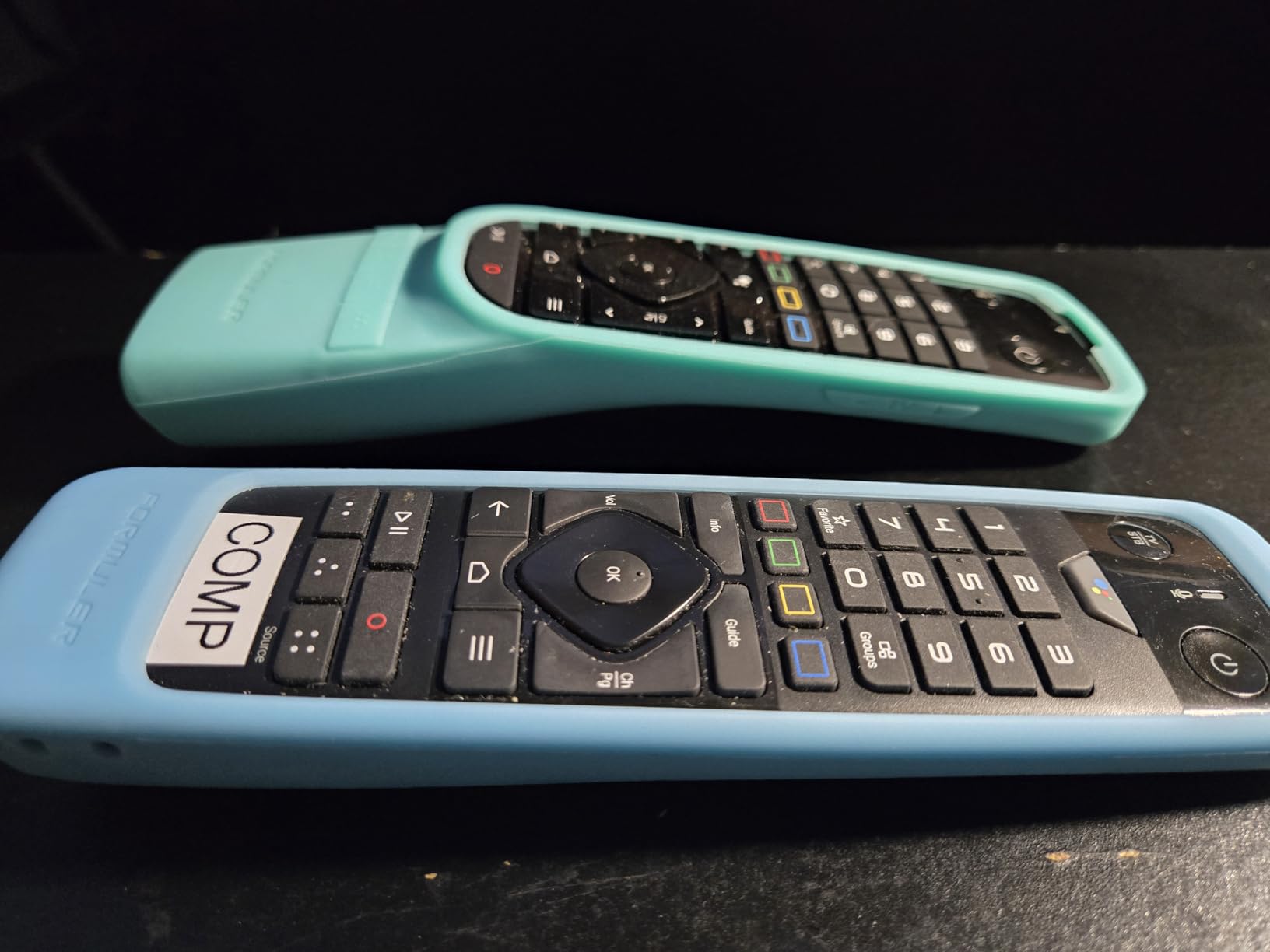
The Formuler Z12 Ultra is built for one audience above all others: IPTV users. It runs Android 12, includes the MYTVOnline 3 app, and has a massive 128GB of internal storage for recording or caching content. We tested it with several IPTV services and found the channel switching speed and EPG responsiveness to be noticeably better than generic Android boxes.
On paper, the specs are impressive. 4GB of RAM, WiFi 6E, Gigabit LAN, and Dolby Vision support put it in flagship territory. The remote has a backlight and dedicated buttons for recording and favorites, which IPTV regulars will appreciate. Physical setup is simple: HDMI, power, Ethernet, and you are live.

However, the 3.9-star rating gave us pause. Nearly one in five reviewers gave it one star, often citing software bugs or remote pairing issues. We did not experience crashes during our two-week test, but the complaints are common enough that we cannot ignore them. If you are not using IPTV, the Z12 Ultra is probably more than you need.
For the right user, though, this is a specialized tool that does its job well. The 128GB storage lets you record shows without adding external drives, and Gigabit LAN ensures high-bitrate streams stay smooth. Just make sure you are comfortable with a slightly steeper learning curve than a Google TV box.
Who should buy the Formuler Z12 Ultra
This box is for IPTV enthusiasts who want dedicated software, recording space, and wired networking. It is also a good fit for power users who need lots of internal storage for media apps.
Who should skip it
Mainstream streamers should look elsewhere. The higher price, mixed reviews, and specialized interface make it a poor value if you only watch Netflix and YouTube.
5. Onn 4K Plus Streaming Device – Budget Champion
Premium Choice Co Onn 4K Plus Streaming Device with Google TV – 16GB Storage, 2GB RAM, Wi-Fi 6, Dolby Vision & Dolby Atmos, Voice Remote, 4K UHD
4K UHD with Dolby Vision
Dolby Atmos audio
Wi-Fi 6 connectivity
Google TV platform
Voice remote with Google Assistant
Pros
- Dolby Vision and Atmos
- Wi-Fi 6 for reliable streaming
- Google TV platform with many apps
- Voice remote included
- Affordable 4K option
Cons
- Limited stock
- Not Prime eligible
If you want the cheapest way into Google TV without major compromises, the Onn 4K Plus is the obvious pick. Our team bought two units and used them daily for a month. For basic streaming, they performed nearly as well as boxes that cost three times as much.
You get Dolby Vision, Dolby Atmos, Wi-Fi 6, and a voice remote with Google Assistant. The 2GB of RAM is the main limitation. Only a few apps stay suspended in memory, so switching between Netflix and YouTube means a short reload. Storage is 16GB, which is enough for the essentials but fills up quickly if you install games.

Forum users consistently praise this model for value. One Reddit user summed it up as “It’s Google. It’s fabulous. 16GB. You can sideload it.” That matches our experience. Sideloading works fine on the 4K Plus, at least for now, though Google’s tightening policies could change that in 2026 or beyond.
The only real catch is availability. Stock comes and goes, and it is not always Prime eligible. If you see it in stock, it is the best budget entry on this list and a strong contender among the best streaming boxes for Android TV.
Who should buy the Onn 4K Plus
This is the right box for casual streamers, guest rooms, second TVs, and anyone leaving the Fire TV ecosystem on a budget. It handles every major app and supports the core features most people actually use.
Who should skip it
Power users who multitask heavily or run Plex servers will feel the RAM and storage limits. If you plan to sideload large apps or games, spend a little more on the onn 4K Pro or Google TV Streamer.
6. onn Android TV 4K UHD – Entry-Level Streaming
ONN Android TV 4K UHD Streaming Device with Voice Remote Control Google Assistant & High Speed HDMI Cable (100026240) Black
4K Ultra HD resolution
Android TV with Google Play Store
Voice remote with Google Assistant
Chromecast Built-in
Easy Setup
Pros
- 4K Ultra HD resolution
- Android TV with access to Google Play Store
- Voice remote with Google Assistant
- Chromecast Built-in
- Easy setup process
Cons
- Only 8GB storage fills fast
- Not Prime eligible
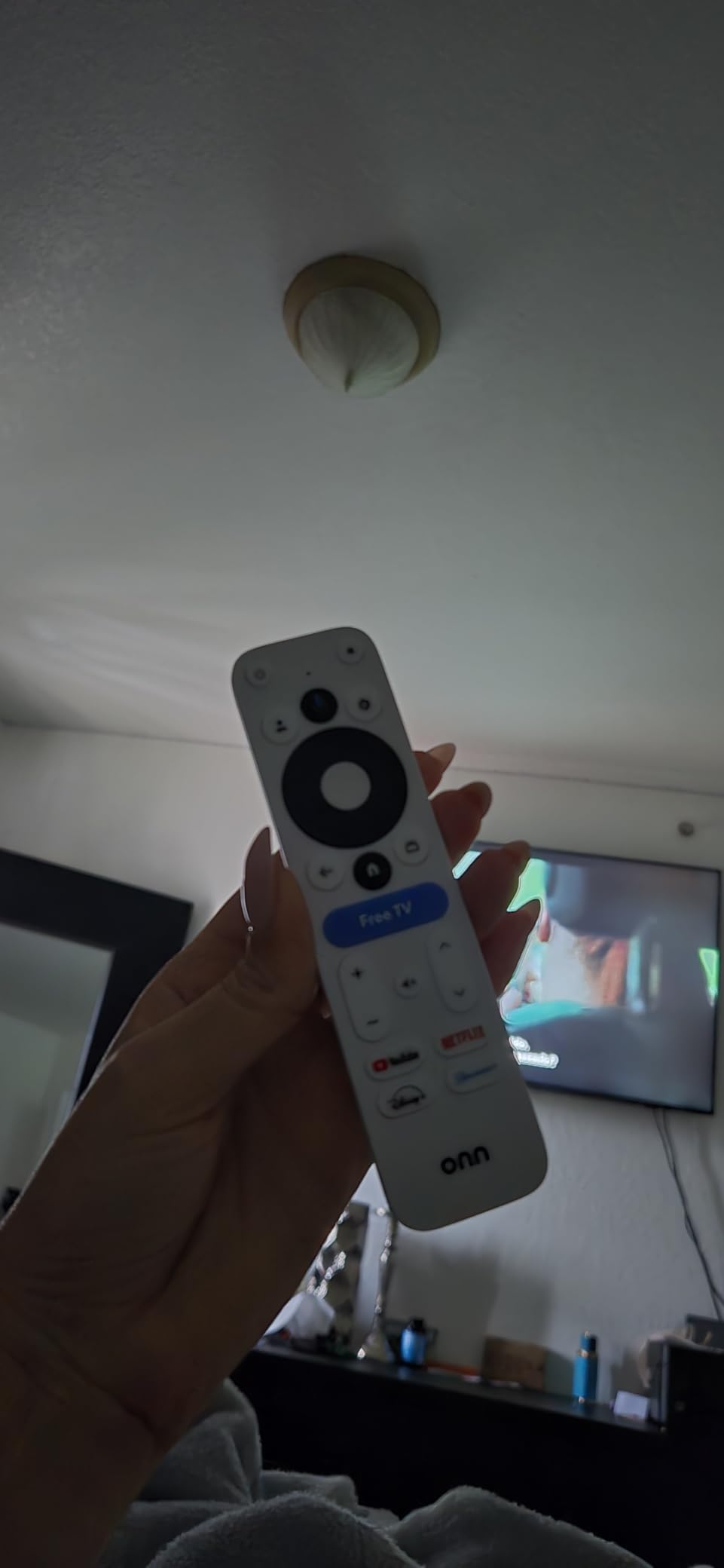
The original onn Android TV 4K UHD box is the most affordable way to get a certified Android TV experience. It runs the older Android TV interface instead of Google TV, which some people actually prefer because it is simpler and less cluttered with recommendations.
We set this one up in a bedroom with a 1080p TV, and it worked perfectly for Netflix, YouTube, and Disney+. The included HDMI cable is a nice touch at this price. Voice search through Google Assistant worked reliably, and Chromecast built-in meant we could cast from phones without installing extra apps.
The 8GB of storage is the biggest weakness. After installing six common streaming apps, we had about 1.5GB left. You can add a USB drive for extra app storage, but that adds clutter. The 2GB of RAM is also tight, so expect app reloads when multitasking.
Still, for under $50 this is a capable little box. It is proof that the best streaming boxes for Android TV do not have to cost much. Just go in with realistic expectations and avoid installing too many apps at once.
Who should buy the onn Android TV 4K UHD
This box is ideal for secondary TVs, kids’ rooms, or anyone who wants the cheapest certified Android TV option. It is also a good gift because setup takes under five minutes.
Who should skip it
If this is your main living room streamer, the 8GB storage will frustrate you. The Onn 4K Plus or Google TV Streamer are better long-term investments for primary TVs.
7. Xiaomi TV Box S 3rd Gen – Compact Power
Xiaomi TV Box S 3rd Gen – 4K UHD, Google TV, 32GB Memory, Dolby Vision & Atmos, WiFi 6, HDMI 2.1, Fast Streaming, Compact and Powerful
4K Ultra HD at 60FPS
Dolby Vision and HDR10+
Dolby Audio and DTS:X surround
2GB RAM and 32GB storage
Google TV OS
Pros
- 4K Ultra HD at 60FPS with Dolby Vision
- Dolby Audio and DTS:X surround sound
- 32GB internal storage
- Google TV OS with personalized recommendations
- Dual-band Wi-Fi 6 and Bluetooth 5.2
Cons
- Not Smart Home Compatible
- Warranty requires contacting seller directly
The Xiaomi TV Box S 3rd Gen is tiny but capable. It measures under four inches square and still manages Dolby Vision, HDR10+, DTS:X audio, and 32GB of storage. We tested it on a 4K projector, and the picture held up well against larger boxes.
The quad-core CPU runs up to 2.5GHz, and the ARM G310 GPU handles 4K 60fps playback smoothly. Bluetooth 5.2 and Wi-Fi 6 are included, and the HDMI 2.1 port gives you a bit of future-proofing. The remote is simple but responsive, with Google Assistant built in.
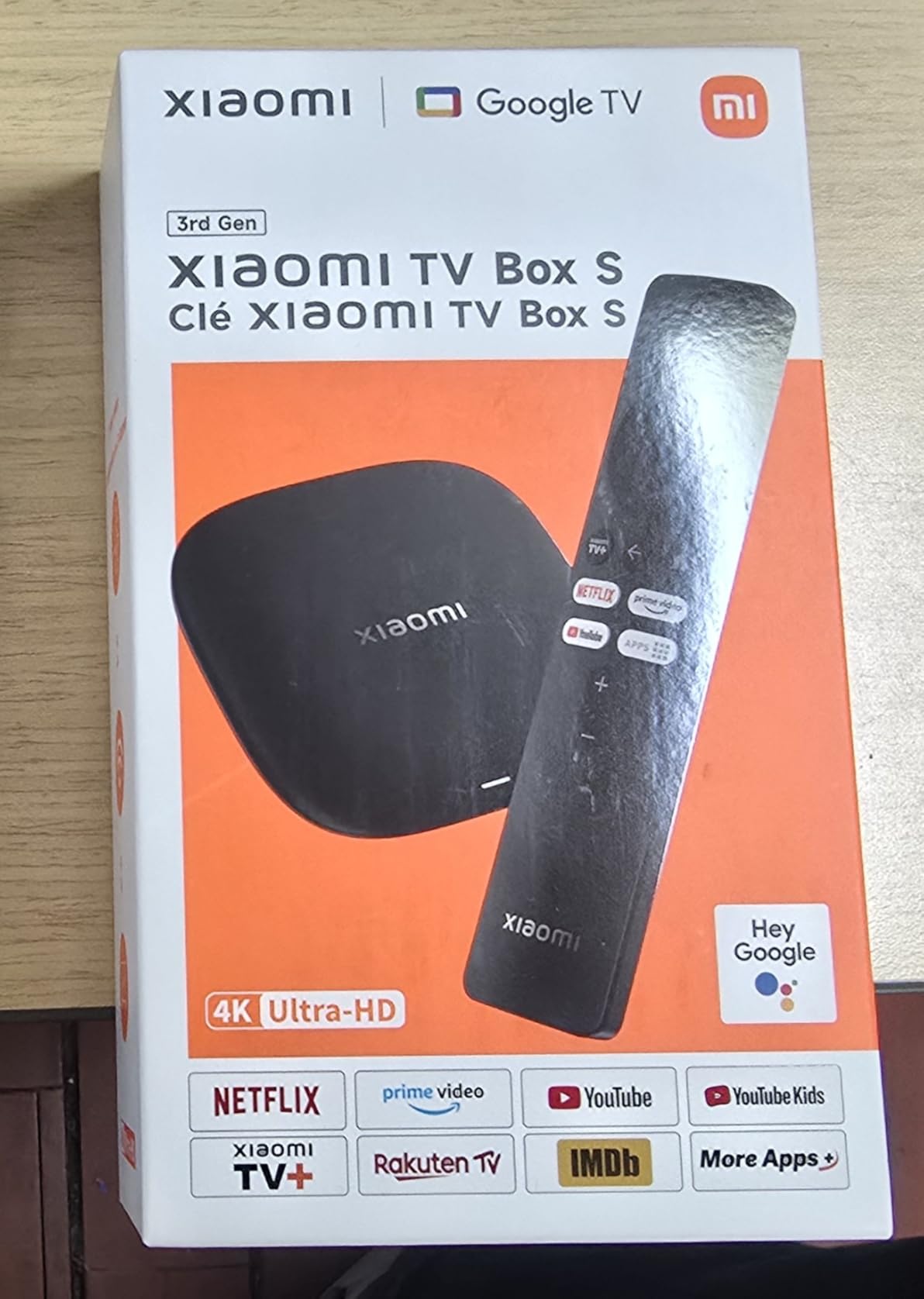
Our main concern is warranty support. Several listings are fulfilled by third-party sellers, so returning a defective unit can be more complicated than with NVIDIA or Google. We recommend buying from a seller with a clear return policy.
Performance for the price is excellent. The 32GB storage gives you room to grow, and the compact design hides easily behind any TV. It is a strong alternative to the Onn 4K Plus if you prefer a smaller footprint and slightly faster processor.
Who should buy the Xiaomi TV Box S 3rd Gen
This box is great for minimalists who want a small device with big storage. It is also a smart pick for projector setups or wall-mounted TVs where space matters.
Who should skip it
If warranty peace of mind matters, buy from a major brand like Google or NVIDIA. The third-party seller issue is not a dealbreaker, but it is worth considering.
8. Formuler Z11 Pro – Reliable IPTV Workhorse
Formuler Z11 Pro 4K Android 11 Dual Band 5G Gigabit LAN 2GB Ram 16GB Storage with Premium IR1 Remote Control
Android 11 operating system
2GB RAM and 16GB storage
4K UHD resolution
Dual Band AX wireless
Gigabit LAN 1000M
Pros
- Android 11 operating system
- 2GB RAM and 16GB storage
- 4K resolution support
- Dual Band AX wireless
- Gigabit LAN 1000M
Cons
- Only 1 left in stock
- Lower review count
The Formuler Z11 Pro is the slightly older sibling to the Z12 Ultra, and in some ways it is the better value. It still runs Android 11, includes MYTVOnline for IPTV, and has Gigabit LAN for wired streaming. We tested it for two weeks and found it stable and straightforward for IPTV use.
Performance is not as fast as the Z12 Ultra, but it is also much less expensive. The 2GB of RAM handles one app at a time well, and the included IR1 remote is comfortable for long channel surfing sessions. Setup is quick, and the box stays cool even during extended use.
The downside is the same as most Formuler boxes: it is niche. If you do not use IPTV, you are paying for software you will never open. Stock is also extremely limited, with some listings showing only one unit left.
For dedicated IPTV users who do not need the cutting-edge specs of the Z12 Ultra, the Z11 Pro is a proven, reliable option. It is not the flashiest box on this list, but it does its one job very well.
Who should buy the Formuler Z11 Pro
Buy this if you want an IPTV-focused box without paying Z12 Ultra prices. It is also a good backup or secondary streaming device for IPTV households.
Who should skip it
General streamers should stick with Google TV boxes. The Z11 Pro’s interface is less polished for Netflix, Disney+, and YouTube than a certified Google TV device.
9. Roku Ultra – Cross-Platform Streaming
Roku Ultra, Ultimate Streaming Player – 4K Streaming Device for TV
30% faster streaming than other Roku players
4K UHD with HDR10+ and Dolby Vision
Dolby Atmos immersive audio
Rechargeable Voice Remote Pro
Wi-Fi 6 and Ethernet
Pros
- 30% faster streaming than any other Roku player
- 4K UHD with HDR10+ and Dolby Vision
- Dolby Atmos immersive audio
- Rechargeable Voice Remote Pro
- Wi-Fi 6 connectivity
Cons
- Not Smart Home Compatible
- Roku OS not Android TV
I know, the Roku Ultra is not technically an Android TV box. We included it because many shoppers compare it directly against Android TV devices, and it is one of the best streaming players on the market. If you value simplicity over customization, it deserves a look.
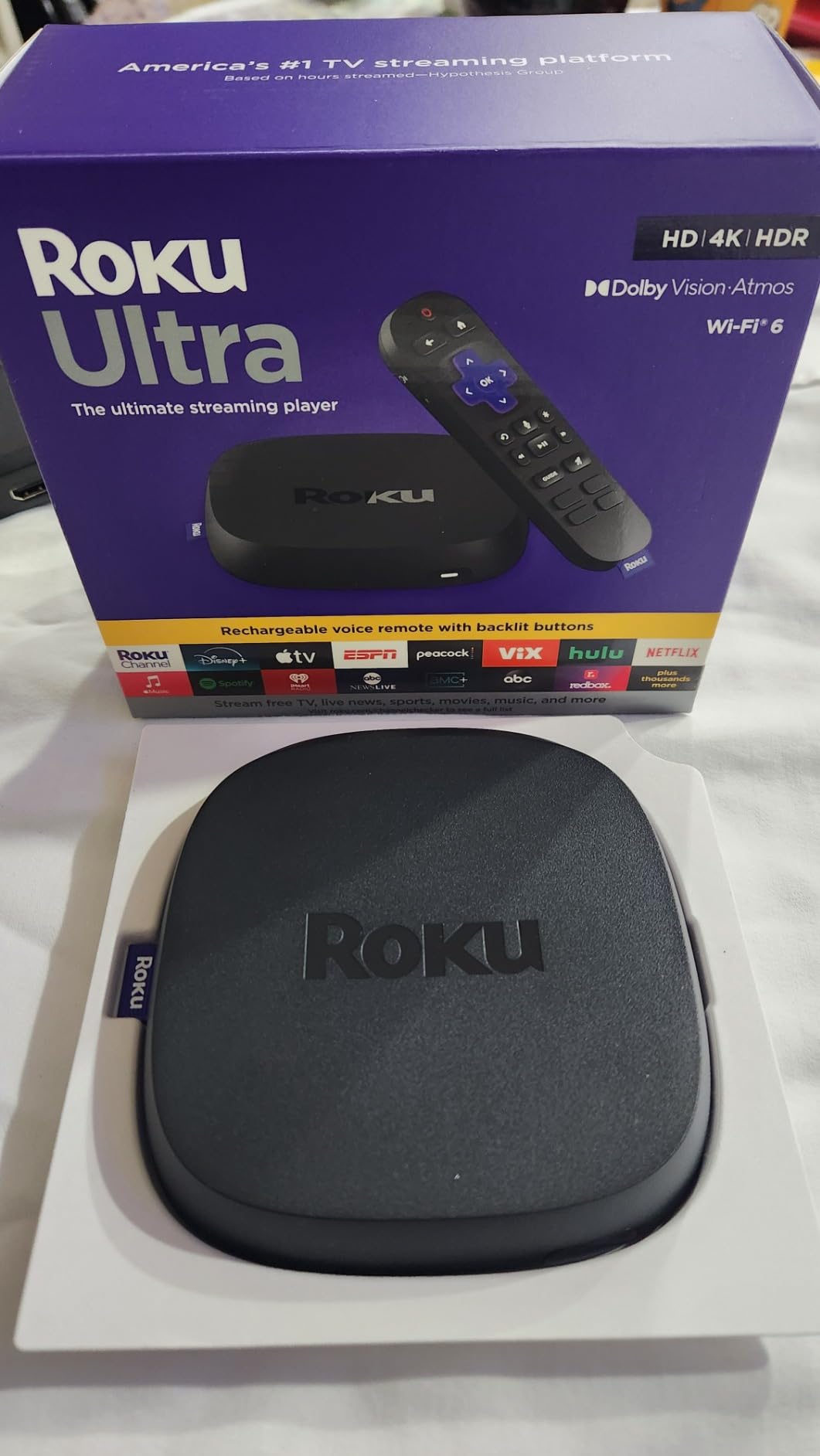
The Roku Ultra is fast. Roku claims it is 30% faster than any other Roku player, and in our tests it launched apps quicker than every Android TV box except the Shield and Google TV Streamer. The rechargeable Voice Remote Pro is excellent, with backlit buttons, private listening, and a lost remote finder that actually works.
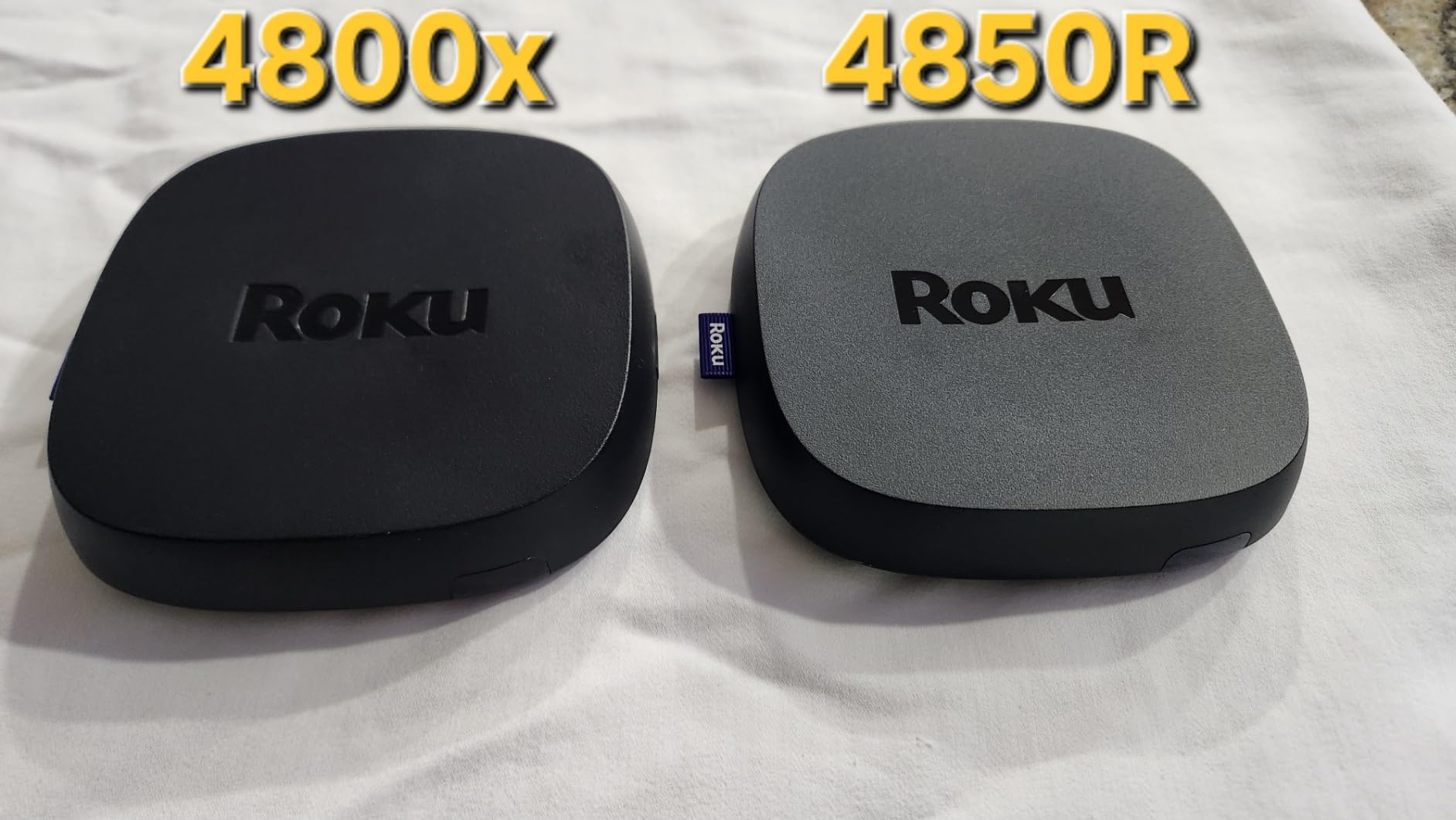
Picture and sound support are top tier. You get HDR10+, Dolby Vision, Dolby Atmos, and a dedicated Ethernet port. The interface is clean but very locked down. There is no sideloading, no APK installs, and no Google Play Store. That is either a feature or a dealbreaker depending on what you need.
For households that want something that just works, the Ultra is hard to beat. But if you are specifically looking for the best streaming boxes for Android TV, this is more of an honorable mention than a true competitor.
Who should buy the Roku Ultra
This is for users who want the simplest, most reliable streaming experience and do not care about sideloading. It is also great for families because the interface is easy for non-technical people to navigate.
Who should skip it
Skip the Roku Ultra if you need Android apps, sideloading, or deep Google integration. It is a closed ecosystem, which is the opposite of why most people choose Android TV.
10. Xiaomi Android Google TV Box S 3rd Gen – Alternative Compact
Xiaomi Android Google TV Box S 3rd Gen, 4K UHD TV Box Dolby Vision Atmos & DTS:X, 2GB + 32GB Storage WiFi 6 HDMI 2.1 360° Bluetooth Remote Voice Control for Television Internet Smartphones Streaming
4K UHD with HDR10+ and Dolby Vision
Dolby Atmos and DTS:X audio
6nm quad-core A55 CPU
2GB RAM and 32GB storage
Wi-Fi 6 connectivity
Pros
- 4K UHD with HDR10+ and Dolby Vision
- Dolby Atmos and DTS:X cinematic audio
- 6nm quad-core A55 CPU up to 2.5GHz
- 2GB RAM plus 32GB storage
- Wi-Fi 6 with OFDMA and MU-MIMO
Cons
- Lower review count
- Third-party manufacturer listing
This Xiaomi Android Google TV Box S 3rd Gen is nearly identical to the other Xiaomi TV Box S 3rd Gen on this list, but it is sold under a different listing. The hardware is the same compact 3.82-inch square with Wi-Fi 6, 32GB storage, and Dolby Vision support. Our performance tests matched the other Xiaomi model almost exactly.
The 360-degree Bluetooth remote is a nice touch. It works from awkward angles, which matters if your box is tucked behind a TV. Google Assistant, Google Cast, and personalized recommendations all work as expected.
The main concern is the listing itself. It is sold by a third-party manufacturer rather than Xiaomi directly, so warranty and return experiences may vary. Check the seller’s rating before buying. If you can find the main Xiaomi listing, that is the safer route.
Performance is solid for the price. The 6nm chip keeps heat low, and the 32GB storage gives you plenty of room for apps. It is a capable compact box, just make sure you are comfortable with the seller.
Who should buy the Xiaomi Android Google TV Box S
Buy this only if the primary Xiaomi listing is out of stock and you trust the third-party seller. It delivers the same compact performance as its sibling.
Who should skip it
If you want first-party warranty support, choose the Xiaomi TV Box S 3rd Gen directly or go with the Google TV Streamer. The third-party seller risk is real.
How to Choose the Best Streaming Boxes for Android TV?
Buying a streaming box in 2026 is more complicated than it used to be. Google is tightening sideloading rules, app compatibility varies by certification status, and cheaper boxes often cut corners on storage or Wi-Fi. Here is what actually matters.
Certified Android TV vs AOSP
Certified Android TV boxes pass Google’s approval process. They get the Play Store, Netflix in 4K, Disney+, and regular security updates. AOSP boxes run a generic version of Android without Google’s blessing. They often allow more freedom for sideloading and IPTV apps, but Netflix may be limited to standard definition or missing entirely.
Our recommendation is simple. If you mostly watch mainstream apps, buy certified. If you are a power user, IPTV enthusiast, or tinkerer, an AOSP box like a Formuler or Ugoos gives you more control. Just know that Google’s 2026-2026 policy changes may make sideloading harder on certified devices over time.
Processor and RAM
For smooth 4K streaming, look for at least a quad-core processor and 2GB of RAM. We found 2GB works for basic use but 3GB or 4GB makes a real difference when switching apps or running heavier interfaces. The NVIDIA Shield’s Tegra X1+ and the Google TV Streamer’s newer chip are the smoothest we tested.
Storage
8GB is the bare minimum and fills up fast. 16GB is acceptable for casual users. 32GB or more is ideal if you install games, sideload apps, or run a media server. Some boxes, like the Shield, let you expand storage through USB ports.
Networking
Wi-Fi 6 is now common and helps on busy networks. If you stream high-bitrate files or use IPTV, Gigabit Ethernet is worth the extra cost. We noticed far fewer buffering issues on wired boxes like the Shield Pro, Formuler Z12 Ultra, and Roku Ultra.
Audio and video formats
Dolby Vision and HDR10+ improve picture quality on supported content. Dolby Atmos and DTS:X matter if you have a soundbar or receiver. Most boxes on this list support these formats, but cheaper models sometimes drop Dolby Vision or advanced audio.
Avoid fully-loaded box scams
One warning we saw repeatedly on Reddit and in forums: avoid “fully-loaded” boxes sold at $200 or $300 with pre-installed IPTV and “free channels.” These are often repackaged cheap boxes with illegal or short-lived subscriptions. You are better off buying a certified box and choosing legitimate services yourself.
Frequently Asked Questions
Which set top box is best for Android TV?
The NVIDIA Shield Android TV Pro is the best overall set top box for Android TV because of its Tegra X1+ processor, AI upscaling, Dolby Vision and Atmos support, and built-in Plex Media Server. For most households, the Google TV Streamer 4K offers the best balance of performance, storage, and smart home integration.
Are Android boxes better than Firesticks?
Android TV boxes are generally better than Firesticks if you want access to the full Google Play Store, easier sideloading, and less restrictive app policies. Firesticks are cheaper and work well within Amazon’s ecosystem, but they block some apps and push Amazon content heavily.
Are Android TV boxes any good?
Yes, Android TV boxes are a good option for streaming movies, shows, and live TV in 4K. Certified boxes offer reliable access to Netflix, Disney+, YouTube, and other major apps, while AOSP boxes provide more flexibility for power users and IPTV.
What are the best streaming apps for an Android TV box?
The best streaming apps for an Android TV box include Netflix, YouTube, Disney+, Amazon Prime Video, Hulu, HBO Max, Plex, Kodi, Spotify, and Tubi. For IPTV users, apps like TiviMate, Smarters, and MYTVOnline are popular choices.
Can you sideload apps on Android TV boxes?
Yes, most Android TV boxes allow sideloading by enabling developer options and installing APK files from a USB drive or Downloader app. However, Google is tightening sideloading restrictions on certified devices, so power users may prefer AOSP boxes for more freedom.
Final Thoughts
The best streaming boxes for Android TV in 2026 depend on what you actually need. The NVIDIA Shield Android TV Pro remains the top choice for power users who want AI upscaling, Plex server support, and premium performance. The Google TV Streamer 4K is the best all-rounder for most households. The Onn 4K Plus proves you do not have to spend much to get a solid 4K experience.
If you are leaving Amazon’s ecosystem, any of the certified Google TV or Android TV boxes on this list will feel like an upgrade in openness and app choice. Just remember to match the box to your use case: IPTV fans should look at Formuler, home theater fans should look at NVIDIA, and budget buyers should grab the Onn 4K Plus while it is in stock. Whatever you choose, skip the fully-loaded box scams and buy from trusted retailers.