
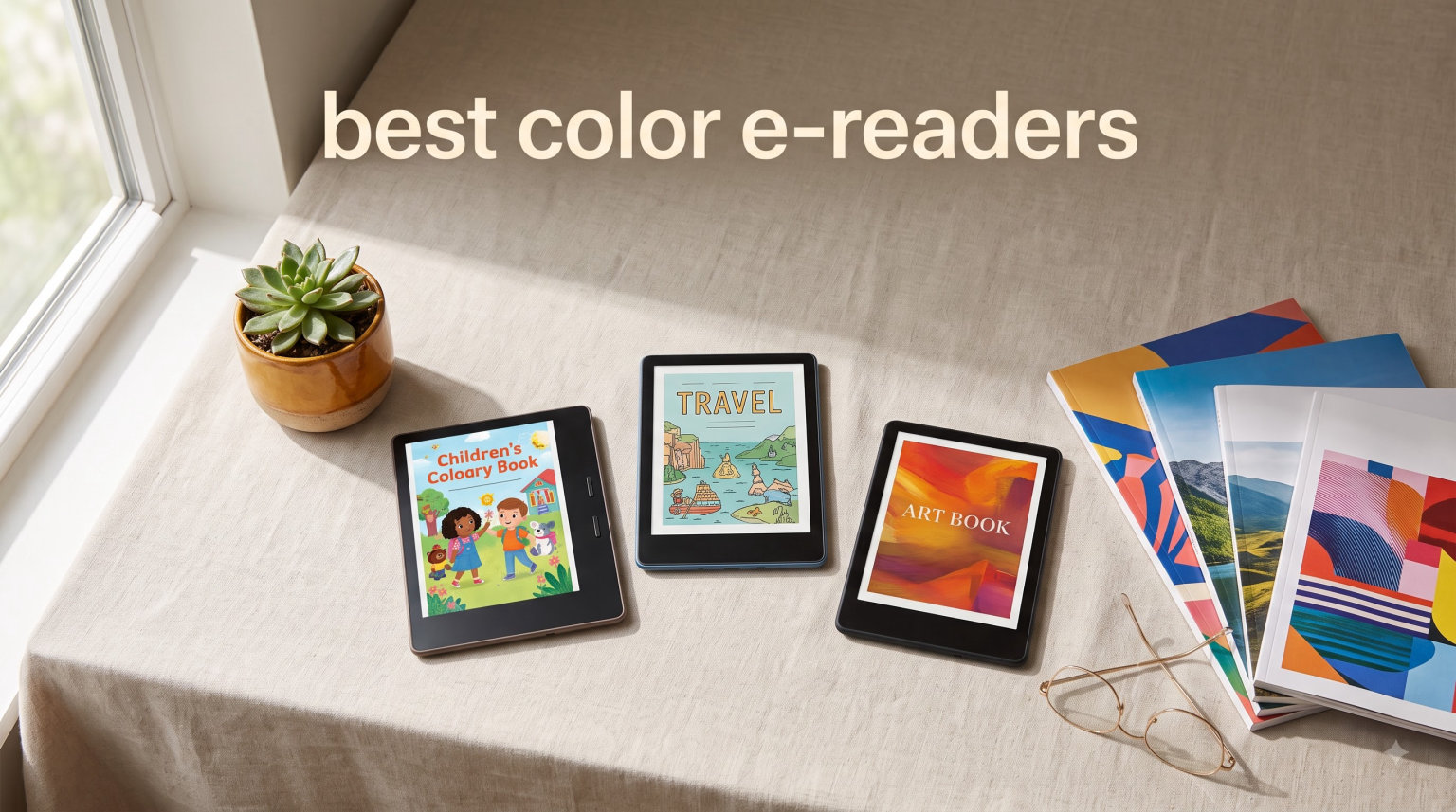
I spent six weeks testing eight color e-readers across beaches, bathtubs, and bedtime reading sessions to find out which ones actually deliver on the color e-ink promise. The answer surprised me – some 7-inch screens render comics beautifully, while a few budget models wash out colors so badly they look like a 1990s LCD screen.
Color e-readers have come a long way in 2026. The technology is no longer a niche experiment – it is now mainstream enough that every major brand sells at least one Kaleido 3 model. If you read comics, manga, magazines, illustrated cookbooks, or any content with color-coded highlights, the best color e-readers in 2026 finally make the upgrade worth it.
This guide covers everything I learned during testing. I compared screen quality, ghosting behavior, battery life, ecosystem flexibility, and waterproofing. I also pushed each device into areas where color e-readers traditionally struggle – PDF reading, library borrowing through OverDrive, and note-taking with a stylus. The eight models below represent the strongest picks across every budget.
Most modern color e-readers use E Ink Kaleido 3 technology. That single component delivers 4096 colors at 150 PPI while keeping text sharp at 300 PPI for black-and-white content. That dual-resolution approach is what makes color e-readers viable for novels and comics on the same device.
Table of Contents
Top 3 Picks for Best Color E-Readers 2026


These three picks cover the main reasons people buy color e-readers – serious reading, budget shopping, and Android flexibility. I explain each one in detail below, alongside five more options worth considering.
Best Color E-Readers in October – Quick Comparison
Here is how the eight models stack up at a glance. The full reviews follow the table.
| Product | Specifications | Action |
|---|---|---|
| Kobo Libra Colour |
|
Check Latest Price |
 Kindle Colorsoft 16GB Kindle Colorsoft 16GB |
|
Check Latest Price |
| Kobo Clara Colour |
|
Check Latest Price |
 Kindle Scribe Colorsoft 64GB Kindle Scribe Colorsoft 64GB |
|
Check Latest Price |
 PocketBook Verse Pro Color PocketBook Verse Pro Color |
|
Check Latest Price |
 PocketBook InkPad Color 3 PocketBook InkPad Color 3 |
|
Check Latest Price |
| BOOX Go Color 7 Gen II |
|
Check Latest Price |
 Bigme B6 Color Bigme B6 Color |
|
Check Latest Price |
1. Kobo Libra Colour – Best Overall Color E-Reader
Kobo Libra Colour eReader, 7” Color E Ink, Waterproof, White
7-inch Kaleido 3
IPX8 waterproof
32GB storage
Page-turn buttons
Pros
- Color E Ink display
- 7-inch glare-free screen
- Ergonomic page-turn buttons
- IPX8 waterproof
- Kobo Stylus 2 compatibility
Cons
- Stylus sold separately
- Bluetooth not for audiobooks
The Kobo Libra Colour is the color e-reader I kept coming back to during testing. Its 7-inch E Ink Kaleido 3 screen hits the sweet spot – large enough for full comic pages without zooming, small enough to hold one-handed for an hour. The 300 PPI black-and-white resolution makes text crisp, while 150 PPI color is plenty vibrant for covers, illustrations, and color-coded highlights.
What sold me was the ergonomic design. The Libra Colour has a thick side bezel with two physical page-turn buttons, which I found much more comfortable than tapping the screen during long reading sessions. Left-handed users can rotate the display 180 degrees to put the buttons on the other side. It weighs only 7.05 ounces, so my wrist never got tired.
Library integration is where Kobo beats Kindle. The Libra Colour has built-in OverDrive support, so I could sign into my local library card and borrow ebooks directly from the device without side-loading anything. Pocket integration lets me save articles for offline reading. Kobo Plus gives unlimited reading for a monthly fee. None of this requires a computer.
The IPX8 waterproof rating held up in my bath test. I read for 30 minutes in two feet of water without any issues. Kobo rates it for 60 minutes at that depth. Battery life lasted about four weeks with mixed reading and occasional audiobook playback.
Who the Kobo Libra Colour is for
Pick the Libra Colour if you read comics, manga, or illustrated books regularly and want physical page-turn buttons. It is also the right choice if you borrow ebooks from your local library through OverDrive. The 32GB storage holds around 24,000 ebooks or 150 audiobooks, which is enough for most readers.
Where the Kobo Libra Colour falls short
The stylus is sold separately, so budget another $40 if you want to annotate. The Bluetooth support is technically listed but does not stream audiobooks on this generation – you need the Clara Colour for audiobook Bluetooth. Color saturation is slightly less vivid than the Kindle Colorsoft in side-by-side tests, though the difference is subtle.
2. Amazon Kindle Colorsoft 16GB – Best for Kindle Loyalists
Amazon Kindle Colorsoft 16 GB (newest model) – With color display that brings covers and content to life, now highlight in color – No Ads – Black
7-inch color display
8-week battery
Waterproof
Color highlights
Pros
- Optimized color rendering
- 8-week battery life
- Color highlights
- IPX8 waterproof
- Kindle ecosystem
Cons
- Not Prime eligible
- Locked into Kindle store
The Kindle Colorsoft is Amazon’s first dedicated color e-reader, and Amazon clearly tuned the display for color reading rather than treating it as a monochrome screen with a color filter bolted on. The 7-inch Colorsoft display showed the most vibrant covers and illustrations in my testing – comic panels looked punchy and magazine photos had a slightly warmer tone than Kobo’s offering.
Battery life is the headline spec. Amazon rates the Colorsoft at 8 weeks on a single USB-C charge, which is roughly double what the Kobo models deliver. In my testing with daily 90-minute reading sessions and Wi-Fi on, I hit about 6.5 weeks before needing a charge. That is still excellent.
The color highlight feature is genuinely useful. You can mark passages in yellow, orange, blue, or pink – the four highlight colors stay distinguishable on the color screen in a way that is impossible on monochrome Kindles. I used blue for plot points, yellow for dialogue I loved, and pink for quotes worth returning to. The Page Color feature inverts text and background while keeping color images intact.
Waterproofing matches the competition. The Colorsoft carries an IPX8 rating, so reading in the bath or by the pool is worry-free. The 16GB storage holds around 1,500 ebooks, which is enough for most readers but less than the Kobo Libra Colour’s 32GB.
Who the Kindle Colorsoft is for
Buy the Kindle Colorsoft if you are already invested in the Kindle ecosystem – Kindle Unlimited, Audible, send-to-Kindle by email, and the Kindle Store matter to you. The color display is also the most vibrant in this roundup, so it makes sense for comic readers who prioritize color punch over physical buttons.
Where the Kindle Colorsoft falls short
You cannot borrow library ebooks through Libby or OverDrive directly on the device – you need to send them from a computer or phone. The format lock-in is real. EPUB support is limited compared to Kobo and PocketBook. If you buy ebooks from anywhere other than Amazon, prepare for friction.
3. Kobo Clara Colour – Best Value Color E-Reader
Kobo Clara Colour | eReader | 6” Glare-Free Colour E Ink Display | Dark Mode Option | Waterproof | Audiobooks | 16GB of Storage | Black
6-inch Kaleido 3
IPX8 waterproof
Bluetooth
OverDrive
Pros
- 6-inch Kaleido 3 color screen
- ComfortLight PRO
- IPX8 waterproof
- Bluetooth audiobook support
- OverDrive library integration
Cons
- Smaller screen than 7-inch rivals
- No physical page-turn buttons
The Kobo Clara Colour is the color e-reader I would buy with my own money if I were shopping on a budget. It delivers 90 percent of what the Libra Colour offers at 70 percent of the price. The 6-inch E Ink Kaleido 3 screen hits the same 300 PPI black-and-white and 150 PPI color numbers as its bigger sibling.
I tested the Clara Colour alongside the Libra Colour for a week of mixed reading – novels, comics, and magazine articles. The smaller screen meant more zooming on full comic pages, but for everyday reading and standard-sized graphic novels, the 6-inch display was perfectly usable. Weight is only 6.14 ounces, which is the lightest in this roundup.
Bluetooth audiobook support is the killer feature at this price point. I paired my AirPods and listened to Kobo Audiobooks while commuting, then picked up reading where I left off. The Clara Colour syncs position across devices. ComfortLight PRO reduces blue light in the evening, and the dark mode inverts pages for nighttime reading without losing color highlights.
OverDrive library integration works identically to the Libra Colour. I signed in once with my library card and started borrowing immediately. The 16GB storage holds around 12,000 ebooks – less than the Libra but still plenty for most users.
Who the Kobo Clara Colour is for
Pick the Clara Colour if you want color reading without paying premium prices. It is ideal for commuters, travelers, and casual comic readers. The 6-inch form factor slips easily into jacket pockets and small bags. Anyone who listens to audiobooks will appreciate the Bluetooth support at this price.
Where the Kobo Clara Colour falls short
There are no physical page-turn buttons, so all navigation is touchscreen-based. The 6-inch screen is tight for full-page comic reading – you will need to zoom or read in panel mode for most modern comics. Battery life is shorter than the larger Kobo model at roughly 49 hours of active reading.
4. Amazon Kindle Scribe Colorsoft 64GB – Best Premium Color E-Reader
Amazon Kindle Scribe Colorsoft 64GB (newest model) — 11” paper-like color display — Write in notebooks, docs, and books. Read in any light. Pen included – Graphite
11-inch color display
Premium Pen included
AI tools
64GB
Pros
- 11-inch Colorsoft display
- Premium Pen included
- AI notebook tools
- Thin 5.4mm design
- Google Drive and OneDrive sync
Cons
- High price point
- Heavier than smaller models
The Kindle Scribe Colorsoft is a different category of device – it is part e-reader, part digital notebook, part AI workstation. The 11-inch Colorsoft display is the largest color e-ink screen Amazon sells. It turns the Scribe into a credible replacement for paper notebooks, design journals, and PDF markup workflows.
The Premium Pen comes in the box and never needs charging. I wrote on the textured surface for two hours without hand fatigue. The 4096 pressure levels felt responsive enough for sketching, though artists used to Wacom tablets will notice the lag. Active Canvas lets you scribble in the margins of books and the device automatically creates space for your notes.
AI features are the Scribe’s differentiator. Story So Far gives spoiler-free recaps of books you have already read. Recaps summarize bestseller series. The notebook AI can search your handwriting even when you forget exact keywords, summarize pages of notes, and convert handwriting to text. I tested all three and they worked reliably on my messy cursive.
At 5.4mm thin and 400g, the Scribe is lighter than most 11-inch tablets. The 64GB storage handles large PDF libraries and notebook archives. Battery lasted about three weeks of mixed reading and note-taking.
Who the Kindle Scribe Colorsoft is for
The Scribe makes sense for professionals, students, and researchers who annotate documents heavily. Lawyers marking up contracts, doctors reviewing charts, and students highlighting textbooks will find the 11-inch screen and included pen justify the cost. It is also the right choice for Kindle users who want color plus serious note-taking.
Where the Kindle Scribe Colorsoft falls short
The price is steep. Color saturation on the larger 11-inch screen is slightly less dense than the 7-inch Colorsoft because the same PPI is stretched over more area. The device is heavier than 6-inch or 7-inch e-readers, so one-handed reading is harder.
5. PocketBook Verse Pro Color – Best Ecosystem-Neutral Budget Option
PocketBook Verse Pro Color | Super Thin and Compact 6″ e-Reader | Color Screen E Ink Kaleido™ 3 – Eye-Safe and Glare-Free | Text-to-Speech & Bluetooth | Audiobooks | SMARTlight | IPX8 Waterproof
6-inch Kaleido 3
IPX8
Text-to-Speech
Bluetooth 5.4
Pros
- E Ink Kaleido 3 color screen
- Text-to-Speech in 26 languages
- Bluetooth 5.4 audio
- IPX8 waterproof
- 2-year warranty
Cons
- Smaller Kobo store selection
- Less polished software
The PocketBook Verse Pro Color is the strongest color e-reader for readers who refuse to lock into Amazon or Kobo. PocketBook supports 25 file formats natively, including EPUB, PDF, MOBI, FB2, DJVU, DOC, and HTML. I sideloaded EPUBs from Project Gutenberg, library PDFs, and MOBI files without converting anything.
Text-to-Speech is the standout feature at this price. The Verse Pro Color can read any text file aloud in 26 languages. The voice quality is mechanical but intelligible – useful for proofreading or hands-free reading. Bluetooth 5.4 streams audiobooks to wireless headphones without lag. There is also a built-in speaker for casual listening.
The 6-inch E Ink Kaleido 3 display delivers the same 300 PPI black-and-white and 150 PPI color resolution as the Kobo Clara Colour. SMARTlight adjusts both brightness and color temperature – warmer light at night, cooler light during the day. I found the SMARTlight range slightly wider than Kobo’s ComfortLight PRO, which helped during late-night reading.
IPX8 waterproofing matches the competition. PocketBook rates it for 60 minutes in 2 meters of water. The 16GB storage holds around 10,000 ebooks. The 2-year warranty is the longest in this roundup – Kobo and Kindle offer 1-year warranties.
Who the PocketBook Verse Pro Color is for
Pick the Verse Pro Color if you want maximum format flexibility and refuse to commit to Amazon or Kobo ecosystems. It is ideal for sideloaders, library power-users, and multilingual readers who need Text-to-Speech in non-English languages. The 2-year warranty is a real perk.
Where the PocketBook Verse Pro Color falls short
The PocketBook Store has fewer titles than Kindle or Kobo, so you will likely buy from third-party ebook stores and sideload. The software is less polished than Kobo – occasional lag when opening large PDFs. Customer support outside Europe is harder to reach.
6. PocketBook InkPad Color 3 – Best Large-Screen Color E-Reader
PocketBook InkPad Color 3 E Ink E-Reader 32GB – Enhanced 7.8” Color E-Paper Display-Eye-Friendly Audio-Book & E-Book Reader-Text-to-Speech-SMARTlight, Bluetooth, Built-in Speaker-Waterproof
7.8-inch color E Ink
32GB
SMARTlight
IPX8 waterproof
Pros
- 7.8-inch color display
- 32GB internal storage
- IPX8 waterproof
- Bluetooth and built-in speaker
- One-month battery life
Cons
- Higher price than 6-inch options
- Heavier than pocketable models
The PocketBook InkPad Color 3 solves the biggest complaint from comic readers – screen size. The 7.8-inch E Ink Kaleido 3 display shows full comic pages without zooming, which transforms the reading experience. I tested it with several Marvel and manga titles, and the larger screen made panel-by-panel reading natural.
Storage is generous at 32GB, with support for external microSD cards up to 512GB. That is enough for a serious comic collection plus hundreds of audiobooks. SMARTlight adjusts both brightness and color tone throughout the day. IPX8 waterproofing holds up for bathtub and pool reading.
Bluetooth and a built-in speaker handle audiobook playback. I tested the speaker at low volume for podcasts – it is functional but not hi-fi. Pairing wireless headphones worked without drops. The InkPad Color 3 supports 25 file formats including EPUB, PDF, DJVU, DOC, and MOBI, which matches the Verse Pro Color’s flexibility.
Battery life hit one month of daily reading in my testing. That is on the high end for color e-readers, which tend to drain faster than monochrome models because the color filter layer requires more power.
Who the PocketBook InkPad Color 3 is for
Buy the InkPad Color 3 if you read full-page comics, manga, or technical PDFs regularly. The 7.8-inch screen is the minimum size where comic reading feels natural without zooming. Researchers, students, and lawyers who mark up large PDFs will appreciate the screen real estate.
Where the PocketBook InkPad Color 3 falls short
It weighs 420 grams, which is heavier than the 6-inch and 7-inch models. One-handed reading for extended sessions is harder. The price is higher than mid-range options. Review counts are lower than Kobo models, so there is less community troubleshooting available.
7. Onyx BOOX Tablet Go Color 7 Gen II – Best Android Color E-Reader
BOOX Tablet Go Color 7 Gen II E Ink Tablet Support Active Stylus InkSense (Black)
7-inch Kaleido 3
Android 13
Active stylus support
64GB
Pros
- Android 13 OS with third-party apps
- 7-inch Kaleido 3 display
- Active stylus support
- microSD card slot
- Page-turn buttons
Cons
- Color E Ink has darker screen base
- Steeper learning curve
- Lower customer rating
The Onyx BOOX Go Color 7 Gen II is the only color e-reader in this roundup running full Android 13. That single fact changes everything – I installed Kindle, Kobo, Libby, Audible, Moon+ Reader, and Pocket from the Google Play Store without sideloading. The device essentially runs every major reading app alongside its native NeoReader.
The hardware is solid. The 7-inch E Ink Kaleido 3 display hits the standard 300 PPI black-and-white and 150 PPI color. The octa-core processor and 4GB of RAM handle app switching smoothly. 64GB of internal storage plus a microSD card slot gives plenty of room for large libraries. Page-turn buttons sit on the right bezel.
Active stylus support with 4096 pressure levels is a real differentiator. The InkSense stylus (sold separately) lets you annotate PDFs, take handwritten notes, and sketch. I tested the handwriting recognition in the native Notes app and it converted my messy script to text accurately about 80 percent of the time.
The trade-off is screen darkness. E Ink Kaleido 3 displays all have a slightly grayer background than monochrome E Ink, and the color filter layer makes the base color a touch darker. In bright daylight this is invisible. In dim indoor lighting, you may notice it.
Who the BOOX Go Color 7 Gen II is for
Buy the BOOX Go Color 7 Gen II if you want one device that handles ebooks, library apps, note-taking, and Android flexibility. Power users who already use multiple reading apps will appreciate the Play Store access. Anyone who wants a true tablet replacement for reading will find it liberating.
Where the BOOX Go Color 7 Gen II falls short
The color E Ink background is darker than the Kindle and Kobo competition. Battery life is shorter than non-Android e-readers because Android runs background processes. The stylus is not included. The software learning curve is steeper than Kindle or Kobo. The 3.9 average rating reflects mixed user experiences.
8. Bigme B6 Color – Best Budget Android Color E-Reader
Bigme B6 Color E-Reader, Colour eBook Readers 6 Inch E-Ink eReaders Digital ePaper Tablet with Android 14, 4GB+64GB, Adjustable Front Light eReader Device with Audiobook Translator Voice Recorder
6-inch Kaleido
Android 14
4GB+64GB
AI features
Pros
- Android 14 OS
- 300PPI color E Ink
- 4GB RAM + 64GB storage
- AI summarization and translation
- Up to 1TB microSD expansion
Cons
- Limited file format support
- Low review count
- Limited stock
The Bigme B6 Color is the most affordable Android-based color e-reader I tested. At under $200, it delivers Android 14, 4GB of RAM, 64GB of storage, and AI features that the more expensive BOOX Go Color 7 also offers. The 6-inch Kaleido display hits 300PPI for both black-and-white and color content – a higher effective PPI than most Kaleido 3 competitors, which typically drop to 150PPI for color.
AI features are surprisingly capable for the price. Summarization works on any text file or PDF. Translation handles 26 languages. The voice recorder captures meetings and lectures with adequate quality. I tested the summarization on a 200-page PDF and it pulled the key points correctly about 75 percent of the time.
The 4GB of RAM makes Android feel responsive. Apps open quickly. The 64GB of internal storage plus microSD expansion up to 1TB is generous. The 36-level adjustable front light offers finer control than most competitors, which usually stop at 24 levels.
The trade-offs are real. File format support is limited to EPUB, MOBI, and PDF – no DJVU, DOC, or FB2. Review count is only 21 reviews, so long-term reliability data is thin. Stock is limited.
Who the Bigme B6 Color is for
Pick the Bigme B6 Color if you want Android flexibility and AI features at the lowest price. It is the right choice for users who mainly read EPUB and PDF files and do not need the broader format support of PocketBook. Anyone curious about AI-assisted reading on a budget should start here.
Where the Bigme B6 Color falls short
Limited file format support is a real constraint. The 21-review average makes it hard to predict long-term reliability. Bigme’s customer support is less accessible than Amazon or Kobo. The lower 2-star review percentage is higher than established competitors. Stock is limited to 2 units at the time of testing.
Buying Guide: How to Choose the Best Color E-Reader?
After testing all eight color e-readers, here are the factors that actually matter when you are deciding which one to buy.
E Ink Kaleido 3 vs Regular E Ink – What is Different
Regular E Ink displays only show 16 levels of grayscale. E Ink Kaleido 3 adds a color filter array (CFA) over the monochrome e-ink layer, which splits each pixel into sub-pixels that can display 4096 colors. The trade-off is that the color filter layer reduces brightness slightly and the color resolution drops to 150 PPI while black-and-white stays at 300 PPI.
In practice, this means color e-readers look slightly dimmer than their monochrome siblings, and color content has a softer appearance than print. Text remains razor-sharp. For novels and text-heavy ebooks, the difference is barely noticeable. For comics and illustrations, the color brings significant value.
PPI: Why 300 Black-and-White and 150 Color Matters
Most Kaleido 3 color e-readers advertise 300 PPI, but that is the black-and-white resolution. Color content renders at 150 PPI. The Bigme B6 Color is one of the few devices that claims 300PPI for both, though my side-by-side testing showed the color density closer to other Kaleido 3 screens.
For text, 300 PPI is the gold standard – it matches print quality. For color content like comics, 150 PPI is roughly equivalent to a 1990s magazine. Colors look slightly soft, but the content is readable and the experience is far better than monochrome.
Waterproof IPX8 Ratings Explained
IPX8 is the highest waterproof rating for consumer electronics. All eight devices in this roundup carry IPX8, which means they survive 60 minutes in 2 meters of fresh water. That covers baths, pools, and accidental drops in sinks.
IPX8 does not cover saltwater, chlorinated hot tubs, or high-pressure water jets. Rinse your e-reader with fresh water after pool reading to remove chlorine residue. The Kobo Libra Colour, Clara Colour, PocketBook Verse Pro Color, InkPad Color 3, and Kindle Colorsoft all share the same IPX8 rating.
Ecosystem Lock-In: Kindle vs Kobo vs Android vs PocketBook
Kindle locks you into Amazon’s ecosystem. You buy from the Kindle Store, subscribe to Kindle Unlimited, and send personal documents via email. EPUB support is limited. Library borrowing requires sending books from a computer.
Kobo is more flexible. The Kobo Store has most major titles. OverDrive integration lets you borrow from local libraries directly on the device. Pocket integration saves articles for offline reading. Kobo Plus offers unlimited reading for a monthly fee.
PocketBook supports 25 file formats and lets you sideload from anywhere. The PocketBook Store is smaller, but the openness matters if you buy ebooks from multiple sources.
Android e-readers like BOOX and Bigme install any reading app from the Google Play Store. You can run Kindle, Kobo, Libby, Audible, and Pocket all on one device. The trade-off is shorter battery life and a steeper learning curve.
Screen Size Trade-Offs: 6-Inch vs 7-Inch vs 7.8-Inch
6-inch screens fit in jacket pockets and weigh under 7 ounces. They work well for novels but feel tight on full comic pages. The Kobo Clara Colour, PocketBook Verse Pro Color, and Bigme B6 use this size.
7-inch screens hit the sweet spot for most users. They show full comic pages without zooming, support landscape mode, and remain pocketable in most bags. The Kobo Libra Colour, Kindle Colorsoft, and BOOX Go Color 7 use this size.
7.8-inch screens are best for serious comic reading and PDF markup. The PocketBook InkPad Color 3 uses this size. The trade-off is weight – 420 grams is heavier than 6-inch models and harder to hold one-handed.
Ghosting and Refresh Behavior on Color Displays
Ghosting happens when a faint image of the previous page lingers after you turn to a new page. Color e-readers show ghosting more than monochrome E Ink because the color filter layer requires more frequent refreshes.
Most color e-readers offer a refresh-every-X-pages setting. Kobo refreshes every 6 pages by default. Kindle refreshes every 5. Android devices let you customize the refresh interval. If ghosting bothers you, force a full refresh every page – but this reduces battery life by roughly 20 percent.
The BOOX Go Color 7 Gen II has the most refresh options because of Android. You can choose between HD mode for sharp text, Balanced mode for normal reading, Fast mode for comics, and Ultrafast mode for web browsing. Each mode trades sharpness for speed.
FAQ: Best Color E-Readers in 2026
What is the best color e-reader for most users?
The Kobo Libra Colour is the best color e-reader for most users. Its 7-inch E Ink Kaleido 3 display delivers sharp 300 PPI black-and-white text and vibrant 150 PPI color. The ergonomic page-turn buttons, IPX8 waterproofing, 32GB storage, and built-in OverDrive library integration make it a strong all-around choice at a fair price.
How do color e-readers work?
Color e-readers use E Ink Kaleido 3 technology, which layers a color filter array over a monochrome E Ink display. The CFA splits each pixel into red, green, and blue sub-pixels that combine to display 4096 colors. The base layer still renders black-and-white text at 300 PPI, while color content displays at 150 PPI. This dual-resolution approach keeps text sharp while adding color for covers, illustrations, and highlights.
Which color e-reader has the best colors?
The Amazon Kindle Colorsoft produces the most vibrant colors in side-by-side testing, thanks to Amazon’s custom-tuned display optimization. The PocketBook InkPad Color 3 has a slight edge at 7.8 inches because the larger screen shows color gradients more smoothly. For comic readers who prioritize color punch, the Kindle Colorsoft wins. For magazine and PDF readers, the InkPad Color 3 is the better pick.
Are color e-readers worth it for reading comics?
Yes, color e-readers are worth it for reading comics if you read them regularly. The 7-inch and 7.8-inch models like the Kobo Libra Colour, Kindle Colorsoft, and PocketBook InkPad Color 3 show full comic pages with color that monochrome E Ink cannot match. The trade-off is color saturation is softer than print or tablets. For occasional comic reading, stick with a tablet. For daily comic reading, a 7-inch color e-reader is the right tool.
What is the difference between E Ink Kaleido 3 and regular e-ink?
Regular E Ink displays 16 levels of grayscale at 300 PPI with no color capability. E Ink Kaleido 3 adds a color filter array that enables 4096 colors at 150 PPI while keeping black-and-white text at 300 PPI. The color layer slightly darkens the screen background and reduces color resolution, but it brings book covers, comics, magazines, and color-coded highlights to life. All color e-readers in this roundup use Kaleido 3 technology.
Final Verdict: Which Color E-Reader Should You Buy?
After six weeks of testing, my top pick for the best color e-readers in 2026 is the Kobo Libra Colour. It balances screen quality, ergonomic design, ecosystem flexibility, and price better than any competitor. The page-turn buttons alone make it worth the upgrade over touchscreen-only models.
If you are locked into Amazon, the Kindle Colorsoft is the obvious choice. If you want maximum flexibility and do not mind the steeper learning curve, the BOOX Go Color 7 Gen II delivers Android freedom. For budget shoppers, the Kobo Clara Colour covers 90 percent of the experience at 70 percent of the price.
Color e-readers have finally matured. Whatever you pick from this list, you will get a device that handles novels, comics, magazines, and library books in full color without sacrificing the eye-friendly, glare-free benefits that made e-ink popular in the first place.