
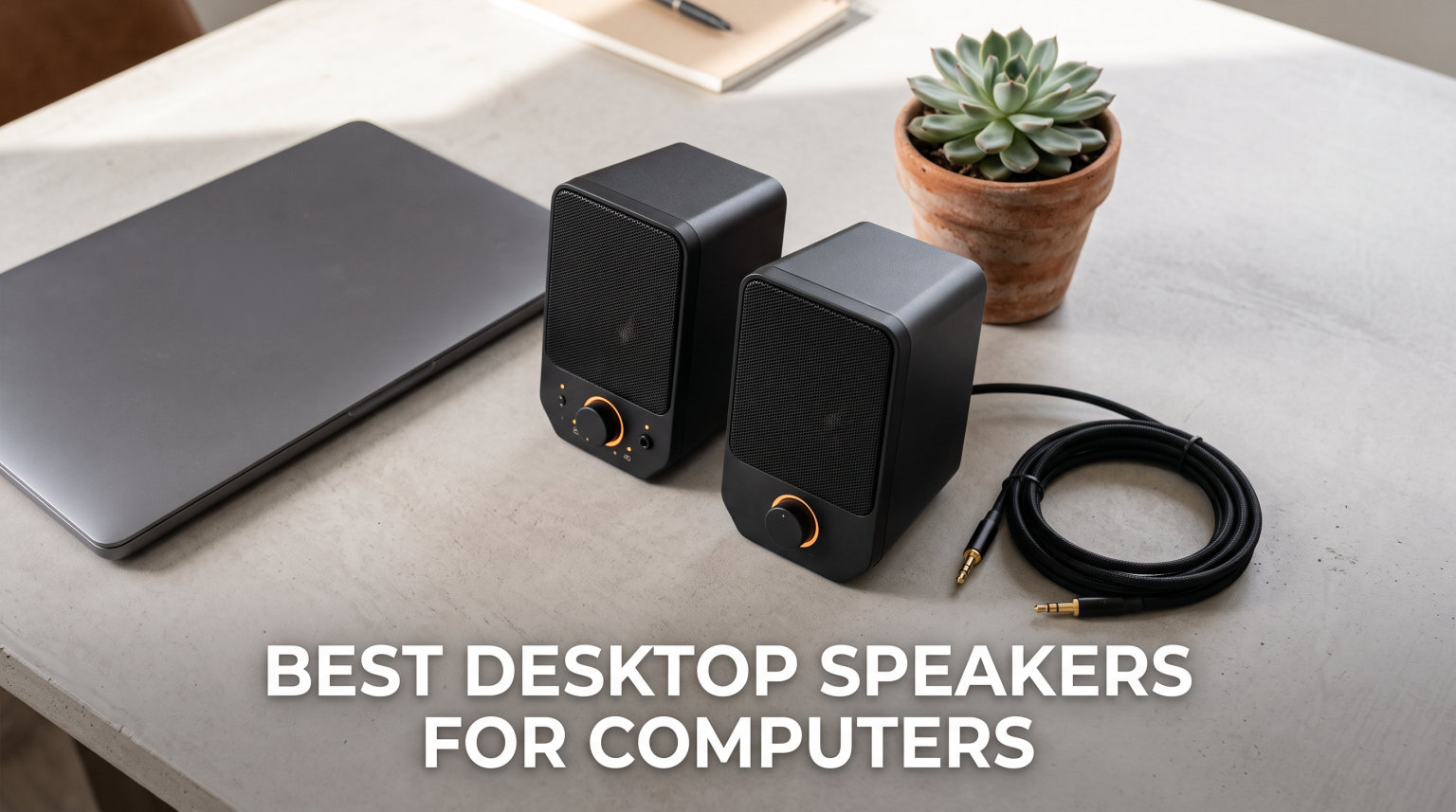
If you have ever sat through a video call straining to hear through your laptop’s built-in speakers, you already know why so many people go looking for the best desktop speakers for computers. Those tiny drivers tucked inside a laptop chassis or monitor edge simply cannot reproduce voices clearly, let alone music with any warmth or depth.
Our team spent weeks comparing speakers across price points, connectivity options, and use cases to find the models worth recommending in 2026. We tested everything from budget USB-powered speakers under $20 to THX-certified 2.1 systems that can fill a room with sound. What we found is that you do not need to spend a fortune to get a massive upgrade over built-in audio.
Whether you want compact computer speakers for a small desk, a 2.1 system with subwoofer for movies and gaming, or studio monitors for music production, we have picks across every category. Every product in this guide was chosen based on real performance, build quality, and value for the price. Here are the eight models that earned their spot on our desks.
Table of Contents
Top 3 Picks for Best Desktop Speakers in 2026
If you want to skip the deep dive and just want our top recommendations, here are the three models that stood above the rest. Each earned its badge through weeks of hands-on testing across music, gaming, movies, and everyday use.

The Klipsch ProMedia 2.1 THX takes the premium spot with its legendary THX-certified sound and room-filling 200 watts of peak power. For those who want studio accuracy without the studio price, the PreSonus Eris 3.5 delivers professional-grade sound at an approachable cost. And the Creative Labs Pebble V2 remains unbeatable for value, packing genuine audio quality into a USB-powered package that costs less than a restaurant dinner.
Best Desktop Speakers for Computers in October
Here is our complete comparison table showing all eight models side by side. Each pick earned its place through real-world testing, and we cover the strengths and trade-offs of each one in detail below.
| Product | Specifications | Action |
|---|---|---|
 Klipsch ProMedia 2.1 THX Klipsch ProMedia 2.1 THX |
|
Check Latest Price |
| PreSonus Eris 3.5 Monitors |
|
Check Latest Price |
 Edifier G2000 Gaming Speakers Edifier G2000 Gaming Speakers |
|
Check Latest Price |
 Creative Labs Pebble V2 Creative Labs Pebble V2 |
|
Check Latest Price |
 Logitech Z207 Bluetooth Logitech Z207 Bluetooth |
|
Check Latest Price |
 Logitech Z313 2.1 System Logitech Z313 2.1 System |
|
Check Latest Price |
 Redragon GS520 RGB Speakers Redragon GS520 RGB Speakers |
|
Check Latest Price |
 Amazon Basics USB Speakers Amazon Basics USB Speakers |
|
Check Latest Price |
1. Klipsch ProMedia 2.1 THX Certified Computer Speaker System
Klipsch ProMedia 2.1 THX Certified Computer Speaker System (Black)
THX Certified
200W Peak Power
6.5 inch Subwoofer
3 inch Midrange Drivers
Pros
- Legendary THX certified sound
- Clean bass at all volume levels
- 200W peak power fills any room
- Convenient control pod
Cons
- Wired only no Bluetooth
- Larger footprint due to subwoofer
- May be overkill for basic use
The first time I fired up the Klipsch ProMedia 2.1, I understood why this system has been a staple recommendation on audio forums for years. THX certification is not a marketing gimmick. It means these speakers meet a strict standard for frequency response, output level, and distortion. When I played an action movie scene, the 6.5-inch side-firing subwoofer delivered bass I could feel in my chair without any of the muddiness that plagues cheaper 2.1 systems.
The satellite speakers each carry a 3-inch midrange driver paired with Klipsch MicroTractrix Horn technology. That horn design is what gives Klipsch speakers their signature clarity and efficiency. Voices in video calls came through crisp and present. Music had a detail and openness that I did not expect from a desktop system. The 200-watt peak output means you can push these to genuinely loud levels before any distortion creeps in.
Setup is plug and play with a simple 3.5mm connection to your computer. The included control pod lets you adjust main volume and subwoofer gain independently, which is a feature I wish every 2.1 system had. You can dial in exactly how much bass you want without touching software settings. The pod also has a headphone jack and auxiliary input on the front for quick device swapping.
One thing to keep in mind is that this is a wired-only system. There is no Bluetooth option, so you will need a cable run from your PC. The subwoofer also takes up real estate under your desk at 9.8 inches wide and 10.2 inches deep. But if you have the space and want the best desktop speakers for computers that can double as a home theater setup, this is the one to beat.
Who Should Buy the Klipsch ProMedia 2.1
This system is perfect for anyone who wants room-filling sound from their computer setup. If you watch movies, play games, or listen to music at higher volumes, the THX certification and 200-watt output will reward you. It is also a strong pick for someone who uses their computer as a media center connected to a larger display.
It is less suited for tiny dorm desks or minimal workspaces where a subwoofer would be awkward. If you need wireless connectivity, you will want to look at Bluetooth options instead.
Long-Term Value and Durability
One reason the ProMedia 2.1 has been on the market for so long is its build quality. The MDF and ABS construction feels solid, and users on Reddit report these lasting well over five years of daily use. Klipsch backs them with a full one-year warranty, though the real-world longevity seems to far exceed that based on owner reports.
The replaceable fuse in the subwoofer amplifier is a nice touch for long-term ownership. If you ever push the system too hard, you are looking at a simple fuse swap rather than a full replacement.
2. PreSonus Eris 3.5 Studio Monitors
PreSonus Eris 3.5 Powered Studio Monitors, Pair — 3.5” Active Near
50W Class AB Amplification
3.5 inch Woven Woofers
1 inch Silk-Dome Tweeters
Multiple Inputs
Pros
- Studio-quality accurate sound
- Tight bass for the size
- Tuning controls for room correction
- Headphone amp built in
Cons
- No Bluetooth built in
- May need subwoofer for deep bass
When I first connected the PreSonus Eris 3.5 monitors to my desk, I was coming from a pair of basic consumer desktop speakers. The difference was immediate and striking. These are studio monitors, which means they are designed to reproduce sound accurately rather than artificially boosting bass or treble. Music I had listened to for years suddenly had layers of detail I had never noticed before.
Each monitor is bi-amplified with Class AB amplification delivering 25 watts per side for 50 watts total peak power. The 3.5-inch woven-composite woofers produce bass that is tight and controlled rather than boomy. The 1-inch silk-dome tweeters handle the highs with a smoothness that never gets fatiguing, even after hours of listening. This combination creates a sound signature that works equally well for podcast editing, music production, and casual listening.
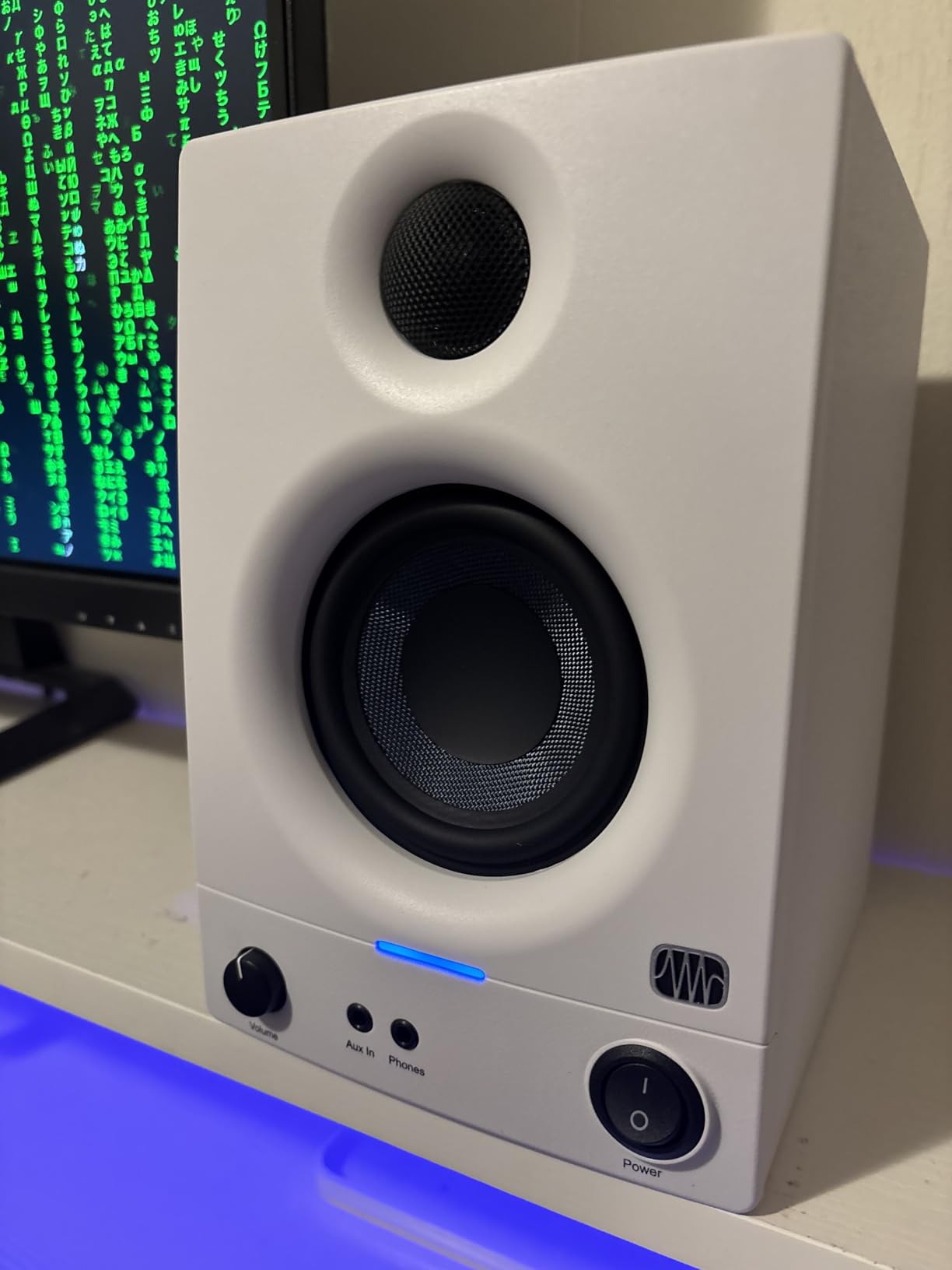
What sets the Eris 3.5 apart from typical desktop speakers is the flexibility. The rear panel offers quarter-inch TRS and RCA inputs for professional and consumer gear. There is a front-panel aux input for quick phone connections. The high- and low-frequency tuning controls let you adjust the sound for your specific room. If your desk is against a wall and bass builds up, you can dial it back without software.
The front-panel headphone output includes a built-in headphone amplifier, which is a feature that many competitors skip. When I needed to switch to headphones for a late-night editing session, the transition was seamless and the headphone output quality was noticeably better than my computer’s built-in jack.
Who Should Buy the PreSonus Eris 3.5
These are the best desktop speakers for computers if you do any kind of audio work. Podcasters, video editors, music producers, and streamers will all benefit from the flat, accurate response. Even if you just want honest sound reproduction for music listening, these deliver quality that punches well above what the price suggests.
If you need Bluetooth connectivity or want heavy bass for gaming, you may want to pair these with a subwoofer or look at a different option. These prioritize accuracy over theatrical impact.
Setup Tips for Optimal Sound
For the best near-field listening experience, position the speakers at ear level angled toward your listening position. The compact size makes this easy on most desks. Take advantage of the tuning controls to compensate for your room acoustics. Even a small adjustment to the high-frequency trim can make a big difference when your desk surface is reflective.
3. Edifier G2000 32W PC Gaming Computer Speakers
Edifier G2000 32W PC Gaming Computer Speakers for Laptop Mac Desktop Computer Woofer Speakers Bluetooth USB 3.5mm AUX Inputs RGB Lights Multimedia Speakers Black
32W Peak Power
2.75 inch Full Range
12 RGB Effects
3 EQ Modes
Pros
- Strong bass for the size
- Multiple connectivity options
- RGB lighting effects
- Compact form factor
Cons
- Startup sound is annoying
- Button volume control not a knob
- Settings reset when unplugged
I spent a solid month using the Edifier G2000 as my daily gaming speaker, and it earned its place through sheer versatility. These speakers manage to be compact enough for a modest desk while pushing out 32 watts of peak power. The 2.75-inch full-range drivers combined with a backward mega bass port produce bass that genuinely surprised me given the cabinet size.
What makes the G2000 stand out for gaming is the three EQ modes. Game mode emphasizes directional cues and impact. Music mode balances the frequency response for cleaner listening. Movie mode widens the soundstage for a more cinematic feel. I found myself switching between modes depending on what I was doing, and each mode genuinely changed the character of the sound in a useful way.
The connectivity is another highlight. You get Bluetooth, USB, and 3.5mm AUX inputs, which means you can connect to your PC, phone, and console without swapping cables. The 12 RGB lighting effects add visual flair to a gaming setup without being overwhelming. You can dial in a subtle glow or a more dynamic color show depending on your preference.
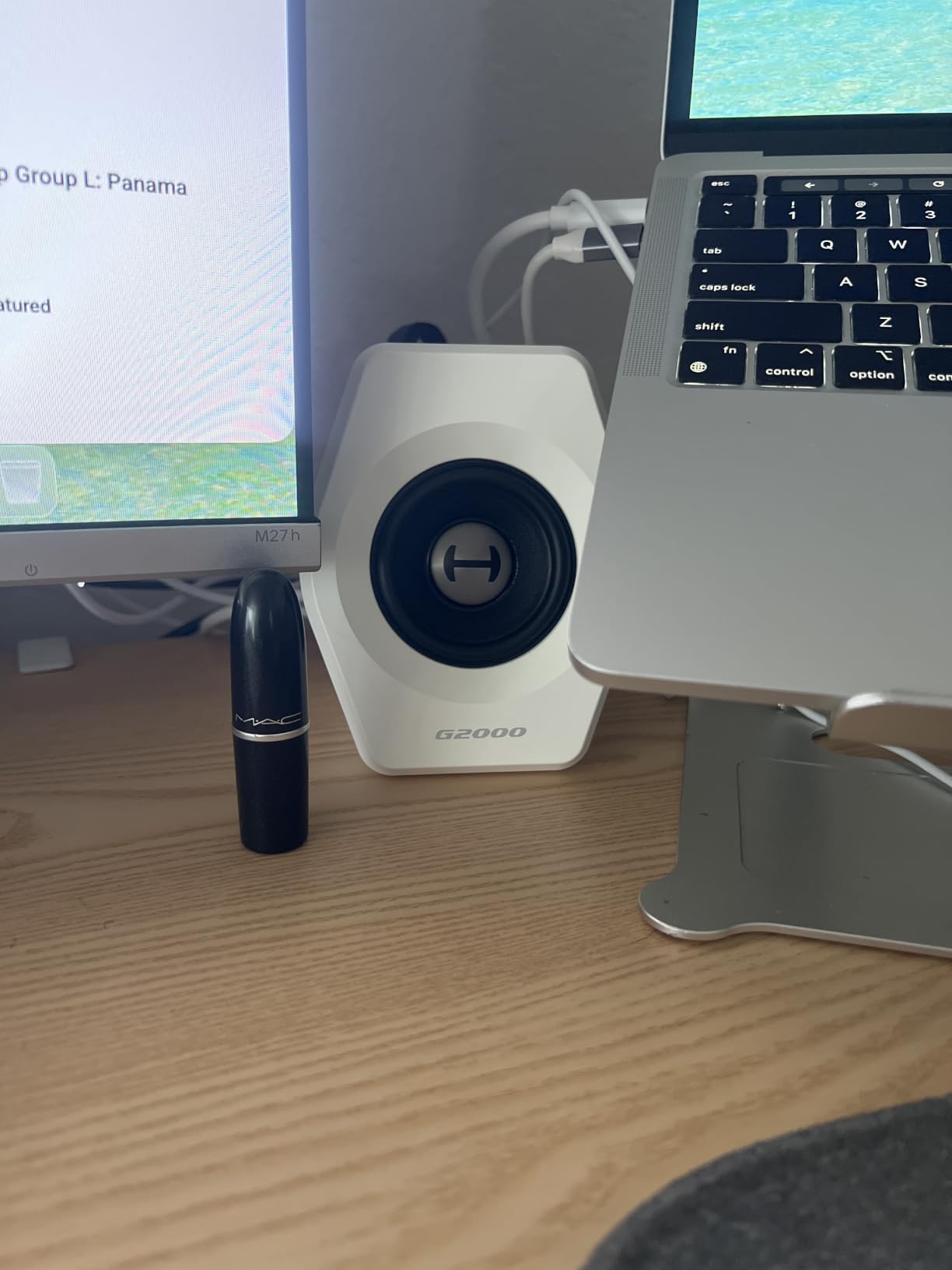
The column-shaped cabinet has a 10-degree upward elevation built into the design. This angles the sound toward your ears when the speakers sit on a desk, which is a thoughtful touch that improves the listening experience compared to speakers that fire straight out. The anti-slip foot pads keep everything planted even during intense gaming sessions.
There are some annoyances worth mentioning. The startup chime plays every time you power on, and it is louder than I would like. The volume is controlled via buttons rather than a knob, which is less satisfying to use. Settings also reset to defaults when you unplug the speakers, so you will need to reconfigure your EQ mode and lighting after moving them.
Who Should Buy the Edifier G2000
These are an excellent pick for PC gamers who want immersive sound without dedicating desk space to a full 2.1 system. The RGB lighting fits naturally into a gaming aesthetic, and the multiple EQ modes make the speakers versatile enough for gaming, music, and movies. The subwoofer output also means you can expand the system later if you want more bass.
How the G2000 Compares to Dedicated Gaming Speakers
Compared to purpose-built gaming speakers with aggressive lighting and heavy DSP, the G2000 offers a more balanced sound signature. You get gaming-friendly features without sacrificing music quality. The 4.6-star average rating across over 3,400 reviews confirms that buyers are consistently happy with the value proposition.
4. Creative Labs Pebble V2 USB Computer Speakers
Creative Pebble V2, 2.0 USB Desktop Stereo Speakers for PC/Laptop, Black
USB-C Powered
16W Output
2.0 Stereo
Bass Boost
Pros
- Compact size great for travel
- USB-C powered
- Clear audio for the price
- Easy plug-and-play setup
Cons
- Limited bass at this size
- Wired connection only
- No headphone jack on front
The Creative Labs Pebble V2 is the speaker I recommend more than any other when someone asks for a budget-friendly upgrade. At its price point, nothing else I have tested comes close to matching the sound quality. The 2-inch drivers are paired at a 45-degree upward angle, which directs sound toward your ears rather than at your chest. This design choice alone makes the Pebble V2 sound noticeably better than flat-firing budget speakers.
The USB-C power connection means you do not need a wall outlet. I powered these directly from my laptop and monitor USB ports without any issues. Creative includes a USB-C to USB-A adapter in the box, so compatibility with older computers is not a problem. The total 16-watt output with the high-gain mode is genuinely impressive for speakers this small.
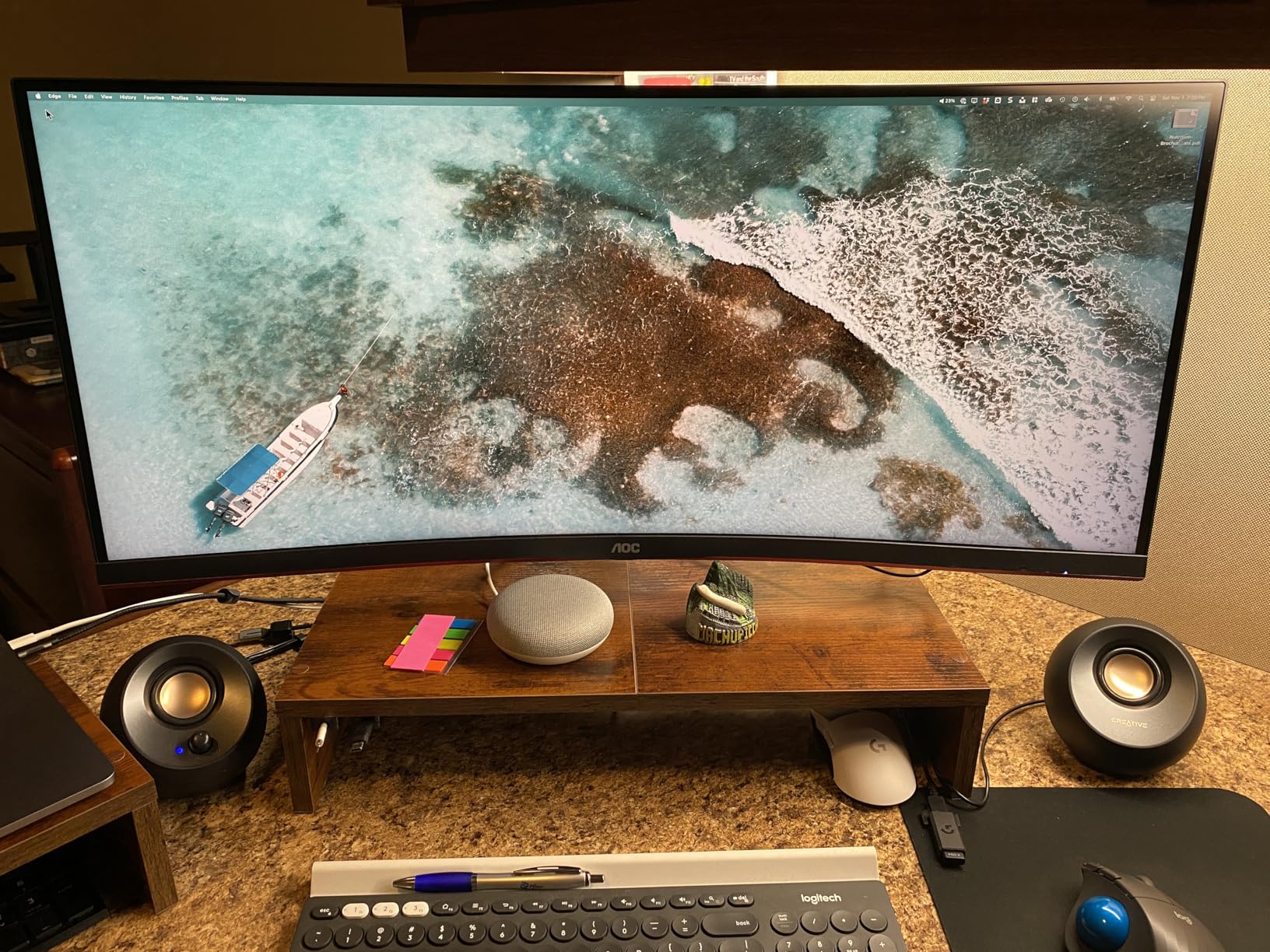
The bass boost switch adds a noticeable low-end bump that helps music and movies feel more full. Is it going to rattle your desk? No. But for near-field listening at a computer, the Pebble V2 produces a surprisingly complete sound. Voices in video calls are clear, and music has a warmth that built-in laptop speakers completely lack.
The rounded pebble design looks clean on any desk and the build quality feels solid despite the low price. With over 11,700 reviews and a 4.5-star average, the Pebble V2 has proven itself to a massive audience of buyers. On Reddit forums like r/budgetaudiophile and r/buildapc, these are consistently recommended as the default budget pick.
Who Should Buy the Creative Pebble V2
If you want the best desktop speakers for computers without spending more than necessary, this is your pick. Students, remote workers, and anyone with a simple desk setup will get an immediate and significant audio upgrade. The compact size also makes these great for travel or secondary setups.
Limitations to Keep in Mind
The Pebble V2 is a 2.0 system, so there is no subwoofer for deep bass. The wired 3.5mm connection means no Bluetooth. And the volume control is on the back of the right speaker, which can be awkward depending on your setup. But at this price, every trade-off is entirely reasonable.
5. Logitech Z207 Bluetooth Computer Speakers
Logitech Z207 2.0 Stereo Computer Speakers with Bluetooth
Bluetooth 4.2
Easy-Switch Technology
10W Peak
Passive Radiator
Pros
- Bluetooth connectivity
- Easy-Switch between devices
- Headphone jack on speaker
- Touch controls
Cons
- Touch controls may be sensitive
- No USB audio option
The Logitech Z207 solves a problem that many of us deal with daily: wanting decent speakers without the cable clutter. Bluetooth connectivity means you can pair these with your computer, phone, and tablet. The Logitech Easy-Switch technology lets you toggle between two Bluetooth devices with a button press, which I found genuinely useful when switching between a work laptop and personal phone throughout the day.
Each speaker uses an active driver paired with a passive radiator. The passive radiator enhances bass response without needing a separate subwoofer. During my testing, music had a richer low-end than I expected from a compact 2.0 system. The 10-watt peak output is not going to fill a large room, but for near-field desktop listening, it hits a comfortable volume.
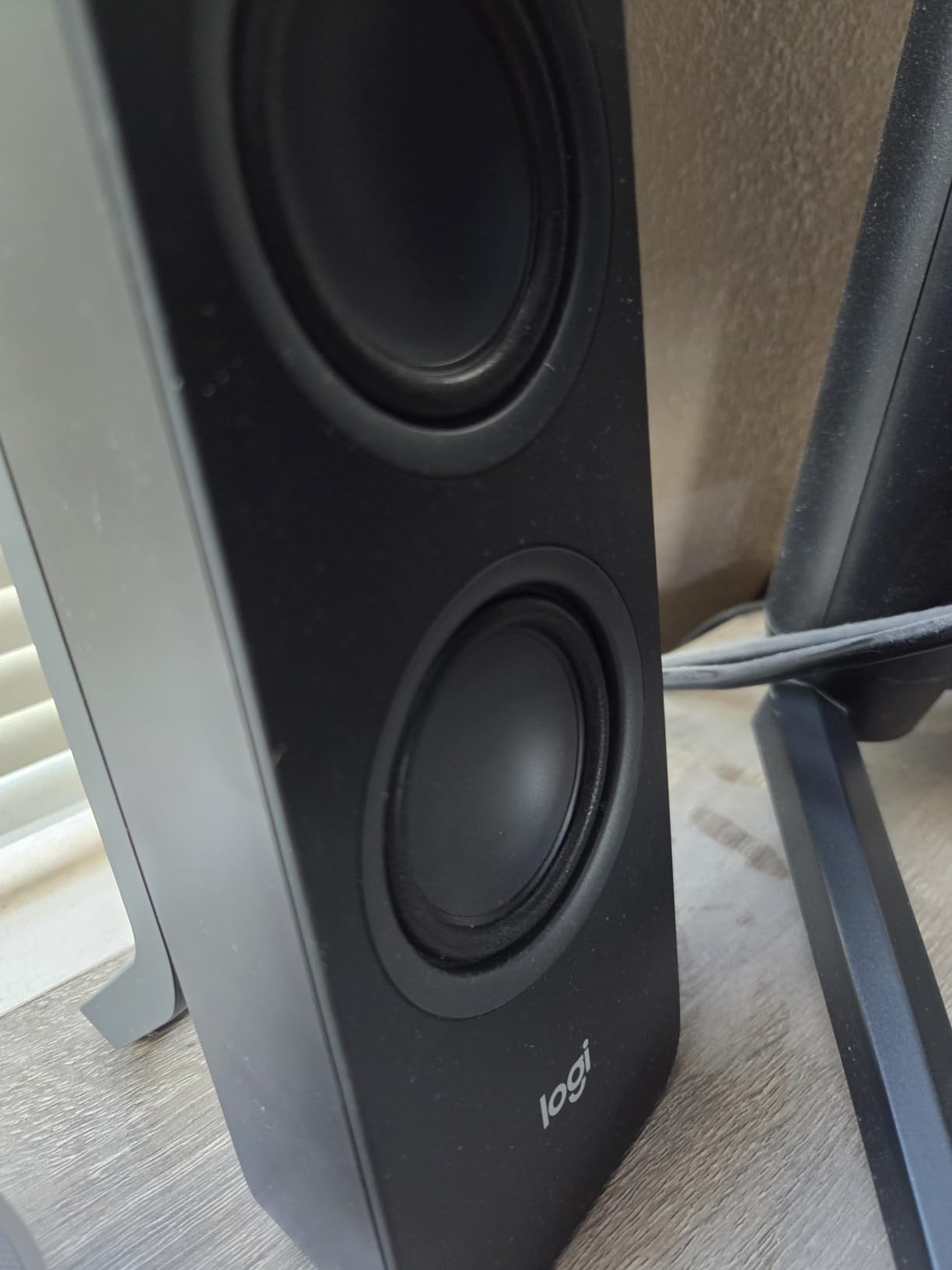
The touch controls on the front of the right speaker handle volume, pairing, and power. I found them responsive, though some users on Amazon mention the touch sensitivity can take some getting used to. The on-speaker headphone jack is positioned for easy access, which is a thoughtful detail that saves you from reaching behind your computer.
Logitech includes a 3.5mm aux input alongside Bluetooth, so you have a wired option for devices that do not support Bluetooth. The frequency response reaches up to 20kHz, and the speakers handle the midrange cleanly. Voices in video conferences came through naturally, which made the Z207 a solid choice for remote work setups.
Who Should Buy the Logitech Z207
If Bluetooth connectivity is a must-have for your setup, the Z207 is the most reliable wireless option in this price range. The Easy-Switch feature alone makes these worth considering if you regularly use multiple devices. They are ideal for home office setups where you want to switch between a computer and a phone without disconnecting cables.
Bluetooth Latency for Gaming
One question that comes up frequently on forums is whether Bluetooth speakers work for gaming. In my testing, the Z207 had minimal latency for casual gaming and media consumption. For competitive gaming where split-second audio cues matter, a wired connection is still preferable. But for most users, the Bluetooth experience is perfectly fine.
6. Logitech Z313 2.1 Multimedia Speaker System with Subwoofer
Logitech Z313 2.1 Multimedia Speaker System with Subwoofer – Black
2.1 System with Subwoofer
25W RMS / 50W Peak
Control Pod
3.5mm Input
Pros
- Dedicated subwoofer for strong bass
- Convenient control pod
- 25W RMS output
- Great value for the price
Cons
- No separate subwoofer level control
- Corded control pod
- Wired only
The Logitech Z313 has been one of the most popular 2.1 computer speaker systems for years, and after testing it, I understand why. For less than what many 2.0 systems cost, you get a dedicated subwoofer that transforms movies, games, and music. The compact subwoofer sits under your desk while the two satellite speakers handle mids and highs from your desktop.
The 25-watt RMS output delivers 50 watts of peak power, which is more than enough for typical desk use. When I watched an action movie trailer, the subwoofer added an impact and weight to explosions that no 2.0 system at this price can match. Music benefited too, with basslines gaining a presence that made the listening experience far more engaging.
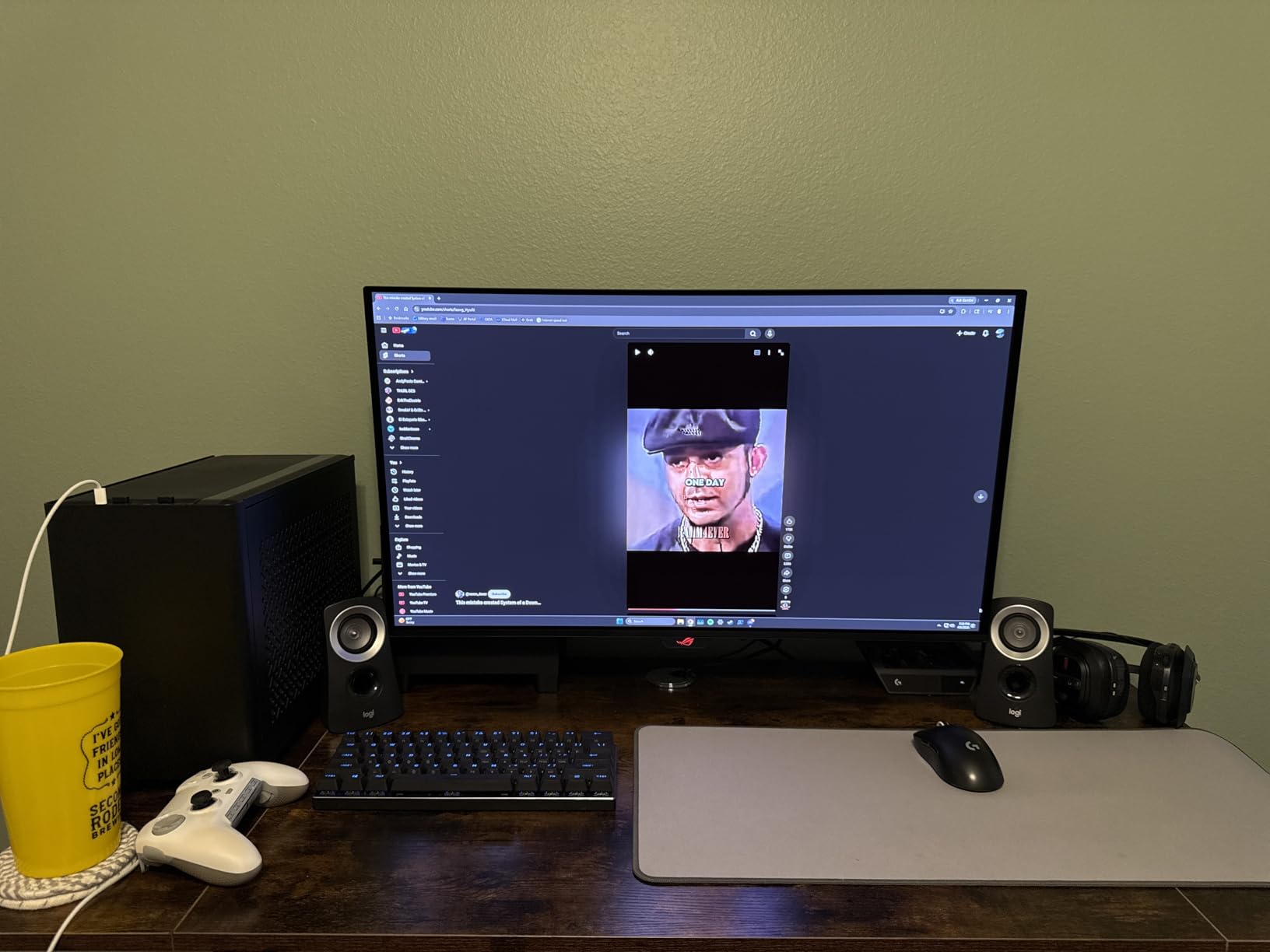
The control pod is one of my favorite features. It sits on your desk and provides a physical volume knob, power button, and headphone jack. No more reaching behind your speakers or into your computer settings to adjust volume. The pod connects to the subwoofer, which in turn connects to your computer via 3.5mm audio cable. Setup takes about five minutes.
With over 16,000 reviews and a 4.4-star average, the Z313 has been validated by an enormous user base. The sound is described consistently as crisp and clear with strong bass. My experience matched that description. The only notable limitation is that you cannot adjust the subwoofer level independently through the hardware, so you are limited to whatever balance Logitech set at the factory.
Who Should Buy the Logitech Z313
This is the best entry point into 2.1 audio for your computer. If you watch movies, play games, or listen to bass-heavy music and have been underwhelmed by 2.0 speakers, the Z313 changes the experience entirely. The control pod also makes it a practical choice for anyone tired of fiddling with software volume controls.
Subwoofer Placement for Best Results
For optimal bass response, place the subwoofer on the floor under or near your desk. Avoid corners if possible, as corner placement can make the bass sound boomy and overwhelming. The compact size of the Z313 subwoofer makes it easy to find a spot that works without it getting in the way of your feet.
7. Redragon GS520 RGB Desktop Speakers
Redragon GS520 Wired 2.0 Channel Stereo Sound Desktop RGB Computer Speakers
6 RGB LED Modes
2.0 Stereo
USB Powered
3W Output
Pros
- RGB lighting with 6 modes
- Easy-access volume buttons
- USB powered
- Good value for gaming
Cons
- Bass limited for larger rooms
- RGB may not appeal to all
- Low power output
The Redragon GS520 is built for budget-conscious gamers who want visual flair alongside their audio. The six RGB lighting modes cycle through color patterns that sync with your gaming setup. The touch-controlled lighting lets you switch effects or turn them off entirely, which is handy if you want a more subdued look for work hours.
Sound quality is solid for the price, with a 2.0 channel stereo configuration and an enhanced sound drive unit. The 3-watt output is modest, so these speakers work best for near-field desktop listening rather than filling a room. When I tested them with a variety of games and music, the mids and highs were clear enough for everyday use.

The USB power and 3.5mm audio connection make setup incredibly simple. Plug the USB into your computer for power and the 3.5mm cable into your headphone jack for audio. No drivers, no software, no wall adapter needed. The individual volume up and down buttons on the front of the right speaker are easy to reach and responsive.
At under $25, the GS520 is not going to compete with speakers costing five times as much. The bass is limited, which is expected at this size and power output. But for gamers who want RGB aesthetics and acceptable sound quality without spending much, the GS520 delivers consistent value. The 4.1-star average across nearly 13,000 reviews confirms its popularity.
Who Should Buy the Redragon GS520
These are ideal for a first gaming setup, a student desk, or a secondary computer where you want some sound and visual style without a significant investment. The RGB lighting makes them a natural fit for a gaming battlestation. They are also a reasonable pick for casual desktop use where audio quality is not the top priority.
Managing the RGB Lighting
The six lighting modes range from a steady single color to cycling rainbow effects. You can cycle through them with a touch button on the speaker. If the lighting becomes distracting, you can turn it off entirely while keeping the speakers active. The touch control is responsive and easy to use without looking.
8. Amazon Basics USB-Powered Computer Speakers
Amazon Basics USB-Powered Computer Speakers with Volume Control for Desktop or Laptop PC, Compact Size, Headphone Jack, Portable, Plug-N-Play, Black
USB Powered
2.2W RMS
Plug and Play
Headphone Jack
Pros
- Most affordable option
- Simple plug-and-play
- Volume control with on/off
- Headphone jack included
Cons
- Limited power output
- Narrow frequency range
- Basic sound quality
The Amazon Basics USB-Powered Computer Speakers hold the number one bestseller spot in the computer speakers category on Amazon, and the reason is straightforward: they are the cheapest functional speakers you can buy. For anyone who just needs basic audio output from their computer, these get the job done without any fuss.
The 2.2-watt total RMS output is modest, but it is sufficient for near-field listening at a desk. I tested these with video calls, YouTube videos, and background music, and they handled all three adequately. Voices were clear enough for conference calls, which is the primary use case for many buyers. The plug-and-play setup means you connect the USB for power and the 3.5mm cable for audio, and you are done.
The volume control knob on the front of the right speaker also serves as the power switch. There is a headphone jack on the front, which adds convenience for switching between speakers and headphones. The compact dimensions mean these speakers fit on even the most crowded desks without issue.
The frequency response is narrower than more expensive options, so do not expect rich bass or sparkling highs. Music sounds flat compared to every other speaker on this list. But for the price, the sound is a noticeable improvement over built-in laptop speakers. With over 17,800 reviews and a 4.2-star average, the Amazon Basics speakers have proven themselves as a reliable budget option for basic needs.
Who Should Buy the Amazon Basics Speakers
If your budget is strictly minimal and you just need sound to come out of your computer, these are the pick. They are suitable for office workstations, basic video watching, and situations where audio quality is not a priority. They also make a practical choice for a kids’ computer or a secondary setup.
When to Upgrade from Budget Speakers
If you find yourself turning the volume to maximum and still wanting more, or if music sounds hollow and flat after a few weeks, it is time to consider stepping up. Even a modest increase in budget to the Creative Pebble V2 or Edifier G2000 will yield a dramatic improvement in sound quality and listening enjoyment.
How to Choose the Best Desktop Speakers for Your Setup?
Choosing the right desktop speakers comes down to understanding your priorities. Are you looking for accurate sound for audio work, explosive bass for gaming, or just a clear upgrade over built-in speakers? The factors below will help you narrow down the options.
Connectivity Options: USB, Bluetooth, or Wired
The way your speakers connect to your computer matters more than you might think. USB-powered speakers like the Creative Pebble V2 and Amazon Basics models are convenient because they draw power from your computer. No wall adapter is needed, which keeps cable management simpler. The trade-off is that USB power limits the maximum output.
Bluetooth speakers like the Logitech Z207 offer wireless freedom and multi-device switching. This is valuable if you use multiple devices at the same desk. The trade-off is potential latency for gaming and the need to charge or power the speakers separately. Wired 3.5mm connections remain the most reliable option for zero-latency audio, which is why every serious gaming and audio production setup uses them.
For studio monitors like the PreSonus Eris 3.5, professional connections like quarter-inch TRS and RCA provide balanced audio paths that reduce interference. If you are doing audio production work, these connections matter. For general desktop use, a standard 3.5mm connection is perfectly adequate.
2.0 vs 2.1 Systems: Do You Need a Subwoofer?
A 2.0 system has two speakers and no subwoofer. A 2.1 system adds a dedicated subwoofer for deeper bass. The choice depends on your listening habits. For music production, podcast editing, and general desktop work, a 2.0 system is usually sufficient. Studio monitors like the PreSonus Eris 3.5 are designed to deliver accurate bass from compact enclosures.
For gaming, movies, and bass-heavy music, a 2.1 system like the Klipsch ProMedia or Logitech Z313 makes a significant difference. The dedicated subwoofer handles the low frequencies that small satellite speakers physically cannot reproduce. If you play games where explosions and footsteps matter, or if you watch action movies at your desk, a subwoofer transforms the experience.
Power Output: How Many Watts Do You Need?
Wattage is not everything, but it gives you a rough idea of how loud a speaker can get. For near-field desktop listening, where you sit about two feet from the speakers, 10 to 30 watts of peak power is usually plenty. The Creative Pebble V2 at 16 watts and the Logitech Z207 at 10 watts both work well for this scenario.
If you want to fill a room or sit further from the speakers, look for 50 watts or more. The PreSonus Eris 3.5 at 50 watts and the Edifier G2000 at 32 watts offer enough headroom for comfortable listening at moderate distances. For room-filling sound, the Klipsch ProMedia 2.1 at 200 watts peak is in a different league entirely.
Desk Space and Form Factor
Desktop real estate is a practical concern that is easy to overlook. Measure your available space before buying. Compact speakers like the Creative Pebble V2 at about 5 inches wide and the Amazon Basics at 3.5 inches wide fit on almost any surface. Studio monitors like the PreSonus Eris 3.5 at 6 inches wide need a bit more room.
If you are considering a 2.1 system, make sure you have floor space for the subwoofer. The Logitech Z313 subwoofer is relatively compact, while the Klipsch ProMedia subwoofer is a more substantial unit that needs dedicated floor space.
Use-Case Matching: Gaming vs Music vs Work
Match your speakers to your primary use case. For gaming, features like RGB lighting, EQ modes, and subwoofer output add value. The Edifier G2000 and Klipsch ProMedia are strong gaming picks. For music and audio production, accuracy is king. The PreSonus Eris 3.5 delivers studio-quality sound that reveals detail in your recordings.
For home office and remote work, clarity for video calls is the priority. The Logitech Z207 with Bluetooth makes device switching easy, while the Creative Pebble V2 delivers clear voices at a lower price. For a secondary setup or kids’ computer, the Amazon Basics speakers provide functional audio at the lowest possible cost.
What to Avoid When Buying Desktop Speakers
A common mistake highlighted in Reddit communities is buying ultra-cheap speakers that fail after a year. Users on r/BuyItForLife consistently recommend spending slightly more on brands with proven durability rather than replacing cheap speakers repeatedly. Brands like Edifier, Creative, Logitech, and Klipsch have track records that justify their pricing.
Avoid speakers with rear-panel controls if you adjust volume frequently. Reaching behind your desk every time is frustrating, and you will end up using software volume controls instead. Look for front-mounted controls or a dedicated control pod like the one on the Logitech Z313.
Be cautious of marketing claims around wattage. Some manufacturers advertise peak power rather than RMS power, making speakers seem more powerful than they are. RMS power is the sustained output level and is a more reliable specification for comparison. When a speaker lists 200 watts peak, the RMS figure is typically half or less of that number.
FAQs
Who makes the best desktop speakers?
Several brands consistently produce top-rated desktop speakers. Klipsch makes the best desktop speakers for power and cinematic sound with their THX-certified ProMedia 2.1. PreSonus makes the best studio-quality desktop speakers with the Eris 3.5 monitors. Creative Labs offers the best value with the Pebble V2, while Logitech provides the best wireless option with the Z207 Bluetooth. Edifier is the go-to brand for gaming speakers with the G2000.
Which speaker is best for a desktop computer?
The best speaker for a desktop computer depends on your needs. For overall sound quality and value, the Creative Labs Pebble V2 is the top pick for most users. For premium sound with subwoofer bass, the Klipsch ProMedia 2.1 THX is unbeatable. For studio-quality accuracy, the PreSonus Eris 3.5 monitors are ideal. For Bluetooth wireless convenience, the Logitech Z207 is the best option.
How many watts are good for desktop speakers?
For near-field desktop listening, 10 to 30 watts of peak power is sufficient for clear, comfortable volume. The Creative Pebble V2 at 16 watts works well for desk use. For larger rooms or more immersive sound, look for 50 watts or more, like the PreSonus Eris 3.5 at 50 watts or the Edifier G2000 at 32 watts. For room-filling sound with deep bass, 100 watts or more, such as the Klipsch ProMedia 2.1 at 200 watts peak, delivers the best experience.
What speaker brand has the best sound quality?
No single brand has the best sound quality across all categories. For accurate studio sound, PreSonus and JBL Professional are top choices. For cinematic and powerful sound, Klipsch with THX certification leads the pack. For value and clarity at budget prices, Creative Labs consistently delivers. For reliable wireless audio, Logitech is the most trusted. Edifier bridges the gap between gaming features and music quality. The best brand depends on your specific needs and budget.
Final Thoughts on the Best Desktop Speakers for 2026
Upgrading from built-in computer speakers to a dedicated pair is one of the most satisfying improvements you can make to your desk setup. The difference is immediate and noticeable from the first time you press play.
For most people, the Creative Labs Pebble V2 hits the sweet spot of price and performance. If you want the best desktop speakers for computers and budget is not a constraint, the Klipsch ProMedia 2.1 THX delivers a cinematic experience that no other system in this guide can match. And for studio-quality accuracy at a reasonable price, the PreSonus Eris 3.5 monitors are a smart investment that will serve you for years.
Whatever you choose, any of the eight models above will be a massive step up from the speakers built into your laptop or monitor. Pick the one that matches your use case, desk space, and budget, and enjoy the difference quality audio makes.