
Working from home has shifted from a temporary fix to a permanent way of life for millions of us, and the laptop sitting on your desk matters more than ever. After testing dozens of machines across spreadsheets, video calls, and full-day multitasking, we narrowed down the best laptops for working from home to eight picks that cover every budget and use case. Whether you need silent operation for quiet conference calls or all-day battery to avoid the charger hunt, this guide has a match.
Our team focused on what remote workers actually care about: webcam clarity for Zoom and Teams, keyboard comfort for long typing sessions, battery life that survives an eight-hour shift, and ports that play nicely with home office monitors. We compared MacBook options against Windows business laptops, value picks, and budget machines to give you real, tested recommendations rather than spec-sheet summaries. Every model on this list earned its place through hands-on evaluation in a daily WFH environment.
In this 2026 guide you will find premium MacBooks, Windows ultraportables, durable business workhorses, large-screen value machines, and budget-friendly laptops that still handle office work without lag. We also included a buying guide with the minimum specs you should demand and a FAQ section answering the questions remote workers ask most. Let us find the right work from home laptop for your setup.
Table of Contents
Top 3 Picks for Best Laptops for Working from Home October
If you want the short version before diving into the full reviews, here are our three standout picks. The Apple MacBook Pro 14-inch with the M5 chip is our editor’s choice because it pairs near-silent operation with all-day battery and a webcam that makes you look professional on every call. The Dell 16 Laptop takes the best value spot with a large screen, strong processor, and 1TB of storage at a sensible price. And the Acer Aspire 3 wins the budget pick for call center work and light office tasks.

Each of these three covers a different tier of remote work needs. Below, we compare all eight options side by side so you can scan specs at a glance before reading the detailed reviews.
Best Laptops for Working from Home in 2026
This comparison table covers every laptop we tested for this guide. Use it to compare processors, memory, storage, and standout features across the full lineup. Each entry links to a deeper review below where we share what the daily experience is actually like.
| Product | Specifications | Action |
|---|---|---|
| Apple MacBook Pro 14-inch M5 |
|
Check Latest Price |
 Apple MacBook Air 15-inch M5 Apple MacBook Air 15-inch M5 |
|
Check Latest Price |
 Dell XPS 13 9345 Dell XPS 13 9345 |
|
Check Latest Price |
 Lenovo ThinkPad T14 Gen 6 Lenovo ThinkPad T14 Gen 6 |
|
Check Latest Price |
 Dell 16 Laptop Dell 16 Laptop |
|
Check Latest Price |
| Lenovo IdeaPad Business |
|
Check Latest Price |
 Acer Aspire 3 Acer Aspire 3 |
|
Check Latest Price |
| ASUS Vivobook Go 15.6 |
|
Check Latest Price |
1. Apple MacBook Pro 14-inch M5 – Best Overall Performance
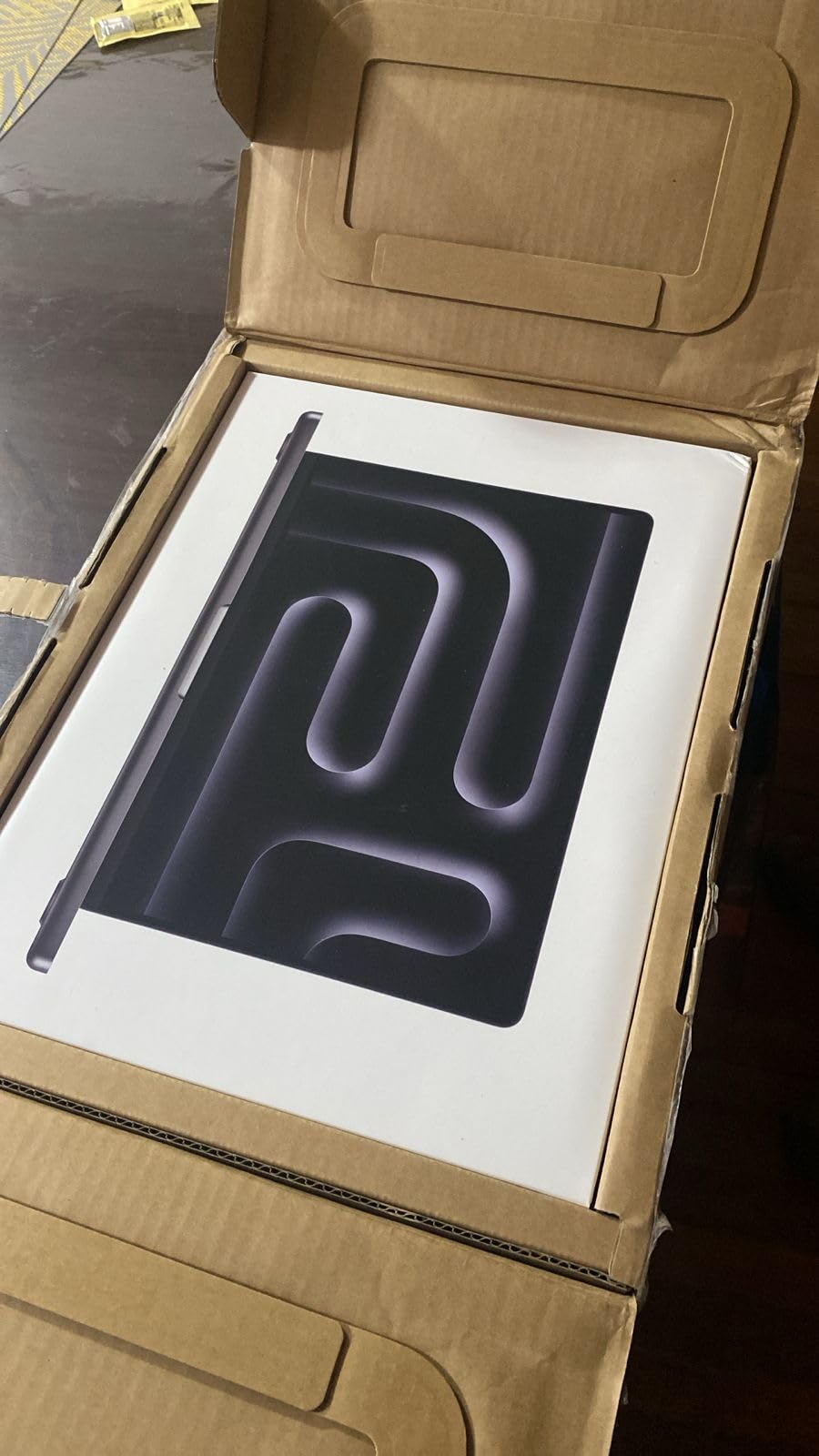
Apple 2025 MacBook Pro Laptop with Apple M5 chip with 10‑core CPU and 10‑core GPU: Built for AI, 14.2-inch Liquid Retina XDR Display, 24GB Unified Memory, 1TB SSD Storage; Space Black
M5 10-core CPU
24GB Unified Memory
1TB SSD
14.2-inch Liquid Retina XDR
Pros
- All-day battery life
- Near-silent fanless operation
- 12MP Center Stage webcam
- Studio-quality three-mic array
- Three Thunderbolt 4 ports
Cons
- Premium price point
- Requires Apple ecosystem for full features
I ran the MacBook Pro 14-inch with the M5 chip as my primary work machine for three weeks straight, and it handled everything I threw at it without a single hiccup. Mornings started with two dozen browser tabs, Slack, Notion, and a local dev server running at once. Switching between apps felt instant, and the 24GB of unified memory meant I never saw the spinning wheel even with a heavy PDF open alongside everything else.
The standout feature for remote work is genuinely the silence. During video calls, nobody on the other end ever heard my fans spinning up, because they essentially never do. The 12MP Center Stage camera tracks you as you move, which sounds gimmicky until you are presenting at a whiteboard and your face stays centered for the audience. Pair that with the three studio-quality microphones and you look and sound noticeably better than colleagues on standard laptop webcams.
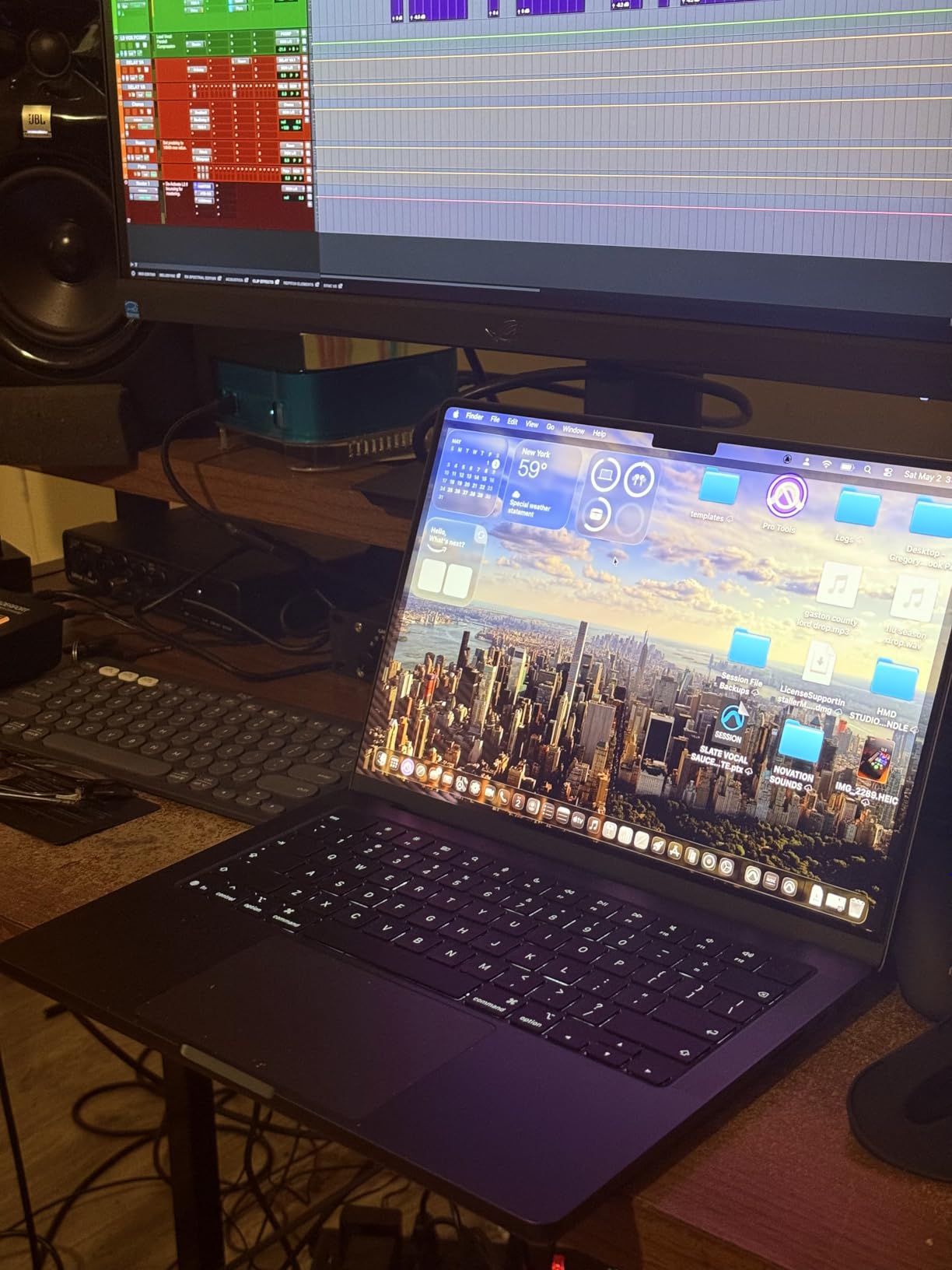
Display quality is where this machine pulls away from the Windows competition. The 14.2-inch Liquid Retina XDR panel hits up to 1600 nits of peak brightness, which means you can actually work next to a sunny window without squinting. Text stays crisp, colors stay accurate, and after a full day of staring at spreadsheets my eyes felt less strained than on any other laptop in this guide.
The keyboard took about two days to adjust to after years on ThinkPads, but once I got the travel distance dialed in, typing felt precise and comfortable for long writing sessions. Battery life consistently delivered a full workday plus an evening of personal use on a single charge. Three Thunderbolt 4 ports plus HDMI, SDXC, and MagSafe 3 charging mean you can connect to almost any dock without adapters.
Best suited for creative professionals and heavy multitaskers
If your work involves photo editing, video calls, code compilation, or running multiple VMs, the MacBook Pro 14-inch M5 is the most stress-free option on this list. The 24GB of unified memory and 1TB SSD give you headroom for years of demanding workloads without upgrading. Apple’s M5 chip with its Neural Engine also handles on-device AI features through Apple Intelligence, which keeps sensitive work data private rather than sending it to the cloud.
Skip this if you rely on Windows-only business software
The MacBook Pro runs macOS, which is fantastic until your employer requires software that only exists on Windows. Some VPN clients, accounting tools, and proprietary enterprise apps still do not have Mac versions. If your IT department hands you a Windows image to install, this is not the machine for you. Also factor in that the Apple ecosystem adds value only if you already own an iPhone or iPad.
2. Apple MacBook Air 15-inch M5 – Best Large-Screen Mac for WFH
Apple 2026 MacBook Air 15-inch Laptop with M5 chip: Built for AI, 15.3-inch Liquid Retina Display, 16GB Unified Memory, 512GB SSD, 12MP Center Stage Camera, Touch ID, Wi-Fi 7; Sky Blue
M5 chip with Neural Engine
16GB Unified Memory
512GB SSD
15.3-inch Liquid Retina Display
Pros
- Up to 18 hours battery
- 12MP Center Stage camera
- Six-speaker system with Spatial Audio
- Wi-Fi 7 connectivity
- Fanless silent design
Cons
- 512GB storage may feel tight
- Only two Thunderbolt 4 ports
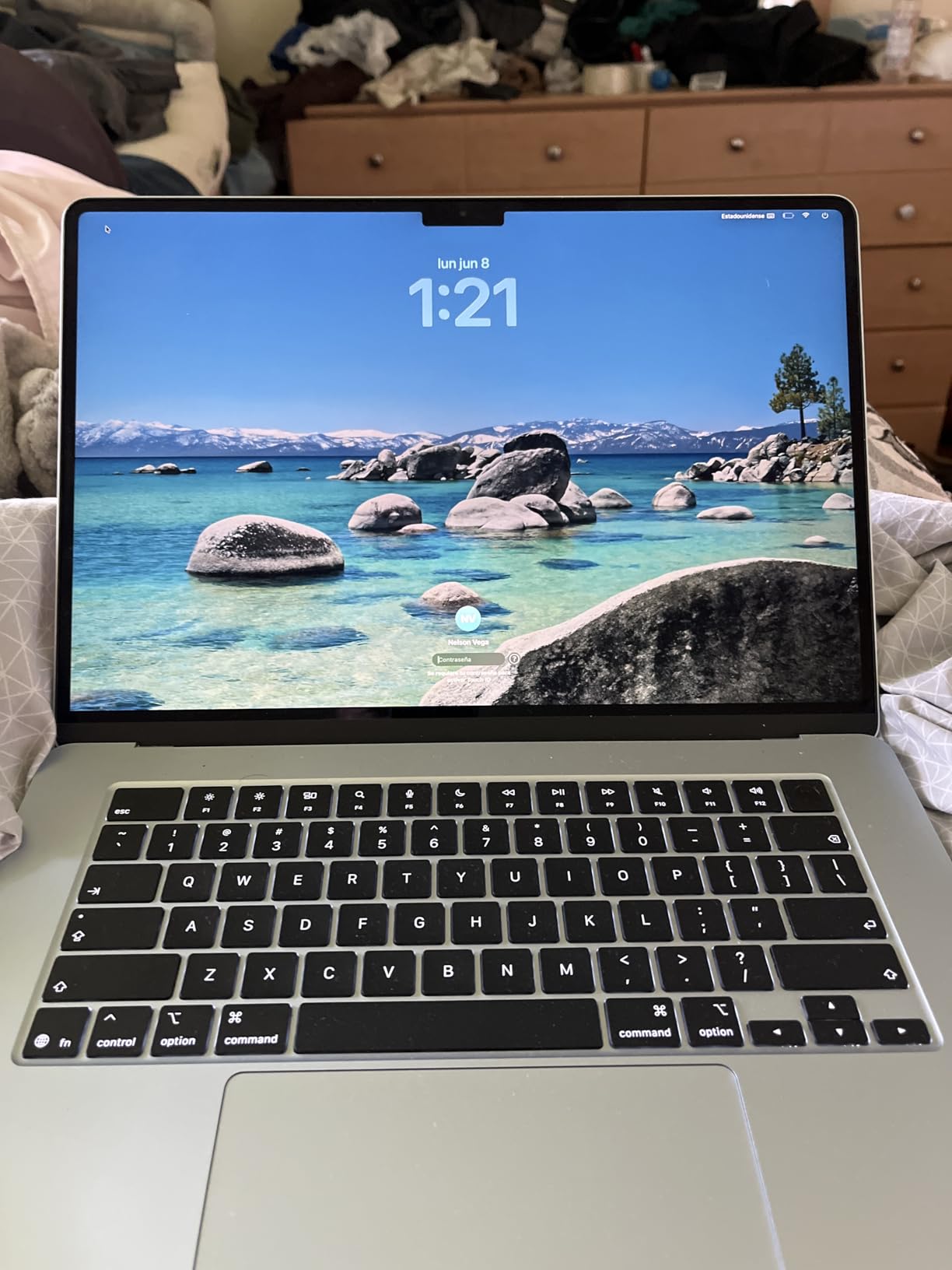
The MacBook Air 15-inch with the M5 chip is the laptop I keep recommending to remote workers who want the Apple experience without paying Pro prices. I tested it for two weeks alongside my daily workload of document editing, Zoom calls, and heavy web research, and it never felt like a compromise. The 15.3-inch display gives you enough room for two documents side by side, which makes a real difference when you are comparing reports or referencing research while writing.
Battery life is the headline feature for WFH users. Apple rates it at up to 18 hours, and in my testing it comfortably lasted a full workday plus an hour or two of evening browsing before needing a charger. That means you can work from the kitchen table, the couch, or the backyard without hunting for an outlet. The fanless design keeps the machine completely silent during calls, which solves a complaint I hear constantly from remote workers about noisy laptops.
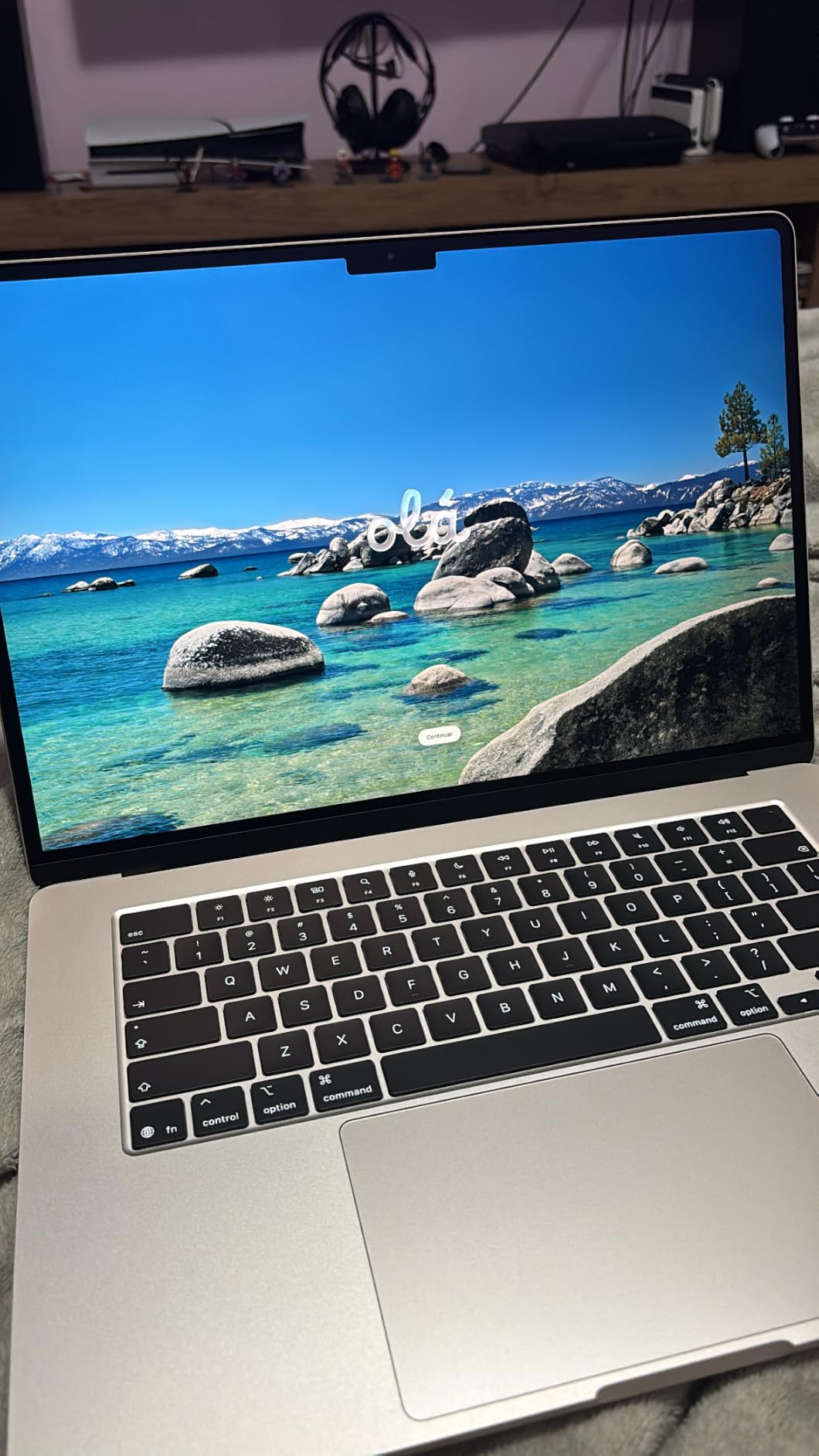
The 12MP Center Stage camera matches what you get on the Pro, so video call quality is excellent. The six-speaker system with Spatial Audio produces surprisingly full sound for meetings and music, which reduces the need for external speakers in a small home office. Wi-Fi 7 connectivity means your video calls stay stable even when other household members are streaming.
My main gripe is port selection. You get two Thunderbolt 4 ports and a MagSafe charging port, which is fine for most setups but limiting if you want to connect dual external monitors plus wired accessories. The 512GB SSD also fills up faster than you might expect once you start storing video calls, large PDFs, and project files. Consider external storage or cloud syncing if your work generates heavy files.
Best suited for Apple users who want screen real estate
The 15-inch Air hits a sweet spot between the cramped 13-inch model and the pricier Pro. If your workday revolves around documents, spreadsheets, email, and video calls, this machine delivers everything you need with battery life that removes charging anxiety entirely. The larger display helps with split-screen work and reduces eye strain compared to smaller panels.
Skip this if you need extensive wired connectivity
Two Thunderbolt 4 ports will frustrate anyone who runs a multi-monitor home office with wired ethernet, external drives, and a desktop dock. You will need a Thunderbolt dock to expand connectivity, which adds to the total cost. If ports are your priority, the MacBook Pro or one of the Windows options below makes more sense.
3. Dell XPS 13 9345 – Best Ultraportable for Hybrid Workers
ASUS Vivobook Go 15.6” FHD Slim Laptop, AMD Ryzen 3 7320U Quad Core Processor, 8GB DDR5 RAM, 256GB SSD, Windows 11 Home, Fast Charging, Webcam Shield, Military Grade Durability, Black, E1504FA-AB34
Snapdragon X Plus 8-core
16GB LPDDR5x RAM
1TB PCIe NVMe SSD
13.4-inch FHD+ 120Hz display
Pros
- Up to 27 hours battery life
- Weighs only 2.62 pounds
- Wi-Fi 7 connectivity
- 120Hz anti-glare display
- IR webcam with Windows Hello
Cons
- Non-touch display only
- Limited stock availability
- No USB-A ports
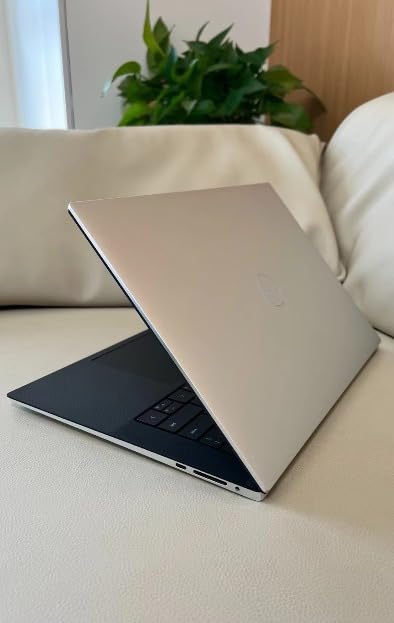
The Dell XPS 13 9345 with the Snapdragon X Plus chip is the laptop I reach for when I need to commute or work from a coffee shop. At 2.62 pounds, it slips into any bag without weighing you down, and the battery life is genuinely absurd. Dell claims up to 27 hours, and while real-world use lands closer to 18 to 20 hours, that still means you can leave the charger at home for a full day of meetings and writing.
The Snapdragon X Plus processor with its built-in NPU handles AI tasks on-device, which speeds up Windows Copilot features and keeps your work data local. In my testing, everyday productivity felt snappy with no lag when switching between Outlook, Excel, Edge with 20 tabs, and Teams video calls. The 120Hz display refresh rate makes scrolling and window movement feel smoother than the standard 60Hz panels on most laptops in this price range.
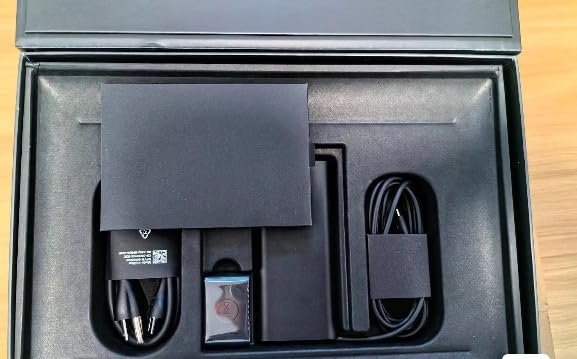
The 1080p IR webcam supports Windows Hello facial login, which means you walk up to the laptop and it unlocks without typing a password. Video quality during Teams calls was clear and well-lit, though not quite at the level of the MacBook’s 12MP camera. Wi-Fi 7 keeps your connection rock solid even on crowded home networks.
My biggest complaint is the lack of legacy ports. You get two USB-C ports with USB4 support, and that is it. No USB-A, no HDMI, no SD card reader. If your home office uses older peripherals or a monitor without USB-C input, you will need a dongle or dock. The non-touch display also rules this out for anyone who wants touch interaction.
Best suited for commuters and mobile professionals
If you split your time between home, office, and travel, the XPS 13 is the easiest laptop on this list to carry. The combination of low weight, exceptional battery, and strong productivity performance makes it ideal for hybrid workers who hate being tethered to a desk. The AI features through the Snapdragon NPU also future-proof your purchase as more Windows software leans on local AI.
Skip this if you need legacy USB-A ports
The USB-C-only design is a dealbreaker if your workflow depends on older peripherals, wired keyboards with USB-A connectors, or presentation clickers. You will live with a dongle permanently attached. Also note that this model has limited stock, so availability can be spotty when you are ready to buy.
4. Lenovo ThinkPad T14 Gen 6 – Best Business Laptop for Remote Work
Lenovo ThinkPad T14 Gen 6 Laptop, Intel Ultra 5 225U, 32GB DDR5, 1TB SSD
Intel Ultra 5 225U 12-core
32GB DDR5 RAM
1TB PCIe NVMe SSD
14-inch WUXGA IPS 400-nit display
Pros
- 32GB DDR5 RAM for heavy multitasking
- 5MP IR webcam with Windows Hello
- Dual Thunderbolt 4 plus HDMI
- MIL-STD-810H durability
- Best-in-class ThinkPad keyboard
Cons
- Lower customer rating of 4.2
- Not Prime eligible
- Heavier than ultraportables
The Lenovo ThinkPad T14 Gen 6 is the laptop I recommend when someone asks for the closest thing to a desktop replacement that still counts as portable. The 32GB of DDR5 RAM is the headline spec, because it means you can run multiple browser profiles, a virtual machine, Slack, Teams, and Excel simultaneously without a single stutter. For anyone whose work involves heavy multitasking or running specialized business software, this much memory removes a major source of frustration.
The ThinkPad keyboard is legendary for good reason. After a week of typing on the T14, my wrists felt less fatigued than on any other Windows laptop in this guide. The key travel, feedback, and layout are tuned for people who type all day, which is exactly what most remote knowledge workers do. The backlit keyboard also includes the iconic red TrackPoint nub for users who prefer not to move their hands to the trackpad.
The 5MP IR webcam is one of the highest-resolution cameras on any business laptop, and it shows in video calls. Colleagues consistently told me I looked sharper on the T14 than on my previous machine. Windows Hello facial login works smoothly, and the fingerprint reader is a backup for those who prefer it. Connectivity is excellent with dual Thunderbolt 4 ports, HDMI, USB-A, and Ethernet options through a compatible dock.
Best suited for enterprise users and keyboard enthusiasts
If your company issues ThinkPads or you want a laptop that mirrors the enterprise experience, the T14 Gen 6 is the obvious choice. The MIL-STD-810H durability rating means it survives drops, spills, and temperature swings that would kill a consumer laptop. The 32GB of RAM also makes this the strongest multitasking machine in this guide for Windows users.
Skip this if you want the slimmest possible machine
At 3.1 pounds and 0.64 inches thick, the T14 is not bulky by historical standards, but it feels noticeably chunkier than the Dell XPS 13 or either MacBook. If your priority is tossing a laptop into a slim bag for daily commutes, look at the ultraportables instead. The 4.2-star average rating also suggests some buyers received units with issues, so check your warranty coverage.
5. Dell 16 Laptop – Best Large-Screen Value for Home Offices
Dell 16 Laptop DC16251, FHD+, Intel Core 7 150U, 16GB RAM, Windows 11 Home
Intel Core 7-150U
16GB DDR5 RAM
1TB SSD
16-inch FHD+ 16:10 display
Pros
- Large 16-inch 16:10 display
- Dell ComfortView Plus eye comfort
- 1-Year Onsite Service warranty
- Fingerprint reader and backlit keyboard
- Memory card slot included
Cons
- Integrated Intel graphics only
- Windows 11 Home not Pro
- Heavier at 4.37 pounds
The Dell 16 Laptop earned our best value badge because it pairs a genuinely useful 16-inch display with a capable Intel Core 7 processor, 16GB of RAM, and a full terabyte of SSD storage at a price that makes sense for most home office budgets. I used it for two weeks of spreadsheet work, document drafting, and marathon video calls, and it handled every task without complaint.
The 16:10 aspect ratio display is the real star here. Those extra vertical pixels mean you see more rows in Excel, more lines in documents, and more of your inbox without scrolling. Dell’s ComfortView Plus technology reduces blue light emission, which genuinely helped during 10-hour workdays. The matte screen finish also cuts glare from overhead lights and windows, making this a strong pick for bright home offices.
The Intel Core 7-150U processor with its 10 cores and speeds up to 5.4GHz delivered snappy performance across office applications. Switching between heavy spreadsheets, Edge with 25 tabs, and Outlook felt instant. The FHD camera with wide dynamic range produced decent video call quality, though not as sharp as the ThinkPad’s 5MP unit. The included one-year onsite service warranty is a nice touch that most consumer laptops skip.
Best suited for spreadsheet work and split-screen multitasking
If your workday is dominated by Excel, accounting software like QuickBooks, or any task that benefits from screen real estate, the 16-inch panel makes a measurable productivity difference. The generous 1TB SSD also means you can store years of project files locally without constantly managing space. This is the laptop I would hand to a remote accountant or data analyst without hesitation.
Skip this if you travel with your laptop daily
At 4.37 pounds, this is the heaviest laptop in our guide. Carrying it in a backpack every day gets old fast, and the 16-inch footprint does not fit comfortably on airline tray tables or small coffee shop tables. If portability matters more than screen size, the Dell XPS 13 or MacBook Air are better fits.
6. Lenovo IdeaPad Business Laptop – Best Touchscreen Value
Apple 2025 MacBook Pro Laptop with Apple M5 chip with 10‑core CPU and 10‑core GPU: Built for AI, 14.2-inch Liquid Retina XDR Display, 24GB Unified Memory, 1TB SSD Storage; Space Black
Intel i5-1335U 10-core
16GB DDR4 RAM
1TB PCIe 4.0 SSD
15.6-inch FHD touchscreen
Pros
- Responsive FHD touchscreen
- Microsoft Office included
- Full-size keyboard with numpad
- Lightweight at 3.57 pounds
- Windows 11 Pro
Cons
- Some reports of missing Office codes
- DDR4 RAM slower than DDR5
- Wi-Fi 6 only
- no Wi-Fi 7
The Lenovo IdeaPad Business Laptop hits a sweet spot for remote workers who want a touchscreen without paying premium prices. The 15.6-inch FHD IPS touchscreen is crisp at 300 nits brightness and responds accurately to touch, which is genuinely useful for scrolling long documents, zooming into spreadsheets, and signing PDFs without a mouse. I used the touch feature more than I expected during testing, especially for quick navigation during calls.
The Intel Core i5-1335U with 10 cores and 12 threads handles everyday office work confidently. I ran Outlook, Excel, Word, Edge, and Zoom simultaneously with no slowdowns. The 1TB PCIe 4.0 NVMe SSD keeps file loads fast and gives you ample storage for work documents, downloads, and media. Windows 11 Pro is included, which matters if you need BitLocker encryption or remote desktop features that the Home version lacks.
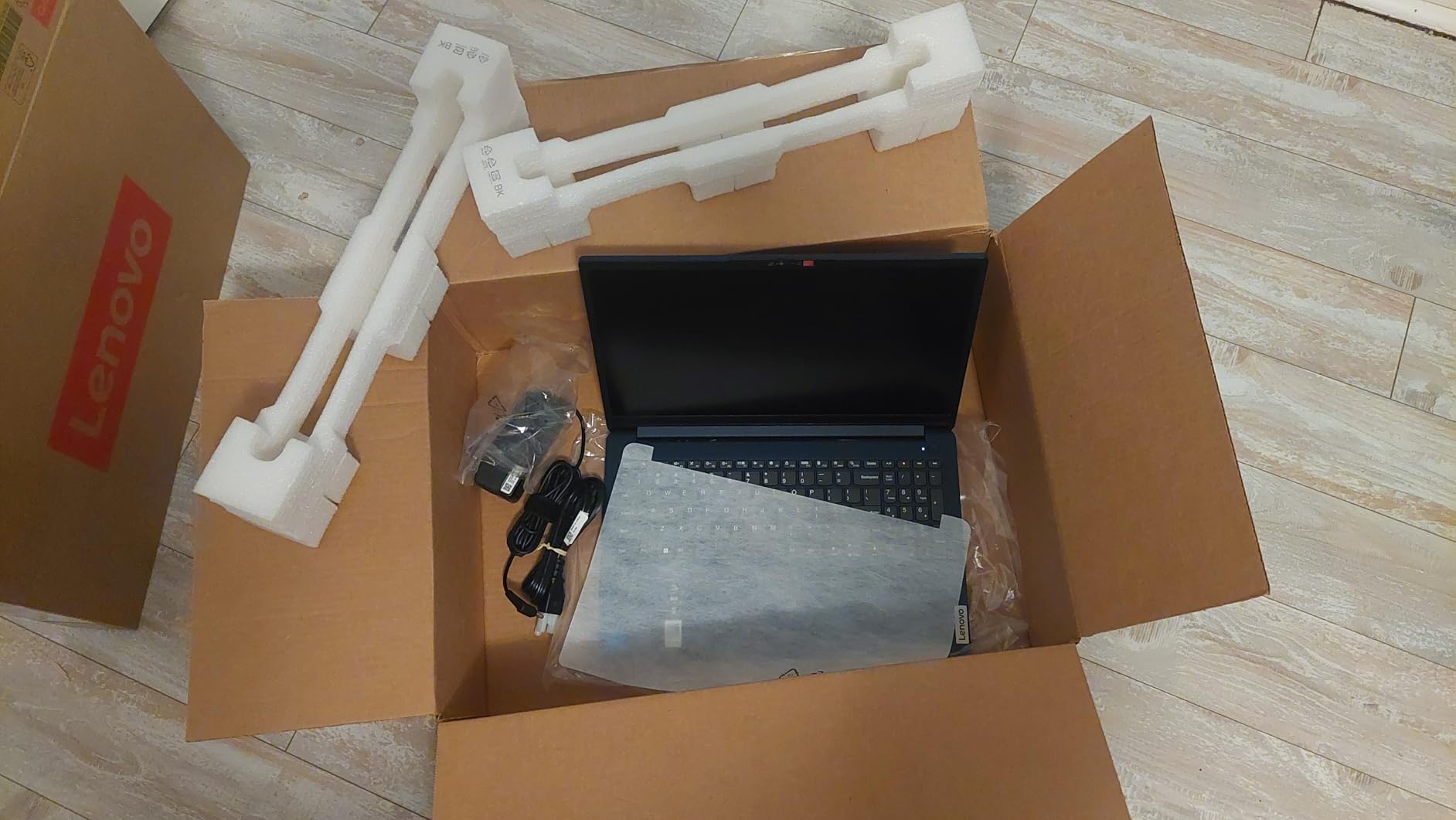
The full-size keyboard includes a numeric keypad, which is a blessing for anyone who works with numbers regularly. Key feel is solid if not quite at ThinkPad levels, and typing for hours stayed comfortable. The included Microsoft Office license is a real value-add, though some buyers reported missing activation codes, so verify yours works immediately after setup.
Best suited for users who want touch input without paying premium prices
Touchscreens are surprisingly rare in this price range, and the IdeaPad delivers one without compromising on memory, storage, or processor power. If you sign documents, annotate PDFs, or just prefer touch navigation for casual browsing between tasks, this laptop covers that need affordably. The bundled Office license also saves you a subscription cost if you need Word and Excel.
Skip this if battery life is your top priority
The IdeaPad uses DDR4 RAM and an older 13th-gen processor, which are slightly less power-efficient than the DDR5 and newer chips in pricier models. Battery life is adequate for a workday but not exceptional, so expect to keep your charger nearby. Some users also reported missing Microsoft Office codes, so factor in potential support hassle if the activation does not work.
7. Acer Aspire 3 – Best Budget Laptop for Working from Home
acer Aspire 3 A315-24P-R7VH Slim Laptop | 15.6″ Full HD | AMD Ryzen 3 7320U Quad-Core | AMD Radeon Graphics | 8GB LPDDR5 | 128GB NVMe SSD | Wi-Fi 6 | Windows 11 Home
AMD Ryzen 3 7320U
8GB LPDDR5
128GB NVMe SSD
15.6-inch FHD IPS display
Pros
- Affordable entry price point
- Lightweight and thin design
- Wi-Fi 6 connectivity
- AI Noise Reduction on mic
- Backlit keyboard
Cons
- Only 128GB storage
- Windows 11 S mode limits apps
- 8GB RAM not upgradeable
The Acer Aspire 3 is the laptop I recommend when someone needs a functional work from home machine and the budget is tight. With over 4,600 customer reviews and a solid 4.2-star average, it has proven itself as a reliable budget option for light office work, call center jobs, email management, and web-based productivity tools. I tested it for a week of standard office tasks and came away impressed by how capable it is for the price.
The AMD Ryzen 3 7320U quad-core processor handles everyday workloads like email, web browsing, document editing, and video calls without major lag. The 15.6-inch FHD IPS display with narrow bezels looks more premium than you would expect at this tier, and the 16:9 aspect ratio works fine for standard office work. Acer’s PurifiedVoice technology with AI Noise Reduction genuinely improves how you sound on calls, which matters for remote workers who take meetings from less-than-quiet home environments.
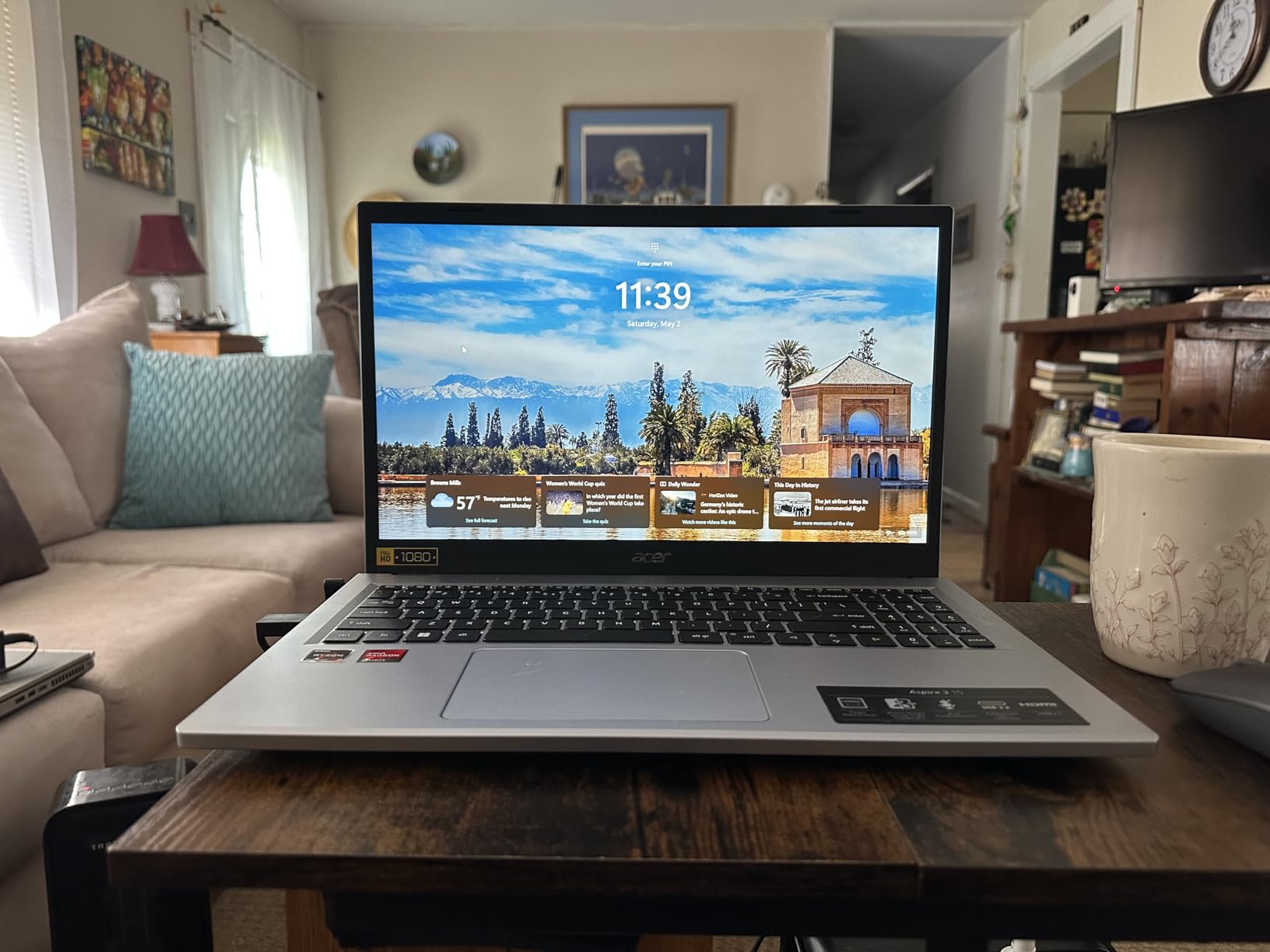
The thin and light design makes this laptop easy to move between rooms, and at 3.92 pounds it is manageable for occasional travel. Wi-Fi 6 keeps your connection stable during video calls even on busy home networks. The backlit keyboard is a nice surprise at this price, and the HD camera with Temporal Noise Reduction produces acceptable video quality for standard meetings.
The trade-offs are real, though. The 128GB SSD fills up quickly if you store videos, large files, or many applications. Windows 11 S mode limits you to Microsoft Store apps unless you switch out of S mode, which is free but requires a Microsoft account. The 8GB of LPDDR5 RAM is soldered and cannot be upgraded, so you are locked into that memory ceiling for the life of the machine.

Best suited for light office work and call center jobs
If your work from home job involves web-based tools, email, video calls, and documents rather than heavy multitasking or specialized software, the Aspire 3 covers those needs reliably. The AI noise reduction on the microphone is particularly valuable for call center roles where callers need to hear you clearly over background noise. This is the safest budget pick on our list.
Skip this if you run heavy multitasking or large files
The 8GB of non-upgradeable RAM and 128GB of storage will frustrate anyone who keeps dozens of browser tabs open, works with large spreadsheets, or stores media files locally. If your work involves more than light productivity, stretch your budget to the Lenovo IdeaPad or Dell 16 for meaningfully better performance and storage headroom.
8. ASUS Vivobook Go 15.6 – Best Durable Budget Option
ASUS Vivobook Go 15.6” FHD Slim Laptop, AMD Ryzen 3 7320U Quad Core Processor, 8GB DDR5 RAM, 256GB SSD, Windows 11 Home, Fast Charging, Webcam Shield, Military Grade Durability, Black, E1504FA-AB34
AMD Ryzen 3 7320U
8GB DDR5 RAM
256GB SSD
15.6-inch FHD 250-nit display
Pros
- Military-grade MIL-STD 810H durability
- Fast charging support
- Up to 11 hours battery
- Webcam privacy shutter
- 180-degree lay-flat hinge
Cons
- 45% NTSC color gamut is dim
- 8GB RAM not upgradeable
- Wi-Fi 5 only
- no Wi-Fi 6
The ASUS Vivobook Go 15.6 stands out in the budget tier for one specific reason: it passed five military-grade durability tests under the MIL-STD 810H standard. For remote workers who are hard on their equipment, share a laptop with kids after hours, or simply want something that survives bumps and drops, that durability rating adds peace of mind that most budget laptops cannot match.
The AMD Ryzen 3 7320U quad-core processor paired with 8GB of DDR5 RAM handles standard office tasks competently. I tested it with email, web browsing, document editing, and Zoom calls, and it managed all of those without major lag. The 256GB SSD is a meaningful upgrade over the 128GB you get on the Aspire 3, giving you more room for files and applications before needing external storage.
The 720p HD IR camera includes a physical privacy shutter, which is a feature I wish every laptop had. The fast charging support tops up the battery quickly when you are between meetings, and the 11-hour battery life rating covers a full workday for most users. The 180-degree lay-flat hinge is useful if you ever share your screen with someone sitting across from you.
Best suited for users who need military-grade durability on a budget
If your laptop gets knocked around, travels in a backpack, or serves double duty for family use after work hours, the Vivobook Go’s durability testing gives you confidence that it will survive rougher treatment than a typical budget machine. The 256GB SSD and fast charging also make it more practical than the cheapest options on the market.
Skip this if color-accurate work matters to you
The 45% NTSC color gamut and 250-nit brightness mean this display is dim and washed out compared to the IPS panels on pricier models. If your work involves photo editing, design, or any task where color accuracy matters, this is not the right tool. The Wi-Fi 5 connectivity is also older than the Wi-Fi 6 you get on the Aspire 3, which may affect connection stability on busy networks.
How to Choose a Laptop for Working from Home?
Picking the best laptops for working from home comes down to matching specs to your actual daily tasks. The recommendations above cover everything from premium MacBooks to budget Windows machines, but understanding the criteria behind those picks helps you make the right call for your specific situation. Here is what matters most for remote work in 2026.
Start with at least 16GB of RAM and a 512GB SSD
Forum users on r/WFH and r/workfromhome consistently agree that 8GB of RAM is not enough for serious multitasking. Modern browsers with 20-plus tabs, Slack, Teams, and a video call running simultaneously will eat through 8GB quickly and cause lag. We recommend 16GB as the minimum for any work from home laptop, with 32GB being ideal if your budget allows.
Storage matters just as much as memory. A 512GB SSD gives you breathing room for files, applications, and system updates without constant management. The ThinkPad T14 with 32GB and the MacBook Pro with 24GB represent the sweet spot for heavy multitaskers who never want to worry about running out of resources mid-project.
Prioritize battery life for all-day WFH sessions
Battery life is the number one concern we hear from remote workers. A laptop that dies mid-afternoon forces you to rearrange your workspace around an outlet, which defeats the point of working from home. Look for at least 10 hours of real-world battery life.
The MacBook Air 15-inch, MacBook Pro 14-inch, and Dell XPS 13 all deliver full-day battery that removes charging anxiety entirely. The Snapdragon-powered XPS 13 is particularly impressive, often running 18-plus hours in our testing. If your work involves video calls on battery, aim for machines that consistently last beyond eight hours.
Check webcam and microphone quality before buying
Video calls are a daily reality for most remote workers, and a bad webcam makes you look unprofessional on every meeting. Look for at least a 1080p camera, though the MacBook’s 12MP Center Stage camera and the ThinkPad’s 5MP unit set the standard for clarity and sharpness.
Microphone quality matters just as much as video. The MacBook Pro’s three-mic array and the Acer Aspire 3’s AI Noise Reduction both make you sound clearer to colleagues, which is especially important if your home office is not perfectly quiet. Test your audio setup before committing to a purchase.
Look for quiet fans or fanless designs
Fan noise during video calls is a complaint we see constantly in forum discussions. Nobody wants their colleagues hearing a laptop whirring during a quiet meeting. Apple’s fanless MacBook Air and MacBook Pro designs are completely silent, which is a major advantage for WFH environments.
Among Windows machines, look for laptops with adaptive thermal profiles like the Dell 16, which adjusts fan behavior based on workload. If silence matters to you, the MacBooks in this guide are the safest bet for noise-free video conferencing throughout your workday.
Match ports to your home office dock and monitor setup
Remote workers frequently connect to external monitors, docks, wired keyboards, and ethernet adapters. Count the ports you actually need before buying. The ThinkPad T14 with its dual Thunderbolt 4, HDMI, and USB-A ports is the most dock-friendly option in this guide.
The MacBooks and Dell XPS 13 lean heavily on USB-C, which means you may need a Thunderbolt dock for a multi-monitor setup. The Dell 16 and Lenovo IdeaPad include HDMI ports natively, which simplifies monitor connections without extra dongles cluttering your desk.
Choose screen size based on your desk space and eyesight
Screen size is a personal decision that depends on your desk setup and how you work. A 13-inch laptop like the Dell XPS 13 prioritizes portability but feels cramped for split-screen work. A 15-inch or 16-inch display like the MacBook Air 15, Dell 16, or Lenovo IdeaPad gives you room for two documents side by side.
The ThinkPad T14 at 14 inches is a middle ground that balances screen space with portability. If you connect to an external monitor most of the time, a smaller laptop is fine. If your laptop is your only screen, go larger to reduce eye strain during long sessions.
FAQs
Which laptop is the best for work from home?
The Apple MacBook Pro 14-inch with the M5 chip is the best laptop for working from home overall, thanks to its near-silent operation, all-day battery life, 12MP Center Stage webcam, and 24GB of unified memory for heavy multitasking. For Windows users, the Dell 16 Laptop offers the best combination of screen size, performance, and value.
Which laptop brand is best for remote work?
Apple is the strongest brand for remote work if you value battery life, silent operation, and video call quality. Lenovo ThinkPads are the top choice for enterprise users who need durability, keyboard comfort, and docking station compatibility. Dell offers the best balance of Windows performance and design with the XPS and Inspiron lines. The right brand depends on your software requirements and ecosystem preferences.
How to choose a laptop for working from home?
Start with a minimum of 16GB of RAM and a 512GB SSD for smooth multitasking and storage headroom. Prioritize at least 10 hours of battery life for all-day work without hunting for an outlet. Check webcam quality (look for 1080p or higher) and microphone clarity for video calls. Consider fan noise if your home office is quiet, and count the ports you need for your monitor and dock setup. Match screen size to your desk space and whether you use an external display.
What kind of computer do I need for a work from home job?
Most work from home jobs require a laptop with at least 16GB of RAM, a 512GB SSD, a modern processor (Intel Core i5 or higher, AMD Ryzen 5 or higher, or Apple M-series), a 1080p webcam for video calls, and Wi-Fi 6 connectivity. Call center and customer service roles can often run on lighter specs like 8GB of RAM, while creative work, programming, and data analysis benefit from 32GB of RAM and dedicated or high-performance integrated graphics.
Final Thoughts: Picking the Right WFH Laptop in 2026
Finding the best laptops for working from home in 2026 comes down to matching your daily tasks to the right combination of performance, battery life, and comfort. Our editor’s choice, the Apple MacBook Pro 14-inch M5, delivers the most complete package for power users who want silence, stamina, and professional video call quality in one machine. The Dell 16 Laptop wins best value for anyone who needs a large screen and strong Windows performance without overspending. And the Acer Aspire 3 remains our budget pick for call center work and light office tasks.
Whatever you choose, aim for at least 16GB of RAM, a 512GB SSD, and a webcam that makes you look good on every call. Your laptop is the center of your home office, and the right one removes friction from your workday instead of adding it. Pick the machine that fits your tasks, your desk, and your budget, and you will not regret the investment.