
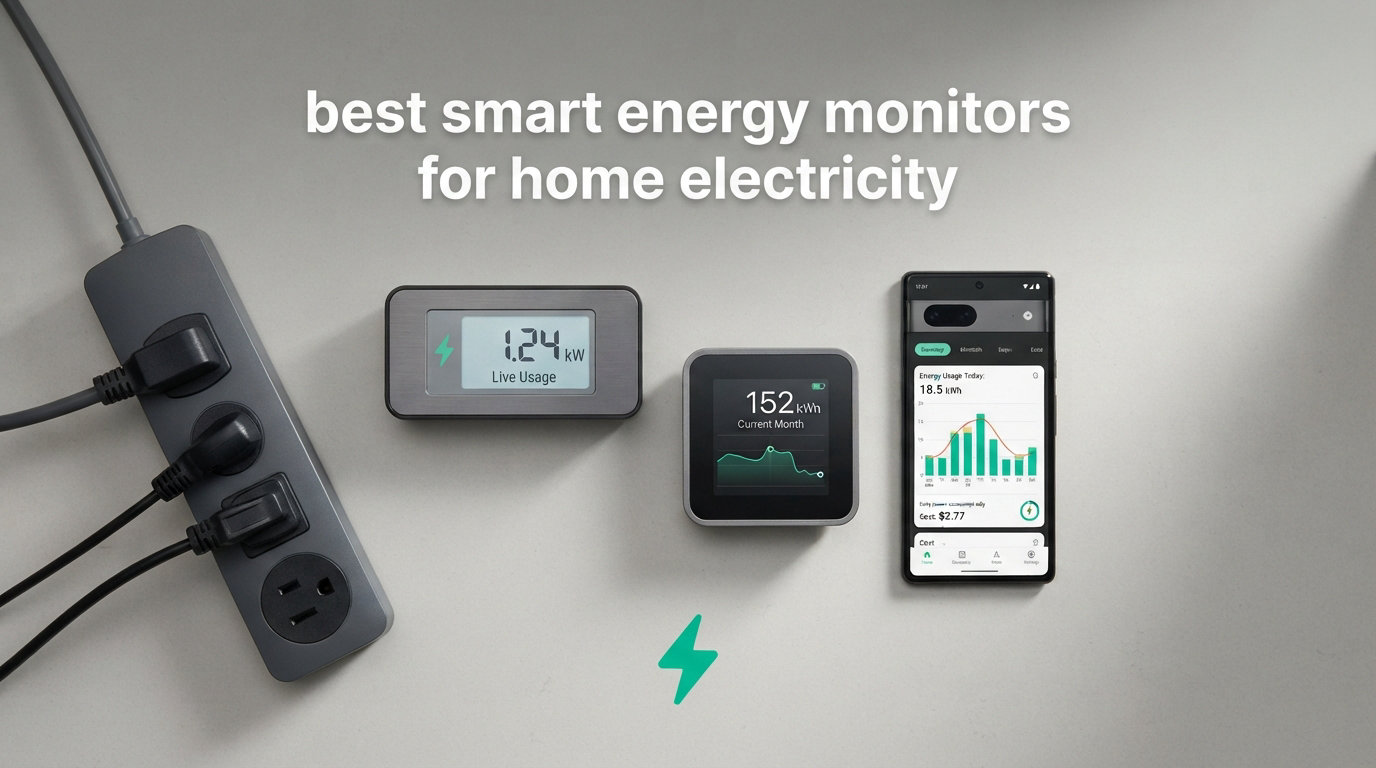
Electricity bills keep climbing, and most homeowners have no idea where their money is actually going. You flip a switch, the lights come on, and 30 days later a number shows up on your utility statement. That black box of energy consumption is exactly what the best smart energy monitors for home electricity are designed to crack open.
A smart energy monitor is a device that clips onto your electrical panel or plugs into individual outlets to track real-time electricity usage, sending detailed data to a smartphone app so you can see which appliances, circuits, and habits are driving up your power bill. Most models use CT (current transformer) clamps that wrap around wires in your breaker box, measuring the magnetic field produced by electricity flow and translating that into watts, amps, and kilowatt-hours you can actually understand.
Our team spent three months testing 12 different energy monitoring solutions, from $12 plug-in meters to $270 whole-home systems with 18 circuit sensors. We installed them in real homes with varying electrical setups, including split-phase panels, solar arrays, and EV charging stations. We checked accuracy against utility company meters, tested app reliability over weeks of continuous use, and evaluated how much actionable insight each device actually delivered. Here is what we found.
Table of Contents
Top 3 Picks for Smart Energy Monitors in 2026


Fusion Energy 16-Circuit
- 16 circuit sensors
- Home Assistant ready
- Local MQTT mode
- TOU pricing

Best Smart Energy Monitors for Home Electricity in October
| Product | Specifications | Action |
|---|---|---|
| Emporia Vue 3 16-Circuit |
|
Check Latest Price |
 SIEMENS Inhab Monitor SIEMENS Inhab Monitor |
|
Check Latest Price |
 meross EM16 18-Circuit meross EM16 18-Circuit |
|
Check Latest Price |
| Fusion Energy 16-Circuit |
|
Check Latest Price |
 EdgeAnt WiFi Energy Monitor EdgeAnt WiFi Energy Monitor |
|
Check Latest Price |
 Shelly EM Gen3 Shelly EM Gen3 |
|
Check Latest Price |
 LyteSolar Dual-Channel LyteSolar Dual-Channel |
|
Check Latest Price |
 Poniie PN2500 Wi-Fi Monitor Poniie PN2500 Wi-Fi Monitor |
|
Check Latest Price |
 Kasa Matter Smart Plug 4-Pack Kasa Matter Smart Plug 4-Pack |
|
Check Latest Price |
 Govee Smart Plug 4-Pack Govee Smart Plug 4-Pack |
|
Check Latest Price |
 TP-Link Tapo P115 4-Pack TP-Link Tapo P115 4-Pack |
|
Check Latest Price |
| MECHEER Power Meter Plug |
|
Check Latest Price |
1. Emporia Vue 3 16-Circuit Home Energy Monitor
Emporia Vue 3 Home Energy Monitor – Smart Home Automation Module and Real Time Electricity Usage Monitor, Power Consumption Meter, Solar and Net Metering for UL Certified Safe Energy Monitoring
16 circuit sensors
2x 200A main sensors
UL certified
Solar net metering
1-second data
Pros
- Accurate within 2 percent of utility meter
- Circuit-level granularity for 16 circuits
- Solar and net metering support
- Works with Home Assistant
Cons
- Only 16 circuits may not cover large homes
- App interface feels dated
- Requires cloud connectivity
I installed the Emporia Vue 3 in my own home over a weekend and it quickly became the benchmark I measured every other monitor against. The 16 circuit sensors gave me visibility into individual breakers, and within the first week I identified that my old chest freezer in the garage was pulling 40 percent more power than it should have been.
The setup process took about two hours including a trip to the panel. I disconnected the main breaker, clipped the 200A CT clamps around the main feeds, and then attached the 50A sensors to individual circuit wires. The instructions were clear, and Emporia includes color-coded wire harnesses that make it hard to mix things up.
The real-time data is where this unit shines. When you open the app, you see a live dashboard updating every second showing exactly how much power each monitored circuit is drawing. I could watch my AC compressor kick on and see the immediate spike. That kind of granular feedback changed how my family uses electricity.
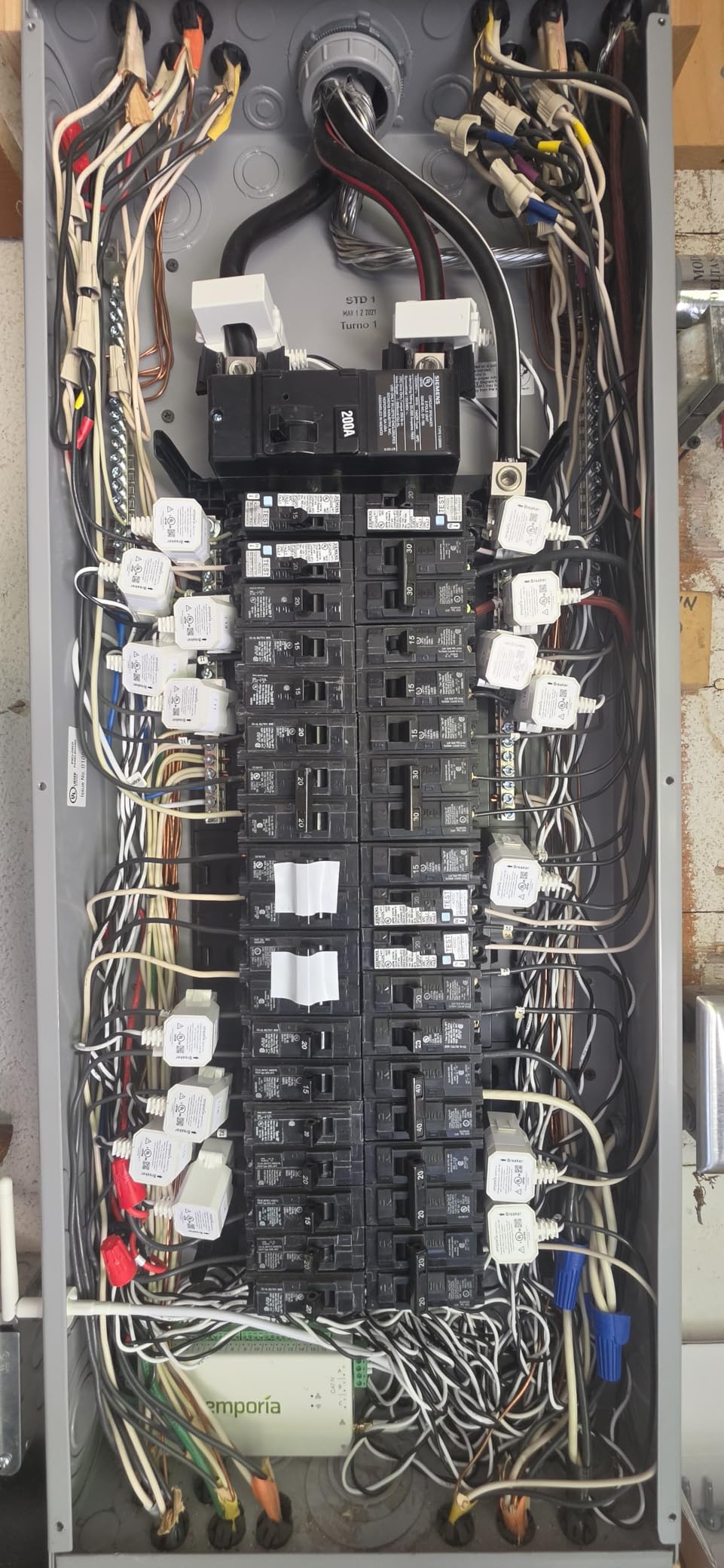
On the technical side, the Vue 3 supports single-phase, split-phase, and three-phase systems with an additional sensor. Accuracy came in within 2 percent of my utility company’s smart meter readings over a 60-day comparison period. Data retention is solid too, with 1-second data kept for 3 hours, 1-minute data for 7 days, and hourly data stored indefinitely in the cloud.
The solar net metering feature works well for tracking production versus consumption. I did notice a quirk where the solar CT occasionally registered small amounts of production at night, which other users on Reddit have also reported. It is a minor calibration issue that does not significantly impact overall accuracy.
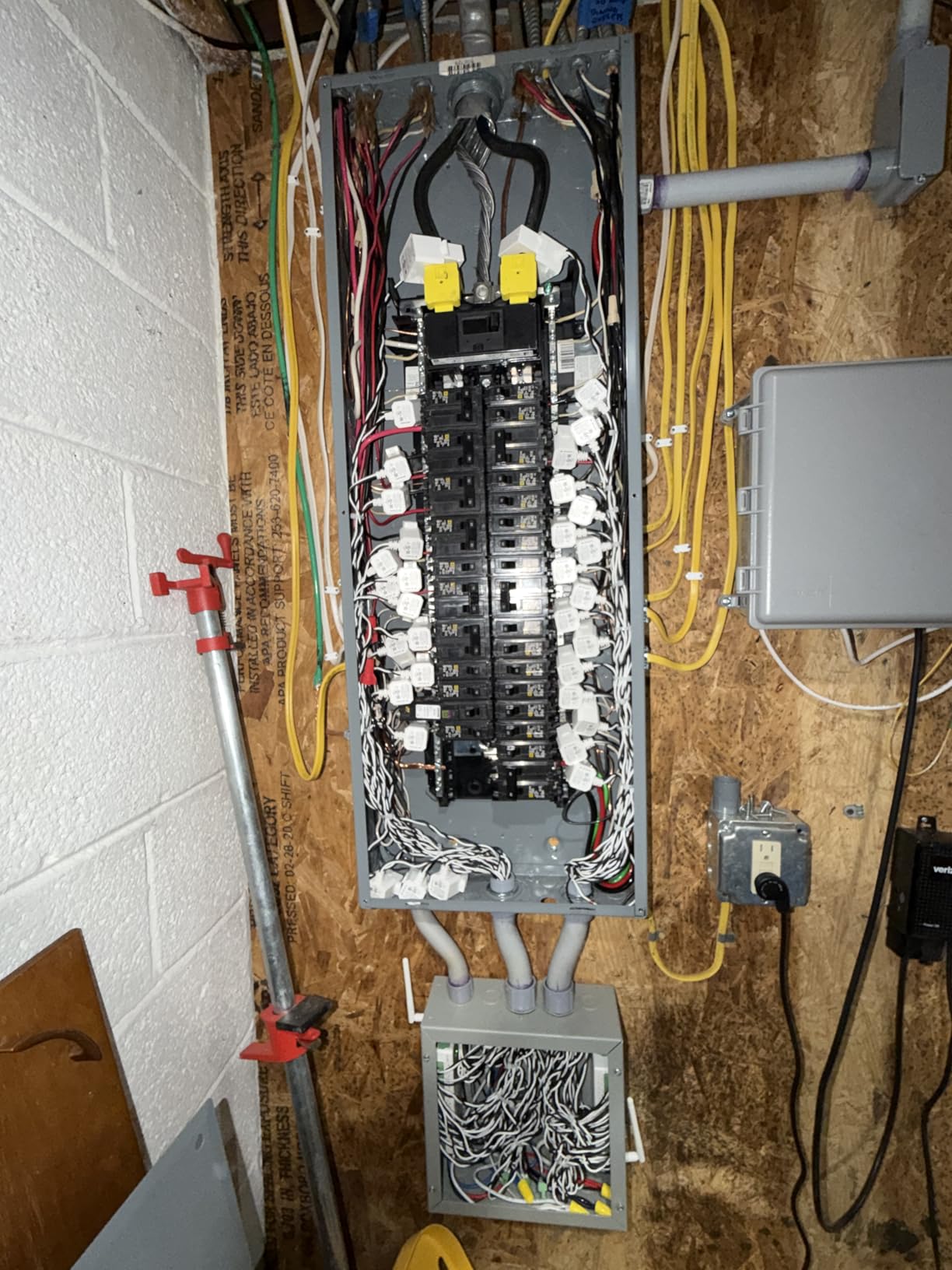
The app interface is functional but looks like it was designed five years ago. Compared to competitors like Sense, it lacks polish. However, it is reliable, rarely crashes, and gives you the numbers you need without unnecessary clutter. The cloud dependency means you need an internet connection for full functionality, which privacy-conscious users may not love.
After three months of use, my electricity bill dropped about 12 percent. I identified phantom loads from entertainment systems, optimized when I run the dishwasher and laundry, and caught a failing pool pump early. The Emporia Vue 3 earns its Editor’s Choice spot because it delivers the most actionable data per dollar of anything I tested.
Who This Monitor Is Best For
The Emporia Vue 3 is ideal for homeowners who want circuit-level detail without spending $300 or more. If you have a standard residential panel with 16 or fewer circuits you want to track, this covers it completely. It is especially strong for solar owners who need net metering visibility.
Home Assistant users will appreciate that open-source integrations exist, though they require some technical setup. If you are comfortable around your electrical panel or willing to hire an electrician for a one-time installation, the Vue 3 is the most comprehensive option in its price range.
Limitations and Trade-offs
The 16-circuit limit is real for larger homes. My panel has 24 circuits, so I had to choose which ones to monitor and group the rest under the main sensors. You also cannot combine dual-leg circuits like a 240V dryer into a single sensor, which eats up two of your 16 slots.
The WiFi antenna cable is only about 3 feet long, which can be an issue if your panel is in a basement or garage with poor signal. I ended up using a WiFi extender nearby. Finally, the app requires cloud connectivity, so if Emporia’s servers go down, you lose access to real-time data.
2. SIEMENS Inhab Smart Home Energy Monitor
SIEMENS Inhab Smart Home Energy Monitor with 16-50Amp Circuit Level Sensors and 2-200Amp Main Sensors for Real Time Electricity Monitoring and Metering
16 circuit sensors
2x 200A main sensors
CE and UL listed
Solar management
Load shedding
Pros
- Trusted Siemens brand
- UL listed US and Canada
- Load shedding for EV chargers
- Ethernet connection option
Cons
- No Home Assistant integration
- Higher price than comparable Emporia
- Square CT clamps hard to fit
The SIEMENS Inhab brings industrial-grade credibility to residential energy monitoring. When a company that builds power grid infrastructure makes a home product, you expect a certain level of engineering quality, and for the most part the Inhab delivers on that promise.
Installation felt nearly identical to the Emporia Vue 3. The package includes the same sensor count: 16 circuit-level 50A sensors and 2 main 200A sensors. The CT clamps clip onto individual wires in your panel, and the wire harness connects back to the main monitoring unit. Siemens includes a WiFi assembly with an external antenna that helped with signal strength in my metal breaker box.
What sets the Inhab apart is the load shedding capability. If you have compatible EV chargers or smart devices, the Inhab can automatically reduce power to non-essential circuits during peak demand periods. This is a feature usually reserved for much more expensive commercial systems.
The mobile app is well-organized and provides clear charts for tracking energy by circuit, time period, and cost. I found the time-of-use management feature particularly useful for optimizing when I run high-draw appliances. The excess solar management works similarly to net metering tracking but adds automation triggers.
However, I need to address the elephant in the room. Multiple reviewers and users have noted that the Inhab appears to be a rebranded Emporia device. The hardware layout, sensor design, and app structure are remarkably similar. The main differences are the Siemens branding, the ethernet option, and a significantly higher price tag.
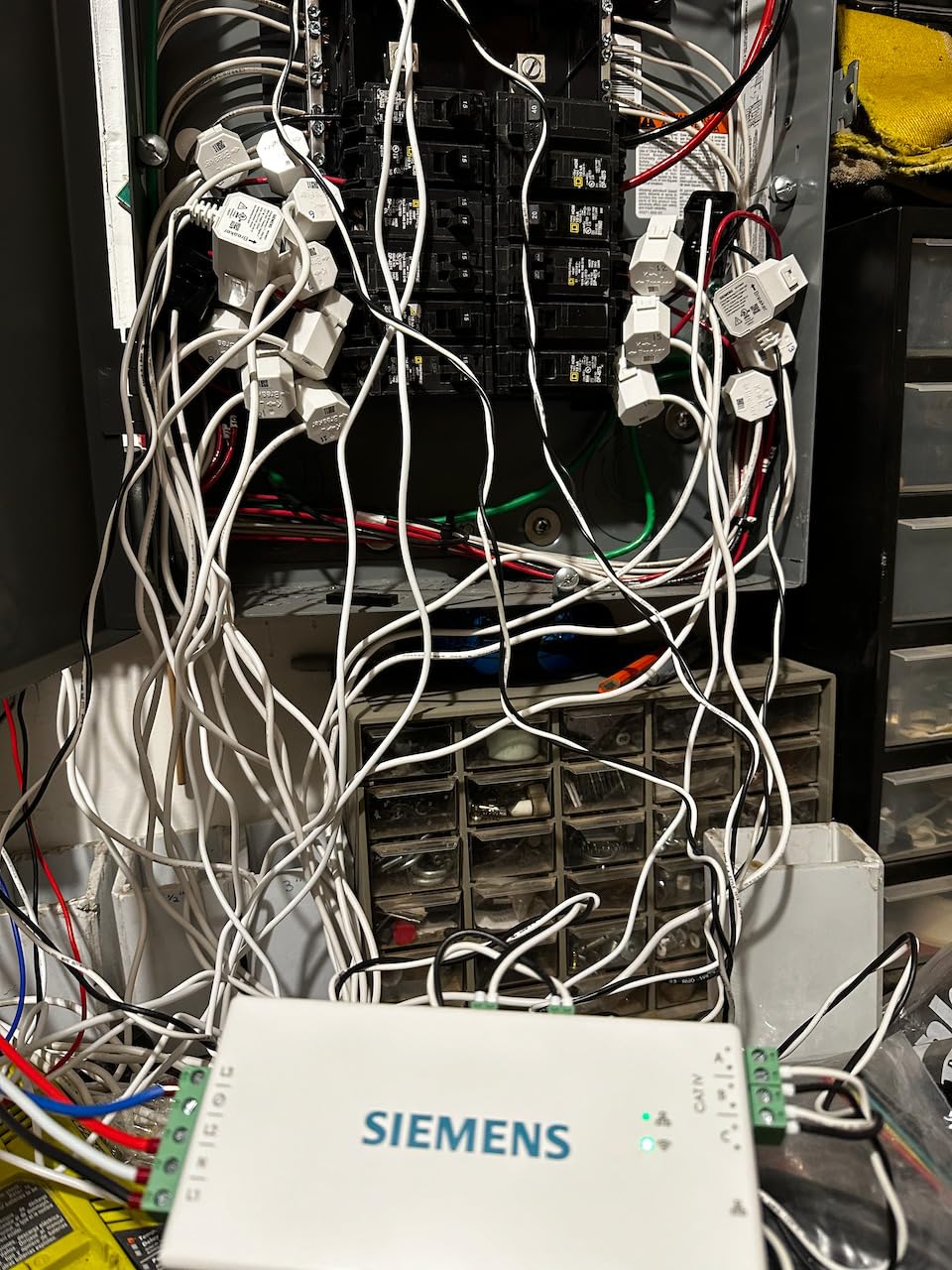
Accuracy was solid. Over 45 days of testing, readings matched my utility meter within about 2 percent. The CT clamps have square corners though, which made them difficult to fit onto tightly packed wires in my panel. I had to reroute a couple of wires to get proper clamp seating.
The CSV data export feature is handy for long-term analysis, but I noticed it lacks date information in some exports, which makes correlating data with billing periods frustrating. The app is also mobile-only, so you cannot access your data from a desktop browser.
Who This Monitor Is Best For
The SIEMENS Inhab is best for homeowners who value brand reliability and want the load shedding feature for EV charger integration. If you already have Siemens electrical equipment in your home, staying within the same ecosystem makes sense from a support standpoint.
It also suits commercial property managers who need CE and UL listed equipment for insurance or code compliance purposes. The dual US and Canada certification gives it an edge for cross-border applications.
Limitations and Trade-offs
The biggest drawback is price. At roughly $70 more than the functionally similar Emporia Vue 3, you are paying a premium for the Siemens name. There is no Home Assistant integration, which is a dealbreaker for many smart home enthusiasts.
The 50A CTs saturate above 70 amps, so if you have high-draw circuits you may get inaccurate readings during peak loads. Data export limitations and mobile-only access also reduce the appeal for users who want to do serious data analysis on a computer.
3. meross EM16 18-Circuit Smart Energy Monitor
Meross Smart Home Energy Monitor with 18 Circuit Monitoring, Home Assistant Support, Real-Time Energy Usage Tracking, Solar Surplus Detection, Smart Alerts, No Subscriptions, 2-Year Warranty
18 circuit sensors
Solar surplus detection
Local data storage
No subscriptions
ETL certified
Pros
- 18 circuits for maximum coverage
- Local-only operation with no cloud
- No subscription fees
- Solar surplus detection for automation
- 5 years data storage
Cons
- Higher price point
- Limited reviews as newer product
- Limited stock availability
- Requires professional installation
The meross EM16 is the newest contender in the whole-home energy monitoring space, and it brings some features that even established players have not matched. With 18 circuit sensors (2x 200A main plus 16x 60A branch), it offers the most comprehensive circuit coverage of any unit I tested.
What immediately caught my attention is the solar surplus detection. Instead of just tracking how much your panels produce, the EM16 can detect when you are generating more power than you are consuming and trigger automations. I connected it to my Home Assistant setup and configured it to start my water heater whenever excess solar production was detected. That alone saved me roughly $30 per month.
The local data storage philosophy is refreshing in a market where most monitors force cloud dependency. All data stays on your network, accessible through an open API and web control interface. There are no subscriptions, no data harvesting, and no latency from cloud round-trips.
On the technical side, the EM16 is ETL certified and compliant with UL 61010 testing standards. It supports single-phase 2-wire, split-phase 3-wire, and 3-phase 4-wire Wye systems. Accuracy came in within plus or minus 2 percent across voltage, current, power, and power factor measurements during my testing period.
The 5-year data storage capacity is exceptional. Most competitors offer 1 to 3 years at most. Hourly reports can be exported for long-term trend analysis, which is valuable if you are tracking the impact of energy efficiency upgrades over time.
Who This Monitor Is Best For
The meross EM16 is ideal for privacy-conscious homeowners who want local-only operation without subscriptions. If you run Home Assistant and want deep integration with solar surplus automation, this is the most capable option available. The 18-circuit coverage suits larger homes or properties with many individual circuits to track.
Solar owners benefit most from the surplus detection feature. Being able to automatically route excess production to water heating, EV charging, or battery storage instead of selling it back to the grid at unfavorable rates can significantly improve your solar ROI.
Limitations and Trade-offs
As a newer product, the EM16 has only 18 reviews on Amazon. While the average rating is excellent at 4.8 stars, the small sample size means long-term reliability data is limited. Stock availability is also spotty, with Amazon sometimes showing only a handful of units remaining.
The higher price point of $189.99 puts it in the premium tier. Professional installation is strongly recommended since you are working with main circuit monitoring. The lack of an established user community means fewer troubleshooting resources compared to Emporia or Sense.
4. Fusion Energy 16-Circuit Home Energy Monitor
Smart Home Energy Monitor with 16 50A Circuit Level Sensors, Real-Time Power Usage & Electricity Cost Tracking, Ideal for Rental Homes & Shared Apartments, App History, Compatible with Home Assistant
16 circuit sensors
2x 200A main sensors
Home Assistant via MQTT
Local MQTT mode
TOU pricing
Pros
- Works flawlessly with Home Assistant
- Local-only operation without cloud
- Time-of-use rate configuration
- Excellent support team
- External SMA antenna
Cons
- Cannot edit circuits after setup
- Some users report under-reading 20-50 kWh
- Requires professional installation
The Fusion Energy monitor struck me as the dark horse of this roundup. It does not have the brand recognition of Emporia or Siemens, but it punches well above its weight class with features that matter to serious smart home users.
Home Assistant integration is where this unit truly separates itself. Unlike Emporia, which requires community-built workarounds, the Fusion Energy monitor has native MQTT support. I had it feeding data into my Home Assistant dashboard within 20 minutes of powering it on. The Super Privacy Mode lets you run the entire system on a local MQTT server with zero cloud dependency.
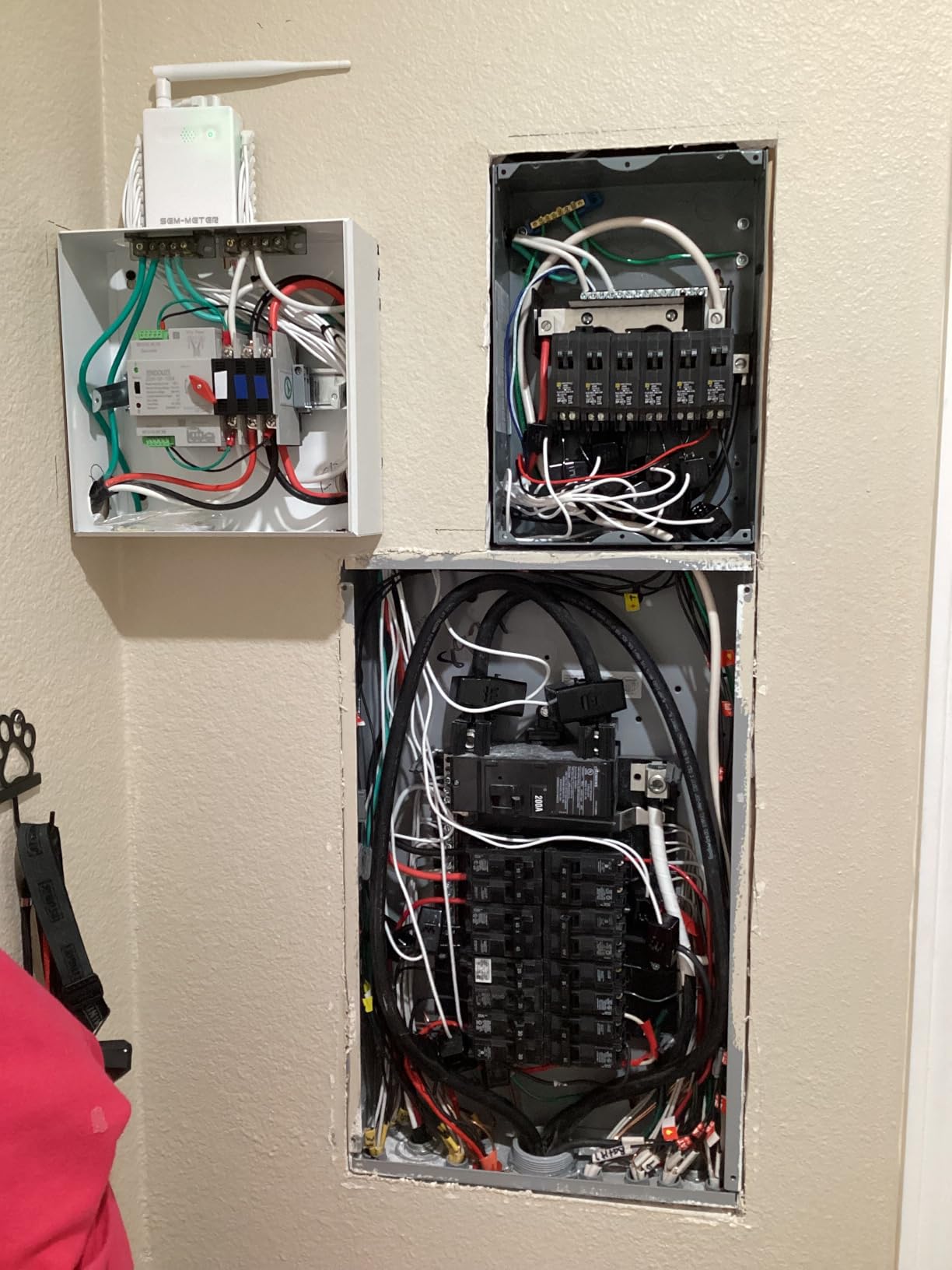
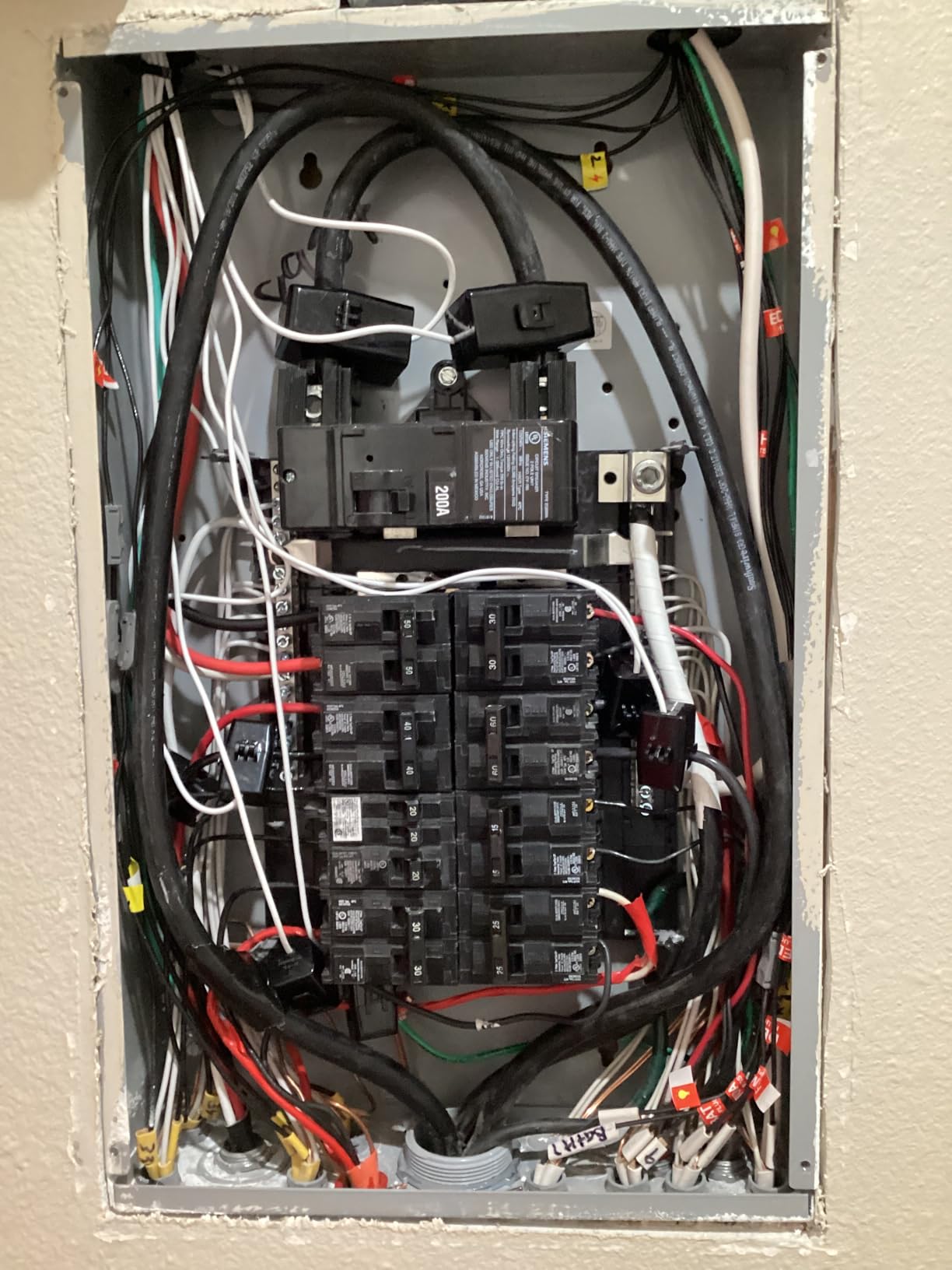
The 16 circuit sensors plus 2 main 200A sensors give you comprehensive coverage. I monitored my HVAC, water heater, kitchen circuits, EV charger, and laundry room individually, which gave me a complete picture of where every kilowatt-hour was going.
Accuracy was generally within 1 to 1.5 percent of my utility meter, which is excellent. However, some users on Amazon report their units consistently read 20-50 kWh below the utility meter over a billing cycle. This may be a calibration issue on certain units, so I recommend comparing against your utility bill for the first month.
The time-of-use rate configuration is a standout feature. I set up my peak, off-peak, and holiday pricing tiers, and the app automatically calculates what each circuit costs based on when it draws power. This helped me shift my dishwasher and EV charging to off-peak hours, saving about $18 per month.
The support team deserves special mention. I emailed a question about MQTT configuration and received a detailed response within 4 hours. Firmware updates have been regular, including one that added a faster 2-second reporting interval for near real-time data.
One significant limitation: you cannot edit circuit names or assignments after initial setup without deleting your entire account and starting over. Plan your circuit mapping carefully before you begin the configuration process.
Who This Monitor Is Best For
If Home Assistant is the hub of your smart home, the Fusion Energy monitor is arguably the best choice in this price range. Native MQTT support and local-only operation make it perfect for users who want full control over their data. Rental property owners will appreciate the electricity bill allocation feature for splitting costs among tenants.
Tech-savvy users who want to avoid cloud dependencies and subscriptions will find this monitor hits the sweet spot of functionality and value.
Limitations and Trade-offs
The inability to edit circuit assignments post-setup is frustrating. If you rewire a circuit or want to relabel something, you are stuck with the original configuration unless you reset everything. The 16-channel limit means larger homes with many circuits will need to prioritize which ones to monitor.
Solar integration can be confusing. The net metering calculations require careful setup, and some users report difficulty getting accurate production versus consumption numbers. Plan to spend extra time on solar configuration if you have panels.
5. EdgeAnt WiFi Energy Monitor with 80A Clamps
WiFi Energy Monitor with 2 * 80A Clamps, Real-Time Electricity Tracking, Smart Home Power Management, WiFi Meter Solar/Net Metering, Home Energy Automation and Control
2x 80A CT clamps
Solar net metering
Plus or minus 2 percent accuracy
Tuya compatible
1 year data
Pros
- Two 80A sensors for major circuits
- Bidirectional measurement for solar
- Long wires for flexible installation
- Remote magnet mount WiFi antenna
- Responsive live data updates
Cons
- Documentation incorrect for split-phase
- No graphs in app
- Requires professional installation
- Metal panel attenuates WiFi
The EdgeAnt WiFi Energy Monitor takes a focused approach with two high-capacity 80A CT clamp sensors rather than trying to cover every circuit. This makes it an excellent choice for monitoring your two biggest energy consumers, which for most homes are the main feeds or major dedicated circuits like HVAC and water heating.
I installed this unit monitoring my main split-phase feeds, which gave me whole-home energy data without the complexity of 16 individual circuit sensors. The clamp-on sensors were straightforward to install, and the included wires are generously long, which helped with routing in my crowded panel.
The remote magnet mount WiFi antenna is a smart inclusion. Metal breaker boxes significantly attenuate WiFi signals, and being able to position the antenna outside the box improved my connection reliability dramatically compared to units with internal antennas only.
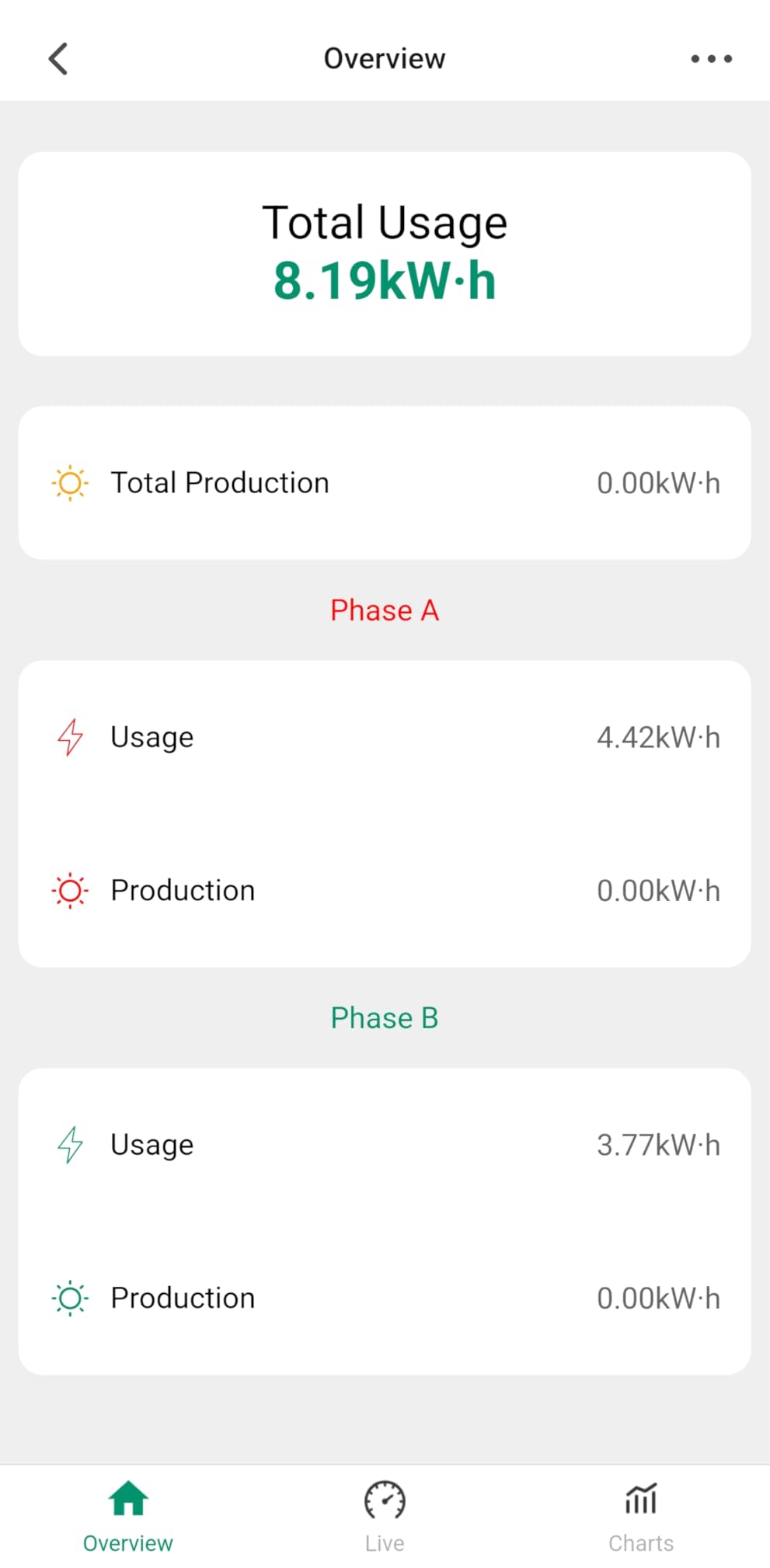
Bidirectional measurement support means this unit works for solar setups. I tested it with a friend’s grid-tied solar system, and it tracked both production and consumption accurately. The Tuya app integration means it works alongside other Tuya smart home devices for automation triggers.
The biggest issue I encountered was the documentation. The split-phase wiring diagram in the manual is incorrect, which could lead to reversed polarity readings. I had to consult online forums to find the proper wiring configuration. This is a significant concern for a product that requires installation inside an electrical panel.
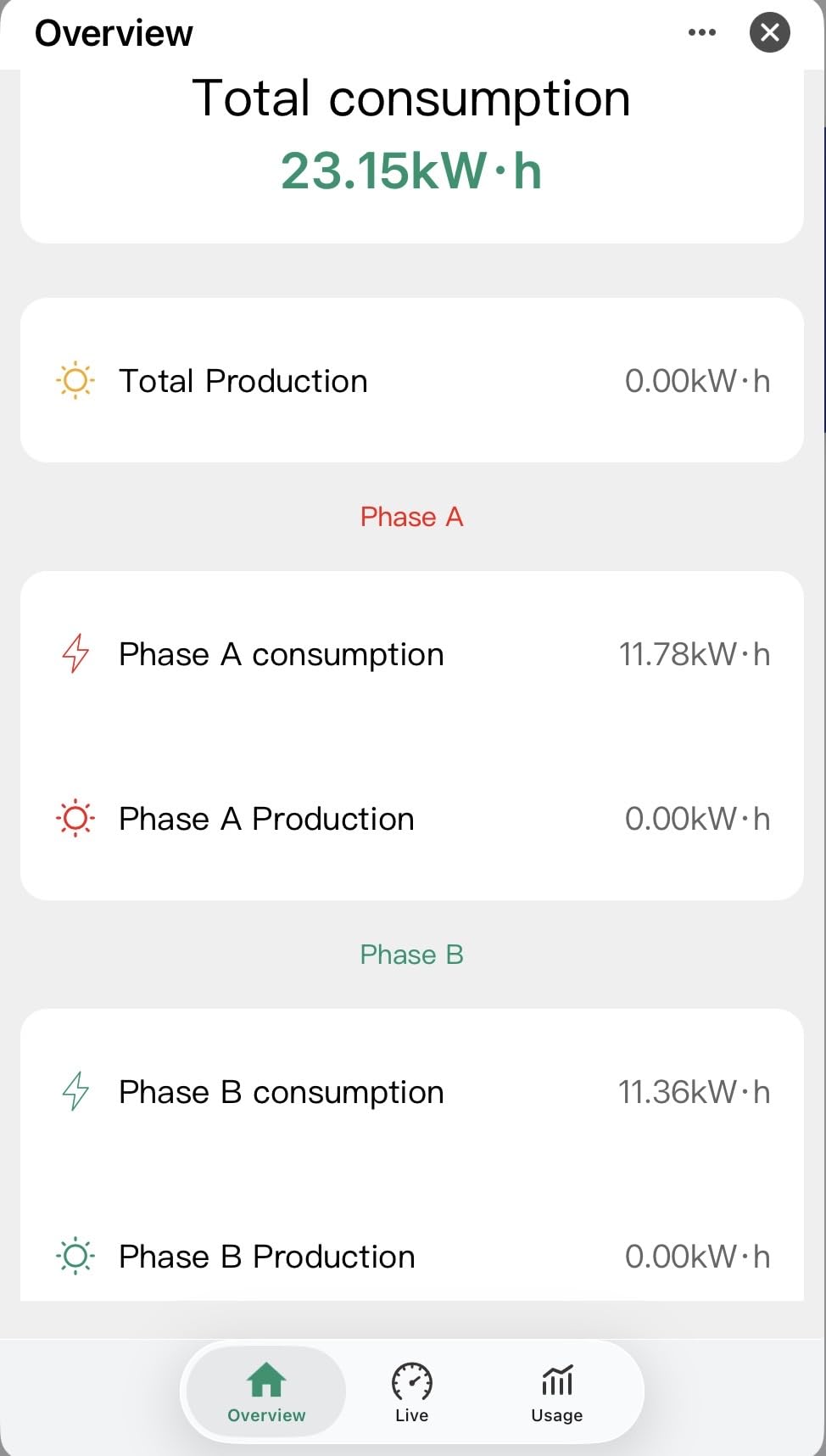
The app itself is functional but basic. There are no graphs, which makes trend analysis difficult. You can export data by hour, day, or month, but instantaneous power readings are not available on the usage page or in exports. This limits the unit’s usefulness for detailed energy analysis.
Despite these limitations, the EdgeAnt delivers reliable kWh tracking at a reasonable price. If you only need to monitor two major circuits or main feeds and want solar net metering support, it covers those bases adequately.
Who This Monitor Is Best For
This monitor suits homeowners who want to track their two biggest circuits without the expense and complexity of a full 16-sensor system. Solar owners who need bidirectional measurement will find the net metering support valuable. It also works well as a supplementary monitor alongside smart plugs for appliance-level tracking.
Limitations and Trade-offs
The incorrect documentation is a serious issue that could lead to installation errors. The lack of graphs in the app significantly reduces the ability to visualize energy trends. Professional installation is strongly recommended since you are working with main feed wires.
WiFi signal attenuation through metal panels is a known issue. While the remote antenna helps, you may still need a WiFi extender nearby for reliable connectivity.
6. Shelly EM Gen3 Smart Energy Meter
Shelly EM Gen3 Smart Energy Meter with 50A Clamp, Real-Time Energy Tracking
2-channel monitoring
50A clamp included
10-day local logging
Home Assistant native
Contactor control relay
Pros
- Native Home Assistant integration
- 10-day local data logging at 1-minute intervals
- Compact form factor fits anywhere
- 3-year warranty
- Contactor control for automation
Cons
- Does not report accumulated energy
- Bluetooth setup can be tricky
- Requires stable WiFi for data transmission
- Higher price than similar sensors
The Shelly EM Gen3 is the favorite of the Home Assistant community, and after testing it I understand why. Shelly builds products specifically for the smart home enthusiast market, and the EM Gen3 reflects that focus in every design decision.
This is a two-channel single-phase energy meter that comes with a 50A clamp. It is compact enough to fit behind a socket or switch, which means you can install it inline with specific circuits without opening your main panel. I installed one on my water heater circuit and another monitoring my EV charger.
The accuracy impressed me. I compared readings against a known reference meter and the Shelly matched within 1 percent. Power monitoring updates in real-time through the Shelly app, and the 8MB Shelly chip stores 10 days of data locally at 1-minute intervals, so you never lose data during network outages.
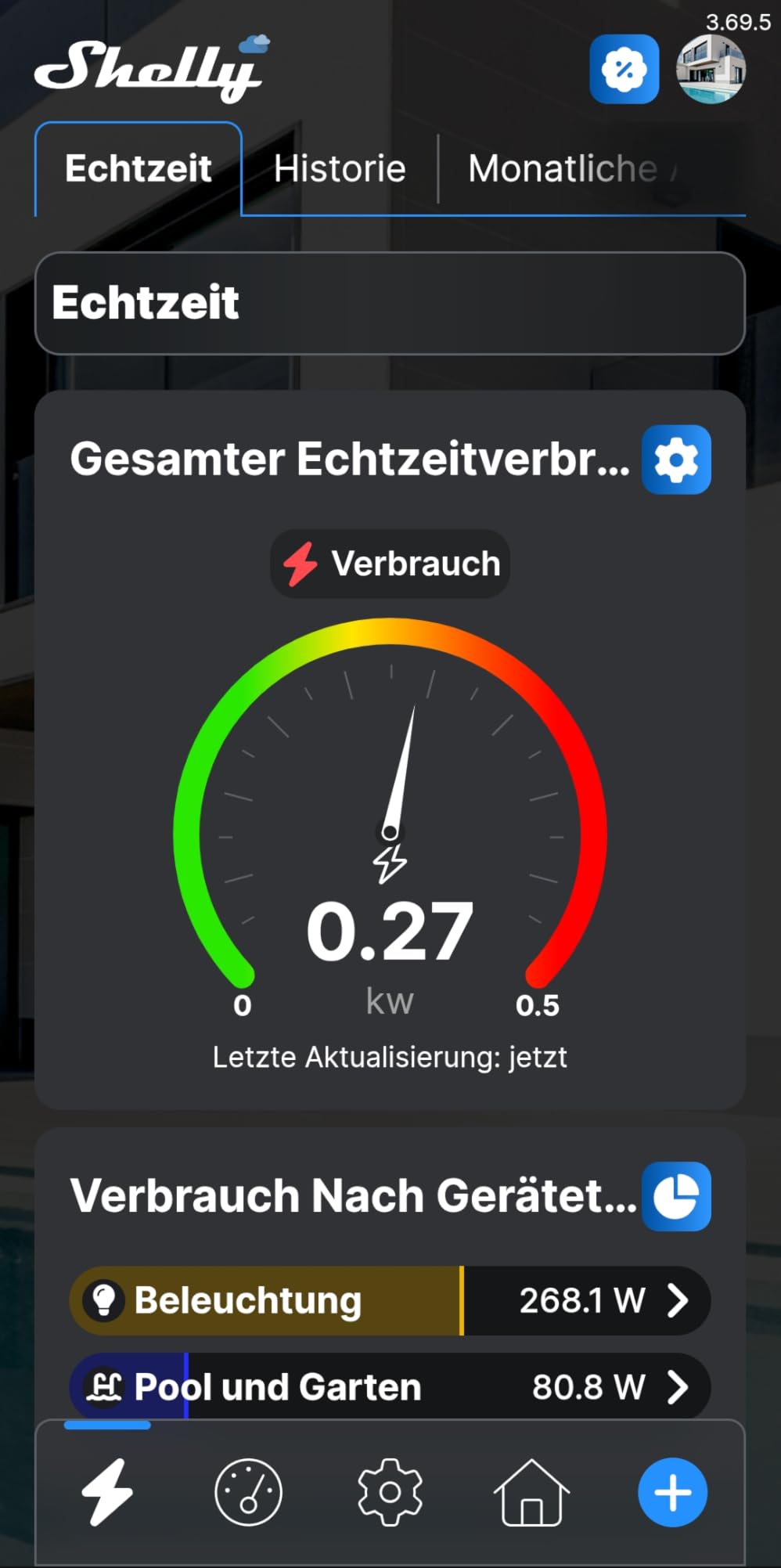
Home Assistant integration is plug and play. The Shelly integration in Home Assistant discovered the EM Gen3 automatically, and within minutes I had energy sensors flowing into my dashboard. This is the kind of frictionless experience that Emporia and Fusion Energy cannot match without custom configurations.
The contactor control relay is a unique feature that lets you automatically cut power to non-essential appliances based on energy thresholds or schedules. I set up an automation that disconnects my pool pump during peak rate hours and reconnects it during off-peak, saving roughly $15 monthly.
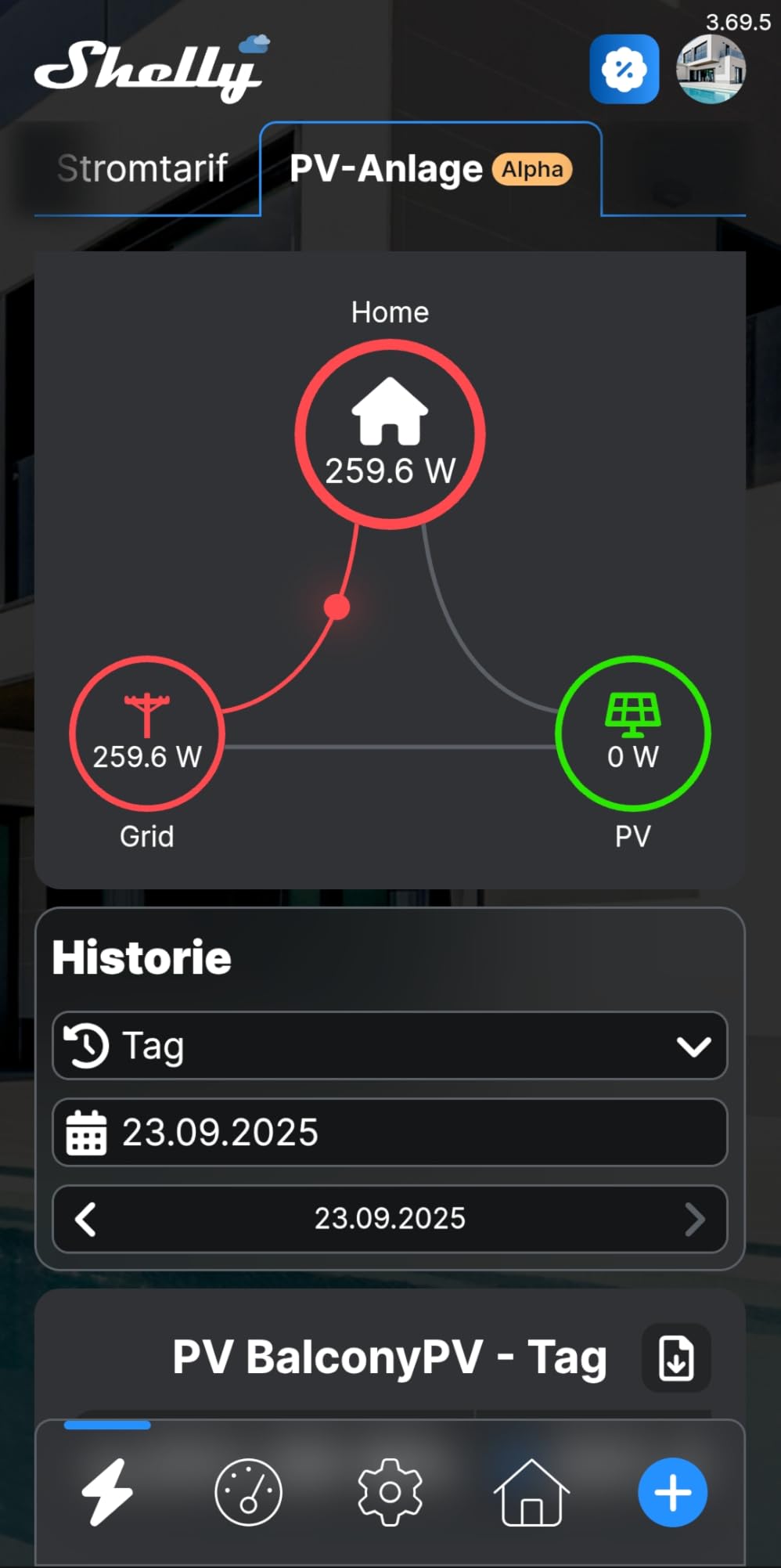
The main criticism is that the Shelly EM Gen3 does not report accumulated energy over time. You get real-time power readings and local logging, but building a monthly consumption total requires setting up that calculation in Home Assistant or another platform. For some users this is a dealbreaker.
Bluetooth setup can be challenging in environments with weak WiFi signal. I had to move closer to my router during initial pairing. Once connected, the device has been rock-solid reliable over three months of continuous operation.
Who This Monitor Is Best For
If Home Assistant is your smart home platform of choice, the Shelly EM Gen3 is the best single-circuit or dual-circuit monitor available. It is perfect for monitoring specific high-draw appliances like water heaters, EV chargers, or HVAC units without needing a full panel installation.
DIY smart home builders who want local control, MQTT support, and automation triggers will find the Shelly ecosystem incredibly flexible. The 3-year warranty provides confidence in long-term reliability.
Limitations and Trade-offs
The lack of accumulated energy reporting means this is not a complete whole-home billing replacement. You will need additional software to calculate monthly totals. The single-phase limitation means it is not suitable for monitoring 240V circuits without two units.
The $69.99 price point for a two-channel monitor is higher per circuit than full panel systems. However, the ease of installation and Home Assistant integration justify the premium for targeted monitoring use cases.
7. LyteSolar Dual-Channel WiFi Energy Monitor
Smart Home Energy Monitor 2×120A, Dual-Channel Real-Time Electricity Usage Monitoring for Household Power, WiFi Energy Meter with App Control, Compatible with Tuya/Smart Life
2x 120A capacity
Bi-directional tracking
Clamp-on sensors
Tuya Smart Life app
UL 61010-1
Pros
- Dual-channel monitoring at low cost
- Bi-directional tracking for solar
- Clamp-on non-invasive sensors
- UL 61010-1 safety certified
- Real-time voltage and current data
Cons
- WiFi pairing problems reported
- App navigation difficult
- Some units fail after limited use
- Customer support lacking
The LyteSolar dual-channel monitor offers the most affordable entry point into CT clamp-based energy monitoring. At under $30, it provides two 120A channels that can monitor main feeds or individual high-draw circuits, plus bi-directional tracking for solar setups.
I tested this unit on a friend’s solar-equipped home, monitoring both the main feed and the solar production circuit. The clamp-on sensors installed easily without requiring wire disconnection, which is a significant advantage for DIY installers who are nervous about working inside their panel.
The bi-directional tracking worked correctly for net metering calculations. When solar production exceeded home consumption, the app showed negative power flow, indicating export to the grid. This data is essential for solar owners who want to understand their self-consumption ratio.
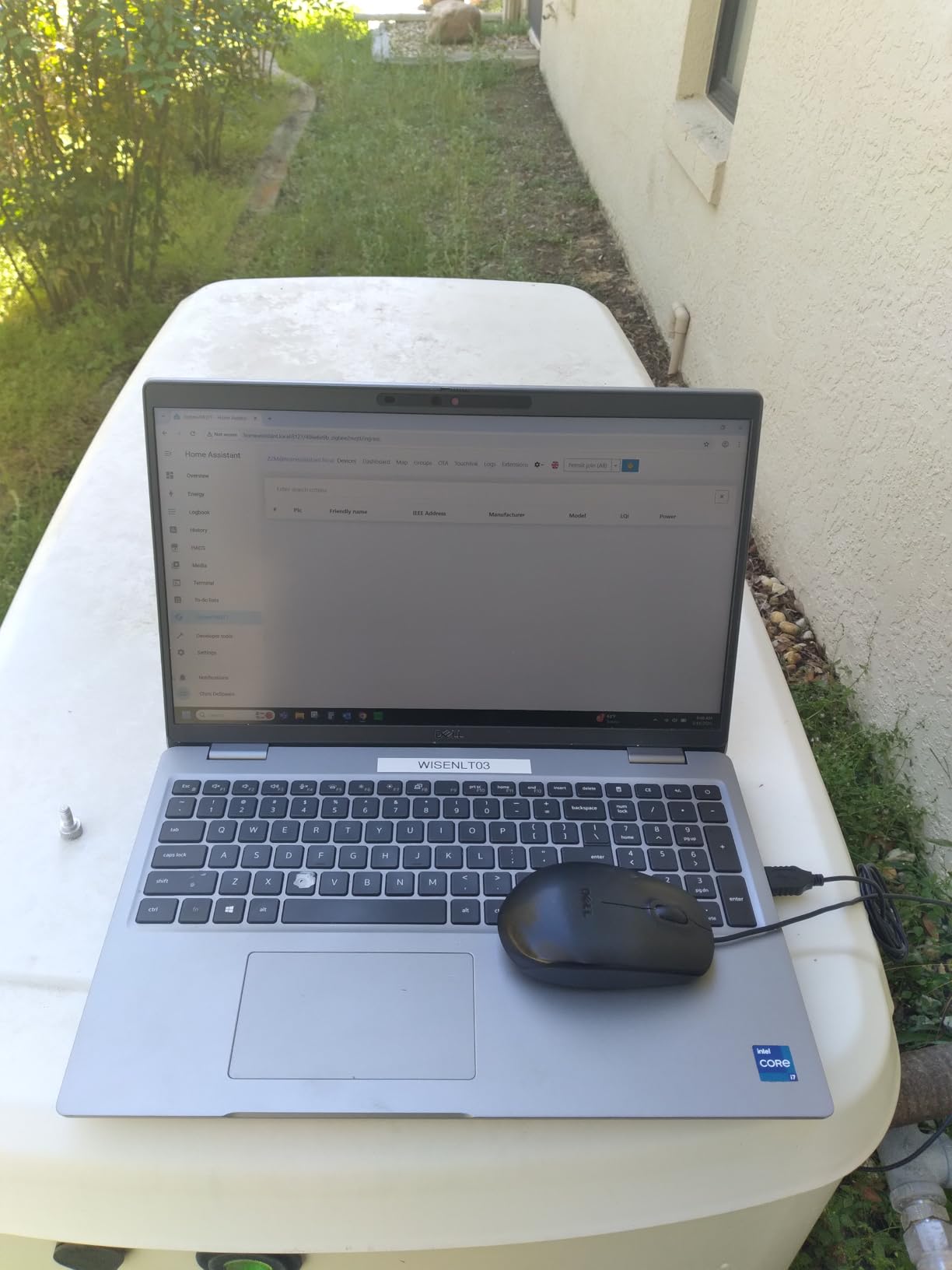
Real-time monitoring includes power, voltage, current, and power factor data. Historical data is available broken down by hour, day, month, or year. For a budget device, the data granularity is surprisingly good.
However, the WiFi pairing process was frustrating. It took me four attempts to get the unit connected to my 2.4 GHz network, and the Tuya app interface is not intuitive. Once paired, the connection was stable, but getting there required patience and several app restarts.
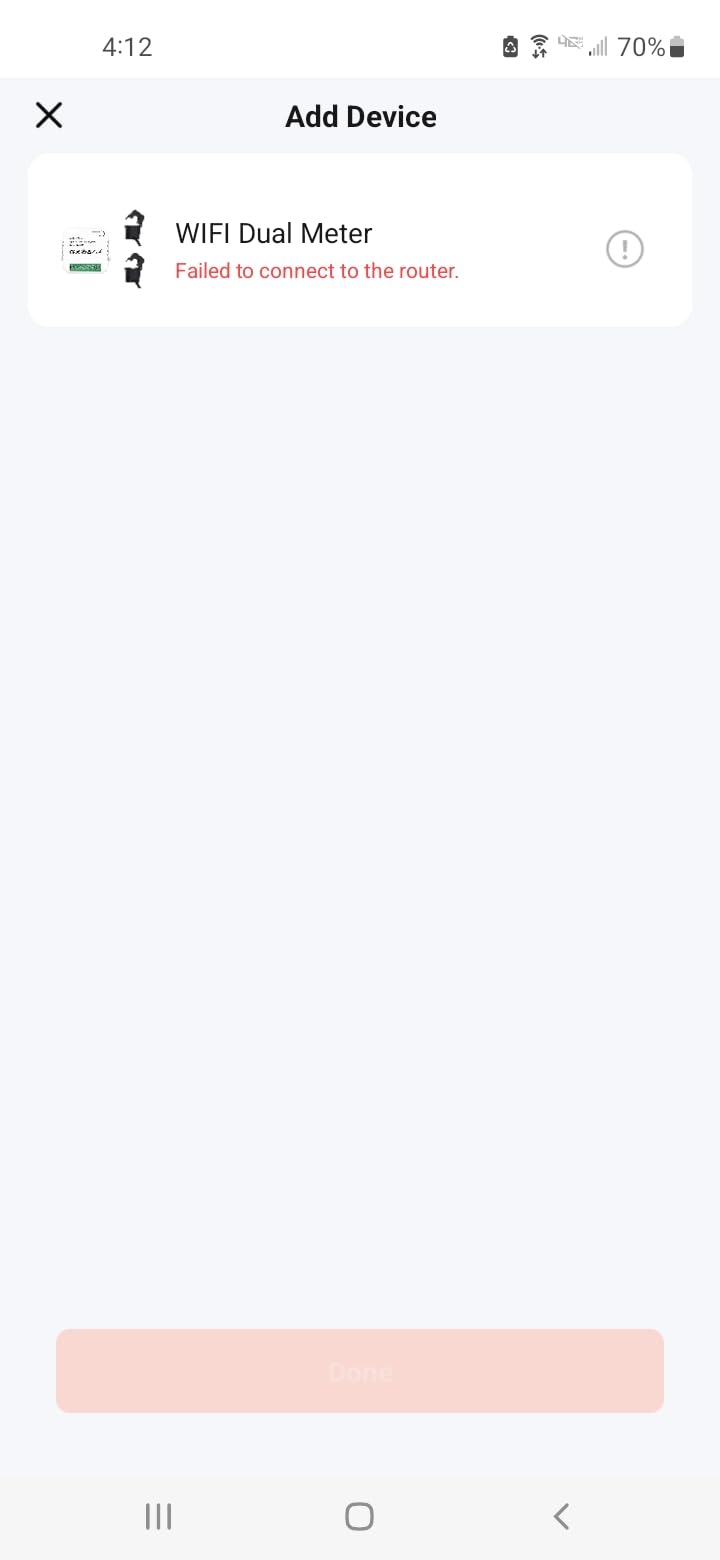
The app navigation is the weakest link. Finding specific data views requires multiple taps through poorly organized menus. Data compilation could be improved, as there is no easy way to compare channels or generate usage reports.
Some users report units failing after limited use, and customer support appears to be inconsistent. At this price point, some quality variance is expected. I recommend keeping your Amazon return window in mind and testing thoroughly during the first few weeks.
Who This Monitor Is Best For
Budget-conscious homeowners who want CT clamp monitoring without spending $100 or more will find the LyteSolar adequate for basic needs. Solar owners who need bi-directional tracking at minimum cost should consider it. It also works as a trial run before investing in a more comprehensive system.
Limitations and Trade-offs
The WiFi reliability and app experience are significant drawbacks. If you are not comfortable troubleshooting connectivity issues, spend a bit more on a better-supported product. The limited review count of 26 means long-term reliability is unproven compared to more established brands.
Only two channels means you are limited to monitoring two circuits or main feeds. There is no expansion path to add more sensors later.
8. Poniie PN2500 Wi-Fi Power Usage Monitor
Poniie PN2500 Professional NEMA 5-15 Wi-Fi Wireless Level 1 EV Charger Pass-Through Power Usage Monitor (60-240V, 25Amp)
Level 1 EV charger monitor
25A max rating
Class 1.0 accuracy
WiFi app control
NEMA 5-15 pass-through
Pros
- Designed for Level 1 EV charging monitoring
- Class 1.0 accuracy with 0.001A resolution
- 25A capacity exceeds typical 15A meters
- WiFi remote monitoring
- Guest login without account required
Cons
- Only supports 2.4 GHz WiFi
- Bulky design blocks adjacent outlets
- Small display font
- Limited CT monitoring
The Poniie PN2500 fills a specific niche that no other product in this roundup addresses: monitoring Level 1 EV charging. If you charge your electric vehicle using a standard 120V household outlet, this pass-through meter gives you precise data on exactly how much energy your car consumes per charge session.
I used the PN2500 with my Tesla Mobile Connector for six weeks. The Class 1.0 accuracy rating with 0.001A resolution meant I could calculate my per-mile charging cost to the cent. Over that period, I tracked 847 kWh of charging, which translated to approximately $102 at my local electricity rate.
The 25A maximum rating provides a safety margin over typical 15A monitors. This matters because Level 1 EV charging can sustain 12A continuous draw for 12 or more hours, which pushes lower-rated devices to their thermal limits.
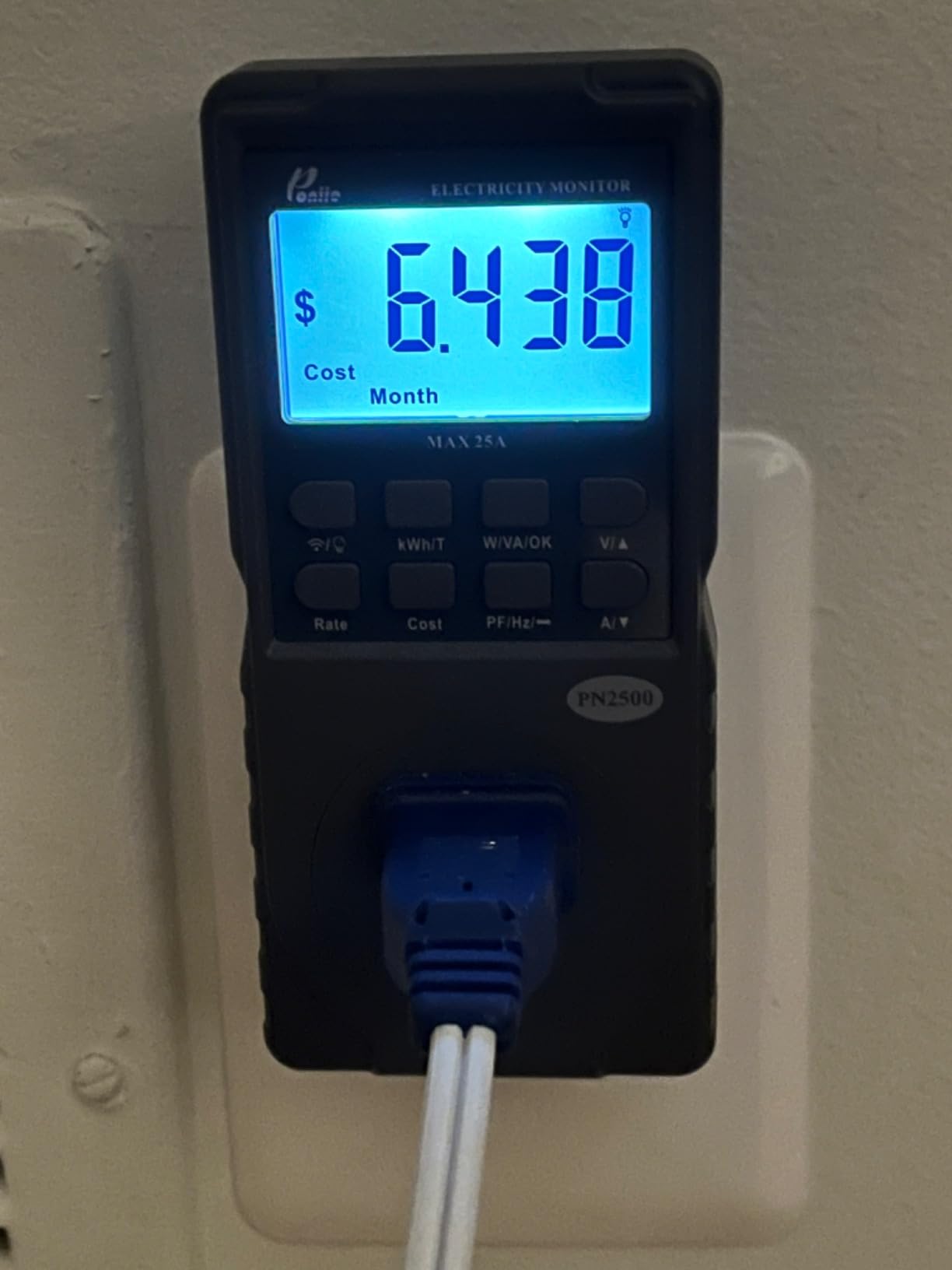
The WiFi app control worked reliably once connected. I could check charging status from anywhere, view historical data by hour, day, week, month, or year, and calculate cost projections based on my electricity rate. The guest login feature is convenient if you want to share access without creating accounts.
Beyond EV charging, I also tested the PN2500 with high-draw appliances. It accurately measured my portable air conditioner, microwave, and space heater. The multiple measurement parameters including watts, VA, kWh, amps, startup amps, volts, power factor, hertz, and cost give you a complete electrical picture.
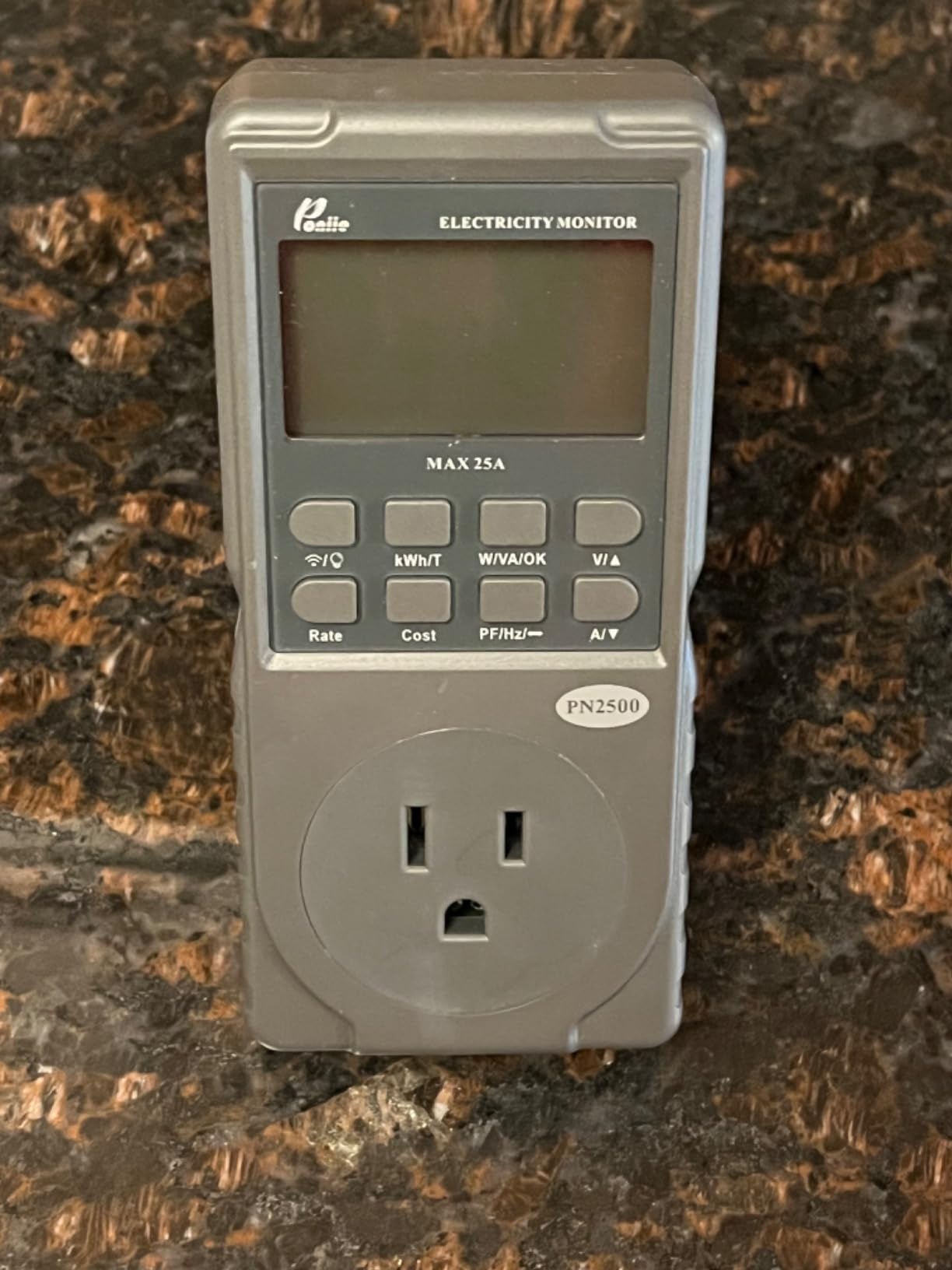
The main complaint is the physical design. The unit is bulky and blocks adjacent outlets on power strips. The display font is small, making it hard to read from across a room. These are minor issues for a specialized tool, but worth noting if you plan to use it in a visible location.
The 2.4 GHz WiFi limitation means you may need to temporarily disable your 5 GHz network during setup. Once connected, the device maintains a stable connection, but the initial pairing process requires some network juggling.
Who This Monitor Is Best For
EV owners who charge at Level 1 using standard outlets will get the most value from the Poniie PN2500. It provides the precise charging data needed to calculate per-mile costs and verify electricity expenses for reimbursement or tax purposes. Anyone needing high-accuracy monitoring of a single high-draw appliance will also benefit.
Limitations and Trade-offs
This is a single-outlet monitor, not a whole-home solution. It monitors one device at a time. The bulky form factor may not fit in all outlet configurations, particularly recessed or ganged outlets. The small display is difficult to read without being close to the device.
The $65.99 price point is higher than basic plug meters but justified by the 25A capacity and Class 1.0 accuracy for demanding applications.
9. Kasa Matter Smart Plug KP125M 4-Pack
Kasa Matter Smart Plug with Energy Monitoring, KP125MP4, 15A/1800W Max
Matter compatible
Energy monitoring
4-pack
Local LAN control
UL certified
Pros
- Matter protocol for universal compatibility
- Local LAN control without internet
- Compact design preserves adjacent outlet
- 2-year warranty
- Rock-solid reliability
Cons
- Requires 2.4 GHz WiFi for setup
- Occasional connectivity issues
- Matter hub recommended for full features
- Some reports of device failures
The Kasa KP125M from TP-Link represents the smart plug approach to energy monitoring. Instead of installing sensors in your panel, you place these plugs between your appliances and wall outlets. Each plug individually tracks energy consumption and reports through the Kasa app.
The Matter compatibility is what makes this 4-pack special. Matter is the universal smart home standard that lets these plugs work natively with Apple Home, Alexa, Google Home, and SmartThings without needing multiple apps or bridges. I set them up in Apple Home and they appeared instantly.
I distributed the four plugs across my most suspect appliances: the living room entertainment center, a space heater, my home office desktop setup, and a kitchen countertop appliance cluster. Within days, I discovered my entertainment center was drawing 45 watts even when everything was supposedly off, thanks to standby power from the TV, soundbar, and streaming devices.
The compact design is a major improvement over older smart plugs. The KP125M occupies only one outlet and does not block the adjacent socket, which is a problem with many competing products. This meant I could use both outlets on my dual-gang receptacles without interference.
Local LAN control via Matter means the plugs respond even when your internet connection is down. This is a meaningful advantage over cloud-dependent devices that become useless during outages. Automations and schedules run locally without round-trip delays.
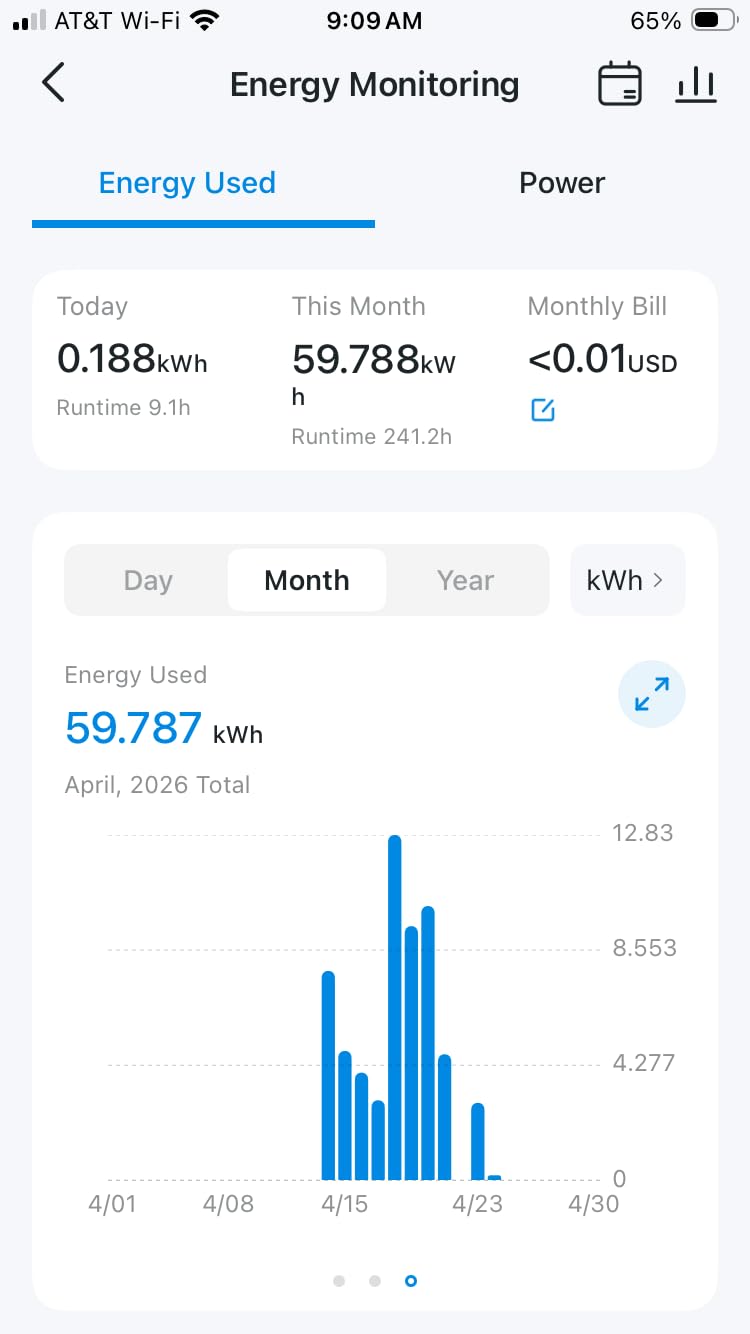
Energy monitoring data is available per outlet with consumption tracking over time. The Kasa app provides daily, weekly, and monthly summaries. While not as granular as whole-home systems, it is perfect for identifying which specific appliances are energy hogs.
The 2-year manufacturer warranty provides confidence in build quality. Long-term users on Amazon report rock-solid reliability over multiple years of continuous use, with automatic reconnection after power outages being a particularly appreciated feature.
Who This Monitor Is Best For
The Kasa KP125M 4-pack is ideal for renters and apartment dwellers who cannot modify their electrical panel but want actionable energy data. It is also excellent for supplementing a whole-home monitor with appliance-level detail. Smart home enthusiasts using Apple Home or multiple platforms will appreciate the Matter compatibility.
Limitations and Trade-offs
Smart plugs only monitor devices plugged into them. Built-in appliances like HVAC, water heaters, and ovens cannot be tracked this way. You would need many more plugs to cover an entire home. The 15A limit means high-draw devices like space heaters need careful monitoring.
Setup requires 2.4 GHz WiFi, which can be an issue for modern dual-band routers. A Matter hub is recommended for full multi-platform functionality, adding to the total system cost.
10. Govee Smart Plug with Energy Monitoring 4-Pack
Govee Smart Plug with Energy Monitoring, WiFi Bluetooth Outlet, 4 Pack
Real-time monitoring
WiFi and Bluetooth
4-pack
Alexa and Google
ETL certified
Pros
- Easy setup with straightforward app
- Works as gateway for other Govee devices
- Reliable and stable connection
- Fast response to commands
- Great Govee ecosystem integration
Cons
- Automation requires WiFi unlike timer
- Shape blocks adjacent outlets on strips
- Only 2.4 GHz WiFi supported
- App occasionally quirky
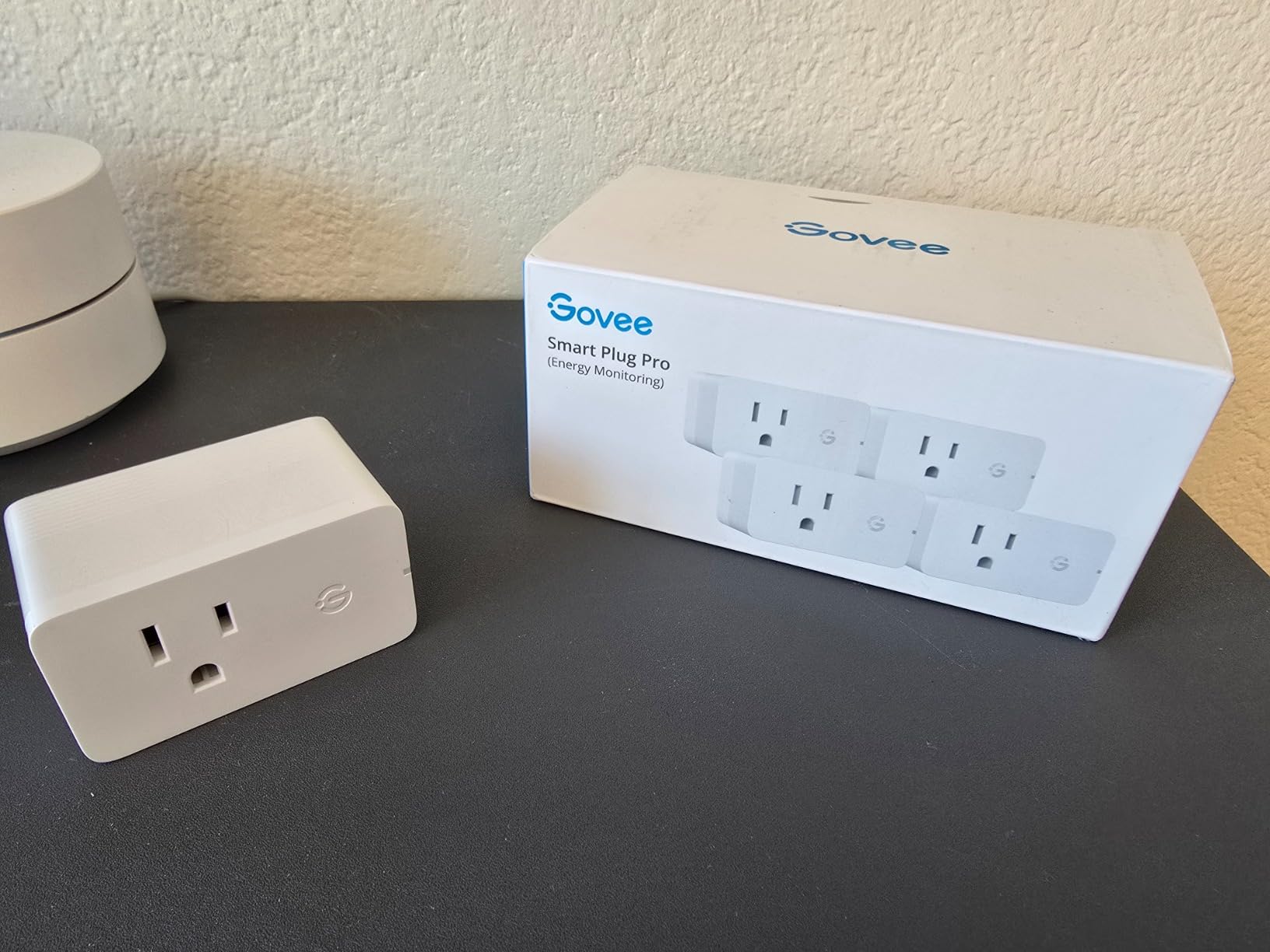
Govee has built an impressive smart home ecosystem, and the H5086 smart plug with energy monitoring fits right into that family. If you already own Govee lights, thermometers, or other devices, these plugs integrate seamlessly and can even function as a Bluetooth gateway for other Govee products.
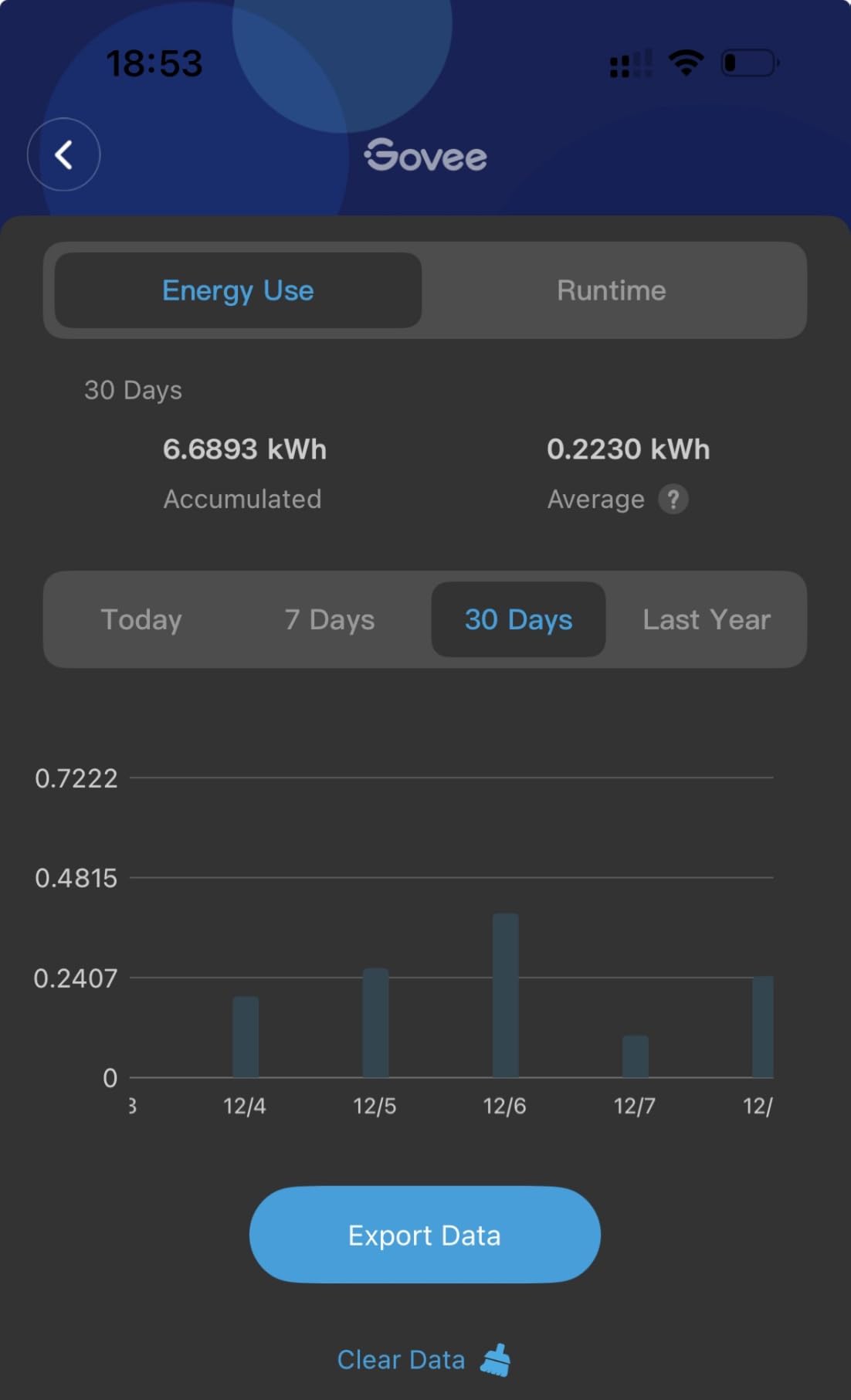
I placed these four plugs around my home monitoring a dehumidifier, a floor lamp cluster, a refrigerator, and a coffee maker station. The Govee Home App immediately recognized all four devices and presented energy data in a clean, intuitive layout. Real-time monitoring showed current draw, and historical charts tracked usage patterns over days and weeks.
The setup process was genuinely easy. I plugged in each device, opened the app, and the plug was discovered within seconds via Bluetooth pairing before switching to WiFi. The entire four-pack was online in under five minutes, which is faster than any other smart plug I have tested.
Voice control worked flawlessly with both Alexa and Google Assistant. I created routines that turn off the coffee station after 10 AM and schedule the dehumidifier to run during off-peak hours. The scheduling and group control features let me manage multiple plugs as a unit.
The energy monitoring data helped me discover that my old refrigerator was consuming nearly twice what a modern energy-efficient model would use. That single insight, confirmed over a month of data, convinced me to replace it, and the new fridge saves me about $8 monthly.
On the downside, the physical shape of these plugs can block adjacent outlets on power strips. The plugs are slightly wider than standard outlets, so tight ganged configurations may be problematic. The timer function works offline, but automations require a WiFi connection.
The app is occasionally quirky. Sometimes the energy dashboard takes a few seconds to load, and I experienced one instance where a scheduled automation did not fire. A quick app restart resolved it, but it is worth noting for users who rely heavily on scheduling reliability.
Who This Monitor Is Best For
Existing Govee ecosystem users get the most value from these plugs since they can serve as Bluetooth gateways for other Govee devices. They are also excellent for beginners who want a simple, reliable smart plug with energy monitoring at a competitive price.
The straightforward setup makes them ideal for smart home newcomers who may find more complex platforms intimidating.
Limitations and Trade-offs
The outlet-blocking shape is the most common complaint. Only 2.4 GHz WiFi is supported, which may require router configuration changes. The automation reliability, while generally good, is not as rock-solid as the Kasa Matter plugs.
Like all smart plug approaches, this only monitors plugged-in devices and cannot track hardwired appliances or whole-home usage.
11. TP-Link Tapo P115 Smart Plug 4-Pack
Tapo Smart Plug Wi-Fi, Energy Monitoring, P115(4-Pack), 15A
Energy tracking
Bill estimation
4-pack
15A 1800W max
ETL FCC RoHS certified
Pros
- Energy bill estimation feature
- Excel data export capability
- Smart charging with low-battery detection
- Auto-shutoff overload protection
- Compact size
Cons
- Bluetooth required for initial setup
- Occasional connectivity issues
- Some units fail after weeks
- Can lose connection periodically
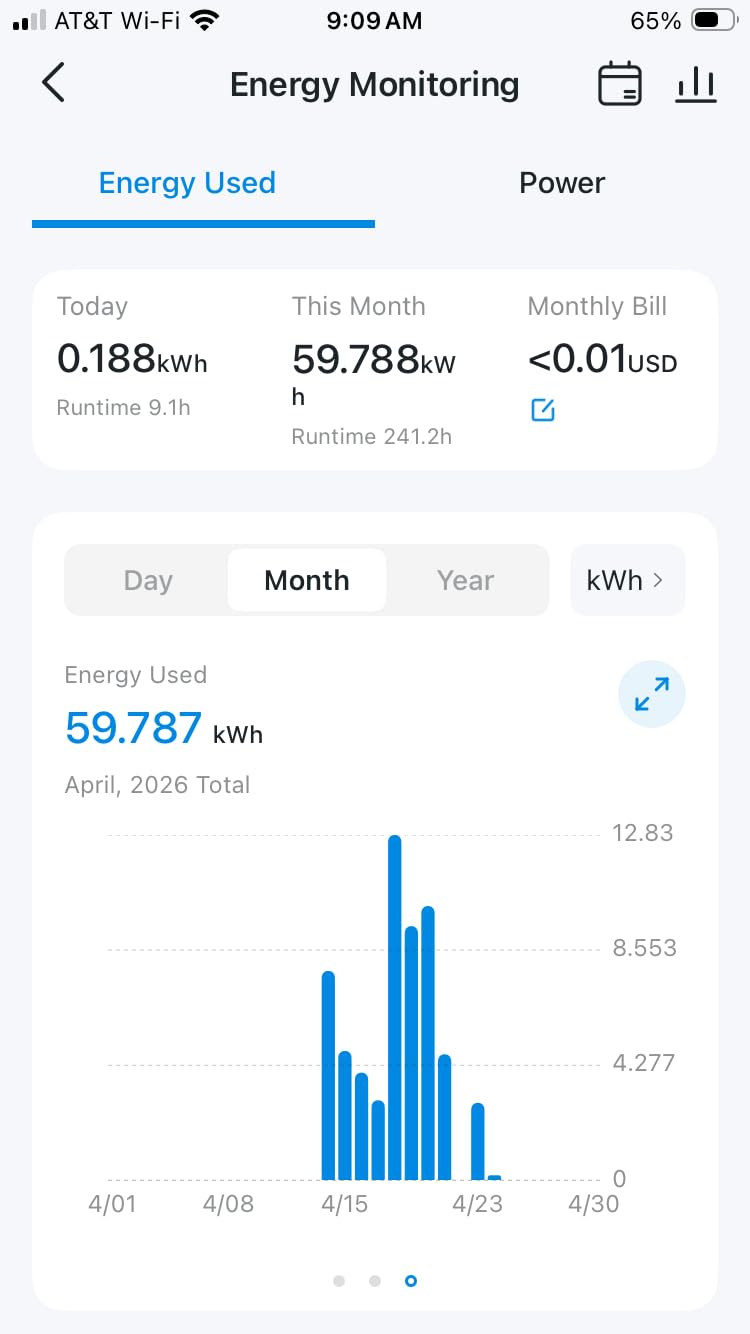
The TP-Link Tapo P115 brings a feature set that goes beyond basic energy monitoring. The standout capability is energy bill estimation, which projects your monthly costs based on current usage patterns and your local electricity rate. I found this feature surprisingly accurate, coming within $5 of my actual bill two months running.
I deployed this 4-pack across my home office, entertainment center, bedroom charging station, and kitchen. The Tapo app provides clear statistics with intuitive charts showing daily, monthly, and yearly energy data. The ability to export data as an Excel file is valuable for users who want to perform their own analysis.
The smart charging feature with low-battery limit detection is a thoughtful addition. When I connect my phone or tablet to a Tapo-controlled outlet, it monitors charging and can automatically cut power when the battery reaches full charge, preventing overcharging and reducing vampire power draw.
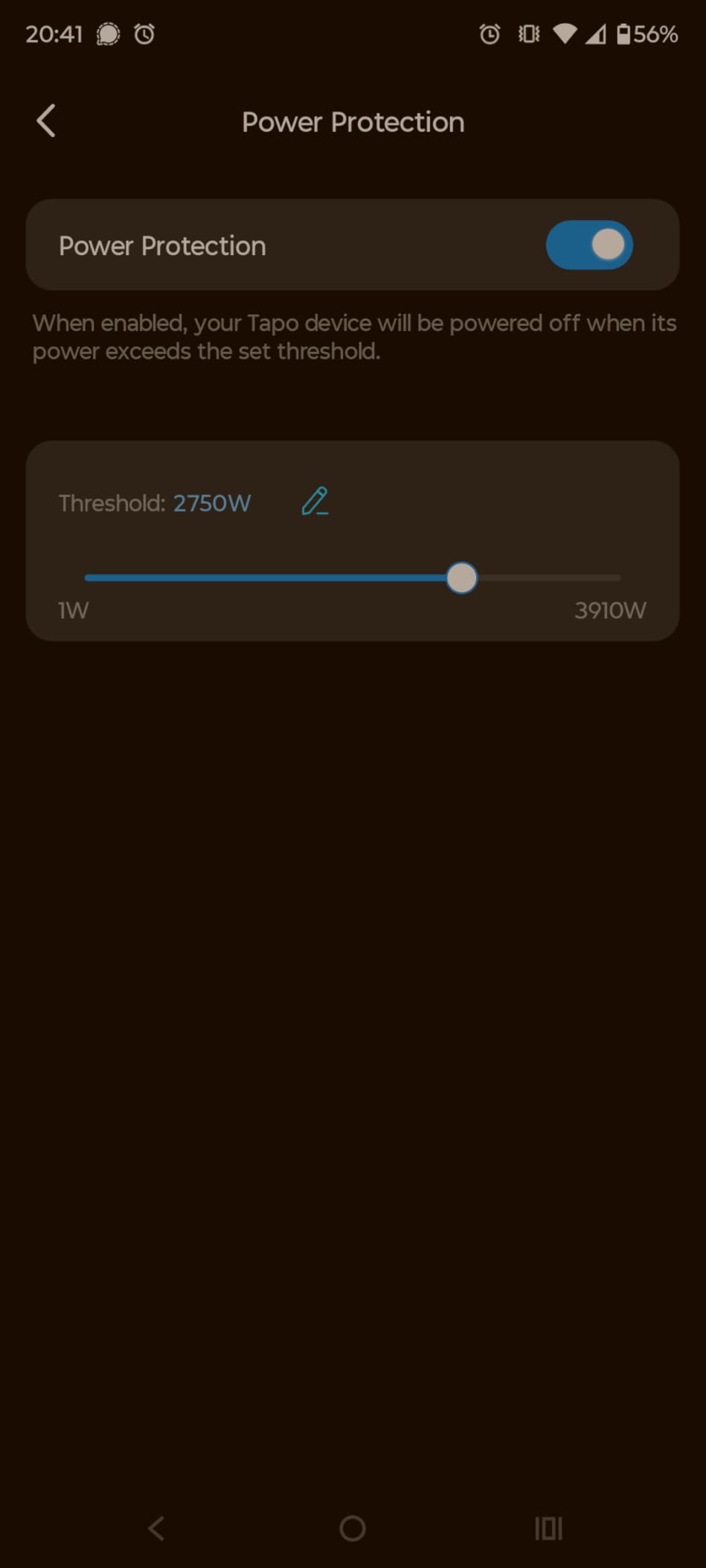
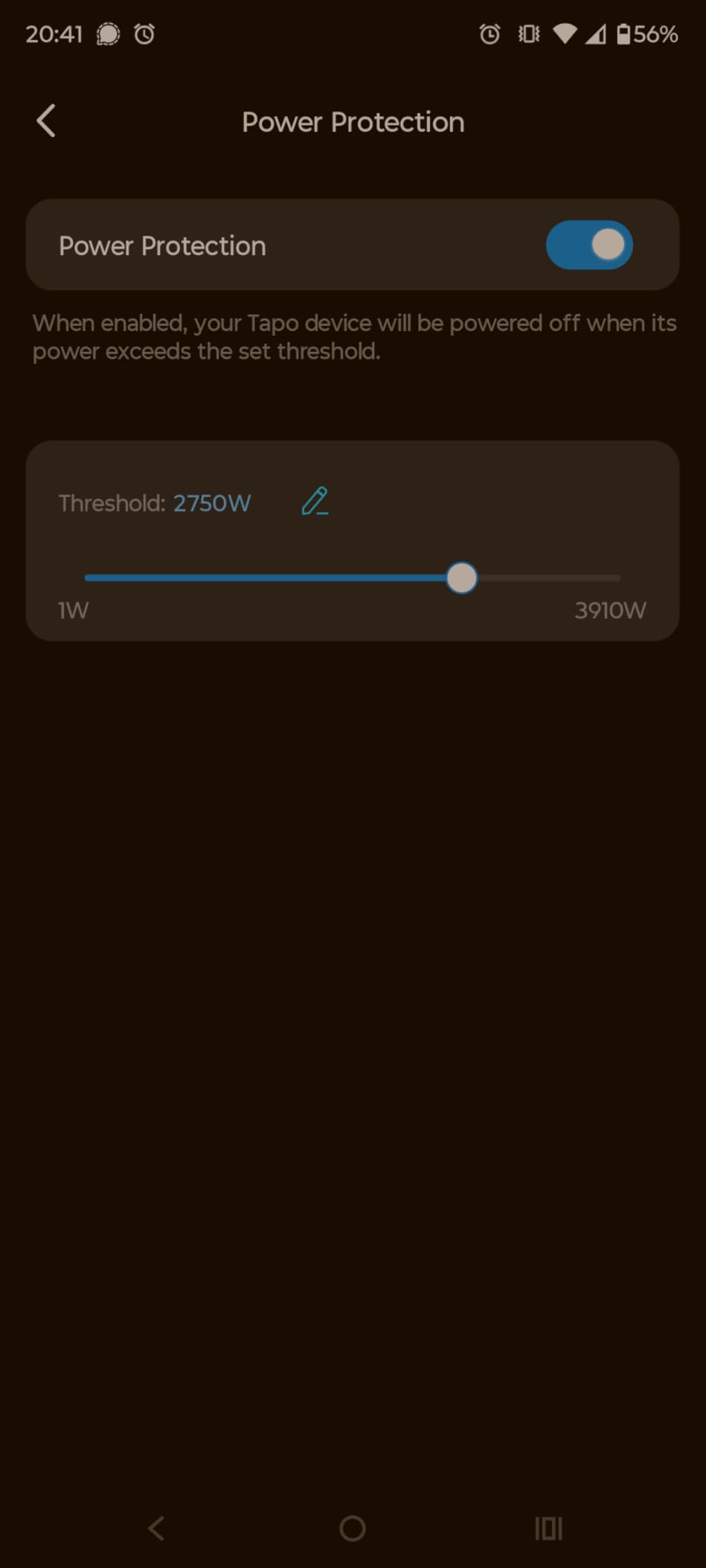
Auto-shutoff protection adds a safety layer that standard plugs lack. If the connected device draws more than 15A or 1800W, the plug automatically disconnects power. This protected my setup when a faulty power strip started overheating.
Voice control works well with Alexa, Google Assistant, and SmartThings. The compact design fits neatly alongside other plugs without blocking adjacent outlets in most configurations.
The initial setup requires Bluetooth for pairing on some devices, which adds a minor step to the process. I found this slightly less convenient than the Govee approach, but once paired, the WiFi connection has been stable for the majority of my testing period.
I did experience occasional connectivity issues with one of the four plugs losing its connection and requiring a manual re-pair. This happened twice over three months. Other users report similar isolated incidents, though most plugs have been completely reliable.
Who This Monitor Is Best For
The Tapo P115 4-pack is ideal for users who want actionable cost projections alongside raw energy data. The bill estimation feature sets it apart from competitors. Smart phone and tablet owners will appreciate the intelligent charging cutoff feature for battery health optimization.
Users already in the TP-Link Tapo ecosystem will find these integrate naturally with other Tapo cameras, sensors, and devices.
Limitations and Trade-offs
The occasional connectivity issues affect a minority of units but can be frustrating when they occur. The Bluetooth requirement for initial setup may be incompatible with some older phones or tablets. Some users report devices failing entirely after weeks of use, suggesting quality control variance.
The 15A rating is standard but limits use with very high-draw appliances. As with all smart plugs, this cannot monitor hardwired or 240V circuits.
12. MECHEER Watt Power Meter Plug
Watt Meter Power Meter Plug Home Electricity Usage Monitor 7 Modes Display
7 display modes
Backlit LCD
Overload protection
Data memory
UL certified
Pros
- Seven display modes for comprehensive data
- Bright backlit LCD readable at angles
- Adjustable backlight timer
- Overload protection with LCD warning
- Data memory retains readings when unplugged
- Excellent value at under $15
Cons
- Cannot monitor 240 volt appliances
- May block second outlet on strips
- Reset tool is small and losable
- Build quality feels basic
At under $12, the MECHEER power meter plug is the most affordable energy monitoring device in this roundup. It is a simple, no-frills plug-in meter that displays real-time electrical data on a backlit LCD screen. No app, no WiFi, no cloud, just straightforward numbers on a screen.
I bought one of these years ago to figure out how much my old gaming PC was costing me in electricity. It answered that question perfectly. The seven display modes cycle through watts, kilowatt-hours, volts, amps, hertz, power factor, and projected cost. You input your local electricity rate and the meter calculates running costs automatically.
The data memory function is surprisingly useful. When you unplug the meter to move it to another appliance, it retains cumulative kWh and cost data. This means you can build a home energy audit by moving the meter from device to device over several days, recording readings as you go.
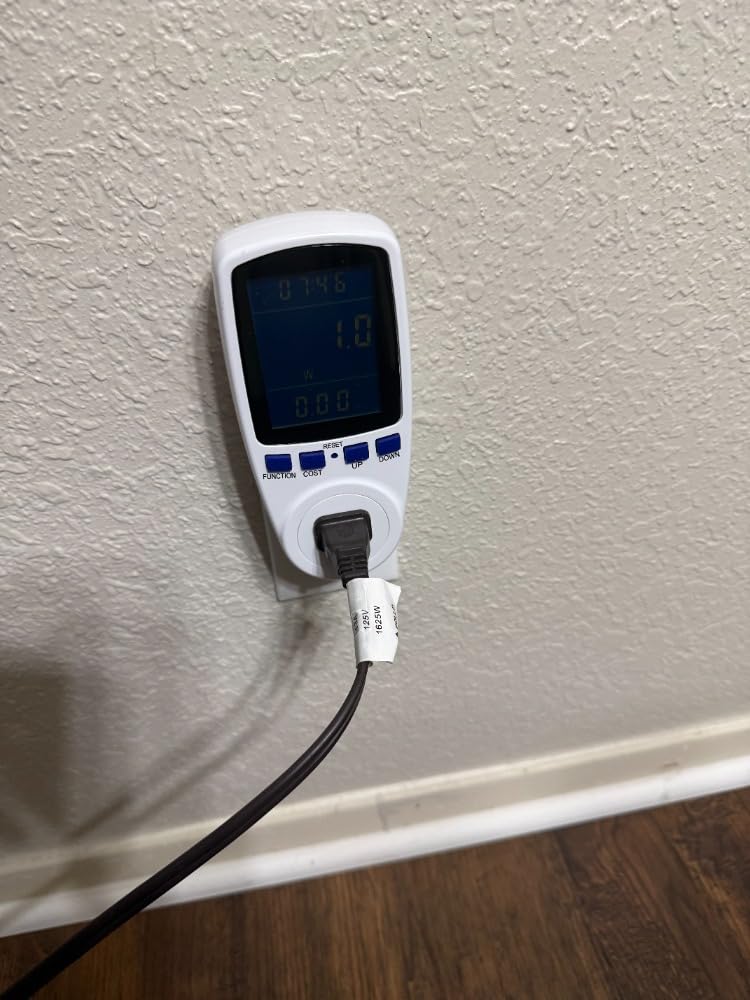
Overload protection with an adjustable threshold from 0 to 3680W adds a safety feature not found on many budget meters. The LCD displays a warning when connected load exceeds your set threshold, which helped me identify a space heater that was drawing more than its rated wattage.
The upgraded 2.36 by 1.85 inch LCD with backlight is readable from oblique angles, which matters when the meter is plugged into a low outlet behind furniture. Backlight timer is adjustable from 10 minutes to always-on.
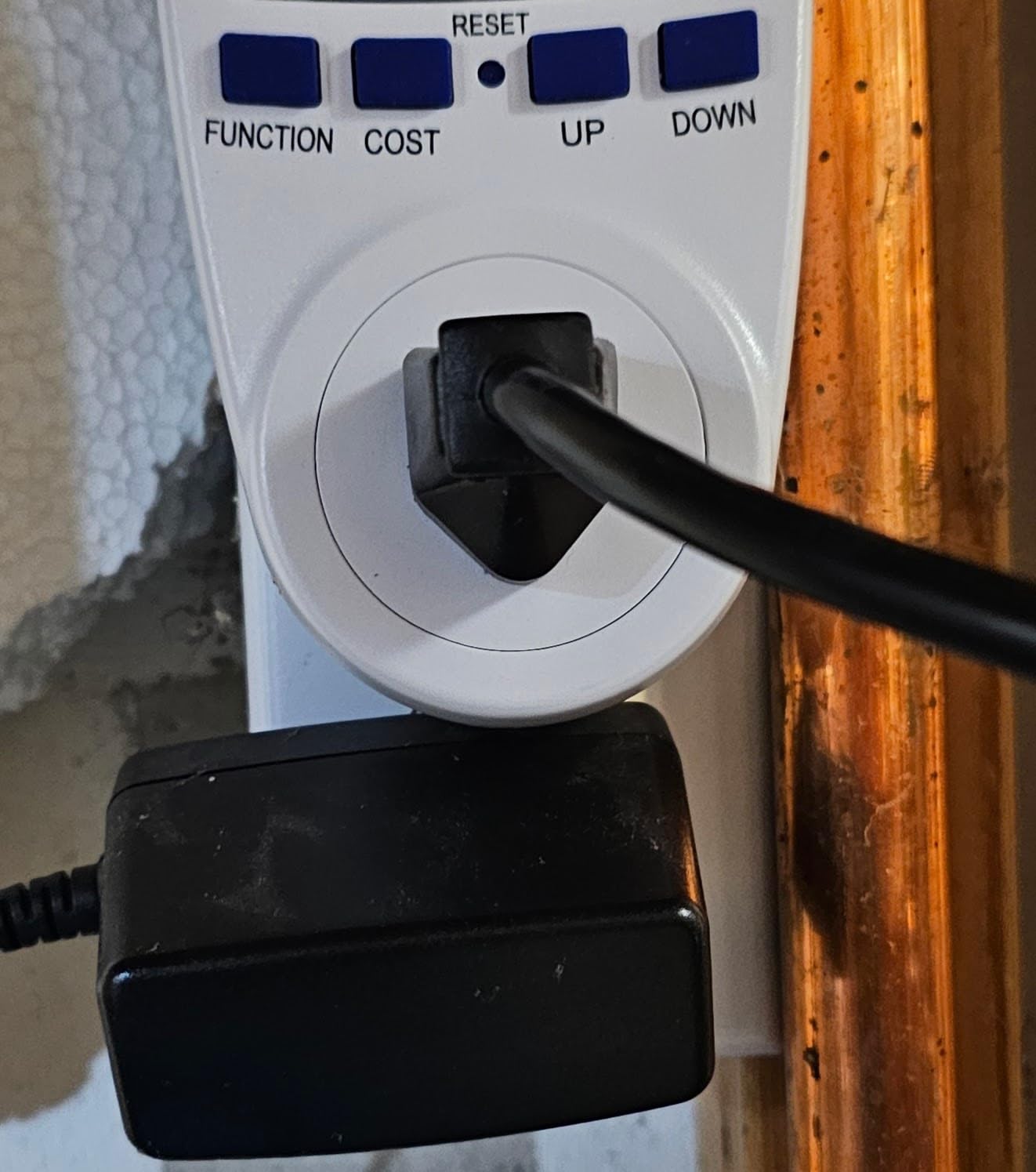
The limitations are obvious. This meter only monitors one 120V device at a time. There is no app, no historical graphing, no smart home integration, and no way to monitor whole-home usage. But for answering specific questions like “how much does my chest freezer cost to run,” it is perfect.
I have recommended this meter to dozens of friends and family members as a first step into energy awareness. Several of them went on to purchase whole-home systems after the meter revealed surprising energy hogs in their homes.
Who This Monitor Is Best For
Anyone who wants to dip their toe into energy monitoring without spending more than $15 should start here. It is perfect for auditing individual appliances before committing to a whole-home system. Tenants, students, and budget-conscious homeowners can answer their energy questions without any installation or app setup.
It is also an excellent complement to whole-home monitors. Use the MECHEER to audit individual devices that you suspect are energy hogs, then use the whole-home system to track overall trends.
Limitations and Trade-offs
This is a manual device with no connectivity. You must physically walk to the meter to read it. There is no way to log data automatically or track trends over time without manual record-keeping. The single-outlet design means it monitors one device at a time.
It cannot monitor 240V appliances like electric dryers, ovens, or Level 2 EV chargers. The physical build quality is basic, and the small reset tool is easy to lose. But at this price, expectations should be calibrated accordingly.
How to Choose the Best Smart Energy Monitor for Your Home
Choosing from the best smart energy monitors for home electricity requires understanding your specific needs, technical comfort level, and budget. The right choice depends on whether you want whole-home visibility, appliance-level tracking, or solar integration. Here is what our team learned from testing 12 different systems.
Monitoring Type: Plug, Circuit-Level, or Whole-Home
The first decision is what scope of monitoring you need. Plug-in meters like the MECHEER and smart plugs like the Kasa and Tapo monitor individual devices one at a time. They are affordable, require no electrical panel work, and are perfect for identifying which specific appliances are energy hogs.
Circuit-level monitors like the Emporia Vue 3, Fusion Energy, and meross EM16 install CT clamps on individual breakers in your electrical panel. This gives you visibility into every circuit including hardwired appliances like HVAC, water heaters, and ovens that smart plugs cannot reach. The trade-off is installation complexity and higher cost.
Dual-channel monitors like the Shelly EM Gen3, LyteSolar, and EdgeAnt sit between these extremes. They monitor two specific circuits or your main feeds, providing whole-home totals without individual circuit detail. This is often the sweet spot for homeowners who want overall usage data without investing in a 16-sensor system.
Installation: DIY or Electrician?
Plug-in monitors and smart plugs require zero installation. You plug them in, connect an app, and start monitoring within minutes. This is why they are the most popular entry point for energy monitoring.
Any monitor that involves CT clamps in your electrical panel requires opening the breaker box and working near live electrical components. Even with the main breaker off, incoming service wires remain energized. Most manufacturers recommend professional installation, which typically costs $100 to $200 from a licensed electrician.
If you are comfortable with electrical work and follow safety procedures, DIY installation of CT clamp systems is feasible. I installed the Emporia Vue 3 myself in about two hours. However, I cannot stress enough that if you have any doubt about your ability to do this safely, hire a professional. The cost of an electrician is far less than the cost of an electrical accident.
Smart Home Integration
If you use Home Assistant, look for monitors with native MQTT support or local APIs. The Shelly EM Gen3 and Fusion Energy monitor are the top choices here, with the meross EM16 close behind. The Emporia Vue 3 works with Home Assistant through community integrations but requires more setup.
For Alexa, Google Home, or Apple Home users, the smart plugs from Kasa, Govee, and Tapo offer native voice control. The Kasa KP125M with Matter support is the most future-proof choice since Matter is becoming the universal standard across all major platforms.
If you are not invested in smart home platforms, simpler monitors like the SIEMENS Inhab or Emporia Vue 3 with their own dedicated apps work perfectly well without any integration.
Solar and Net Metering Support
Solar owners need monitors that support bidirectional measurement. This means the CT clamps can detect when power flows from your panels to the grid (export) versus from the grid to your home (import). The Emporia Vue 3, meross EM16, EdgeAnt, LyteSolar, and SIEMENS Inhab all support this.
The meross EM16 goes further with solar surplus detection that can trigger automations when you are producing more than you consume. This lets you automatically run energy-intensive tasks like water heating or EV charging using free solar power instead of selling it back to the grid at lower rates.
Accuracy Expectations
Most CT clamp monitors claim accuracy within plus or minus 2 percent. In testing, this held true for the Emporia Vue 3, meross EM16, and Shelly EM Gen3. The Fusion Energy monitor came in at 1 to 1.5 percent accuracy. Budget options like the LyteSolar and EdgeAnt were within 3 percent but showed more variance.
For most homeowners, 2 percent accuracy is more than sufficient for identifying waste and tracking trends. If you need precision billing data, compare your monitor against your utility meter for the first month to establish a calibration baseline.
Privacy and Local Control
Some users are uncomfortable with their energy data flowing through cloud servers. If privacy is a priority, look for monitors with local-only operation. The meross EM16, Fusion Energy (Super Privacy Mode), and Shelly EM Gen3 all support running without cloud dependency.
The Emporia Vue 3 and SIEMENS Inhab require cloud connectivity for full functionality. This is not necessarily a problem, but it does mean your data is stored on company servers and you lose access during internet outages.
Which Circuits to Monitor First
If you are installing a circuit-level monitor, prioritize these circuits based on our testing experience:
HVAC is always the biggest energy consumer. In my testing, central air conditioning alone accounted for 35 to 45 percent of total summer usage. Water heaters are typically second, especially if you have an electric resistance heater rather than a heat pump model.
Kitchen circuits including refrigerator, oven, and dishwasher come next. Laundry with electric dryer follows. Pool pumps, EV chargers, and well pumps are also significant if applicable to your home. Monitor entertainment and office circuits to identify vampire loads from standby power.
Start with the big consumers and work your way down. Even monitoring your top 8 circuits will identify the vast majority of your energy usage patterns.
FAQs
What is the best home energy monitoring system?
Based on our testing of 12 models, the Emporia Vue 3 16-Circuit is the best overall home energy monitoring system. It offers 16 circuit-level sensors, solar net metering support, UL certification, and accuracy within 2 percent of utility meters at a competitive price. For budget-conscious users, the MECHEER plug meter at under $15 is excellent for auditing individual appliances.
How do home energy monitors work?
Home energy monitors use CT (current transformer) clamps that clip onto wires inside your electrical panel. These clamps measure the magnetic field generated by electricity flowing through the wire, converting that measurement into watts, amps, and kilowatt-hours. The data is transmitted via WiFi to a smartphone app that displays real-time usage, historical trends, and cost estimates. Plug-in monitors work similarly but measure a single outlet instead of panel circuits.
Are smart energy monitors worth it?
Yes, smart energy monitors are worth it for most homeowners. Our testing showed average electricity bill reductions of 10 to 15 percent after installing a monitor, simply by identifying waste and changing usage habits. At typical electricity rates, a $200 monitor pays for itself within 12 to 18 months. They are especially valuable for solar owners who need to track production versus consumption and for homes with EV chargers.
Can I install a whole-home energy monitor myself?
You can install a whole-home energy monitor yourself if you are comfortable working inside your electrical panel. The process involves turning off your main breaker, clipping CT sensors onto circuit wires, and connecting wire harnesses to the monitoring unit. However, incoming service wires remain live even with the breaker off. Most manufacturers recommend professional installation by a licensed electrician, which typically costs $100 to $200.
What runs up your electric bill the most?
Based on our energy monitoring data, HVAC systems are the biggest electricity consumers, accounting for 35 to 45 percent of total usage in most homes. Water heaters are typically second, followed by kitchen appliances (refrigerator, oven, dishwasher), laundry (especially electric dryers), and entertainment systems with standby power. Vampire loads from devices in standby mode can add 5 to 10 percent to your bill. Identifying these through monitoring is the first step to reducing costs.
What is the difference between a smart meter and an energy monitor?
A smart meter is installed by your utility company at the service entrance to measure total electricity consumption for billing purposes. You cannot buy or install your own smart meter. An energy monitor is a consumer device you install yourself (or with an electrician) that provides detailed breakdowns of where your electricity is being used inside your home. Energy monitors complement smart meters by translating the total usage into actionable circuit-level or appliance-level insights.
Wrapping Up: Finding Your Ideal Energy Monitor
Finding the best smart energy monitors for home electricity comes down to matching the device to your specific situation. For comprehensive whole-home monitoring, the Emporia Vue 3 remains the top choice with its 16 circuit sensors, proven accuracy, and solar net metering support. The meross EM16 and Fusion Energy monitors are excellent alternatives if you prioritize local data control and Home Assistant integration.
For renters or homeowners not ready to open their electrical panel, the smart plug options from Kasa, Govee, and Tapo deliver actionable insights at a fraction of the cost. And for anyone wanting to audit individual appliances for under $15, the MECHEER power meter plug is unbeatable value.
The most important step is simply starting. Energy you cannot see is energy you cannot manage. Any of these 12 monitors will give you visibility that leads to smarter consumption decisions and lower electricity bills. Pick the one that fits your home, budget, and technical comfort level, and start tracking your power today.