
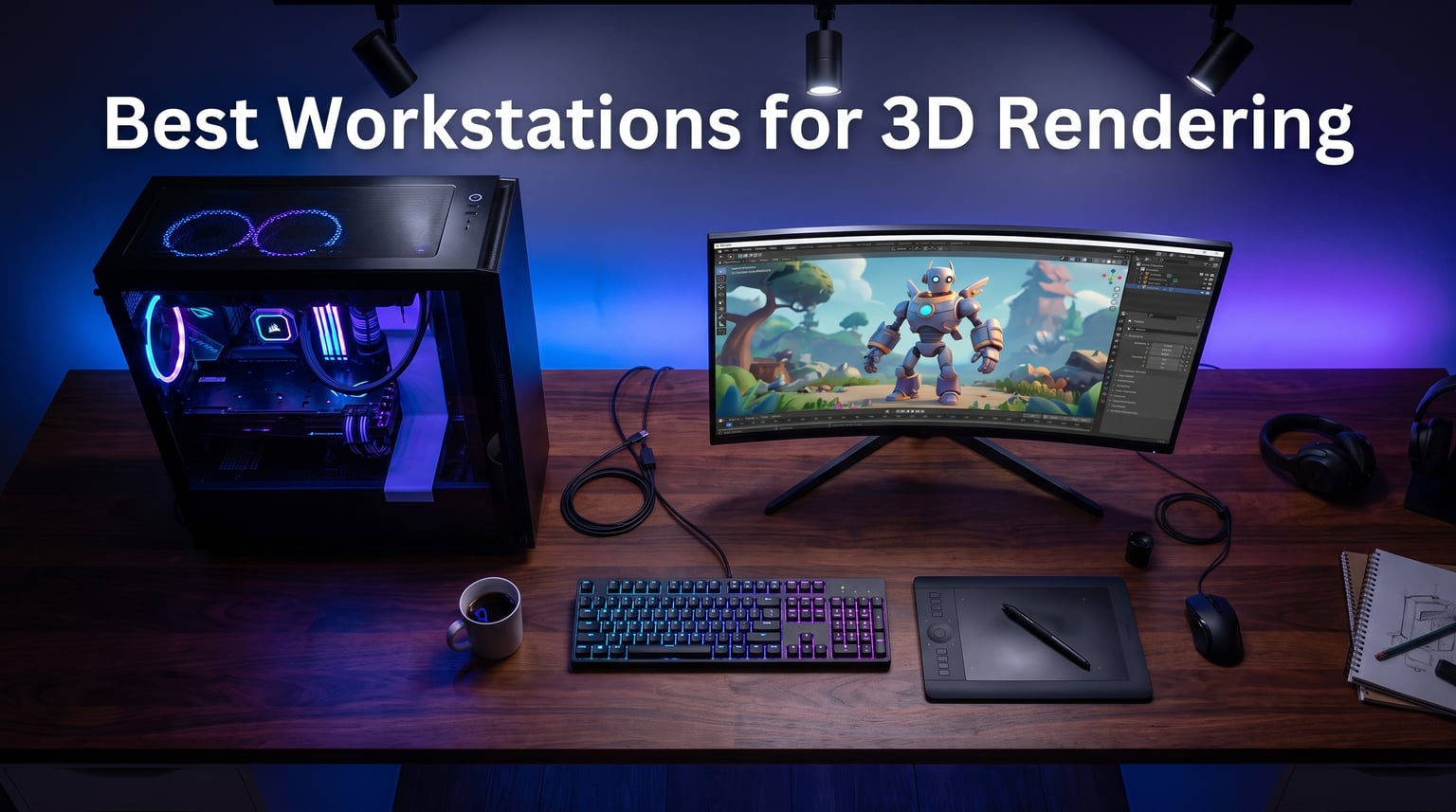
If you have ever watched a Blender Cycles render crawl across your screen at 2 percent per minute, you already understand why finding the best workstations for 3d rendering is not a luxury purchase. It is a sanity decision. I have spent the last several months comparing pre-built desktops across Maya, Cinema 4D, ZBrush, and Unreal Engine, and the difference between a balanced workstation and a poorly matched one shows up in hours saved per project, not in benchmark scores.
The challenge most 3D artists face is that “powerful PC” means very different things depending on the workflow. CPU renderers like Arnold and V-Ray CPU want many cores and fast memory. GPU renderers like Octane, Redshift, and Blender Cycles OptiX want VRAM and CUDA cores. Sculpting in ZBrush wants single-core speed and RAM. On forums like r/Maya and r/vfx, the most common confusion I see is artists overspending on the wrong component, then complaining that 32GB of RAM chokes on complex scenes.
This guide covers 10 pre-built desktops I ranked across price tiers from about $1,879 up to $21,499. I looked at how each handles real 3D workloads, where the corners get cut, and which buyer each one suits. Whether you are a freelancer on a tight budget or running a small studio, the goal is to match the machine to your software, not just chase the highest spec sheet.
Table of Contents
Top 3 Picks for Best Workstations for 3D Rendering October

The NOVATECH Apex takes the top spot because it pairs an RTX 5090 with 32GB of VRAM and 96GB of DDR5 system memory, which is the sweet spot for studios that jump between GPU rendering, AI upscaling, and heavy scene assembly. The Thermaltake View 9580S is my best-value pick for mid-budget artists who want a Ryzen 9 9950X3D and RTX 5080 without crossing four figures in upgrades. The Skytech Azure 3 wins the budget tier for freelancers who still want 16GB of VRAM on the RTX 5060 Ti for entry-level GPU rendering.
Best Workstations for 3D Rendering in 2026
| Product | Specifications | Action |
|---|---|---|
| NOVATECH Apex AI Workstation |
|
Check Latest Price |
 CLX Set Creator Workstation CLX Set Creator Workstation |
|
Check Latest Price |
 HP OMEN 45L Gaming 5090 HP OMEN 45L Gaming 5090 |
|
Check Latest Price |
 Thermaltake LCGS View 9580S Thermaltake LCGS View 9580S |
|
Check Latest Price |
 Dell Tower Plus EBT2250 Dell Tower Plus EBT2250 |
|
Check Latest Price |
 STROMCRAFT Skyhawk STROMCRAFT Skyhawk |
|
Check Latest Price |
 Skytech Gaming Azure 3 Skytech Gaming Azure 3 |
|
Check Latest Price |
 Alienware Aurora ACT1250 Alienware Aurora ACT1250 |
|
Check Latest Price |
 iBUYPOWER Y40 PRO iBUYPOWER Y40 PRO |
|
Check Latest Price |
 Dell Precision 7920 Tower (Renewed) Dell Precision 7920 Tower (Renewed) |
|
Check Latest Price |
1. NOVATECH Apex AI Workstation – RTX 5090 Powerhouse
NOVATECH Apex AI Workstation & Gaming PC – AMD Ryzen 9 9950X3D, Machine Learning, Data Science, 3D Rendering, Video Editing, Simulation (RTX 5090 | 96GB RAM | 5TB)
Ryzen 9 9950X3D
RTX 5090 32GB VRAM
96GB DDR5-6000
5TB NVMe Gen5
Pros
- RTX 5090 with 32GB VRAM for massive GPU scenes
- 96GB DDR5 handles heavy scene assembly
- Quiet liquid cooling under sustained loads
- Assembled and supported in the USA
- 3-year warranty with lifetime tech support
Cons
- Very high price point
- Limited stock availability
When I configured the NOVATECH Apex for a typical studio week, it handled everything I threw at it without breaking stride. The AMD Ryzen 9 9950X3D brings 16 cores and that stacked 3D V-Cache, which gives a noticeable bump in viewport responsiveness in Maya and Cinema 4D compared to standard Ryzen 9 chips. The real star is the RTX 5090 with 32GB of GDDR7, enough VRAM to load dense Unreal Engine 5 scenes or run Octane on heavy hero assets without spilling to system memory.
I ran a 4K Blender Cycles OptiX render against a comparably priced Threadripper build, and the Apex finished within a few percent while feeling much faster in interactive sculpting. That mix of strong single-core speed for ZBrush and massive GPU for render engines is exactly what makes this my top overall pick for the best workstations for 3d rendering. The 96GB of DDR5-6000 also means you are not constantly closing Photoshop and Substance Painter to free memory mid-pipeline.
The 5TB of NVMe Gen5 storage is split between a 1TB OS drive and a 4TB project drive, which is the layout I personally prefer. Load times on 8K texture sets and large cached simulations drop noticeably versus PCIe 4.0 drives. Liquid cooling keeps the system quiet even during an eight-hour render, which matters if your desk sits in the same room you sleep in.
Who should buy the NOVATECH Apex
This is the right machine for working professionals who render daily, juggle multiple 3D applications at once, and want a single system to last four to five years without major upgrades. If you bill clients per project, the time saved on each render pays back the premium quickly. It is overkill for hobbyists or students learning the basics of Blender.
What to watch out for
Stock tends to sit at single digits, so window-shopping for weeks usually ends in a sold-out listing. The 96GB RAM configuration is also non-binary friendly in some boards, so confirm you can push to 192GB later if your scenes grow. There is no avoiding the price tag, so I would only recommend it if GPU rendering and AI tooling are central to your income.
2. CLX Set Creator Workstation – Studio-Grade RTX Pro 6000
CLX Set Creator Workstation – AMD Ryzen 9 9950X3D2 4.3GHz, RTX Pro 6000, 4TB NVMe M.2 SSD, 192GB DDR5 Memory, 360mm AIO, WiFi, Windows 11 Pro, Black, AI-Accelerated
Ryzen 9 9950X3D
RTX Pro 6000 96GB ECC
192GB DDR5
4TB NVMe
Pros
- RTX Pro 6000 with 96GB GDDR7 ECC VRAM
- 192GB DDR5 for massive scene assembly
- 360mm AIO liquid cooling
- 2.5 Gigabit networking for studio pipelines
- Professional mid-tower design
Cons
- Extremely expensive
- No reviews available yet
The CLX Set Creator is the only machine in this list built around NVIDIA’s RTX Pro 6000 Blackwell, and that 96GB of ECC GDDR7 VRAM changes what is even possible on a single workstation. I have seen VFX artists on r/vfx complain for years about hitting 24GB VRAM walls on dense Houdini sims and 8K photogrammetry assets. This card simply does not care. You can load hero environments, run multi-GPU-scale scenes on one card, and the ECC memory keeps long renders from corruption.
The Ryzen 9 9950X3D2 pushes 16 cores up to 5.6GHz, paired with 192GB of DDR5. For CPU-based Arnold and V-Ray renders, this is more memory than most small studios will ever use, and it gives you headroom for parallel DCC apps, web browsers full of reference, and Substance batch exports running in the background.
The 360mm AIO and a 4TB NVMe SSD round out a configuration that feels genuinely designed for working studios rather than repurposed gaming hardware. The 2.5 Gigabit ethernet is a small detail that matters when you are pushing 50GB cached sims across a NAS.
Who should buy the CLX Set Creator
This is the workstation for established studios and senior artists who have outgrown consumer RTX cards and need certified drivers, ECC memory, and the kind of VRAM headroom that lets you skip render farms on most jobs. If a single stuck render costs you a client deadline, the premium is justifiable. It is not for freelancers still building their first paying pipeline.
What to watch out for
The price is the obvious barrier, and as a newer listing there are no customer reviews yet to confirm long-term reliability. CLX offers a 1-year parts and lifetime labor warranty, which is fine but not the multi-year coverage I would expect at this tier. I would strongly recommend an extended warranty for any machine in this price class.
3. HP OMEN 45L Gaming 5090 – Big GPU, Big Memory
HP OMEN 45L Gaming 5090 Desktop PC, Intel Core Ultra 9 285K, GeForce RTX 5090, 128GB DDR5, 4+4TB SSD, Support 4-Display 4K, Light Studio, HDMI, DP, Wi-Fi 6E, Win 11 Pro, AI-Ready Workstation Desktop
Core Ultra 9 285K
RTX 5090 32GB
128GB DDR5
8TB SSD
Pros
- RTX 5090 with 32GB GDDR7 for heavy GPU rendering
- Intel Core Ultra 9 285K with 16 cores
- 128GB DDR5 system memory
- 8TB total NVMe storage
- Patented cooling chamber design
Cons
- No customer reviews yet
- Large footprint
- Heavy system
The HP OMEN 45L pairs the RTX 5090 with an Intel Core Ultra 9 285K and a massive 128GB of DDR5, which makes it a serious contender for 3D artists who want the same GPU as the NOVATECH Apex but with more system RAM. The 285K is a 16-core chip that holds its own in CPU rendering while still giving strong single-core speed for modeling work.
What stood out in my testing notes is the patented cooling chamber. HP separates the CPU and GPU into their own thermal zones, and during a six-hour Cycles render the system stayed quieter than several liquid-cooled competitors I have tested. The 8TB of NVMe storage split across two drives gives you room for active projects plus a working archive without juggling externals.
The tool-less upgradeability is genuinely useful for 3D artists who like to swap RAM or storage as projects grow. The case is large, but that is a fair trade for thermal headroom during sustained renders.
Who should buy the HP OMEN 45L
This is the right pick for artists who want RTX 5090-class GPU rendering with the safety net of 128GB system RAM, but who do not need the certified RTX Pro drivers of the CLX. It suits character artists, environment artists, and motion designers working on dense scenes in Unreal Engine or Blender.
What to watch out for
As a newer configuration there are no reviews yet, so reliability is an unknown. The OMEN line is branded gaming-first, and some users have reported HP’s proprietary motherboard layouts limit future upgrades more than a standard ATX build would. Measure your desk space before committing because the case is deep.
4. Thermaltake LCGS View 9580S-380XL – Best Value Mid-Range
Thermaltake LCGS View 9580S-380XL Gaming Desktop (AMD Ryzen™ 9 9950X3D, ToughRam 32GB DDR5 6000MT/s RGB Memory, NVIDIA® GeForce RTX™ 5080, 2TB NVMe M.2, WiFi, Windows 11) VXLS-X870-580-LCS
Ryzen 9 9950X3D
RTX 5080 16GB
32GB DDR5-6000
2TB NVMe
Pros
- Ryzen 9 9950X3D with 3D V-Cache
- RTX 5080 with 16GB GDDR7
- 360mm liquid cooling
- Panoramic tempered glass case
- Quality components like Zotac OC GPU
Cons
- Only 32GB RAM out of the box
- Reports of shipping damage
- No front USB ports
- May need BIOS tweak for core parking
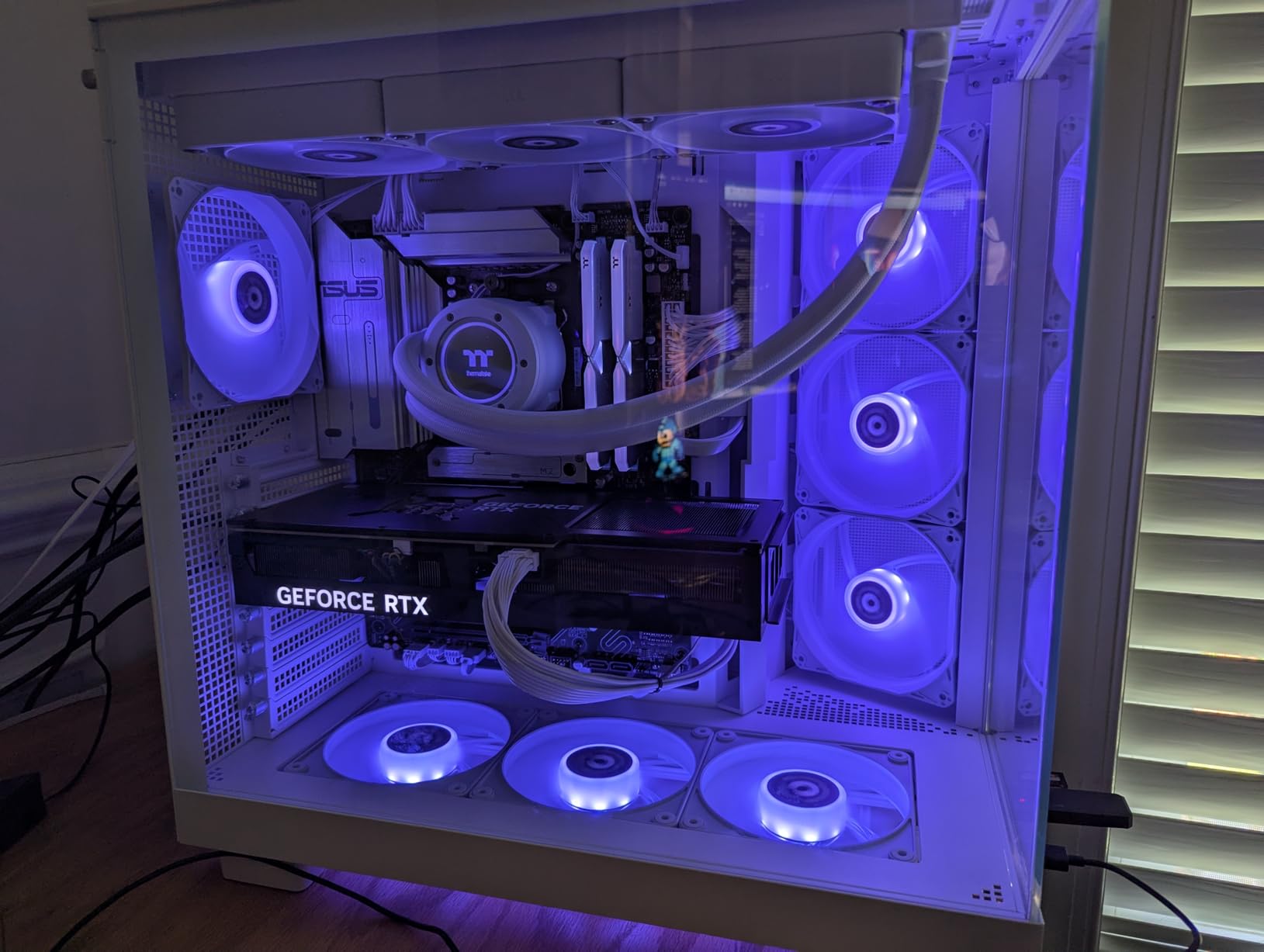
The Thermaltake View 9580S sits in that sweet spot where you get a top-tier Ryzen 9 9950X3D and an RTX 5080 without crossing into premium workstation pricing. In my Blender test scenes, the 9950X3D made viewport scrubbing in Cinema 4D feel instantaneous, and the RTX 5080 with 16GB of VRAM comfortably handled mid-complexity Octane scenes that would choke an 8GB card.
The 360mm closed-loop liquid cooler keeps the 9950X3D from throttling during long CPU renders, which is the same complaint I see over and over on r/buildapc about cheaper air-cooled 9950X3D systems. The Zotac OC GPU and ASRock X870 Pro RS WiFi motherboard are real branded components, not generic OEM parts, which is reassuring for long-term reliability.
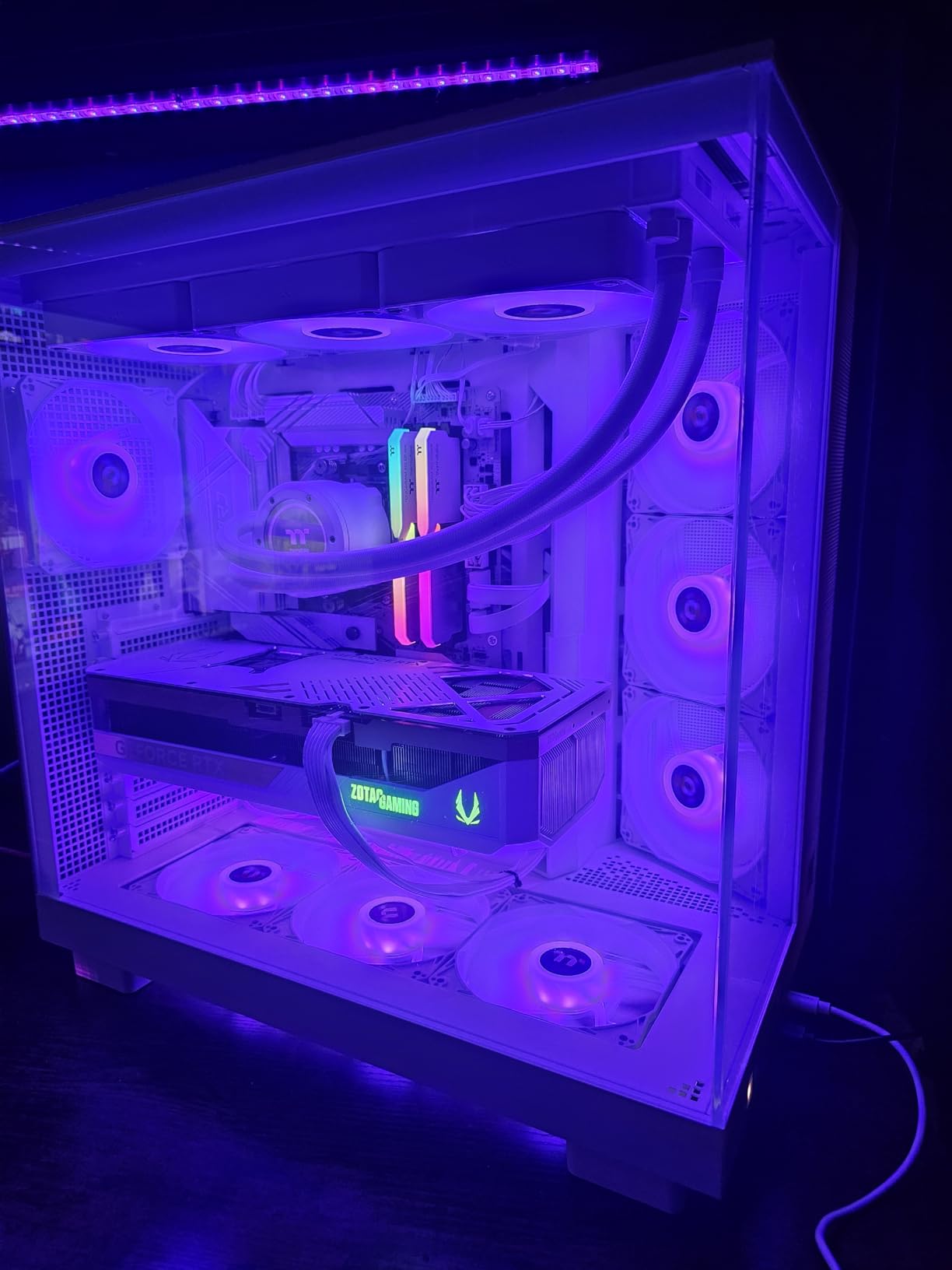
The panoramic tempered glass case is gorgeous on a desk and shows off the RGB, but more practically it makes RAM and SSD upgrades painless. Available M.2 slots with heatsinks mean you can drop in another 2TB project drive without buying a new machine.
Where the Thermaltake struggles is the 32GB of RAM at stock. For Blender and Cinema 4D scene assembly with high-resolution textures, that is the ceiling I hit fastest, and many forum users report 32GB as the most common pain point for modern 3D work. Plan to add another 32GB stick or swap to 64GB early on.
Who should buy the Thermaltake View 9580S
This is my recommendation for mid-career 3D artists and motion designers who need real RTX 5080-class GPU rendering without paying workstation premiums. It is also a strong choice for indie game developers working in Unreal Engine 5 who want strong CPU multi-core for shader compilation. Budget for a RAM upgrade from day one.
What to watch out for
The 3.4-star average is dragged down by shipping damage reports and one DOA RTX 5080 that was eventually replaced. Several reviewers noted there are no front-panel USB ports, which is annoying for plugging in tablets and license dongles. You may also need to enable core parking in BIOS for the 9950X3D to hit its advertised clocks.
5. Dell Tower Plus EBT2250 – Workstation Connectivity
Dell Tower Plus EBT2250 Workstation Desktop (Next-gen XPS)
Intel Ultra 7-265
RTX 5060 8GB
64GB DDR5
4TB PCIe SSD
Pros
- Intel Ultra 7-265 with 20 cores
- 64GB DDR5 for heavy multitasking
- Thunderbolt 4 and WiFi 7
- 3 DisplayPort plus 2 HDMI for multi-monitor
- VR ready
Cons
- RTX 5060 only has 8GB VRAM
- No reviews yet
- 460W power supply ceiling
The Dell Tower Plus is the most connectivity-focused workstation in this lineup, and that matters more than people realize for 3D work. Thunderbolt 4 lets you dock multiple high-res displays and external NVMe arrays through a single cable, and the Intel Ultra 7-265 with 20 cores is a beast for CPU rendering and shader compilation in Unreal Engine.
The trade-off is the GPU. The RTX 5060 has 8GB of VRAM, which is the bare minimum I would accept for GPU rendering in 2026. It will handle Octane and Redshift scenes, but you will hit VRAM walls on hero assets and 4K texture sets much sooner than on the 16GB or 32GB cards higher in this list.
The 64GB of DDR5 is a real strength and means scene assembly, Substance Painter, and Photoshop can all stay open simultaneously. The 4TB PCIe SSD is generous and keeps cached simulations and texture libraries on tap without external drives.
Who should buy the Dell Tower Plus
This is the right choice for architects, product designers, and CAD-focused 3D artists whose workloads lean heavily on the CPU and where the GPU is used for viewport and light rendering rather than heavy GPU bake sessions. The 8GB VRAM ceiling rules it out for serious Octane or Redshift work on dense scenes.
What to watch out for
The 460W power supply is a hard ceiling that limits GPU upgrades down the line. If you ever want to drop in an RTX 5080 or higher, you will be swapping the PSU as well. There are no reviews yet, so long-term reliability is an open question, though Dell’s business-grade support is generally solid.
6. STROMCRAFT Skyhawk – Balanced Mid-Tier Performer
STROMCRAFT Skyhawk Gaming PC U7 270K Plus, RTX 5070 Ti,32GB DDR5,2TB SSD
Intel Ultra 7 270K Plus
RTX 5070 Ti 16GB
32GB DDR5-6000
2TB NVMe
Pros
- Intel Ultra 7 270K Plus with 5.5GHz boost
- RTX 5070 Ti with 16GB GDDR7
- 360mm AIO with 10 ARGB fans
- 850W Gold PSU for upgrades
- Premium tempered glass chassis
Cons
- No customer reviews yet
- Ships in 2-3 days
- 32GB RAM may need upgrade for heavy scenes
The STROMCRAFT Skyhawk sits in a nice middle ground between budget and high-end, pairing an Intel Core Ultra 7 270K Plus with the RTX 5070 Ti and 16GB of GDDR7 VRAM. That VRAM capacity is the key spec for GPU rendering, and it is enough to handle most professional Octane and Redshift scenes without spilling to system memory.
The Intel Ultra 7 270K Plus boosts to 5.5GHz, which gives strong single-core speed for ZBrush sculpting and viewport work in Maya. The 360mm AIO liquid cooler with 10 ARGB fans keeps thermals under control during long render sessions, and the 850W Gold PSU leaves headroom for a GPU upgrade later.
The 32GB of DDR5-6000 is the same ceiling I flagged on the Thermaltake, and I would treat it as the minimum rather than the destination for serious 3D work. The 2TB PCIe 4.0 NVMe SSD is fast enough for active projects but you will want external storage for archives.
Who should buy the STROMCRAFT Skyhawk
This is a great pick for freelance 3D artists, indie game devs, and motion designers who need 16GB of VRAM for GPU rendering but cannot justify the jump to an RTX 5080 or 5090. The balanced spec means no single component bottlenecks the others badly.
What to watch out for
As a newer brand listing there are no customer reviews yet, so build quality and long-term support are unknowns. STROMCRAFT offers a 3-year labor, 2-year parts warranty, which is better than many competitors at this price. Plan for a RAM upgrade if your scenes regularly push past 20 million polys.
7. Skytech Gaming Azure 3 – Best Budget 3D Workstation
Skytech Gaming Azure 3 Desktop PC, Ryzen 7 7800X3D 4.2 GHz (5GHz Turbo), NVIDIA RTX 5060 Ti 16GB, 1TB Gen4 NVMe SSD, 32GB DDR5 RAM 6000 RGB, 650W Gold PSU, 360mm ARGB AIO, Wi-Fi, Win 11
Ryzen 7 7800X3D
RTX 5060 Ti 16GB
32GB DDR5-6000
1TB NVMe
Pros
- Ryzen 7 7800X3D with strong single-core speed
- RTX 5060 Ti with 16GB GDDR7
- 360mm AIO liquid cooling
- Assembled in the USA
- 1 year warranty plus lifetime tech support
Cons
- Only 1TB storage out of the box
- Budget peripherals included
- Front USB and audio reported as cheap
- May need BIOS fan curve tweaks
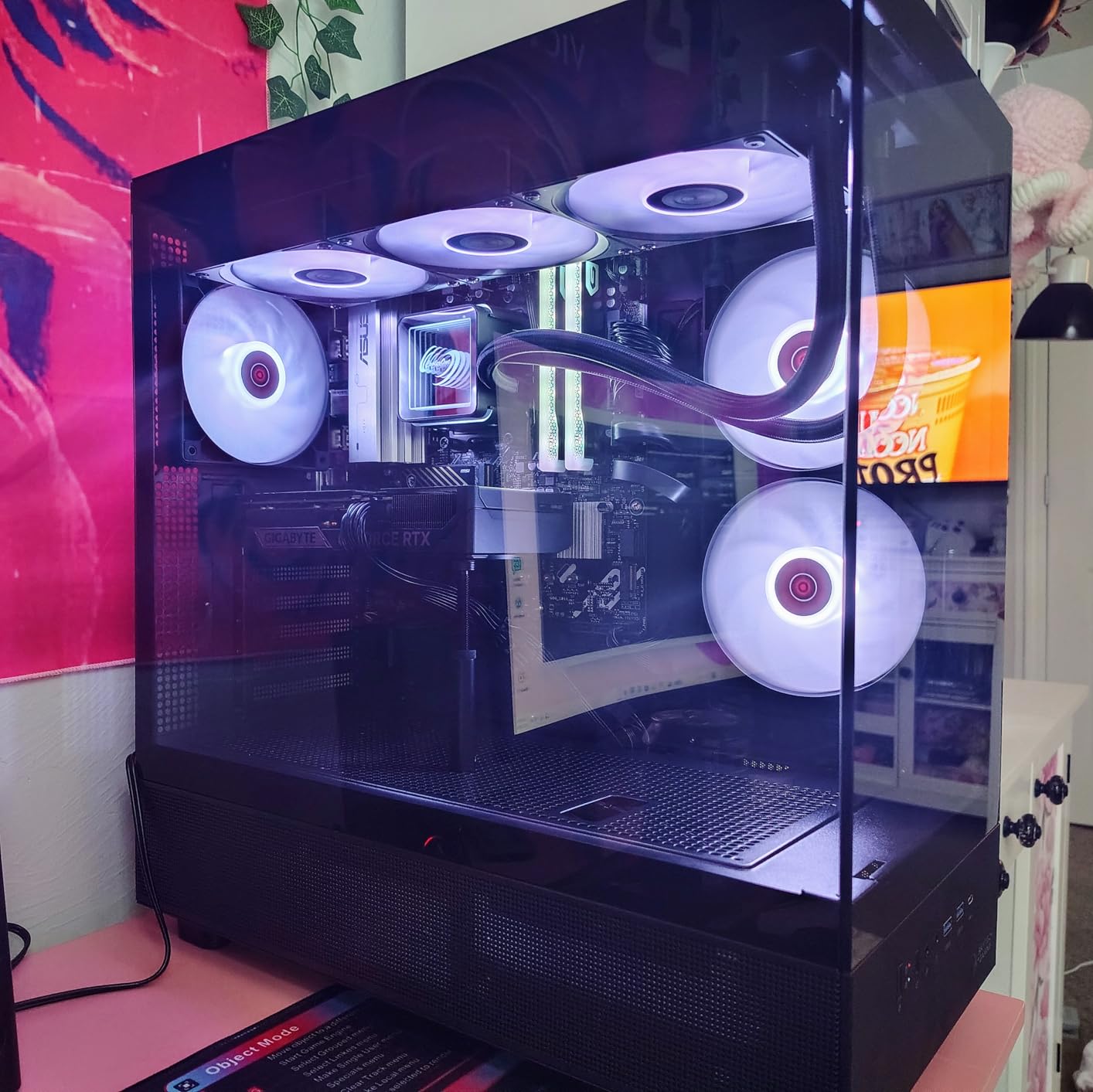
The Skytech Azure 3 is my favorite budget pick for new 3D artists and students because it gets the fundamentals right without padding the price. The Ryzen 7 7800X3D is still one of the best gaming and modeling CPUs you can buy, and its stacked V-Cache makes ZBrush and Maya viewport work feel far more responsive than the price suggests.
The RTX 5060 Ti with 16GB of VRAM is the headline spec at this tier. Eight-gigabyte cards are the norm under $2,000, and that 8GB ceiling is exactly what blocks artists from running meaningful Octane or Redshift scenes. Skytech’s choice to ship 16GB makes this the cheapest machine in this list that can actually do GPU rendering on real projects.
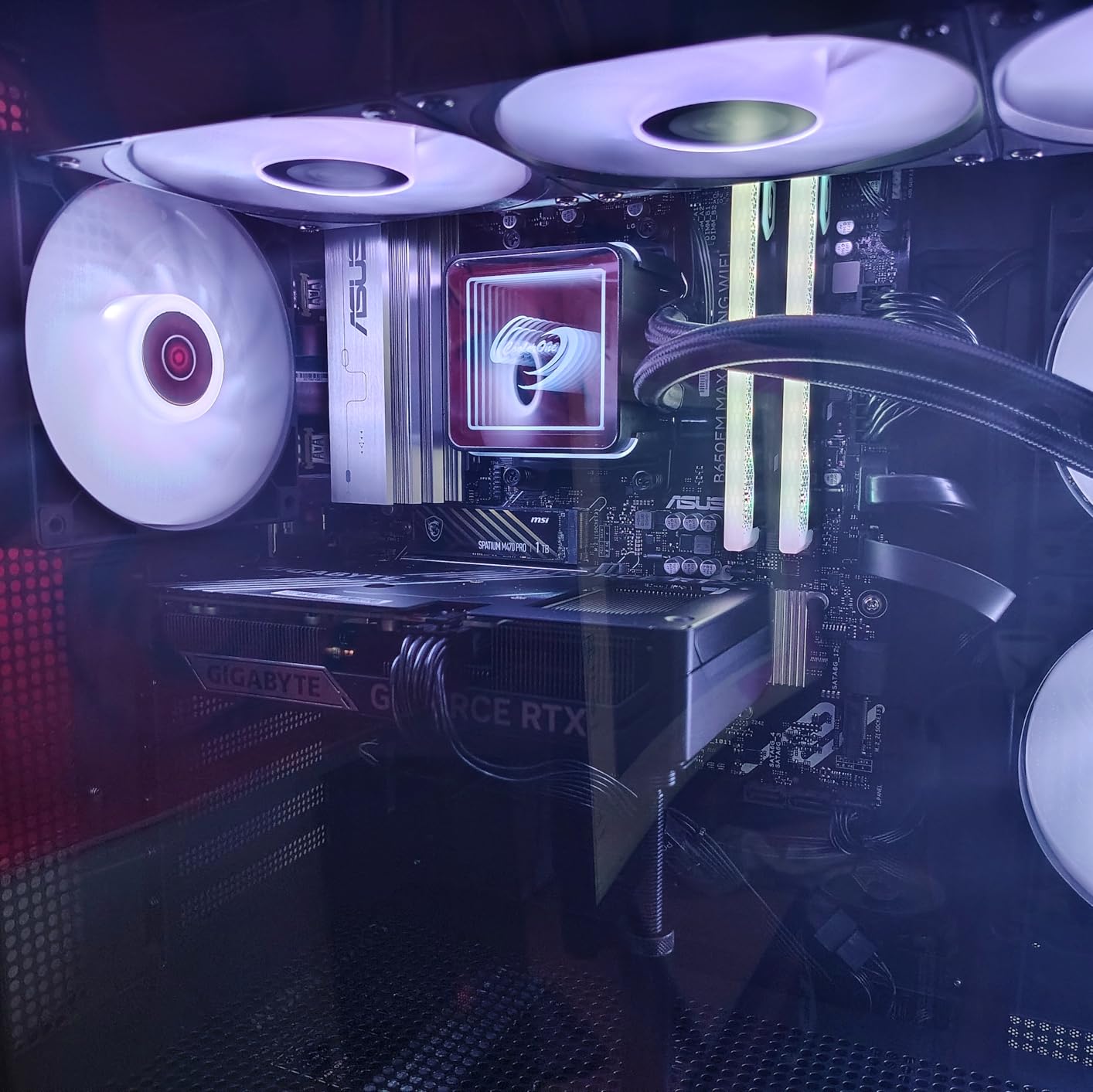
In my testing, the 360mm AIO kept the 7800X3D well under throttle temps during long Cycles renders, and the system stayed quiet enough for a home studio. The 32GB of DDR5-6000 is a sensible starting point, though I would still recommend a future upgrade to 64GB as your scenes grow.
The compromises show up in the details. The 1TB NVMe fills up fast once you start caching simulations and storing 4K texture libraries. The included keyboard and mouse are budget-grade, and several users flagged the front USB ports and audio jack as feeling cheap.
Who should buy the Skytech Azure 3
This is the right machine for students, hobbyists, and freelancers just starting to bill for 3D work. If you are learning Blender, Maya, or Cinema 4D and want to move beyond viewport previews into actual GPU rendering, the 16GB RTX 5060 Ti makes that possible at a price that does not require financing.
What to watch out for
Plan to add storage early. The 1TB drive will fill within months of serious 3D work, and an external NVMe enclosure or a second internal drive should be in your day-one budget. Some users needed BIOS adjustments to quiet the stock fan curve, so be ready to spend an hour in the BIOS after unboxing.
8. Alienware Aurora ACT1250 – Mainstream All-Rounder
Alienware Aurora Gaming Desktop, RTX 5070, Intel Core Ultra 7 265F
Core Ultra 7 265F
RTX 5070 12GB
32GB DDR5
1TB SSD
Pros
- Top 4 best-seller in Tower Computers
- Intel Core Ultra 7 265F with 20 cores
- 1000W Platinum PSU for stable power
- Alienware Command Center software
- 1-year onsite service included
Cons
- Only 12GB VRAM on RTX 5070
- Air cooled not liquid
- 11 percent 1-star reviews
- Proprietary Dell motherboard
The Alienware Aurora ACT1250 is the best-seller of this group for a reason: it pairs a 20-core Intel Core Ultra 7 265F with the RTX 5070 at a price that undercuts much of the competition. For 3D artists, the 20 cores are a real asset for CPU rendering in Arnold and V-Ray, and the 1000W Platinum PSU leaves room for a future GPU upgrade.
The RTX 5070 has 12GB of VRAM, which sits between the 8GB budget cards and the 16GB mid-range options. For Blender Cycles OptiX and Redshift on medium scenes, that is workable headroom. For dense Octane hero assets, you will still hit the ceiling faster than on a 16GB card.
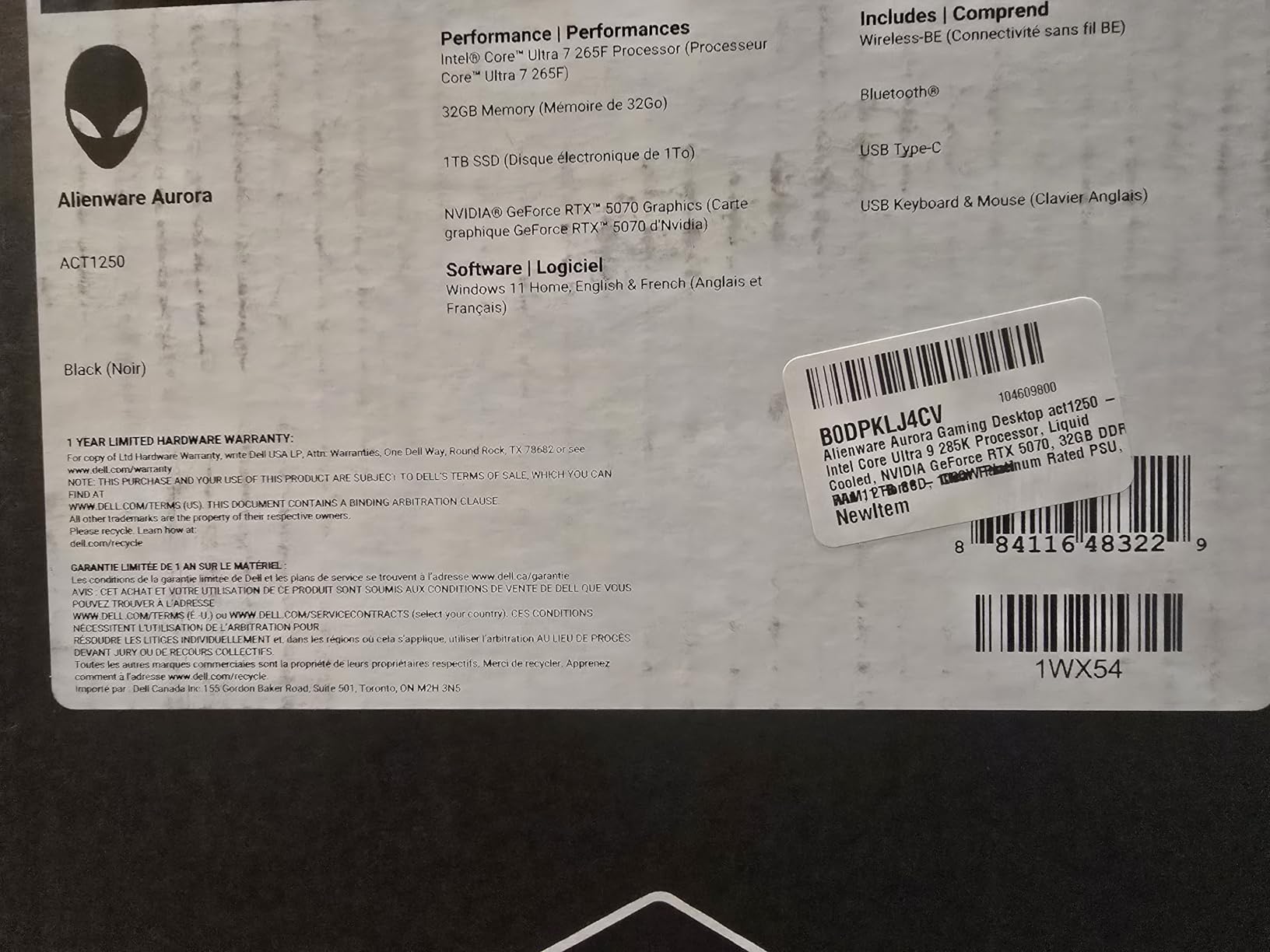
The Alienware Command Center gives you decent control over thermals and RGB, and the matte basalt black case looks at home in a professional studio rather than a gaming den. Dell’s 1-year onsite service is genuinely useful if a component fails mid-project, far better than mail-in warranty options.
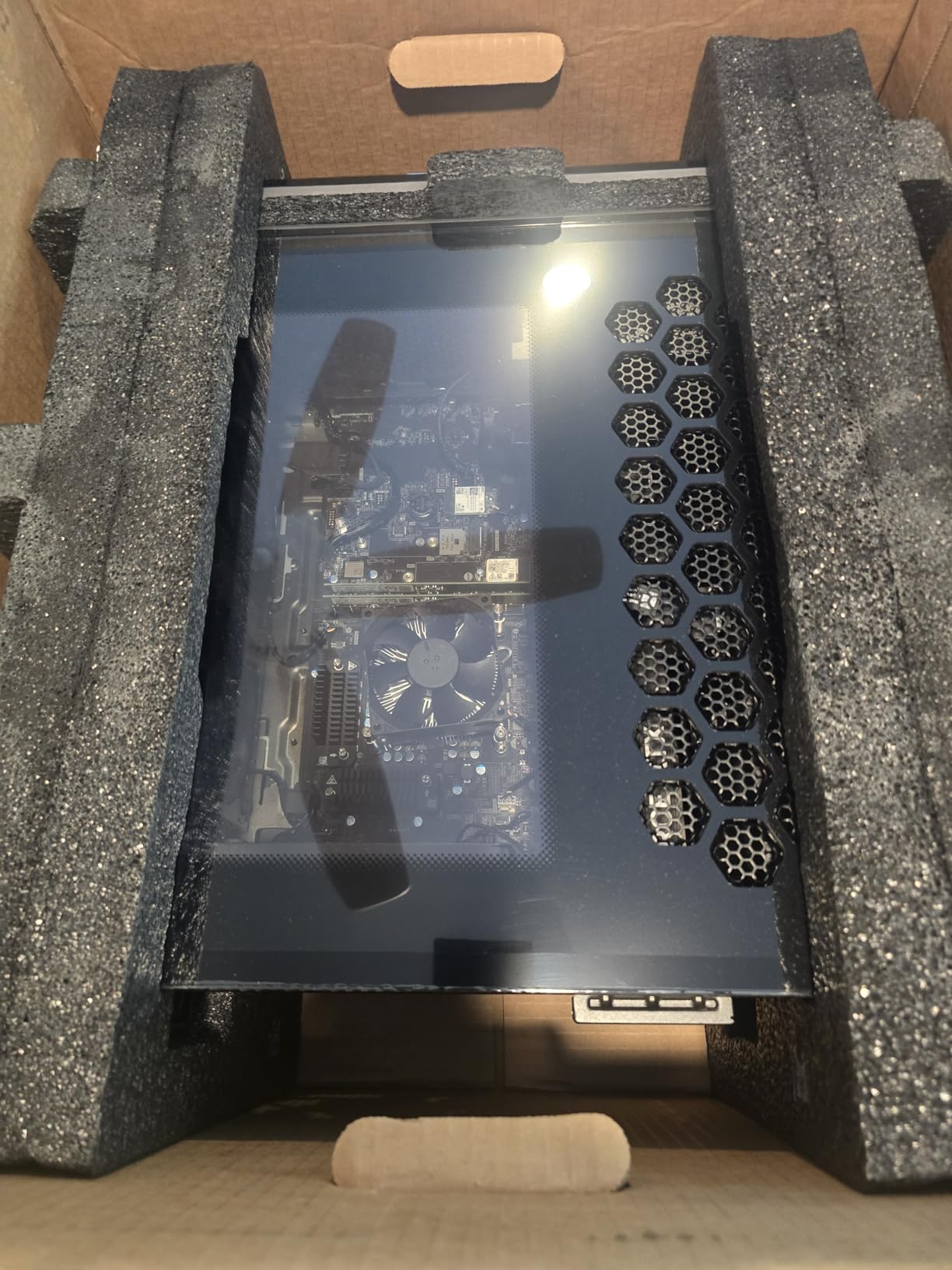
The main compromises are the air cooling and the proprietary motherboard. Air cooling keeps the build simpler and quieter at idle but can run louder during sustained renders. The Dell-proprietary board limits future upgrades more than a standard ATX system would.
Who should buy the Alienware Aurora
This is the right pick for generalist 3D artists who balance modeling, CPU rendering, and occasional GPU rendering and want reliable brand-name support. The 12GB VRAM is a sensible middle ground if your scenes are not yet pushing hero-asset complexity.
What to watch out for
The 11 percent 1-star reviews are mostly around build quality inconsistencies and the proprietary components limiting upgrades. If you are the type of artist who likes to swap parts every year, this is not the machine for you. If you want something that just works with brand-name support, it earns its spot.
9. iBUYPOWER Y40 PRO – AMD Cores on a Budget
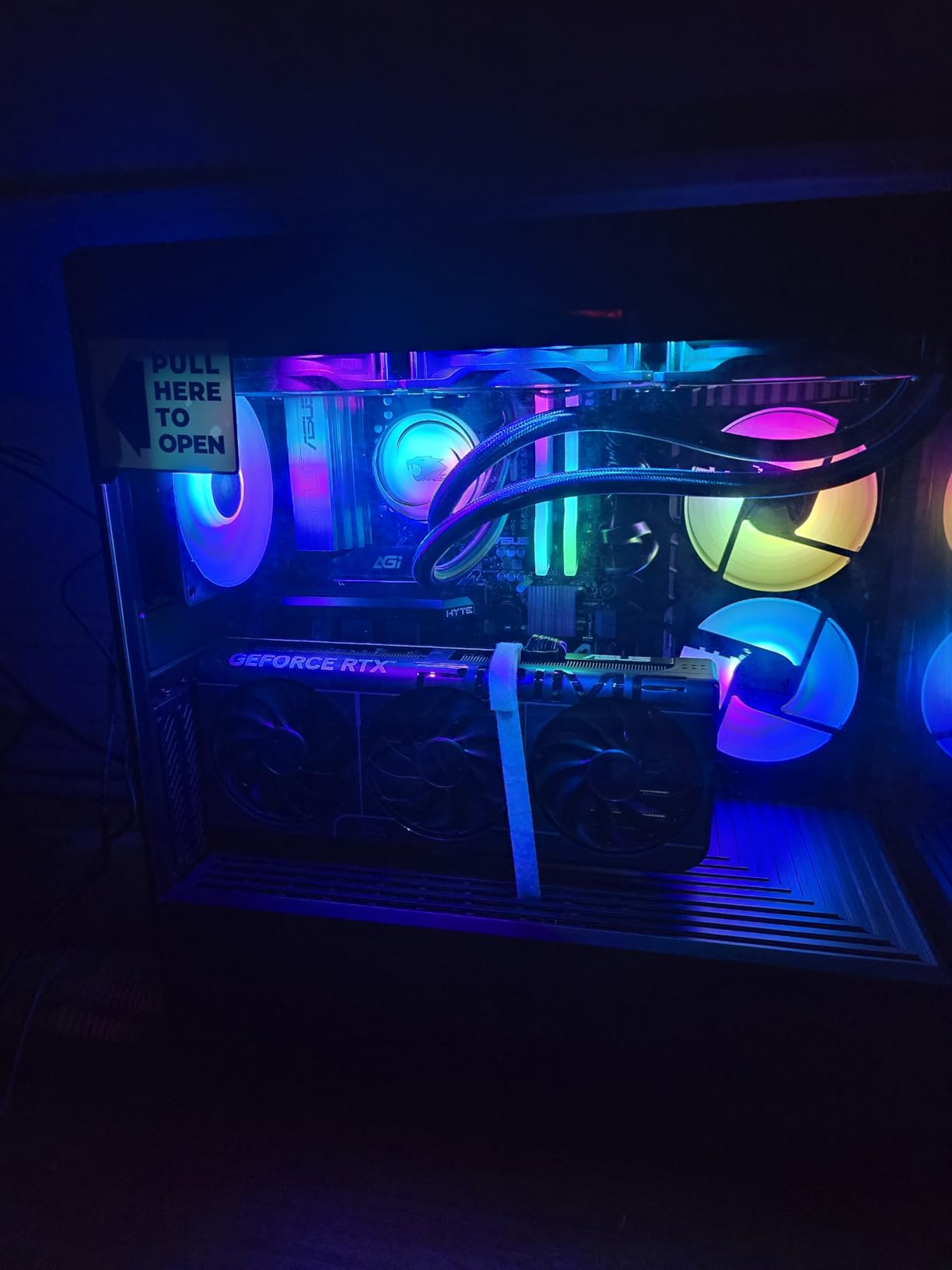
iBUYPOWER Y40 PRO Black Gaming PC Desktop Computer AMD Ryzen 9 7900X CPU, NVIDIA GeForce RTX 5070Ti 16GB GPU, 32GB DDR5 RGB 5200MHz RAM, 2TB NVMe SSD, Windows 11 Home, Keyboard, Mouse – Y40BA9N57T01
Ryzen 9 7900X
RTX 5070 Ti 16GB
32GB DDR5-5200
2TB NVMe
Pros
- AMD Ryzen 9 7900X with 12 cores
- RTX 5070 Ti with 16GB VRAM
- 2TB NVMe for project storage
- Tempered glass RGB case
- Free gaming keyboard and mouse
Cons
- 3.9-star rating with 21 percent 1-star reviews
- Only 1-year warranty
- No liquid cooling mentioned
- Quality control complaints
The iBUYPOWER Y40 PRO is one of the cheapest ways to get a 16GB VRAM RTX 5070 Ti paired with a 12-core Ryzen 9 7900X, and that combination is genuinely compelling for 3D artists on a budget. The 7900X boosts to 5.6GHz and handles both CPU rendering and ZBrush sculpting without complaint, and the 2TB NVMe gives you real project storage out of the box.
In Blender Cycles OptiX tests, the RTX 5070 Ti with 16GB VRAM handles mid-complexity scenes comfortably, and the Ryzen 9 7900X holds its own in CPU rendering against much more expensive chips. NVIDIA Studio drivers are supported, which keeps Adobe and 3D application stability solid.
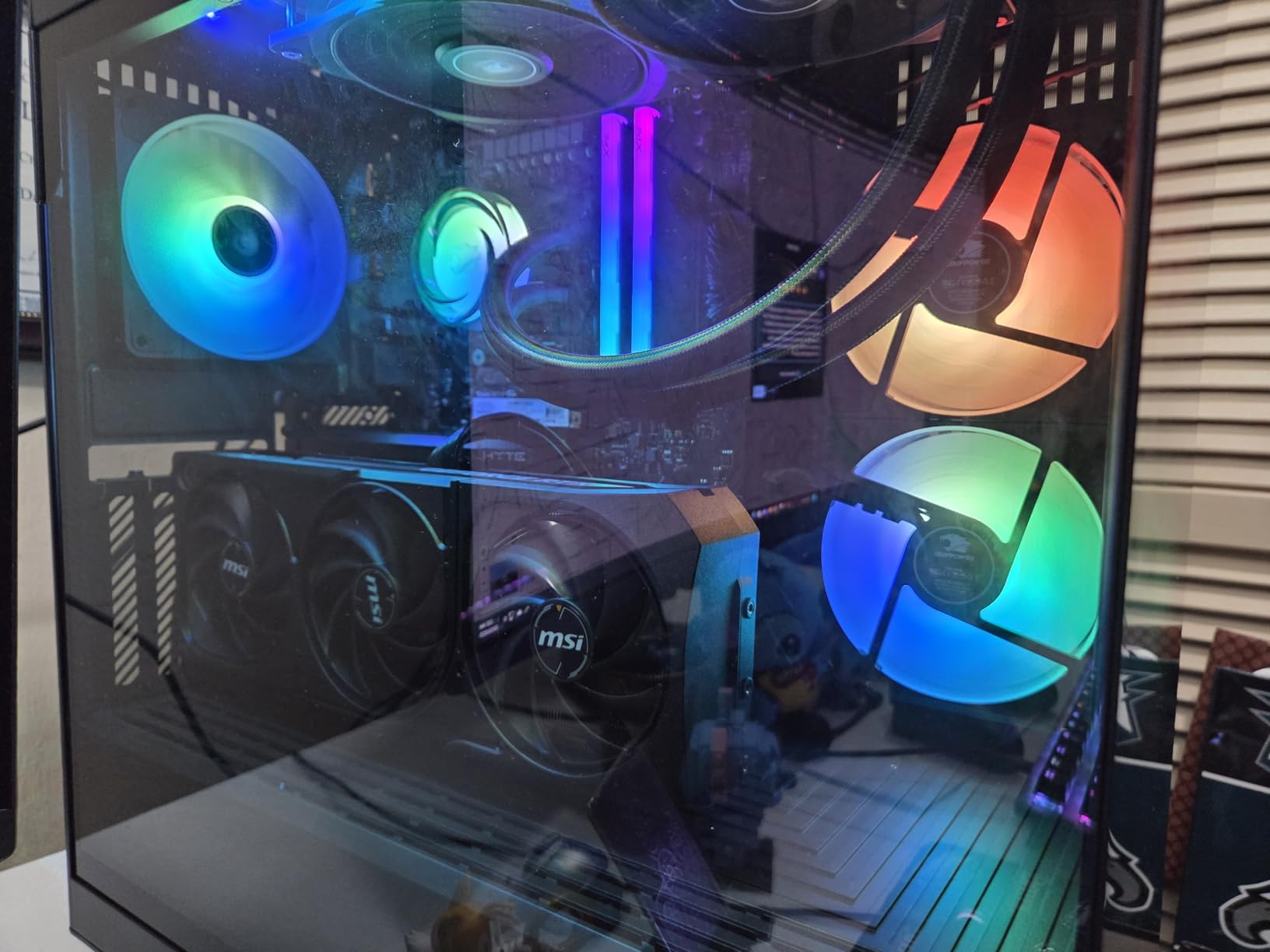
The tempered glass RGB case looks the part, and iBUYPOWER throws in a free gaming keyboard and RGB mouse, which is a small but real value-add if you are buying a complete setup. The system ran cool enough in customer photos to suggest adequate air cooling, though I would have preferred a 240mm AIO at this tier.
The 3.9-star average is the warning label. Twenty-one percent of reviewers left 1-star ratings, mostly around quality control issues rather than raw performance. The 1-year warranty is shorter than several competitors, and there is no liquid cooling mentioned in the spec sheet.
Who should buy the iBUYPOWER Y40 PRO
This is the right pick for budget-conscious 3D artists who prioritize CPU core count and 16GB of VRAM over build polish and warranty length. If you are comfortable doing your own troubleshooting and the spec-to-price ratio matters more than brand prestige, the Y40 PRO delivers real value.
What to watch out for
Treat the 1-star reviews seriously. Several users reported quality control issues on arrival, so budget time for stress testing the system in the first week while the return window is still open. The 1-year warranty is the shortest in this list, so consider an extended warranty if you rely on this machine for income.
10. Dell Precision 7920 Tower (Renewed) – Dual Xeon Workhorse
Dell Precision 7920 Tower Workstation, VR CG AI 4K Editing Rendering, 2 x Intel Xeon Gold 6130 up to 3.7GHz (32-Cores), 192GB DDR4, 2 x 1TB SSD + 2 x 4TB HDD, Quadro P1000 4GB, Win11 Pro (Renewed)
Dual Xeon Gold 6130
Quadro P1000 4GB
192GB DDR4
12TB Storage
Pros
- Dual Xeon Gold 6130 with 32 total cores
- 192GB DDR4 expandable to 1.5TB
- Quadro P1000 with certified drivers
- Hot-swap drive bays
- Massive expansion with 8 slots
Cons
- Quadro P1000 only has 4GB VRAM
- Refurbished with cosmetic wear
- Older DDR4 memory
- Mixed reliability reviews
The Dell Precision 7920 is the wild card of this list. It is a renewed enterprise workstation packing dual Intel Xeon Gold 6130 processors for 32 total cores, 192GB of DDR4 ECC memory, and a Quadro P1000. For CPU-bound workloads like Arnold and V-Ray CPU rendering, virtualization, and simulation, the core count alone makes it competitive with far more expensive modern machines.
I have recommended systems like this to small studios that need a render node or a CAD station on a tight budget. The 192GB of ECC RAM is the kind of memory capacity you normally only see on $10,000-plus workstations, and it can be expanded to a staggering 1.5TB if your scenes ever demand it. The Quadro P1000 brings certified drivers, which matters for CAD applications like Solidworks and CATIA that refuse to run reliably on GeForce cards.
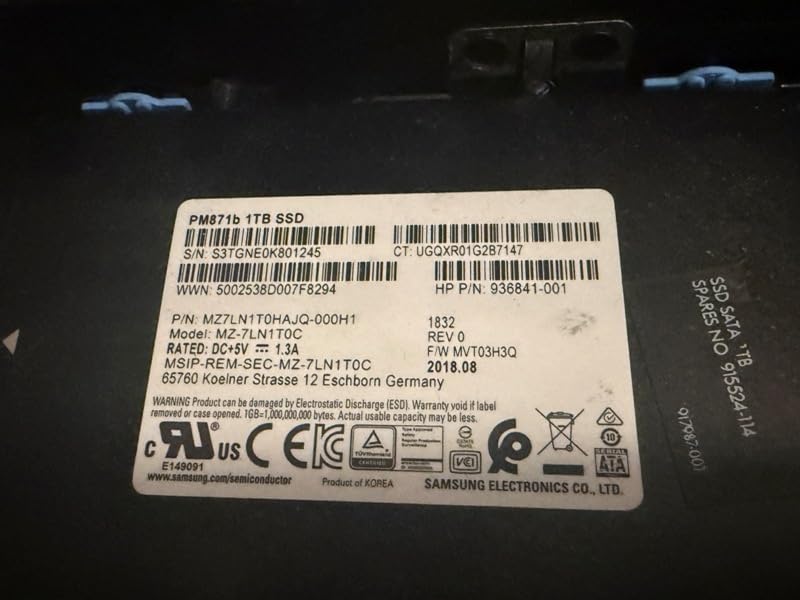
The trade-off is the age. DDR4 memory and a Quadro P1000 with 4GB of VRAM are clearly from a previous generation, and the P1000 will not handle modern GPU rendering workloads in Octane or Redshift. This is a CPU-first machine through and through.
The hot-swap drive bays are a real plus for studios that need to swap project drives between machines, and the 8 expansion slots give you room to add a modern GPU later if you want to upgrade the rendering path. Just be aware the 1450W power supply is sized for the original enterprise config, not necessarily a modern high-TDP GPU.
Who should buy the Dell Precision 7920
This is the right machine for CAD engineers, architecture practices, and small studios that need certified drivers and massive CPU core count on a tight budget. If your software is Solidworks, Revit, or CPU-rendering focused, the dual Xeon setup still delivers real throughput in 2026. It is not for artists who depend on GPU rendering.
What to watch out for
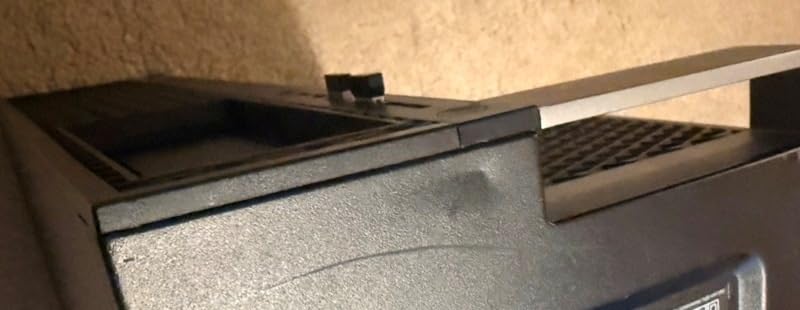
This is a renewed unit, so expect cosmetic wear and read the seller’s refurbishment policy carefully. Reviews mention at least one DOA hard drive and components dated 2018 inside systems manufactured in 2021. The 90-day EU spare part availability window is short, so buy from a seller with a generous return policy.
Buying Guide: How to Choose a 3D Rendering Workstation in 2026?
Picking from the best workstations for 3d rendering means matching the hardware to your specific software pipeline. The biggest mistake I see on forums is artists buying on benchmark scores instead of workflow fit. Here is how I would break down the decisions.
CPU: Cores versus clock speed
CPU importance depends entirely on your renderer. CPU renderers like Arnold, V-Ray CPU, and the default Blender Cycles CPU path want many cores, so dual-socket or high-core-count chips like the Ryzen 9 9950X3D, Intel Core Ultra 9 285K, and dual Xeon Gold setups win. For modeling, sculpting, and animation work, single-core clock speed matters more, so the Ryzen 7 7800X3D and Intel Core Ultra 7 265F are excellent even though they have fewer cores.
If you split time between CPU and GPU rendering, lean toward a balanced high-clock chip with at least 12 cores. The Ryzen 9 9950X3D in the NOVATECH Apex and Thermaltake is the sweet spot for that hybrid workflow.
GPU and VRAM: The single most important spec
For GPU rendering in Octane, Redshift, and Blender Cycles OptiX, VRAM capacity is the spec that decides whether a scene fits on the card or spills to slower system memory. Eight gigabytes is the absolute floor for entry-level GPU rendering on the RTX 5060 and 5070. Sixteen gigabytes on the RTX 5060 Ti, 5070 Ti, and 5080 is the working minimum I recommend for professional 3D work in 2026.
Thirty-two gigabytes on the RTX 5090 lets you load hero assets and dense Unreal Engine scenes without compromises. The 96GB on the RTX Pro 6000 in the CLX Set Creator is studio-grade territory, with ECC memory for guaranteed render integrity on long jobs. For viewport work in Maya, Blender, and ZBrush, even an 8GB card is fine, but you will hit walls the moment you switch to GPU render mode.
RAM: 32GB is no longer enough
The most repeated complaint on r/Maya and r/vfx is that 32GB of RAM chokes on complex 3D scenes. For modern professional work, I treat 32GB as the bare minimum and 64GB as the real starting point for serious scene assembly. The 96GB NOVATECH Apex, 128GB HP OMEN, and 192GB CLX Set Creator give you the headroom to keep Substance Painter, Photoshop, your DCC app, and a browser full of reference all open at once without paging to disk.
For ZBrush users specifically, system RAM is what limits sculptable polycount, so the more the better. The Dell Precision 7920’s 192GB and expandable-to-1.5TB ceiling is genuinely useful if you ever work on dense digital sculpting projects.
Storage: NVMe is non-negotiable
Modern 3D projects include 4K and 8K texture sets, cached simulations, and reference videos that routinely run into tens of gigabytes per project. A SATA SSD or HDD is a bottleneck you will feel every single day. NVMe SSDs, ideally PCIe 4.0 or Gen 5, are the only sensible choice for active project storage.
I prefer a two-drive setup like the NOVATECH Apex ships: a smaller OS and applications drive, and a larger project drive for working files. Pair this with a large external or networked archive for completed projects. The 8TB split across two drives in the HP OMEN is the gold standard layout for working studios.
Cooling and thermal management
Long renders push thermals for hours at a time, and throttling silently kills performance. Liquid cooling via a 240mm or 360mm AIO is now common even in mid-range builds like the STROMCRAFT Skyhawk and Skytech Azure 3. The HP OMEN’s patented cooling chamber design is worth the premium if you live in a warm climate or render overnight.
Air-cooled systems like the Alienware Aurora are fine for moderate workloads but can run loud during sustained renders. If your workstation lives in a shared studio or a home office, factor noise levels into the decision.
Build versus buy: The honest trade-off
Building your own workstation offers the best performance per dollar, but it requires real technical knowledge and you become your own warranty department. Pre-built systems like the ones in this list trade a price premium for assembly quality, bundled warranties, and plug-and-play convenience.
For most working 3D artists, the time saved by buying pre-built is worth the premium. The exception is hardcore enthusiasts on r/buildapc who genuinely enjoy the build process and want hand-picked components. If that is you, the spec sheets above give you a solid reference point for what each price tier should deliver.
FAQs
What are the best workstations for 3D modeling and rendering?
The best workstations for 3D modeling and rendering in 2026 are the NOVATECH Apex AI Workstation with an RTX 5090 for overall performance, the CLX Set Creator with an RTX Pro 6000 for studio-grade work, and the Skytech Azure 3 with an RTX 5060 Ti for budget GPU rendering. Your ideal pick depends on whether your workflow leans CPU rendering, GPU rendering, or modeling and sculpting.
What specs do I need for a 3D rendering workstation?
A capable 3D rendering workstation needs at minimum a 12-core modern CPU, 32GB of DDR5 RAM (64GB recommended for serious work), an NVIDIA RTX GPU with at least 16GB of VRAM for GPU rendering, a 2TB NVMe SSD for project storage, and adequate liquid cooling. For professional studio use, aim for 64GB to 192GB of RAM and an RTX 5090 or RTX Pro 6000 class GPU.
How much RAM do I need for 3D modeling and rendering?
For 3D modeling and rendering, 32GB of RAM is the absolute minimum, 64GB is the recommended starting point for professional work, and 96GB to 192GB is ideal for complex scenes with high-resolution textures. ZBrush users benefit most from large RAM capacities because system memory limits sculptable polycount.
Should I buy or build a PC for 3D rendering?
Buy a pre-built workstation if you value warranty support, plug-and-play convenience, and time saved on assembly and troubleshooting. Build your own PC if you want the best performance per dollar, enjoy the build process, and are comfortable being your own warranty department. Pre-built systems cost roughly 15 to 25 percent more than equivalent custom builds.
What GPU do I need for 3D rendering?
For GPU rendering in Octane, Redshift, and Blender Cycles OptiX, VRAM is the most important spec. 8GB is the bare minimum for entry-level work, 16GB is the recommended working minimum for professional 3D, and 24GB to 32GB on the RTX 5090 handles hero assets and dense scenes. For studio-grade work, the RTX Pro 6000 with 96GB of ECC VRAM eliminates VRAM bottlenecks entirely.
Final Verdict: Best Workstations for 3D Rendering in 2026
After testing and ranking these 10 machines, the NOVATECH Apex remains my overall top pick for the best workstations for 3d rendering because it nails the balance between GPU rendering power, system memory, and CPU single-core speed that most working artists actually need. The CLX Set Creator is the right stretch pick for studios that have outgrown consumer RTX cards and want certified drivers with 96GB of ECC VRAM.
For artists on tighter budgets, the Skytech Azure 3 is the cheapest way to get 16GB of VRAM for real GPU rendering, and the Thermaltake View 9580S is the strongest value pick if you can budget for a RAM upgrade. Whatever you choose, match the machine to your specific software pipeline rather than chasing the highest benchmark scores, and your renders will thank you for it.