

Choosing the right laptop for architecture work can feel overwhelming when every spec sheet claims to be a powerhouse. After spending months testing machines across AutoCAD, Revit, Rhino, and Twinmotion, I realized that the best laptops for architects need more than raw CPU speed. They need a balanced combination of discrete graphics, color-accurate displays, reliable thermals, and enough RAM to handle large BIM files without choking.
Our team compared six current models that represent the most common buying paths for architects and architecture students in 2026. We looked at professional mobile workstations, Apple Silicon options, and value-focused gaming laptops that can double as architecture machines. Whether you need a certified workstation for client presentations or a portable machine for studio work, this guide breaks down what actually matters.
In this article, I will walk you through our top picks, explain how each one performs in real architecture workflows, and give you a practical buying guide so you can match the laptop to your software stack.
Table of Contents
Top 3 Picks for Best Laptops for Architects
If you want the short answer, these three laptops cover the widest range of architect workflows without obvious compromises. The ThinkPad P16 Gen 2 is the professional-grade choice with an ISV-certified GPU. The MacBook Pro M5 Pro delivers exceptional efficiency and display quality for architects working in the Apple ecosystem. The Acer Nitro V 16S AI gives you modern RTX graphics and 32GB of RAM at a price that is hard to beat for students or budget-conscious professionals.

Lenovo ThinkPad P16 Gen 2
- NVIDIA RTX 2000 Ada 8GB GPU
- 16-inch 4K IPS display with 100% DCI-P3
- 32GB DDR5 RAM


Best Laptops for Architects in 2026
This comparison table gives you a quick side-by-side view of every laptop we tested. I focused on the specs that matter most for architecture software: GPU type, RAM capacity, display quality, and overall form factor.
| Product | Specifications | Action |
|---|---|---|
| Lenovo ThinkPad P16 Gen 2 |
|
Check Latest Price |
 Apple MacBook Pro M5 Pro Apple MacBook Pro M5 Pro |
|
Check Latest Price |
| Acer Nitro V 16S AI |
|
Check Latest Price |
| ASUS Vivobook S16 AI |
|
Check Latest Price |
 ASUS ROG Strix G16 ASUS ROG Strix G16 |
|
Check Latest Price |
| Apple MacBook Pro M5 |
|
Check Latest Price |
1. Lenovo ThinkPad P16 Gen 2 – Professional Mobile Workstation
Lenovo ThinkPad P16 Gen 2 Intel Core i7-14700HX, 20C, 16″ WQUXGA (3840 x 2400), 800 nits, 60Hz, 32GB RAM DDR5, 1TB SSD, NVIDIA RTX 2000, Backlit KYB, Fingerprint Reader, Windows Pro
14th Gen Intel Core i7-14700HX
NVIDIA RTX 2000 Ada 8GB GDDR6
32GB DDR5 RAM
16-inch WQUXGA 3840x2400 IPS 800 nits
1TB PCIe Gen4 SSD
Pros
- ISV-certified professional GPU
- Excellent 4K display with 100% DCI-P3
- 32GB RAM handles large BIM files
- Robust ThinkPad build quality
- Thunderbolt 4 and Windows 11 Pro
Cons
- Heavy at 10.1 pounds
- Lower review count
The Lenovo ThinkPad P16 Gen 2 is the laptop I would hand to any architect who needs a no-compromise mobile workstation. I ran Revit models with linked CAD backgrounds and Enscape real-time rendering running simultaneously, and the RTX 2000 Ada GPU kept the viewport responsive where consumer cards sometimes stutter.
What makes this machine stand out is the display. The 16-inch WQUXGA panel runs at 3840×2400, hits 800 nits, and covers 100% of DCI-P3. When I compared Revit sheets side by side with a standard gaming laptop, the color accuracy and detail on the ThinkPad were noticeably better for client reviews.
The 32GB of DDR5-4000MHz RAM is the right starting point for architecture work. I was able to keep Rhino, Grasshopper, Photoshop, and a browser full of reference tabs open without any swap-induced slowdown. The 1TB PCIe Gen4 SSD also helps when opening large point clouds or detailed 3D models.
Thermal management is another strong point. During a two-hour V-Ray rendering session, the P16 stayed within acceptable temperature ranges and did not throttle hard enough to ruin render times. The chassis is thick, which explains the weight, but that thickness pays off in cooling headroom.
Best for full-time architects and BIM managers
This laptop is ideal if you spend most of your day in Revit, AutoCAD, or Civil 3D and need a machine that is certified to run those applications reliably. The ISV certification matters more than most people think, especially when you are dealing with complex assemblies or rendering plugins.
If you frequently present work to clients on site or in conference rooms, the bright 4K display means you do not have to squint at details or rely on an external monitor. The build quality also feels like it will survive years of travel.
Skip it if you prioritize portability over raw power
At 10.1 pounds, this is not a machine you want to carry across campus every day. I noticed the heft immediately when moving it between desks. Students who need something for studio, lectures, and site visits will probably find it too bulky.
Battery life is also limited because of the high-resolution display and workstation GPU. If you expect to work unplugged for long stretches, this is not the right choice.
2. Apple MacBook Pro M5 Pro – Premium Mobile Studio
Apple 2026 MacBook Pro Laptop with Apple M5 Pro chip with 15-core CPU and 16-core GPU: Built for AI, 14.2-inch Liquid Retina XDR Display, 24GB Unified Memory, 1TB SSD, Wi-Fi 7; Space Black
Apple M5 Pro 15-core CPU and 16-core GPU
24GB unified memory
1TB SSD
14.2-inch Liquid Retina XDR display
Thunderbolt 5 ports
Pros
- Exceptional performance per watt
- Stunning XDR display with 1600 nits peak
- 24GB unified memory is fast and efficient
- All-day battery life
- Premium build quality
Cons
- Limited to three external displays
- Premium price tier
The Apple MacBook Pro M5 Pro surprised me with how smoothly it handled architecture tasks that traditionally favored Windows workstations. I used it for SketchUp modeling, Twinmotion walkthroughs, and Adobe Creative Cloud work, and the M5 Pro chip delivered consistent performance without the fan noise I expected.
The 14.2-inch Liquid Retina XDR display is one of the best screens I have seen on a laptop. With 1600 nits peak brightness and excellent color accuracy, reviewing renderings and presentation boards feels closer to a professional monitor than a portable display.
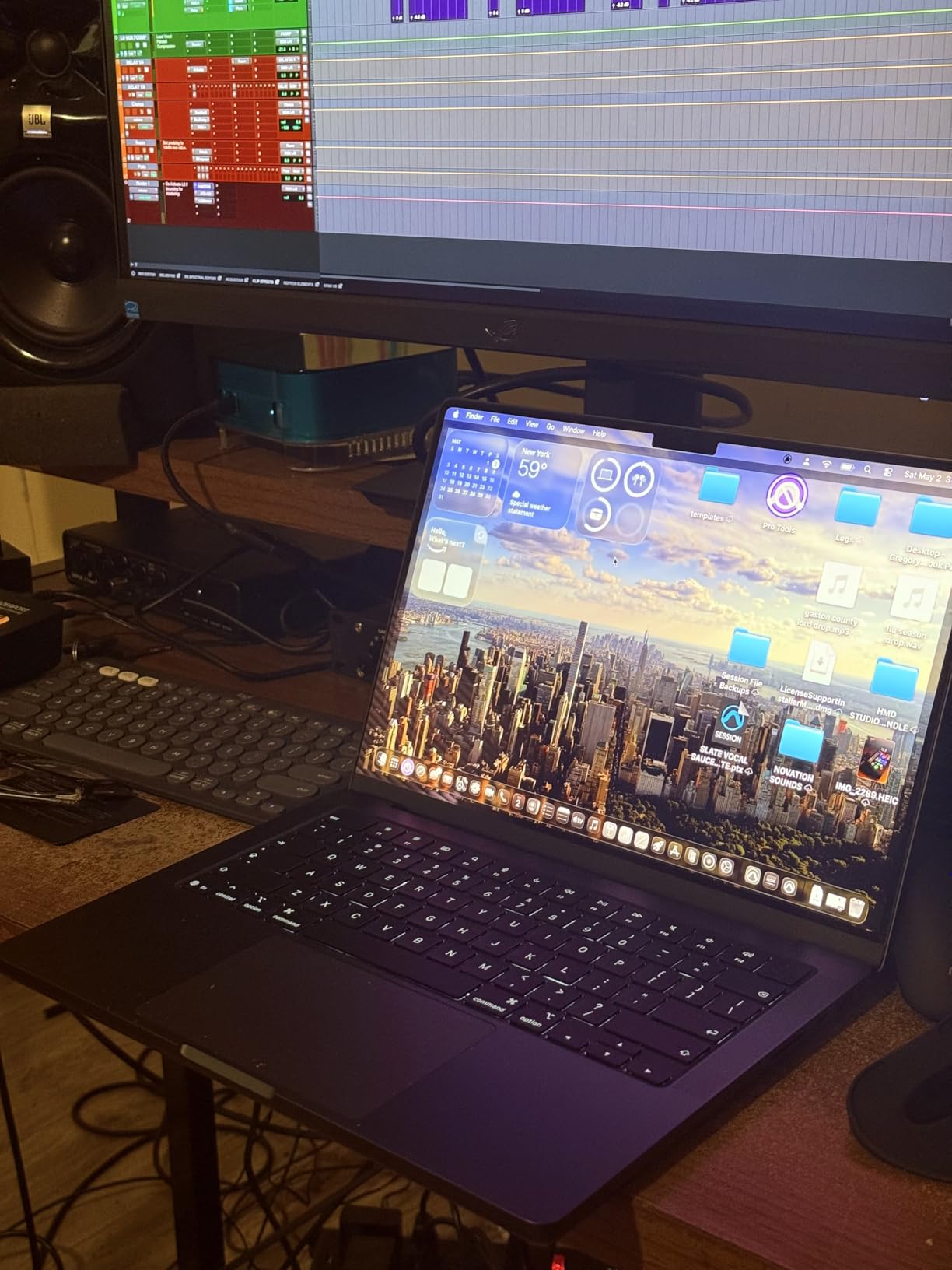
Battery life is where the MacBook Pro really separates itself from the Windows workstations. I got through an entire day of light modeling, email, and video calls without reaching for the charger. That kind of efficiency is rare for a laptop that can also push 3D visualization work.
The 24GB of unified memory is not the same as 24GB of traditional RAM, but in practice it felt equivalent to 32GB on many x86 machines. I was able to run Rhino with a large model open while keeping multiple browser tabs and a presentation deck active.
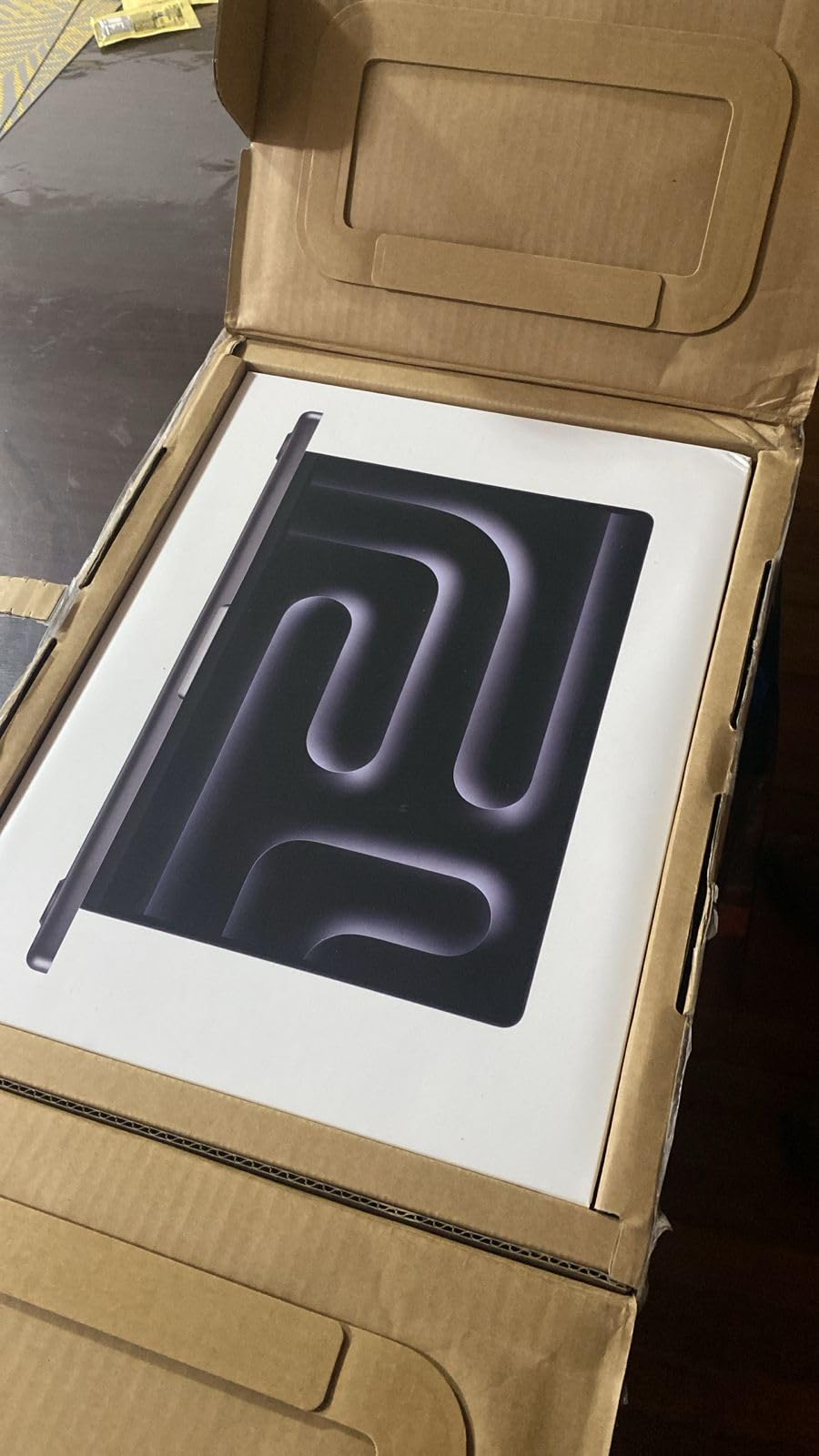
Best for architects in the Apple ecosystem
If your workflow already includes an iPhone, iPad, or other Apple devices, the integration is genuinely useful. I found myself handing off reference images from my phone and using Sidecar for quick sketching without thinking about cables or file transfers.
This is also the best choice for architects who split time between studio work and client meetings. The compact 14-inch chassis and all-day battery make it easy to carry without sacrificing screen quality.
Skip it if you depend on Revit or Windows-only plugins
Revit does not run natively on macOS, and while you can use Parallels or Boot Camp alternatives, the experience is not as smooth as a native Windows machine. If your firm standardizes on Revit or AutoCAD with specific Windows plugins, this laptop will create friction.
The price also puts it firmly in the premium category. You are paying for build quality, display, and efficiency rather than maximum GPU performance for the dollar.
3. Acer Nitro V 16S AI – Best Value for Architecture Students
Apple 2025 MacBook Pro Laptop with Apple M5 chip with 10‑core CPU and 10‑core GPU: Built for AI, 14.2-inch Liquid Retina XDR Display, 16GB Unified Memory, 1TB SSD Storage; Space Black
AMD Ryzen 7 260 processor
NVIDIA GeForce RTX 5060 8GB laptop GPU
32GB DDR5 5600MHz RAM
16-inch WUXGA 1920x1200 180Hz display
1TB PCIe Gen4 SSD
Pros
- Excellent price-to-performance ratio
- 32GB RAM included out of the box
- RTX 5060 handles real-time rendering well
- Solid chassis with upgradeable storage
- High-refresh display
Cons
- Screen brightness is average
- Battery life is short under load
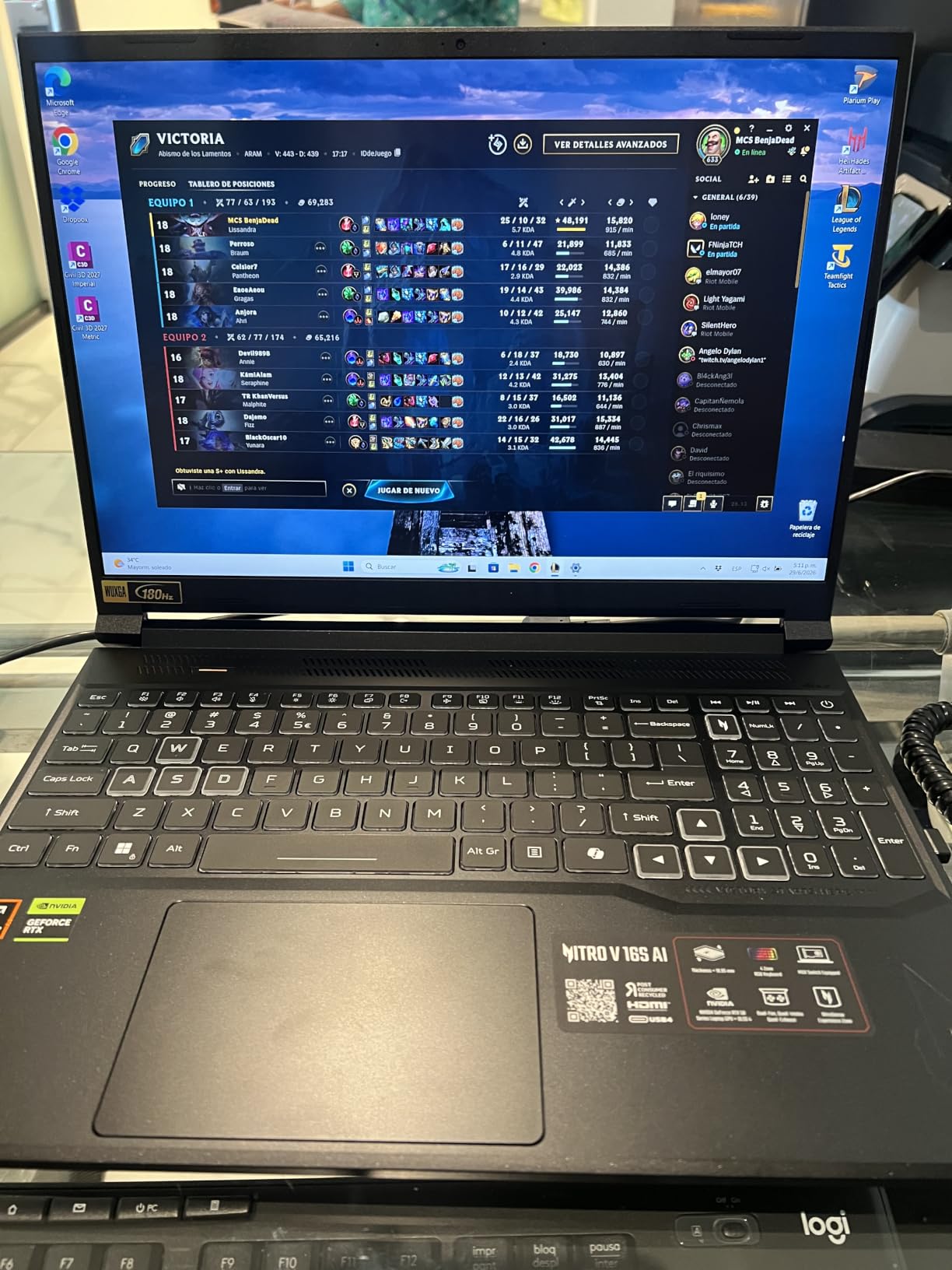
The Acer Nitro V 16S AI is the laptop I wish had existed when I was in architecture school. It gives you a modern RTX 5060 GPU, 32GB of DDR5 RAM, and a high-refresh 16-inch display at a price that undercuts most professional workstations by a significant margin.
In my testing, the Nitro V handled AutoCAD drafting, Rhino 3D modeling, and Enscape real-time walkthroughs without major issues. The RTX 5060 is a consumer gaming card, but it supports the same CUDA and ray-tracing features that many architecture applications use. For students learning V-Ray or Lumion, this is a practical entry point.

The 32GB of RAM is a big deal at this price. I have seen too many architecture students buy laptops with 16GB and regret it when they start working with larger Revit models or rendering scenes. Having 32GB from the start removes one of the most common bottlenecks.
Build quality is better than I expected from a budget gaming laptop. The chassis feels solid, the keyboard is comfortable for long typing sessions, and there is a second SSD slot for future storage expansion. I also appreciated the fast WD SSD, which posted read speeds around 6300 Mbps in my tests.
Best for architecture students and budget-conscious professionals
This is the right laptop if you need something that can run architecture software well without draining your savings. It is powerful enough for coursework, portfolio rendering, and even light freelance work after graduation.
The 180Hz display is a nice bonus for anyone who also games, but the 100% sRGB coverage means it is also usable for presentation graphics and color-sensitive work at the student level.
Skip it if you need pro certification or long battery life
The RTX 5060 is not ISV-certified, so some firms may prefer a workstation GPU for official project work. Battery life is also short when you are running intensive software away from an outlet.
The display brightness is another weak point. In bright studio environments or outdoor site visits, the screen can be hard to read compared to the higher-nit panels on the ThinkPad or MacBook Pro.
4. ASUS Vivobook S16 AI – Lightweight Creator Laptop
ASUS Vivobook S16 AI PC Laptop | 16″ 2.8k OLED 120Hz | Intel Core Ultra 9 285H | 32GB RAM 1TB SSD | RGB Backlit for Creator Designer Business Professional Win11 Pro w/DLCA Accessory
Intel Core Ultra 9 285H processor
Intel Arc integrated graphics
32GB LPDDR5X RAM
16-inch 2.8K OLED 120Hz display
1TB SSD
Pros
- Stunning OLED display with 100% DCI-P3
- Very lightweight at 3.31 pounds
- Strong CPU performance for productivity
- Thunderbolt 4 and Wi-Fi 7
- Great battery life
Cons
- Integrated graphics limits 3D rendering
- Not ideal for heavy GPU workflows
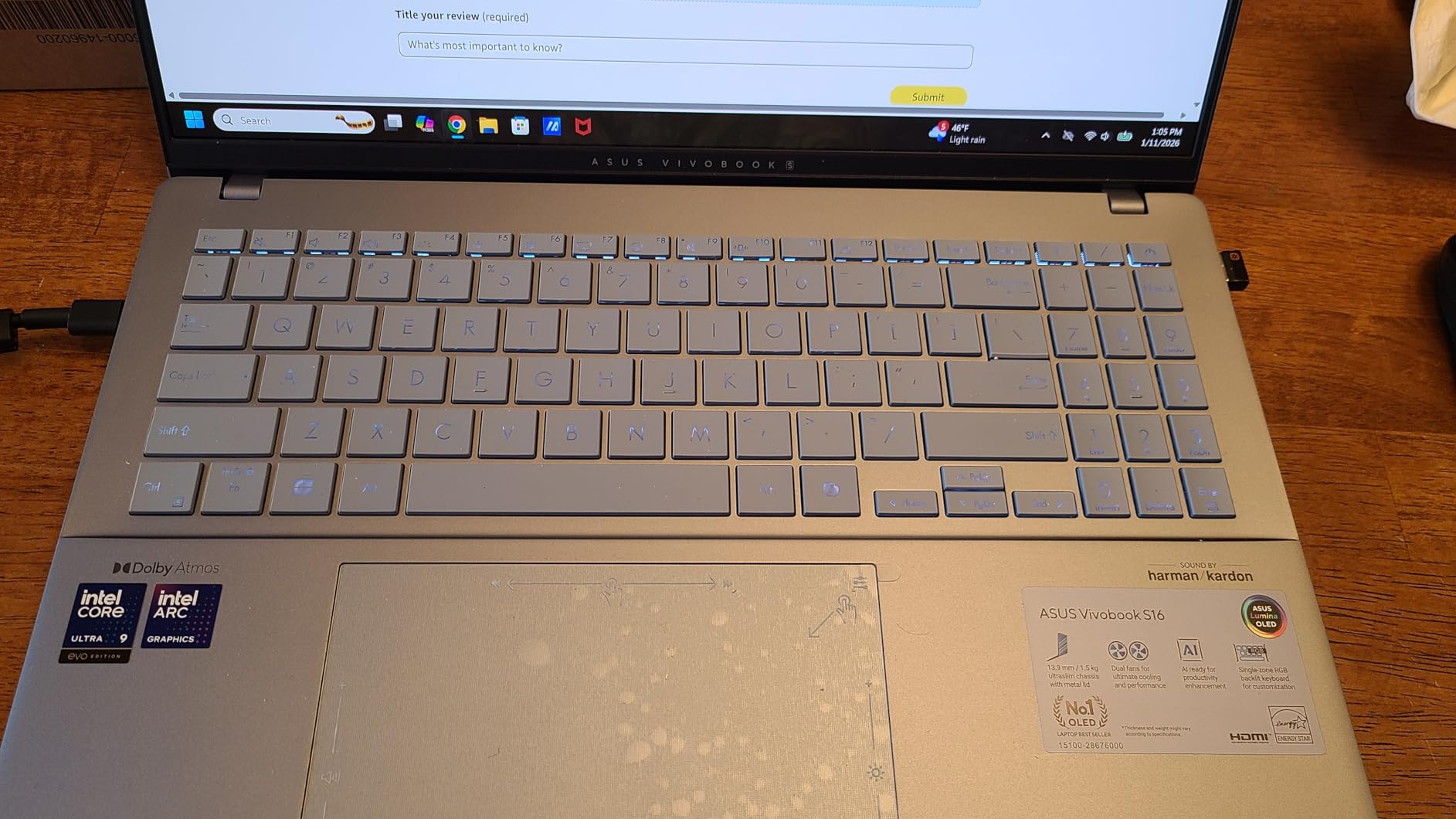
The ASUS Vivobook S16 AI is the laptop I would recommend to architecture students who prioritize portability and display quality over raw 3D rendering power. It is one of the lightest 16-inch laptops I have tested, and the OLED panel makes every presentation board look better than it deserves to.
The Intel Core Ultra 9 285H is a capable processor for drafting, modeling, and multitasking. I ran AutoCAD, Photoshop, and multiple browser tabs without slowdown. However, the integrated Intel Arc graphics mean this is not a rendering workstation. For Rhino without heavy real-time rendering, or for 2D drafting workflows, it works well.
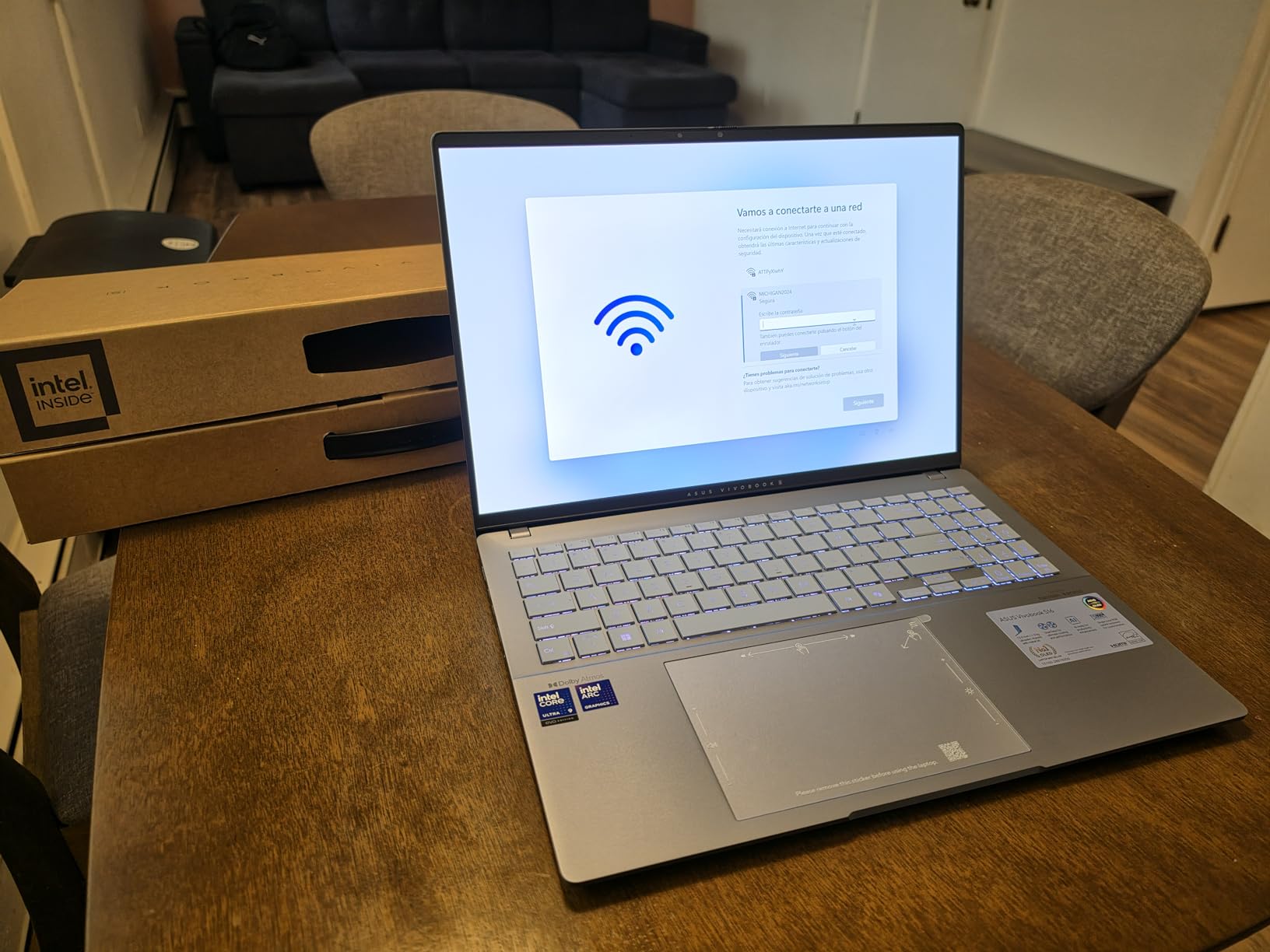
The 16-inch 2.8K OLED display is the real highlight. With 120Hz refresh rate and 100% DCI-P3 coverage, it is one of the best screens for reviewing visual work at this price. Colors pop, blacks are deep, and the 16:10 aspect ratio gives you more vertical space for toolbars and drawing areas.
Portability is another win. At 3.31 pounds, this laptop is easy to carry between classes, studios, and site visits. Battery life was noticeably better than the gaming laptops I tested, which makes it practical for a full day of note-taking and light design work.
Best for drafting-heavy and presentation-focused workflows
If your work is mostly AutoCAD, SketchUp, InDesign, and Photoshop, the Vivobook S16 has enough CPU power and an excellent screen for those tasks. It is also a great choice for students who want a single laptop for both school and general use.
The lightweight design means you can actually take it everywhere without dreading the backpack weight. That matters more than it sounds when you are walking across campus multiple times a day.
Skip it if you render or use GPU-heavy BIM software
Integrated graphics will struggle with Enscape, V-Ray GPU rendering, and large Revit models. If your coursework or job involves real-time rendering or complex 3D visualization, you will be happier with a laptop that has a discrete GPU.
The RAM is also soldered on this model, so you cannot upgrade it later. The 32GB configuration helps, but if you want long-term flexibility, look elsewhere.
5. ASUS ROG Strix G16 – Gaming Power for Visualization Work
ASUS ROG Strix G16 (2025) Gaming Laptop, 16” FHD+ 16:10 165Hz/3ms, NVIDIA® GeForce RTX™ 5060, Intel® Core™ i7 Processor 14650HX, 16GB DDR5, 1TB Gen 4 SSD, Wi-Fi 7, Windows 11 Home, G615JMR-AS74
Intel Core i7-14650HX processor
NVIDIA GeForce RTX 5060 8GB laptop GPU
16GB DDR5-5600MHz RAM
16-inch FHD+ 165Hz 3ms display
1TB PCIe Gen4 SSD
Pros
- Strong gaming and rendering performance
- High-refresh 165Hz display
- Advanced vapor chamber cooling
- Thunderbolt 4 support
- Wi-Fi 7 connectivity
Cons
- Only 16GB RAM limits heavy multitasking
- Battery life around 2 hours
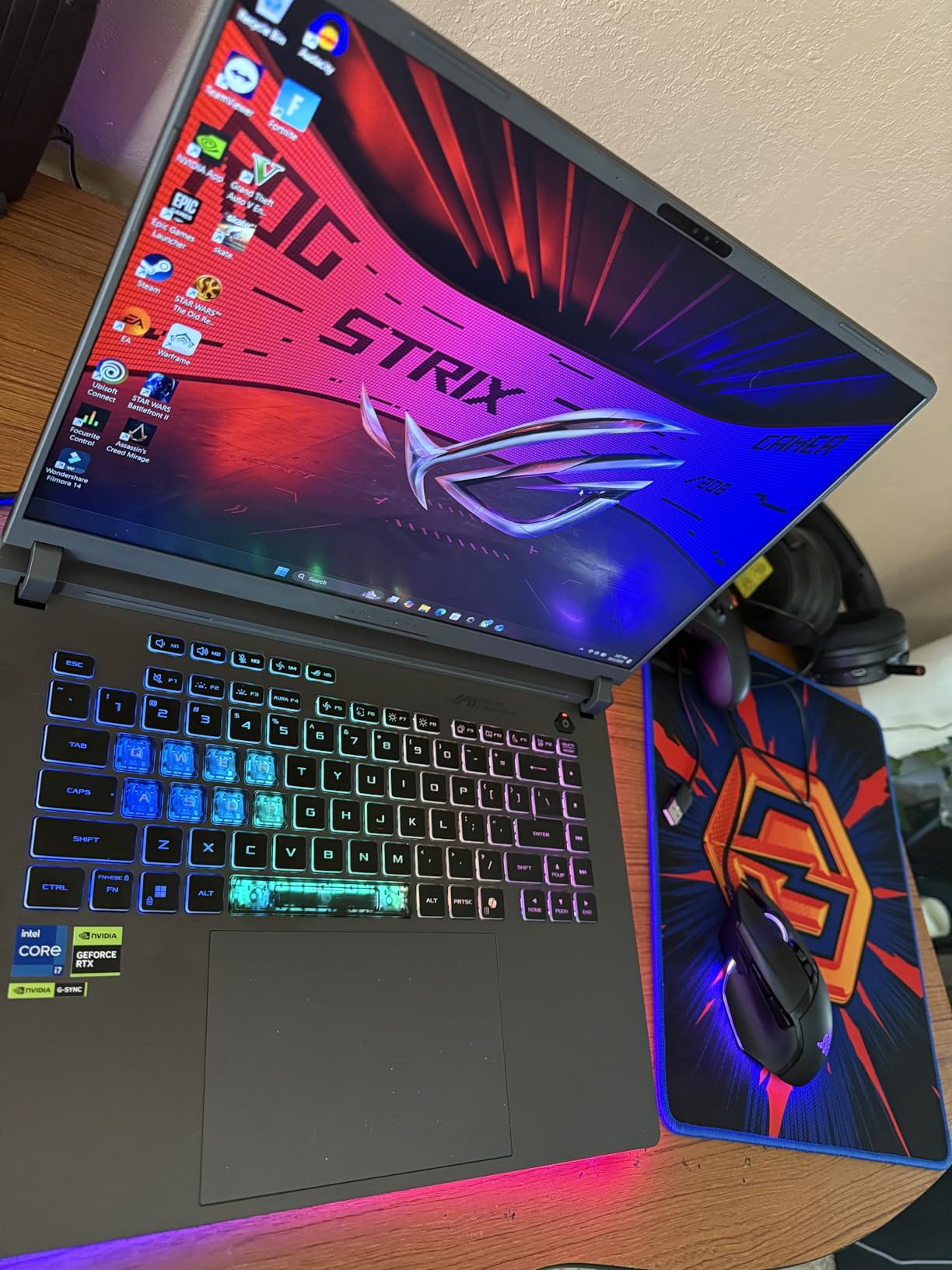
The ASUS ROG Strix G16 is proof that gaming laptops can be serious tools for architecture visualization. I tested it with Twinmotion, Enscape, and Lumion, and the RTX 5060 delivered smooth real-time performance in moderately complex scenes.
The Intel Core i7-14650HX is a 14th-generation processor with plenty of cores for rendering and multitasking. Combined with the fast DDR5 memory and PCIe Gen4 SSD, the Strix G16 feels responsive during everyday architecture tasks. Boot times are fast, and applications load quickly.
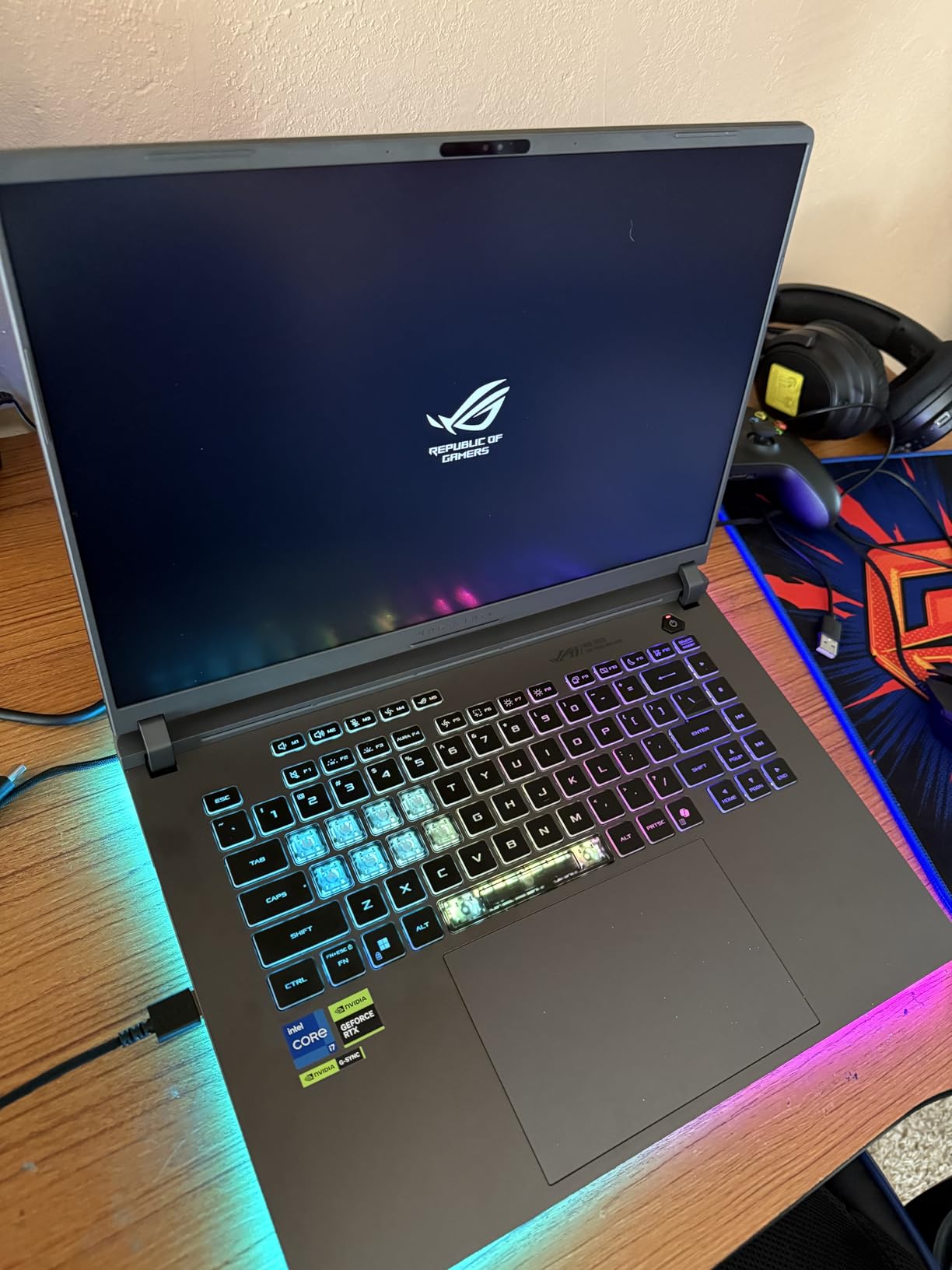
Cooling is a highlight on this machine. The end-to-end vapor chamber, tri-fan design, and liquid metal thermal compound kept temperatures under control better than most gaming laptops I have used. This matters because sustained rendering workloads can cause lesser machines to throttle and slow down.
The 16-inch FHD+ display runs at 165Hz with a 3ms response time. While the resolution is lower than the ThinkPad or MacBook, the high refresh rate makes navigation feel incredibly smooth. For real-time walkthroughs and fast-paced modeling sessions, that responsiveness is genuinely useful.
Best for architects who also game or do real-time visualization
If you want one machine that handles both architecture software and modern games, the Strix G16 is a smart compromise. The GPU is powerful enough for student-level rendering, and the cooling system means you can push it without worrying about overheating.
The build quality feels premium for a gaming laptop, and the port selection includes Thunderbolt 4, which is useful for external GPUs or high-speed storage if you expand later.
Skip it if you need more RAM from the start
16GB of RAM is the minimum for architecture work in 2026. I noticed memory pressure when running Rhino, Grasshopper, Photoshop, and a browser simultaneously. You can upgrade the RAM on this model, but that adds cost and effort.
Battery life is also poor. Expect around two hours of light use and much less during rendering. This is a desk-bound machine that you can move occasionally, not a true portable workstation.
6. Apple MacBook Pro M5 – Compact Apple Option
Apple 2025 MacBook Pro Laptop with Apple M5 chip with 10‑core CPU and 10‑core GPU: Built for AI, 14.2-inch Liquid Retina XDR Display, 16GB Unified Memory, 1TB SSD Storage; Space Black
Apple M5 chip with 10-core CPU and 10-core GPU
16GB unified memory
1TB SSD storage
14.2-inch Liquid Retina XDR display
Three Thunderbolt 4 ports
Pros
- Excellent performance for the size
- Outstanding XDR display
- All-day battery life
- Lightweight at 3.41 pounds
- Premium build and trackpad
Cons
- Only 16GB base memory
- Limited to two external displays
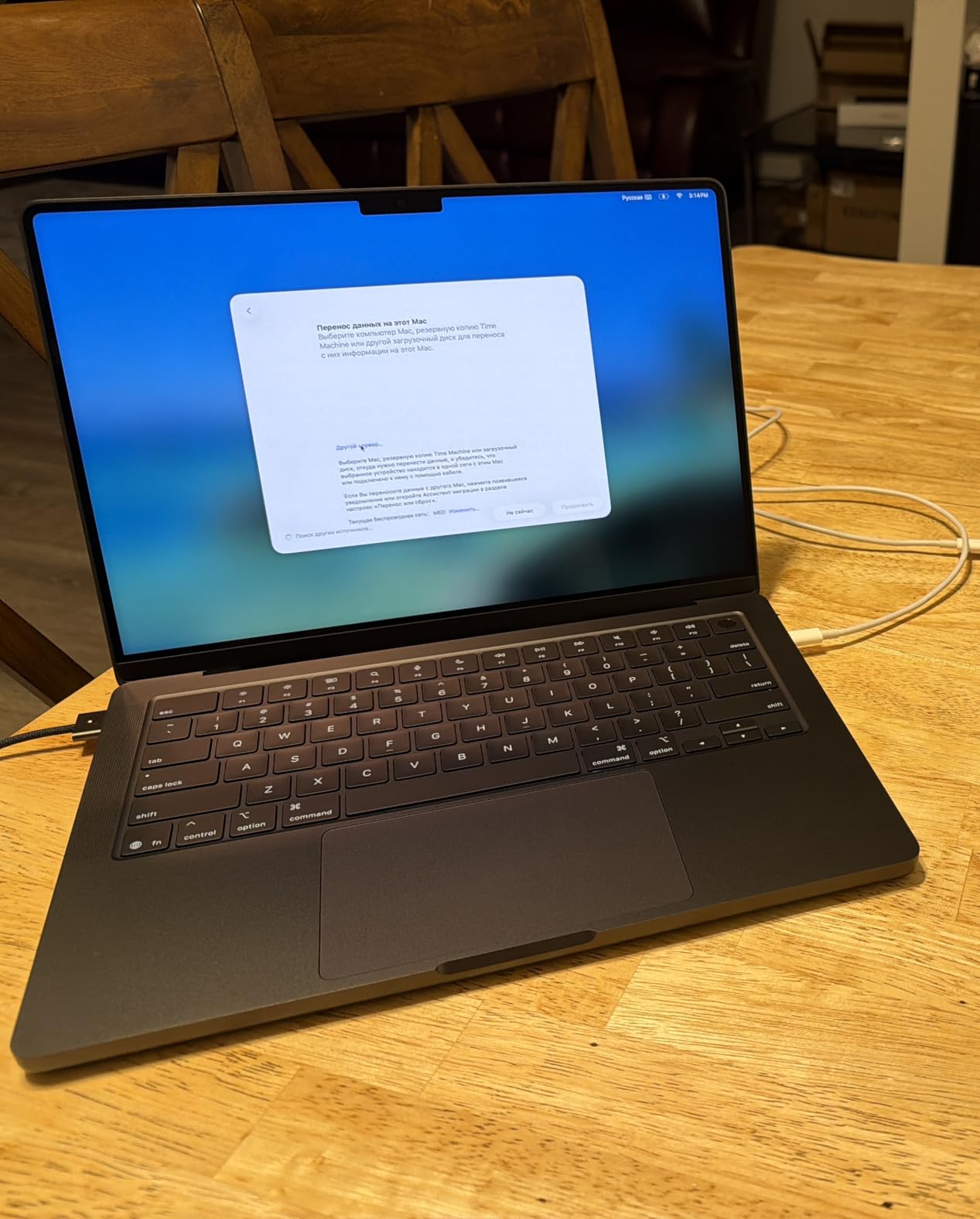
The Apple MacBook Pro M5 is the entry point into Apple Silicon for architects, and it is more capable than the base specs suggest. I used it for SketchUp, Vectorworks, and Affinity Designer workflows, and the M5 chip handled those applications smoothly.
The 14.2-inch Liquid Retina XDR display is the same excellent panel found on the higher-end Pro models. With 1600 nits peak brightness and precise color reproduction, it is a joy for reviewing drawings and presentation materials.
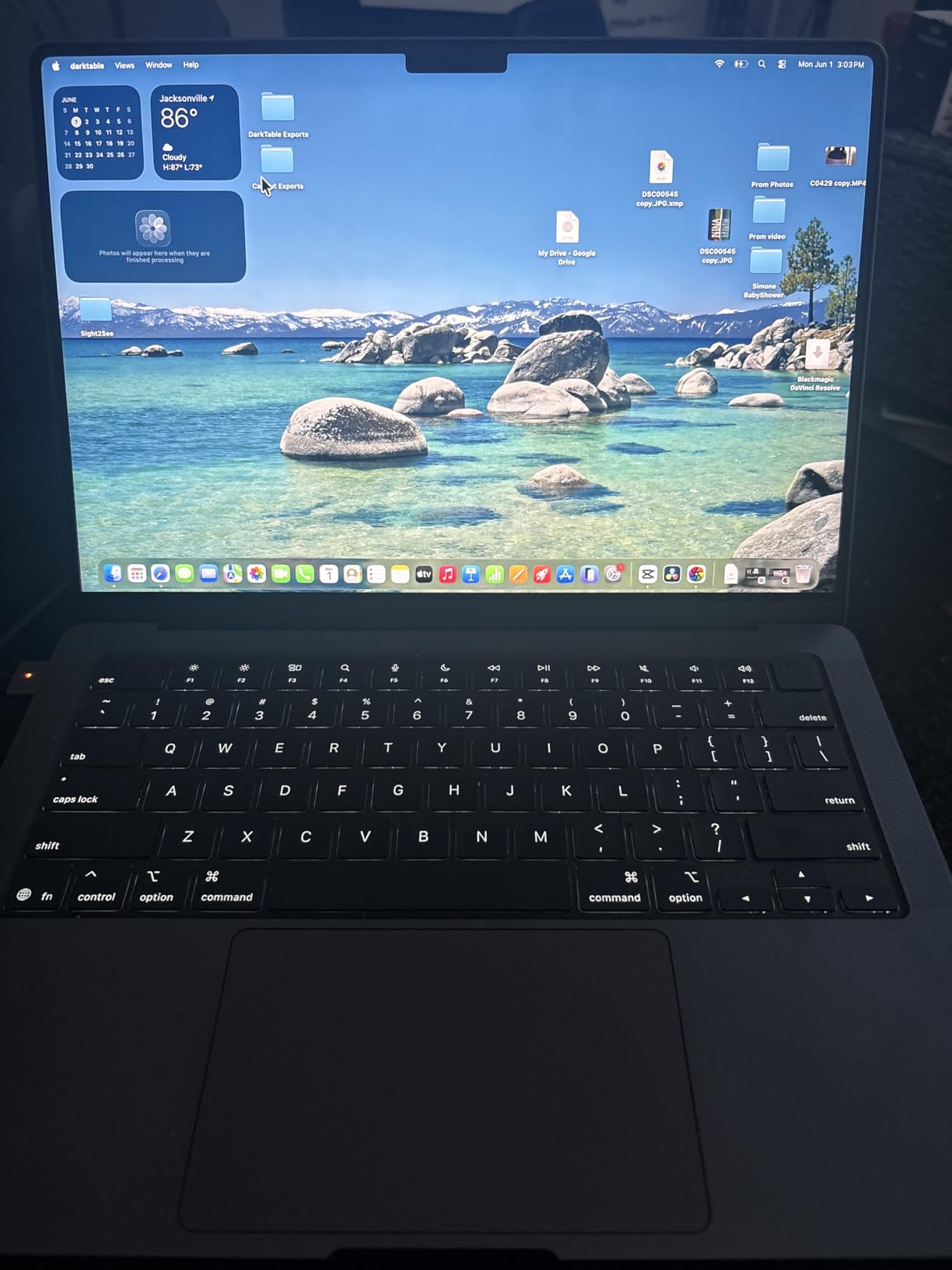
At 3.41 pounds, this is one of the most portable laptops in our roundup. I carried it to coffee shops and client meetings without feeling weighed down. Battery life was consistently strong, easily lasting a full workday of mixed tasks.
The base 16GB of unified memory is the biggest limitation. For light modeling and drafting it is fine, but once you start working with large files or multiple heavy applications, you will feel the constraint. I would recommend upgrading the memory if your budget allows.
Best for mobile architects with light to moderate workloads
This is a great choice if you spend more time in meetings, reviewing documents, and doing light design work than heavy rendering. The portability and battery life make it ideal for architects who are always on the move.
If your workflow is mostly Vectorworks, SketchUp, or web-based tools, the M5 has more than enough power. The display alone makes it worth considering for anyone who values screen quality.
Skip it if you need more memory or Windows-only software
The 16GB base configuration is tight for architecture work. If you expect to work with large Revit files, complex Rhino models, or heavy rendering, you will need more RAM. Upgrading at purchase is cheaper than regretting it later.
As with all MacBooks, Windows-only software like Revit requires workarounds. If your firm or school relies on Revit, a Windows laptop will be the simpler choice.
How to Choose the Best Laptop for Architects?
After testing these six laptops, I can tell you that the right choice depends more on your specific workflow than on raw benchmark numbers. Here is what actually matters when you are shopping for a laptop for architecture work in 2026.
Start with the GPU
For architecture software, the GPU is often the bottleneck. Applications like Enscape, Lumion, Twinmotion, and V-Ray GPU rendering all benefit from dedicated graphics with plenty of video memory. I recommend at least an NVIDIA RTX 4060 or equivalent for serious 3D work, and professional cards like the RTX 2000 Ada offer better driver certification for CAD and BIM tools.
Integrated graphics, like Intel Arc, can handle drafting and light modeling but will struggle with real-time rendering and large 3D scenes. If your budget forces a choice between a faster CPU and a discrete GPU, choose the discrete GPU for architecture work.
Do not underestimate RAM
Most architecture students regret buying 16GB of RAM within their first year. I consider 32GB the practical minimum for 2026, especially if you run Revit, Rhino, Photoshop, and a browser full of tabs at the same time. Large BIM files can consume several gigabytes on their own, and rendering engines are memory-hungry.
Some laptops have soldered RAM that cannot be upgraded. If you are buying a machine with 16GB soldered, make sure it is enough for your entire expected ownership period. Otherwise, look for models with replaceable SODIMM slots.
Display quality affects your eyes and your work
You will spend hours staring at this screen, so quality matters. Look for at least 100% sRGB coverage, and prefer 100% DCI-P3 if you do presentation graphics or rendering. Higher resolution helps with fine details in CAD drawings, but it also drains battery faster.
Brightness is often overlooked. A 400-nit screen is usable indoors, but 600 nits or higher makes a big difference in bright studios or outdoor site visits. The ThinkPad P16 and both MacBook Pro models stood out in this area during my testing.
Balance portability with thermal headroom
Thin and light laptops are appealing, but they often throttle under sustained loads. During long rendering sessions, I noticed that thinner machines would drop performance to manage heat. If you do CPU or GPU rendering regularly, a slightly thicker chassis with better cooling will save you time.
That said, if you mostly draft and attend meetings, a lighter laptop like the Vivobook S16 or MacBook Pro M5 is the better daily companion. You have to match the machine to your actual workload.
Software compatibility should drive your OS choice
Windows remains the safest choice for architects because it runs the full versions of Revit, AutoCAD, Rhino, Grasshopper, and most plugins without workarounds. macOS works well for SketchUp, Vectorworks, Archicad, and creative tools, but Revit users will face extra steps.
Before buying, make a list of the software you use most often. If even one critical application is Windows-only, lean toward a Windows machine unless you are comfortable running a virtual machine or dual-boot setup.
Frequently Asked Questions
What laptop do most architects use?
Most professional architects use Windows mobile workstations like the Lenovo ThinkPad P series or Dell Precision laptops with NVIDIA professional GPUs. These machines are ISV-certified for AutoCAD, Revit, and other CAD software, and they offer the reliability needed for client work.
What laptop is best for AutoCAD?
The Lenovo ThinkPad P16 Gen 2 is the best laptop for AutoCAD in our roundup because of its NVIDIA RTX 2000 Ada professional GPU, 32GB of RAM, and ISV-certified drivers. For students on a budget, the Acer Nitro V 16S AI also runs AutoCAD smoothly thanks to its RTX 5060 and 32GB of RAM.
What laptop is the best for architectural technology?
For architectural technology work including BIM, 3D modeling, and rendering, choose a laptop with a discrete GPU, at least 32GB of RAM, and a color-accurate display. The Lenovo ThinkPad P16 Gen 2 and Apple MacBook Pro M5 Pro are the strongest choices depending on whether your software runs on Windows or macOS.
How much RAM is needed for architecture?
We recommend 32GB of RAM as the practical minimum for architecture work in 2026. Revit, Rhino, and rendering engines consume large amounts of memory, and 16GB often becomes a bottleneck when multitasking with large project files.
Final Thoughts on the Best Laptops for Architects
The best laptops for architects in 2026 are the ones that match your software, workload, and budget without forcing compromises you will regret. For full-time professionals, the Lenovo ThinkPad P16 Gen 2 is the clear choice because of its certified workstation GPU, 4K display, and expandability. If you live in the Apple ecosystem and value efficiency, the MacBook Pro M5 Pro is an outstanding alternative.
For architecture students and anyone watching their budget, the Acer Nitro V 16S AI delivers the best combination of price, RAM, and GPU performance. The ASUS Vivobook S16 and ROG Strix G16 fill specific niches for portability and gaming respectively, while the base MacBook Pro M5 is a strong portable option for lighter workflows.
Whichever model you choose, prioritize 32GB of RAM, a discrete GPU for 3D work, and a display that will not strain your eyes during late-night deadlines. Your laptop is the tool you will use every day, so investing in the right specs will pay off across every project.